
Leaderboard




Popular Content
Showing content with the highest reputation on 08/15/24 in all areas
-
Good day, Forum update done. Great thanks to bigjohn for his great work on this update, as well to our admin's team (Luke and Ebr), well done guys, you done great work. Re open the thread. My best5 points
-
Final update, just in case anyone else has this issue. This is the solution to resolve the wrong port being listed in the dashboard for the WAN access. I use a reverse proxy to handle HTTPS redirects so I had to change the settings for the secure connection mode to "handled by reverse proxy." I then had to change the WAN secure port from the default 8920 to 443. Now in the dashboard, the listed WAN access is https://mysubdomain.mydomain.com.3 points
-
Hi, on all devices (desktop, browser, android) when I try to log in I get the message "Sign in error. Invalid username or password. Please try again". I've tried resetting the password, and can always log into the forum here, and change my password, so login credentials are ok. Just when I try to log into Emby Connect, I get this message. Please can you help out.2 points
-
Folks, we think we have this under control now. It was a new security setting in the forum software that was wreaking havoc with Connect. It should be good now again... Thanks for your patience.2 points
-
I went back and delete the "tvshow.nfo" and a few other files in the older. Rescanned the library and it moved over to "movies" tab2 points
-
Here is the latest list of versions for Emby software across the server and clients. Emby Server Stable: v4.9.5.0 (2026/05/18) Release Notes Beta: v4.10.0.14 (2026/06/04) Release Notes For other platforms, please refer to the download page. Emby for Android TV Google Devices Stable: v2.1.23 (2025/12/27) Beta: v2.1.46 (2026/04/15) Amazon Devices Stable: v2.1.23 (2025/12/27) Beta: v2.1.46 (2026/04/15) Stable Release Notes Beta Release Notes Universal Android app Stable: v3.5.16 (2026/01/26) Beta: v3.5.36 (2026/05/10) Release Notes Download the latest Beta here. Emby for Kodi See here for the latest information. Emby for Roku Stable: v4.1.63 (2026/05/04) Release Notes Beta: v4.1.64 (2026/05/13) Release Notes Emby for Windows (Windows Store for PC & Xbox One) Stable Release Notes Beta release notes Emby for Linux Beta Release Notes Emby for Samsung Smart TV (Orsay) E-series to H-series TVs only Release Notes Emby Theatre for Samsung Smart TV (Tizen) Release Notes Emby Theatre for LG Smart TV Stable: 1.0.50 (2026/01/19) Emby for iOS Stable: v2.2.53 (2026/05/16) Stable Release Notes Beta: v2.2.52 (2025/04/11) Beta Release Notes Emby for Apple TV Stable: v2.0.3 (2025/12/26) Announcement Beta: v2.0.6 (2026/04/11) Release Notes Emby for tvOS (Apple TV) Stable: 2.1.6 (2022/12/23) Release Notes - TBA Beta: 1.5.1 (10) (2021/03/02) Beta Release Notes Emby For MacOS Stable: 2.1.6 (2022/05/09) Details here. I will keep this post up-to-date as much as possible, but please send me a PM about anything I haven't updated, or is missing. Special thanks to @Borskfor supplying a lot of the updated information. Thanks.1 point
-
Went with TP-Link Deco AX7800 mesh stuff. Will report back soon....1 point
-
This would come down to whether or not the video has the black bars still in it or cropped out.1 point
-
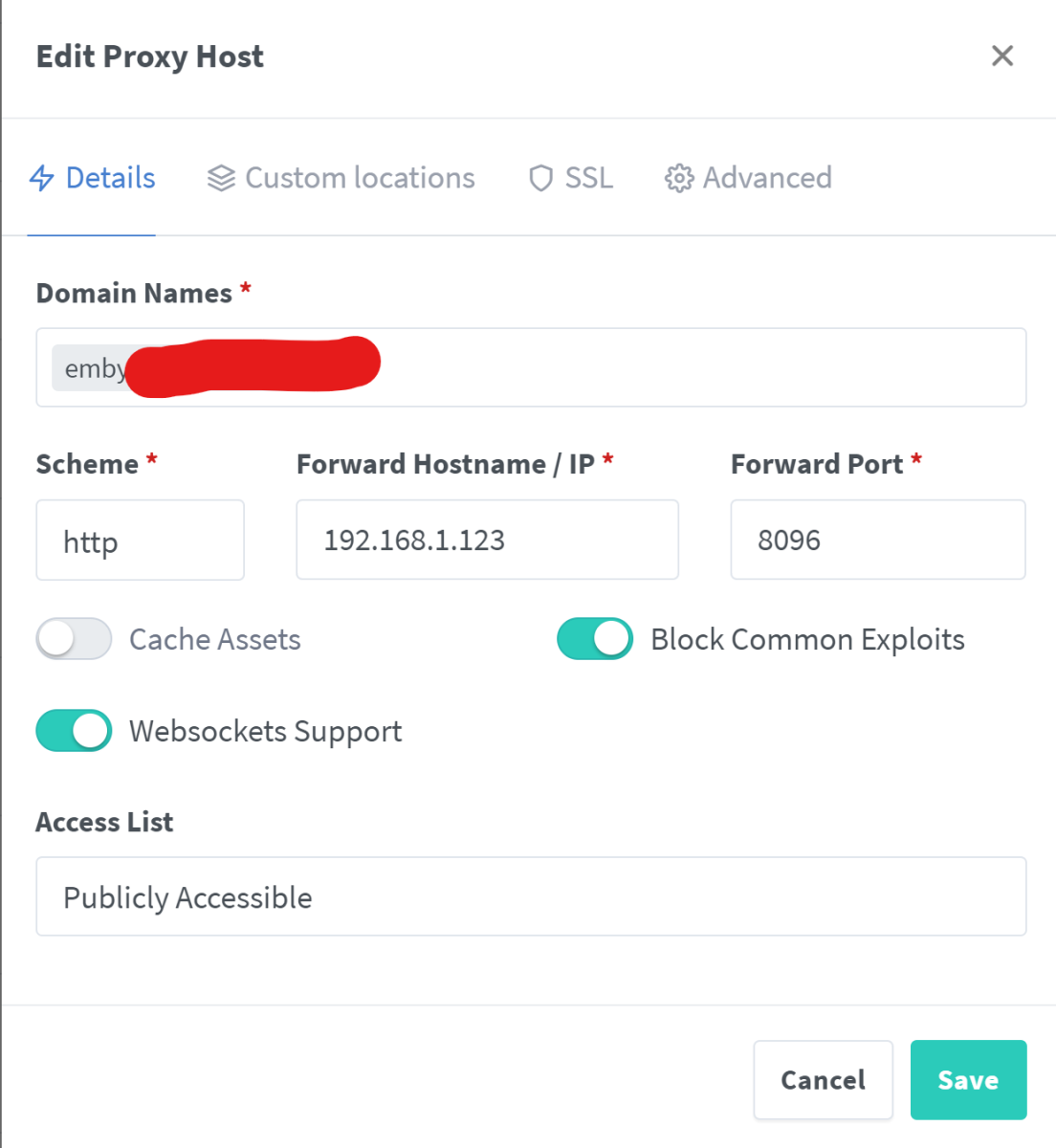
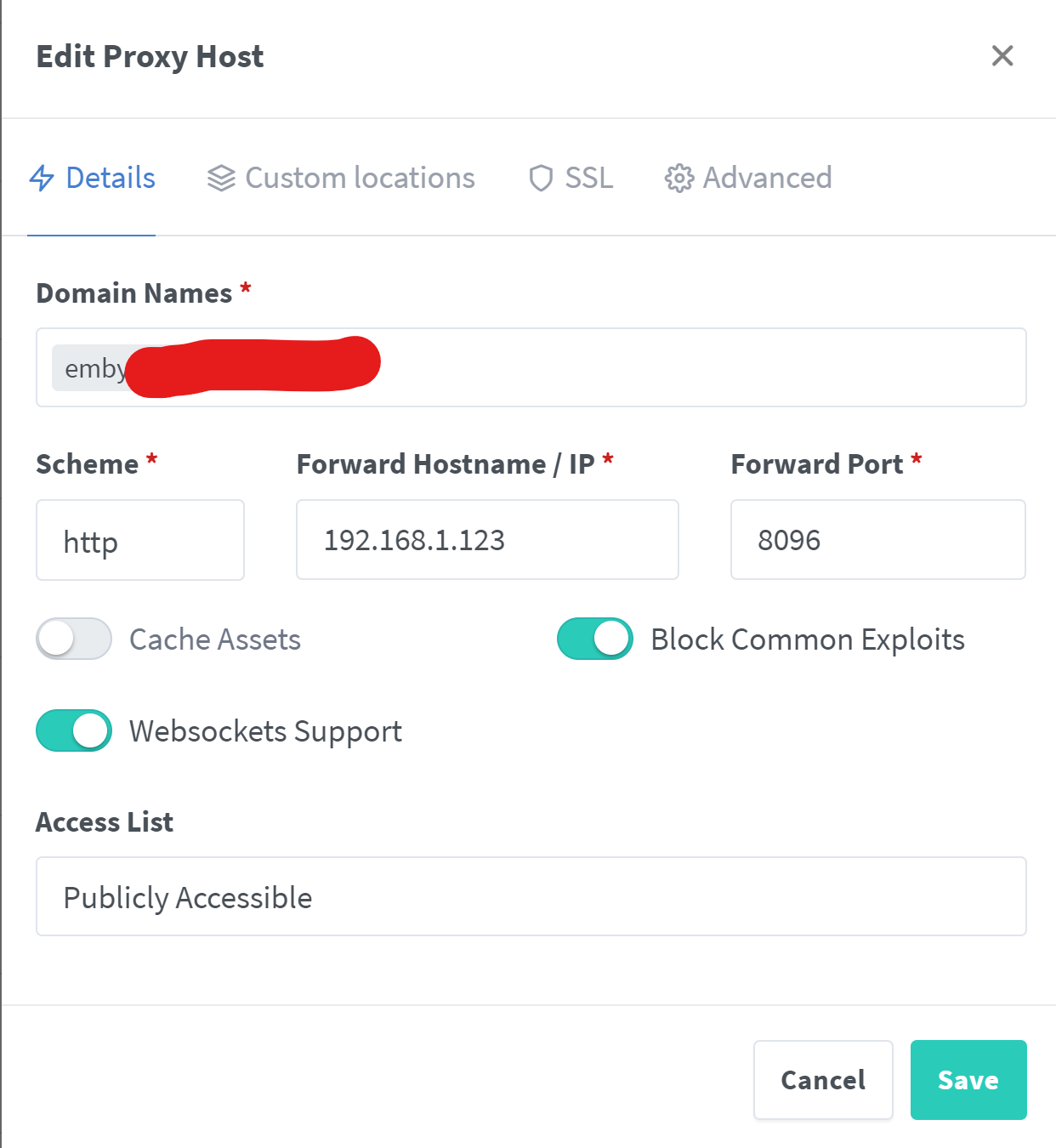
@SamES, below are my New Reverse Proxy settings that I used from this link for a while now: "Custom Locations" location / { proxy_pass http://SERVER-IP:8096; ## Enter the IP and port of the backend emby server here. client_max_body_size 1000M; ## Allows for mobile device large photo uploads. proxy_hide_header X-Powered-By; ## Hides nginx server version from bad guys. proxy_set_header Range $http_range; ## Allows specific chunks of a file to be requested. proxy_set_header If-Range $http_if_range; ## Allows specific chunks of a file to be requested. #proxy_set_header X-Real-IP $remote_addr; ## Passes the real client IP to the backend server. proxy_set_header X-Real-IP $http_CF_Connecting_IP; ## if you use cloudflare un-comment this line and comment out above line. proxy_set_header Host $host; ## Passes the requested domain name to the backend server. proxy_set_header X-Forwarded-For $proxy_add_x_forwarded_for; ## Adds forwarded IP to the list of IPs that were forwarded to the backend server. ## ADDITIONAL SECURITY SETTINGS ## ## Optional settings to improve security ## ## add these after you have completed your testing and ssl setup ## ## NOTICE: For the Strict-Transport-Security setting below, I would recommend ramping up to this value ## ## See https://hstspreload.org/ read through the "Deployment Recommendations" section first! ## add_header 'Referrer-Policy' 'origin-when-cross-origin'; add_header Strict-Transport-Security "max-age=15552000; preload" always; add_header X-Frame-Options "SAMEORIGIN" always; add_header X-Content-Type-Options "nosniff" always; add_header X-XSS-Protection "1; mode=block" always; ## WEBSOCKET SETTINGS ## Used to pass two way real time info to and from emby and the client. proxy_http_version 1.1; proxy_set_header Upgrade $http_upgrade; proxy_set_header Connection $http_connection; } "Advanced Tab" include mime.types; default_type application/octet-stream; server_tokens off; sendfile off; ##sendfile not used in a proxy env proxy_buffering off; gzip on; ## Compresses the content to the client, speeds up client browsing. gzip_disable "msie6"; gzip_comp_level 6; gzip_min_length 1100; gzip_buffers 16 8k; gzip_proxied any; gzip_types text/plain text/css text/js text/xml text/javascript application/javascript application/x-javascript application/json application/xml application/rss+xml image/svg+xml; proxy_connect_timeout 1h; proxy_send_timeout 1h; proxy_read_timeout 1h; tcp_nodelay on; ## Sends data as fast as it can not buffering large chunks ---------------------------------------------------------------------------------------------------------------------------------- Again I have not tested the TV with the new Proxy Settings so have to wait for my client to come back and see if his Samsung TV plays with the current settings!!!
 1 point
 -
It works if I drag and drop file into the browser - exactly as you showed on your printscreen.1 point
-
Well, i am going to buy a router to bypass it and see how it goes. Hoping with the public ip number that comes with the business plan should resolve the issue. Plex does allow for IP6 connectivity. But any users that wants to use your server also has to have IP6 connectivity at their location. They also allow for limited data streams thru a proxy relay. I do run Plex as a backup because a few family members are technically dumb as a box of rocks and never figured out connect. I will buy a router tonight. from recommendations here or by the poke and hope method. Will report any new success or failures as i move forward.1 point
-
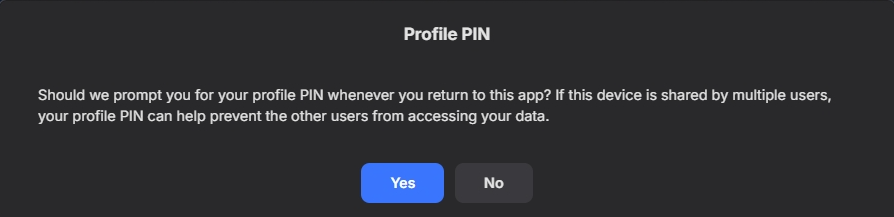
Yes, or click no when you authenticate and it will not us pin.
 1 point
 -
It would be great if this could be done, exposing the api_key with full permissions is too risky. Thanks a lot!1 point
-
Yes that is the issue. It is limited to mkv files on only WebOS 1 and 2.1 point
-
Ok see all series files are .mkv and all movies are .mp41 point
-
Not sure if this helps but just FYI - From my host in Europe - ping connect.emby.media PING connect.emby.media(www.emby.media (2600:3c02::f03c:91ff:fed7:7fa8)) 56 data bytes 64 bytes from www.emby.media (2600:3c02::f03c:91ff:fed7:7fa8): icmp_seq=1 ttl=48 time=108 ms ping -4 connect.emby.media PING connect.emby.media (173.230.139.54) 56(84) bytes of data. Times out From North America, v4 pings fine. I'm guessing my host in europe isn't working because I'm running emby in docker, and my docker setup isn't setup to support ipv6, and fails back to v4 in containers, but can't get to connect over ipv4 for some reason. Edit should have noted v4 IP resolves to same IP in north America.1 point
-
HI, that's probably normal from when the user stopped playing.1 point
-
Kommando zurück! Das mit den Bildern von xmltv.host funktioniert doch. Man muss die Quelle aber pro Kanal manuell zuweisen.1 point
-
It's a thought... In this context, maybe not a bad idea if there are more than, say 20 items. I wouldn't want to only show 6 if there were only 7 or 8 for instance.1 point
-
Working now. Thank you.1 point
-
I was able to log in.1 point
-
Hi. Please try now...1 point
-
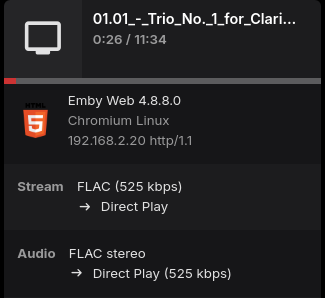
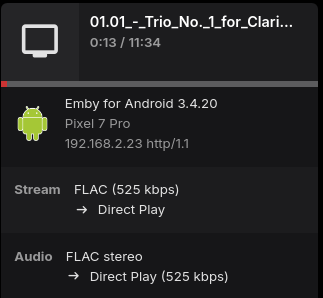
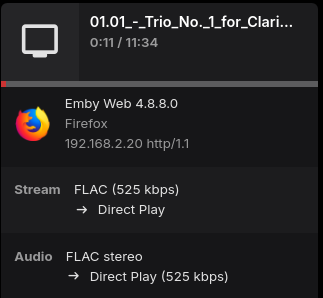
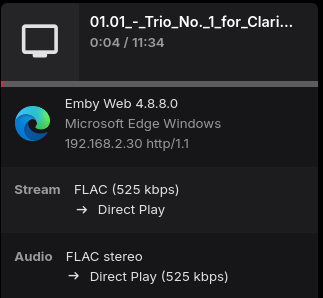
You'll have to provide your server log, I cannot reproduce an issue with this file, I don't see billions of minutes on my android device. Maybe you need to refresh metadata on the item?
 1 point
 -
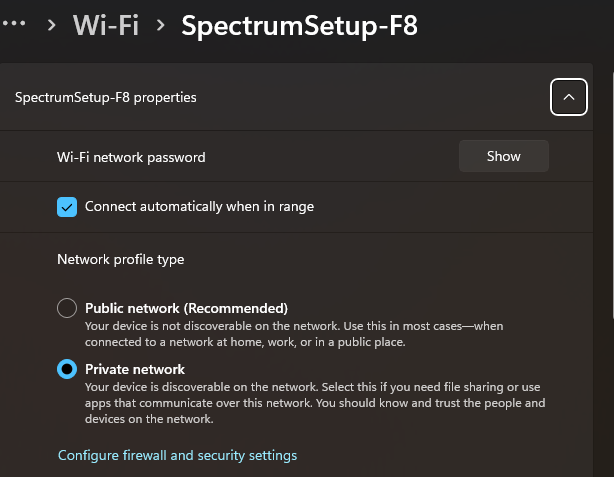
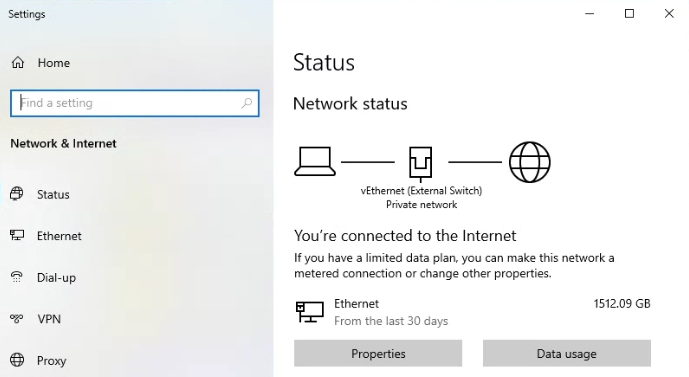
Possible, but first is the network set to Public or Private?
 1 point
 -
Hi. We are looking into this. Thanks.1 point
-
Thank you for the help, both of you. I tried your suggestions and nothing would work. So I just ended up creating new ones with a different name under your parameters. I'll se ehow that goes! They did populate, but mine did originally and then just stopped. Thank you so much!1 point
-
To be honest, I paid 120 euros for Premiere a few months ago and spent more time with emby during that time. I noticed a lot of things that didn't run smoothly. If you pay for emby when you can do exactly the same thing with Jellyfin and for nothing. You get annoyed when it feels like nothing is happening for half an eternity. I'll list all the points that bother me in a separate thread. I hope the problem can be fixed here soon.1 point
-
Thanks @Q-Droid Yes things should improve regarding speed matters as the cache will build up. Yes re speed, as we update the php/mysql, bigjohn did great job indeed. I will watch things for few days to insure all fine, then I will start modify our templates again. Thanks again for your feedback buddy.1 point
-
Nice job. Some feedback. The "Fluid" view home page is slow to load and navigate to next pages. Perhaps indexing or caching? Direct post links from notifications or search are fine and loading normally. Search feels faster, were there enhancements for that?1 point
-
yeah, thanks == 3ks1 point
-
Unless you have a specific reason to want to use those sources, I would suggest that was a bad idea. TVDB is a good and reliable (as far as any crowd-sourced db can be, I guess) source for anime. Problems like yours are usually down to folder structure and file naming, or something to do with the contents of the nfo files. Alternatively, given the prevalence of subs (typically ssa/ass) in anime, you may have some settings related to that which are blocking playback - do subs work ok in your other libraries? Paul1 point
-
Devs will have to comment as I get invalid username/password trying to use Connect.1 point
-
I will guess patches to ffprobe as I have not seen a version that show the info. But there are mentions of it on the net.1 point
-
Same, just watched Transformers 1. I have emby set to play 4 trailers before each movie. It played all of the Transformer movie sequels trailers. SPOILERS!!!!!!!!!! LOL For real there needs to more randomness to what trailers are shown.1 point
-
I can only agree, it runs amazing on Scale. Regarding "KneelBeforeZod's" mentioned issue with Truecharts apps, is not an issue itself. The situation here is that he has installed the app from the Truecharts catalog and not from the official catalog. I had that myself also, but after the removal of Truecharts apps in Scale, I simply uninstalled the Truecharts Emby app, removed the Truecharts catalog, and reinstalled the Emby app from the official catalog, very easy and also future proof for next big Scale update in coming October. Of course you need to load all your media and rescan it again, but if you have your media structured then this is not a big deal. And again, Emby runs great on Scale.1 point
-
thanks for the heads up. will look into it once I have time (recently started a new job)1 point
-
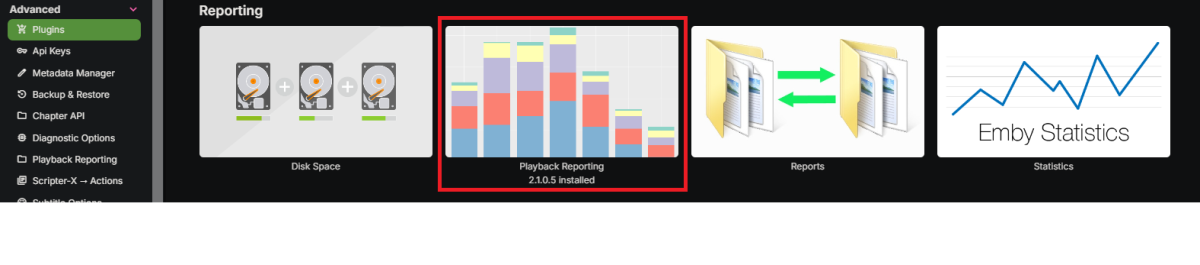
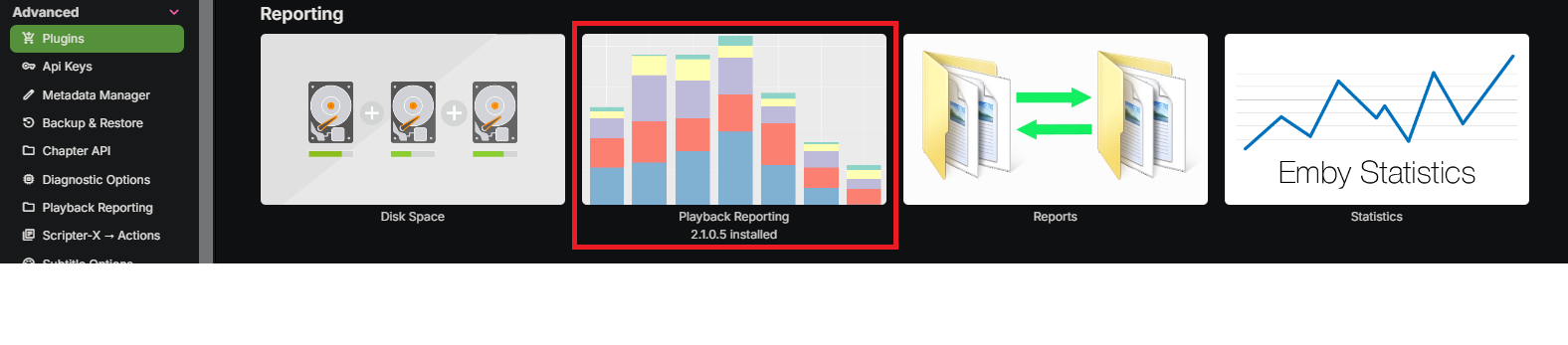
Install this plugin: But it will only report usage after it has been installed...
 1 point
 -
merci beaucoup ! oui en fait, les dernieres réponses m'ont beaucoup éclairé1 point
-
@ebri replayed the part in the episode that has the issue for sure and this time tried the playback error correction and it seemed to playback fine at that point. thanks1 point
-
Hello. I am on the fire stick. I don’t see these options anywhere on the stick. an update tho, switching my wifi connection from 2.5 to 5 fixed the issue. No clue why that would happen tho as I have very fast internet connection in both 2.5 and 51 point
-
4.7.18, not ver 5, still in alpha.1 point
-
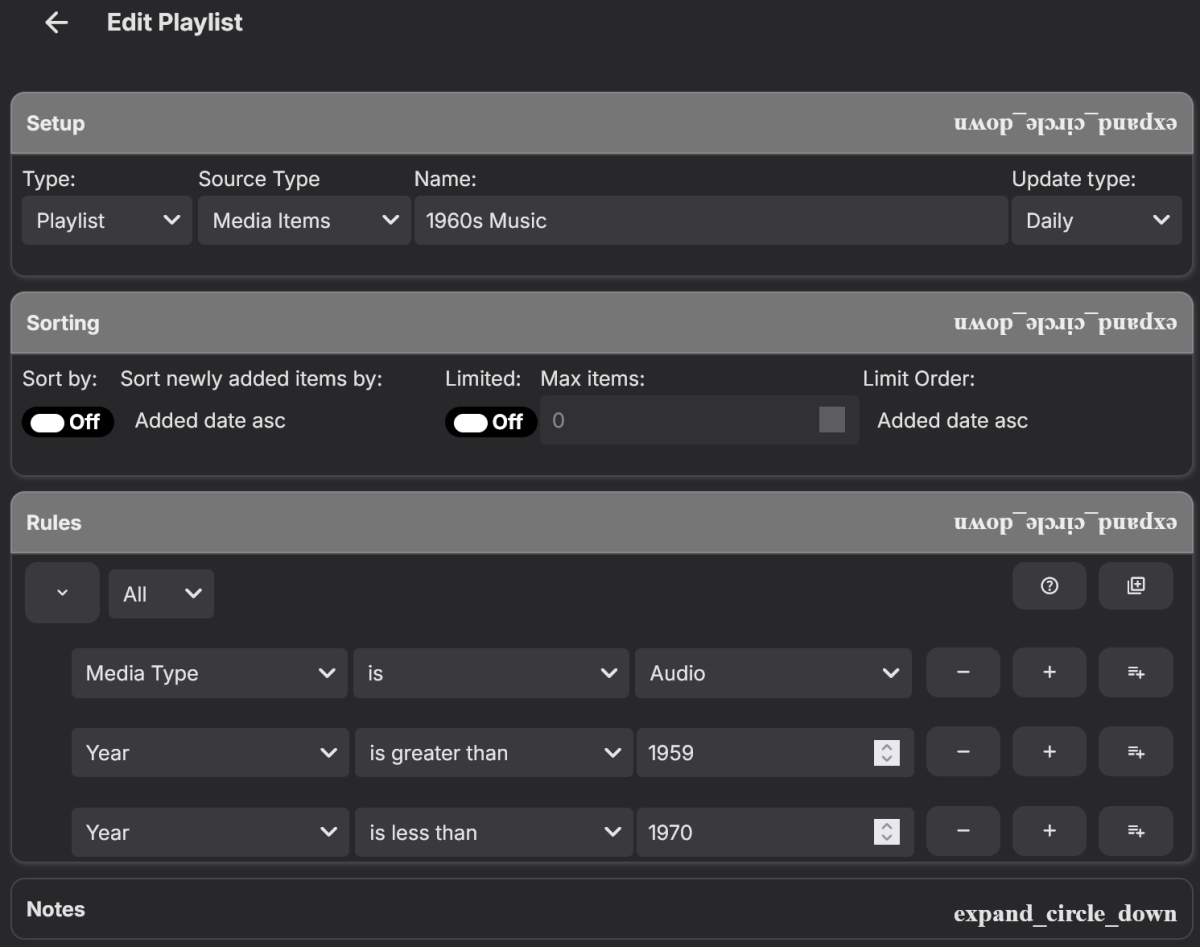
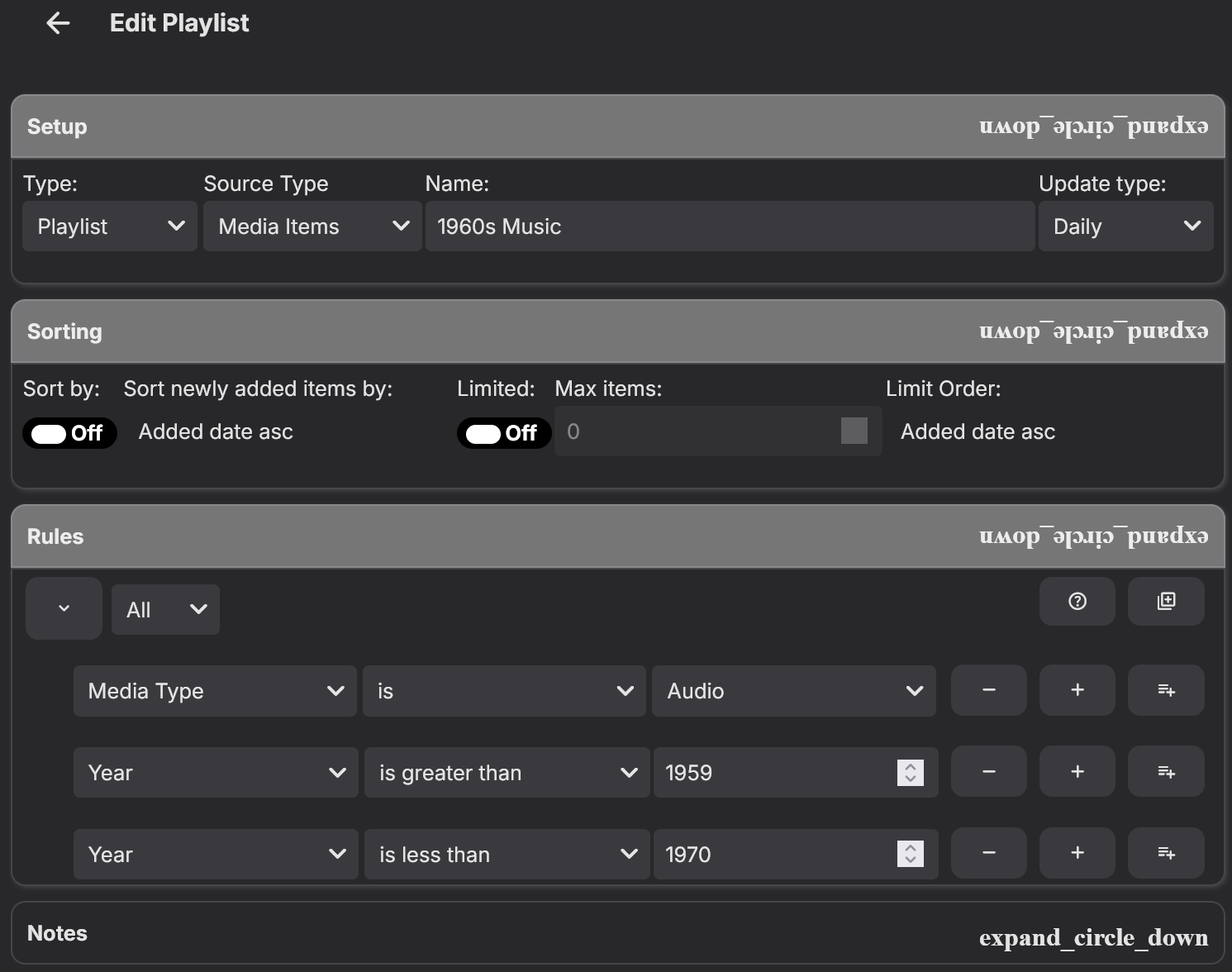
Checking the Path(s) for all the Decades sounds like a good idea. Another method for a 60s decade playlist could be to use the following two Rules: I haven't been having any problems with this method (so far - fingers crossed).
 1 point
 -
I'm certainly no expert with Smart Playlist, but I wonder if the issue is with Path? If your files are all tagged correctly, you shouldn't need that. Here's my 1960s Music playlist:
 1 point
 -
@LukeAny update on this? Would be nice to see posters, links, etc that was mentioned previously for the notifications. Right now it's very barebones, with the title and a description.1 point
-
For those who want a longer explaination... (I probably should document this.... and maybe it would be nice if I decided to spend the time making it an emby plugin... hmmmm maybe) so the program will ultimately use an m3u source to create stream files (i believe this even works for the Apollo vod stuff even... have not tested that in a while) for me my set up is very simple (and complex lol) but for the first part (getting the movies/tv) the create streams program is the start of the process. you can point it at a file of urls (what I do for television - right now i get only as far back as i think the 10th url for tv) or it can be an m3u file/url you tell it the base output dir and it does the rest. you end up with 1. a directory of year folders with movie folders inside that one movie per folder. 2. a directory of TV show dirs containing season dirs then tv season episodes inside that emby handles all of that very nicely. the complex part of my set up is I like my emby server to be portable (so i can say take it with me to a hotel when travelling and such) so i do a fair bit of rsync and such to copy all my network drive stuff that i just updated over to the emby server (a small box with a 4TB external drive running a linux server on it) and on the main machines i have a crontab running which checks for new movies/tv series every 6 hours and will rsync them to the emby server when it has new ones. Technically the main linux workstation crontab calls a script that does all the work. (it gets all the new tv, all the new movies, does the rsync then uses curl to kick off the emby refresh media library task on the server. (actually servers since i have another one running in a docker container locally so if i do take my other server people at the house can still watch emby. if anyone wants that info (scripts and such) i can put that together probably even in here since it is all about apollo though i think the create streams will work with some other providers... m3u is NOT in any way a well defined standard though so i have seen issues on at least one iptv provider for something (it was a while ago so i dont recall what it was) obviously with it still being 1.0 (and it has been on here for a couple years iirc) it works pretty well. and like i said in my previous post it will pop up a gui if you wanted to just run it adhoc1 point
-
HI, we'll look at improving this. Thanks for the feedback.1 point
-
Pinging this... I'm sorry to be a PITA, but the local trailers option is pretty much unusable without this. Anything we can do to make this happen?1 point
-
Still wishing this worked on AndroidTV. Sent from my SM-G960U1 using Tapatalk1 point























.thumb.png.225edb9636a79b10cd220c27f59990f3.png)


