Leaderboard




Popular Content
Showing content with the highest reputation on 06/27/24 in all areas
-
Hi, tags will be a selectable landing option in the next set of app and server updates.3 points
-
But your issue is almost all external communications timing out. Embyadmin Podnapisi Open Subtitle (api and vip-api) Moviedb OMDB So maybe VPN/Firewall/Security software?2 points
-
I believe i fixed it. Thanks to benoliver999 in the thread: https://bbs.archlinux.org/viewtopic.php?id=294180 The solution was to add "NEOReadDebugKeys=1 and "OverrideGpuAddressSpace=48" as envs in the docker config. Screenshot of docker config attached.2 points
-
No, but actually I may have spotted an issue relating to ensuring the h264 version is sorted first. So we'll have to get that resolved and backported to 4.8.X.2 points
-
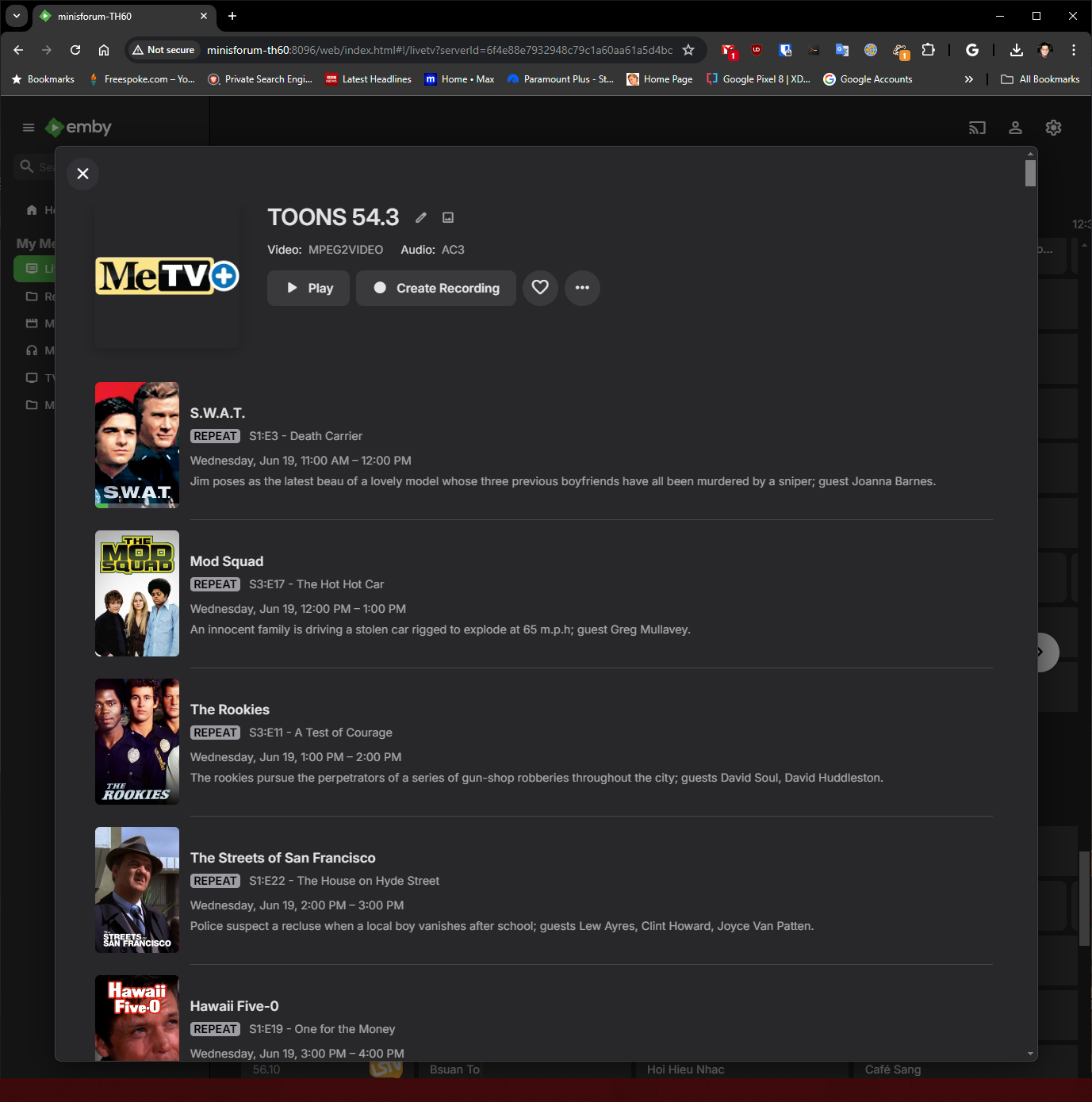
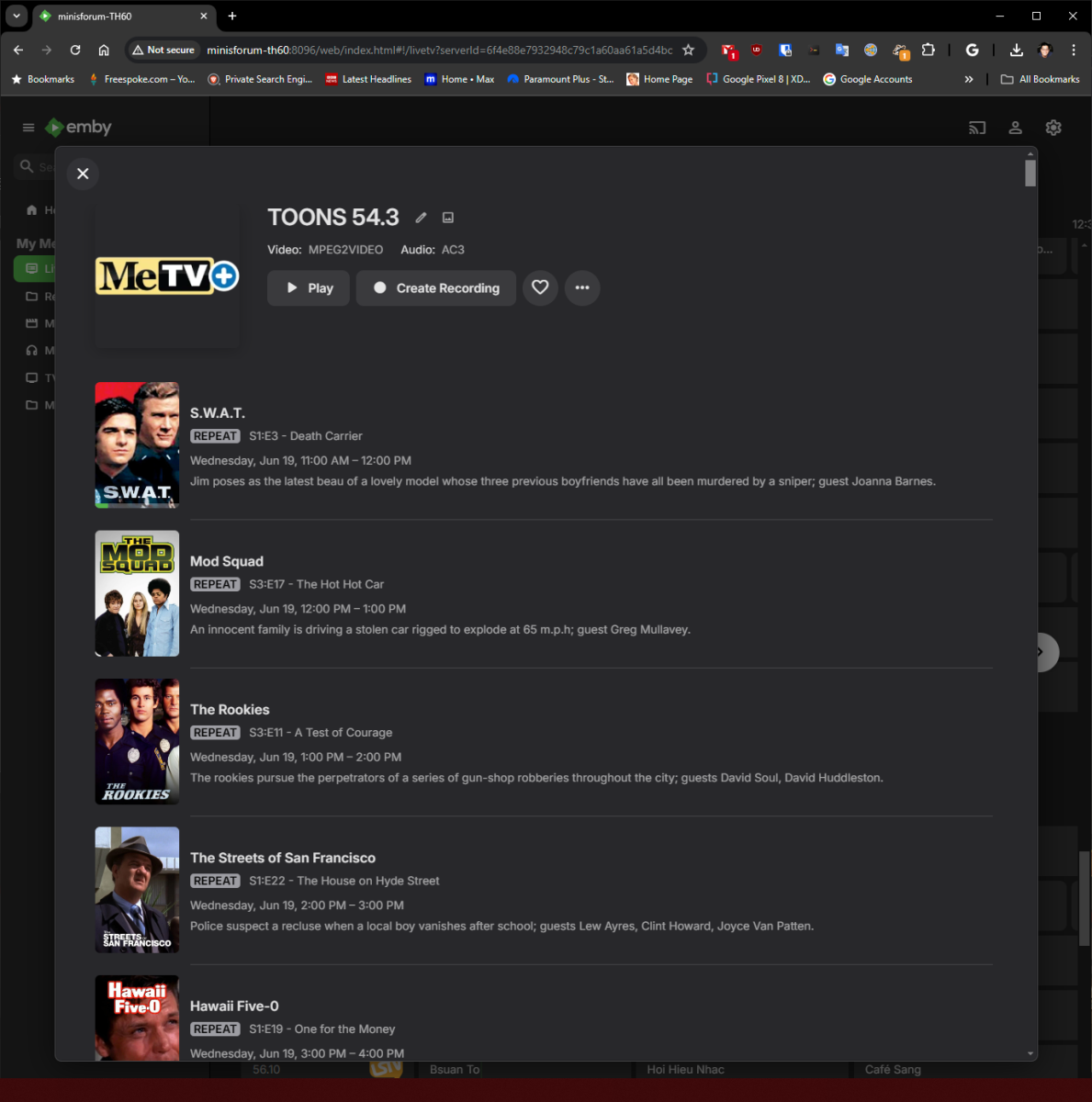
I just saw the new MeTV Toons channel show up on my HDHomerun. Channel 54.3 in Los Angeles. Looks like they are just looping promotional spots until they go live officially on June 25th. However, the emby channel guide has it listed as MeTV+ and shows the MeTV+ shows instead of the MetV Toons schedule. I just wanted to confirm if this is just a placeholder and will be corrected when the channel officially goes live. My emby guide data is USA-OTA90403 Here is what I see in my Emby Guide Here is the official MeTV Toons programming schedule available at https://metvtoons.com/schedule/ Official MeTV Toons programming Schedule.pdf
 1 point
 -
I decided to apply an ACL to the media folder tree instead as I wasn't sure how overriding the service file would work long term in case there are changes to it down the road. It also seemed like I needed to duplicate all lines already present in the config instead of just adding the umask to test this. For future reference and helping anyone who comes across this in the future, here are the steps I took. #make sure emby group owns folder/files and that they are the correct permissions sudo chown -R scriptuser:emby /path/to/TV sudo find /path/to/TV -type d -exec chmod 775 {} \; sudo find /path/to/TV -type f -exec chmod 664 {} \; #setgid so new files/folders created in exisitng folders are owned by group sudo find /path/to/TV -type d -exec chmod g+s {} \; #set ACL on the folders so that new folders/files created have appropriate group permissions sudo find /path/to/TV -type d -exec sudo setfacl -d --set g::rwx {} \;1 point
-
Yet again i forgot to add a log file in case it would be interesting. ffmpeg-transcode-499cf13b-a739-4451-818b-4b03b89ecd4a_1.txt1 point
-
Hello Hap, I set up a new folder in the library for TV shows and moved my video file to it, and just like you said.... everything ie metadata... updated just fine. Thank you for your time and patience with me. Ed (bunit)1 point
-
Unfortunately, no other machine to use as a server to keep on. The download option is a workaround for now. I’m just trying to avoid another monthly/yearly subscription. These are home videos converted from VHS and the service is subscription-based after 30 days. I ended up copying the videos to a flash drive that has dual USB-A and USB-C connectors to plug into my iPhone and laptop. Not ideal but another workaround. Thanks for your responses and assistance.1 point
-
Just coming back to this thread not to re-open or anything but to show appreciation that you decided to come back on this decision and finally make it that way. People often like to point out what is missing or not working but I also like to be fair and point out when what I consider to be a positive improvement has been brought. Thanks folks.1 point
-
Probably disable path substitution in plugin's config menu. If still doesn't work, you need to send a kodi.log for review.1 point
-
Is Jellyfin violating any licensing and using a public repository to host their agenda? That could lead to headaches for them in the future. They might get deleted. In this world we are in today abusing licensing rights is something you want to avoid.1 point
-
@Gilgamesh_48There is no benefit to knowing how many people work for Emby either as contracted or employed directly. I myself do not even know those numbers. I would expect this is normal as that range is given for tax purposes. You must disclose certain things and that website keeps track of those things. It wasn't to deceive you or act mockingly giving a funny answer. I was being quite serious. That is the most accurate reflection of the company at this time. Emby will continue to be awesome and support your media your way regardless of how many the headcount is. Apologies it appeared there was some hidden meaning behind any of what I said. I was being honest with what information is available at this time.1 point
-
I tried with 3.0.16 I just checked and 3.0.21 seems to have dropped since I last tried. I will try later today and report back! Thanks1 point
-
You need to make sure you are testing from the same account, same interface, same IP, same container etc that the emby server uses. It's pointless testing from anywhere else. If emby can't get to the URL's, then neither should any terminal or command prompt. Emby simply uses the OS network stack. try a 'curl' to the https addresses above - do you get anything back ? if not, then you need to fix your external connections - this is not an emby issue ...1 point
-
Must be something within the show as testing this in release and beta I can not reproduce with same settings as provided. Only way I could get it to show is modify episode level rating.1 point
-
It’s possible I didn’t pass the logger thru or something but then I would assume it wouldn’t work but I’ll take a check later. It should also be be logging errors to the activity section as well as what it found/didnt. I wanted to make it a bit more self sufficient from ui so people aren’t like it didn’t find xyz.1 point
-
Hi. Did you look at the individual episodes or seasons to see if they have ratings set? If you click on the TV show poster from the Latest row, exactly what content shows there?1 point
-
Reported. Thanks.1 point
-
Opensubtitles are not you only issues. 2024-06-27 21:23:49.026 Error HttpClient: Connection to https://www.mb3admin.com/admin/service/EmbyPackages.json timed out 2024-06-27 21:23:49.037 Error App: Error getting available plugin updates And later 2024-06-27 21:27:52.925 Error HttpClient: Connection to https://www.podnapisi.net/subtitles/search/old?sXML=1&sL=en&sK=Napoleon&sY=1480 timed out 2024-06-27 21:27:52.934 Error SubtitleManager: Error searching for subtitles on Podnapisi Something is blocking you outgoing requests.1 point
-
We didn't modify the delivery because we hadn't heard back on performance yet. We can with the next release.1 point
-
"nslookup vip-api.opensubtitles.com" returns a valid ip for me - are you sure your DNS lookup is good ? edit "nslookup api.opensubtitles.com" returns the same IP's ..1 point
-
I have the same issue, plugins catalog page does not show anything other then the loading icon. I even recently got a fixed ip from my ISP to help me better connect to my media library from the internet, but in this case in does not seam to help. UPDATE: Changing DNS fixed it for me. I just used Warp's DNS feature to change it to 1.1.1.1 and it worked. Once installed I went back to the old DNS and it still works.1 point
-
Alright my bad I missed this post of yours yeah since then everything was fine you can close. I just fixed it at that point by removing the 'corrupted' elements and re-adding them luckily my collection isn't too big for now so it was fast.1 point
-
Oh wow I was sure I posted it under the correct thread but I guess not, I'll dig it out and chime in there, thanks!1 point
-
thanks @Lukethat did the trick. i just had to login to opensubtitles.com1 point
-
@Lukecan a note be added in Identify under IMDB that it does not use IMDB for lookups.1 point
-
I was wondering the same thing.1 point
-
@luke what's happening here then anything?1 point
-
Indeed after creating the library folder, the error message dissapears. The parental control is not working though, I have to dig deeper. Thanks for now !1 point
-
@sa2000when I first removed the Library with the absolute path and added the mapped drive, my guess is I did not wait long enough for the sql database to purge the absolute path's contents in the database, and that is what caused the duplicates. As per what caused the "contents to be found but have no data at all" which is what started all this, I have no idea what caused that and it is a complete mystery. After being patient and letting the sql database get purged, and then adding the Library with a shared drive path instead of an absolute path, and waiting 8-12 hours for it to scan the entire Library, things appear to be back to normal. I hope this answers you questions. I still have no idea what started this, but the issue has been solved.1 point
-
OK thanks, we'll take a look.1 point
-
I was messing around with the Emby API and thought of creating a lightweight dashboard to display some basic info and details about the Emby server. I'm planning on adding more features soon. You can use it on your Emby server as well. Features Server Info: Displays the server version, operating system, server name, and HTTP port. Sessions: Shows the total number of sessions, active streams, playing streams, and paused streams. Media Info: Provides counts of movies, series, and episodes in your Emby server. Library Info: Lists all libraries and shows the item count for each library. Let me know what you think about it haha Here is the GitHub repo: https://github.com/imahmud1/emby-dashboard
 1 point
 -
You can do this now in the Roku and Android TV apps by selecting the default tab in the app library itself (cog at top right when in the library). The other apps should be getting this capability soon. Hi, there's already an open request for this or something functionally equivalent. Please join in and contribute to the existing discussion at: Please start a new topic in the general section with details as soon as you can reproduce. How to Report a Problem Thanks.1 point
-
Whoohoo, I registered on this forum just to request this feature - just to see its coming soon Looking forward to it !1 point
-
+1 for this feature!! Reading .pdfs and .epubs/.mobi directly in browser would be amazing.1 point
-
Hi. I've reported it to the provider. This isn't as automatic a process as one might think so it may just take them a bit to get it all lined up. Thanks.1 point
-
It looks like Starlink's DHCP assigns IP addresses in the range of .20 through .254. So if you want keep the Starlink router as your primary then use .2 through .19 for static IPs on your LAN to avoid address conflicts.1 point
-
Is it possible to add the following two feature to Emby for an improved music experience? - Cross fade between the audio/music files - Audio volume leveling and peak normalization (so that Emby automatically adjusts the playback volume in order to maintain a consistent level e.g. by setting a threshold, and those music/audio files that are below the threshold will be gained/boosted and those that are above will be lowered.)1 point
-
Hi, yes these are both features that we’re interested in for future updates. Thanks.1 point
-
Thanks but unfortunately most of my lib is FLAC, seems like MP3Gain doesn't support it Anyway the idea to apply the gain to the file instead of letting the player handling it from the tags is indeed a solution, but kind of a workaround as you have to do it for every new music files (to be clear I don't expect Emby to analyze my tracks, only to apply existing ReplayGain information)1 point
-
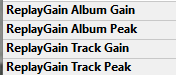
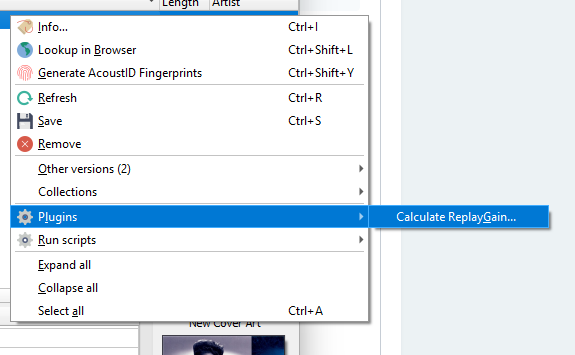
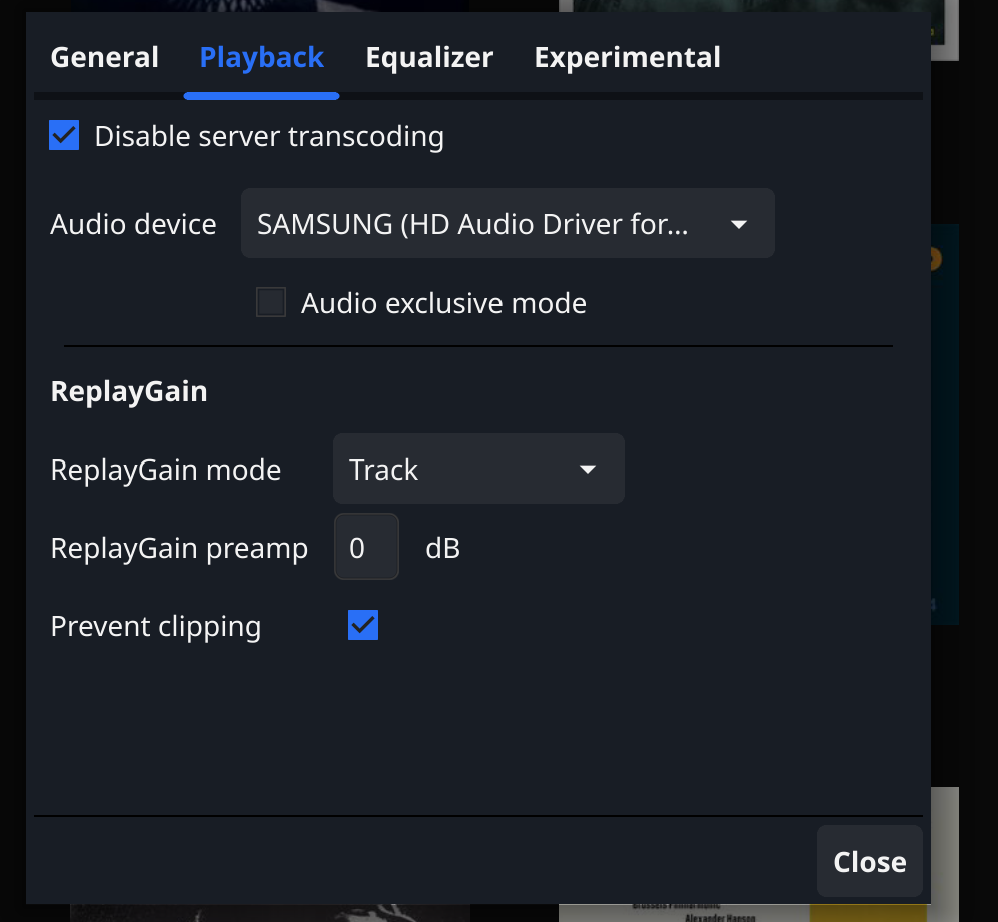
Hi There are pros and cons to any tool or approach. I am not that familiar with MP3gain but am sure the objective is the same normalize audio volume. I tried replay gain first, because it doesn't physically alter the volume of the track. The tools "processes" each track and writes 4 metadata tags. It can then either be turned off or on easily. So it relies on the player to adjust . For the bulk processing of my music library I used rsgain. (I spent alot of time making sure that the tool, did and does not "mess up" my existing tags} See " ReplayGain 2.0 tagging utility (github.com)". Musicbrainz's Picard has a plugin based on the same tool. @PuffyToesToo I have no clue which is a better algorithm and as long as it can be turned off or on, Either would be an improvement. Yo @Lukebelow is a Standard implementation. The drop down list has three mode options None, Album or Track. Works quite well with my music library
 1 point
 -
This is coming in 4.9 and will be backported to 4.8. This is implemented identically as Repeat Mode, so I'm going to copy, paste and edit the notes from that: I've added some new GeneralCommands that you can add support for in your apps: SetShuffle that takes a param of Shuffle, which can be true false Recall that all commands are assumed unsupported unless you indicate. So all media playing apps can add these features, and those who accept remote control commands can also allow them to be controlled. In addition, playback start and progress check-ins now have a property: Shuffle - true or false The remote control API to play is backwards compatible, meaning, if your app doesn't support the new SetShuffle command, the server will pre-shuffle the items for you. If you do support SetShuffle, then your play command through the api will also need to listen for PlayShuffle. @TeamB @quickmic @Tolriq1 point
-
Shuffle in the player coming very soon: Look for it in the 4.9 beta channel in the coming days.1 point
-
HI, yes it's planned for future updates. Thanks.1 point
-
Regarding video leveling:1 point
-
Lots of content has audio levels designed for theatre sound systems. When played through lots of home systems, by the time you turn up the level to the point where you can hear the conversations (especially the conspiratorial whispers), the M&E tracks reach window rattling levels. There is a loudnorm parameter in ffmpeg that may help, and there is a python program ffmpeg-normalize that may perhaps be better. I've not yet experimented with either, but I will report back when I know more. Adding the ability to normalize audio in conversions, preferably by adding the normalized audio as a SAP would seem like a worthwhile feature. Please consider it future revisions of Emby Server.1 point
-
It's a great idea for the future. thanks !1 point
-
It's a great idea for the future. Thanks.1 point
-
with ability in settings (user) for the number of seconds of the cross fade and the option to enable it or not.1 point