Leaderboard




Popular Content
Showing content with the highest reputation on 06/06/24 in all areas
-
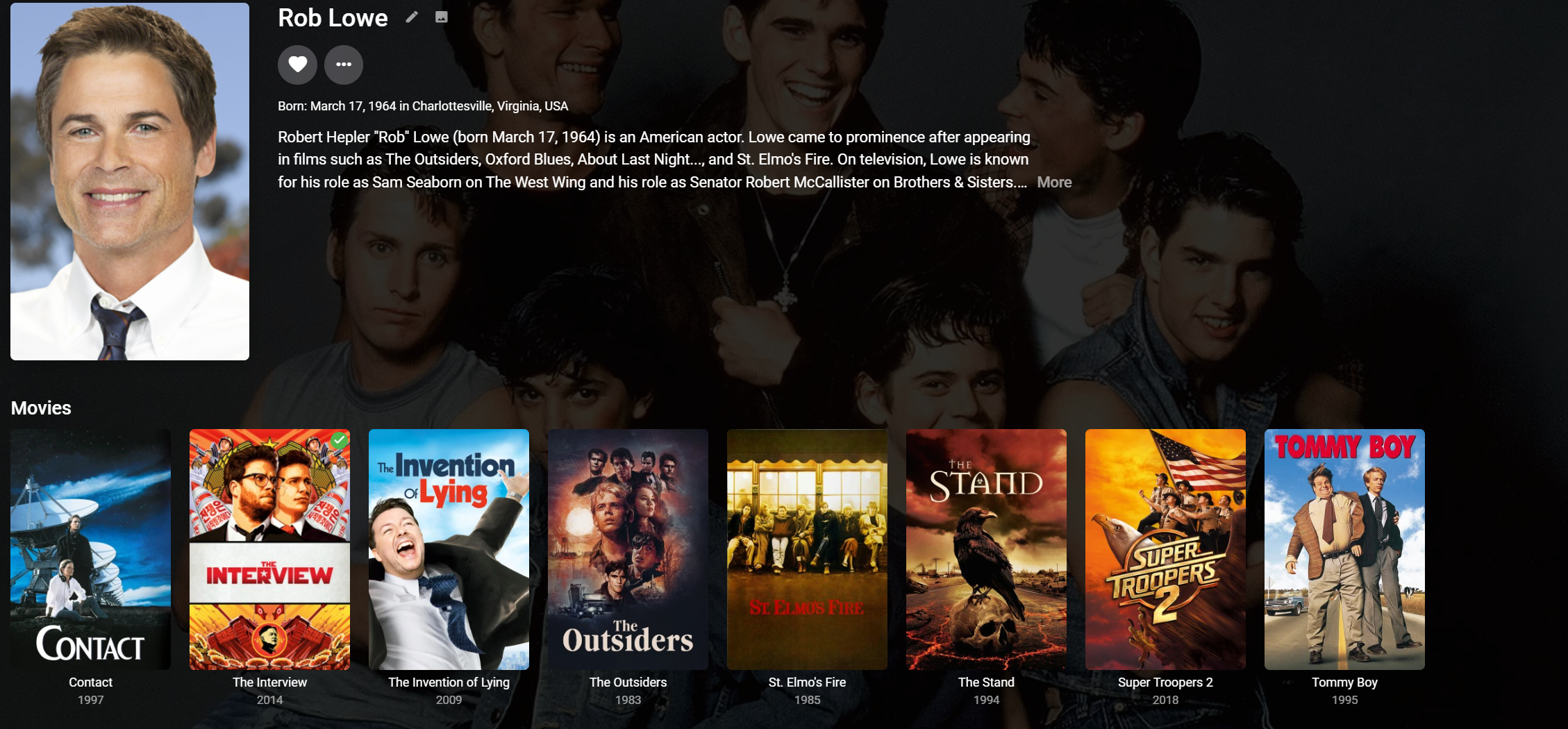
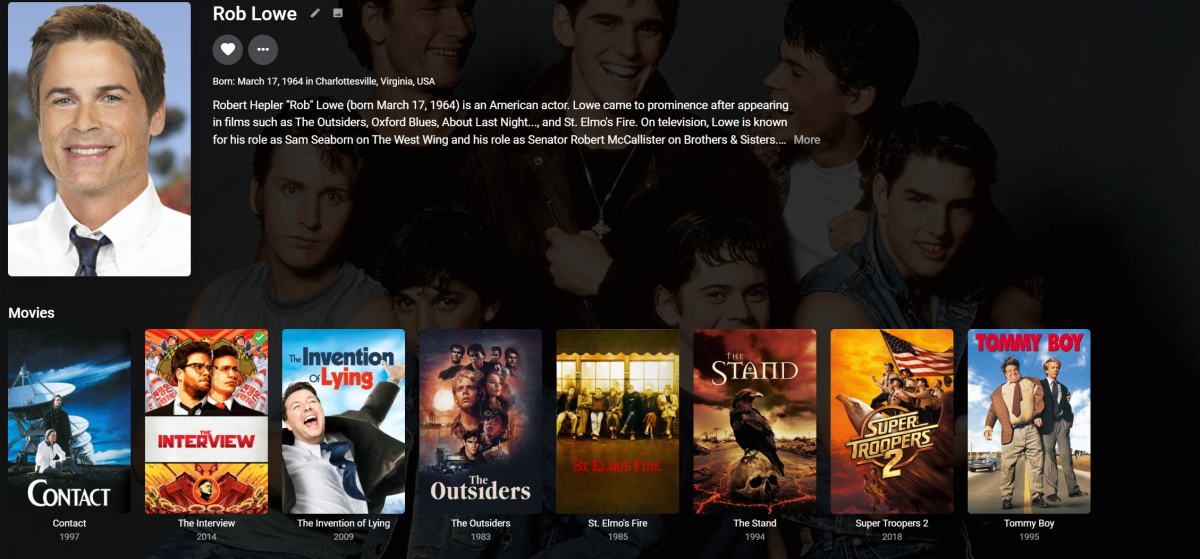
When I click on a person to load their page, it shows me the posters for the movies they were in. Under each poster is the title of the film. What it doesn't have is the name of the character they played. On the movie page, the cast all have pictures below which are two lines: actor name and character name. I'd like to see a similar arrangement on people pages, with the film name and the character name.2 points
-
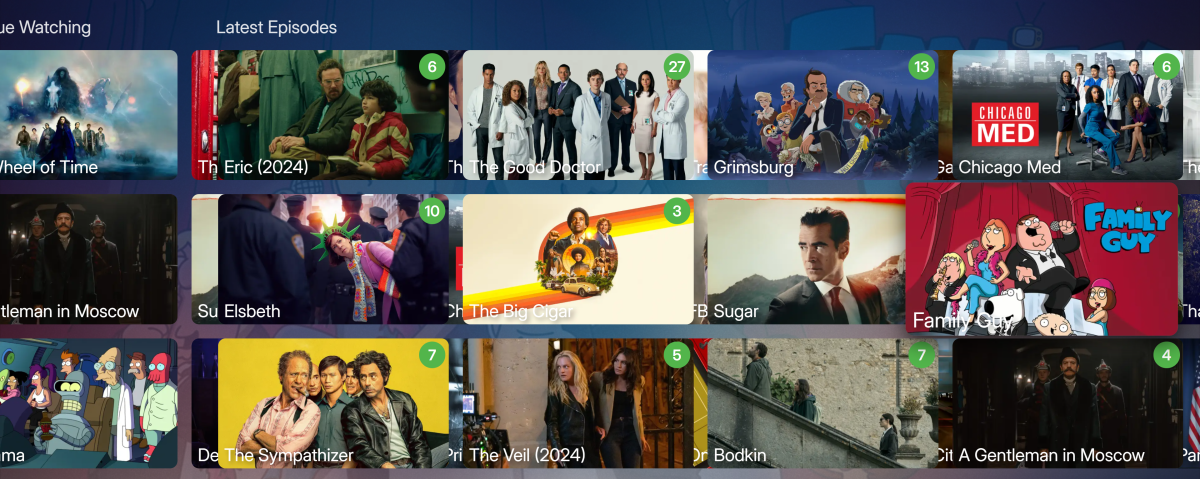
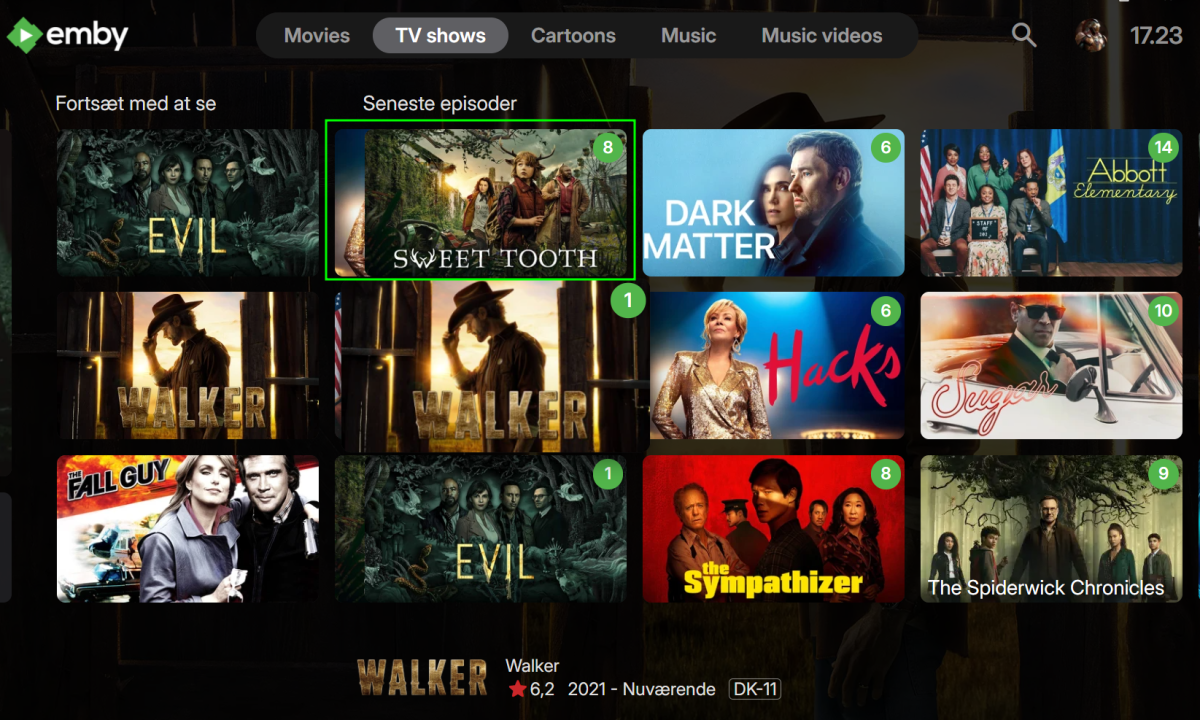
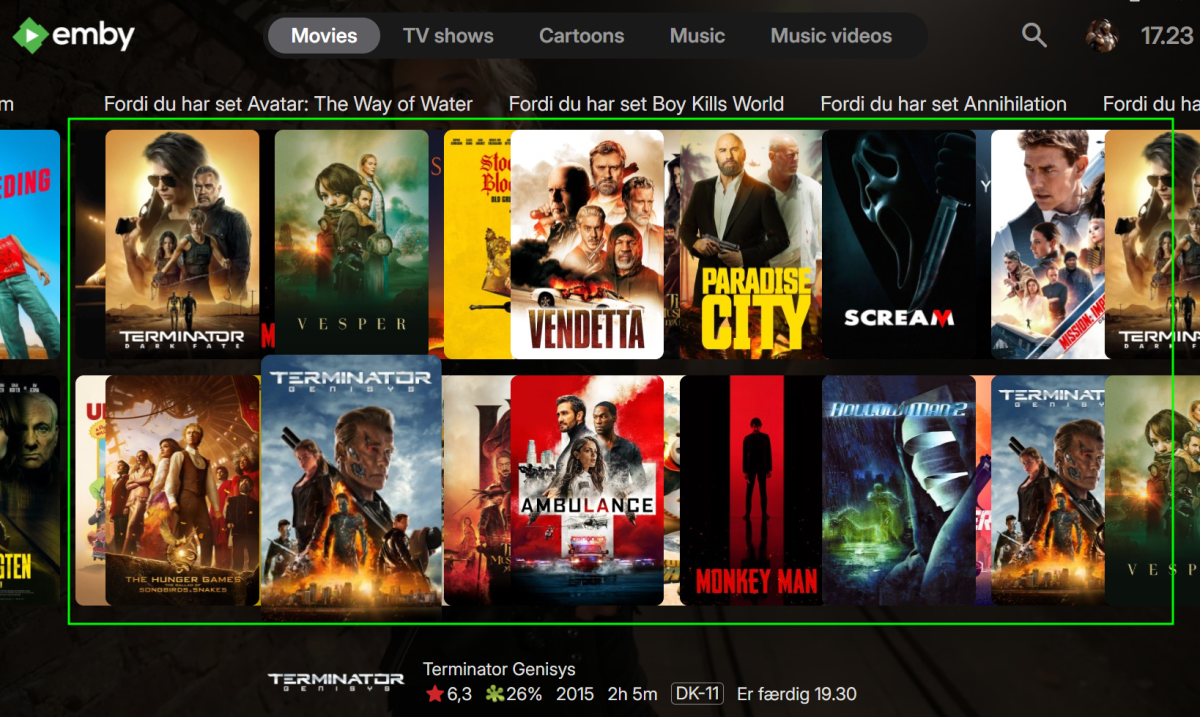
Hi, Emby: 4.8.8.0 ET: 3.0.20 Everything is on top of each other. Started today. Same issue on 2 PCs. -T.
 1 point
 -
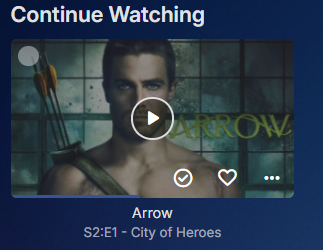
Roku - 4.1.22 I just noticed that on my Roku all my libraries are starting in "Suggestions" even though I have set the default to "Movies" or "Shows" Except for Photos where it defaults to "Folders" I have reset each library to what I had before (Shows, Movies, Photos) but they reset as soon as i leave the library involved. I have restarted the Emby app, several times and I have restarted my Roku itself twice and I have restarted my server (Version 4.9.0.23 beta) twice. To put it simply the default tab is always reset to whatever is the default as soon as 4.8.0.23 was installed this AM but the web app still handles the tabs correctly. This is a matter of a couple of button presses each time I enter one of the libraries on my Roku. But it is a couple of button presses that I have not needed in the past. Please fix!!! Edit to add: I just tested and my Fire stick and my Shield TV both work correctly so this is a Roku bug.1 point
-
Ok... nearly three days later; doing detect intro scan. All working now1 point
-
Just to clarify... I think the system should pull down one image for new content, just like it does now. Bloat (additional cover art) would have to be manually added by the user. There are so many great custom posters for movies with no way to save and admire them right now. Would still love to see this...1 point
-
That worked! Now I need to work out how to get Emby to show the categories in the XMLTV file as categories on the guide - which was the entire reason for coming to Emby. Exciting! Thanks for the help!1 point
-
Hi, we are looking into it. Thanks.1 point
-
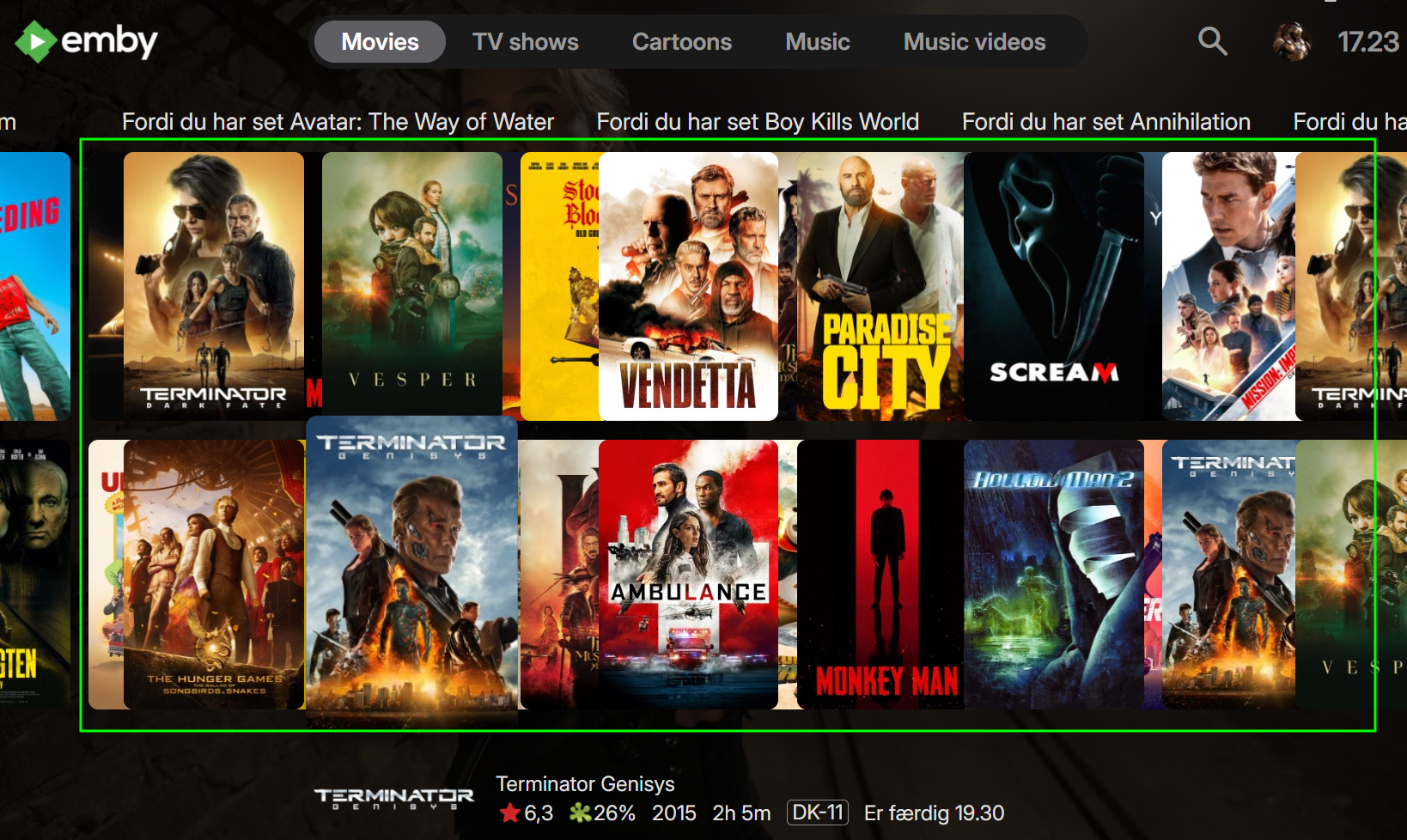
The miracles of updating without versioning. But yes per this view there is overlapping now. Desktop and App Store versions1 point
-
1 point
-
Looks like this has been resolved. Edit resolved in Desktop still a issue in App Store.
 1 point
 -
ok I will do, the standard Kodi Video responses as expected, but I will do some additional tests1 point
-
Seeing the same, using TV Display mode - Vertical. Using v3.0.20
 1 point
 -
A little addition to the report. Before this bug reared up I would exit a library after setting things like choosing "favorites" or sort order or anything else selected from the menu on the far right of the screen and when I reentered that library the choices would be retained but now, with the bug, the choices are lost upon exit. I really think the failure is upon reentry not on the exit. It is like the settings are saved just fine but are never read upon entry. I hope that was somewhat clear,1 point
-
I'm having the same issue. Started around 10 last night.1 point
-
With synced nodes, neither the plugin and Emby server is responsible here. I'm 99% sure it's one of the 3rd party plugins. As usual, test with stock Kodi and it will work fine.1 point
-
It would be nice to be able to see which character the actor played in the movies / tv shows view when clicking into an actor. Currently, it only shows the movie / tv show name and year. The data should already be there since when you click into a movie / tv show, the character name already shows under the actor's name.
 1 point
 -
Hi everyone, I am just sharing something that I thought might help some users. I didn't find the solution online so if it already exists, forgive me. TLDR: my phone was on 5G and my laptop on my 2.4G wifi and making my laptop connect on 2.4G resolved (I hope, it's not been too long) the issue. Longer story: I recently had issues connecting from my Android phone to my Emby server (LAN or WAN). I tried many things by myself or via solutions written here by the community. It was very unstable. Another thing, I saw my Wifi disconnecting and reconnecting by times (I still guess I have to talk to my ISP for that...). I tried to connect my profile with my Emby connect, installing a different build, log out log in, checked the TCP ports, etc etc. Then I thought about the Wifi bands. I saw on my router that all my devices were connected on 2.4G but my laptop on the 5G. I saw that on Android, it apparently cannot be specified (except if the networks are separated) but on Windows, I have set it up as "2.4G preferred". Now that they were all connected via 2.4G, it works fine, LAN and WAN. Hope it will help people in the future. Error messages I got: "unable to reach server", "this emby server needs to be updated".1 point
-
Yes go to user icon-app settings-home screen and adjust library order per user.1 point
-
It was renamed from "Screen Grabber" to "Image Capture" a while ago.1 point
-
Latest update from the Windows Store resolves this issue. Thank you.1 point
-
Yes, thanks.1 point
-
In that case something like a checkbox or radio option that switches between "require all" and "require any" (and maybe, "require none"...?) would be reasonable. But trying to allow people to build "queries" with AND and OR would just be a disaster.1 point
-
As you've already surmised, that is the way to go (or better yet, kill internet connection altogether while initial import) if NFOs present, as Emby will still look at online providers for updated/missing metadata, you'd want to make sure it just doesn't find anything. Sounds like FR in the making.1 point
-
Well the person the dev is talking says most of the same requirements apply to Plex. But either way you can manually group, group per required structure/naming scheme or the plugin. But the question becomes why don't you have access to the plugin folder? And I assume you could have it applied by the hosted system. But these issues are truly out of Emby's control on are an issue with the hosting service.1 point
-
Hi, thanks for sharing.1 point
-
So, I figoured out that vimu.tv is able to play all my movies. It has an option of `Convert Dolby Vision Profile`, when I turn it on, everything works just fine. I tested it on 131gb movie with 70 Mbps bitrate, which is the best I can find - no issues. The setting is converting profile 7 of dolby vision to profile 8. It appears that dolby vision profile 7 has some issues on my Philips tv. I found some examples of other people with Philips tv's with the same issue. So most likely its a problem with the tv itself.1 point
-
This is only thing that keeps me still checking Emby to see when I can start testing and offer feedback.I am now using Channels and it’s dream to use.1 point
-
HI, yes there are currently no options for this but this idea has come up before and is possible for the future. thanks.1 point
-
Would definitely be nice to have a "clear alerts" link in the upper right of the alerts box.1 point