Leaderboard




Popular Content
Showing content with the highest reputation on 05/16/24 in all areas
-
Have a look at user settings, under each user.
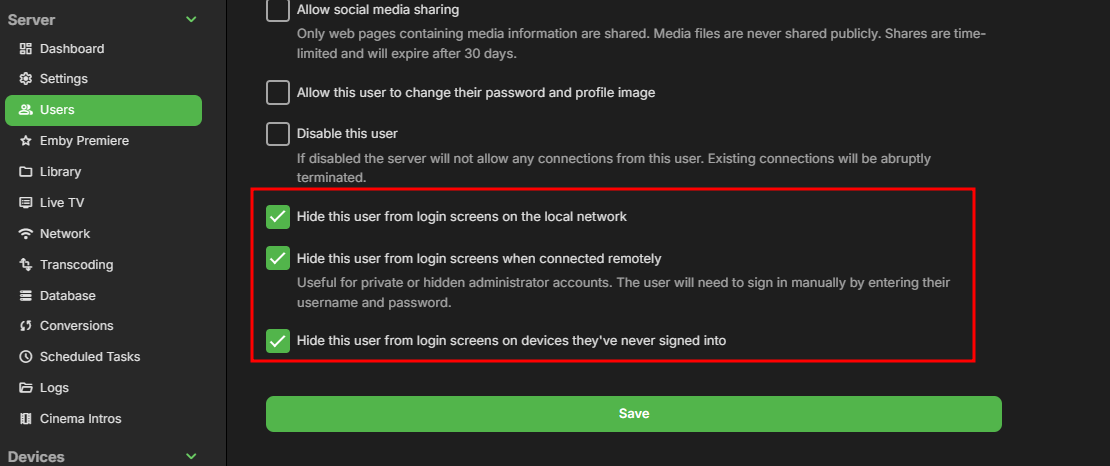 3 points
 -
Example: A user wants to binge watch a show they were binging before, but they dont want to continue from the episode they left on, they want to start from a season or two before. On ATV, from they homepage they pick the episode they left off on. This screen shows the episode and 6 buttons. Resume, Play, Mark Played, Favorite, Go to Show, More. The user clicks to the right four times and hits enter. They are now at the root of the tv series and can go to any season. 6? total button presses. On the Android app we're told to use, from the homepage they pick the episode they left off on. This screen shows shows five buttons. Resume, Play from beginning, Mark Played, Favorite, More. The user clicks to the right four times, hits enter to open the More menu. The More menu, from top to bottom: Play from beginning, add to playlist, add to favorites, mark played, convert, download, download to, go to season, go to series, edit subtitles.. The user presses down 7 or 8 times to get to either the Go to Season, or Go to Show. Also.. why is there the option to download? This is connected to my tv and streams.. its not mobile, it doesnt need to download. Then if the user has admin rights the Menu has even more options to get through, like Convert.. something that also doesnt need to be on a TV layout. So, do we need a new mega thread about the new android app and how each ui element is effectively less efficient than the older app? How can we show you that the new app is not the direction we, the users, want the development to go?2 points
-
First things first. "Emby" Tags... ... are completely a different matter than media tags/icons... Let's start with the first one. Emby Tags should be synced to Kodi. How do you access them? Did you try browsing via plugins "run" menu -> "synced nodes" -> content -> "by tags" Are they available there?
 1 point
 -
@Luke Du kannst hier zu machen. Mit dem DLNA PlugIn aus funktioniert das jetzt. Für alle weiteren Fehler mit der Funktion und Verbesserungswünsche mache ich nen neuen Thread auf. Gruß Eddie1 point
-
@Luke Wow, das funktioniert ja. Also das Abspielen der Playliste. Andere Sachen noch nicht, aber die Richtung stimmt nach zwei Jahren endlich wieder. Ich habe das bis jetzt aber nur auf dem Onkyo getestet. Ausführlichere Tests mit anderen Geräten kommen noch. Gruß Eddie1 point
-
Sorry..I had another concern.....Looks like it's working for now..Thank you... My server is slow and has weak cores..It takes a long time...I will buy a better server next time.. @Happy2Playis right...My server can't handle it.....1 point
-
HI, we are looking into this .Thanks.1 point
-
I am still working on the code. I decided to rewrite everything. I should be finished soon. Vic1 point
-
Je suis plutôt d'accord avec toi sur ce point mais je voulais que l'on voit du 1ier coup d'oeil de quelle catégorie il s'agit. Tu vois, de mettre: Films: Ajouts récents Séries: Ajouts récents Je trouve ça plus visible que de mettre Ajouts récents dans Films Ajouts récents dans Séries etc... Je pense que l'utilisateur doit pouvoir voir rapidement de quoi on parle, tu ne penses pas?1 point
-
I appreciate everyone’s input on this topic. I encountered some issues a few days ago and couldn’t find an answer until I posted in another thread. I thought I’d share my setup configuration and the script I use to make SSL work. My Setup: Ubuntu 22.04 (no container) No-IP for domain Let's Encrypt for SSL Here’s a script that will take the Let’s Encrypt files and merge them into one PKS file for Emby. It combines the files and assigns the correct permissions for Emby. You can also use it as a cron job if you like. Steps: 1. Combine Files: The script merges the Let’s Encrypt files. 2. Assign Permissions: It sets the correct permissions for Emby. 3. Configure Emby: Add the location of the output file and password in Emby, and you're good to go. I hope this helps some of you. If you have any questions or additional suggestions, please feel free to share. #!/bin/bash # Define variables output_file="/home/location/combined.pfx" private_key_file="/etc/nginx/ssl/domain/key.pem" certificate_file="/etc/nginx/ssl/domain/fullchain.pem" chain_file="/etc/nginx/ssl/domain/chain.pem" password_file="/home/location/key_password.txt" # Run openssl command with variables openssl pkcs12 -export -out "$output_file" \ -inkey "$private_key_file" \ -in "$certificate_file" \ -certfile "$chain_file" \ -passin file:"$password_file" # Set ownership and permissions chown emby:emby "$output_file" chmod 644 "$output_file"1 point
-
Thank you that would really help with having to re install a back up, maybe it's just laziness from me but would make life simpler if i could just provide my key, point to a backup and be up and running shortly after. The current way of doing it is a little involved i must admit but i'll look forward to the added improvements.1 point
-
Hi, we’ll take a look at it. Thanks for reporting.1 point
-
commercial skip and scripterX has been uninstalled I will now run the server without reboots until buffering and channel stops happen, once that is complete I will send a new log file. tired of getting messages on my phone of this issue when i'm out doing my daily busy tasks.1 point
-
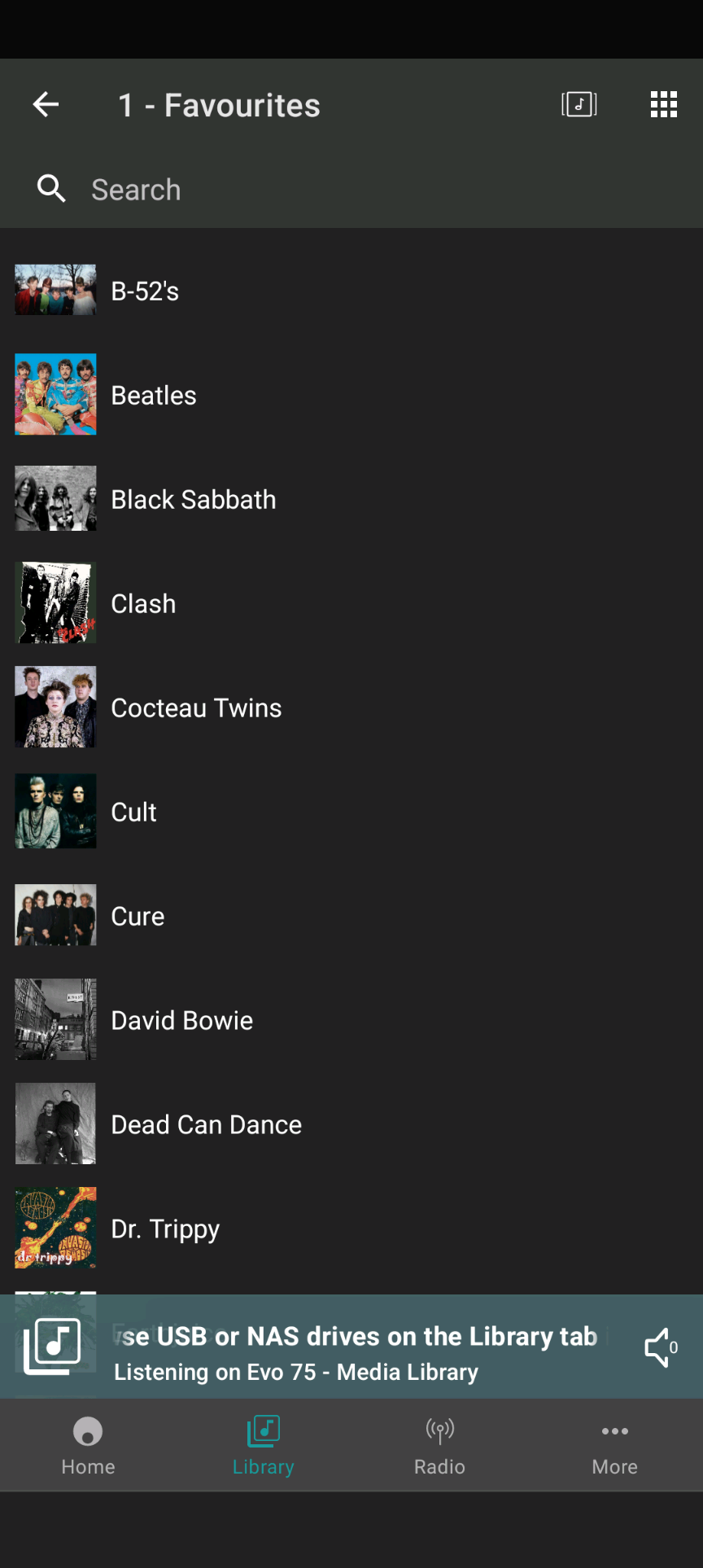
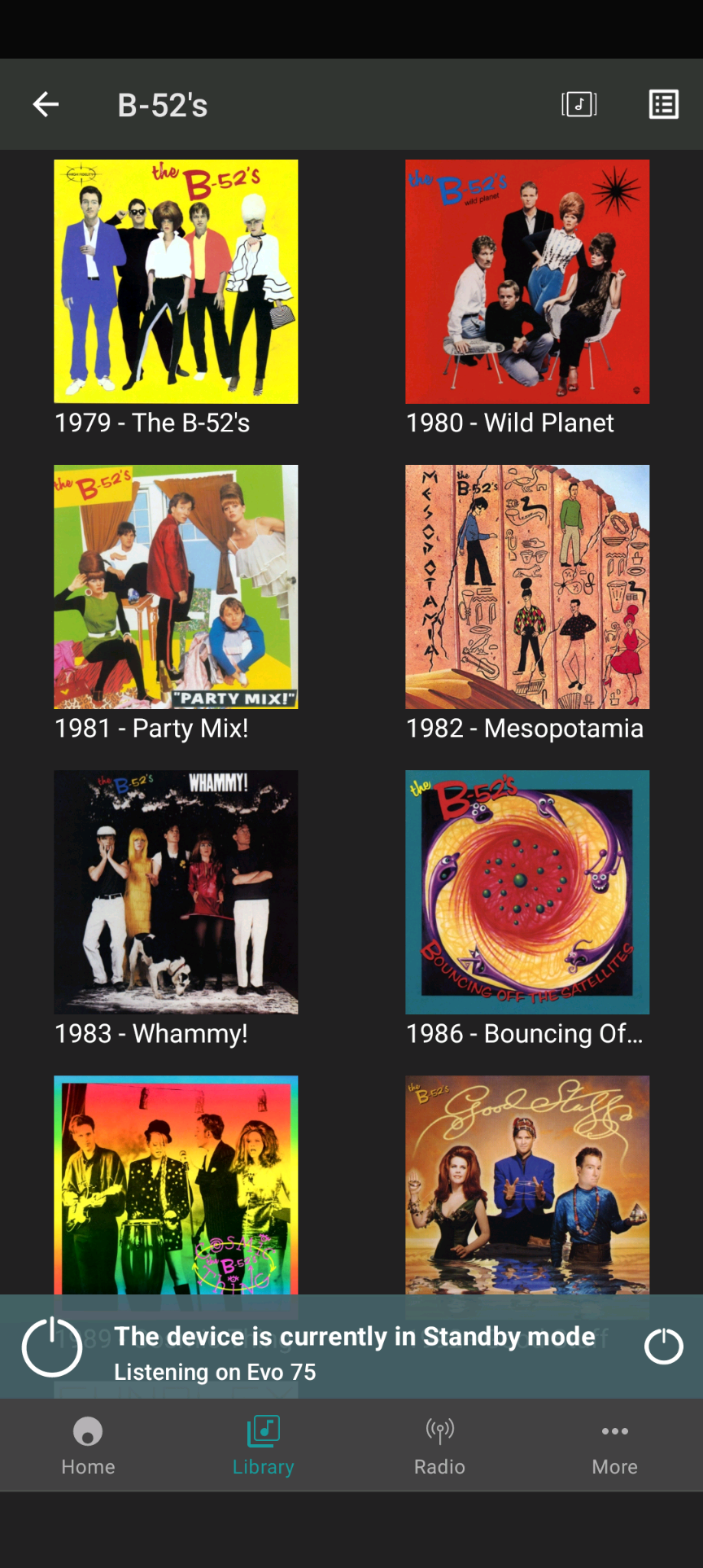
Hi Luke, for completeness, I can say that Cambridge Audio have now fixed the "blurred artwork" problem in their "StreamMagic" app on Android. StreamMagic is their control app for the extremely fabulous Evo 75 and Evo 150 products, and for some other units. I have no exact details from them on the root cause of the issue, but I would say their support team (and devs) are pretty good - they sent me an alpha ".apk" file to test, and it worked fine. I expect other Evo users running Emby on Synology-NAS/RAID (and on Windows) will get the benefit of this in the next StreamMagic release. A good reason for choosing Cambridge Audio and their Evo products, over other vendors of "all-in-one" streaming amps, is their support. And "It Works Well With Emby"
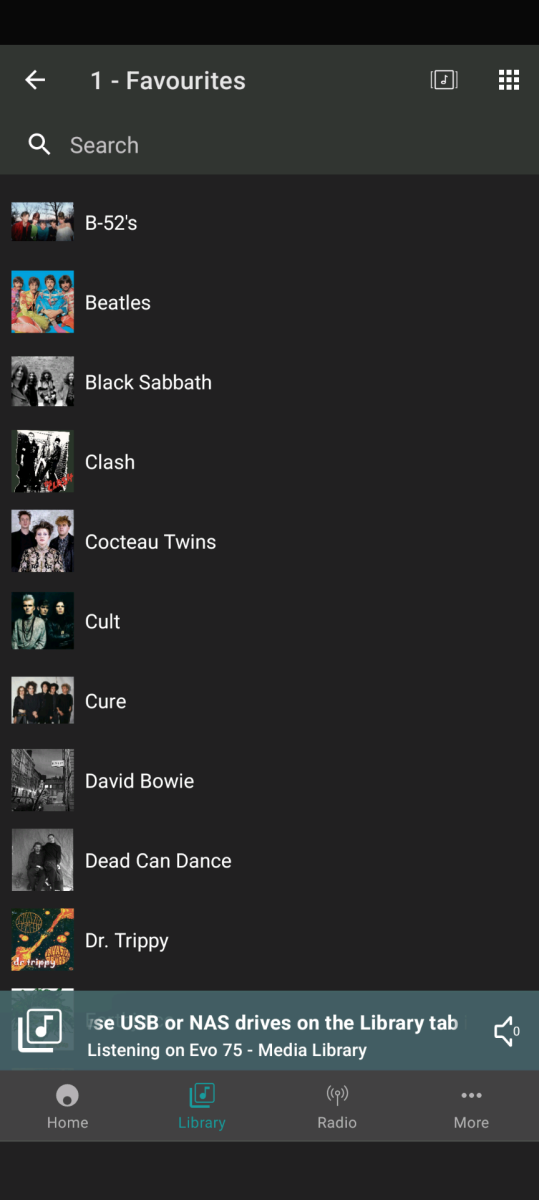
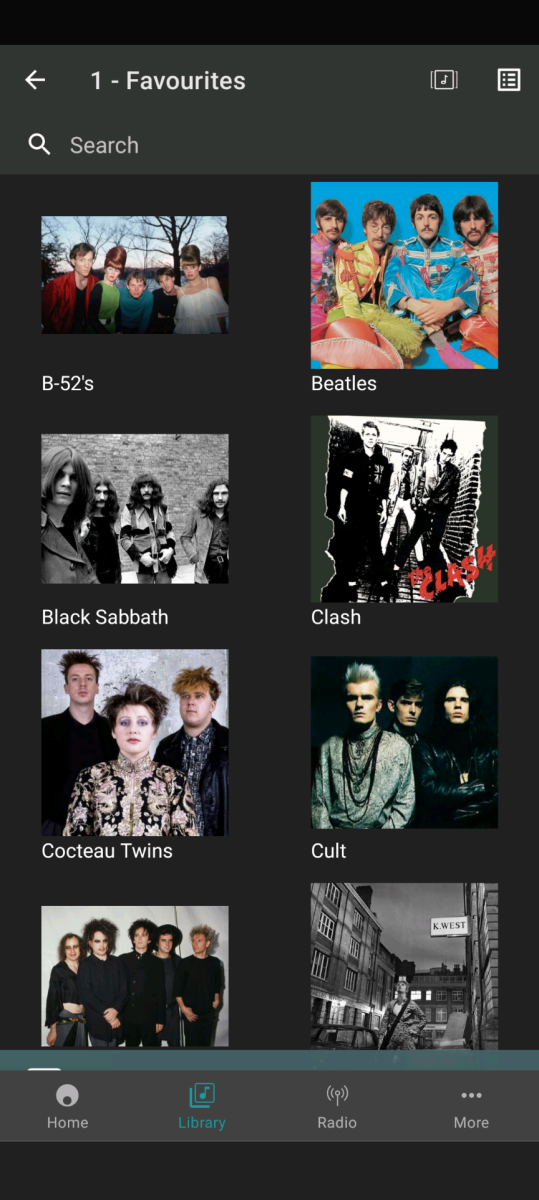
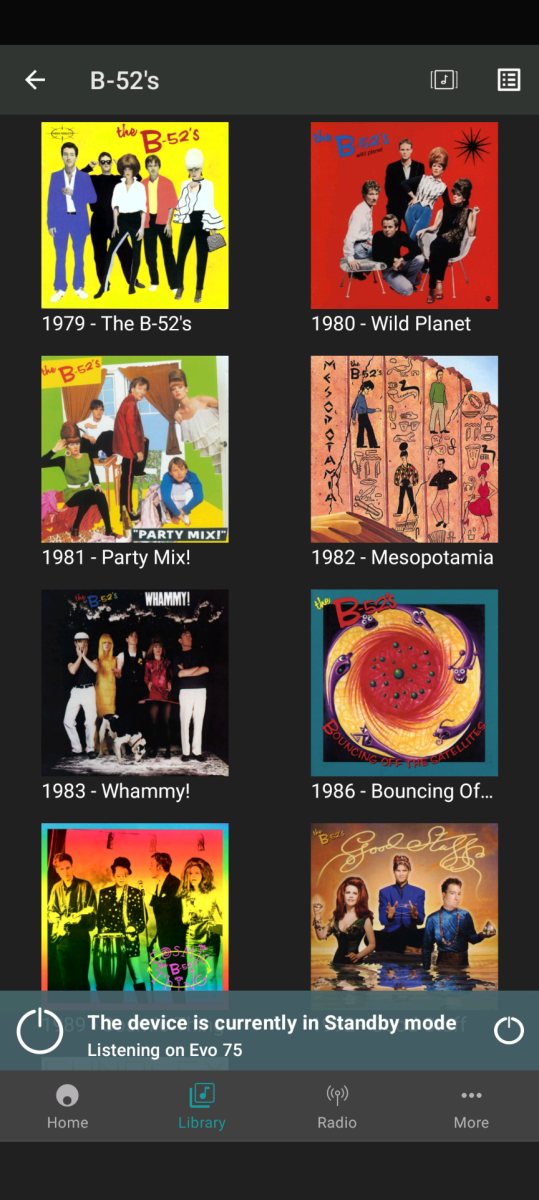 1 point
 -
Didn't know this can be clicked! Thank you!1 point
-
Hello, I can help with romanian language, as I see is not yet complete.1 point
-
So, S06E01-Broken was split into 2 episodes, is the second half now S06E02? Does this mean they are both 22 minute episodes, all my season 6 episodes are showing as 42-44 min episodes. If that is indeed the case, could you not join episodes 1 & 2 together and then rename the other files? I just used MKVToolNix to join Episode 1 & 2 as a test, took like 30 secs (it doesn't have to re-encode it.)1 point
-
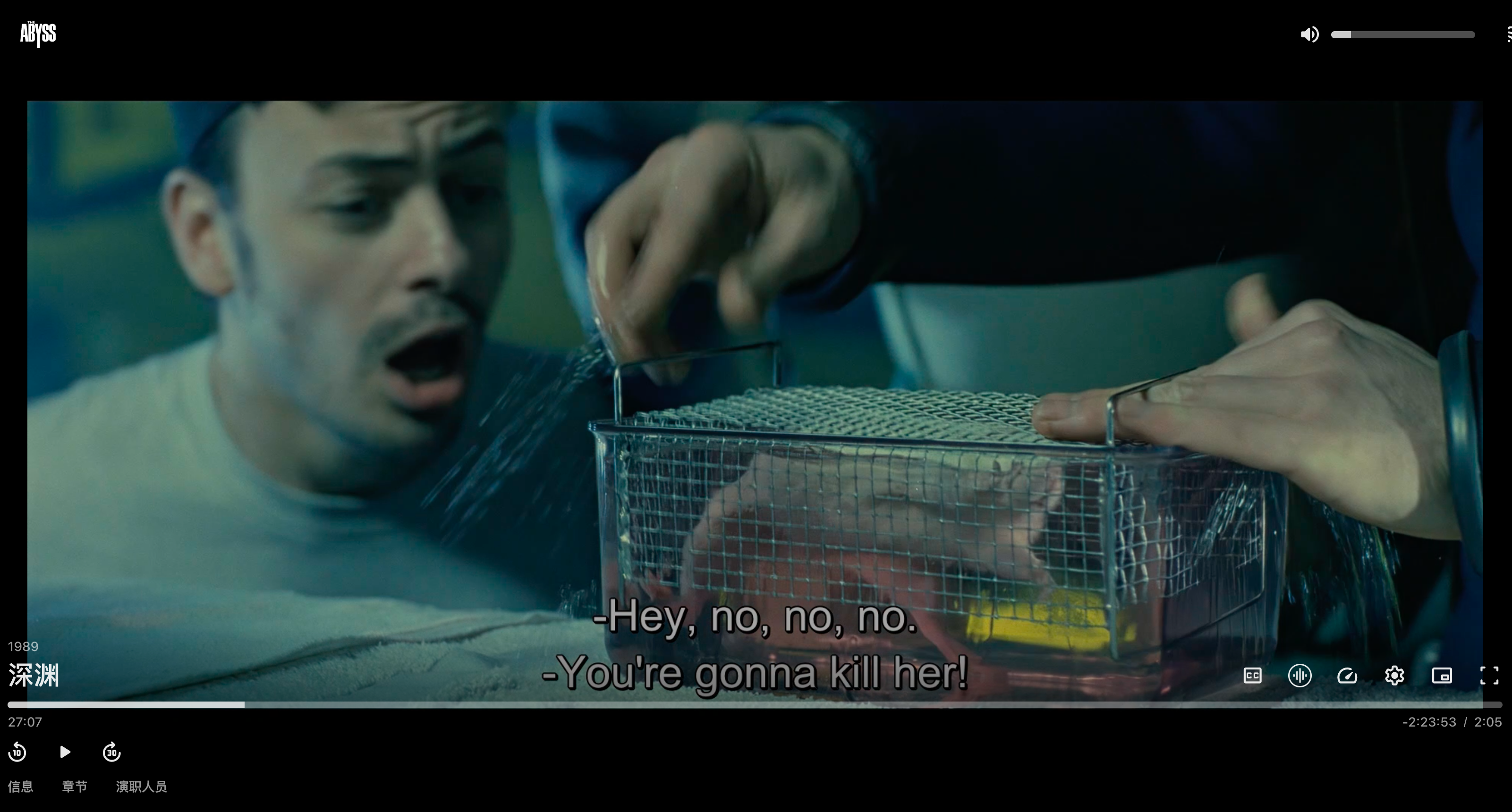
4.9.0.19修复了PGS字幕的问题,我测试了几个电影,确实好了不少1 point
-
Plugin API: Emby SDK Reference: BaseItem.LockedFields, Emby SDK Reference: BaseItemDto.LockedFields Fields enum: Emby SDK Reference: MetadataFields REST API: https://dev.emby.media/reference/RestAPI/ItemsService/getItems.html?q=getitems#MediaBrowser_Model_Dto_BaseItemDto1 point
-
While I could make it a daily event I do not really want to do that as I am rather old (76) and I intermittently wake up when I should normally be sleeping and one thing to do to put me back to sleep is watch a little TV. I am a bit better off making it an automatic weekly task as that males the odds lower that it will be rebooting during times that I want to watch. But that still is a bit more intrusive than I want. I have mostly decided to reboot manually during times when I am watching something else like a sports event or a program on Prime or Paramount. That is not too hard for me, except for the remembering part, as i can do it while watching other things from the comfort of my chair. I think making a manual time, once a week on weekends, to do the reboots. I just hope my mind remains fit enough for remembering tasks. I can schedule an Alexa reminder and use that to remind me to perform a reboot but that requires that I remember what the reminder is for and that I perform the reboot after getting reminded. If the reminder comes at a bad time and I do not reboot right away I might forget that I need to reboot. Oh well! No solution is perfect but that does not mean that perfection is impossible, just quite difficult. BTW: My computer is set so that no drive or the computer is allowed to sleep. The energy savings from sleeping is minimal and the disadvantages are high so I do not allow my computers to sleep.1 point
-
After reading this last response I went and double and triple checked my rig. I had unplugged the power to the powered USB hub believing that would be enough. It wasn't. I unhooked the USB extension cable that runs across the room and BAM. Issue solved. You guys are my hero. That's been driving me nuts for months.1 point
-
Just to confirm, it is being changed to a vertical list. Thanks.1 point
-
1 point
-
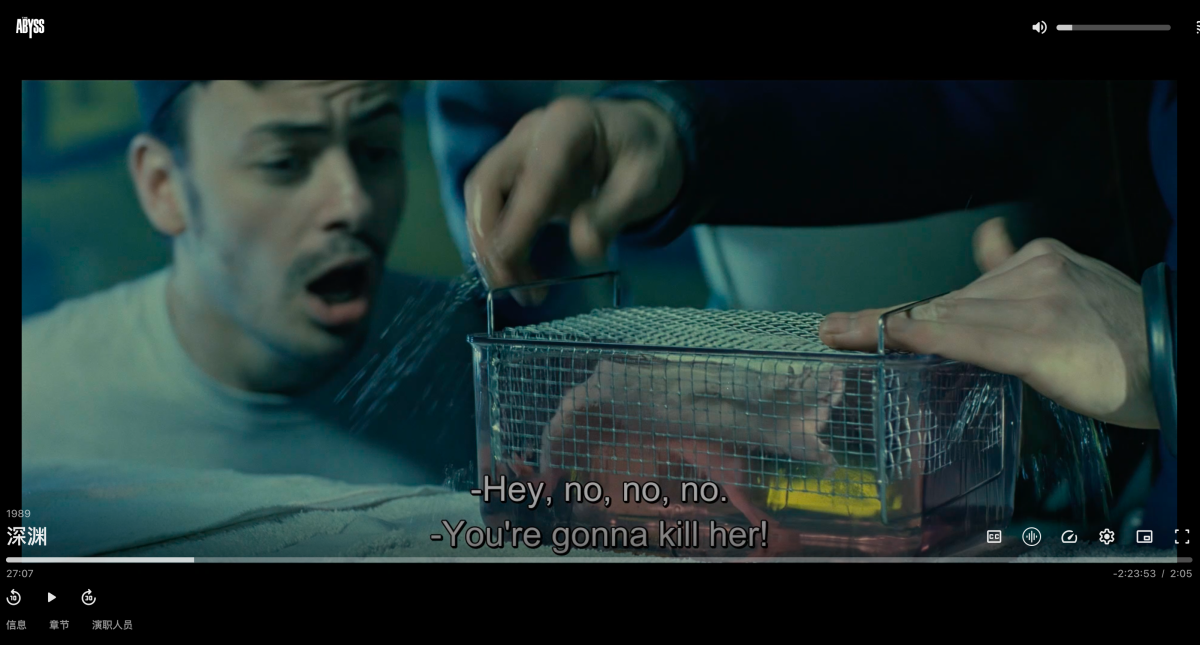
Just tested, it's fixed after sooo many years. @Luke I'm a happy customer again. Version 4.9.0.19 @chouyee
 1 point
 -
i also don't have any problem with the limits being in place. But the lack of transparency is a problem for all users. You can see right here in this thread a new user is unclear whether its worth putting the time and effort into building an emby server as they already have an alternative that is working. This has to be hurting your new user sales! And then as an existing user - i have no idea how many devices i am allowed as i have been here a while and picked up some additional licences that were offered in the past. I am very confident i am well inside the limits but i don't what what the limit is or even what my rough current device count is. Given the consistent complaints over this for a long time its surprising you havent done anything to improve it, even for new users which will benefit yourselves1 point
-
I really like Emby and my favorite platform, one more thing I think Emby could have already done would be its own EmbyOS instead of focusing on various platforms such as Windows, Linux, among others, focusing on developing its own operating system like freeNas.1 point
-
Hi, has this helped you resolve your issue?1 point
-
Just wanted to mention that both the alphapicker jumping fix and the hang at end of automatic playback fix are both working wonderfully. We should be able to push something into production very soon. It may not take a week. We may have something much sooner. Stay tuned...1 point
-
This has been referred to development and will be addressed1 point
-
Thanks all, I thought I had seen a "play from beginning" option but I was probably confusing it with Plex. I just wanted to make sure that I wasn't overlooking something.1 point
-
Hi, it’s something that we’ve talked about and is certainly possible.1 point
-
Hi there, let's look at an example. Please attach the information requested in how to report a media playback issue. Thanks!1 point
-
Most of them have date-based pickers in my experience.1 point
-
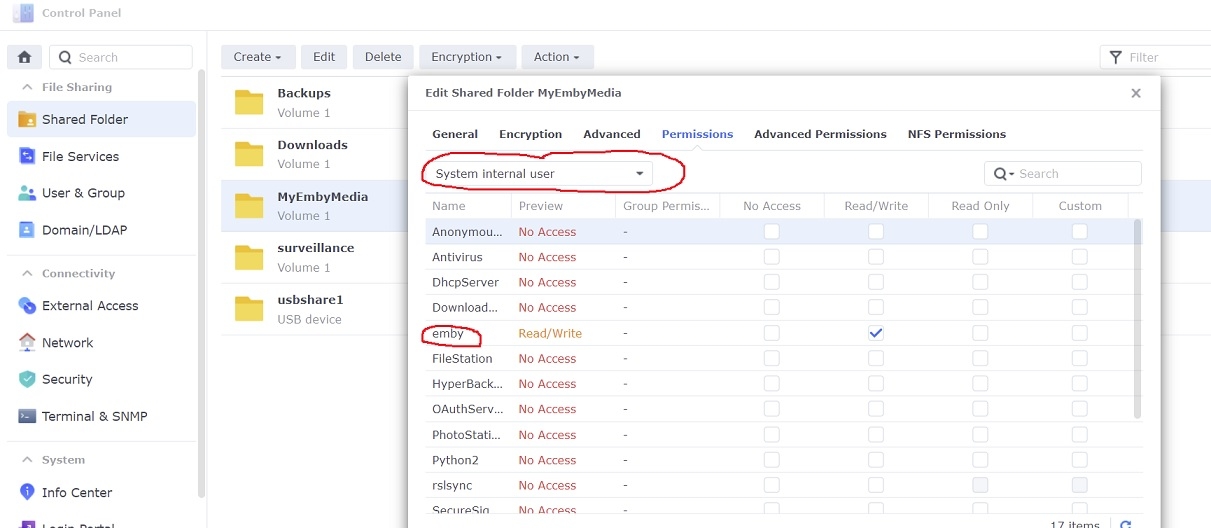
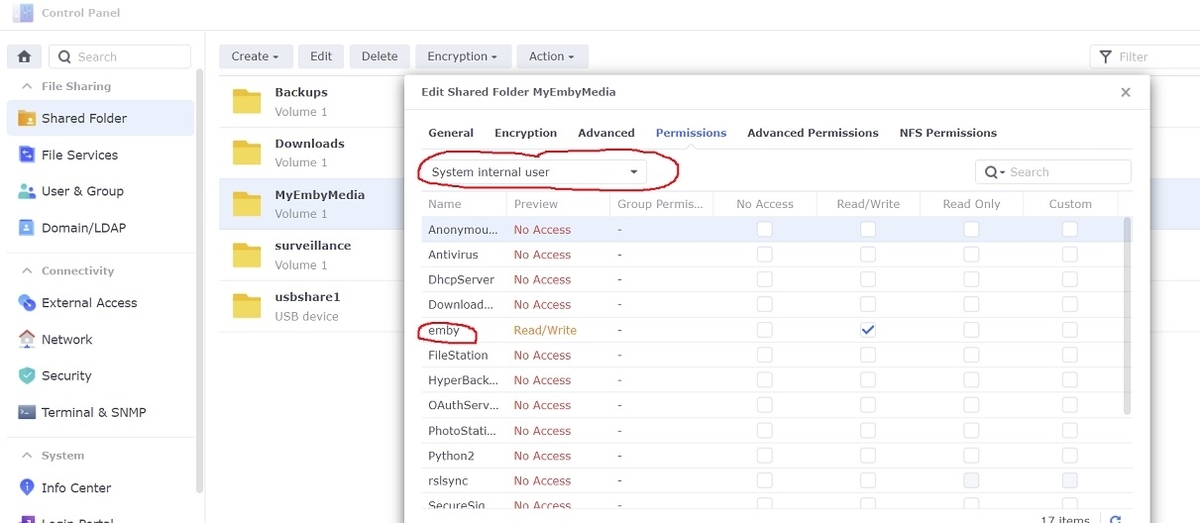
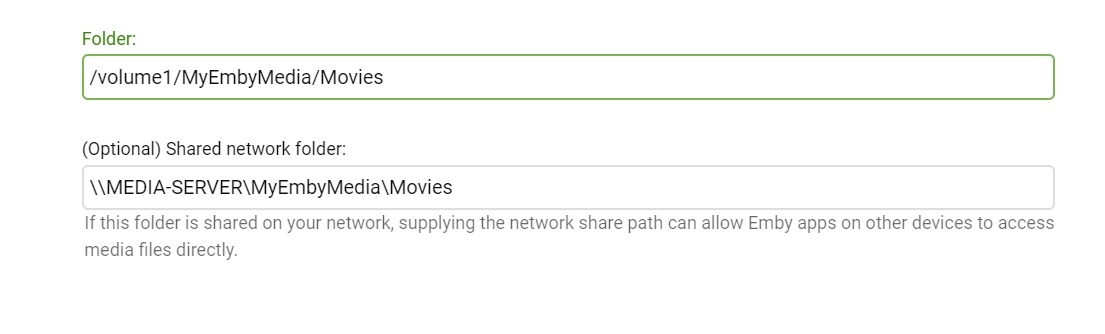
Adding libraries to Emby server is a little different under DSM 7 in that setting permissions for the shared folders has changed some. If you've ever tried to add a library to Emby and it wouldn't accept, then the permissions might be wrong 1. Give emby read/write permissions to the shared folder Open Control Panel...Shared Folder in DSM on your NAS Select your shared folder...Edit... and then under the Permissions tab select the dropdown box and change it to "System internal user" Check Read/Write next to the user 'emby' and then click Save 2. Add libraries in Emby server Settings...Library...New Library Select the library type and enter library folder information Example:
 1 point
 -
Hi. Can you try searching for our standard android app (Just "Emby" on Amazon and "Emby for Android on Google) on the same device's app store and see how that compares? Thanks.0 points
-
Hi, using our standard Android app, can you temporarily enable app logging and provide a log from the app? Thanks.0 points
-
Hi. Can you try searching for our standard android app (Just "Emby" on Amazon and "Emby for Android on Google) on the same device's app store and see how that compares? Thanks.0 points
-
Hi. Can you try searching for our standard android app (Just "Emby" on Amazon and "Emby for Android on Google) on the same device's app store and see how that compares? Thanks.0 points
-
Hi. Can you try searching for our standard android app (Just "Emby" on Amazon and "Emby for Android on Google) on the same device's app store and see how that compares? Thanks.0 points
-
@amateurgod Hi. Can you try searching for our standard android app (Just "Emby" on Amazon and "Emby for Android on Google) on the same device's app store and see how that compares? Thanks.0 points
-
Hi, I think there’s currently no option for that. Can you try sideloading our standard android app on the same device and see how that compares? https://emby.media/emby-for-android.html Thanks.0 points