Leaderboard




Popular Content
Showing content with the highest reputation on 04/22/24 in all areas
-
API Keys/Tokens are uniquely generated every time a client logs on. Unless you 'logout' that token for that client is retained. This in itself is not a problem because a) it should be transmitted over https and b) it's retained in the system logs behind authentication. If you create a manual API key for talking to 3rd party apps then that token does not change. Unfortunately, the manually generated tokens have full 'admin' privileges - and thus IF made available, can do anything remotely that you could normally do via the UI (and more). So - if you have any manually created API Keys that you have not created yourself, then this is bad - and they should be reviewed/removed asap and user/passwords changed asap to force client logouts (and new tokens). Hygiene of admin accounts should always include API keys - they are effectively 'backdoors' into systems and are actually more of a concern than 'users' as they don't appear on dashboards etc. The part I'm unclear on myself (need to test this) is if a client api key/token has these same full privileges - if yes, then it has no less privileges than a manually created api key... Thus anybody that has posted any API key in logs on the forum that have not been 'anonymised' (default setting) has a potential problem IF that key/token is still valid.3 points
-
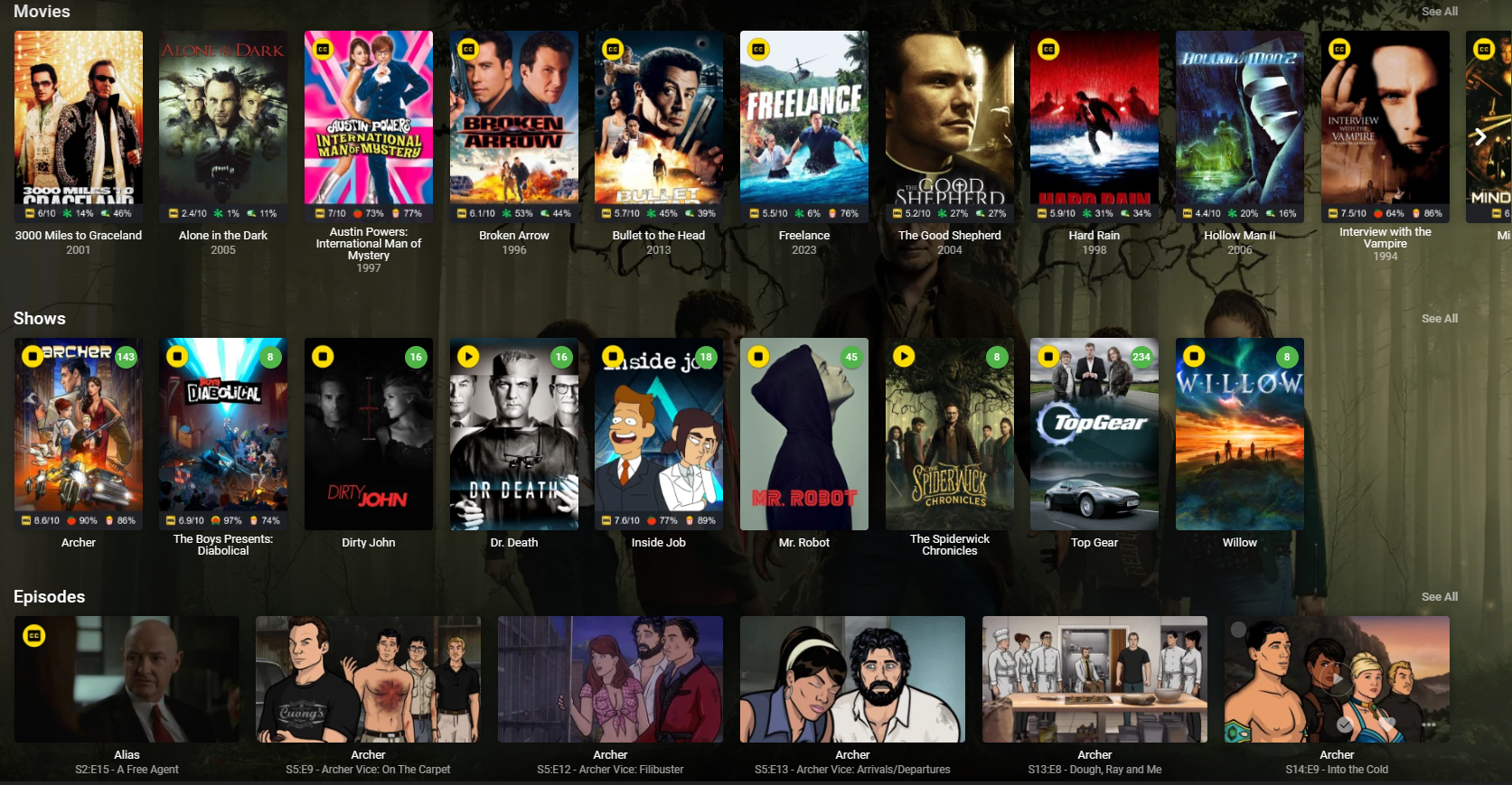
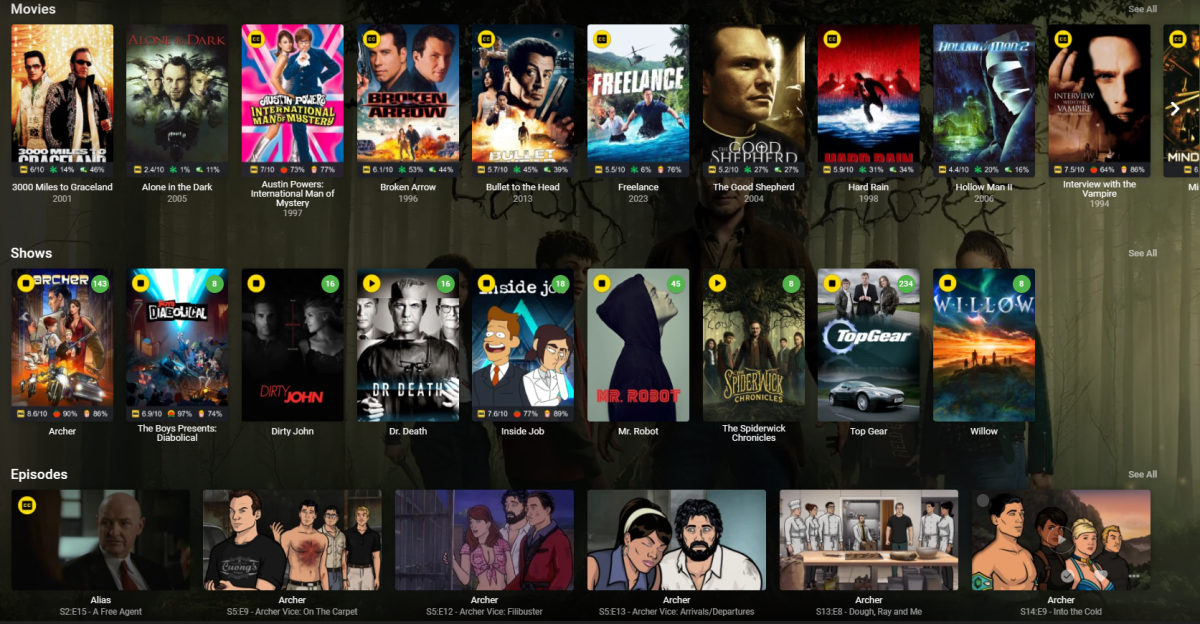
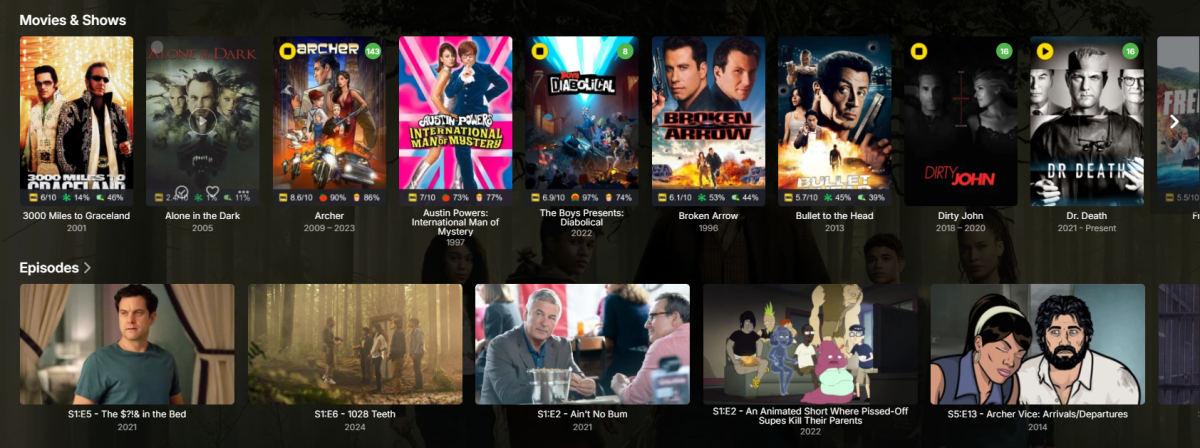
i also dont like the new version of it before the update there was two independ rows.. one for Shows and one for Movies please split it again up i dont want see movies and shows mashed in the same row of endless scrolling thx3 points
-
Yes, it worked after restarting the server while Firefox was closed. Thank you so much for your help!2 points
-
Something is likely keeping a handle on your server folder open (browsers are somewhat notorious for it, Firefox in particular). Try shutting down your server and rebooting server machine.2 points
-
Ugh. @Lukecan you please make the necessary changes with group by media type? 1- Add seasons back 2-Split movies and shows into their own groups. 3-Add an option to view all items like in ATV2 points
-
SSL is not specific to the web app - it is used by any client as well. Note that Connect is only used for pointing the client at your server - the streaming does not go through Emby's servers, but direct between the client and your server. There are topics about setting up SSL directly in Emby or using reverse proxy - nginx, IIS and Caddy are all covered somewhere in the forum. I recommend Caddy for the inexperienced, as its setup involves the least configuration. My old post on Caddy is here, a couple of posts down is the main detail: (I need to do an update - e.g. Caddy v1 is not available now - but I don't think there's anything wrong in there.) Paul2 points
-
Just put the see all option back! @luke How many of these post do we need to see in the forum before you see removing it was a bad idea? Not everyone likes to scroll horizontally for everything. When you clicked on the see all option button it displayed everything in a very useful vertical grid, which made things easy to see.2 points
-
That did it.1 point
-
Hi, I just want to inform you that the message disappeared by itself since 3-4 weeks ago. I didn't change anything. I hope it will not appear again1 point
-
Can we please get the docker image releases updated at the same time as every other release? Or, have docker based emby servers check docker hub for their updates? (regarding when to send 'update available' notifications) I keep getting notifications for updates that still don't exist multiple days after receiving the notification. Docker releases always seem to lag behind by as much as a full week... It's getting quite frustrating being told to update but not being able to.1 point
-
Simply updating my gpu drivers solved the issue for me Emby is on default settings and it works great now !1 point
-
@feerlessleadrI am experimenting with adding to the Smart Playlist to do what you want. If I add include episodes for tv series it might work. Vic1 point
-
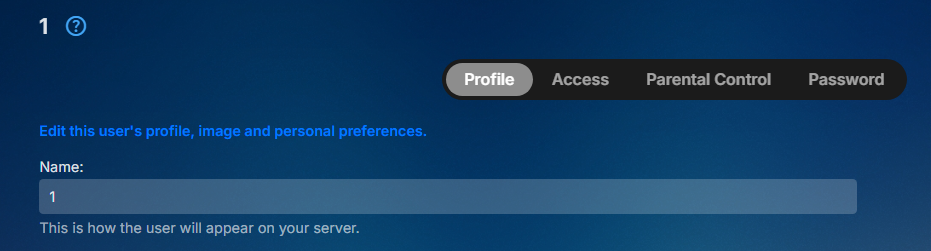
You are the Admin, go to each user and select "Edit this user's profile, image and personal preferences." then Home Screen.
 1 point
 -
@Q-Droidcan I change this to the solution? I’m realizing you were right all along. Now that I have a better understanding of how Docker networking works, I failed to understand you were referring to the internal port Emby is serving on vs the intended public port outside the container - my mistake. what caused the issue is the docker file expecting to map the default port internally (8096) to a custom public port (8097) (in my case, to allow multiple emby servers to serve different libraries). thanks again for showing me how to isolate this w netstat and wget.1 point
-
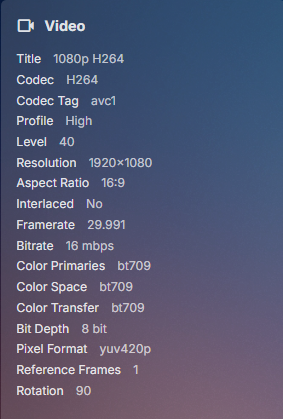
Can you show the Media Info shown in Emby for the item as it still sounds like rotation data is the issue as the ffmpeg log say there is no rotation. So there has to be a disconnect somewhere or ffprobe is just seeing correct data. example from my test video
 1 point
 -
Hi, yes the missing > button is resolved for the next release. Thanks.1 point
-
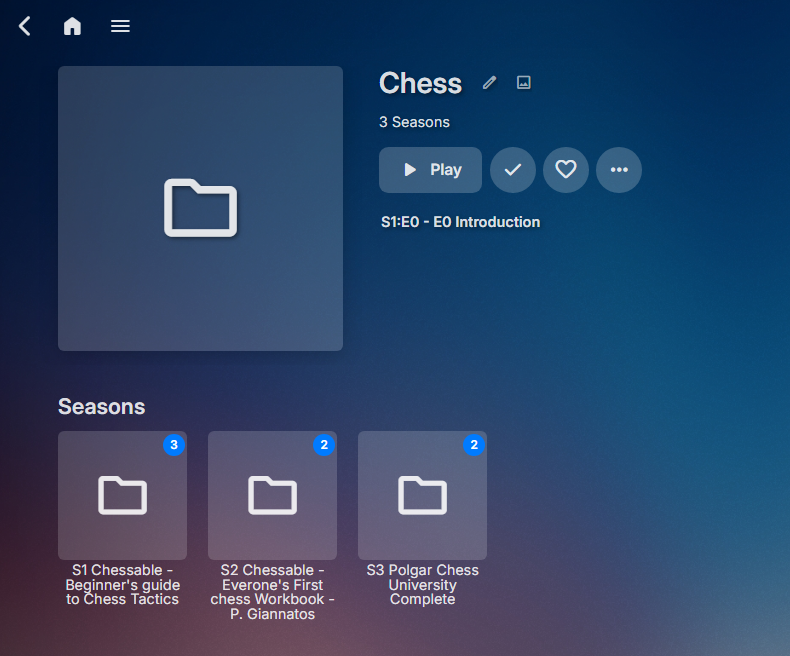
In the end from a TV Show standpoint once recognized as Season items you can rename per metadata to whatever you want. prefixed folder with SX to for that level to recognized as Season level Aslo note episode have to correspond to the perspective season folder or you will get unexpected merging into wrong season level ie items in Season 2 folder cannot be named S01Exx as it will show in season 1 folder and season 2 folder. Now that they are recognized I can change the names per metadata. So these things require a lot of manual work. Have you compared how it looks in Home Video and Photo content type library?
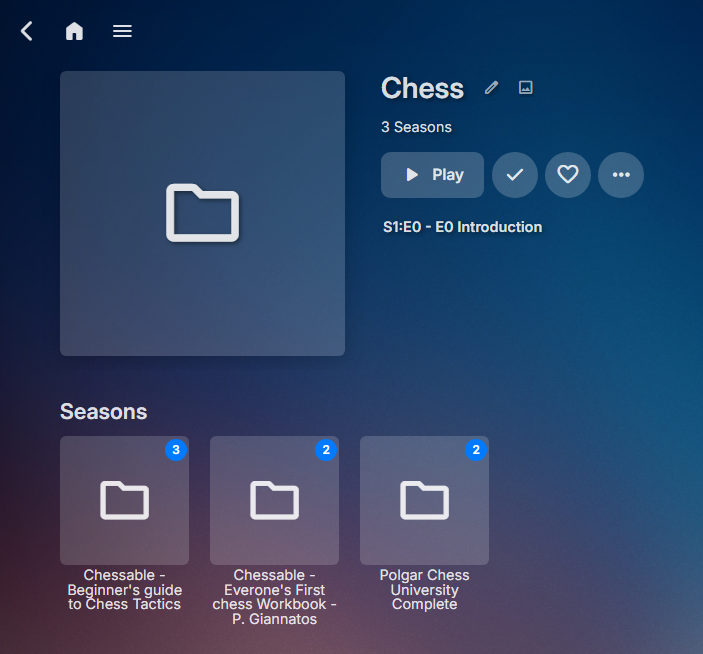
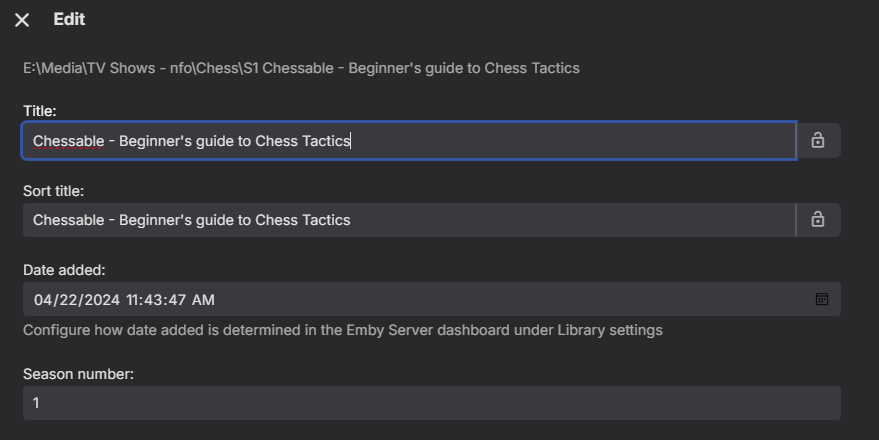 1 point
 -
I have the stand (1994) with no issues. it is named Stand, The (1994) /Season 01/ S01E01 - The Plague S01E02 - The Dreams S01E03 - The Betrayal S01E04 - The Stand You might want to remove the files from your library, do a full scan, rename the files then add them back. Delete the NFOs before adding them back to make sure the new changes will be read and not just the old NFO data1 point
-
@feerlessleadrI have considered your proposed playlist ordering for movies and Series episodes in great detail. I have enjoyed every minute. The current PseudoTv architecture picks episodes from TV series either in sequence or randomly. In addition, Movies and TV series are interleaved to make up a channel listing. Zero or more movies would start a playlist followed by zero or more TV Series from which one or more episodes from each Series would be added to the playlist. These episodes would be chosen either serially in play order or randomly. In your concept, each series would serially add all of its episodes to the playlist before moving on and they would be added in the original airing order. At the moment I cant do this. But I would like to explore how it might be done. I appreciate you bringing this request to my attention. Hopefully, soon I can find an easy way to do it. Vic1 point
-
I was thinking of this topic.1 point
-
The extended version of The Martians is another where the TrueHD Atmos track was stitched together poorly from the standard version. Exoplayer can't handle the transitions and it will go off sync at every splice, but you can set an external player such as VLC and it will play fine. I believe skipping or pausing can sometime rematch sound with picture again too. Another option is to use the DTS-HD track. You can see several comments on Amazon for The Martian and Black Hawk Down 4K discs about the Atmos track skipping. However, Black Hawk Down was recently remaster, so not sure if they fixed it, or not.1 point
-
I suspect its related to poor multi-branching of the various editions - as they are effectively 'stitched' together using the special parts and common parts to produce each version. If the rippers are not handling this well and there is a 'gap' in the timing - then it plays havoc on players that cannot recover from this corruption. There have been a few badly mastered disks - Black Hawk Down springs to mind - as that had a similiar issue, and it threw off the audio post the 'branching' as the audio/video became unsynced. The only fix is to use a player than can handle it - or re-encoding it 'may' fix the issue as that will re-time it. @FrostByte - FYI1 point
-
*Sigh*. Well, your question just encouraged me to check. /media/Shows is just the root directory for all the media of that type. There's nothing there normally except folders and files. HOWEVER, when I looked just now, I found a .ignore file Somehow I must have pasted it in there without realizing it? I have no recollection of doing this or even adding .ignore files to any of the folders in recent weeks, so I have no idea how this happened. Either way, deleting that file fixed the issue and I feel like a big ol' idiot. Thanks for your help, I'll mark this as solved. edit: SOLUTION - If this is happening to you, you may have accidentally dropped a .ignore file into the root directory of your media. Delete it.1 point
-
Unfortunately, that cannot comprehensively be answered - there are too many variables. The danger here is the fact (I *think*) that any API/Token can be used for other things for which it was not intended. I won't go into details on here, but needless to say, a little more info from the Dev's would be welcome.1 point
-
The actor's information does not have a "See All" button to see all of his work.1 point
-
ok guys thanks for verifying this1 point
-
Just based on several studies I've read on why most studios set subtitles to be viewed up higher (when played from disc). Wherever your eyes are focused you see best, and it gradually gets worse the further out from that circle you go. The best place to view a movie is of course with your eyes focused on the center. So, the further down you move your eyes the circle of focus moves to read the text and the more you miss above. Understand my wife needs subtitles on all the time and she gets no information from the sound. She can't just glance at subs real quick if missing a word or two.1 point
-
Example of an own video just imported. As you can see the, the "Image capture" option creates a 600x336 pixel thumb, instead of a 4k screenshot which I got before version 4.8.4.0 Thanks for fixing.
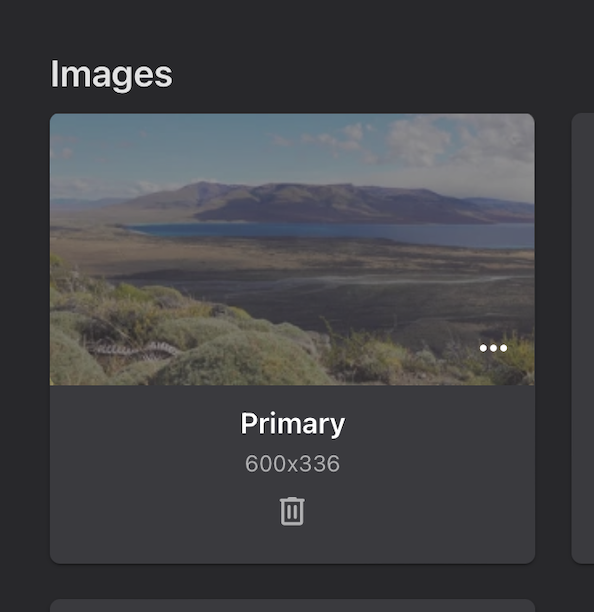
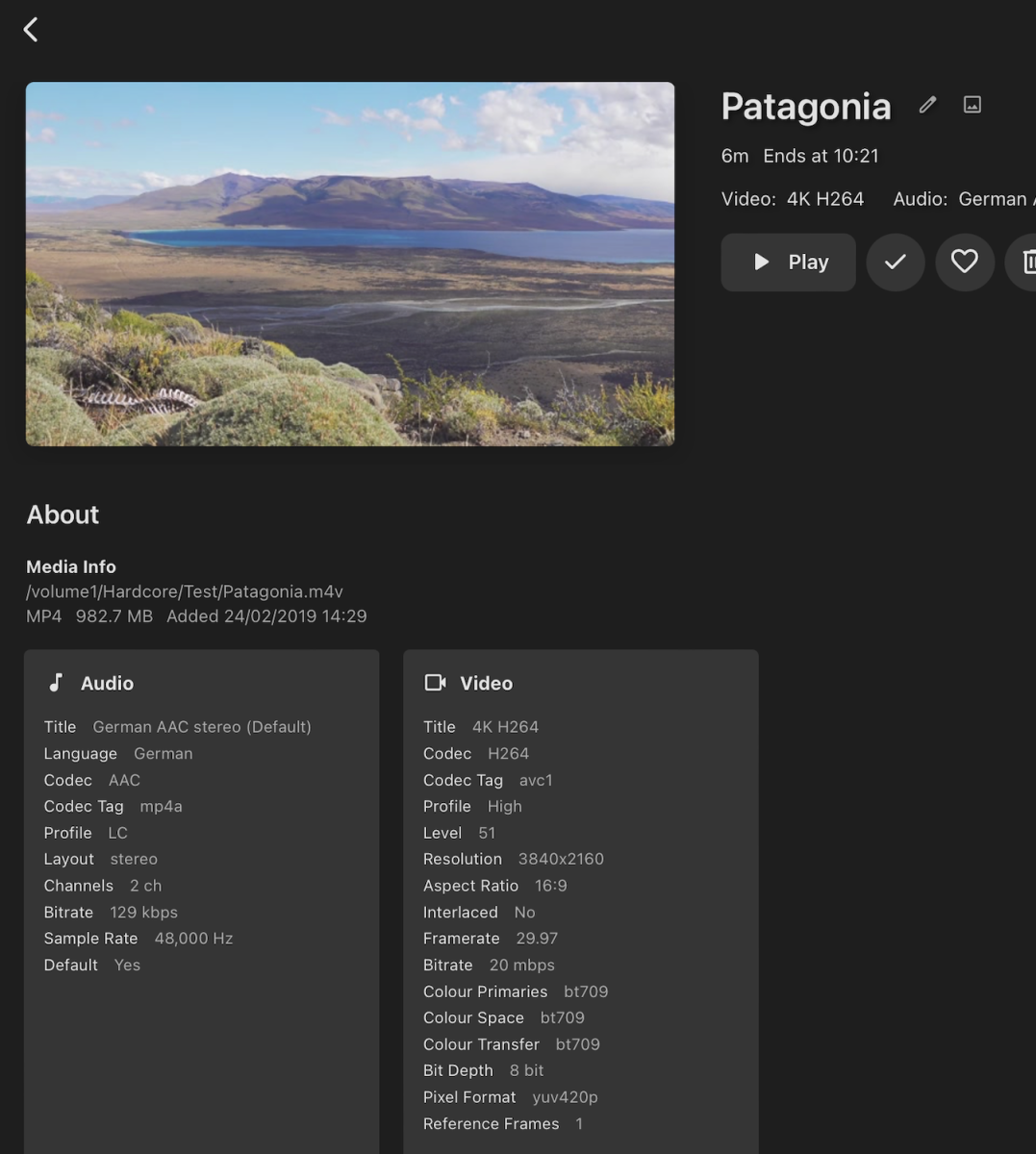 1 point
 -
Hi Luke, Thanks. I'm going to send you 2 log archives. One named EMBY-01.zip contains only a few log files, but there is another one called EMBY-02.zip from this morning with quite a lot of log files. Hopefully, one of these logs will show you the actual issue at hand.1 point
-
Yes, I realize that. I was just pointing out that you can't set it within the Apple TV app itself.1 point
-
Yes, that fixed that as the size and file contents are correct again in this release. Thanks!1 point
-
instantly after deleting the episode.1 point
-
We'll look at getting this option into the user interface. Thanks.1 point
-
I think there's a good chance that disabling upnp altogether in your router and then turning it back on will do it. Or just leave upnp off.1 point
-
Hi, there is no long press support right now, although that's something we can look at adding. So for now this function is only accessible for LG remotes with an info or menu button.1 point
-
Hi, we'll take a look at it. Thanks for reporting.1 point
-
Yup... the problem resolved itself. I'm not sure how or why it happened but either the restart or the upgrade to the latest version of Emby fixed it for me.1 point
-
I'm having the same issue, and found this thread. I understand that the Trakt config have now been moved to each user profile, but I cannot find anywhere in the user profile to enter Trakt credentials. All I can find is an option to enable/disable Trakt under "Feature Access" in the user profile. So where am I supposed to enter the users Trakt credentials? Edit: Found it, it was a bit hidden when trying to do this as the admin user.1 point
-
Questions for anyone: - As someone who has never created an api key, if I've uploaded a log here which contains a reference to one, then that would definitely be my system api. Correct? - Assuming the answer is yes, how do I get a new api key, short of rebuilding from scratch? Edit: Ok I just checked and I see there are different api keys all over the place in the logs, so I don't know enough to even ask questions. Carry on, everyone, but sooner or later somebody needs to let us laymen know how to deal with this.1 point
-
Yep - I allude to that above Agree 100% - and tbh why I copied in softworkz as no doubt you are aware that he was leading the previous security incident investigation. If api keys are being scraped from the forums - then I expect to see many more posts on this issue. Not allowing any manually created API keys remote access seems to be a sensible first step .. If system api keys are out there, then emby have a problem ...1 point
-
It's not only about remote access or not. The whole api key thing needs a granular control similar to user accounts - server management, item deletion, library access, remote access. That it needs work was even acknowledged by the devs multiple times over several years. But as is usual in the Emby world, that's all we get - at most an acknowledgment of the problem, but not a solution.1 point
-
What about the other items - should user created api remote access be allowed by default ? @softworkz- Any thoughts here ?1 point
-
Introskip/ chromaprint as a technology works very well. Yes it's not 100% accurate, but both the Plugin and to some extent the core implementation are certainly good enough. I have mine set to auto-skip - it's that good, and it's usually within 0.5 secs of the content start before playing - that's pretty darn good in my book. If you do have a rogue entry, then I use the Plugin tools to edit it, or use ChapterAPI for the core. btw - an online database of intro's works very well, but not in the way you are thinking. You don't actually hold the 'timings' - as that would obviously not work - what you hold is the 'chromaprint fingerprint' of the intro - that way, you do not need to create it each time - you just need to 'detect' the intro on your version of the file, using the online fingerprint. It works perfectly - but it needed support from the community to upload the fingerprints - which it never got. It's actually incorporated into the Chaper API plugin - or was.1 point
-
1 point
-
Une solution trouvé, avec une tache cron et Api / Permet de rafraichir son nfo pour detecter la bande annonce si elle est ajouté 5mn après votre nfo et si vous utilisez kodi avec E4K Script sh à exécuter avec une tache planifié sur votre NAS / A modifier avec vos clé et si vous souhaiter rafraichir plusieurs films #!/bin/bash #Extract & refresh metadata from last movie result="$(curl -X GET "http://xxx.xxx.x.x:8096/emby/Users/xxxxxxxxx/Items/Latest?IncludeItemTypes=Movie&Limit=1&api_key=xxxxxxxxx" -d "" | jq -r '.[].Id')" sleep 10 curl -X POST "http://xxx.xxx.x.x:8096/emby/Items/$result/Refresh?Recursive=true&MetadataRefreshMode=Default&ImageRefreshMode=Default&ReplaceAllMetadata=true&ReplaceAllImages=false&api_key=xxxxxxxx" -d ""1 point
-
Surprised this still hasn't been done. Is it that hard to implement the menu bar icon with Apple Silicon?1 point
-
Reported for Theater, I would assume same UI change made it's way into Web App as well. Not a fan of the change either, I much preferred Movies/Shows/Episodes split and an option for "See All" as a vertical list, not horizontal scroller. 4.7 vs. 4.8 Incomparable. Yes, that's another UI change introduced at some point during 4.7+ development, to say I also hate it would be an understatement. And no, you can't revert it. Edit: @LukeWhile looking at those screenshots, why has the Show title been removed from Episodes? As it stands now, it means basically nothing seeing Sx:Ey - Title without parent Tv show, as it was in 4.7+.
 1 point
 -
Almost everything is covered in this example. You will query to get your libraries, copy your music library setup, then look at /libraryoptions at payload and apply your library settings noting not slight difference from query to options post .1 point
-
Welcome back!1 point
-
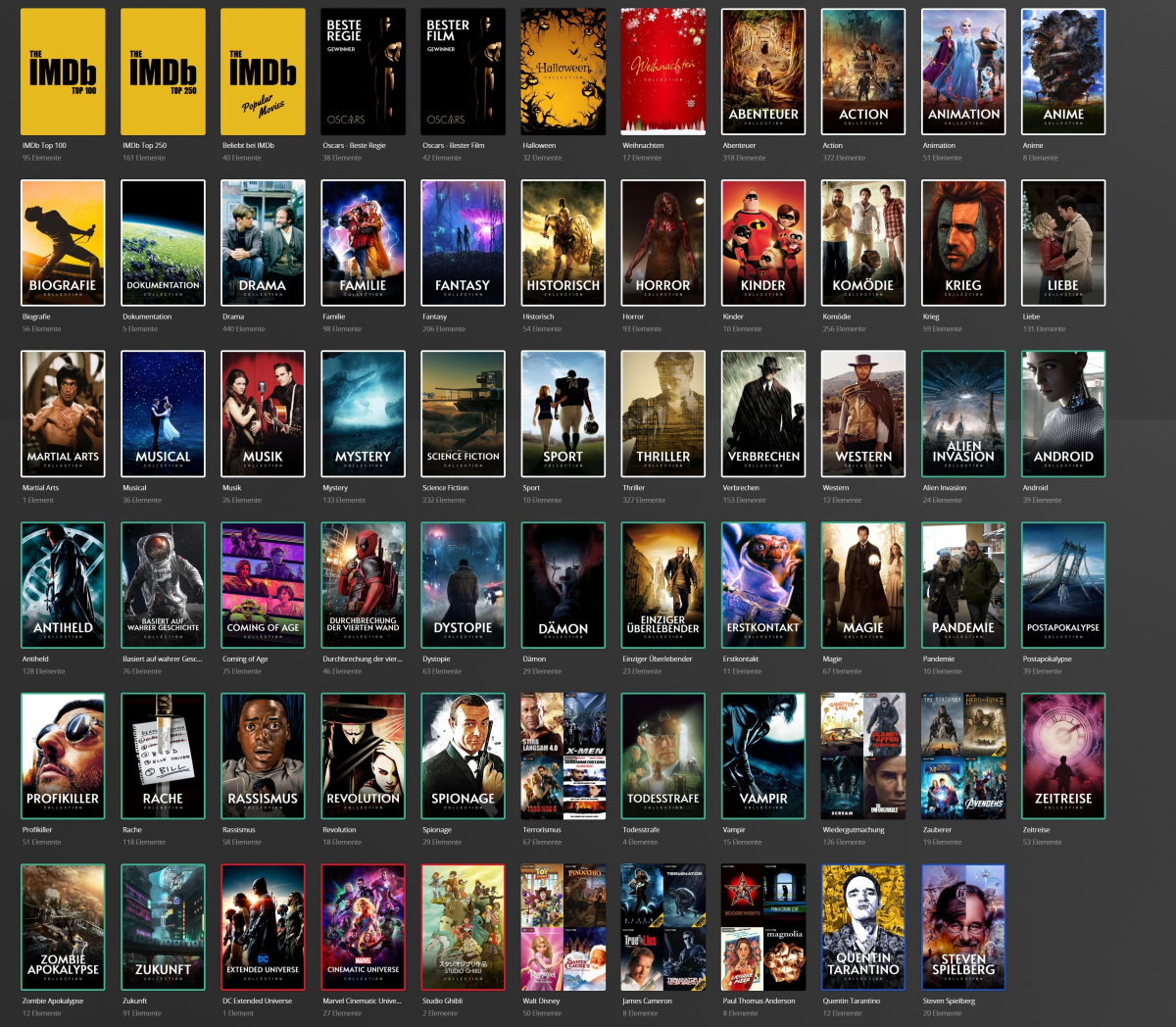
Basically, I want to recreate something like this in Emby: The genre collections (white border) are pretty much possible to create, as well as the studio and person collections (red and blue) with limitations. But everything else is based on IMDb lists. PMM just manages and updates these lists automatically based on a configurable schedule. And you can use a lot of data sources to build your lists. Like mdblist.com or trakt.tv for example. Another cool feature is the possibility to place good-looking overlays on your posters, like an IMDb Top 250 Banner or ratings or quality info.
 1 point