Leaderboard




Popular Content
Showing content with the highest reputation on 04/16/24 in all areas
-
Here is the next round of answers from our Emby Q&A session. The feedback from our previous blog post was exciting to see from all of you, and we are excited to share even more answers. The next round of questions and answers will be released next week as well! 1) What are some of the future goals of Emby? Emby wants to continue to grow and be the best media server option available for our users. We hope to move to a quicker release schedule than in previous iterations that is both more efficient from a development standpoint and exciting for our users. We love what we do here at Emby and we want our users and potential users to see that! 2) Would the Emby team ever consider moniterary "bounties" to help offset the development cost. We have actually seen this question a lot lately. We do not believe that this is the best way to decide what goes into development for a few reasons. First and foremost, we do not want people who have more money than others to decide what goes into production while others who may not be able to afford to donate or contribute go unheard. 3) How does the Emby team decide on what's next for Emby? The answer to this is deeper than most people probably think. Feature requests is one place that we look at to form our roadmap of future goals. Sometimes it's as simple as user feedback that something is not working as intended or could be implemented in an easier way to use etc. Other times our development staff has ideas based on industry trends as well as their own experience that they believe should be implemented. We take all of that and as a team decide what should be added and when. 4) In what areas can Emby improve? We as a team are always seeking to improve. We fully acknowledge that as a small company we are sometimes stretched "thin" but we do our best to always be both proactive and reactive with all of you. As mentioned above we hope to move to a quicker release schedule with a more agile methodology that allows us do so. We think we do a pretty great job at communication with everyone here on the forums, but we continue to strive to be even better here as well. Being able to give more flushed out answers and as much information as we can. Our goal is to always continue improving.3 points
-
Looks like it's sorted now. I didn't do anything so I'm assuming this was sorted on the opensubtitles end.3 points
-
Thanks for the Help! I rechecked my Deco Mesh config and found the QoS settings had been changed to 10Mbps down and 5Mbps Up. Bumped it up and it has resolved the issue. Not sure how it was changed but that did the trick! I appreciate it Lessaj!2 points
-
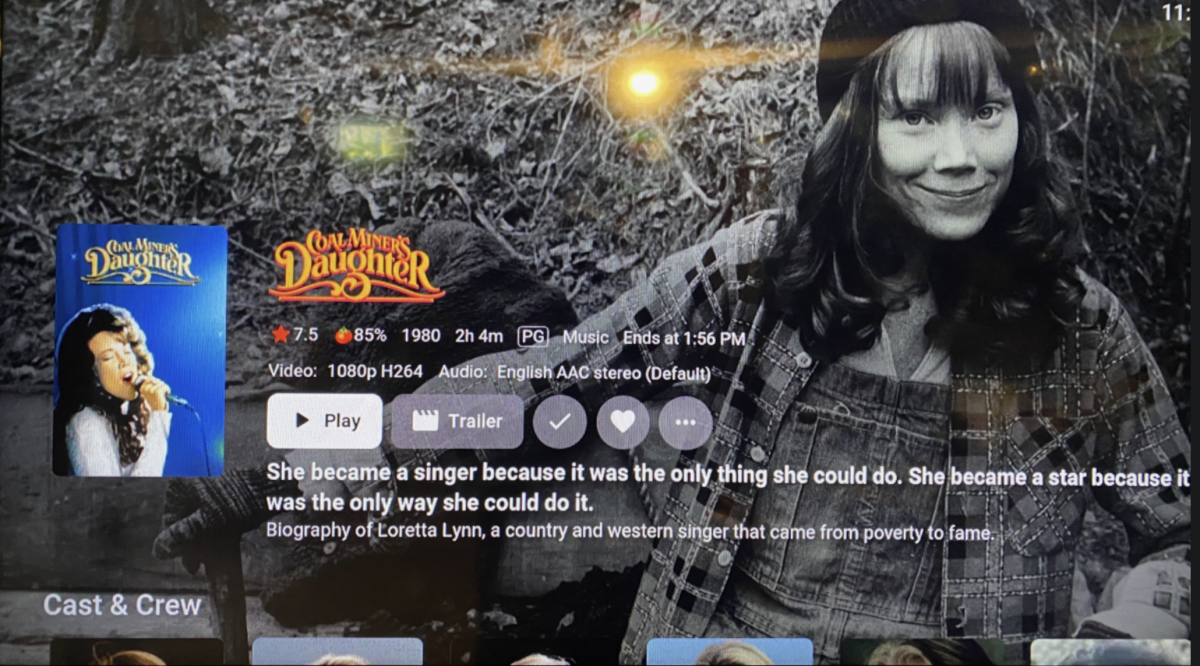
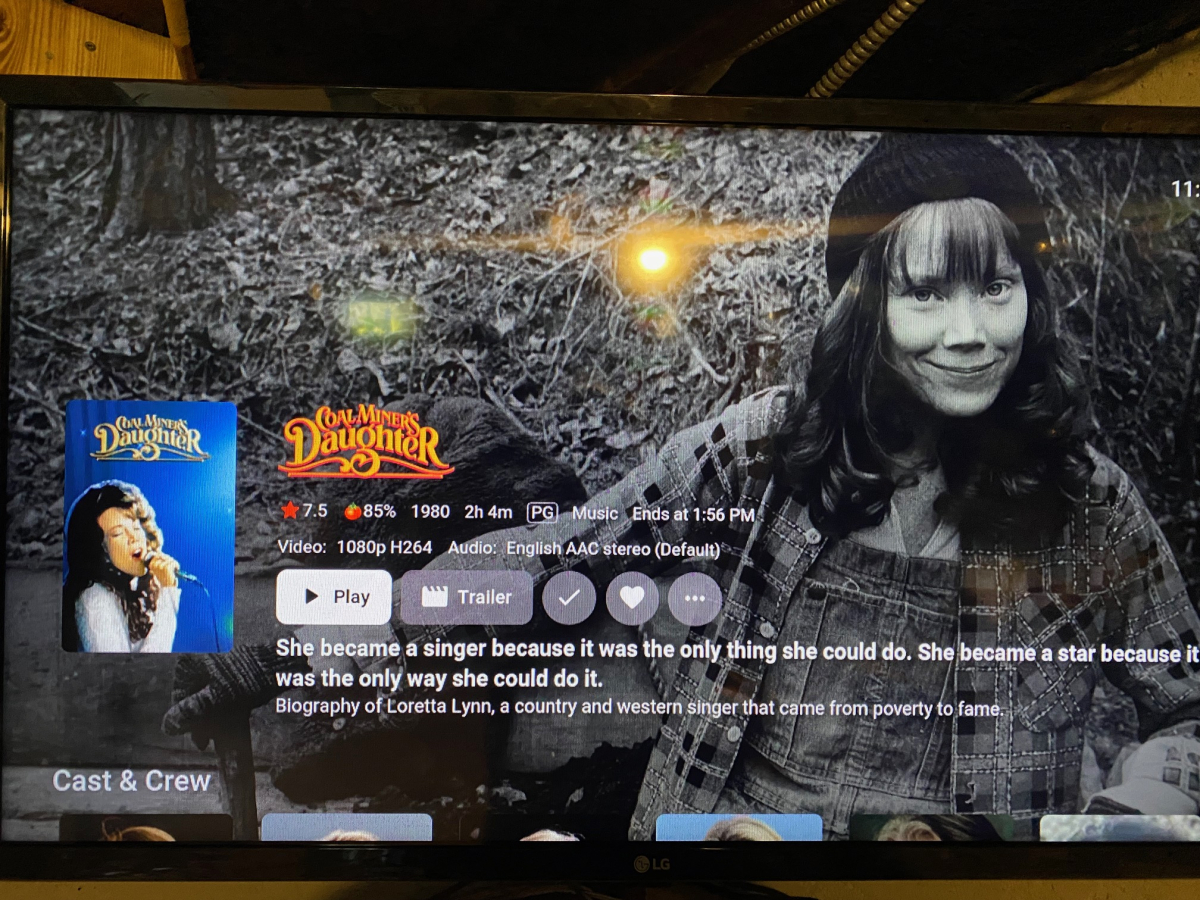
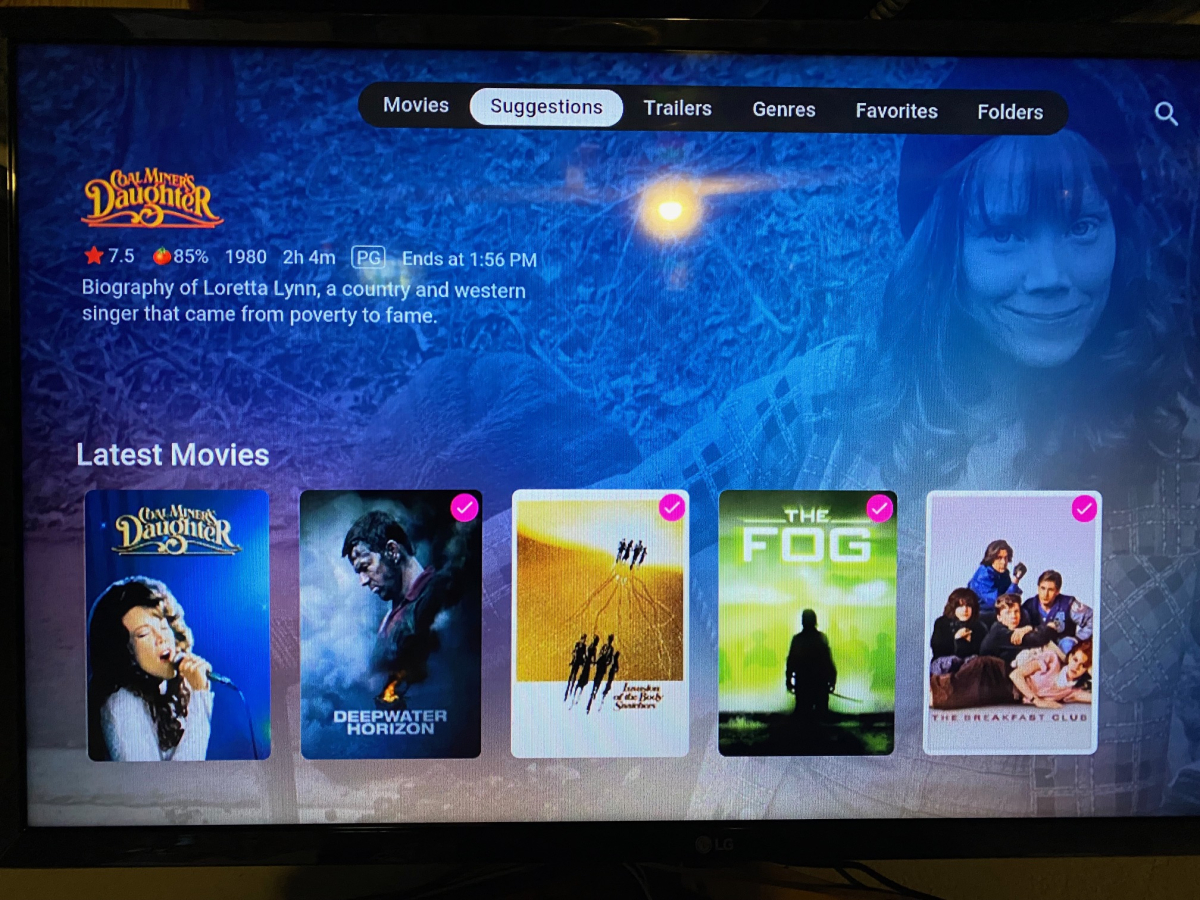
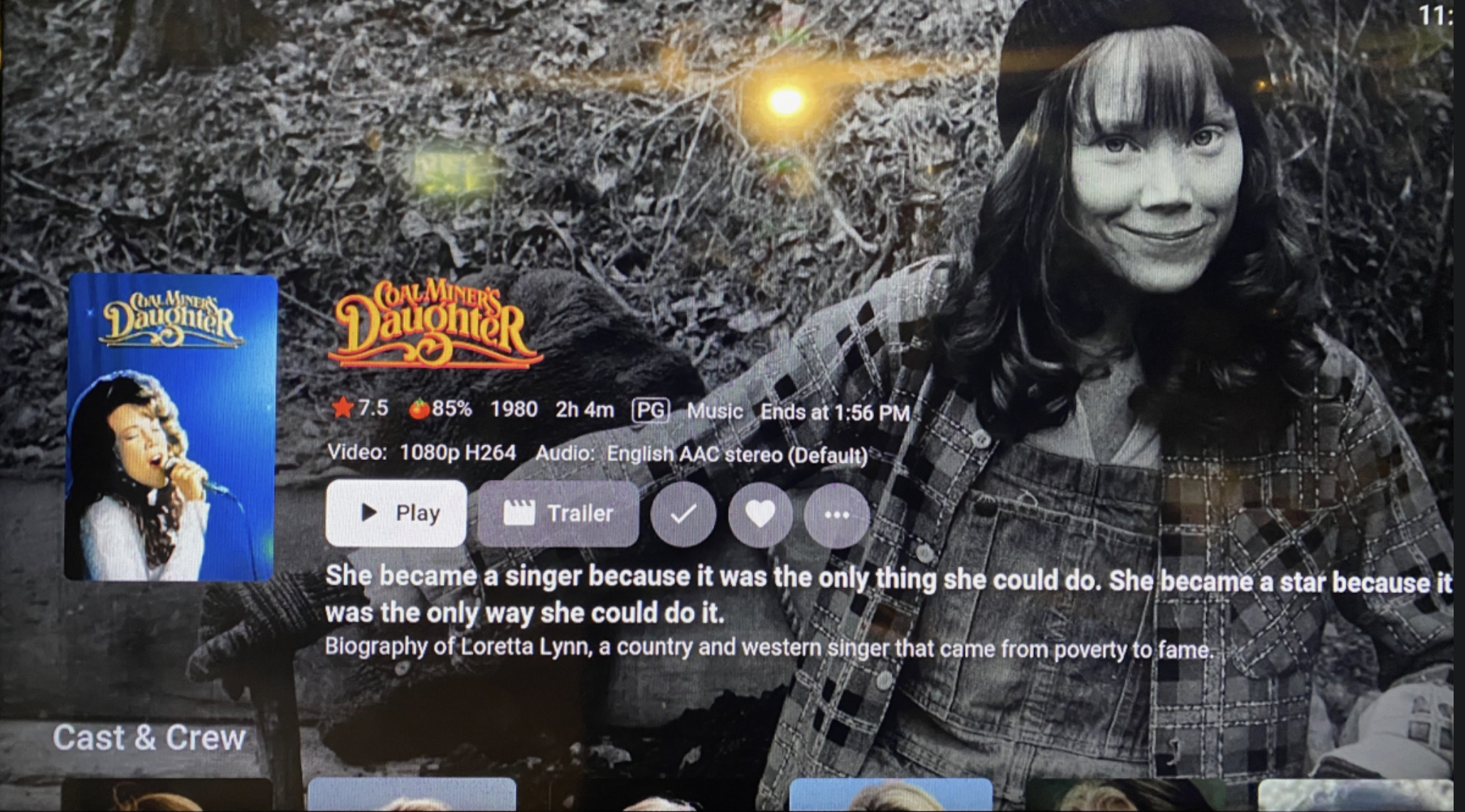
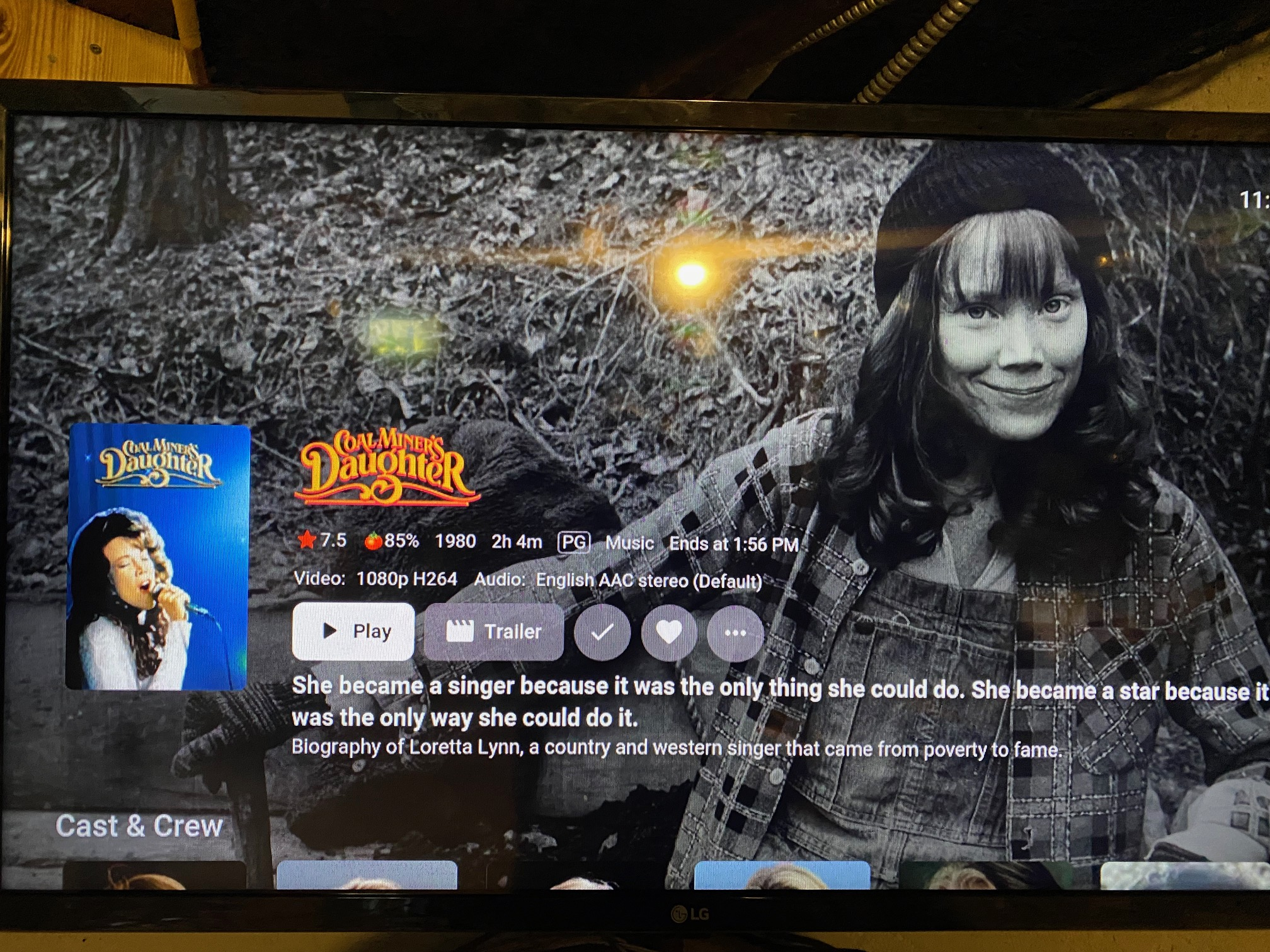
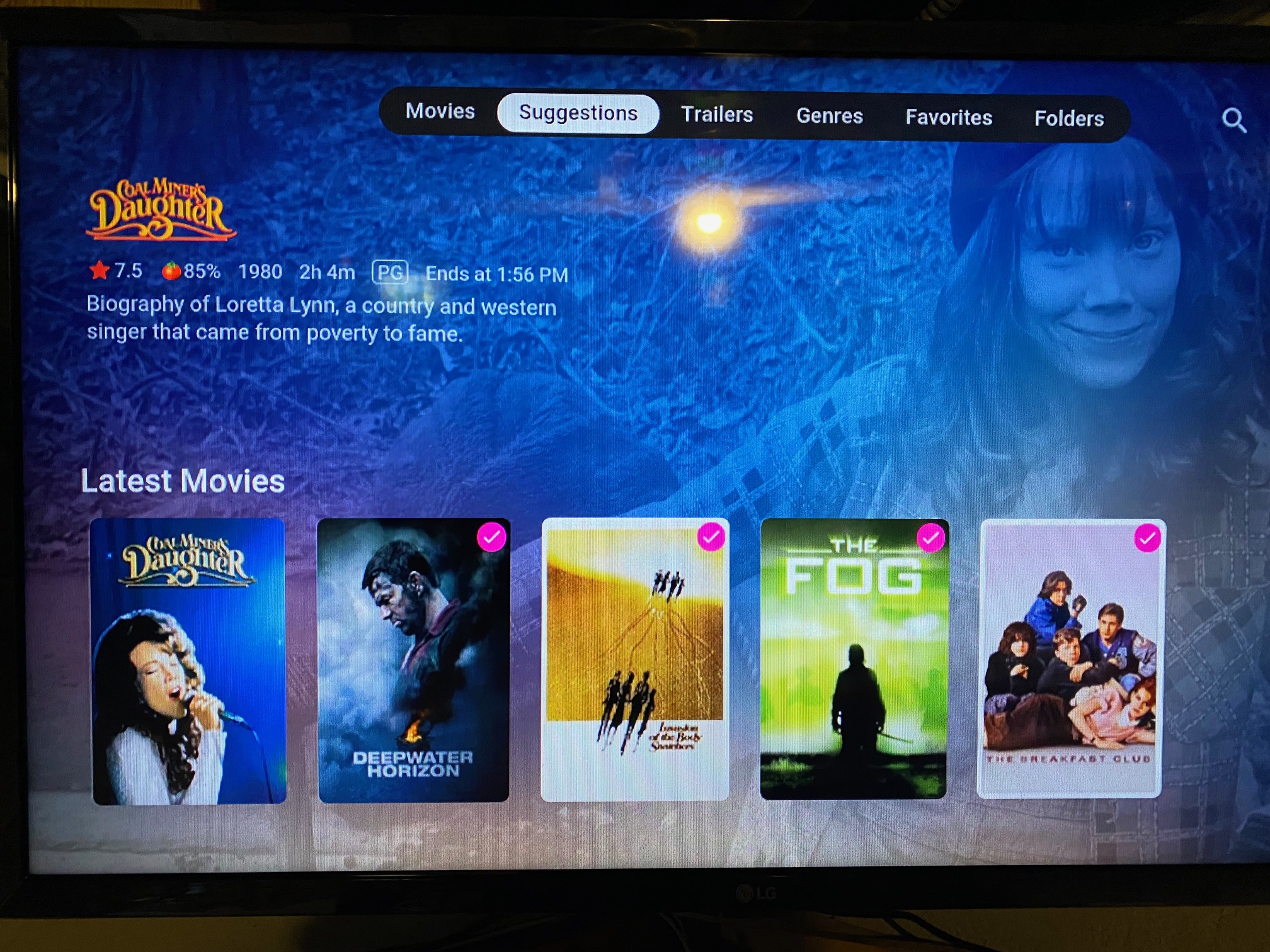
Another quirk of the Apple TV app is that it will tell you when the movie ends, but not while you're playing the movie. Just on this screen However, (at least last time I checked) the end time on this screen does not update as time progresses. It stays at the exacts same time. For example if it says the movie ends at 1:56 pm and it's say 12:00 pm, then at 12:01 pm the end time doesn't change to 1:57 pm as it should. Hopefully that makes sense
 2 points
 -
Here is the next round of answers from our Emby Q&A session. The feedback from our previous blog post was exciting to see from all of you, and we are excited to share even more answers. The next round of questions and answers will be released next week as well! 1) What are some of the future goals of Emby? Emby wants to continue to grow and be the best media server option available for our users. We hope to move to a quicker release schedule than in previous iterations that is both more efficient from a development standpoint and exciting for our users. We love what we do here at Emby and we want our users and potential users to see that! 2) Would the Emby team ever consider moniterary "bounties" to help offset the development cost. We have actually seen this question a lot lately. We do not believe that this is the best way to decide what goes into development for a few reasons. First and foremost, we do not want people who have more money than others to decide what goes into production while others who may not be able to afford to donate or contribute go unheard. 3) How does the Emby team decide on what's next for Emby? The answer to this is deeper than most people probably think. Feature requests is one place that we look at to form our roadmap of future goals. Sometimes it's as simple as user feedback that something is not working as intended or could be implemented in an easier way to use etc. Other times our development staff has ideas based on industry trends as well as their own experience that they believe should be implemented. We take all of that and as a team decide what should be added and when. 4) In what areas can Emby improve? We as a team are always seeking to improve. We fully acknowledge that as a small company we are sometimes stretched "thin" but we do our best to always be both proactive and reactive with all of you. As mentioned above we hope to move to a quicker release schedule with a more agile methodology that allows us do so. We think we do a pretty great job at communication with everyone here on the forums, but we continue to strive to be even better here as well. Being able to give more flushed out answers and as much information as we can. Our goal is to always continue improving. View the full article2 points
-
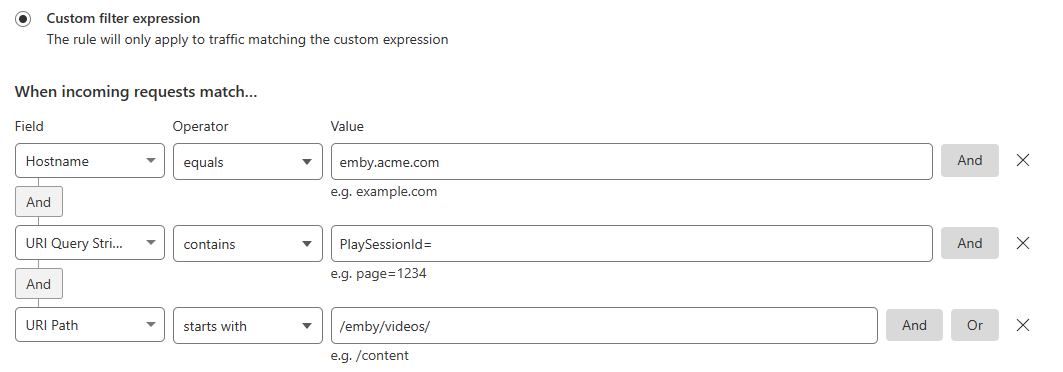
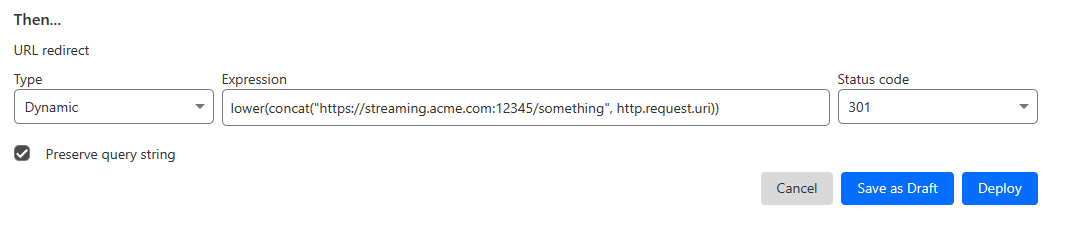
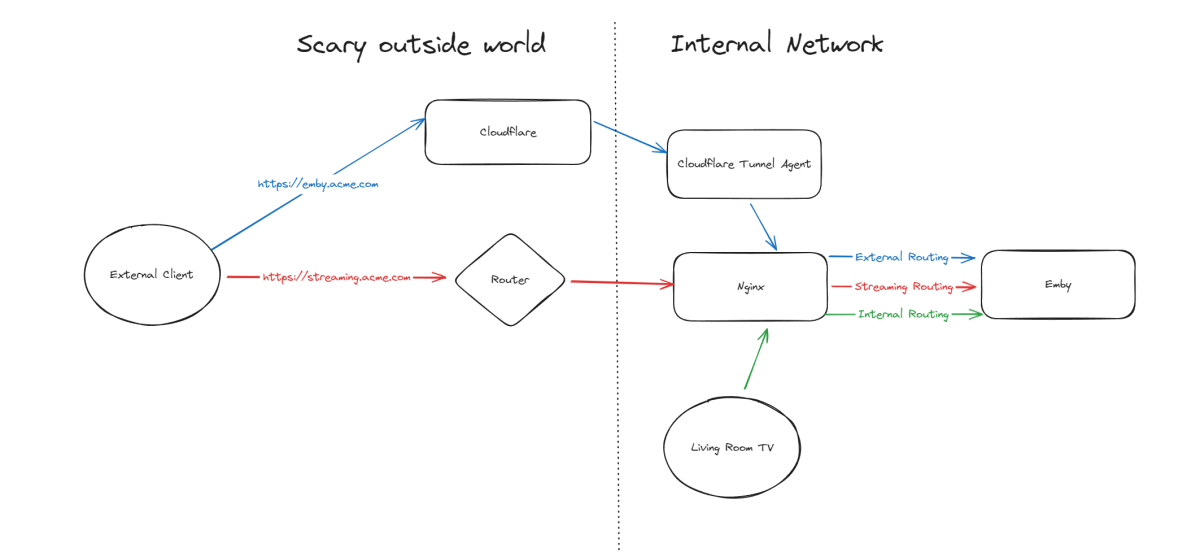
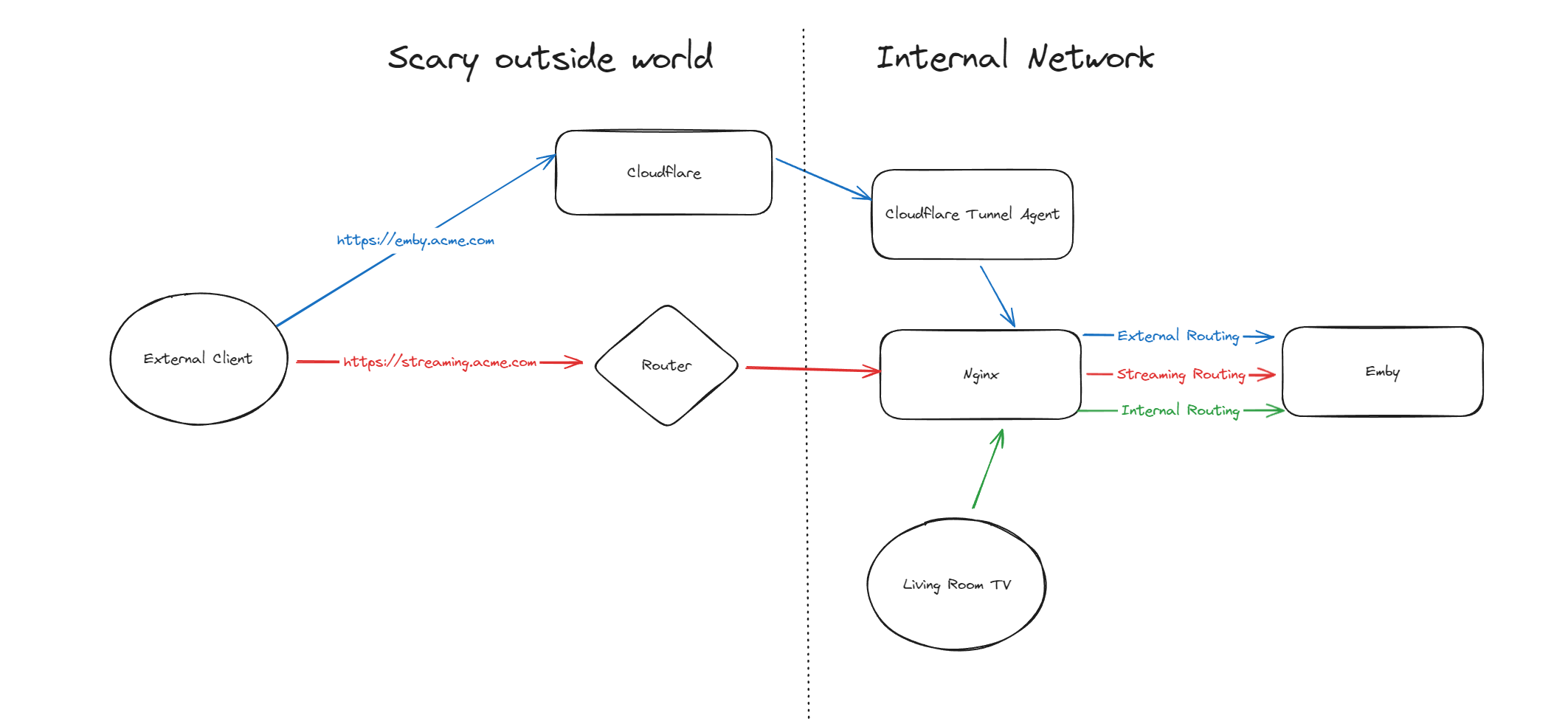
Hello, A few months ago I was in the process of moving away from directly exposing Emby via my home router to using Cloudflare Tunnels, but as it turns out, Cloudflare don't like you paying nothing and yet streaming GB/TB of data through their network. This was frustrating as I really wanted to put Emby away behind something I trust but I also didn't want to get my account banned for streaming media through it. I've read through many posts here about avoiding caching but it seems it's not necessarily the caching that will trigger your account being in trouble, it's the bandwidth usage as well of just piping all that data through their servers. Since I now had some time, I thought I would try to work out a long term stable option using Cloudflare. So what to do? When talking about security with self-hosting anything, I'm not going to go crazy but I like to take away easy wins for bad people. When it comes to running something like Emby, I'll assert that the biggest risk you face is automated attacks at scale. By this I mean that when it comes to hosting Emby at home, I am not really worried about some clever kid that I beat in an online game spending a weekend taking revenge on me or a state-backed hacking groups spending 6 months breaking in - I'm mainly worried about the type of flaws that are easy for people to automatically discover and exploit - e.g. recent examples with Emby and HomeAssistant. Both of these flaws allowed attackers to bypass the authentication layers of the application - no matter how complex your password is or whether you have MFA enabled (in the HA case), it's a trivial exploit once an attacker detects a vulnerable version of your software running. Both of these flaws were exploitable at scale, provided you could find Emby servers online. Given my determination to run things through Cloudflare for several reasons, security included, I wanted to come up with a system that gave me some confidence without being too complicated and without risking my Cloudflare account being banned for streaming through their service. I have not written this for everyone to be able to follow - if you are not familiar with nginx, Cloudflare, HTTP semantics, then this may not be all that helpful. Split Service Where I've landed is a split hosting setup - far from ideal but I think it's better than going all Cloudflare or all direct access. To begin Expose Emby through Cloudflare tunnels as per other guides (I won't go into the details here right now) Expose Emby via reverse proxy for external traffic (and internal too, makes sense to keep things consistent in my view) Setup port forwarding on your router to direct a port from the internet to your nginx service Nginx will have two Emby configurations to start with - one for external and one for internal Once you are able to hit Emby both internally as well as externally, then it's time to split the external. I'm going to imagine that you now have emby.acme.com setup via Cloudflare Tunnels, and you also have streaming.acme.com setup with direct access to your service via your home internet router. What's the difference? emby.acme.com is going to be your main address you use for everything, and that will go via Cloudflare Tunnels. You can use Cloudflare's many, many security options to come up with a setup that is secure but easy for your situation. streaming.acme.com is going to be a DNS only record in Cloudflare, it will point to your home IP and you will port forward this port (can be any random port number) to your nginx server. If we were to leave this setup in place, you would be able to access your Emby service via Cloudflare (with media streaming through Cloudflare), AND you can access Emby via the streaming address, completely outside Cloudflare. So what we can do next is use some clever redirection stuff. Nginx Configuration Now that you have two URLs working with Emby, let's look at Nginx again. In my configuration I have two different `server` blocks in my nginx configuration - one for my internal network and one for external. I don't know if this is strictly necessary but when I started I was an nginx novice and it made sense to be able to apply different rules depending on the origin of the traffic. To complete our nginx configuration, I am actually going to clone my external configuration, giving me a third `server` block. For my third block, I will use the domain streaming.acme.com - this separates it from emby.acme.com which is my tunneled traffic via Cloudflare. Now in my streaming block, I am going to update the rule as follows: This tells nginx to proxy traffic that is destined for streaming.acme.com/something/emby/videos/xxx to your emby server. What it also does (as long as you don't have other `location` sections) is tell nginx to not redirect any other requests that fall outside of this location to your Emby server. Cloudflare Redirect Since we want traffic to go through Cloudflare *except* when it's the actual media stream, we want your main Emby URL to be setup with a DNS address in CF that is proxied through their infrastructure and accesses your local Emby via CF tunnels. To handle the actual stream, we will create a redirect like this Now redirect that traffic to a new location What happens now? Well hopefully it comes together and something like this: if you visit https://streaming.acme.com:port/, then nothing is returned (where previously you could access Emby outside of Cloudflare and directly via your router) - nginx returns a 404 (or if you prefer, set it to return code 444 which drops the connection without explanation). If you visit https://emby.acme.com/ then you will hit the Emby login screen and can log in, and move around the application (this traffic is all via Cloudflare, with caching etc.) If you start to play a video from https://emby.acme.com, Cloudflare will intercept that request and return a redirect to your client, telling it to go and fetch the video chunk/stream from https://streaming.acme.com:port/something/emby/videos/xxx It should hopefully look something like this Why would I go to this trouble? Here is why I think this makes sense 99% of requests will go through Cloudflare, where you can layer on world class security options - you don't need to rely solely on Emby and the development team for security, put a fantastic authentication system & WAF in-front of it. This includes your authentication, requests to delete media and admin operations (These requests benefit from caching) You don't stream the video through Cloudflare - this was our compromise with this design. You are now exposing your nginx service directly to the world, however you may have to do that anyway if you don't want to stream through Cloudflare. Plus you can further protect yourself from autonomous/widespread attacks* You can use all of the Cloudflare security and other features to protect your Emby instance - I am assuming you want to have an easily recognizable URL & use port 443 for ease of use, so now you can do this and then have the Cloudflare firewall and other security features between the client and your service. In my CF redirect, I change the port to a random port number that I then open on my router* In my Nginx service, I drop any request immediately that is not a request to stream an Emby video file (e.g. the login page or any other API/page) If you look in my configuration, I lifted /emby/video off the root location and inserted a `something` - I was exploring injecting a Cloudflare access token as a query string but for now I just added a random base64 encoded string so that streaming.acme.com/emby is not a valid path.* I'm pretty new at Cloudflare, but I'm positive there are a couple of other clever things you cand do, e.g. you could block connections from certain countries, put your friends on an allow-list and block everyone else, or find other creative things to do. * Some people may look at using a random port number or having a random string injected into the path as not that secure, which may be right in some context, however since we don't have complete control over the Emby clients (to setup client certificates or integrate with a real IDP), and since I am focused on being safe from widespread flaws affecting Emby, or the webstack that they build on, or the logging framework they use, or some flaw in some other library, all I need to do for now is make this a pain for anyone to try and exploit. It may not stand up against some state sponsored hackers, but I'd be surprised if you fall victim to a widespread malware dropping activity as part of a critical flaw. Would this have saved me from the two earlier attacks I honestly couldn't answer this right now, it's possible the answer is no, but I am in my infancy with my Cloudflare setup and confident that with a few tweaks (limiting countries, suspicious request blocking) then I will be more confident in the future. Most of all, I would love a way from the Emby client to authenticate securely with a service like Cloudflare - a username and password being sent to the Emby service is nice but as we see flaws that negate this type of authentication, I'd rather try and put Cloudflare or another industry leading provider as my 1st line of defense rather than rely solely on the small teams building the software I enjoy running at home (no offense Emby Team) My goal initially was to move away from hosting Emby directly via my router/home connection, and onto Cloudflare which I believe I have accomplished with a compromise I can live with for now - as I actually get time to spend with Cloudflare I hope to be able to come back and say that I have more confidence that Cloudflare would help avoid attacks in the future.

 1 point
 -
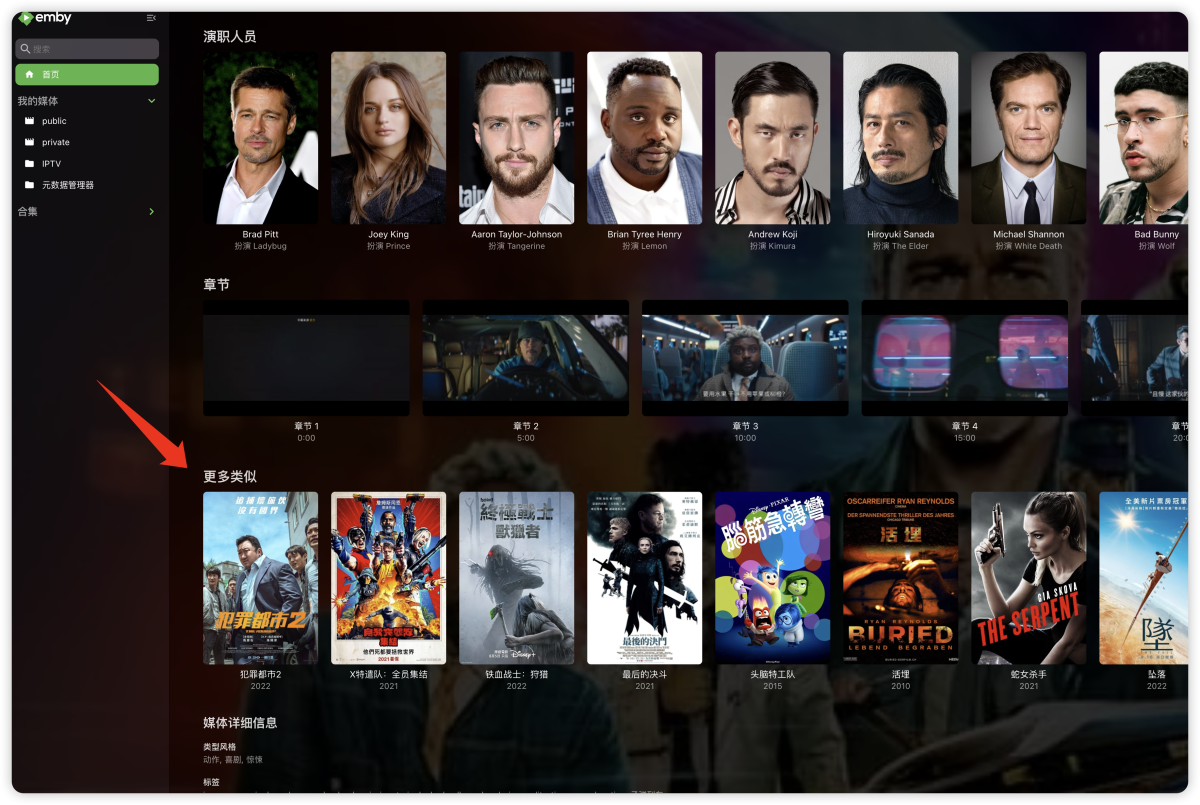
"More like this" will recommendations are made based on multiple media libraries,I don't like this, I prefer him to only recommend similar ones in the current media library, otherwise I would rather turn it off. What should I do?
 1 point
 -
Hi. I have one tv show (one piece) where the skip intro feature is not working well, while other tv shows work really good. So, it would be great if I could disable this feature for specific tv shows1 point
-
Testing on a clean beta 4.9.0.14 it only created one library in my test where previously it created at least 6 libraries.1 point
-
Good idea I never thought of it/when it happens again I will see if that helps1 point
-
Okay just the intro of any given movie/media not actual intro files.1 point
-
Once I get some free time and the servers inactive, I'll do that. May be a day or two away.1 point
-
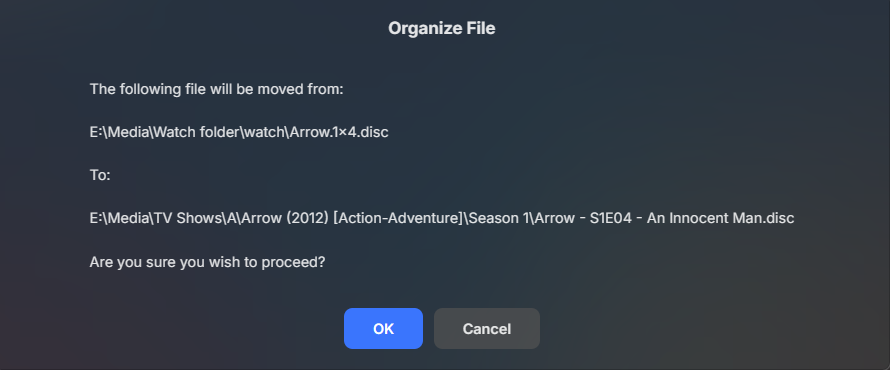
Appears to work here, forgot to add a zero when I change scheme. v1.7.3.0
 1 point
 -
I'm not sure this is a fair comparison, that file is HEVC and it looks like it's transcoding at 4 Mbit maybe so 3x lower birate than the other file, which was basically being remuxed just to convert DTS to AC3 which is not a very heavy operation, otherwise it's playing the video at the full resolution and bitrate. With HEVC to h264 conversion the bit rate goes up. It appears to be reading the file from the drive just fine because the speed of the remux (h264) and the speed of transcode (hevc) is plenty fast even though you're using a software encoder for HEVC it's still faster than the media play rate (1.4-1.6x). It has to create ts files to deliver to the client which it stores in the transcoding temp folder on your C drive (which I assume is an SSD) so I also doubt there's a bottle neck there. There are still some long durations on some of the ts requests but it does speed up a bit later on. What about if you play this in a web browser? That should still require transcodes to occur, but if the desktop is wired (or at the very least faster than a firestick) the ts chunk deliver times may be faster.1 point
-
Appears the TVDB ticket has been closed. Can everyone verify they can now get correct data. If not please provide specific examples.1 point
-
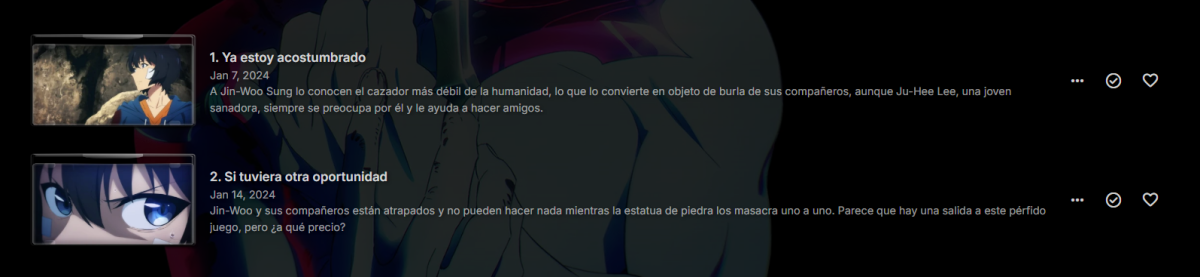
Appears the TVDB ticket has been closed for their translations issue. Can you please retest to see if your issue is resolved.
 1 point
 -
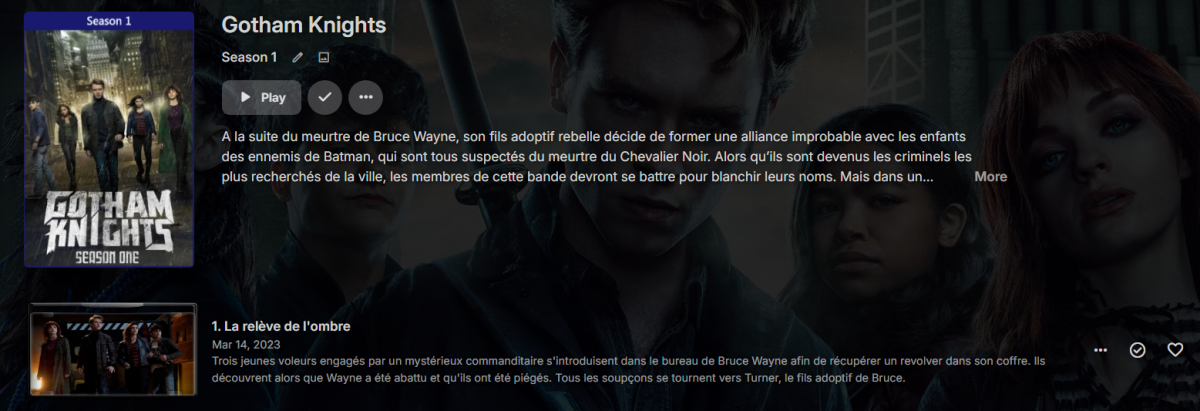
Appears the TVDB ticket above has been closed. Can everyone verify they can now get correct data. If not please provide specific examples.
 1 point
 -
Appears the TVDB ticket above has been closed. Can everyone verify they can now get correct data. If not please provide specific examples.
 1 point
 -
It looks like it started with direct play and then switched to transcoding because of a direct play error. The transcoding is happening fast enough but each of the chunk delivery times are really high, 8-12 seconds, each each chunk should only have 3 seconds worth in it. It looks like it's a firestick so more than likely it's on wifi. Is your wifi slow? Does rebooting the device help? Can you sideload the standard android app to compare? Looks like the birate of the file is 13 Mbit, how does that compare to the other files you said play fine?1 point
-
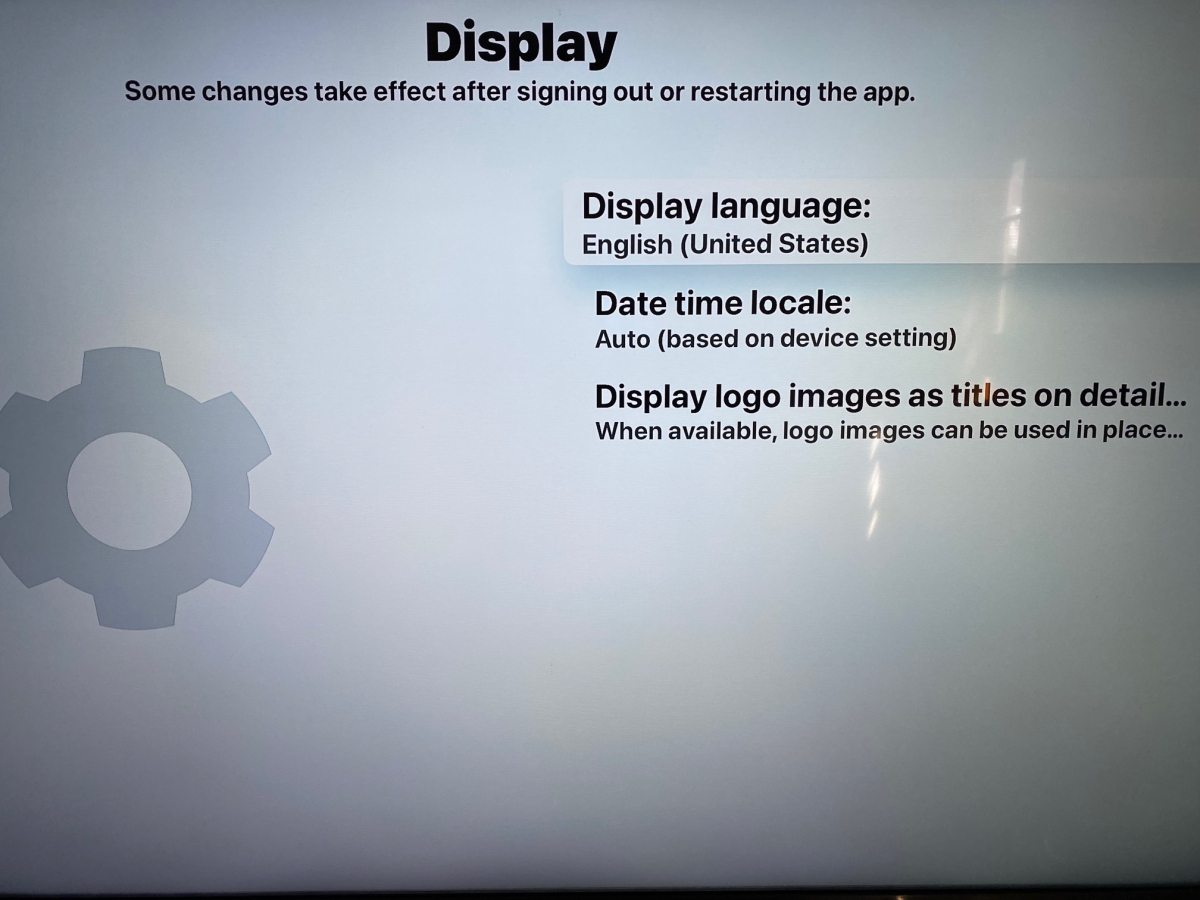
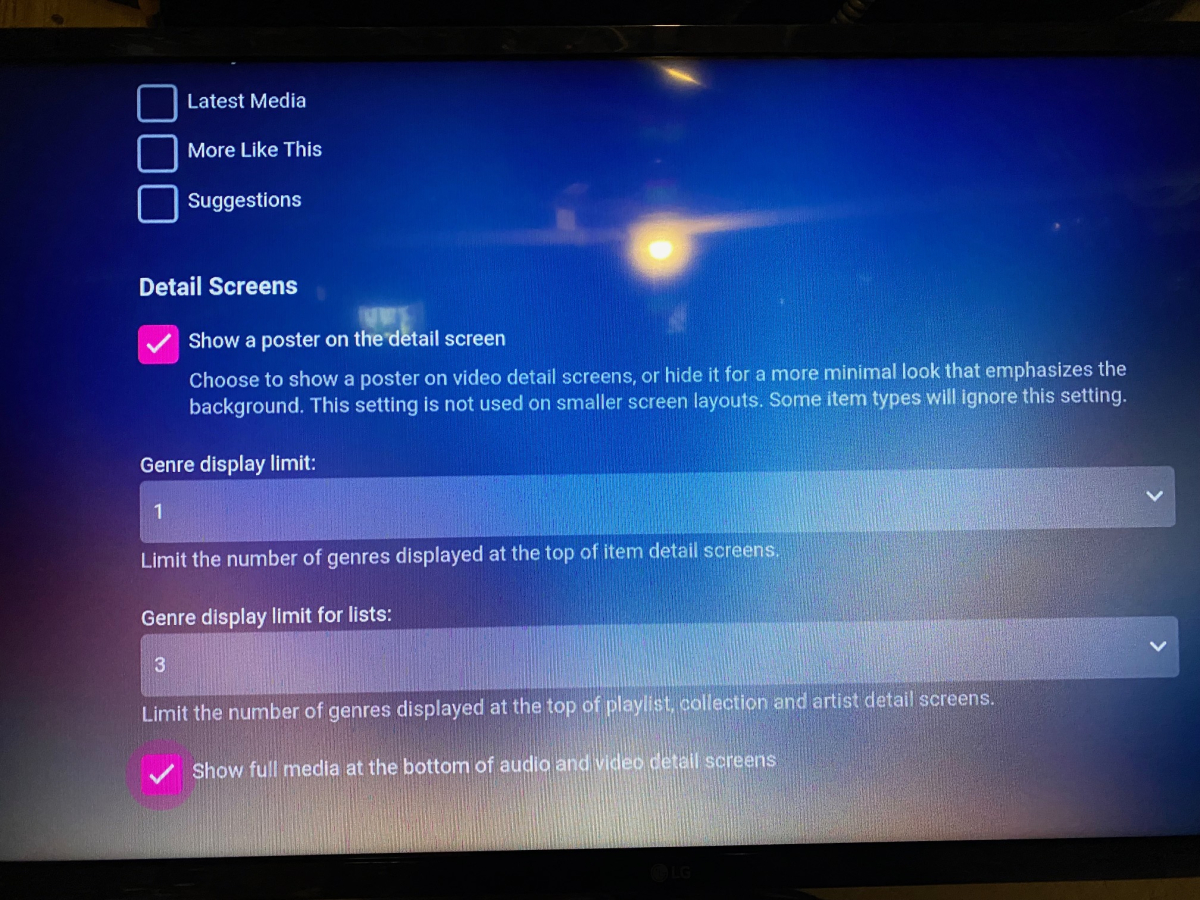
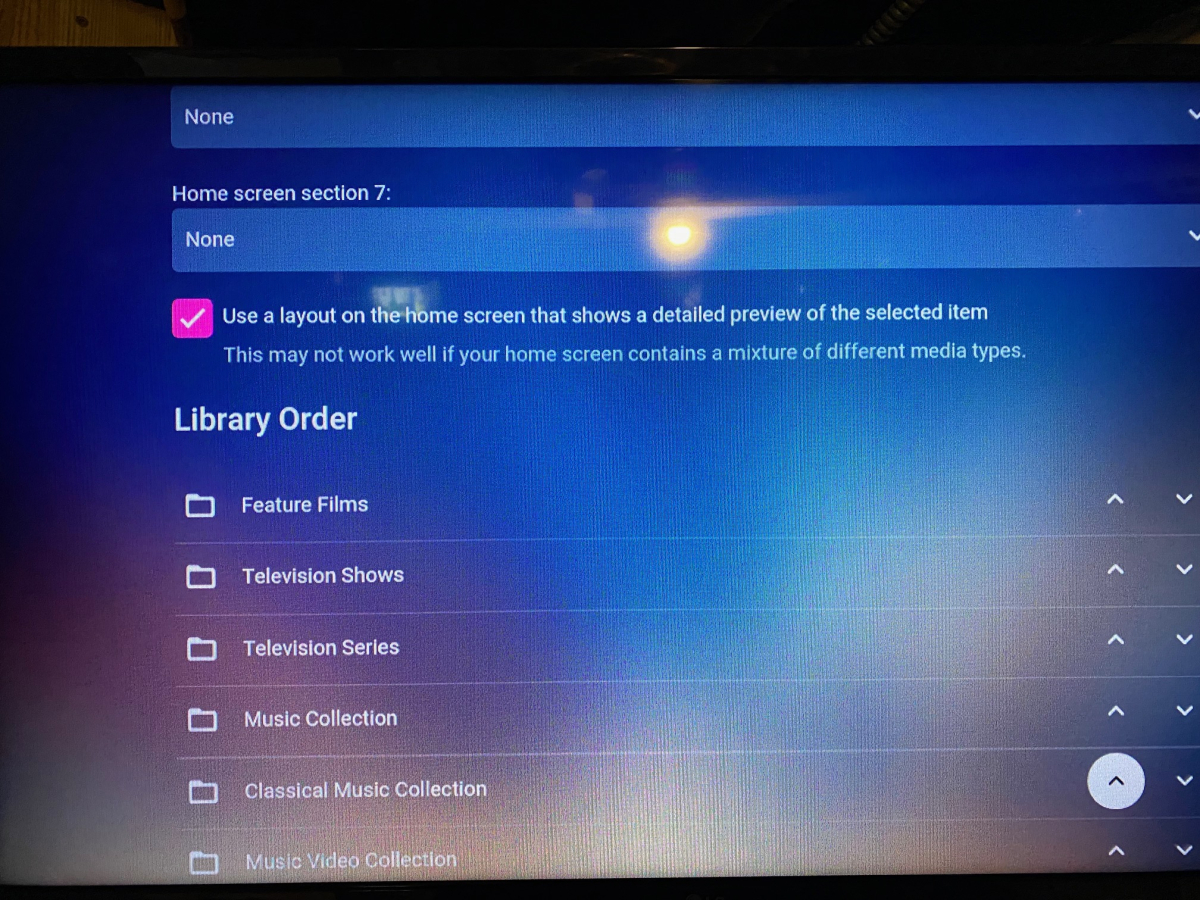
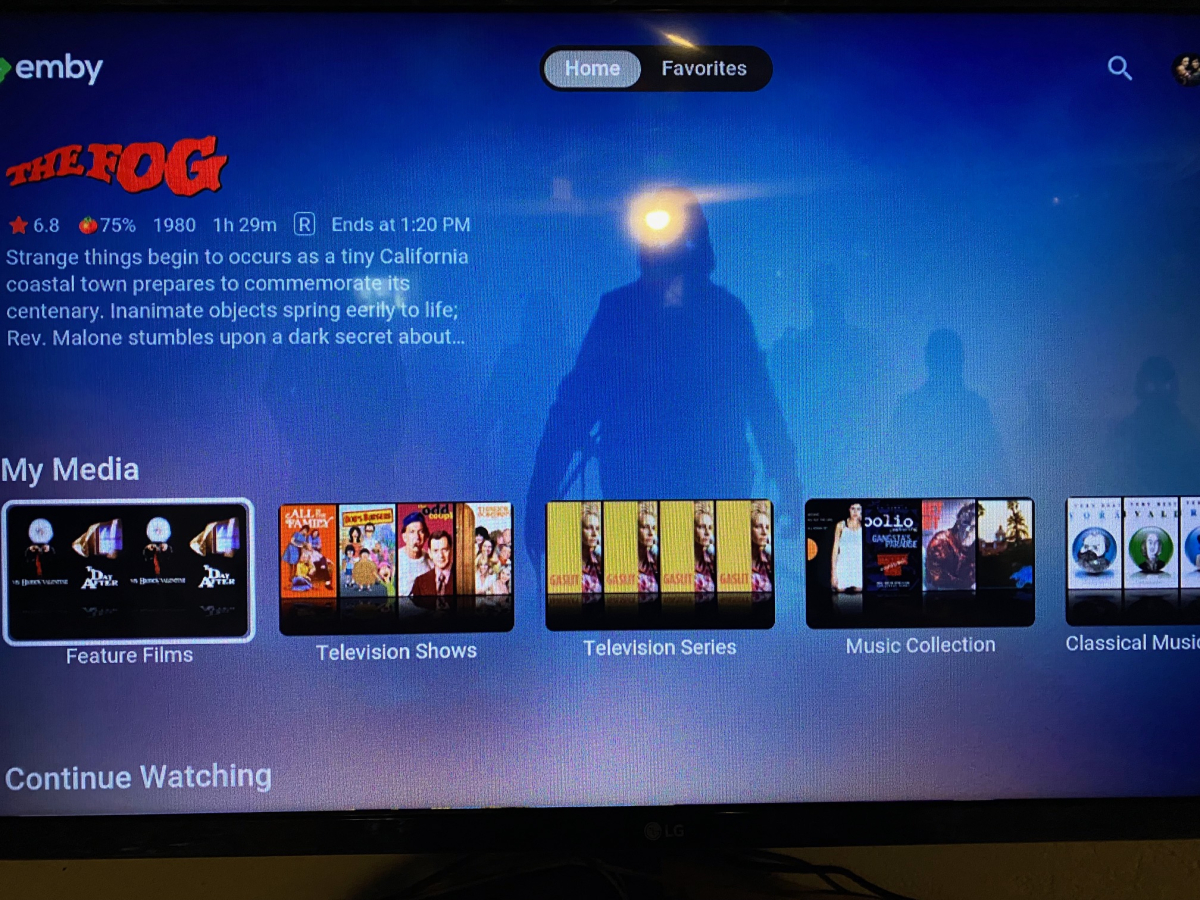
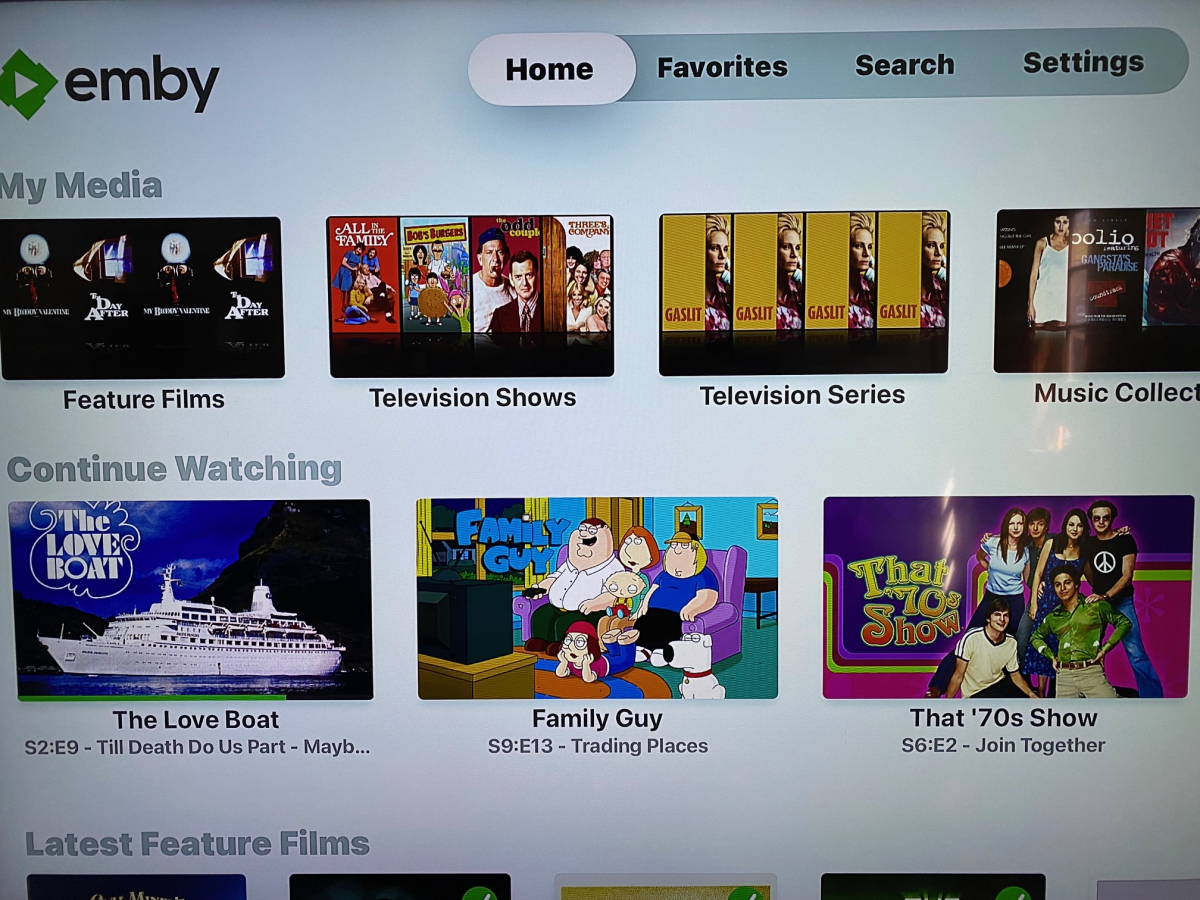
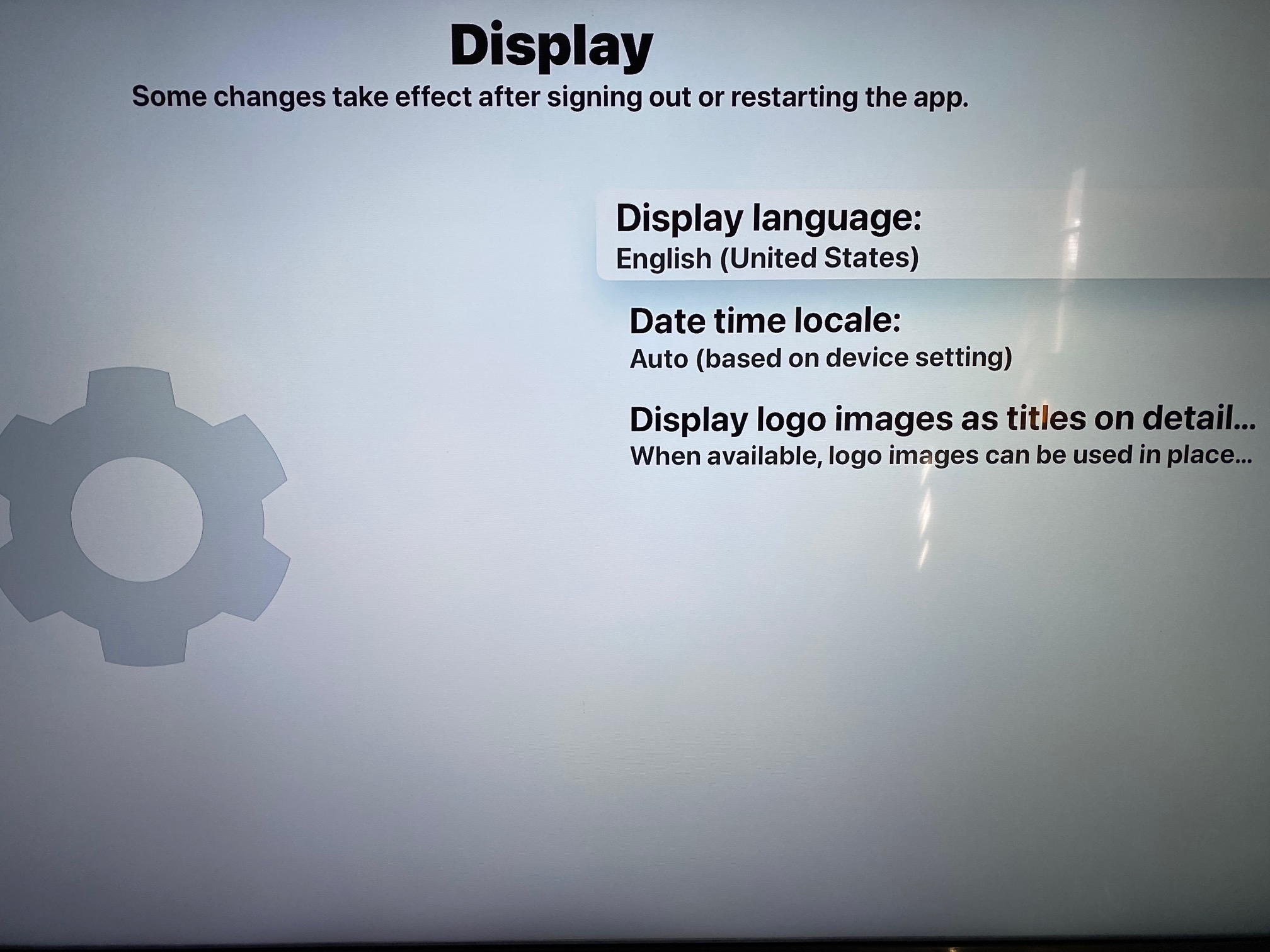
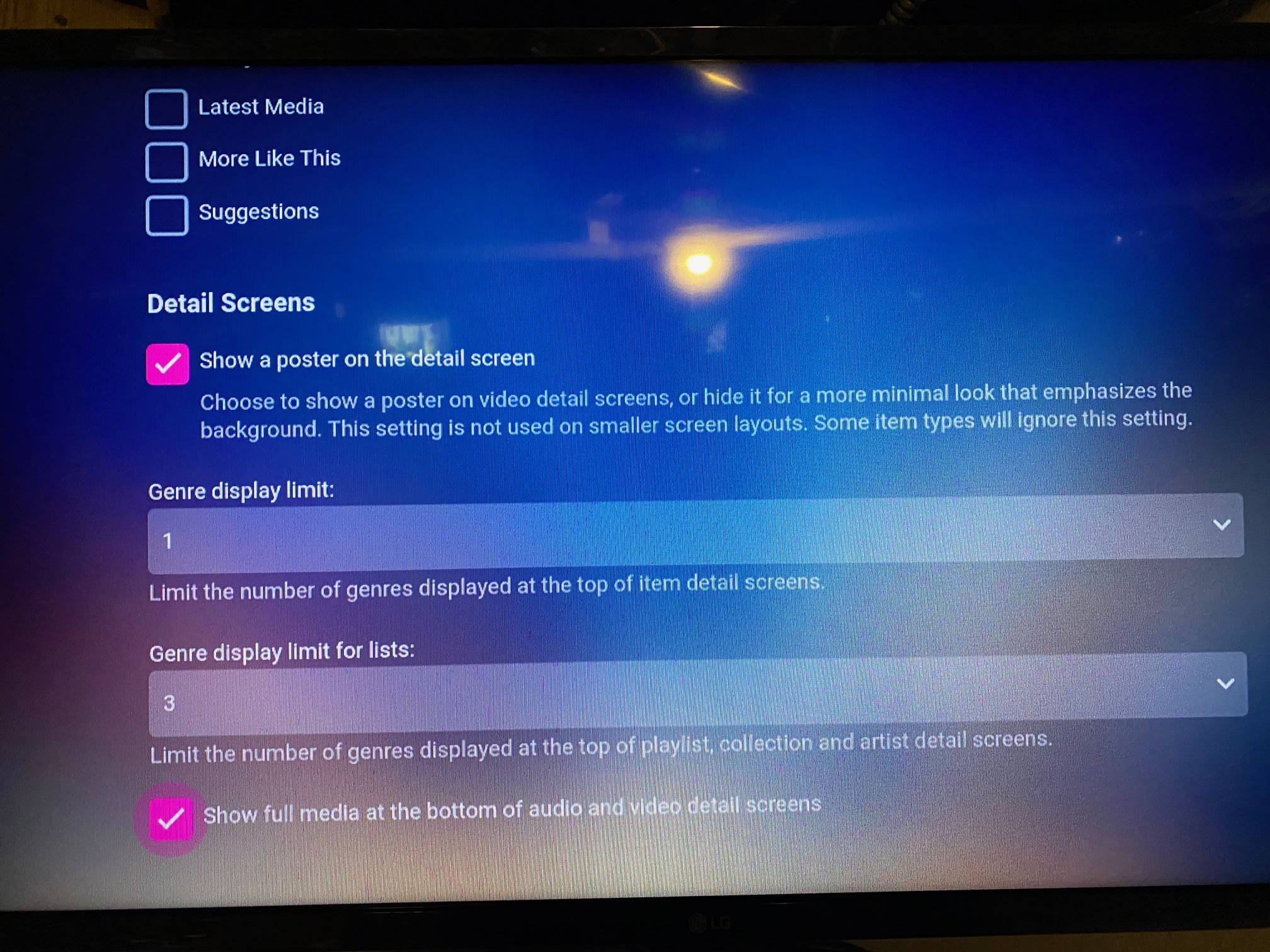
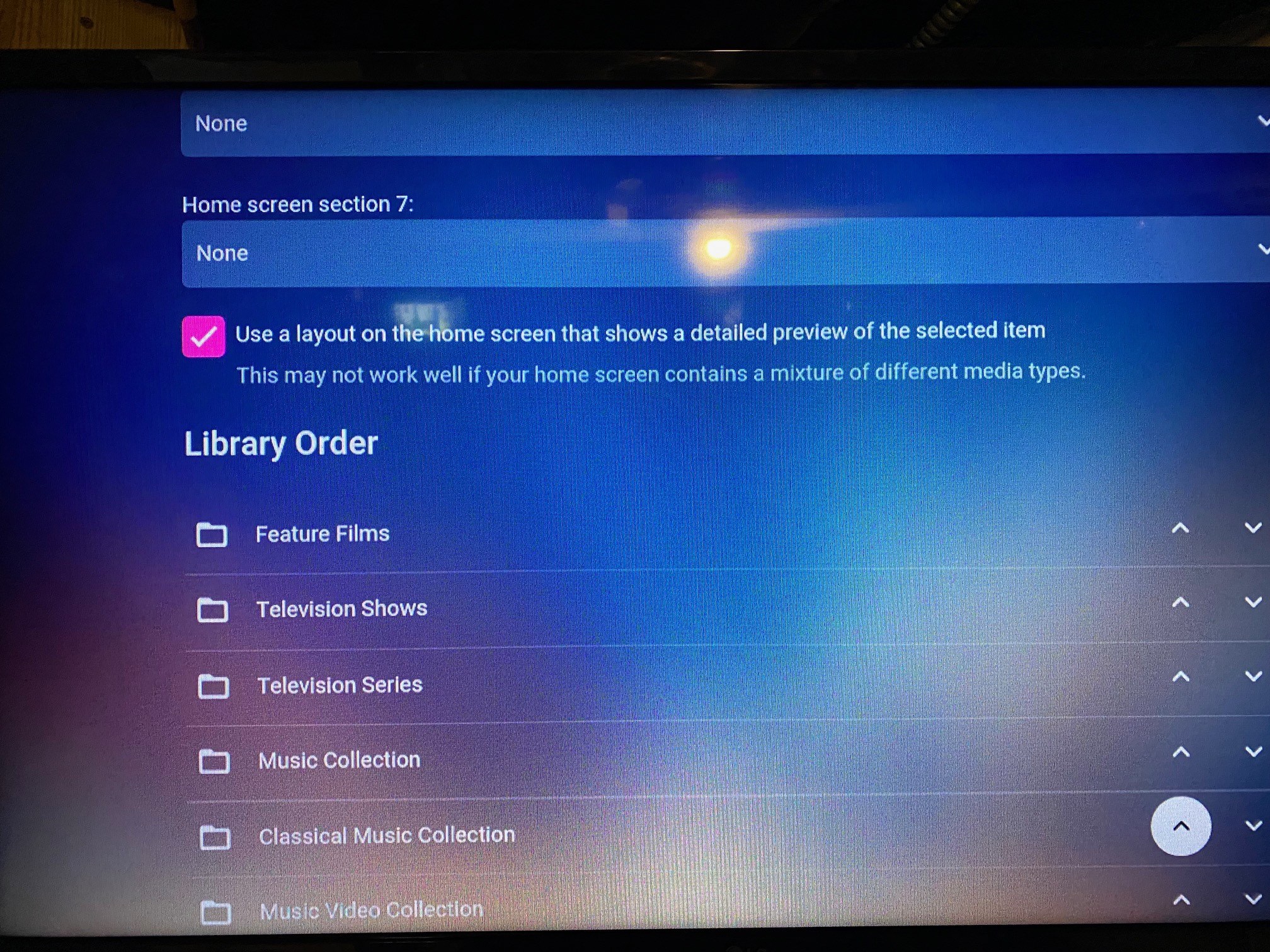
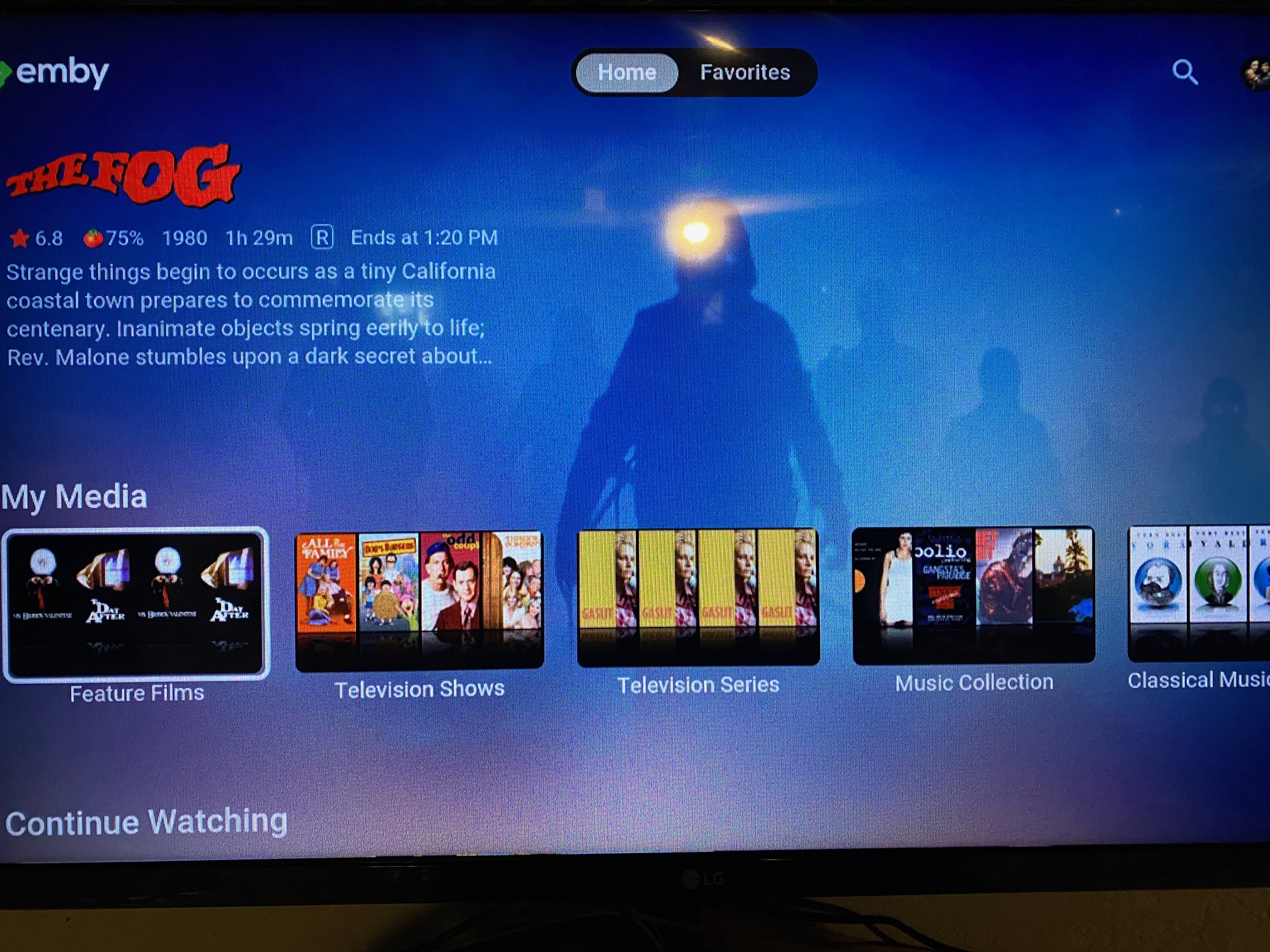
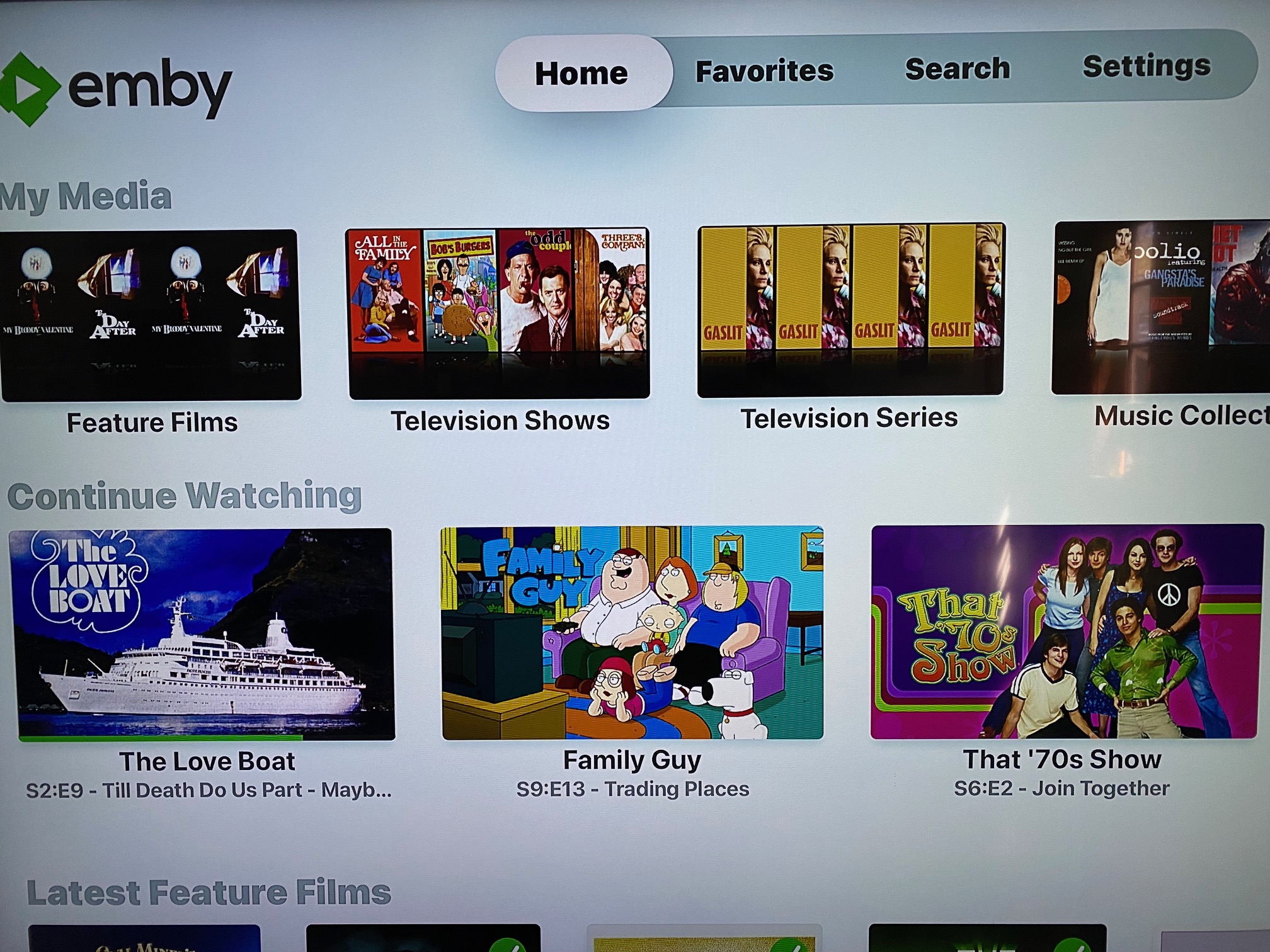
These are the only "Display" options on the Apple TV. We don't even have a section for the "Home Screen" where we can decide what sections to show. In contrast, the LG version has much more. These small options make for a big difference in the display... Coupled with the option for background art, color theme support, etc... On the Apple TV... this, and only this. Layout, colors, etc.... I also find the Apple TV app to have numerous quirks, such as occasionally playing only audio with a blank screen. A reboot of the Apple TV fixes the video until the next time it happens... I also find numerous black screens in the navigation. For example, after I back away from the "play next episode" screen, it doesn't go back to the detail screen for the show. I go to a blank screen and have to press "back" once more to go to the detail screen. It's as if the app is expecting a screen that the server isn't providing. There's no left-hand navigation menu, only settings on the top menu in the Apple TV app... I'm sure there are other differences, but these are the biggest ones. I knew that people said the Apple TV was far behind the other apps, but I never realized how badly until I used a different app. After using the others, I really see how far behind it is. If you need anything else, I'm here as always... Thanks!!
 1 point
 -
As I mentioned those pics are from the web browser on PC, I included them to show this is not platform specific. The fist pic is the resulting playlist when selecting shuffle from the menu on the Country genre icon.(below pic) The second pic is showing the high cpu usage during the very long wait after clicking through Music>Genres>Country>Songs>Shuffle; though this results in tracks only from the selected genre. This happens with all genres, I just chose Country as it's the most obvious to quickly see the wrong tracks.
.thumb.jpg.4fc7865f5426632010160b196380dc07.jpg) 1 point
1 point -
Hi. It should just count as one.1 point
-
pretty sure it is related to issue 323 but yes translations appear to working again at least in this case.1 point
-
It said server not found. Then I changed the por on router to 8096 and now it works. Thanks1 point
-
Oh cool good to know. It does work best on my android phone.1 point
-
just wanted to say thanks. 90% of the DV combo files now are playing on my 2015 shield and 4k fire stick. i have 1 problematic 1 still but ill give it time. THANKS1 point
-
Yes, similar but a little different but I probably should have lumped them both together. Android app up 2 posts on the badly behaving 1600x900 plays for about 3 to 5 minutes (with the weird green bars) then the video freezes (audio plays on). Android TV app same video no green bars but freezes within 10 or so seconds (audio plays on). And both play the AVC version of the same video fine, so yes it's a problem across Android in general but worse on the TV app version1 point
-
But just because subtitles are off does not mean they are not delivered in the hls stream per what I posted above. ^^^Also subs where sent with the transcode mentioned above also. But I am just guessing as subtitles recently have become an issue depending on their delivery method. I guess since you have the diagnostic plugin you could test enabling/checking this option. Disable HLS Subtitles Prevents the generation of WebVTT subtitles when streaming via HLS1 point
-
Oops. I guess I really need to skim a bit less and actually read a bit more...1 point
-
Hi, currently the duplicates are discarded but we plan to provide more control over this in future updates. Thanks.1 point
-
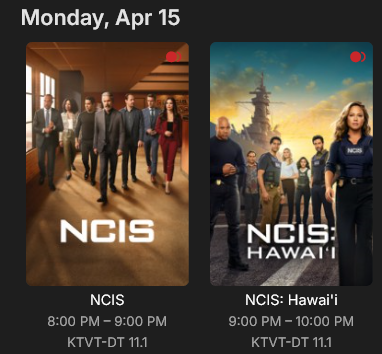
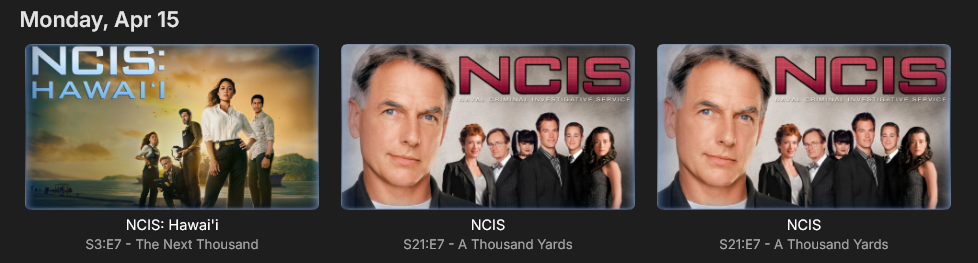
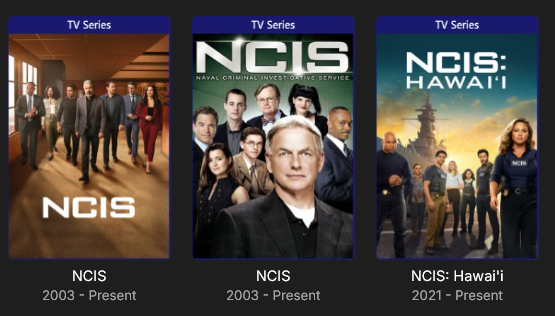
Live TV > Schedule shows: My Recorded TV library > Upcoming shows: My Recorded TV library > Shows shows: I will add the logs after the recording tonight.
 1 point
 -
Playback Reporting Has Been Uninstalled from DESKTOP-7EKF1NV 4/14/2024, 5:31:06 PM Watch History Has Been Uninstalled from DESKTOP-7EKF1NV 4/14/2024, 5:30:59 PM Disk Space Has Been Uninstalled from DESKTOP-7EKF1NV 4/14/2024, 5:29:39 PM Comskip is now version 2.1.0 ScripterX is now version 5.0.0.4 beta They both are finally working now after a long wait for Windows 11 compatibility update. I will wait a few days and then send a new log file. I have enabled the log file, so it should read more details.1 point
-
@MAR091645?1 point
-
@Luke I use Firefox as browser on Pixel 8 Pro. The browser has the same bad quality as the emby app. However, when changing the browser to "view as desktop" the quality improves a lot! Also the browser (in mobile view) allows more zooming in than the emby app (pinch to zoom). Edit: I believe that emby in browser as desktop mode has the same good quality as my phone's gallery app (simple gallery) with the picture saved locally1 point
-
No need to chmod the devices in that path. The official Emby Docker image has a GIDLIST available to give the runtime user access to the graphics devices. It's documented on the Docker Hub page for Emby. For the LSIO image you make sure the runtime user (PUID) has the video (and render if exists) supplementary groups.1 point
-
An interesting discussion thread. I'll admit, I'm with the crowd here - I don't want to have to Be An Admin for one more thing, I want to just fire and forget. Seeing missing episodes in context of a show or season was useful to let me passively know that I'm missing an episode. Without it, I'm not sure if the season is continuing (I'm on S02E07, is there one more episode coming or is it 12 episodes?) and also it's easy to just press play on the next and skip a missing episode without this being shown clearly in the regular UI (if E04 is missing, it might be E07 before I get so confused by the plot that I realise something hasn't worked out). Allowing this as a user option should be extremely good, as it used to be, or at least toggling it on and off via the context menu at the user's discretion would be something at least. Having to proactively take several additional steps just to see if I'm even missing anything in the first place is an activity that I don't have time or energy for. I'm not providing this as a commercial service for hundreds of users. I'm just a guy who likes to watch stuff with the family.1 point
-
Thank you to everyone who took the time to ask the Emby team questions across all of the different platforms including here on the forums. There were a lot of great questions that were thrown our way and we've been excited to get the answers out to you. While some of the questions we were not able to answer, we did our best to give you the most accurate and clear answers possible. Now without further ado, here is the first series of questions and answers for you to look over! Please keep in mind more questions and answers will be coming in additional blog posts in the coming days, so not all questions are being answered today. Who owns Emby? Emby LLC owns the Emby product and is a private entity. The owners are undisclosed but note that the development team has full control over the direction of the product. We are not beholden to or under the influence of any investor or investment group. What is the history of Emby? Emby grew out of an open source project called MediaBrowser. Emby's origin in concept came out of that project but there is actually none of that code base still within it. Emby ended up being completely built from the ground up to be a server-based ecosystem as opposed to just a single app as the old MediaBrowser was. Around 2011 what is now the core development team for Emby were contributors to MediaBrowser. We saw the opportunity to build something more flexible than the WMC environment would allow and embarked on creating what we then called MB 3. The core developers spent over a year furiously writing code before anything was released to the public. It was then probably another two years of dedicated development before anything was truly usable as a system. In 2015 it was decided that we had moved so far away from what MB originally was that we needed a new name. A few of the devs got together and came up with "Emby". There are a few reasons behind that name but one of the main ones was that you needed something that wasn't already trademarked and domained. Emby fit that bill and has the benefit of sounding like "MB" when you say it. With the new name, we needed a new logo and we actually held a contest in the forum taking contributions from users and that finally landed us on the logo you see now. Since 2015 we have expanded the team and worked diligently to try and continue to craft the best truly personal media server system we can. We still have a long way to go but have also come a long way to where we are. What are the most popular Emby clients? We do not have exact data on this, due to sideloading and the such, but through the app store platforms we can gain general ideas. Android is the most popular amongst our userbase (both mobile and TV) with iOS in second place as the most downloaded app. What Emby clients do the development team use most for personal use? Our development team uses a wide variety of apps just as our user base does. We have people on the team using Android on mobile and TV, iOS, Apple TV, Roku and Xbox as well. As you can see our dev team really is as diverse as our user base when it comes to how we use the server. These were just a few of the questions about Emby as a product and who we are. In the next blog post we will be covering a few different things such as some of the future goals of Emby as well as release schedules and more! View the full article1 point
-
It's funny that there's these types of people that are so hell bent on attacking people like us for emby acting like they know everything about our systems and our tv etc and then act like they know what the uhd's have on them that we have in our possession. Just because they have an itty-bitty sound system and tv that can't handle dolby vision and dolby atnos doesn't mean everyone does. This dude must not know how to pick out movies that have dolby vision on them or dolby atmos and thinks it's all fake. What really gets me is that every other program out there plays all the dolby vision and atmos movies fine says dolby vision top right corner when movies load up. But emby so far only 2 out of over 100 over my movies and tvshows have played in dolby vision on emby smh1 point
-
What are you talking about? Dolby vision and dolby atmos play on all 4k tv's smh stop trying to act like you know what's going on here when clearly you don't. I am ripping uhd's to put in my collection with make mkv it preserves all dv and da files because it touches nothing. And then use media info to make sure the files are still there within the movies and it is everytime. Out of around 100 uhd movies with dolby vision I have 2 that work on emby but all work elsewhere just fine , I find that very suspicious don't you obviously you don't because you wouldn't be here acting like everything is fine on your end of emby which we all know it isn't. Smh also you have no idea what system I have in my house I have a $4,000 dolby atmos surround sound system that is dolby atmos dolby vision dolby vision + dolby vision iq and the list goes on and on. My TV is the same way. So don't act like everyone else has the same setup as you do because there's some that take pride in their sound and tv setups to watch the movies and tvshows on our servers that we rip.1 point
-
I don't see a separate FR for SSO, did that not ever get created?1 point
-
While Emby is mentioned this is NOT about Emby. It should be moved to the general discussion area. It also seem totally unnecessary but that is just my judgement and others might disagree.0 points
-
I think this thread is named wrong! You seem to be upset about not seeing the "upcoming" episodes in the library not "missing" episodes. They are two different things. Upcoming episodes can't be missing they don't exist yet. If your not a server admin then for sure your not interested in missing episodes and getting your library sorted out. You just want to see the fake thumb image for a episode in the latest season that doesn't exist yet?0 points
-
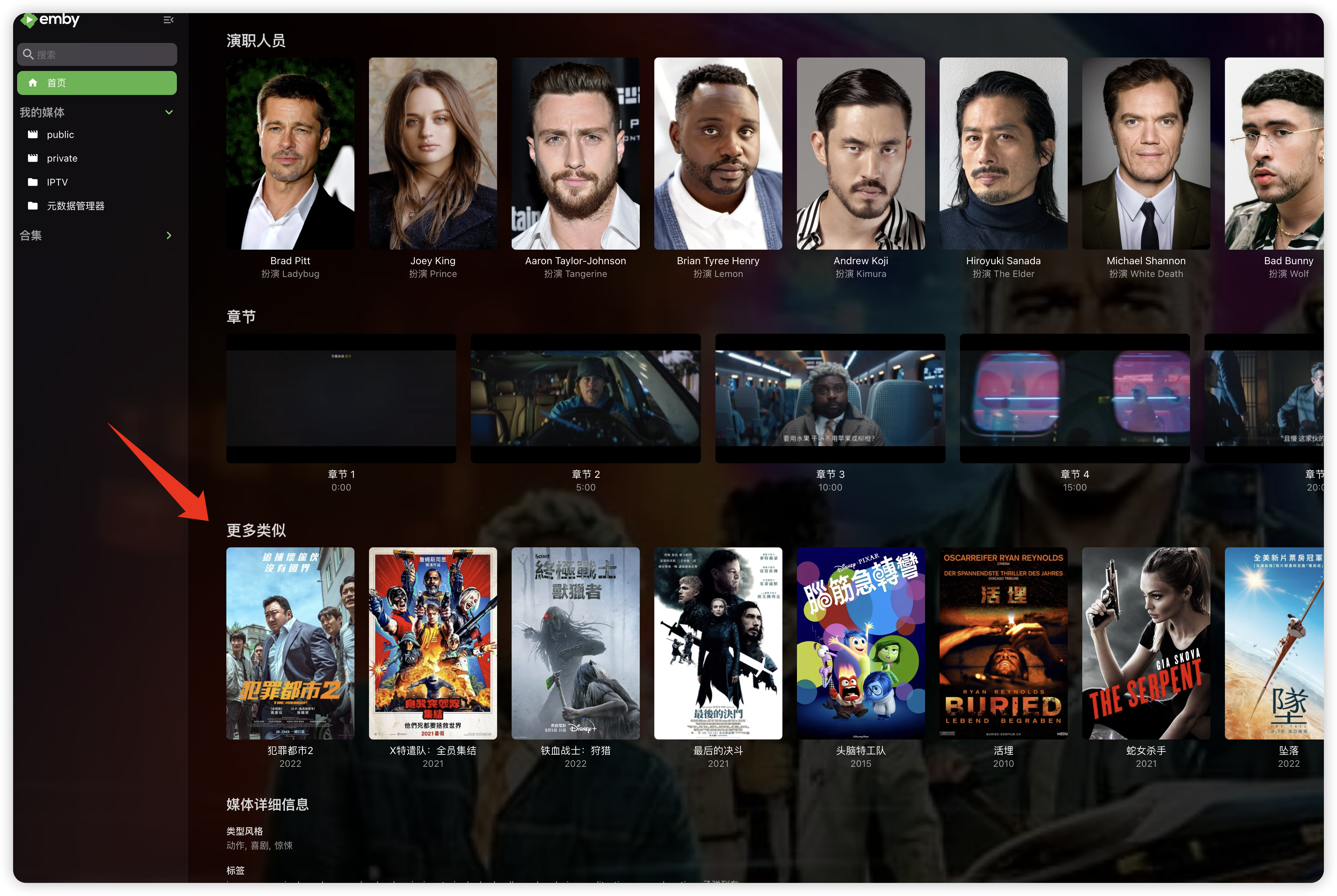
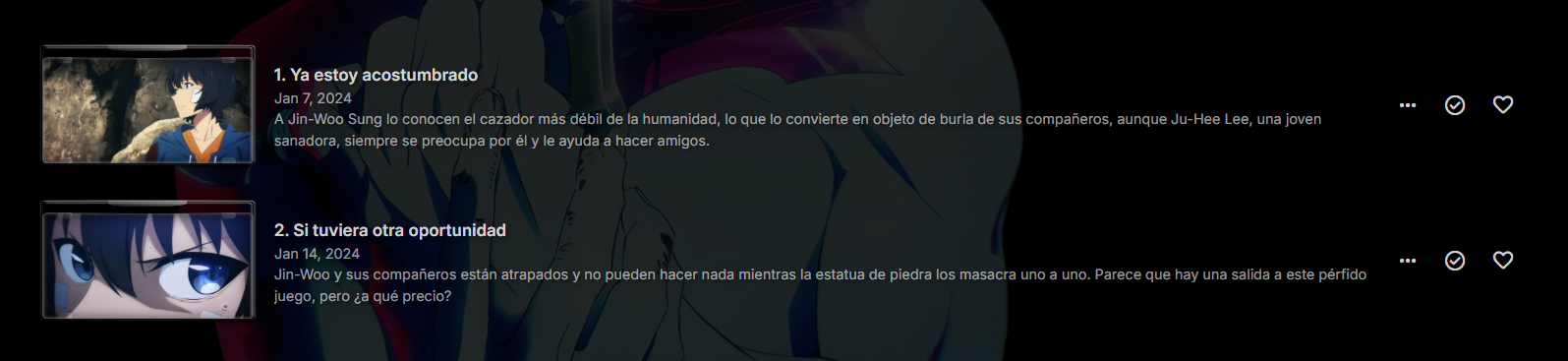
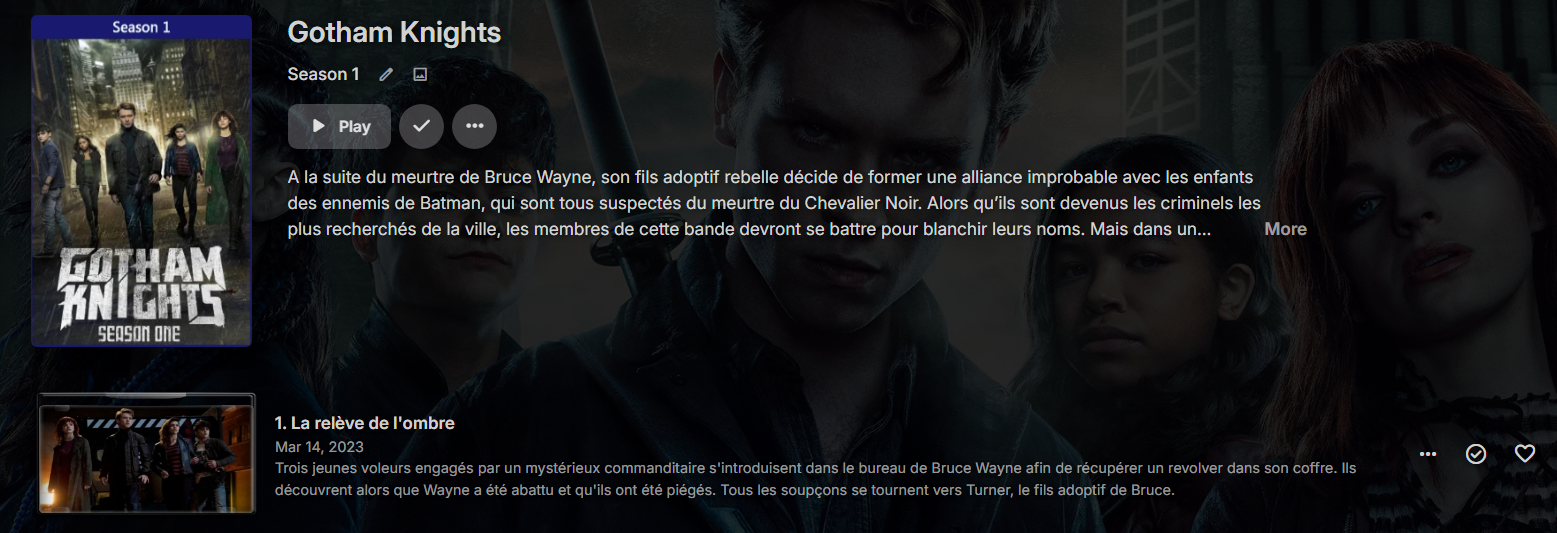
Hi, there are multiple ways to do that: Season context menu -> view missing episodes Series context menu -> view missing episodes The upcoming 4.8.2 maintenance release will have a new section in the metadata manager where you can see them for your entire library all at once.0 points











.jpg.8b44c4a491a8104efa282164f4fecb08.jpg)