Leaderboard




Popular Content
Showing content with the highest reputation on 04/11/24 in all areas
-
yes possibly - this is hevc right ? - do you have a media info extract we can look at ? It could be an extreme profile that the Shield/Emby combo does not like. Can you compare to the MP4 that does work ?2 points
-
Viens de trouver mon probleme Suite a changement de box internet, j'avais perdu le DNS de mon synology ou est installé EMBY Des que le NAS a ete configuré, tout est revenu a la normal merci a a vous, et desole du derangement2 points
-
Thanks - I see that now, and have got the full listings again. I honestly can't say now whether this was just my problem not clicking the last dropdown (which would have been more stupid than I'd like to admit to!), or whether it was empty apart from the top entry; the initial problem when I lost channels at the weekend was real, though. Paul2 points
-
After literally WEEKS of researching this I posted this question and five minutes later found a post about "Hide this user from login screens..." and unchecking that has solved at least one of my problems. I can now switch back and forth between my son's account and myself on the Apple TV without passwords. Not sure it's solved everywhere yet but this is huge progress!2 points
-
I had this problem for a while, I do not like the fact that scans of partial files produce weird results and any bif files created were simply screwed up, and i fixed it by taking advantage of how Windows handles moves. I created a temporary directory outside of where Emby looks for files. I then copy/move files coming from elsewhere into that directory and then, after that process completes, I move it into the Emby file system. That way the move into Emby is almost instantaneous. I have no problems with partial files since starting that. I think Emby could delay the scanning, when using real time monitoring, so that any copy process is nearly assured to complete before Emby scans. I developed a way to automate that process but I found my script had some bugs and I do not really have a problem with doing the moves manually. Sometimes it is much easier to avoid a problem than it is to fix it. I do not trust Emby's automated systems as sometimes they screw up badly and this is one of those times.2 points
-
I'm a plex life time member, but I have been using Emby for over six years continuously, but there is a feature which I have always thought is missing in Emby which I would like and encourage the developer to consider including especially in this dispensation where families can social or commingle due to COVID 19. Today, I received a notification from Plex about it new feature titled Watch together you can read about it here https://support.plex.tv/articles/watch-together/ The feature allows friends and families at distance to watch same movies together instantly, you simply invite all your buddy, once they signed to the system which can be seeing in the server then play and pause as needed, this I think is cool feature should be added to emby. Let's here your though if Emby developer should consider adding this feature to our beloved Emby Media https://www.bing.com/news/search?q=Plex+Watch+Together&qpvt=plex+watch+together&FORM=EWRE1 point
-
Also, It would be cool if we have various m3u lists and have the option to choose/assign each m3u list for each user.. Example. In user settings we can choose which library to give them for VOD so this shouldnt be hard enough to do it for live tv too no? USER 1 - Playlist 1 - Playlist 2 - Playlist 3 USER 2 - Playlist 3 USER 3 - Playlist 1 - Playlist 3 Etc etc.... *** Delete this message from another topic I opened because I posted it by accident there1 point
-
Like the title says. Source/Info/Binaries available here. Companion utility that forces Emby to refresh the guide icons (logos) from a specified m3u file with source/info/binaries available here. To use them both to auto update Emby Live TV, run EmbyRefresh first, then EmbyRefreshLogos.1 point
-
Like the title says. Source/Info/Binaries available here Companion utility that forces a Emby Live TV refresh with source/into/binaries available here To use them both to auto update Emby Live TV, run EmbyRefresh first, then EmbyRefreshLogos.1 point
-
Thank you to everyone who took the time to ask the Emby team questions across all of the different platforms including here on the forums. There were a lot of great questions that were thrown our way and we've been excited to get the answers out to you. While some of the questions we were not able to answer, we did our best to give you the most accurate and clear answers possible. Now without further ado, here is the first series of questions and answers for you to look over! Please keep in mind more questions and answers will be coming in additional blog posts in the coming days, so not all questions are being answered today. Who owns Emby? Emby LLC owns the Emby product and is a private entity. The owners are undisclosed but note that the development team has full control over the direction of the product. We are not beholden to or under the influence of any investor or investment group. What is the history of Emby? Emby grew out of an open source project called MediaBrowser. Emby's origin in concept came out of that project but there is actually none of that code base still within it. Emby ended up being completely built from the ground up to be a server-based ecosystem as opposed to just a single app as the old MediaBrowser was. Around 2011 what is now the core development team for Emby were contributors to MediaBrowser. We saw the opportunity to build something more flexible than the WMC environment would allow and embarked on creating what we then called MB 3. The core developers spent over a year furiously writing code before anything was released to the public. It was then probably another two years of dedicated development before anything was truly usable as a system. In 2015 it was decided that we had moved so far away from what MB originally was that we needed a new name. A few of the devs got together and came up with "Emby". There are a few reasons behind that name but one of the main ones was that you needed something that wasn't already trademarked and domained. Emby fit that bill and has the benefit of sounding like "MB" when you say it. With the new name, we needed a new logo and we actually held a contest in the forum taking contributions from users and that finally landed us on the logo you see now. Since 2015 we have expanded the team and worked diligently to try and continue to craft the best truly personal media server system we can. We still have a long way to go but have also come a long way to where we are. What are the most popular Emby clients? We do not have exact data on this, due to sideloading and the such, but through the app store platforms we can gain general ideas. Android is the most popular amongst our userbase (both mobile and TV) with iOS in second place as the most downloaded app. What Emby clients do the development team use most for personal use? Our development team uses a wide variety of apps just as our user base does. We have people on the team using Android on mobile and TV, iOS, Apple TV, Roku and Xbox as well. As you can see our dev team really is as diverse as our user base when it comes to how we use the server. These were just a few of the questions about Emby as a product and who we are. In the next blog post we will be covering a few different things such as some of the future goals of Emby as well as release schedules and more!1 point
-
I will pull the logs next time live tv hangs. Probably in the AM tomorrow at sunrise. Thanks, Luke!1 point
-
OK restarted, the option is there and I sort by Title, which appears to use the "Sort Title" and everything is as I want it. On library pages I have Title or Sort title, and I always use Sort Title so I can manipulate the sort as I like it without affecting the displayed title. That's a nice feature none of the others have (even if they did display TV shows which they don't: Plex says all my TV shows are Reacher, despite the metadata hints in the folder names; Jellyfin I cannot work out. It matches nothing and says every folder or series is a season of "Action"!!!) Thanks for the diagnosis, sorry to be a pain.1 point
-
Ok great thank you for clarifying.1 point
-
Hey Everyone, I've been exploring Emby's fantastic features lately, particularly the ability to fine-tune what content I track directly from my Emby interface. It's incredibly convenient and adds a whole new level of customization to my media experience. However, I've noticed that while Emby seamlessly integrates with Trakt, offering users the ability to adjust tracking preferences within the app, the same level of control isn't available for Simkl integration. Currently, Simkl integration requires manual adjustments from the server side, which feels a bit outdated in comparison. What if we could bridge this gap and bring the same user-controlled functionality to Simkl integration within Emby? Imagine being able to effortlessly decide what content to track or not directly from our Emby libraries, and easily link and adjust our Simkl accounts without leaving the app. I believe that by enhancing Simkl integration in this way, we can further empower Emby users to tailor their media experience to their liking, while also strengthening the bond between Emby and Simkl. Could we kindly request the Emby development team to explore the possibility of implementing this user-controlled Simkl integration adjustment feature? It would undoubtedly elevate the Emby experience for users like us who appreciate seamless integration and customization options. Let's rally together and show our support for this idea! Your thoughts and feedback are greatly appreciated.1 point
-
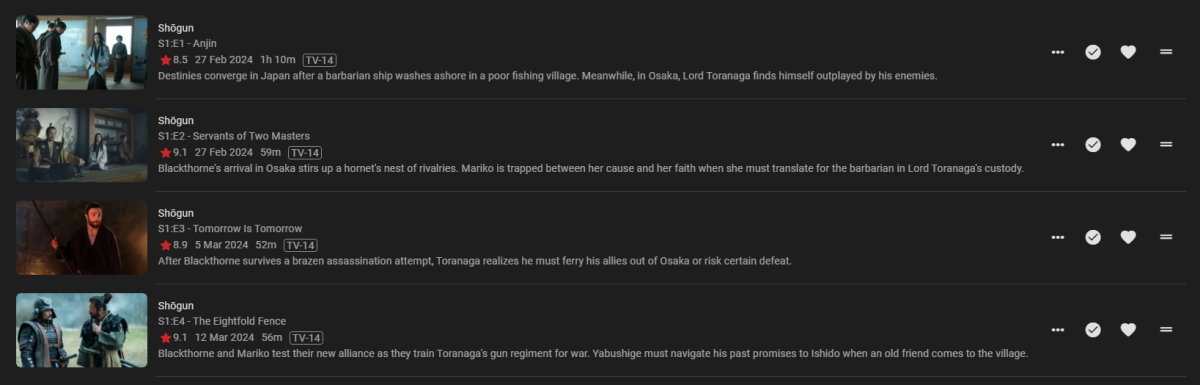
Yearly bump, still looking bland. Even playlists have a better display, which is a bit of a conundrum. While we're at it, flattened season should also get same treatment.
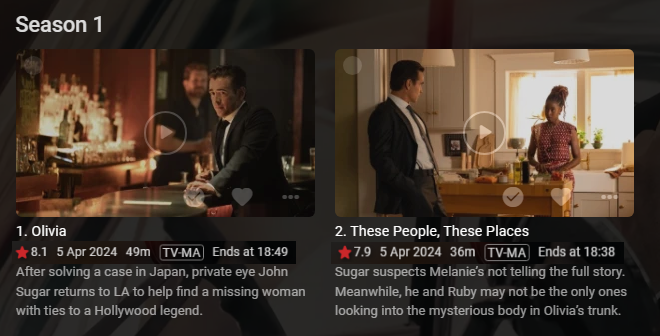
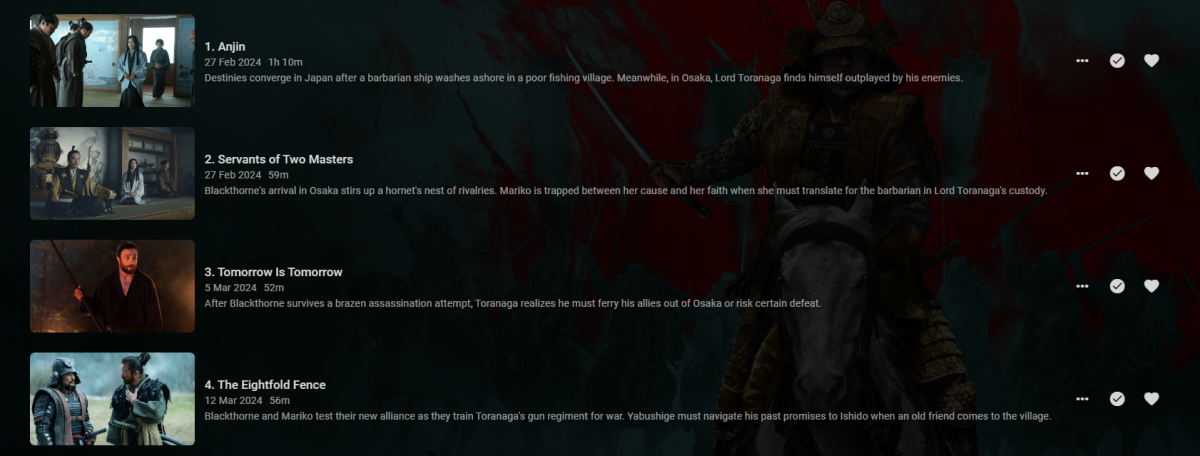 1 point
 -
When will 4.8.4 be shipped?1 point
-
This should be resolved in the next release1 point
-
Yep me too, showing my age here. The new version is good (very good) but I still prefer the original. Just my old memories of the series I guess.1 point
-
Thanks. Hopefully it can be fixed. I have to watch these with Kodi on my mediacenter but I'd rather use Emby through Apple TV.1 point
-
@pwhodgesI just tried your postcode and I am seeing the following. I just need Freeview (South-East) or Freeview (Kent) adding for my postcode.
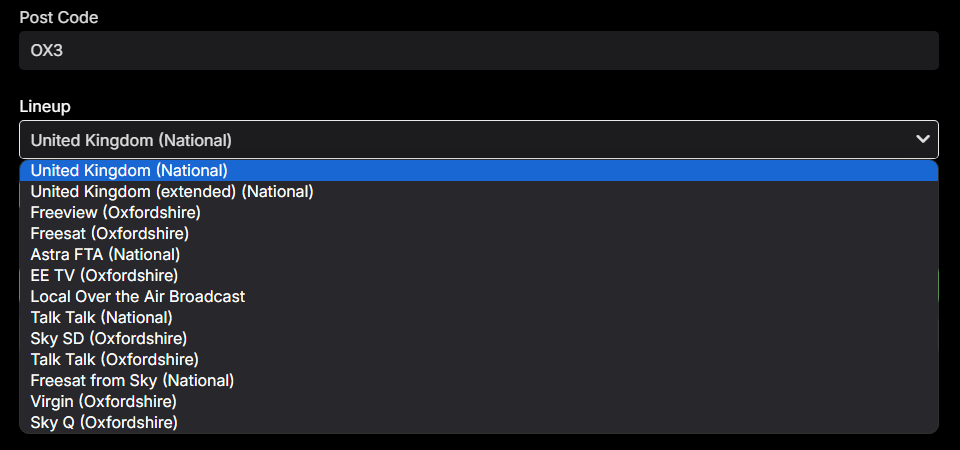 1 point
 -
OK we'll look at improving it. Thanks.1 point
-
I have seen many people have been switching to using mkv over mp4 in recent times and others complaining about playback issues with mkv. Many know that remuxing can help but it's very time consuming to do so, but it works. The issue is that the cues of a mkv file are normally written to the end of the file. This is an issue that's been corrected with mp4 files with -movflags faststart option when encoding mp4 files, but with mkv it's a little different. The script I have put together makes use of a program to move the cues to the front of the mkv and optimize the file for faster playback and better skipping and resume support. So I have a rather large library and it's become a bit of a problem for me so I found a program called mkclean from matroska that is used to fix and move the cues to the start of the mkv file. With very little documentation on the issue I had to go through a lot of trial and error to get things to work properly, but I put together a python script to fix this. Attached is that python script for those of you who would like to try it out. As of right now this guide is only for Windows machines but I still believe those that are using linux are more than capable of adapting this info for their environment. Step 1: Download the MKClean file to a directory. https://www.matroska.org/downloads/mkclean.html My files are located in a separate drive lettered K: so I created a folder called K:\mkclean to house my mkclean.exe file. Step 2: Download and install Python on your machine if you don't already have it installed. You can see the link below for that. https://www.python.org/downloads/windows/ Step 3: Open a command prompt as administrator and update pip to the latest then download the watchdog feature to python to be able to monitor your folders for newly added files. Use the following command python -m pip install --upgrade pip when done then run python -m pip install watchdog Step 4: Once both of these commands are completed update your system environment PATH with an entry for mkclean. Settings -> System -> About -> Advanced System Settings -> Environment Variables... In the system variable section scroll down and select path and click on the edit button. Then click on New to add an entry for the folder containing the mkclean.exe file. (In my case it was K:\mkclean) Once done click ok and reboot your system. Step 5: Not it's time to create your python file. Attached is a .txt version of the python file I created for myself and have been running. You will need to edit it some, but I'm here to help with that. NOTE THAT WHEN ENTERING A PATH YOU MUST ENTER IT WITH \\ AS EXAMPLE BELOW K:\mkclean WILL FAIL BUT K:\\mkclean WILL WORK. (Below is the path were you want your database of the the files it's processed to be stored at, update it to the path you want your database created at, but please leave the files_processed.db name for ease of use of you will have to edit more lines.) LINE 9: DATABASE_FILE = 'K:\\mkclean\\files_processed.db' (Below is the path to make the connection to the database you created on line 9, be sure that the path matches what you have entered on line 9) LINE 65 conn = sqlite3.connect('K:\\mkclean\\files_processed.db') LINE 77: conn = sqlite3.connect('K:\\mkclean\\files_processed.db') (Below are lines identifying the folders to work it's way through looking for .mkv files and running this mkclean optimization script on. Change each line to identify your library folders. You will need 1 line per folder that you are looking to process and it will search recursively through them for any .mkv file) LINE 95 process_existing_files("K:\\TV_Shows") LINE 96: process_existing_files("K:\\Movies") (Below is a line to identify the folders to monitor after it has completed it's initial task of recursively working it's way through your files and checking for .mkv files to optimize. When new ones are added it will find them and run the optimization on them again making them perfect for streaming.) On this line all the folders to monitor should be comma seperated values inside of double quotes and AGAIN take note of using \\ when entering a path vs a single \. LINE 99: folders_to_watch = ["K:\\Movies", "K:\\TV_Shows"] Step 6: Now when you go to save this I recommend saving this in the same folder as your database and the mkclean.exe file so you can locate it easily, but save it once with a txt extension for ease of updating later, and then save it again with a .py extension. Step 7: Now you can run the file by opening a command prompt and entering this command. python "K:\mkclean\mkclean_optimization_script.py" NOTE: To stop the running program hit CTRL+C with the command window active. Step 8: Many of you would probably like to have this also start up when your system starts so it's easy enough to do by creating a .bat file and placing it in your startup folder. I'm not going to walk you though that in this tutorial, but the code is simple enough to add for you and for you to make your edits to so it's below. @echo off python "K:\mkclean\mkclean_optimization_script.py" PLEASE NOTE I AM NOT THE BEST PYTHON PROGRAMMER OUT THERE BY FAR AND THIS IS A PERSONAL PROJECT OF MINE THAT I'M MAKING AVAILABLE FOR YOU TO USE IF YOU LIKE, BUT I TAKE NO RESPONSIBILITY FOR IT IN ANY WAY. PLEASE TEST OUT ON SOME COPIES OF FILES FIRST AND USE AT YOUR OWN RISK. Other than that enjoy and let me know if this helped you out at all. mkclean_optimization_script.txt1 point
-
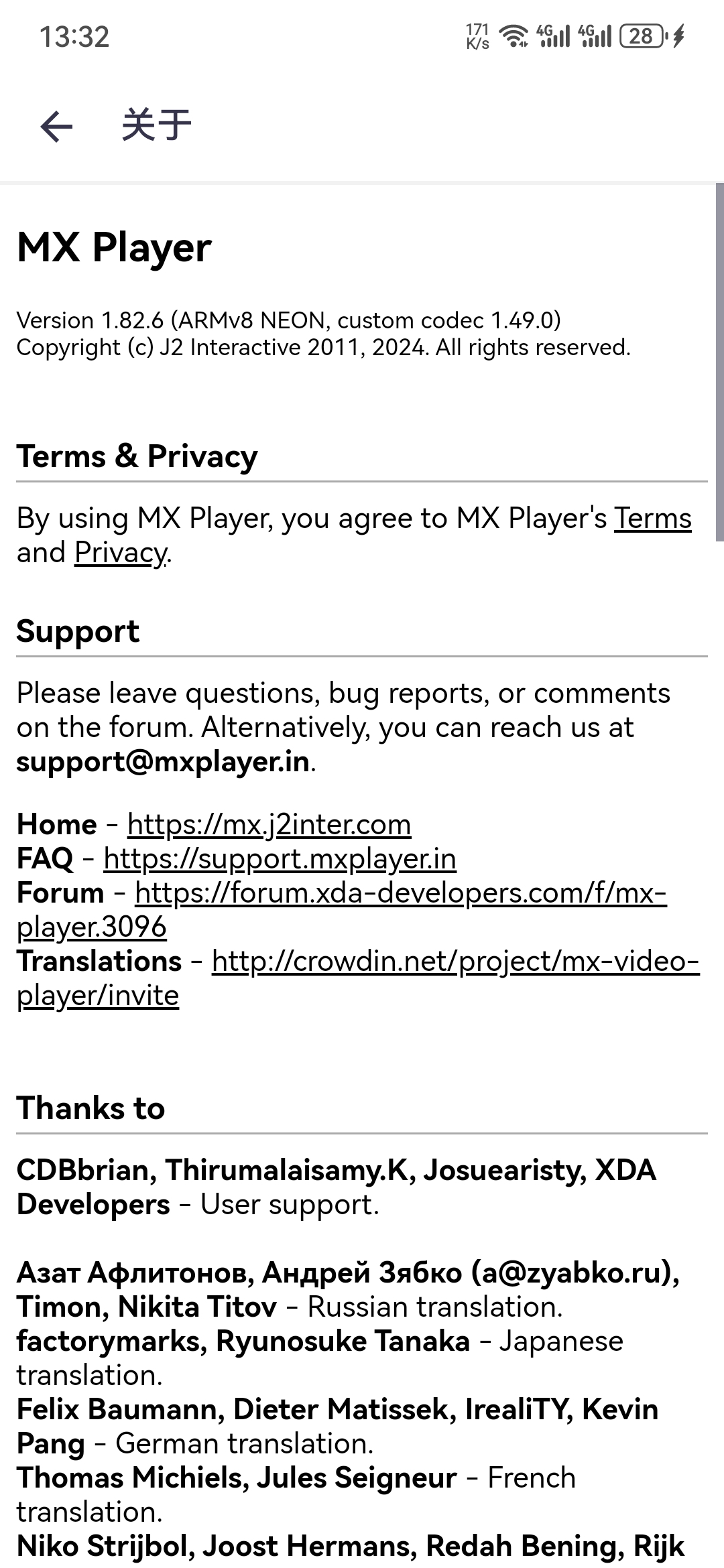
@Lukeyou can trust the domain. Try open mxplayer -> Me -> help -> about, and you can see this domain is there official homepage.
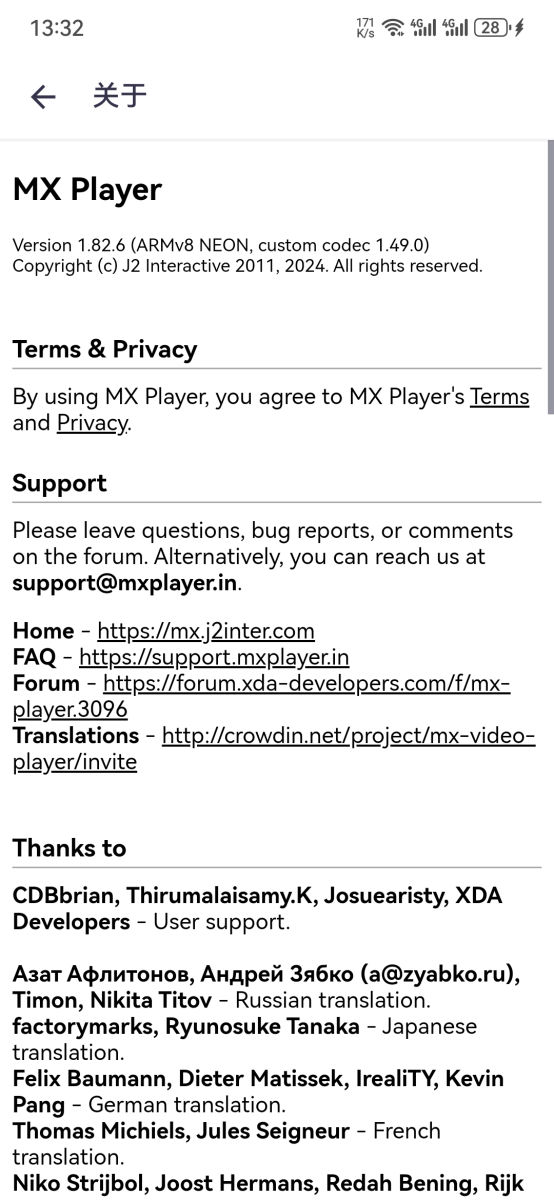 1 point
 -
Everything in this thread was identified and resolved in the maintenance update.1 point
-
i'm aware of that. I'm not referring to importing the tags of the channels already on the m3u but to adding an additional tag to every channel in the same tuner, that way we could discriminate channels by tuner on the TV guide. As an example let suppose that i have a Pluto-TV Mexico and a Pluto-TV USA m3u, could be useful that at the moment of adding a new tuner, let's say Pluto-TV Mexico having an option "Add this tag to channels" and then i can put "Pluto-TV Español", then every channel imported will have that tag additionally to all other tags imported so i can filter only channels from that source.1 point
-
Would need to disable RTM or change the delay to higher than 60 seconds.1 point
-
Yes now it's limited to admins and so that option needs to be hidden.1 point
-
Having your emby running on a VPS is probably the most versatile (and expensive). Much cheaper: Book (printed or e-reader) and maybe a flashlight?1 point
-
Estoy mirando opciones gracias, entre ellas no ip1 point
-
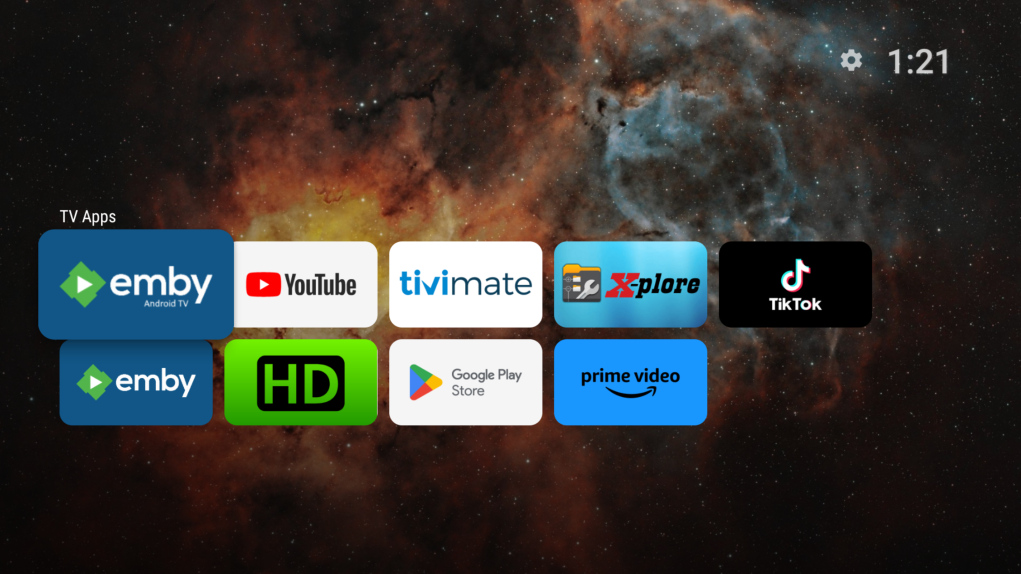
Install a separate launcher, such as ProjectIvy. I have had it running on my Shields for several weeks now and my home screen looks like this. I have reduced it to only the 2 Emby apps, YT, TiviMate, TikTok and X-Plore now.
 1 point
 -
New PUBLIC TESTING version available 10.0.13: Delta changelog 10.0.12 -> 10.0.13 add uniqueids for musicvideos add ratings for musicvideos fix musicvideo sync issue add option to set imdb as default rating provider fix minor rating issue (for updated content) fix tvshow/season sync issue fix nodes transcoding livetv, respect bitrate settings Comment: This version is not too well tested, I'm still on vacation with limited testing capabilities.1 point
-
I watch when it come out .. the 80's The new one is ok, but nothing come as the first one, that my personal view.1 point
-
I think the dash in No-DNR is messing it up Try this, remove the dash - and see what happens.1 point
-
Currently it isn't possible to: identify an episode*, or limit/force metadata sources on an episode, or force a metadata source by specifying id in filename**. Usually this wouldn't be a problem, but there's a show currently where: each source has conflicting special numbering, and one source has a new numbered season while the other started a whole new show entry It's an absolute mess, compounded by a lack of means to force a metadata source per episode. Currently all I can do is pick arbitrary special numbers in the 900 range and not have these episodes linked to any metadata. *(The knowledge base could use an update on this if identify isn't applied to episodes and seasons. It states "per-item", however only show and movie items have the identify option.) **(The TV Naming page implies this will be used for lookup, however episode number seems to be used instead.)1 point
-
Actually in the full video, majority of lines are out of sync by 0.5 to 1 second. Only a few are properly in sync. I watched the entire episode using Kodi by setting a delay of 500 ms, which works for most of the lines. Wish I could do the same on Emby as well.1 point
-
Not always. For many TV shows, the subtitles are early by 0.5 to 1 second, which kind of ruins the scene for me by revealing the dialogue early. This is most common for network TV (like CBS, NBC) while streaming services like Netflix, Amazon, Apple TV etc... synchronise subtitles properly.1 point
-
Any possibility of adding time offset for internal SRT subtitles on Android TV app? This is the sole reason I have to use Kodi via Embycon.1 point
-
I want to have the ability for each user to access their own separate M3U link (or just tuner in general), and therefore their own channels within Live TV. After doing some research, it looks like the best way to accomplish this is by tagging each channel and filter users to only have access to those tags. My question is, within the source code, can I add the ability to, when channels are created, they are automatically tagged according to their own respective tuner, preferably by username? With a list of 400 or so channels, tagging each individual channel is not feasible. Not to mention, channels come and go quickly within my links. My ideal solution would be to have, when the tuner is created, to add a field to correspond that tuner with a specific, or multiple, user. If I can even just be directed to the function calls I need to look at, I'd be happy to try to implement this.1 point
-
HI, we're looking into it. Thanks for reporting.0 points