Leaderboard




Popular Content
Showing content with the highest reputation on 03/26/24 in all areas
-
Without exception servers are better served wired. While there can be some setups that are very reliable with the server connected wireless mostly wireless usually has too many glitches for reliable server operation. Clients work OK wireless but every wireless connection has built in instabilities that make servers less that reliable. As was said YMMV but it is better planning to design a system where the server is wired.3 points
-
Wired ethernet does what it says on the tin; wifi can be flaky - distance, obstruction, and interference can all play a part in degrading the signal. That said, a perfect wi-fi may be faster than a typical wired ethernet, and this is even more apparent with some devices in the TV and streaming stick sphere which have only 100Mbps ethernet ports, even today - with such devices it can even turn out that the full performance of the system can only be gained through the wi-fi. So, as said above, it's all down to your specific system and circumstances. Paul2 points
-
HI, yes there will be.2 points
-
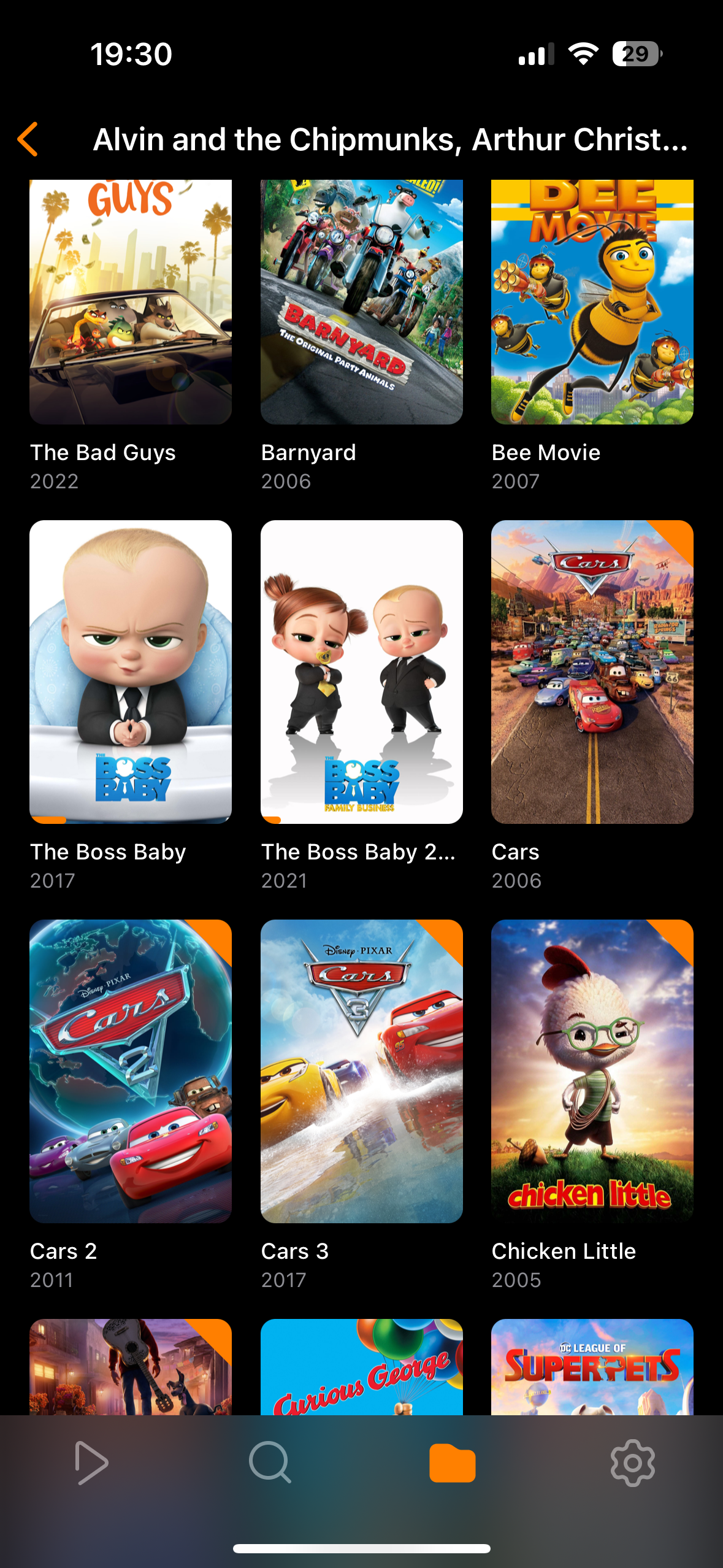
Would it be possible to add a playlist view on a selected playlist. If you have a lot of movies in a playlist the list view gets to be a lot. It would be nice to be able to choose what type of view you would like to see in the selected playlist. Like the picture attached.
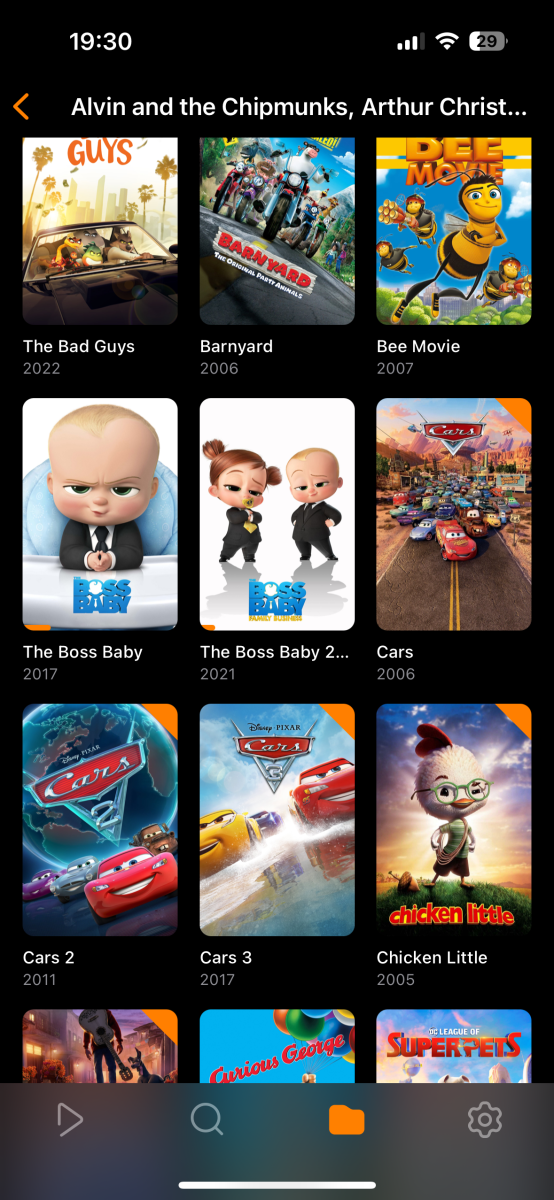 1 point
 -
Hello everyone, I recently switched to Synology for my emby server. Previously it ran on Windows for many years. No other changes to my set up. My problem is that since then the videos have been hanging or even freezing after just a few seconds. No chance to watch them. On the server and in the stats it is shown as direct play (HTTP). During (manual) package installation I’d no difficulties to access my video files and set up my library. There are located on an external usb drive attached to the nas (/volumeUSB1/usbshare1-2; of course with a different naming for the shared folder in dsm). Server: Emby Server (4.8.3.0-724080300) on Synology DS723+ (7.2.1-69057 Update 4) [18GB RAM] Player: Emby for Android TV (2.1.10g) on nVidia Shield TV Pro (2017) with Shield Experience 9.1.1 (33.2.0.157) The video files I want to play are with high video/audio bitrates (up to 94 mbps). Never wanted to transcode. No noticeable problems with the Shield TV before. Can’t really see any access/permission problems. Is it possible that there are hardware limits? Hopefully not, as I don’t assume this is a problem while direct playing a file. What I’ve done/tried so far: - set read/write permission in dsm for emby as internal system user as described - set optional network paths as described - attached network storage within Shield TV as described (never done this before!) - played around with smb and nfs permissions - checked permissions via ssh, as I suspected problems there with the usb device - several restarts of the server, the diskstation and the client Server logs from today attached. Sorry for the large file, but that’s with debug logging. I also sent a log file from the Android TV App. Last I wanted to watch Dune (2021) (stutter after 21s) at 15.13h (CET) / 10.13h (EST) with user emby. embyserver.txt embyserver-63846803427.txt hardware_detection-63846803489.txt1 point
-
You already have to do that regardless of this option. This option only influences what track is selected among the ones you have.1 point
-
Hi, currently there is no way. We could always add another option to control the folder for sports content. In the meantime you'd have to just move it after the recording.1 point
-
1) Tone-mapping is necessary to get an acceptable picture when viewing an HDR source on non-HDR-capable equipment. 2) Hardware acceleration means exactly that. It's useful if you have more users requiring transcoding than the cpu has time to deal with. 3) Someone else will have to comment; I despise systems that are voice activated. 4) You can search for subtitles (using an opensubtitles.com account, for instance) without having Premiere, but not while playing a video; Premiere enables this extra possibility. Paul1 point
-
I agree. I hate Wi-Fi except in limited usage. Mesh systems are great for increasing range but they do not increase bandwidth. There are fancy routers these days with high bandwidth but they are expensive and doing 1Gb internet with nothing but wireless and mesh will be very expensive and you will be replacing the routers at certain intervals as they just don't last forever. Running the wires in the house may seem like a pain but it's a one time endeavor if you use good wire and Cat 6 or higher rated wire. I have 8 TVs and all but one are wired. Each room that has TVs (pretty much all except the kitchen nook and dining room) has at least 3 separate Cat 6 outlets for futureproofing. I went to great lengths to run the wire too since several of my downstairs rooms don't have walls that line up with those upstairs. For this office I had to pull up the carpet in a closet and cut a hole in the floor to jog over 17 inches from one wall to another. But it was worth it as now both my emby server machines are wired and file transfers are reliable and fast between them. I also run enterprise grade equipment that I actually got free from an IT buddy. It is a 24 port switch that came out of the Saudi Aramco office in Houston. It was old when I got it and it has run flawlessly for 4 years. My wireless routers usually last 2-5 years before they die....although the ASUS one I bought with this house lasted 8. It still died. I will eventually replace the switch because it is only a 10/100 unit but it is more than fast enough for my content since it is all HEVC. A new switch is about $100 with a lifetime warranty, a decent Wi-Fi 6 router will be 4X or more that price and you will need multiple for a mesh system and they WILL die at some point. Not only that, most TVs are not Wi-Fi 6 so you will have to use something like a new FIrestick or comparable equipment to add it which adds extra costs and steps to get to your content. I will never go back to wireless, which is all I had for several years until I undertook the wiring project. It is worth the effort. For a small investment in tools from Amazon you can not only run your own wire but put the connectors on also saving a bunch of money from hiring a contractor. I have 4 children so the added plus is when they are being punished I can simply unplug the devices in their rooms. The only reason the wife's new TV in the kitchen proper is wireless is because it is a very difficult room to get the Cat 6 into but when I do the remodel and add the surround system to the den I will run an ethernet cable to it also. Wi-Fi is easy but decent setups these days are very expensive and then you also have the security issue and if you plan to run security cameras (a necessity in most areas since governments have forgotten why they exist) you should never run wireless and battery operated ones....but that is a whole other discussion. Take the plunge, wire your house and enjoy. You won't be sorry.1 point
-
Hello, ok, I think I tracked down the problem. I came across an issue with the erhernet connection of the Shield TV. Even though it shows as connected, the connection was via wifi. Others reported this problem in the nvidia forum, too. I resetup the connection and now it seems to work as I espect. Sorry for that. You should always investigate the problem from the ground up...1 point
-
I managed to fix the problem on my own although I'm not exactly sure what did the trick. I reinstalled the linux headers, nvidia linux drivers, and the nvidia container toolkit. Next, I rebooted the computer and, presto, Emby showed my 1050 as a hardware decoder/encoder and hw transcoding works! Thank you for taking the time to respond.1 point
-
Thanks for the update Luke!1 point
-
darkassassin07 man great. It's worked. Thanks1 point
-
Hi Luke, Yes, I agree. You are toally right. Thank you1 point
-
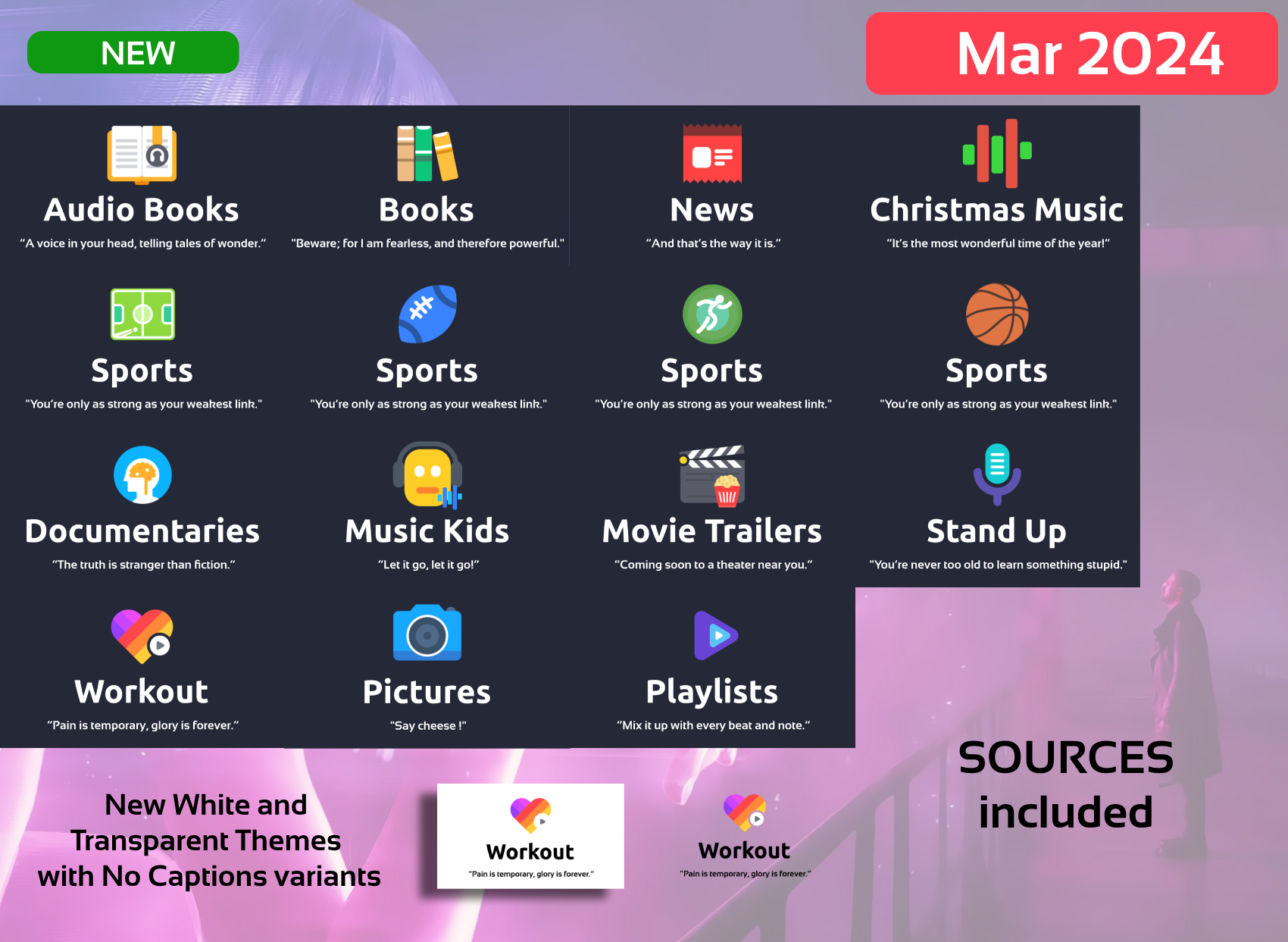
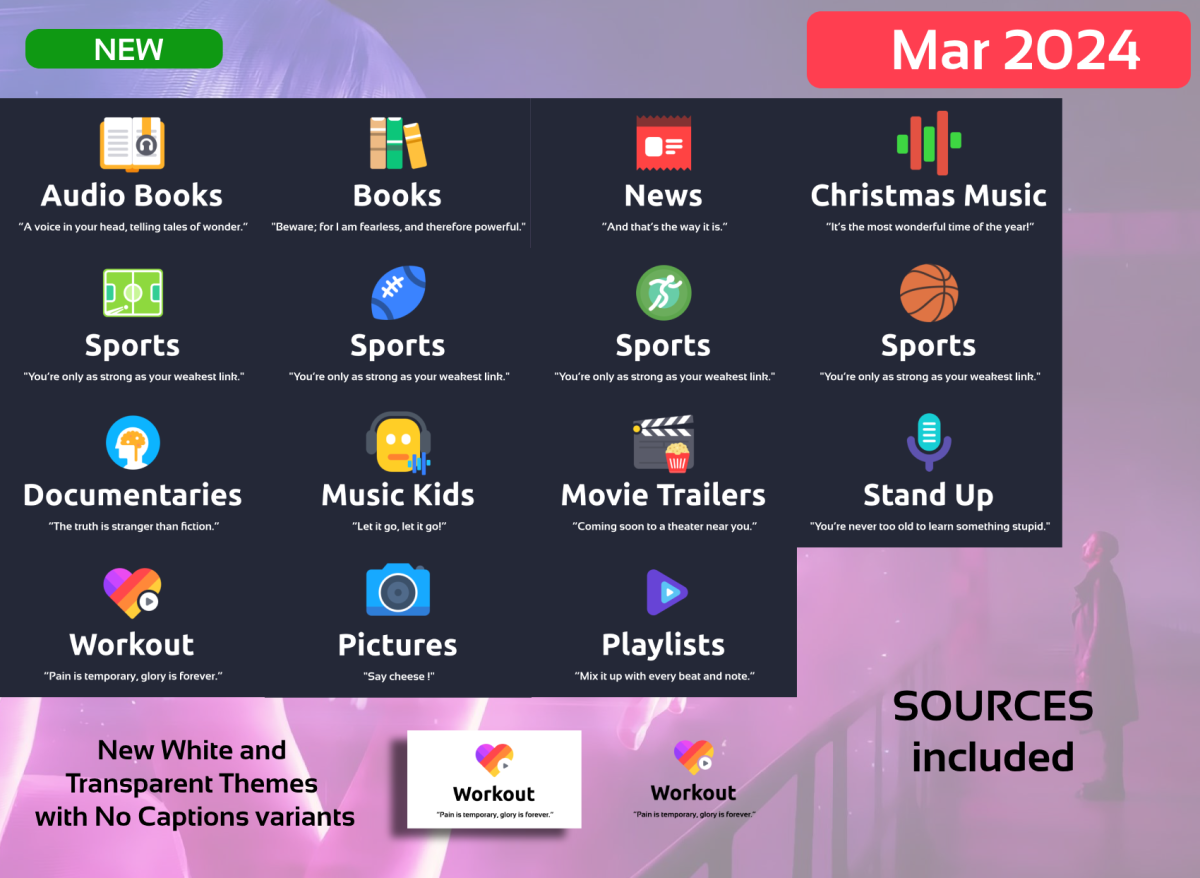
Hi People, here I am with a big update As now all generation is automated I'm planning to make a New Set with other icons, ideas or proposals welcome. -Minor Fixes -NEW Requested Categories: Kids Music Workout Christmas Music Playlists News Stand Up Documentaries Sports Variants Books variants Pictures (new image) -NEW WHITE Theme -NEW TRANSPARENT Theme with variants, shout out to @mike3821 for the idea -NEW Dark Text Variants -NEW SOURCES INCLUDED!!! You can still make requests!!!, the sources are for those that requested them and have knowledge to use them (Photoshop or similar knowlege needed and use of Variables needed) The Generation of images are Automated thru variables. Disclarimer: As usual, this is for private use. Attribution to icons author are given and I encourage you to buy his icon set as I did. Bye EMBY_MAXIGMV_ICONS_DILIGENT_VARIABLES_2024_03_25.zip
 1 point
 -
Hi, i have exactly same problem (omega & emby nextgen 10.0.10) I come back to nexus for test1 point
-
The paths on the left side of the colon are paths in the host file system; and the right side are paths in the containers filesystem, ie what emby sees. For emby to see the media that's stored in /home/jon/movies, you'll want the line: - /home/jon/movies:/media/movies In your compose file. Then emby will see those files at the path /media/movies. Within the container: /config is where emby stores its configuration files. Currently you have them stored at /path/to/library on your host. This will function, but is kinda messy. Personally, I'd move them to something like /srv/emby/config, then change that top line to match: - /srv/emby/config:/config1 point
-
Hi, I think this is all YMMV depending on your setup.1 point
-
I think it really comes down to the form factor that you personally want.1 point
-
Thank you very much. Settings->Media->Videos->Flatten TV Show Seasons. Right below Flatten Hierarchy. Much better.1 point
-
Assuming all metadata are correct on Emby server... That's a standard Kodi setting, I think it was: Settings -> Media -> Flatten hierarchy, but might be somewhere else.1 point
-
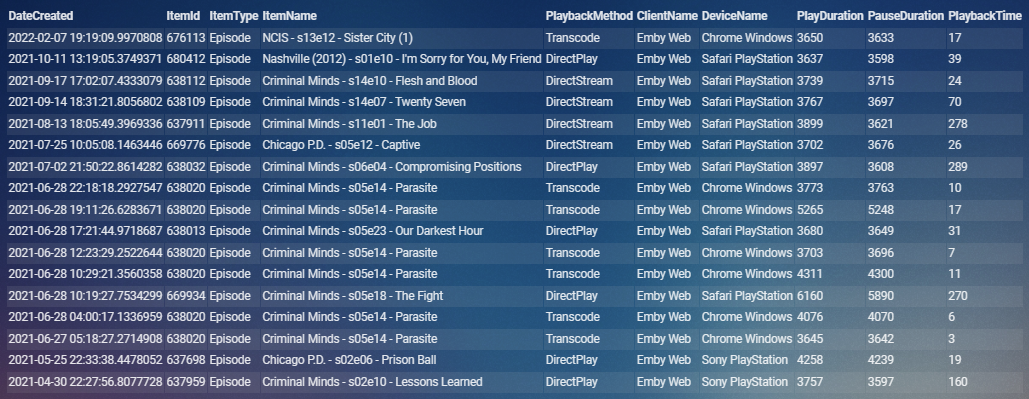
My 17 are from a remote user in 2021.
 1 point
 -
Not yet. Emby installed on CentOS7-> old glibc libraries and I decided that i am completely satisfied with 4.7.x for now1 point
-
i already fixed it, details in here, and how i achieve it, so far no problem after i did it (it just took time for my lib to fix it, due to huge size of it)1 point
-
If you're using Channels DVR, you can set up a "Custom Channel" for Pluto TV (look up Pluto for Channels for instructions). Then, within Channels DVR, you can manage the lineup and choose favorite channels after which you can create an m3u tuner in Emby like this; http://xxx.xxx.xxx.xxx:8089/devices/ANY/channels.m3u?format=ts&filter=favorites. A Docker and IPTVBoss are not necessarily required.1 point
-
This setup works: Not sure if this helps or adds noise... but I'm running Emby Server 4.8.3 on Thecus N7700PROv2 Firmware Version: 2.06.03.v2. dserve:~# grep model /proc/cpuinfo model : 15 model name : Intel(R) Core(TM)2 Duo CPU T5500 @ 1.66GHz model : 15 model name : Intel(R) Core(TM)2 Duo CPU T5500 @ 1.66GHz I'm also running rSyslog app on Thecus. Logging is working fine. dserve:/raid/data/module/EmbyServer/programdata/logs# more embyserver.txt 2024-03-25 00:00:00.054 Info App: Emby Server Version: 4.8.3.0 2024-03-25 00:00:00.054 Info App: Emby Command line: /raid0/data/module/EmbyServer/sys/system/EmbyServer.dll -p rogramdata /raid/data/module/EmbyServer/programdata -ffdetect /raid/data/module/ EmbyServer/sys/bin/ffdetect -ffmpeg /raid/data/module/EmbyServer/sys/bin/ffmpeg -ffprobe /raid/data/module/EmbyServer/sys/bin/ffprobe -defaultdirectory /raid/NA S_Public -updatepackage emby-server-thecus_{version}_x86_64.mod -noautorunwebapp Operating system: Linux version 3.14.79 (root@localhost.localdomain) (gc c version 4.9.3 (GCC) ) #1 SMP Wed Jul 18 17:29:40 CST 2018 Framework: .NET 6.0.25 OS/Process: x64/x64 Runtime: raid0/data/module/EmbyServer/sys/system/System.Private.CoreLib. dll Processor count: 2 Data path: /raid/data/module/EmbyServer/programdata Application path: /raid0/data/module/EmbyServer/sys/system 2024-03-25 00:00:00.054 Info App: Logs path: /raid/data/module/EmbyServer/progra mdata/logs 2024-03-25 00:00:00.054 Info App: Cache path: /raid/data/module/EmbyServer/progr amdata/cache1 point
-
I've done some additional testing to try and pinpoint the cause of the issue. This started happening several days after updating to LibreElec 12 (Omega) Beta 1. I had just updated to E4K .11, so I initially thought that the issue stemmed from that. I restored a backup from prior to the LibreElec update and reinstalled E4K .11. I then upgraded to LibreElec 12 again. Within two days of doing that, E4K stopped reporting Movie playback to Emby. Earlier tonight I reverted back to the LibreElec (Nexus) backup and upgraded to E4K .11 again. I'll forgo updating to LibreElec 12 for now to see if the issue presents with Kodi Nexus. I'll post back with my finding later this week.1 point
-
If you setup a Pluto TV docker then feed that into Channels DVR then use that to feed Emby then the freezes only show up on a couple of channels (like the Car Chase channel currently). This also work with STIRR docker too. I used to just feed that directly into Emby and it was a pain to go through to enable only the channels I wanted. But now I use IPTVBoss to grab only the channels I want from Channels DVR/Pluto TV source and output a custom m3u and xml file for Emby to use. Since setting it up like this I have been pretty stable and I don't need to touch the channels in Emby as IPTVBoss does everything for me. Big shout out to @BillOatmanfor pointing out IPTVBoss. Also, this is setup with Channels DVR and Emby on the main machine and the dockers for Pluto and Stirr on a SFF PC. I will be moving the docker to the main machine in the future as I had everything setup on a single box previously which ran fine it was just getting very old.1 point
-
Oops, sorry I missed that post. I think I wrote the sql down on a txt file in my computer. I am answering this from my phone, so I'll look it up when I get a chance to look for it.1 point
-
The solution seem simple, but perhaps there are back end reasons that separate music libraries are not treated as individual libraries1 point
-
@BMan1I think he means the Kodi log file: https://kodi.wiki/view/Log_file1 point
-
Sorry you need to be specific to the app that has the issue as you posted above for the Android TV.1 point
-
@jelumplease let us know how this goes. Thanks.1 point
-
Thanks for following up.1 point
-
Did you actually configure these at all? Using docker, you'll never see your home directory, unless you explicitly map it to the container. Within emby you should see /data/movies and /data/tvshows, but unless you actually have content at the paths '/path/to/movies' and 'path/to/tvshows' they'll be empty. Modify the compose you found to actually match paths on your system, those are just placeholders.... Speaking of which: You're also not using the official emby docker release or compose file, but one provided by lscr.io.... No idea if/when that gets updated. You should be using the releases found at https://hub.docker.com/r/emby/embyserver1 point
-
HI, what do you mean by "your home directory"? Where are you looking for it?1 point
-
Hi. Yes, we're taking a look at it. Thanks for reporting.1 point
-
Ok, thanks for the heads up, at the moment I have some more reasons to consider for not upgrading CentOS7, and I may spend some money and time dealing with it after I don't have a solution to follow.1 point
-
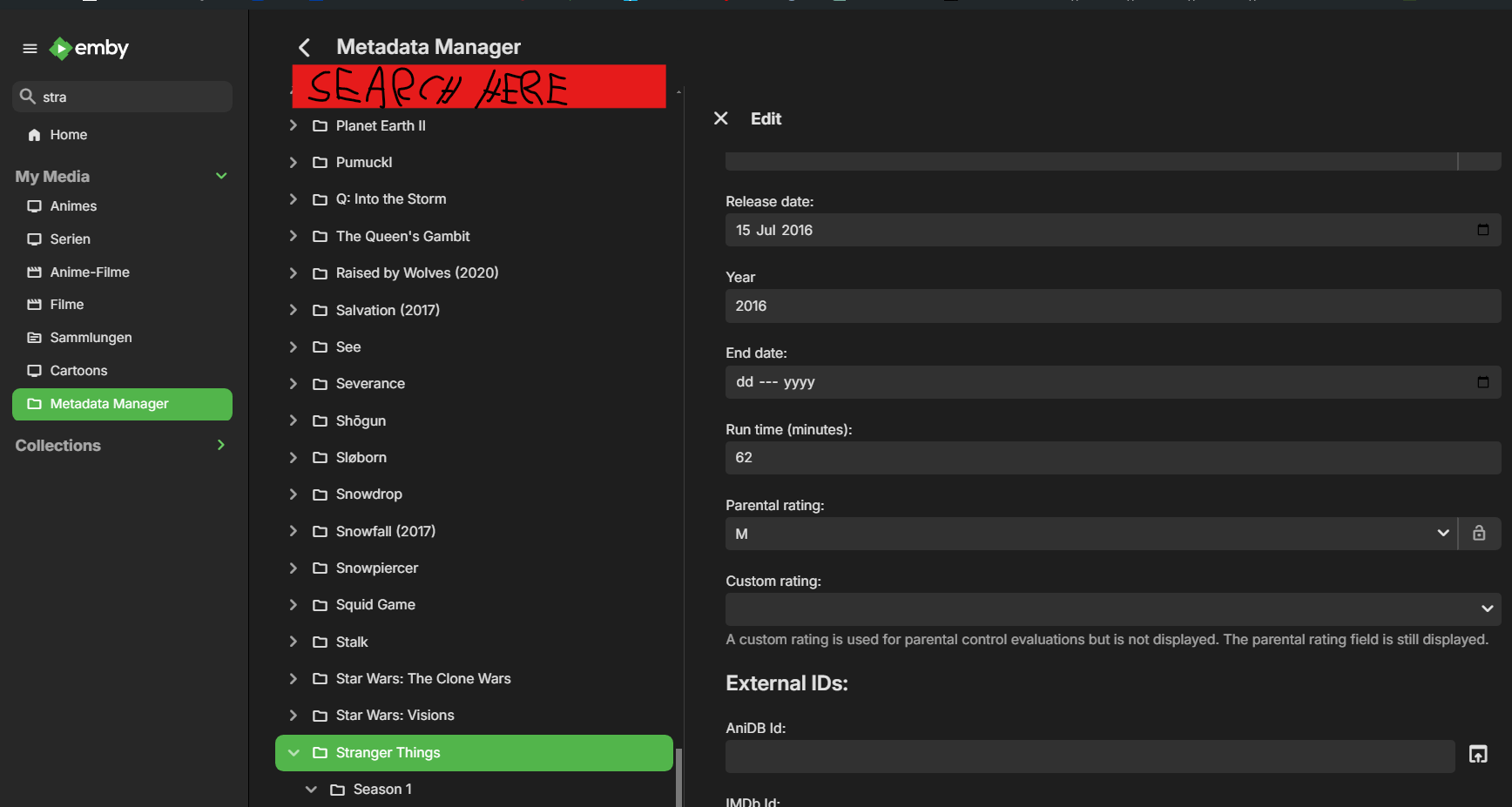
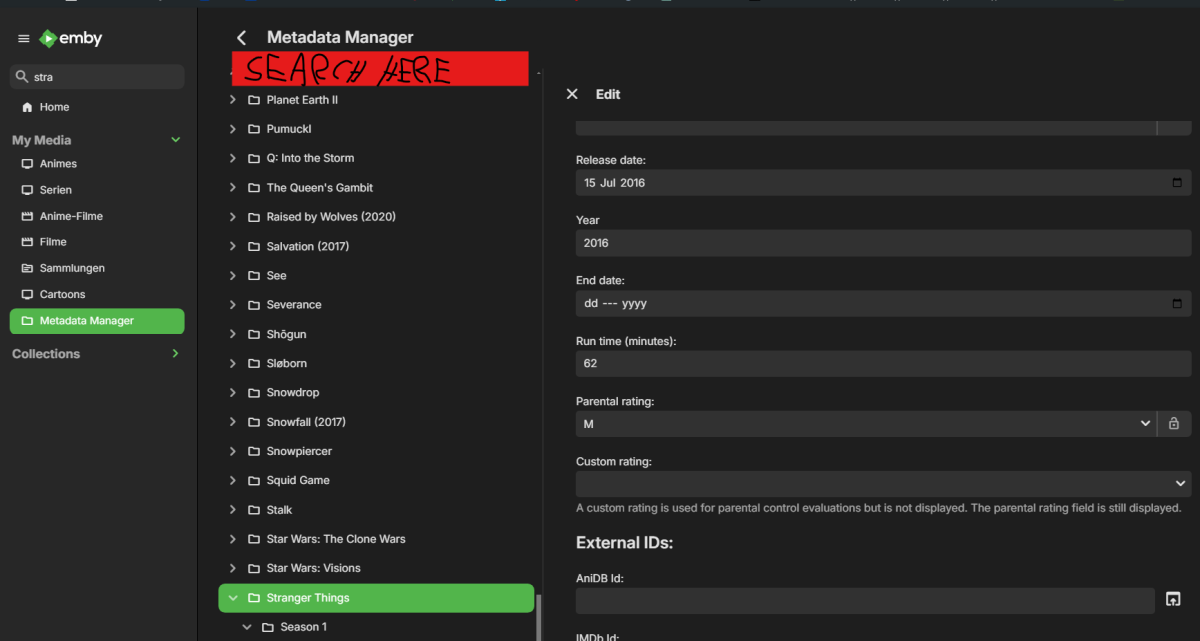
Hey, I just wanted to suggest a QoL improvement for the Metadata Manager Screen. I have a huge library and sometimes find it annoying to scroll through the entire screen to get to that one show I want to edit. Maybe we could add a search function so I can just type the show/movie, just like in the normal search in emby.
 1 point
 -
Understood. Thanks for the reply. I downloaded 6 new movies. All 6 come with inbuilt subtitles. However, Emby is detecting subtitles for 2 movies as SRT, but the others are showing as empty. I will open a new topic if needed. Overall, the connection issue is resolved. It might be worth mentioning in your troubleshooting guide something along the lines of - Please check with your seedbox provider or the service provider to see if they are using a custom port etc1 point
-
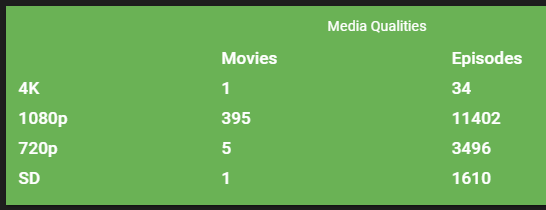
finally after fully migrate the lib (ofc after renaming ALL my files to avoid the metadata naming bug) i succeed to full scan my library, memory usage is around 600MB ~ 950MB (with all plugins enabled back, as it is) also this is my lib atm (will grow further later though), hence taking 7 hours (because i havnt finished 1 series full refresh meta data earlier, i think) my hypothesis is, this happens due the file naming recognition which lead to the metadata crawler stuck (?, since it can crawl up to thousand episode for 1 files only with naming like S01E01 - xxxxxxxxxxxx [EBAE2395], so it might query up to episode 2395, while the series itself is only 20 episode for example) or yes as carlo said, maybe its due the SQL error, something like multiple root value or something happens too much (imagine 1 series with 50 episode, and each one has up to thousand query / episode), for now i already prevent them, by auto trim those CRC hash for any further files, also i attach the logs, for the full scans log (no debug), most error is in myanimelist and anilist (no sql error, something with the response i think) or maybe some when i deleted 1 folder to rename it again later, hope this helps to mitigate this bug again later (with different approach file naming recognition, i hope, if it was really due that bug, since in some previous version of emby, i didnt encounter this one, and i always make it daily / weekly routine for full scan) what i did to make this happens 1. delete the old library (yes it's painful) 2. full rename ALL FILES that has possibility to cause metadata bug, like everything (nfo, thumb, bif, and the video files) 3. make new library (instant stop the full scans, after created) 4. instead doing full scans, i instead, go with "Refresh meta data" each folder, for my debugging purpose as well (while monitoring the ram usage, sometimes) 5. after finished full refresh meta data all library, go full scans now 6. wait while monitoring ram usage cc @Luke @Carlo logs.zip

 1 point
 -
More details on the iXSystems forum - https://www.truenas.com/community/threads/what-is-the-future-of-truenas-core.116049/page-11#post-815057 - but it still makes me really sad when I think about this. Hopefully TrueNAS 13.3 when it's launched later this year will be supported for a few years and who knows what can happen in a few years....1 point
-
Some of us prefer to utilize embedded metadata. There are many benefits to this. All metadata isn't lost if the emby database gets corrupted. The metadata can be used by other apps, all utilizing the same metadata. Currently it's a mystery when/if/how emby uses embedded metadata (see related below). I am requesting that someone with access to the closed-source code document what metadata tags can be used for each file type. Support more embedded tags would also be greatly appreciated. Ideally, each emby metadata field could be populated via embedded metadata. Related:1 point
-
i've got the unifi dome 6E, no complaints at all. i bought it to be able to use with a couple of gaming devices. i thought 6E was worth the premium over 61 point
-
I'll probably be upgrading from Wifi 6 to either 6E or 7 myself this coming fall when my house is connected to fiber. If I were to upgrade today though it would probably be Wifi 6E. Netgear wants 2 - 3 times the money for a Wifi 7 router over a Wifi 6E one right now.1 point
-
@Eddie6411284 Hi there, let's look at an example. Please attach the information requested in how to report a media playback issue. Thanks!1 point
-
Hi, yes this is something we can look at improving. Thanks.1 point
-
Love this set. Thanks for posting it!1 point
-
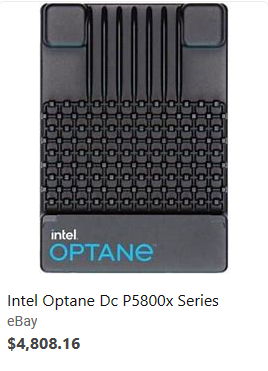
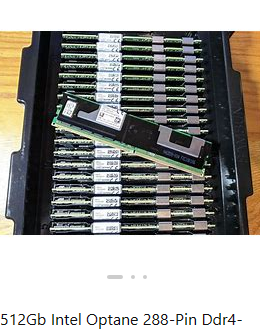
NVMe, M.2 & U.2 drives make a huge difference with virtual machines due to their higher IOPs. Just to give you an idea here's a rough idea of IOPs to expect by different drive type. HDDs SATA/5400 60 IOPs SATA/7200 75 IOPs SAS/10K or FC 10K or NL/SAS 150 IOPs SAS/10K Enterprise Drive 250 IOPs FC/15K 180 IOPs SAS/15K 200 IOPs SAS/15K Enterprise Drive 350 IOPs SATA SSD SATA 6 Gbps SATA 2.5"SSD (FireCuda 120 1TB) Read:100K IOPs, Write 90K IOPs Sequential Read:560 MB/s, Write:530MB/s NVMe PCIe 3.0 PCIe3.0 Gen3x4 SK Hynix P31 2TB Read:570K IOPs, Write 600K IOPs Sequential Read:3,500 MB/s, Write:3,200 MB/s NVMe PCIe 4.0 PCIe4.0 Gen4x4 NVMe Samsung 990 Pro SSD 1TB Read:1,200K IOPs, Write:1,550K IOPs Sequential Read:6,635 MB/s, Write:4,943 MB/s PCIe4.0 Gen4x4 NVMe SK Hynix Platinum P41 Read:1,400K IOPs, Write:1,300K IOPs Sequential Read:7,371 MB/s, Write: 6,728 MB/s So yes, as you can see NVMe and even SATA SSDs can provide much faster access to storage which normally is the bottleneck in the system. For VMs and Databases reading/writing 8K blocks Intel Optane is still the Storage of the Gods (Enterprise). A good way to think about Optane is a cross between RAM and NVMe performance wise. Optane has crazy low latency of 6 to 30 microseconds while NVMe is closer to 90 microseconds. It's endurance is second to none at 100 DWPD for 5 years. That means you can write 100 times the size of the drive every day for 5 years and it's warrantied to still be 90%. Each of my Intel 5800X do about 2.5 million IOPs but hit a bottleneck saturating the 4 PCI Lanes of the U.2 interface or it could be even faster. Optane never caught on in the consumer market due to PCI lanes needed and the crazy costs of close to $5K for a 1.6TB drive. Optane drives were available a couple ways like this U.2 drive or 288-pin DDR4-2666 PC4 Persistent Memory which of course requires a server motherboard designed to use Optane this way. You can configure the Persistent Memory to act like memory or SSD this way (or hybrid). The memory stick style Optane drives have the lowest latency and shortest path directly connected to the CPUs. You can certainly use them as a conventional NVMe drive but they typically are used as part of tiered storage or non-volatile memory. The reason I mention Optane is because they are no longer produced and not hitting expectations of profit. You can find both new and used drives on eBay at fire sale prices which makes them worthwhile for high-end consumer use.
 1 point
 -
The transcoded media will stop when you run out of storage space. Emby currently does not do block transcoding. There is another topic on this. I believe it is in the Emby - Plex topic also.1 point