Leaderboard




Popular Content
Showing content with the highest reputation on 03/21/24 in all areas
-
Why do you think Emby do not have costs ? Emby is not 'just a piece of software'. Hosting, Development Licenses, LiveTV programe data provider, Metadata Providers, Developers (they don't do it for free) not to mention corporation tax etc .. After 6 years of no price increases, I don't think it's unreasonable to review this imo.7 points
-
I'm not sure if anyone has noticed but over the past few years prices on just about everything have gone up - a LOT. Also not sure if anyone has noticed but our price has remained constant for about six years now. We are working internally on how to continue to provide everything we want to in the current economic environment. We'd like to not have to raise our prices but all of our costs have gone up - again a LOT. So, it is possible that more things will require Premiere or that some things will have some other additional cost in the future. We don't have it all worked out yet but some sort of changes are going to have to come to adjust to the changing times. Thanks for your support.6 points
-
Okay, so I’ll leave it in for now as it’s probably not much of a risk anyway (I just like to run a tight ship)2 points
-
Yes I see the issue. It will be resolved in the Emby Server 4.8.4 maintenance release. You'll need to refresh metadata on impacted files. Thanks.2 points
-
The CPU has 6 cores and more importantly it has QuickSync (HD630) - so it will do transcoding in hardware. It's a low power CPU as well (only 35W) - so a good machine for an emby server imo.2 points
-
I'm a plex life time member, but I have been using Emby for over six years continuously, but there is a feature which I have always thought is missing in Emby which I would like and encourage the developer to consider including especially in this dispensation where families can social or commingle due to COVID 19. Today, I received a notification from Plex about it new feature titled Watch together you can read about it here https://support.plex.tv/articles/watch-together/ The feature allows friends and families at distance to watch same movies together instantly, you simply invite all your buddy, once they signed to the system which can be seeing in the server then play and pause as needed, this I think is cool feature should be added to emby. Let's here your though if Emby developer should consider adding this feature to our beloved Emby Media https://www.bing.com/news/search?q=Plex+Watch+Together&qpvt=plex+watch+together&FORM=EWRE1 point
-
I would like to request a sleep timer function for the Emby app. For example, when a song is playing, it should be possible to quickly and easily set a sleep timer to shut off the song after a desired interval. Options could include 5, 10, 15, 20, 30, 45, 60, 120 minutes. If it had this, I would be happy to purchase Premiere.1 point
-
Thank you to everyone who took the time to ask the Emby team questions across all of the different platforms including here on the forums. There were a lot of great questions that were thrown our way and we've been excited to get the answers out to you. While some of the questions we were not able to answer, we did our best to give you the most accurate and clear answers possible. Now without further ado, here is the first series of questions and answers for you to look over! Please keep in mind more questions and answers will be coming in additional blog posts in the coming days, so not all questions are being answered today. Who owns Emby? Emby LLC owns the Emby product and is a private entity. The owners are undisclosed but note that the development team has full control over the direction of the product. We are not beholden to or under the influence of any investor or investment group. What is the history of Emby? Emby grew out of an open source project called MediaBrowser. Emby's origin in concept came out of that project but there is actually none of that code base still within it. Emby ended up being completely built from the ground up to be a server-based ecosystem as opposed to just a single app as the old MediaBrowser was. Around 2011 what is now the core development team for Emby were contributors to MediaBrowser. We saw the opportunity to build something more flexible than the WMC environment would allow and embarked on creating what we then called MB 3. The core developers spent over a year furiously writing code before anything was released to the public. It was then probably another two years of dedicated development before anything was truly usable as a system. In 2015 it was decided that we had moved so far away from what MB originally was that we needed a new name. A few of the devs got together and came up with "Emby". There are a few reasons behind that name but one of the main ones was that you needed something that wasn't already trademarked and domained. Emby fit that bill and has the benefit of sounding like "MB" when you say it. With the new name, we needed a new logo and we actually held a contest in the forum taking contributions from users and that finally landed us on the logo you see now. Since 2015 we have expanded the team and worked diligently to try and continue to craft the best truly personal media server system we can. We still have a long way to go but have also come a long way to where we are. What are the most popular Emby clients? We do not have exact data on this, due to sideloading and the such, but through the app store platforms we can gain general ideas. Android is the most popular amongst our userbase (both mobile and TV) with iOS in second place as the most downloaded app. What Emby clients do the development team use most for personal use? Our development team uses a wide variety of apps just as our user base does. We have people on the team using Android on mobile and TV, iOS, Apple TV, Roku and Xbox as well. As you can see our dev team really is as diverse as our user base when it comes to how we use the server. These were just a few of the questions about Emby as a product and who we are. In the next blog post we will be covering a few different things such as some of the future goals of Emby as well as release schedules and more!1 point
-
Hi, for the most part this is deferred to device and operating system support, so it's really just hard to say. I would say generally speaking the older your client devices are, the more likely you're going to have trouble trying to disable TLS 1.2.1 point
-
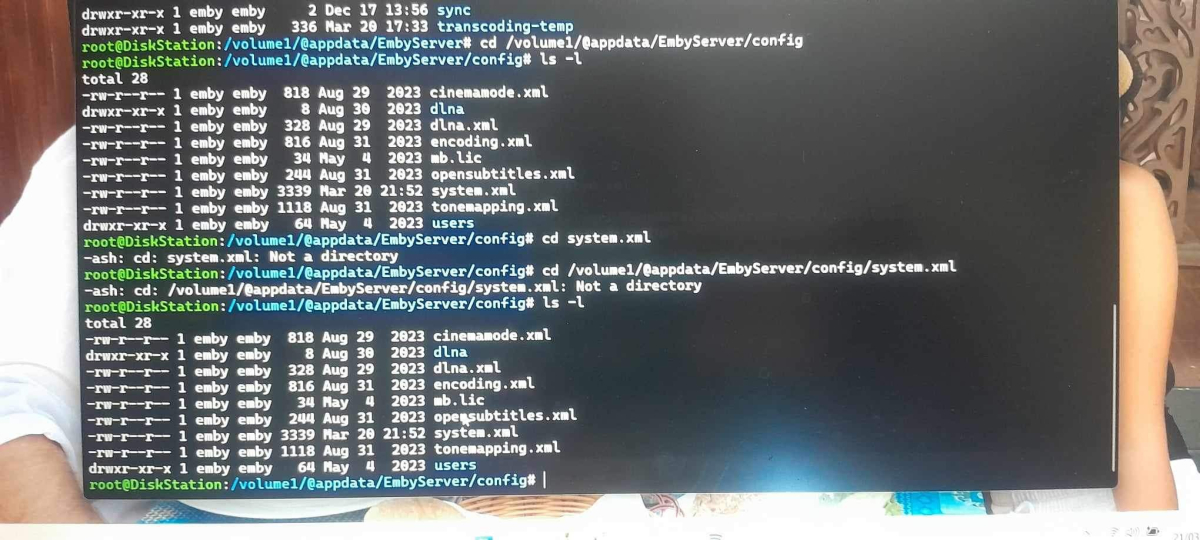
OT: @AbobaderI have seen this a couple times but would log out then back in to see the posts were actually there.
 1 point
 -
But you can't now or should I say mine is like a swipe container so can't highlight. So I just open dev console if needed. Sorry I just notice that is a issue in List View. Change to Table view to Highlight.1 point
-
As @rbjtechstates, this will be a great server. I ran something similar in the past, an i3-8130u, and it had no problems being a server. It would choke after 3 4k transcodes, obviously, but anything else, it had no issues with. I'm of the mind that 4k should never be transcoded, so only those people whose devices and internet providers work properly with 4k, have access to my libraries, so it was never a real problem. I just tested it on my end to see how far I could push it with 4k media.1 point
-
Highlight it - CTRL C to copy it, then CTRL V to paste it (in Windows anyway ...)1 point
-
Yes as I don't believe that change will be ported into a 4.8.x.x maintenance release.1 point
-
Thanks for replying Luke. Yeah, this is not that big of a deal to me. I realized that you guys are making the apps for every possible hardware/software combo out there, (eg. Windows, Apple, Roku etc) and sometimes stuff just happens. I can still play the file. I just enjoy the Emby interface more than any other. But it did happen to another FLAC file that I tried. I have never had an issue before this, but again, not a show stopper.1 point
-
This is about connection type and can only be done via localhost or https. And a browser flag workaround.1 point
-
Are you connected via https to a remote server, or are you using localhost?1 point
-
There was a change at some point as there is no cardTextCentered anymore. div.cardText.cardText-first { white-space: pre-wrap; }
 1 point
 -
I first accidentally installed the BINHEX? This was the thing from 3-4 years ago. Hi, did you try a fresh install of the Emby docker? 2 Days ago I try this but...I think there is a difference between the 2 Docker files (Binhex and Official Emby). So you can not delet the Binhex and install the Official. I get Issues (things look strange and switch from one site to an other did not work. I must realy delet all from the appdata\embyserver directory on unraid and install a fresh emby repository A restore in the official Emby docker what i backuped from the binhex in the past did not work. ALL running now with the official emby Docker clean new install.1 point
-
Even if the sync is completed, but takes unusual long time please send me the log. The issue could be already triggered and if so, each Kodi restart could double the sync time till the issue appears again.1 point
-
Honestly I've never let it finish.... it's gone on for over an hour or two and I cancel out. I'll let it try completing. Interesting enough it happens even when I'm on my home server or have one setup at my fiance's house remotely for access to Emby as well. I'll try both again and get you logs.1 point
-
What free app is being replaced? Android TV app is not free. Paul1 point
-
Thank you. It worked! I was able to pinpoint that the were an issue with that emby connect called the key data and not params that http looked for. But I werent able to figure out that the fix was just to replace 'data' with 'params' Thank you very much!1 point
-
No you don't need to regenerate the BIF.1 point
-
The cause of the inflation is not the point - its costs bear on the Emby developers just the same as on the rest of us. Paul1 point
-
Hi all Thank you for your input. I have now updated to 7.2 and then Emby to compatible versio, and yes, all worked perfect1 point
-
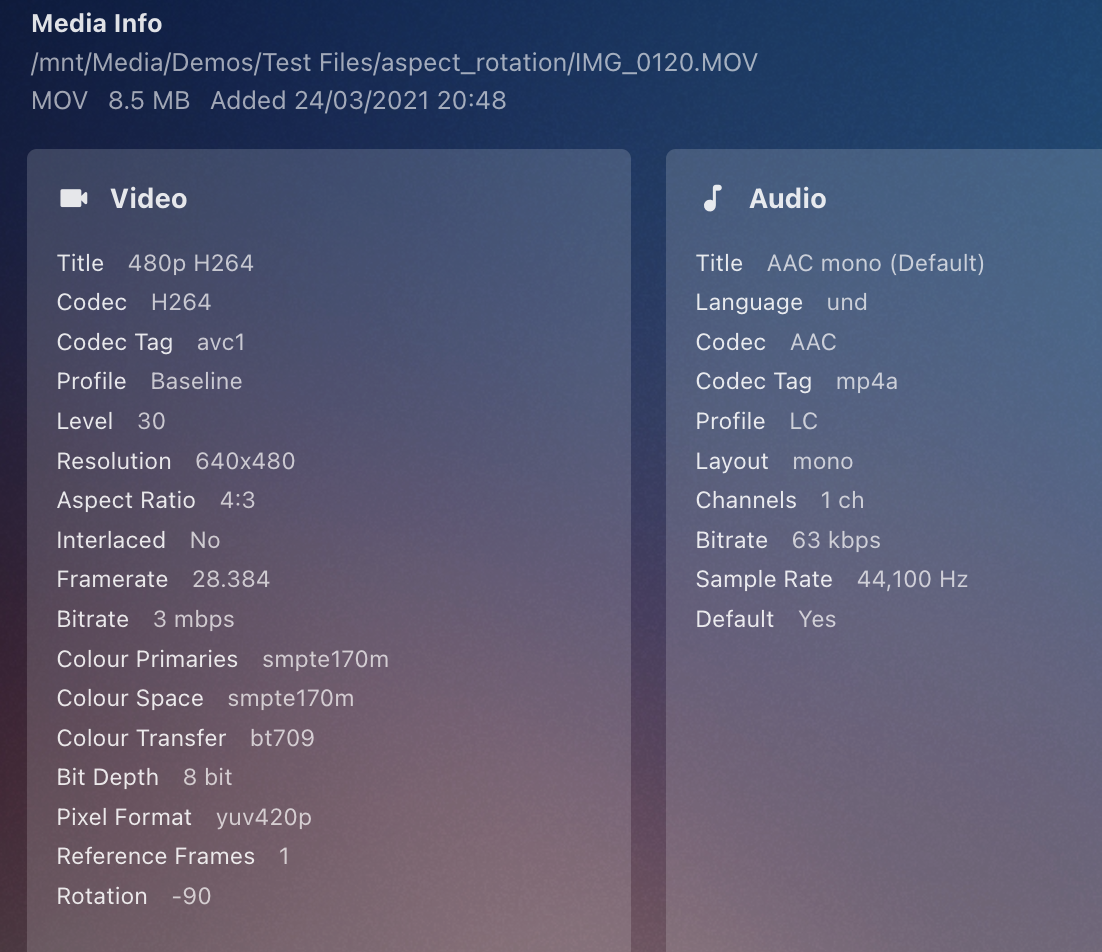
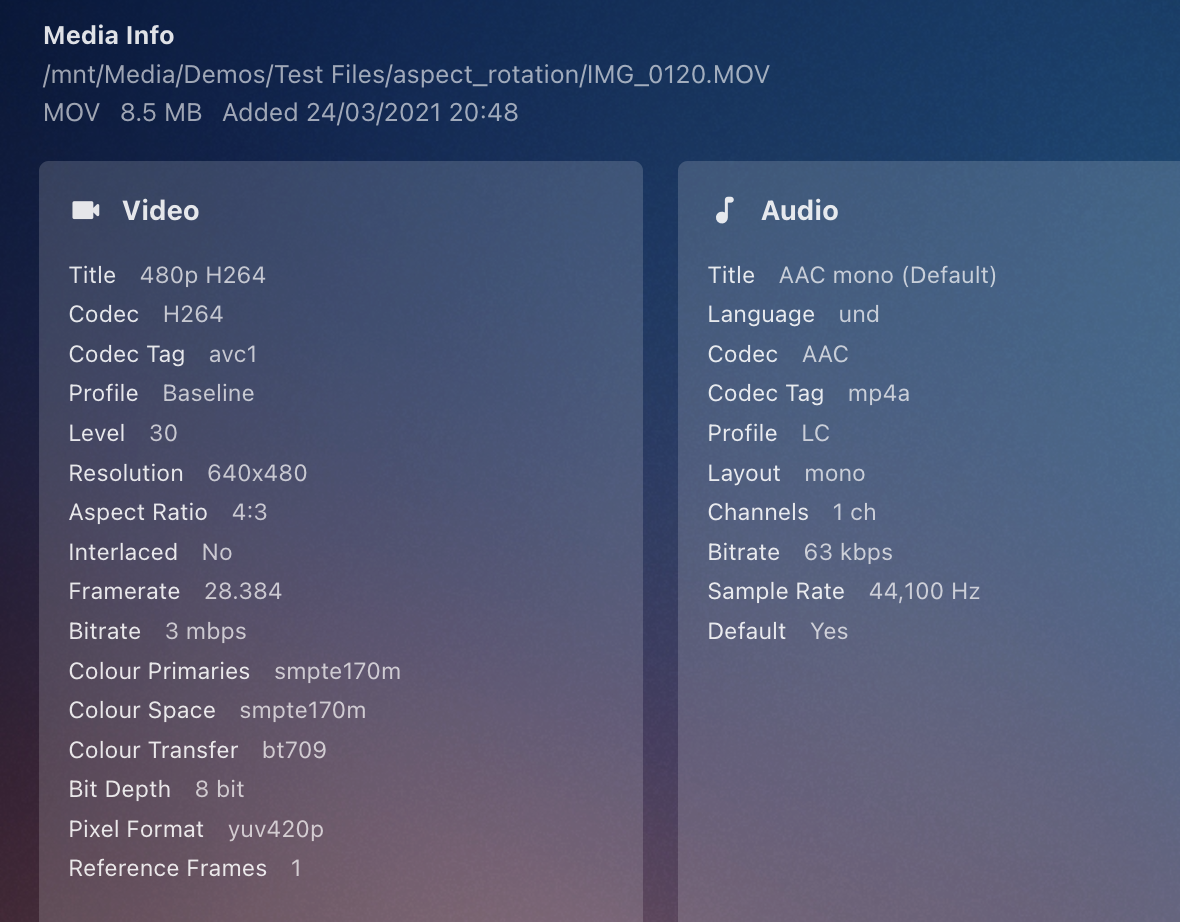
@Luke, I just refreshed the metadata for the same file as in my earlier post, and now it is missing rotation data. I'm on recent beta, and @Robnaeyaertis on stable, so for some reason the rotation info detection is now missing.
 1 point
 -
FWIW, I now just use the timer app on iOS and choose the 'Stop Playing' option for what happens when it reaches zero, rather than have a sound play. Works perfectly with Emby, and indeed any other apps.1 point
-
Boxsets
 1 point
 -
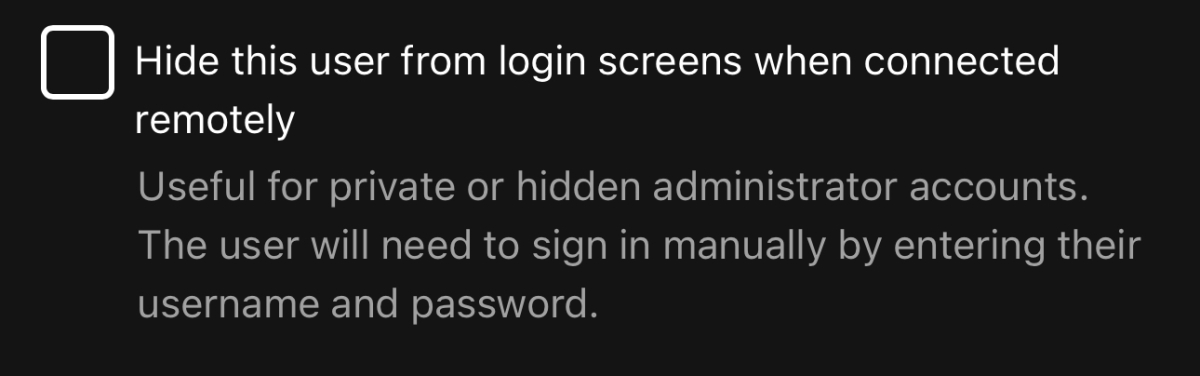
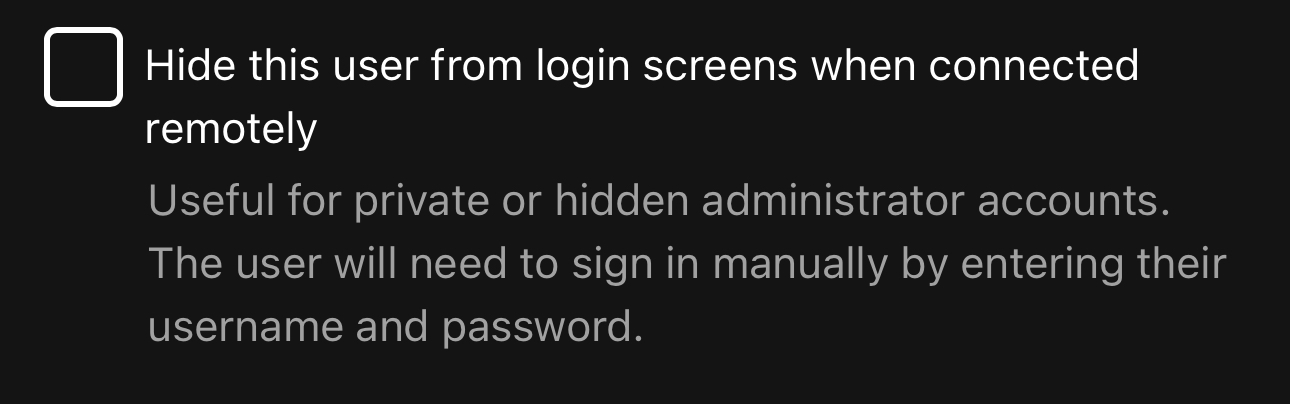
Ah, turns out this box is checked by default, thus not allowing any usernames to show. It does work now.
 1 point
 -
Hi, you could try this: var notification = new NotificationRequest { Date = DateTimeOffset.UtcNow, Description = "My description", Title = "My Title" }; _notificationManager.SendNotification(notification);1 point
-
Thank you for your response; it clarified things for me! The issue has been successfully resolved!1 point
-
That doesn't mean that those series with no similar names haven't been incorrectly identified as said/same show (that's highly dependent on results returned from providers), resulting in those merging/multi-versioning, so they might still be listed as such in your library.1 point
-
Via Apple Community (copy and paste): (see link at bottom) Your assumptions are only partially correct. When you record the clip on your iPhone, the clip is recorded just as you see it in the WMP—i.e., upside down. What the iPhone does is records an addition file value that tells Apple media players which edge to display as the "top" during playback. Since third-party media players ignore this value, they display the clip in its original orientation which, in your case is upside down. When you flip the video orientation using QT 7 Pro, you're telling QT media players to play the file with an "upside down" orientation. By exporting the "flipped" orientation, you are, in fact, re-encoding the original "upside down" to a "right-side up" display but simultaneously telling all Apple media players to play the file upside down. Is there any way to fix these clips so they are right-side up in both worlds? Or is there no choice but to re-record everything with iPhone's volume buttons pointed at the floor? Actually, you can do either. That is, you can either "fix" the original recordings or re-record the the clips in a manner that avoids this problem. To "fix" your original files, simple open the files in an Apple media player (like QT 7 Pro) and export the files. The player will note the current "top" orientation and re-encode the content using the current display orientation for both QT and third-party players. QuickTime .mov plays upside-down in Windows Media Player1 point
-
Devs will have to comment more but there appears to be no rotation data.1 point
-
Here's a debug log as far as I can tell. It's getting pretty frustrating because it keeps happening. Hopefully we can figure it out! kodi.log1 point
-
I already fixed the issue. Just not uploaded yet. If it's urgent, you can replace the file in the attachment. Yes, the Content type is wrong since 4.X times. Luckily, Requests plugin ignored that issue, but when I switched to liburl3, this is no longer valid. And there was a second issue. I unified the http dict keys in the code and forgot one key also in emby.py. "parms" is the "playload" but on one spot (emby connect) there was still "data" key in use. emby.py1 point
-
Sorry. My mistake. It is not a real issue. If I press only once the back button on my remote, I get the overlay on the left without seeing the red X button. If I double click the back button on my remote, I get the overlay + the red X on top of it. - which I can use correctly. If I hold the back button for a few seconds, the app minimizes or closes (not sure) Everything is OK now. No more complaints.1 point
-
If you have M2 drives setup as volumes vs cache drives following instructions from our forum you will see the drives didn't load correct after the update. As long as you setup the helper script set to run via the scheduler at startup you will be fine. If you didn't setup the script to be reapplied on startup I'd set that up before doing the update. Again, only applies to systems using M2 drives for data volumes, vs cache drives. Carlo1 point
-
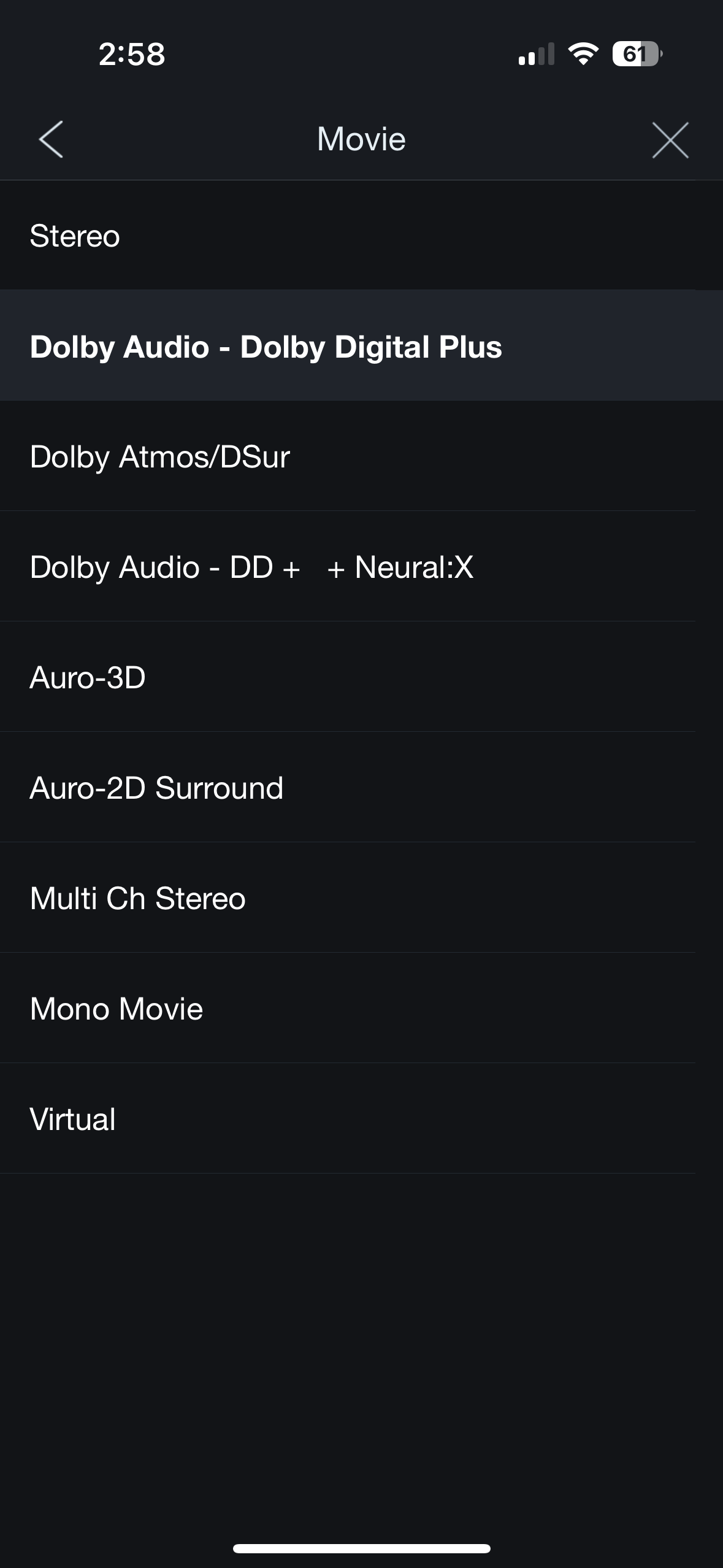
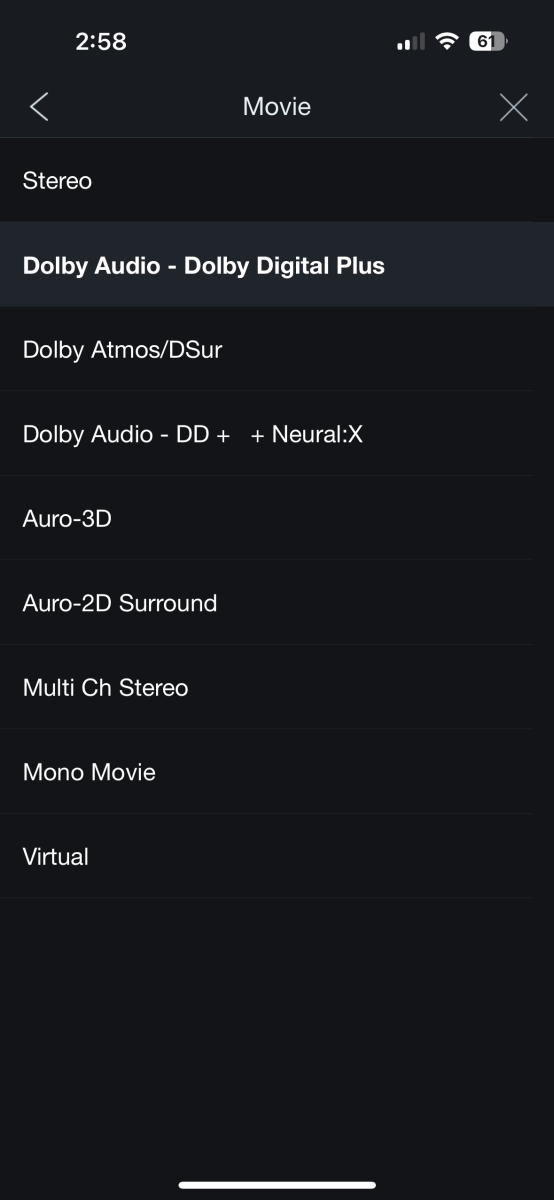
Thanks for testing all of this. I still need to figure out why it is not working for me. I will try that same beta version later today. As for the EAC3 DD+ JOC output not flagging as Atmos, I have the same issue with my Denon AVR. When playing EAC3 JOC, If you change the Denon sound mode and choose Dolby Atmos/DSur, it will flip to true Atmos and show Atmos as the input. No funny business upscaled fake surround sound which DSur normally implies. My understanding is the Denon AVR remembers the audio mode for the HDMI input and the sound mode you selected based upon the incoming signal, so it's possible you had previously done this for the Shield's HDMI input as well and it is just remembering it. My 2019 Shield Pro behaves the same way as you have described with the AFTV, screenshot below was taken while playing on that device. I have two different options for modes when playing back EAC3 JOC: The first option gives me straight DD+ no Atmos. The second gives me 11 channels of Atmos input and Atmos displayed on the OSD/faceplate. Because it behaves this same way on both Shield TV and AFTV, I believe this to be a Denon AVR issue. It's mildly infuriating because there no way to get pure DD+ or pure Atmos without toggling between the two. Leaving it in the first mode will play JOC with no Atmos. Leaving it in the second setting will play non JOC as upscaled DSur. It drives me nutty.
 1 point
 -
This happens sometimes. Got e-mail notification: "New phrases have been added into the project Emby Server/All Apps" Selecting "Not translated (6)" from dropdown box in OneSky gives "Error. No Phrases can be found".1 point
-
I turned off HDMI CEC on my receiver and the issue hasn’t happened once since then. No idea why that would cause it but perhaps how the receiver speaks to the OLED passing things back and forth. be curious if this helps anyone else!1 point
-
It makes perfect sense. I had created a new emby ID because I had misplaced the password for the original id which, probably by default, was designated as the admin. Finally recovered the original password and I can get to the admin settings now. Thanks for your help on this. As a heads up, I'm going to submit a trouble/bug report for the roku app not displaying folder/file symbols in the photo library. Thanks again, I'm done with this thread, do I need to close it or anything?1 point
-
When I've got something to share - then I'll create a new thread..1 point
-
Same for me: after a pkg update emby went off. Now with the previous openssl-1.1.1 it's working. I've lock the version to avoid any further issue... pkg lock openssl1 point
-
I'm not home now and maybe it's because there is very weak internet connection. I will try again when back home. Regards.1 point
-
Ok, I’m not sure then, it worked from the server fine however on the remote player wasn’t working. I installed Emby on my Mac then kodi in it and I was able to get it to play then. Still not on android however, although the Emby app on it doesn’t allow casting so maybe t can’t do it? I dunno. If it’s supposed to work off the server then I would think it would work then? If you or anyone can confirm or deny if it can work on a shield or Xbox regardless of the app if the server app works I’d like to figure it out for certain. Since if it’s the server app not the player it’s confusing it wouldn’t. either way I did get it to work in Mac so for now I’m on that model and thank you for you help. One question on that though. Kodi for Emby give me a “play to client “ option that takes several seconds asking for others to join before it starts to play on the device. Is there a way to just play to without the delay asking for there to join?1 point
-
It really depends, if you want full blown audio support (DTS:X for instance) then I'm not sure you have much more choice than the Shield. I have the pro and it just plays everything I through at it.1 point
-
The i5-11500 will be more than enough.1 point
-
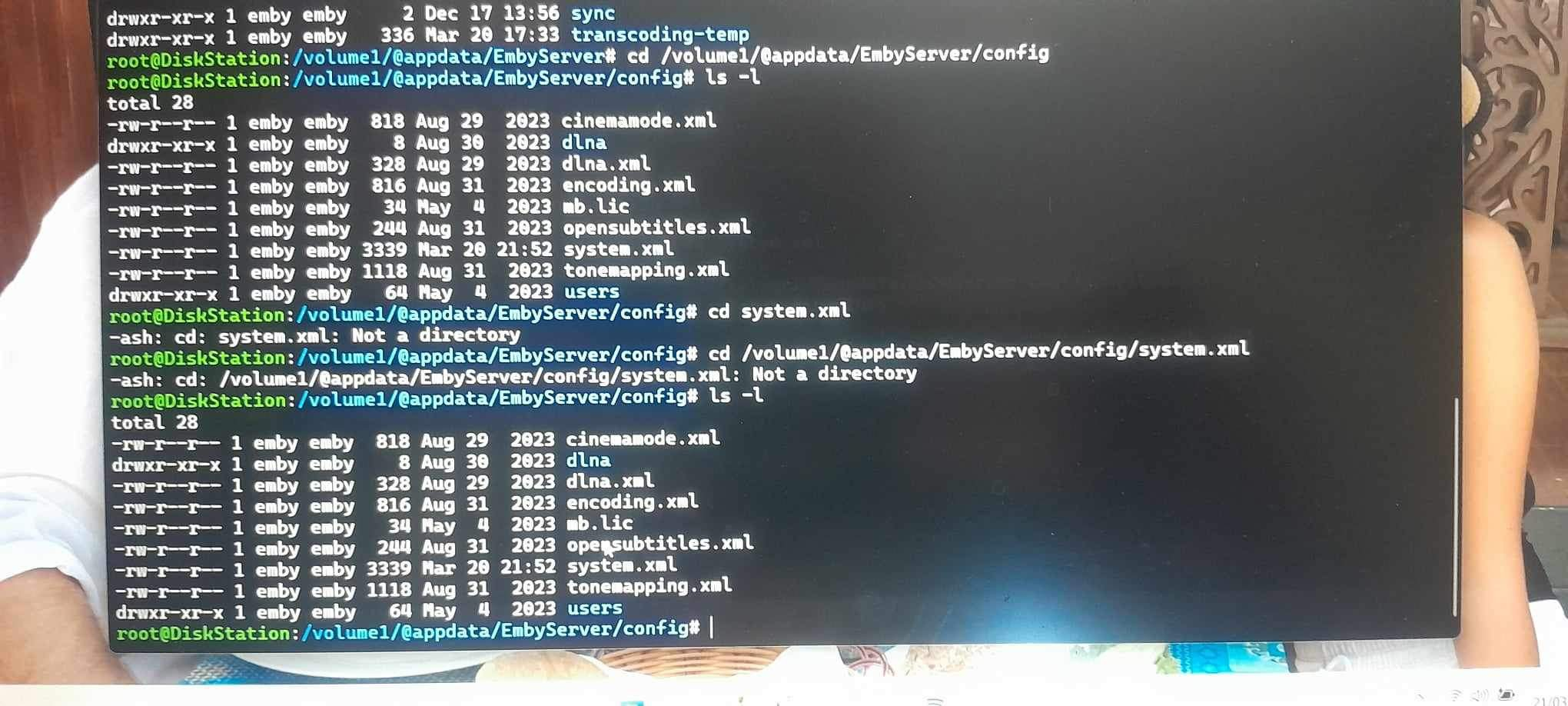
I hope it's helpful: Creating a custom DLNA profile1 point












.thumb.jpg.38c63fff6d2e7e2b382b29ddfe9f8578.jpg)