Leaderboard




Popular Content
Showing content with the highest reputation on 03/05/24 in all areas
-
NEWS! A final decision is imminent now. All I can say is that it will be either yes or no - but nothing half-way. No matter how the outcome - at this point I want to say a big thanks to all of you for your interest and for supporting this. Thanks to all the testers who participated in the initial beta for all your work and effort in helping this to become a successfull parrt of Emby. Also thanks to all the nice and friendly users and community members, moderators, admins and fellow developers who I've had the chance to work with and talk to so far, during the past few years! Best wishes, softworkz4 points
-
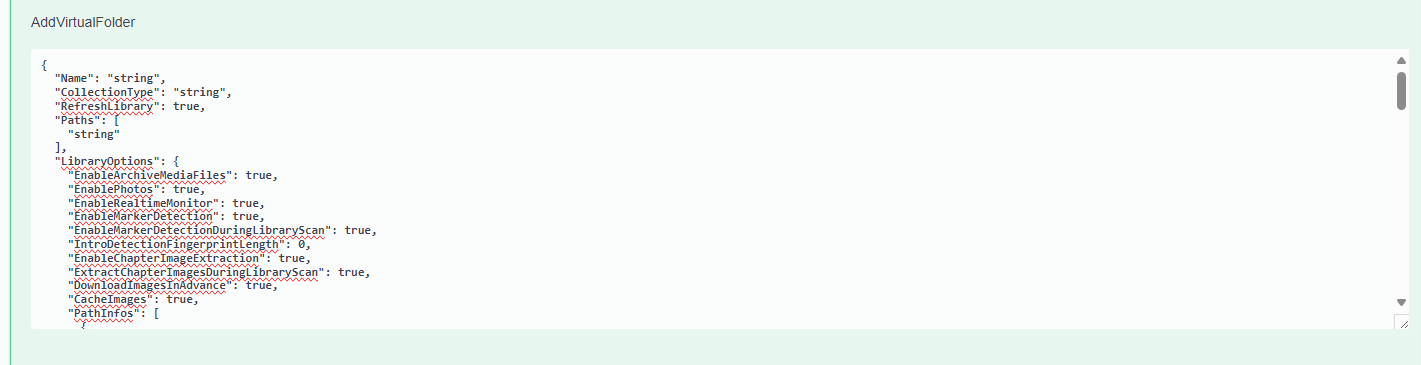
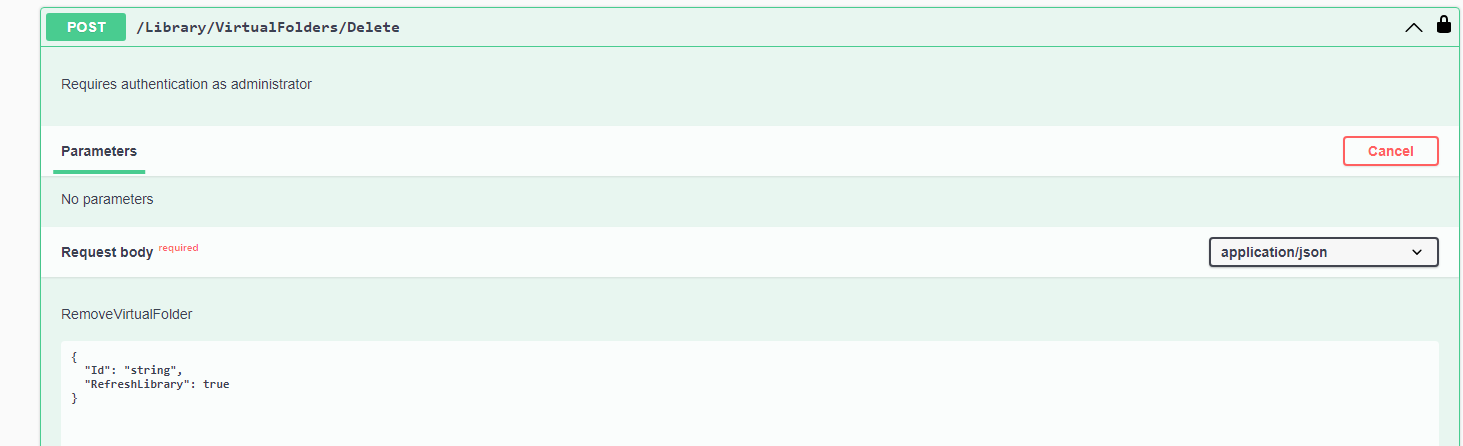
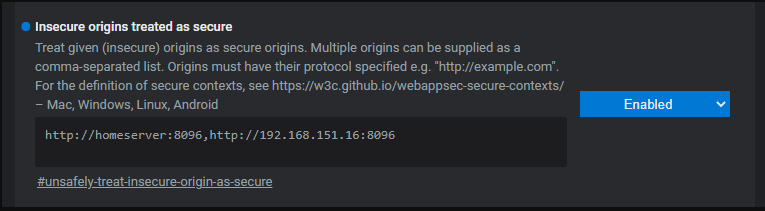
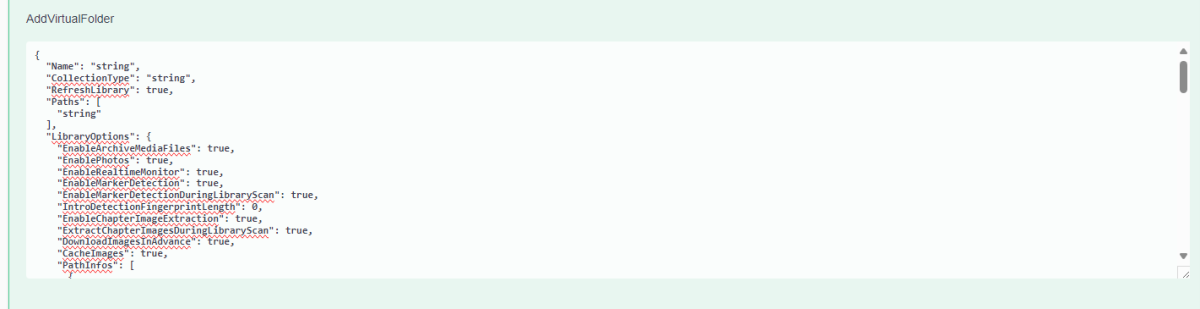
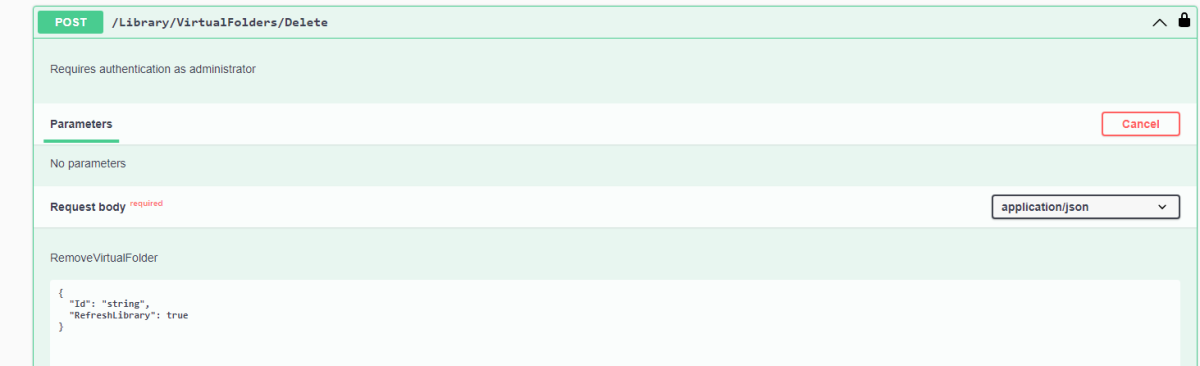
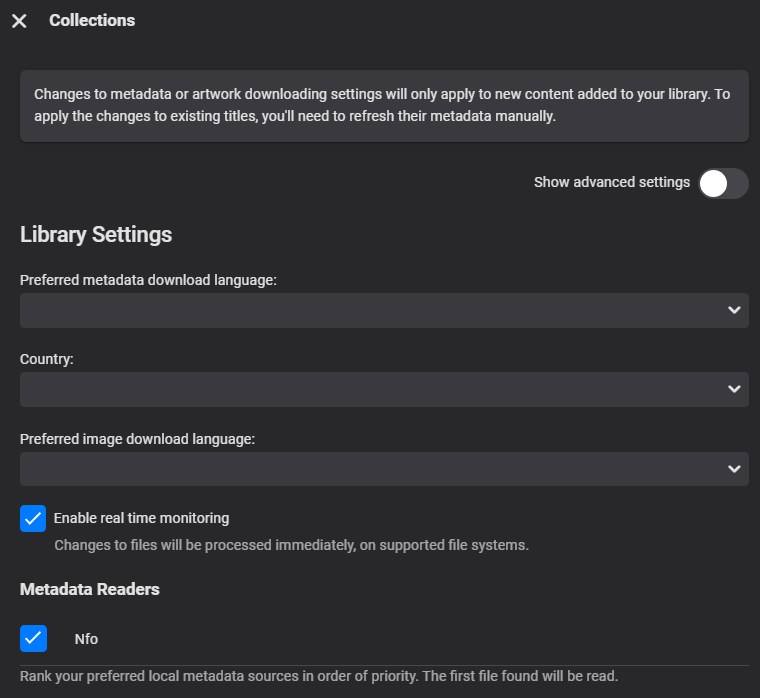
Courtesy of @Happy2Play: Here are the steps to creating a Collections library on a new install. On the server dashboard at the bottom of the page there is a link to the API. Note there are connections requirements of using localhost or a HTTPS connection. But there is a workaround with browser flags to allow your LAN connection from any address. In Chrome/Edge entered IP or Hostname depending how you connect. edge://flags / chrome://flags (but other browsers should have the same options) Once you have access to Swagger you will go to LibraryStructureService and expand Then you will expand /Library/VirtualFolders and click "Try it out" Then go to "AddVirtualFolder" box and clear it. Now you will copy this library config and paste into "AddVirtualFolder" field. { "Name": "Collections", "Locations": [], "CollectionType": "boxsets", "LibraryOptions": { "EnableArchiveMediaFiles": false, "EnablePhotos": true, "EnableRealtimeMonitor": true, "EnableMarkerDetection": false, "EnableMarkerDetectionDuringLibraryScan": false, "IntroDetectionFingerprintLength": 10, "EnableChapterImageExtraction": false, "ExtractChapterImagesDuringLibraryScan": false, "DownloadImagesInAdvance": true, "CacheImages": false, "PathInfos": [], "IgnoreHiddenFiles": false, "IgnoreFileExtensions": [], "SaveLocalMetadata": true, "SaveMetadataHidden": false, "SaveLocalThumbnailSets": false, "ImportPlaylists": true, "EnableAutomaticSeriesGrouping": true, "ShareEmbeddedMusicAlbumImages": true, "EnableEmbeddedTitles": false, "EnableAudioResume": false, "AutoGenerateChapters": true, "AutomaticRefreshIntervalDays": 0, "PlaceholderMetadataRefreshIntervalDays": 0, "PreferredMetadataLanguage": "", "PreferredImageLanguage": "", "ContentType": "boxsets", "MetadataCountryCode": "", "MetadataSavers": [ "Nfo" ], "DisabledLocalMetadataReaders": [], "LocalMetadataReaderOrder": [ "Nfo" ], "DisabledLyricsFetchers": [], "SaveLyricsWithMedia": true, "LyricsDownloadMaxAgeDays": 180, "LyricsFetcherOrder": [], "LyricsDownloadLanguages": [], "DisabledSubtitleFetchers": [], "SubtitleFetcherOrder": [], "SkipSubtitlesIfEmbeddedSubtitlesPresent": false, "SkipSubtitlesIfAudioTrackMatches": false, "SubtitleDownloadLanguages": [], "SubtitleDownloadMaxAgeDays": 180, "RequirePerfectSubtitleMatch": true, "SaveSubtitlesWithMedia": true, "ForcedSubtitlesOnly": false, "HearingImpairedSubtitlesOnly": false, "TypeOptions": [ { "Type": "BoxSet", "MetadataFetchers": [ "TheMovieDb" ], "MetadataFetcherOrder": [ "TheMovieDb" ], "ImageFetchers": [ "FanArt", "TheMovieDb", "Dynamic Image Provider" ], "ImageFetcherOrder": [ "FanArt", "TheMovieDb", "Dynamic Image Provider" ], "ImageOptions": [ { "Type": "Primary", "Limit": 1, "MinWidth": 0 }, { "Type": "Art", "Limit": 0, "MinWidth": 0 }, { "Type": "BoxRear", "Limit": 0, "MinWidth": 0 }, { "Type": "Banner", "Limit": 0, "MinWidth": 0 }, { "Type": "Box", "Limit": 0, "MinWidth": 0 }, { "Type": "Disc", "Limit": 0, "MinWidth": 0 }, { "Type": "Logo", "Limit": 1, "MinWidth": 0 }, { "Type": "Menu", "Limit": 0, "MinWidth": 0 }, { "Type": "Thumb", "Limit": 1, "MinWidth": 0 }, { "Type": "Backdrop", "Limit": 1, "MinWidth": 1280 } ] } ], "CollapseSingleItemFolders": true, "EnableAdultMetadata": false, "ImportCollections": false, "MinCollectionItems": 2, "MinResumePct": 5, "MaxResumePct": 90, "MinResumeDurationSeconds": 120, "ThumbnailImagesIntervalSeconds": -1, "SampleIgnoreSize": 314572800 } } Now hit "Execute" Now got to Library setup and verify setting are setup to your needs. Note if you click "Execute" more than one you will create multiple Collections libraries. Now for anyone wanting to remove this Virtual library or accidently recreated duplicate libraries here are the steps. Go to LibraryStructureService then /Library/VirtualFolders/Query and click Try it out and Execute to get a list of your libraries to see their id/itemid near the bottom of each library. Simplified to 1 library { "Items": [ { "Name": "Collections", "Locations": [], "CollectionType": "boxsets", "LibraryOptions": { "EnableArchiveMediaFiles": false, "EnablePhotos": true, "EnableRealtimeMonitor": false, "EnableMarkerDetection": false, "EnableMarkerDetectionDuringLibraryScan": false, "IntroDetectionFingerprintLength": 10, "EnableChapterImageExtraction": false, "ExtractChapterImagesDuringLibraryScan": false, "DownloadImagesInAdvance": true, "CacheImages": false, "PathInfos": [], "IgnoreHiddenFiles": false, "IgnoreFileExtensions": [], "SaveLocalMetadata": true, "SaveMetadataHidden": false, "SaveLocalThumbnailSets": false, "ImportPlaylists": true, "EnableAutomaticSeriesGrouping": true, "ShareEmbeddedMusicAlbumImages": true, "EnableEmbeddedTitles": false, "EnableAudioResume": false, "AutoGenerateChapters": true, "AutomaticRefreshIntervalDays": 0, "PlaceholderMetadataRefreshIntervalDays": 0, "PreferredMetadataLanguage": "", "PreferredImageLanguage": "", "ContentType": "boxsets", "MetadataCountryCode": "", "MetadataSavers": [ "Nfo" ], "DisabledLocalMetadataReaders": [], "LocalMetadataReaderOrder": [ "Nfo" ], "DisabledLyricsFetchers": [], "SaveLyricsWithMedia": true, "LyricsDownloadMaxAgeDays": 180, "LyricsFetcherOrder": [], "LyricsDownloadLanguages": [], "DisabledSubtitleFetchers": [], "SubtitleFetcherOrder": [], "SkipSubtitlesIfEmbeddedSubtitlesPresent": false, "SkipSubtitlesIfAudioTrackMatches": false, "SubtitleDownloadLanguages": [], "SubtitleDownloadMaxAgeDays": 180, "RequirePerfectSubtitleMatch": true, "SaveSubtitlesWithMedia": true, "ForcedSubtitlesOnly": false, "HearingImpairedSubtitlesOnly": false, "TypeOptions": [ { "Type": "BoxSet", "MetadataFetchers": [ "TheMovieDb" ], "MetadataFetcherOrder": [ "TheMovieDb" ], "ImageFetchers": [ "TheMovieDb", "Dynamic Image Provider", "FanArt" ], "ImageFetcherOrder": [ "TheMovieDb", "Dynamic Image Provider", "FanArt" ], "ImageOptions": [] } ], "CollapseSingleItemFolders": false, "EnableAdultMetadata": false, "ImportCollections": false, "MinCollectionItems": 2, "MinResumePct": 3, "MaxResumePct": 90, "MinResumeDurationSeconds": 120, "ThumbnailImagesIntervalSeconds": -1, "SampleIgnoreSize": 314572800 }, "ItemId": "126485", "Id": "126485", "Guid": "2faa6a99f9d24feabfeab2f97e3764d7", "PrimaryImageItemId": "126485" }, "TotalRecordCount": 1 } Note you can go to the browser and open each library to see each parentid in the URL as it is the same as id/itemid. Then you would go to /Library/VirtualFolders/Delete and replace "string" with the library id you want to remove.3 points
-
I still struggle to think of any reason to justify getting Emby over its competition to others who might ask as I can't see any big selling point for it. IMHO this feature could be that point. Hope it doesn't get thrown away.3 points
-
'This is the (Emby) way'3 points
-
AFAIK this still stands: You can lend your support here:2 points
-
Will guess same information.2 points
-
Hi, we’ll take a look at it. Thanks for reporting.2 points
-
Ironically, it's now the other way around. And what makes this decision even worse is that it was always possible to hide the collection library in user settings.2 points
-
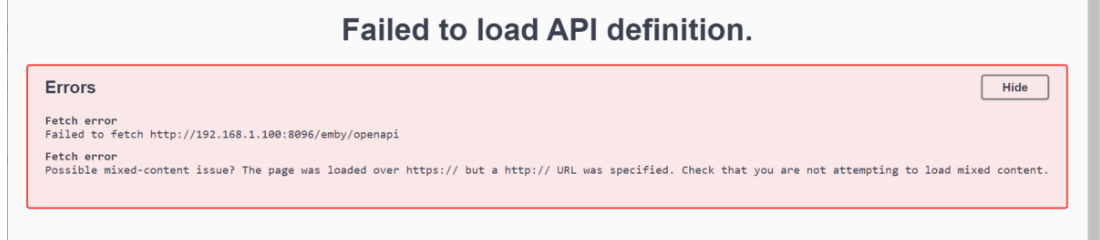
Here are the steps to creating a Collections library on a new install. On the server dashboard at the bottom of the page there is a link to the API. Note there are connections requirements of using localhost or a HTTPS connection. But there is a workaround with browser flags to allow your LAN connection from any address. In Chrome/Edge entered IP or Hostname depending how you connect. edge://flags / chrome://flags (but other browsers should have the same options) Once you have access to Swagger you will go to LibraryStructureService and expand Then you will expand /Library/VirtualFolders and click "Try it out" Then go to "AddVirtualFolder" box and clear it. Now you will copy this library config and paste into "AddVirtualFolder" field. { "Name": "Collections", "Locations": [], "CollectionType": "boxsets", "LibraryOptions": { "EnableArchiveMediaFiles": false, "EnablePhotos": true, "EnableRealtimeMonitor": true, "EnableMarkerDetection": false, "EnableMarkerDetectionDuringLibraryScan": false, "IntroDetectionFingerprintLength": 10, "EnableChapterImageExtraction": false, "ExtractChapterImagesDuringLibraryScan": false, "DownloadImagesInAdvance": true, "CacheImages": false, "PathInfos": [], "IgnoreHiddenFiles": false, "IgnoreFileExtensions": [], "SaveLocalMetadata": true, "SaveMetadataHidden": false, "SaveLocalThumbnailSets": false, "ImportPlaylists": true, "EnableAutomaticSeriesGrouping": true, "ShareEmbeddedMusicAlbumImages": true, "EnableEmbeddedTitles": false, "EnableAudioResume": false, "AutoGenerateChapters": true, "AutomaticRefreshIntervalDays": 0, "PlaceholderMetadataRefreshIntervalDays": 0, "PreferredMetadataLanguage": "", "PreferredImageLanguage": "", "ContentType": "boxsets", "MetadataCountryCode": "", "MetadataSavers": [ "Nfo" ], "DisabledLocalMetadataReaders": [], "LocalMetadataReaderOrder": [ "Nfo" ], "DisabledLyricsFetchers": [], "SaveLyricsWithMedia": true, "LyricsDownloadMaxAgeDays": 180, "LyricsFetcherOrder": [], "LyricsDownloadLanguages": [], "DisabledSubtitleFetchers": [], "SubtitleFetcherOrder": [], "SkipSubtitlesIfEmbeddedSubtitlesPresent": false, "SkipSubtitlesIfAudioTrackMatches": false, "SubtitleDownloadLanguages": [], "SubtitleDownloadMaxAgeDays": 180, "RequirePerfectSubtitleMatch": true, "SaveSubtitlesWithMedia": true, "ForcedSubtitlesOnly": false, "HearingImpairedSubtitlesOnly": false, "TypeOptions": [ { "Type": "BoxSet", "MetadataFetchers": [ "TheMovieDb" ], "MetadataFetcherOrder": [ "TheMovieDb" ], "ImageFetchers": [ "FanArt", "TheMovieDb", "Dynamic Image Provider" ], "ImageFetcherOrder": [ "FanArt", "TheMovieDb", "Dynamic Image Provider" ], "ImageOptions": [ { "Type": "Primary", "Limit": 1, "MinWidth": 0 }, { "Type": "Art", "Limit": 0, "MinWidth": 0 }, { "Type": "BoxRear", "Limit": 0, "MinWidth": 0 }, { "Type": "Banner", "Limit": 0, "MinWidth": 0 }, { "Type": "Box", "Limit": 0, "MinWidth": 0 }, { "Type": "Disc", "Limit": 0, "MinWidth": 0 }, { "Type": "Logo", "Limit": 1, "MinWidth": 0 }, { "Type": "Menu", "Limit": 0, "MinWidth": 0 }, { "Type": "Thumb", "Limit": 1, "MinWidth": 0 }, { "Type": "Backdrop", "Limit": 1, "MinWidth": 1280 } ] } ], "CollapseSingleItemFolders": true, "EnableAdultMetadata": false, "ImportCollections": false, "MinCollectionItems": 2, "MinResumePct": 5, "MaxResumePct": 90, "MinResumeDurationSeconds": 120, "ThumbnailImagesIntervalSeconds": -1, "SampleIgnoreSize": 314572800 } } Now hit "Execute" Now got to Library setup and verify setting are setup to your needs. Note if you click "Execute" more than one you will create multiple Collections libraries. Now for anyone wanting to remove this Virtual library or accidently recreated duplicate libraries here are the steps. Go to LibraryStructureService then /Library/VirtualFolders/Query and click Try it out and Execute to get a list of your libraries to see their id/itemid near the bottom of each library. Simplified to 1 library { "Items": [ { "Name": "Collections", "Locations": [], "CollectionType": "boxsets", "LibraryOptions": { "EnableArchiveMediaFiles": false, "EnablePhotos": true, "EnableRealtimeMonitor": false, "EnableMarkerDetection": false, "EnableMarkerDetectionDuringLibraryScan": false, "IntroDetectionFingerprintLength": 10, "EnableChapterImageExtraction": false, "ExtractChapterImagesDuringLibraryScan": false, "DownloadImagesInAdvance": true, "CacheImages": false, "PathInfos": [], "IgnoreHiddenFiles": false, "IgnoreFileExtensions": [], "SaveLocalMetadata": true, "SaveMetadataHidden": false, "SaveLocalThumbnailSets": false, "ImportPlaylists": true, "EnableAutomaticSeriesGrouping": true, "ShareEmbeddedMusicAlbumImages": true, "EnableEmbeddedTitles": false, "EnableAudioResume": false, "AutoGenerateChapters": true, "AutomaticRefreshIntervalDays": 0, "PlaceholderMetadataRefreshIntervalDays": 0, "PreferredMetadataLanguage": "", "PreferredImageLanguage": "", "ContentType": "boxsets", "MetadataCountryCode": "", "MetadataSavers": [ "Nfo" ], "DisabledLocalMetadataReaders": [], "LocalMetadataReaderOrder": [ "Nfo" ], "DisabledLyricsFetchers": [], "SaveLyricsWithMedia": true, "LyricsDownloadMaxAgeDays": 180, "LyricsFetcherOrder": [], "LyricsDownloadLanguages": [], "DisabledSubtitleFetchers": [], "SubtitleFetcherOrder": [], "SkipSubtitlesIfEmbeddedSubtitlesPresent": false, "SkipSubtitlesIfAudioTrackMatches": false, "SubtitleDownloadLanguages": [], "SubtitleDownloadMaxAgeDays": 180, "RequirePerfectSubtitleMatch": true, "SaveSubtitlesWithMedia": true, "ForcedSubtitlesOnly": false, "HearingImpairedSubtitlesOnly": false, "TypeOptions": [ { "Type": "BoxSet", "MetadataFetchers": [ "TheMovieDb" ], "MetadataFetcherOrder": [ "TheMovieDb" ], "ImageFetchers": [ "TheMovieDb", "Dynamic Image Provider", "FanArt" ], "ImageFetcherOrder": [ "TheMovieDb", "Dynamic Image Provider", "FanArt" ], "ImageOptions": [] } ], "CollapseSingleItemFolders": false, "EnableAdultMetadata": false, "ImportCollections": false, "MinCollectionItems": 2, "MinResumePct": 3, "MaxResumePct": 90, "MinResumeDurationSeconds": 120, "ThumbnailImagesIntervalSeconds": -1, "SampleIgnoreSize": 314572800 }, "ItemId": "126485", "Id": "126485", "Guid": "2faa6a99f9d24feabfeab2f97e3764d7", "PrimaryImageItemId": "126485" }, "TotalRecordCount": 1 } Note you can go to the browser and open each library to see each parentid in the URL as it is the same as id/itemid. Then you would go to /Library/VirtualFolders/Delete and replace "string" with the library id you want to remove. @GrimReapercan you copy this into the Tutorial/Guide section.


 2 points
 -
Will have to find other topics but People are a different story when it comes to refreshing metadata and are only gotten on first import of item if I remember correctly. So Refreshing a library will not refresh all People/Actors.2 points
-
https://docs.roku.com/published/acrservicepolicy/en/us The Roku uses Automatic Content Recognition and shares this information with ad partners. It is all anonymous, but it still can recognize the device by the ID, and usually can detect what you are watching too. So your avertisements shown on the Roku are targeted more towards what you would watch and etc when you have this enabled. Roku uses this to customize their ad experience in their apps this way. It also customizes the home screen this way with relevant ads. https://themarkup.org/privacy/2023/12/12/your-smart-tv-knows-what-youre-watching You can OPT out of this on the Roku. Inside Settings -> Privacy -> Smart TV Experience [x] Use info from TV inputs [x] Enable auto notifications You want to disable both of those. You also want to investigate every option in your privacy settings on the Roku to opt-out of any there as well.2 points
-
Hi. This is necessary in this day and age for privacy reasons. So, we have too much functionality? This was very highly requested during beta. The use case is probably more that there are a few users you may not want to share with.2 points
-
If you decide to go with a external program. Check out Tdarr2 points
-
@Happy2PlayGuess it should only be displayed if you toggle Upcoming.
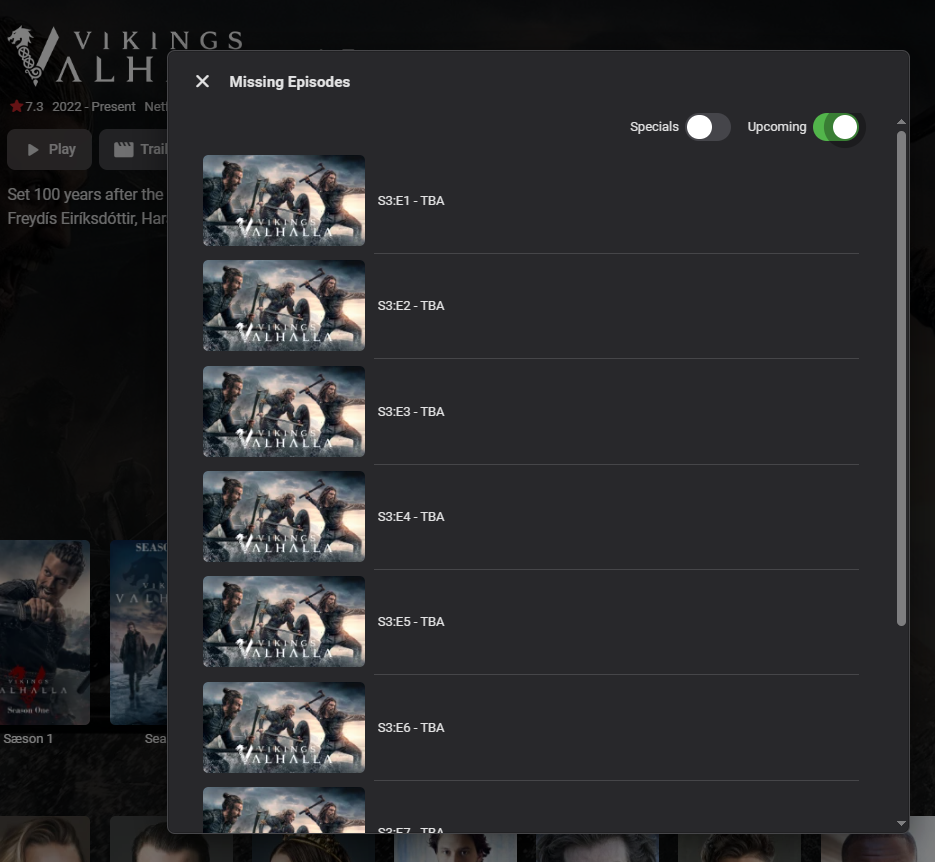 2 points
 -
Ah, great! There are always ways for improvement, it just depends on how far one would want to go (given that it's not the avearage case). But i'm not really familiar with the subject in detail, it's something for @Luketo explain why and what is taking som much time.2 points
-
Maybe not that large as you might think... @Dibbes?2 points
-
I have seen this issue, in my setup Where S01E01-02 is not working as it used to. But found that S01E01-E02 is working. Can you try with Documentary Now! - S03E01-E022 points
-
Hi, don't you want a personal media server and not on that puts your information into the cloud? Does that not make the usb install worth it?2 points
-
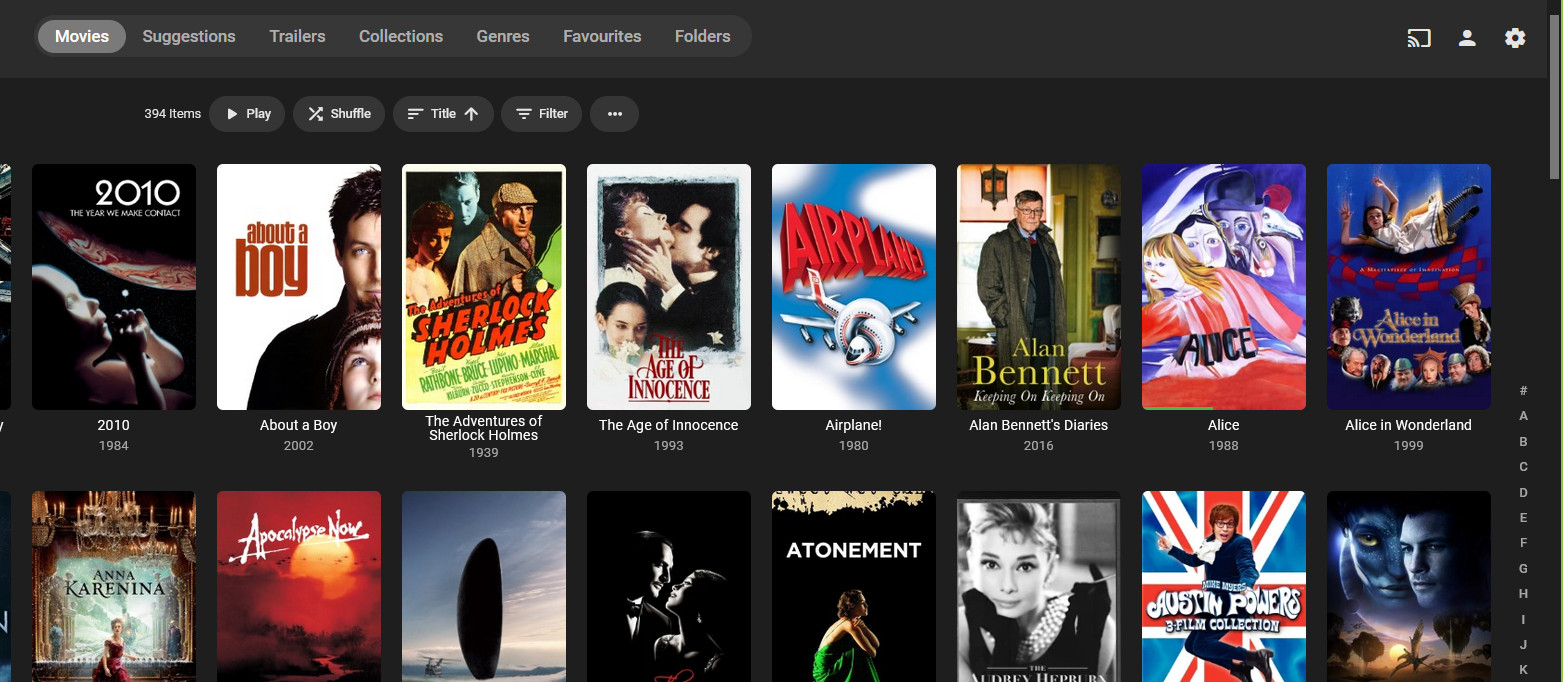
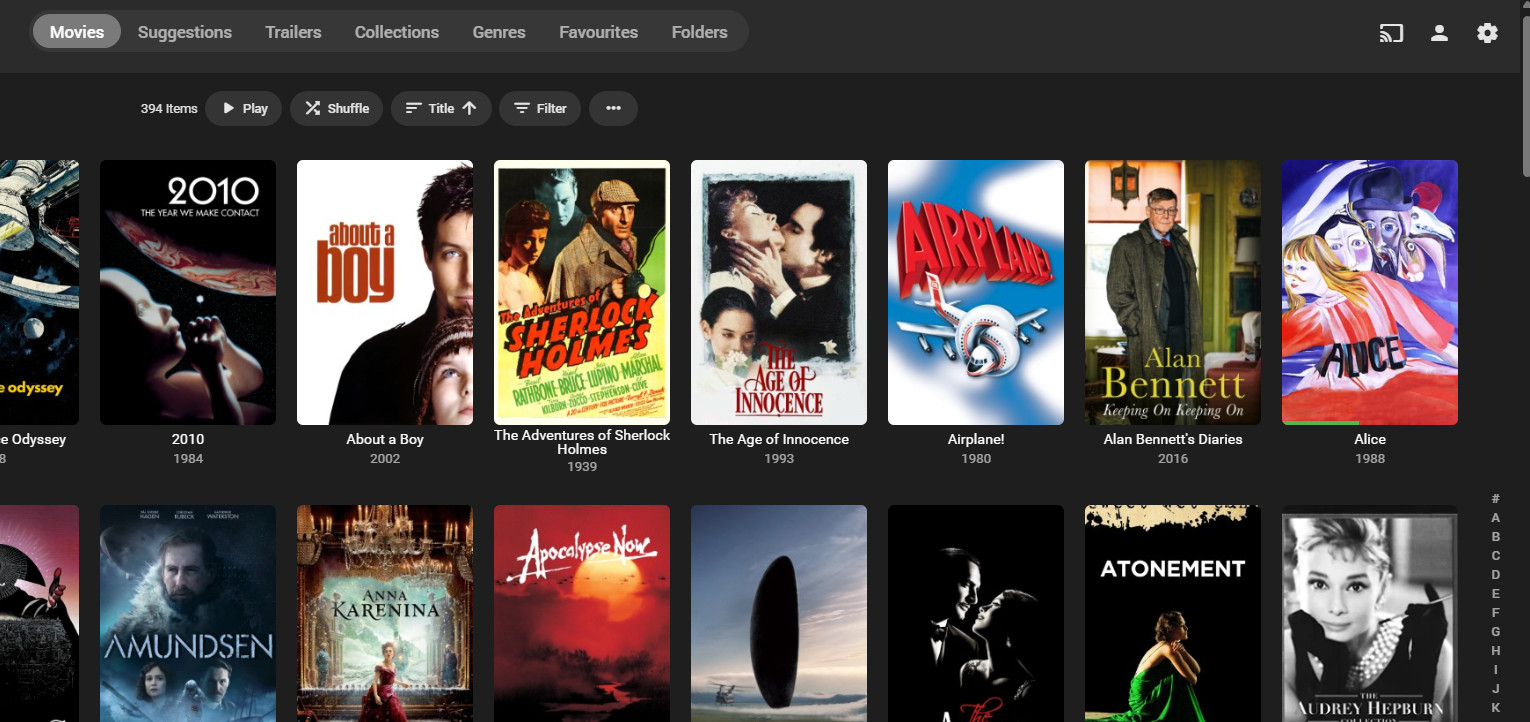
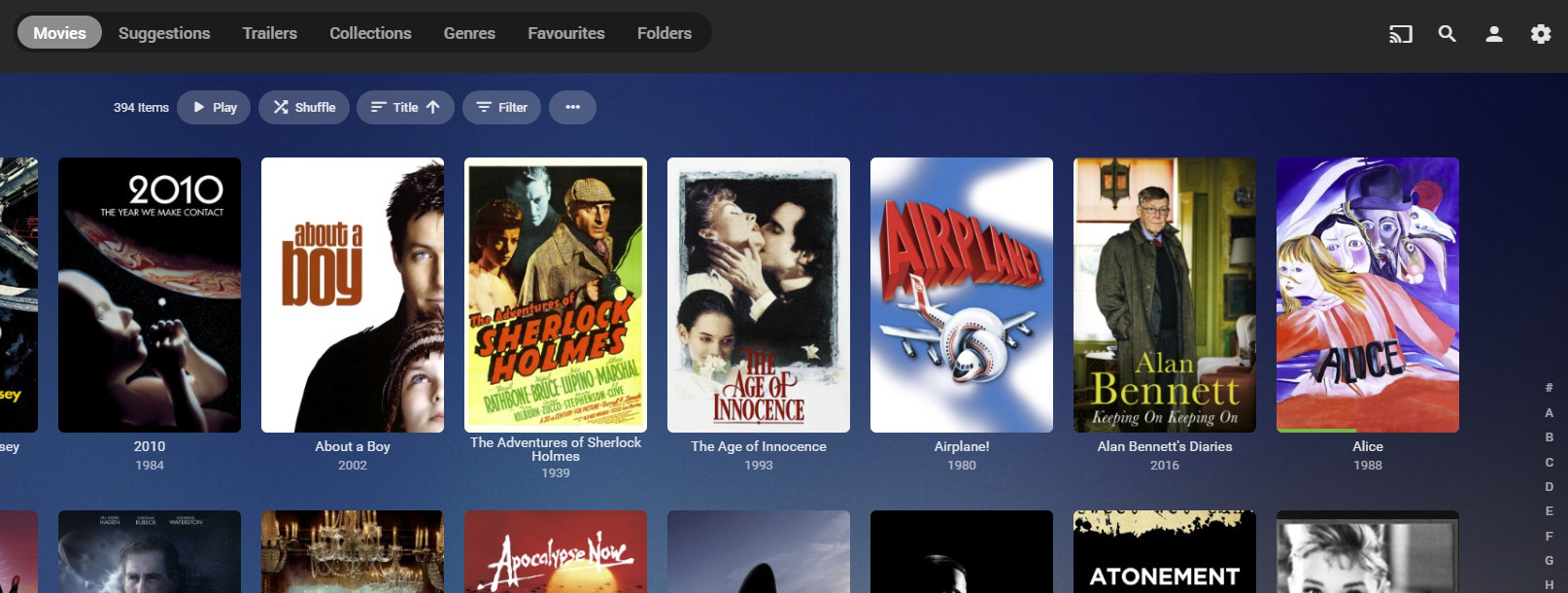
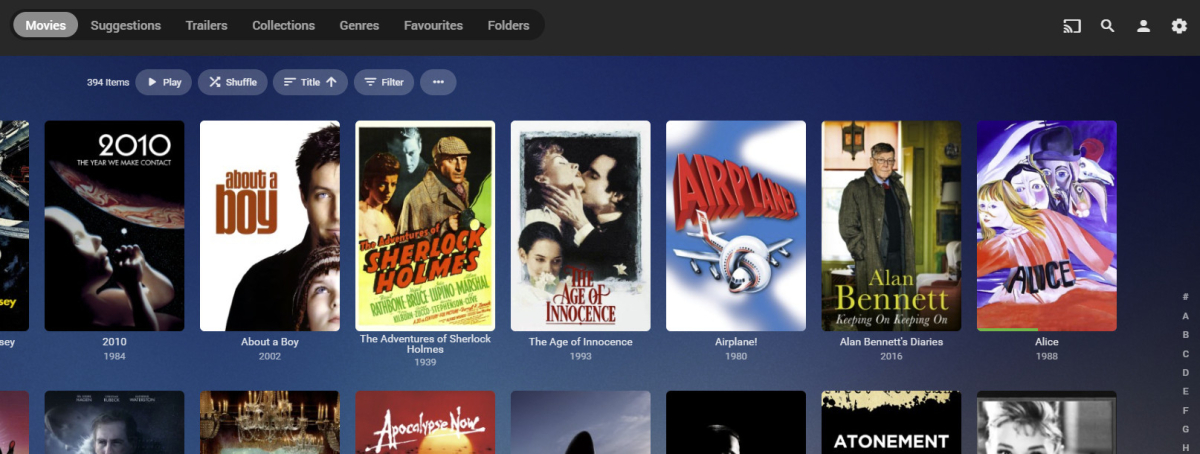
What browser are you using, then? Here are four different browsers all showing the alpha picker as they should... Firefox: Chrome: Edge: Opera: You can see why I was surprised by your assertion (also the screen grab from a program you also say you don't use, but have over 22,000 movies in). Anyway, are you going to report this issue to the devs with sufficient detail to enable them to fix it? (I suppose I should also ask if that's an up-to-date Emby server, as there were a couple of betas a while ago that lost the alpha picker in Chrome, as I recall.) Paul
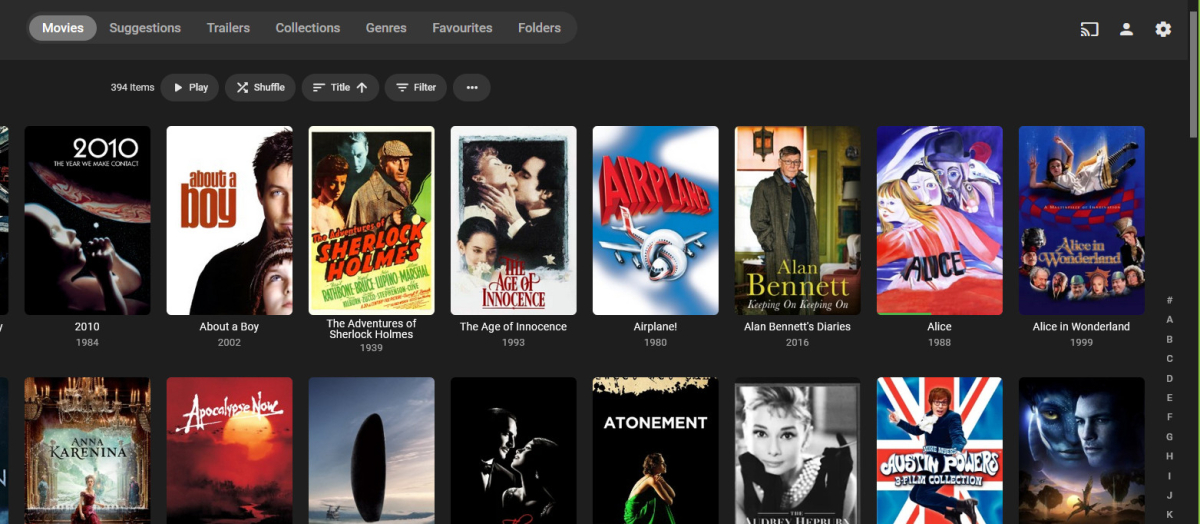
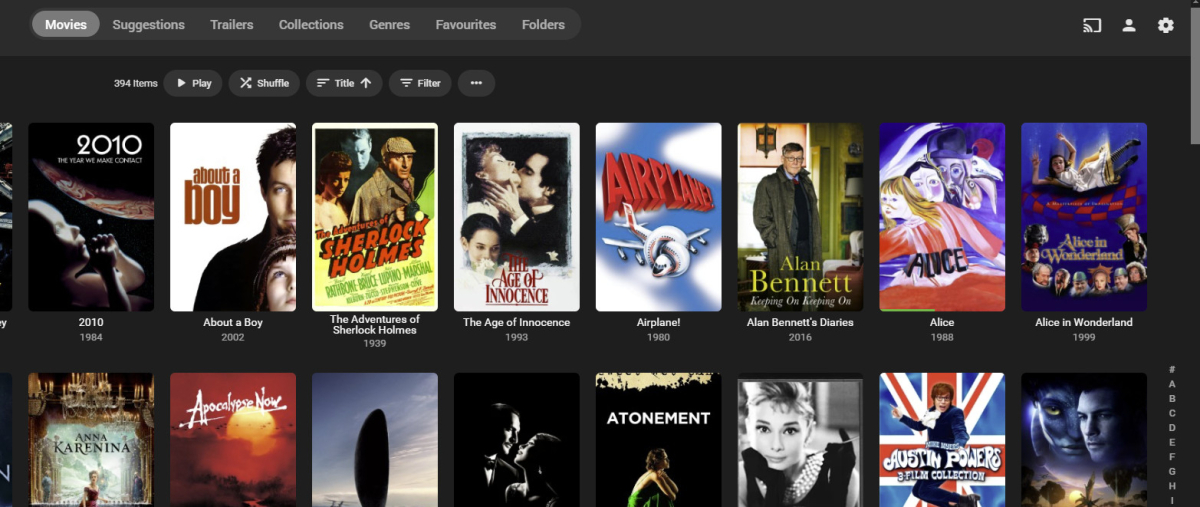
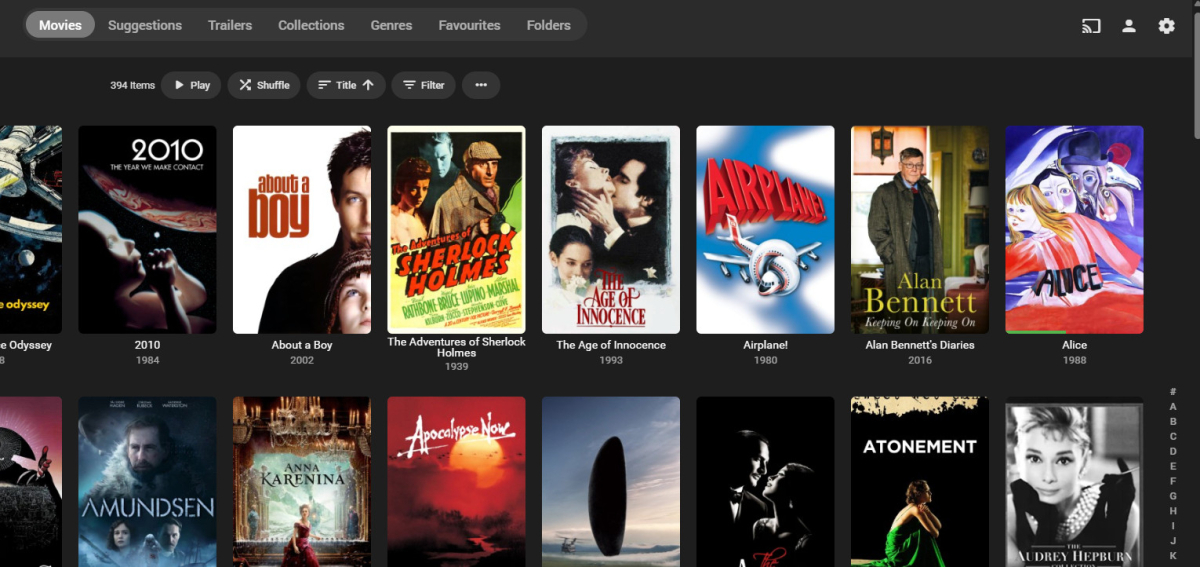
 2 points
 -
I believe a nice added feature is to have the ability to timeout partially watched shows automatically. Being able to set an expiration of resume point on titles. My kids love to watch videos but never seem to finish then, so they have a ton of titles that have resume points. What would be a nice addon would be the ability to either set the resume point to expire after X number of days. By default the resume point will be kept indefinitely. Adding in, let's say, "30" will then set all the resume points last set 30 days ago to expire and the resume point data be removed from the title for the user. This should be a global setting that applies to all users in the system. Wording of the feature can be different. Thanks, \ above11 point
-
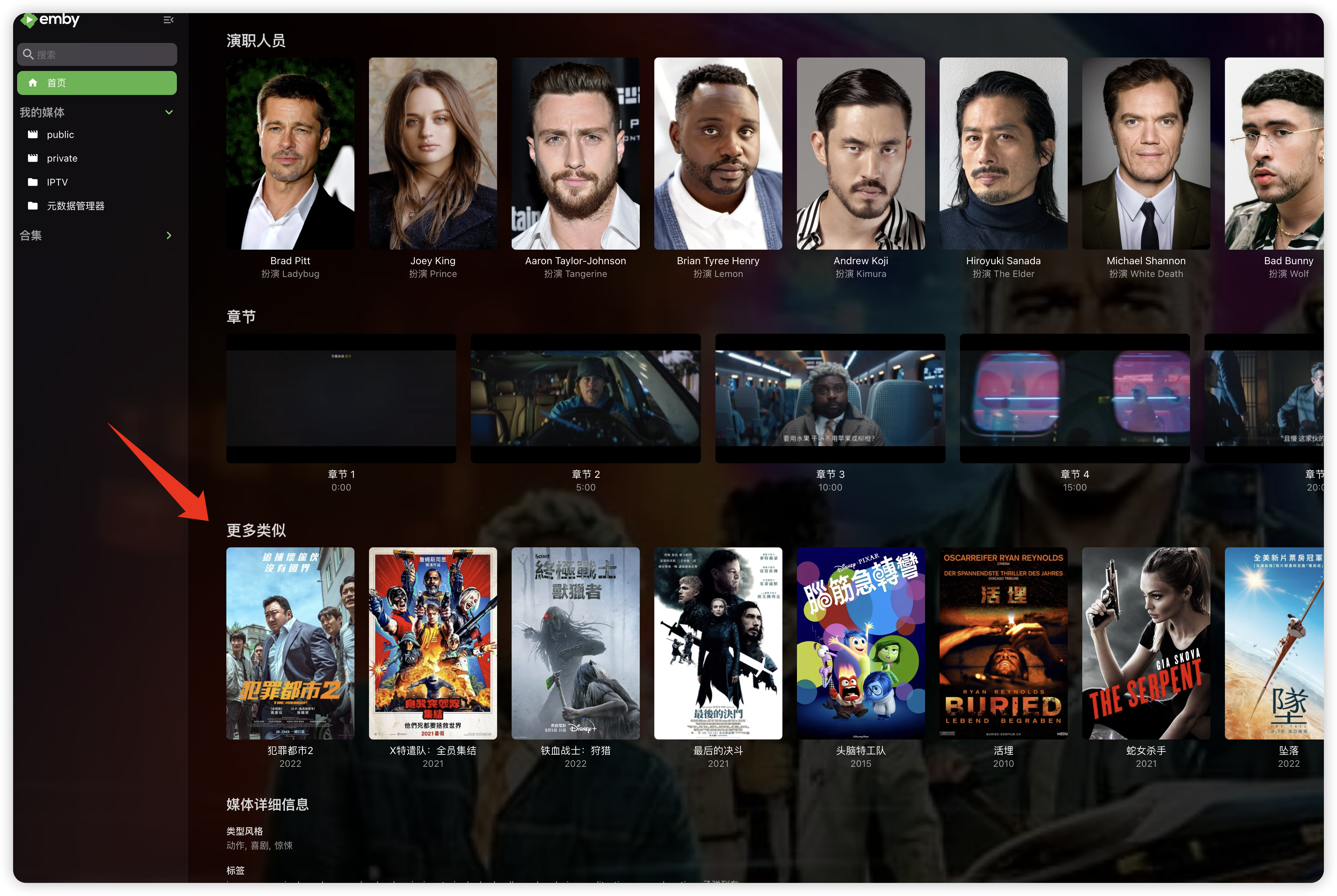
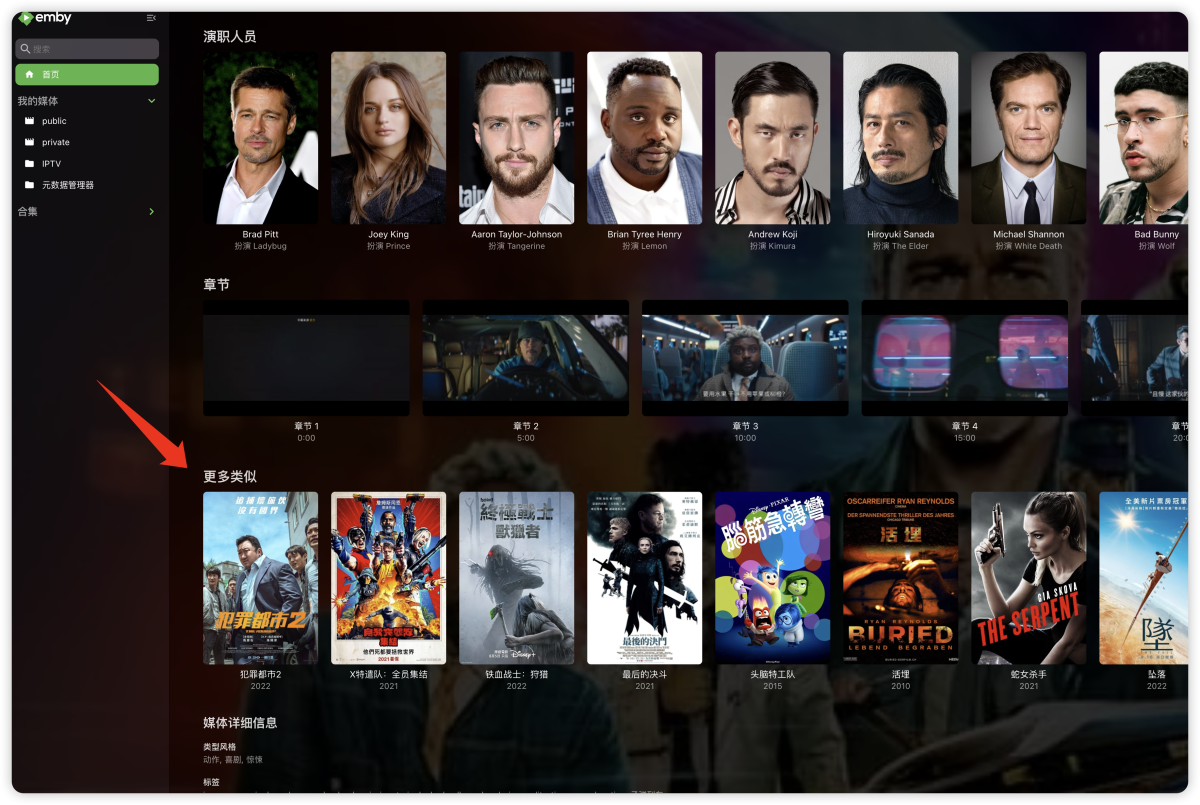
"More like this" will recommendations are made based on multiple media libraries,I don't like this, I prefer him to only recommend similar ones in the current media library, otherwise I would rather turn it off. What should I do?
 1 point
 -
Hello Are you planning to implement a screensaver for the Tizen version of the Emby application? This would be very useful, especially with the ability to set the time and folder with photos for the show. Samsung OLED TVs have a built-in function to launch screen server after 2 minutes of inactivity and it is not configurable - only a black screen with dots. best regards Kuba1 point
-
A good question I don't have an answer to. If I can't get the H.W. transcoding working soon with binhex, I will migrate to the official container this week end.1 point
-
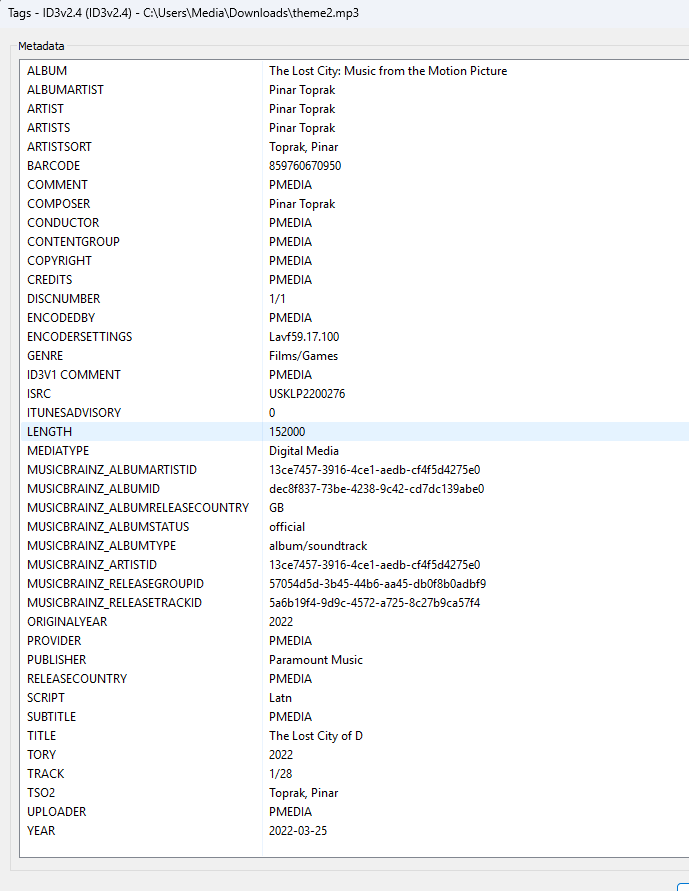
Will guess mp3tag is showing it mapped slightly different maybe ContentGroup? As we have to remember it is what ffprobe sees. Confirmed ContentGroup is what ffprobe is calling grouping.
 1 point
 -
@Luke all is done1 point
-
@Happy2Playno, I was running it on different PC then the one my servers was on. Truthfully I've not tried to use ember in a really long time.1 point
-
Yes, 1-8 seem ok! getting same results on loads of stuff, "Allo Allo" for example! very weird!1 point
-
I dumped my entire movie folder into mp3tag. Then I searched for the mysterious tags. This might have one of the offending tags (Bandes originales de films). Can you take a look? theme.mp31 point
-
It was removed from New Installs of 4.8. So upgrading 4.7 to 4.8 will maintain your existing library.1 point
-
Matter of finding that needle in the haystack. If you do find it make sure you post a copy of it. But as mentioned blanket search theme.mp3 and drop into mp3tag to see if you see the offending theme assuming that is the issue.1 point
-
What are the "sand informations"?1 point
-
That was my thought too. I hope that's not the case, although i would understand if softworkz is leaving the Emby project in the event of a negativ decision.1 point
-
Yes. It's also happening on a web browser on laptop. Also, tested with version 4.8.3.0 and the issue is still present.1 point
-
Just that easy. Thanks!1 point
-
What level of demand would be enough?1 point
-
There are 9511 movies in the folder , if I install version 1.0.0.8, then the number of movies becomes 7652, if I use the 1.0.0.0 plugin, then the number of movies is 6400 and that's not all , about 300 should be combined with one poster , so the working version of the plugin is 1.0.0.01 point
-
That sounds like a leaving speech Not good as from what I've seen Softworkz and SamES do the actual coding work! Not feeling that positive as it shouldn't have had this much grief for something that so overdue. Makes me wonder where Emby is going now....1 point
-
Hi. Did you confirm the mapping is correct?1 point
-
Hallo zusammen Also, bis jetzt schaut es gut aus, auch wenn das erneute Einscannen der Bibliothek gefühlt eine Woche dauern wird, aber die ersten vier, fünf Serien schauen in der Tat schon mal gut aus mit der Sortierung in Staffel-Ordner und der Benennung mit Nummer und Episodentitel. Ich halte euch auf dem Laufenden.1 point
-
It's Arctic Fuse by jurialmunkey1 point
-
Nope... I copied this image from an earlier chat you and I had1 point
-
I used this method to go from CentOS 7 -> CentOS Stream 8 on multiple servers and overall went smoothly. As always, have backups, take backups of things like package lists because you may find some things you use get uninstalled. https://wiki.almalinux.org/elevate/ELevate-quickstart-guide.html1 point
-
Will do, thanks1 point
-
@Happy2PlayI don't have time to do it tonight, but what I am going to do is remove all the movie from my library and then add 10 movies at a time back in. That way when those tags pop up again I will at least I've narrow it down to those 10 movies I just added. I'll let you guys know what I find. Thanks for the help Happy.1 point
-
@Happy2PlayHere is my log. If you figure it out, thanks! embyserver.txt1 point
-
Just be mindful when downloading from forks on GitHub. Over 100,000 Infected Repos Found on GitHub (apiiro.com) Millions Of GitHub Repos Found Infected With Malicious Code (cybersecuritynews.com)1 point
-
Was the USB drive auto-mounted ? if so that wont work for emby or anything running under systemd, you need to make sure it is properly mounted usually in /etc/fstab1 point
-
please do this i'm doing this manually right now and am sad lol.1 point
-
EMBY SERVER 4.8.1 IS NOW LIVE WITH LOTS OF NEW FEATURES AND IMPROVEMENTS Emby Server 4.8 has been rolling out to various platforms over the past week or so. This upgrade in particular is packed with a lot of new features, improvements and fixes. Over the next few weeks, we will be sharing multiple blog posts to share some of the exciting new functionality that 4.8 brings to Emby and give you a more in-depth look into the features. Today’s blog will focus on two new features: PROFILE PINS With Emby 4.8 you now have the ability to set individual profile PINs. This new PIN replaces the old local network only PIN that existed prior to this release. It is more flexible (works both locally and remotely) and more secure. This new PIN is very useful if you have devices in your home that are shared by multiple users. As an example you may want to put a PIN on your profile so kids in your home can’t just click on your profile and view all of the same media but still allow your kids to freely switch between their profiles on the same device. NOTE: All users (local and remote) must authenticate ONCE per device. Once this initial authentication is done, that user will be remembered on that device and won't require password entry again unless signed out. PLAYLIST SHARING CONTROL Another great feature of 4.8 is the ability to designate exactly what other Emby users you share playlists with. Prior to 4.8, any playlist that was created was available to everyone on your Emby server. Now they’re set up for individual users. When you first create a playlist, that playlist is private to just you. If you wish you can then share it with any user that you would like via the "Modify Collaboration" option. You are able to set it up so that different users have read only access or have view and edit access to the playlist. Please keep in mind that this is only for playlists that were created after the upgrade to 4.8. Playlists created prior to this release will not have this functionality. They would have to be re-created to gain it. NOTE: In order to utilize this feature, you must first grant each user that you want to be able to create shared playlists the ability to share content from the user settings on the dashboard. You can see from the image below that it is simply a checkmark on the settings page. Once that is checked, it is as simple as creating a new playlist and then either right clicking on the playlist or clicking on the “...” menu and clicking on manage collaboration. From there you can easily choose which user you want to share the playlist with and what level of access they have. Stay tuned for a new blog post in the coming days that highlights some of the other awesome and new features of Emby 4.8! For now, we have listed below all the improvements and fixes that were included in 4.8. We as a team are excited to share all of these great new additions with you and hope you’re enjoying the update to Emby just as much as we are! ADDITIONS AND IMPROVEMENTS Add new profile pin feature. Useful for devices shared by multiple users. Add new table view option Add more fields for selection in poster views Add new theme options Various database performance improvements Merge webhooks into notifications Support keyword-based recordings Display all episodes directly under series without using season layer (with user display option to control behavior) Update Intel Media Driver Minor database performance improvements Support extras for seasons and episodes Revamp backup plugin to be a more complete backup Support saving images locally for extras Add FR-TP content rating Import hearing impaired attribute for both internal and external subtitles Add hidden config switch to disable ssl renegotiation Add library option to cache images in server data folder to reduce disk access to original media folder Remember audio and subtitles across a tv series Improve support for audio-only live streams Add View Missing Episodes context menu option for series and seasons Add option when creating a user to copy data from an existing user Support random sorting on list screens Improve country and language list sorting Improve program dialog in live tv guide to show complete information Add subtitle position settings Improve user interface of Play On menu Add sample file ignore size to library options Added New Episodes section under Live TV suggestions Add new indicator on Live TV program posters Add options to hide played media from More Like This and Suggestions Add user locked out notification to Notifications and Webhooks Support more conventions with provider id values in folder names (moviedb, imdb, etc) Improve series name detection by getting the series name from episode file names, in some cases Support multiple languages with user audio and subtitle preferences Improve performance of server activity viewer Improve support for folders being used in multiple libraries of same content types Clear external ids for episodes when using Identify feature on Series Improve search for single title movies Add camera upload user permission Add new configurable home screen sections - Playlists, Collections, and Recently Released Movies Add more fields for display in User and Device management Add HDR filters to video list screens Add sorting controls to user and device management screens Add additional subtitle color options Support swipe down to close all dialogs that slide up Add Remove Identification feature to reset metadata Improve searching titles containing quotes and periods (e.g. Agents of S.h.i.e.l.d or Shield) Anonymize manifest.json Add warning for duplicates when adding items to playlists Support both nb and no Norwegian language options Add automatic metadata refresh option for episodes with placeholder titles such as TBA Rework Trakt plugin to be an option that each user can configure, rather than server settings Rework Notifications to be an option that each user can configure, rather than server settings Add guide display options to control visibility of channel names, images and numbers Improve automatic reconnection for live streams Display preview of matched items when setting up a keyword recording Reduce database queries in audio fingerprint process Add HK ratings Add user option to hide media info from detail screens Improve support for "subs" and "subtitles" folders Don't allow local network addresses to be specified in x-forwarded-for and x-real-ip Add media deleted notification and webhook event Support multi-select drag and drop add to playlist Support multi-select operations on downloads and conversions lists Update default subtitle font Add option to limit the number of genres displayed at the top of detail screens Rework playlists to be saved as m3u and deprecate the previous xml format Support extras in Collections Improve episode number parsing when episode file name is gibberish and parent folder name is readable Support sorting for playlists and collections Revamp webhooks plugin, supporting new events and configuration options Include activity log database file when vacuuming databases Rework scanning of extras, allowing more flexible usage of video extras Improve the use of internet metadata with recordings Support shift to multi-select Use tone mapping for image extraction Allow separate images for audio book tracks Stop scanning at the top of a library when it's unreachable Add image size display option Add lock screen function to video player on mobile devices Add three way toggle nav menu to web app Add option to control display of rating information at the start of video playback Change wording of transcoding reasons to be more user friendly Improve filter menu indicator Add Select None to multi-select lists Initial RTL support in web interface Make tagline field lockable Make overview field lockable Rework Live TV recording options to be based on selected folders, rather than raw paths Support .actors folder for people images Nfo plugin: Stop saving nfo files for additional parts Improve photo loading performance Remember subtitle selections even when user option is set to None Improve support for musicbrainz illegal character replacement Improve drag and drop scrolling Sanitize new playlist and collection names Add intro detection library options Improve automatic channel mapping with xml tv Support sort by composer FIXES Fix songs not being grouped into album when the album title contains an emoji Fix empty genre filters on playlists Fix anamorphic image extraction Various fixes for iOS 17 Various image processing fixes Fix transcode temp path in startup logging Fix 172.X addresses always being considered private Fix swagger docs with reverse proxies Fix restricting by tag hiding the tag itself Fix multi-episode file titles not using series display order Fix hide from Continue Listening only hiding a single track and not the entire album Fix live tv recordings being stopped in rare cases when the limit to keep is set to 1 Resolve issue of multi-part and multi-version not being able to be used together Fix green bottom line with QSV+OpenCL tone mapping Fix single image extraction with MPEGTS Fix support for simultaneous music and photo playback Fix sort by sort title being case sensitive in some views Fixes for multi-part and multi-version videos being used together Fixes for movies having file names starting with years Fix Intro Detection scheduled task not being visible Fix a/v sync regressions with live tv and recordings Resolve long-standing metadata quirks when removing data from nfo files and having it not get cleared in Emby Fix changes to url-only nfo files not being recognized Fixes for downloads automatically redownloading Fix graphic subtitle position when burning in subtitles with transcoding Fix unnecessary ffmpeg dependency on Windows Media Foundation Fix sporadic cases of errors when reordering live tv channels View the full article1 point
-
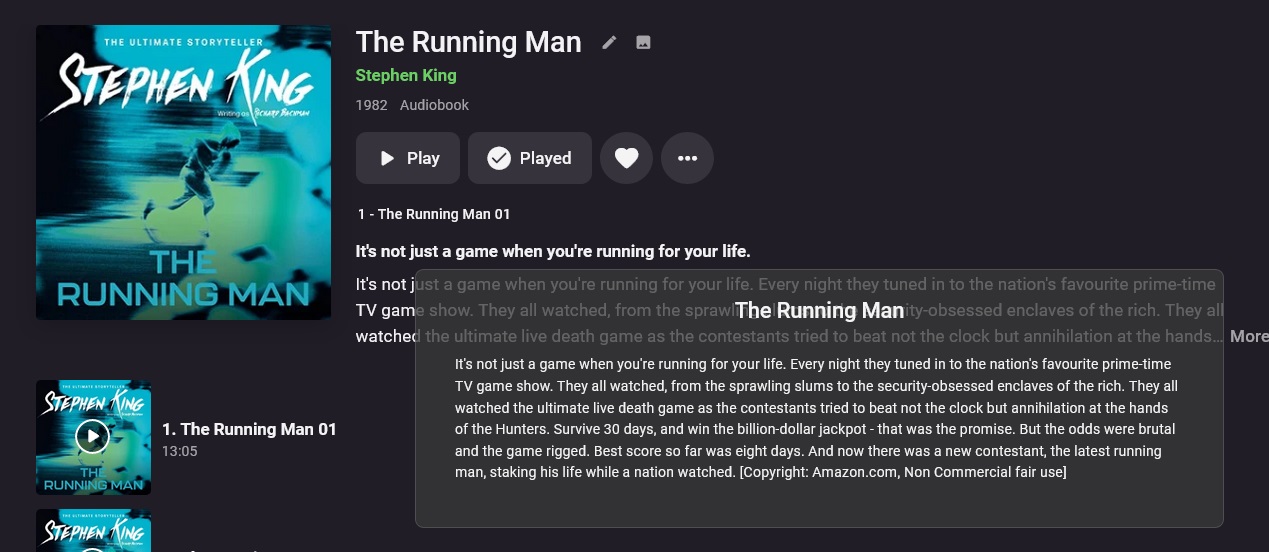
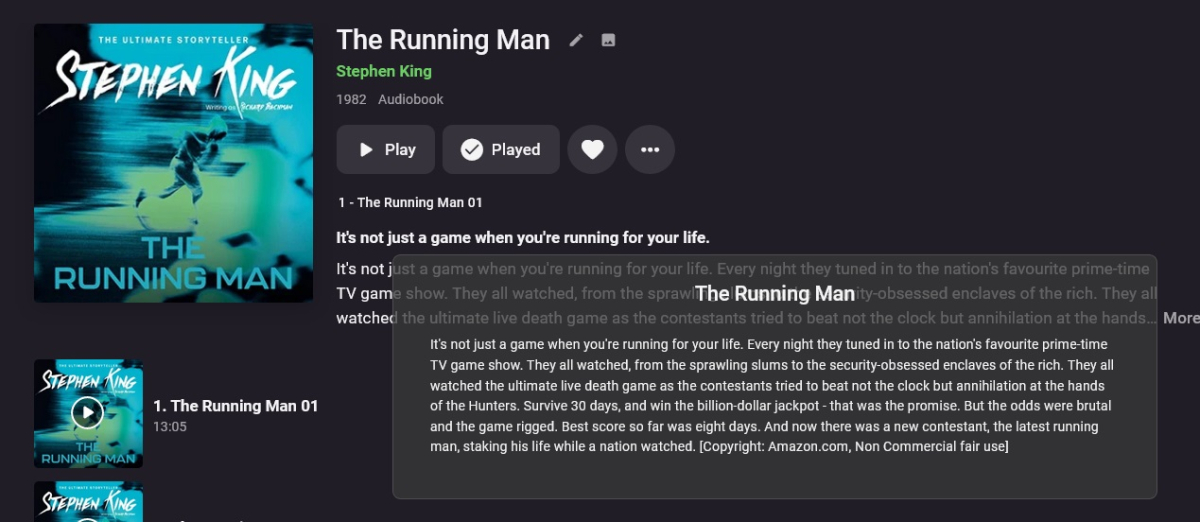
AmazonAudioBooks.zip Still some search improvements to be done! - Testing version. Not always fetching overviews - so I need to look at that. This is a webscraper, It searches amazon for your audiobook. Its up to you to check you can legally use this in your country - I accept no responsibilty. Use at your own risk. As this is a private use plugin and at no way connected to commercial use, copyrights are deemed "fair use" - for personal use in most countries, However its on you to check this where you are. For Audiobooks it fetches: Book Title Release Date Studio Poster Images Writers / Narrators (names only) Tagline Overview It does not fetch any Writers or Narrators Information or Images (when you click them) - it only fetches the audiobook information.. It only searches the book names, if I search the release dates or writers as well it usually doesn't find anything, so its possible to get the wrong book of the same name - just so you know. However so far for me, it has got the right books each time up to now ... theres still time to get the wrong book.... Identify is not enabled in this plugin so will error in Emby log if you try to use it. Drop the .dll in your plugins folder Restart Emby Go to Library Settings, Enable in metadata and Images I'm not entirely sure how to add Narrators to Audio books - there doesnt seem to be a narrator entity. @Luke So I have added them as an Actor with the Role "Narrator", this maybe not the correct place to put them - so until I know how they are handled, thats where this plugin adds them This is an initial test release so do not consider it perfect! - I advise testing it on a dummy library first. 31.Jan.2023 - 01.12.35 [GetMetadata] Searching for AudioBook = The Running Man 31.Jan.2023 - 01.12.35 Url = https://www.amazon.co.uk/s?k="the running man"+audiobook 31.Jan.2023 - 01.12.36 Search Link Added: https://www.amazon.co.uk/The-Running-Man/dp/B01H0INT8Y 31.Jan.2023 - 01.12.36 Found link = https://www.amazon.co.uk/The-Running-Man/dp/B01H0INT8Y 31.Jan.2023 - 01.12.36 Testing Link: https://www.amazon.co.uk/The-Running-Man/dp/B01H0INT8Y 31.Jan.2023 - 01.12.38 [AudiBook Name] found: 'The Running Man' 31.Jan.2023 - 01.12.38 [Person] found: 'Stephen King' 31.Jan.2023 - 01.12.38 [Person] found: 'Kevin Kenerly' 31.Jan.2023 - 01.12.38 [Studio] found: 'Hodder & Stoughton' 31.Jan.2023 - 01.12.38 [ReleaseDate] found: '28 July 2016' 31.Jan.2023 - 01.12.38 [ReleaseDate] extracted: 27/07/2016 23:00:00 31.Jan.2023 - 01.12.38 Tagline Found: It's not just a game when you're running for your life. 31.Jan.2023 - 01.12.38 Overview: It's not just a game when you're running for your life. Every night they tuned in to the nation's favourite prime-time TV game show. They all watched, from the sprawling slums to the security-obsessed enclaves of the rich. They all watched the ultimate live death game as the contestants tried to beat not the clock but annihilation at the hands of the Hunters. Survive 30 days, and win the billion-dollar jackpot - that was the promise. But the odds were brutal and the game rigged. Best score so far was eight days. And now there was a new contestant, the latest running man, staking his life while a nation watched. [Copyright: Amazon.com, Non Commercial fair use] 31.Jan.2023 - 01.12.38 Metadata Found for: The Running Man and added to search results. 31.Jan.2023 - 01.12.39 [GetMetadata] Searching for AudioBook = The Running Man 31.Jan.2023 - 01.12.39 Url = https://www.amazon.co.uk/s?k="the running man"+audiobook 31.Jan.2023 - 01.12.41 Search Link Added: https://www.amazon.co.uk/The-Running-Man/dp/B01H0INT8Y 31.Jan.2023 - 01.12.41 Found link = https://www.amazon.co.uk/The-Running-Man/dp/B01H0INT8Y 31.Jan.2023 - 01.12.41 Testing Link = https://www.amazon.co.uk/The-Running-Man/dp/B01H0INT8Y 31.Jan.2023 - 01.12.43 Page verified as containg Actor Name, now checking for image 31.Jan.2023 - 01.12.43 Page claims to contain a MusicAlbum image 31.Jan.2023 - 01.12.43 Poster Image Link ?? : https://m.media-amazon.com/images/I/511sHPjwvRL.jpg 31.Jan.2023 - 01.12.43 [GetImages] SingleImage - Primary Image for "The Running Man" was found: 31.Jan.2023 - 01.12.43 [GetImages] Primary was added to lookup results. Let me know of any errors. I already know if your results are not on page 1 then it wont find them - thats a "to do" item.

 1 point