Leaderboard




Popular Content
Showing content with the highest reputation on 02/22/24 in all areas
-
We've submitted an update to LG to resolve this. Thanks guys.3 points
-
A lot of you have asked questions about Emby and the Emby team, so we decided to put together a little Q&A session to get some of those questions answered! Over the next few days, please post whatever questions you may have about Emby. We will be taking the top 20 questions or so and putting them together for the Emby developers to answer. After they answer them, we will post all the answers for everyone to see. As an FYI, roadmap questions will not be answered as that is proprietary. Other than that, ask away and we will see what the most popular questions are to have answered by the team! Can't wait to see what you all come up with!2 points
-
Hi All, Below is a list of embedded audio tags that could be used to enhance the UI in the future. They are scattered across requests. If possible can they start being captured by the emby db now? 1) Release Type 2) Disc Subtitle 3) Style They are all recognized by ffprobe, So this request is to start capturing this data now vs some kind of rescan in the future. When or if they are available in the UI, the data will be there. Thanks -vicpa @Luke , @softworkz I can PM you a sample file if needed. (For what it is worth, I would expect Disc Subtitle and Style to be sparsely populated, they are optional tags. Those of us who use them would like to see them somewhere in the UI, but they would have negligible impact on other users)2 points
-
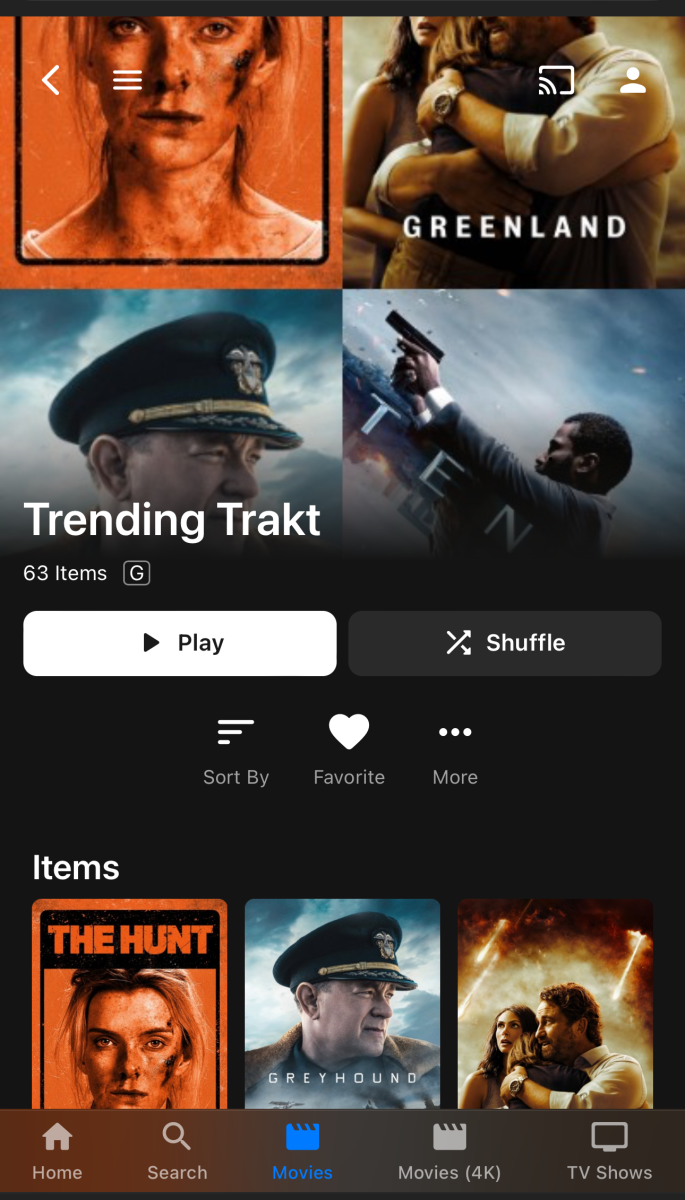
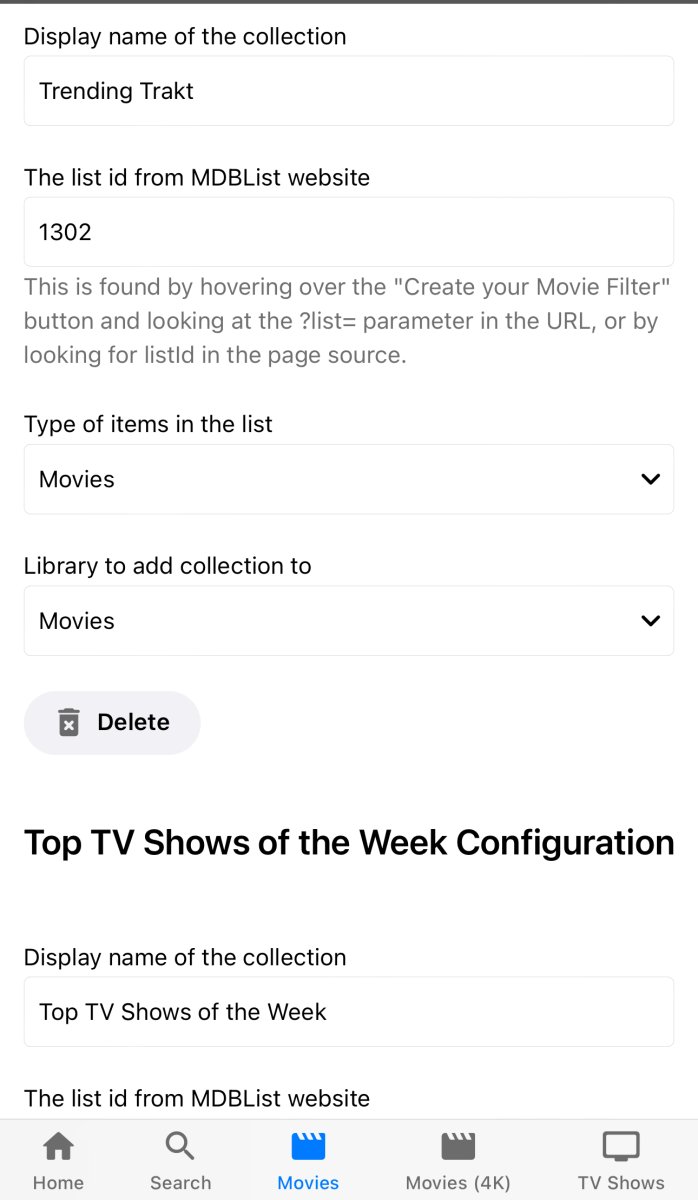
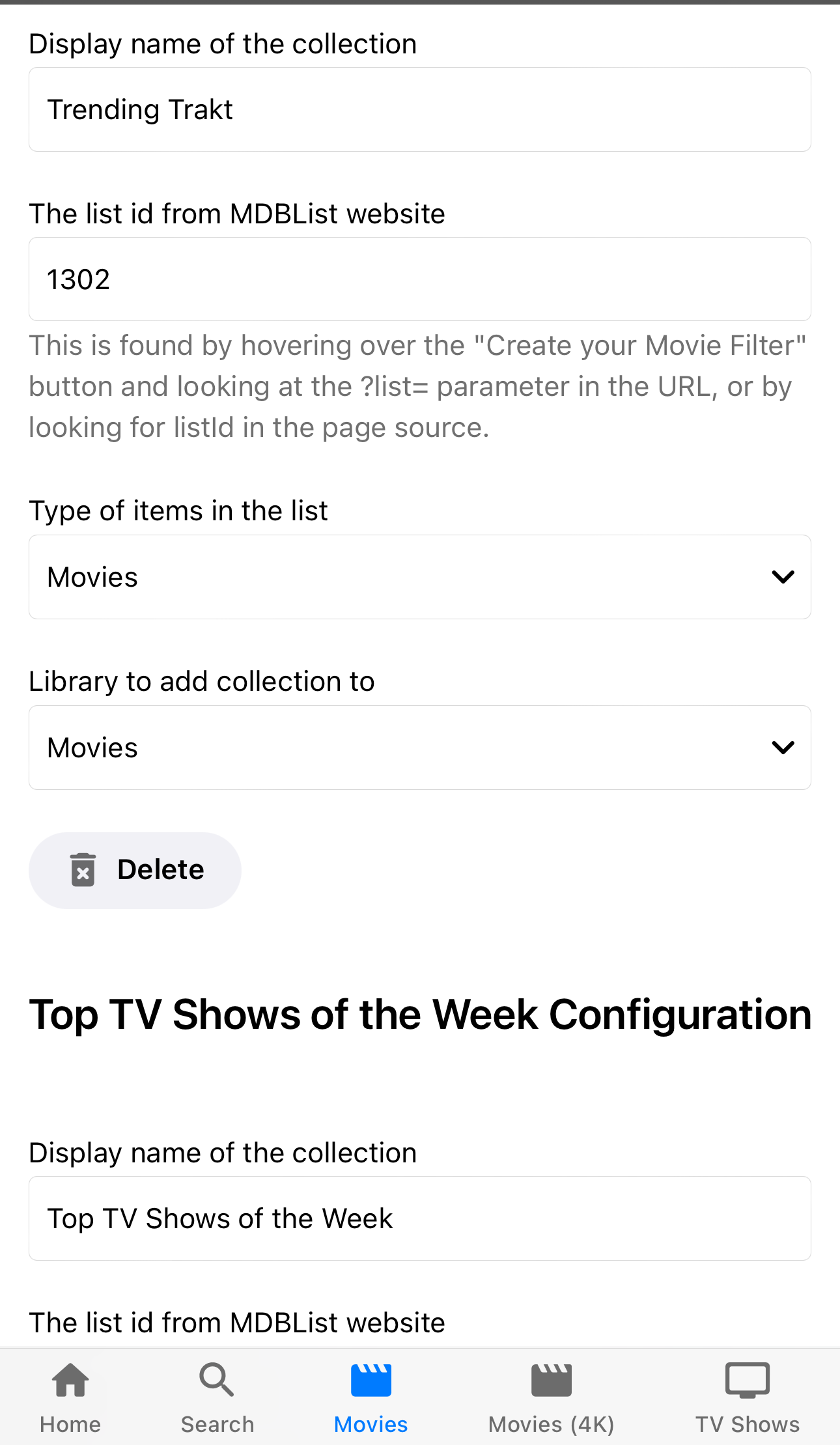
Why don’t you just build what everyone wants. You put in a trakt list url and it uses that as the source? It would solve a lot of the complicated logic you have and I’d assume most people just want the most downloaded watched weekly lists. It’s really easy to do with the trakt api and you have the logic to make the channels you just match by the IMDb/tvdbid. I did something similar for collections using the mdb api. Since luke said making channels was bad for the database as it duplicates the entries and such.
 2 points
 -
Hi, we're looking into it. Thanks.2 points
-
Working now - very odd - thanks guys2 points
-
Can see in 4.7 the image is set but never happens in 4.8+ 4.7 4.7 2024-02-20 18:08:17.765 Debug App: CollectionFolderImageProvider reports change to 48 - C:\Users\Media\Desktop\Stable\programdata\root\default\Playlists 2024-02-20 18:08:17.766 Debug App: Running CollectionFolderImageProvider for C:\Users\Media\Desktop\Stable\programdata\root\default\Playlists 2024-02-20 18:08:17.767 Debug App: Setting image url into item 48 4.8/4.9 2024-02-20 18:04:41.334 Debug App: CollectionFolderImageProvider reports change to 94 - C:\Users\Media\AppData\Roaming\Emby-Server\programdata\root\default\Playlists 2024-02-20 18:04:41.334 Debug App: Running CollectionFolderImageProvider for C:\Users\Media\AppData\Roaming\Emby-Server\programdata\root\default\Playlists2 points
-
I need to show the most recent season series from newest>oldest. I have one show that has 385 episodes and 195 seasons. So browsing to the latest season is untennable. Is there a setting to reverse the array of seasons to newest>oldest?1 point
-
I searched but couldn't find a similar request. If one exists with or without all of the options below then please lock this one and point me in that direction. Now that all users are required to login with username and password at least once on each app/device it would be nice to have the option to use a one time password (OTP) for the initial login on any device but mainly TV apps and streaming devices where it's difficult to enter long strings. It doesn't need to be limited to initial login but should at least allow that. 1. Allow any user who is already logged in to an app or browser to generate a one time 4-6 character OTP for themselves to enter on a new app/device in order to login on said app. This would only log them into their account using the single OTP. 2. Allow an admin account to generate an OTP for any specified user to login. This would be useful for Emby admins to help remote users, particularly those who have difficulty with apps and on screen keyboard-remote combinations. Or to help household users while away from home... 3. The generated OTP would be associated with the corresponding user, either self or assigned by admin. No need to enter or select name on the app login screen, the OTP would suffice. 4. The OTP should be created with a short time to live, either fixed or configurable. I don't know enough about Emby Connect to suggest how it should/could work for those users. EDIT: Evidently Jellyfin has a similar feature called Quick Connect but I don't know if it also has the ability for admins to generate codes.1 point
-
The new List 1) Release Type 2) Disc Subtitle 3) Style 4) Country @Lukeremember part of the request is to start capturing this data now, even if the full implementation is some time in a "future update" 1) Modify emby probe to read above tags 2) Save to emby db as discrete audio medatadata tags. 3) Stop Declare Victory !!! 4) Users can then know if they work on any retagging this data will be available. You always implied that it was easy to add embedded tag metadata or do I have that wrong? Thanks -vicpa1 point
-
Who owns Emby (in general)? How many people work at Emby and what are their roles (in general)? How many people use Emby? What are the most popular Emby apps and platforms? What are the most popular plug-ins? Why does Emby give less attention to Music than it does to Movies/TV Series? Would Emby consider having an official YouTube channel for announcement updates and tutorials?1 point
-
Yes, it is an excellent suggestion to capture and display more Music info. I would likely make very good use of Release Type and Style (sub-genre). Another one that I would use is Country. If these were built-in to Emby, I would go back and retag my source files with this info, if it wasn't there already. At the moment I would not even consider doing this, as it could end up being a massive amount of work for no end benefit. (I have added some Emby tags for Country though). These options (and others?) would bring Emby more up-to-date with other popular music management and music streaming platforms.1 point
-
I can't understand one thing, since there are advanced options i.e. in setting up your library why there can't be such option with settings? If you have data indicating 70% of your users take Emby as is and are happy with it, why not give an option to the rest to temper with it a little. Because right now we DO modify the files with every update and look for an answer online on how and where to do it to tweak it to our liking.1 point
-
Thank you very much, very kind for the explanation!1 point
-
OK, thanks. Going to have to do this one more time. I've replaced the macOS 4.9.0.5 builds with an updated version that will print more the log for me. Can you please download it again from our website, install over the top of your current version, repeat the test a provide a new log? Thanks.1 point
-
Hi, we're looking into it. Thanks.1 point
-
Yes, you can mark you earlier response as the solution, that will close it and make it easier for other with the same problem to find the solution.
 1 point
 -
OK, I still need more logging, so what I've done is I've replaced the macOS 4.9.0.5 builds with an updated version that will print more the log for me. Can you please download it again from our website, install over the top of your current version, repeat the test a provide a new log? Thanks.1 point
-
OK, I'm gonna stop the scan and change the setting to store bif files with media.1 point
-
Removing Identification technically should clear the entire nfo file/all database fields ie the custom <set> you previously applied as Collection info comes from the item not any collection.nfo/xml.1 point
-
This fixed it !! Thank you so much. The missing piece was the compress middleware. Once I added that, playback was smooth and I'm able to seek forward and backward. However, I do notice that for some videos, the auto quality setting picks up a sub-optimal bitrate. Thanks for your help. Emby was unusable because of this. Appreciate your help.1 point
-
I'm voicing my support again to implement these handlings. Improving search features would go far to improve the useability of emby and enhance the basic user experience. This is particularly the case when dealing with large libraries. I've asked about this previously and my belief in the necessity of these features has only strengthened after another year. Cheers.1 point
-
Thanks @GrimReaper- I was pretty sure this should have worked - I'll do some more testing ...1 point
-
Version 9.0.0 Notes: Please do not forget to leave an up to date textual review on Play Store. Your feedback plays a crucial role in building the app’s ranking, ensuring a future for Symfonium. Added: After a very very very long Google validation process, Google Drive support is now enabled! Last 15 searches in search page are now saved and can be easily restored. Added new option for Symfonium tag parser (Local device, Cloud servers) to use the Encoding time tag as date added instead of the actual file dates. Added setting for Symfonium tag parser providers (Local device, Cloud servers) to automatically import found playlists during provider sync (m3u/pls). Added a new global filter “Playable media only” to easily filter out non playable media (Offline provider and not offline cached) You can now also set songs thumbnails (Locally, not pushed back to files or provider). The number of pre cached songs is now configurable and independent for Wifi and Mobile. (Previously was tied to the selected playback cache size, still require playback cache to be enabled) Added an optional Offline rolling cache with configurable size, to allow caching of media but with automatic eviction of oldest cached media to avoid filling the phone storage. Added a new option to automatically add playback cached media to the rolling offline cache to ensure proper full offline playback. (Require both playback cache and rolling cache to be enabled!) Added support for codec, … song additional info in playlists. For normal playlist it requires a sync from server or to recreate them to fill the data. Added “Original release date” and “Release date” sort for artist details albums lists and album more from. Added support for secondary connection settings to Subsonic and Jellyfin/Emby servers for users who can’t connect with same configuration at home and outside home. Added support for custom HTTP headers for Subsonic and Jellyfin/Emby servers. Added new option “Show composer in song list” to album page. Changed: Album and artist detail pages now shows a fastscroll bar when there’s a lot of data. Each auto offline rule can now override the global transcoding value and cache at original quality. The option Automatic cache of favorites now support overriding the global transcoding value too. You need to reconfigure the option as it reverted to disabled! Offline, Cache and download setting menu settings are now split in sub pages. Improve download queue management to properly pause and cancel queue even when automatic offline rules are still queueing media. “Auto offline rules” and “Offline cache and download” actions now each open a dedicated bottom sheet with all actions in them. M3U/PLS playlist import now support some cases of absolute paths. As always contact me with details if you still have playlists not importing. Cached media from auto offline cache rules are now automatically removed from cache when they no more belong to any rule. This only works for media that are cached after this update! You can select “Move to permanent cache” option on media at any time to ensure that the media stays! Skip silence option now use an updated algorithm from ExoPlayer. Should be better but report any issues as usual. Whole line in lyrics view is now clickable to jump in song position. ICY data from Internet radio is now properly shown in now playing (Title and thumbnails when provided) Shortcut widgets now display playlist image if present and have a new “No image margin” setting on Android S+. Improved artists genre emulation for Subsonic servers by taking in account both songs and albums genres. The replay gain processor option is now properly only applied for casting as the internal audio engine properly support all cases since a long time. Fixed: Improve error recovery for Cloud providers, pressing Sync again should try again to scan the files with network issues. Fix home button not leaving library view when using the library shortcut in home page. Fix sometimes wrong bitrate detection for Icy internet radios. Fix long press in playlists not starting multi selection. Fix Jellyfin resume point update as they no more support data in body. Added workaround to support more webdav servers like Swisscom myCloud. Fix a Chromecast renderer issue that could have triggered image refresh on Nest hubs. (Huge thanks to Thomas for the help). Symfonium tag parser now use all songs data to generate album genre, language and mood values. Fix possible wrong song started with retain player state and shuffled enabled. Try to better detect relay connections to Plex servers and attempt more often to find a better direct connection. Necessary fixes to support Emby 4.8 API changes. Added workaround for Next cloud music plugin returning 2 identical fake libraries. Fix possible race with queue saving and multiple queues enabled. Fix possible track replay gain being applied in auto mode when it should be the album one. https://support.symfonium.app/t/version-9-0-0-released/35931 point
-
Thank you very much SamES!1 point
-
Hi. I'd like to request a category for I guess you'd call it "Radio". I have a ton of Old Time Radio shows and dramas I'd like to bring into Emby. I'm just not sure what I'd call them at the moment to make sure it all get indexed in a way that made sense.1 point
-
I already use the iphone to write my username and my password. I have an AppleTV 4K on tvOS 17.3 and i download everytime the app from the AppStore.1 point
-
This would be a great feature. When I have a steering wheel and paddles connected to my PC, which gives of some signals of pressed buttons and triggers, Emby tries to navigate corresponding to what it thinks are pressed buttons. Which makes Emby unusable unless I unplug the steering wheel.1 point
-
@Luke a Cover would be nice1 point
-
Solange die Objekte existieren also die theme.mp3 löscht Emby die Metadaten nicht aus der Datenbank. Sondern aktualisiert sie lediglich. Aber es überschreibt keine vorhandenen Daten mit "nicht vorhandenen Daten" Also müssen erstmal die Objekte weg damit Emby die überflüssigen Metadaten aus der Datenbank mit einem Library Scan löscht. Wenn man sie dann wieder hinzufügt sind es für Emby halt wieder neue Dateien. Da ich es nicht ausprobiert habe korrumpierte theme.mp3 wieder hinzuzufügen weiß ich nicht ob der Fehler weiterhin auftritt oder wie von @Luke vermutet durch eine frühere Version kommt und erst jetzt angezeigt wird. As long as the objects exist - i.e. the theme.mp3 - Emby will not delete the metadata from the database. Instead, it merely updates them. But it doesn't overwrite existing data with "non-existent data" So first the objects have to go so that Emby deletes the unnecessary metadata from the database with a library scan. If you then add theme.mp3 again, they are new files for Emby. Since I haven't tried adding back corrupted theme.mp3, I don't know if the error still occurs or, as @Luke suspected, it comes from an earlier version and is only now showing up.1 point
-
Here you have a specially crafted version which only include the Title until i have a real solution. @Lukewhat about the thing of integration the Cover? Emby.Plugin.TelegramNotification.dll1 point
-
Correct, you would have to point to the episodes in just that season - but after that, top picks (for TV series) serves no further purpose because you are already watching it (assumed you clicked play) and it would appear in your 'continue watching' row. Showing only an individual Season would also be great - because you could 'top pick' a new Season of an existing show. So taking an extreme example - Law and Order SVU - now in it's 25th Season - I actually want to top pick Season 25 only, I don't want to just highlight the entire show. If people want to watch from s01e01 - they can of course just click the show to do that.1 point
-
It doesn't appear so. Some of my extras still have BIFs from before the change, and I get no thumbnails while scrubbing, at least on the web.1 point
-
Muito obrigado Luke... Irei verificar a atualização. Pois muitos usuários estavam com problemas.1 point
-
Latest 9.X beta (NOT STABE) or 10.X1 point
-
To fix this problem try "Scan Library Files" in the library that contains the movie, after you add the subtitle to your directory, so Emby can detect it.1 point
-
or modify the usersettingsbuilder.js. Hide sidebar by default in 4.8 - Web App CSS - Emby Community1 point
-
Hatte dasselbe Problem wie du. Lösung: 1. Verschieben "aller" theme.mp3 (sofern man nicht weiß welche der Auslöser sind) an einen neuen Speicherort. Beim Verschieben darauf achten dass, die Verzeichnisstruktur erhalten bleibt. Sonst wird eine spätere Zuordnung schwer. 2. Emby-Server neu starten und Bibliothek scannen. So in Etwa in "geplante Aufgaben" -> "Library" -> "Scan media library" manuell ausführen. Warten bis der Scan durchgelaufen ist. Dann sollten die leeren Tags verschwunden sein. 3. Entfernen aller Metadaten Informationen der theme.mp3 ("titel; artist; album; date" werden zwar nicht benötigt. Können aber theoretisch erhalten bleiben.) Dazu kann man zum Beispiel verwenden "Metatogger"; "Mp3tag"; "Metadata++" <- alle kostenlos. Bei mir waren die betreffenden strings enthalten in den Metadaten-tags "WORK" und "Stimmungen". Wobei, der Metadaten-tag "Stimmungen" von keinem einzigen Metadaten Programm erkannt und angezeigt wurde. Lediglich mit der Windows Funktion "Eigenschaften" -> "Details" -> "Eigenschaften und persönliche Informationen entfernen" konnte ich auch die ganz einfach loswerden. 4. Zurückschieben aller theme.mp3 sofern die Echtzeitüberwachung eingestellt ist sollte Emby automatisch alle neu einlesen. Ansonsten "Scan media library" manuell ausführen. Eine manuelle Bearbeitung der Datenbank wollte ich auch vermeiden. Bevor etwas schief geht und ich alles neu einlesen muss. Da die Bearbeitung der theme.mp3 eh notwendig ist. Sollte das der beste Ansatz und auch von jedem ohne große Kenntnisse durchführbar sein. Toller Nebeneffekt: ich konnte auch gleich alle defekten theme.mp3 identifizieren die immer wieder zu Abspielproblem führten. _______________________________________________________________________________________________________________________________________________________________________ Had the same problem as you. Solution: 1. Move "all" theme.mp3 (unless you know which one is the trigger) to a new location. When moving, make sure that the directory structure is preserved. Otherwise, later assignment will be difficult. 2. Restart Emby server and scan library. Something like "Scheduled Tasks" -> "Library" -> "Scan media library" Manually! Wait until the scan has finished. Then the empty tags should be gone. 3. Remove all metadata information from the theme.mp3 ("title; artist; album; date" is not required. But can theoretically be retained.) For this you can use, for example, "Metatogger"; "Mp3tag"; "Metadata++" <- all free. For me, the strings in question were contained in the metadata tags “WORK” and “Stimmungen”. The metadata tag “Stimmungen” was not recognized and displayed by any metadata program. I was only able to get rid of them easily using the Windows function “Properties” -> “Details” -> “Remove properties and personal information”. 4. Pushing back all theme.mp3. If real-time monitoring is set, Emby should automatically re-read them all. Otherwise, run “Scan media library” manually. I also wanted to avoid manually editing the database. Before something goes wrong and I have to rebuilt the entire database. Since editing the theme.mp3 is necessary anyway. This should be the best approach and can be carried out by anyone without much knowledge. Great side effect: I was also able to immediately identify all the defective theme.mp3s that repeatedly led to playback problems.
.thumb.png.cd9f7dd6404bde96aa67ee9cd3d60c22.png)
.thumb.png.e01b1be921e4a1d1675addfa0e27183c.png) 1 point
1 point -
Hi Luke, Maybe clunky wasn't the right word, the interface looked like it normally does which is fine but as I scrolled or selected categories, it seemed to stutter (as if it was redrawing visibly slow). This was not a problem was playback of anything actually started. In case it helps anyone, I created a new microsd card with full Ubuntu (for Raspberry Pi of course), updated everything and installed emby-theater from the downloads (not snap). It still failed first saying it needed libXss.so.1 It took me more than I care to admit to realize the package needed was just libxss1 (no capital X)... once installed, emby-theater seems just fine. I will place this on my most used-for-casual-situations TV (i.e. the one in the kitchen) and see how it goes but it's looking good so far1 point
-
HI, more options are certainly possible for future updates. Thanks for the feedback.1 point
-
Yes it does - it needs to create a strm file for every episode. So for a long running, multi season show such as Law & Order - making that a top pick may take a while .. I've also just noticed that it's not doing this properly anyway - it appears to be repeating Season 1... ? @chefis there a way to link to just the 'show' or better still maybe just the 'season' and point to only the first episode in that season ? As an example, new season of Halo is available - so I select to Halo Season 2 as the Top Pick - which actually points to just s02e01 - which should be enough anyway. Once a user has selected a TV show 'top pick' then it will appear in their 'continue watching anyway' so they can continue watching that way ?1 point
-
I use Caddy, and advocate for it. Once you have a domain name, you can just use that in a Caddy configuration, and Caddy will acquire, install, and keep updated the necessary certificate; it will also enforce redirection from http to https. I wrote about this four years ago, but maybe I should make new instructions, as the way logging works has had some changes. Paul1 point
-
You mean this. Ofiscated url and api key 2024-02-20 15:59:03.114 Operating System: Microsoft Windows 10.0.19045 OS/Process: x64/x64 Emby Server version: 4.8.1.0 Operating system: Microsoft Windows NT 10.0.19045.0 Command Line: Y:\Emby-Server\system\EmbyServer.dll App: Emby Web 4.8.1.0 Microsoft Edge Windows User-Agent: Mozilla/5.0 (Windows NT 10.0; Win64; x64) AppleWebKit/537.36 (KHTML, like Gecko) Chrome/123.0.0.0 Safari/537.36 Edg/123.0.0.0 https://xxxxxxxxxxxxxx.homeserver.com:8920/emby/videos/497385/main.m3u8?DeviceId=26208d54-2a43-4d07-8d4e-5cf2aac12943&MediaSourceId=e03f8f7e49922362523dd200bbe9b22d&StartTimeTicks=99733270&PlaySessionId=1551070637f34b1c8563d8dc263004c2&api_key=xxxxxxxxxxxxxxxxxxxxxxxxxxxxxxxxxxb&VideoCodec=h264,h265,hevc,av1&AudioCodec=ac3,mp3,aac&VideoBitrate=3360002&AudioBitrate=640000&MaxWidth=1920&AudioStreamIndex=1&TranscodingMaxAudioChannels=2&SegmentContainer=m4s,ts&MinSegments=1&BreakOnNonKeyFrames=True&SubtitleStreamIndexes=-1&ManifestSubtitles=vtt&h264-profile=high,main,baseline,constrainedbaseline,high10&h264-level=62&hevc-codectag=hvc1,hev1,hevc,hdmv&TranscodeReasons=ContainerBitrateExceedsLimit,DirectPlayError&allowVideoStreamCopy=false https://xxxxxxxxxxxxxx.homeserver.com:8920/emby/videos/497385/hls1/main/3.ts?PlaySessionId=1551070637f34b1c8563d8dc263004c2 {"Protocol":"File","Id":"e03f8f7e49922362523dd200bbe9b22d","Path":"Z:\\ServerFolders\\Videos\\Kids-Animation\\Movies\\The Addams Family (Animated) Collection\\The Addams Family (2019) [tmdbid=481084]\\The Addams Family (2019) [tmdbid=481084].mp4","Type":"Default","Container":"mp4","Size":4196369920,"Name":"The Addams Family","IsRemote":false,"HasMixedProtocols":false,"RunTimeTicks":52212160000,"SupportsTranscoding":true,"SupportsDirectStream":true,"SupportsDirectPlay":true,"IsInfiniteStream":false,"RequiresOpening":false,"RequiresClosing":false,"RequiresLooping":false,"SupportsProbing":false,"MediaStreams":[{"Codec":"h264","CodecTag":"avc1","Language":"eng","TimeBase":"1/24000","VideoRange":"SDR","DisplayTitle":"1080p H264","DisplayLanguage":"English","NalLengthSize":"4","IsInterlaced":false,"BitRate":5783093,"BitDepth":8,"RefFrames":1,"IsDefault":true,"IsForced":false,"IsHearingImpaired":false,"Height":1040,"Width":1920,"AverageFrameRate":23.976025,"RealFrameRate":23.976025,"Profile":"High","Type":"Video","AspectRatio":"24:13","Index":0,"IsExternal":false,"IsTextSubtitleStream":false,"SupportsExternalStream":false,"Protocol":"File","PixelFormat":"yuv420p","Level":40,"IsAnamorphic":false,"ExtendedVideoType":"None","ExtendedVideoSubType":"None","ExtendedVideoSubTypeDescription":"None","AttachmentSize":0},{"Codec":"ac3","CodecTag":"ac-3","Language":"eng","TimeBase":"1/48000","DisplayTitle":"English AC3 5.1 (Default)","DisplayLanguage":"English","IsInterlaced":false,"ChannelLayout":"5.1","BitRate":640000,"Channels":6,"SampleRate":48000,"IsDefault":true,"IsForced":false,"IsHearingImpaired":false,"Type":"Audio","Index":1,"IsExternal":false,"IsTextSubtitleStream":false,"SupportsExternalStream":false,"Protocol":"File","ExtendedVideoType":"None","ExtendedVideoSubType":"None","ExtendedVideoSubTypeDescription":"None","AttachmentSize":0}],"Formats":[],"Bitrate":6429720,"RequiredHttpHeaders":{},"AddApiKeyToDirectStreamUrl":false,"ReadAtNativeFramerate":false} >>>>>> User policy for Media Enable Playback Remuxing: True Enable Video Playback Transcoding: True Enable Audio Playback Transcoding: True Global Remote Bitrate Limit: 7,750,000 bps No different then Referer in log also Referer=https://xxxxxxxxxxxx.homeserver.com:8920/web/index.html Pretty sure there were others depending on ones setup.1 point
-
Just reporting back with success on this end. This is the package I used https://github.com/tminaorg/ffmpegof After making sure that hardware is identical between the source and target servers sending the transcode job to a remote host works without issue.1 point
-
This solution solved my problem1 point
-
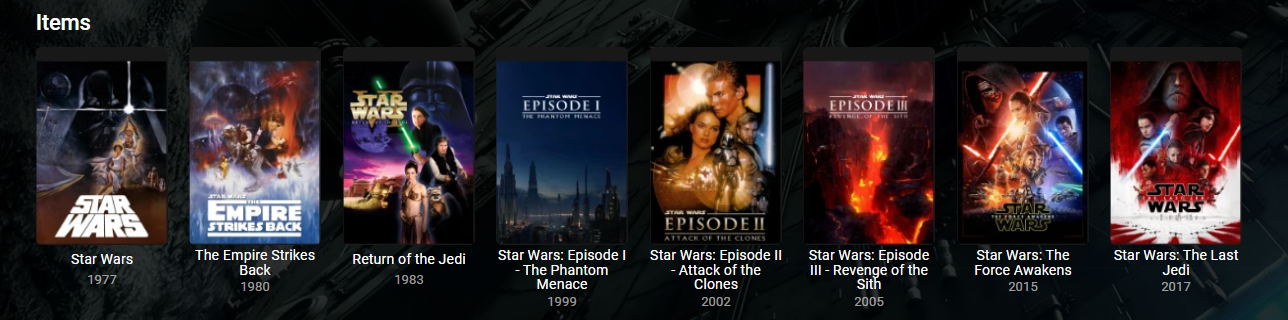
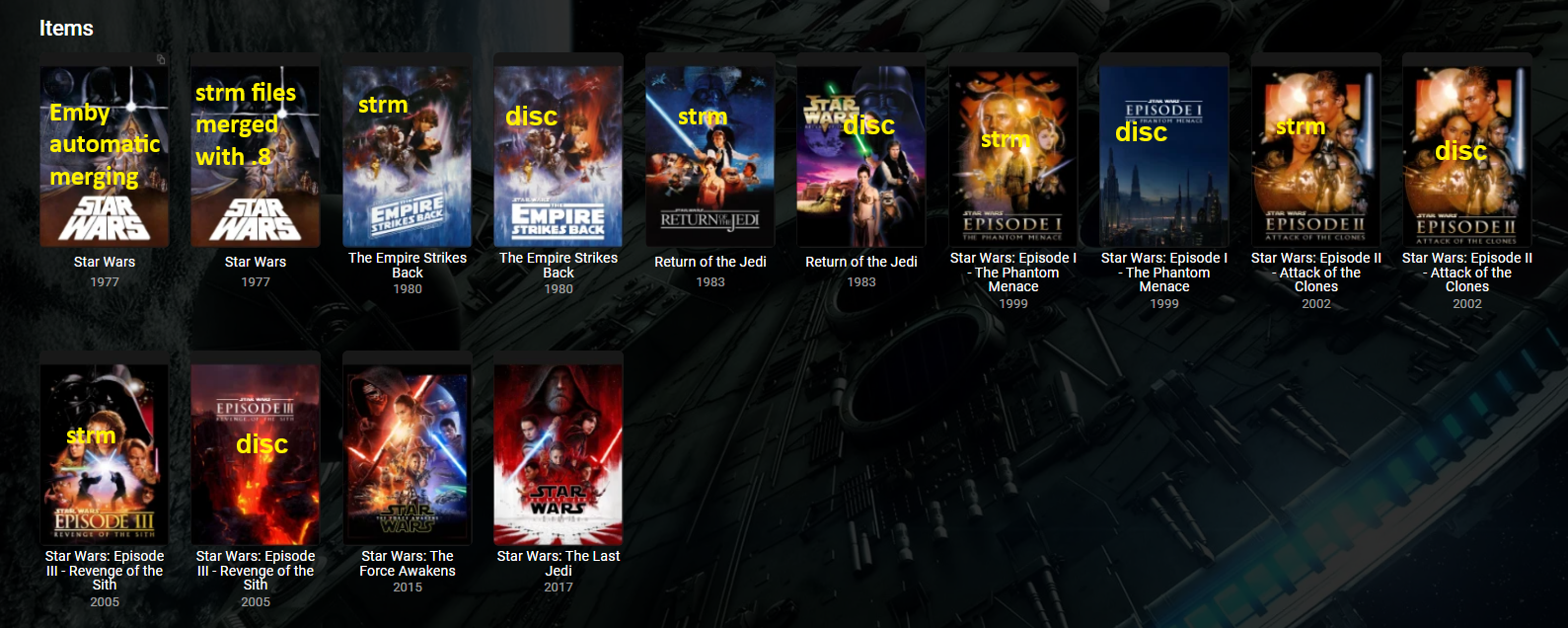
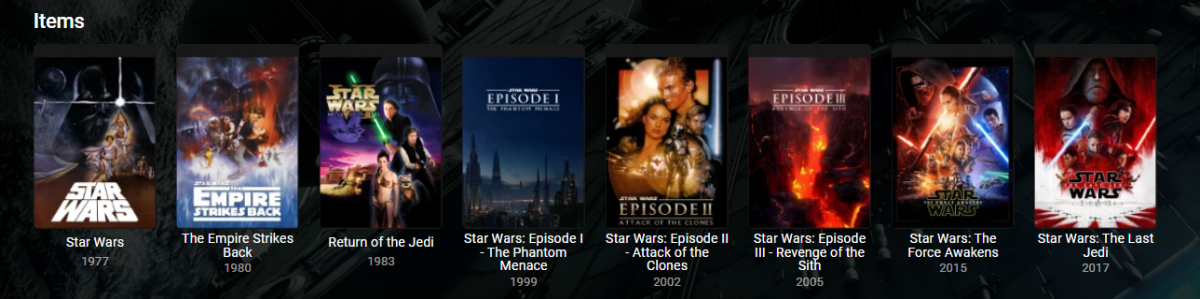
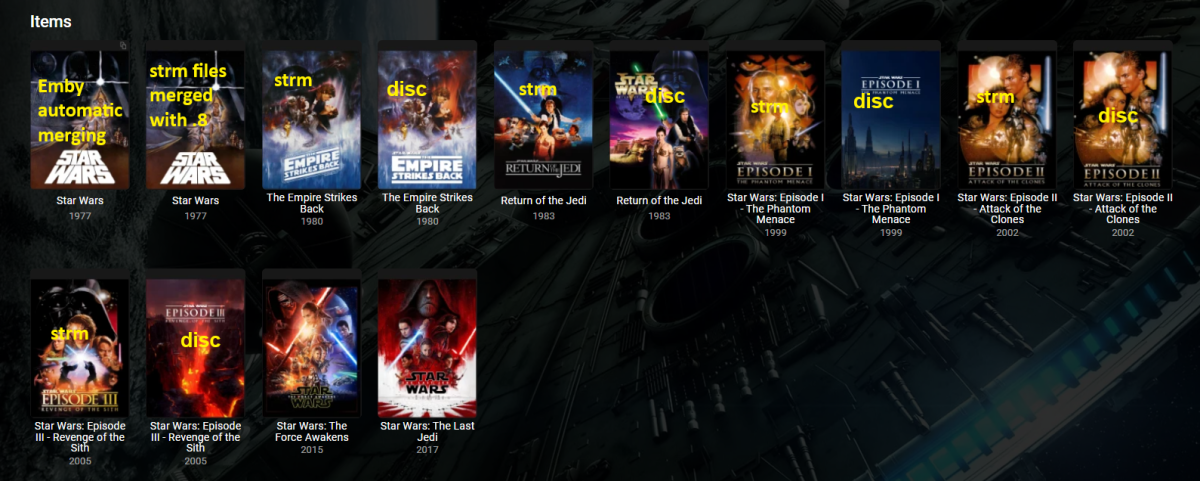
Did not do any retestings with Top Picks or New Releases plugins. In my tests v1.0.0.0 (4.6.0.22-betaServer.zip) appears to still work merging everything everywhere. 1.0.0.1 thru 5 will avoid strm @Hoptional1.0.0.8 doesn't appear to catch everything across libraries. Caught strm in different libraries and merged but skipped already merge versions by naming scheme. Did not merge strm and disc (stub files). So from an only Grouping plugin standpoint you will want 1.0.0.0 (4.6.0.22-betaServer.zip). But you cannot rely on log information. Only did some quick and basic testing. v1.0.0.0 v1.0.0.8
 1 point
 -
I think you guys are over emphasising (suggesting) the PIN feature. Some people just want a passwordless log in experience on their local networks. All you need to tell people is that all clients should now remember your password so you don't have to enter it every time, just the first time. The PIN is an optional feature you can add to your login to add a barrier to other users of your household from accessing your account, add a PIN like 1234 to stop kids using your parent account etc.1 point
-
HI, an update from who to remove what download icon?1 point
-
EMBY SERVER 4.8.1 IS NOW LIVE WITH LOTS OF NEW FEATURES AND IMPROVEMENTS Emby Server 4.8 has been rolling out to various platforms over the past week or so. This upgrade in particular is packed with a lot of new features, improvements and fixes. Over the next few weeks, we will be sharing multiple blog posts to share some of the exciting new functionality that 4.8 brings to Emby and give you a more in-depth look into the features. Today’s blog will focus on two new features: PROFILE PINS With Emby 4.8 you now have the ability to set individual profile PINs. This new PIN replaces the old local network only PIN that existed prior to this release. It is more flexible (works both locally and remotely) and more secure. This new PIN is very useful if you have devices in your home that are shared by multiple users. As an example you may want to put a PIN on your profile so kids in your home can’t just click on your profile and view all of the same media but still allow your kids to freely switch between their profiles on the same device. NOTE: All users (local and remote) must authenticate ONCE per device. Once this initial authentication is done, that user will be remembered on that device and won't require password entry again unless signed out. PLAYLIST SHARING CONTROL Another great feature of 4.8 is the ability to designate exactly what other Emby users you share playlists with. Prior to 4.8, any playlist that was created was available to everyone on your Emby server. Now they’re set up for individual users. When you first create a playlist, that playlist is private to just you. If you wish you can then share it with any user that you would like via the "Modify Collaboration" option. You are able to set it up so that different users have read only access or have view and edit access to the playlist. Please keep in mind that this is only for playlists that were created after the upgrade to 4.8. Playlists created prior to this release will not have this functionality. They would have to be re-created to gain it. NOTE: In order to utilize this feature, you must first grant each user that you want to be able to create shared playlists the ability to share content from the user settings on the dashboard. You can see from the image below that it is simply a checkmark on the settings page. Once that is checked, it is as simple as creating a new playlist and then either right clicking on the playlist or clicking on the “...” menu and clicking on manage collaboration. From there you can easily choose which user you want to share the playlist with and what level of access they have. Stay tuned for a new blog post in the coming days that highlights some of the other awesome and new features of Emby 4.8! For now, we have listed below all the improvements and fixes that were included in 4.8. We as a team are excited to share all of these great new additions with you and hope you’re enjoying the update to Emby just as much as we are! ADDITIONS AND IMPROVEMENTS Add new profile pin feature. Useful for devices shared by multiple users. Add new table view option Add more fields for selection in poster views Add new theme options Various database performance improvements Merge webhooks into notifications Support keyword-based recordings Display all episodes directly under series without using season layer (with user display option to control behavior) Update Intel Media Driver Minor database performance improvements Support extras for seasons and episodes Revamp backup plugin to be a more complete backup Support saving images locally for extras Add FR-TP content rating Import hearing impaired attribute for both internal and external subtitles Add hidden config switch to disable ssl renegotiation Add library option to cache images in server data folder to reduce disk access to original media folder Remember audio and subtitles across a tv series Improve support for audio-only live streams Add View Missing Episodes context menu option for series and seasons Add option when creating a user to copy data from an existing user Support random sorting on list screens Improve country and language list sorting Improve program dialog in live tv guide to show complete information Add subtitle position settings Improve user interface of Play On menu Add sample file ignore size to library options Added New Episodes section under Live TV suggestions Add new indicator on Live TV program posters Add options to hide played media from More Like This and Suggestions Add user locked out notification to Notifications and Webhooks Support more conventions with provider id values in folder names (moviedb, imdb, etc) Improve series name detection by getting the series name from episode file names, in some cases Support multiple languages with user audio and subtitle preferences Improve performance of server activity viewer Improve support for folders being used in multiple libraries of same content types Clear external ids for episodes when using Identify feature on Series Improve search for single title movies Add camera upload user permission Add new configurable home screen sections - Playlists, Collections, and Recently Released Movies Add more fields for display in User and Device management Add HDR filters to video list screens Add sorting controls to user and device management screens Add additional subtitle color options Support swipe down to close all dialogs that slide up Add Remove Identification feature to reset metadata Improve searching titles containing quotes and periods (e.g. Agents of S.h.i.e.l.d or Shield) Anonymize manifest.json Add warning for duplicates when adding items to playlists Support both nb and no Norwegian language options Add automatic metadata refresh option for episodes with placeholder titles such as TBA Rework Trakt plugin to be an option that each user can configure, rather than server settings Rework Notifications to be an option that each user can configure, rather than server settings Add guide display options to control visibility of channel names, images and numbers Improve automatic reconnection for live streams Display preview of matched items when setting up a keyword recording Reduce database queries in audio fingerprint process Add HK ratings Add user option to hide media info from detail screens Improve support for "subs" and "subtitles" folders Don't allow local network addresses to be specified in x-forwarded-for and x-real-ip Add media deleted notification and webhook event Support multi-select drag and drop add to playlist Support multi-select operations on downloads and conversions lists Update default subtitle font Add option to limit the number of genres displayed at the top of detail screens Rework playlists to be saved as m3u and deprecate the previous xml format Support extras in Collections Improve episode number parsing when episode file name is gibberish and parent folder name is readable Support sorting for playlists and collections Revamp webhooks plugin, supporting new events and configuration options Include activity log database file when vacuuming databases Rework scanning of extras, allowing more flexible usage of video extras Improve the use of internet metadata with recordings Support shift to multi-select Use tone mapping for image extraction Allow separate images for audio book tracks Stop scanning at the top of a library when it's unreachable Add image size display option Add lock screen function to video player on mobile devices Add three way toggle nav menu to web app Add option to control display of rating information at the start of video playback Change wording of transcoding reasons to be more user friendly Improve filter menu indicator Add Select None to multi-select lists Initial RTL support in web interface Make tagline field lockable Make overview field lockable Rework Live TV recording options to be based on selected folders, rather than raw paths Support .actors folder for people images Nfo plugin: Stop saving nfo files for additional parts Improve photo loading performance Remember subtitle selections even when user option is set to None Improve support for musicbrainz illegal character replacement Improve drag and drop scrolling Sanitize new playlist and collection names Add intro detection library options Improve automatic channel mapping with xml tv Support sort by composer FIXES Fix songs not being grouped into album when the album title contains an emoji Fix empty genre filters on playlists Fix anamorphic image extraction Various fixes for iOS 17 Various image processing fixes Fix transcode temp path in startup logging Fix 172.X addresses always being considered private Fix swagger docs with reverse proxies Fix restricting by tag hiding the tag itself Fix multi-episode file titles not using series display order Fix hide from Continue Listening only hiding a single track and not the entire album Fix live tv recordings being stopped in rare cases when the limit to keep is set to 1 Resolve issue of multi-part and multi-version not being able to be used together Fix green bottom line with QSV+OpenCL tone mapping Fix single image extraction with MPEGTS Fix support for simultaneous music and photo playback Fix sort by sort title being case sensitive in some views Fixes for multi-part and multi-version videos being used together Fixes for movies having file names starting with years Fix Intro Detection scheduled task not being visible Fix a/v sync regressions with live tv and recordings Resolve long-standing metadata quirks when removing data from nfo files and having it not get cleared in Emby Fix changes to url-only nfo files not being recognized Fixes for downloads automatically redownloading Fix graphic subtitle position when burning in subtitles with transcoding Fix unnecessary ffmpeg dependency on Windows Media Foundation Fix sporadic cases of errors when reordering live tv channels View the full article1 point
-
This should have been addressed YESRS ago along with when being in settings and doing a search Emby should ONLY be searching in settings and not media. It's called fixing it not improving it.1 point



















.png.f84d59561481187567f049c2b5e0d1c7.png)
.png.dea4d81f101c9b01320b339972d1f06a.png)