Leaderboard




Popular Content
Showing content with the highest reputation on 02/21/24 in all areas
-
I think this distinction is also "masked" at a Song level, from what I can see, by checking a few Artists who are also tagged as Composers elsewhere. For Albums there is some distinction because we have two Album sections: Albums (based on Album Artist tags) Appears On (based on Artist tags) For Songs there is just one section: Songs (based on Artist and Composer tags) So if I want to listen to (say?) a random selection of Paul McCartney performed Songs, I get many other Artists mixed in, where Paul McCartney is listed as the Composer. I suppose I could set up Playlists/Filters/Tags, etc. but that could be a lot of work for a large library, when the Artist choice is likely a random whim of a particular day. All of the Metadata (Album Artists, Artists and Composers) is already there if the source material is tagged correctly. Would there be any benefit in having: Albums (based on Album Artist tags) Appears On (based on Artist tags) Songs Performed (based on Artist tags) Songs Composed (based on Composer tags) This would perhaps give a bit of "unmasking"? This may still not be enough for classical music where Composed By may also be useful as a separate section for Albums (just guessing - not my genre)??? With any possible implementation of the above (or something similar) it would be useful/necessary to have the option of showing or hiding the sections and being able to do this independently across the three tabs: Album Artists, Artists and Composers.5 points
-
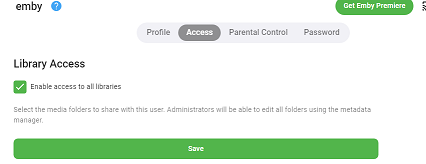
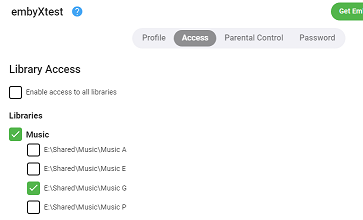
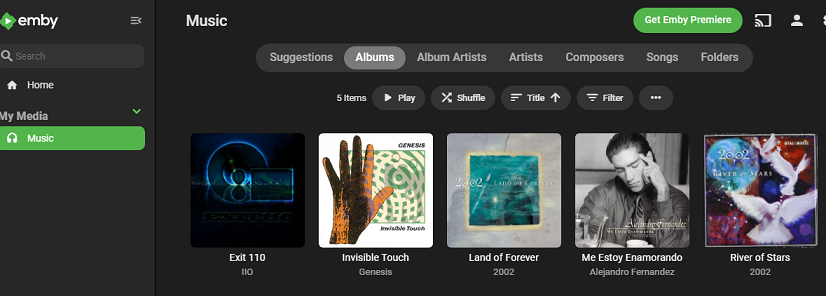
@LukeI just made a fresh installation of Emby 4.8.1.0 on a test server. Only one library (Music) and 3 users (emby, embytest, embyXtest). The library had 4 folders added: Music A: contains a copy of the Invisible Touch album by Genesis Music E: contains a copy of the Me Estoy Enamorando album by Alejandro Fernandez Music G: contains a copy of Land of Forever and also River of Stars albums by 2002 Music P: contains a copy of the Exit 110 album by IIO * User emby has access to everything * User embytest has access to the library but only folders Music A and Music E * User embyXtest has access to the library but only folder Music G So embyXtest should only see the two albums by 2002, which are contained in Music G. But this is what they actually see: They are able to play those two albums by 2002 just fine. But if they click on one of the other three, they get an error, which is good but I'd rather them not see the albums (or album artist) at all:

 3 points
 -
I use Caddy, and advocate for it. Once you have a domain name, you can just use that in a Caddy configuration, and Caddy will acquire, install, and keep updated the necessary certificate; it will also enforce redirection from http to https. I wrote about this four years ago, but maybe I should make new instructions, as the way logging works has had some changes. Paul3 points
-
@PaperPlaynFollow-up post to update those of you who were curious. I've had Adaptive Battery disabled for just shy of a week now and have had the opportunity to use Emby and maps together on a 6hr road trip. Out of that timeframe, here are the only issues I had. 2x instances of the music controls disappearing on google maps, despite the music continuing to play. (Probably a google maps issue, I've had it do that with spotify as well) 1x instance of emby crashing when skipping a couple songs 1x instance of emby shutting off unexpectedly. This one was after a stop and I remember being amazed the music started right back up without opening emby... Don't believe I finished that song In all, for a 6hr session that is a very acceptable amount of issues and probably less than I had back when I used spotify. If anyone is wondering, yes I did notice some degradation of my phone's battery life. But I'm generally in the habit of closing anything I'm not actively using, so it wasn't extreme. On an average day of my normal usage before this change I'd end the day with 30-40% battery life, now I'm ending with 20-30% for roughly the same usage habits.2 points
-
@Luke@softworkz Given the issues in the latest Beta caused by plugins - and the fact Plugins are an established integral part of emby (and are gaining traction, especially with the new Dev toolsets) - can I ask if this FR can be considered ? Currently, I have a quick script to just rename the DLL's and restart emby - but if as per the FR there is some sort of selection process or 'safe mode' in emby - then I think that would be a really good feature to help diagnose initial issues. To add to it - a) maybe a command line option as well - ie '- safemode' - and it starts emby without any optional plugins. b) the system tray icon could also have a 'Restart Emby in Safe mode' as well - incase the web browser itself is inaccessible following a Plugin issue. c) having a 'Disable' option for each Plugin itself in 'MyPlugins' (not just 'Settings' and 'Uninstall') would be nice as well. d) API updated to have a 'Disable/Enable a Plugin' option - as currently only 'list or uninstall' appears to exist. Thanks.2 points
-
Hi, The current implementation of Emby search is very basic. Based on what I can tell, it only matches exact strings in the same exact order. Example: "Mission: Impossible" In this example the following queries will return a positive match Possible Impossible Mission Mission: Impossible And the following queries will not return anything at all (The worst offenders are highlighted) Mission Impossible Missoin: Imposible Imposible Impossible Mission Mission : Impossible Mission Impossible Another example would be "Mr. Robot" where if the dot is missing, nothing is returned or in general terms any variation of any string that is not an exact match will not return anything at all. Let's not even attempt to try a title like "Agents of S.H.I.E.L.D.". This makes the search difficult to use and at times even frustrating. As the examples above show, the major theme is special characters and punctuation and they can probably be bypassed by just ignoring them, which might or might not cause other problems in the process. This problem also affects titles that have letters with diacritical marks or glyphs such as "Amélie" and "Æon Flux", if you can't type them exactly, you can't find them. In my opinion a better attempt would be to use a difference string matching algorithm such as Levenshtein distance, you can then define an acceptable threshold and return the closest matches. I found a couple of C# projects that implement this and might be useful as a starting point. FuzzyWuzzy, a port of Python project in C#. https://github.com/BoomTownRoi/BoomTown.FuzzySharp FuzzyString. Has some additional string comparison algorithms too. https://github.com/kdjones/fuzzystring Thanks.1 point
-
Please try to add country of origin to movie info as that could give us a quick hint about the cultural background of the movie Thanks alot1 point
-
Since updating the server to v4.8 yesterday and the EPG guide data being refreshed this morning, my recording schedule has started re-recording every episode being broadcast of more than a dozen TV shows*, even though the episodes already exist in my library and all of the series recordings have "Don't record episodes that are already in my library" enabled. Needless to say, having many unnecessary/wasted duplicate recordings happening every day is annoying! I've seen this happen with one or two shows on a couple of occasions before (but never with so many at once) - when it seemed to have been caused by, or at least associated with, a change in the Zap2it ID number for the show between old recordings / the library and new EPG data. On those occasions the only way I found to "fix" it was to wait until the first duplicate episode of a show has been recorded, and then copy the 'new' zap2it ID number from the new tvshow.nfo file in the recording folder and replace the entries in the existing tvshow.nfo file ion the main library folder (which is on a separate drive from the recordings folder). After re-scanning the library and refreshing the guide it would then correctly ignore episodes already in the library. Unfortunately this procedure is not working this time, and in fact I've confirmed that for some of the shows there is no difference in the existing & new zap2itid numbers (while there is for at least one of them) - so it seems to be a different root cause on this occasion. I've also tried deleting and then re-creating the series recording for one of the shows, but that made no difference... more specifically, I then checked the new series recording schedule both with and without "Don't record episodes that are already in my library": - with that option disabled, it showed it will record every single broadcast occurrence, including all of multiple repeats of the same episode - with that option enabled, it showed it will record only the first repeat of each episode (even though they're already in the library) ...i.e. it appears as though that option is nominally "working", but that for some reason it is not matching the show being recorded to the show that already exists in the library, even when the zap2it ID (& all the other IDs in the .nfo files) match. Questions: Is this happening to other users of Emby's (UK) guide data? (Specifically, I'm using the GBR-1000014-DEFAULT Freeview London data - I don't know if the issue is specific to this, to all UK Freeview options, or all UK data, or even wider ... or somehow unique to my Emby server's setup?) Since this seems not to be caused just by changes in zap2it ID, what might be causing it and how might I resolve the issue? How does Emby 'match' shows between the Gracenote guide data and Emby's library in order to then check for pre-existing episodes? Could this be improved to be more robust in the face of (a) changes in zap2itid values between the two (which has previously caused this issue) and (b) whatever this new cause might be? Any help gratefully received... * Note: I can't be certain if it's doing this for every show or only for some sub-set. Similarly, I can't be sure if this has been triggered by some change in the EPG data (like the prior occasions) &/or by some change in server v4.8.1 point
-
I'll get you over some screen shots as soon as I can. I forget why I started doing the files that way. There was a reason at the time, to make something work, but its been so long now I cant remember what it was now.1 point
-
There's actually two issues at play here: user is naming their episodes as part 01, part 02, etc, which is asking for trouble due to possible interpretation as multi-part. I would suggest naming episodes using other conventions such as S01E01 or 1x01. the bigger question though is that episodes might be somewhat supporting multi-part now, so we need to decide if we want this or not.1 point
-
تحديث جديد لدي نوعين من الشاشات ال جي نوع حديث ونوع قديم نوعا ما والاتنينعليهم تطبيق امبي نفس الاصدار تعمل الميديا علي الشاشات الحديثه فقط مع العلم ان الجميع كان يعمل علي نسخه 47.14.0 A new update I have two types of screens, LG is a modern type and a somewhat old type, and the two of them have the Ambi application the same version The media works on modern screens only Knowing that everyone was working on version 47.14.0 @Luke @Abobader1 point
-
I removed the default ports, and the update went thru1 point
-
Apologies you found this disruptive. I believe there were good intentions behind the change. In any case, I have added this issue to our internal bug tracker. I've also attached this thread to that same bug too so once any action happens on the tracker we can post back in this exact thread.1 point
-
KP, Here are the style changes in my custom that I use to remove different darken masks. Maybe some of these will help. .itemBackdrop { -webkit-mask-image: none !important; mask-image: none!important; } /* Turn off shade mask over TV background */ .skinHeader.focuscontainer-x.focuscontainer-up.headroom.flex.align-items-center.flex-grow.headerTop.skinHeader-withBackground.adjustHeaderForEmbeddedScroll.semiTransparent.darkContentContainer.skinHeader-withminidrawer { background:transparent; } .detailMainContainerParent-fade::before { -webkit-mask-image: none!important; mask-image: none!important; background: transparent!important; } /* Fix dark mask shading for background image */ .itemBackgroundContainer.withBackdrop, .backgroundContainer.withBackdrop { display:none; }1 point
-
Thanks Luke. I'd been keeping an eye out for it here: https://emby.media/mac-server.html I'll download and install the beta and report back with the log file.1 point
-
Hi Luke, Maybe clunky wasn't the right word, the interface looked like it normally does which is fine but as I scrolled or selected categories, it seemed to stutter (as if it was redrawing visibly slow). This was not a problem was playback of anything actually started. In case it helps anyone, I created a new microsd card with full Ubuntu (for Raspberry Pi of course), updated everything and installed emby-theater from the downloads (not snap). It still failed first saying it needed libXss.so.1 It took me more than I care to admit to realize the package needed was just libxss1 (no capital X)... once installed, emby-theater seems just fine. I will place this on my most used-for-casual-situations TV (i.e. the one in the kitchen) and see how it goes but it's looking good so far1 point
-
Hi there, please attach the main emby server log as well. thanks.1 point
-
They do, but quickly get burried in general server activities. If you're not explicitly looking for and noting each download as it happens; viewing the history of downloads beyond the last day or two is impossible.1 point
-
This only applies to active/scheduled downloads to an installable client (ie; emby theater or emby for android/ios) and only if that client/user hasn't deleted the media/removed the download task afterwards. It does not track downloads to web app clients, and items can be removed from that 'history' by the users that downloaded the items. It would be good to have an actual history/log page that's usable to the admin (not just lines burried in the standard embyserver.log).1 point
-
Ticket update: Kaspersky support cannot replicate the issue, me neither. Most likely false positive, all these detection's and this whole situation was caused by a bad definitions release from Kaspersky which later on they fixed it. I'm using KAV 21.3.10.391 and have no detection's anymore related to Emby, even after completely uninstalled/re-installed Emby (also removed the exclusions prior to the re-install).1 point
-
Les cuento cómo se resolvió el problema. Quizá pueda servirle a otros! Ayer pude hacer el test fuera de mi red. El problema era el certificado SSL de Asustor. Al cambiar el SSL de mi NAS por uno de Let's Encrypt, ya no tuve problemas! En Emby no hice ninguna configuración, dejé el estándar con http. En el NAS hice un proxy inverso (con la herramienta del sistema operativo de Asustor, sin instalar nada). El proxy inverso está configurado con el puerto interno por default de Emby (http) y un puerto externo XXX (https). Sólo hice el cambio de SSL (de Asustor por el de Let's Encrypt, siguiendo esta guía: https://www.asustor.com/en/online/College_topic?topic=324 (en mi caso, a partir del punto 3.2). Muchísimas gracias por la ayuda y por haberse interesado en mi caso. Espero que pueda ayudar a otras personas! Saludos cordiales! ---- I'll tell you how the problem was resolved. Maybe it can be of use to others! Yesterday I was able to take the test outside my network. The problem was the Asustor SSL certificate. By changing the SSL on my NAS to one from Let's Encrypt, I no longer had any problems! In Emby I didn't do any configuration, I left the standard with http. On the NAS I made a reverse proxy (with the Asustor OS tool, without installing anything). The reverse proxy is configured with Emby's default internal port (http) and an external port XXX (https). I only changed SSL (from Asustor to Let's Encrypt, following this guide: https://www.asustor.com/en/online/College_topic?topic=324 (in my case, from point 3.2). Thank you very much for the help and for being interested in my case. I hope it can help other people! Kind regards!1 point
-
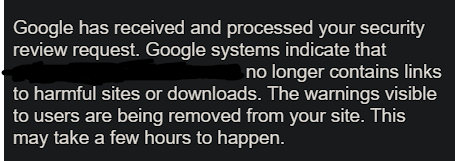
That is insane timing, I just logged into the search console and got this from google, hopefully that is the end of that issue but from what I have seen from others I have a feeling that the issue is gonna come back.
 1 point
 -
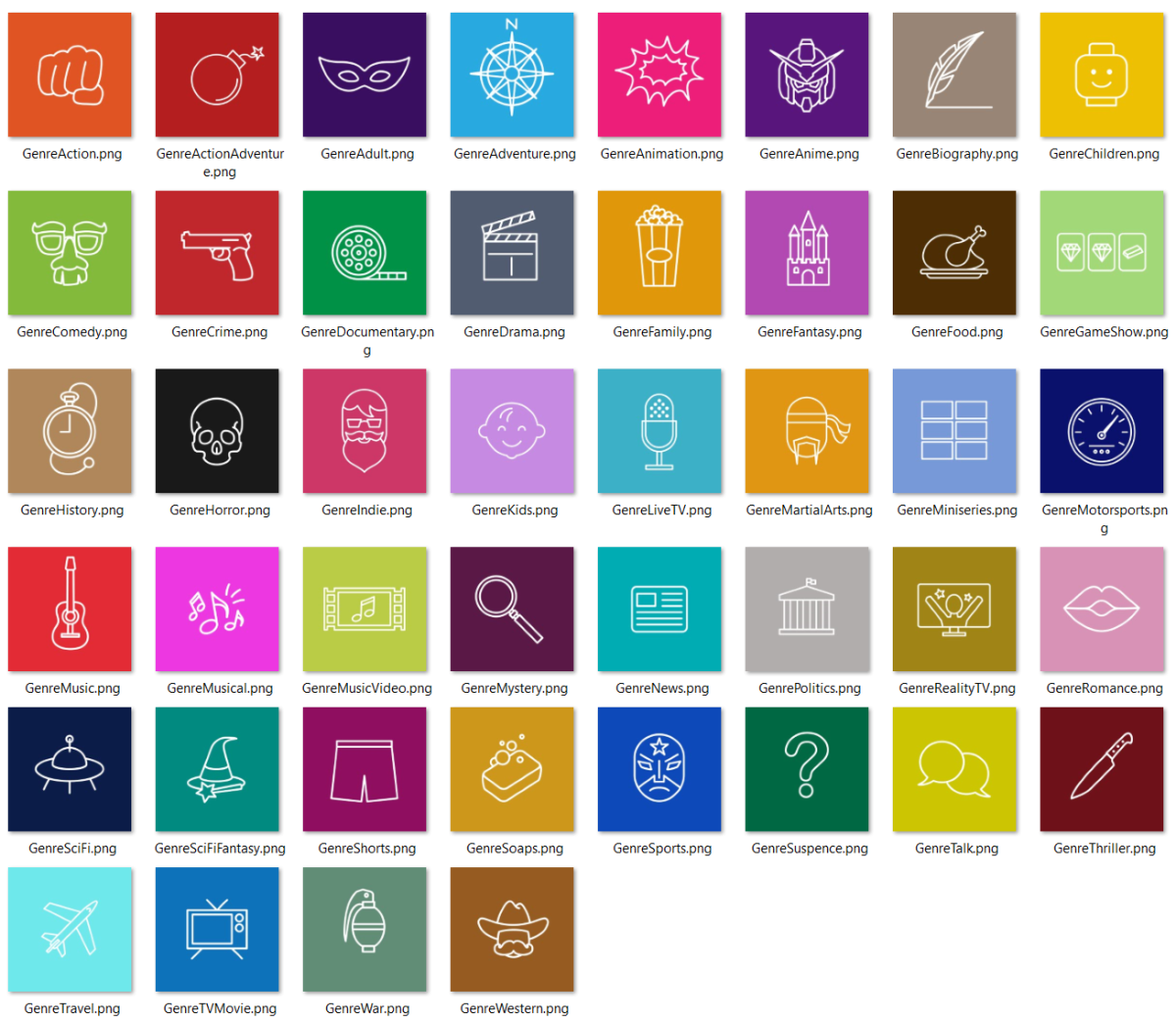
Thanks all! Added icons for the requests above, updated RAR attached. -M EmbyIcons_v5.3.rar
 1 point
 -
There is in DVD order, maybe OP did not change Display order? Scrubs - Unknown - Season 8 - TheTVDB.com1 point
-
And mask domain name from screen shots ¯\_(ツ)_/¯1 point
-
Not seeing any warnings when I check, your cert is signed by Lets Encrypt. What is the exact error you're seeing? P.S. May want to hide users from your login screen, up to you.1 point
-
Now i use 2.0.98g Android TV On google play install this.1 point
-
Showed for me and I have that version currently.
 1 point
 -
Great Scott! ive managed to get it back up and running! with some investigation i found that wile accessing on LAN and adding some media emby wasn't downloading metadata, nor was identify working, so this led me to look at my truenas server network configurations. i also found i couldnt install any plugins via truenas so i figured there had to be something wrong on my server. i spent all night trying to google and figure out what was wrong but gave up and went to bed. next day i thought i would install a fresh copy of truenas core onto a spare laptop i had and then compare settings. settings now corrected and a restart of the server and suddenly now all backup and running! emby has remote access and downloads meta data! very happy so i guess from the move my truenas held onto the old settings and needed to be updated before emby remote access could work properly. thought id share so others can see and check if they have similar problems!1 point
-
Thanks Happy2Play, What worked for me was to scan the library files on new docker container Copy the old emby backup to new container, then delete all but the users. All worked out fine.1 point
-
I figured it out. I had a feeling it was an admin issue and it was. It was making me install as an admin, but it would only install Emby on the admin account and not the user account. Just had to move the files. Thanks everyone for the help.1 point
-
Great it worked, thanks!1 point
-
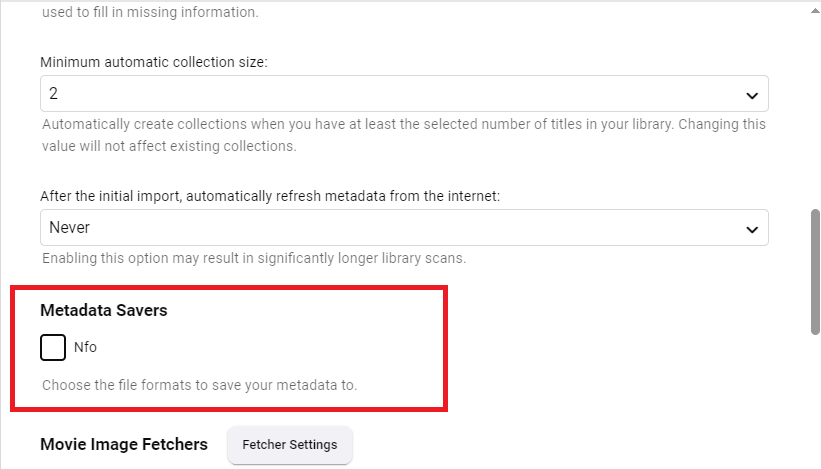
Enable "Metadata Savers>Nfo" in your library settings.
 1 point
 -
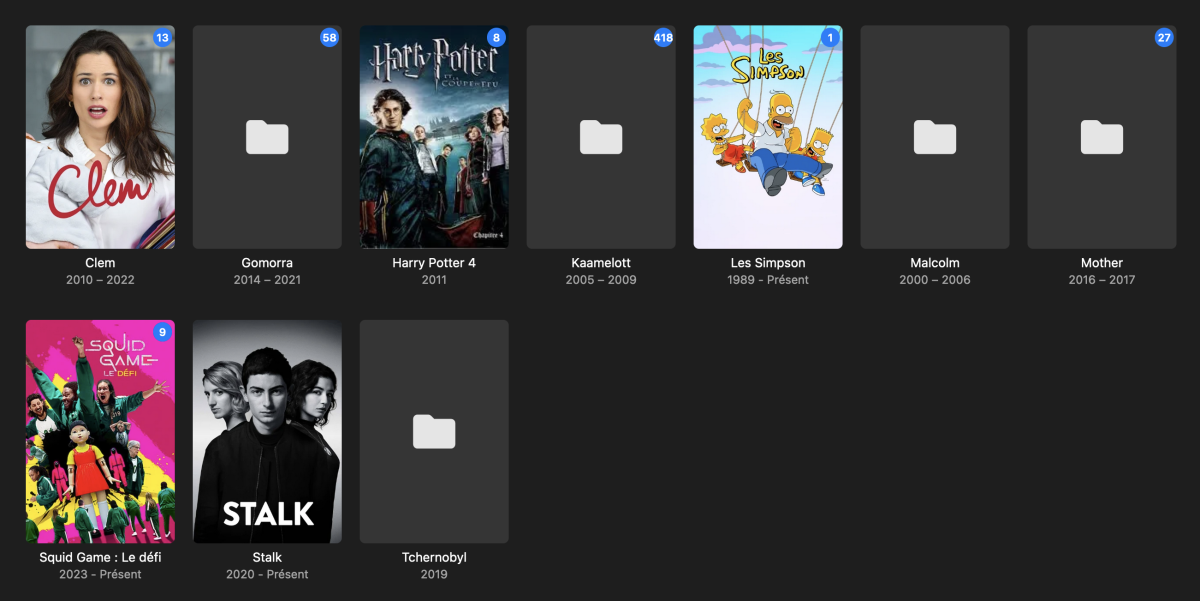
Hello, It works now, thank you!
 1 point
 -
Well that's the point it does not behave like that. When the pre cache start the dashboard shows nothing current item disappear despite sending events and there's not the new one shown either. Then when I push events with the new PlaySessionId it sometimes display the new item playing or sometimes the previous one. And still wondering what is the proper official way to play from a playback cache but still show a session in the dashboard to please the users. The resume point / playcounts and everything works, it's really just display issues in the dashboard. Edit: When sending the DELETE after the session disappeared from the dashboard server returns : V --> [940] DELETE http://192.168.1.80:8096/Users/6196d32f642f4a29886eefaef1ae5518/PlayingItems/160044&PlaySessionId=3e163850cd7841d385c06400cb3ff5ac (49-byte body) V --> [940] {"PositionTicks":0,"PlayMethod":"","IsPaused":""} V <-- [940] 500 Internal Server Error http://192.168.1.80:8096/Users/6196d32f642f4a29886eefaef1ae5518/PlayingItems/160044&PlaySessionId=3e163850cd7841d385c06400cb3ff5ac (14ms, 83-byte body) V <-- [940] Guid should contain 32 digits with 4 dashes (xxxxxxxx-xxxx-xxxx-xxxx-xxxxxxxxxxxx). There's definitively something not working in 4.8.1.0 about multiple sessions.1 point
-
Ya lo solucione @Lukegracias1 point
-
Thanks everything is working. I found out how to delete multiple collection entries. Im happy I bought a lifetime pass. You guys are great1 point
-
You are correct. There are some filters. However, there is no filter ti distinguish between played/unplayed tracks. No way to save filtered views for quick access to favourite Genres. I think that this can be solved with the Smart Playlists (fitlers) feature.1 point
-
Sure thing Luke, If you check your Private Messsages, last Friday I sent you a message titled: Serve connection details for testing - Android App Choppy/Studdering It has server connection and library/video details, 3 videos demonstrating the problem and 1 with the same encoding that does not have the problem. The account is setup for playback and download.1 point
-
Can see in 4.7 the image is set but never happens in 4.8+ 4.7 4.7 2024-02-20 18:08:17.765 Debug App: CollectionFolderImageProvider reports change to 48 - C:\Users\Media\Desktop\Stable\programdata\root\default\Playlists 2024-02-20 18:08:17.766 Debug App: Running CollectionFolderImageProvider for C:\Users\Media\Desktop\Stable\programdata\root\default\Playlists 2024-02-20 18:08:17.767 Debug App: Setting image url into item 48 4.8/4.9 2024-02-20 18:04:41.334 Debug App: CollectionFolderImageProvider reports change to 94 - C:\Users\Media\AppData\Roaming\Emby-Server\programdata\root\default\Playlists 2024-02-20 18:04:41.334 Debug App: Running CollectionFolderImageProvider for C:\Users\Media\AppData\Roaming\Emby-Server\programdata\root\default\Playlists1 point
-
I know you are looking into this and wanted to update the thread and let you know the flickering also occurs with Samsung Client version 1.7.5 using server 4.8.1.0.1 point
-
They unlock when you click Try it Out.1 point
-
It took me an embarassing amount of time but IT'S DONE. So in the end I tried Chrome for comparison purposes and also adjusted my nginx settings to those used in the how to. I have to do small modifications BUT in the end it worked. a. When using Chrome it actually tries and says "Auto - Direct". It keeps buffering but I'm just going to go ahead and assume by bandwidth sucks, for whatever the reason b. When using Mozilla something similar happens. c. When using Emby Theater it also works d. In the end I'm using the subdomain emby.domain.com and since it was already set up I just went ahead and redirected domain.com/emby to emby.domain.com lol... Just to keep a record of things I hadn't done yet, and do not appear in the first post of that thread for anyone who may be as lost as me: a. If you're using Cloudflare, remember to make an A record from emby to your IP address, DNS only. b. In Cloudflare, set your SSL to Full (strict), that fixed a redirecting problem I was having c. In the server block, for whatever reason nginx insisted http2 was not a thing so I had to write server { listen [::]:443 ssl http2; ## Listens on port 443 IPv6 ssl enabled listen 443 sslhttp2; ## Listens on port 443 IPv4 ssl enabled #Rest of the server block goes here d. In Emby, set your public ports to 80 (HTTP) and 443 (HTTPS), Read proxy headers to determine client IP addresses "only when they contain remote network addresses", set your external domain to whatever you may want to use "emby.domain.com", and secure connection mode "handled by reverse proxy". I am also writing this down in case any of these things I did was a mistake and may be causing whatever residual error / buffering lol The only thing I still don't understand is why it's so much faster / better quality on my phone than in my PC. My ignorance says it's because my pc screen is bigger than my phone (??) despite the quality of the video streaming (and I assume the data) being the same (I guess?) Thanks for the help !1 point
-
Nein, das ist zu lange her. Habe jetzt ja einen neuen Trakt Account und das Plugin erst wieder aktiviert als die neue Final Version des Emby Servers veröffentlicht wurde.1 point
-
No problem at all. What model/year TV do you have? There are issues with LetsEncrypt on older model TV's as the root certificates expired and LG and Samsung have only updated them on newer models.1 point
-
@jmortiz77what smart TV are you using?1 point
-
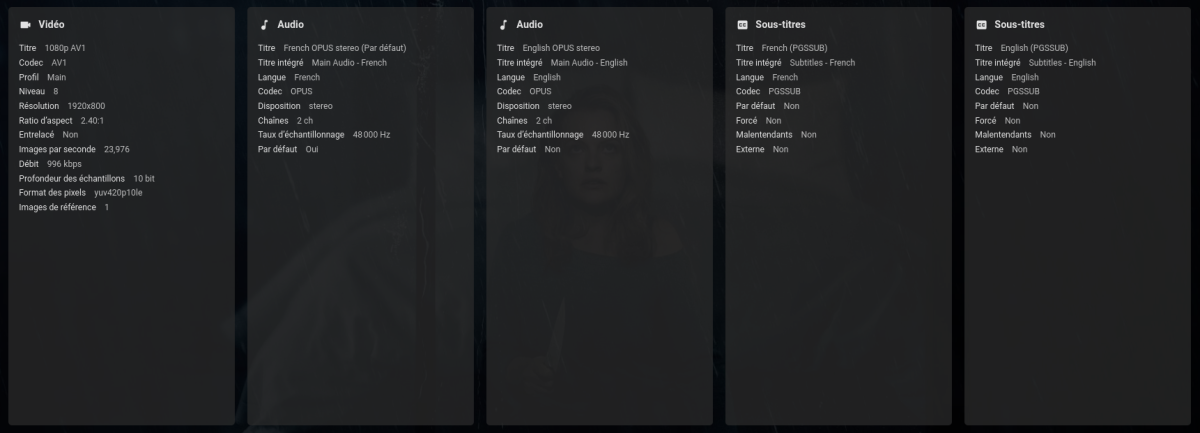
Hello I am having the same issue with PGS subtitles. When a movie is full screen, Ican see them even if they are low, but if it has got black bars, it is hidden behind them. here are logs.ffmpeg-transcode-ea5b9063-c74f-4752-bed7-1bc68e2d7ff0_1.txtembyserver.txt
 1 point
 -
Looks like you have great taste in Internet radio stations - comfy sharing that file you created so others could use (or use it as a model and modify it) too?1 point
-
I had a few more ideas that would also be very nice Add the function to read out the now playing etc information of the current stream (if available) and display it where the song name should normally be If there was a separate library you could combine the song and album lines into one in the “Now Playing” screen and swap albums into artists: “Artist – Song” So if there is information about the current playback, it looks like this "Now running... Artist – song” or something Maybe someone is interested and this might get a little attention1 point
-
Hi, what type of SSL certificate are you using? Where did it come from?1 point