Leaderboard




Popular Content
Showing content with the highest reputation on 01/31/24 in all areas
-
New PUBLIC TESTING version available 9.4.2: Delta changelog 9.4.1 -> 9.4.2 fix minor player issue unified player code fix sources.xml fix artwork cache/remove fix player timing issues (stability) fix Boxsets synced via Emby server stable version fix livetv issues3 points
-
Feel free to boo me out of the room but I was curious so I tried the sample. Shield TV Pro 2019 Emby Android TV - stuttery Plex - plays fine Amazon Fire Stick 4K Max 2023 Emby Android TV - plays fine Plex - plays fine All were direct play, my AVR showed full passthrough audio.2 points
-
It is actually MUCH more complex than that with all the different providers and routers and wireless vs wired connections and remote vs local access and I could probably list a number of other differences that effect streaming for people but. That is just for one connection at a time while we actually have many people with both local and remote streaming and many simultaneous connections as well as the issues passing from one provider's network to another's. The bottom line is that Emby is remarkable and the fact that they do not maintain their own "connect through out network" option even makes what has been accomplished much more impressive. Now that we have stroked Emby's ego thoroughly Emby should get off its duff and GET THE DAMNED RELEASE OUT. We are a fairly patient user group but our patience is not unlimited and we want to have a new stable release.2 points
-
No we don't but I'm sure the beta audience is a very small percentage. While we don't have a full picure (no telemetry!), looking at the downloads of the Windows version gives a figure of about 0.5%, which means that only 5 out of 1000 users are on the beta.2 points
-
I moved from Plex to Emby and even though I think Emby is superior in its flexibility there are some things I like better with Plex, especially in terms of its looks. This theme is trying to fix that by making it a bit more similar to Plex but with some, in my opinion, improvements. The CSS is attached to this post for anyone interested and below are some screens to show it off Good to know I only use Chrome so I can't guarantee this CSS works as expected in other browsers. If you want the sidebar menu to look like in the screens, make sure to pin the sidebar. Watched badge/banderoll is inverted which means that the badge will not be shown if media have been watched, like in Plex. For desired look, please use the "Dark" theme for both Theme & Settings theme in the display settings. Emby-Stable-style-v3.6.txt





 1 point
 -
In a web app, Emby utilizes the navigator.connection.downlink property to measure the client's download speed. This measurement helps determine the bandwidth for the "Auto" quality setting. This approach differs from the Playback/bitratetest endpoint used in Emby applications, and it presents several issues. The NetworkInformation API estimates the downlink based on recently observed application throughput across active connections. This includes any non-local connections. Therefore, if a user has recently connected to slow applications, the downlink property might return a conservative, lower-than-actual value. For example, after browsing a few websites in chrome, I the result I get from navigator.connection.downlink is 1.45, while my actual, measured downlink is 300 mbps. The downlink property is capped at 10 megabits for privacy reasons. This cap further diminishes its reliability as a measure of actual bandwidth. Additionally, the usage of the downlink property for bandwidth estimation assumes that users connect to servers sharing similar characteristics with the Emby server. This assumption is often incorrect. For instance, consider an Emby server located in a country that is not a major internet hub, with all its users in the same country. In this scenario, most other connections would perform slower than the Emby server. The Emby server might have sub 1 ms latency and very high speeds, which is not reflected in the downlink property measurement. Consequently, this approach leads to several problems: If the user recently connected to underperforming servers, this would adversely affect the Emby server's perceived performance, even if the actual connection to the Emby server is much faster. In a web app, any bitrate above 10 megabits is always transcoded, due to the cap on the downlink property. Since the NetworkInformation downlink estimation is conservative and Emby does not support adaptive bitrate streaming (i.e., this property is only accessed once before playback starts), a conservative estimate based on factors unrelated to the Emby server connection will impact the streaming quality for the entire duration. And I've observed this in my server deployment - sessions from web apps are almost always transcoded on "Auto" setting, even though I know for a fact that the speed between me and clients is much higher than what emby chooses. This never happens on native apps as they use Playback/bitratetest endpoint and when it does happen, the reasoning is actually valid. I propose that we discontinue the use of the NetworkInformation downlink property in web applications and instead adopt the Playback/bitrate test, as is used in other Emby applications. This would likely provide a more accurate and consistent measure of a user's actual bandwidth.1 point
-
at least last time I looked into it for a script that I wrote, there was no way to work around it. The API will always return the network path if it is configured. So the only option is to make the configured network path available on the Emby server. Since I used NFS, it wasn't really possible, so I swapped back to UNC paths, and it now works.1 point
-
The second one.1 point
-
Ah gotcha, ok ill give that a try and report back thanks1 point
-
I added bumpers and a utility for creating new logo images. The code was uploaded to post 1. Some screen shots are below: A screen shot of the logo builder is shown below. Vic
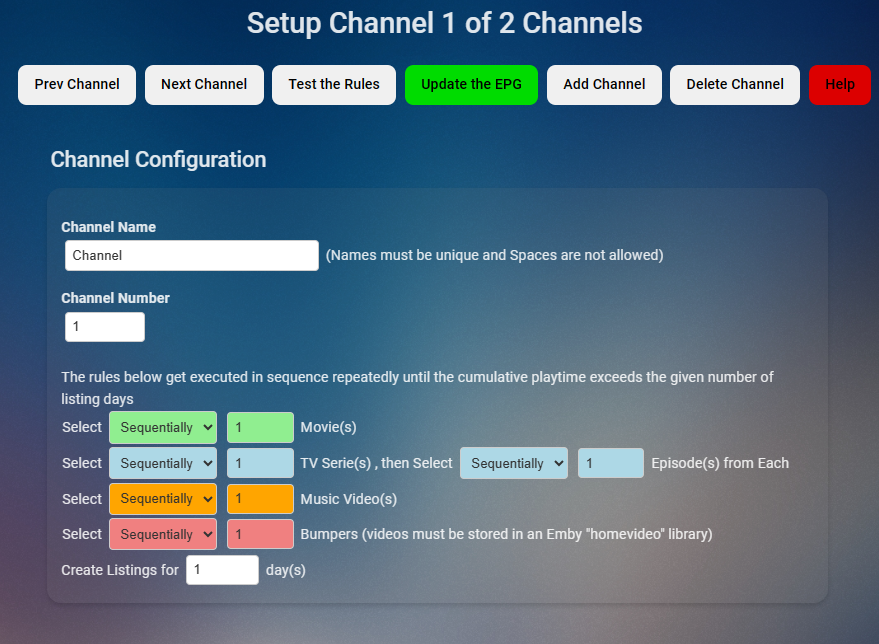
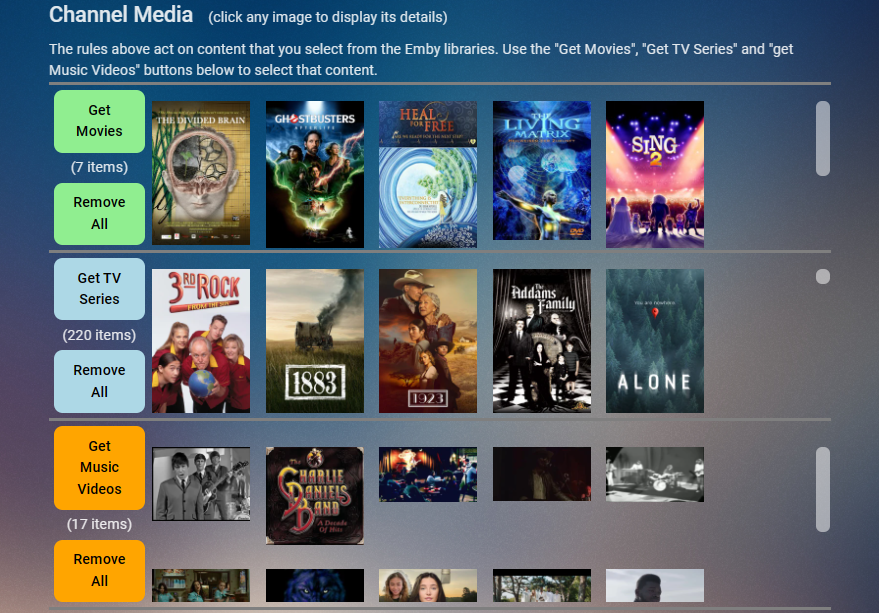
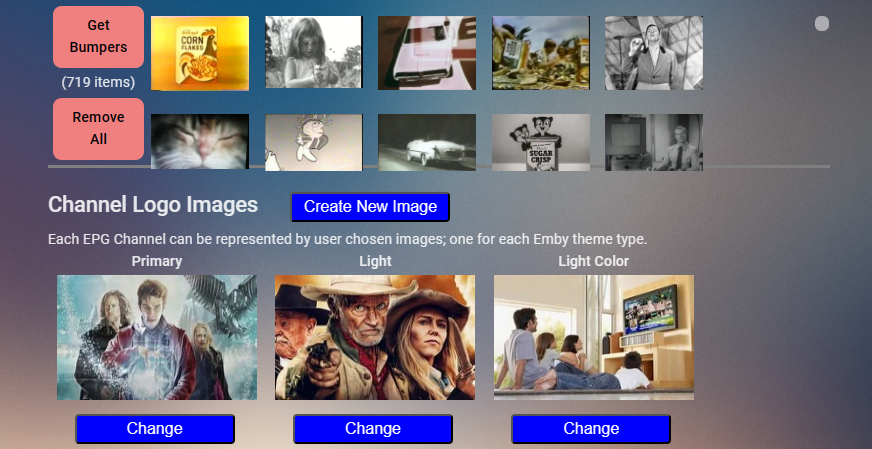
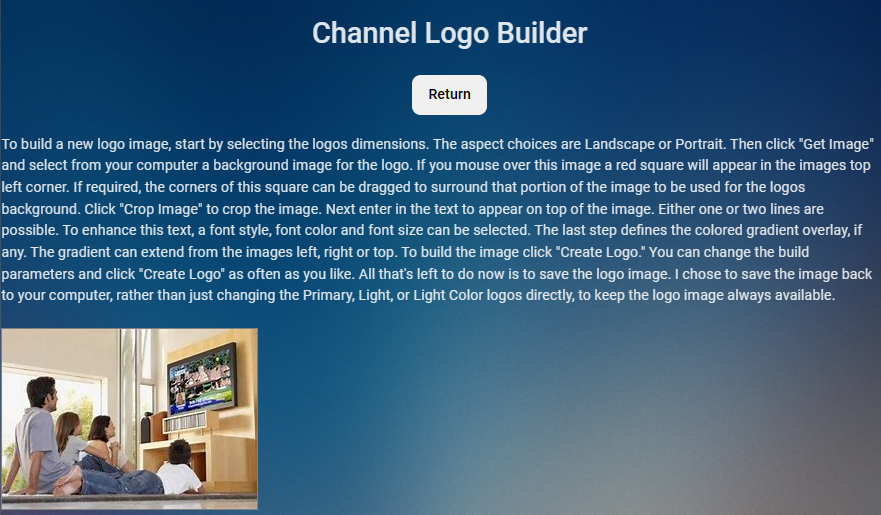
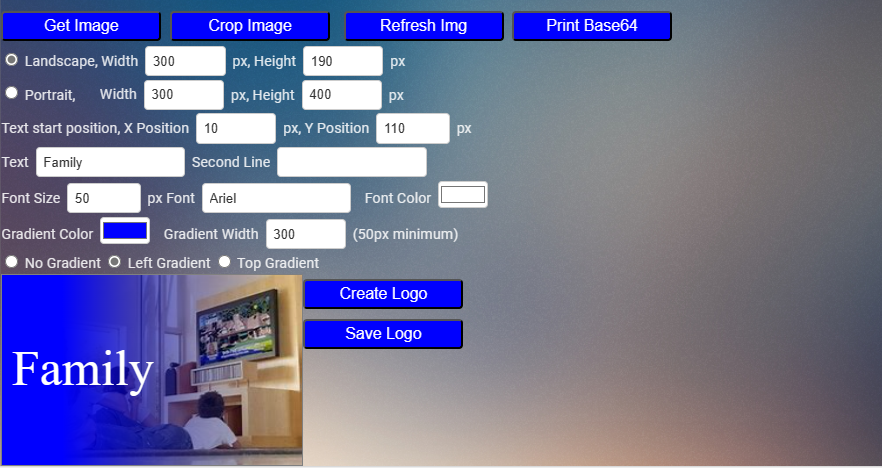 1 point
 -
I actually did solve this issue. After running into an issue attempting to play any 4k movies on the Apple TV, I did an uninstall of the Emby Server on my PC. Then I did a reinstall and just kept it all simple and have decided just to stick with movie videos. Emby is working well on both the Nvidia Shield Pro and Apple TV 4k now.1 point
-
It isn't, metadata available is for Guillermo del Toro's Pinocchio (2022). Same runtime, genres, tagline, overview, directors, logo as on TMDB. Guillermo del Toro's Pinocchio (2022) — The Movie Database (TMDB) (themoviedb.org) More likely that's an error on OMDb's part - incorrect link with the other Pinocchio movie - and subsequently shown in Emby.1 point
-
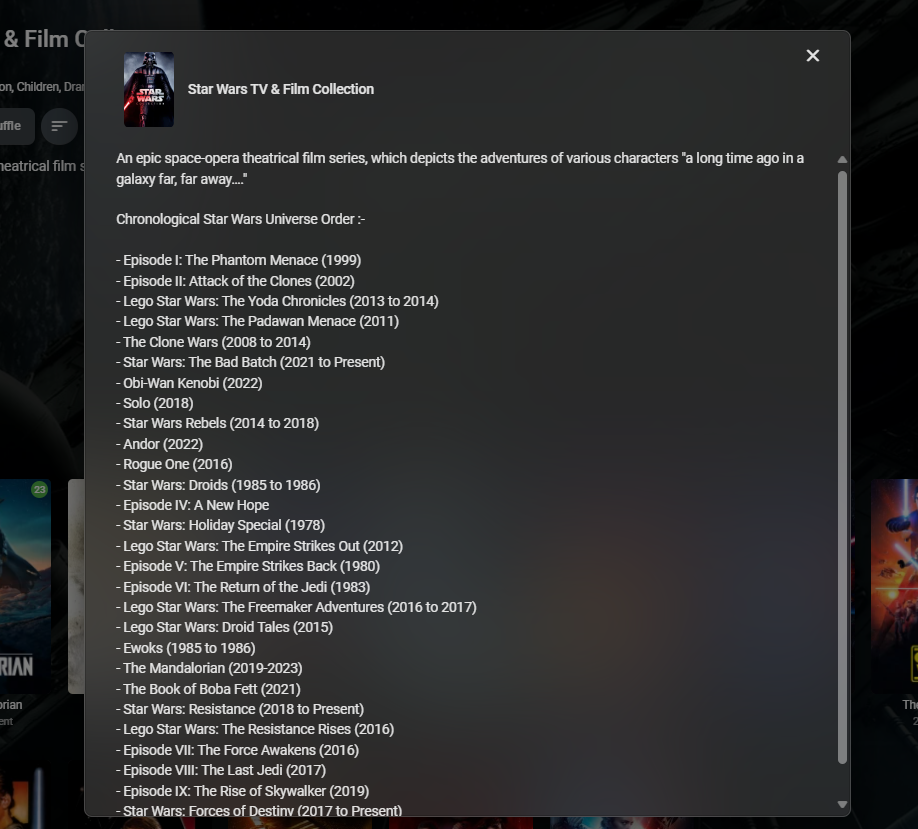
FYI - As part of the MediaInfo Plugin - I added an option to automatically convert a \n to an \br in the overview - as this annoyed me as well. The only issue is, as mentioned above, is it only works on some clients - AndroidTV for example displays the <\br> so it looks horrid. We'll have to wait for emby to adopt it across all clients and then I'll back convert my files It's especially useful when 'lists' are involved - as in the example below, where before this would be a wall of illegable text ...

 1 point
 -
@LukeYes - these are different verions of Android Fire OS Overview | Amazon Fire TV1 point
-
I'm old. My ears are far better than my eyes! I'll try a prepackaged HB profile for x265 and see what happens...I do not want to re-encode an entire library because a player is broken.1 point
-
Here the audio is working but the video is static. After this nothing else plays you just get the static first frame and you can hear the sound.
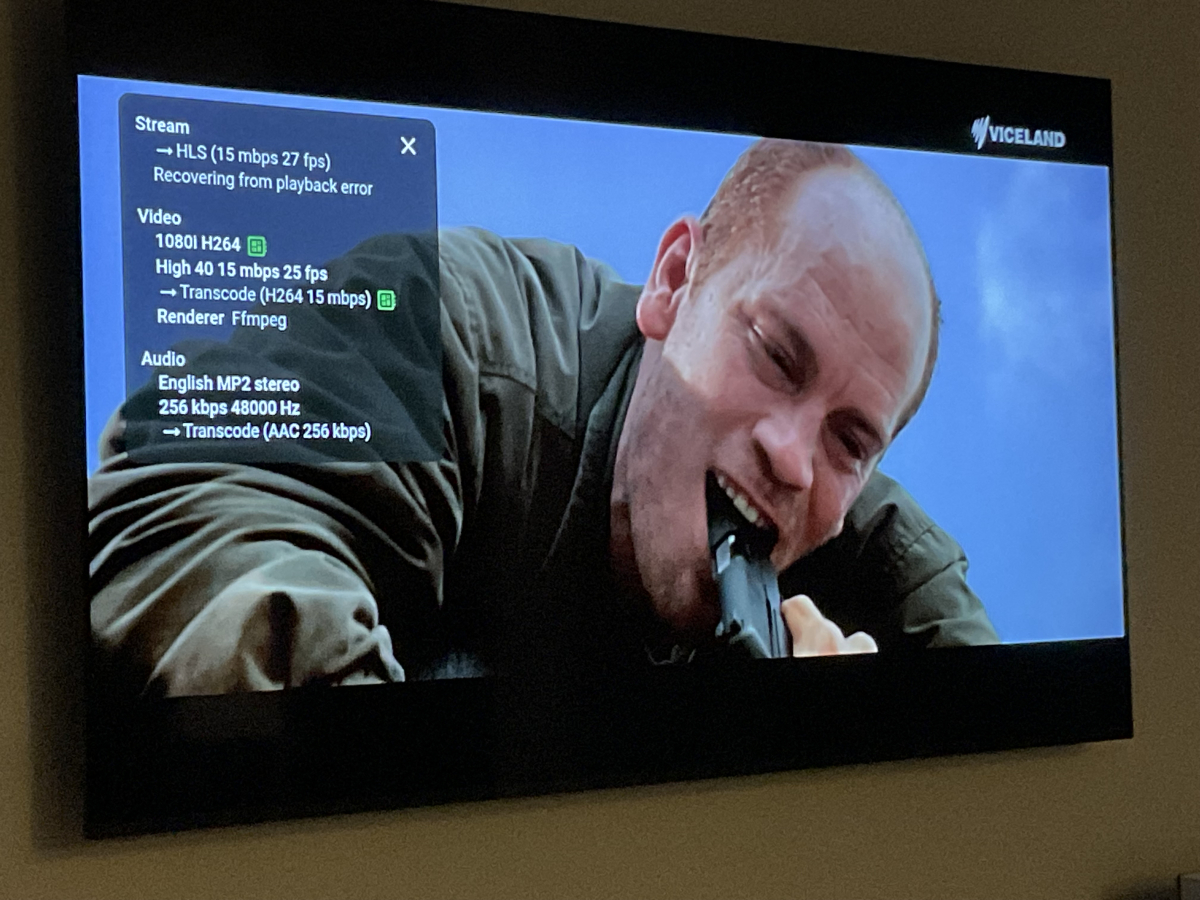 1 point
 -
Yeah, I have a Netgear Orbi RBK850. It's not a cheap POS, it's a really expensive POS. I went from a really old but rock steady Linksys running OpenWRT to this Fishcher-Price UI "smart" router. There is no manual QoS and a firmware can literally cripple your entire network. I've tried changing the channels for the router and satellite, the radio power output so that it connects to the main router, and everything else that the Netgear "Support" said to do. Right now, I just have hooked up my old Vero4K+/Kodi/EmbyCon and things are working as they should, but I lose the Magic Remote and the native Emby UI. I just bought 2 network switches last week and I am waiting on an installer to come do the impressive stuff like fishing it up two stories and making pretty wall outlets. He's a friend, so I have to work on his schedule. I want to make sure that everyone knows that I in no way blame the developers of the App. LG dissatisfaction is growing and their app review process is famous for being slow.1 point
-
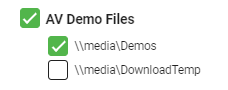
There are a two options here - a) Use Tags Under Parental Control for that user - set it to 'Block Items with these Tags' . Then set all your 4K items to have that Tag. Not the most efficient way, as you need to remember to Tag the items you don't want displayed. Core emby has no way to add these tags for you .. but Plugins such as MediaInfo can add 4K tags etc. b) Use Folders For for Movies/TV library, you need to add MULTIPLE individual folders (as shares or folders) - that way, in User > Access - you can individually restrict an entire folder. The restricted item should not show as a duplicate on the home screen - at least I don't recall it doing so but I may be wrong. I personally use Tag's now to restrict if I need to - as I no longer use multiple versions, but previously did it the Folder way. -- I hope that helps ?
 1 point
 -
I always use the default mode. I'll send you the log later today. But I may have to reboot my Android TV because it's kind of stuck after trying to play! Hope the log will be ok1 point
-
We still aren't getting macOS builds... Why does this keep happening, especially when there's no issue building 67 other targets?1 point
-
Correction: I know this is an older thread. I have that single item folder problem. I have a folder call 'Instructional' (mixed-content but is only instructional videos). I created a file called 'PlaceHolder.mp4' that is 0 bytes in that directory. that gives me the Folder icon. added that file to all single use folders*. Next scan the Library. Then I setup Block (per user in Parental Access) with tag called "TagPlaceHolder', used BulkyEditor to add tag to all instances of the 'PlaceHolder' file (just use Filter in the top folder add Search for String for 'PlaceHolder' to show all of them ( DON'T user the file extension '.mp4' in the filter). Check the list to be safe. Click first one, Shift-Click last one (selects all). Bulk Edit - choose 'Replace All' from drop-down - enter 'TagPlaceHolder' - Save. *Wrote a python script to add that file to every folder in the sub directory tree (you could only add it to the single ones if you have only a few by hand - easier coding this way). Then scanned library. You will have to do this step again for any newly created directories and this is ONLY a generic workaround. I added the python script I used and it was tested on Linux (Ubuntu) and Windows 10 - make a backup before - use at your own risk, Hope that helps! ADDITIONAL NOTE: Once you set the tag to 'Block' those files they will not show up in the Bulky Editor for that user either. Noticed this during testing. Just make sure you have a Admin User with out the Parental Block when updating or Don't add it to your Current Admin. placeholder.py1 point
-
I just published and update for the plugin. There are two main things Did a rewrite on the UI side to bring it up to code with the plugin standards. @Lukesaid this should fix issues people are seeing in the beta builds. If not, as always, I'll fix them when the stable version is released. I added least watched shows. Same deal as most watched shows. This should help people that want to remove a series for space. it is a BREAKING CHANGE! You will need to run the scheduled task before the statistics page will load correctly. I'm sure there will be some bugs/issues with such a big change. Please report them here with a copy of your debug enabled log. Thanks.1 point
-
For anyone that comes accross this, I ended up switching from TVDB to TMDB for identification and refreshing metadata.1 point
-
Hi Quickmic, I think I found a bug.... Using 9.4.1 now! I group versions of the same movies (1080p, 4K), when I try to play and then select which resolution I want it never start and looping trying to play something! I play anything else (not group versions) and it does work! I tried to play the group versions movie with an emby apps on my android phone and whatever versions I choose it does play! So I went to my emby server and split those 2 versions of the movie, and now I'm able to play it on kodi! I guess you should be able to replicate that easily, but if you need logs, I can get some later if you want! BTW using Version 4.7.14.0 Cheers Joel1 point
-
OK please let us know if the next build resolves it. Thanks.1 point
-
I added Bumpers today -- I will post the code tomorrow, after I test it more. Vic1 point
-
^^^ And that’s just the software platforms, on top of that are all the hardware possibilities on the server side, and different drivers, plus getting client software through the various app certification processes etc etc1 point
-
13 server types X 14 apps = 182 possible combinations of server/client to test every function on with every build. Makes me really appreciate the work the devs and all true beta testers are doing.1 point
-
Hello, First let me say I am slowly making it over to Emby from plex. I bought emby premiere and was able to get live tv working using my own hdmi encoder. I was able to do this with plex using xteve, but it great that emby supports m3u out of the box. The problem I have is when I add a username and pasword in the m3u file, like I have for many years. Below are two examples of m3u files I have tested with emby. One works and one does not. This works with VLC and xteve but not emby #EXTM3U #EXTINF:27, Sportsnet West http://admin:somepassword@192.168.2.64/0.ts and this does work work emby. #EXTM3U #EXTINF:27, Sportsnet West http://192.168.2.64/0.ts Am i missing somthing? Should the m3u pluging not be able to handle a username and password or am I doing somthing wrong? Thank you in advance Andrew1 point
-
Hi, yes we are constantly working on improving this. Thanks for the feedback.1 point
-
One more thing, if navigator.connection is not available in the browser, Emby falls back to js hardcoded value of 4e6 - 4000000 - 4 Mbps. Which is a strange magic value that will undoubtedly result in a lot of transcodes: function detectBitrateWithEndpointInfo(instance, _ref) { return _ref.IsInNetwork ? 16e7 : function() { if ("undefined" != typeof navigator) { var connection = navigator.connection; if (connection) { var downlink = connection.downlink; if (downlink && 0 < downlink && downlink < Number.POSITIVE_INFINITY) return downlink = downlink * 1e6 * .7, downlink = parseInt(downlink); if ((downlink = connection.downlinkMax) && 0 < downlink && downlink < Number.POSITIVE_INFINITY) return downlink = downlink * 1e6 * .7, downlink = parseInt(downlink) } } return null }() || 4e6 } At the very least, this has to be configurable server-side. Media with bitrate of 4 Mbps is a tiny minority of my library.1 point
-
Much of the testing is visual, so hard to automate; also the sheer number of different configurations (platform / processor / gpu / connectivity / client) is so vast that the devs couldn't possibly have each one available for such testing - this is where the beta users can be a real help. Paul1 point
-
I think the biggest issue I have with Emby's handling of beta and stable releases is that the actual plan for the next 4.x release is buried in countless threads around the forum. Following the actual major changes in the next stable release involves deciphering a (sometimes vague) changelog over the course of 100 beta releases or probably thousands of posts made by various members of the Emby team for hints. I linger pretty regularly and I have no idea what to expect with 4.8 besides the public/private playlists. In a way it's kind of exciting, but if the goal is to keep the users here engaged in Emby and its development, feeling oblivious for too long can be disheartening. It's not so much about missing deadlines, but the idea that the development pipeline for Emby seems disorganized, like they're trying to appear in control through lengthy beta cycles but still frequently change direction on a whim by packing in every idea that seems feasible at any given time. I'd have to think it'd help them internally to say "X, Y and Z features seem like a reasonable goal for 4.8" and really truly stick to it... but of course, it's all just conjecture on my part. For instance, make 4.9 the big "watch together" or "smart playlist" release and get every developer they have across the server and all the clients focusing on it 100% (if something like smart playlists doesn't require extensive client changes, have those devs focus on client specific QOL for that cycle). The changelog won't be as impressively long but I bet whatever the focus of 4.9 is releases incredibly polished and fairly quickly. I'd have to assume being able to advertise cool new features more regularly with confident timelines would help market the software too.1 point
-
I'd suggest to put these in this thread: https://emby.media/community/index.php?/forum/70-fan-art-videos/1 point
-
Hi Luke, would a targeted charge or Patreon style approach help with developing Theater and taking it to the next level for us HTPC owners? This funding model might also work across other clients. Appreciate you are probably working to a budget across a number of Emby clients, for which there are quite a number!1 point
-
None of the subscription options include additional terms entitling you to the creation/release of new software versions.1 point
-
Mmm salty. Need more fries. Don't take everything so seriously m8, life's too short to be upset over a software update. It'll come out when it's ready, until then; patience. You'll survive.1 point
-
Really hoping this can become a reality. I have both Plex and Emby and the only thing Plex has over emby is Watch Together. Emby handles and plays videos 100x better than Plex and 99% of the time I prefer Emby. But when I want to watch a movie with my daughter who lives 2400 miles away (She is in the US Navy) I want to be able to do it with emby bc Plex overall just sucks lol I will stop subbing for plex pass once this is implemented into Emby. I bought the lifetime sub to Emby quite a few years ago and the evolution of Emby has been incredible but at the end of the day its missing that one crucial thing that I am sure 50% of people want and that is "Watch Together" function Ok Rant over Thank u to all the emby devs out there for the incredible job u do and also keeping this great community alive Mook1 point
-
HI, you don't need to PM him or anyone. You can just jump in on OneSky.1 point
-
Thanks. It works wonderfully on browser. I guess it doesn't work in Emby desktop client right? Are you aware of any program that can search and replace line breaks with <br/> ? Seeing that it's a popular function being requested for a few times, maybe emby can do that for us in the future? Manually adding <br/> (or other line break code) in each overview is kinda going against the grain ngl...1 point