Leaderboard




Popular Content
Showing content with the highest reputation on 01/22/24 in all areas
-
Quite often it's silence to precede a storm.5 points
-
The problem on my end has gone with 1.8.2. Thank you Luke and all! I then switched back from Infuse to Emby app at Apple TV.3 points
-
ok - and that's fair enough. Due to the usage of the MediaInfo Plugin, I do think there is demand to know this extra codec information - so maybe simply have it as an option in the library - tick this for extra mediainfo - with a warning and acknowledgement that it will increase scan times. Default is off - thus an initial scan is not impacted by it on new systems.3 points
-
Can confirm 1.1.536.70 has resolved this issue. Thanks!2 points
-
got it working using a wildcard cert.2 points
-
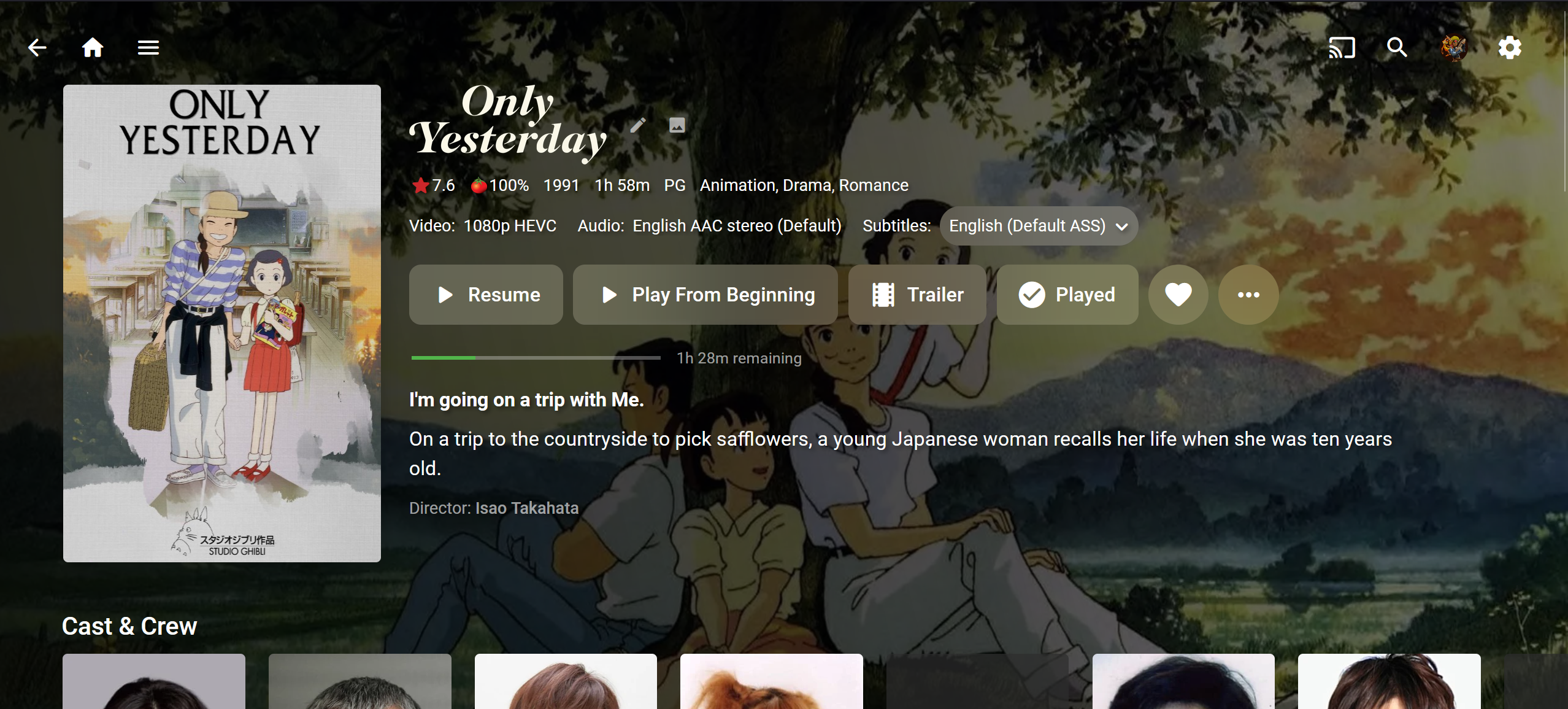
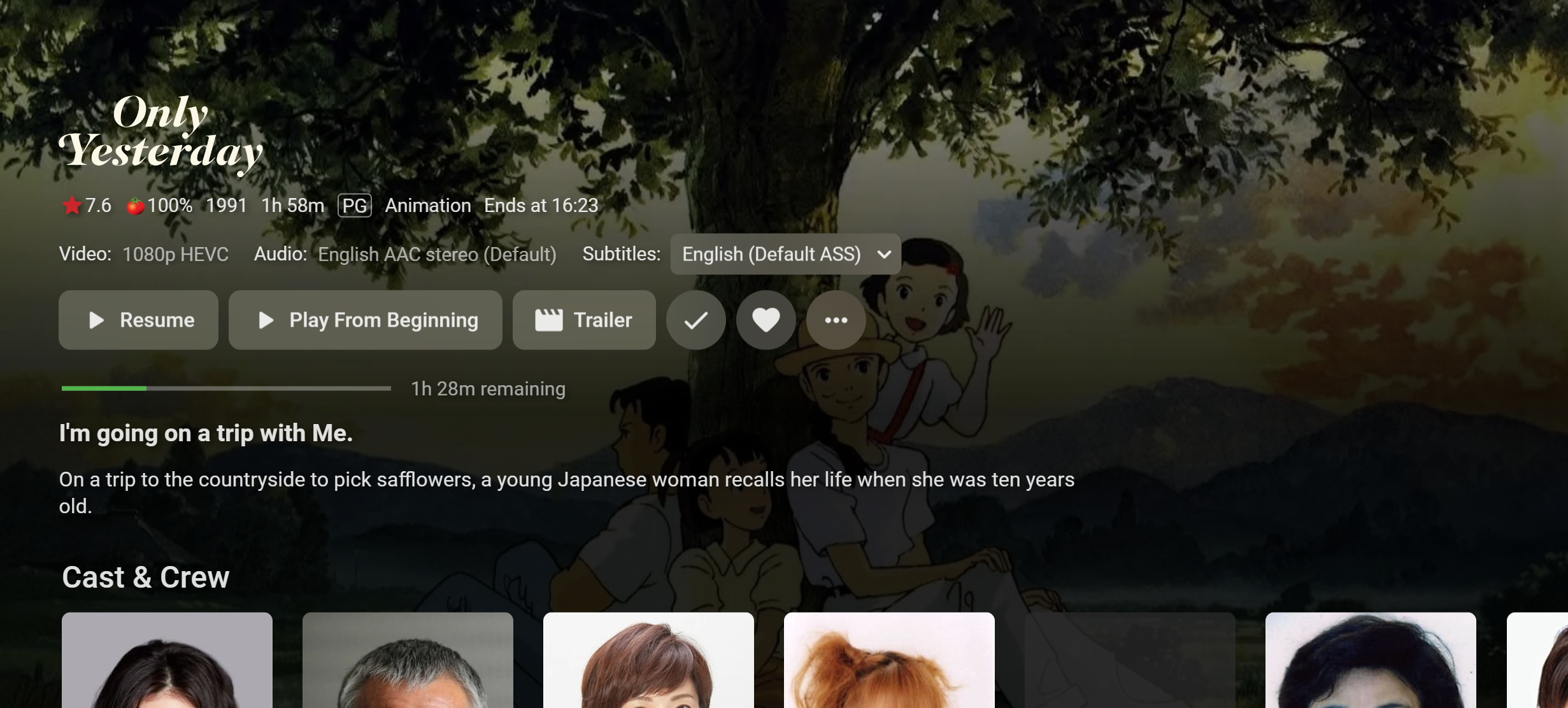
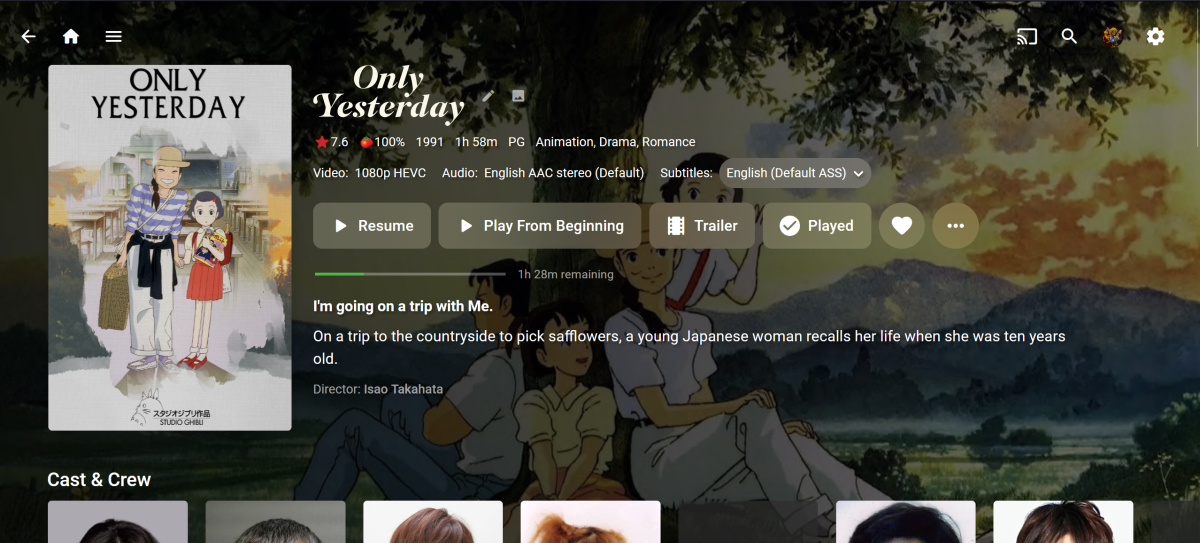
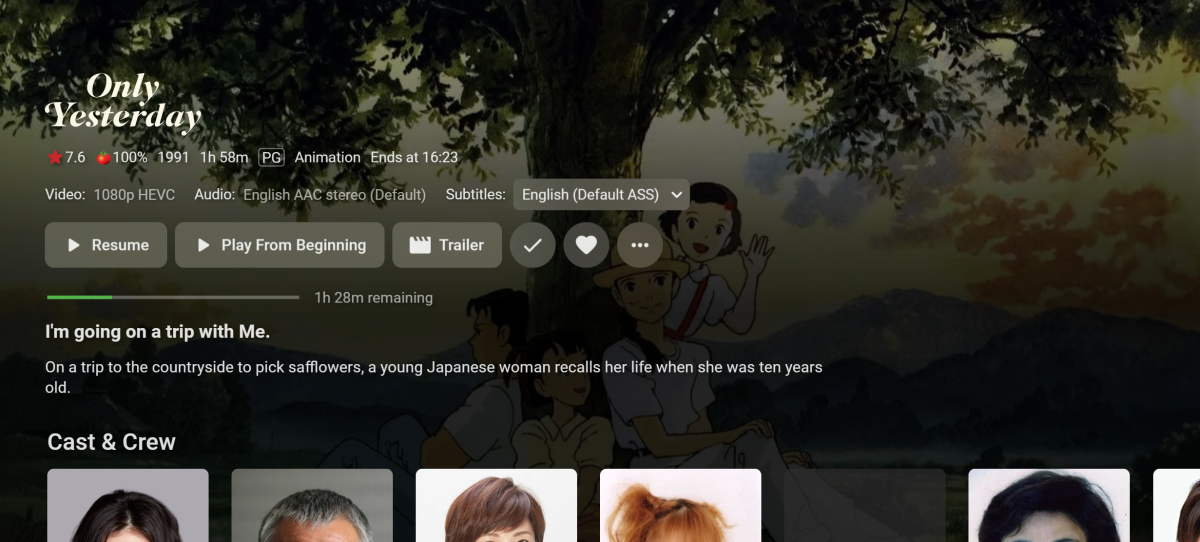
I re-scanned my library refreshing existing metadata and turned on image fetchers (for some reason it was off)... anyways this is what the Web app looks like. I would love this look if possible for Apple TV. It shows both poster and backdrops and the backdrop is dimmed in the background so you can still read all the text. Also it doesn't stretch the backdrop image to some strange resolution. I've noticed it will take a backdrop even if the wrong size and stretch it on Apple TV.
 2 points
 -
Don't get me wrong - I really want to do this, but it's about finding a good way. What we've learned so far is that any kind of change to the library scanning and probing process which might increase the duration must be avoided by all means. We just don't want to see user posts anymore, saying that another software would require a lot less time for scanning. Beyond the regular library scanning, there's actually a bunch of information that we (and users) would like to get out of the media files, it just can't be part of the library scanning due to the given reasons. Now, the way I see it, is that if we "touch" all media files (given the user has opted-in to it) a second time, then it should be final and there shouldn't be a third or fourth time - ideally (if possible). I had proposed this years ago already, but it's been lying around for a while, waiting for reasons to come which turn it from a nice-to-have into a requirement. The idea is to have a kind of secondary/extended probing process which collects all the additional information that we want from a single run, including: Subtitle target screen size (for certain graphical subtitles) Subtitle availability detection (tv signals often have streams without content) Availability detection for closed captions (and if available, which sub-channels have actual content) HDR10+ presence HEVC keyframe times for better HLS streaming [undisclosed idea] [undisclosed idea] Thumbnail Images Chapter Images (in addition to thumbs rather than just one of the two) Automatic Chapter Detection if chapters unavailable (even though, this would be rather a matter of thumbnail post-processing) I'm not sure whether intro detection wouild fit into this (kind of required processing is probably too different). The basis would be the quick-extraction for images, but further ffmpeg customization will be required in order to make it as efficient as possible. Many points are still rather on the nice-to-have side, so I can't say how this will be prioritized, only that when it would happen then all-at-once (where feasible). I agree that it's unfortunate not being able to distinguish between HDR10 and HDR10+, but it's not as crucial as with DOVI where it's really a question of "plays or play not". Regarding Atmos and DTSX it's merely a matter of ffmpeg abilities. I didn't follow ffmpeg progres during the past months. When something gets added there regarding those audio formats, we''ll surely integrate it in our detection.2 points
-
Thank you very much, with the suggested change it works.2 points
-
Ok, wait for 9.4.0 version or change the node from: <?xml version="1.0" encoding="UTF-8" standalone="yes" ?> <smartplaylist type="movies"> <name>Emby Filme.Neue</name> <match>all</match> <rule field="tag" operator="is"> <value>Filme.Neue</value> </rule> </smartplaylist> to: <?xml version="1.0" encoding="UTF-8" standalone="yes" ?> <smartplaylist type="movies"> <name>Emby Filme.Neue</name> <match>all</match> <rule field="tag" operator="is"> <value>Filme.Neue (Library)</value> </rule> </smartplaylist> If you modify it, you must change it again when 9.4.0 is released.2 points
-
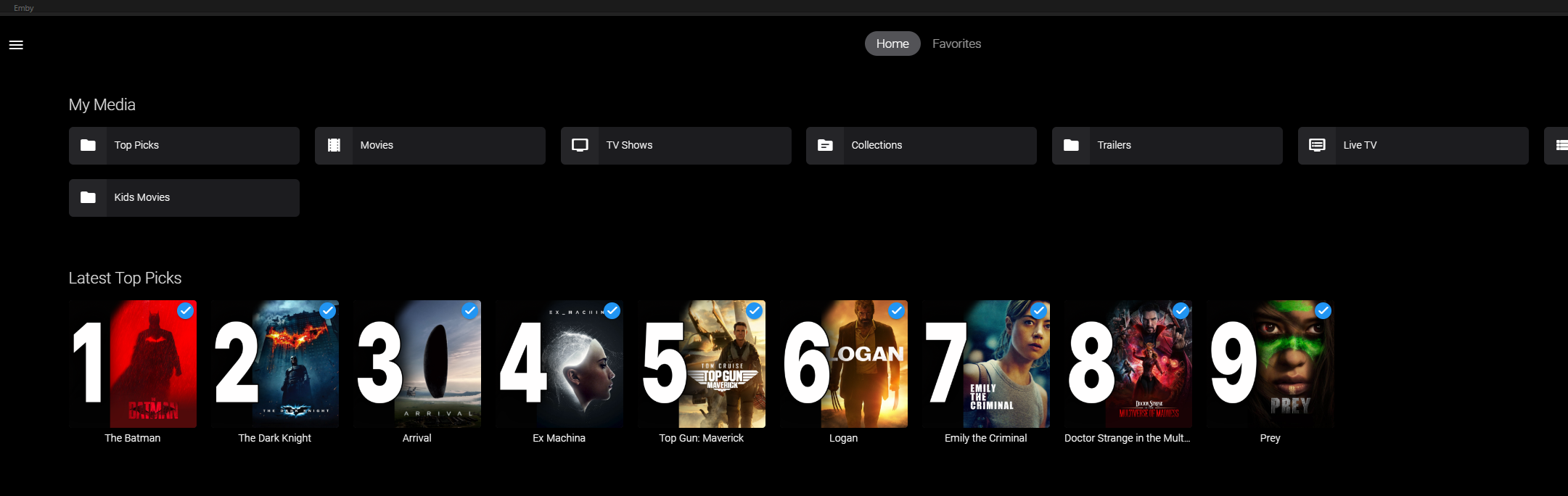
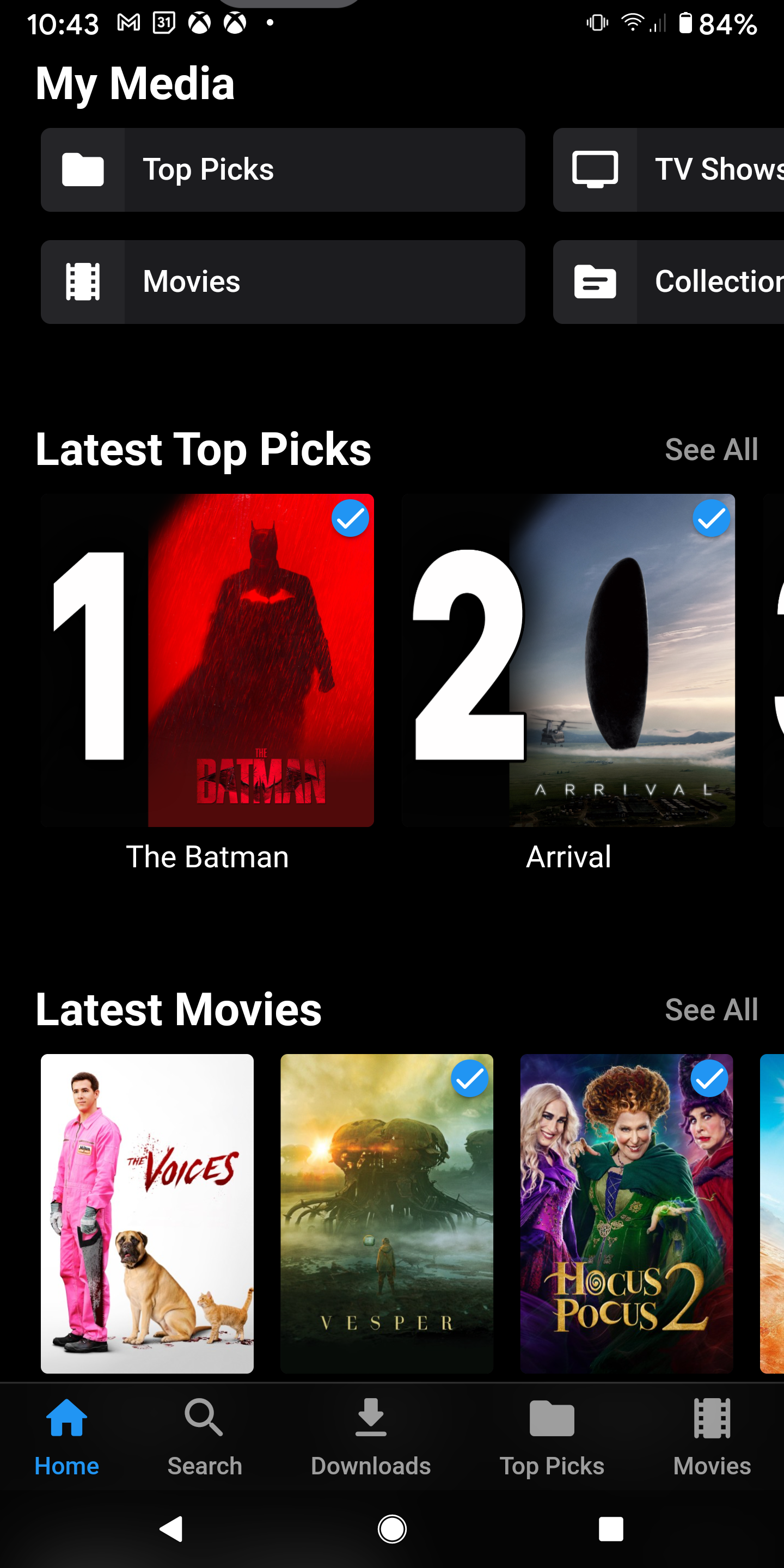
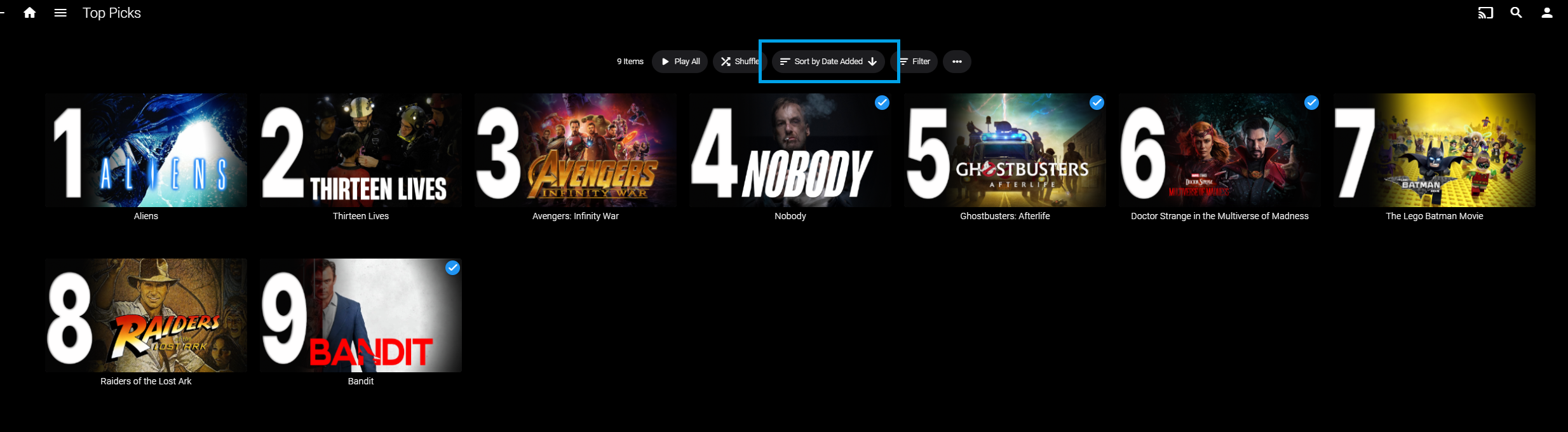
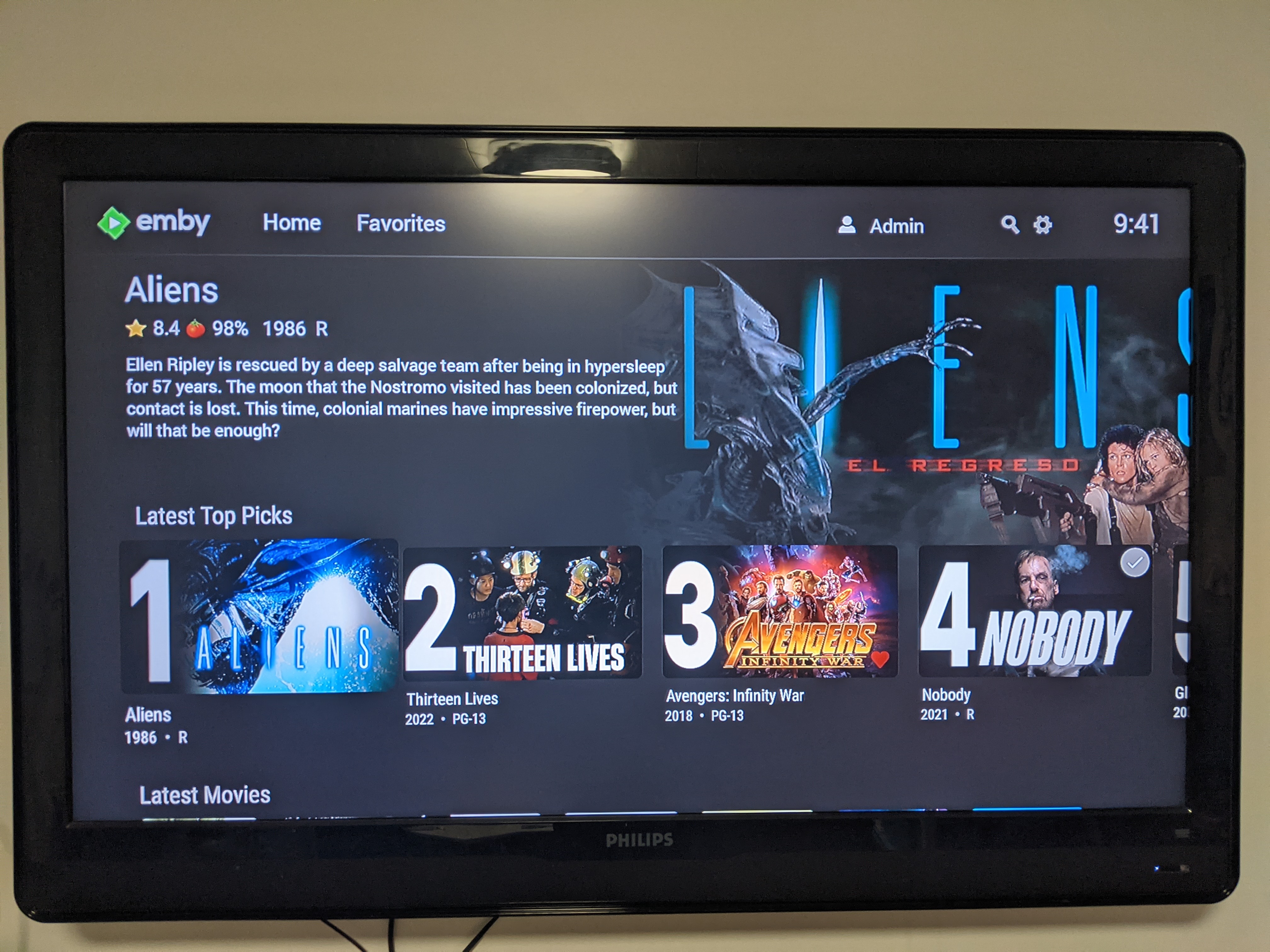
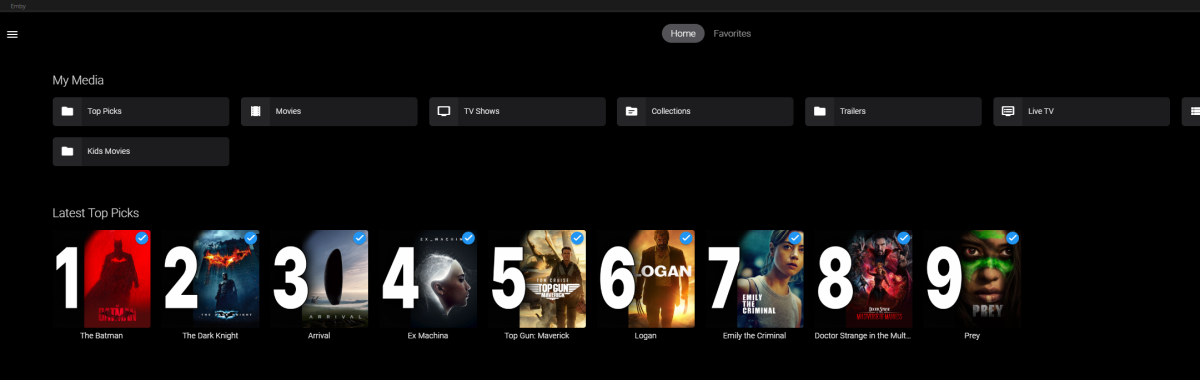
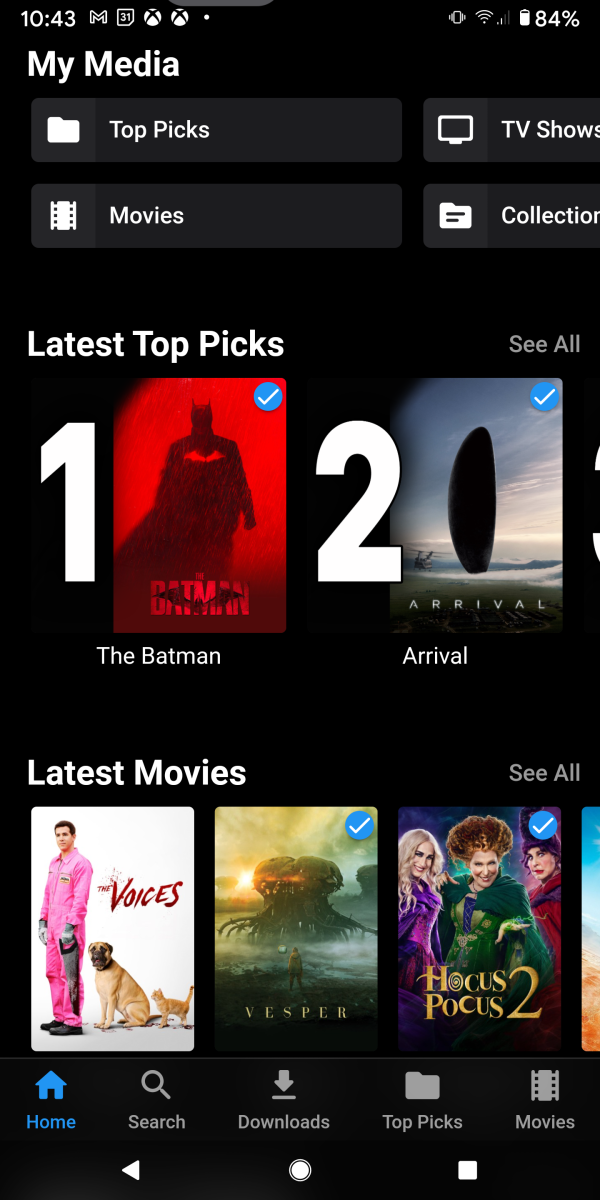
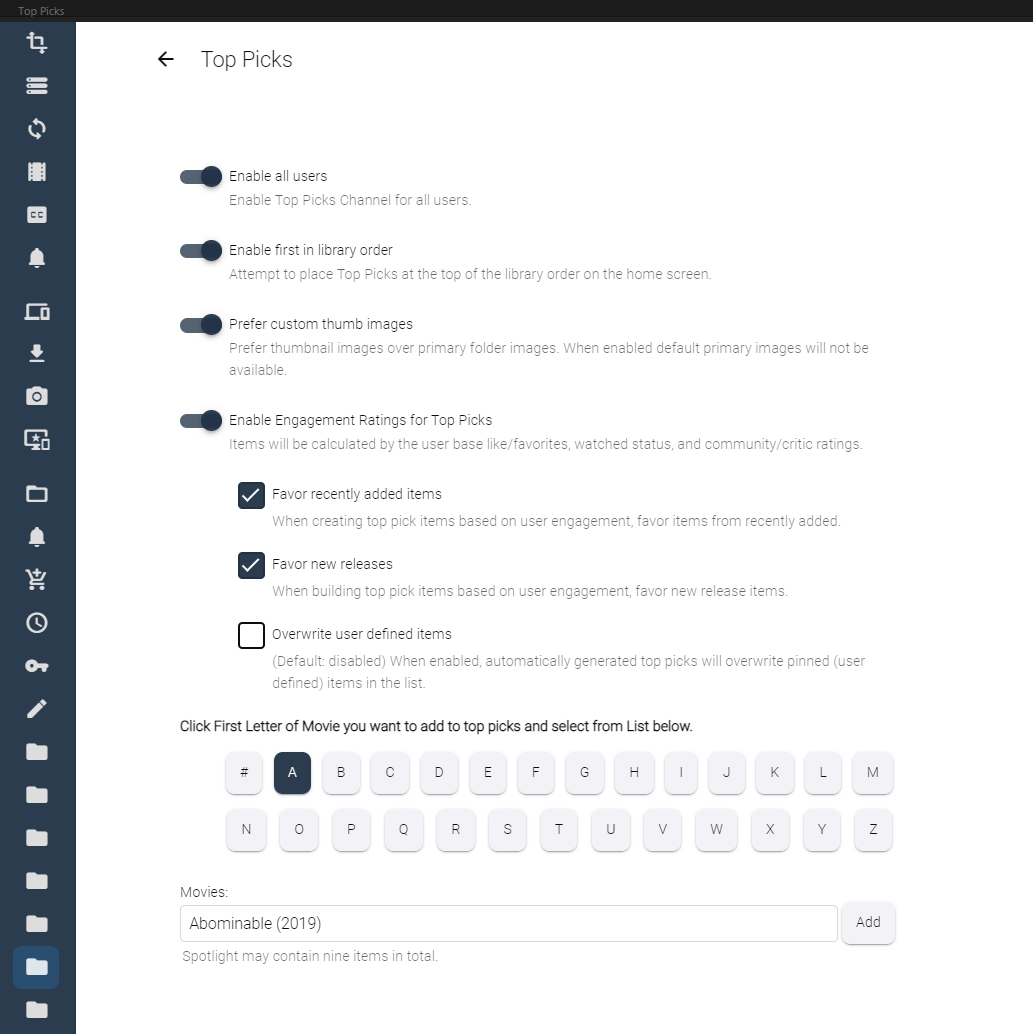
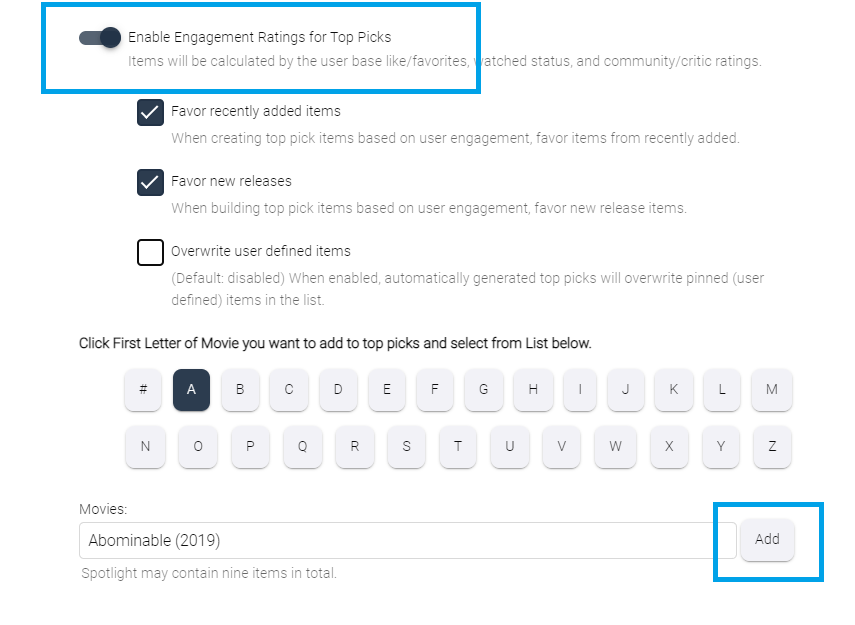
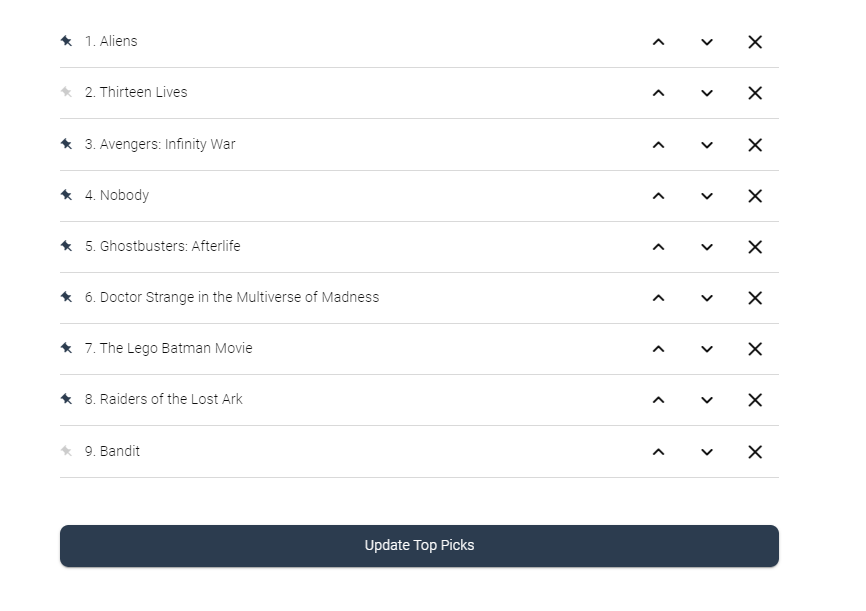
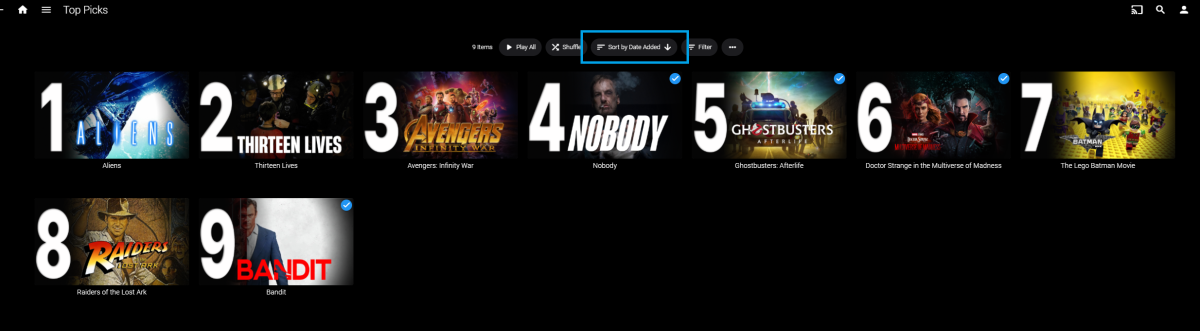
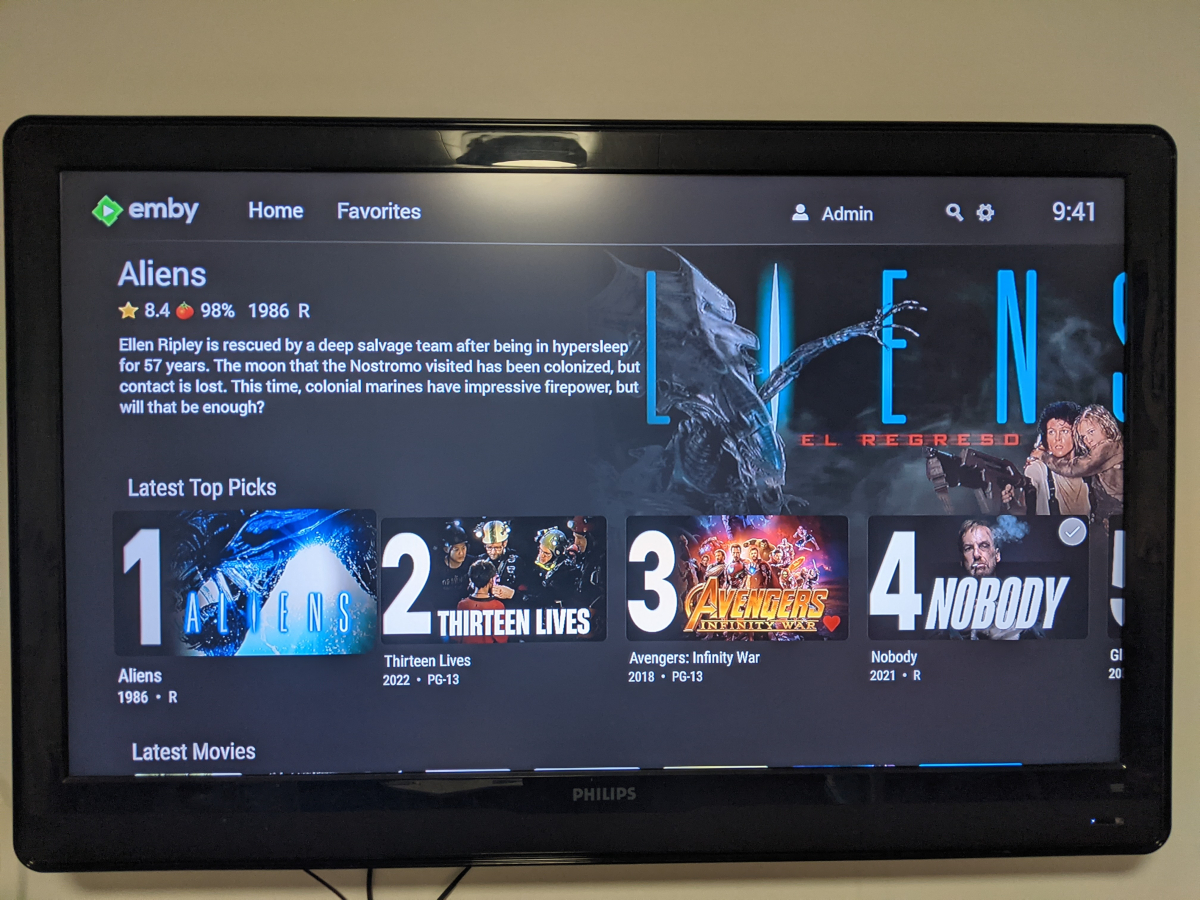
Welcome to Top Picks Top Picks will create a custom movie library with ranked items to share with your user base. Enabling settings in the top pick configuration will allow you to create a library based on your user engagement, and also customize what's being shown in the library. Note: Larger movie libraries will have the best chance at generating user engagement top pick items. Smaller libraries may only generate a couple top picks automatically. Critic rating, and community rating do play a part in choosing top pick items, along with User Likes/Favorited Items, and also Watched States. Creating, and editing the Top Picks List: After enabling, and running the scheduled task for user engagement (which will populate an initial list, but is also completely optional), you can also customize the library by adding movies of your choosing, and add-to/edit the top picks list to a maximum number of 9 items. It is important to note that users of the Top Picks library should not hide watched content from their home screen. This will ensure that all the content added to Top Picks is shown in the home screen layout. Pinning Items to the list: These items remain during the engagement rotation. This means that only auto generated items will be replaced weekly. Note: List item rotation will only happen when items are available in the library which meet the engagement criteria. This may lead to some manual up keep of the list. (In the image above, only the 2nd, and 9th item are allow to change, because they are not pinned to the list. However, the item changes will be based on the engagement results, and may not change based on the current state of the library and user engagement stats.) The more your users engage with the library, the more dynamic top picks will create lists. Favor custom thumb images over primary images: Favor custom primary images: Mobile: Android Enhanced Home Screen Layout Entering the Top Picks library you should choose to "Sort by Date Added" to have the images order themselves. There is a week long trial to test it out, after you install it from the catalog. If there are any questions please post them here in this thread. Please be kind, a lot of time, and work went into this. I'm open to further discussions regarding things that might make Top Picks better in the future as well. - chef Version 1.0.0.20 theme media is now added if it exists for a library item. Version 1.0.0.19 Current NFO files that exist in the library are now successfully used and properly altered for top pick items. This stops Emby from having to try and identify items which are already properly identified in the library. The ability to target a specific library for top pick creation. Version 1.0.0.18 Library items now have the option to show the top pick tag or not. Top picks drawing classes now attempt to draw custom thumb/primary images in memory without saving assets until complete. Version 1.0.0.17 Library is created with servers language for metadata retrieval. Top Picks will now search providers for missing resources to draw custom images for the library

 1 point
 -
Hi guys, I noticed that Emby supports multiple artists within the artist field (separated by semicolon ; ) and this feature enables the "Appears On" section within the artist page. Super Cool So, now, i can use the semicolon to separate "featured" artists in all the tracks and stop using the traditional "feat." One particular issue this creates is that the "Artists" section now becomes a dumping ground "littered" with all kind of "lower quality" artists (some of them really underground that appears just on singles). I mean it's ok, we have "Album Artists" for the "big guys" and "Artists" for "general population" One suggestion though ... In the Artist "profile" page, within the "More Like This" section, can we use "Album Artist" instead of "Artist" ? It's cool that i can see more artists like the one i'm viewing, within the same genre ... just wanted to switch that module from displaying "album artists" instead of "artists" in order to eliminate the "lower quality" ones (those that appears only on "features" within tracks). PS: Thanks for all your work !1 point
-
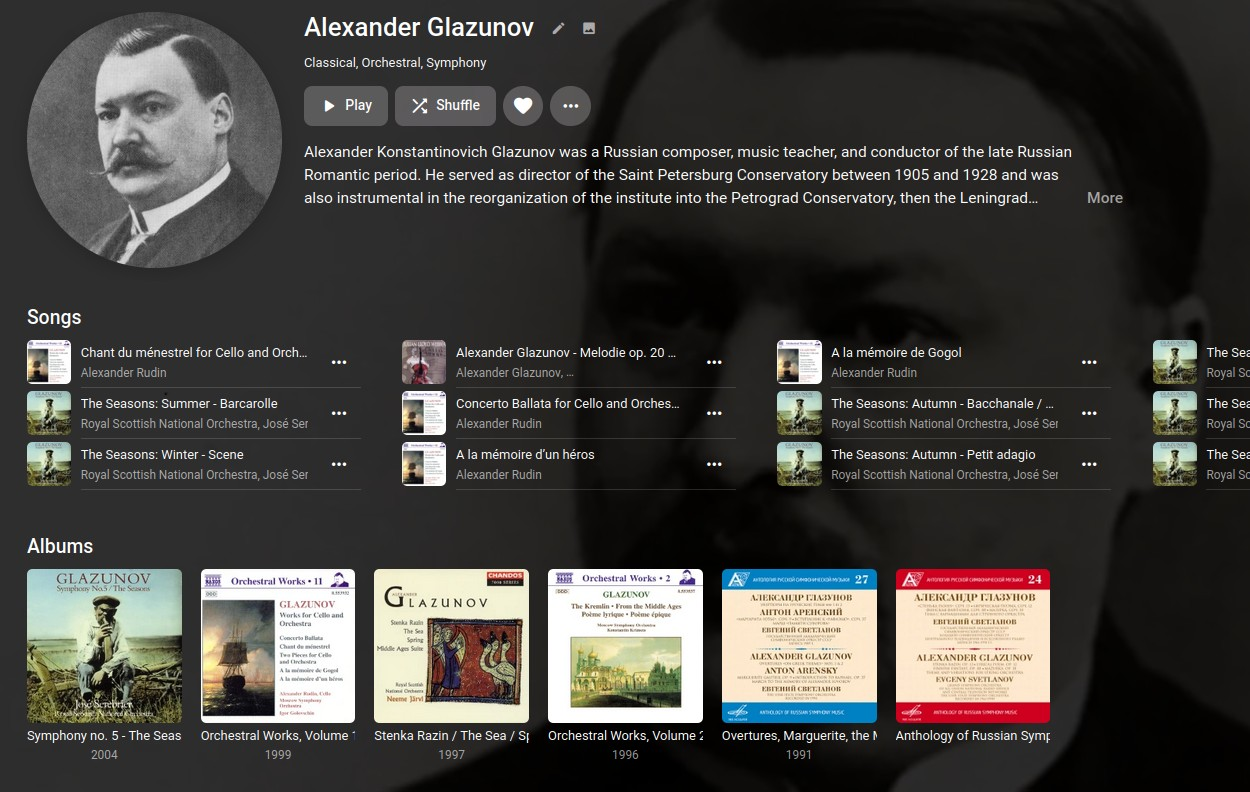
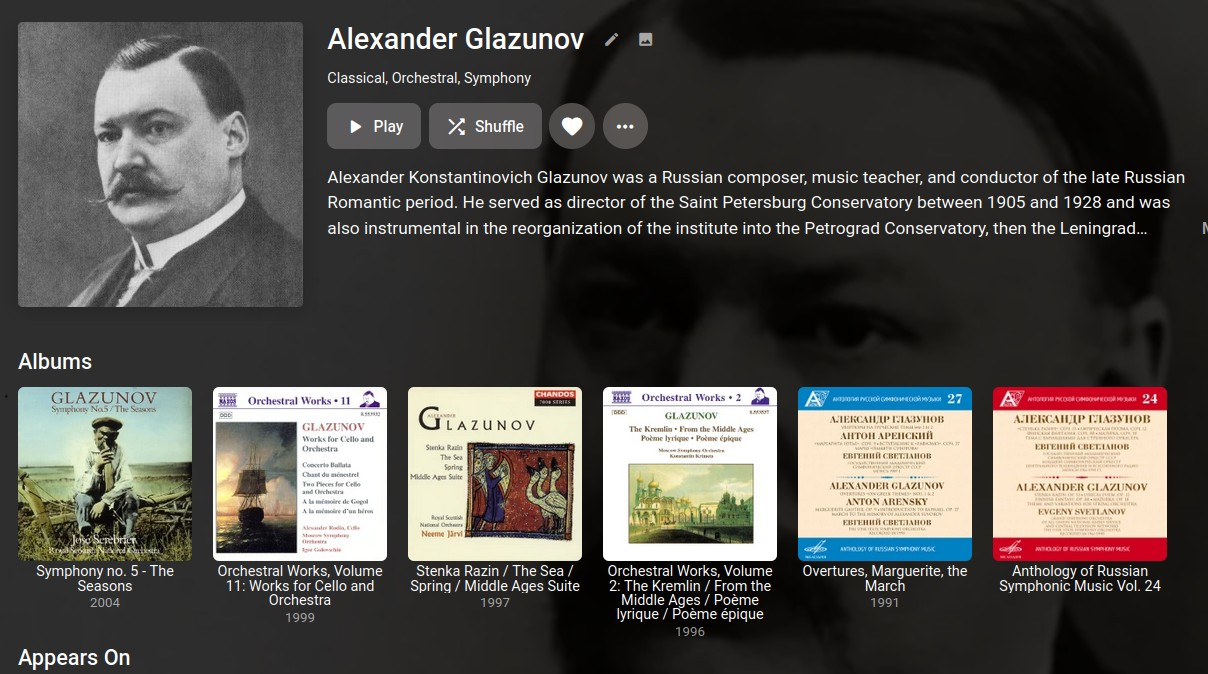
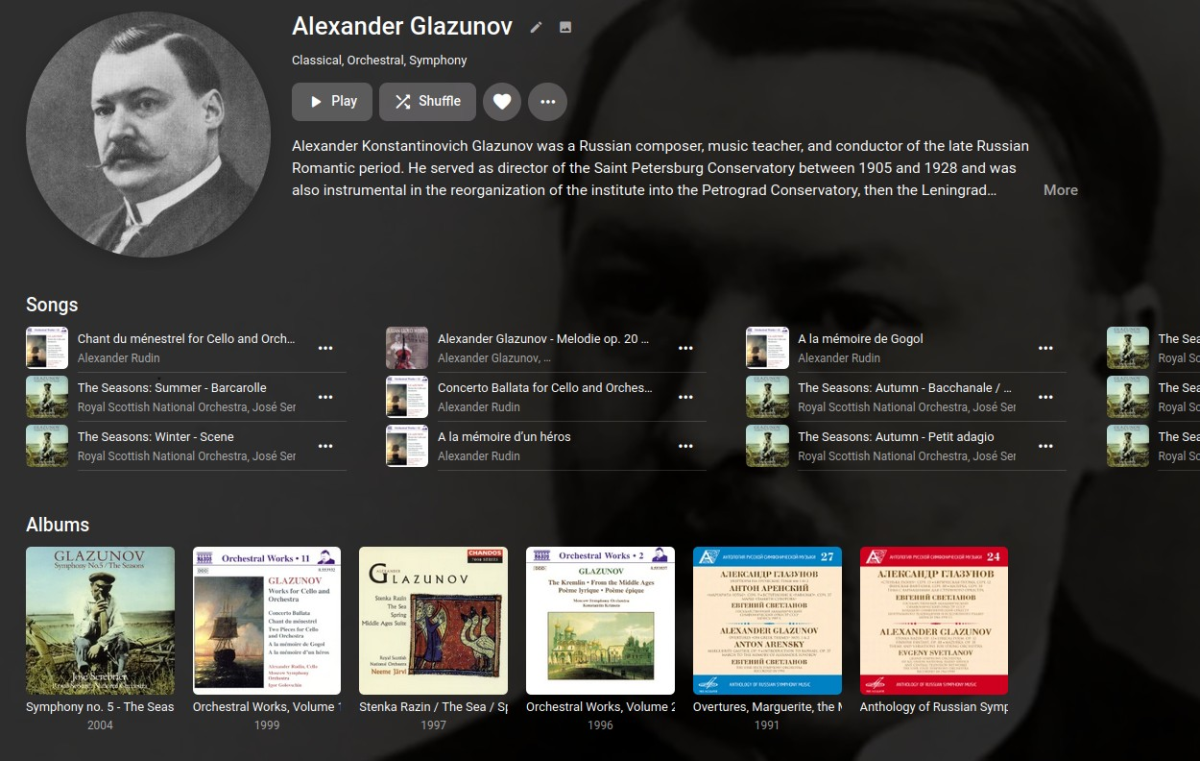
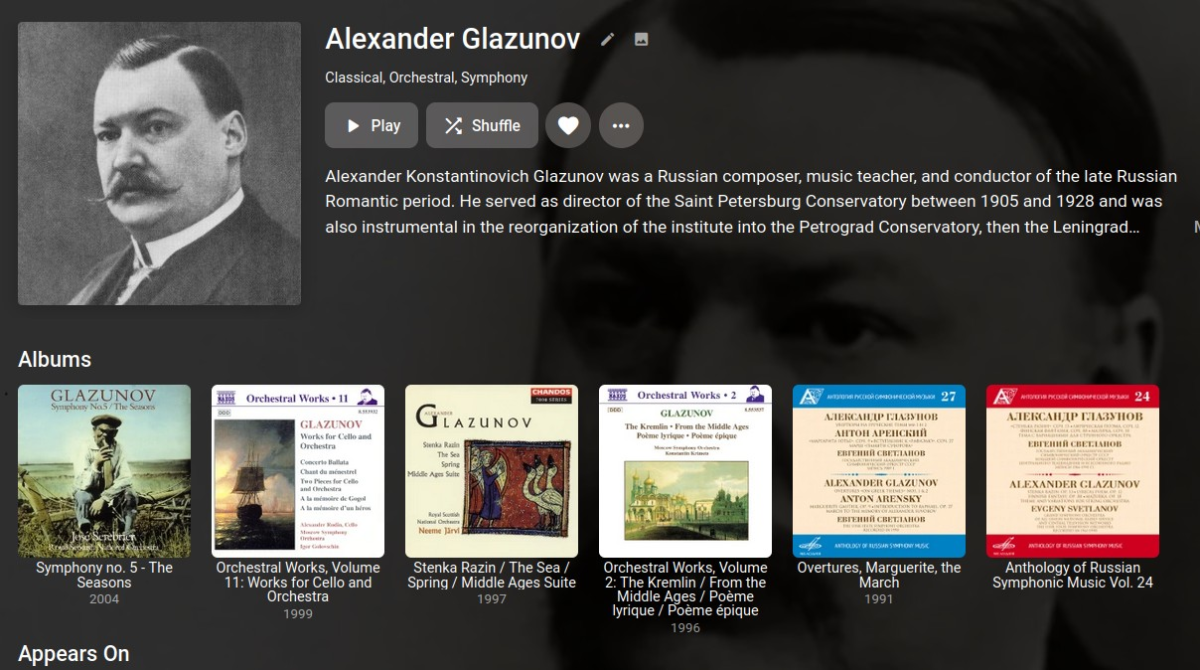
Providing this for anyone who might like it. I'm not a fan of the round artist posters, so I dug through the CSS to find how to change it. Along the way I found a couple other things. The first rule restores the square artist posters, with a very slight rounding of the corners. /* RESTORE SQUARE ARTIST IMAGES */ .cardContent-round { border-radius: .3em; } This rule stops the posters from being distorted to fit a square (or round) aspect. /* DON'T DISTORT ARTIST IMAGES */ .coveredImage { object-fit: cover !important; } I don't care to see the "Songs" section (above Albums) on an artist detail page. This rule hides it. /* HIDE ARTIST DETAIL "SONGS" SECTION */ .artistSongsSection { display: none; } This rule allows the artist name, album name, movie name, etc., below the tiles to wrap /* ALLOW LONG TITLES TO WRAP IN GRID VIEW */ div.cardText { white-space: pre-wrap; } BEFORE: AFTER:
 1 point
 -
Hi, in light of the removed functionality to show missing episodes in the episode list in 4.8, I would like to request a feature that helps to prevent the user from accidentally skipping over missing episodes. Example: I have a series where episode 5 is missing and I just watched episode 4. At the moment, when playing the next episode, emby will silently skip over episode 5 and play episode 6 instead. I would like to be warned and asked to continue (with input required) when that happens. The warning should be shown not only if the next episode is started automatically after the last one but also if I start playing it manually, later. I think this would be very helpful to avoid confusion and it would probably be sufficient to compare the number of the current episode to the last played one and if it is not n_last + 1, ask the user to confirm.1 point
-
Okay Mine looks just like yours now in the web app. Much better. Its too bad you cant do the gradient but at least it now seems readable.
 1 point
 -
Yeah when ever someone asks for a feature on the android tv app the response is usually try sideloding standard app. I know its difficult to respond to everybody who asks for a change but there is reason people stick with the android tv app..... even if it lacks some features when compared with the standard app like for e.g display lyrics and stuff...its best suited to use it on tv. Overall experience is better with the android tv app on tv. And about the album art same as android tv right in the middle of the backdrop. If you insist that this view is better then fine....but i would be happy if there is option to choose or just minimal view with albumart on the side like spotify.1 point
-
The additional issue of not getting to display settings/Back not working I had already reported in my own post before it was brought up here and I reported it fixed there. https://emby.media/community/index.php?/topic/125031-cant-get-to-display-settings The "go back" issue which is the original topic of this thread I've never been able to duplicate. JonnyP would need to answer.1 point
-
I am also getting the same results with "Albums".1 point
-
ffmpeg log shows on 44 Mhz aac codec English uses Timebase 1/48000, but the Italian audio is encoded at 48 Mhz aac and uses ffmpeg Timebase 1/90000. See: https://stackoverflow.com/questions/43333542/what-is-video-timescale-timebase-or-timestamp-in-ffmpeg/ This ffmpeg auto settings, different for 44.1Mhz vs. 48MHz audio, might be the cause of the sync issue after ffmpeg encoding.1 point
-
I am trying to locate the Emby plugin folder. On my QNAP NAS there is no Cachedev1_Data folder under Share at all. I am running QuTSHero, not QTS. Perhaps that is the difference. Any idea where I should be able to find the Emby folders? Please ignore this request. I found the location. It was in the /share/ZFS530_DATA/.qpkg/ folder.1 point
-
I noticed, if I click "See all," albums are then shown oldest-first, so it's just on the main detail page, where you have to scroll horizontally (which I dislike anyway).1 point
-
Appreciate, please let me know what you find. It would be useful for me here on my end.1 point
-
Well, thats good news! Any time estimate? Thx.1 point
-
Hi, we'll take a look at this. Thanks for reporting.1 point
-
the photo's tab show all the photo's(without a name) of all the folders at once. when i look in a folder which contains both subfolders and photo's i want to see folders with names and any photo without a name it would be nice if folders can have their own view1 point
-
Hi, sorry for the missing information. Through pwhodges reminder to check which metadata I used I solved it. It was an user error. I thought emby would scan imdb for data but I was wrong and at the TVDB there was a way less data then on imdb. Thanks a lot. Great community!1 point
-
have now completely uninstalled Kodi. Everything deleted, Kodi reinstalled. Now it works perfectly again!1 point
-
1 point
-
Using the Emby player client. Click the movie then click 3 dots and select delete. Actually I did some testing last night and maybe there are some leftovers from when using Plex because Emby does seem to clean up the entire folder. Or the folder didn't have the proper permissions on it possibly on some of the files. I deleted 2 last night from the player app interface and it took the whole folder with it.1 point
-
Yes, thanks1 point
-
Thanks! And thanks for making this whole awesome mediaserver too1 point
-
Hi, First of all, I would like to apologise in advance for my poor tech knowledege. Secondly, I have the same issue of 4k movies lagging and I was browsing through the internet to find a solution and stumbled upon this thread. Unfortunately, my case is not the same. However, let me tell you and see if you can recommend sth for my case. I run emby on my 10 year old pc (i5-4460), I have 100mbps home connection (96 at most actually), I run the app on a Samsung 4k smart TV which is connected to the same network with LAN cable and I have my movies stored to hdd hard drives, either in the tower or in a fantec drives case, connected to my pc through usb. Give it to me honestly!!! Am I doomed if I want to watch a 4k movie without lagging? If not, what is there to do? Also, I can't find "mix down to stereo" option. Where EXACTLY is it? Also, is it on pc config? Is it on TV app? Thanks in advance....1 point
-
Yep. So this is the correct folder I assume.1 point
-
Hi, it's because some trailers are sourced from youtube and on Roku there's no way for us to play these. But trailers in general are supported by the emby Roku app if you were to add your own trailer files: Trailers1 point
-
My 2018 OLED LG TV is now broken, support company repairs it at the moment. So is this the same on it I don't know. But I have another LG NANOCELL TV wich was bought around 2020, and has newer major webos version than 2018 OLED LG TV, but definitely older major webos version than 2023 OLED TV model. So with 2020 NANOCELL LG TV there is no issue.1 point
-
Hi, yes improvements are coming .Thanks.1 point
-
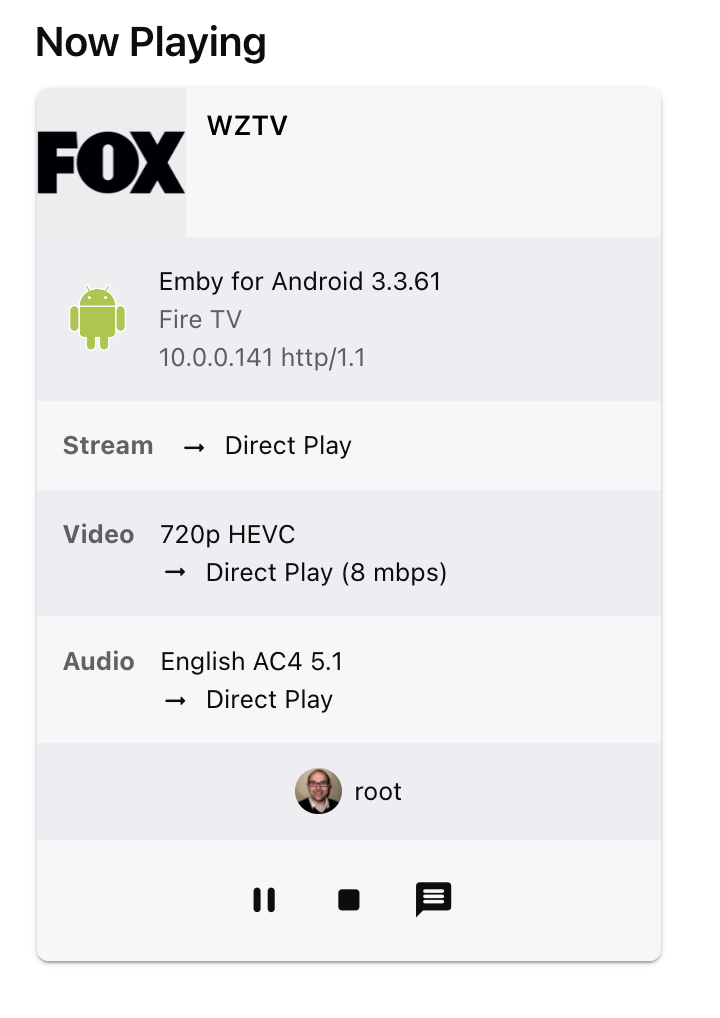
Thanks for the reply. With the standard android app it does direct play AC4 audio from live TV. The AVR was also showing full DD+ audio so that's good. It seemed to get bogged down rather quickly with the standard app though - after playing for 30 seconds it started stuttering heavily.
 1 point
 -
I think so.. It's more than that. Last year I had done something similar for certain subtitle types. In this case, we get the stream info from the initial probe run, but the header doesn't provide information about the target screen size - which is important for setting up transcoding (like burn-in). I had implemented such second pass, probing for subtitle packets only. It has been in the beta for only two or three versions, then Luke had to remove it due to user complaints about increased library scanning times.1 point
-
Oh i havent stopped kodi it is alwasy running thats just when i grabed the log file, here is the new one. with hours of updates but still no new episodes kodi.log1 point
-
Emby for Windows 1.1.533.0 cannot play music. The app simply crash and close when playing. Restart the PC or reinstall the app does not help. Emby for Windows 1.1.532.0 worked fine for me, but unfortunately apps from Microsoft store cannot be downgraded. System: Windows 11 Pro 23H2 (OS build: 22631.3007) CPU: Intel Core i5-12400f Memory: 32GB1 point
-
Ideally, not before it's ready and preferably, not too long after it's finished.1 point
-
Yes, i know, but as a said before, i have problems with my eyes when the subtitle is not at the bottom. With Kodi the subtitles are always on the same position. I really liked you own app, but it is what it is. And the Kodi Next Gen plugin is also awesome. So, i'm happy with it. Skip intro is now working. so, thank you for the help.1 point
-
Nevermind, I'm a dumbarse. I updated to to 4.7.14 and thought I would take a screenshot of the prompt to include with the logs and that's when I noticed I actually clicked the delete button earlier instead of cancel. In my defense they are in reverse though. Cancel is the left button and delete is the right button and I just instinctively clicked the right one because that's how every app since Windows 3.11 is setup. Ok on the left, cancel on the right..... I still don't think it should remove the entire extras folder but that's a separate issue. Sorry for the attitude, I clearly put myself in a bad mood not reading the buttons....1 point
-
In summary yes - reading from an SSD is not detremental to it's lifetime - writing to an SSD is (although this is well over dramatised, you would need to write consistently for many many years before you'd start to notice capacity being reduced - ie not something to really worry about). That being said - in my experience over many years and manufacturers of HDD's - Seagate are the worst for reliability - All my failures bar one have been on Seagate drives - I avoid them at all costs now.1 point
-
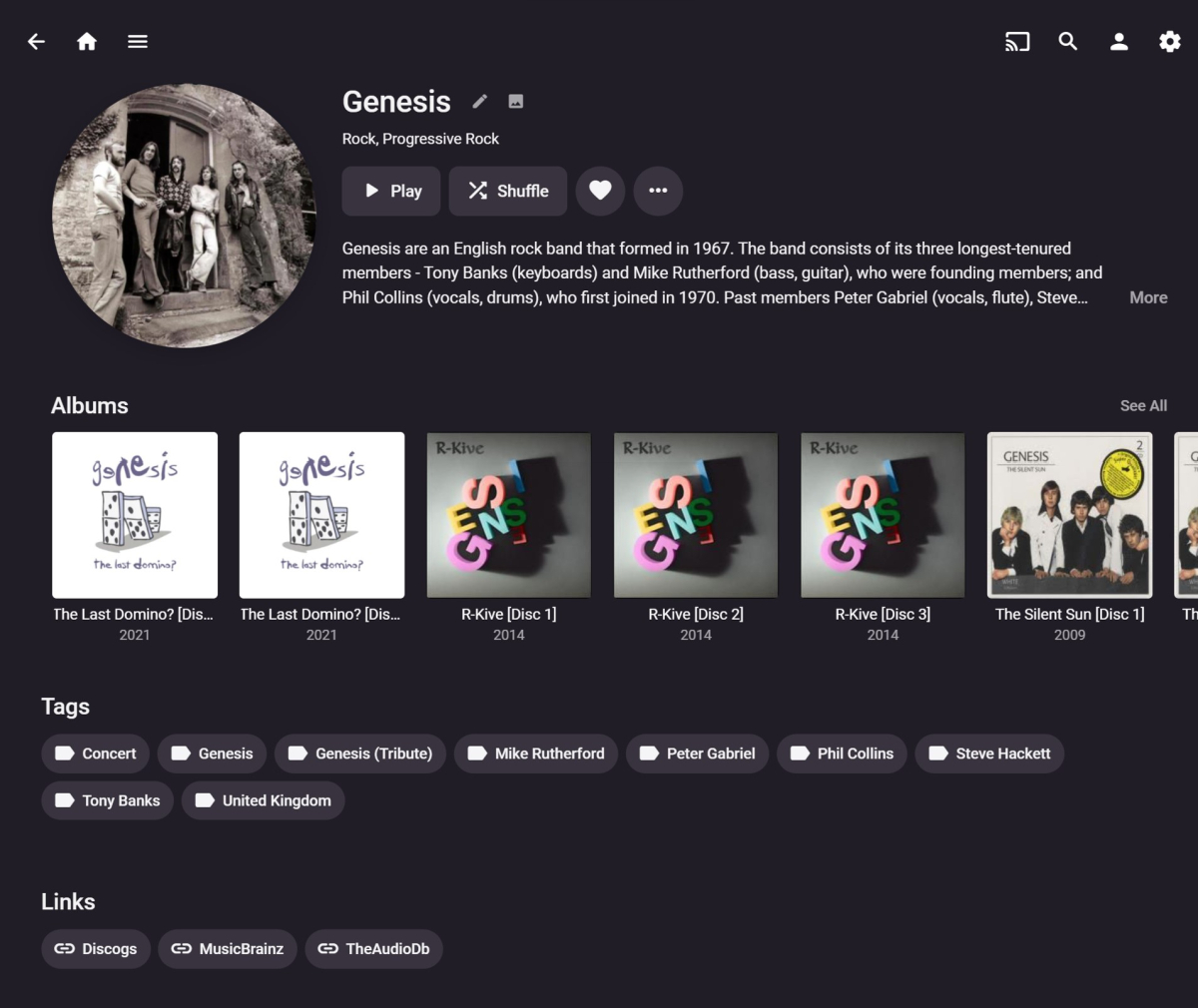
Yes, adding either the individual rule or the combined rule works well. Thanks. I have now figured out how to inspect the other sections and the CSS to delete some of them as well, to create a minimalist Album Artist page view. E.g.: /* HIDE ARTIST DETAIL "SONGS", "MORE LIKE THIS", "APPEARS ON" AND "INCLUDED IN" SECTIONS */ .artistSongsSection, .similarSection, .moreFromArtistSection, .appearsOnListsSection { display: none; } This results in the "Tags" and "Links" sections being directly below the "Albums" section. E.g.: I don't mind having the sections that were deleted, but found I am mostly scrolling past them to get to the sections below. Ideally, I would keep them all, but as a lower priority further down the page in a different order. It would be great if a future version of Emby allowed users to add/delete/rearrange the sections to sult individual preferences. Perhaps something that could be part of the future Smart Views I have been reading about...?!?!
 1 point
 -
Because I didn’t know about this option so far. With a short announcement about the removal I would have purchased the extended Lifetime immediately. I really hope it comes back at least for a short time.1 point
-
Morning all The extended device limit options were not even remotely confusing. Trying to determine which features within the server config will allow a device to possibly be added to the Premiere list, by manually cross-referencing with the feature matrix, is much more confusing. Could I suggest that the config interface displays a mark against the options which relate to Premiere features (maybe with a green "*" or something), highlighting that enabling it would result in a device being added to the (non-accessible) Premiere list, allowing us to better manage it, and keep it lean. Access to the Premiere list would also be nice. Currently, I don't think that I've enabled anything for any users which involve Premiere features, and so assume that no device is on the list...but without seeing it, I'll never know. Just my thoughts. L1 point
-
This will be in Emby Server 4.8. How it Works: This requires that you enable remembering audio and subtitle track selections. this is enabled by default. The server will first check if you've previously played the video file, just like before, and if it has then it will use your previous track selections If not, then it will look at your last played episode of the same series and attempt to use the same audio and subtitle selections. Essentially it will take the languages of the tracks and put these languages at the front of the language priority list.1 point
-
Hello, what happens to the lifetime upgrade? I wanted to buy it. This kind of behaviour will push the users to Jellyfin or back to Plex. I feel bad that the only solution is a monthly subscription. It doesn't look to be a fix for the price structure, it looks like a fix to get more money using a dark pattern. I'm really disappointed in the team choice. At least, you should have let the lifetime available and increase the price if you felt that i was not high enough.1 point
-
this is not simpler, this is limiting user choice and options. I am also very disappointed to see the option gone and I didn't even know it existed until today otherwise i would have purchased it long before now on top of the lifetime subscription just for peace of mind. 25 cuts it close for my family 45 is way more then enough. now i learn i missed it by days and that is honestly very irritating. at the very least you should have warned people before removing it so anyone who wanted it could have gotten it, cashed in from lifetime users who are not paying anything atm, and then removed it instead of now you have upset a lot of people as it simply seems like a cash grab by pushing people towards subscriptions instead. emby/plex are not the only only game in town anymore and jellyfin gets better by the day, is free, and has no device or user limit its 25 used within some unspecified time frame and which you have no way of seeing which count towards it. apparently within a week that "used a premier feature" - I personally have at least 5 devices that I use emby on: appletv, andriodtv, mac studio, mac book, iphone, ipad.1 point
-
There could be better transparency on how the device limit works. I'm assuming the limit is, 25 devices being used at the same time, in which I would agree 99.9% of the people this shouldn't be a problem. We have more than 25 devices in our house that could connect but only a few people ever use it at the same time and Emby says I am well within my device limit.1 point