Leaderboard




Popular Content
Showing content with the highest reputation on 01/12/24 in all areas
-
I don't chime much if ever, but I had to say something about this. I don't see people here being toxic, self-entited or whining. They are genuinely curious as to what's going on with this release. The fact of the matter is that a concerning amount of time has gone by since the last major release (May 2022). I'm a dev myself so I understand development takes time and that we all want a polished release with as few bugs as possible. But it's become generally accepted in the software industry that smaller, more frequent releases is the better model. Sometimes that's not possible, and products need a complete overhaul and that takes time, but I don't think that's the case here? at least I haven't seen anything to indicate so, so I think I and others are just wondering why we've gone from fairly frequent releases to massive once a year or two releases?9 points
-
An updated version of the Emby Open Subtitles plugin is currently rolling out. We have switched from opensubtitles.org to the newer opensubtitles.com This means you will need to create an account on opensubtitles.com and configure that in Emby Server settings. Until you do that, you won't get any subtitle downloads. Stay tuned for more developments on subtitle downloading !5 points
-
An updated version of the Emby Open Subtitles plugin is currently rolling out. We have switched from opensubtitles.org to the newer opensubtitles.com This means you will need to create an account on opensubtitles.com and configure that in Emby Server settings. Until you do that, you won't get any subtitle downloads. Stay tuned for more developments on subtitle downloading ! View the full article4 points
-
If you had an old opensubtitles.org account you will need to convert it to a new opensubtitles.com account. Go to opensubtitles.com and when you click the register link at the top there should be an option to import your old org account. If you already have an account with the new site then just start using the opensubtitles.com account once you update the plugin.3 points
-
I concur. They all have issues from time to time but I've had much better experience with WD.2 points
-
@Luke@Dibbes@FrostByte Appears to be fixed now. I wonder if the browser had cached the template...2 points
-
@SamESthank you. That was a very easy to understand. I'm disappointed because I thought having an atmos soundbar I would be getting true hd & digital master, but guess not. I just got the tv & soundbar & also got my son a tv so I don't think I'm going to buy the Nvidia shield now but later in the year I may also replace my tv downstairs & I'll probably get the shield. I will say coming from a non smart tv & roku & no soundbar to what I have now including emby theater I am very happy. @FrostByteI found somewhere when I was googleing what the tv would play & it said true hd but doesn't even matter. As always thank you all for your input & taking the time to explain everything.2 points
-
In summary yes - reading from an SSD is not detremental to it's lifetime - writing to an SSD is (although this is well over dramatised, you would need to write consistently for many many years before you'd start to notice capacity being reduced - ie not something to really worry about). That being said - in my experience over many years and manufacturers of HDD's - Seagate are the worst for reliability - All my failures bar one have been on Seagate drives - I avoid them at all costs now.2 points
-
Hi, there's a new version out now: 4.8.0.67 @Lukehas fixed the compatibility issue and I've added a few long-due fixes: Fix BBB video download URL Fix error when executing directly after plan creation Fix display text (markup removed) Fix scrolling in test run selection (full-screen) dialog2 points
-
Hi, the updated version is 1.0.42.2 points
-
I have a huge music collection and totally agree that under genres, sorting by album name is completely useless. I want to sort by artist. So adding Artist in the sort field seems reasonable to me.2 points
-
@LukeThe new way that you've developed for playing library items from VirtualTV as a live tv source is really great, but it's missing some features: The playback should auto advance to the next program in every available Emby app. There should be a way to start the current program from its live position instead of from the beginning. Ideally, the decision whether the program playback starts from the live position or from the beginning should not be a "static" channel setting in the plugin. Instead also the program itself should behave like a normal library item. That means that the program info dialog that we get from the EPG before playback and also the context menu should display a "Resume" and "Play From Beginning" button. Where "Resume" would start the program/library item from the live position and "Play From Beginning" from the start of course.1 point
-
Currently 4.6 has GENRES menu option going to display a long list of ALBUMS (using the ID3v2 tag name) and this is really not expected as the view as artists can be randomly shown in the list as its done alphabetically by ALBUM name. Can this be changed so that the ARTIST (or ALBUM ARTIST) tag is used as the view please because it makes more sense; its tidier too. When you go into GENRES, you often want to see the ARTISTS or AUTHORS and THEN see the list of work for them such as Albums or Books. Music and Music Video Libraries: ALBUMS are assigned to ARTIST in embedded meta data terms AudioBooks: BOOKS are assigned to AUTHORS. In this case the actual embedded meta data tags are still the same (BOOKS is ALBUMS and AUTHOR is ARTIST) If this change is completed, the result is that when you select a GENRE e.g. 'Rock', you'll then get a list of artists in that genre. When you find the artist you are interested in, and click it, you then get the albums. This is instead of the current alphabetical list of album names resulting in far bigger list to wade through if you have many albums (or books). In this current view, the artist work can be repeated multiple times if they released multiple albums and are all over the place because the sorting is on the album name. NOTE: MUSIC library did used to be like the proposed change until changed in 4.6.x!1 point
-
Rumor has it that titlovi.com may be shutting down this month. It would be hard to justify putting in the work to add support for it now. By the way, Plex doesn't support it either.1 point
-
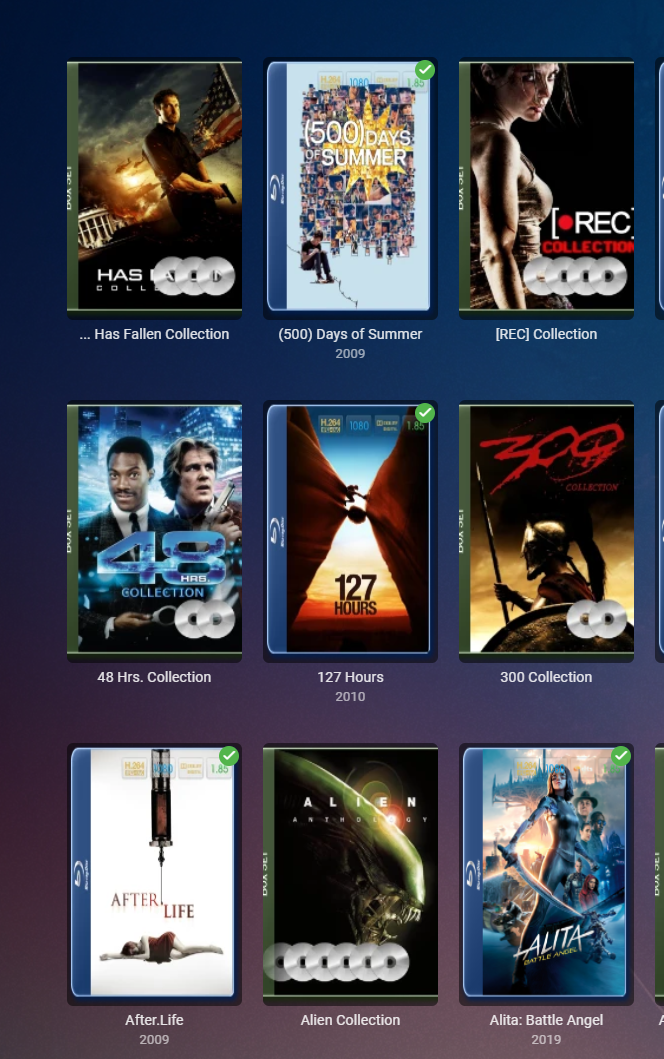
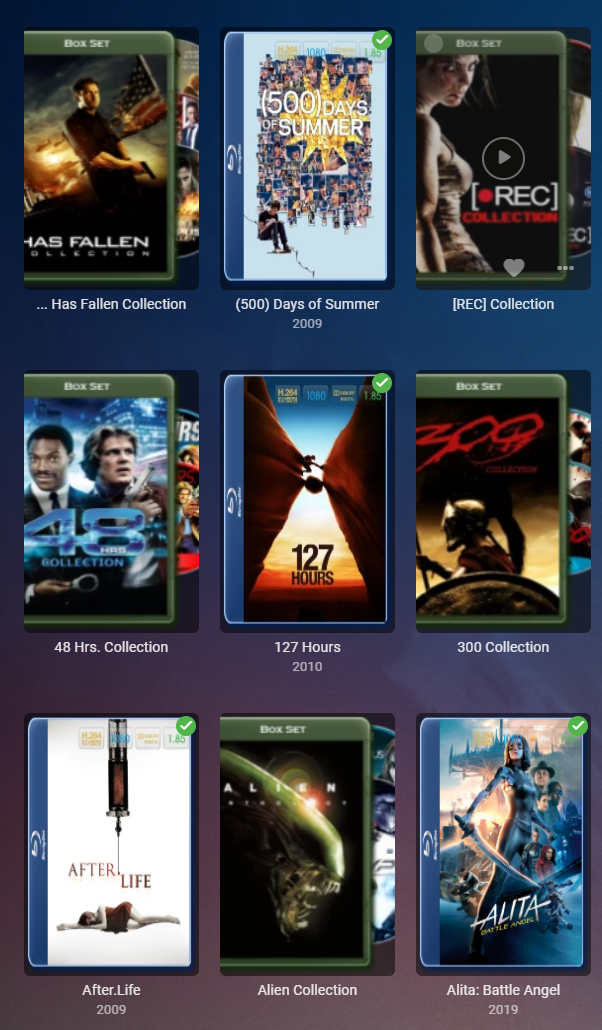
@Luke@ebr@AbobaderMaybe not entirely fixed in 4.8.0.67...there is still clipping on some images. Collection images are the only ones that I've seen this on since updating to 4.8.0.67. All other images seem fine. Edited to add: I changed the treatment to another one...clipping still occurred.
 1 point
 -
Found them. They were in back up. Now I'm just waiting for errors, lol.1 point
-
Did a number of further testing, does not appear to be specifically addon related as the data looks the same for a few different LiveTV backends - both working and not. Issue may be in how Emby is handling this specific backend provider, just odd that the web can playback but not Kodi. Will dig deeper into the differences and see where that lands.1 point
-
Ahh ok, thanks for the clarification.1 point
-
@TZTZoroI will send you the new code in 10 minutes. Normally it's attached to the bottom of the first post. Vic1 point
-
Well...it wasn't Emby......I had a bad ethernet cable......I replaced it and all is working fine now. So sorry I didn't find that earlier.1 point
-
I'm also very interested in this feature. Thanks!1 point
-
This is doing the trick. Thanks for the tip!1 point
-
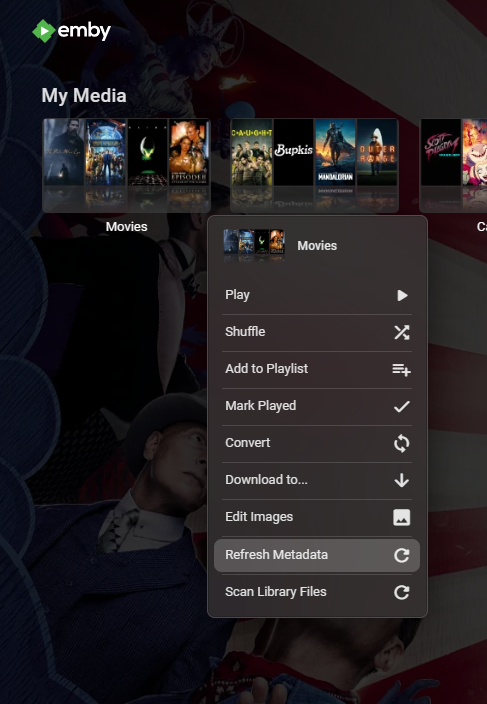
I would right click on your media folder.
 1 point
 -
I would recommend using relative units like % and em/rm instead of using px because of this ^ This seems to be a solution, i do not know which classes are needed exactly, i think this class="flex flex-direction-column flex-grow scrollY" and then you set for the scrolldiv the height to auto, but i would still recommend changing absolute values to relative, for example people with a high screen zoom benefit the most from it maybe some styling like this? it makes the buttons clickable #sideNode { background-color: #f0f0f0; color: #333; padding: 0.8em; overflow-y: auto; position: sticky; top: 0; right: auto; } #sideNode .side_item { padding: 5px 0; flex: 1; border-bottom: 0.125em solid #ddd; } #sideNode .side_item:hover { background-color: #e9e9e9; cursor: pointer; }1 point
-
Actually, I think that part of this new version has had a considerable amount of code refactoring - which may help in the future, but right now has increased the debugging required, both because of the amount of new code and the desire to keep a high level of compatibility. The attack last spring also led to a big redesign of the log-in process, which has also required additional updates to all the clients. Paul1 point
-
On Windows you could use a software like PrimoCache and/or a RAMdisk (Primo recommended here too). If it's always the same movie I'd put them directly on the RAMdisk, some programs let you save them to images when you reboot. If it's a mass of movies there's that hack of enforcing emby to transcode and using the RAMdisk as target for temporary files and disabling the transcode throttling.1 point
-
Sony does make good tvs but it's more integrated with Google then samsung & alexa so I guess I'll just keep an open mind when it comes time to replace the downstairs tv.1 point
-
@Abobader1 point
-
You may want to confirm this from someone who owns a Sony, but I believe the Sony Bravia XR can passthrough TrueHD and DTS-HD. All these codecs cost Samsung for license fees and they pulled DTS-HD starting 2018. https://helpguide.sony.net/tv/kusltn2/v1/en-003/04-04_04.html?hl=truehd1 point
-
Are there any tvs that do true hd & digital master out of currisoity? I guess in the end the media or audio can be converted but that's an extra step though.1 point
-
I just uploaded the latest code. I added the code for "delete channel", and several HTML improvements. I am still working on improving the "Rules" code. Vic1 point
-
Okay, if you ever have any question on what your TV supports after looking at the user's manual you can always do as Luke mentioned. Turn off audio transcoding on the server. You will either get no sound, a Samsung error message from the TV itself, or a loud obnoxious sound if the TV doesn't have the correct audio decoder. The devs pretty much follow what is in that chart, but if you find something that plays just fine after turning off transcoding which was transcoding previously then the devs will sometimes make an exception for that model year.1 point
-
Wow, you have a lot of patience! For most things I find that the offset subtitles option on playing back generally gets them into sync once I've found some that are correct but out of sync. I seem to get the odd TV show where the subs slit throughout the episode but it's easier to change the offset during playback than manually edit them all, especially as I tend to delete TV shows are we've watched them (not movies though, I have an archive for those!)1 point
-
I don't think you've successfully logged in. Make sure to use your open subtitles username and not your email address.1 point
-
Thank you very much for your answers!1 point
-
Hi, yes it makes sense. Thanks.1 point
-
Hi, yes it makes sense. Thanks.1 point
-
The browsers are beginning to force https now, so you may want to consider setting up https on your emby server.1 point
-
It was working for me earlier today using E4K 9.2.3 (addon mode). I'll test again later tonight and report back.1 point
-
Vielen Dank. Das war tatsächlich der Fehler. bg1 point
-
Thanks, we'll take a look.1 point
-
There is a list of the changes here in the current beta (v4.8.0.67), which are a delta from the last Stable release.1 point
-
I can't believe it was that simple! Thanks a lot for your help man1 point
-
Hi I use cloudflare on my domain with ssl without any problem You should use this website to create pfx file https://www.sslshopper.com/ssl-converter.html then go to network section in your emby setting and direct the file location in custom ssl certificate path You can see the full tutorial here https://emby.media/support/articles/Secure-Your-Server.html1 point
-
HI, yes agreed. Thanks.1 point
-
There's a new plugin coming soon which will give you complete and structured access to all Mediatheks content, including Swiss, Austria, Arte, KiKa, German 3rd programs and even more. The existing plugins won't go away, though. They are providing the same/similar content views like the official Mediathek clients, focused on the latest highlights and the most popular content, whereas the new plugin will show the content more like an Emby library. Stay tuned!1 point
-
Any chance this can be added to the Emby plugin's catalog?1 point
-
+1 for this. Album view is not my idea of the default way to organize my screen.1 point
-
The trouble I am finding, is that MUSIC library **DID** used to sort by Artist under Genres and was changed without any warning. Family really don't like the view by ALBUMS as artists are listed all over the place in a huge list (if large library). I agree with what you said though, in that not everyone will agree on ONE view, so hence my idea of a sticky option of "Sort by Artist", "Sort by Album" options. It would then work for Music/Music Videos/Audiobook libraries.1 point
-
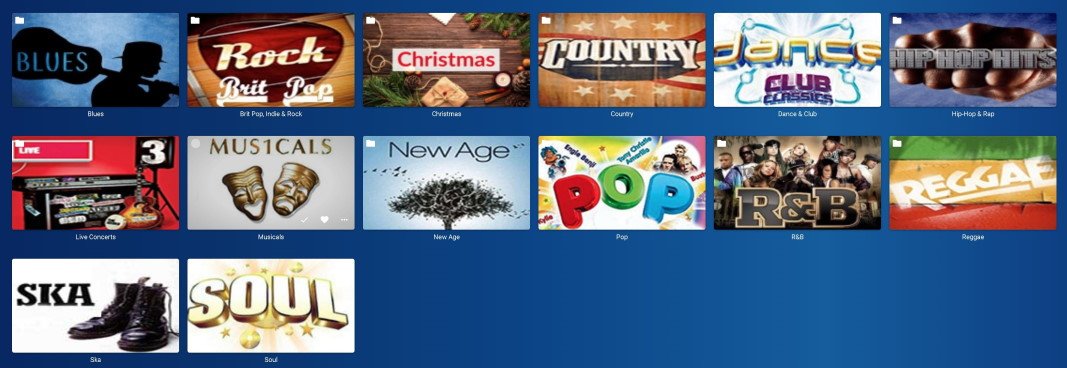
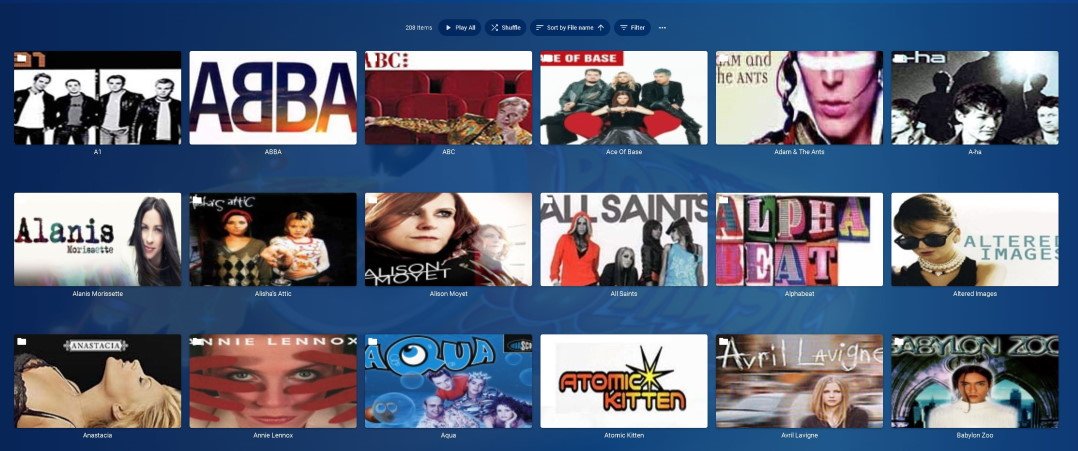
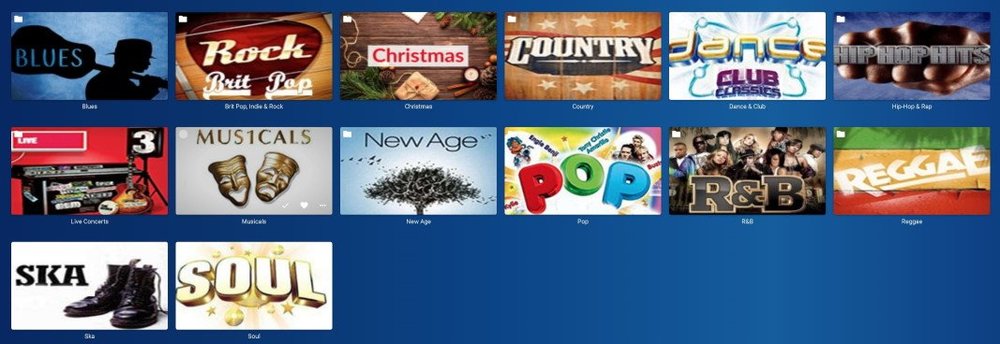
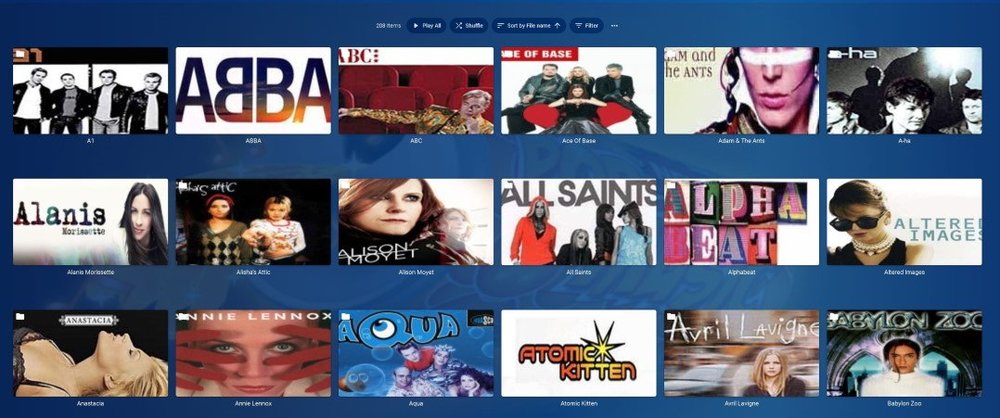
That's what I meant. The Album has the genre. At the moment, emby just spews out a useless list of albums to wade through, not grouped under any artist. It knows the artist, because that's in the embedded meta data where it read the genre tag for the album. Here's a picture or two to describe what I mean. Ignore the fact that the picture is actually a folder view - and pretend the images for each genre could be generated by Emby based on embedded genre tags. I'd expect this when going into the menu option of GENRES and then selecting 'Pop' for this example. Clicking on any artist would then show the albums for that artist tagged with "Pop":
 1 point