Leaderboard




Popular Content
Showing content with the highest reputation on 11/30/23 in all areas
-
That seems to have done the trick! That dropped my GPU load from 80-90 percent to less than 10. Thanks for your quick reponse!2 points
-
In the library settings, just click on the existing path that you want to add an alternative for: then Paul
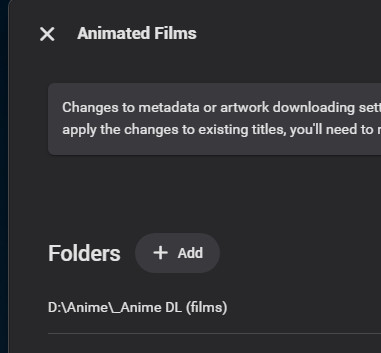
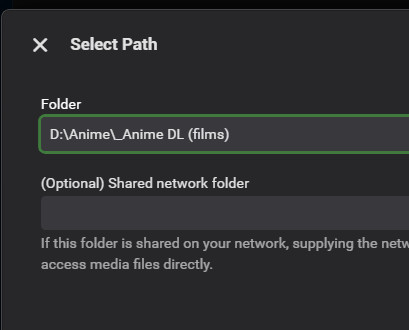 2 points
 -
I just want to bring up attention to AV1 as additional target codec for transcoding and comverting video. It's supposed to further reduce bitrates, which can be great in situations with limited bandwidth. Hardware players start to have support, with the Max version of Amazon's 4k FireTV sticks being a very popular and cheap option. Hardware Encoding is coming for sure too. So if/when HEVC gets added for transcoding, AV1 should be kept in mind too. And for conversations, things might actually be already there, since ffmpeg does have a encoder integrated.1 point
-
I'm a plex life time member, but I have been using Emby for over six years continuously, but there is a feature which I have always thought is missing in Emby which I would like and encourage the developer to consider including especially in this dispensation where families can social or commingle due to COVID 19. Today, I received a notification from Plex about it new feature titled Watch together you can read about it here https://support.plex.tv/articles/watch-together/ The feature allows friends and families at distance to watch same movies together instantly, you simply invite all your buddy, once they signed to the system which can be seeing in the server then play and pause as needed, this I think is cool feature should be added to emby. Let's here your though if Emby developer should consider adding this feature to our beloved Emby Media https://www.bing.com/news/search?q=Plex+Watch+Together&qpvt=plex+watch+together&FORM=EWRE1 point
-
Please see our new Amazon Alexa docs on the wiki.1 point
-
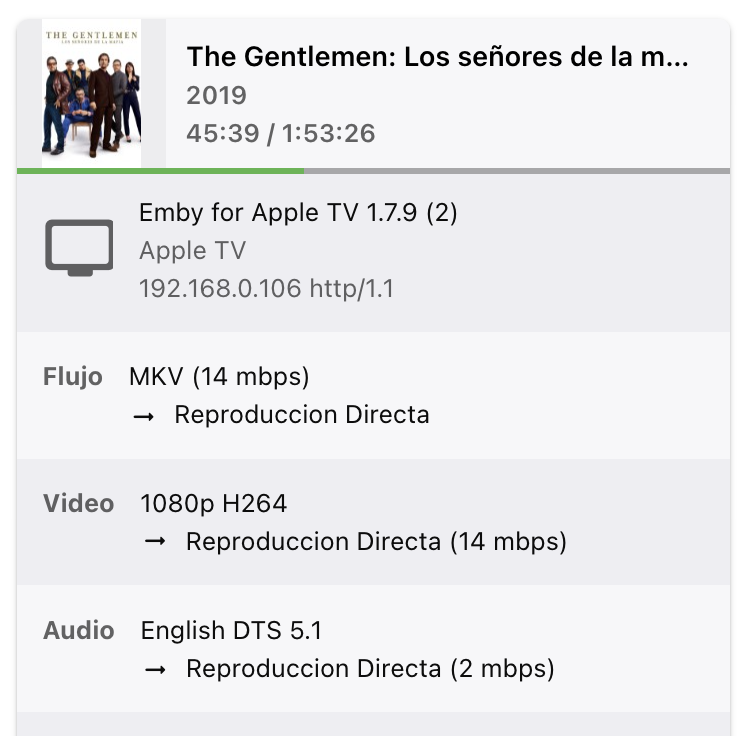
Hello, I'm writing because I have an issue when trying to play any type of video on my Apple TV with the MPV player. The main problem is that the audio has a very subtle delay, noticeable when watching the actor's lip sync. This issue doesn't occur with the native player, but I wouldn't like to use it because it doesn't support several formats supported by the MPV player. When I'm playing the same movie with Plex everything works fine and no audio lag is detected. I've also tried the same movie with a chromecast and works with no lags too. I have also attached logs where you can compare when I'm playing with apple tv native player and with MPV. embyserver (1).txt
 1 point
 -
Seems to be fixed again! Whatever you did must have worked. Will update if the issue comes back Thanks1 point
-
That's awesome to hear! Thanks Luke!1 point
-
Hi, this has always been true but has been changed for the upcoming 4.8 server release.1 point
-
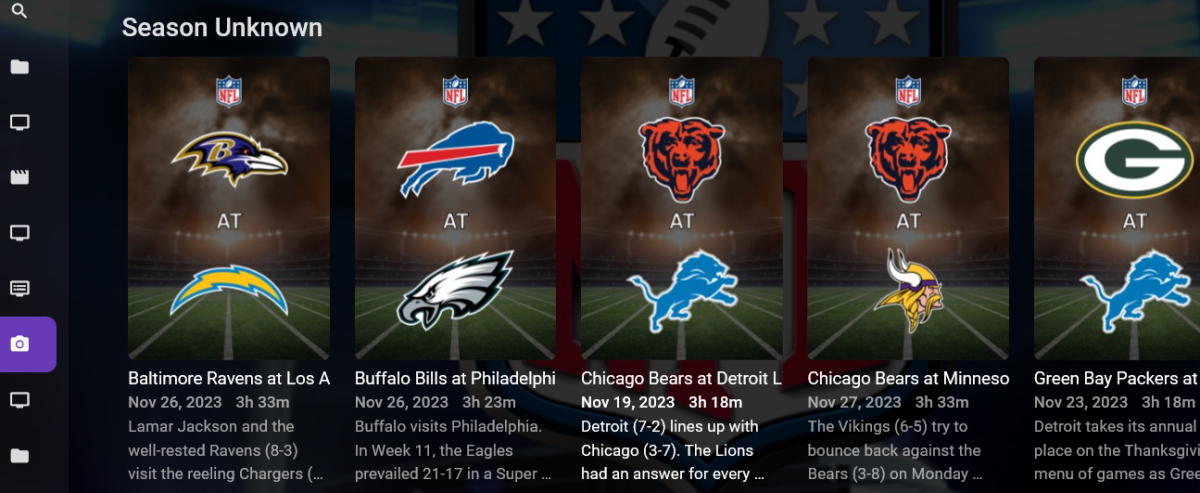
Thanks. So just for anyone looking at this, I made an interesting discovery today. While the sorting issue still exists, at least the date is shown on the tile when using Emby Theater on my PC, or the Android Emby app on my Chromebook, as opposed to using a web browser. I sorta had a 'slap the head and say DUH!' moment today. Again, while the sort order is still purely alphabetical, at least I can easily see the date. And, files that had to be transcoded to play via a browser Direct Play using the apps, so double bonus! I never realized how the Emby Theater app fit into the architecture....
 1 point
 -
@Luke @TariqK @swallman @eraser8@sopers@K1ng_Lear@Happy2Play@BigMamma@Browncoat1984 i found an easy workaround to offline music. i use emby for music now and the playlists, which works great if you listen to music where you have lan access or unlimited cell data. unfortunately i don't use unlimited cell data plans, so i prefer an offline music player with my playlists. 1. i converted my playlists to standard m3u from plex. 2. moved m3us to main folder for music for emby. 3. scan music folder in emby 4. open each playlist in emby , and move just one song to different position, for each playlist. this makes emby redo the playlist with relative locations. making playlist universal on different devices like android in my case. 5. share music folder on your network pc. 6. get android app foldersync. 7. sync music folder to android music folder. it will autosync if you like. 8. install pi music player on android. set and scan music folder on phone. 9. goto settings\import android playlists\select all\import android playlists once setup , all you have to do to keep in sync is step 7 and 9 then pi music player can be your offline music player that will be synced with your emby music playlists. if anyone has a better suggestion please chime in. hope this helps others in this frustrating topic. ps. i big con for some is. you will have to sync all your music to your phone. later i might make an app to only sync the songs that are in the playlist, while plugging directly into pc. but that's when i have more time.1 point
-
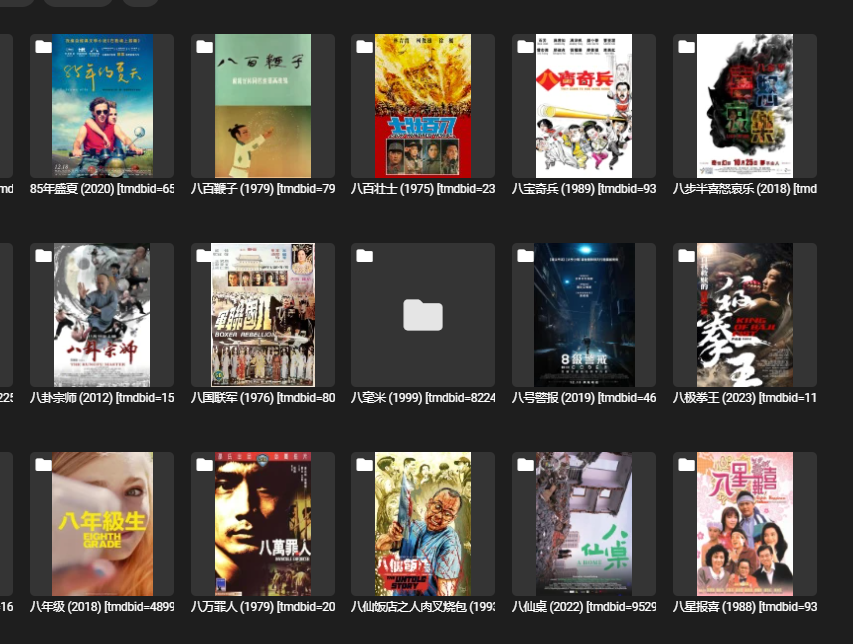
For a large amount of resources being moved from various places, there will always be some empty files. I also hope to add an option for empty files in the folder filter, so that empty files can be directly selected and deleted with just one click. Thank you.
 1 point
 -
I get what is going wrong.. It happens if 'Allow remote connection to this Emby server' is not checked for the user. The issue is solved.1 point
-
It looks like it worked as it should as it put the new recording into the single directory along with the old recordings and didn't create another entry in library. I will do it with a couple more series as they start to come back on the air again. I think what is causing the issue may be that I copied the previous folder without removing the nfo files whereas this time I created the folder structure before copying the files.1 point
-
I HAVE THE SOLUTION. I had the same problem. When playing some DV encoded files through emby on an LG OLED with its native emby app, it is not recognized as DV. Some files are HDR10 hybrid, in that case it will fallback to HDR10. If the file only contains DV the colors are green and purple, but NOT EVERY file. First I suspected a meta data problem but then I remembered LG TVs can't play DV in MKV Files. DV can only be played in MP4 files. Thus the simplest solution is to convert your Dolby Vision MKV files into MP4. The caveat is MP4 doesn't support all types of subtitles and no chapters. You can do this with ffmpeg with following command: Adjust filenames/paths accordingly. The option "-strict experimental" is necessary, otherwise the HDR meta data is not transfered.1 point
-
Hello, new user of Apple TV 4K, IOS17, I encounter the same problem when playing MKV (h.264 and h.265) the MPV player generates an audio delay. there is no option to adjust the offset in emby? if it helps, the iptv applications (oqee (free for french user); canal +) are perfectly synchronized. Using infuse, I also have the lag but the application allows you to adjust the audio lag (I have to put +200ms which is a lot)1 point
-
I looked carefully at the settings in the Dune and made a change here, it seems that it works now. Thank you!1 point
-
Turn on throttling - your system has more than sufficient transcoding power but it will be running at 100% to convert the entire file as soon as it can - it is better to use throttling, the system will then only transcode enough to fill the 'buffer' - leaving the system some headroom for other tasks. If possible - also ensure the transcoding temp path is not the same as what the media is stored on - ideally an SSD/NVME or RAM drive.1 point
-
Just want to confirm that emby for Windows beta 4.8.0.60 fixed a consistent server failure a few seconds after boot when running my Intel A380 installed on 31.0.101.4972 drivers from Intel. Was running the most current official release of emby server for Windows before. Also, the web interface for this version looks amazing. Super polished. Thank you to all of the devs for your hard work. Really happy to be supporting this community.1 point
-
Woo hoo! Looking forward to it! Thanks!1 point
-
Yes I believe it is and working fine with my apps across devices.1 point
-
We could make it like the delete function where if you click it, it will ask you what to apply it to.1 point
-
Love that thanks, I'll try the standard Android app again after the next release. I read somewhere that the plan was to have a standard Android app across all Android devices instead of specifics like Android TV, etc. Is this the plan? I like it as a concept, though I do find the TV app feels more polished and smooth currently, having the same experience across devices sounds awesome. I'm a big proponent of Emby, you guys are by far among the best devs I've ever seen, and Emby just works. In fact the whole reason I sideloaded was because I heard it might be the plan going forward and wanted to get used to it early haha.1 point
-
@KevinSartoriI think there is a good chance this will work now in the upcoming Emby for Apple TV 1.8.0 release. Thanks.1 point
-
Hi Luke, As it turns out, it was not an issue with Emby server at all. Class names changed after an update, and custom css I had loaded was preventing the videoPlayerContainer element from being displayed. It's sorted now now. Thanks again!1 point
-
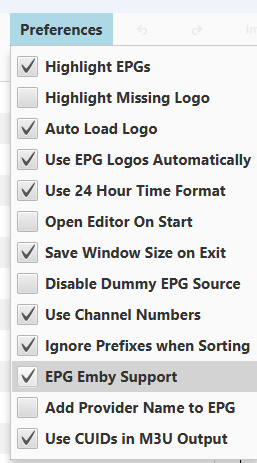
I think most people agree with us and someday I imagine Emby will behave this way as well. Until that day (and I'm sure well beyond), I use this application to clean and customize my playlists and EPGs as well as use their excellent EPG content. The author added a special Emby option to duplicate xmltv entries to allow Emby to behave how we want it too. I highly recommend it.
 1 point
 -
Thank you for such a thorough explanation! It sounds as though I'm accidentally doing more or less the right things! This is reassuring and just another validation of my decision to call it quits with Plex. Thanks again for your reply.1 point
-
You can add it afterwards - that's fine. Be aware that only a few clients will actually use it though - Emby Theatre for Windows, I'm unsure if Emby Theatre for Unix will use it (being SMB). AndroidTV / Shield Pro will also use it - but only on a previous version of Android, the new Android release and new Android Emby (non TV) client, unfortunately do not.1 point
-
Hi. The view type is saved per app/user and some of the apps don't use that API to do so - instead using cookie-type data.1 point
-
Hi I have the same issue. I have set my subtitle preference to Always play subtitles. Whenever I start a stream in LiveTV, sometimes the stream will get subtitles burned in during transcoding. This caused the initial loading of the stream to buffer longer than content without any subtitles. This is due to the fact that some of the HD content has subtitles or closed captions. And sometimes I see two subtitles: one normal subtitle and the other is closed captions. When I turned off the subtitle directly in OSD the stream direct played! What I would like to see is to have a separate option in the Subtitle section to set the subtitle mode for Live TV. This way I have more granular control of the subtitles for both Live TV and local contents (movies and tv shows). Is this doable? I run Tizen emby app version 1.6.7. I would personally love this feature to be implemented to save me (and probably others) from headaches playing HD VOD Live TV contents. We all know too well that subtitles can cause havoc with our viewing experience if not correctly configured! I served up the LiveTV content by using an xteve fork: threadfin. It works much better this way than using the M3U tuner as the content will be transcoded by threadfin before sending the stream to Emby.1 point
-
Emby is a client/server system. It is possible to have the server also be the client but I do not recommend it. The storage that attaches to the server can be most anything from USB drive(s) to internally mounted hard drives to NAS storage that gets mapped to the server so it looks like a drive. I use a, kind of, combination and everything works fine. The way Emby works (assuming that the server is already set up) is that the client requests a file from the server and the server finds it and, transcoding if needed, streams it to the client. I use a separate desktop computer (I do NOT trust laptops to be reliable enough) for my server and I have about 10-11 USB hard drives connected and pooled using StableBit's DrivePool software. I take care to be moderately sure that the files I stream are easy for the server to stream. That is they mostly require no transcoding and are not above 3.5 gigs in size. (moderate to low bitrates are more important to me than actual size) My server is on 24/7 and I give my server no other tasks except those directly needed to serve Emby or handle the side tasks Emby needs. My server sits in a back room away from everything else but I chose it for being quite so I may, quite soon, move it into my main viewing room so its heat can help me be more comfortable this winter. The server itself does not need to be particularly powerful hence you can buy an older computer and be quite successful turning it into a server. You can use an NAS for storage but, even for the ones the server works well on, I do not recommend running the server directly on an NAS. If you need/want Emby just to play a few files from time to time you can run Emby on almost anything but, if you want a stable always available server you need, I believe, to isolate the server so its primary task is Emby and little to nothing else. There are also considerations involving remote access but I don't like anybody (that is still alive) well enough to "share" with them so you will need help from others to set up remote access if you want/need to do that. BTW: I do not share with any dead people either and I do not think there is an Emby configuration that reaches into the afterlife anyway.1 point
-
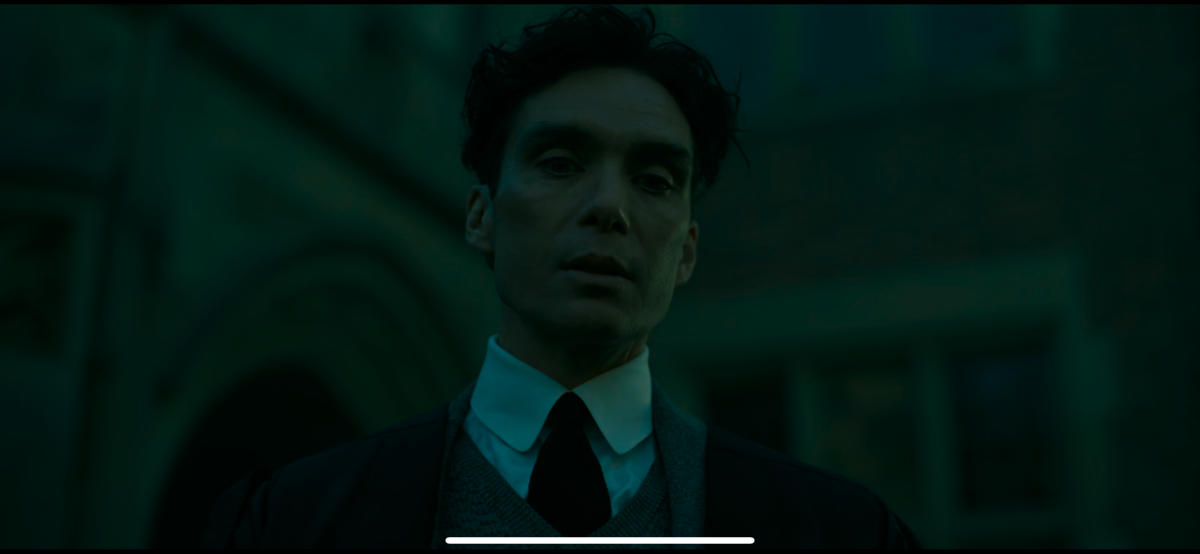
iPhone 14 Pro Max here, colors are quite green tinted in hdr. SDR is fine. If I use nPlayer app my file plays fine. Also plays fine on my lg CX oled using Emby app. Seems to be an IOS problem as my wife’s iPhone 14 has the same issue. also seems much darker than it should be.
 1 point
 -
Yes, this is exactly what I have done. I also have it refresh content every week so that it doesn't get stuck playing the same songs in the same order. Working well.1 point
-
Hi buddy, Can you please try again posting in this thread as a test (2 posts), thanks.1 point
-
HI, we'll take a look at it. Thanks for reporting.1 point
-
2023 QNED85 and higher models and all 2023 OLED models now support DTS, it's enabled in the next Emby LG client update1 point
-
This results in the following possible cases: DV (non-compatible) DV (HDR10 compatible) DV (SDR) DV (HLG compatible) HLG HDR10 compatible The last bullet includes HDR10 and HDR10+ - hence the text "HDR10 compatible" As soon as we will be able to detect HDR10+ as well, it can turn into this: DV (non-compatible) DV (HDR10 compatible) DV (SDR) DV (HLG compatible) HLG HDR10 HDR10+1 point
-
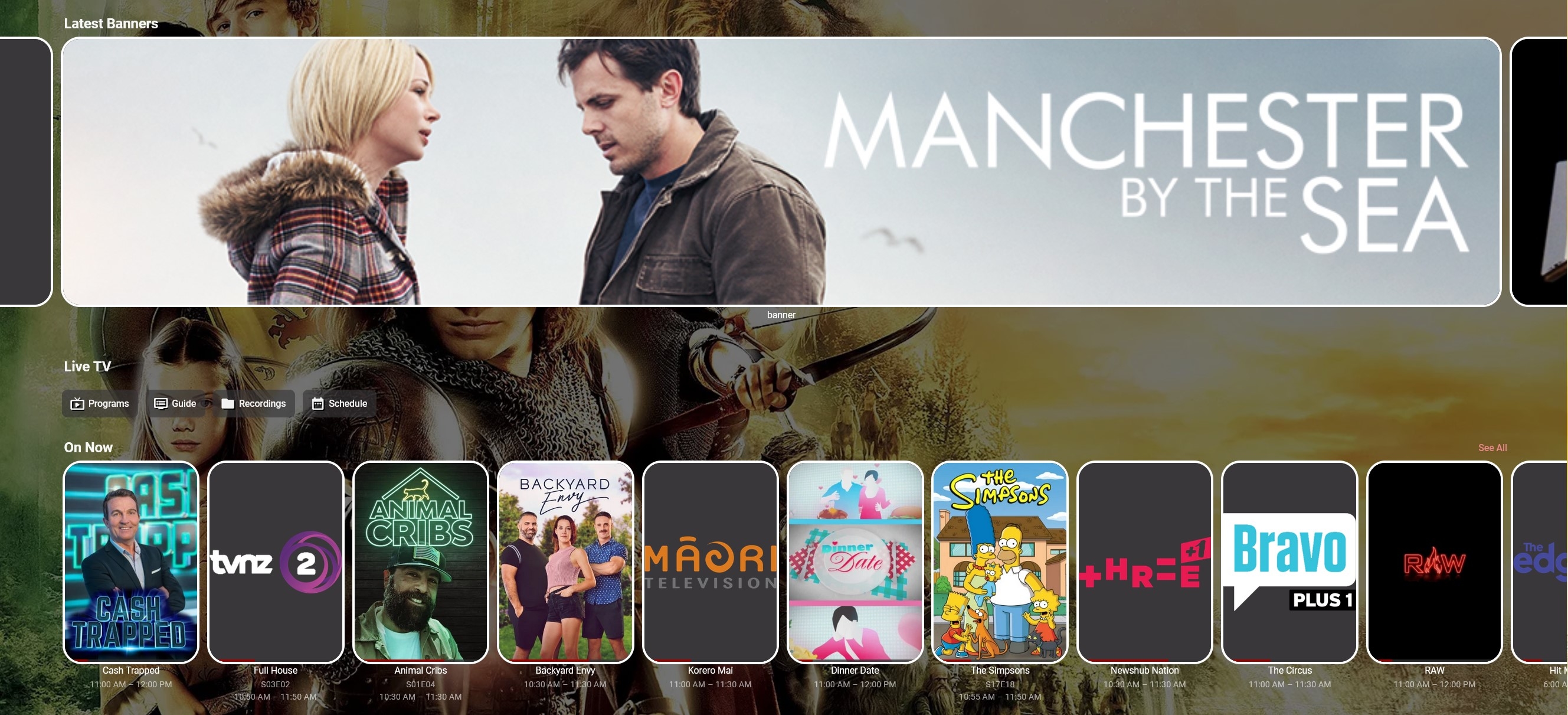
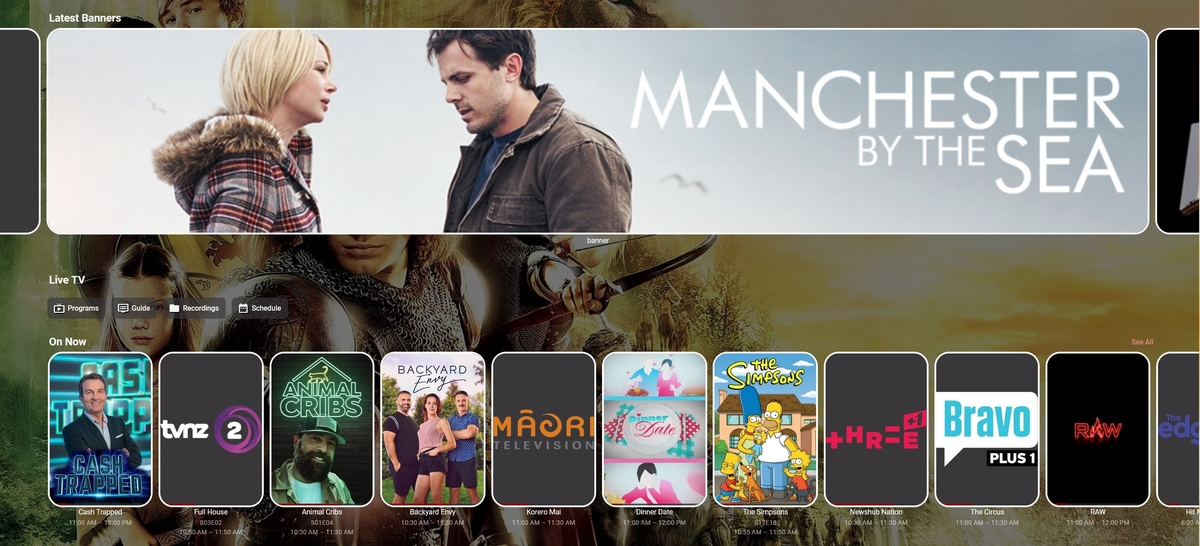
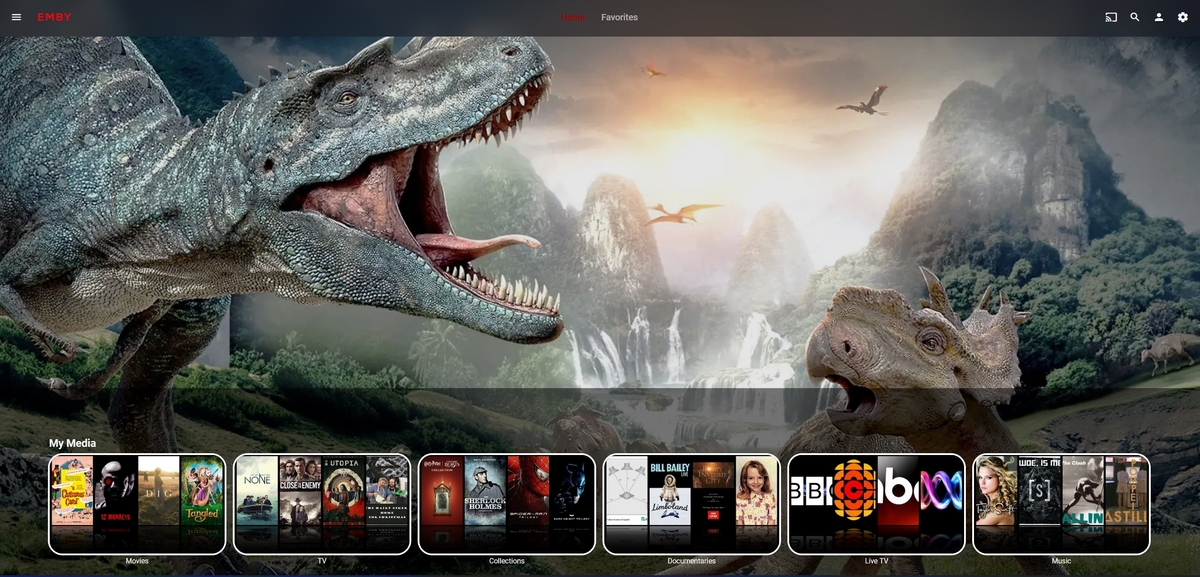
I propose to the devs, the option of have a new style of enhanced home screen on emby devices. A banner style spotlight. Wouldn't that be a good idea?1 point
-
Little bit like this then -
 1 point
 -
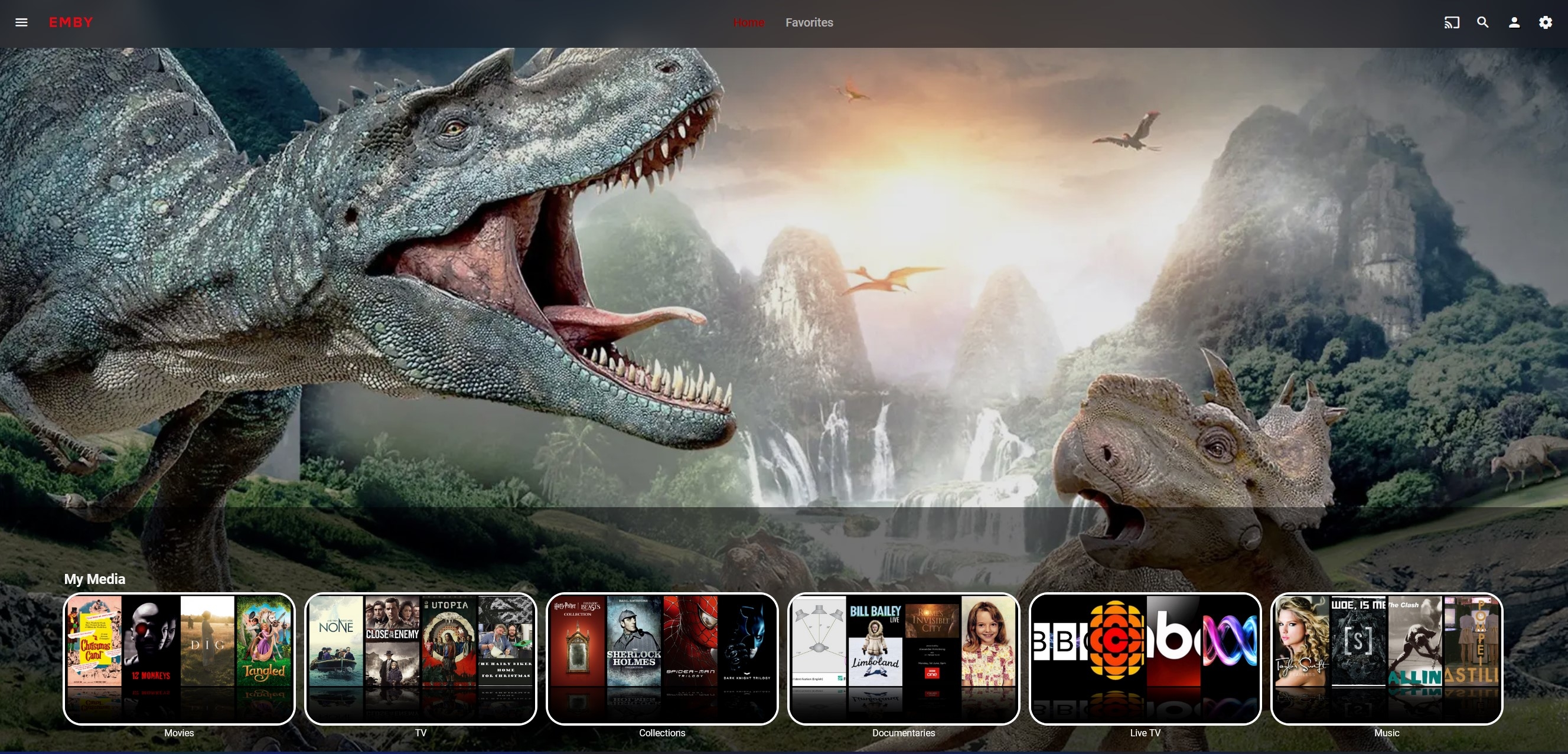
I like. I was just trying to reproduce it here (what can I say, it takes a while...). It would be nice to make it more available. I should mention I do have a soft spot for my own home page at the moment though, even though its not clickable or anything -
 1 point