Leaderboard




Popular Content
Showing content with the highest reputation on 11/17/23 in all areas
-
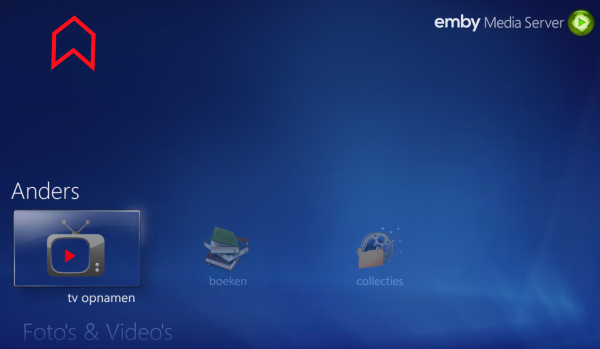
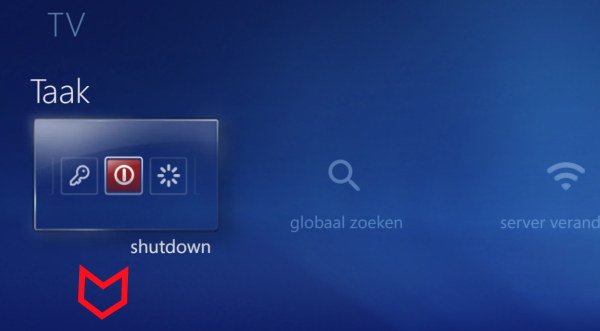
Looking to the original MCE, the main menu is verically round: it is possible if you are at the top, to click on an arrow to go to the bottom in one click. Also at the bottom, it is possble to click on an arrow to go to the upper-side in one click: 'vertically round'...? As the traditional Emby gui is not using the MCE vertical+horizontal 'cross' UI (is that correct term for this MCE ui part?), it is probably currently not jet possible in the WMC gui interface ....? Try to make it as good as MCE and implement this matter in WMC gui, please. Thanks & best regards, Peter
 2 points
 -
Not currently but will in the future.2 points
-
I recently found a need to look up additional information on a director. I was hoping to look at the director's profile and see not only the movies I had in my collection but also a list of other movies that they have directed. This would be displayed below the library's current movies. ex: My movies: Movie 1, Movie 2 Other movies by this person: Movie 3, Movie4 ================ This could help one expand their library and to discover a missing gem.1 point
-
Hello, I am using emby for music streaming. I would like to have emby on my watch and be able to sync music and play it without the need of my phone while running.1 point
-
Hi, I'm starting to use Emby as my daily driver for music in my car. Listening to Playlists is easy and works great. But sometimes I want to mix it up a litte and I would like to listen to the tracks I tagged as favorites. When I go to Favorites/Songs in AA and select one it will play the track but the current playlist will become the tracks from the album of this track. I would expect that the current playlist would become all tracks from my favorites. This way I could shuffle through them. Is this expected behavior? Is there an other way, that I couldn't think of to do this? Because I would realy like to shuffle through all of my favorite tracks while using emby on AA. Thanks, Jens1 point
-
I've been having an issue with shows I'm watching failing to persist in Continue Watching for a while, but could never figure out what might be causing it. These shows would appear in CW while a particular episode was being watched/resumable, but the next episode would never stay in the list like other shows. I finally noticed that the thing these shows have in common is that they're my 'DVR' shows, that is, shows I'm recording and deleting episodes as I watch. I've found that if I keep at least one watched episode around for a given 'DVR' show, then the next unwatched episode will persist in CW as expected. I've been on the 4.8 beta for a very long time, so I'm not sure how long this behavior has been going on. I consider this a defect, that Emby should be able to distinguish between shows that have no watched episodes because I've deleted the watched episodes and shows that have no watched episodes because I haven't watched any episodes yet...but maybe it will turn out to be a feature request. Either way, I'd like the shows that I've started watching to be in continue watching, regardless of whether I've deleted the watched episodes preceding the next unwatched episode.1 point
-
Perfect!1 point
-
from the Music queue; Artist or song or LP ..... music stuff I have.1 point
-
Hi, sure.1 point
-
I don't mean to be a pest, but I still would love to see this feature added.1 point
-
This is operating as designed right now. Changing it has been discussed but there are complexity and performance implications involved in that and most of our users don't delete most of their content as they watch it so we haven't taken any action on it at this point.1 point
-
Let me clarify my update. I noticed that the Collection image fetcher was working with "TheMovieDb" when I added a new movie to my library which created a new Box Set (a new item in the Collection library). The Primary image was downloaded as the folder image and not the auto generated montage image. I then did a "Refresh Metadata" with the "Replace existing images" option enabled on all the Collection items and about a minute later all the box sets had the downloaded Primary images from "TheMovieDb". I then went into "Edit Images" on one of the box set items, selected "Edit Images", selected "Primary", selected "Search for a New Image" and saw all the images from "TheMovieDb" now listed. Summary: Primary images from "TheMovieDb" are being fetched automatically when a new Collection library and/or Box Set is created. Primary images from "TheMovieDb" are being fetched on Box Sets (Collection items) when "Refresh Metadata" with the "Replace existing images" option is enabled. Primary images from "TheMovieDb" are being listed on Box Sets (Collection items) when searching for a new primary image. I verified this twice against an existing Emby Server and a new Emby Server deployment. Server version: 4.7.14.01 point
-
Thanks1 point
-
@topbananaAs @rbjtechhas tried to illustrate, your problem is caused by your instance on using weirdo unicode characters. Make no mistake: Substituting obscure characters that resemble others is bound to cause problems. If you can get over the idea that your file names have to be "really really correct", you will have a much easier time with everything. Just eliminate the problem characters altogether. Or map them to a common easily recognized character. I can hear you yelling at the screen that I'm wrong. My intention here is to make your life easier. Would you rather be pure and frustrated or make a compromise and have things be easy for you? The choice is yours. Brian.1 point
-
I put the bypass rules in for all emby stuff and it works super fast now emby.mydomain.net/* Cache Level: Bypass1 point
-
The beta version of Infuse actually works very well with Emby. They have created a direct mode where metadata synchronization is no longer necessary and the home screen is very similar to Emby's.1 point
-
Afternoon, Just a quick update: I came home from work today, and Emby is working fine now. It must have just sorted itself out. Thanks for your help yesterday. All sorted1 point
-
Hi, this has been added to the upcoming 4.8 server release. Thanks.1 point
-
@Rohanajre-installing worked for me also. Cheers!1 point
-
I realized that this is not a server issue but an issue with the web app. Please close / delete this thread, I have made a new post with updated information in the appropriate subforum: I apologize for the confusion.1 point
-
Don't think Home Screen sections enabled/disabled/order is included in user copy, @Luke? No, there's no Save button on that page, changes are applied real-time upon navigating away from it.1 point
-
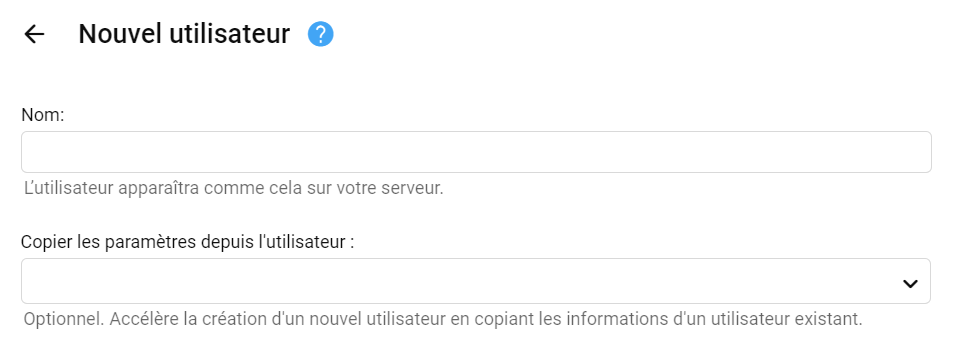
Bonjour, Comme tu peux créer un utilisateur à partir d'un utilisateur existant Il n'y a qu'à créer un utilisateur défault que tu utiliseras pour copier les paramètres à chaque nouvel utilisateur.
 1 point
 -
Create a user named Default and set all user preferences, Home Screen settings, permissions etc. as desired. Later, when creating new user, select "Copy settings from user" and choose user "Default" from dropdown, tick/enable Copy options "User Policy" and/or "User Configuration".1 point
-
Kodi is the most powerful playback software on the Android platform, just like Infuse on Apple TV. You can consider adding this function. I admire you.1 point
-
As soon as dev tools are available we'll jump right on it.1 point
-
Yes, I checked the availability of "Shares" first of all, from the Server where we found the problem. I also have a "Script" that collects the entire "Security Permission List" from all the "Folders" on the "File Server" so that I can check how they were assigned. And through Emby, when added, He also Sees it. (well, otherwise he wouldn’t have added it, right?) Emby is launched as a "Service" and runs under a Domain account. The account has permissions for all "Shares".1 point
-
Easy, Emby server does not have to be on the machine with the files. Set it up and point to the share folders on the other machine. I did this in frustration 5 months ago and it is working flawlessly! The new app looks fantastic but does it address the main reason i believe that a lot of people don't full migrate to Emby. Recording TV, I know its not that popular these days but with the price of streaming services increasing and the sharing crack down I think it may just return as an option for more people1 point
-
Let us know how that goes. Thanks.1 point
-
Una vez, q reinicio, hago reboot. Ya lo solucione borrando el docker y volviendo a instalarlo, aun no habia escaneado ninguna biblioteca1 point
-
Good evening, Is it possible to implement a display option in the home videos and photos area, that shows all photos and videos from individually created subfolders together in one view? If you search for certain terms using the search function, unfortunately only a fraction of them are found available files are displayed. I would be happy if something like this could be implemented1 point
-
This error is not generated by caddy directly, but by a "tool" (go's net/http lib). It's just that the client has closed the connection while transferring information. This isn't necessarily a problem if it doesn't cause any malfunction on your end. I've got it too.1 point
-
Yeah I agree, the wrap list feature (vertical or horizontal) would be a nice addition. I think emby core would have to facilitate that though.1 point
-
Hi, this should be improved in the upcoming 4.8 release so that it no longer causes a wake.1 point
-
Can't speak for anyone's particular setup, but I've bren running mounted drive under Windows for years and have never seen it disconnected once; granted, I don't let HDD spin down and my Win installation is running 24/7, but in my particular circumstances, with 20-30 "unknown" users/colleagues on my LAN, I much prefer that setup as opposed to having an anonymous share on the network.1 point
-
One idea, if you have a Firestick or access to one try that and see if there is any improvement. For me, the Firestick is the one piece of hardware I can always count on for no issues with any of my files or quality, it simply plays everything I throw at them with nice quality. I have a 55" LG TV in one of my stepson's room and I was really unhappy with the playback quality of the video using the emby app on the LG. I threw in one of my Firesticks and it looks amazing. This is one reason I usually ask all my users to buy a Firestick so I have less tech support issues.1 point
-
Hi Same Issue here App Version 3.3.40 Server Version 4.7.14.01 point
-
It wouldn't solve my case. There is no matching metadata provider entry for my file, story critical or otherwise. Emby needs to be smart enough not to try to identify at all if the extra is in one of the new folders and doesn't use the SXXEXX convention at all.1 point
-
OK we are working on a new windows app so stay tuned.1 point
-
You can expect to have the 4.8 stable release this holiday season.1 point
-
HI, yes certainly.1 point