Leaderboard




Popular Content
Showing content with the highest reputation on 11/12/23 in all areas
-
One important aspect I like about Emby is the backup and restore plugin. Plex doesn't even have that baked in. I have had numerous outages with Plex previously and rebuilding the database again and hence lost all my watch states! Plex releases bad updates too frequently and getting their support in the Plex forum is impossible! I like the forum support here as the developers are willing to solve the issues. Over there at Plex they treat us (Plex pass - paid customer) like idiot. Most of the forum posts were not answered and automatically closed after 3 months. I am not amused. I should have switched to Emby years ago but am glad I am using Emby fulltime now For people who are arguing about the ugly Emby UI: I forgive you for wanting a beautiful product. Beauty is just skin's deep and for me Emby looks pretty enough. When my users got migrated to Emby they praised the UI: clean, not cluttered with (faux) movie/series suggestions from Plex, fast and it even solved one user's "mysterious issue" with intermittent frozen video in Plex. He had to stop the video and restart it to continue watching. On Emby this issue is non-existent! It plays all my videos without any issues and fast! Oh god, it is so fast like they are watching the movies locally (transcoding to 8 mbps)! I don't even have a powerful media server. Emby is running as docker container on my Synology DS920+ Emby is way better than Plex without the flashy UI and streaming services. It just works out of the box!3 points
-
Hi, we're looking into it. Thanks guys.3 points
-
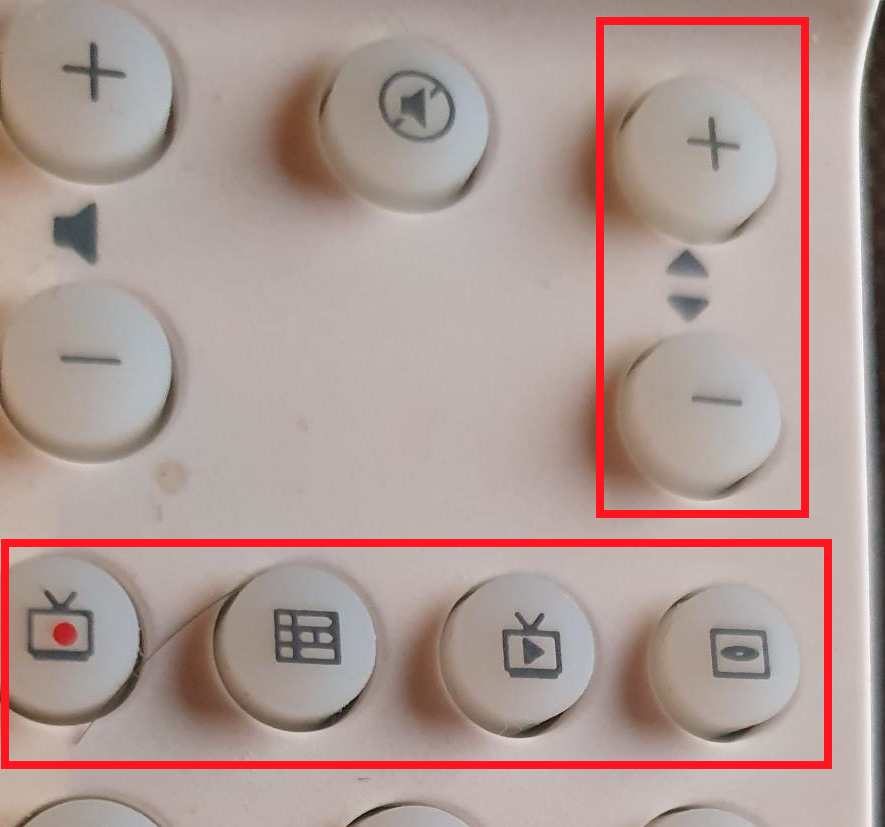
Today, I connected the original Microsoft remote control receiver to my Windows 11 Emby WMC UI system (after installing the correct drivers) and it worked immediately as you (Softworkz) promised: great ! I compared the remote control functions of Emby WMC UI with the good-old MCE: most buttons work the same, but a few buttons don't: Channel-+ : doesn't work Channel-- : doesn't work TV : goes to an empty screen, if no channel is choosen before, otherwise it returns to the active TV-channel...: why not start live-TV if not started ? Fast-foreward : shows the line and runs faster, but....how to activate at certain point (play doesn't work) ? Fast-backward : simular 0 until 9 : doesn't work....which is anoying, as this is basically the main function of a remote control..... colors : red, green, orange and blue: doesn't work General: if you are in the EPG and chose an active program (which can play immediately), activate live-TV immediately (and thus not the screen: play channel, record or series record): this is (as far I know) simular as in the original MCE....if a user likes to record Live-TV, just use the record-red button....this makes using a remote control even easier...one click less to live-TV...If the program is 'in the future' when choosen fromout the EPG, the existing screen (with the choice of record, etc.) should be shown: as is. As good-old MCE 'heavy' user, I like to help you finding WMC UI 'compatibilty' with MCE issue, in order to make it easier for you to solve them! Thnx & best regards, Peter1 point
-
Hello all! This form post is more to take the temperature of an Emby-related open source project that I haven't been updating very much due to just life getting in the way and an upcoming move, but I've been doing a lot more freelance coding lately, and I'd like to try another push to complete an MVP if there might be even a hint of interest. In short, my project aims to extend Emby's API with Subsonic-compatible endpoints to allow for various Subsonic-compatible clients to leverage it, thus diversifying the clients that one can use to interface with Emby for audio. However, for all intents and purposes, Subsonic seems like a dead project. It appears that the last version of the Subsonic server came out over four years ago, and although arguably the Subsonic API has become a de facto standard, it isn't being updated at all either. Still, even though Subsonic may be "dead", it doesn't mean that the API isn't stable, even it has been neglected :) I currently use Navidrome for local audio although I'd rather just use Emby for everything. That said, I've been quite pleased using Symfonium (Android platform) with Navidrome - Symfonium even supports Emby native APIs. But of course that is just me. This post is an attempt to gauge if there may even be a smidge of some interest in having a stable Subsonic extension to Emby's API. So if you have any opinion on the matter, I'd love to hear it. Many thanks!1 point
-
As most of you have noticed, there were a lot of database and metadata structure changes between Emby 4.5 and Emby 4.6. The Emby devs did a great job to make that update as seamless as possible and it least from an end user perspective, looking at the frontend all is well. But i'm not really happy with the transition that happens in the background of Emby. If you have the nfo plugin installed, for existing collections nfo files will be created under "metadata\collection", but the images in the database are still referenced under "data\collection" (boxset folders). Similar things happen to people. New people and their images will be stored under "metadata\people", while existing people images are still referenced under "metadata\library\xx\yyyyyyyyyyyyyyyy". Those things make the great goal to make Emby really portable and to simplify backup/restore processes impossible, except you've started with a new Emby 4.6 installation. Here comes my plugin into play. Of course i don't have to tell you: Make a backup of Emby's programdata folder first!!! How does the plugin work? Please read carefully! People migration There are two modes to choose from. Either the people source is Emby's database or it is an older people folder with A to Z subfolders. What happens by selecting legacy people folder as source? For every person the plugin finds in the old A to Z folders, the images and metadata is first imported into the database to matched persons. After this the same process as with database as a source is happening. For persons where no match exists, a named folder under metadata\people is created and a nfo is written that holds the legacy xml metadata. The images are copied over from the old A to Z folders to the new people folder structure. What happens by selecting database as source? For every person the plugin finds in the database, a named folder under metadata\people is created and a nfo is written that holds the database metadata. The images are copied over from library\xx\yyyyyyyyyyyyyyyy to the new people folder structure and the database references for the images will be corrected. The now no more necessary library\xx\yyyyyyyyyyyyyyyy folder gets deleted. No matter what source mode you've chosen, if the metadata\people folder still has the old A to Z folders, they will be moved to a new folder "_legacy". This "_legacy" folder will also be migrated if you've selected legacy people folder as source, even if the path input field is empty. No existing people nfo or images under metadata\people will be touched, only new data gets written. Collection migration The collection migration queries the database for your collections. For each collection it finds, it will create a named folder under metadata\collections and writes the metadata to a collection.nfo file. It will not touch existing nfo files. Further if the images of the collection are still referencing files under the deprecated boxset folders, the images are copied over to the new collection folder and the database entries will be updated. Only image files that are stored in the database will be considered! Try to recreate missing collections from boxset folders, as the name suggests creates collections in the database that were not picked up by Emby's update procedure. There's a good chance that this will restore some missing music album collections, but at the same time it can also create some unwanted collections. Write set tags to existing media item nfo where possible trys to add missing "set tags" to the nfo files of the collection items. It will not create those nfo files, only modify them. This should work without problems for movies, tv shows and tv episodes. It maybe fails for music albums or music artists. Delete old boxset folders will delete the whole data\collections folder after the plugin migration has finished to make sure Emby will not pickup images from this location anymore. Although this all worked fine for me, use this at your own risk! I'm not responsible for any damage of your Emby installation! Make a backup of Emby's programdata folder first!!! MigrationPlugin.0.2.0_Emby.4.5.zip MigrationPlugin.0.2.0_Emby.4.6.zip MigrationPlugin.0.2.0_Emby.4.7.zip MigrationPlugin.0.2.0_Emby.4.8.zip1 point
-
It appears that any playlist that any user creates is public--all other users can see it. I can appreciate the benefit of a public playlist. I could create a playlist called "Harv's Favorite Horror Films" for example, in case other users are interested in checking out what I like. However, the way most of my users are using playlists is to keep track of things they want to watch in the future. They are typically things that the user has not watched yet, so it's not meant as a recommendation to others, just as a way of them personally keeping track of what they want to watch. Having that kind of playlist be public is of questionable benefit to other users. Additionally, it is not clear when you create a playlist that other users will be able to see it. That has the potential to cause some embarrassment. He hasn't created one yet, but I wouldn't want to see my nephew's "movies to fap to" playlist, for example. If I could make a suggestion, I would suggest associating each playlist with the user who created it, and giving that user the ability to make the playlist private or public. For example, the following two checkboxes could be shown when creating or editing a playlist: Allow other users to see this playlist Allow other users to edit this playlist Initially, both checkboxes would be unchecked. Since another user cannot edit a playlist they cannot see, the second would be allowed to be checked only if the first were also checked. (You could grey it out to make that clear.) Depending on your UI preference, it could also be a drop-down menu. Playlist visibility: (Only me | all users can view | all users can view and edit) Thanks for considering this.1 point
-
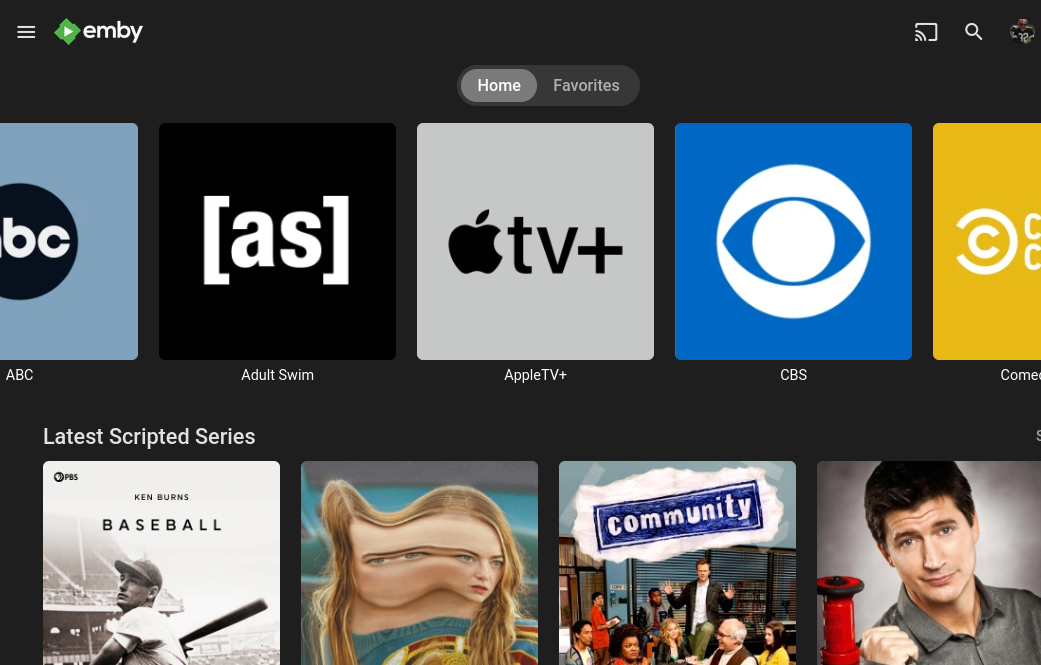
Love the new ability to add Collections as a Home Screen Section. I've began using it similarly to how the big streamers display "content/brand hubs." My feature request is to be able to sort (and ideally select) the collections that get displayed on the Collections Home Screen Section. As of now (4.8.0.58 beta) all collections are included and appear in alphabetical order regardless of how the Collections Library is configured. I can see a lot of utility in collections and would love to apply them to more than just brand hubs, but currently cannot without having to have them appear alongside all collections in alphabetical order on the Collections Home Screen Section. Implementing this would also seem to provide the utility often requested in the forum to display custom or temporary/seasonal items on the home page for users. Just make a "Top 10" or "Seasonal Favorites" collection and sort it to appear in the Collections Home Screen Section. Thank you for the consideration
 1 point
 -
That fixed it. Thanks for your help1 point
-
Certainly seems to have fixed the issue on my TV. Many thanks guys for your super fast response1 point
-
1.6.7 is up to resolve this. Thanks guys.1 point
-
HI, we do have features to ignore content: https://emby.media/support/articles/Excluding-Files-Folders.html1 point
-
@iiiJoe You can delete your attachments. Click your username in the top right and in the menu choose "My Attachments". You can delete them from there any you wish to remove.1 point
-
I run Navidrome alongside Emby as well, but I would also much rather just run Emby. I am tentatively interested in this idea.1 point
-
Then, I do believe it will be for Christmas period ^^1 point
-
I'm glad it works for you now. greetings1 point
-
For the record after a lot of work there's now https://opensubsonic.netlify.app/ that is advancing slowly but vastly improve the Subsonic API and the music eco-system.1 point
-
Hi I eventually went the USB route to manually install the latest Emby app (1.6.6). I can confirm that the subtitle is working now and the Skip Intro button appears when watching series. So my issues have been solved by the latest version of Emby app on Samsung Tizen TV1 point
-
I've sort of done the same by buying a nVideo Shield. My TV is from 2018 and no longer gets updates either. The benefit of using an external device is that they usually support a lot more media types than Samsung TVs do. By routing my Shield to my soundbar first and then out to the TV I can now get things like TrueHD Atmos, DTSX, PGS subtitles, and a lot more that I can't get by running a client from the TV itself.1 point
-
Es una lástima.. mi televisor Samsung aún le queda mucha vida! Tendré que adquirir un Amazon Stick, actualizar la aplicación cada 30 días no es buena opción para mí, debido a que paso poco tiempo en casa y mi familia no tiene idea de cómo hacerlo. Muchas gracias por tu atención!1 point
-
@trifleneurotic Totally interested in. I'm going to use SubMusic on my Garmin SmartWatch to sync my personal music. I could setup a Subsonic or Ampache serve but I'd rather use my Emby server.1 point
-
Thanks, but I got all information together already. The official docs are here: https://learn.microsoft.com/en-us/previous-versions/windows/desktop/windows-media-center-sdk/bb417079(v=msdn.10)?redirectedfrom=MSDN The problem is that there's no homogeneous API for the remote functionality. It actually goes over three different APIs (input, appcomand, keyboard). The latter part - keyboard - is always working without further development, as it's like connecting an additional keyboard. The other two require work. Please test in a Chrome browser (by clicking the "remote control" menu item). All buttons should work there (including Guide, Music, Video, TV). Even the "green button" should always take you to the start menu.1 point
-
Samsung J-Series Samsung 65JU7005 (2015)1 point
-
Short reply: Tested it on Emby Theater WMC gui Retested this again: OK or play didn't indeed stop the fast foreward or backward.... How to enter it on a remore control....? Issues in Github....humm. why report it double...: in this Emby forum....and...in Github...hummm...ok, I'll do that tomorrow channel up/down en 0-9 in core: w'll wait I found that some more keys of the Microsoft RC don't work: the 'i' key (=information) doesn't work the 'EPG-key' also doesn't work etc.: Its maybe better that you test it also by your selves, as finding all compatibility on all possible key-combinations is fairly complicatied.... From the other side: I remember from ýears ago' that Microsoft has had a list of all RC-key definitions and the combinations it supported.....I'll try to find that after all these years and bring it in to you....or even better again: is there not a RFC-standard for the Micosoft remote controls: Microsoft Consumer Infrared usage models (RC-6): have a look at github: baijuxavior/AdvancedMCEMapperTool: Tool for configuring MCE Remotes (github.com)..and...gcassarino/esp8266-Philips-RC6-tv-remote: an implementation of the Philips 22PFT4000/12 tv remote control interface using Javascript and an ESP8266/IRSend as backend (github.com)..! The complete definition of RC-6 (on the Kodi forum): Using a Microsoft remote control in Windows - Official Kodi Wiki: ALL key's and combinations are defined there....found it finally ! Grtz. Peter
 1 point
 -
If you go back a couple pages you will see a couple others had the same issue with a clean install and Omega beta. However, those who had Nexus and the plugin already running before, then upgraded to Omega everything worked fine. Something different about that file on a clean install.1 point
-
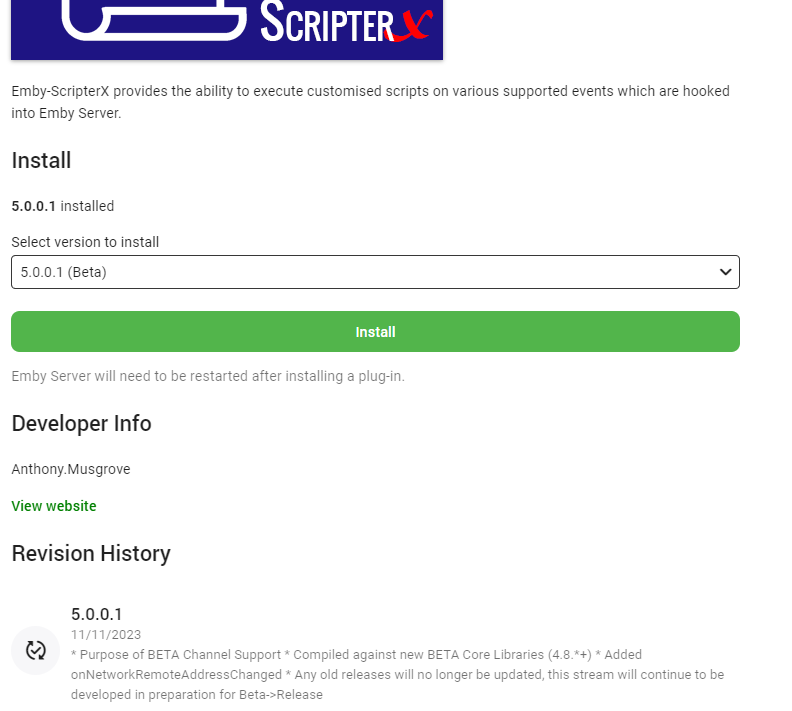
Hey all my beautiful followers, Please note - we're back in business. You'll now see the latest version of Emby Scripter-X (5.0.0.1) in the Official Emby Plugin Catalog, it is a Beta release, requires Beta Server Version (4.8+) Please test, and report any issues you may come across, I'll be triaging and addressing any issues momentarily! Kindest regards, Anthony
 1 point
 -
I'm glad to hear that. Did you try in Chrome or the Theater App? Pressing OK button should work, doesn't it? (but yes, Play should do the same) As @Lukementioned, it doesn't work for channel selection yet, but what does work is T9/Triple Tap for jumping to a certain letter or combination of letters. E.g. in a movies list, press '6' two times to jump to letter 'N'. Yes that's good. Can you create two issues in the WMC UI GitHub repo? One for the play button when seeking and another one for marking a program for recording when hitting the record button in the Guide. Right. The channel up/down needs to be present in the core app first. Thanks a lot!1 point
-
Thanks, I reviewed that before posting. I've got things working up to that point. My issue is with Emby wrongly associating the extra with a metadata source when I don't think it should/don't want it to.1 point
-
Seems to become a shared effort to solve these matters: both Emby-core and some fixing in WMC gui ? Lots of sucess; If my help is needed, please contact me ! Thnx & best regards, Peter1 point
-
More fixes for people searching. Should be (notice I said should be!) all good now. See post 1 for more info and updated dll.1 point
-
Which holiday season are you talking about? Halloween? Thanksgiving? Christmas? National Gorilla Suit Day? Vernal equinox? Easter? National Do A Grouch a Favor Day? That is the problem of offering a date/time without being specific. It is like saying "It will be ready Friday" without specifying which Friday.1 point
-
1 point
-
Hook up to my bedroom tv0 points
-
0 points
.thumb.jpg.21d888786f2104b4f688825203ce7598.jpg)