Leaderboard




Popular Content
Showing content with the highest reputation on 10/28/23 in all areas
-
Ok, remove all three series from TV shows root. Scan media library to clear db. For DEAD AGGRESSOR: 1) Move those S00Exx episodes out of Season 1 folder to Season 0 folder 2) Rename series folder to: 蒼穹のファフナー Dead Aggressor (2004) [tmdbid=42836] For EXODUS: 1) Rename series folder to: 蒼穹のファフナー EXODUS (2015) [tmdbid=25891] For THE BEYOND 1) No screenshot of Season 1 folder contents but if any Specials within, follow 1) from DEAD AGGRESSOR 2) Rename series folder to: 蒼穹のファフナー THE BEYOND (2019) [tmdbid=95336] Delete any existing NFOs present in either series/season folder, if any. Move all three series folders back under TV shows root. Scan media library.2 points
-
Did you originally have E4K installed on Kodi 20, then upgraded to Alpha/Nightly/Beta etc? That seems to be work fine. But not a fresh install on Alpha/Beta.2 points
-
Trying to install from a fresh install? I couldn't get it to install/work without errors when doing a fresh install of kodi Alpha/Beta. But if I installed 20.2, then E4K then upgraded to Alpha/Beta it works fine.2 points
-
You're trying to turn the problem around and say that the problem could come from either the file or the devices, and you're getting away from the basic question. To begin with, I'll answer: The subtitles have the timing of the video and there is no connection between the timing and the fact that plex burns the subtitles in addition to displaying them. These are 2 different 4K Apple TVs, but the problem with the Plex application appears on 2 servers and 2 4K Apple TVs, so the problem is not localized. It's not 4K but 1080p. Transcoding is authorized. And the problem occurs locally and remotely in both cases with the official plex application downloaded from the store. I don't know if this is done in other countries, but in France some people like to watch the media with the original audio. So English audio track and French subtitle. The MP4 format does not support embedded subtitles. Do you ask people who use MP4 to stop using MP4? Please, let's be serious. I have the impression that you've decided to come up with arguments that are neither head nor tail. A search allows you to look for a media. If I search for "Seven", I'll find Seven with either Plex or Emby. If this doesn't work for you, there's a problem. But that doesn't make the search "not working properly". If you're talking about the media being separated or the parent library not being mentioned, this is the FR and nothing is stopping you from participating in this FR so that the developers implement it. So, I've probably looked the wrong way, but is there an FR where you've taken part in this? I can't find it Well, it's a problem to think like that. It's certainly not up to the customer to adapt his content, but to the person delivering a solution that should normally work. If an FTP server couldn't transfer files smaller than 10MB, should people only have files larger than 10MB? No. If VLC could only play MKV files, would you use it? No. Well, it's a problem to think like that. It's certainly not up to the customer to adapt his content, but up to the person delivering the solution to manage it. And I'm going to end this conversation. This is neither the place to debug plex nor the place to write novels and I don't want to get yelled at for polluting the forum. I wish you all the best and invite you to open feature requests.2 points
-
Great news. Emby for Samsung is now available in the Samsung app store for more countries. If you're in any of the following countries, you can now install the Emby app using the Samsung app store: Angola Argentina Australia Austria Bahamas Belarus Belgium Bermuda Bulgaria Canada Chile Colombia Costa Rica Croatia Czech Republic Denmark Dominica Dominican Republic Ecuador Egypt Fiji Finland France France-Dom Georgia Germany Greece Greenland Hungary Iceland India Ireland Israel Italy Jamaica Lithuania Luxembourg Mexico Netherlands New Zealand Norway Panama Peru Philippines Poland Portugal Romania Russian Federation Saudi Arabia Serbia Slovakia (Slovak Republic) Slovenia Spain Swaziland Sweden Switzerland Türkiye Turks and Caicos Islands Ukraine United Kingdom of Great Britain and Northern Ireland United States of America Venezuela Virgin Islands, British Virgin Islands, U.S. We are working on adding more countries so stay tuned!1 point
-
Hi. While that got you what you wanted, I would encourage you to try using the system as intended and let it organize your items and provide rich metadata. So much more will be possible then and you might like it . Movie Naming TV Naming1 point
-
Ah, perfect. That's resolved it. Thank you very much for the speedy assistance.1 point
-
What likely happened is that you created TV shows content type library and Emby is trying it's best to identify/match your content with the information available from online databases/providers - what you want is Home Videos & Photos content type library, where no metadata fetching is involved, and use Folders tab once library created.1 point
-
finished scanning and sorting is clean of track numbers. thanks Luke.1 point
-
Perfect!Thank you so much.1 point
-
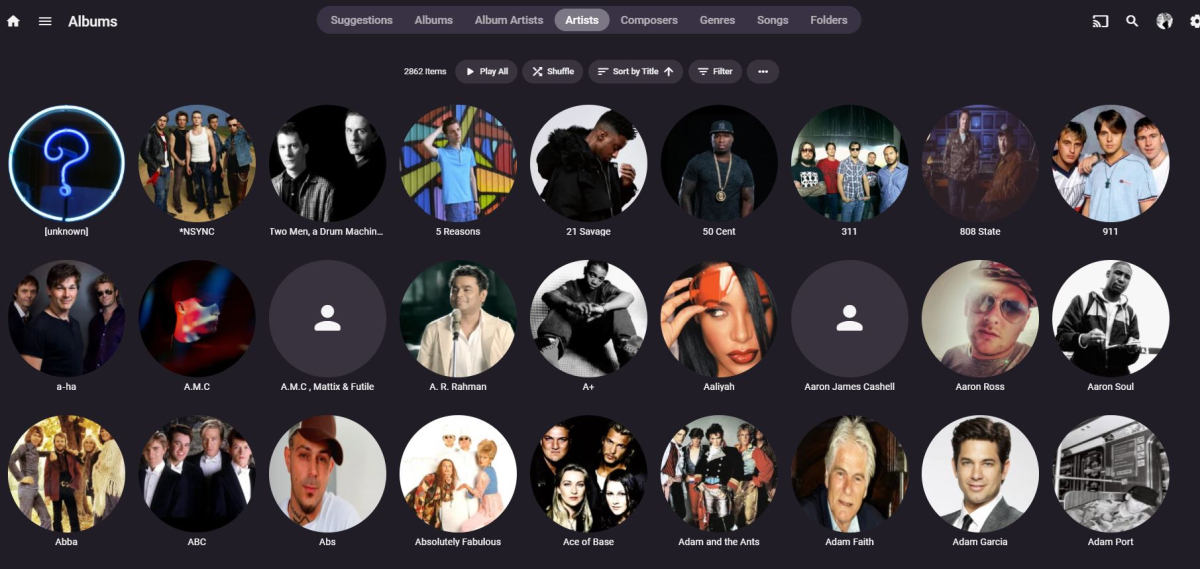
Hi @Luke - I can safely say that following the instructions has done the job! For anyone else with lots of missing artists who come across this thread, do the following: Remove library in question Run a FULL library scan on ALL library's (might take some time if you have loads of content. Once complete, do a database vacuum and restart. Re-add the library and make sure you select all available metadata finders for the library, and have Discogs and Musicbrainz plugins installed. Then you get this...... (Obviously i have a few artists where I will need to apply the image, but its very few now!)
 1 point
 -
FR = Feature Request, not Pull Request. I could have written it out entirely, but since Pull begins with the letter 'P', I didn't think such confusion would arise. Your comparison makes no sense. The search allows you to find the media but not to know which library it comes from. You would have told me "you're doing a google search and you don't see the description" I would have said ok, but just like plex in reality. You have to click on it for it to suggest the version to watch. So you have 1 extra clicks for Emby (the click on the back), which can be cancelled with the "Covert Art" plugin to add the 4K logo as with PMM. You're trying to understand a Plex problem on the Emby forum. Apart from polluting the forum, that doesn't help anything (plex being a closed source, you won't be able to propose a solution either). And I assume (perhaps wrongly, you might say) that if a video works on 99% of video players, it should work everywhere. And finally, MP4 is the format that's compatible with the most devices, so it can be played on the most devices natively, unlike MKV, and my file isn't an MP4 but an MKV, but I just don't see how that solves the problem. And the problem only occurs on Apple TV, so....1 point
-
There was one more audio track, which made the movie play without issue. So the TrueHD was messing things up. Thanks!1 point
-
Ah! I had done a fresh install (straight to 21); but I've since installed 20, then upgraded to 21 and it seems to work without issue. Thanks for the tip!1 point
-
Nice, glad we got you sorted. I know there are few browser extensions for backing-up cookies - do those include site data I honestly wouldn't know, try to read through few of those descriptions, you might find that info.1 point
-
Tbh, not sure, as your key's been actively refused by admin server, it's not like you didn't reach it/something was blocking your outgoing request. I'd wait for Dev's input.1 point
-
Thanks, that works!1 point
-
Just for example, Jellyfin send request every 30 seconds to keep alive websocket connection
 1 point
 -
Ok I think that this might be related to my issue with the OOM I disabled the photo library for now as I understand there is a fix for this coming in 4.8 when its released (I see you have beta versions available but I don't really feall like going beta at the moment) So I'll see if this being disabled fixes my OOM issue. Fingers crossed. Ok so I think that my issue of not tracking was related to the HA Proxy stuff. I just turned on my CF Tunnels to point back to the emby server and now things are tracking like they should.1 point
-
My thought as well.1 point
-
Agree 100% - giving a user 'Admin' just so they can manage local accounts is a reverse of the good security progress emby has made over the last few months. If a new user type of 'Sub Account Admin' has create/edit sub account user rights with max inherit permissions of their own rights - then that is great - and will then make this FR a reality. Personally, I do not see the need for this on a family server - if you do not personally know your users, then this functionality could easily be abused.1 point
-
modify elem.textContent=options.LoginDisclaimer to elem.innerHTML=options.LoginDisclaimer in manuallogin.js and login.js1 point
-
See NextgenTV (again). Very possible, done, ignored.1 point
-
That can't work. No, there's no plugin that could enable that to be recognized AFAIK. Maybe something in beta branch might be implemented that would enable it, but IMHO that folder structure is atrocius and it should never be supported, but it's not up to me.1 point
-
it will favor the external subtitles but since the internal ones are marked as default they are taking priority. you can also mark the external ones as default by adding .default to the file name. so movie.eng.default.srt1 point