Leaderboard




Popular Content
Showing content with the highest reputation on 10/27/23 in all areas
-
Guess this guy should stick with plex, since it does what it wants.3 points
-
I read the thread carefully and I think debating on "plex is better" or "emby is better" is silly because it depends on your preferences and judging a tool/program for its interface is nonsense and I think the answer to that question is to try. "plex the UI is way better" VLC is one of the most widely used players in the world, yet its interface is old and there's no real design. But why do people use VLC? Because it works and it does what it's designed to do: play media. I was a plex user and I left it because the playback problems were multiplying (I can name some that have been solved and others that still haven't and it's been over 5 years since I switched and the problems are piling up). I'm not saying that Emby is problem-free, but it does what it's supposed to do, without adding any more useless features. And I have friends who are just fed up with having to educate people to deactivate this or that feature because their users receive emails they never wanted with every new "social" feature. When I run Emby (or even when my users run Emby) they want to watch media, they can and have no problems with duplicate subtitles, out-of-sync audio (a problem that has been a top-trend on the plex forum for quite some time despite their update) and the interface doesn't lag (if you tell me it's not slow on TVs you're kidding yourself) And these are just examples. And to say: "look, we've got lots of features" but to be unable to play external subtitles without them being burned by the server into the video in addition to being displayed by the player is pretty useless I think (I can give you a very nice picture of the problem). Plex is moving more and more towards a streaming service than a self-hosted media server. And having an IMDB rating on a poster with PMM is good, it's pretty, but it's completely useless. My message may seem angry but it is not. I just find it odd that someone would sell a service on another service's forum. And I find that Luke (and the others I don't know) do a very good job on the interface and that it gets better with each update.3 points
-
Agree 100% - giving a user 'Admin' just so they can manage local accounts is a reverse of the good security progress emby has made over the last few months. If a new user type of 'Sub Account Admin' has create/edit sub account user rights with max inherit permissions of their own rights - then that is great - and will then make this FR a reality. Personally, I do not see the need for this on a family server - if you do not personally know your users, then this functionality could easily be abused.3 points
-
Thank you. This seems correct and I will employ this fix right away and repost back if it fixed the problem.2 points
-
My thought as well.2 points
-
https://forums.plex.tv/t/apple-tv-4k-audio-sync-issues-with-enhanced-player/522782/1 I know that people have the same problem with Emby but my friends have the problem with plex and only with plex, that's why I know this post which dates from 2020 (well before even). plex (my friend): IMG_4760.mp4 Emby (me): 71511475431__328D8632-B0EA-4685-B627-BF40FC856467.mp4 Same video, same subtitles. Why wouldn't I have external subtitles? These are subtitles. This is precisely the point I made in my previous message. Emby does what he's asked. Plex does weird things. This same friend cannot play videos with subtitles in ass format without Plex transcoding on Apple TV. Emby does not do this for example on Apple TV. And I'm not English (that must have something to do with my English haha) so the subtitles are very used (forced or complete depending on the language of the audio) As someone else said previously, Emby's team is much smaller than Plex's. If I understand correctly there is only one developer for the Apple TV application who does a very good job and who, as soon as I have a bug, resolves it. The application for Apple TV is still young and improves from version to version. It's certainly nice, but it doesn't help at all for a media server. With features like discover, or others, it doesn't help to play a video correctly and doesn't help with the user experience for video playback (or music playback). And as I said emby is not absent of defects or problems. But Emby does what we ask and the team behind Emby, despite what we may say, is very responsive and knows what it is talking about and if you have problems, nothing is stopping you from opening a post in the correct section on the forum and I think Luke will be happy to help you.2 points
-
Sure, as I said, I totally get it. I just wasn't sure if EMBY has some sort of media error correction built-in. It's just a weird problem to have/debug, I've been using ffmpeg for years now and audio channel layout was never a problem until the update. Again, thanks for your time!2 points
-
Create new User?2 points
-
I use this script, to clean up in Unraid, and run it daily via cron job. It will delete files and folders older than 1 day, under parent dir. #!/bin/bash find /Path to/transcoding-temp/* -mtime +1 -delete2 points
-
Role-based or, at least, more granular permissions is something we are wanting to get to as well and may, indeed, be a pre-requisite to this type of sub-user.2 points
-
@GrimReaperthanks for pointing me to this thread. This was a feature request 3 years to the month. Any news?2 points
-
The default sort order is set to 'Folders'. I would prefer to have all libraries I select to default to release date. I know I can manually set it, but I have to do that for every folder in the library. I would like to see the ability to have it automatically set the default sort order for all new folders I create.1 point
-
As I mention in a related post, I love the additional subfolders for Movie Extras (eg, Shorts, Scenes, Interviews, etc.)! It would be awesome to extend this functionality to TV Series as well. Specifically to add support for many/all of the same folders supported for Movie Extras, eg, extras specials shorts scenes featurettes behind the scenes deleted scenes interviews trailers As well as any additional folders that get added in the future (eg, hopefully Galleries). Support Placement of "Extras" Folders Within Each Season Folder, Plus A Naming Scheme to Link A Particular Extras Folder with a Specific Episode (eg, "\Season 1\E1 - Deleted Scenes\" for episode 1 deleted scenes): I want to clarify that it would be great if these various "extras" folder types could reside within each Season folder. So for example, within a Season 1 folder we could then have an "Extras" folder, a "Deleted Scenes" folder, a "Featurettes" folder, etc. And furthermore, that we could designate a particular folder to refer to a specific episode (eg, "\Season 1\E1 - Deleted Scenes\" for episode 1 deleted scenes). See more below, particularly why I think this would be so useful: https://emby.media/community/index.php?/topic/55915-emby-server-theater-additional-extrasspecial-folder-types-for-tv-series-similar-to-movies/&do=findComment&comment=587195 Thanks for your consideration! PS - If this is something you might like to see implemented, be sure to "Like" this top/first post (as well as any subsequent posts in this thread that highlight particular aspects of what you are interested in) -- "Liking" the top/first post helps the Devs to know how much interest there is in a given Feature Request.1 point
-
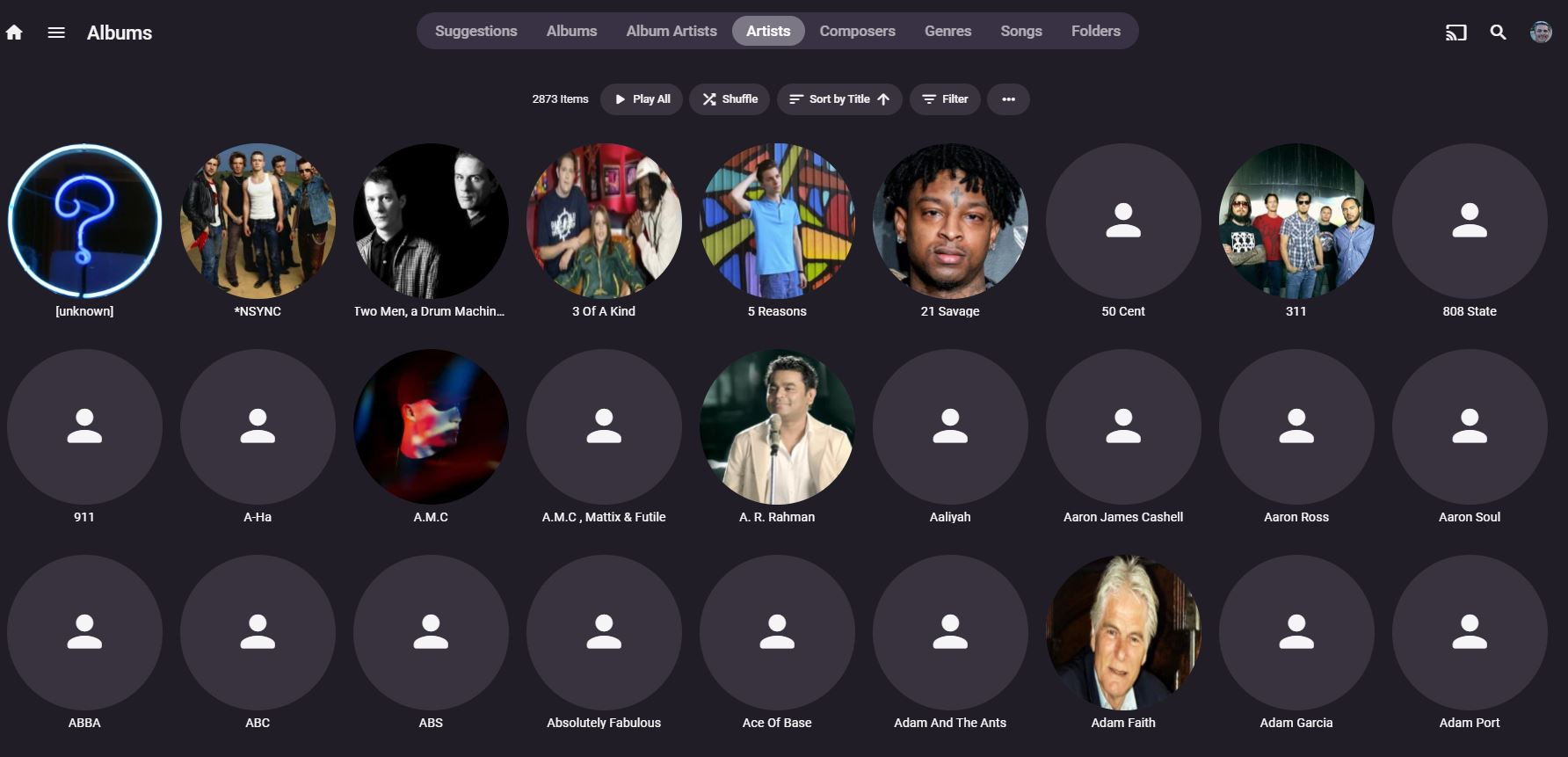
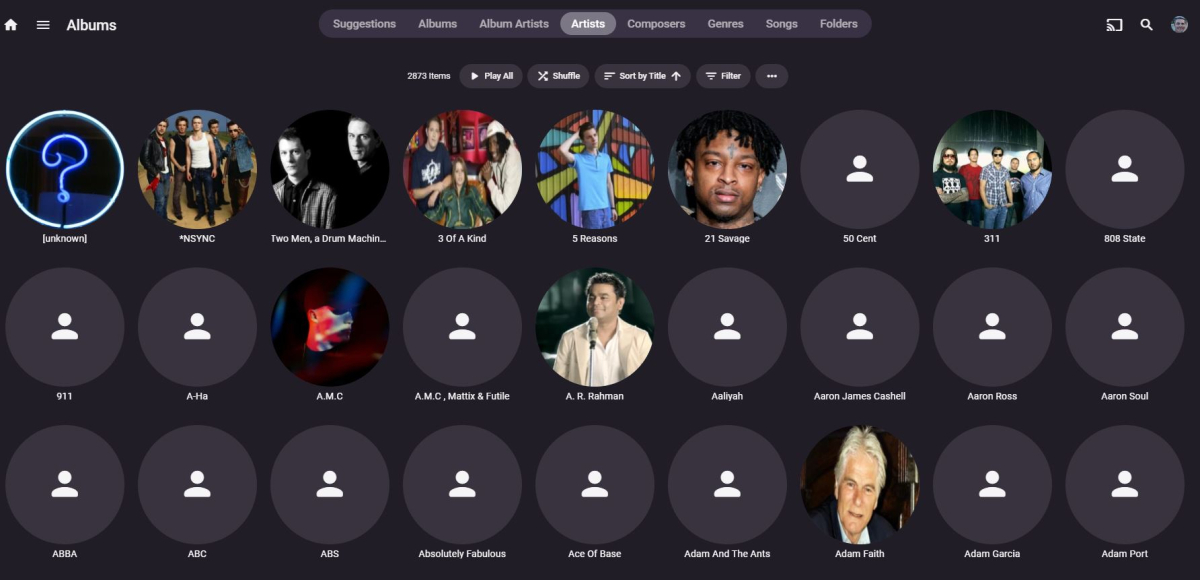
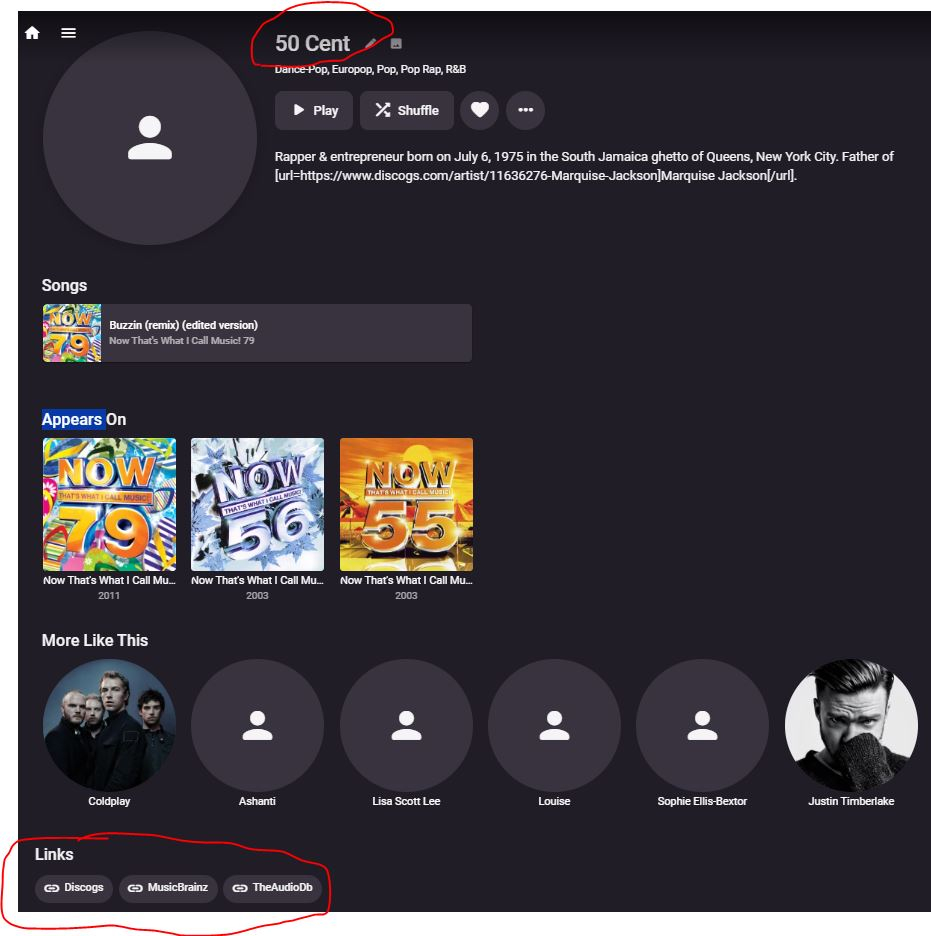
Hi. One thing that Plex seems so much better at, is the downloading of the Artist images within an audio library. I have 100's if not 1000's of artists whos image is blank, yet its picked up the metadata from Discogs, Musicbrainz and AudioDB. Take the below image as an example, at the very top of the artist list, there are some very well known artists, like 50 Cent and ABBA, yet missing the artist image. I can obviously fix this by using the identify feature and add the Discogs or Musicbrainz ID, but with so many to do, it would take hours if not days to do manually. Any ideas on how to fix this @Luke? Thanks
 1 point
 -
k. wait for the scans to finish.1 point
-
Yes, as @speechlesexplained above for Roku client app, same/similar goes for most of the other client apps: some settings/changes you make in your Web app get honored/inherited by all of them, some on few of them, and some client apps have exclusively their own settings.1 point
-
But that's what I am reporting here. I have gone into every folder and every sub-folder and changed the sort to Release Date, and the next day they are all back to Filename. It was suggested that this was a browser issue and I have looked at my browser settings and don't see any setting that would delete data or cookies as suggested.1 point
-
update. In order to keep the ability to to update the emby server app, I've changed from a cMP3,1 to a 2018 mini The drives must be shared from the LAN'd other computer that they are actually mounted in. As compared to neked drives themselves on the LAN. Then their path is easily found with: /Volumes/YourDriveNameHere/Music1 point
-
Dude... The only one going in circles is you. I am trying to figure out how this is even possible what he is telling us. I will leave you to chase your tail. Time for me to code. 8^)1 point
-
The selected sort is sticking. But it does not apply to all Folder levels. Each media type has a folder tab. That folder tab is unique and can be sorted unique. All your libraries folder tabs do not inherit the sort when changing a single folder sort. The default first sort of the folder tab is filename. This is why as you move about folder tabs they all need to be set directly with a sort or they will keep the filename sort. Having the folder tab default to something other than filename is what they want. That feature request thread I gave above is asking for the same thing.1 point
-
Right - I totally forgot about that. I pushed a new version, please try again.1 point
-
Right now the default behavior for folders is that they start in "filename" sort. This isn't unique to the Roku app. The web app behaves this way too. There is no way to change this default at this time. It does not revert. When you change the sort order inside a folder level it will remember it for that level. But the other folder levels can have their own sort orders. The thread above is for the feature request for what you would like. This is how you would get your suggestion into all the apps. You want to "Like" the first post of this thread. I will also do that since I want this too.1 point
-
Yes it needs to be true.1 point
-
OK. I'll remove the library, do a scan and then vacuum, before adding back in. Will report back. Thanks1 point
-
Hi, yes it's a good idea for future updates. Thanks.1 point
-
Thanks a lot for the ping, I already had the websocket enabled that way all along for me. I also confirmed this by looking at my developer console1 point
-
Thank you1 point
-
Your share looks funny, 7EDD68F77D2FB659.1 point
-
I'm running Emby on OMV (just a Debian distro for media serving), not in a docker container. Anyway, I noticed that my /var/lib/emby/transcoding-temp directory had grown to about 85GB in size over a week (had a lot of people streaming). A server reboot cleaned it up, but I was wondering if it ever automatically cleans these temp files up itself? I'm not sure if there's an option somewhere or I misconfigured something, or it just doesn't auto cleanup that folder. Thanks! BTW I'd just like to express my gratitude towards the devs: I had been on Plex for so long, and switching to Emby has been nothing short of a massive upgrade, not just for me, but everyone that I let streams off it tells me it's a much better experience for them. So I bought a lifetime sub. Easily worth it.1 point
-
Yes it should be ok. Thats why I have set it to 1 day old deletion. The only problem I can think of is If someone watching Le-man 24h race, and want to rewind to start1 point
-
Use Backup & Restore plugin to restore your userdata. https://emby.media/support/articles/Backup.html1 point
-
Yes, because as you've recognized, you are playing a tv channel not a program.1 point
-
Yes create an new user, and then compare settings. Then delete the new user1 point
-
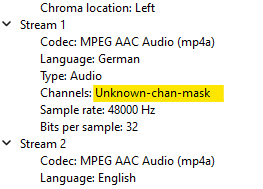
Thanks for providing the file (privately). The file has an invalid channel layout value set. Since the same is true for both streams, it is unlikely that it became corrupted, - it's rather incorrectly authored. ffmpeg initially "guesses" the channel layout, because it can't read it: 14:33:41.248 Execution Date: 2023-09-28 14:33:41 14:33:41.280 Guessed Channel Layout for Input Stream #0.1 : 5.1 14:33:41.280 Guessed Channel Layout for Input Stream #0.2 : 5.1 14:33:41.281 Input #0, mov,mp4,m4a,3gp,3g2,mj2, from 'test.mp4': Later, it doesn't get a better result and prints the error 14:33:41.288 [trim for input stream 0:1 @ 0x1f58f00] Channel layout change is not supported Probably because it considers the channel layout as unknown and this doesn't match the previous "assumption". MPV Player and one other player I tested are playing it but with the wrong audio channels mapped (rear effects channels mapped to R and L) - you can't hear anybody speaking. VLC plays it correctly, but also indicates that the channel layout indicator is not valid: Conclusion: File is invalid. Some players play it, some play it wrong and some don't. Emby doesn't, I'm afraid.
 1 point
 -
Yeah, it should, though on some configurations it happens that it doesn't always work. There's no particular option that you misconfigured, it just doesn't auto-cleanup. Had similar occurence long time sgo under Windows installation as well, ended up creating scheduled task for transcode folder daily cleanup.1 point
-
I jumped on my opnsense fw where HAProxy runs and through the gui I don’t see those options. that said iOS and Apple TV both work through the basic reverse proxy settings I have been running.1 point
-
*Update: @LukeHi, found a solution. I copied the JS path I found in inspect elements, pasted it in ChatGPT, asked it to write a custom css code to modify this element and change it to a material icon, it gave me this: body > div.mainDrawer.focuscontainer-y.padded-bottom-page.emby-scroller.scrollY.scrollFrameY.hiddenScrollY-hover.scrollY-mini.drawer-docked.drawer-open.mainDrawer-mini > div > div:nth-child(3) > div > button:nth-child(5) > div > div.navDrawerListItemImageContainer.listItemImageContainer.listItemImageContainer-backdrop > i.navDrawerListItemIcon.listItemIcon.md-icon.autortl { visibility: hidden; content: ""; } body > div.mainDrawer.focuscontainer-y.padded-bottom-page.emby-scroller.scrollY.scrollFrameY.hiddenScrollY-hover.scrollY-mini.drawer-docked.drawer-open.mainDrawer-mini > div > div:nth-child(3) > div > button:nth-child(5) > div > div.navDrawerListItemImageContainer.listItemImageContainer.listItemImageContainer-backdrop > i.navDrawerListItemIcon.listItemIcon.md-icon.autortl::before { visibility: visible; position: absolute; font-family: 'Material Icons Round'; content: "flutter_dash"; } Worked (very similar to the solution @Happy2Playposted, but pathing is a bit different, probably why it didn't work when I tried). Damn technology has advanced. Extra query: Emby does have the materials icon font locally, though some icons I'd like is in the newer materials symbol font pack. I tried: @import url('https://fonts.googleapis.com/css2?family=Material+Symbols+Outlined'); Didn't work, checked Networks tab in inspect, font didn't load. Tried the same @import with another text font, worked and imported. I wonder why is that, probably a licensing issue? But either way I''m happy with what I have right now as well. Sharing my experience here if it helps anyone.
 1 point
 -
Not sure yet. I haven't had time to mess with it yet. 8-)1 point
-
I'm glad to see this plugin has been updated and working now. I personally moved on and created a simple python script that uses webhook from emby and API calls to merge movies. Let me know if anyone is interested.1 point
-
Thank you all for your support. I see that there is a lot to do on the server side for https connections. So i decided to delete emby domain security policies from Chrome. Here is what i did: 1. Go to chrome://net-internals/#hsts. Enter example.com under Delete domain security policies and press the Delete button. 2. Now go to chrome://settings/clearBrowserData, tick the box Cached images and files and press click the button Clear data. Now everything works as it used to do.1 point
-
See NextgenTV (again). Very possible, done, ignored.1 point
-
HI, we are continuing to work on adding more countries, so please stay tuned. Thanks.1 point
-
Saying "coming soon" or "we have plans" for that is the same as plex not answering the question. So honestly Id rather they dont answer the question and give false promises... Im still waiting for features they said they could do from 5+ years ago1 point
-
When using URL only NFOs, (also called a parsing NFO), if you update the URL within the NFO Emby does not detect the change. To a lesser extent the reverse should also work, with Emby writing the change back into the URL NFO, but that would be a nice to have only.1 point
-
Sorry, no. We want to build the features that we feel will benefit the product and the user base the best not just the ones a small group of people may be willing to pay for.1 point
-
Anyway, subtitle position controls will be in Emby Server 4.8, as well as upcoming updates to our apps. Thanks.1 point
-
It just seems like overthinking the concept of minimalism. Where 5 boxes on a shelf look ugly, so lets just put 1 box. Ignore that the one box is filled with 5 boxes of unorganized stuff. It looks nicer as long as u never open the box.1 point
-
My feeling is that none of the devs really use extras in Movies or TV, so they don't experience the pain of the 90% completed feature set.1 point
-
But why? That makes everything worse? Can you explain the benefit of throwing every single form of extra into one folder? Especially one that would have separate files that grab metadata from other sites like tvdb? This seems like a very unorganized way to group it.1 point
-
Some interesting comments on this long running thread. (started 2018..) As a network/security person - I see both sides of the debate - but fundamentally the 'layers' of security that emby has 'out the box' are imho very lacking in 2023. No enforcing https, no password complexity checks, no user lockouts, admin account is exposed to the web etc - basic stuff that any internet facing application should have years ago .. So once THAT is all sorted - then we can move to the next layers of Infosec - which include Authentication - but it is not the 'failsafe' that many think it is. As expressed above, if a vulnerability is found - then it's all irrelevant. Anybody serious about Infosec will be running Emby behind a series of other security services - such as Reverse Proxies, IPS, multiple firewalls, Geo/IP blacklist-IP blocking, isolated dmz network etc etc all with full monitoring and alerting - but realistically, are we expecting emby to have this just so your Parents can watch a film - of course not. Maybe this topic should be about emby 'security' in general, but I would love to see the basic stuff done first - not because I personally need it, but because I see the need to better protect those that are EXPECTING a level of basic security to be provided when they tick the 'Remote Access' box in emby.1 point

.thumb.jpg.c304d153e3b000cc5d72ac63e2ee1b1c.jpg)