Leaderboard




Popular Content
Showing content with the highest reputation on 09/30/23 in all areas
-
do people still keep multiple versions of files for the purpose of only sharing the lower quality ones with remote users? With the significant improvements to emby transcoding in the last year or two i've found this to be uneccesary and only retain the highest quality i can find and allow emby to transcode as required. keeping multiple versions seems to be an outdated approach to me4 points
-
haha - I had very similiar thoughts the other day when I was looking on how best to implement a 'watchlist' built as a channel using a playlist called 'Watchlist' .. If we could simply rename Favourites to Watch List, add as Home 'Row' (or multiple rows, if multiple WatchList types (tv, movie etc) - it would be perfect as you can add to it from the tv or movie item ... Nobody in my estate uses Favourites either - so if it did go/get replaced - I certainly wouldn't miss it covering that function..3 points
-
ok, this is solved. by comparison with another user it was clear that i did not have the shield setting for "match content colour space" enabled. once enabled the shield does the proper tonemapping2 points
-
@rbjtech @Luke@adminExitium I'm delighted to inform you that after my full uninstall/re-install of v. .49 the entire TV Show library was identified from the start, similar to peers Jellyfin and Plex. Impressed with the development. Keep it up, gents. Thanks!2 points
-
I spent a little bit of time to share my excitement about how great Emby is with the forum. I thought some people might enjoy reading it. Maybe newer users would see it and find out about features they didn't know about. I hoped the developers would read it and be happy that their work was being appreciated and praised. Then my post was summarily moved here to the "non-emby general discussion". My post about Emby was moved to the non-emby subforum. Think about that. This type of sub forum is usually for discussions about completely unrelated things: Sports, the weather, cars, etc. Anything not related to the main topic. But my post is about the main topic. It's about the product. The only thing it is not is a technical support request. So why has it been put into a forum that everyone expects will not be about the product? A forum that presumably no one reads. Why would you do this? If this forum is actually about Emby topics, but not about tech support then it should be renamed and put near the top. If this forum is intended for truly off topic posts, then my post should not be here. Putting my post here just makes no sense, unless my praise of the product has irritated someone and it's being hidden for a reason. Otherwise, please consider this a request to make the sub forums make more logical sense. Thanks, Brian.2 points
-
i have no issue with the favourites functionality or its placement. but my expectation is that a watchlist feature would get far more use by a far wider user base than favourites do. i've been an emby user since day 1 and i don't think i've ever used favourites.2 points
-
I would think most people run a setup where 1080p and 4k are in different locations ie /tv/series, /tv/series4k. Then you dont share out the 4k folder to people who have crappy internet/transcode. Unless emby has some other way to limit access to files based on meta like Is4k, the only way would be to segregate the data and not share out that path/library, if they were all together it wouldnt be viable to prevent a user from seeing a 4k file and maybe causing a huge slow-down on your nas because they are trying to convert it to like 720p because 265 doesnt transcode as well as 1080. @LukeIt could also just be another field you set like "Title/Sort Title", if there was a "Multi Version Title" you can edit on the metadata I could just write a plugin to set it to whatever I want, and if its not set just default it to the file name or something if that makes life easier, it would also then allow people to customize it as they wish.2 points
-
No, he's saying that as you provide an https interface, he feels that you should ensure that it is as secure and up to date as that of the best purpose-made web servers. Personally, I'd rather you concentrate on the media server and encourage us to use a specialised (and free!) reverse proxy if we want (and can justify) a higher level of security. I'd even be happy if you removed the SSL stuff so that we had to use a reverse proxy to provide it! Paul2 points
-
Well our new app update was approved by Samsung pretty quickly, so that's good news. Now we just have to wait for them to actually release it, and unfortunately, sometimes this can take a long time, like a month or more. But that's at least progress.2 points
-
Hello, I have been using Emby for a few years now and I must say that it works great ! Thanks to all the team. However, using it every day, I am regularly confronted with a problem of subtitles not being available on the OpenSubtitles or Addic7ed platforms with Emby, often I find them on small French sites (I think the problem must be present for other languages too ). I'm using Emby on a remote server and there are several of us accessing it, everything is done through the web browser (reverse nginx). I decided to set up a "web file browser" (github\filebrowser) to be able to manually copy the subtitle to the location of the video, rename it with the: 'name of the video.fr.srt' then in Emby on the desired video use the option "Update metadata" then F5 so that the subtitle is available but it's tedious. Would it be possible to have a button to upload a subtitle manually from a file available locally on the PC ? Sincerely, Romain.1 point
-
In relation to this https://emby.media/community/index.php?/topic/78493-filter-by-decade/ I though I should turn it into a feature request - So could a filter please be added to enable movie / item filtering by decade so that I can find, for example 40's Film Noir.1 point
-
Will do.thx1 point
-
This happens on the Emby app installed on my ChromeOS tablet also. Chrome version 117.0.58380.144 official build 64-bit App updated to the Sep 19 version, but it also happened on the version before this.1 point
-
We can always add more.1 point
-
Thanks and done!1 point
-
Tbh its a good thing to add [TvdbId=xxxxxx] It will help a lot with identifying tv-shows. If you take the show Charmed and Charmed (2018) they where always mixed up. Until I added [TvdbId=xxxxxx] to my folder structure.1 point
-
So I DID uncheck that feature, but apparently I didn't realize that I had done it while it was partway through a scan, so I had to re-run the scan again for that to fix the episodes/seasons for which I don't have from showing up. And it turns out that by just doing that, I didn't have to rename the Conan show folder format. Thanks!1 point
-
Well no it's important that users test and report issues, so that if there's known changes we can adapt and in this case if there's unwanted changes we can report to Emby so they fix. And in this case I'd like to know if this is fixed on Emby side1 point
-
as the guy above me said, i can see why you might want to play from a list of favourite songs or music videos within a library, but who is watching the same movie repeatedly such that they need to favourite it?1 point
-
@SpaceboyI think he means to get an application, that records the screen with voice overlay + a small picture with his wife in the corner. @GoneCountryyou would want some sort of streaming service like twitch, but only save the video locally, right. Come to think about it, Teams meeting can do this. Just record it1 point
-
Does it use the right subtitle though if you choose hearing impaired as your preferred subtitle type? It may just not be displaying the correct name. I'll jump over to your other thread. Thanks1 point
-
Thanks - this seems to have been fixed in the latest version.1 point
-
This will be fixed in the next USB update.1 point
-
This is not in my hand, I think they pushed a 4.8.0.47 beta that might fix that, else you need to ask Luke to fix it. If they don't fix I can workaround, but I'd rather not as it might cause other kind of issues.1 point
-
Google in their infinite wisdom has made storage a really complicated endeavor in recent Android versions. We have real and emulated paths as you found out as well. Then hardware vendors often put their own flavor of changes on top or replacing changes and it becomes a complicated mess of access rights, privileges, locations, etc... I was putting together some information to try and start documenting this but found with just my own dozen or Android devices it was getting crazy trying to figure out what paths to use. I personally don't recommend using Android to host an Emby Server using local storage unless you're willing to put in the time to discover the paths the device hardware will allow as well as the OS version. And then making sure you can set the access rights and privileges correct as well. Google has done the community no justice with their storage updates and OS changes recently and that's the "best" I can say. Carlo1 point
-
It's working now. At some point, I realized that while I'd played the HDHR streams in VLC, I hadn't played them in the HDHR Viewer. At least, not in the one installed alongside Emby. When I launched it, it played, but prompted me to install Microsoft's MPEG-2 codec from the Windows Store. I did. I then restarted Emby, and now Live TV works just fine. Unfortunately, I don't recall if I restarted Emby yesterday after installing the HDHR software, so I don't know if it was just the restart that fixed things or not.1 point
-
Take a look at my screen shot a few posts above. It shows several movies and several box sets (collections) all at the "movies" level. Green Lantern is a collection I created manually. If you click it, you will see the view in my second screen shot. Of course to use collections, the collections feature has to be turned on in the client you are using. It looks like automatic collections is a feature of each Library (on the server). So inside the movies library there is a "download collections data" switch you can turn on and off. Based on a quick search, it looks like it's tricky to get rid of that data once you have downloaded it and had it written to your NFO files. So, in theory you can have collections turned on, but ONLY use your own defined collections. But I'm not 100% sure how to get there. The automatic collections have worked really well for me. Best of luck, Brian.1 point
-
A reverse proxy is not required, but much of this depends on the dotnet runtime and what it supports. For example, I notice that starting in .net 7, renegotiation will not be allowed by default anymore. We're currently on .net 6, but we can configure that, so for the next beta server build I'll add a hidden config switch that you can set in the server config file. AllowRenegotiation if you set it to false, then it won't be allowed and that last mention will go away.1 point
-
Works there.1 point
-
Oui, ils prennent moins de temps pour le nouveau contenu.1 point
-
Thank you so much1 point
-
After a little trial and error among the several apks, I did get one successfully installed. It is a HUGE improvement. Everything seems to work. I will play with it for a few days and report back, but even if I do find some issues, it is enormously better and than the Chromecast app. Thank you very, very much. P.S. Any way to make this run on my Samsung Smart TV?1 point
-
1 point
-
I've spent the last handful of years using different media servers. I've used the two big ones for at least one year each. I had settled on "P" a while back since it seemed more stable than "K". But was never exactly what I wanted. I saw a reference to Emby and decided to give it a quick try and see how it handled my library. I was immediately impressed by both the server management and the client for Nvidia Shield (AndroidTV). Managing metadata from the server was pretty easy. The "identify" button was such a welcome feature to find in the menu! Cover art was easy to work with and had a really nice set of sources for new art. In short, really decent metadata management at the server admin level. The AndroidTV client seems fairly nimble. The number of button presses required to change sorting is fairly small. The two most common sorting options (alphabetical and by import date) are right at the top of the sort button. Awesome! Filtering is actually quite useable and has all of the obvious criteria that I could think of. The alphabet on the side is easy to get to and quick to navigate with. The entire client feels faster than others I have used from competing products. ...and then I watched a movie. "Is that sharper than I remember it? No, it can't be. But it is. This looks better than "P". How have I not been getting full quality? This is awesome!" After noticing that each movie had many images as "assets", I set Emby to store them next to the movie files themselves. I like to have everything associated with my media in the same spot. Which led me to notice that having ALL my movies in the SAME folder wasn't great. So I did a weekend project to move all movies into their own individual folders. I also fixed the naming of all of my media to include the year and thus make them all uniquely identifiable. This was extremely satisfying, even if it didn't really involve Emby. I used TinyMediaManager, which turns out to be awesome as well after you learn a bit about it. At some point I found the "organize by collections" button and checked it. I was so happy when it made all of these automatic collections. Dirty Harry, Harry Potter, Star Trek, Die Hard... all organized into their own containers and ordered by release date. That's EXACTLY what I wanted all this time. But P and K made it so clunky and hard to do. With Emby it was all automatic. Shortly after, I figured out that I had many duplicate versions of movies. Many of them were not exact duplicates though. Things like "Drumline - Theatrical" and "Drumline - Extended Version". I figured out how Emby does "movie versioning" and honestly I'm not a fan. But Emby has a convenient button to "ungroup movie versions" which I used. I then decided I need to make collections for each of these movies with multiple versions. It was incredibly easy to create a collection and add movies to it. Just like it should be! Collections are really a killer feature of Emby for me. My library has never looked so good and never been so correctly organized. As I was cleaning up my collection with help from Emby and TMM, I figured out that I had a handful of movie "extras" I had ripped from Blu-ray and DVD a long time ago. Files that I had honestly lost track of. I had never had a good way to present movie extras or to group them with their parent movies. Emby impressed me again with the ease of making an "extras" folder and then simply automatically showing me all the extras right inside the movie screen for that movie. This is one of those events where after you've seen it, you wonder why it isn't like this on all systems. It's so easy and elegant. My favorite two design paradigms. This has changed my media acquisition workflow. For years now I have been ripping discs and simply ignoring the extras because I couldn't organize them. No more! Now I can rip all the extras and keep them with the parent movies, ready to see any time. This is something I missed from the days of DVD players and physical discs: All the extra content that added richness to the movie experience. Now I have it again. I don't know how "huge" this is to my movie experience, but it is a sea change. It's brought back something that I thought I'd never have again. Early on I subscribed to Emby Premiere. I did this to support the developers and to try out a couple of features that looked compelling. The Cover Art plugin makes movie and TV posters look like disc cases. Blu-ray's look like Blu-ray cases. DVD rips look like... you guessed it, DVD cases. This alone is a HUGE feature. Before this I had to click on each movie to see what the resolution was (DVD or BluRay). Now I can tell just by the case "wrapper". This detail really makes my collection more accessible to me. Premiere is worth having for this feature alone. I was excited to try the "Cinema Intros" feature as well. This shows one or more trailers before your movie. Trailers that should be similar in theme to the movie you are about to watch. In practice this feature is a little rough. Mostly due to the sources of the trailers, which are frequently poor quality, or in a foreign language, or have some other issue that make them unappealing. I think with a better source of trailers, this could still be a really neat feature to have. I'm still experimenting with it. I'll say it again: My movie and TV collection has never been this well presented before. Emby has helped that happen and Emby is the final presentation (the Emby clients) which support all of this organization. I'm very excited about this and have told all of my friends that are interested in home media servers. Is Emby perfect? Not yet. But it's the best media server product I've ever used. Thanks Team Emby! Brian.1 point
-
@loripodwith Emby Server 4.7, yes it is necessary, but if you want to try the 4.8 beta channel, we've added the ability to enter credentials there. Please let us know if this helps. Thanks !1 point
-
OK we'll take a look at it. Thanks.1 point
-
Well you did a full metadata refresh so that’s going to prioritize nfo last. Try editing the nfo and then just running a normal library scan.1 point
-
If you just want to convert an MP4 'as is' to an MKV and retain the HDR - then just use one of the many tools available to do so - makemkv or even mkvmerge should copy the HDR. The issues arise if you wish to 'modify' the source frames(ie transcode) - then you need to extract the HDR metadata/DV first - modify the frames - and then re-apply the HDR/DV layer. That is also possible with available tools - but it's not something that can be done without experience and knowledge and probably a lot of caveats ..1 point
-
Hi, yes this idea has come up before and is possible for future updates. Thanks.1 point
-
+1 Separate upload button - definitely accessible on mobile devices Configurable per User/Library (there are libraries where you can never use subtitles) Hen adding subtitles have a button to specify language - so users dont have to add suffix before upload Thnaks1 point
-
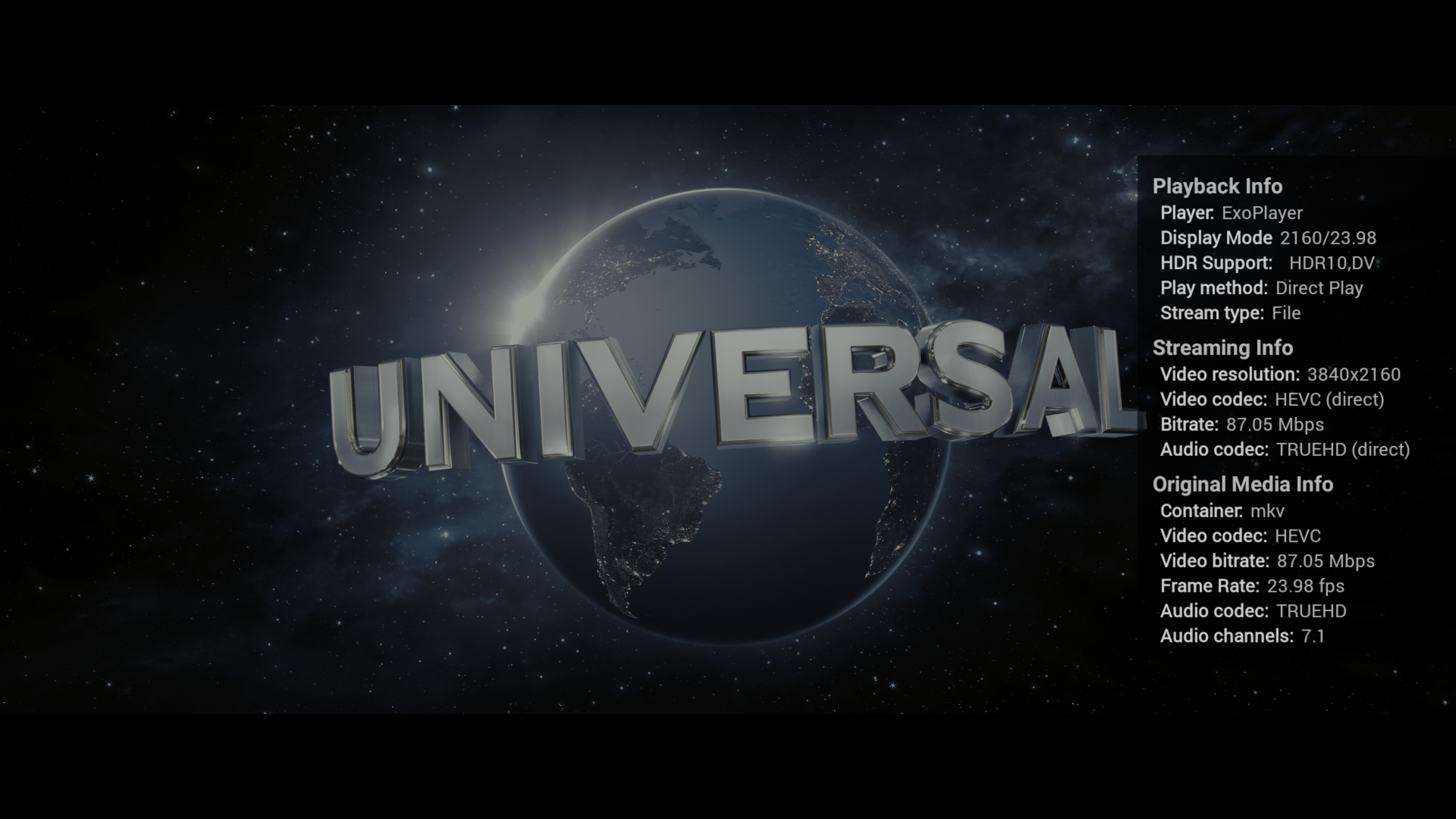
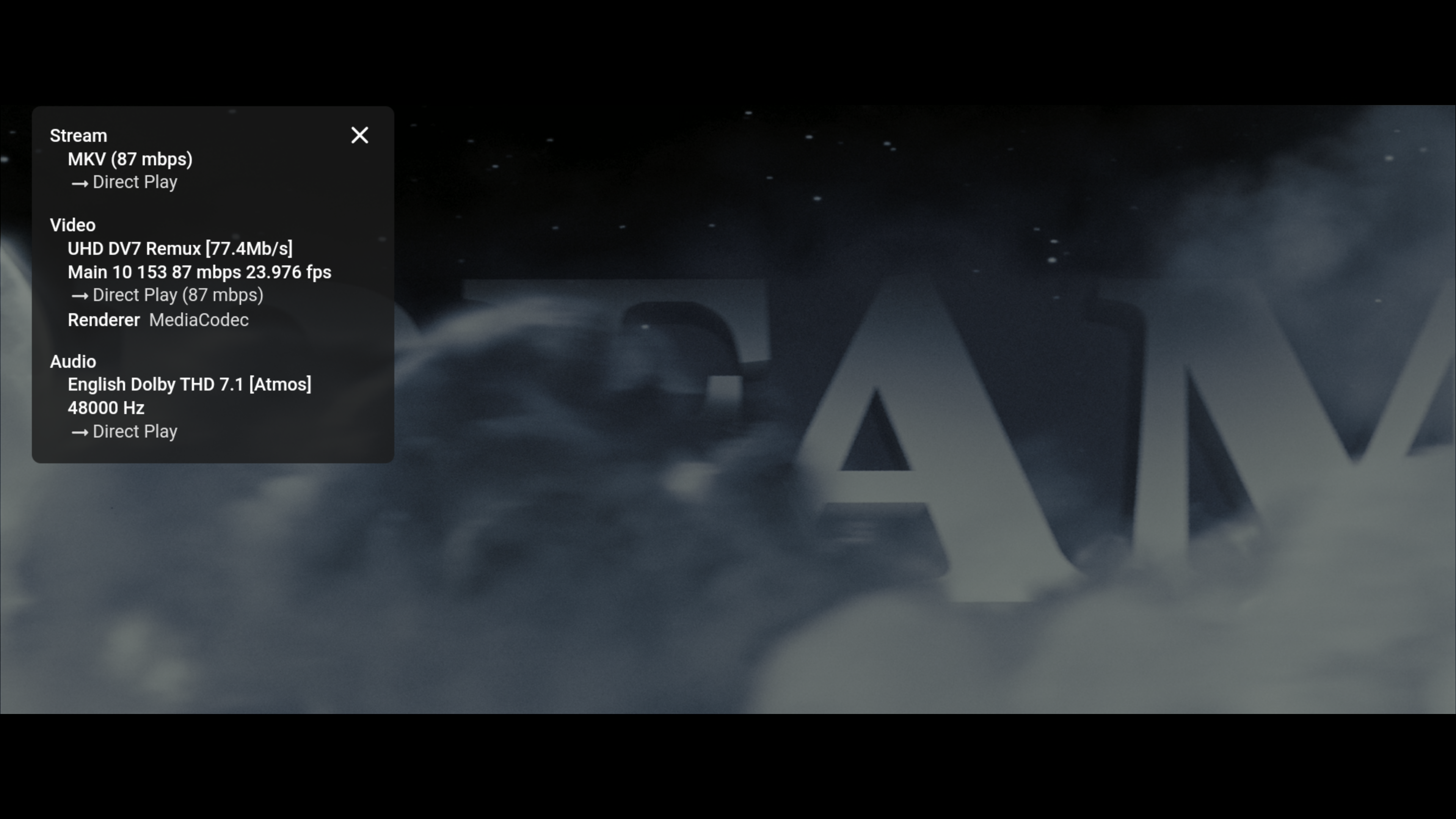
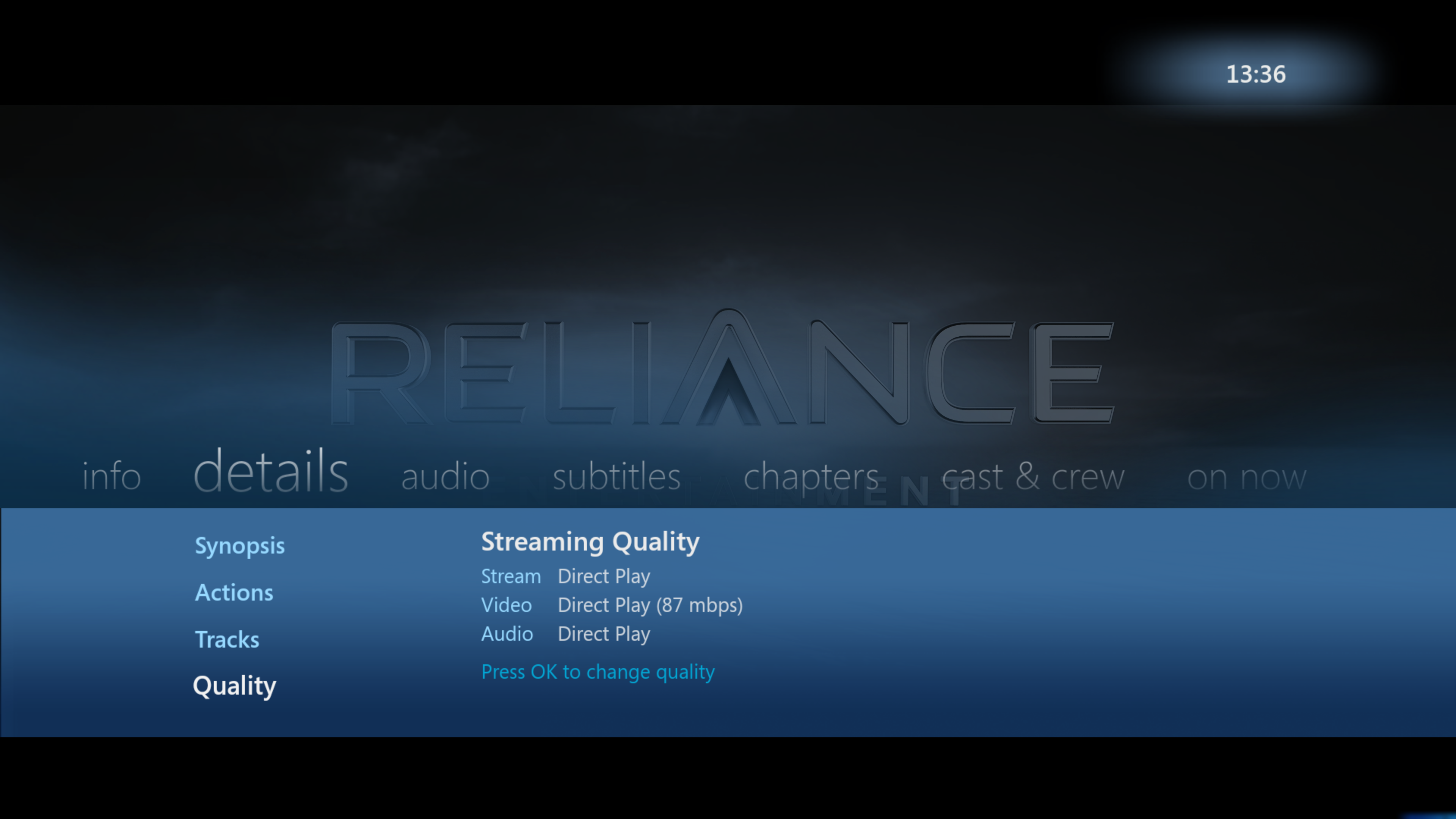
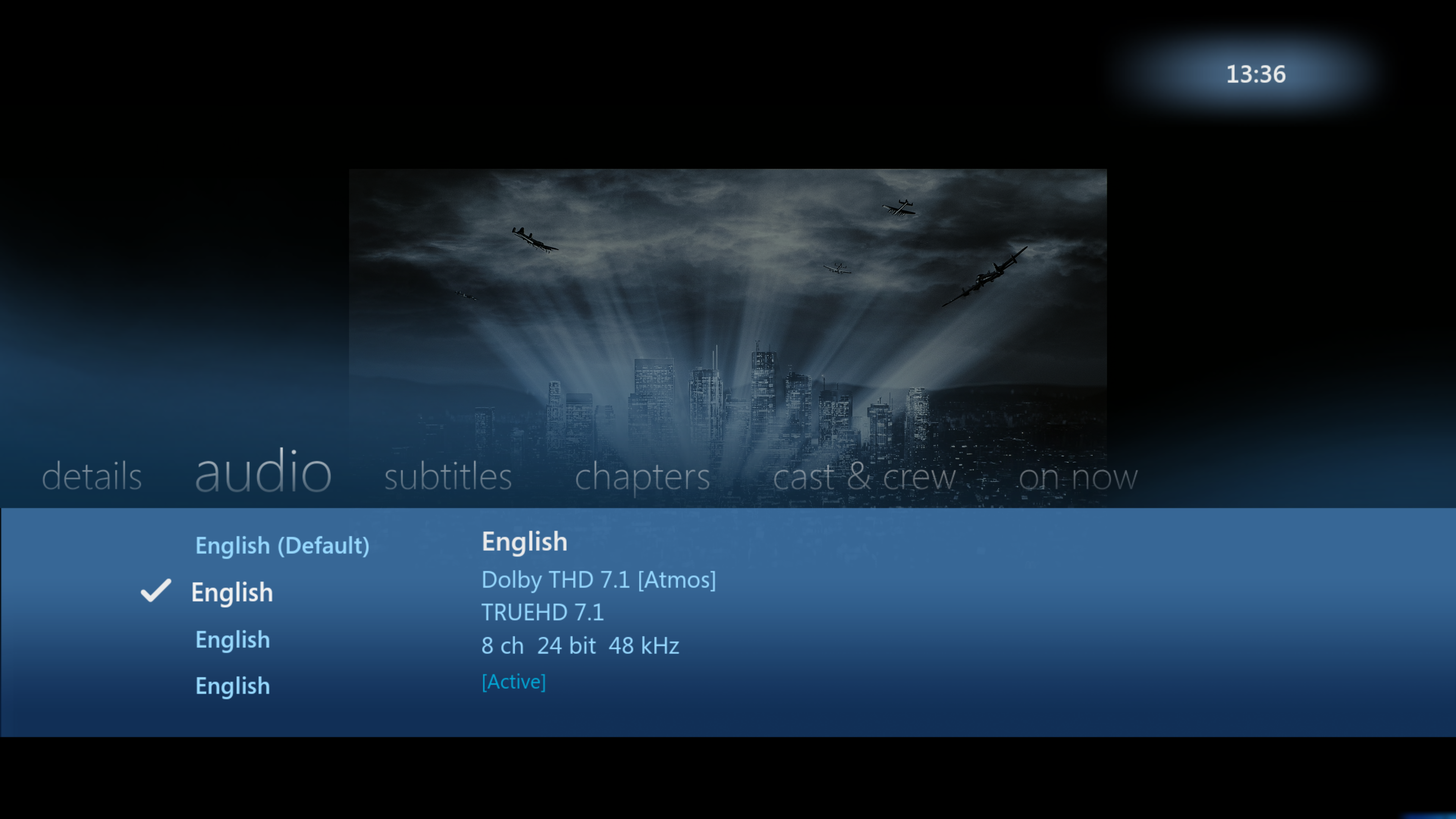
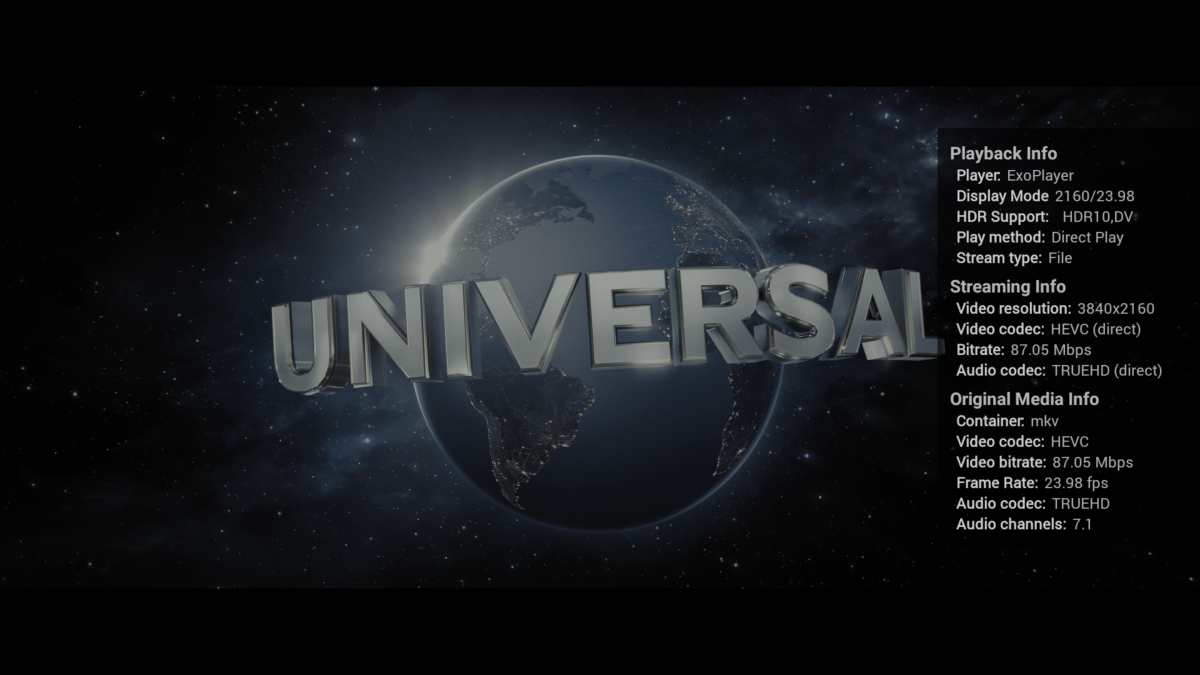
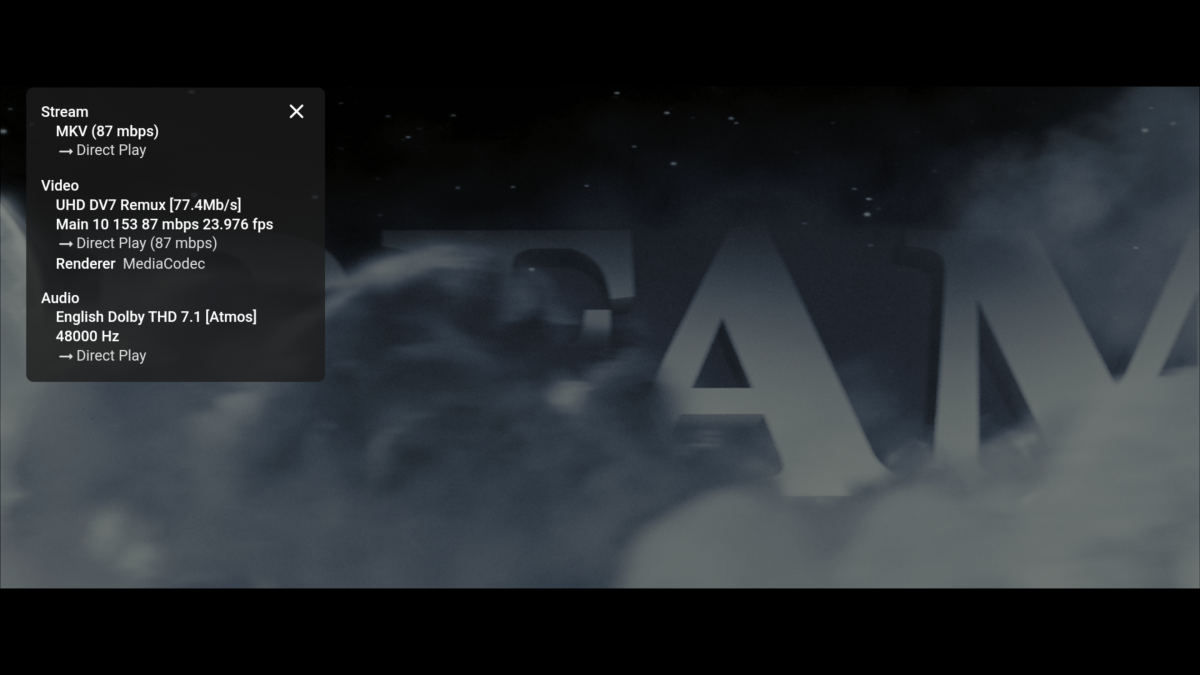
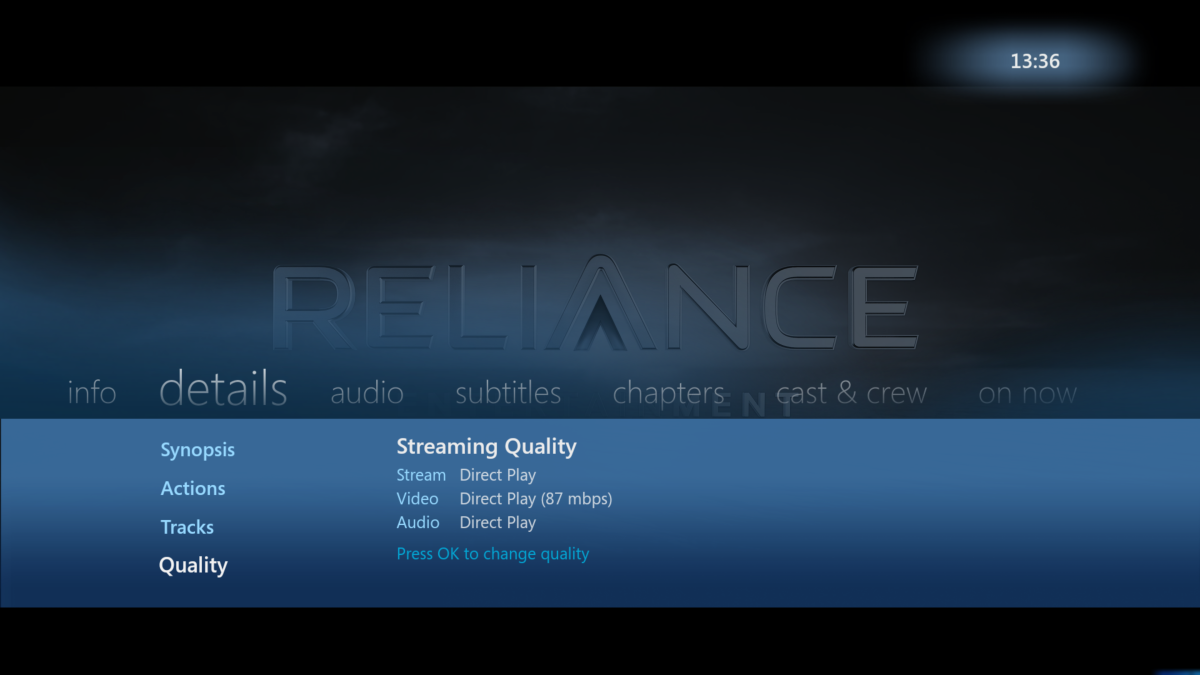
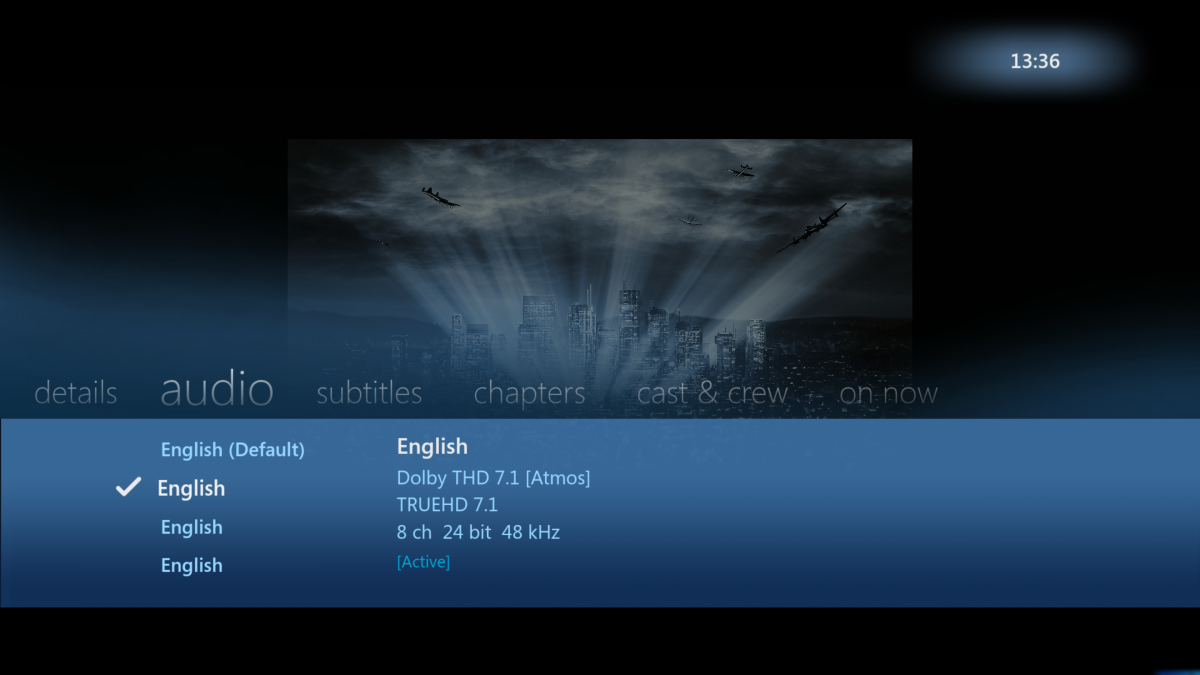
SFN in AndroidTV shows more useful info then SFN on the Standard Android App - especially for TV usage. The Original Media Info is shown (how it appears in MediaInfo), Streaming Info (showing what emby is doing to it - if anything) and importantly, it also shows the Playback Info - including the capabilities of the TV, Display mode incl Refresh Rate being used - and the Stream type. So if you have Refresh rate matching on for example - it should be showing the Display mode as 2160/23.98 for example. Stream Type is also important for me to show 'File' as opposed to 'http'. Everything should say 'Direct' in Streaming Info - if not, then for me there is an issue as the playback is being modified. I think some of this extra info has been requested to be added to the Standard App. Quick comparison below of the 3 Android Clients playing a 4K remux at maximum capability - a) - Android TV (single Press and Hold of the OK Button) b) Android c) WMV for Android imo - AndroidTV still reigns supreme but it is nice that Android shows the track Titles - that is useful if they are present, consistent and correct ..
 1 point
 -
Hi, yes I agree this would be a good idea. Thanks.1 point
-
I have reported that recently. It happens when transcoding. I found I could fix it by going to the transcoding settings in the dashboard and clearing the checkbox at the bottom for "Allow subtitle extraction on the fly" which I previously had set (I had to play something different to test it, because the incorrect data seemed to be cached for a while). For me this only became a problem in a recent beta. It would be useful to know what version of the server you are using, and indeed whether what I've done fixes it for you as well. Paul1 point