Leaderboard




Popular Content
Showing content with the highest reputation on 09/22/23 in all areas
-
And some sort of drive pooling and then you never have to have this issue. Still, this is a valid request but it will probably come down to cost/benefit. One of the most common complaints we get is around library scan speed and every feature/computation we add into that mix increases that. Even when we make them optional and put red warnings on them, people still complain that their scan is slow and then we find they've enabled all these options that slow it down. So, it comes down to is the cost on every single scan worth it for a situation that is really gonna occur < 1% of the time...?3 points
-
Similar to this old post, I'm suggesting a tab that would be titled Watchlist and could be placed in between Suggestions and Favorites. The functionality would pretty much be a copy of Favorites, just with a + symbol added next to the heart and other symbols that let you favorite a movie etc. The previous post had mentioned extra functionality such as automatically removing a movie from Watchlist after it has been watched. This would be nice, but is unnecessary because after watching a movie you can simply click the + symbol a second time to remove it from Watchlist. I would imagine this would be very easy to implement as a rebranded copy of Favorites. Adding other features could come later. Edit: added link to old post2 points
-
If you change your library path names despite movie folders/files themselves being untouched, the entire library will rebuild. This can take considerable time. e.g /root1/movies1 to /root/movies Would it not be possible that upon scan a quick hash of file is performed. And then upon rescanning in the future it realises it already has this file metadata and therefor no need to nuke it from its metadata and rebuild it i think you get the idea. I know some might suggest putting metadata alongside the media but this is surely less optimal if your media is on slow storage If I’m wrong on anything please correct me. Thanks.2 points
-
Well, there seems to be a commitment now that having filtered "smart views" available on the home screen is in active development for the core system. The changes above seem to be just a quick short term solution. I agree though, that they should have just put in "recently released" and not bothered with playlists or collections in the current form. I think having music playlists in the home screen without showing the actual tracks is beneficial overall - but you either need to pin them specifically or show the most recently played ones for it to be useful. I like how Roon Arc does it where you have a row on the front page that can be toggled between recently added (music) and recently played (music). Recently played shows individual tracks (if you launched them individually), albums (if you launched from the album view), and playlists without breaking out the individual tracks (if you launched from the playlist view). I think getting this FR/topic to have more activity wouldn't hurt to put a focus on getting this feature prioritized. Clearly, the database changes to enable per-user playlists is big step, but it's definitely just a step.2 points
-
HI, we are working on improving these. Thanks for reporting.2 points
-
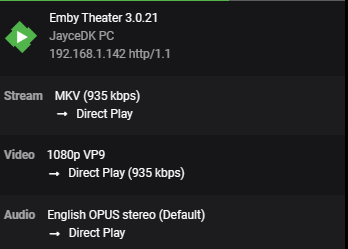
Not sure what a tracert is going to do - the delays in the ping responses during the tracert have nothing to do with accessing the host, it just means those hosts(routers) are not ICMP enabled .. A simple web request to mb3admin.com will confirm connectivity - and just re-directs you to emby.media or use a powershell commend to test - test-netconnection mb3admin.com -port 80 If that comes back instantly, then it's likely something on the Shield itself as alluded to by @jaycedk You can also load network tools on the Shield itself (via Apps) and see ping responses to your emby server - they should be ms if on the LAN. Other tools include iperf3 - where you setup a 'server' and 'client' and you can then see exactly what bandwidth you have between the shield and the server.2 points
-
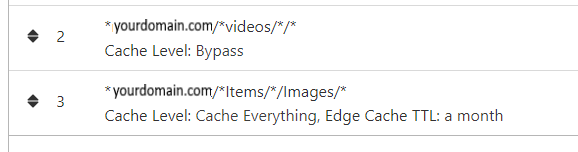
NGINX and emby Config Version 1.0.4 Last Update 1-1-2024 Update by Pir8Radio Why Use NGINX reverse proxy ahead of my application servers like emby? With NGINX or any reverse proxy ahead of an application server you have more control over your setup. You can do things the application servers were not built to handle, have better control over your security and logging, replace lines of code without editing the application server code, better control of caching, etc, etc.... One of the main reasons is so that you don't have to open a new port on your firewall for every application server you host, all you really need to open is 80 & 443 and the internet can reach all of your different servers through one entrance. Will NGINX work on my OS? Most likely, you can find various versions of NGINX for most OS's and they come in different flavors, with options baked in, or just the bare NGINX that you need to compile. See below for download links to get you started. Will NGINX break things on emby? Absolutely if you don't configure it correctly! I HIGHLY suggest when choosing a scheme to setup your domain URL you choose SUB-DOMAIN and NOT sub-directory, more below. Also if you come to the emby forum with things not working, or issues you have and you use a Reverse Proxy, PLEASE make sure that is one of the first things you mention in your forum post. ESPECIALLY if emby works on one platform or client, but not another. So many times people complain "but it works on chrome, so I didn't think it was the reverse proxy". Mention you have a Reverse Proxy please. If the reverse proxy is setup correctly it should be totally transparent to the user and the application server (emby). I'm not going to go into how to purchase and setup a domain name. Lots of how-to's on that out there. Once you have a domain name and its pointed to your IP address, you can go to that domain name and hit your server then continue on.... Sub-Domain vs Sub-Directory: Lets say your domain name is: domain.com there are two main ways you can direct traffic from the internet to your backend application servers like emby. One is sub-directory, something like domain.com/emby or domain.com/other-server This is doable in nginx, but there are some catches and you need to know how your reverse proxy and application server work in detail.. This often breaks different features in emby and other application servers.. To keep with our "Totally Transparent" goal sub-directory doesn't work well, it requires a lot of rewriting and work-arounds to make it work smoothly, if you choose sub-directory you will run into issues you will need to address. The other option is Sub-Domain, this is the cleanest, most transparent, easiest to setup and maintain, it's also what I highly suggest you setup. A sub-domain looks like: emby.domain.com or other-server.domain.com The below config is based on Sub-Domain I will include a sub-directory example as well. NGINX Downloads: Official nginx downloads(LINUX): nginx.org Official nginx downloads(Windows): nginx.org WINDOWS users I suggest this version: nginx-win.ecsds.eu download links are at the bottom of the page. This Windows version has lots of cool features compiled into it already, and is optimized for windows. They keep up with updates, its a FREE (for non-commercial) third party build that I highly recommend. Additional Links: Content Security Policy info (CSP) (For Advanced Users): A CSP WILL break your server if you don't know what you are doing, I suggest reading up, lots of googleing, and understand what a CSP's function is and is not prior to venturing into this area Example NGINX Reverse Proxy Config: 3-29-2020 - ADDED A LINE FOR CLOUDFLARE USERS SO THAT THE X-REAL-IP HEADER IS CORRECTED. THIS ONLY EFFECTS Cloudflare USERS. 4-11-2020 (V1.0.1) - MOVED proxy_buffering off; FROM LOCATION BLOCK TO SERVER BLOCK 12-18-2020 (V1.0.2) - ADDED 301 SERVER SECTION TO FORCE ALL TRAFFIC TO SSL. 9-23-2021 no nginx config change, but cloudflare changed how they cache video files, so emby users that use Cloudflare now need to add a rule like below to make sure video is seekable and playable. 8-18-2022 - added a line for photo sync to cover large uploads of videos and images. (client_max_body_size 1000M;) 1-1-2024 - changed http2 setting per @weblesuggestion in this thread post # 1309363. ** The below "Page Rules" are only needed for Cloudflare CDN users, otherwise ignore. worker_processes auto; error_log logs/error.log; events { worker_connections 8192; } http { include mime.types; default_type application/octet-stream; server_names_hash_bucket_size 64; server_tokens off; ## The below will create a separate log file for your emby server which includes ## userId's and other emby specific info, handy for external log viewers. ## Cloudflare users will want to swap $remote_addr in first line below to $http_CF_Connecting_IP ## to log the real client IP address log_format emby '$remote_addr - $remote_user [$time_local] "$request" ' '$status $body_bytes_sent "$http_referer" ' '"$http_user_agent" "$http_x_forwarded_for" $request_time $server_port "$http_x_emby_authorization"'; log_format default '$remote_addr - $remote_user [$time_local] "$request" ' '$status $body_bytes_sent "$http_referer" ' '"$http_user_agent" "$http_x_forwarded_for" $request_time $server_port'; sendfile off; ## Sendfile not used in a proxy environment. gzip on; ## Compresses the content to the client, speeds up client browsing. gzip_disable "msie6"; gzip_comp_level 6; gzip_min_length 1100; gzip_buffers 16 8k; gzip_proxied any; gzip_types text/plain text/css text/js text/xml text/javascript application/javascript application/x-javascript application/json application/xml application/rss+xml image/svg+xml; proxy_connect_timeout 1h; proxy_send_timeout 1h; proxy_read_timeout 1h; tcp_nodelay on; ## Sends data as fast as it can not buffering large chunks, saves about 200ms per request. ## The below will force all nginx traffic to SSL, make sure all other server blocks only listen on 443 server { listen 80 default_server; server_name _; return 301 https://$host$request_uri; } ## Start of actual server blocks server { listen [::]:443 ssl; ## Listens on port 443 IPv6 ssl enabled listen 443 ssl; ## Listens on port 443 IPv4 ssl enabled http2 on; ## Enables HTTP2 proxy_buffering off; ## Sends data as fast as it can not buffering large chunks. server_name emby.domainname.com; ## enter your service name and domain name here example emby.domainname.com access_log logs/emby.log emby; ## Creates a log file with this name and the log info above. ## SSL SETTINGS ## ssl_session_timeout 30m; ssl_protocols TLSv1.2 TLSv1.1 TLSv1; ssl_certificate ssl/pub.pem; ## Location of your public PEM file. ssl_certificate_key ssl/pvt.pem; ## Location of your private PEM file. ssl_session_cache shared:SSL:10m; location ^~ /swagger { ## Disables access to swagger interface return 404; } location / { proxy_pass http://127.0.0.1:8096; ## Enter the IP and port of the backend emby server here. client_max_body_size 1000M; ## Allows for mobile device large photo uploads. proxy_hide_header X-Powered-By; ## Hides nginx server version from bad guys. proxy_set_header Range $http_range; ## Allows specific chunks of a file to be requested. proxy_set_header If-Range $http_if_range; ## Allows specific chunks of a file to be requested. proxy_set_header X-Real-IP $remote_addr; ## Passes the real client IP to the backend server. #proxy_set_header X-Real-IP $http_CF_Connecting_IP; ## if you use cloudflare un-comment this line and comment out above line. proxy_set_header Host $host; ## Passes the requested domain name to the backend server. proxy_set_header X-Forwarded-For $proxy_add_x_forwarded_for; ## Adds forwarded IP to the list of IPs that were forwarded to the backend server. ## ADDITIONAL SECURITY SETTINGS ## ## Optional settings to improve security ## ## add these after you have completed your testing and ssl setup ## ## NOTICE: For the Strict-Transport-Security setting below, I would recommend ramping up to this value ## ## See https://hstspreload.org/ read through the "Deployment Recommendations" section first! ## add_header 'Referrer-Policy' 'origin-when-cross-origin'; add_header Strict-Transport-Security "max-age=15552000; preload" always; add_header X-Frame-Options "SAMEORIGIN" always; add_header X-Content-Type-Options "nosniff" always; add_header X-XSS-Protection "1; mode=block" always; ## WEBSOCKET SETTINGS ## Used to pass two way real time info to and from emby and the client. proxy_http_version 1.1; proxy_set_header Upgrade $http_upgrade; proxy_set_header Connection $http_connection; } } }

 1 point
 -
Hi Please, it would be great to be able to limit download speed (of offline playback) without affecting streaming speed. I found more than one topic talking on this feature from a long time ago but unfortunately not implemented yet ... so I post it here in " Feature Requests" section. It would be a very nice if you can add this feature as soon as possible as @FredMuppeteer said on other topic: Also in the same feature it needs to control/limit how many download the user can do on the same time. I hope the other users agree with me and make voting for the feature Many thanks --------- here some topic about these feature:1 point
-
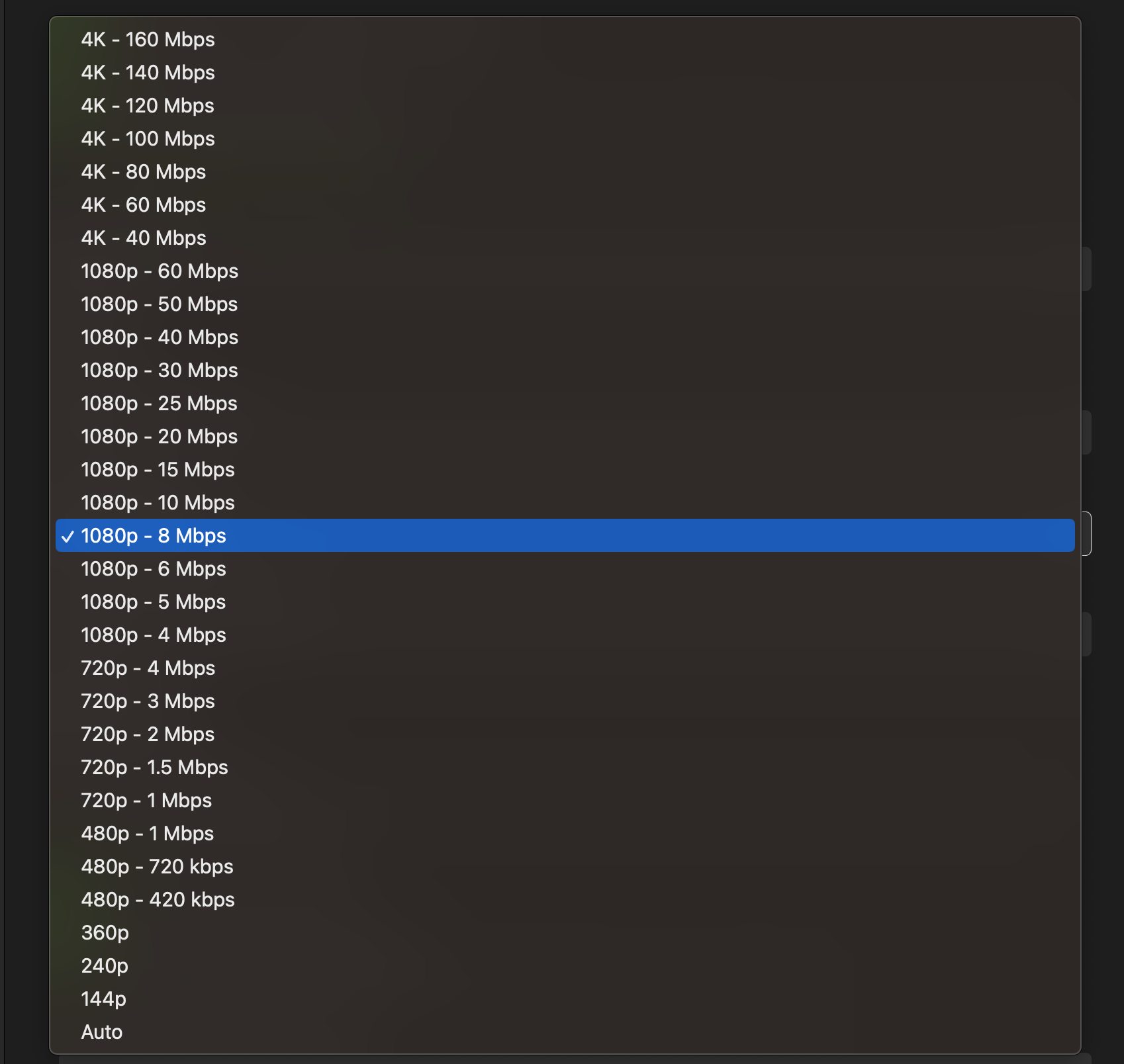
I've recently bought an Apple TV 4k 2022 and installed Emby on it. I can't seem to get HDR playback to activate on the TV to work... All other apps seem to work fine - like Netflix, Disney+ Plex etc and the TV seems to activate DV and HDR just fine. The files I'm playing are definitely DV and Emby on my Nvidia shield does plays it fine too. In terms of Emby settings I have put video playback to 160mpbs as that is the max and I would assume this would stop transcoding. Apple TV settings: I have set to Match dynamic content. Can anyone shed some light on why Emby is not activating HDR on my TV? Version of Emby is 1.7.3 (2)1 point
-
Hello, I have been using Emby for a few years now and I must say that it works great ! Thanks to all the team. However, using it every day, I am regularly confronted with a problem of subtitles not being available on the OpenSubtitles or Addic7ed platforms with Emby, often I find them on small French sites (I think the problem must be present for other languages too ). I'm using Emby on a remote server and there are several of us accessing it, everything is done through the web browser (reverse nginx). I decided to set up a "web file browser" (github\filebrowser) to be able to manually copy the subtitle to the location of the video, rename it with the: 'name of the video.fr.srt' then in Emby on the desired video use the option "Update metadata" then F5 so that the subtitle is available but it's tedious. Would it be possible to have a button to upload a subtitle manually from a file available locally on the PC ? Sincerely, Romain.1 point
-
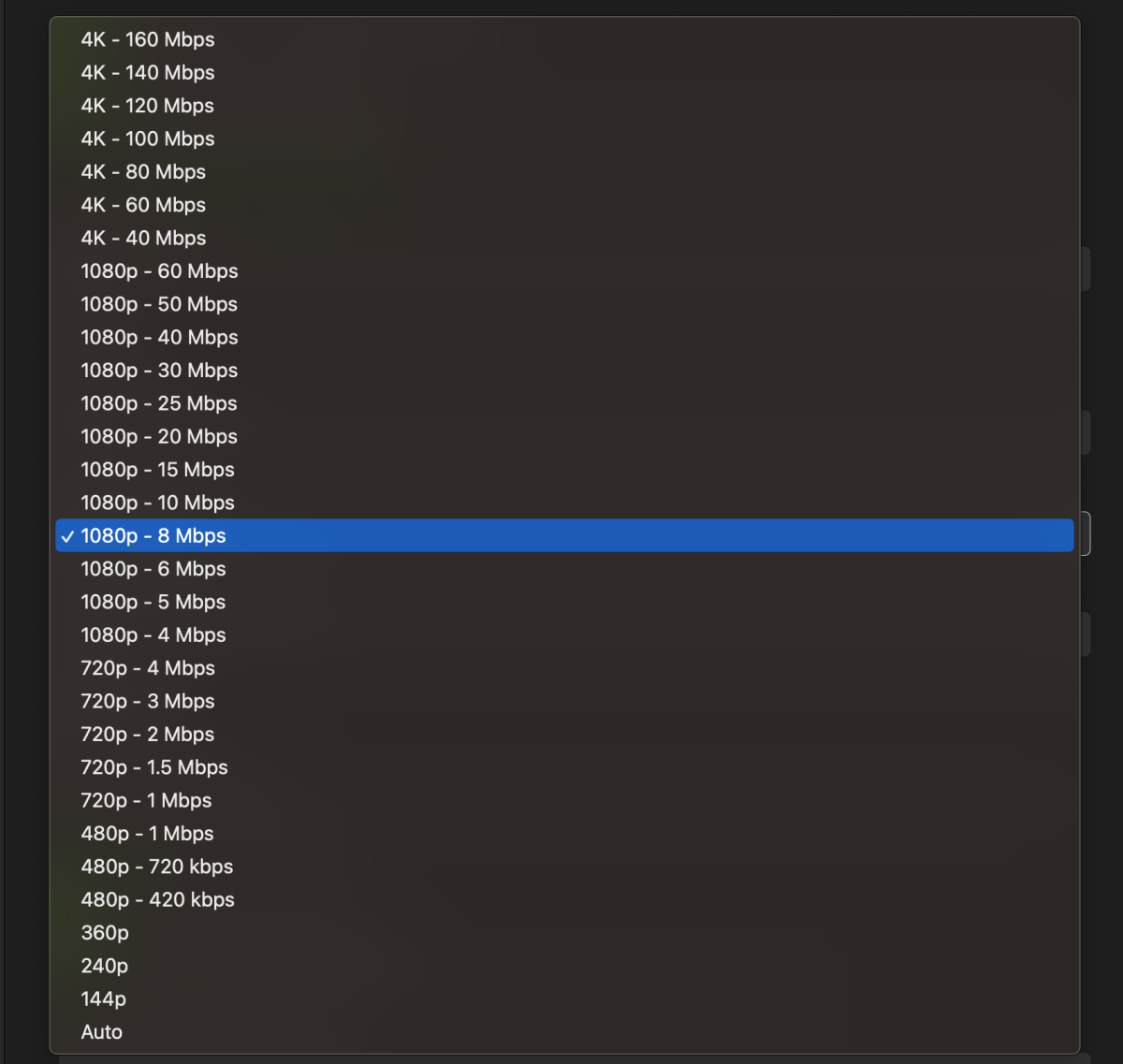
Emby appears to select versions of files based on bitrate only and not resolution. Therefore, why do you put the "4K" and "1080" labels in the "Internet Quality" dropdown when theres no logic behind the labels? One would expect the logic be that Emby selects a version based off the selected resolution. If someone's server can't transcode 4K, then it makes Emby's "Auto Quality Selection Feature" useless. I believe either Emby supports their decision to just use bitrate and gets rid of the resolution labels, or a better solution imo, would be to support the users choice of resolution and add that logic to the dropdown. Cheers.
 1 point
 -
It turned out to be a simple port redirection issue that was forwarding unsecured to secured ports rather than unsecured to unsecured or put another way. Port forwarding needed to be changed to 8096->8096 vs 8096->8920.1 point
-
Issues is now closed and fixed, as It turns out it was a simple fix, Unbelievable but unaware that I was not even thinking of it and why we have People here to help. Thanks to @Carloand @Luke For all the Help and everyone else who chimed in with an assist. And for the Fix. Just a simple TCP tweak without the IP in port forwarding did it.1 point
-
Except that is the literal reason why it was created. The user went on to create "Emby Unlocked" before he created Jellyfin because he was angry and wanted his free stuff, as in his mind, OSS should be FOSS. They also hounded the Emby dev team for over year for source code that they were not entitled to (demanding source code to closed sourced apps claming they were FOSS). As for what they are behind in, other than their app game, the layout and such is still the same as when they forked it, and Luke is still the contributor for over 70% of the source code and he hasn't "contributed" in over 6 years. If they were really about making it their own project, and not "FU you give me my free stuff" more of the code would have been replaced. Instead, all they've done is patch work, nothing more. As it stands, Jellyfin will have a massive target on their back if/when the pirate providers move to them. I know many IPTV servers are already doing this, and ACE, the MPAA, et al will do what they do. You weren't here when the drama unfolded. If you enter any discussion about Jellfyin and mention paying for a Plex Pass or Emby Premiere, you'll be told you're stupid, you're an idiot, because Jellyfin is free, and only a moron would decide to pay for something. Hence, FU Give me my free stuff, NOW! FOSS is not the utopia FOSS advocates think it is. It would be great if it was, but it's not. As bad as it sounds, FOSS is rife with theft of other people's hard work, which is legal as long as you credit them. The zealots ruin it for everyone, and Jellyfin guy (he who shall not be named) is one of them. Again, Jellyfin all started because of a nag screen in OSS that the person thought should be FOSS. Something that was 100% pefectly legal as OSS can be monetized. They just didn't like the fact that OSS was being used to make money and felt that all the hard work Luke and company did should be free to them. If that's not FU GIVE ME MY FREE STUFF, I don't know what is.1 point
-
Bitrate at 0mbps, I'll check this problem1 point
-
The suggested approach doesn't have to be followed for the request to remain valid. Basically if the media item can be identified by name and tracked atomically then its location is less relevant and can be decoupled. This may not account for multiple versions but that shouldn't be too much of a challenge to make part of the data. To me the big question is where is most of this time spent now? Is it removing the "old" and re-acquiring the metadata for the "new"? Does it repeat any processing for thumbs, chapters, intro-skip and the like? If so then that is time worth saving if one decides to move media around. One thing about pooling and UNC paths (or any network shares) is that OSs like Linux lose the ability for RTM.1 point
-
hmm ok thanks - so you have a 'trailers' folder in the root of the TV Series ... I tried that, didn't seem to work. Let me try again ... thanks ! I'm on the latest Beta ... edit Typically - its working now ... sorry to waste your time !1 point
-
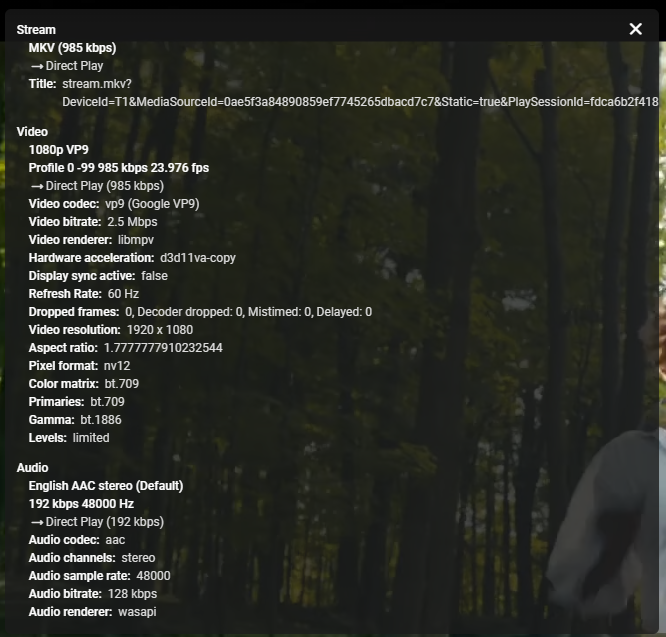
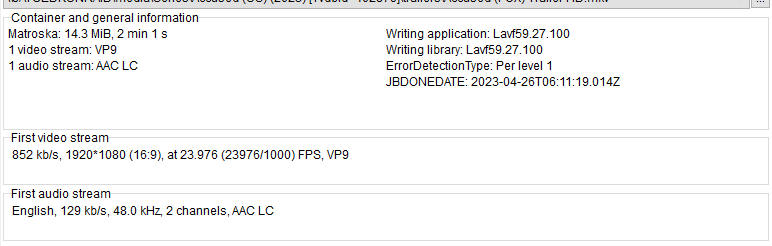
This is working for me. I guess its using the local trailer for that tv show.


 1 point
 -
I might as well start here...
 1 point
 -
And with great server comes great responsibility1 point
-
It goes like this Developer/application:development_branch In this case 'bagul/goemby_exporter:dev'1 point
-
I love emby, but I don't think it's realistic to expect it to handle every kind of content in this way. That being said, audiobookshelf is a pretty good books and audiobooks platform. https://www.audiobookshelf.org/1 point
-
Thanks for the comprehensive reply! That showed up a problem....my version was 1.8 something on the shield, at some point I must have changed my google password and apps then stopped getting updates, since the shield spends 100% of it's time in Emby I never saw this. Upgrading didn't resolve it initially, I think my TV is basically stopping anything other that DD5.1 going through ARC, but, I was able to toggle the convert unsupported media to DD 5.1 now at least the EAC3 transcodes to DD5.1, on the old version this option was separate but didn't help. So I'm stuck on the lowest common denominator here with DD5.1 until I change the TV, despite the ARC supporting other formats. Many thanks for your help.1 point
-
Does this mean you have given up on this issue? Do you have an Nvidia Shield Pro you could test this with? I am happy to provide any logs you need, if it means there is a chance this could get fixed.1 point
-
I think it would be a good idea to put his config in a specific library Its now - /mnt/raid1/library:/config Could be - /mnt/raid1/library/Emby-server:/config1 point
-
Yep. With this compose your media will be under /config/videos in Emby. Everything will be under /config as it is now. It's up to you to decide if this is good enough or if you want to reorganize to change it.1 point
-
The hash has to be calculated on initial ingestion or it will never exist to compare to. And, no mater how much faster it is than any other operation, it is an additional operation. So, again, valid request, but would need to be very carefully vetted.1 point
-
Fair enough. Personally, I would consider this information should be part of the addon itself (like in any other addon which provides home screen information e.g. weather) but I also kind of understand your argument. I'm going to experiment with both solutions. Thanks again!1 point
-
I suspect this is the TV being to root cause rather than emby now. I'll go an investigate a bit more....1 point
-
No problems here on Ubuntu 22.04 with (especialy) german "Umlaute". Checked on "Zurück in die Zukunft *" an d some other movies with "äöü" in the filenames...1 point
-
I think 21 was withdrawn because of an issue with some video settings in some systems. Paul1 point
-
@rodainasI really appreciate your help on this....and I'd like to learn more. Can you tell me how to use mkvpropedit to switch the default sub flag from the first one in the MKV file to the second? I have a TV series where every file has a vobsub as the first sub and default and the second is a subrip and it would be easiest to use this method to flip the default flag from the vobsub to the subrip. Thanks Silly me, all the information I needed was in the commands you posted before, I just switched it to make sub 2 default to on and it worked perfect!!1 point
-
Yeah Id only run the into detection thing on 1 system, then export them (ideally a sched job to do it every night), then another sched job on the N + 1 boxes to import them, they will never run into but because the "files" are the same source and the import is by provider id they would align. So it sounds good.1 point
-
Im not a dev of this I HATE subtitles I say you remove support for them, if the video doesnt auto embed the foreign to english I just make it up. So far I havent had issues1 point
-
Love it! It will be used heavily by all family members here! thank you.1 point
-
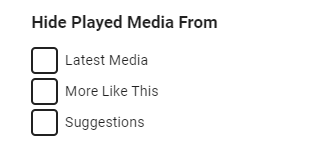
There will be a user option for this coming in Emby Server 4.8: Thanks.
 1 point
 -
At a high level this is what I think you should do: 1. You'll have to decide how you want to manage the media. Which user creates and owns the files. If for example you want to use your own Debian user account to create, copy, move media files then skip step 2 and instead use your UID and GID for step 4 (as long as it's not root). Things are easier when the media owner matches the emby server runtime user. 2. On your host OS create a user emby and group emby (with user emby as a member). Make note of the UID and GID. 3. Make sure the permissions for /mnt/raid1/videos/movies are at least 755 for each directory in the path. This means: drwxr-xr-x (755) /mnt drwxr-xr-x (755) /mnt/raid1 drwxr-xr-x (755) /mnt/raid1/videos drwxr-xr-x (755) /mnt/raid1/videos/movies 4. Use the emby (or chosen user's) UID and GID in the docker compose or run command or portainer settings. 5. You may or may not have to change ownership of the Emby container config path. The container creation might take care of this, I can't remember. 6. If the user from step 4 (UID/GID) is not the owner of the media then you might have to change ownership and/or permissions so that the Emby server can access/create/delete files and directories in the library. My preference is to create dedicated service accounts for the applications I run on my servers, whether in Docker or not. But for some it's easier to use their own accounts which already own the media files in their libraries. It simplifies access and maintenance for those who are new or less familiar.1 point
-
I have 100MBit/s Upload for my Server and as soon as someone is downloading via Emby my Upload is full and all devices are impacted by slow speeds. So, is there a way to set the download speed limit for all/users? IMO makes no sense to always let users have full download speed from the Server.1 point
-
There are providers that disable m3u urls so converting using the usual method won't work. You could try running it through a proxy such as m3u4u or iptvboss as they will accept xtreme codes details and produce an m3u.1 point
-
@trix77wanted to thank you for your work on this one. I am just now using this and it is working great for me. Does anyone have any suggestions on how they are doing 24x7 streams? Series and Movies work well for me....but struggling with 24x7 streams. Thanks in advance for your time.1 point
-
sounds like the common denominator is your m3u. i've never come across an web m3u that doesnt have categories, and i've used a few. used xteve for years and it was fine, just iptvboss has more features and a much nicer way of mapping1 point
-
iptvboss1 point
-
Great news. Emby for Samsung is now available in the Samsung app store for more countries. If you're in any of the following countries, you can now install the Emby app using the Samsung app store: Argentina Australia Canada Czech Republic Denmark Finland France Germany Greece Iceland Ireland Italy Netherlands New Zealand Poland Portugal Spain Sweden Switzerland Turkey United Kindgom United States Virgin Islands We are working on adding more countries so stay tuned! View the full article1 point
-
Hi guys, please stop the emby-server service, rename the `/var/lib/emby-server` directory to `/var/lib/emby` and start the service again, should get you back on your feet. It's okay to delete `/var/lib/emby` before, it's automatically created when it's not found, please make sure the directory you rename still belongs to the `emby` user though.1 point
-
Same here, no HDR switch on ATV 4k 2023. On the LG WebOS tv app it is switching to HDR on the same content.1 point
-
...and filter by decade ?1 point
-
Did synchronizing the UID/GID fix the problem or did you do something else?1 point
-
Let's back up a little. You have a NAS box exporting an NFSv4 share and this is mounted on the TrueNAS box? Need more info because this can change things. You've taken the right approach matching the UID/GID between systems and hopefully you have a user/group on TrueNAS for those, even if not the same names. The ownership from the NAS should remain the same on TrueNAS if NFS mounted, since you've chosen the same UID/GID on both. Just make sure it's consistent for the whole media tree, files and directories. The next steps would depend on how you have this configured and the underlying filesystem used on the NAS. From my question above. Also, I'm not sure how or if TrueNAS can manage that share from the GUI as an NFS client.1 point
-
IMO that is much more useful as a view/grouping than a filter.1 point