Leaderboard




Popular Content
Showing content with the highest reputation on 09/21/23 in all areas
-
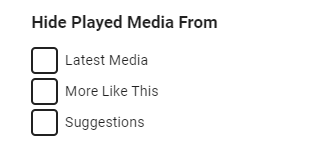
There will be a user option for this coming in Emby Server 4.8: Thanks.
 2 points
 -
There will be a user option for this coming in Emby Server 4.8: Thanks.
2 points
-
I do. Just seemed the obvious way to do it. Also, at the time main PC = only PC... Works fine to send stuff round the house and easy to add drives to PC and Emby. Guess a disadvantage might be it uses more power than some kind of mini PC or server / NAS, but it works, so if it ain't broke...2 points
-
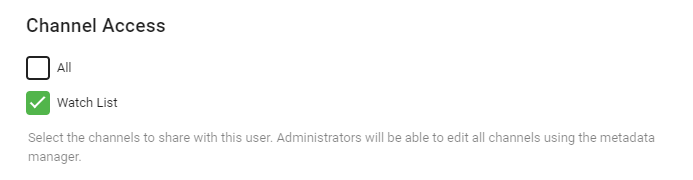
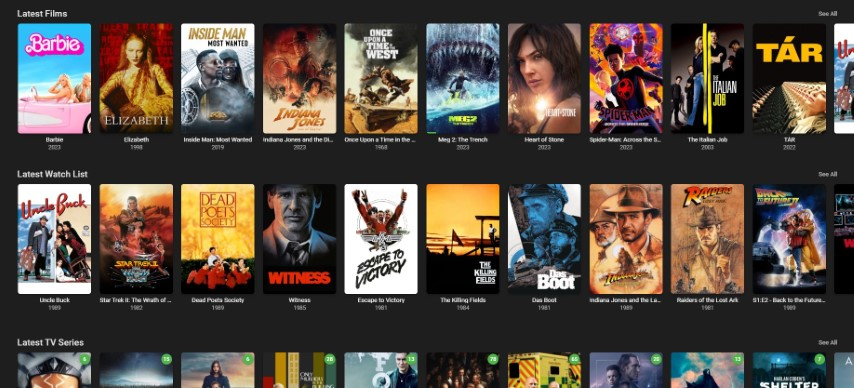
It should appear as a fully configurable 'row/channel'. This is what I'm working towards - the contents are read from the 'Watchlist' which is a private Playlist ...
 2 points
 -
That is no different to simply clicking it from the Media menu. What I want to see is a 'Watch Later' row on the Emby Home Menu - exactly the same as 'Recently Released Movies' - but containing all your 'Watch Later' items - not just a button pointing to a Playlist that is designed for Music ...2 points
-
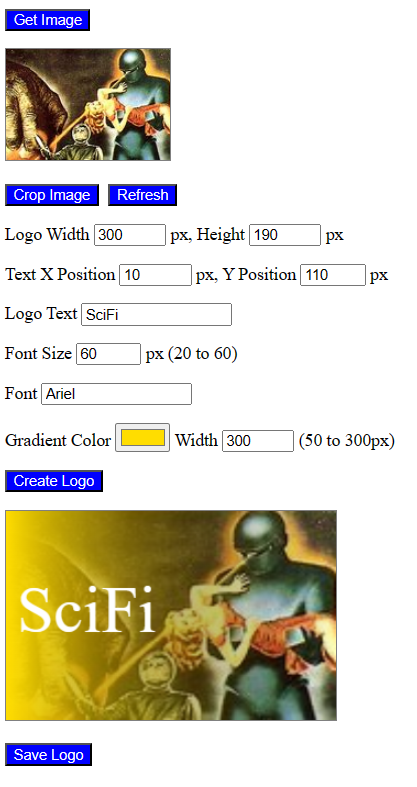
Just for fun I created a simple HTML file for creating logo images for Emby. Just select the image you want to use. If necessary, crop from the image the part you want to use. Next click "Create Logo" to create the logo image. You can experiment with the settings to produce the exact logo that you want. This code is not perfect. If you experience problems let me know. Vic canvas.html
 2 points
 -
It was written in the very early days of me tinkering with emby, based off file locations instead of Item Id's - so it not really useful to share. The key issue with 'crossovers' is there is no solid online source of where the crossovers happen - I wish it was something that tvdb included. I have all the main ones (CW included) in a CSV text file which I used as a input file for the script - but I wish I had used tvdb episode id's instead of file locations ... It's probably a good idea for a script to Plugin conversion - but sadly don't have the time at the moment.2 points
-
Maybe @rbjtechwould be willing to share his script, likely making that process more streamlined. Edit: ...which he already did. Kudos, Rich.2 points
-
If I don't see anything by the end of this month, then I'm going to do it myself via a Plugin as I am fed up waiting for this BASIC functionality - As everyone says, it's essential for a Media App to be able to display the media that users want to view - without it, frankly it's a massive fail. In my mock up Plugin, I can create a channel (which is displayed as a 'row' in the Home Screen - permissioned using the existing Channel permissions), I can read a users Playlist - so I just need to combine them and you simply add a title to a Private Playlist which is called 'My Playlist' ... Maybe I'm missing something obvious here - but I'm really not sure why this has not been done in the Core - it seems an obvious quick win. Yes a full 'Smart Playlist' would be nice, but having 'nothing' to display a filtered row is just infuriating ...2 points
-
Great news Luke, i've managed to install this today on my child tablets and Emby is now present for them to use just like all the other Amazon apps2 points
-
Because Jellyfin is the creation of a neckbeard who got angry that an at the time open source software package had a nag screen in it. Jellfyin was basically created becasue of "FU give me my stuff now" and the community that supports it believes that everything that other people work on should be theirs. Jellfyin is years behind Emby in many core features, and their app game is a joke. The biggest reason Jellfyin is mentioned is because it's free and there is no licensing limitations to go around. Even Emby limits you to "up to" 75 users and then you need to contact support to get more. In the end, no one wants to have their software being responsible for massive copyright infringement as it would put a serious target on their backs. It's why Plex did what they did, and Emby will probably follow suit if things get out of hand, which they will, as people hate paying for stuff, specially movies and TV shows.2 points
-
Well... here's the good news. My connection started working!!! The tests seemed to have resolved something - I don't know what - it just made it work. I had to re-start Apple TV4K, just as I had done after every other "test" inumerable times. This time tho it went straight to Emby Connect. I gave the password and Emby popped up on the TV. Kudos to the Emby Community patrons who helped me. I never would have succeded without you. Thank you Regards Rick2 points
-
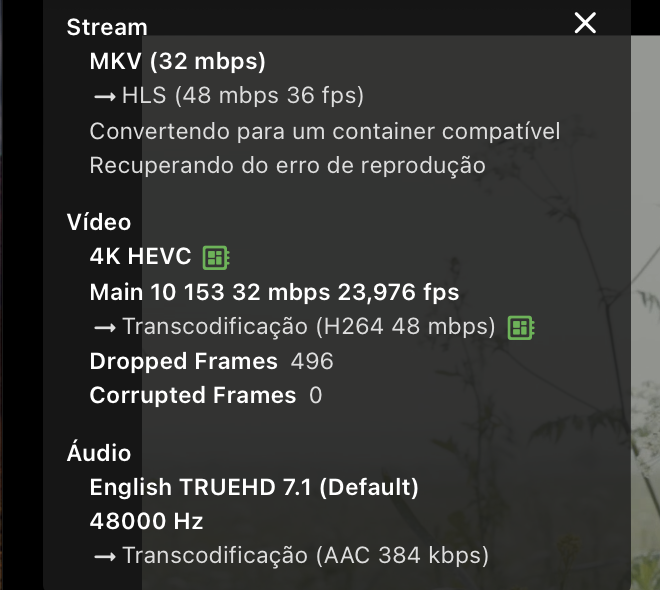
I'm having the same experience. Running the shield pro at 4k. The trailers look like straight trash. All SD.2 points
-
Bumping this again. A proper Watchlist/Watch Later/My Stuff feature that is maintained for each user and appears on the Home Screen is sorely needed (and has been for years). It is the main view I go to first in every other TV application... and every other application I can think of has this feature (and has for years). With playlists assigned to users in the current beta, I'm hoping this isn't far away. But for heaven's sake, this really needs to get done.2 points
-
Trailers are now working again but they are very low quality. Every trailer I have played is SD.2 points
-
Similar to this old post, I'm suggesting a tab that would be titled Watchlist and could be placed in between Suggestions and Favorites. The functionality would pretty much be a copy of Favorites, just with a + symbol added next to the heart and other symbols that let you favorite a movie etc. The previous post had mentioned extra functionality such as automatically removing a movie from Watchlist after it has been watched. This would be nice, but is unnecessary because after watching a movie you can simply click the + symbol a second time to remove it from Watchlist. I would imagine this would be very easy to implement as a rebranded copy of Favorites. Adding other features could come later. Edit: added link to old post1 point
-
Hi, I would like to have an option to choose H265 instead of H264 in the Transcode option. It will be smaller for all bad bandwidth (2~5Mbit ADSL), but will have a great quality. Mobile phone can benefit of it greatly too with the 4G and the limitation of download.1 point
-
That make me super happy Luke1 point
-
As long emby does it automatically, thats good. I'll look at my epg to see if the data is there or not. Thanks!1 point
-
Hello @SpaceboyJust use the bulk editor. Select the items to tag. then bulk edit them. You can tag individual tv shows or TV Series. Vic1 point
-
HI, I'm sure plenty of people do.1 point
-
It's working now. Thanks!
 1 point
 -
Thanks, separate hdr options would be the best solution if possible, the other workaround is to add ability to change color of the subtitles in the subtitles menu while playback is active.1 point
-
Hi, two more shades of great have been added to the options list for the next release. Separate hdr options are always a possibility. Thanks.1 point
-
just tried the beta version that works1 point
-
I guess it really depends what you are using it for - for 4K Remux high bandwidth (> 100Mbit/sec) DV with HD Audio - then Shield Pro is your limited choice (I have ZERO issues with mine) - if you just want to play 4K streaming quality with compressed Audio, then agree FireTV is a good option...1 point
-
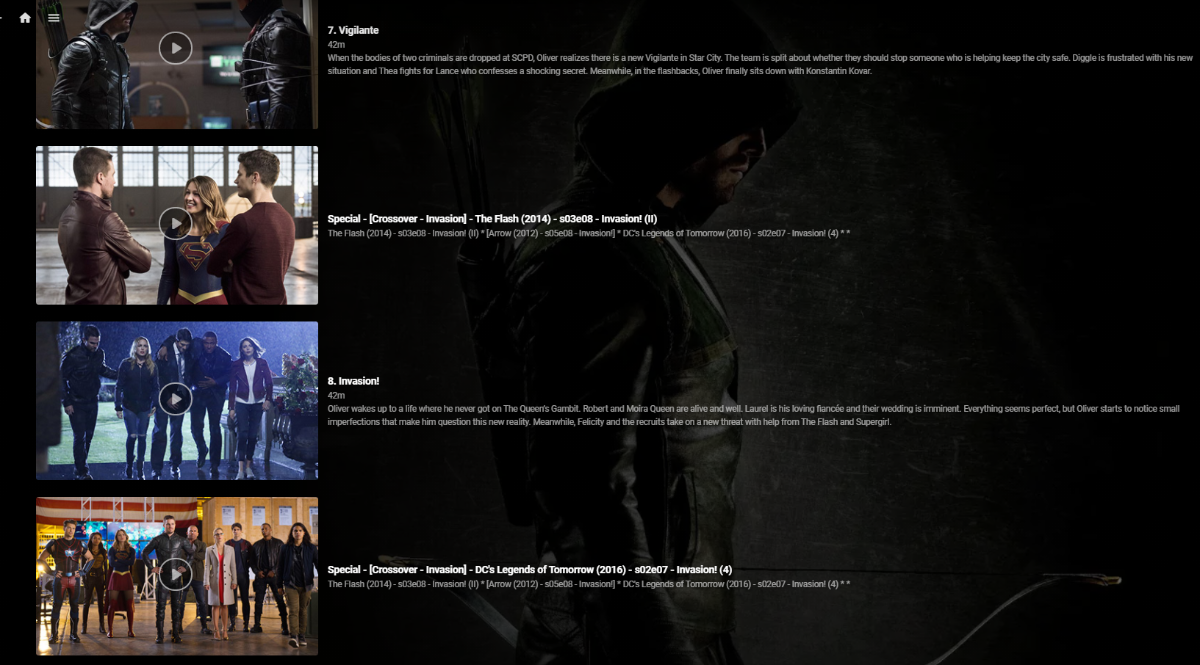
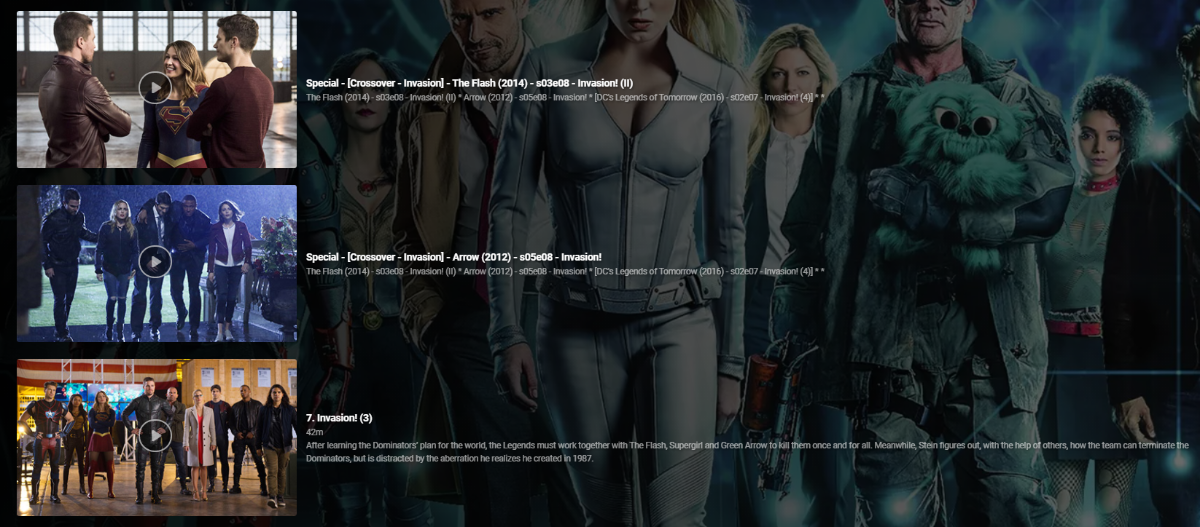
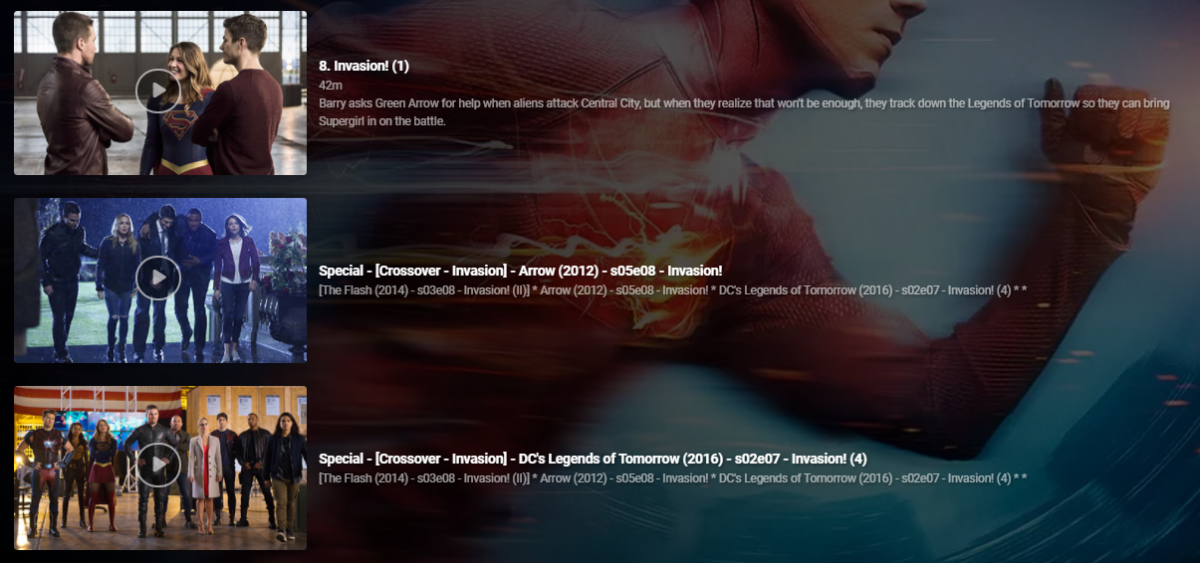
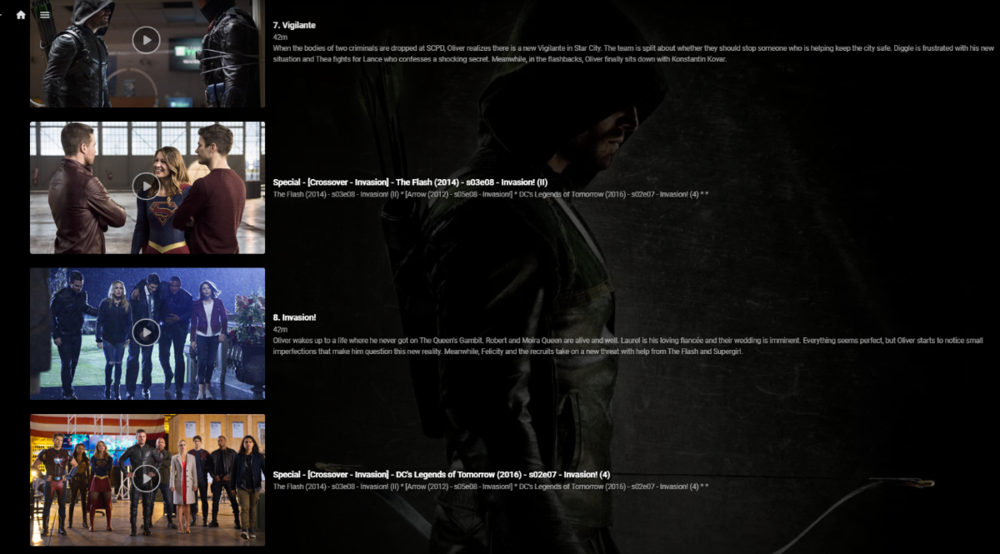
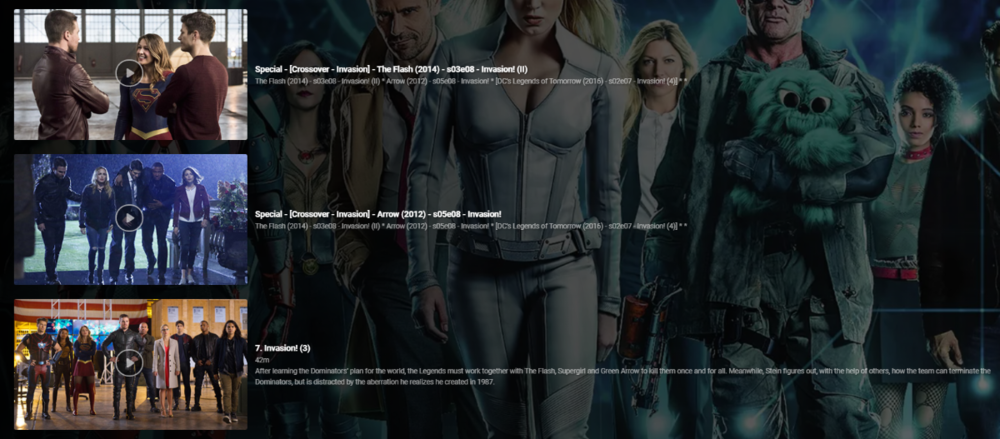
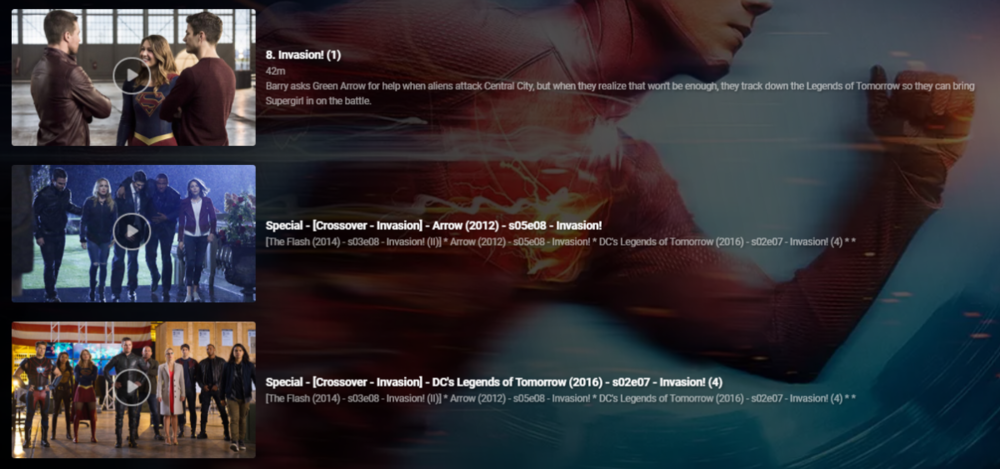
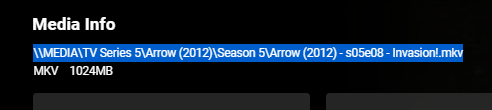
So up until this point I've been manually hacking together 'Crossover' episodes using 'Specials' - a very manually intensive and frankly laborious task. I soon realised that this is not only wasting my time, but nothing was consistent and I would lose the lot during a database rebuild or metadata refresh etc. So I thought i'd put together a script to automate this to make it - Repeatable Consistent Accurate What does it do ? Creates a .strm (link) file in the 'Specials/Season 0' folder - linking to the real media file. Copies the associated jpg file Creates a relevant nfo file - used for naming and placing the 'Special'. It does this for each member of the crossover and for all combinations. So in a simple 2 way crossover, it will create 1 'crossover' per show (2 crossover links created). You can have a maximum of 5 crossover events - so in this extreme example, each show would have an extra 4 'Specials/Crossovers' per normal episode (20 crossover links created). The reason for doing this is so it doesn't matter which show you are watching, you will always see ALL members of the crossover. So taking an example - Arrowverse Invasion ! (a 3 way crossover) The first part of the crossover is 'the Flash' so that appears as it would do normally ... (episode 8 ) .. .. the script has inserted the two 'crossover' episodes after ep8 - they are named accordingly (Arrow, then DC Legends) and the plot also details all the members of the crossover in order - with the current 'real' member in square brackets. .. Arrow is next in the crossover, so in that show, it is listing the crossovers as 'the Flash' (before) and DC Legends (after), with the Arrow episode being ep8. Finally, in the 3rd show - DC legends, it has put the two 'crossover' episodes before the DC legends Ep7. So it doesn't matter what show you are viewing it from - you always get the correct crossover sequence. Pre-requisites - The metadata nfo/artwork needs to be stored alongside the media file - this will not work if this option is not ticked (ie your metadata/artwork is held within the emby subdirectories instead). What is the script ? Unfortunately it's just a Windows based batch script that does the work (yuk, yes I know..) but it's been developed over time when I was just mucking about getting the concept correct and it works just fine, so I have no real inclination to convert it to Powershell or Python etc as speed is not really an issue here. Run it from a Command prompt - you do not need any elevated permissions but will need permissions to write to the media directories. What is the input file ? It's just a semi-colon delimited text file, listing all the crossover data. My exact file is attached, but you'll obviously need to generate your own in the format :- <special number>;<crossover name>;<show1 path to file>;<show1 season>;<show1 episode>;<show2 path to file.... blah blah <special number> is just a unique number sequence for each franchise, 10 will start the episode numbering at 101 - meaning it should not interfere with any existing specials. List of the episodes should match the crossover sequence - ie unc file 1 will show first, unc file 2 will show second etc.. Media File location ? Grab the media file location from the 'Media Info' section in a web browser - just copy and paste it into the input file. Testing I have only tested with UNC file paths (shares), but there is no reason it should not work with drive letters and folders. For your system, I suggest just creating a single crossover (or modify my file) and check to see what is has done before adding others. Nothing on the script deletes or modifies existing files in any way - it only creates new or copies existing files. Execution speed depends on your system, but for all the crossovers I have listed, it takes about 30 seconds to generate them all. Improvements Many things haha - I need to sort out creating the nfo files in a more elegant way .. I would also like to have each show listed as a new line in the 'plot' text, but could not get this to work. Down the line, I'd also like to get the input list created from the media ID's via the Emby API rather than UNC links, but one step at a time. Also - Read the Season and Episode from the UNC filename rather than add in the input file - should be easy enough to do, I just haven't got around to it yet .. Suggestions welcome Other things to note .. The crossover episodes are 'backdated' when they are created (year 2000) - they will therefore not screw up any 'new items or next up' lists. When created, you'll have to find them in the shows in the relevant season - or a quick check in Season 0 will list them all. 'Next Up Special Playing in sequence' - will only work in the Beta release - the current 'Release' does NOT honour the special sequence playback numbering. As soon as the long overdue Beta is promoted to Release, this will be fixed. (or run the beta).. edit 21/05 - 'Next Up' Special Playing sequence now works with the current Release - 4.6
 1 point
 -
It gets complicated really quickly - especially for the CW crossovers with 5 shows having crossovers ! The idea behind it was to include the crossovers from the other shows seemlessly - because they will then get marked as 'watched', if you then watch the other show(s), then those episodes will get skipped, as you have already watched them. ie If you watch 'Invasion!' while watching the Flash, you won't view it again if then watching 'Arrow' for example. If I were to do it again, I'd either use the Emby API or via an Emby Plugin - as currently it uses NFO files to update the placement of the crossover within the season - far from ideal ! Have fun.1 point
-
If I play them on other devices it is fine, it is only happening on the tv.1 point
-
After adding the workaround to prevent 302 redirect to the login page around 30 days ago, my emby server has not been re-flagged yet. Knock on wood.1 point
-
I am experiencing this problem as well. I am seeing this on my Sony TV and Android phone.1 point
-
Yep - all looks to be fine now. Thank you very much!1 point
-
There are flac audio tracks for older movies they are very common (you are most likely right that they are converted but it seems like it is common practice and only logical solution when remuxing the old movies with pcm track). Also Japanese Anime are exclusively with flac audio track. I understand that in manual it says it is not supported, but I can play it and I hear the audio the only problem is that samsung has this bug which makes the flac audio track delay compared to video.1 point
-
It used to be knowing as "general discussion" from some years back, it change to non-emby, the reason for that as you know, now general discussion serve the threads for announcement, FR, ... etc as this Emby related matters.1 point
-
Good morning Luke, I have now found a solution using a “Swag” container. A reverse proxy is set up here and gets a Lets Encrypt certificate. This works perfectly. Thank you. https://hub.docker.com/r/linuxserver/swag1 point
-
Yes sir that did it. Thank you so much1 point
-
Makes a lot of sense. The only thing I'd argue to that is that in a business model where you're striving to make money (Plex and Emby) the majority of your users are probably "average users" and you should probably make it so everyone can use it. You can dumb down an app so it's easy enough for everyone to use, but still have features in there that makes it so the power user or more curious can go in and do things with it. For all of us that have servers set up, a lot of us have family such as parents, grandparents, wives, husbands, siblings and kids using the apps as well. If it's to complicated, I'd be getting calls all day long on "how do I play a movie". I don't want to deal with that lol. I really enjoy sharing my media server with my family though so making it as user friendly as possible with minimal setup on their end is a huge plus for me.1 point
-
I'm glad you brought that up, as I used same argument in the past in internal discussion when trying to get it renamed: One would say that's exactly the case in question? Anyway, as it stands, any topic that is not related to any Emby app/is not a technical support topic belongs in (unfortunately named "Non-Emby") General discussion. @Abobader1 point
-
There's plenty of feature requests for everything, maybe implementing them would be a good idea. I can certainly think of one...1 point
-
Depends on if you are using the Core or the Plugin. The core requires the fingerprint files which are dependent on the Item IDs being the same (will almost never happen), but the plugin will be able to use the existing markers even with different item IDs. This was discussed earlier above:1 point
-
I've tested the web app in the tesla browser before and it has worked well.1 point
-
Hi. Of course and we are better than ever. We don't really care where you install your server, but please do note that we have similar terms of use that do not allow the distribution of content without appropriate permission from the copyright holder. Thanks!1 point
-
Nobody said you should upgrade your hardware..1 point
-
This can definitely work, you just have to use the right address. I also wouldn't use Quick Connect. It is dependent on too many other things that can go wrong at any time.1 point
-
Great news everyone. Emby for Android 3.3.29 is available in the Amazon App Store. Please try it out and report your experience. Thanks !1 point
-
Great news. Emby for Samsung is now available in the Samsung app store for more countries. If you're in any of the following countries, you can now install the Emby app using the Samsung app store: Argentina Australia Canada Czech Republic Denmark Finland France Germany Greece Iceland Ireland Italy Netherlands New Zealand Poland Portugal Spain Sweden Switzerland Turkey United Kindgom United States Virgin Islands We are working on adding more countries so stay tuned! View the full article1 point
-
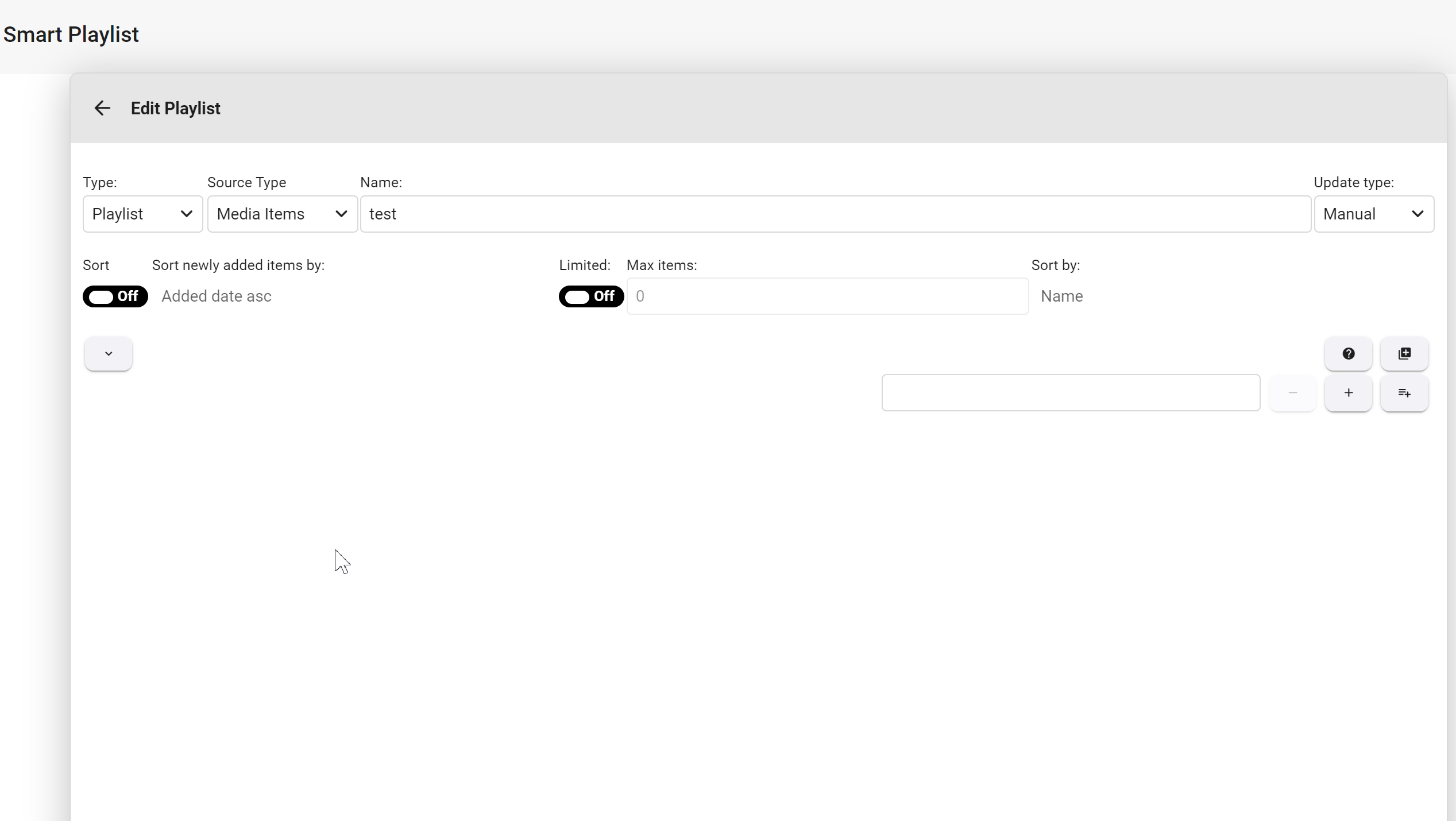
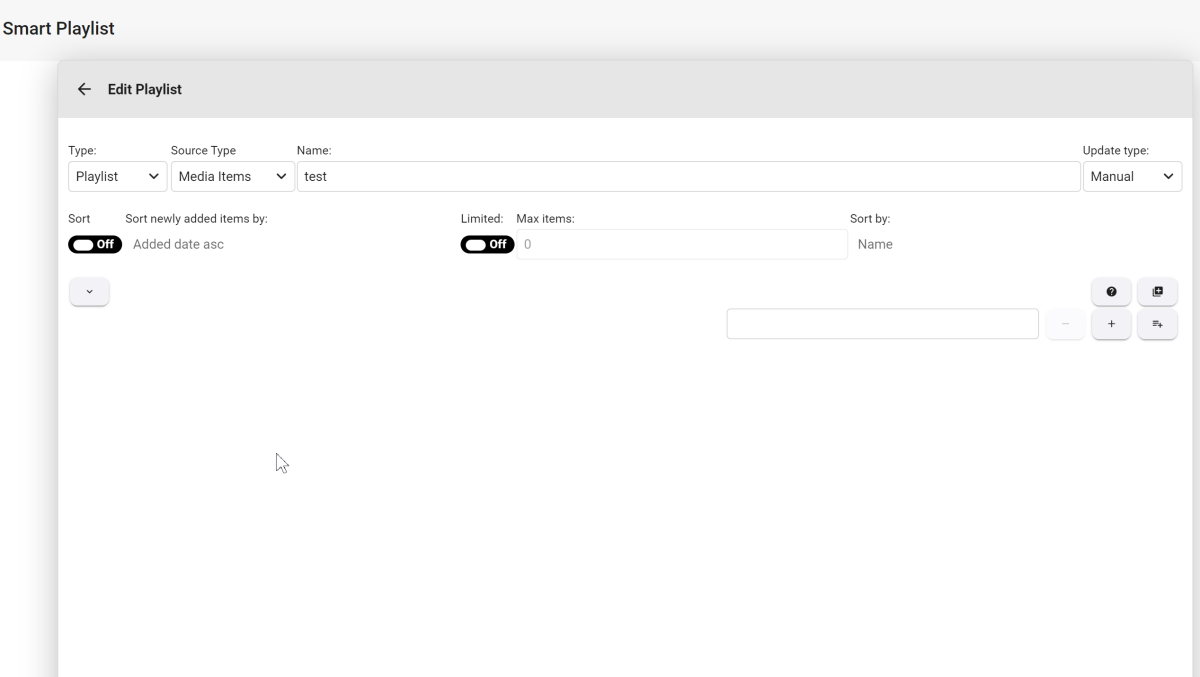
Hi Luke, so theoretically the SmartPlaylist works for me too, but 1. the old PLaylists are not displayed (is not so tragic, I can create them also new) 2. the controls are only partially displayed. The dropdowns are missing I tested this with server version 4.8.0.40 - 4.8.0.43 beta What could be the reason for this?? I have deleted the dll again and also the SmartPlaylist folder under Data and when I click on the help (?) button the following message is displayed
 1 point
 -
Switched to another ISP and now im getting full speed from remote access. Thanks for the tips guys!1 point
-
emby_crossover.batcrossover.txt These is the script and (my) input file. Rename the emby_crossover.bat.txt file as a .bat file as Windows will likely reject the .bat file direct download. emby_crossover.bat.txt1 point
-
Hier nun mein kleines Howto: https://deepdoc.at/dokuwiki/doku.php?id=multimedia:embyserver_mit_ssl_zertifikat glg und schönes WE1 point