Leaderboard




Popular Content
Showing content with the highest reputation on 09/17/23 in all areas
-
OK i'm taking down the release for now. 3.0.20 is the latest again. Thanks guys.3 points
-
In my house, I would like to see a User Profile selection similar to Netflix. Using my single logon, I would like my family to choose between who is watching. That way each of us can watch shows without marking it watched for someone else. In this scenario, I would have a 4 users in a Family Group using the same username/password.1 point
-
As I mention in a related post, I love the additional subfolders for Movie Extras (eg, Shorts, Scenes, Interviews, etc.)! It would be awesome to extend this functionality to TV Series as well. Specifically to add support for many/all of the same folders supported for Movie Extras, eg, extras specials shorts scenes featurettes behind the scenes deleted scenes interviews trailers As well as any additional folders that get added in the future (eg, hopefully Galleries). Support Placement of "Extras" Folders Within Each Season Folder, Plus A Naming Scheme to Link A Particular Extras Folder with a Specific Episode (eg, "\Season 1\E1 - Deleted Scenes\" for episode 1 deleted scenes): I want to clarify that it would be great if these various "extras" folder types could reside within each Season folder. So for example, within a Season 1 folder we could then have an "Extras" folder, a "Deleted Scenes" folder, a "Featurettes" folder, etc. And furthermore, that we could designate a particular folder to refer to a specific episode (eg, "\Season 1\E1 - Deleted Scenes\" for episode 1 deleted scenes). See more below, particularly why I think this would be so useful: https://emby.media/community/index.php?/topic/55915-emby-server-theater-additional-extrasspecial-folder-types-for-tv-series-similar-to-movies/&do=findComment&comment=587195 Thanks for your consideration! PS - If this is something you might like to see implemented, be sure to "Like" this top/first post (as well as any subsequent posts in this thread that highlight particular aspects of what you are interested in) -- "Liking" the top/first post helps the Devs to know how much interest there is in a given Feature Request.1 point
-
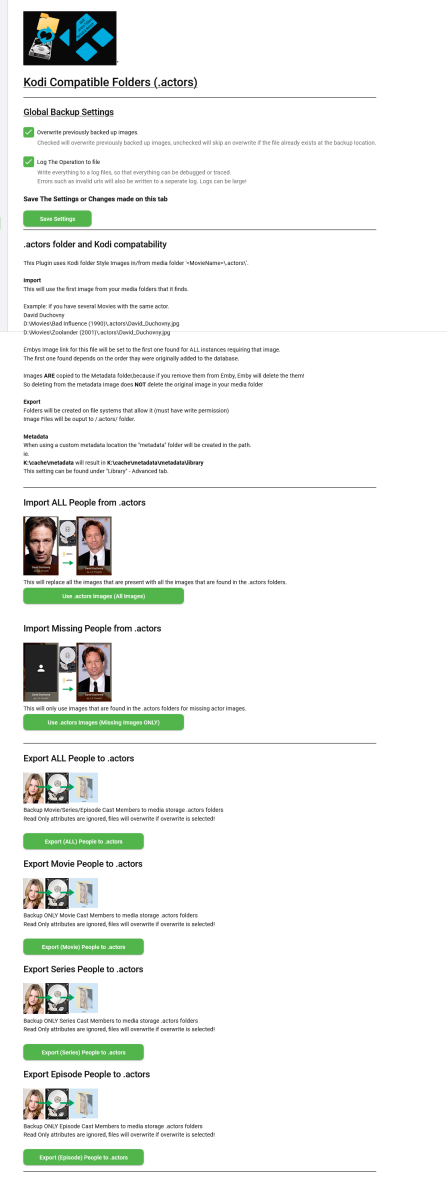
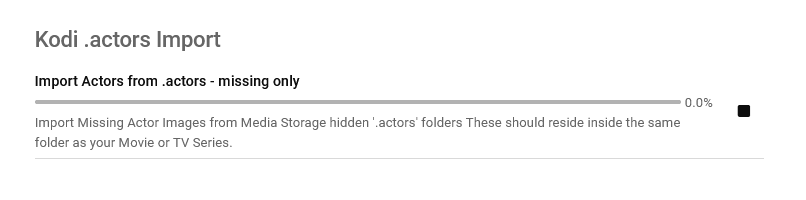
Updated 15 Sept 2023 - description at bottom of this post Updated 06 August 2023 - description at bottom of this post Updated 05 August 2023 - description at bottom of this post As requested, import and export .actors folders people as a seperate plugin. I have done this fairly quickly so have not extensively tested it/checked it all works falwlessly! Everything should log to its own files and keep out of Emby's main logs now If you don't know what it is or does then you don't need it! Use at your own risk, this plugin creates files (export) and changes Emby database (import) Create files writes to media folders and / or writes to metadata cache library Scheduled task * Updated 24/03/23 ===================== I have left the old version here incase the newer one doesn't work properly. I have NOT tested it! There is now an option to select the import metadata directory preference for \Metadata\library or \Metadata\people directories. Code has been added to change the path that the image is put to when the option is selected. Other than this change, both versions are the same (one with this change and one without) - no need to upgrade if you do not want to. Kodi_actors_Folders.zip Kodi_actors_Folders_(MetadataPeopleFolder).zip Updated 20 June 2023 Fixed Null Reference Exception when Actor image path is not null but an empty string - this shouldn't happen but seemingly can happen! When it occures the plugin simply exits, and doesnt finish its task. The Fix Now logs this as a path error and skips over it to continue so the plugin doesn't just quit and exit. Also a code edit for getting Images from http paths [ERROR - Debug Below] messages in your logs. Code to wait for the filesystem to actually save the temporary file to disk before trying to copy it & Exception Trace logging if it still fails. Logging made better for overwrite / do not overwrite destination instead of a error Logs should all go into the log directory on all systems now. If anyone still gets this null reference error, please let me know Kodi_actors_Folders(20-07-2023).zip * Updated & Reuploaded with Import changes to metadata path & option to write to a-z folders Kodi_actors_Folders(21-07-2023).zip Kodi_actors_Folders(21-07-2023) (2nd Release).zip 05 August 2023 * Fix for sporadic null reference error (caused by http.listener) - which stopped export. * Improved Invalid name handling * Added MovieList Export on activation * Added Timeframe option of people to export Kodi_actors_Folders (05-08-2023).zip 06 August 2023 * Added Error Traps for random export errors, recovers fully now,continues and logs (if selected). Kodi_actors_Folders (06-08-2023).zip 15 September 2023 * Added Import / Export of Provider ID stub files * Corrected settings that didn't save properly. This was done primarily for my own use, so it might not be ideal for everyone. Basically it allows you to export imdb,tmdb,tvmaze ids (currently just these three, I will add more provider ids later) with the poster images I have not tested the import yet but the code is there to do it... This is solely to help prevent duplicate people in my database and eventually make my db more and more correct over time, and also to work with my other plugins.... They are just plain text files with the provider id inside. Kodi_actors_Folders.zip
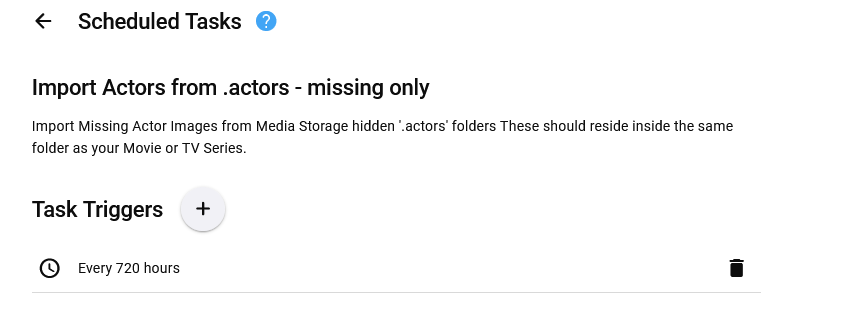
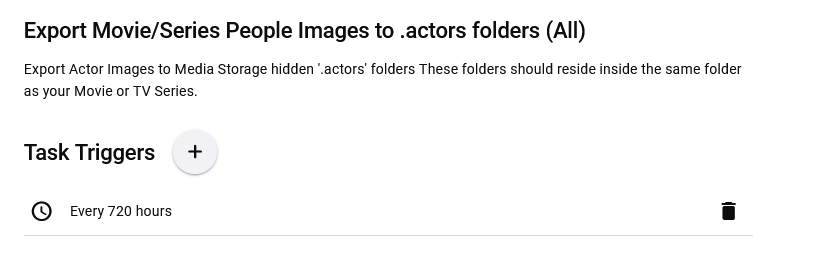

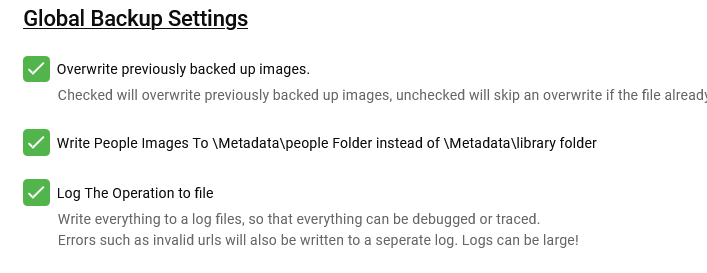
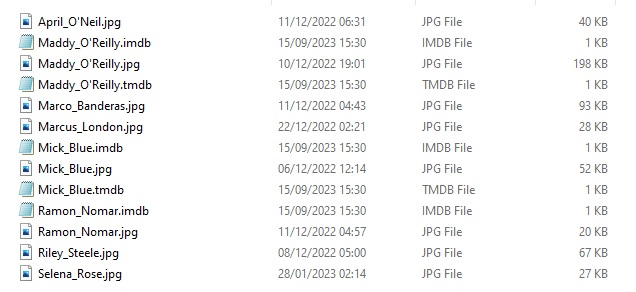
 1 point
 -
A agree this would be a very beneficial setting. Everyone loves blue radiance.1 point
-
+1 to this. I run Channels in parallel because of the Dynamic Channel Collections. It's super convenient - moreover it helps drastically reduce the amount of channels I need to navigate to arrive at my final selection.1 point
-
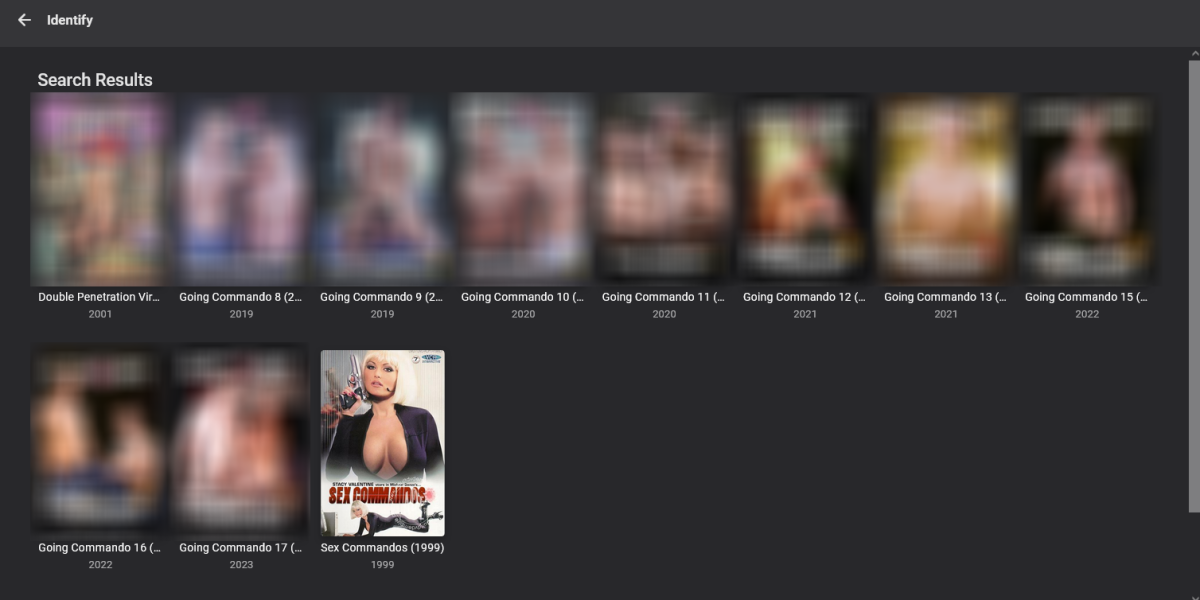
i will investigate further both my truenas core and my windows system find it fine with 3 dot menu\identify, the system type should not make a difference.
 1 point
 -
Fixed the request server not working, however this movie is in the db and identify does find it on my system1 point
-
Because you made pdfs out of them - just attach plain .txt files.1 point
-
Tried to get that going few years back, it was eventually put on hold/internal ideas list due to complexity and limited Dev resources/time: https://gitlab.com/tinyMediaManager/tinyMediaManager/-/issues/1448 In the meantime, that is already feasible via community-made plugin, courtesy of @mickle026: Yep, that's exactly the workflow using above mentioned plugin, personally have no issues with that, I much rather have all available actor images and manually change few odd ones every now and then if I don't like them then having none, so that's a fair trade IMHO.1 point
-
You can't do them all at once because that would hammer the sites hosting the images and they've asked us not to let this happen. The two possible approaches that I see are either for Emby to support the .actors folder or for TinyMediaManager to create those images in metadata/people ahead of time. There are pros and cons to both of those. One issue with the idea of Emby supporting the .actors folders is that in Emby there's only one image per person. That means for example if you have multiple movies and tv shows with Tom Cruise, the image that you'd see in Emby for Tom Cruise would be the first one that happens to be imported, and there'd be no way to control that. I personally don't have a problem with that but I don't know if that's going to be acceptable to users who have the .actors folder.1 point
-
MP4 is fine for "web streaming", but Emby doesn't employ "web streaming" unless you're using a brower (AFAIK). It is also far inferior to mkv. From what I understand most devices attempt to play the content as if it was local as they direct play the content, instead of "streaming". You can see it in action when you attempt to watch a dolbyvision mp4 vs a dolbyvision mkv. I have devices that support both and the DV mp4 files constantly have issues when viewed over Emby (work fine if watched local), vs the DV mkv files playing fine. If your device doesn't support mkv playback, like crApple devices, then Emby does the work to repack it as a compatible container so it can be read as a "local file" and that is why they take time to load, unless you use third party software like Infuse. If I am wrong, on the technical end, please feel free to correct me. My wording on "streaming" should have been more clear, for that I do apologize. It gets complicated, quickly.1 point
-
Oh, sorry, I misunderstood. I thought it's about the format, but you mean that the bars are transparent, not black. Created a new issue here: https://github.com/EmbySupport/Emby.WMC.UI/issues/16 Thanks1 point
-
Thanks for all the replys, Nothing seems to work, I even did a factory reset on my pc and still nothing plays Im only gratfull I bought a monthly sub wont bother with emby again ill stick with Plex1 point
-
If you have library with mixed content then yes but if you seperate your content into specific libraries then a per library default audio language would be perfect. For example if you have an anime library it would be easier to have an option to set the whole library default audio language to Japanese than it would be to individually set each series to Japanese one by one1 point
-
Updated 15th sept, see first post1 point
-
Great news. Emby for Samsung is now available in the Samsung app store for more countries. If you're in any of the following countries, you can now install the Emby app using the Samsung app store: Argentina Australia Canada Czech Republic Denmark Finland France Germany Greece Iceland Ireland Italy Netherlands New Zealand Poland Portugal Spain Sweden Switzerland Turkey United Kindgom United States Virgin Islands We are working on adding more countries so stay tuned! View the full article1 point
-
Sure... at the channel level.... and I've done that. What I've shared in the first post, is reference to functionality that guide data can be more dynamic, based on the category of the program... not the "tag" aka "Group Title" of the channel. Would also be great to have some mechanism to hide channels from the Programs view when the guide data presented is "Off Air" Using tags in the guide view, on anything but a browser, is a less than pleasant experience.1 point
-
This would be a great feature. I have had so many of my users comment on how nice the Blue Radiance theme is1 point
-
My use case isn't well expressed by the current software. I have a large central server, shared by my family and a couple of friends. Currently, you sign in with user+password, and to change account, you need to logout, and login with another user+password. There is an option to remember the logged in user to they don't need to enter the password every time, but there is no way to switch between multiple logged-in users. Basically, on my TV, I want my immediate family to be logged in and switch with ease (like Netflix and co) so our watched list tracking stays up to date, but currently logout/login is much too much friction. Nobody wants to enter passwords over and over and over with a TV remote. I have the option to hide accounts that have never logged into this TV before, and that's appropriate, since my parents who live in another house shouldn't see my family accounts, and I don't want to see theirs either. Each device should allow us to easily switch between the users in each home that make use of that device. A phone client for instance is a personal device, and would only have a single user logged in. A TV is a shared device, and multiple users of that TV should be able to login simultaneously, and then easily switch user with minimal friction.1 point
-
1 point
-
For me it's not a matter of being able to switch between users that an admin creates. Because the options for making the users visible on the login screen, is to either make the user visible remotely via the login screen or only on the home network or not at all (so they just log into the app and it goes into their account when the app is open). Well if it's a remote user and we default to the login screen (as suggested), I don't want every remote user to see the user profiles of anyone else but their own (or the ones they should see). For example, I allow access to emby connect users Johnny and Johnny's daughter. In order to make Johnny's daughter account to appear on the home screen (since I, as the admin, had Johnny create a separate emby connect account and I added Johnny's daughter as a separate user). Now I have to make Johnny and Johnny's daughter account visible to all remote users so Johnny can see his and his daughters account? What I'm suggesting is allowing the users like Johnny to create separate profiles within his emby connect account within the app. The only options for them to toggle is the content rating allowed and the option to set a time limit. The window dressing is when the person opens the app on their device, there's an extra step for them to choose the profile they want to use. Or maybe just add an option to allow 1 user to see another user's account? So if Johnny creates his own emby connect account and one for his daughter, and I add both as users to the server, but then add an option for me as the admin to allow Johnny and Johnny's daughter accounts to be tied together somehow via a checkbox in the user settings. So maybe when I click to edit Johnny's account, maybe there could be an option to ("group with" and then I can pick another user for Johnny to be grouped with (in this case Johnny's daughter) with the ability to group multiple users). Then with this option selected and a user defined to group with Johnny, when Johnny opens his app, he only sees the accounts he's grouped with? Unless it's possible to make an account viewable outside the network to just certain individuals (currently if that option is ticked off, any remote user can see the user account)1 point