Leaderboard




Popular Content
Showing content with the highest reputation on 09/10/23 in all areas
-
Put a jpg file of your choice named poster.jpg in those folders and Emby will pick it up. Alternatively, hoover over the folder on that screen, click the 3 dots, click edit images and add the image there... Tailoring the eye-candy to everyone's satisfaction is impossible, you're going to have to do that yourself2 points
-
Great news. Emby for Samsung is now available in the Samsung app store for more countries. If you're in any of the following countries, you can now install the Emby app using the Samsung app store: Angola Argentina Australia Austria Bahamas Belarus Belgium Bermuda Bulgaria Canada Chile Colombia Costa Rica Croatia Czech Republic Denmark Dominica Dominican Republic Ecuador Egypt Fiji Finland France France-Dom Georgia Germany Greece Greenland Hungary Iceland India Ireland Israel Italy Jamaica Lithuania Luxembourg Mexico Netherlands New Zealand Norway Panama Peru Philippines Poland Portugal Romania Russian Federation Saudi Arabia Serbia Slovakia (Slovak Republic) Slovenia Spain Swaziland Sweden Switzerland Türkiye Turks and Caicos Islands Ukraine United Kingdom of Great Britain and Northern Ireland United States of America Venezuela Virgin Islands, British Virgin Islands, U.S. We are working on adding more countries so stay tuned!1 point
-
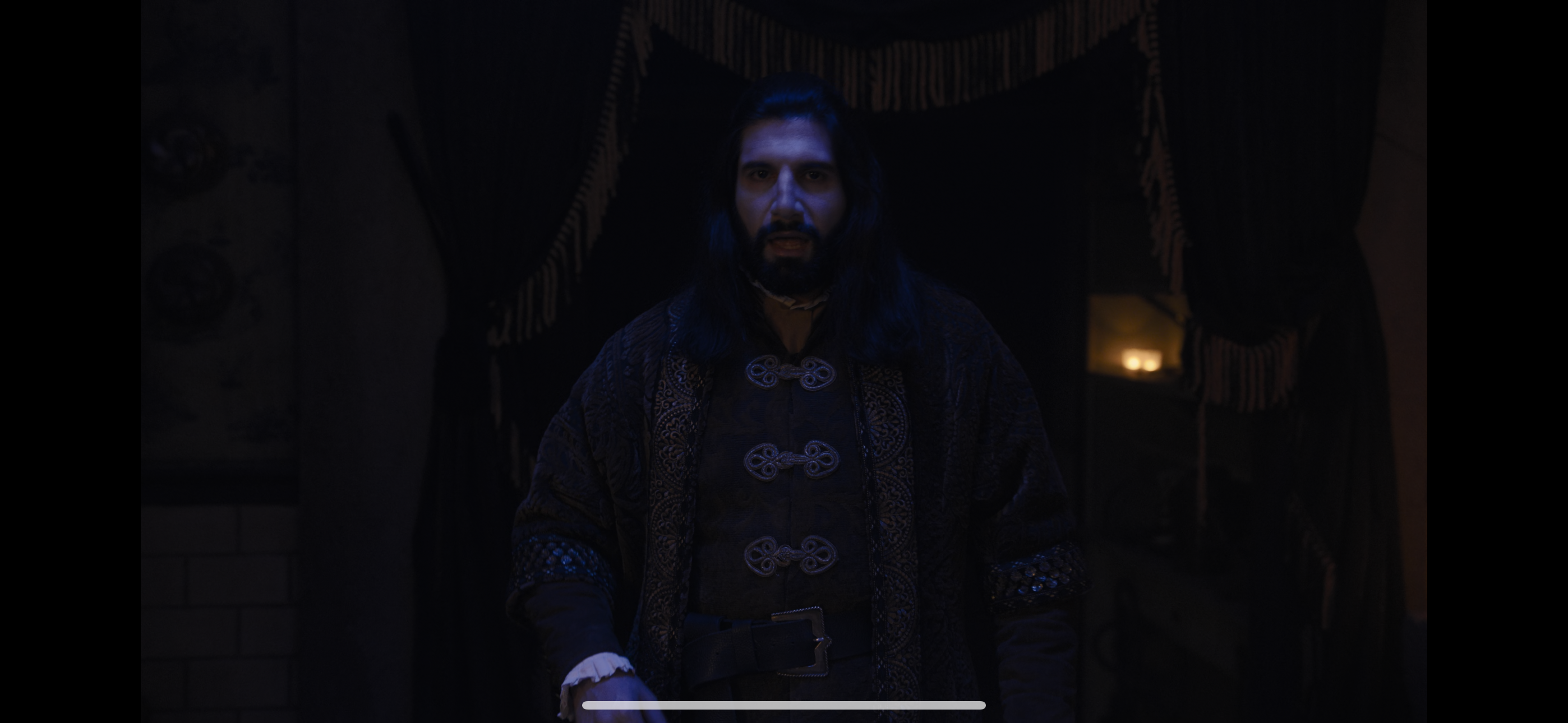
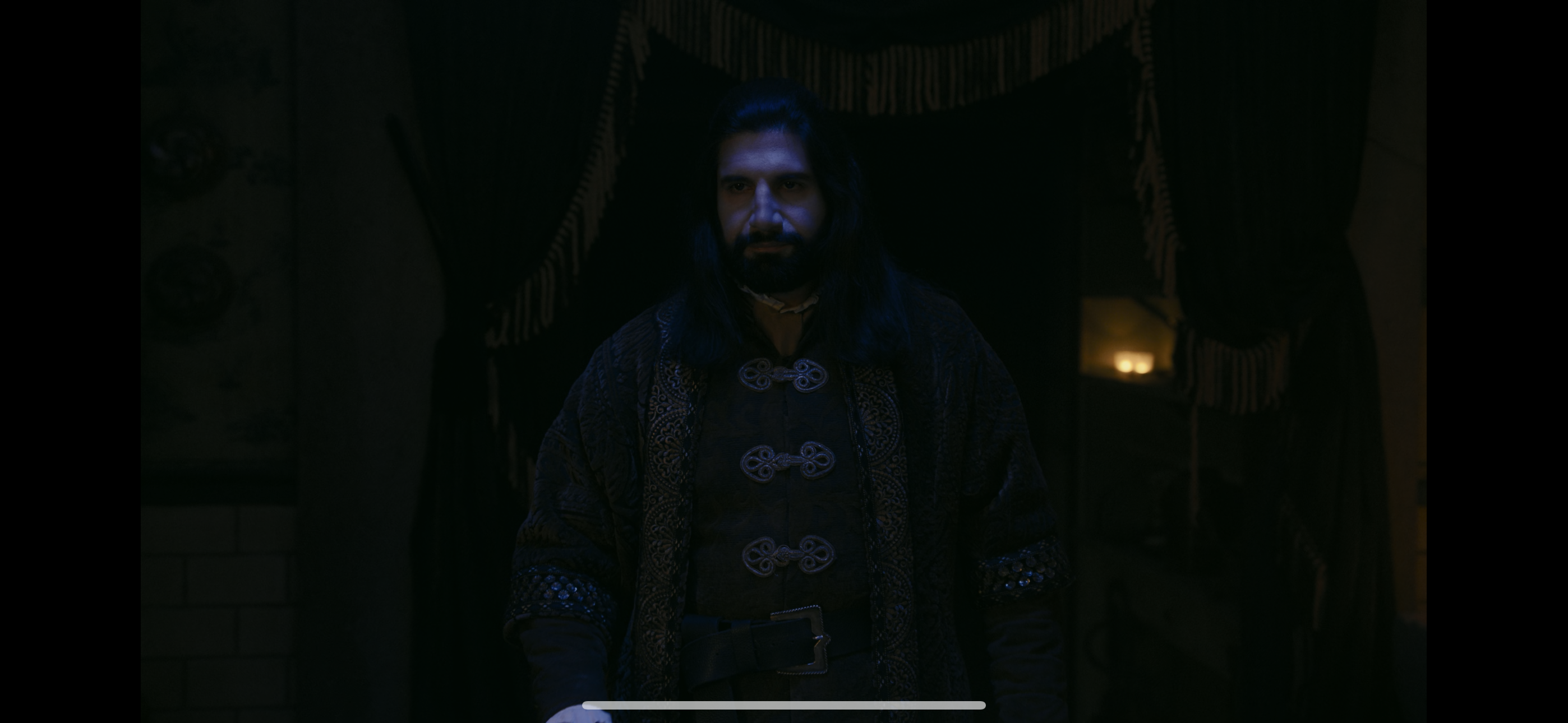
Hi I am using Emby on an iPhone 14 Pro Max and when I play any 4K HEVC or HDR files the colours look very off and way more green then they should. I have included comparison images. The first image (0604) is a 4K HDR file on Emby and the second image (0605) is through Infuse Player and also reflects how the stock IOS video player handles HDR colours. Are there any settings I can change to make the colours look accurate? I only have this problem on my iPhone, all my other devices including an android tablet, Windows PC and LG TV all show the colours perfectly. Hope someone can help! Thanks
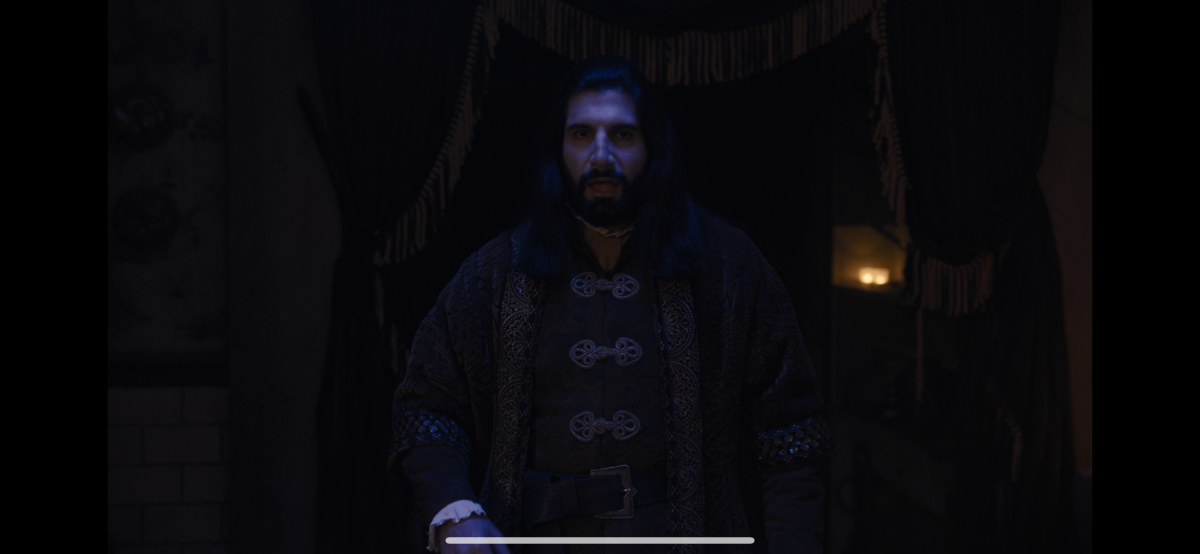
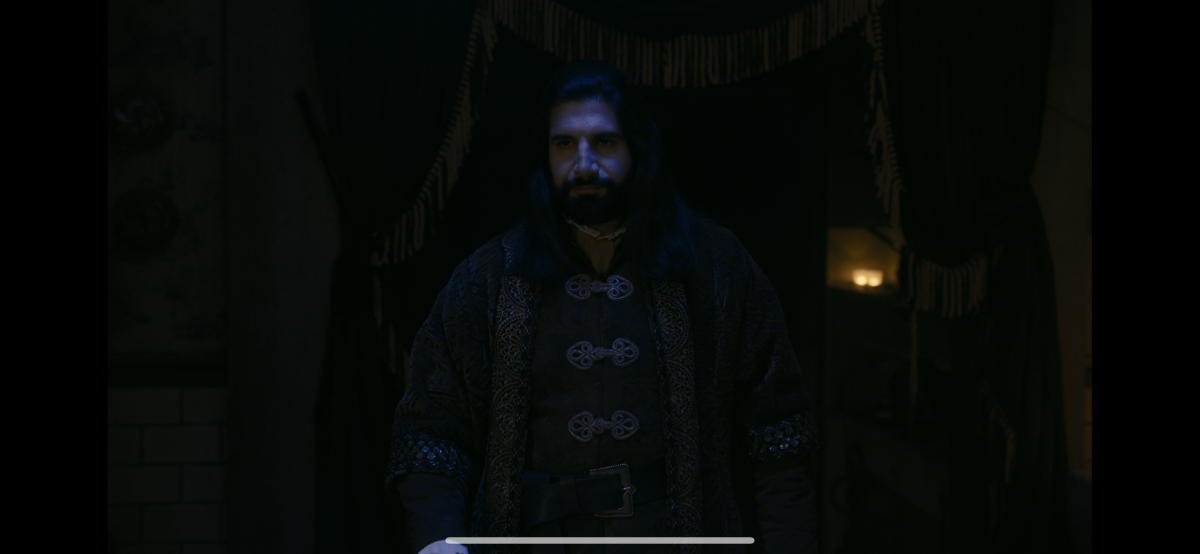 1 point
 -
Hi all, So my MacBook only plays DV profile 5 (yay Thanks Apple, totally not a huge hassle). Which means that I have some profile 5 files, but (again thanks Apple) cannot stream them without it trigering transcoding. Not that big of an issue, i'll just open them locally. But now that I have the files anyway it would be cool if I could use them for my family. At the moment, when tonemapping begins for Profile 5, it will give the signature green and purple look. Jellyfin looks to have fixed that and I was hoping this could also come to Emby, especially snce your recent update mentioning Emby will now recognise and tag content as DV @Luke. No rush, it's not that big of a deal for me but maybe easy and nice to implement when you have the time! J1 point
-
When you're got Up Next turned on, when you get to the end of an episode, it will give you a prompt to immediately play the next episode or to cancel the next episode playing entirely. If you choose to immediately play the next episode, it will, and that works great. However, it looks like this doesn't do anything for the episode you just played - if it hit your played progress threshold, it will be marked as played. If it didn't, it will not. For episodes that are 10 minutes long, a threshold of 95 isn't enough to consider the previous episode as watched, if you click start now on the next episode right away. Change the threshold you say? Well then what about 40 minute shows? Use a differnet library? Sure, could do. But doesn't it make sense to mark the previous episode as watched, even if it hasn't reached the threshold, if you've been presented with the Up Next interface and specifically said yes? Thanks guys, love your work1 point
-
I'm having the same issue. I'm running the server on my windows 10 computer. Both the web app and my television freeze while the audio keeps going. I let the audio run its course, and it eventually stopped playing sooner than the recorded file would have ended. Either way, I can fast forward to whatever part of the video I want if I stop playing and start again, so it's clearly not corrupted, plus it works on Windows Media Player.1 point
-
Please do add this! And possibly a filter for Dolby Vision, now that it will be detected in 4.8?1 point
-
TV from 2016, Switzerland. Emby is in store with version 1.0.941 point
-
Please also try South Africa1 point
-
This is still not implemented and the "new" "Add to collection" screen just makes it harder. We just need an alpha picker in the screen where we pick a collection to add to. I want to find a movie and click the "Add to collection" menu choice and then be able to quickly move to the chosen collection WITHOUT USING THE KEYBOARD. This can't be all that hard as the alpha picker seems to pop up everywhere except in the add to collection screen.1 point
-
Hello, I just make the update and all seems OK now. Many thanks1 point
-
Seeing as you seem to be adding in extra bits at the moment...1 point
-
Erm, while you're adding a few extra options about the place...1 point
-
yes I was editing the nfo files outside of Emby, so that's probably not the way I should have been doing it1 point
-
Turns out, my problem was with my own Linux system with iNotifiy and not enough Watchers. All sorted. Very much appreciate this plugin, but as others have mentioned, having the ability to include images, tvdbid link, link to the Emby entry and not so much of a spoiler in the content would be great. (Dunno why I have 2x accounts here!) Haha1 point
-
Yeah I'm guessing you're right. Thanks!1 point
-
You don't mention checking your port-forwarding settings in the router. Have you gone systematically through the connectivity troubleshooter? https://emby.media/support/articles/Connectivity.html Paul1 point
-
It just means the scope of the issue is very narrow. I understand it isn't for you, however.1 point
-
You want to make those edits in Custom rating field, as those will take precedence for parental control purposes, leave Parental rating field as-is (whatever comes after metadata refresh).1 point
-
Why is folders even show on fire stick and roku LOL it is horrid1 point
-
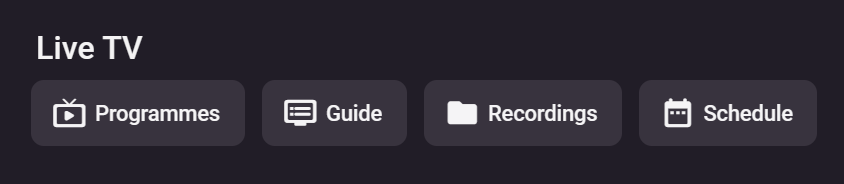
For example, look how ugly this is, looks like 15 years ago.
 1 point
 -
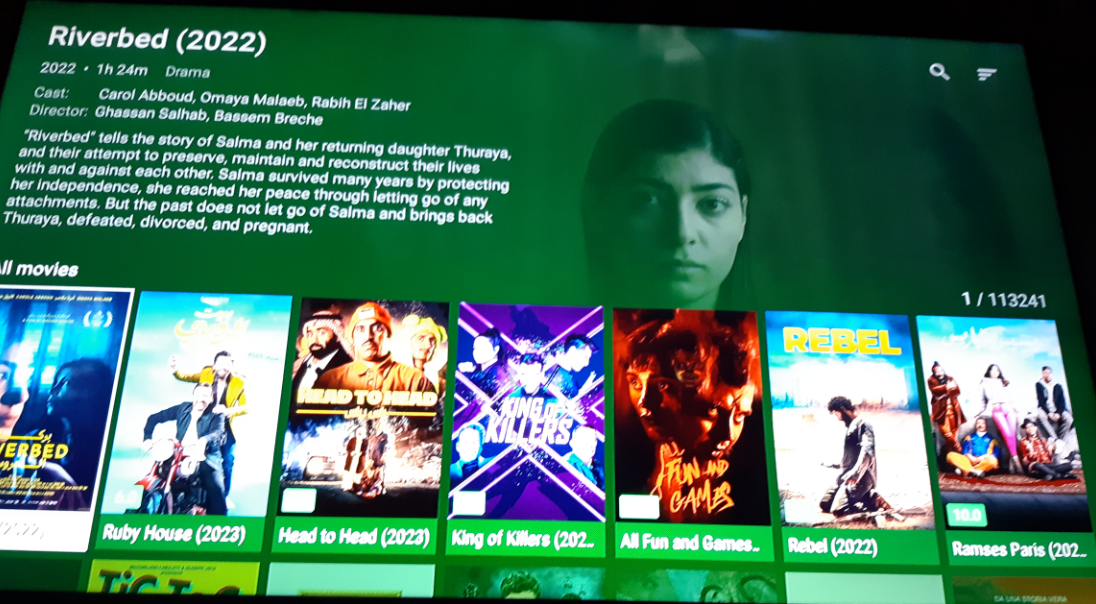
I will tell you this much, a nas will still have the same headaches as a server running raw my friend. Anyway I run big servers for external users not emby. Emby is for me and my family only, run other stuff for other reasons .. heres a pic of my firestick.
 1 point
 -
I do have premier, let's see if that works.1 point
-
I have been here for years, still waiting on the banner at the top of the screen you said was so easy to throw together Years ago1 point
-
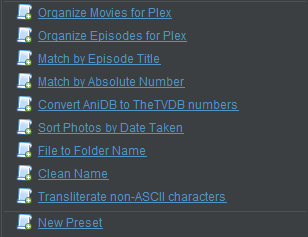
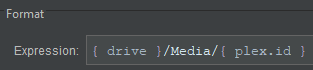
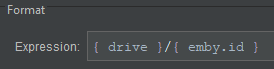
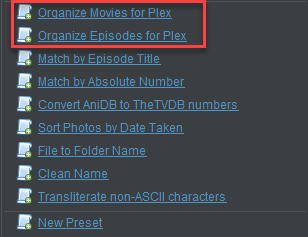
Filebot updated to version 5 quite a few months ago and they added some preset formats, such as the ones shown here: If you look at the "... for PLEX" syntax, it looks something like this: On a hunch, I tried to create a new preset for Emby and I simply swapped the "plex.id" for "emby.id", and HOT DAMN. Video Demo here \/ embibot.mp4 Hope this helps
 1 point
 -
Thanks again for you help, there was a Guest permission to setup, different compared with Synology that once set as RD/WR it worked.1 point
-
Pre-encoding files for Emby is actually a bad idea in general. It can make sense in special cases, like when you know for sure that your playback situations are always Direct Play, no downscaling, no tone mapping, no deinterlacing, no subtitle burn-in will be required. In other words: when you are sure you never need any transcoding. But those are rare cases. For all other cases, the recommendation is: Do nothing to your media, leave it all as is and let Emby dynamically decide what to do on a case-by-case basis. Nobody can make these case-specific decisions better than Emby (even I for myself couldn't generally do it better than Emby because there's so much experience which has flown into all the decision logic, and client-server interaction that a single person couldn't remember it all at once Very rare cases exist, where a re-encoding can be helpful to work around known issues with a certain format or encoding. Re-Encoding from H.264 to H.265/HEVC is a rather bad idea, because it eliminates the chance of re-muxing (transcoding where just the audio is re-encoded or nothing is re-encoded and the media streams are just filtered and segmented (for HLS streaming) It's also a bad idea, to do it for saving disk space, because when encoding to HEVC with settings to save space, you will end up having a sparse keyframe rate, which is not suitable for streaming and which increases delays when skipping video to specific positions. Also, re-encoding to HEVC doesn't mean that you will get HEVC streaming (with a single specific experimental exception). It only affects DirectPlay situations. I know that some will respond now, saying how well it works for them, but it's in no way comparable to extracting a zip and re-compressing as 7z or similar. We've seen so many playback issues in the past due to incorrect manual re-encoding of videos, that I can only recommend to think twice. Even for myself - as someone who would probably be able to do it right - I would never consider re-encoding my media files for space savings or other reasons - and in neither direction (from/to codec) - in summary, the disadvantages will almost always outweigh the advantages.1 point
-
Maybe they mean the 'official', and the copied. Personally I go with the official - makes it easier to get suport from the emby devs.1 point
-
I'm really liking proxmox, best setup yet and I've tried a few already. Works amazing so far in parallel with my home assistant container. Even got my Quadro P4000 working with it.1 point
-
Hi, yes we’re looking into it. Thanks.1 point
-
Depending on the required functionality, there's might be a way to work around this, though. I'm currently off-site, but I can look it up in a few days.1 point
-
Hi Eric - Mine is still breaking up with 96KHz THD Audio - it sounds like its 'clipping' as it doesn't happen with dialogue type audio. I've sent a debug log from the AndroidTV App (93g) - 09:20 ish GMT User= Rich Playing My Fair Lady - 96Khz THD Audio Track Thanks. edit - I've sent a 15 second sample of the file in question via PM.1 point
-
And now the day and date are back again, literally a few minutes ago it started working again. If it was you who fixed it then thanks.1 point
-
Regarding AV1 Encoding AV1 encoding in > realtime speed is going beyond the limits of even the latest CPU models unless there's significant downscaling before encoding. Less than 0.1% of Emby users have hardware available which supports AV1 hw encoding Emby uses HLS for streaming and I'm not aware of any client player which is explicitly supporting AV1 on HLS. Maybe the "eat-anything" MPV player can do it, but even when it would, it would still be < 10% of clients. Doing the Math: 0.1% of servers times 10% of clients makes: 0.01% of cases: If we would spend effort on developing this now, only one out of 10,000 playback situations would benefit from this work. In a few years, the situation will possibly be very different. But for now - AV1 encoding is totally off.1 point
-
Wow, it has been 8 years?!1 point
-
Thanks Luke! To be clear the HDR in Emby looks darker and much more green overall when you compare the images. Also i forgot to mention that standard non HDR or HEVC videos look perfect so it does seem to be the way the Emby video player is handing colours for HDR or 4K HEVC content specifically. Let me know if you need any more detail from my end. Thanks!1 point
-
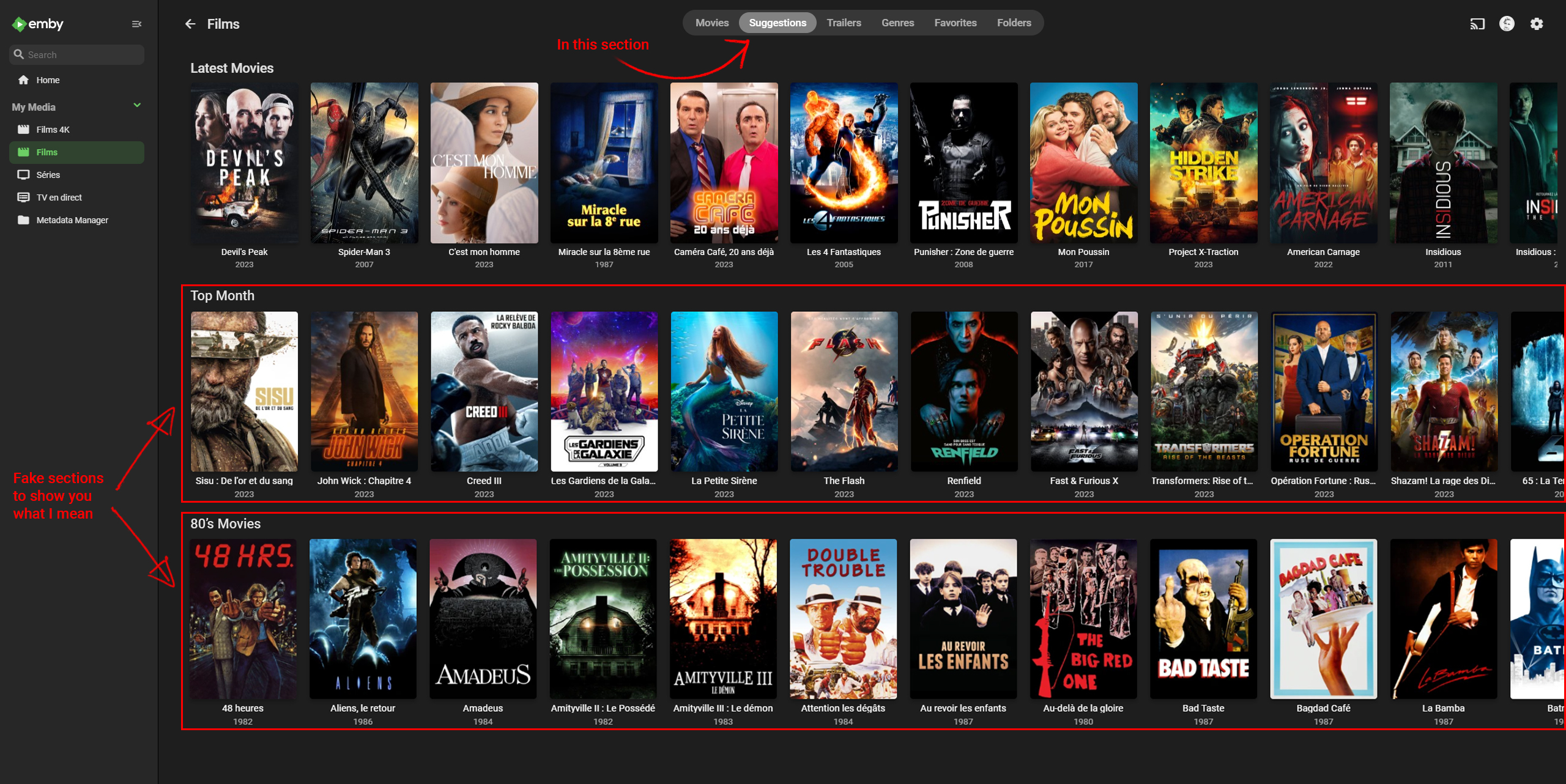
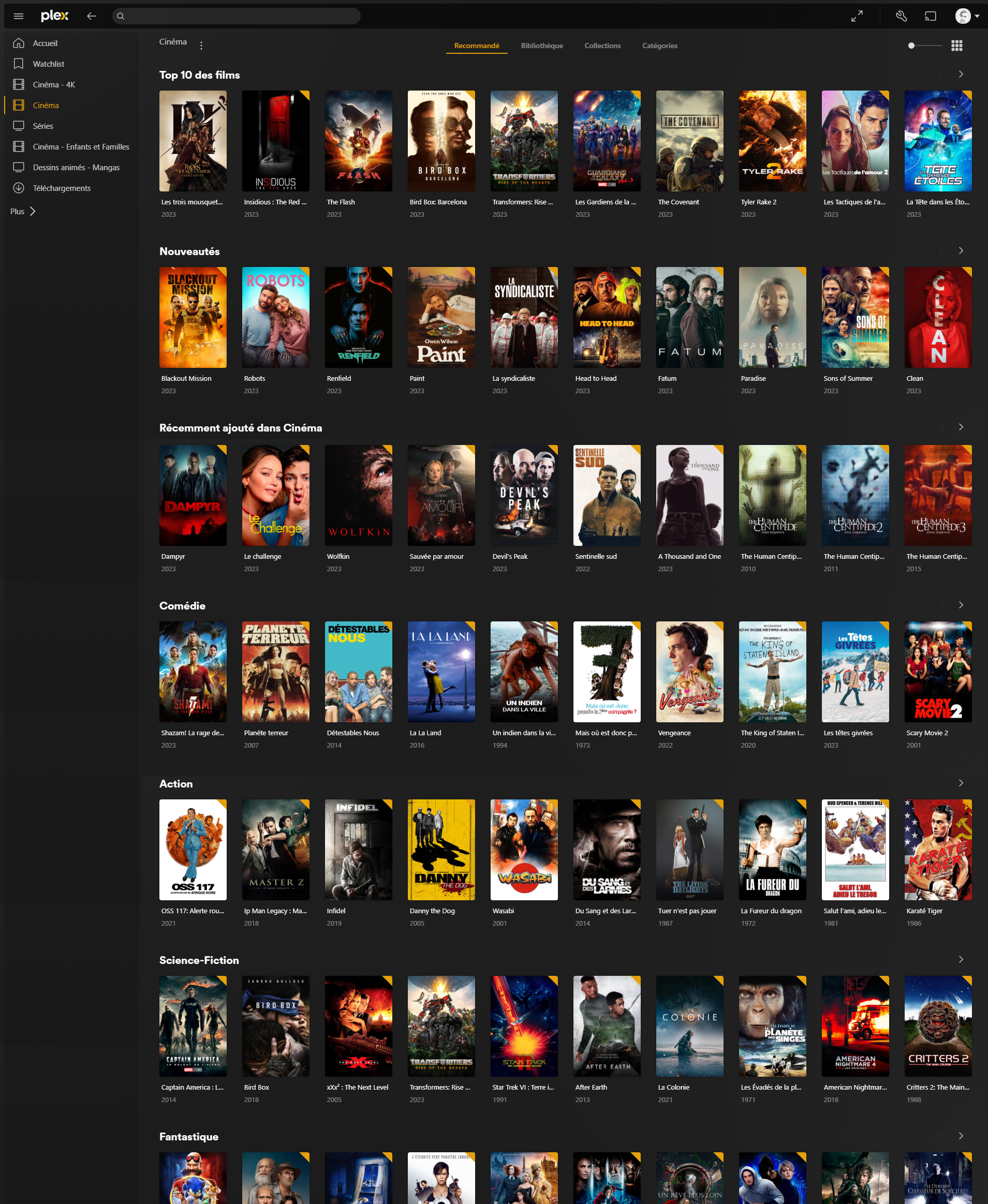
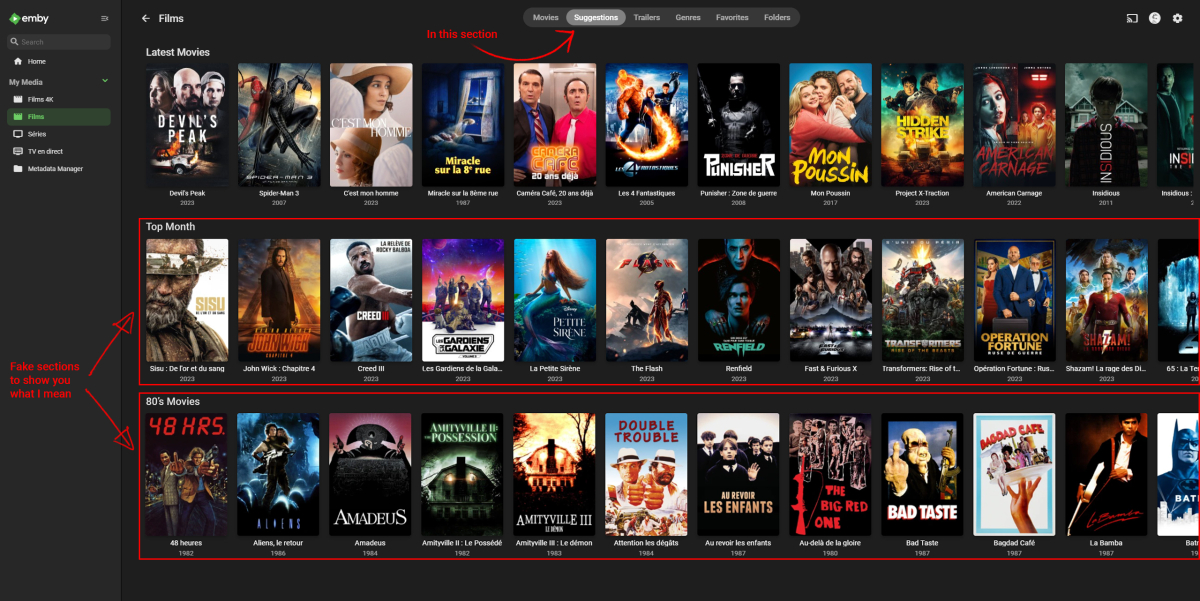
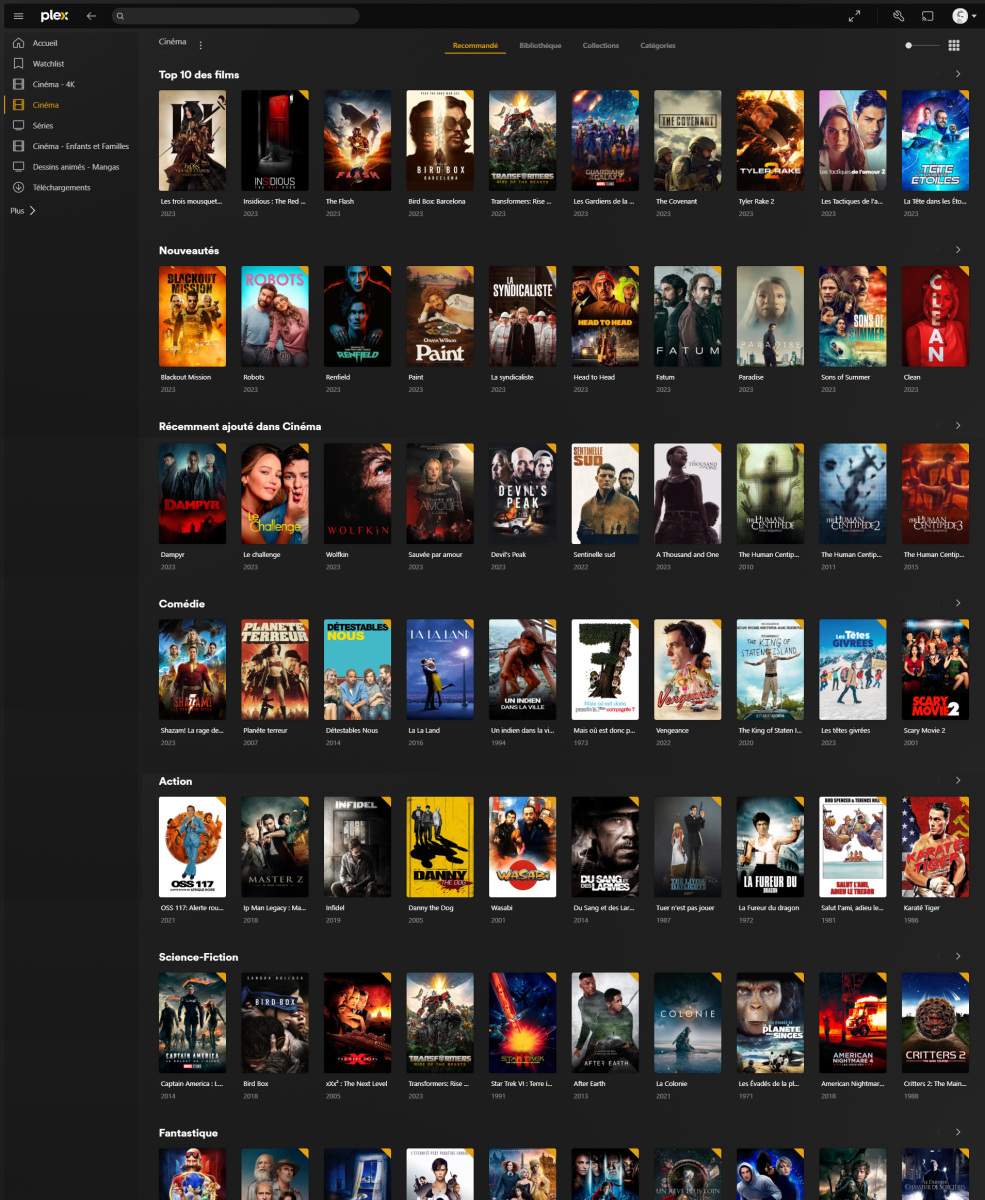
No, not just a playlist. It would be directly integrated into the top menus of films and series, I show you with photoshop montages. Being able to create groups of films or series with personalized filters and sorts, naming these groups as you want and being able to put them in the order you want. I show you what it looks like on my Plex:
 1 point
 -
I agree and if you look at our default interface in the TV apps, it should look very much like Netflix because that's exactly what it was modeled after. However, Netflix doesn't have anywhere near the detail and rich metadata we do so when you get to detail screens, things have to take a different turn.1 point
-
1000x185 blown up on a large TV display wouldn't look that great tbh, if upscaled it definitely wouldn't look sharp ...and then queue the complaints.1 point
-
Can you try this again? thanks.0 points