Leaderboard




Popular Content
Showing content with the highest reputation on 08/20/23 in all areas
-
The air date in the season view has already been added back for the upcoming 4.8 release. Thanks.2 points
-
Here is the latest list of versions for Emby software across the server and clients. Emby Server Stable: v4.9.5.0 (2026/05/18) Release Notes Beta: v4.10.0.14 (2026/06/04) Release Notes For other platforms, please refer to the download page. Emby for Android TV Google Devices Stable: v2.1.23 (2025/12/27) Beta: v2.1.46 (2026/04/15) Amazon Devices Stable: v2.1.23 (2025/12/27) Beta: v2.1.46 (2026/04/15) Stable Release Notes Beta Release Notes Universal Android app Stable: v3.5.16 (2026/01/26) Beta: v3.5.36 (2026/05/10) Release Notes Download the latest Beta here. Emby for Kodi See here for the latest information. Emby for Roku Stable: v4.1.63 (2026/05/04) Release Notes Beta: v4.1.64 (2026/05/13) Release Notes Emby for Windows (Windows Store for PC & Xbox One) Stable Release Notes Beta release notes Emby for Linux Beta Release Notes Emby for Samsung Smart TV (Orsay) E-series to H-series TVs only Release Notes Emby Theatre for Samsung Smart TV (Tizen) Release Notes Emby Theatre for LG Smart TV Stable: 1.0.50 (2026/01/19) Emby for iOS Stable: v2.2.53 (2026/05/16) Stable Release Notes Beta: v2.2.52 (2025/04/11) Beta Release Notes Emby for Apple TV Stable: v2.0.3 (2025/12/26) Announcement Beta: v2.0.6 (2026/04/11) Release Notes Emby for tvOS (Apple TV) Stable: 2.1.6 (2022/12/23) Release Notes - TBA Beta: 1.5.1 (10) (2021/03/02) Beta Release Notes Emby For MacOS Stable: 2.1.6 (2022/05/09) Details here. I will keep this post up-to-date as much as possible, but please send me a PM about anything I haven't updated, or is missing. Special thanks to @Borskfor supplying a lot of the updated information. Thanks.1 point
-
希望增加专辑“CUE”文件支持1 point
-
Yes please, this would be a good feature. As an addition I would also find it handy from the admin account to be able to see which users have watched a particular item without going in to each individual user to check.1 point
-
I did a quick test with simply an external srt and a video with no internal subs(I know the option I mentioned doesn't come into play for that test) and it asked to select the sub before playback so from what you're saying, I'm assuming it's an embycon limitation of some kind since doing the same test in a browser it doesn't ask anything and the subs are available. I wrongly assumed it always burned in the subs when asking to select them before playback which is why I was under the impression the option wasn't working.1 point
-
The command in the context menu on the server selection screen.1 point
-
It depends on what the player supports and what it is requesting the server to do.1 point
-
Hi, for music everything comes from embedded metadata. You don’t need any specific directory structure.1 point
-
Hi, there is currently no way to do this, although it’s not a bad idea. The on the fly extraction works just fine, but only applies to certain format subtitles.1 point
-
TY for your time again!!1 point
-
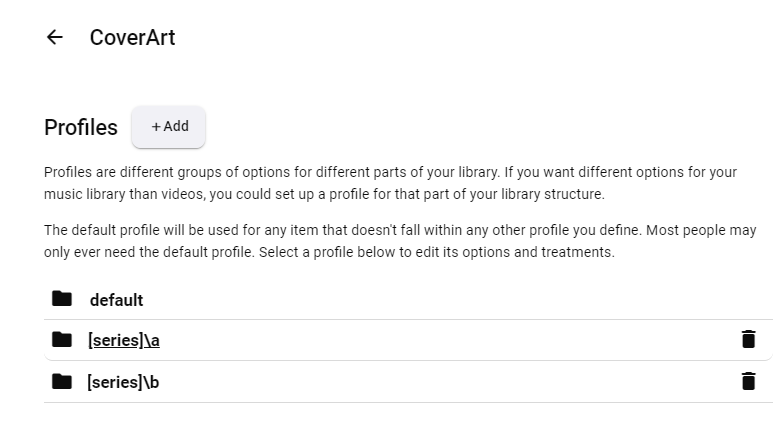
Yes. It does Series too, but it cannot distinguish between your different libraries/folders, hence need for additional profile where you can specify that. And Default profile is also basically "fallback" profile, meaning it will apply to items that do not fall into any other custom profile. For common usage, that single profile is usually enough - for uncommon, additional profiles.1 point
-
Per library, you can enable or disable providers, and the top of the list is the one used for identification; missing metadata can get filled in from the others. By default TVDB is used for series and TMDB for movies, and this is my preferred choice as well on the basis of the data I get (I have a lot of anime, but find the specialised anime providers enabled by the Anime plugin are too messy to consider). The Emby limitation to the three orderings is the same either way, I think. In extreme cases, you can change the metadata provider ordering, refresh the metadata, and then lock the item before restoring the normal provider settings. I've never found the need for that; if TVDB is missing metadata, or even has it wrong, I just go in and edit it - I've added several whole series, both for myself and for others. Incidentally, some people get confused about Emby and IMDB. Emby doesn't use IMDB itself, because it's too expensive to consider, but their IDs can be used as keys when searching the other databases, which is why they are available to use for searching in Emby. I think the developers know how to do different orders (they already do some, after all); it's just that there is so much other development going on that it's hard to get them to move this particular thing up their priority list! Paul PS - I haven't commented on missing episodes, as I've never used the facility and so have nothing to say about it.1 point
-
TY, Reaps1 point
-
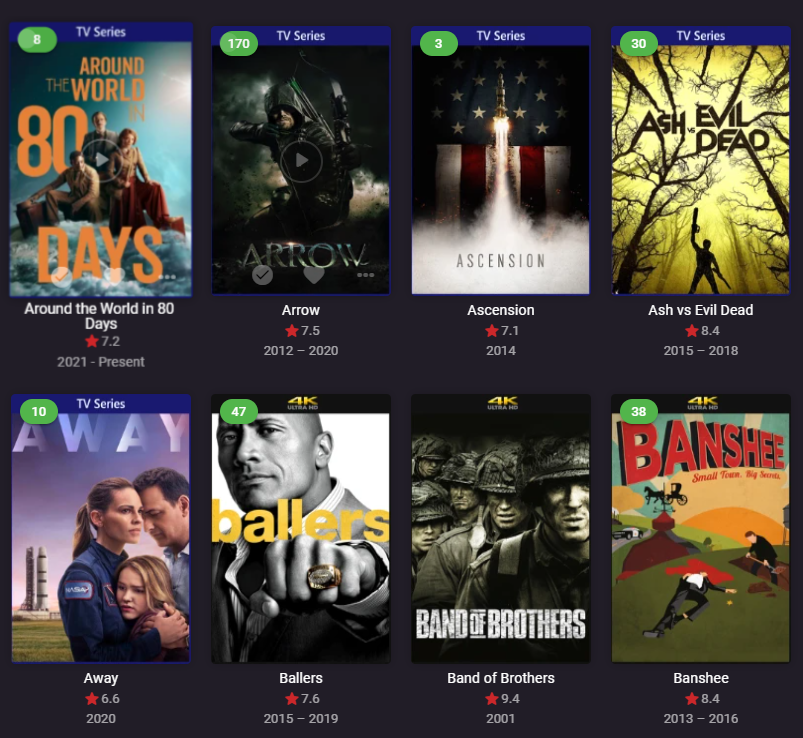
You can create 2 profiles: 1 for 1080p/720p/SD and leave it as Default treatment 1 for 4K and select UHD for Series under Specific Treatment tab
 1 point
 -
Oh wow, I’m sorry I didn’t know that! It works. Thanks for your help!1 point
-
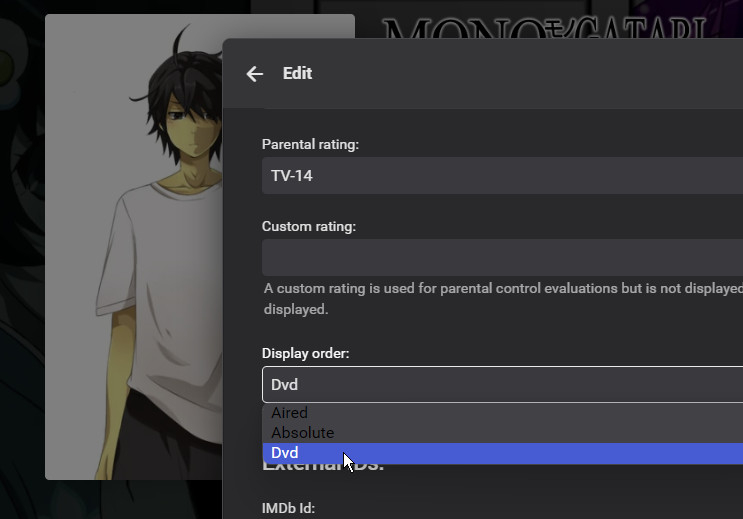
Emby can't check what order your files are named in for itself, as the names contain no indication of that. The procedure is that you name the files to match the episode numbering (in the chosen metadata provider) of the order you wish to use, and then when you've added the series immediately go to edit its metadata and select the order that matches your files. There is a present limitation that the only orders known to Emby are Aired (the default), DVD, and Absolute - so if you want to use a different order (e.g. Book order for the -monogatari series) you can't. There is an open feature request concerning this. Paul
 1 point
 -
Ratings are already tracked internally and assigned weight/numeric value and various country ratings should correspond to equivalent rating from other countries; exact example where it is not working for you would be required.1 point
-
Saying “Hey Siri, open Emby” works. Emby opens up. If I manually start something playing, saying “Hey Siri, play next song” works, as does “pause” and “stop” but what will not work is stuff like: “Hey Siri, play Badlands by Bruce Springsteen “ or any song title or playlist title. siri returns with “working on it” and after a pause “uh-oh, there’s a problem “. Then it stops. But that’s where the money is! I can get it to play with those commands in Apple Music, but I really don’t want to use that app.1 point
-
Yes, we need to add Shuffle to the series and season '...' menu on the details screens. I'll add them. Thanks1 point
-
HI, we're looking into this. Thanks.1 point
-
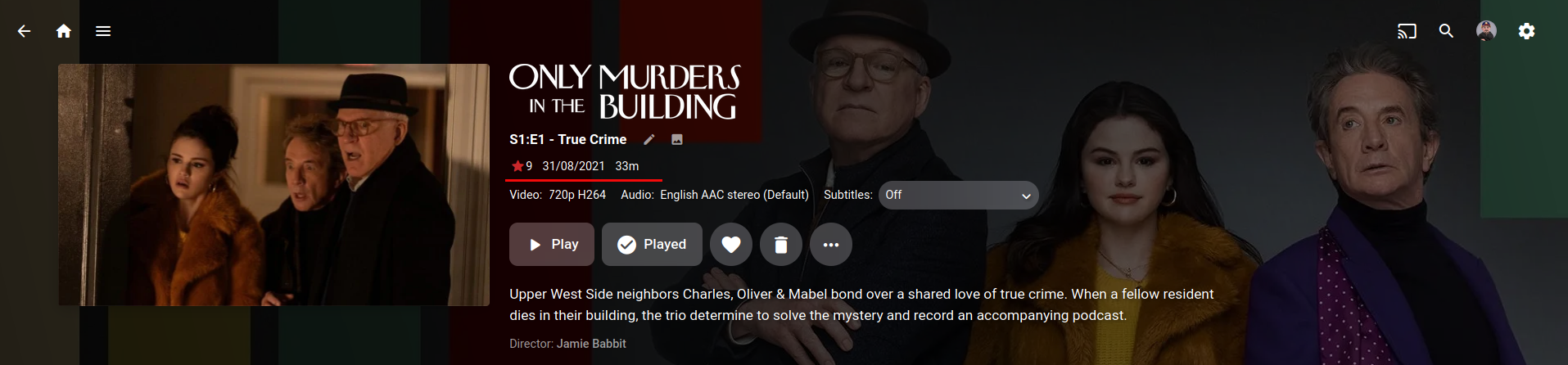
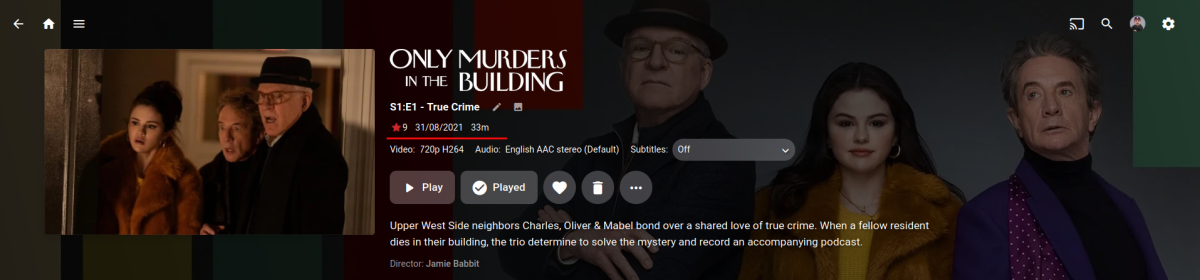
Yea it's disappointing they haven't done anything there with the web app. The last post from @Lukein the topic you linked was over a year ago. EDIT: I just checked my android tablet and that has the air date in season view, so that's a good thing. Just need to add the rating. My AndriodTV still has all the info (rating, season number, air date, subs). Which is what I use to watch content but it would be nice from a admin perspective to have the info in the web app. Sorry @miraclesukiI'm not into CSS, maybe @Happy2Playcould help you there?1 point
-
Yep, same as I've already asked for in the above linked topic:1 point
-
To go one further, I'd like rating in there as well (rating, air date, duration). There is heaps of room there, season view that is.
 1 point
 -
Yes, that is my meaning. I wonder to know if CSS can be achieved to display the air date in the Season view. End users can check all episodes air date in Season view easily, rather than click inside into each episode. Thanks!1 point
-
That is Season view, it ain't displayed there anymore last several versions, you need to enter Episode detail screen (click anywhere on Overview text). Edit: Do we really need to wait years for those details to be coded back, @Luke?1 point
-
haha, I love these types of discussions too. I've read the usual stuff about distances/resolution and I have a 65" tv and sit about 6-7ft from it, so theoretically I should be able to see the differences. And yes, I of course can. But its not night and day. Its most certainly not sd vs hd back when BR came out. Its the same with Atmos which IMO is the biggest scam (i.e. hype) in audio. Going from 2.0 to AC3 5.1 was massive. HD audio is a much smaller gain - I've attended gatherings put together with members of avsforum.com, who are all nutcases with $$$$ amount spent on insane audio/video setups, and these people cannot tell difference between a TrueHD and 640Kbps DD5.1 track in 90% of cases. The difference in Atmos is even less. There was someone who used to do a test of Atmos soundtracks by disconnecting every speaker except overheard. and the amount of sound was miniscule. so back to video - the quality of the encode, the crf factor etc, matter much more. I have neither the time equipment or expertise to tune these but others do, and if you download their encodes you cannot tell any difference. I've tested my hevc encodes, things like black backgrounds with variation (i.e. not fully black) is so problematic, you see pixellation, banding etc. Motion seems to be handled better in hevc. I do believe h264 is slightly better visually for most cases except for certain high quality encodes. e.g. very slow preset crf 10-15 is going to take years but the result is basically identical. But here's the thing - if I can get 30-50% reduction in size for 5% loss in visual quality I will never notice till pointed out, then its a compromise I will take any day. Its not really about more storage, its consolidating and simplifying things. the online landscape is forever shifting, when you upload a video internally it gets reencoded to maybe 10-15 different resolutions/bitrates as well as adaptive hls streams. There's a reason Google picked VP9. Remember h264 and then h265/hevc when they came out - cpu pegged at 100%, playback was limited and people used to buy dedicated hw cards and setup Madvr on $$$$ htpc's for playback. Those days are long gone. Been there done that. Now its impossible to buy a streaming stick that won't do hw hevc decode. AV1 is coming as well and in 2-3 years you will have $25 players with hw av1 decode. we are probably approaching the perceptual limits of av compression. But I think we'll see a couple more iterations of codecs. And lossless audio/video is going to be a thing of the past.1 point
-
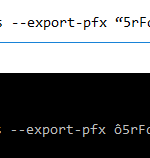
Are there suppose to be quotes around the password in the batch file? I'm guessing no? Taking a closer look at the zerossl script it looks like it added this character ô to the beginning and end of the password I have. I'm guessing that character is from the quotations? *Fixed* the quotations and added symbol were the issue
 1 point
 -
Greetings, I would also like to just confirm this issue for version 1.7.6. The option to shuffle is now missing from the main menu of individual TV series but I can still shuffle from the root of the libraries. Playlists and Collections still appear to have the shuffle option in their menu. If I long press on a TV show I still have the shuffle option there. @Spritzupthis option may be helpful to you in the meantime if you are like me and rely on shuffling content daily. Thank you Luke and Emby team for all of your hard work.1 point
-
HI, we are looking into this. Thanks guys.1 point
-
Yes shift-select would help, instead of clicking on a year 10 times to get, say, the 50's. But by decade would still be ideal. Maybe replace the list of years with a list of decades, each of which has a sublist for individual years...1 point
-
This may actually be a Trakt account locked issue - I received a notice in the iOS app that my account is locked due to duplicate plays or something. I am contacting support to get this sorted out. I will report back if that ends up being the case.1 point
-
Please let me know if the latest build resolves it. Thanks.1 point
-
@KiraCreedethyoull basically wanna create a new site in IIS. Each site in IIS will need to have its own hostname on the bindings so it will know what site to return based on URL given. Then copy the forward/reverse rules from the Emby reverse proxy to your new site. And change out IP/URL of rewrites to match your LAMP VM.1 point
-
The issue here doesn't really have anything to do with autoplay or next episodes. That is just the most likely situation in which people will encounter it. It has everything to do with HLS and the very finicky Roku video player.1 point
-
Unfortunately, I didn't find anything. It's continued to work fine and there was nothing in the Home Run logs to point to a cause. Thanks for the follow-up.1 point
-
For whenever you do get around to it, some options: https://github.com/losfair/mvsqlite https://github.com/rqlite/rqlite https://github.com/canonical/dqlite https://github.com/libsql/sqld https://github.com/superfly/litefs1 point
-
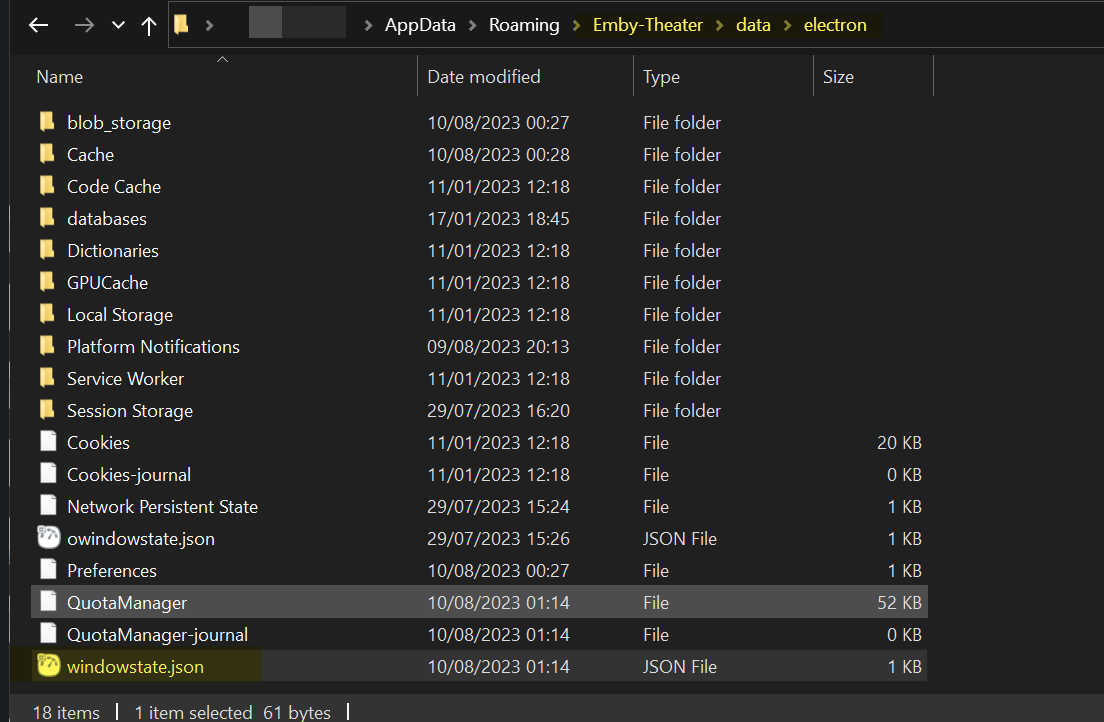
I think this is to do with non-standard display zoom on windows for people with big monitors (happened when I was using multi-monitor with one monitor at 200%), electron gets confused. You can fix like this. Find your electron window state settings. My guess is your settings will be crazy, I think you can delete this file and restart - otherwise put in more normal values. {"x":2341,"y":372,"width":1292,"height":728,"state":"Normal"} Also, if you set your display settings to Desktop rather than Auto in app I get a better experience as well - so you may want to try that.
 1 point
 -
Thanks, I tend to only keep up with official release versions as beta is ever changing and often find myself chasing my tail. I'll take a look properly over the next week or so.1 point
-
With the latest Beta update is the list of the downloaded videos and uploaded empty. When you call the plugin settings it spins only but the lists are staying empty.1 point
-
did you configure a custom user agent or referrer http header?1 point
-
Usage Guide Overview Profiles Profile Options Cover Treatment Styles Custom Rotation Specific Covers Indicator Overlays1 point
-
Missing episodes are also currently only implemented for aired order, so once you charge the series order to something else they will gradually go away.0 points