Leaderboard




Popular Content
Showing content with the highest reputation on 08/01/23 in all areas
-
All good. Thanks everyone.2 points
-
Sure here is a good beginners guide https://trash-guides.info/Sonarr/ Sonarr can be used without setting it up to download illegal stuff. Then its just a media manager, that will show you what you are missing or have, within a tv show, season and which episodes.2 points
-
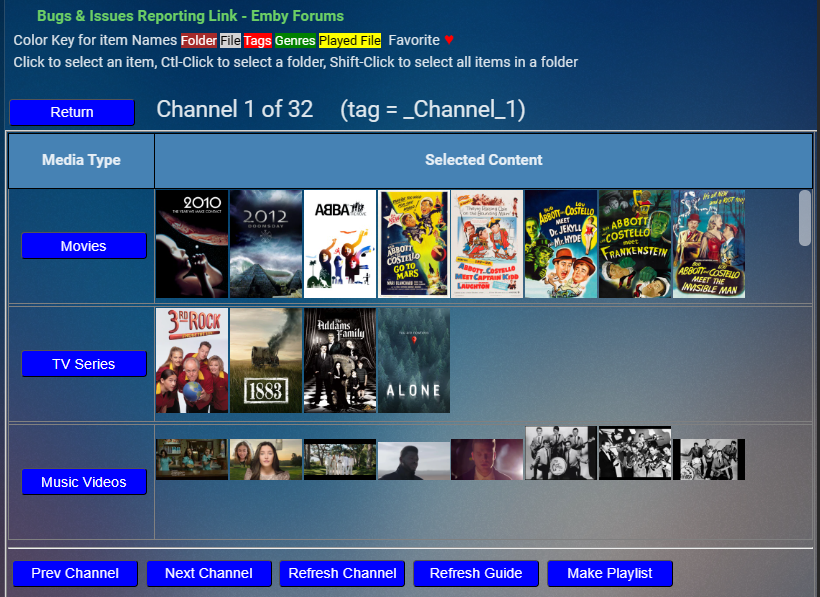
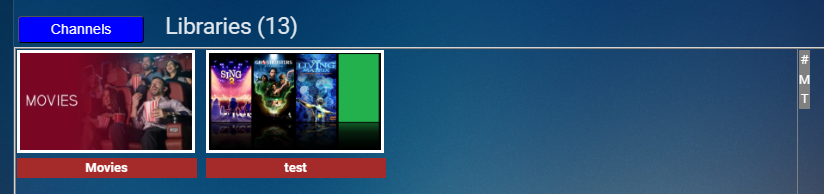
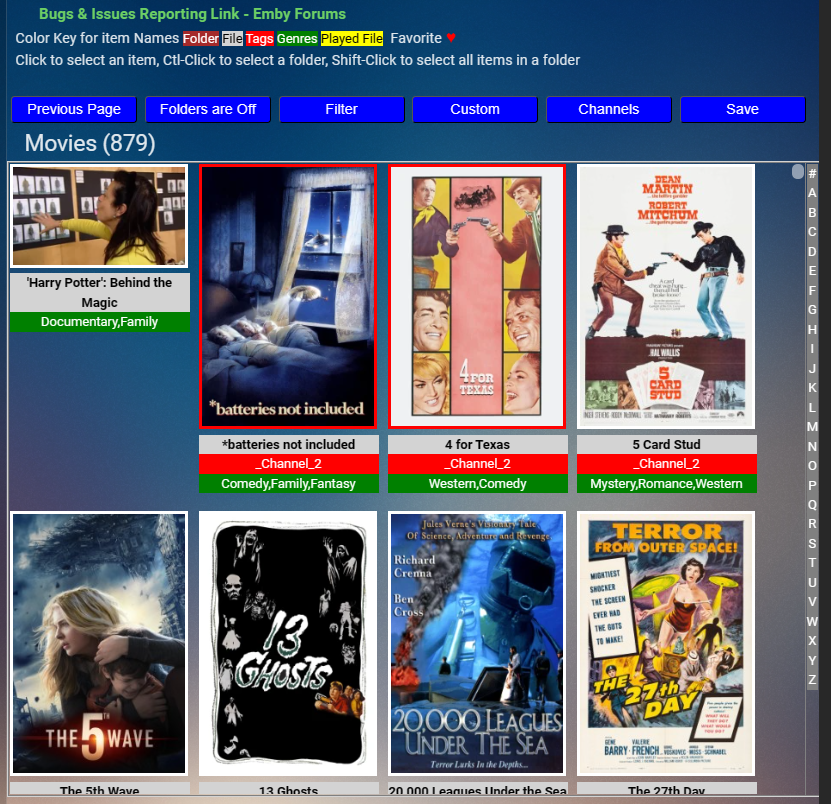
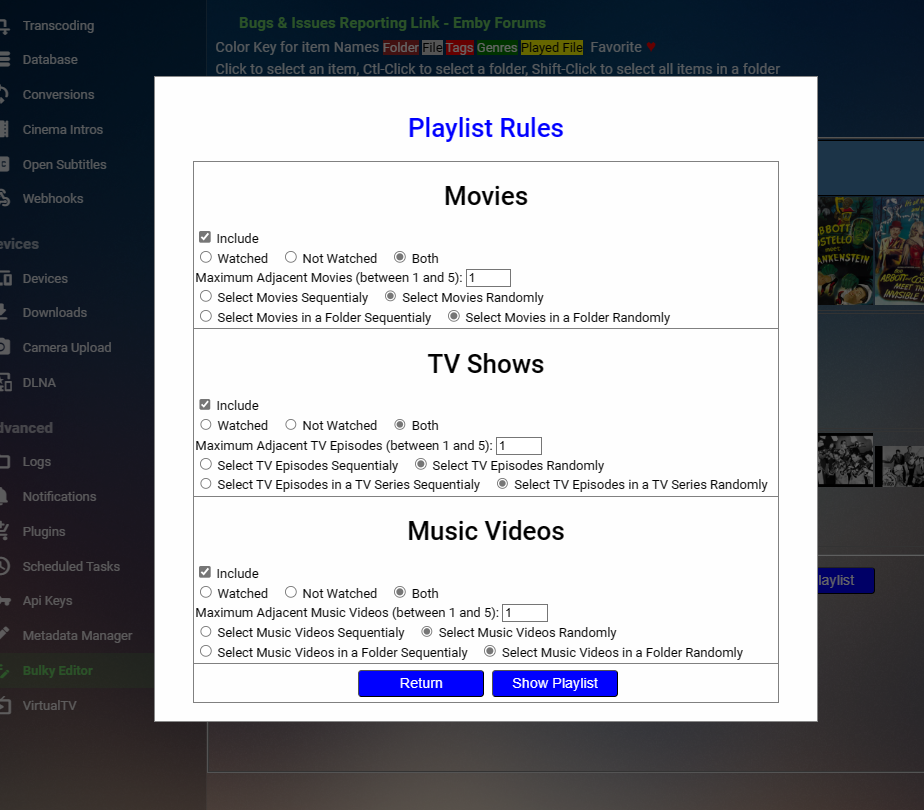
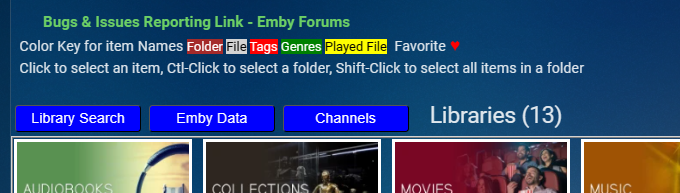
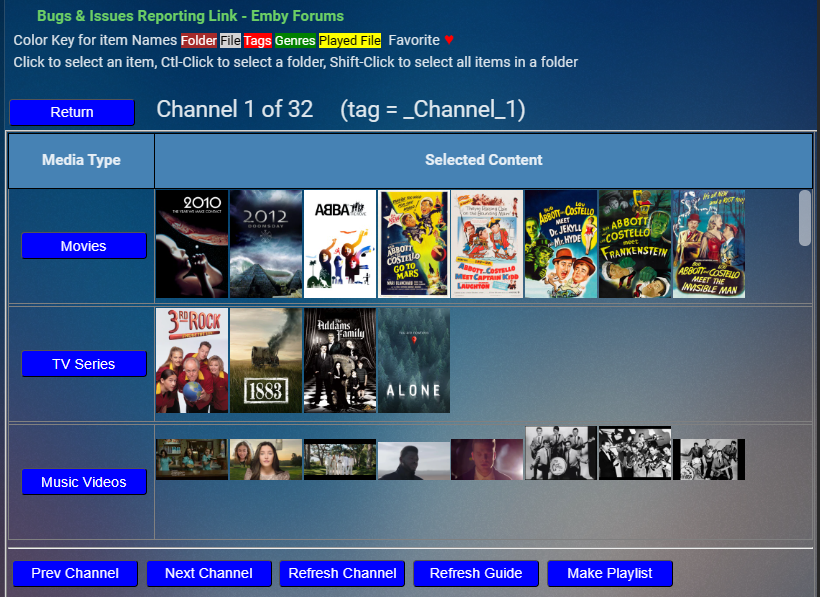
I added a new feature to Bulky. It's my first stab at creating Emby Channels. When you click the channels button it brings up a dialog where you can define 32 channels. Each channel has movie, tv series, and music video components. The media from your Emby libraries for each of these components is selected by clicking their respective movie, tv series, and music video buttons. These buttons bring up the respective media in your Emby libraries. For example, clicking the movie button brings up all of the emby libraries that contain movies. You can navigate through your media and select content that you want to add to your channel. Clicking on an item selects it. If the item is a folder, it's selected by "ctl-click". Click the save button to save your selections. When you click the save or channel buttons, you return to the channels page. From there you can work on other channels or create a playlist for the channel that you are presently on. To create a playlist click the make playlist button. To create a playlist, you must first select the rules that govern how the data that you selected for your channel is applied to create the playlist. The next step in this project is to add a button that will cast the created playlist to one of your TVs or monitors that's connected to your network. Please note that I currently don't show the playlist created. I will correct this omission in a few days. My motivation for creating a channels option is to learn what a channel should be. I hope everyone will help me discover how to make it better. For example, what rules should be added or modified for creating playlists. I use channels to create the 30 channels in virtualTV. In virtualTV, I setup each channel to be populated based on a tag. Channel 1 has tag "_Channel_1", channel 2 has tag "_Channel_2", and so on for all 30 channels. Using the channels option above, I populate each channel with the content that I want virtualTV to display. I will post this plugin in about an hour. I look forward to hearing from everyone. Your ideas and comments all make this plugin better. I want to thank @pünktchen, @softworkzand @GrimReaperfor their encouragement and ideas. Vic
 2 points
 -
There are a number of shows that I frequently "Shuffle" with... since I've seen all the episodes, don't intend to acquire more (or if I do I don't care about highlighting them beyond the latest added section), and episodes stand alone well enough to not want/need to watch it in order. Just want to watch a random episode during dinner or something. When I start doing this too much, the Next Up gets very cluttered. If shuffle randomly gives me S04 E05 for a show, I'm not terribly concerned about making sure I watch S04 E06 next. I've tried setting the entire series to Played, as I was hoping if all the "next episodes" were already Played it'd keep it off of Next Up, but no such luck. Would it be possible to disable Next Up for individual shows upfront so they stop showing altogether? By User possibly? Or maybe if I Shuffle specifically, it won't show but playing an episode normally does? Sorry if this is a duplicate, I searched a bit but the closest I could find was "forgetting" a series... which didn't really apply since I never want these shows to come back no matter how much I watch of it.1 point
-
I just checked and GoNotoKurrent-Regular.ttf works fine with korean subtitle.1 point
-
ok - so that's AndroidTV right ? Press and hold on the 'server' to remove it (or click 'remove') on the message - and then try again with the info below server = http://YOUR_IP (the 47.197.x.x one) Port = 8096 It should then connect ...1 point
-
I can connect to your server just fine ...
 1 point
 -
I would turn off upnp - and then manually create the rule below Emby Server - Internal Host = 192.168.68.64 (according to what's listed in Emby Dashboard) External & Internal Port = 8096 as you are not use https. External Host (aka Source) is * (any) delete 'Emby' & 'Emby Deco'1 point
-
Trying to get a new build out any day now.1 point
-
Hi, can you look at this new GoNotoKurrent font and let me know if it would be suitable for korean subtitles: https://github.com/satbyy/go-noto-universal/releases/tag/v7.0 Thanks !1 point
-
ok - so some progress. Yea the deep-link whitepaper says to use those settings in handbrake ... Can you PM me the resulting hevc file - or a small extract of it if that's ok ?1 point
-
Hi Luke, That's great to hear, thanks so much ! (love Emby )1 point
-
Hello, like many others, I would be interested in the possibility of reading Ebooks via Emby, which would allow me to use a single application for Videos, Music, Audio Book and Ebook. I'm not a programmer, so I don't know how it could be done, but I saw on some messages that some people knew something about it, so I take the liberty of putting some clues because already existing systems. Recherche de livres sur le Web avec Google Récupérer les informations du livre à partir de l'ISBN 12 API de livres essentiels pour 2023 Developer Center / API / Livres API Let's hope it helps and moves the project forward.1 point
-
Okay with some researching, turns out you need to have QSV Decode and Low Power settings on for HyperEncode to engage properly. Went from avg fps 232 to 308 (this while Emby throttle enabled transcoding with the UHD 770) With HE engaged the output file size changed too, from 660MB to 692MB. However still doesn't explain the direct play errors on the Shield (Both ATV Beta and Android Beta).. Plays fine on Emby Theatre on PC. ffmpeg-transcode-9310c7ca-b4fc-4a2d-8fd9-15b2a8ce12d8_1.txt ffmpeg-transcode-00da5e21-4021-4936-bc1d-22dfe5b8dee5_1.txt1 point
-
Using latest drivers (27/07/23) and latest stable Handbrake build - 1.6.1 ... No speed increase and direct play issue still present if using it. Not sure if Handbrake specific issue or not, but yeah doesn't work as intended.1 point
-
in the query tab run the following query SELECT UserId, SUM(PlayDuration - PauseDuration) AS PlayTime FROM PlaybackActivity WHERE DateCreated >= '2023-06-01' AND DateCreated < '2023-07-01' GROUP BY UserId ORDER BY PlayTime DESC make sure you check the box "Replace UserId with UserName" under the query box, PlayTime is seconds1 point
-
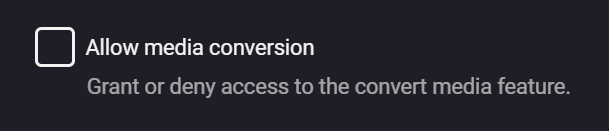
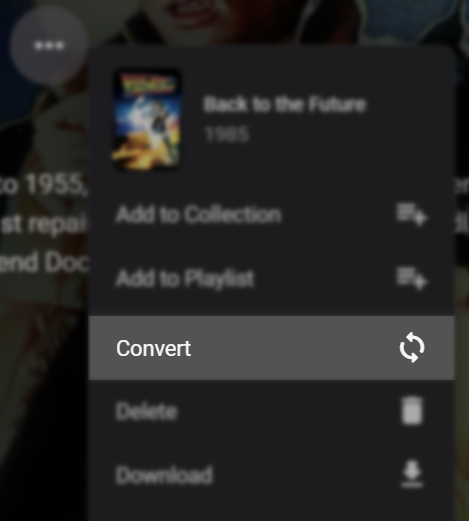
In order to use that feature, your user account must have access - enable this for your user account under its profile settings. and then 'Convert' will be available when you right-click on a title, or use the "..." menu on the details page of a movie. I personally would keep copies next to media files before you go replacing them altogether, just to see if you're happy with it first.
 1 point
 -
During playback, in the bottom right corner of the OSD (on-screen display) -- look for the settings button: Then click on "Quality" and select something from the 1080p range, working your way down the list until you land on a quality setting that no longer freezes or stutters. I would try the above first. Let us know how you go.
 1 point
 -
Thank you for today's update Just to confirm the TV guide now shows the correct month.1 point
-
Yeah I used it.. Just tried again.. Still direct play errors on Emby via Nvidia Shield Pro with anything encoded using Deep Link Hyper Encoding on Handbrake. Edit - Not that it even seems to work properly. With it off the A380 is hitting 100%. With it on it's like 30-35% with the UHD 770 at around 70% and fps is the same. Maybe I didn't realise this before as wasn't using for long till realised the playback issues.1 point
-
First, decide whether you are using uPNP to set up the port forwarding, or doing it manually. Manually is best practice, and so you should turn off the uPNP option in the router (and then you can in Emby too). When you set up the port forwarding, the external host must be specified as * (as your uPNP entry has done, but your currently disabled manual entries have not). At present you have no port forwarding to port 8096 - because (a) it is disabled, (b) you don't have * for external address, and (c) you have a different address for the server than your uPNP entry has provided. Now it may be (I don't know the setup) that your internal IP addresses change when you enable the VPN, which is why you have multiple addresses - in which case it might be easier to remove the manual entries and go with uPNP - though I suspect that would require restarting the server each time the VPN is enabled or disabled. Someone with a similar VPN setup would be better to advise you on that. I would suggest getting the system correct and working without VPN before looking into that further. Paul1 point
-
+1 I would really like to see this feature implemented!1 point
-
OK, I got it to work by leaving the username blank on the password recover screen ("Enter your user name if you remember it"). Then the display showed a user name (NOT what I thought it was and not what was in my password app!) and was able to use the pin and recover the user.1 point
-
Okay, everything working in .12. So, I'm not sure what happened if you think it's not plugin related, but I don't want to mess with it since the WAF is sky high now1 point
-
You can choose the playback quality on the client device to lower the bitrate until you find one that doesn't freeze or stutter. It can be done from the playback OSD and the client settings. Another option is to convert the media in Emby in advance and use the options to save a converted copy or replace the existing one.1 point
-
@Luke: Well, since German is apparently not going to be published anytime soon, can we at least get access to the English Alexa Skill? I came to Emby from Plex, and I am inches away to got back to installing Plex just so I can listen to my music. And I am a paying Emby member... This is unreal!1 point
-
After fixing my first problem, and moving the Season 0 folder out of the Season 1 folder, that episode now shows up in BOTH Season 0 AND Season 1 after the a manual library scan1 point
-
How is your file named in your filesystem, as it has to have to have some sort of identifier in order to be parsed properly? https://emby.media/support/articles/TV-Naming.html Edit: BTW, @Carlo, formatting in TV Naming KB article is all over the place, starting from ## Complex Folder Structure Sections are not clear, lots of text is inverted. Multi-version movies section header also snuck in.1 point
-
Hi, we’re looking into this. Thanks.1 point
-
I think having it remember the language per series makes the most sense. That's something we are planning on looking at.1 point
-
Hi, yes hopefully we'll be able to do this in the not too distant future. Thanks1 point
-
Why do you think it’s cumbersome?0 points