Leaderboard




Popular Content
Showing content with the highest reputation on 07/27/23 in all areas
-
This is the answer actually. Going to "app.emby.media" resolves to https://app.emby.media on the back end but shows up as "app.emby.media" without an http or https. So if I type in http://app.emby.media, it'll allow me to log in to the right place. Well... I guess this is a friendly reminder that I need to fix my SSL too. Thanks for the help!2 points
-
Is your Emby server running plain HTTP or is it secured with SSL and running on HTTPS? You need to use the appropriate URL prefix for app.emby.media eg. https://app.emby.media if your server is properly secured (Remote Address on dashboard) Use http:// if it is not.2 points
-
I was seeing the following logs each day when I did a library scan, for the same show/season: 2023-07-26 15:38:31.913 Info App: Best title sequence for B:\TV\Show\Season 1\S01E01.mkv is 00:00:29.4776119 - 00:01:58.5323382. Confidence: 0.93 2023-07-26 15:38:34.510 Info App: Best title sequence for B:\TV\Show\Season 1\S01E02.mkv is 00:00:30.2238805 - 00:01:57.1641790. Confidence: 1 2023-07-26 15:38:37.114 Info App: Best title sequence for B:\TV\Show\Season 1\S01E03.mkv is 00:08:43.1343283 - 00:09:01.0447760. Confidence: 0.9 My understanding was if a time window + confidence level was being logged, it was generating a fresh fingerprint? This actually helped me figure out what was going on - I guess the fingerprinting occurs for a full season if/when new episodes are added? I had some corrupted files from an old restore, and they were spread across a few different shows/seasons. I suppose when the ffprobe failed, it would still attempt to extract info from these files on subsequent scans, and therefore keep generating fingerprints for the season? The error I was getting was: ffprobe version 5.0.0-emby_2022_05_27-u1 Copyright (c) 2007-2022 the FFmpeg developers and softworkz for Emby LLC built with gcc 10.3.0 (Rev5, Built by MSYS2 project) [matroska,webm @ 0000022328760840] Format matroska,webm detected only with low score of 1, misdetection possible! [matroska,webm @ 0000022328760840] EBML header parsing failed file:A:\TV\Show\Season 1\S01E04.mkv: Invalid data found when processing input at Emby.Server.MediaEncoding.Probing.MediaProbeManager.GetMediaInfoInternal(String inputPath, String primaryPath, MediaProtocol protocol, String userAgent, Boolean extractChapters, String probeSizeArgument, Boolean isAudio, Boolean forceEnableLogging, CancellationToken cancellationToken) at Emby.Providers.MediaInfo.FFProbeVideoInfo.ProbeVideo[T](MetadataResult`1 metadataResult, MetadataRefreshOptions options, LibraryOptions libraryOptions, CancellationToken cancellationToken) at Emby.Providers.Manager.MetadataService`2.RunCustomProvider(ICustomMetadataProvider`1 provider, MetadataResult`1 itemResult, String logName, MetadataRefreshOptions options, LibraryOptions libraryOptions, RefreshResult refreshResult, CancellationToken cancellationToken) Source: Emby.Server.MediaEncoding TargetSite: Void MoveNext() I've since replaced/removed the corrupted files, and after a fresh run of generating fingerprints for the impacted seasons, things look to be running smoothly again.2 points
-
Since music is highly tag driven now, especially with musicbrainz tags, can we please fully use those tags to keep libraries better organized? Some artists credit themselves with multiple names over their career. for example, Fela Kuti: https://musicbrainz.org/artist/6514cffa-fbe0-4965-ad88-e998ead8a82a all the variations have the same mbz artist tag. So naturally, mbz lists them all together on the same artist page. But emby separates every spelling difference into its own unique artist page. matching mbz tags should pool together under one page, with the unique name changes listed underneath the albums.
 1 point
 -
Hello, Perhaps I am not the first one to ask this question but it will be very cool if this feature could be implemented. I have 2 servers one at home and the other at work. ( and soon a third one...) So I have a movies library called movies on each server. I would like to see all the movies from a single 'virtual server location' when I use the app (ios or android ) where I will see only one movies library containing movies informations from the movie library at work and the movie library at home. It's an aggregation of movies informations from the movie library at work and the movie library at home. In fact when a user have multiple servers it will be perfect if another choice in the server list called "all servers" for example appears automatically with a merge of media informations from librairies with the same name on different servers.1 point
-
So for video files we can have multiple versions of a single movie or TV show by having an extra bit at the end of the file name. Could the same be done for music? Some of my devices can handle .flac and others can not. Because of this I want to have .mp3 versions for some devices but not have separate CDs listed for each version.1 point
-
I was able to install Emby on Docker with NVIDIA hardware acceleration without too much fuss, though I had to rely on a few different instructionals. Below are the steps I took get it to work (assuming you already have docker installed) on Ubuntu 19.04, for any other noobs trying to piece this all together: Step 1: Install container directly from Docker Hub (assuming Docker is already installed) docker pull emby/embyserver:latest Step 2: Install nvidia-container-toolkit and nvidia-container-runtime curl -s -L https://nvidia.github.io/nvidia-docker/gpgkey | sudo apt-key add - curl -s -L https://nvidia.github.io/nvidia-docker/ubuntu18.04/nvidia-docker.list | sudo tee /etc/apt/sources.list.d/nvidia-docker.list sudo apt update sudo apt install nvidia-container-toolkit nvidia-container-runtime Step 3: Register the nvidia runtime with docker sudo tee /etc/docker/daemon.json <<EOF { "runtimes": { "nvidia": { "path": "/usr/bin/nvidia-container-runtime", "runtimeArgs": [] } } } EOF Step 4: Restart Docker daemon configuration sudo pkill -SIGHUP dockerd Step 5: Create directories that will host the Emby container's directories sudo mkdir -p /opt/docker/volumes/emby/config Step 6: Create Emby container docker container create \ --name="emby-server" \ --network="host" \ --volume /opt/docker/volumes/emby/config:/config \ --volume /mnt/media:/mnt/media \ --device /dev/dri:/dev/dri \ --runtime=nvidia \ --publish 8096:8096 \ --publish 8920:8920 \ --env UID=997 \ --env GID=997 \ --env GIDLIST=997 \ --env NVIDIA_VISIBLE_DEVICES=all \ --env NVIDIA_DRIVER_CAPABILITIES=compute,utility,video \ emby/embyserver:latest Step 7: Start the Emby container docker start emby Step 8: Create /etc/systemd/system/docker-emby-server.service file with the following text: [Unit] Description=Docker Emby Container Requires=docker.service After=docker.service [Service] ExecStart=/usr/bin/docker start -a emby-server ExecStop=/usr/bin/docker stop -t 2 emby-server Restart=always RestartSec=2 [Install] WantedBy=default.target Step 9: Give the docker-emby-server.service file execute permission: sudo chmod +x /etc/systemd/system/docker-emby-server.service Step 10: Enable docker-emby-server.service sudo systemctl enable docker-emby-server Notes: Step 2: curl -s -L https://nvidia.github.io/nvidia-docker/ubuntu18.04/nvidia-docker.list |sudo tee /etc/apt/sources.list.d/nvidia-docker.list 'ubuntu18.04' was originally $(. /etc/os-release;echo $ID$VERSION_ID), but ubuntu19.04 is a no-go, so I forced it to ubuntu18.04. Step 5: You can create this directory wherever you want, it doesn't have to be exactly what I used Step 6: --name="emby-server" This names the container on the host for easy identification. You can call it whatever you want. --volume /opt/docker/volumes/emby/config:/configThis maps the directory (on the physical system) on the left side of the ":" to the directory (on the docker container) on the right side. This is the same directory you created in Step 5, and is absolutely required. --volume /mnt/media:/mnt/mediaSame concept as above. In my case, this is where all my media is stored. --env UID=997This is the UID of the 'emby' user on my system --env GID=997This is the GID of the 'emby' group on my system --env GIDLIST=997Same as above Steps 8-10: These are optional and only used to ensure my emby-server container starts on boot. I decided to go the route of a systemd service because for all intents and purposes, Emby provides a service and is therefore a service. If you don't want to go this route, you can instead add --restart unless-stopped \ somewhere into Step 6.1 point
-
You are 100% correct. It was the "hide watched" button...one of my kids probably hit the button by accident. Thank you!1 point
-
Si ya quedo funcionando todo ok, no se si es por percepción mía pero lo noto mas fluido ahora en docker que antes, sobretodo con el contenido 4k1 point
-
@Luke: Well, since German is apparently not going to be published anytime soon, can we at least get access to the English Alexa Skill? I came to Emby from Plex, and I am inches away to got back to installing Plex just so I can listen to my music. And I am a paying Emby member... This is unreal!1 point
-
The new install did nothing, actually. The problem was in the networking configuration, to restrict access to my local subnet only. When I originally installed Emby, that restriction was useful from a security perspective. I accidentally found a way, through the iPhone app, to remove that network config and restore access. Something changed in this new version and removing the configuration for local network, solved my issue.1 point
-
Movies are easier than shows. Anyway, I'm sure that Emby will gradually get more flexible in what it can handle; but meanwhile just following their guidelines will solve almost all recognition issues without having to wait for an uncertain future. Paul1 point
-
Yes, I got the NFS share to work with UNC path and mapped drive. So you are right, there is not need to use the mapped drives. At the moment, I do not use a service as Emby is running on a dedicated hardware, where nothing/nobody else is working on, so I have only one account and it is automatically logged in to. Thank you for you help! The topic is solved!1 point
-
Yeah I ended up finding the same topic, so as a permanent solution I moved the server to another machine that does not need a vpn, I realized it would save me a lot of hassle. I ended up getting premiere regardless as it was working all fine and dandy outside of that. Thanks again.1 point
-
Emby official tools - but I use ALV for most things (it's a lot better once you have created an emby log viewer parser.) https://github.com/Scarfsail/AdvancedLogViewer1 point
-
This - I figured my time is of more value than the frustration of getting media into a format that the LG would reliably play. Yes it would be nice to use the Magic Remote etc of the LG, but just having the Shield Remote turn on/off the AVR, TV etc automatically - it really isn't that much grief. You may even be able to use the LG Remote with the Shield, although I've never bothered to try. I format all my DV movies into DV8/MKV now (with HDR10 fallback) and the LG seems to have no issues playing these as HDR10. As it's the only LG in the house and has the Shield anyway, it's not an issue. All my other devices such as the 4K Max play DV8/MKV just fine. To note - the Shield Pro 2019 is obviously a few years old now - and thus it does not natively play AV1 - so bear that in mind if you do decide to get one.1 point
-
thank you. it was my VPN provider1 point
-
It's not a quick fix. For example, we need to determine if the TV supports DV, and if possible, which flavours, then determine if any model can direct play or if it needs a container swap (and any other quirks like multiple audio tracks, etc) and then we need to account for users that don't want any transcoding or container swaps (ie: they have a low powered server) and would prefer to forego the DV. Many of these quirks vary from year to year, and even different models from the same year so there are multiple combinations and permutations to consider. We also need to consider if this development effort best serves the user base, or if there are other more important things if this has a relatively easy work-around. While we could possibly achieve all of this, there are a lot variables to consider and it would be a nightmare to support. Despite all of this, we wouldn't keep everyone happy anyway. We would make as many people unhappy as we would happy All just my opinion of course - Luke might have other thoughts and in the future it might become easier to support a concept like this, but I would say there aren't any current plans, and nothing that is going to solve your problems quickly. If DV is important to you, as well as preserving as much original quality and variations of audio tracks as possible then you are better off manually converting these directly to your needs (you could do this easily with a script and ffmpeg) because even if this is eventually possible on the server, the solution would be a 'best fit' for everyone and not exactly to your liking. Or...buy an nVidia Shield Pro and just enjoy the movie .1 point
-
You have music videos or music concerts in a mixed content library? How are they organized, as movies or tv shows?1 point
-
Try refreshing the metadata on all three Cars movies and see if that helps. If not, then please attach the emby server log. Thanks.1 point
-
Right I think I know what's going on, and unfortunately, this is likely to keep happening. Your Emby Samsung app needs a compatibility update for newer server versions, however you may not have gotten it yet. If your Samsung is a 2019 or newer, you'll get it in the near future, but if it's any older than that, then Samsung is no longer accepting app updates for your model I'm afraid. In that scenario you can always update by installing via USB: https://emby.media/emby-for-samsung-smart-tv.html1 point
-
Have you taken a look at this?1 point
-
Hi, no ETA but we're working hard on it.1 point
-
Thank you very much for your reply. I have identified the issue on my end. It should be an ISP or data center problem. I was able to resolve it by changing the IP and port for the Emby server. Thank you again!1 point
-
New RBJ version - 1.0.1.31 (zip attached - copy your old DLL to .bak and extract to emby plugins folder) Added Edition - retrieved from filename (added by arr 'Edition Tags' rename for example) ("Extended Cut", "Director's Cut", "Directors Cut", "Special Edition", "Extended Edition", "IMAX", "Anniversary Edition", "Despecialized Edition", "Remastered") Added as {edition} in video title - see below Toggle on/off under Video Display Settings You can also add as an Emby Tag if required (allowing you to filter etc) Added Codec Video Profile as a full Tag (as emby still doesn't have the ability to AND filters, only OR - making it all but useless ...) Included now if you opt to include Arr Quality Tags .. (if people don't want this, then I'll add a configuration option ...) Enhanced Added the Channels to the full Tag for Audio - for the same reasons as above - Emby cannot do an AND filter - so filtering on lets say 7.1 will show both THD and DD+ Items - there is no way to filter on 7.1 AND THD (only). There is now using Tags .. ... Applies to New items only out the box - you can re-processed items or all items in the plugin if you wish once tested. Feedback or suggestions welcome .. edit 27/07 - Added a few more 'Edition' versions such as 'Ultimate' etc. Emby.MediaInfo.dll.zip

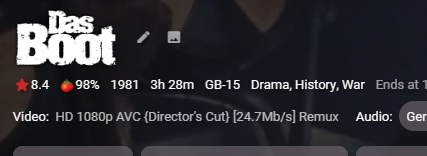

 1 point
 -
Anime subtitles are usually in SSA or ASS format. These subtitles are correctly rendered by the Emby client for Android mobile. What is the Dandan player doing which you feel is missing in the playback of these subs? Paul1 point
-
My remote is now working correctly. I'm assuming there was a fix although, if there wasn't, I'd like to know.1 point
-
Just an FYI for those on the older TVs that seem to freeze up if too many sub tracks are included in the media file. I finally got a new TV and the files play perfect now. I still have the old 6 series unit, wish the issue would be fixed, but not holding my breath at this point.1 point
-
Very much appreciated. Already turned off cinema intro and it all worked good. Thanks for your usual support1 point
-
appreciate the guidance, and looks like it's all working well with this understanding.1 point
-
Thank you!1 point
-
Is remote control channel up/ down possible yet in Emby Theater? I'm really stuck between a rock and a hard place with Emby, mainly trying to find a reliable client device for the actual TV.1 point
-
You can use Episode view to 'filter' on subtitles Subtitles = No
 1 point
 -
I think we've got this resolved for the next update to the Emby Apple TV app. Thanks guys.1 point
-
Pretty sure I did. But I checked the Emby download page and saw that 7.13 was available. Just installed that with no problems.1 point
-
I reset and went through the setup wizard again which allowed me to create a new admin user.1 point
-
As Luke mentioned, the first thing to do is to mount the shares to a local path, but you'll need to make sure that you are using an account and password that the Windows server recognizes. example: sudo mount -t cifs //windows_server_ip_address/share_name /mnt/local_folder_name -o username=windows_account,password=windows_password Make sure to assign the Emby Linux account appropriate permissions to the local folder. Once you get that tested out and validated, update /etc/fstab so that they auto mount at boot time.1 point
-
https://nocords.xyz/pluto/playlist.m3u?format=ts The site where your stream(s) are coming from need to support it also. Pluto does. If a particular site does not support it the streams will of course error out.1 point
-
I've been running EMBY for a while on my ReadyNAS 516. But I tried installing the newest update from 3.6 something to the 4.0 something and it failed to install. Not only that but now EMBY is gone from showing up on my NAS. I tried going back to the version that was working, but it just all fails to install. In fact, I just finished installing an updated version of PLEX just now with zero issues. I keep getting the error "Cannot install application emby-server"1 point