Leaderboard




Popular Content
Showing content with the highest reputation on 07/21/23 in all areas
-
Hey, thank you all for the helpful comments, it is working on a remote connection now, have a good one!2 points
-
I just use a '-' inplace of these (illegal) separation type chars, or remove them entirelly. It makes no difference to the emby identification and emby then uses the downloaded metadata to 'name' it (with whatever chars the provider has used) - it's just the filename that has them removed. If you are trying to use a 'lookalike' extended character - then you are adding in complications to the detection - as none of the providers will be using these.2 points
-
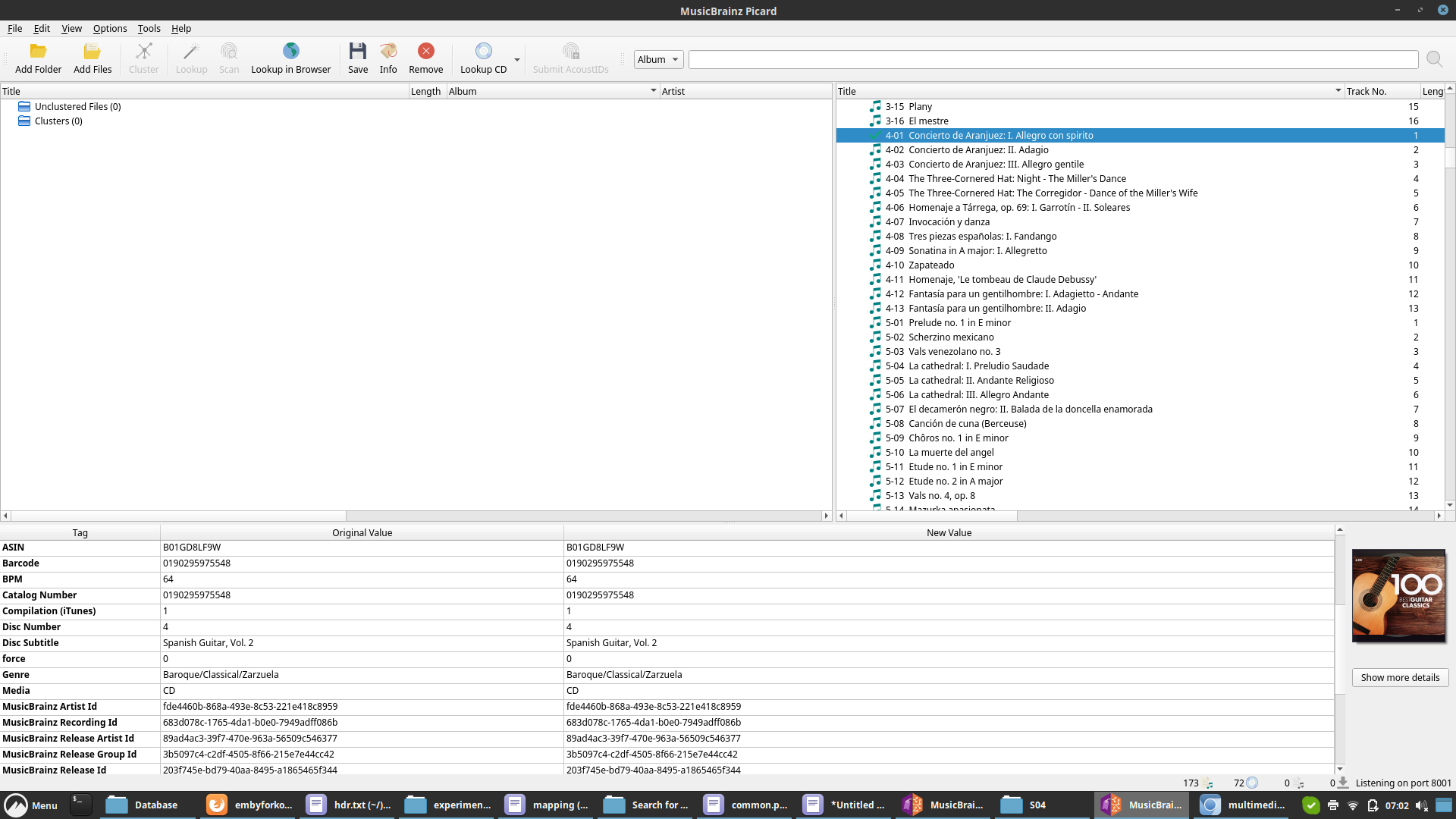
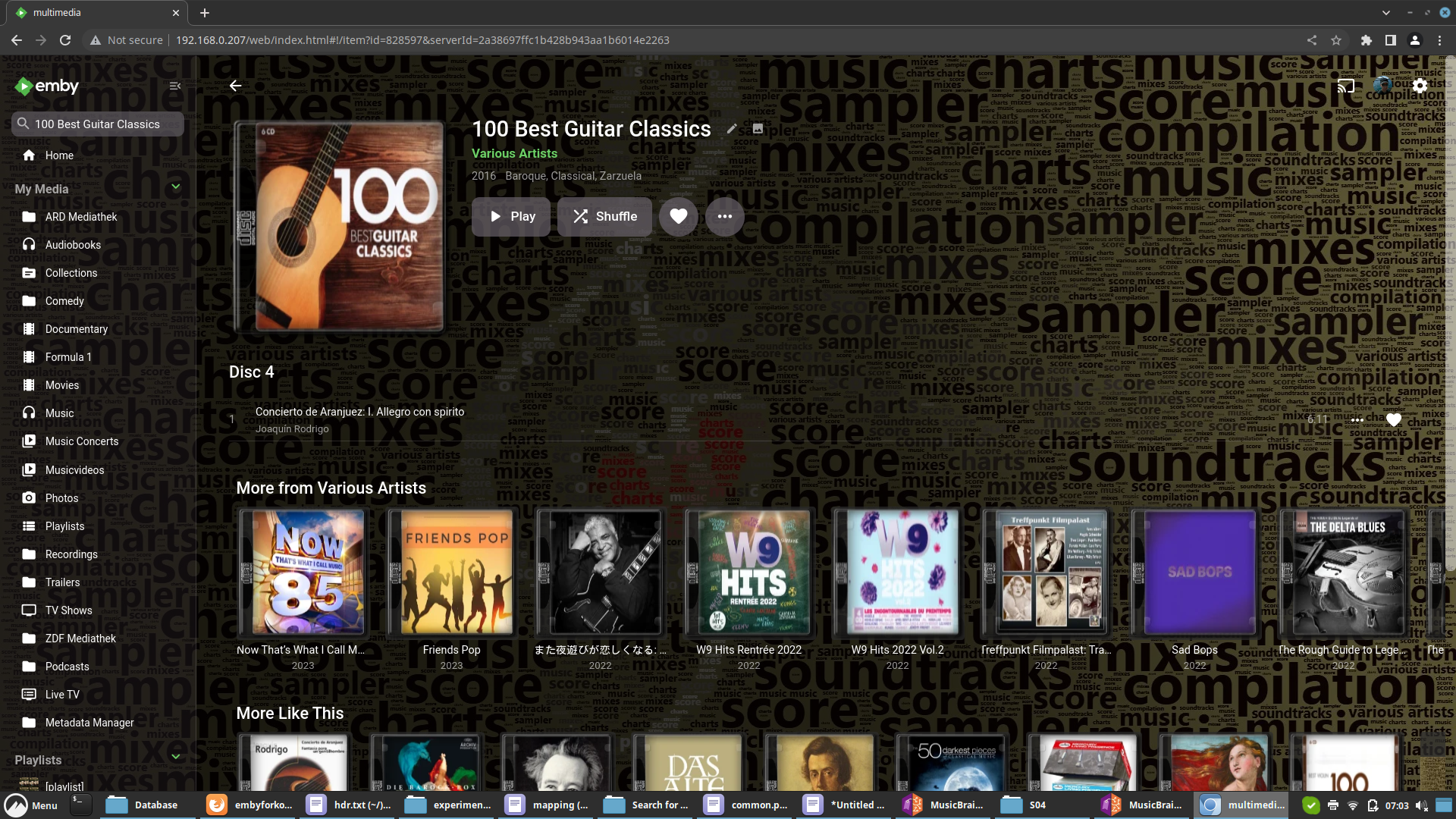
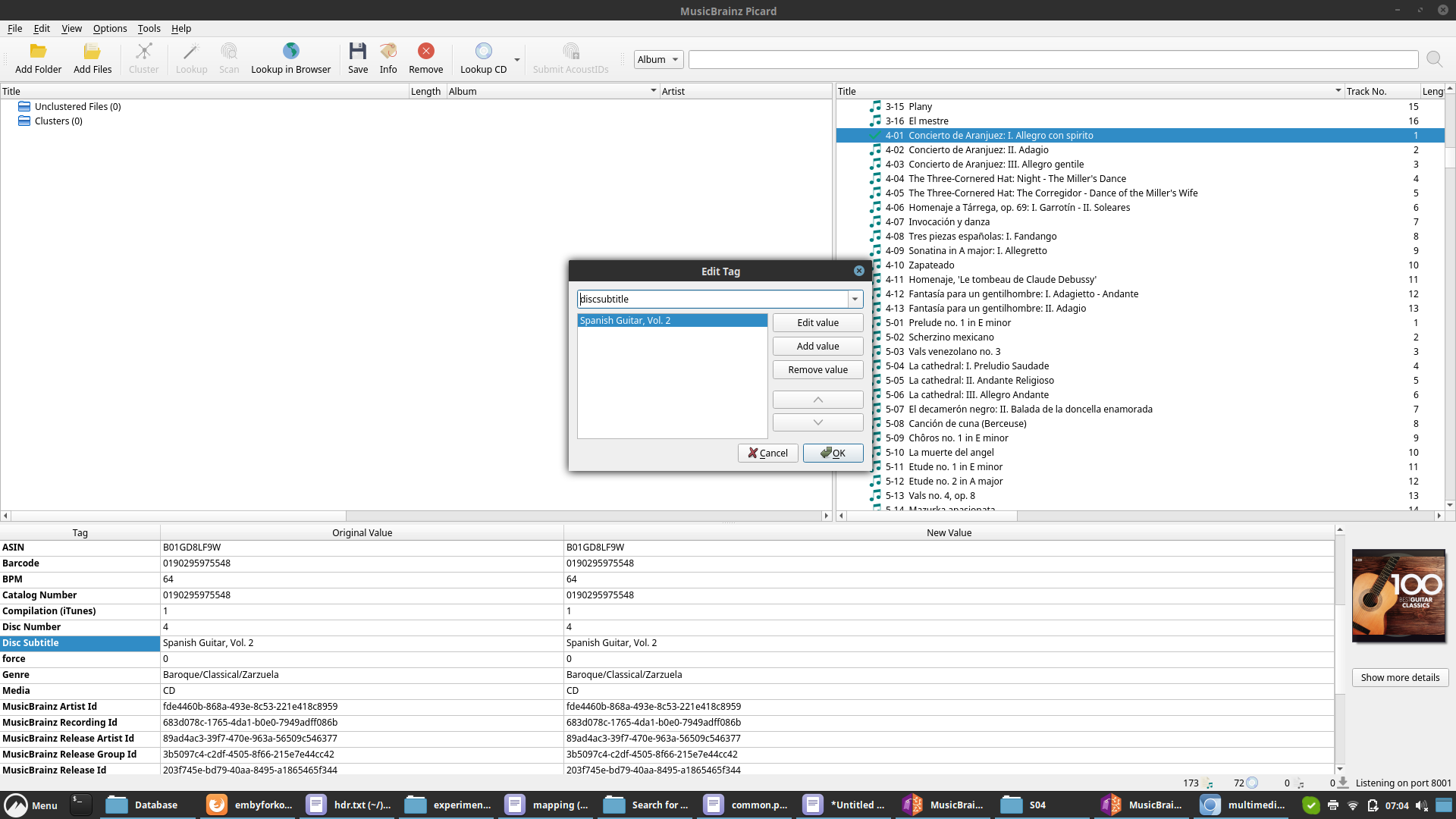
This is something for @Luketo review. Emby server doesn't collect/report this info. { "Name":"100 Best Guitar Classics", "ServerId":"340db0b299b54b96be86e8833edaf096", "Id":"7469", "DateCreated":"2023-07-21T05:08:39.0000000Z", "PresentationUniqueKey":"04da13f323274da1bf6fad713fc1d7db", "SortName":"100 Best Guitar Classics", "Genres":[ "Baroque", "Classical", "Zarzuela" ], "RunTimeTicks":3711477550, "ProductionYear":2016, "ProviderIds":{ "MusicBrainzAlbum":"203f745e-bd79-40aa-8495-a1865465f344", "MusicBrainzReleaseGroup":"3b5097c4-c2df-4505-8f66-215e7e44cc42", "MusicBrainzAlbumArtist":"89ad4ac3-39f7-470e-963a-56509c546377", "DiscogsRelease":"15649866" }, "IsFolder":true, "Type":"MusicAlbum", "Studios":[ { "Name":"Warner Classics", "Id":7473 } ], "GenreItems":[ { "Name":"Baroque", "Id":7470 }, { "Name":"Classical", "Id":7471 }, { "Name":"Zarzuela", "Id":7472 } ], "ParentLogoItemId":"3315", "ParentBackdropItemId":"3315", "ParentBackdropImageTags":[ "2bb3efdb86be391cb272de026dc490b2" ], "UserData":{ "PlaybackPositionTicks":0, "PlayCount":0, "IsFavorite":false, "Played":false }, "Artists":[ "Joaquín Rodrigo" ], "ArtistItems":[ { "Name":"Joaquín Rodrigo", "Id":"7474" } ], "Composers":[ ], "AlbumArtist":"Various Artists", "AlbumArtists":[ { "Name":"Various Artists", "Id":"3315" } ], "ImageTags":{ "Primary":"e6814f03a389a9a785438052ff9e5289", "BoxRear":"3be1f34f8e345b4c0c6176321ac04490" }, "BackdropImageTags":[ ], "ParentLogoImageTag":"f9fedd909e9d9386176eec9742a16f57", "Library":{ "Id":"7465", "Name":"music-disc-subtitle" } }
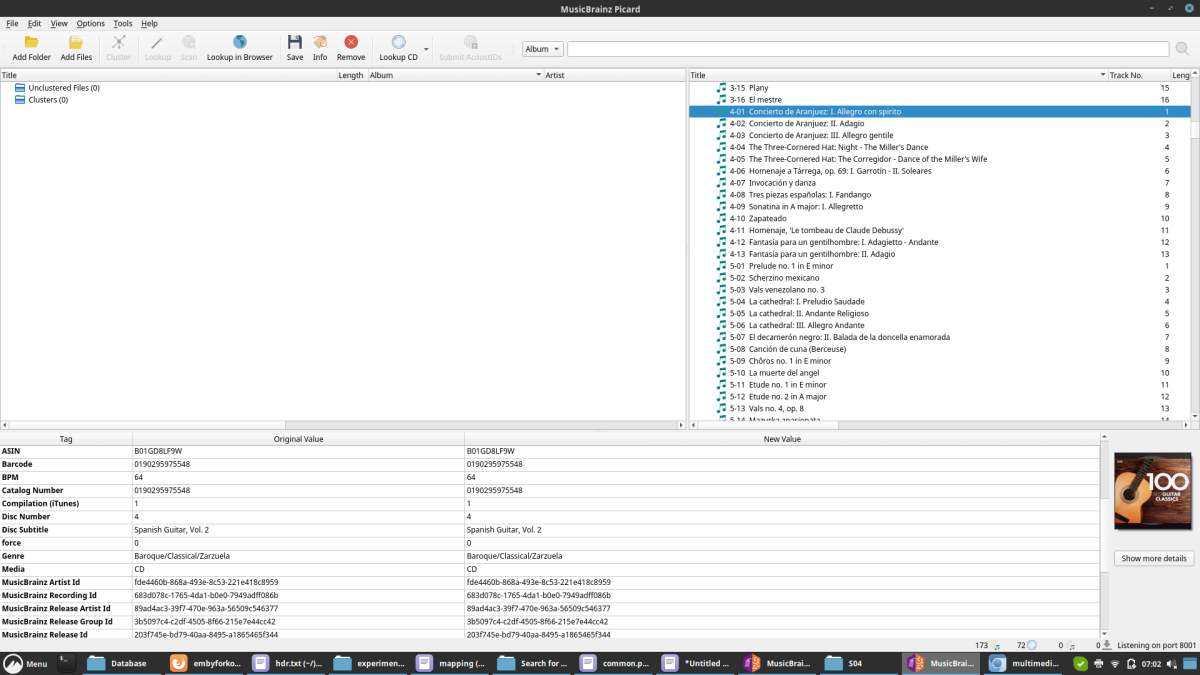
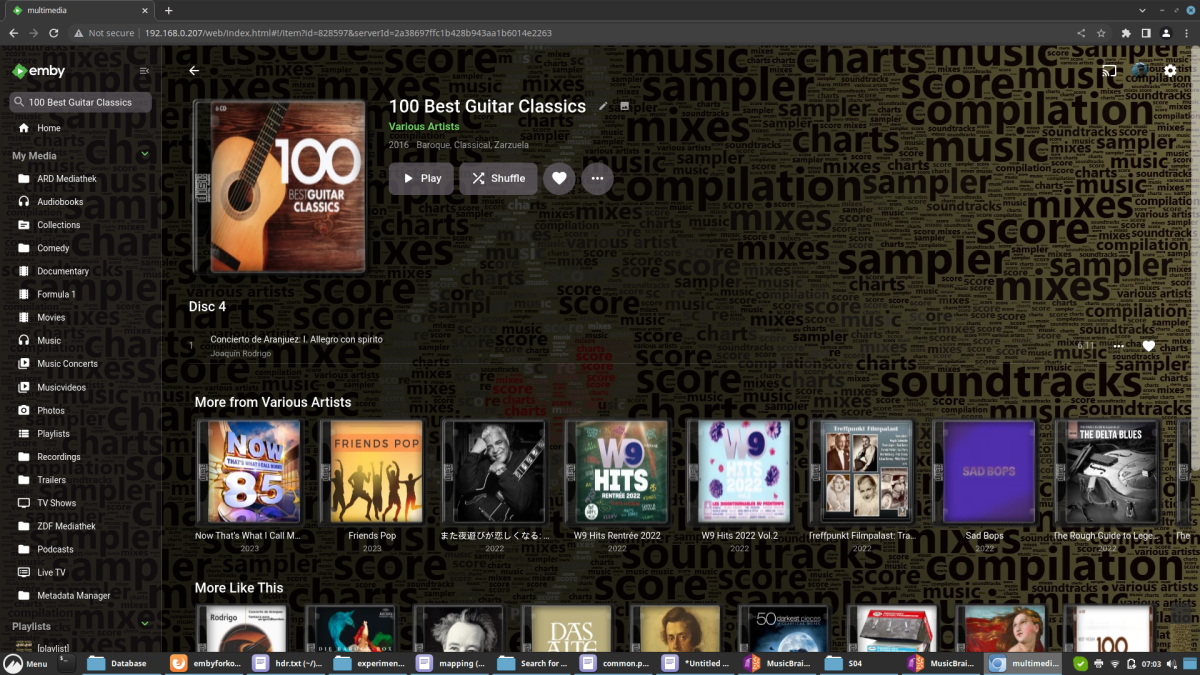
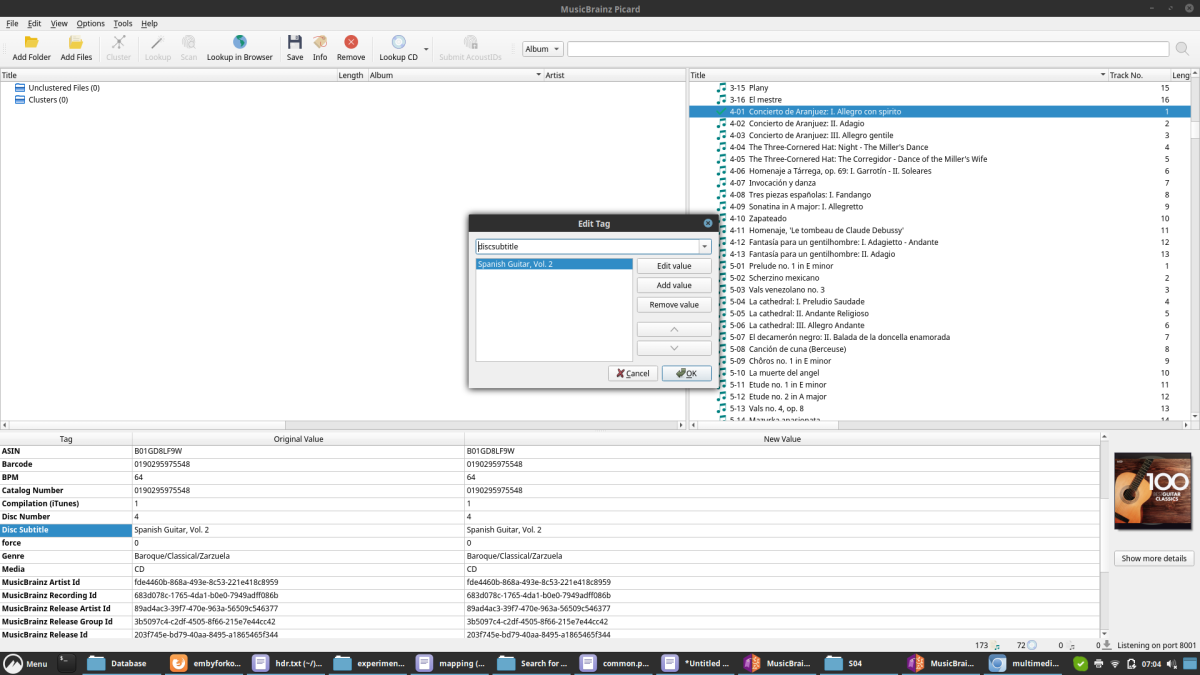 2 points
 -
Hi, Since I am using more and more TMDb, (since tvdb is more and more a mess), I am missing a very important feature. tvdb had the feature of grouping stuff into aired, DVD and absolute, which is supported by emby. TMDb had also this feature. See this example for "La casa de papel" (Money Heist, Haus des Geldes): The Original Order is allways the "aired order" of the original country. "La casa de papel" was originaly released by "Antena 3" and was taken over by Netflix, which results in different episodes ordering, which is a mess. They solved it in episode grouping. This feature is missing from emby, but it's integrated in their API and is allready supported in other apps, like kodi. At least, Banana a TMDb Mod claims it, that it's supported by Kodi: https://www.themoviedb.org/tv/71446-la-casa-de-papel/discuss/5e7032d84f9a99001152704f?page=1#5eb76872ca7ec6001f7c53cb Is it possible to add this feature into emby? It is the last scraping feature, I really really miss for TMDb on emby. It adds much flexibility and is overall a much better solution, than on tvdb with their aired, dvd and absolute order. Another great example is Dragonball Super: As you see, it adds much more flexibility for different regions over the world. It's in my own eyes a must have for emby!

 1 point
 -
Hi. Can you please add an option in the settings to hide the "Media Info" section? When using emby on my phone, it pretty much takes more then half of the page. On top of that, not having it be showing, it would clean up the page. At least gives us that option to hide it. Thanks.1 point
-
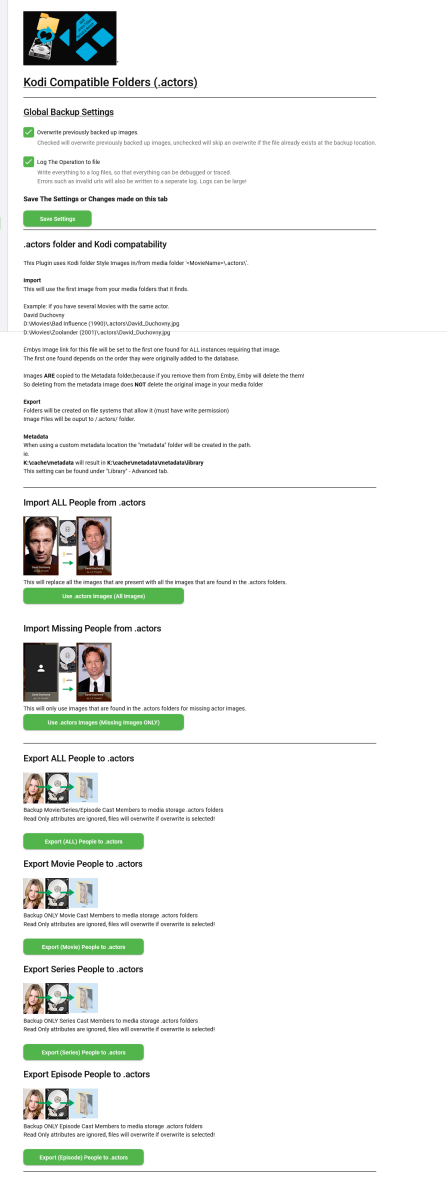
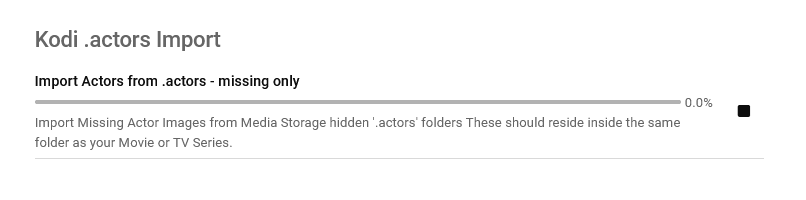
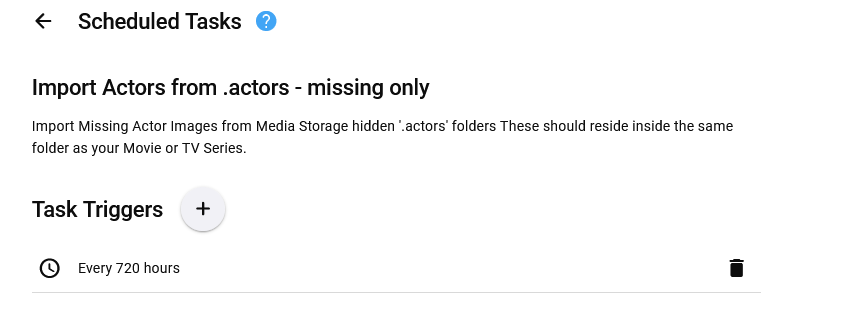
Updated 15 Sept 2023 - description at bottom of this post Updated 06 August 2023 - description at bottom of this post Updated 05 August 2023 - description at bottom of this post As requested, import and export .actors folders people as a seperate plugin. I have done this fairly quickly so have not extensively tested it/checked it all works falwlessly! Everything should log to its own files and keep out of Emby's main logs now If you don't know what it is or does then you don't need it! Use at your own risk, this plugin creates files (export) and changes Emby database (import) Create files writes to media folders and / or writes to metadata cache library Scheduled task * Updated 24/03/23 ===================== I have left the old version here incase the newer one doesn't work properly. I have NOT tested it! There is now an option to select the import metadata directory preference for \Metadata\library or \Metadata\people directories. Code has been added to change the path that the image is put to when the option is selected. Other than this change, both versions are the same (one with this change and one without) - no need to upgrade if you do not want to. Kodi_actors_Folders.zip Kodi_actors_Folders_(MetadataPeopleFolder).zip Updated 20 June 2023 Fixed Null Reference Exception when Actor image path is not null but an empty string - this shouldn't happen but seemingly can happen! When it occures the plugin simply exits, and doesnt finish its task. The Fix Now logs this as a path error and skips over it to continue so the plugin doesn't just quit and exit. Also a code edit for getting Images from http paths [ERROR - Debug Below] messages in your logs. Code to wait for the filesystem to actually save the temporary file to disk before trying to copy it & Exception Trace logging if it still fails. Logging made better for overwrite / do not overwrite destination instead of a error Logs should all go into the log directory on all systems now. If anyone still gets this null reference error, please let me know Kodi_actors_Folders(20-07-2023).zip * Updated & Reuploaded with Import changes to metadata path & option to write to a-z folders Kodi_actors_Folders(21-07-2023).zip Kodi_actors_Folders(21-07-2023) (2nd Release).zip 05 August 2023 * Fix for sporadic null reference error (caused by http.listener) - which stopped export. * Improved Invalid name handling * Added MovieList Export on activation * Added Timeframe option of people to export Kodi_actors_Folders (05-08-2023).zip 06 August 2023 * Added Error Traps for random export errors, recovers fully now,continues and logs (if selected). Kodi_actors_Folders (06-08-2023).zip 15 September 2023 * Added Import / Export of Provider ID stub files * Corrected settings that didn't save properly. This was done primarily for my own use, so it might not be ideal for everyone. Basically it allows you to export imdb,tmdb,tvmaze ids (currently just these three, I will add more provider ids later) with the poster images I have not tested the import yet but the code is there to do it... This is solely to help prevent duplicate people in my database and eventually make my db more and more correct over time, and also to work with my other plugins.... They are just plain text files with the provider id inside. Kodi_actors_Folders.zip
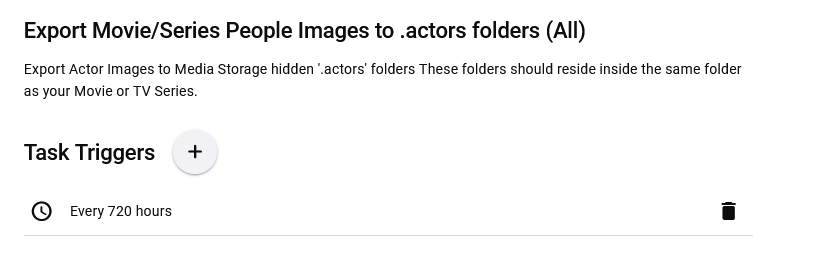

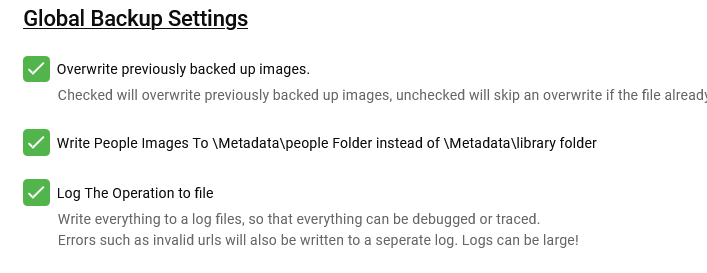
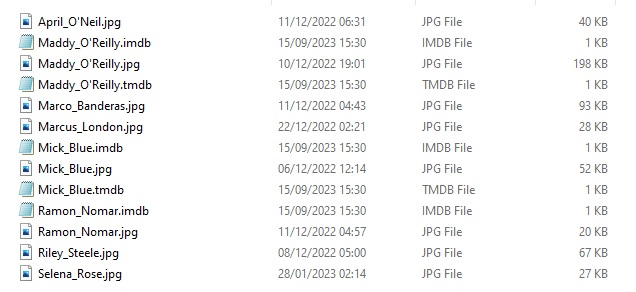
 1 point
 -
While Emby already has recommendations built in based on previously watched items I find they are not all that helpful. They seem to be based on genre only, for example, because you watched a comedy here are other comedies in your library. I do like how the also directed by/appear in recommendations work though. What would be great is if Emby could incorporate Trakt's recommendations as they are much more sophisticated. Trakt's recommendations are not only based off of what you have previously watched but also what your Trakt friends and other Trakt users have watched. It takes user ratings and trending/popular media into account. Ideally Emby would include full Trakt integration allowing users to rate media after watching, view lists and recommendations, and view upcoming media all from within Emby but for now I think recommendations would be a nice addition. Trakt has the potential to give Emby that community feel and allow users to discover new media, find something to watch, and recommend media to other users. http://docs.trakt.apiary.io/#reference/recommendations1 point
-
Maybe for US shows. I was looking for UK and AUS shows and SubScene and addic7ed were better. I've found we watch more than half our shows from those countries. Better shows than US. YMMV1 point
-
Well thats something to do with the Operating System - An Early Win 10 quirk! deleting them and running again sorted it out. I also have lots of corruption in my test server database for good measure, which has also thrown a spanner in the operation... This has allowed me to run into lots of possible errors and find solutions for them For the posted version I have Improved the Logging * improved the output log * improved the error log I have added lots of error handling I have added db correction for some problems The item Processing now tells you which item it is of how many to process ========= MediaItem: Sinnful Training, 6/288184 ========= Each Actor also does this 21.Jul.2023 - 23.03.09 There are 2 Actors for this item 21.Jul.2023 - 23.03.09 Person 1/2: Sinn Sage 21.Jul.2023 - 23.03.09 Checking for Files 21.Jul.2023 - 23.03.09 Using File: \\<hidden>\\Sinnful Training (2007)\.actors\Sinn_Sage.jpg 21.Jul.2023 - 23.03.09 Copied To: K:\cache\metadata\metadata\people\Sinn Sage\folder.jpg 21.Jul.2023 - 23.03.09 Person 2/2: Anastasia Pierce 21.Jul.2023 - 23.03.09 Checking for Files 21.Jul.2023 - 23.03.09 Using File: \\<hidden>\Sinnful Training (2007)\.actors\Anastasia_Pierce.jpg 21.Jul.2023 - 23.03.09 Copied To: K:\cache\metadata\metadata\people\Anastasia Pierce\folder.jpg 21.Jul.2023 - 23.03.09 ==== END OF THIS ITEM ==== There is now a log more error handling for invalid Actor Names in the database (for whatever reason) If the Actor Name contains hidden control or hidden Print characters, it will remove them for you, ie fix the db on the fly for this error. The Error Log will now log items that is believed to be errornous Actor Names 21.Jul.2023 - 23.03.22 DB Error? Movie [Tokyo Lover Vol 32] Person [Categories:Asian] contains non Alpha Numeric Characters 21.Jul.2023 - 23.07.30 DB Error? Movie [SDMF-005] Person [Rurucha。] contains non Alpha Numeric Characters 21.Jul.2023 - 23.09.30 DB Error? Movie [Hitchiker] Person [Steve Hatcher Chris Cannon] contains more than 2 spaces [Standard]! 21.Jul.2023 - 23.12.04 Error: Person [L.T. as Elias] Contains Invalid hidden Control Characters, you should correct name in the db! 21.Jul.2023 - 23.17.48 DB Error? Movie [Jasmine Jae - ***Censored***] Person [Moe &quotThe Monster&quot Johnson] contains non Alpha Numeric Characters 21.Jul.2023 - 23.18.24 DB Error? Movie [Beauty and The Beast] Person [Alicia Bonet - Only this Movie] contains more than 2 spaces [Standard]! I hope I didnt break anything1 point
-
Number of plugins for various subtitle providers in Catalogue.1 point
-
The idea is great to consider an app for vidaa os as well I have a tv with VIDAA U5.0 operating system1 point
-
Never mind, the folder is virtually empty (no media). While I'm not 100% sure, I might have watched those episodes and then deleted them.1 point
-
Yes you can use the Downloader app. Its even possible to install the google play store if required.1 point
-
Just an FYI.. I stopped EMBY, cleaned up the log files and rebooted (again). Ran another scan and the log files are clean, no runs no hits no errors Thanks for your help, although I have no idea what caused it or fixed it, just started up a week or so ago and then just stopped!1 point
-
Kodi 20 adds hdr flags directly into the database, so does the plugin: from xbmc code: std::string CStreamDetails::HdrTypeToString(StreamHdrType hdrType) { switch (hdrType) { case StreamHdrType::HDR_TYPE_DOLBYVISION: return "dolbyvision"; case StreamHdrType::HDR_TYPE_HDR10: return "hdr10"; case StreamHdrType::HDR_TYPE_HLG: return "hlg"; case StreamHdrType::HDR_TYPE_NONE: default: return ""; } } Dolbyvision and hdr10 is supported by plugin, but not hlg. -> Emby server doesn't report hlg. How it's displayed depends on the skin. btw. that's what I mentioned here:1 point
-
I think it would be better not to display 0, or even the parameter in this case. Thanks for your feedback.1 point
-
I've never seen this happen but I would think that would only happen in some sort of critical case - like the device getting so hot some internal protection code shuts it down. It doesn't reboot? It turns off? I'm not aware of a way to even turn one of these off.1 point
-
That is your 'Continue Watching' row, all of those Superman movies are only partially watched. The option you showed will only hide fully watched items from the 'Latest' row only. They are two different sections on the home screen. Hoops that makes sense.1 point
-
Scratch all the stuff about AZR skin and DTS core media using DTS:X flag. Sorry if you even gave it a second thought. As soon as I saw the filename I realized what was probably going on and renamed all x265 to h265. Will address with Beatmasterss if he can handle that differently. High.Noon.1952.1080p.BluRay.DTS.x264 Anyhow, thanks for the everything and @Lukefor addressing DTS codec in nfo files.1 point
-
Excellent. I've checked all the codecs I have and they look like what I would expect in the default skin. Using the Estuary skin this is what I see for DTS. DTS core only > DTS flag DTS-HD > DTS MA flag DTS:X > DTS MA flag (as expected) With AZR skin I noticed DTS:X and DTS both have a DTS:X flag. When I was browsing the code the other day I found it's looking for DTS-X or DTSX so not sure what's up with that as the DTS core only movies have just '.DTS.' in the filename. Anyhow, unless you think it's something on your side I will either try and remove DTS from the filename of DTS core only movies (luckily not many) to see if that helps, or go back to the skin dev and see what he says. Found Emby sources in sources.xml. Looks good. Nothing else on the list really affects me I don't think or that I've noticed before. Anyhow, thanks @quickmic excellent work again.1 point
-
ok so this rule looks to be correct then - btw - it's WAN to LAN (not LAN to WAN) - the SOURCE is the WAN Are you 100% no entry in the SOURCE means 'Any' ? What model router is it ? Next you need to check the local firewall - temporarily disable it to test, but if you can connect locally - the emby setup should have correctly done this for you.
 1 point
 -
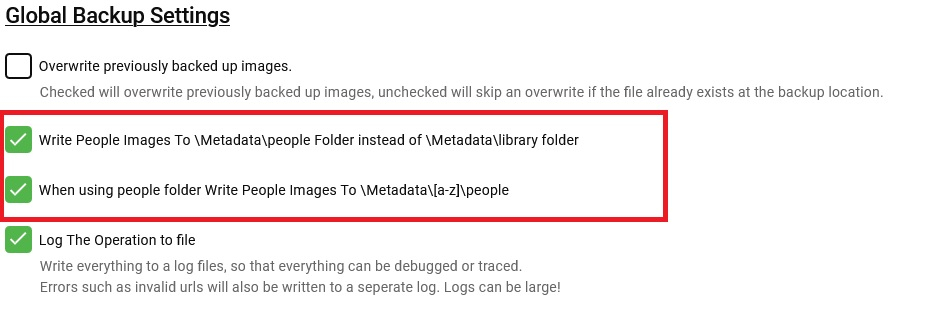
OK, I fixed the scheduled task I added \people\[a-z]\Actorname as an option to the config to use them or not as i dont know which installations use them and which dont. It will only do this if writing to peolpe folder is also enabled. I've re-uploaded again, thanks for the patience involved here
 1 point
 -
New BETA version available 8.2.9: Delta changelog 8.2.8 -> 8.2.9 add emby sources to sources.xml (fixes Kodi's masterlock issue) (re)add Kodi workaround for episode bookmarks (default on) disable http2 by default fix minor sync issue and improve incremental performance fix IPV6 websocket connection -> https://github.com/MediaBrowser/plugin.video.emby/issues/471 fix media flags (codec infos)1 point
-
Hmm, it seems to be possible, I will test this later Yes, you can perform similar actions on Google TV as well. Google TV is built on the Android TV platform, and it allows you to install apps from the Google Play Store, just like Android devices, including Amazon Firestick. To download and install apps on Google TV, follow these steps: On your Google TV device, go to the "Apps" section or the "Google Play Store" app. In the Google Play Store, you can search for the "Downloader" app. If it is available for Google TV, you should be able to find and install it from there. Once you have installed the "Downloader" app, you can open it and enter the URL of the file you want to download, just like you do on the Amazon Firestick with the "Downloader" app. After the file is downloaded, if it's an APK file, the "Downloader" app should prompt you to install it, similar to how it works on Amazon Firestick. Please note that the availability of apps may vary on different devices and regions, so make sure to check the Google Play Store on your specific Google TV device to see if the "Downloader" app is available for installation. Additionally, if you want to sideload apps (install apps from sources other than the official app store), you may need to enable "Unknown sources" in the settings of your Google TV device. Keep in mind that sideloading apps can be risky, as it may expose your device to potential security risks if you install apps from untrusted sources. Exercise caution and only install apps from trusted sources.1 point
-
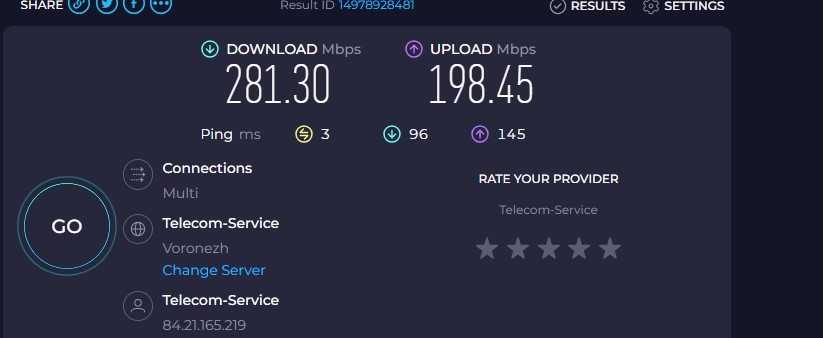
Seems to be working now. My family upgraded their internet modem. Hopefully that will fix things now. Thank for all the assistance and help, it is greatly appreciated!1 point
-
nfo plugin update is up.1 point
-
GrimReaper, I tried your response and it worked. The subfolders containing the shows are now all resolving correctly. Thank you!1 point
-
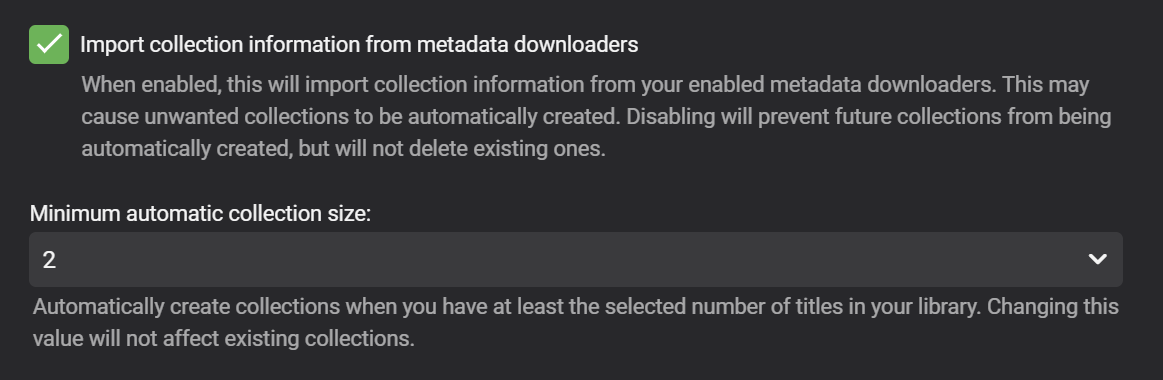
I believe this functionality is built-in now. Check that this feature is enabled in the library settings for your 'Movies' library
 1 point
 -
Maybe your server was having trouble reaching MovieDb. Thanks for the feedback.1 point
-
Under the plugin setting - playback options - do you have both of these checked? - Clear resume point for unfinished videos - Remove shows from Continue Watching1 point
-
This is what I use yes, no issues playing 4K Remux at ~80Mbit/sec. Let me do some wifi tests later on today to see if I have similiar problems on my 4K Max.1 point
-
You can actually have the best of both worlds if you combine with drive pool software and use file placement rules. I for example, use a fast nvme/ssd to store all my non media emby files - be they images, BIF's (for the thumbnails), NFO's, SRT's etc but they 'appear' next to the real media (mkv etc) on the file system. There are other benefits on keeping the 1000's of 'small files' on the NVME as opposed to HDD - such as block size and huge latency improvements. But I agree with the above comments as well - this is not essential by any means as even before this (keeping the files on the HDD's) performance for me was never 'slow' in the first place - but I would recommend keeping the main emby cache and db on an SSD if possible.1 point
-
1 point
-
Hi, the backup plugin is more of a settings-only backup. If you want to backup everything, then just follow our manual backup instructions: https://support.emby.media/support/solutions/articles/44001159936-backup Please let us know if this helps. Thanks.1 point
-
HI, One minor thing. When a video is playing and pressing play (on remote) should bring up the overlay (playback indicators aso). This is the default behavior on most video players I have tried. This was possible before the last updates. Emby Theatre 3.0.20. -T.1 point
-
Adding my voice here. Loving tags on iOS. Please add tag suuport for tvOS.1 point
-
Is there any movement on this topic? Any help needed for development? This is one of big things I was looking for when looking at switching users over to this platform from the other.1 point