Leaderboard




Popular Content
Showing content with the highest reputation on 07/20/23 in all areas
-
Thank ya people... problem solved... Didn't know that's how I should upload the files... this such a great community... thanks a lot3 points
-
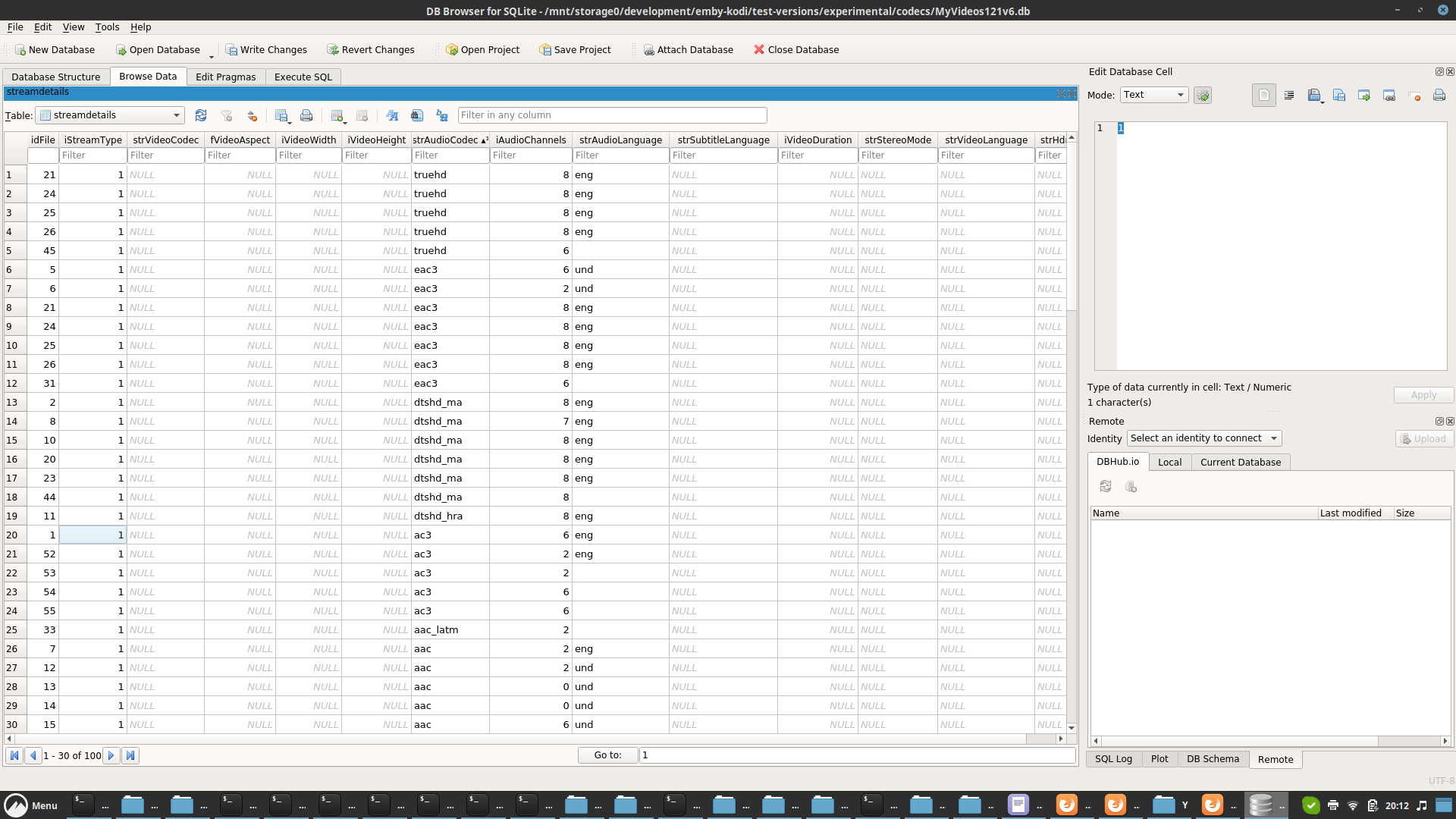
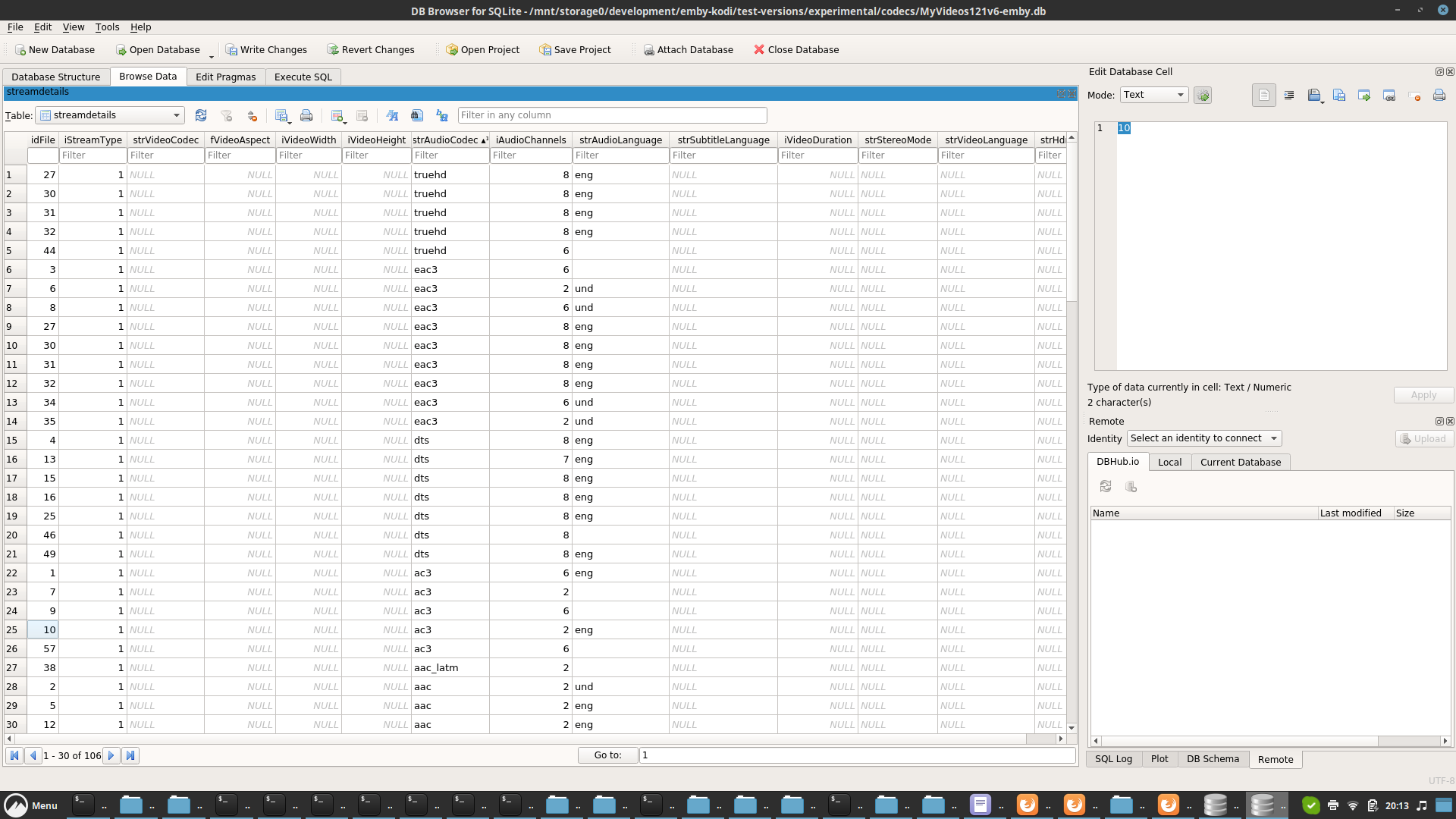
I checked with your filenaming and I don't see any media flags with stock estuary. Artic Zephyr Reloaded only reports bluray. Not sure what's you setup, but seems you have additional plugins/helpers running. Maybe nfos? Please perform testing with stock kodi . No reproducible test case, no way to fix the issue. btw I'm still not convinced, it's a plugin issue. Kodi usually loads the media flag info from filenames and not from the database (exception is hdr) or scrapers, but the database sync is the only way how the plugin could cause the issue. I tested your filenaming and an actual dts file with stock Kodi (no next-gen plugin). As mentioned, no flags. EDIT: I think a found some issues... Emby server reports the codec in a different pattern that Kodi. I'll check what I can do. The filenameing's extraction is not really working in Kodi.2 points
-
Well - that's the fps of the frames being output, i.e. your thumbnail images. The speed is 2.9x and the framerate 24 fps, that makes a processing speed of 70 fps (input frames). The pict_type filter is only applied when the container is MP4. The reason is that with MP4 there are problems with keyframe seeking. I don't remember whether this was generally with MP4 or just with certain MP4 files, but even in the latter case - we can't know this in advance and so we have to apply this filter always for MP4 files. Using -skip_frame might be faster, but I'm almost certain that you won't get accurate results this way (first compare the number of images output, then compare the images at certain positions). My recommendation is: Use MKV as container Encode the video with keyframes at a constant frequency (3 or 6 seconds), even when the files get a bit larger.2 points
-
For a quick solution, just installing the Emby client on the laptop and downloading a select number of videos is what I'm finding to be pretty straightforward. If ongoing, I've been using a very small mini-pc device to just stay in my RV. The new Intel N100 is extremely capable (and cheap, ~$150 or less) of playing movies at high resolution and has full hardware decoding common codecs,2 points
-
Updated 20 June 2023 - See First post for description of fixes2 points
-
TheTVDB now supports more alternative orders than just Aired/Absolute/DVD. Can Emby query these additional orders and add them as options? Two examples of shows I've seen this used are Re:Zero which has a "Director's Cut" display order and Money Heist which has a "Netflix" order. https://thetvdb.com/series/re-zero-starting-life-in-another-world https://thetvdb.com/series/la-casa-de-papel1 point
-
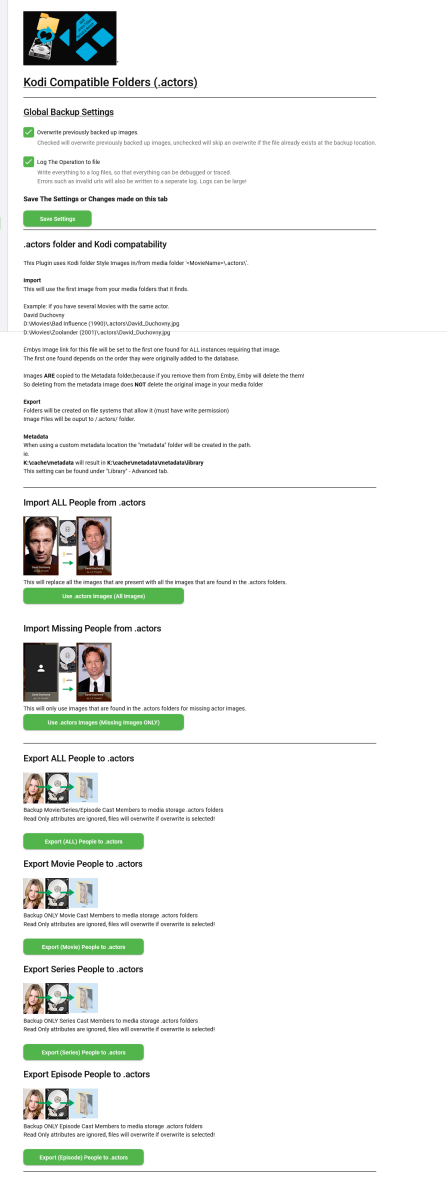
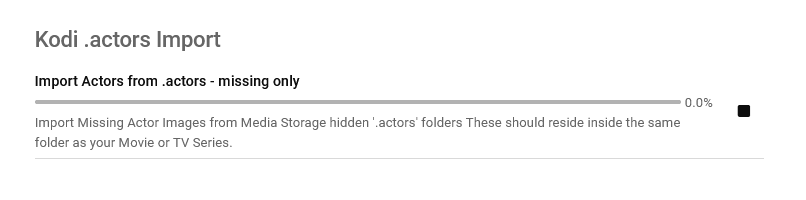
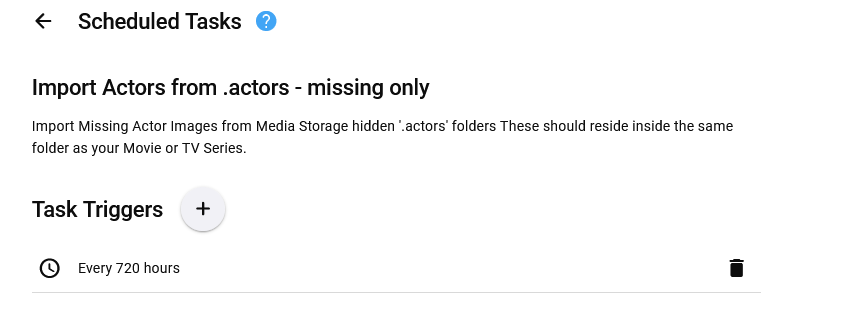
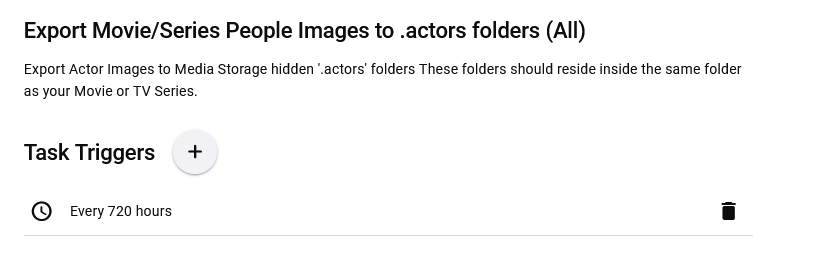
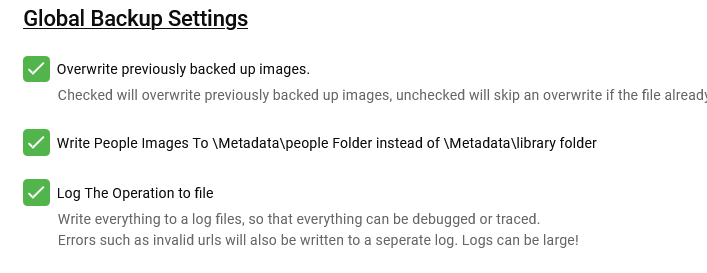
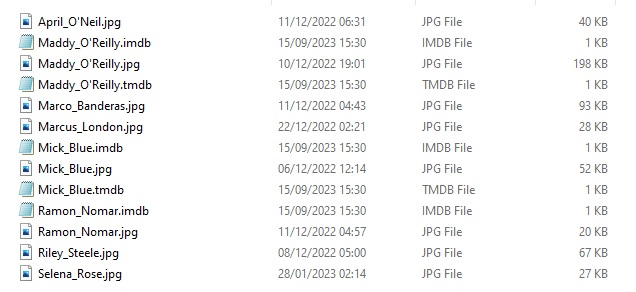
Updated 15 Sept 2023 - description at bottom of this post Updated 06 August 2023 - description at bottom of this post Updated 05 August 2023 - description at bottom of this post As requested, import and export .actors folders people as a seperate plugin. I have done this fairly quickly so have not extensively tested it/checked it all works falwlessly! Everything should log to its own files and keep out of Emby's main logs now If you don't know what it is or does then you don't need it! Use at your own risk, this plugin creates files (export) and changes Emby database (import) Create files writes to media folders and / or writes to metadata cache library Scheduled task * Updated 24/03/23 ===================== I have left the old version here incase the newer one doesn't work properly. I have NOT tested it! There is now an option to select the import metadata directory preference for \Metadata\library or \Metadata\people directories. Code has been added to change the path that the image is put to when the option is selected. Other than this change, both versions are the same (one with this change and one without) - no need to upgrade if you do not want to. Kodi_actors_Folders.zip Kodi_actors_Folders_(MetadataPeopleFolder).zip Updated 20 June 2023 Fixed Null Reference Exception when Actor image path is not null but an empty string - this shouldn't happen but seemingly can happen! When it occures the plugin simply exits, and doesnt finish its task. The Fix Now logs this as a path error and skips over it to continue so the plugin doesn't just quit and exit. Also a code edit for getting Images from http paths [ERROR - Debug Below] messages in your logs. Code to wait for the filesystem to actually save the temporary file to disk before trying to copy it & Exception Trace logging if it still fails. Logging made better for overwrite / do not overwrite destination instead of a error Logs should all go into the log directory on all systems now. If anyone still gets this null reference error, please let me know Kodi_actors_Folders(20-07-2023).zip * Updated & Reuploaded with Import changes to metadata path & option to write to a-z folders Kodi_actors_Folders(21-07-2023).zip Kodi_actors_Folders(21-07-2023) (2nd Release).zip 05 August 2023 * Fix for sporadic null reference error (caused by http.listener) - which stopped export. * Improved Invalid name handling * Added MovieList Export on activation * Added Timeframe option of people to export Kodi_actors_Folders (05-08-2023).zip 06 August 2023 * Added Error Traps for random export errors, recovers fully now,continues and logs (if selected). Kodi_actors_Folders (06-08-2023).zip 15 September 2023 * Added Import / Export of Provider ID stub files * Corrected settings that didn't save properly. This was done primarily for my own use, so it might not be ideal for everyone. Basically it allows you to export imdb,tmdb,tvmaze ids (currently just these three, I will add more provider ids later) with the poster images I have not tested the import yet but the code is there to do it... This is solely to help prevent duplicate people in my database and eventually make my db more and more correct over time, and also to work with my other plugins.... They are just plain text files with the provider id inside. Kodi_actors_Folders.zip

 1 point
 -
In horizontal view on a TV, the top menu bar goes missing when you view details of a TV episode and use back button on remote for home screen. Forces reliance on the stupid new left hand menu bar. If this is by design, I'm reverting my emby versions back and removing auto update on LG and others in case this left menu trojan/malware intends to infect everything in the future.1 point
-
Thanks for reporting. We’ll take a look.1 point
-
Hey, Brian! We’re all super busy, lol. I did install Beta and had one recording that ffmpeg tried to re-start (3) times after the initial failure but the entire process lasted less than 5 seconds. I believe this is due to the delay max setting being at 4 instead of 127 as prescribed in documentation. Would really like to see this changed as it doesn’t seem complicated and would likely only require a few key strokes. Wish I could help on the script/wrapper for ffmpeg, sounds very promising. I’m running windows 11 and certainly wouldn’t mind beta testing. What would you say your success rate is in re-starting failed recordings with your script?1 point
-
Agree that this is the issue. Create a Library called Anime and point to a folder called Anime. In the Anime folder, put all of the folders with your Anime shows.1 point
-
@GrimReaperThats the one I was looking for. Thanks!1 point
-
You don't add each TV show/anime as a separate library, you add root folder as library path, not individual series folders - or add those individual series folders as multiple folders under single library.1 point
-
There are two FRs for alternate sort orders, depending on the provider. One for TVDB: Another for TMDB, already mentioned:1 point
-
Can you send a screen shot of the path you used for the library? It almost looks like you're pointing to the show folder rather than a library folder. So I would expect to see a folder like: TV Shows\Your Lie in April\Episode 1.mpg1 point
-
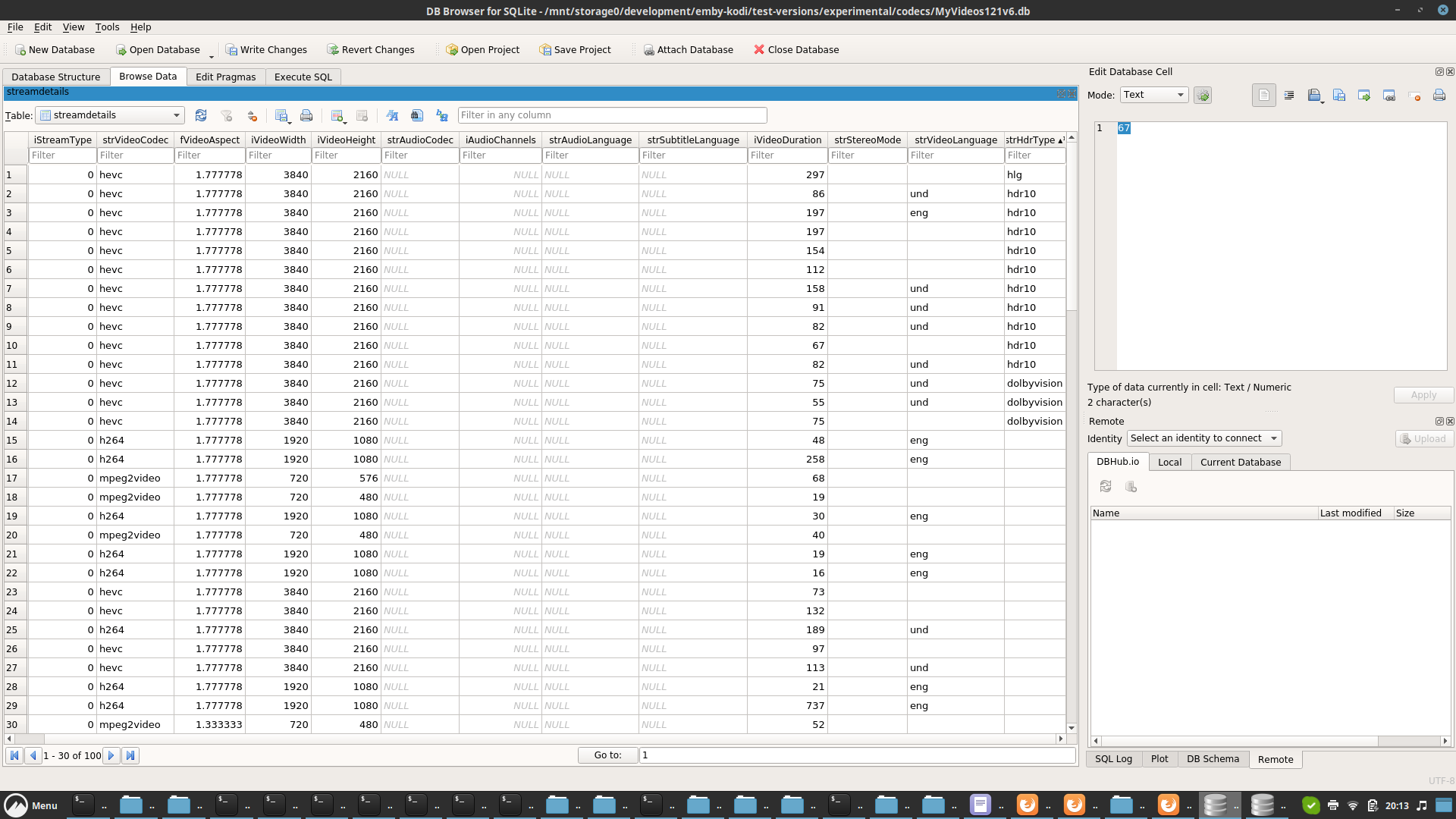
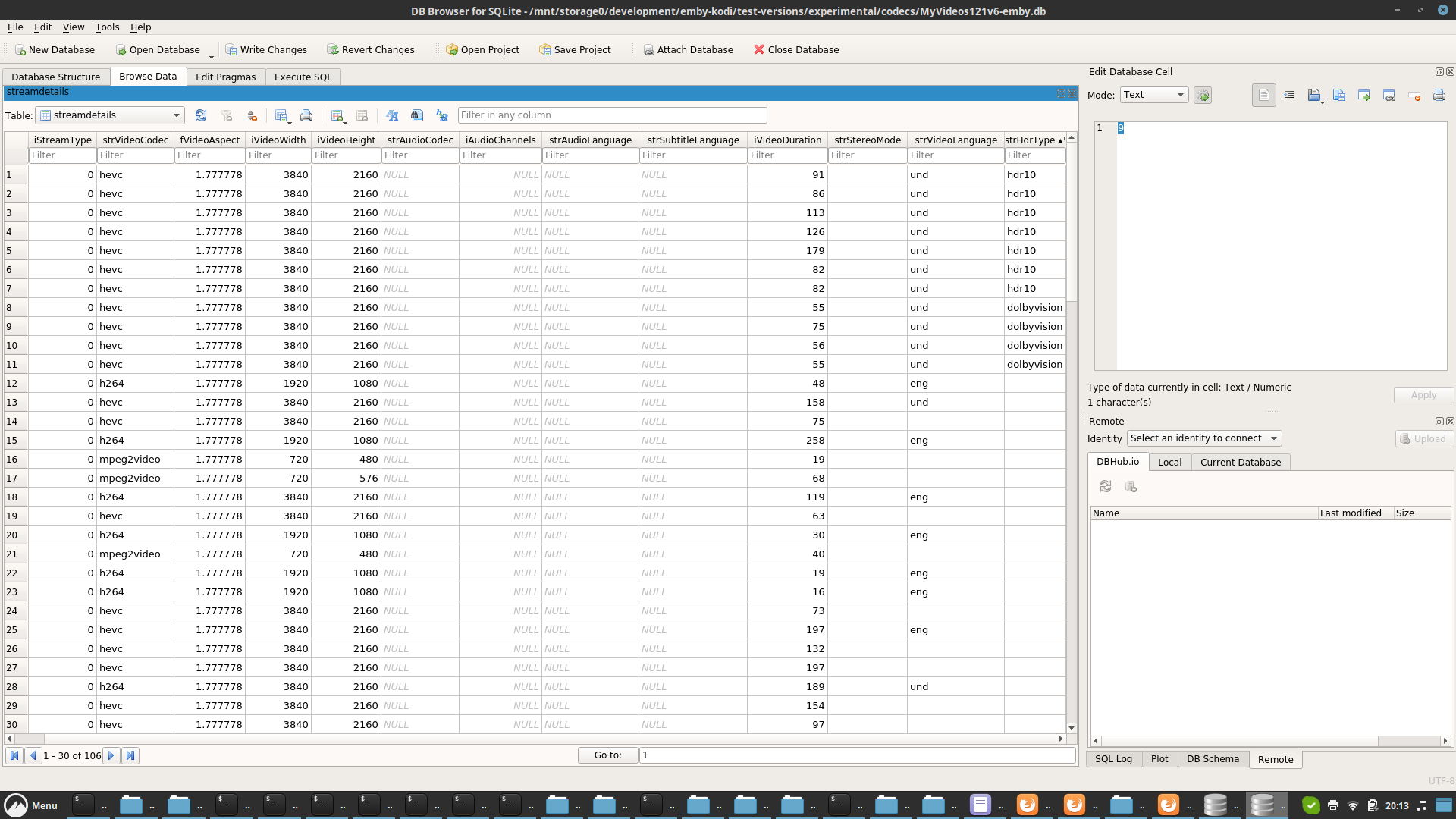
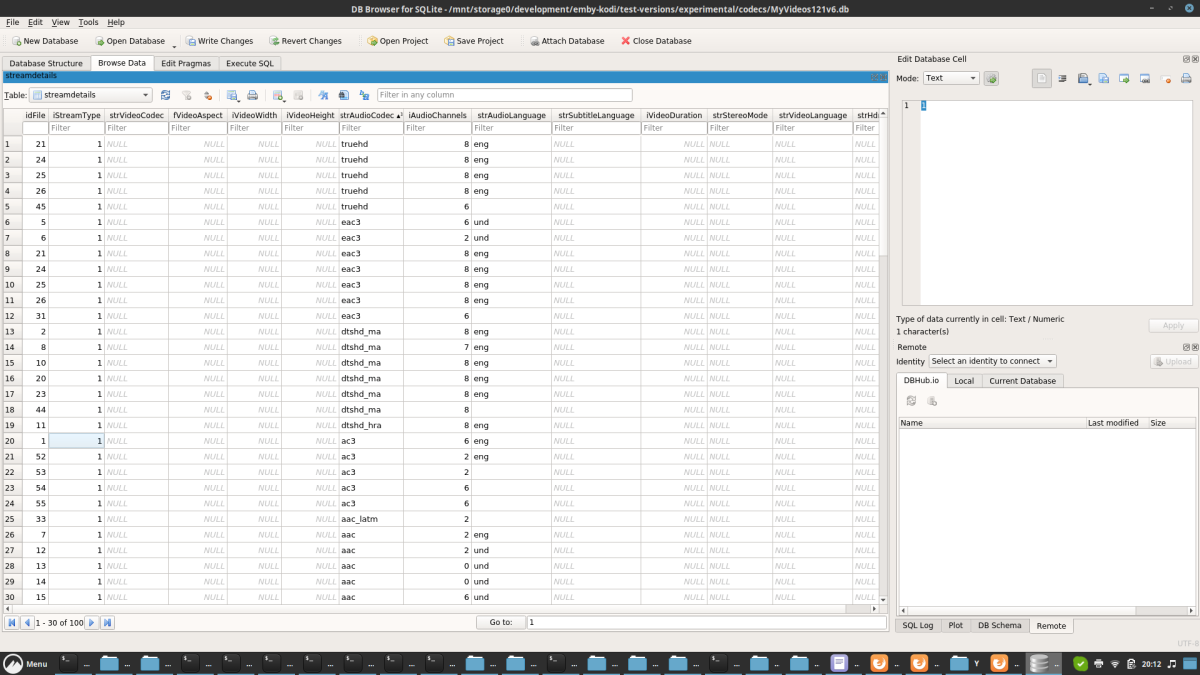
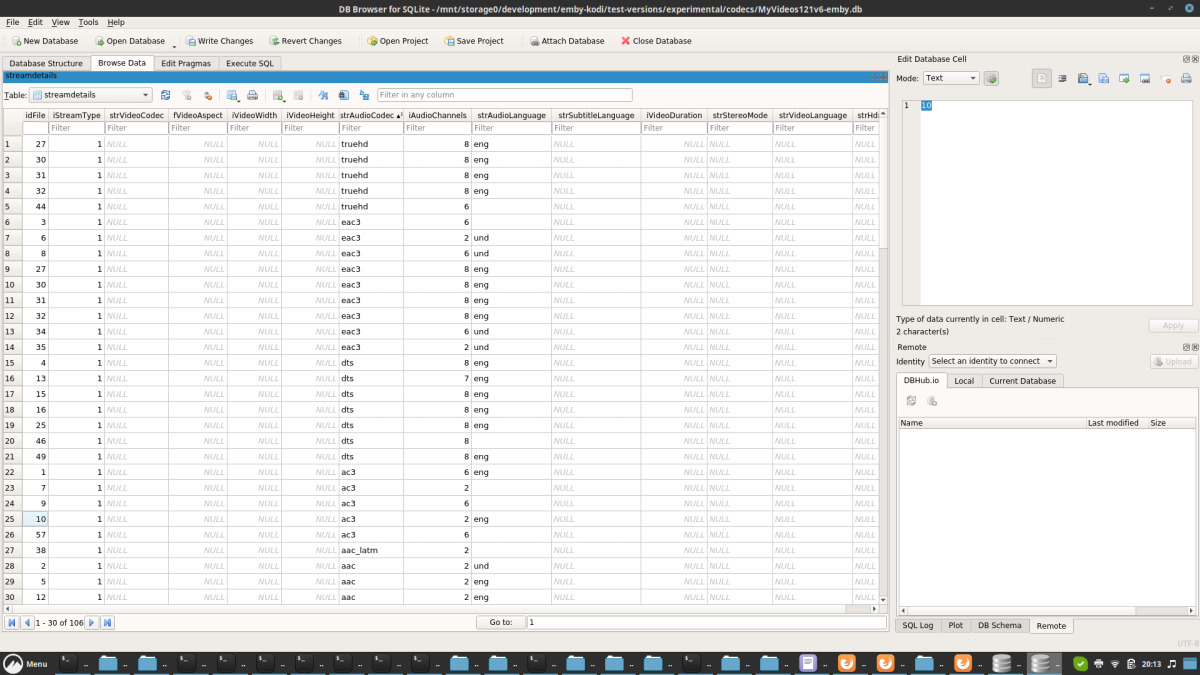
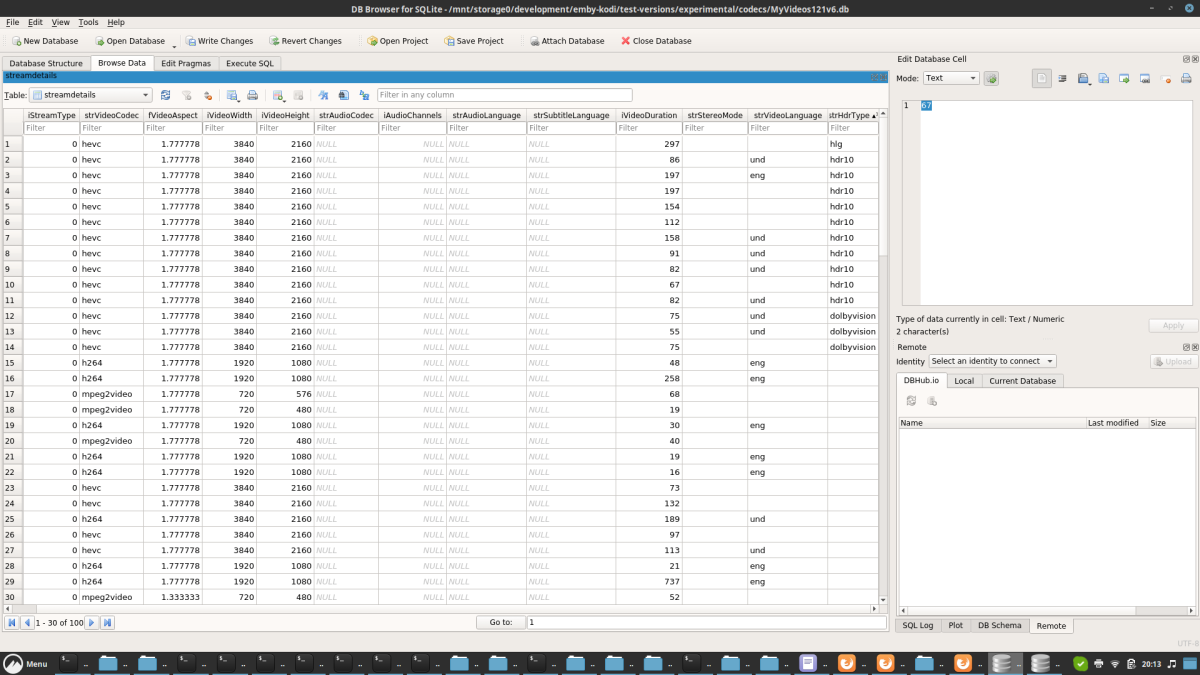
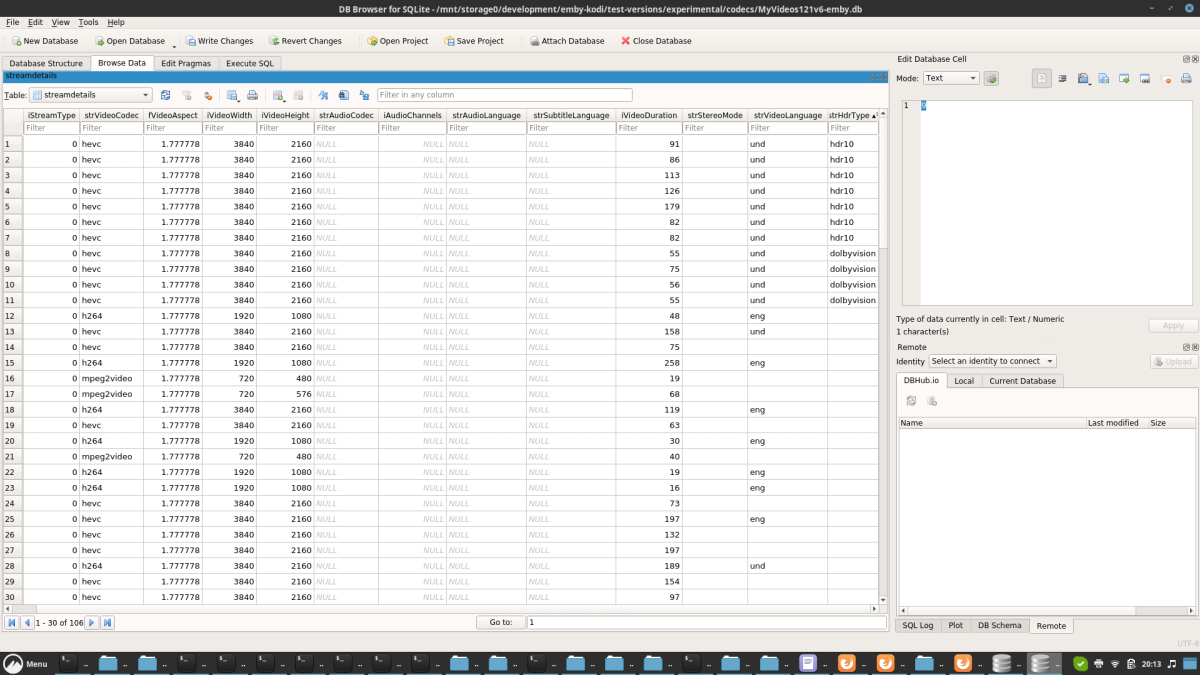
Actually all dts codes are different but seems only the dts's. Hdr info is 66% correct, Kodi has 3 different cases while Emby reports only two of them. btw, dts info are correct on Emby server, Kodi devs imho used another workaround due to poor database design. (Kodi has many design flaws). Kodi Audio codec Emby Audio codec Kodi hdr codec Emby hdr codec
 1 point
 -
Might be that yeah, doesn't happen now but not sure what fixed it1 point
-
Pretty sure I did. But I checked the Emby download page and saw that 7.13 was available. Just installed that with no problems.1 point
-
Writing a mapping table is actually not a big deal. Collecting all the infos is. I need to compare Kodi's codec with Emby servers codec info. I already started downloading lots of samples from here -> https://www.demolandia.net/ Mostly Emby and Kodi are reporting the same codec but the "exotic" ones are different.1 point
-
Can I make a contribution towards this feature, somehow. I use the player almost completely for music and other features, like fade, would make this a better product for me.1 point
-
Hi @Luke, sorry for the late reply, but I can't provide a sample video as all my videos are private copies and it would be against the law sharing it. But interestingly it seems to work now, I just don't know if updating to the latest beta or upgrade the RAM from 4GB to 20GB did the trick. But 4 GB definitely did cause some problems with emby on the NAS like Emby being and loading slowly. I tested it with both, my external screen through a thunderbolt 4 docking station and directly on my NReal Air Glasses only using a cable and both worked just fine now. All in all the problem is now solved for me. Kind regards DragonSkills991 point
-
By the way, MKVToolnix can make the conversion to mkv pretty quick and painless. You don't need to re-rip or reencode anything. It can just copy the contents of an mp4 to a new mkv container.1 point
-
Where? I'm not pushing back on anything but that particular feature has a pretty narrow use-case and potentially high cost. That would be the reason it hasn't gone anywhere yet.1 point
-
You do know that NZB360 is an Arr's companion app ? That has nothing to do with Emby.1 point
-
Also, that movie takes place entirely within an airplane with similar lighting throughout. I wonder if that consistency could also help produce high-compression...1 point
-
Sorry, I don't understand how supporting any other defined order is going to solve the issue of ordering non-consecutive episodes in the same file. If, what you are saying is that you want to redefine the order to be the order that they are in the file, then they are no longer non-consecutive and there isn't really an issue - other than whatever number is showing on any specific episode maybe not matching something else. @darkside40perhaps a specific example would help us see what you are saying.1 point
-
Hi, there's already an open request for this or something functionally equivalent. Please join in and contribute to the existing discussion at:1 point
-
Thanks @rbjtech. Yes, this is very true, you need to be careful of this quirk. If you really care about DV, DTS, ATMOS then Shield Pro is the way to go. Unfortunately on the TV client apps (LG, Samsung, etc) we are limited by the manufacturer.1 point
-
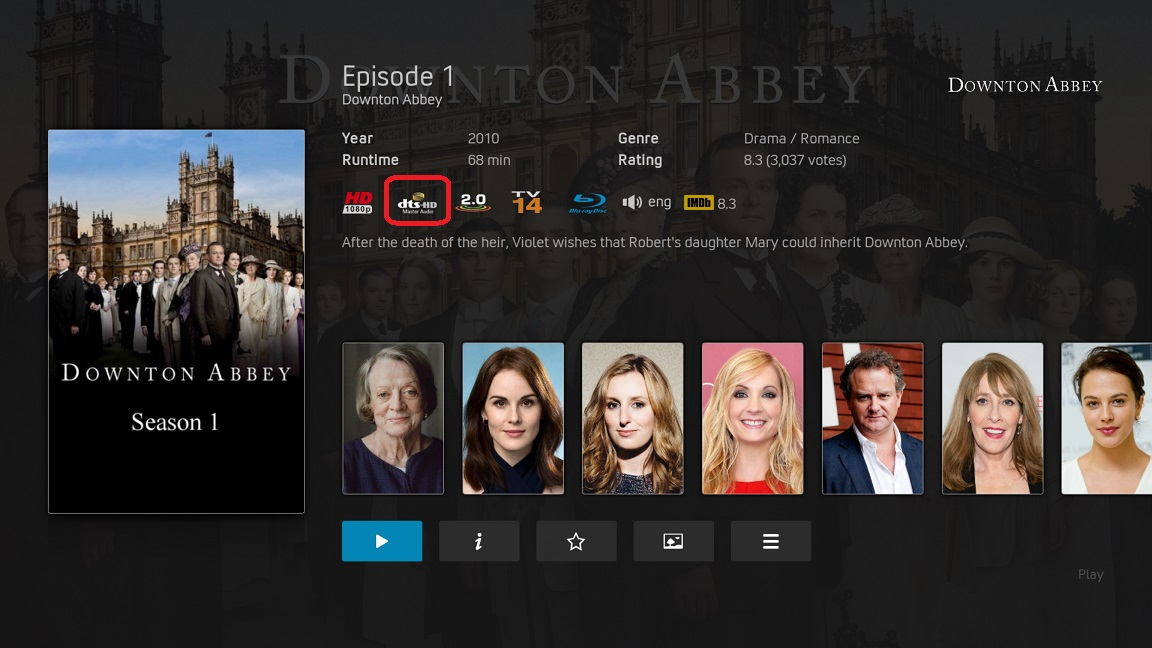
Yes, using the recommended TVdBv4 Python scraper all is good. Same with the TMdB Python scraper for movies. Both of which detect the audio codec as DTS-HD. Picture of AZR skin, but the default Estuary skin also shows the correct flag.
 1 point
 -
Can't speak for the team, but we have about 200 countries on this planet (+ some objects outside of it where people might life). Would potential mean about 1000 comment about asking if it when it comes to each country (multiplied by 5 because people don't read or use the search function) means this thread is unusable for real relevant information like when and if it gets available world wide. Also you might notice Luke didn't announced which country they where able to add before they where successful. Anyway thinking before posting could help the emby team not read useless posts (like this one) and have time for more important things.1 point
-
It doesn't work for image extraction...1 point
-
I have fixed it. I read somewhere that upgrading to the Bluefin version of Truenas Scale permissions can get screwed up. I upgraded a while ago and everything was working till I tried to add a new movie. There is some latent permission tomfoolery happening. In Truenas Scale I stripped all permissions from the dataset and redid the permissions exactly the same. Everything works perfectly again.1 point
-
Thanks. I'll check it out, just having a go with Mkvtoolnix at the moment - go through the video in Avidemux to get (hopefully) exact timings, then copy timings into toolnix and let it create separate files... Edit - also don't want to use Handbrake (if its even possible) as trying to avoid any encoding, just chop it up but leave as is, if you see what I mean.1 point
-
OK, I will fix that for the next release (whenever that may be) - thanks for notifying me about it.1 point
-
Same issue on a Pixel 6 on Android 13 running latest production build1 point
-
ok, think that explains it, thanks. The Collections folder is 'New', but it's all based on my 'older' movie collection. To enable any of those old but newly added titles to be picked up in the download job, I'd need to go through and reset the meta 'add dates' of all the titles in the collection to be newer then when the collection was created? If so, then easiest way would be to just go in and create a new Download job for said collections folder and go from there? Which is no problem at all, just trying to understand the logic in how it works.1 point
-
On a tangent, but FWIW, I really wish Emby would show DV, HDR10+, and HLG when presenting media info. It'd be nice if it also showed Atmos aswell next to the audio codec. Currently, if the content is HDR10, HDR10+, or any DV profile other than 5 with a HDR base layer, it just says HDR10. Dual metadata DV + HDR10+ doesn't make note, and just says HDR10. If it is HLG (pretty common for British content), or if it is DV profile 5 (with no base layer, colours are wonky if played incorrectly), then it doesn't show HDR10 or any marking at all; it appears as if it's SDR. Again, this issue above is really critical to solve for DV profile 5 content where the colours are all messed up when the DV metadata is stripped, although profile 5 is not so common and only existed during ~2020-2022, where modern DV favours profile 8 and often comes with dual metadata, including DV profile 8 AND HDR10+.1 point
-
I'll wait for the 4.8 stable version, it's OK for me. Thx for the answer1 point
-
Thanks for taking the time to answer, I had a file with several versions of the same language, it's the first time that it's happened so I did not know how to proceede with it.1 point
-
Yea it was noip taking its sweet time to delete old domain. Thank your for the uick reply1 point
-
What’s “annoying” about a simple question like that? It’s quite a straightforward and logical question pertaining to the country I live in. I’m hardly going to ask a question about a country I don’t live in. wow!!!0 points