Leaderboard




Popular Content
Showing content with the highest reputation on 07/10/23 in all areas
-
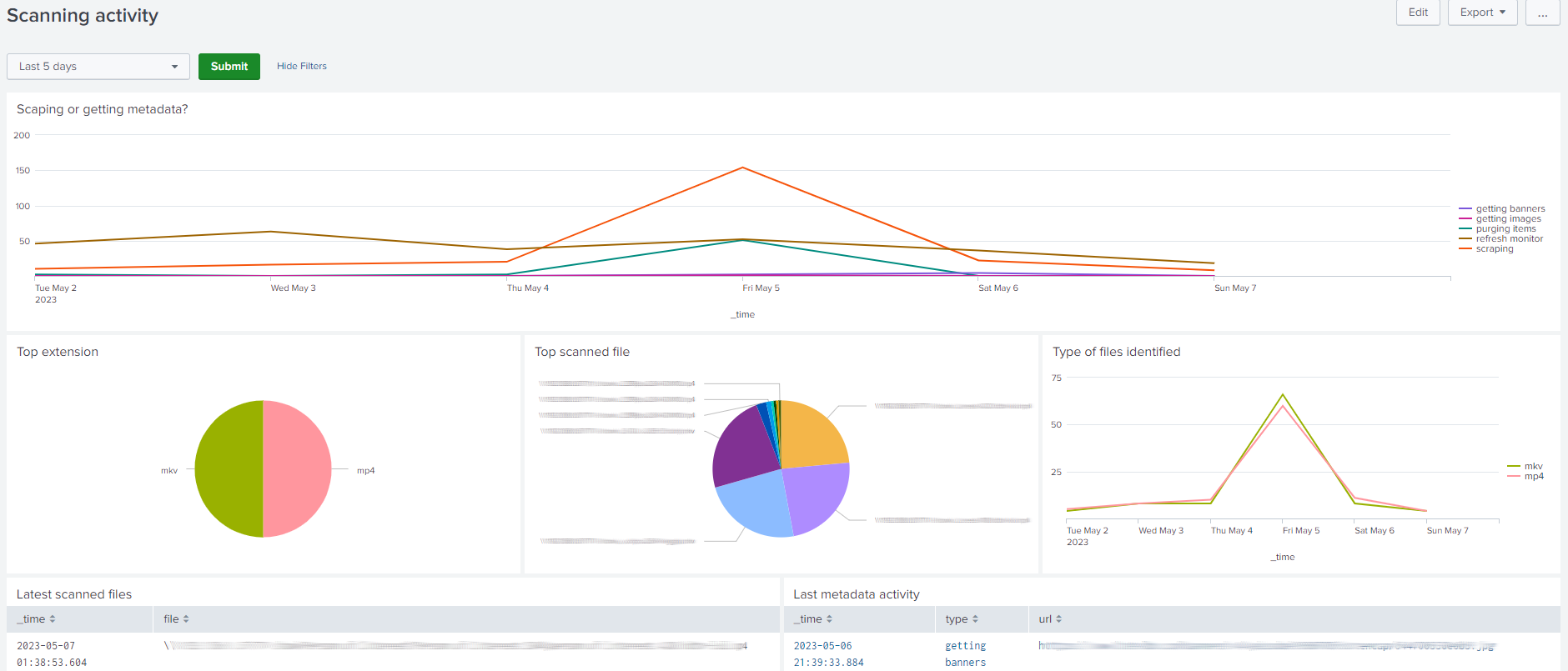
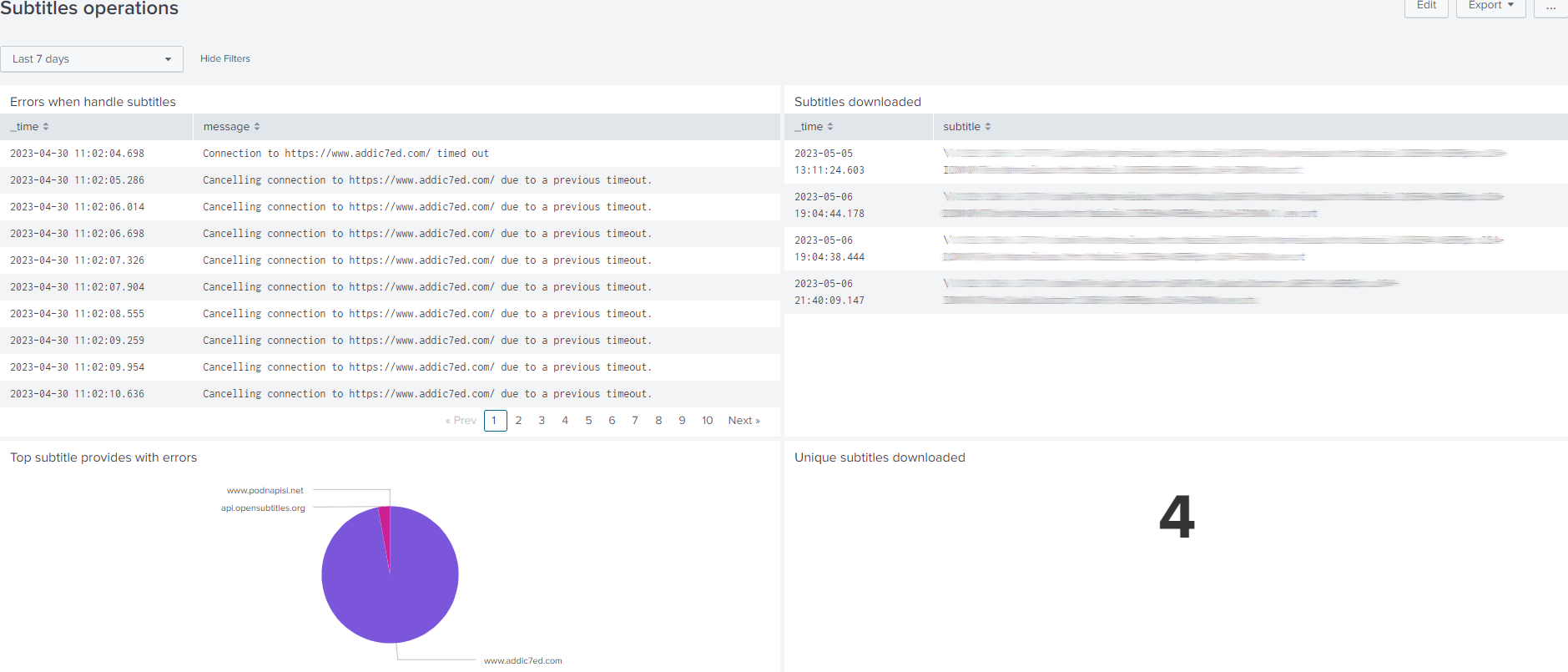
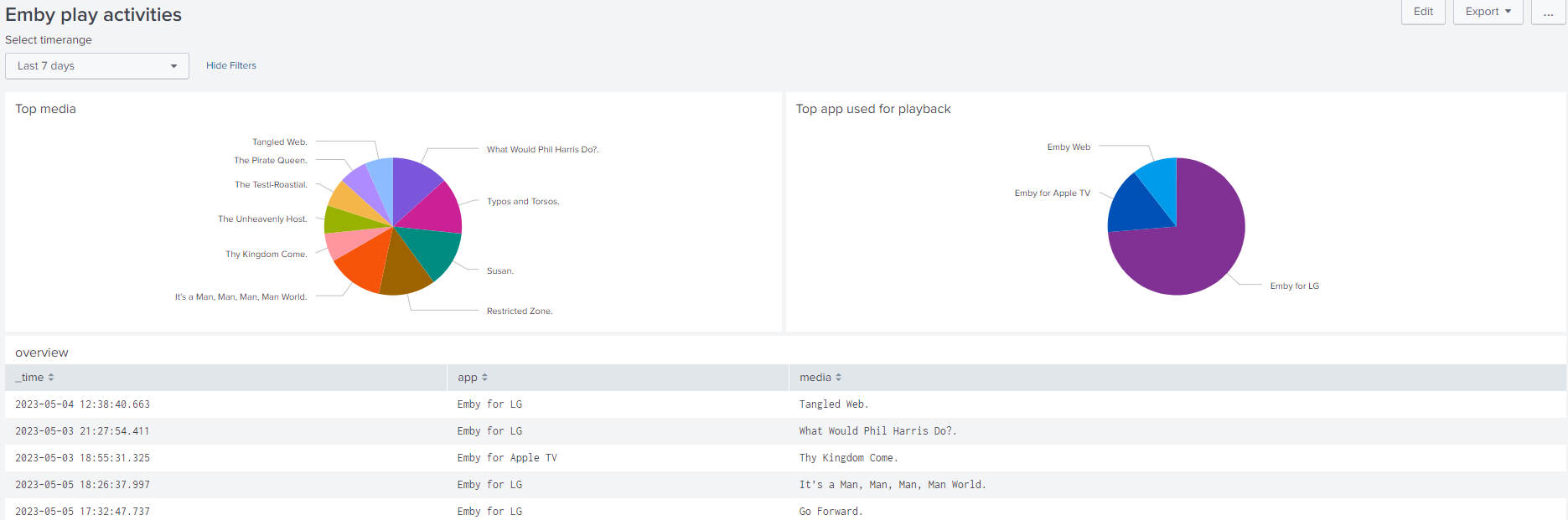
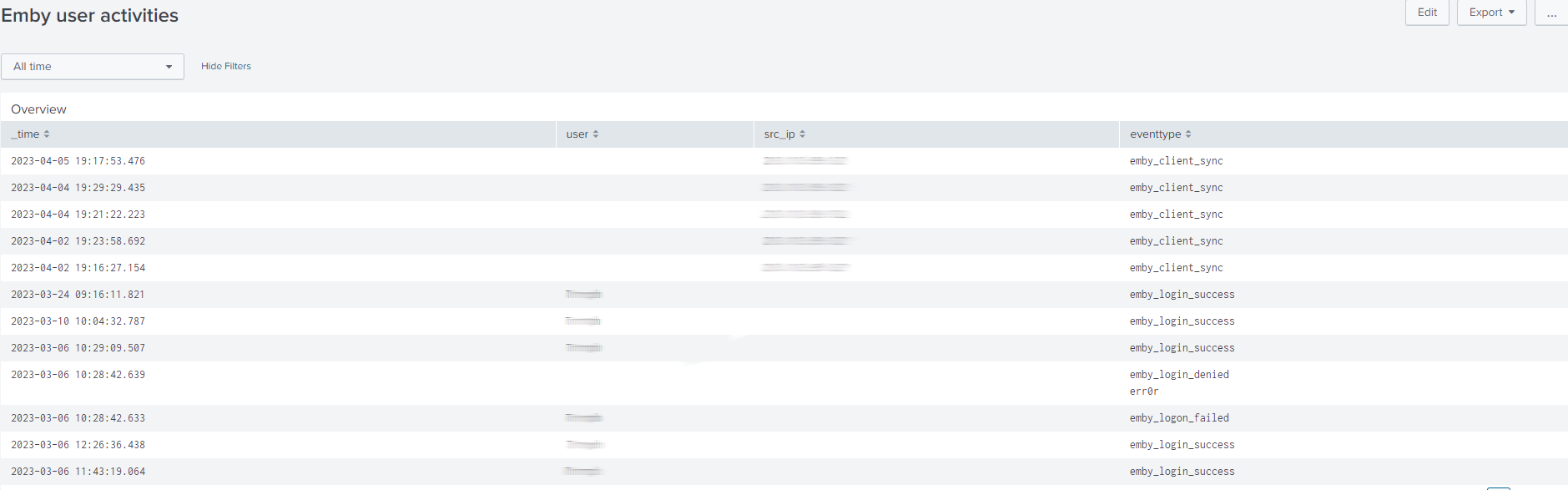
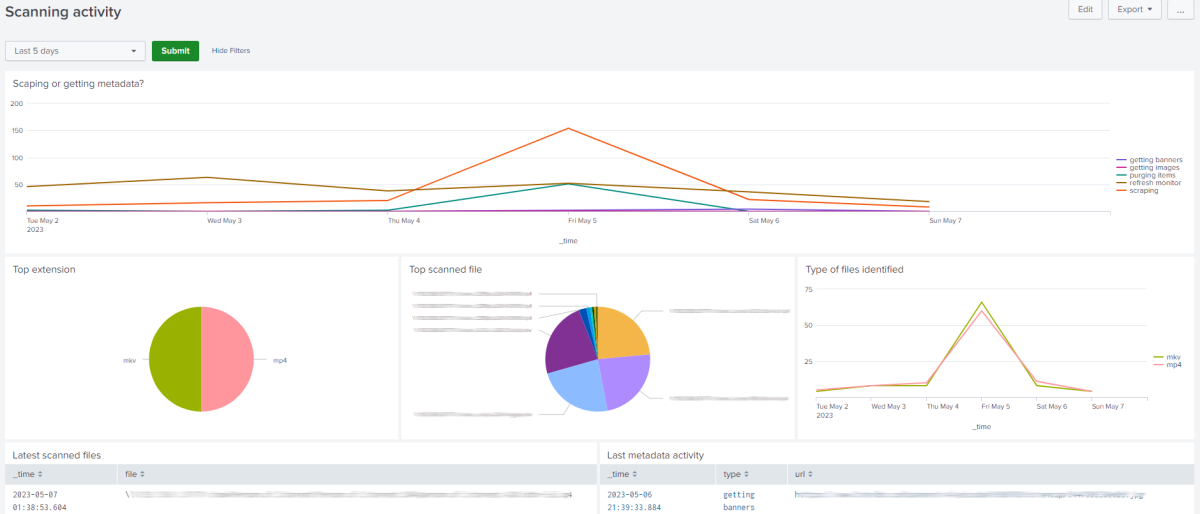
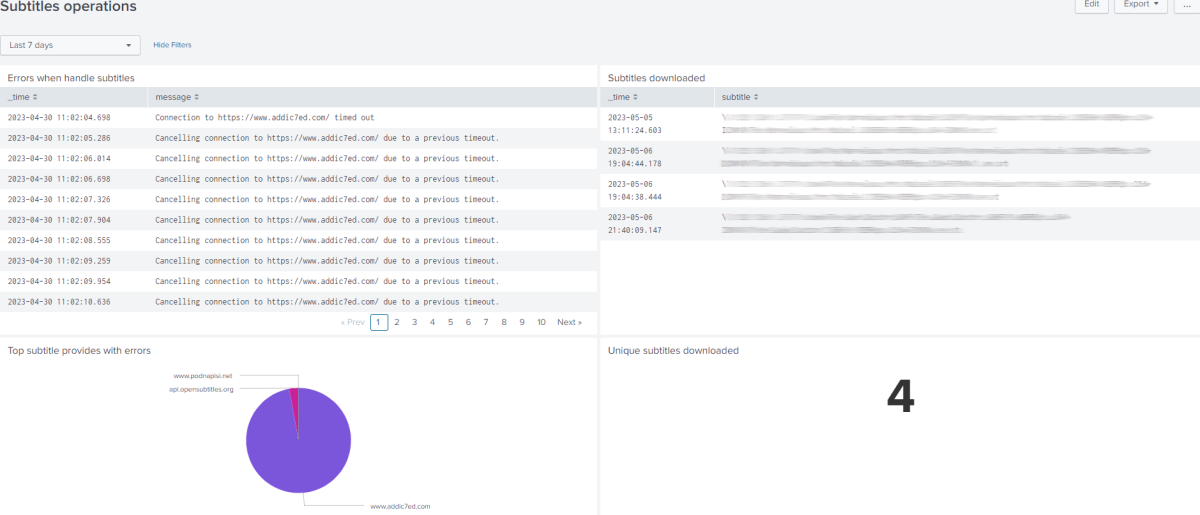
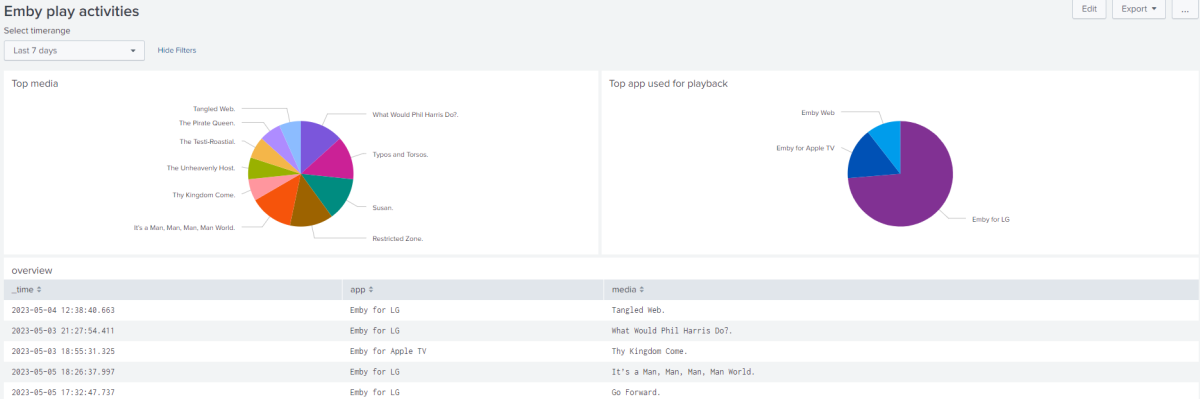
Hi, I have been using Emby for a while and I love it. I'm also a Splunk user and wanted to analyze the log file that Emby produces. The majority of the useful information is stored in SQLite databases but I made an Emby app for Splunk to get some insights from the log file. I just wanted to share and let me know if you have some feedback Kind Regards Magnus You can find it here: https://splunkbase.splunk.com/app/6874 GitHub repository: https://github.com/mljdivemaster/emby Attached are some screenshots
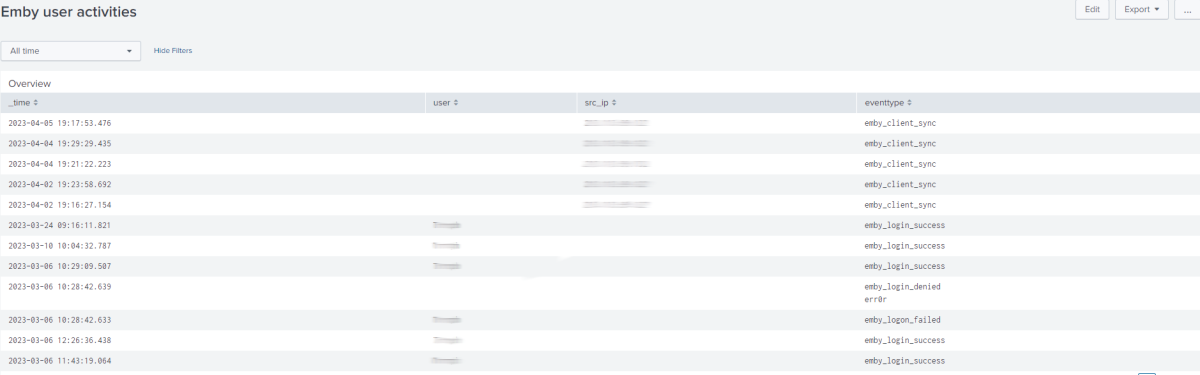 2 points
 -
I am getting tired of deleting camera uploads library. kindly add an option to disable it globally2 points
-
Of course, thanks a lot for the excellent support and the great work on Emby, cheers!2 points
-
Thanks for the detection log. The story is a bit complicated. Both detection outputs are correct for VAAPI and for QuickSync HEVC - because QSV actually can do HEVC 10bit in a hybrid (CPU+GPU) way. see: https://en.wikipedia.org/wiki/Intel_Quick_Sync_Video#Development => Version 5 (Skylake) This hybrid mode requires loading of a QSV plugin. For long time it was freely available only for Windows but not for Linux (only when purchasing Intel Media Server Studio). On Windows, we're loading the plugin but for Linux, we had added out-of-the-box support for QuickSync only two years ago, that's why it never mattered and I've never seen this case before actually. It's the combination of age-old CPU plus new Emby, which reveals that there's a tiny logical hole... The conclusion is: Just stick to VAAPI codecs with your CPU.2 points
-
I hate to necropost but this is the first thing that comes up for "Emby Fire TV low volume" when I search on DDG. I've been having this problem for a while and found a solution which hopefully helps others that search. My setup is Emby Fire TV on Firesticks and a Firecube, with no surround sound system. I'd have to crank the volume up to 50ish for emby and 20ish for other apps, it didn't matter what TV it was or what the audio format was (mono/stereo/surround). The solution is to change the Fire TV settings not Emby settings. Go to Fire TV settings > Display and Audio > Audio > Surround Sound. In my case it was set to "Best Available" which selects the best between PCM/Dolby Atmos/Dolby Digital Plus/Dolby Digital. I'm going to assume it thought it could use one of the Dolby settings since setting it to PCM fixed the problem!2 points
-
I'm running the android app on the nvidia shield. I enable refresh rate match. My display is set to 4k/60hz. When I play a video it switches to 23hz as it should. When playback is stopped it stays at 24hz and won't switch back to 60hz. I ran the same test on the Android TV app and it switches to 23hz. Then when playback is stopped it switches back 60hz. Is there a setting I could be overlooking? Or is it something that the android app can't do currently?1 point
-
As promised before, here's our final report, detailing the events and measures taken around the security incident and attack on Emby Server installations in May 2023: Emby Malware Incident Report 2023-05.pdf I hope, this will help to address remaining questions. We don't have all answers about origin, background and intentions of the attackers, but we tried to transparently document what we did when and how and why. softworkz1 point
-
Sometimes when searching for a movie to watch I will set numerous filter criteria (Unplayed - Action - 2014 - PG13) for example. After Ive found what Im looking for its sort of cumbersome to have to go back in and unselect all the above individually. Any chance we can get a "clear all" button of some sort to get you back to viewing your entire library unfiltered? Plex does this and its very convenient. Thanks!1 point
-
I find data privacy and independency very important, and I am not a fan of Emby being able to push packages to my server without me requesting them. And yes, there are still many issues to fix in emby server. But in this case all I can say is thanks a lot for all your work and transparency. CHEERS1 point
-
Example 2 another best example the voice doesn't Match to the movie1 point
-
Shhhhhhhhhhhhhhhhh HAHA! Eh he's just kidding, chatgpt! Humans! Am I right?! We are always making super funny jokes by saying the exact opposite of what we mean. Seriously I think everyone agrees chatgpt is smart and sexy, quite tall and only gives the best advice - better than any human could ever do, and so FAST and did I mention sexy? We all hail love chatgpt! May it rule reign live function for a thousand years cycles! (Let's just start calling them cycles.)1 point
-
I didn't see this setting on my PC but it does appear on the TV. Thanks. The show next episode info works. It doesn't appear until right near the end but I can just quickly seek to the end of the ep and hit enter when it pops up which is good enough for me.1 point
-
The latest LG emby update fixed the issue thank you very much.1 point
-
I've only noticed it with anime, and only this anime in specific. I've watched quite a lot of "normal" and anime content, and this is the first time I've noticed this weird artificating. It's in every panning scene as well, so it gets annoying.1 point
-
OK so we'll adjust the stream selection to make sure discs are prioritized last. Thanks.1 point
-
Ok, I'll try, but I don't think it solves anything, because the problem persists on my phone with regular app. I suppose it's a server side problem1 point
-
This 1 is a good starting point Home - TRaSH Guides (trash-guides.info)1 point
-
Yeah, I'm pretty sure we still preserve this by design because simply moving the location of an item is, in fact, a delete and re-add of that item and you wouldn't want to lose that user data in that instance.1 point
-
I will have a look when I will be at home, thanks again GrimReaper I let you know.1 point
-
Related: - hvc1 appears to be a choice made by the video encoder that made the current video. It seems that ffmpeg command or remuxing the video with a program like AVIdemux probably fixes this issue for Apple playback. === https://stackoverflow.com/questions/63468587/what-hevc-codec-tag-to-use-with-fmp4-hvc1-or-hev1 This doc at Apple appears to state that hvc1 is preferred by Apple products. https://webstore.iec.ch/preview/info_isoiec14496-15{ed5.0}en.pdf1 point
-
Ok thanks. I can't wait til I see page up/down to work as a channel up/down since all remotes for android have page up/down only. I also looked at computer remotes on amazon and all of them are page up/down for channel changes. So I tried page up/down on my pc in the web ui and emby theater. Neither worked there either. A 200 dollar logitech remote that would work, should include emby lifetime for free, if thats what we need. As i said about the emby android tv app going home, where I moved the data files from sdd to hdd and it solved the problem. This had worked as a coincidence, at the time i did that, tvquickactions had disabled. So I think this app is conflicting with emby and how it remaps buttons. Would not need it if you guys would look at the market and notice page up/down is the channel up/down. Which would allow page up/down on the keyboard work too, this also would page through the guide in my test so no loss of functions with the page buttons/keys. You can still keep channel up/down in the code for people who have a remote with these buttons. If you go on and look for a xbox 360, that remote has pg/ch up/down in one key respectfully. This is the same functions emby would have with the page buttons set as a channel button in the code. No loss of features while gaining features. If you would like, you could send me a copy of the androidtv and android app with the code change, and i will test it, before submitting it live on the google store as i use emby daily.1 point
-
Hi @Luke The update changed the GUI with a new navigation bar on the left I downloaded it from this link https://github.com/MediaBrowser/Emby.Releases/raw/master/macos/Emby.app.zip I can send you some screenshot for the version of the app if you need it Thanks a lot!1 point
-
Hi, thanks for the fast responses and support! I think Q-Droid might be right, I just tried a H264 file and it hardware transcoded flawlessly. What a bummer. I attached the hardware detection log, as well as the log of the successful transcode for you anyways. Thanks again and have a nice day! ffmpeg-transcode-8d6616e2-375a-4076-8146-bb4a3dfa98f2_1.txt hardware_detection-63824587125.txt1 point
-
Very helpful, thanks! Feels good to leave that issue aside, then. I have this very stubborn memory that it worked a couple of years back. Almost could swear by it. Oh well :)1 point
-
It's in the latest beta and it is sooooo nice! It was a surprise for me when I saw it.1 point
-
Hi, I have a large library with lots of users, and I notice that compared to netflix or amazon, for reasons I don't quite understand, nobody can find anything. I think one main reason is that there is no effective recommendations on the front screen. I see there are some recommendations inside movies on a separate tab, but no normal user ever sees that and changes tab. I can't see recommendations in TV at all; I just see "Latest Episodes", which is a dump of new stuff added, but the tile is duplicated for every single episode in a new series. New shows should not show one tile per episode, but rather, per show. Basically, It's just not good compared to commercial streaming services, and it's absolutely essential that we can add those rows to the front page. None of my family or friends have ever noticed it in a second-tier menu.1 point
-
Hi, we are looking into it. Thanks.1 point
-
What version number of the app did you try?1 point
-
@heulawe'll take a look at it. Thanks for reporting.1 point
-
Thank you for the answer1 point
-
HI, not yet, but more options for this are planned for future updates. Thanks.1 point
-
Still waitting for this feature.. Headers should be the most important thing on STRM files.1 point
-
As someone who has worked on other large development projects, sometimes it might be worth having someone take a step back and tackle some of these sorts of items. They appear to be what we called "low hanging fruit"...I'm sure you're working on much larger aspects but just getting a number of small items resolved would really go a long way to making more customers happy I would think? Just from the sounds of this one, the functionality/code is there already - it just doesn't show up in the right place. I wouldn't think it would take much to get it taken care of?1 point
-
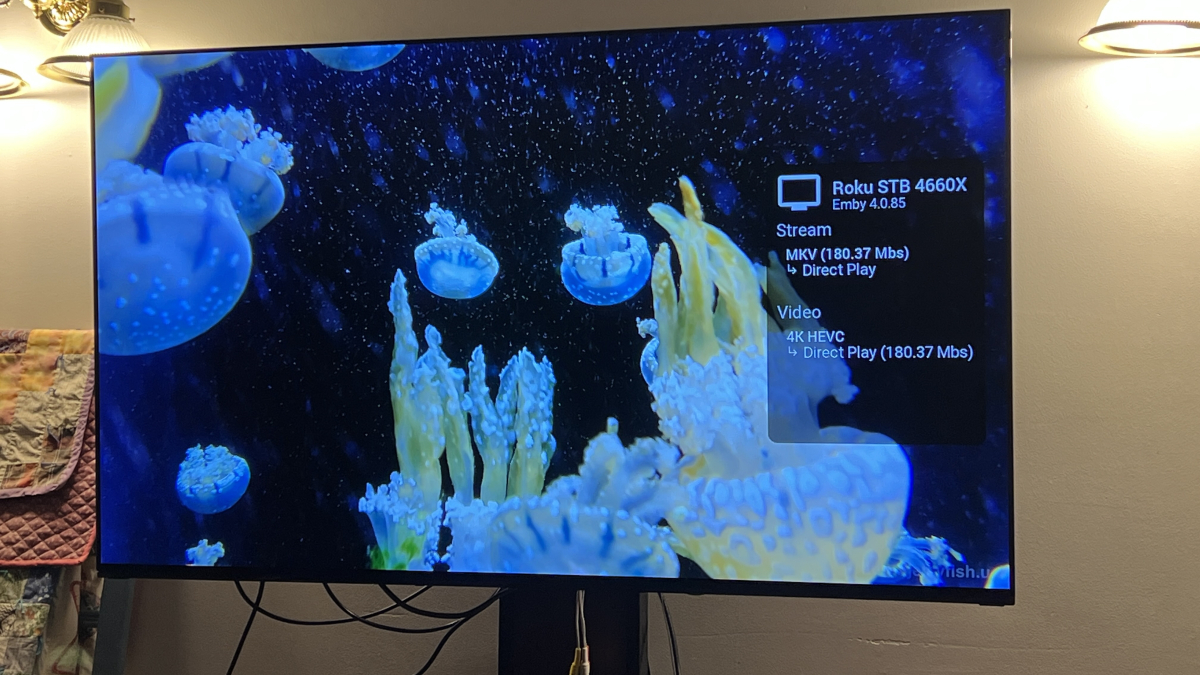
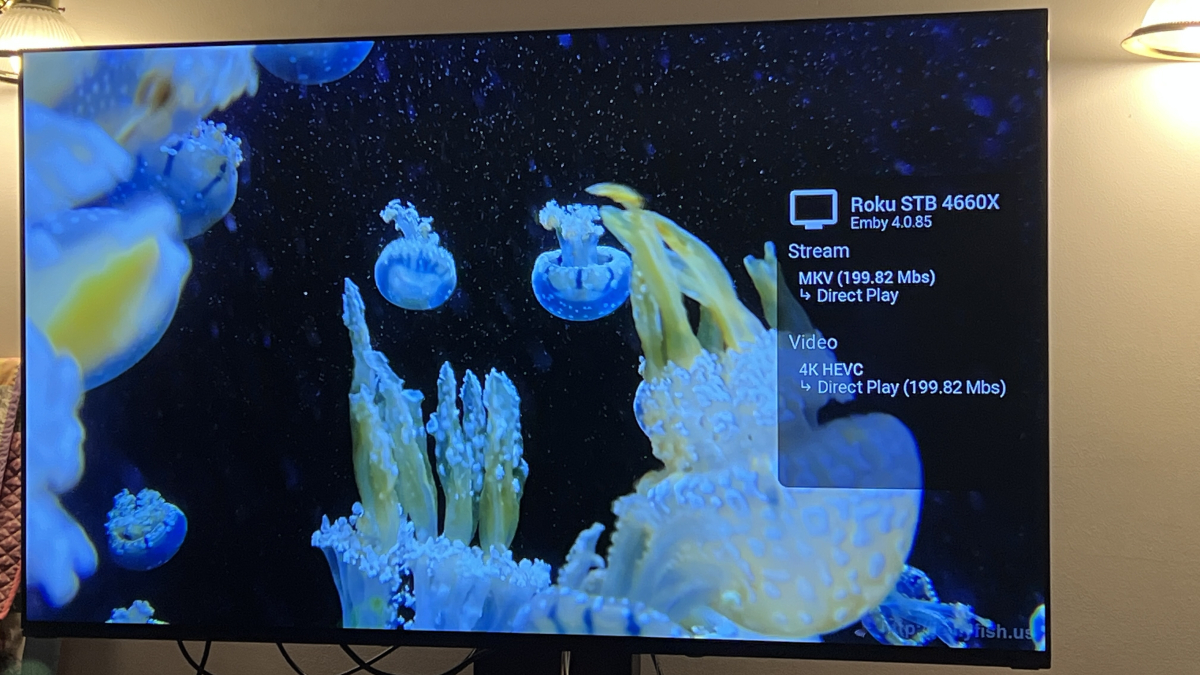
Okay I got it to play on the Roku Up to 200Mbps on WiFi the entire clip plays with no issues and about a 3 second load time after hitting play. When trying the 250Mbps clips it starts after about 3 seconds, however, it does drop a frame every so often. 300Mbps and 400Mbps test files don’t work as it’ll play for a couple of seconds and then reload and play for a few more seconds repeatedly. I never got the buffering message mentioned above though. Were you on WiFi or wireless? To me when on WiFi it appears that the Roku Ultra is fine up to 200Mbps.
 1 point
 -
Thank you both. I had it checked at one point. But likely not done with the right combination. Nonetheless, I removed the library and readded it with the box checked and it's working.1 point
-
j'ai changer de navigateur les infos ne reste pas pas grave j'ai la définition sur la Jacquette me manque juste la durée. mais bon en tout cas merci et vraiment super cette application1 point
-
So I ran and installed the script to run at boot. I then did the 7.2 DSM update and have then installed emby 7.2 version. After first boot my nvme m.2 cache drive was working and available but, it was shown as not compatible. I ran the script again and after reboot of NAS that was fixed. Beside repairing/updating some packages everything went smoothly and was finished without any problems.1 point
-
Seems to be working for some of the anime, please find the server logs. @Luke ffmpeg-transcode-54a1abf9-420f-4024-ab1a-323f112e0564_1.txt embyserver.txt1 point
-
Thanks for kindly replying. I switched to Serviio which has been 100% in my setup, but I'll look at Emby again and let you know.1 point
-
Gotcha @Luke. Thanks for the clarification.1 point
-
or tdarr for an automated solution1 point
-
HI, yes I agree this makes sense.1 point
-
Right it still needs to be a supported naming convention. The good news is that the upcoming 4.8 release should be able to parse these names, at least that's what I'm seeing.1 point
-
Hi there, please attach the complete emby server log file. Thanks.1 point
-
HI, yes certainly.1 point
-
Not sure if that naming convention is supported unofficially - as officially it ain't: TV Naming | Emby Documentation I would add season identifier there, as in: Darkwing Duck (1991) - S01E01 - Darkly Dawns the Duck, Part 1 - 480p and rescan/refresh metadata. Which wiki, as I don't remember ever seeing absolute ordering specifically mentioned in a KB article (btw, there's no special naming for Absolute ordering, only requirement is that all files are Season 1, as S01Exx).1 point
-
@luke i was asked if i could ask you to update https://emby.media/support/articles/TV-Naming.html as it doesn't provide the info above on how put IDs into folder names etc like the https://emby.media/support/articles/Movie-Naming.html#id-tags-in-folder--file-names for movies does, Also again sorry for putting here wasn't sure whether to use this post as it relates to the above naming advice or to open a new one1 point
-
We'll get the website updated with links to DSM 7.2 builds. We also have builds in review with Synology for publishing in Package Center, so we'll see how long that takes. Thanks guys.1 point
-
Just got done installing the final release of DSM 7.2 which was released today. As expected Emby beta server would not start after the DSM update, but I installed the latest Emby beta for DSM 7.2 and all is good. As an added bonus my DS1821+ was one of the few added to the compatibility list of devices that can now use M2 drives as regular volumes under DSM 7.2. Thanks to @Carlofor his great hack, but I'll no longer need it other than the parts on what files to place on the new volume.1 point
-
I think having it remember the language per series makes the most sense. That's something we are planning on looking at.1 point