Leaderboard




Popular Content
Showing content with the highest reputation on 07/09/23 in all areas
-
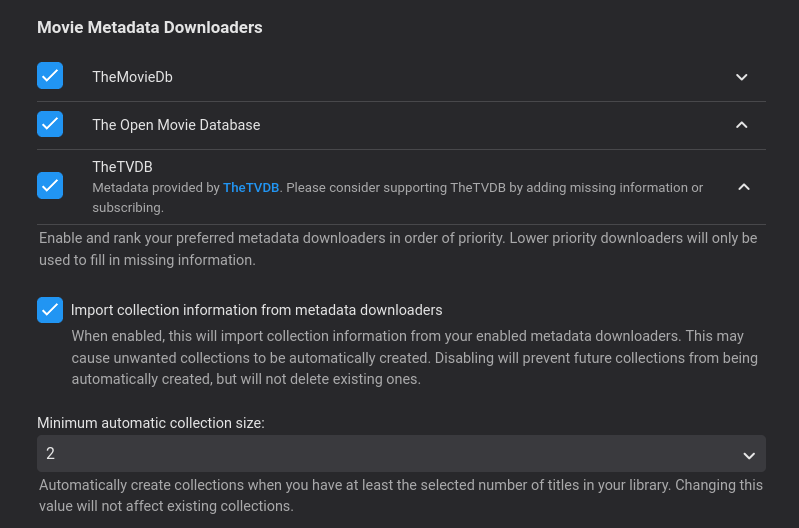
Did you enable "Import Collections .... " and then do a meta refresh ? In your screenshot its disabled.3 points
-
Thank you both. I had it checked at one point. But likely not done with the right combination. Nonetheless, I removed the library and readded it with the box checked and it's working.2 points
-
Right. The difference is that ID's have to be known/fetched from Emby for the libs and items whereas the "path" string needs to be a valid location. Easier to integrate with external apps/services as long as the "path" is the same for both.2 points
-
If you are going to sideload - then sideload the Beta version of your current AndroidTV App (2.0.88) as well - as that now uses exactly the same Exoplayer - so may work as well. AV1 is supported - but I've only tested on a FireTV 4K Max, not a Google TV device. https://emby.media/community/index.php?/topic/42240-emby-android-tv-release-notes-beta/2 points
-
Click on the link provided above by Luke. Download the APK. Side loading involves you installing that APK on your device outside of the PlayStore. Here are just a couple of ways you can do that: How to sideload apps2 points
-
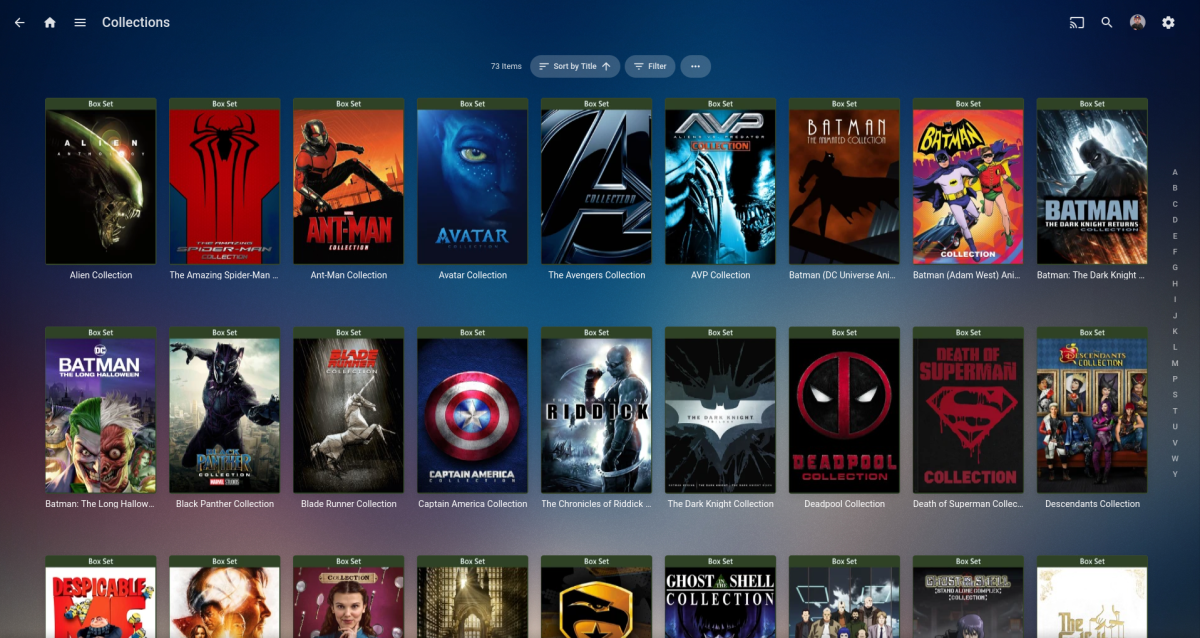
As @jaycedkstated try selecting "Import Collections .... and then do a meta refresh" You shouldn't need the "Auto Box Set plugin" anymore as it's now baked into the core server. I think the only reason that plugin is still available is for backwards compatibility for people that are not on the latest server version for some reason. *Note, all of this collection meta is from TMDB, I don't create any personal collections (except for tvshows)
 2 points
 -
In addition to what Luke stated: Are you going to the following URL: http://192.168.0.246:8096 Can you confirm that the IP address (192.168.0.246) is the IP of your ASUSTOR? Is there a reason you are forwarding the default non-SSL (http) port (8096) to the default SSL (https) port (8920)? Do you have SSL set up in Emby?2 points
-
Hi. Can you try sideloading our standard android app on the same device and see how that compares? https://emby.media/emby-for-android.html Thanks.2 points
-
Is this doable by some sort of plugin ? Maybe add your imdb credentials and then be able to rate movies here and have them on imdb as well (not talking about sorting here, just rating stuff)1 point
-
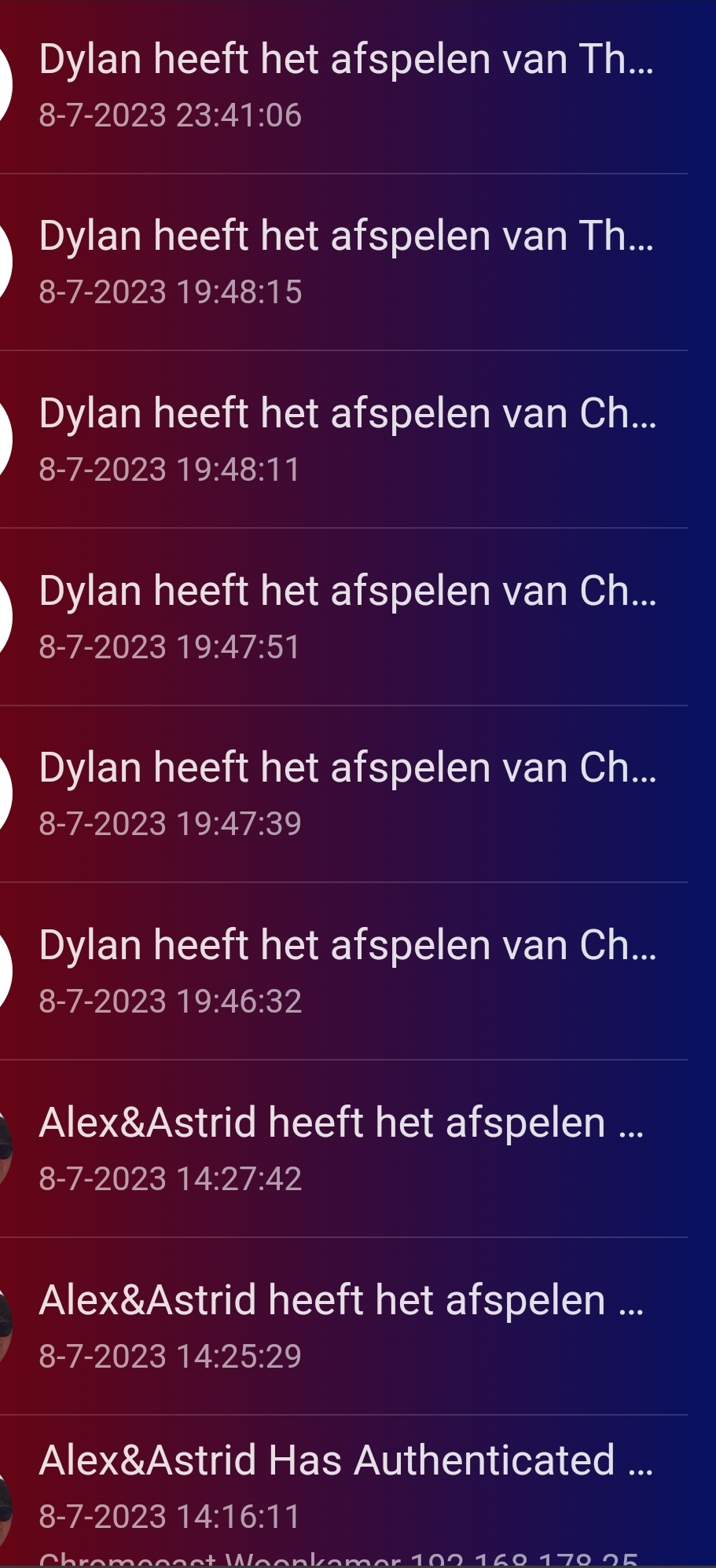
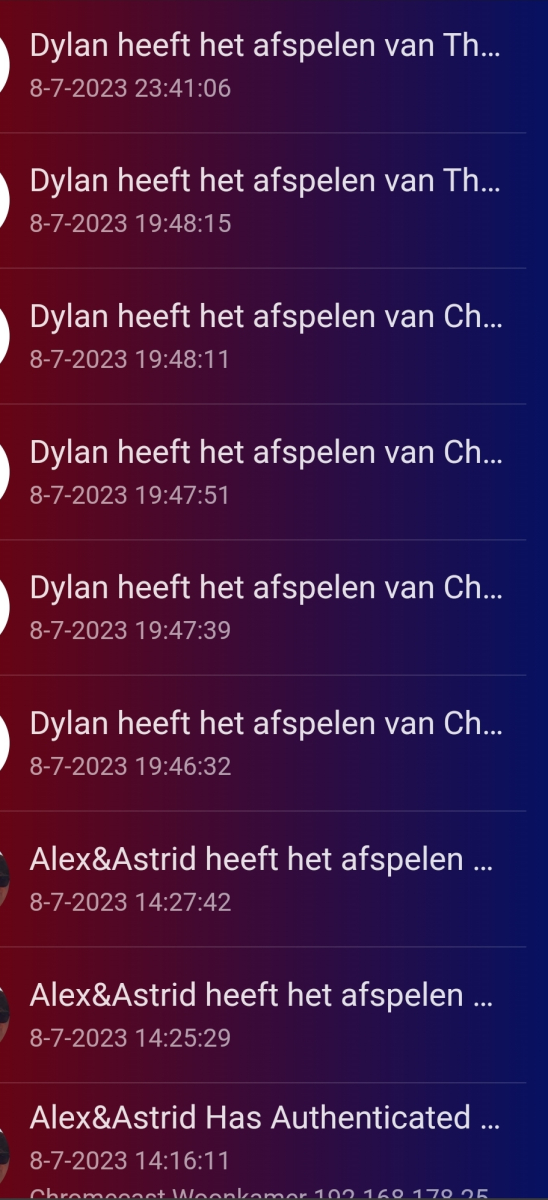
Reading the activities on the dashboard are a litlle hard when they are not fully visible on a phone. The lines should be fully readable on all devices. Hope this can be improved.
 1 point
 -
Hi, I have a large library with lots of users, and I notice that compared to netflix or amazon, for reasons I don't quite understand, nobody can find anything. I think one main reason is that there is no effective recommendations on the front screen. I see there are some recommendations inside movies on a separate tab, but no normal user ever sees that and changes tab. I can't see recommendations in TV at all; I just see "Latest Episodes", which is a dump of new stuff added, but the tile is duplicated for every single episode in a new series. New shows should not show one tile per episode, but rather, per show. Basically, It's just not good compared to commercial streaming services, and it's absolutely essential that we can add those rows to the front page. None of my family or friends have ever noticed it in a second-tier menu.1 point
-
It's not a hard limit and the performance and number of tracks limit does vary between model years, and even models of the same year (basic vs premium). You'll just have to test it to confirm if this is even the problem. I think over time it may have improved in newer models, but I can't say this for certain - it is very variable as it is a performance based issue with the Samsung internal player, not a hard limit that we can manage1 point
-
This has come up before. Your CPU which appears to be Gen 6 (Skylake) may or may not support HEVC 10-bit decoding in hardware. It's on the threshold and possible that some variants could. The QSV HW detection thinks it can but is failing. VAAPI detects (correctly?) that it can't and does not attempt to HW decode. When the correct plan is chosen (VAAPI enabled/QSV disabled) the decoding is done in SW and the encoding done in HW, lower overall CPU usage. When the plan fails due to errors (QSV enabled) then both decoding and encoding are done in SW and higher CPU usage. Short term options - keep QSV disabled since you have already tried the beta release which has updated Intel drivers and it still fails. Long term - perhaps @softworkz can review and figure out why HW detection is enabling HEVC 10-bit for Skylake. And if the detection is correct then why does it error?1 point
-
yeah thats what i thought and thats what setting i had it on. there's something very wrong with the calculations though, Disk 5 is targetting -85Gb (yes that is a negative ). yours makes sense with that backup approach. i'm going to stick with by %used and may report this to DP at some point.1 point
-
Since I bump in to this more and more often I will stress once more that this is a much needed improvement. While reaching many TB of data, what I am missing is more accurate progress. The library scan has gotten so slow for me that I tend to scan my different libraries separately when I notice one of them needs it. This way you unfortunately get even less information as no bar shows up. I do see circles on the homepage though with percentages, but either they sometimes don't show or are gone before I can notice them. Progress bars on the dashboard for this would be helpful, or a message that a certain scan was started/done/completed. Accurate percentages are much needed, though I guess directory/library/file being scanned may be more useful to check on progress as mentioned above.1 point
-
Thanks, I'll have a look. But yeah, if they don't go as a row on the front screen, then as far as all users I've observed are concerned, it simply doesn't exist.1 point
-
So I ran and installed the script to run at boot. I then did the 7.2 DSM update and have then installed emby 7.2 version. After first boot my nvme m.2 cache drive was working and available but, it was shown as not compatible. I ran the script again and after reboot of NAS that was fixed. Beside repairing/updating some packages everything went smoothly and was finished without any problems.1 point
-
This discussion might have what the OP is looking for to trigger a scan on a given path.1 point
-
And yet that's what I have decided to do. I don't need 2-3 times the space. I'm looking for quick, compact and convenient, portable.1 point
-
I didn’t check your logs, but generally pass thru is what you want1 point
-
No, Samsung apps cannot play TrueHD (uncompressed format) Try this article, it’s written for LG, but the reason is the same. https://emby.media/support/articles/LG-Why-not-Atmos.html1 point
-
As @FrostBytehas mentioned, on Samsung avoid transcoding and pick an audio track that is suppported. Uncompressed TrueHD, ATMOS and DTS are not supported only compressed TrueHD/eac Best to use a high quality supported audio track like ac3 that is built in rather than having the server produce a lower quality one1 point
-
My guess is that there are too many audio and subtitle tracks. Common if these are AppleTV rips and a known problem with Samsung TVs if you have more than a total of about 25 tracks Use MkvToolNix or fffmpeg to strip out only the video/audio/subtitle and chapter tracks that you actually need into a new file.1 point
-
Luke may still wish to see that other stuff (logs, etc) if you can upload. He may be able figure out why it's acting funny. However, this problem isn't uncommon with HD audio and movies of high bitrate and the Samsung app. From a users point of view though why even bother with transcoding. If you already have a compatible audio track why make the server try to convert it on the fly, especially when you already have something of better quality without converting. BTW: PGS format subtitles is another which causes the Samsung app to buffer a lot. Best to have text format subs like srt when using Samsung app.1 point
-
That Dolby Atmos is probably Dolby Digital Plus w/Atmos. The kind you get from online streaming services like Disney+. That your TV can play. The Frame may be able to passthrough TrueHD (in from another device and then out to another), but in order to play TrueHD from an app installed on your TV it needs a decoder. That chart in the back of your users manual will list all the codecs it supports. As a test you can try disabling transcoding on the server. If it plays then the devs can take a look at changing it so it doesn't transcode. However, right now the app pretty much follows what that chart says and transcodes what isn't supported.1 point
-
HI, yes I agree this makes sense.1 point
-
Actor lists go with movie metadata, so those get backed up however you normally backup your movie metadata. If you edit the description of an actor though, that goes into the database and is a little trickier to backup at this time. Ultimately if you want to bring it to a new server installation, our guidance is to bring the whole install, data folder and all.1 point
-
That's our TV app. You can leave it installed. Can you try sideloading the app that I linked you to? Thanks.1 point
-
Sounds good, thanks!1 point
-
It's working now.....I assume with all these thumbnails the media scan just took a real long time in the background and that was why I was not seeing them at first.1 point
-
I finally found the issue. I had to deactivate auto sound formats (Atmos, Dolby Digital DTS etc) in the Shield menu and set it to manual. From there I activated all of the formats and bingo. DTS now works... The shield is directly connected to the soundbar and the sounbar to the TV via ARC (The TV is also set to passhtrough). I no longer have audio lag too. Everything is running smoothly. Thanks for your help in trying to solve this issue.1 point
-
ah ok - so yet another reason to not upgrade lol1 point
-
Yeah thats why.1 point
-
That is network speed. That doesn't mean that the Roku device can handle that high of a bitrate (either on its network bus or its graphics processing). I suspect the devices will handle bitrates much above what they publish as their max (40mb/s) but I'm not sure they go much over 100 but haven't really tested it.1 point
-
I still have to go through all the steps to have transcoding work on FreeBSD based TrueNAS Core. So far no one has developed a better method.1 point
-
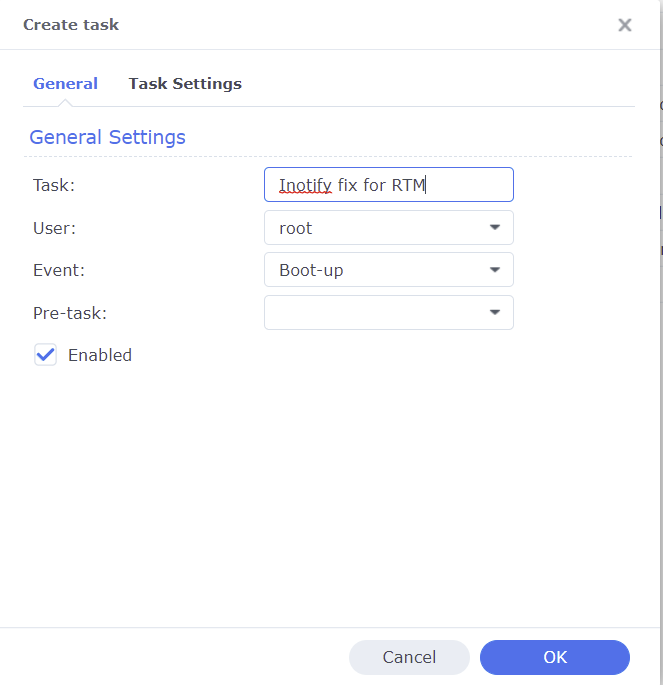
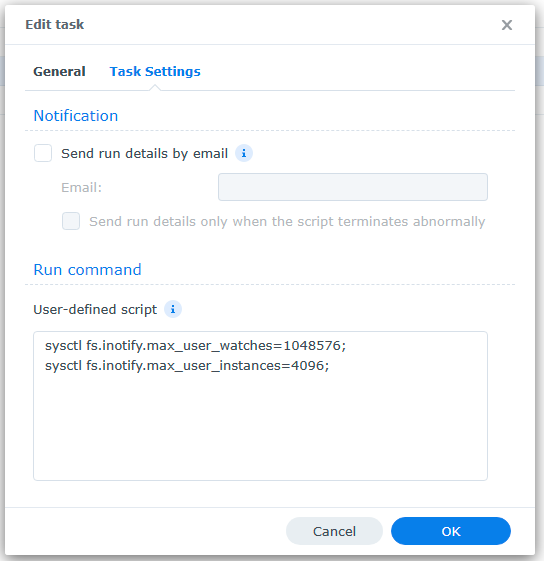
A common reason Emby's Real Time Monitoring (RTM) stops working on Synology NAS is because the Unix set user limit on inotify instances and/or watches has been reached as a result of a large number of changes for instances to process and/or the total amount of folders, files, etc that need to be monitored by watches. When RTM stops working you may start to see errors in your server logs like the following where the default number of user watches (8192) has been reached. A similar error will show up when the default inotify instances (128) is reached. System.IO.IOException: System.IO.IOException: The configured user limit (8192) on the number of inotify watches has been reached, or the operating system failed to allocate a required resource. To increase the number of inotify instances and/or watches create the following task in DSM control panel Task Scheduler logged on with admin privileges. 1. Create a Triggered Task...User-defined script to run at Boot-up 2. Paste the following commands under the Task Settings tab sysctl fs.inotify.max_user_watches=1048576; sysctl fs.inotify.max_user_instances=4096; 3. Click Run to execute the new task (if not logged on as admin then a restart may be necessary) The task will then rerun during every boot to prevent the changes from being reverted back to default from a DSM update. To check that your changes took affect you can optionally run the following commands in Terminal cat /proc/sys/fs/inotify/max_user_instances cat /proc/sys/fs/inotify/max_user_watches If your library gets really big and the limit of user watches is again reached, then just increase the number again. The maximum number of watches allowed in Unix is 524,288 and each used watch takes about 1kb of memory on a 32-bit system (double on 64-bit). However, it will only use what is needed based on the number of items being watched.
 1 point
 -
For users with Samsung Tizen SmartTVs (2015 - Present) who want to test the latest version of the Emby client app before it's submitted to Samsung for release in their app store. These installs should be considered beta until approved by Samsung, however they are the same ones submitted to Samsung monthly for inclusion in the Samsung store. Samsung's policy is that the only official way to distribute apps is through the Samsung store and that usb installs should be used for testing purposes only. Because of this policy Samsung has mandated that usb distributed apps must expire within 30 days of compiling. To help with testing you will be remined to update to the latest beta release as the app expires to ensure you are using the latest version when reporting issues. This install will also work for those who don't have access to the official client app in the Samsung app store. However, the same rules must be followed as indicated above. Release notes and version number For the latest release notes and version number click on this post https://emby.media/community/index.php?/topic/31461-emby-for-samsung-smarttv-release-notes-tizen-orsay/ Installation instructions Download this zip file: https://github.com/MediaBrowser/Emby.Releases/raw/master/tizen/tizen.zip Format a USB 2.0 stick using FAT16 (some larger USB 3.0 hard drives have been found to not work) (newer models may support other formats, check your users manual) Copy the tizen.zip file to the root of your USB stick Extract the contents of the tizen.zip file to the root. (This should create the folder 'userwidget' in the root of the USB stick and the folder should contain the two files needed) Turn on the TV Make sure your TV is connected to the Internet Plug the USB stick into the TV's USB port. Installation should start automatically. (There will be 3 quick messages in the upper right corner of the TV) Click 'OK' once the installation is complete. Optional, add the Emby app as a shortcut to Home Start the app from the Smart Hub or installed apps section of your TV. Troubleshooting If the installation does not start automatically, then please ensure your TV firmware is up to date and try again. If you get an installation error, try the process again with the USB stick formatted ass FAT32. We've received reports from users that installing from USB 3.0 hard-drive devices does not work, so please make sure to use a USB 2.0 thumb-drive device. Also, make sure the thumb-drive is unlocked/writable before plugging it in. The TV will need to write to your thumb-drive. Users with 2015 Samsung SmartTVs may experience an issue where the USB version of the app deletes itself upon restart of their TV. This is a security measure implemented by Samsung in which we have no control. If this is the case you may have to leave the thumb-drive in the TV and reinstall upon reboot, or install the latest release version of the client found in the Samsung app center. Updating from a previous USB install The app will notify you when an update is available. To update a previous USB install just repeat the instructions above. Notes: Certain Samsung SmartTVs have an issue where the app won't upgrade from USB drive if there is already a USB version installed. If this is the case you'll simply delete the old version before inserting the USB and then repeat the same installation process to install the new version. Also, try power cycling your TV after deleting the previous version if you have problems.1 point