Leaderboard




Popular Content
Showing content with the highest reputation on 07/02/23 in all areas
-
Short read: https://www.change.org/p/tell-the-fcc-no-drm-encryption-of-atsc-3-0-broadcasts Please sign if you agree!2 points
-
Just popping in here to thank @pünktchenfor this plugin. We use it here almost everyday & love how easy it makes it to "syndicate" our favorite shows So thank you for all your hard work & hope this plugin stays around!2 points
-
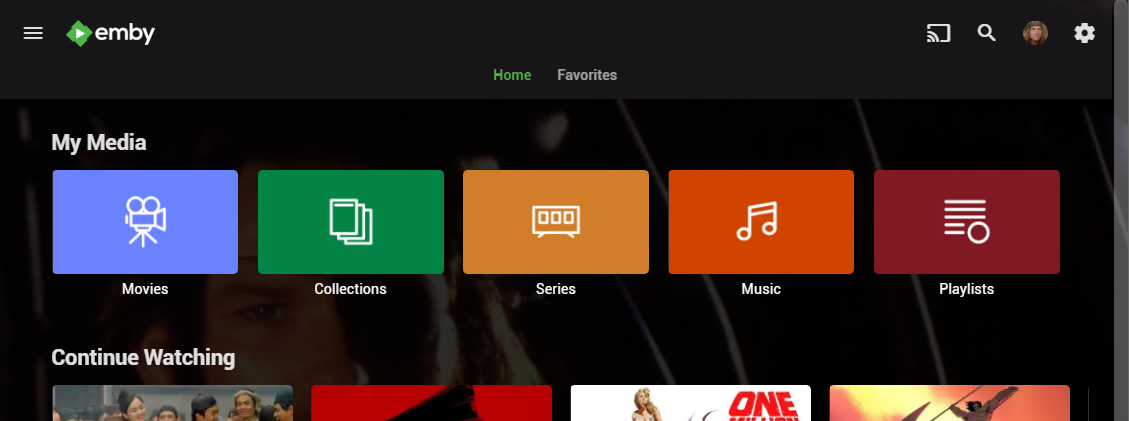
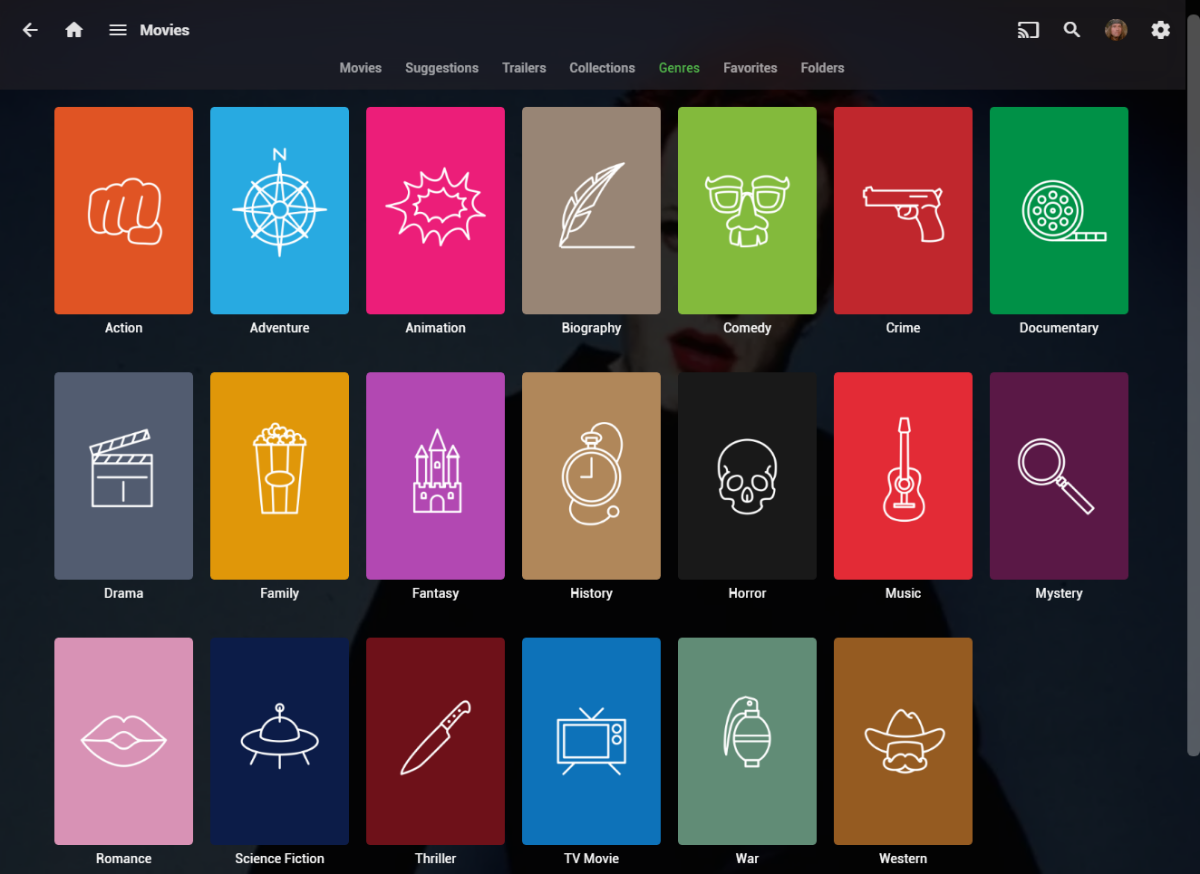
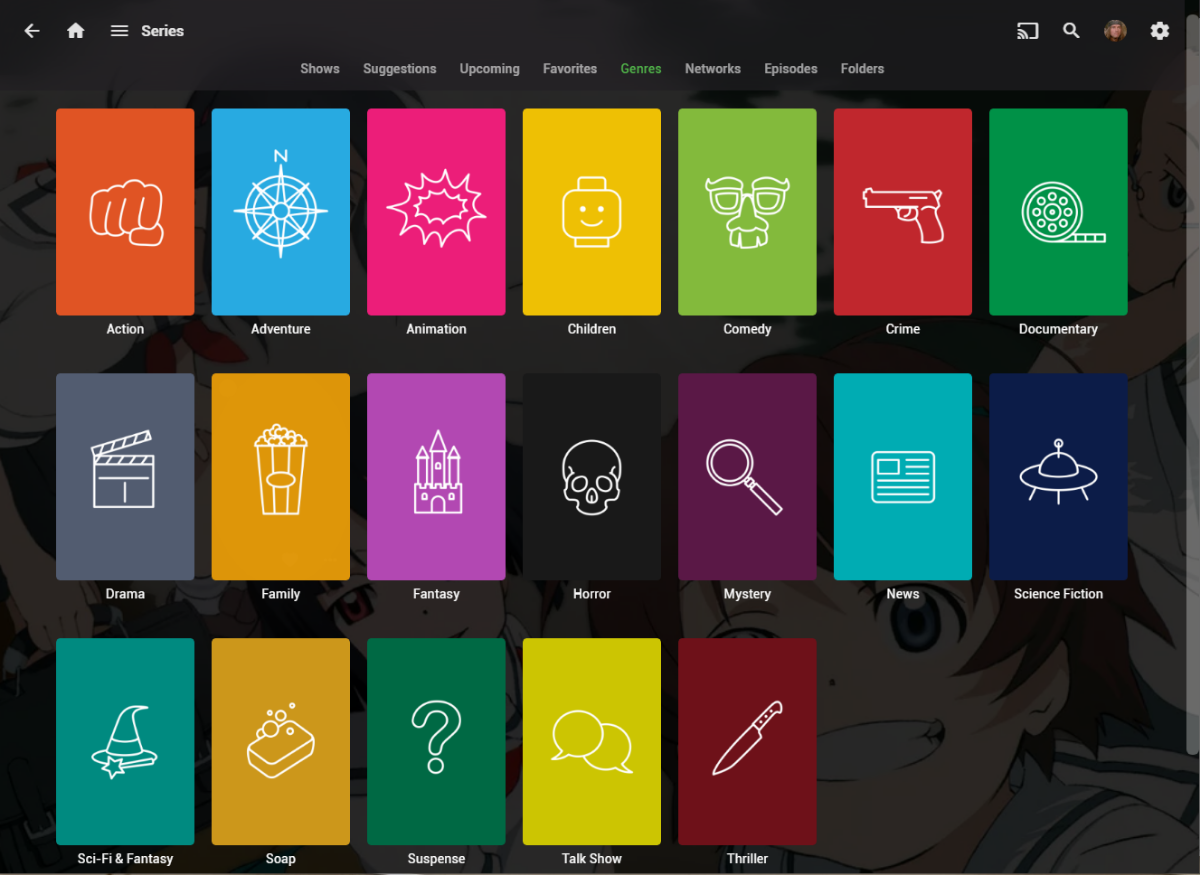
I wanted a colorful, but minimalist set of Library and Genre icons for when I'm using Emby on Roku, and something that stood out dramatically from the movie posters and thumbs. Here's what I did for the My Media set. Here's my Movie Genres: And the Series Genres RAR file attached with the full set as PNGs, and there is some in the archive not shown above (like Sports and Adult). Enjoy! -Mickey EmbyIcons_v4.rar
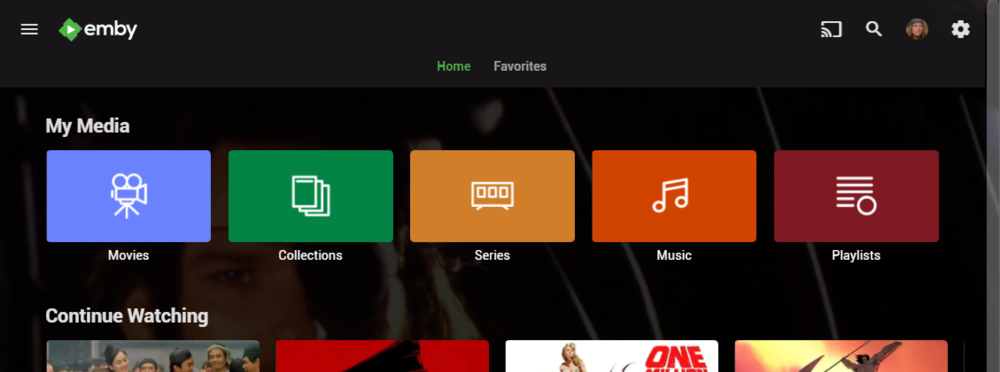
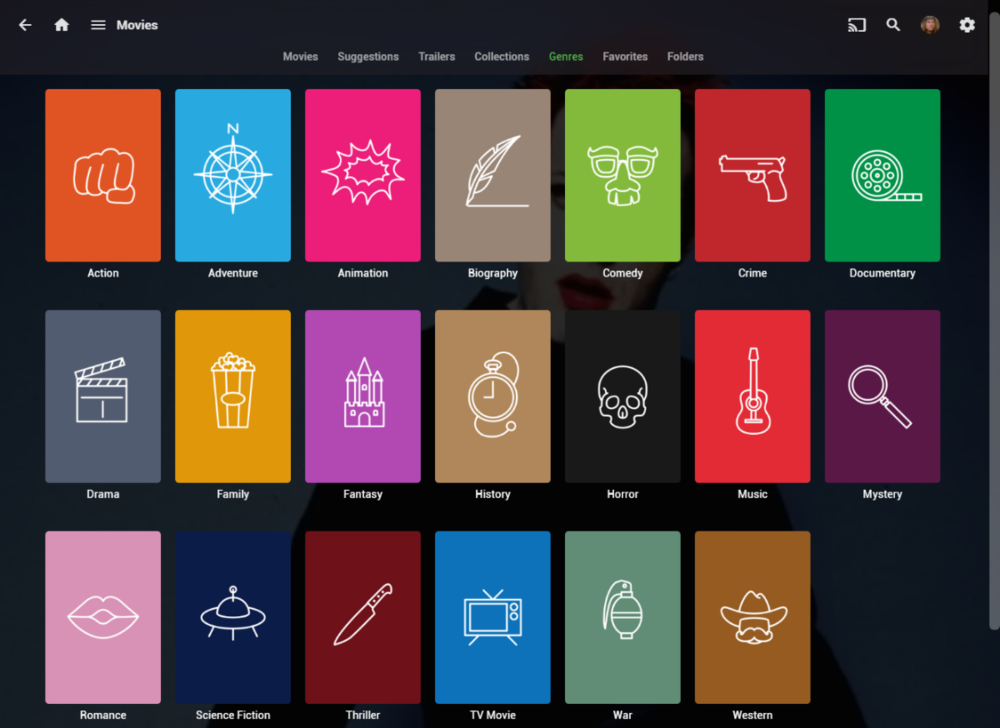
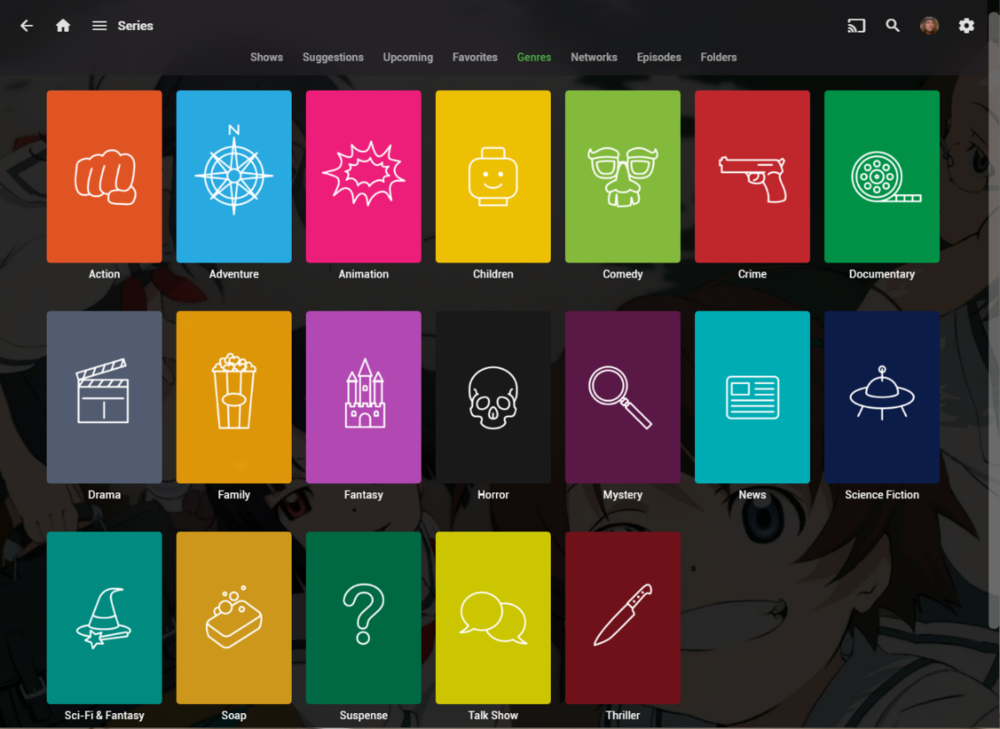 1 point
 -
Could the way User Settings are handled be changed so that: 1 - Every setting that is changed via the Admin/Server - Users settings page becomes the new default for that particular user (instead of the Emby supplied default). 2 - Any setting that is changed appropriate for an end user to change from within that particular user account being signed in is saved at the local device level, and would be used instead of Server specified defaults. This wouild: A - Allow us to adjust the default behavior when NO local settings exist. B - Still have local device specific settings override what have been set as Server defaults. (Allowing the same User to have different settings per Device - as it is now.) It doesn't seem like the logic would be that much different than it is now. Assuming if no local settings already exist today, the Server has to pass along what it has them as for a starting point. The change wouild just be allowing us to alter what any of those base default settings are.1 point
-
I would like the option to put a limit stream rate limit for in-network devices. We have several houses that have openvpn tunnels which make emby connections appear to be local to the emby servers; so the existing rate limit option won't apply.1 point
-
The meta data pages let you separate text in the Overview with carriage returns; however, on the clients, the Overview text is pushed together into one continuous line/paragraph.1 point
-
It would be very useful to link text metadata from the "Overview" section to other Emby media as well as HTML links to external content.1 point
-
TrAsH is actually wrong there, as that is JF scheme that doesn't apply to Emby, Providerid in folder name uses "=" as in: (note the equal sign). I've already raised an issue to include that in KB TV naming article, still pending: TV Naming · Issue #2 · EmbySupport/Emby.Docs · GitHub As far as Emby is concerned, those Meta-IDs might just as well not be there at all, since they're not read in that naming scheme (and maybe/possibly confusing parser). Don't know how feasible would it be for you to rename all of your series folders replacing dash with equal, but that would be proper course of action (note that that is a destructive action as your library would have to be rebuilt).1 point
-
Not currently,, but this question has come up before, and more options are certainly possible for future updates. Thanks.1 point
-
@DarWun, I just updated to 72_### and it is working again. Thank you !! -Derek1 point
-
Thanks Luke1 point
-
HI, bulk edit features are planned for future updates. Thanks.1 point
-
My Kodi log showed 503 errors with privoxy.org so I changed Kodi to a direct internet connection, restarted and now the addon is working. Thanks @quickmicfor noticing as well.1 point
-
You are correct in the sense of that i don't use Emby's random results, but it's not really my algorithm1 point
-
You need a Kodi custom skin and use plugin's custom nodes. Alternatively (if you don't want the homevideos to be synced) exclude the homevideo libraries.1 point
-
hey Luke, yeah about that all i did is changing the public port and set it back again, then its all good thanks.1 point
-
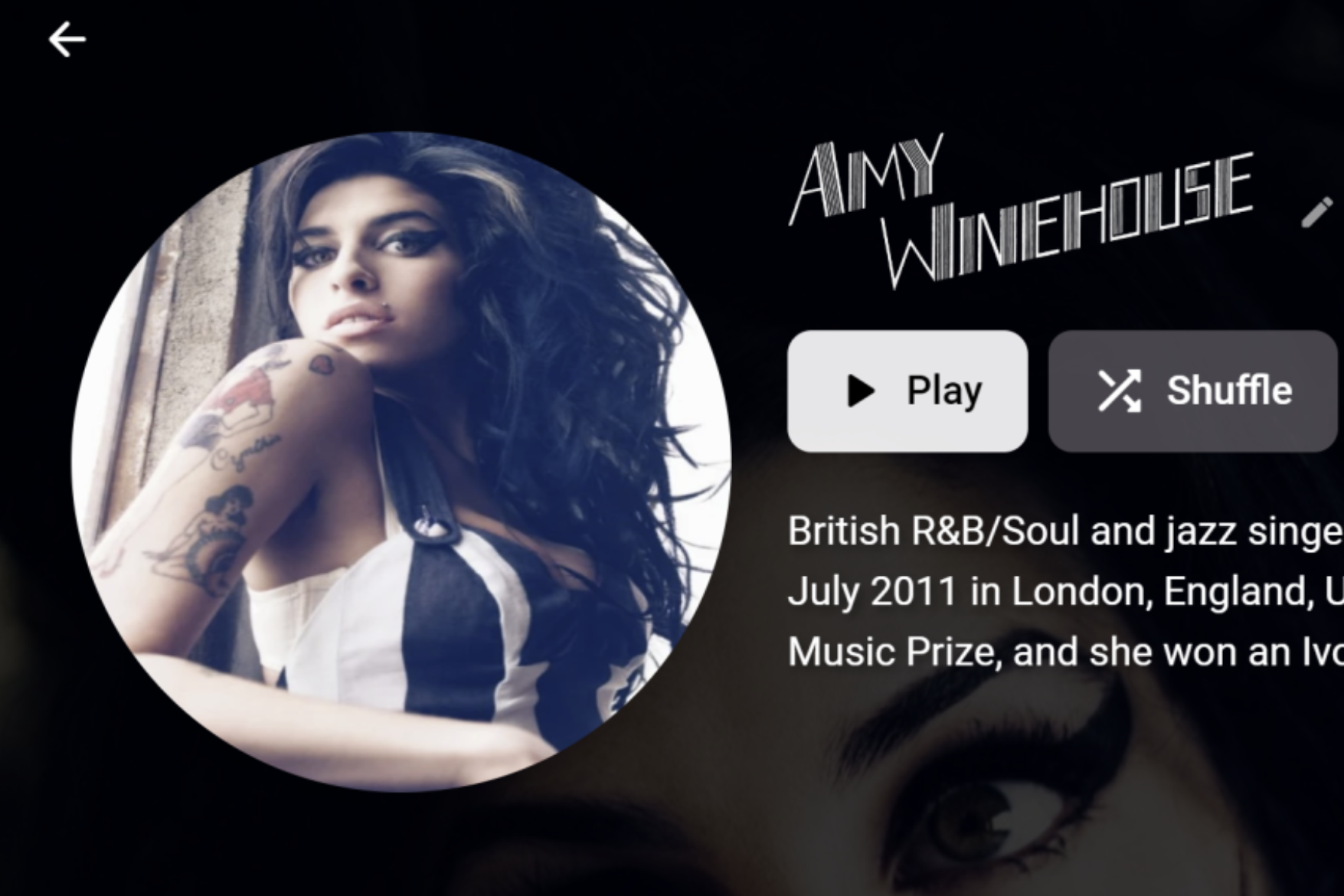
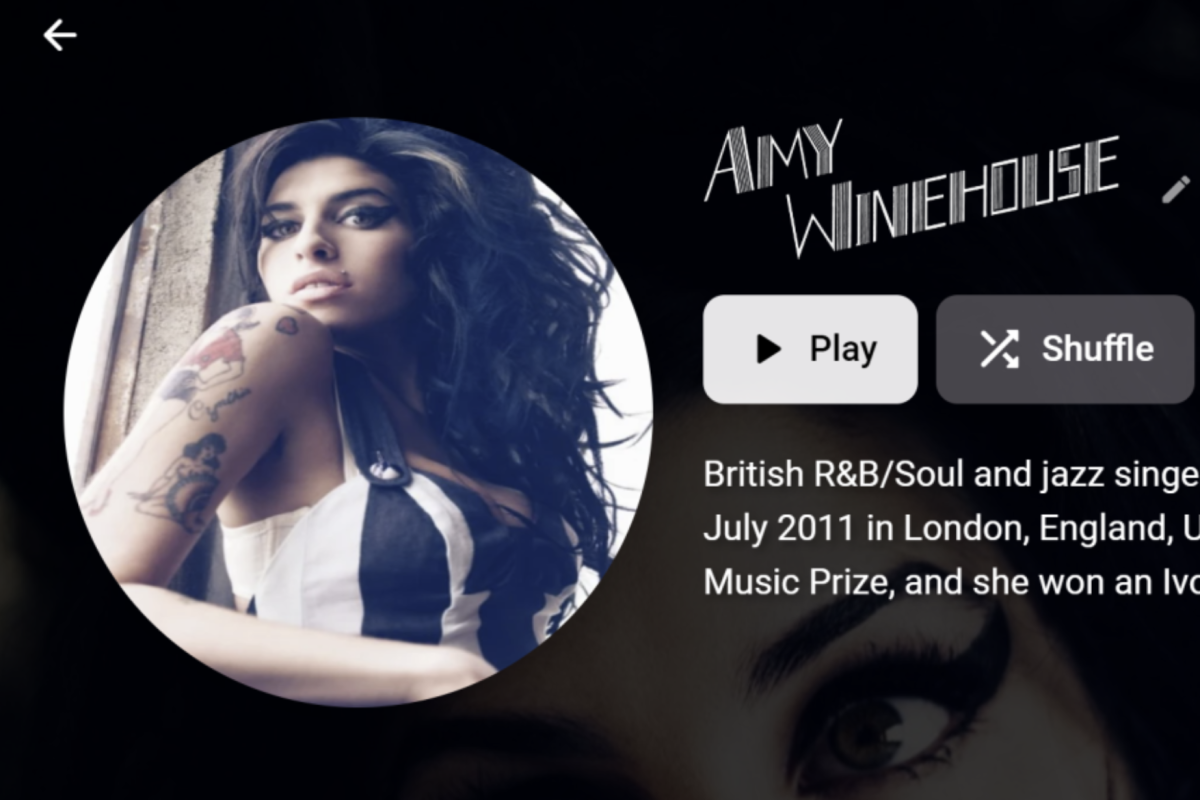
So, A library Scan is not picking up the provided media within the artists folder A "refresh metadata" is grabbing a new image and placing it in AppData.... etc rather than using the provided images. The image I used for example (Amy) was grabbed from "Discogs" (as shown here), removing the plugin results with the image being grabbed from "Fanart", even though image downloaders are DISABLED? In all cases, all artwork for artists regardless of them being provided as per the folder and media naming conventions, is being grabbed and placed in AppData's metadata/musicartist folder. Expected behavior is to use the provided images, and if they are not present, to do nothing. I have image grabbers disabled and can manually edit images if this case arised (it never has as I have artwork for ALL). So, something is very amiss. Hopefully this is something silly (mangled xml?) and an easy fix. I am not fixing me music collection atm as I want to keep it as is in the hope of Emby doing what i expect it to do. EDIT: Just to note, album cover artwork is fine. Emby is using them correctly and not attempting to download afresh.
 1 point
 -
Thank you. After some troubleshooting it seems the image caches aren't generating. I copied the cache folder from another emby instance and now the main page loads instantly vs take 10-20 seconds. (Images are sideloaded with media, but not by emby.)1 point
-
Finally found a solution to my problem. You can't just simply add the Emby user to the shared access folder "photo" and the subfolders in Synology Photos. What I had to do was "Convert to Windows ACL" which allowed me to set customized permissions. After that I was able to add Emby, and now it is working. I just hope nothing else got messed up by doing so.1 point
-
every hard disk i've bought in the last ten years has been shucked from a wd desktop case. currently got 48 of them in two synology nas's with expansion units and i think in that time i've had one or two disks deterioriate below what the syno told me was an acceptable state and i replaced them with no issue. i know there are brands that are supposed to be nas specific but from my experience they just appear to be a waste of money. one of the drives was still in warranty and WD swapped the bare disk under RMA no questions asked. personally, with the syno disk health monitoring software and back ups of critical data, i'm more than happy to balance the c30% saving on disk costs against the demonstrably minor increased risk (if at all) of hard drive problems1 point
-
Let me try this Indeed, since I'm not very knowledgeable about the ins and outs of docker, I want to be able to run it with the bare minimum lines that I could understand. This is shorter. I'll digest this and try.1 point
-
HI, there will be an option added in the next update to the app. Thanks.1 point
-
I can't edit this post again for some reason but from time to time I come back to this because I was not particularly happy with this solution. This time I've found an alternate solution that should've been OBVIOUS from the start but for some reason it took two years for me to figure it out. Basic thing we want to do is the same: make the nvidia drivers accesible to Emby, and QNAP has those in a weird spot so the only solution right now is to copy those files into the container, I was using a temporary Emby container and a volume overlay to create a copy of the /usr/ directory in the Emby container with the NVIDIA drivers added to a volume and then use that volume to overwrite the /usr/ directory in the real Emby container. Yes, it's a mess, but it works. The docker-compose though looks ugly. So, this is another way to do basically the same without using a temporary Emby container and a volume-overlay. We'll need, as in the main post, to obviously know where the NVIDIA drivers are located. I've since found out you could use the following command to find that directory /sbin/getcfg NVIDIA_GPU_DRV Install_Path -f /etc/config/qpkg.conf -d None We'll call that directory NVIDIA_GPU_DRV 1)First, create a Dockerfile, which should have the following content: FROM linuxserver/emby:latest ADD . /usr/ This dockerfile will create a new image based on the linuxserver/emby:latest image and copy the contents of the CONTEXT directory (more on that later) to the /usr directory inside the image. 2) Now you need to make your docker-compose.yml something like this: version: '3.6' services: emby: build: dockerfile: [DOCKERFILELOCATION]/Dockerfile context: [NVIDIA_GPU_DRIV]/usr container_name: emby environment: PUID: 1000 PGID: 1000 GIDLIST: 0 TZ: Etc/GMT-3 volumes: - /share/[REPLACETHIS2]/docker/config/emby:/config - /share/[REPLACETHIS3]/media:/media - type: tmpfs target: /scratch tmpfs: size: 10000000000 #- /share/[REPLACETHIS3]/media/scratch:/scratch #uncomment that line if you don't have enough RAM to use tmpfs as scratch ports: - '8096:8096' # HTTP port - '8920:8920' # HTTPS port - '7359:7359' - '1900:1900' devices: - /dev/dri # uncomment this to use intel transcoder if available - /dev/nvidia0 - /dev/nvidiactl - /dev/nvidia-uvm restart: unless-stopped image: embyhwtrc You will notice there's no longer an overlay volume or temp container, in the build section we point to the location of the Dockerfile and in context we are setting the usr directory inside NVIDIA_GPU_DRV as the context so we can ADD/COPY the contents of it to our Emby /usr/ directory. 3)Last step, instead of using docker-compose up -d, you now need to add --build to it docker-compose up --build -d There should not be any kind of performance difference between my old and current method, if anything, this last method actually copies the contents of NVIDIA_GPU_DRV/usr to the image so running docker-compose up is now a bit slower, but me personally I'd rather have that and have a cleaner and more understandable docker-compose without the volume overlay and temporary container which to me was ugly even if it worked perfectly fine.1 point
-
Thanks again for all your help. I wrote a forward facing interface 12+ years ago to supplement what was Media Browser at the time (uses RSS, RAR, uTorrent WEBui etc). It appears many of the features I built into it are no longer necessary as EMBY handles it all .. time for an overhaul! I found that if I delete the .xml's then go to each library and refresh the metadata it builds all the .nfo files immediately.. so one and done!! Thanks again!!1 point
-
Another fresh install embyserver (2).txt1 point
-
Section 3.2.4 starts by mentioning the date of registration of the hacker's domain and the date of the forums discussions around our fixing of the vulnerability in the beta. The "few days" term is referring to a part of the time span between the two events. Valid point. I'll add appropriate acknowledgement to the CVE. Thanks. I've never grammatical error.1 point
-
Installed the latest beta tv app (2.0.87) and it solved the problem1 point
-
Here is the log. I've probably messed things up by now while trying different settings. I even set up a the beta version in another VM and the same thing happened. Something appears to immediately stop the song when playing from the watch, but I have no issues with the phone. embyserver.txt1 point
-
Thanks for following up.1 point
-
Hi, yes we are continuing to work on improving it.1 point
-
Hi, yes we are keeping an eye on their developments. Thanks.1 point
-
For example try 1 mbps.1 point
-
We just had one submission rejected so hopefully the latest one we’ve sent in does the trick.1 point
-
@LukeWell, the original problem I reported at the top of this thread still exists, but for the most part my setup is working. Occasionally the remuxing (or transcoding as the case may be) appears to fail but Emby can sometimes recover from that automatically, sometimes not (i.e. I get a video freeze and I have to exit and re-select the stream). I have made some recordings of 3+ hours without errors. In another thread you had mentioned there will be another ffmpeg build in the upcoming 4.8 release, so perhaps that will improve things. In any case, with this build it's working fine even with the occasional glitches so I'm good. Thanks.1 point
-
well I read that document and I see nothing much to agree with. It is the broadcaster's or network's content and they should be able to encrypt or not encrypt as they see fit. While I like clear broadcasts better, a LOT better, than encrypted ones it is NOT a "right" or even a requirement. I detest federal involvement in private enterprises and it is the broadcaster's right to be stupid. If it takes fed action for broadcasters to behave rationally then whatever goal is desired is probably not worth it. While this move may allow some companies to behave badly it is what many people want. Like the move to digital broadcasts it will all even out and the companies involved will either encrypt their signals or not and the government has no business interfering.0 points