Leaderboard




Popular Content
Showing content with the highest reputation on 06/29/23 in all areas
-
You're a legend. Thank you very much2 points
-
Thanks, updating the app fixed the problem. Thanks again2 points
-
You can change preffered display in app settings>Display tab.
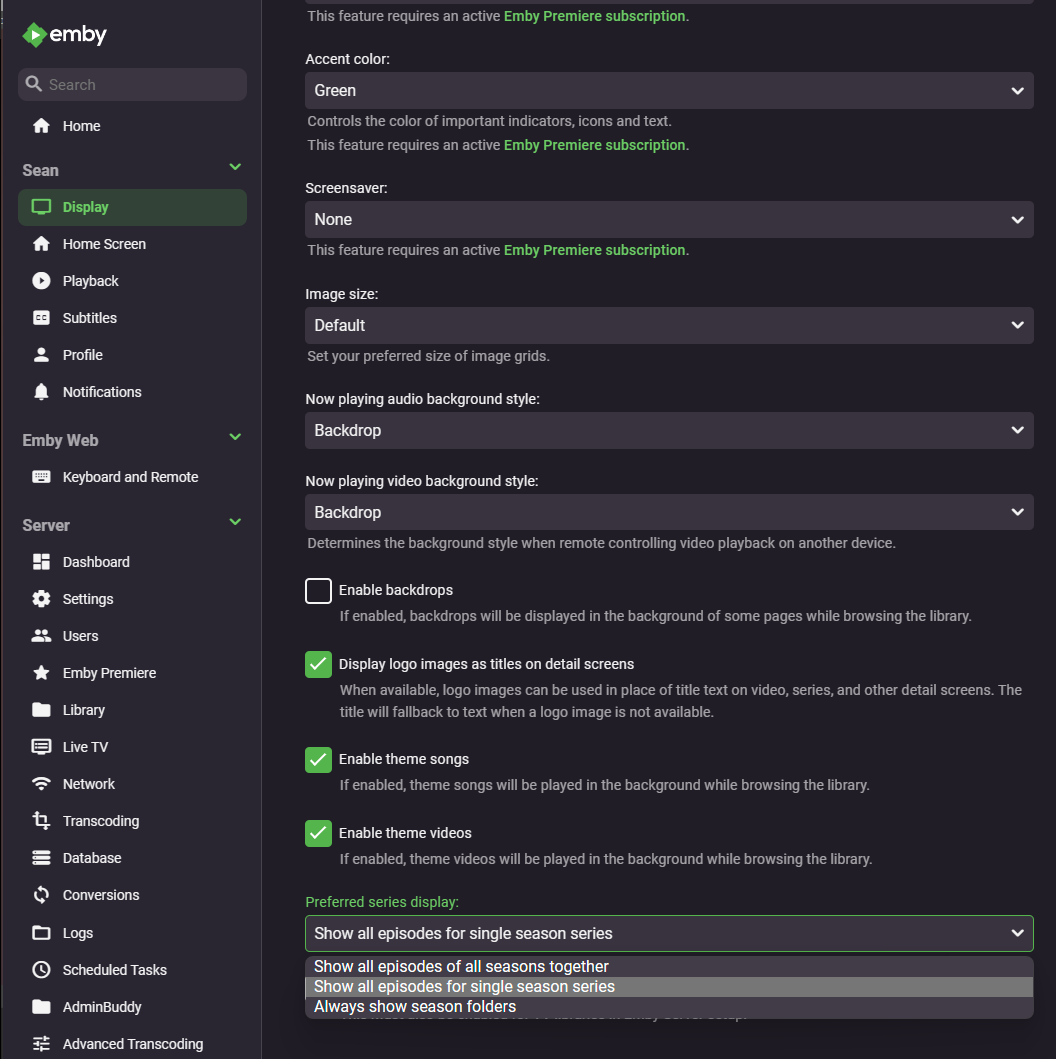 2 points
 -
Android Automotive. Not to be confused with Android Auto. "As compared to Android Auto, Android Automotive is a full operating system that can power the entire experience when driving. It’s installed on the head unit available in the cabin, so it’s in charge of everything from the moment you turn on the engine to the one when you leave the car. -AutoEvolution.com" I have Android Automotive in my Polestar 2. And while its not as popular as Android Auto yet, its pretty impressive. Its gaining more traction too. I hear GMC, Cadillac and many others are using it now too. Emby, please add a compatible app for Android Automotive in the google play store. Are there any plans for this?1 point
-
I found the culprit. I had this ruleset activated in my reverse proxy: https://github.com/coreruleset/coreruleset Once deactiveted it worked again. So it blocked normal traffic as it was an attack.1 point
-
thank you Luke always helpful1 point
-
Thank you for the hint!1 point
-
Forget all about it I just got it. I'm sorry and would have liked to delete this post1 point
-
https://drive.google.com/file/d/1wEANe3DwDAEk6OFS6oxsHQcjcVCB4HI3/view?usp=drivesdk Listen carefully to the audio, I have this problem with any dolby format with a bitrate equal to or greater than 640kbs, dts is fine1 point
-
Okay, thank you.1 point
-
As I said, I want to keep the DVD launch menu, thanks.1 point
-
I'm sorry. Please mark this post as solved. I did everything except reboot my router which solved the issue. Thanks!1 point
-
Tonight I backed up everything pre-update, since I enacted the security measures in that article. And now after updating, it works fine! Thank you all for your help. And @Lukethat was the first notice I've seen about that vulnerability linked by Q-Droid. Is there an email list I can get on for those notices specifically?1 point
-
here's the issues with Display set as Desktop (on my 4K monitor): -The desktop shows too many thumbnails. Even if I set them bigger, the "More like this" section is still displayed. That causes powering on my standby mechanical HDs (some Movies and TV series are on "sleeping" hard drives). I havent seen an option to turn that section off... Last annoyance-Thumbnails are very small. Even if I set them bigger, it looks a bit like TV mode but they become too big if I exit full screen An option to turn off "More like this" section would be appreciated Thanks again for considering Luke1 point
-
Cool, thanks! What about moving from one media library to another (top menu of the home screen) to reach the setting menu on the right? If you click too fast the right button, it jump back to a media library when reaching the seach icon and you can't reach the setting's one. And if you move too slowly from one library to another, it jump into the library and select an item (so you need to navigate back to the menu).1 point
-
Edit - Issue Resolved. I ended up biting the bullet & restarting my router plus also removing & re-adding my network name from my FireStick from where I watch emby. Its up and running now, I just lost all my playlists. This can be closed, thank you1 point
-
OK currently it's not possible to hide these, but this question has come up often before, and configurable tabs are planned for future updates. Thanks.1 point
-
Con la novedad que aqui les va la solucion. Después de analizar los comentarios y ninguno era certero resulta que no se si sea el modem o el windows con el que tengo el servidor y que de esta dirección ipv6 resulta que solo hay que desactivar en las propiedades de red la misma para que no sea asignada una dirección de esas y asi quedara una dirección en la cual si se puede acceder


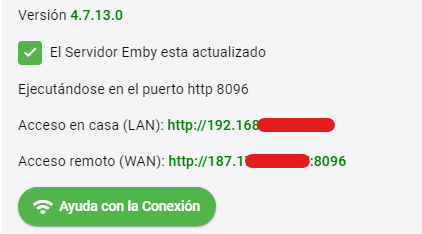 1 point