Leaderboard




Popular Content
Showing content with the highest reputation on 06/16/23 in all areas
-
Hi rbjtech Thanks for helping, I solved the problem. I was looking in the users.db file to find my username, and was looking at the wrong one (red cross), while I had to look a bit further (green rectangle). Hopefully this helps others
 2 points
 -
Primarily to do with this: https://emby.media/community/index.php?/topic/74442-stopping-idle-chromecasts/&do=findComment&comment=752392 I'd like the ability to set a maximum time that an individual client can stay connected to the server and still be idle. By this I mean, - clients that have a stream open, but paused = idle - clients logged into the web app but not doing anything (like an open tab sitting in the background but not streaming) = idle (any activity at all like scrolling down on the page would reset this one) I'd like to be able to set say, a half hour timeout. Then if a user starts a stream, pauses it, then walks away; that client will automatically disconnect half an hour later. Thoughts?1 point
-
Please click "Like this" and share it if you want to support this feature. Thank you ! Hello, There is a Kodi addon call "gdrive" from ddurdle who can read videos (original and transcoding version) directly from Google Drive. Why not build on this idea to integrate Google Drive as source directly in Emby Server ? In addition, Emby could generate automatically the STRM files from one or many Drive folders. And transcodings are already available with Drive so no need to transcode with Emby server. What do you think ? ------------- Three reasons why this feature will be useful and awesome: 1. Cloud is the future and today the cost is affordable. I have a Google Drive Unlimited for $50/month (ie $600/year) and I have unlimited space that is secured against crashes. Knowing the cost of hard drive and the cost of power consumption, its a very good deal. 2. Google Drive transcode video file. This provides different stream quality like Youtube (1080p, 720p, 480p and 360p) and the "image quality/compression ratio" is very satisfying. I can play 720p video on my poor 4 Mbits DSL. 3. You don't need to have a big server. Personally, I opted for a little dedicated server (Kimsufi 2G) for the cost and I can leave it run 24/7! Furthermore, me and my friends can watch movies from anywhere! Basics features that should be included: GOOGLE APPS OAUTH2 for activation and permission playing transcoded version (MP4 360p, 480p, 720p & 1080p) directly into Emby's app playing original file (avi, mkv, mp4) directly into Emby's app import embedded subtitles porwerful script module for multiple folder scanning and STRM generating1 point
-
I tried this and it worked. The tracks were grouped under their respective records. Sorry I didn't mention it in the original post.1 point
-
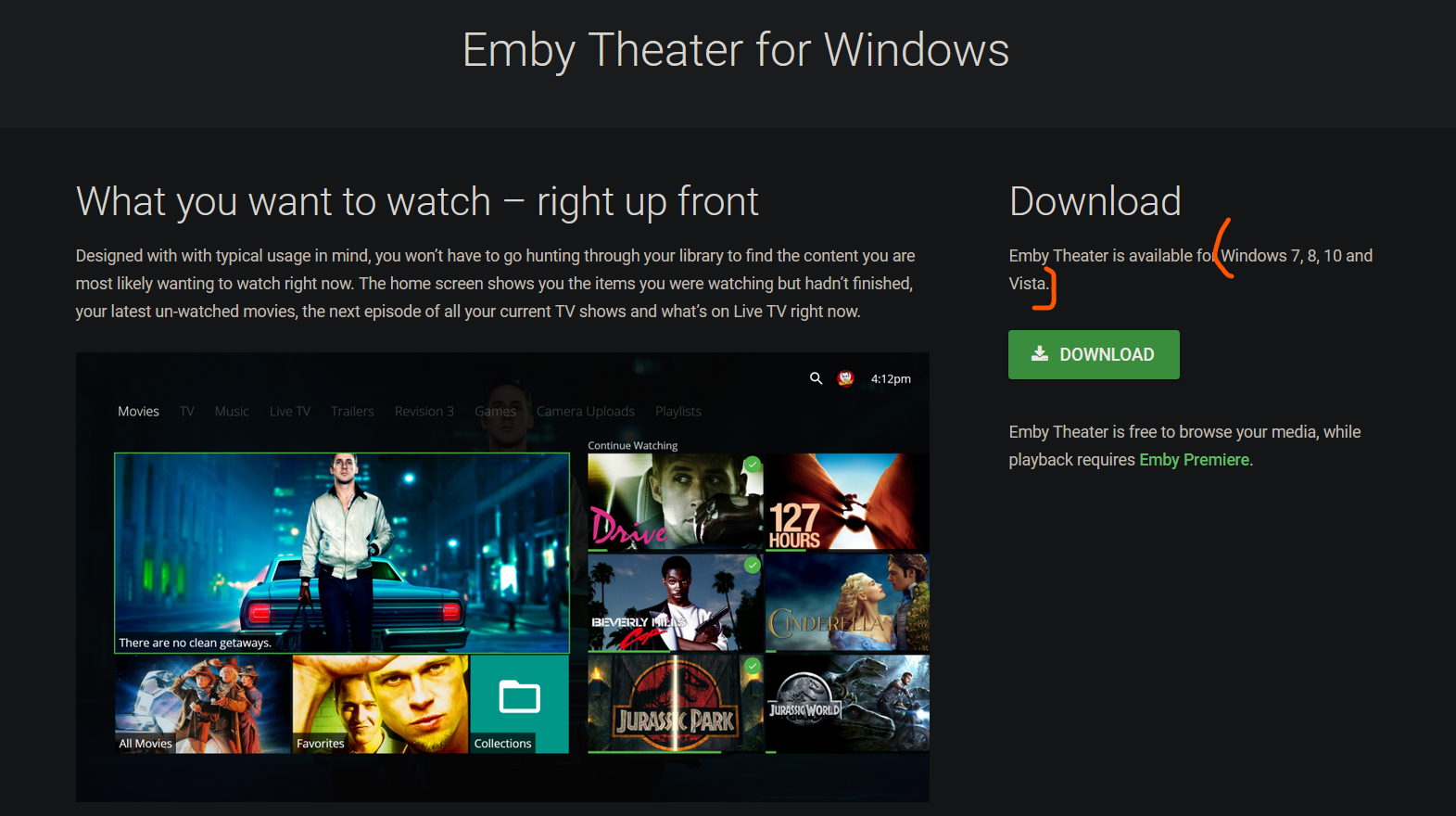
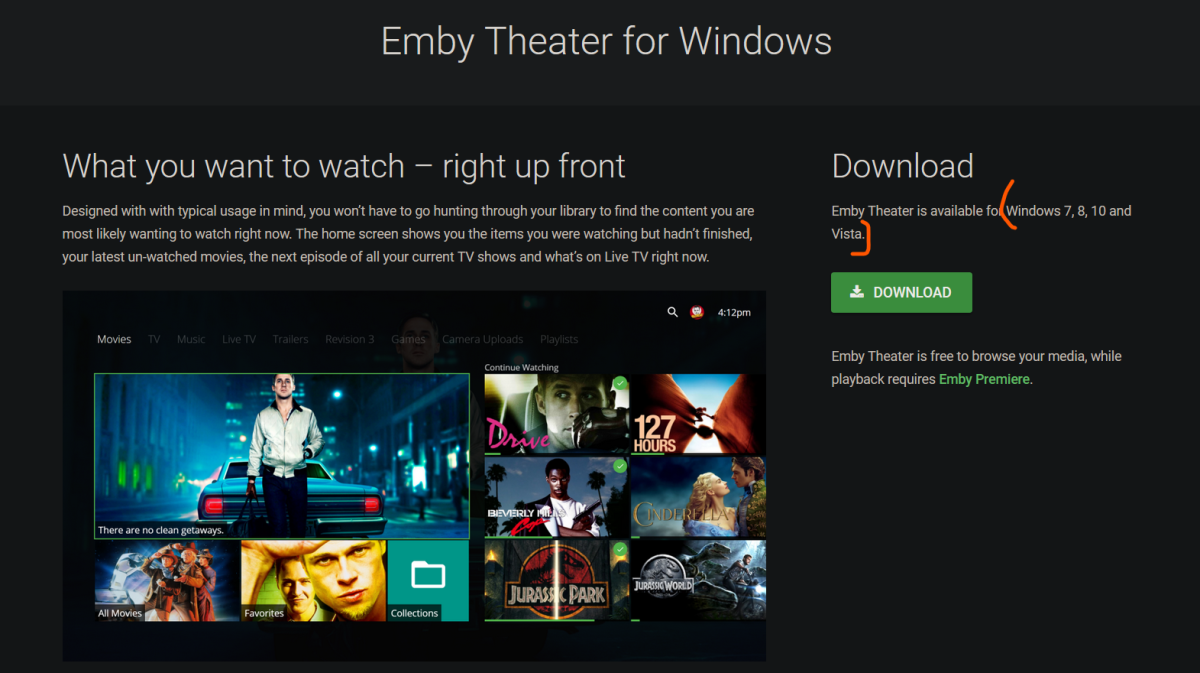
Vista gets more love than Win11
 1 point
 -
Well, Win11 is just the new Vista. Neither should get any love.1 point
-
In that situation I just put "Various Artists". An empty artist name gives no place in the artist/album structure for the album to be placed. Paul1 point
-
Will do, I'll report back tomorrow it's late here in the UK1 point
-
Just to give you an idea of what we're dealing with, when I said I opened a ticket in April to add more countries, that ticket was eventually automatically closed by Samsung's ticketing system due to the assigned Samsung rep not responding to it within the required time period. Then they told us to resubmit, so we did, and the same thing was about to happen again, when finally on the very last day they gave us an email address of someone to contact. So they don't have a standardized process for this. Someone eventually has to grant you permission or partner status, and unfortunately, you have to talk to a different person for every country or region that you want to release in. This is not like other app stores where you just submit once and check off a list of all the countries you want to support. Anyway we are sticking with it via continued follow-ups so we'll see where that leads.1 point
-
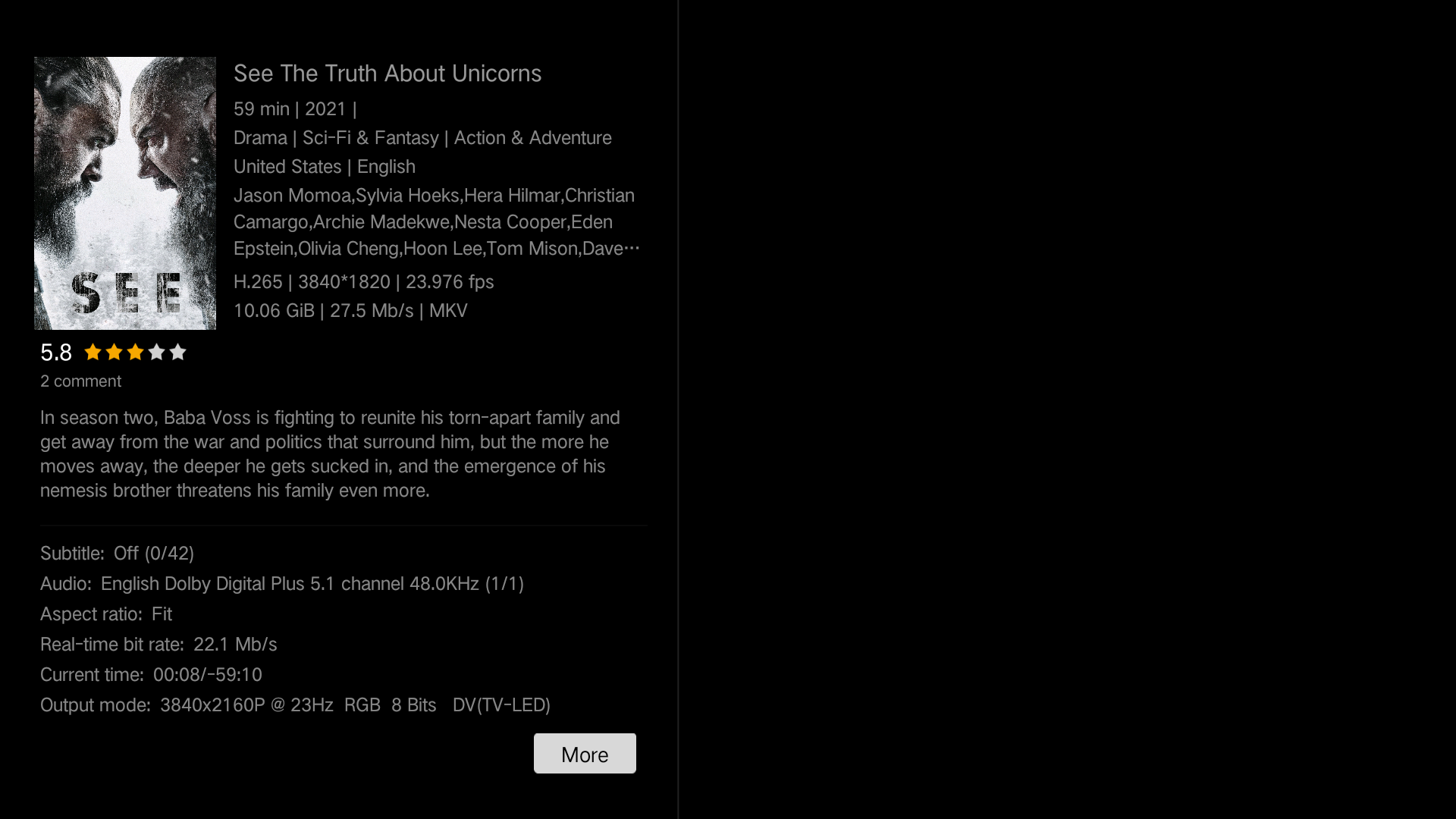
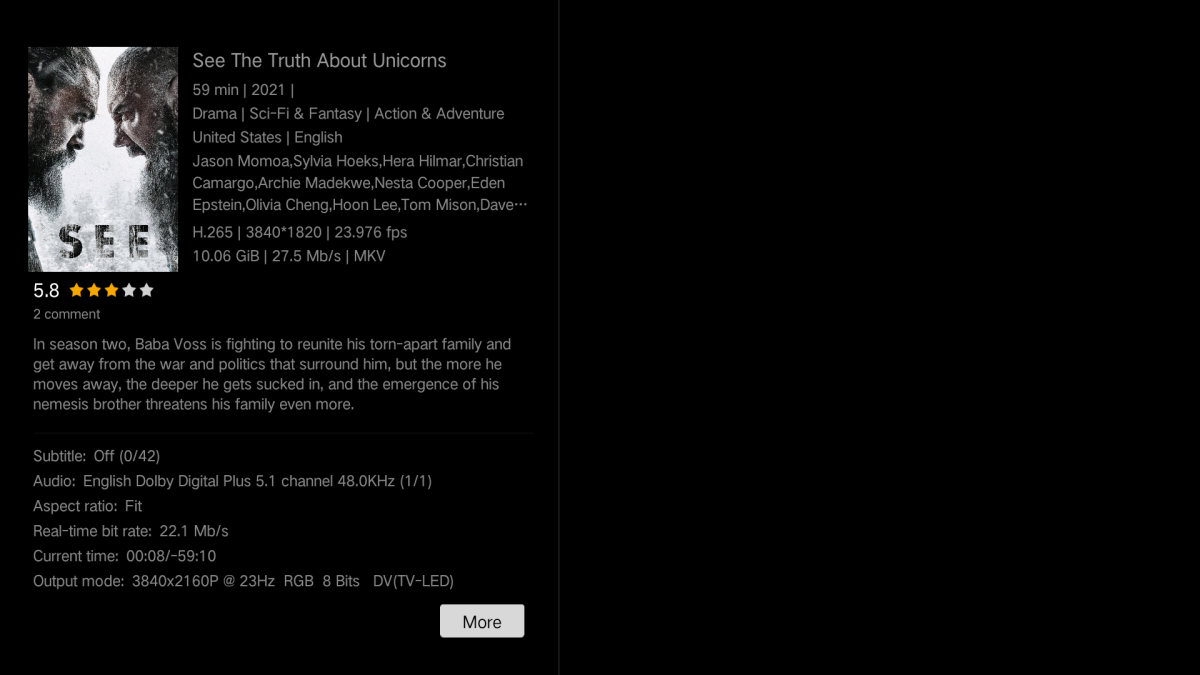
Thank you for your reply While the video starts and everything from HD audio to Dolby Vision works, resume does not work and playback status sync does not work (so I cant resume at the same point from my ipad for example). Also, there is no playback info or loading screen like the Zidoo player supports (natively and via API). Loading Screen that does not work this way: Info screen while playback that does not work this way: Would be really awesome if you can implement the API in your App

 1 point
 -
Right-o no worries then. I'll report the issue with Roku about failing to playback EAC3. Thanks for your help1 point
-
Awesome, thanks!1 point
-
3.2.70 i just made a separate post to see if it can get fixed1 point
-
It turns out there is bitching all over the internet about the Firestick going to sleep, so you were correct. I found the following which turns off auto sleep and it works in case anyone wants to use it. It will disable auto sleep all together. You can still put it to sleep manually if you are so inclined. First you need an android tablet or phone with "ADB Remote" installed from the playstore. The following is based on Fire OS 5.2.9.5 On your firestick: 1)In the Settings screen, go to Display & Sounds 2)Select Screensaver 3)Select Start Time and change to Never 4)Go to Settings, My Fire TV 5)Select Network 6)Get and note the IP address 7)Select Fire TV Stick 8)Press the large center button until you see "No Need, You are already a developer" 9)Return to the previous menu and select Developer Options 10)Select ADB Debugging and press the center button until it's ON 11)On the android device, launch the ADB Remote app 12)On the android device, enter the IP address of the firestick at the top and tap CONNECT 13)On the Fire Stick, enter OK to "Allow USB debugging?" 14)On the Android device enter the following two commands following each with "Run": settings put system screen_off_timeout 2073600000 settings put secure sleep_timeout 0 15)On your Firestick on the My Fire TV screen select Restart and confirm. 16)On the android device, close ADM Remote App1 point
-
Do you mean something like a "toast" popup? Something similar to emby's "Are You Still Watching?" prompt or the optional "Display rating information on video playback start?" If so, that could be a fun "nice to have," but I would suggest name, artist and year to make it useful. I don't think I would want it for the duration of the video though, and it would have to be optional. For me, the OSD works fine for referencing that information.1 point
-
But don't you see the title in the lower left of the video OSD?1 point
-
Ah ok, that makes perfect sense then because several other apps I searched for were not there either. So no issue loading from USB for now and once it becomes available in the store (and its a newer version) it will let me know and I can update?1 point
-
Thanks!1 point
-
Sorry guys for the late reply. I totally un-plugged the TV and plugged it in again after half an hour, and that solved the issue. The older TV wasn't working, now is fine. Thank you for the the quick replys though!1 point
-
Dude, I lived in Japan for 7 years in the late 60s-early 70s.... I have over 6,000 discs, LD, DVD, and BD, plus 18TB of downloads....1 point
-
Users occasionally leave browser tabs open with a stream paused, idle for hours at a time. Maybe it was forgotten about, maybe the user got distracted and had to leave to do something, etc. Throughout this time; the client is posting it's play progress to the server every 5 seconds, appearing as an active client to the server software preventing it from completing idle tasks like a restart for an update, as well as just appearing in the dashboard for admins looking to see if the server is idle and ready for maintenance or whatever else. It would be nice to be able to set a limit for how long a client will sit idle/paused before the client itself will terminate the stream and stop posting to the server tying up resources needlessly. The server already remembers the play position, so the user can just resume when they actually return to the client.1 point
-
Does this differ from the FR you created 3 years ago? Shall we merge them?1 point
-
yeah im running it on win11 no problem. just that, the website needs an update to include win111 point
-
Will do. Will also do more recordings. @BoomerGamer62wanna do recordings also? And we can compare our experiences1 point
-
Hi, I was fiddling around with other settings in the interim and realized if i disabled subtitles, then playback ran fine. I thought maybe something was non-standard about the recording and when I transcoded it, the resulting video caused kmplayer and powerdvd to have difficulty turning on/off subtitles. I would also have trouble changing languages, ... Just general wierdness. Since this is the only movie from many I have ever had a problem with, Im chalking it being somehow non-compliant. Thanks for your help, but I dont waste everyone's time chasing this. Now that multiple players are having issues and its localized to something about subtitle support, Ill just move on. It wasnt that good a movie anyway. Thanks1 point
-
The only thing with tvheadend is the setup and channel list, that's a mess, but once u got it running tvheadend works like a charm http://<your_tvheadend_ip>:9981/playlist in m3u configuration is all u need and the epg source is http://<your_tvheadend_ip>:9981/xmltv/channels If my memories don't trick me, u have to assign channel numbers in TVheadend ffmpeg should be no trouble with emby and tvheadend, cause usually emby streams with the pass profile, were no trasncoding is involved, what means no ffmpeg needed1 point
-
As you get older, and the people you know get older, you may find that the statement "most people don't use subtitles" becomes less obvious... Paul1 point
-
OK if you want to jump on the server beta channel we'll be adding options in upcoming updates. Thanks.1 point
-
Later today I will update the Bulky plugin. I added: 1) simplified the code 2) preserve the aspect ratio of images 3) added a show folders button 4) made several cosmetic changes and corrected a few small bugs 5) moved the "Cast to TV" button out of Edit. It's now in Movies, TV Shows, and Music Videos Vic1 point
-
Same here. Test iPhone / iPad /1 point
-
Was their a way to solve this download ssue on iphone? I have the same problem that it just says ready to transfer and nothing happens. I have enough space and running on IOS 16.51 point
-
btw - not that I use them, but default ports are 8096 and 8920 .. not sure where 8196 has come from ..1 point
-
Adesso funziona tutto, dopo aver provato l'ultima configurazione. Grazie a tutti1 point
-
Hello all, it would be really helpful to have a data field at the metadata, which contain the original film name. on my HD the file name corresponds to the name of the film as it was released here in Germany. That means, i have to search the orginal name to get the right info from imdb. But if I do that, then I lose the connection between file name and metadata. In this context, it would be great if the sortname is automatically filled greeting Taurec1 point
-
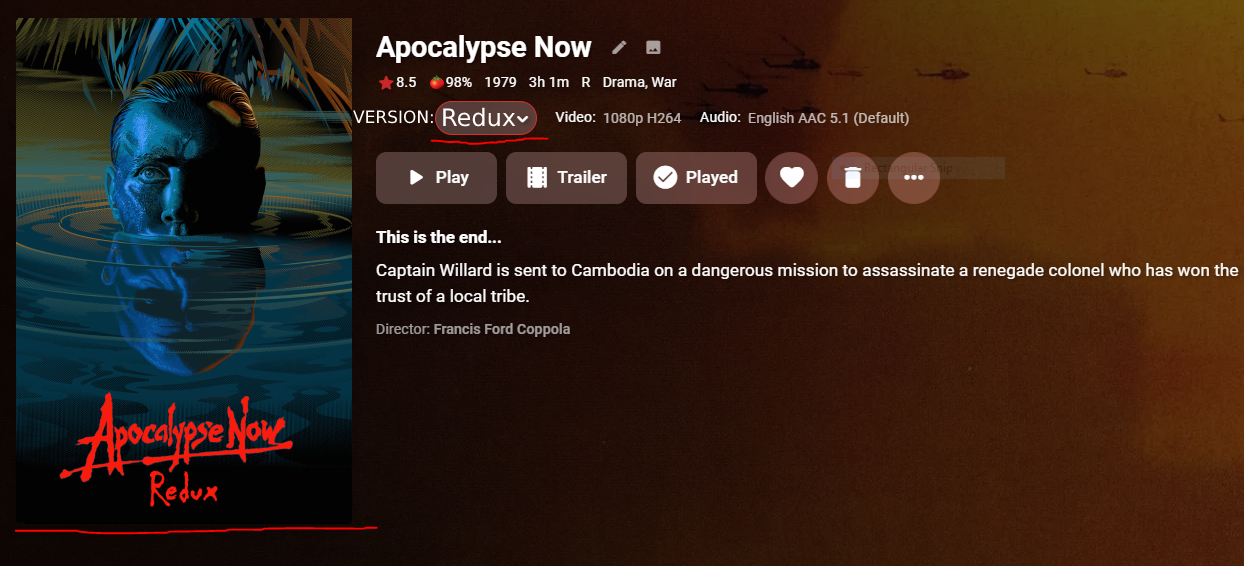
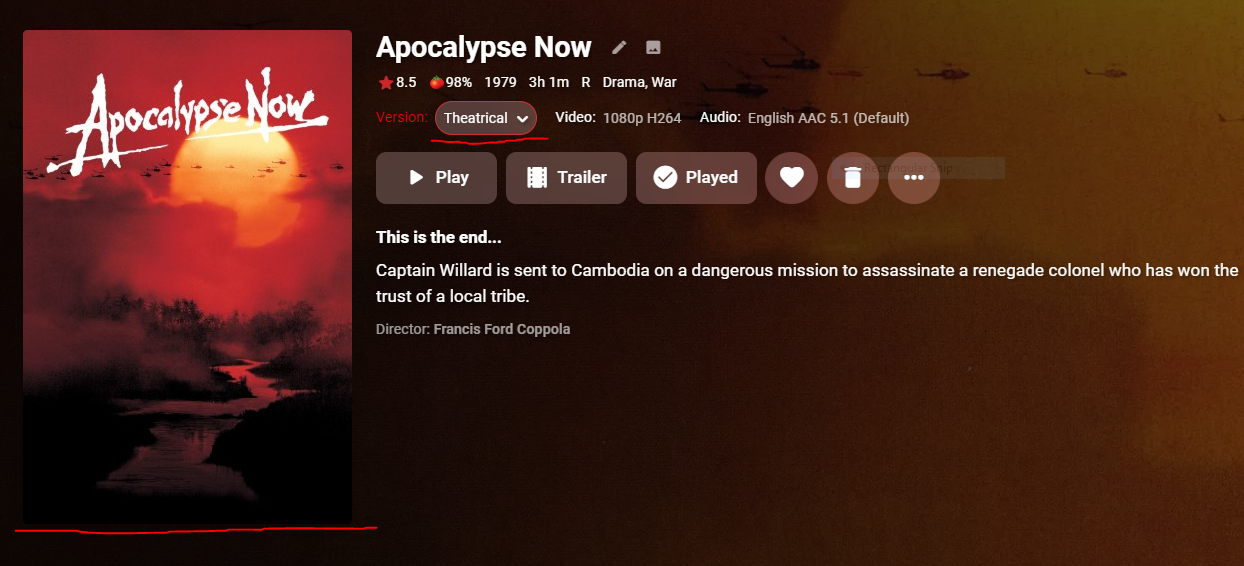
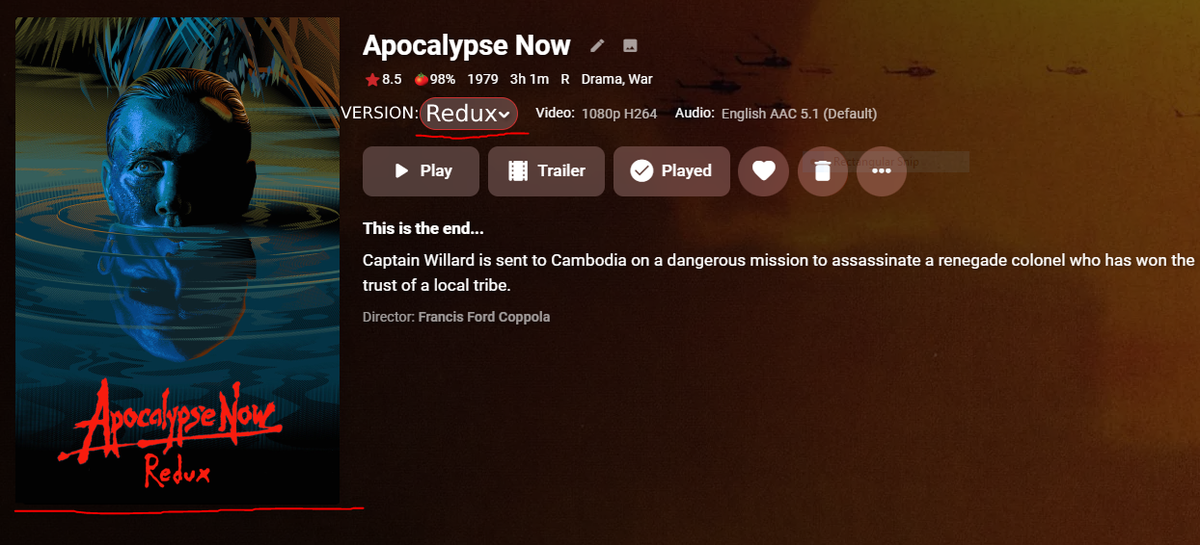
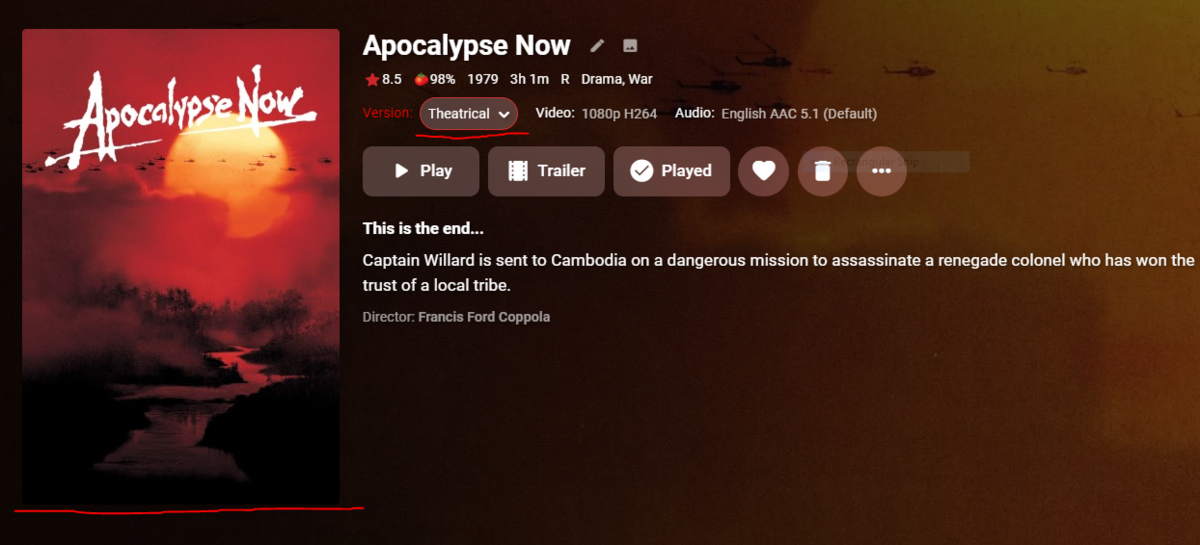
I was wondering if implementing this feature could be a possibility eventually. Considering the option to change the version of a movie is so tiny, I'd like to be able to have the poster change whenever choosing the different cut of a movie such as Apoc. Now with the 10,000 cuts it has. I understand I can split apart the movies but this ruins the look and flow of my set up imo and I personally think the ability to change version posters would be neat. I also realized that the information such as length, rating, etc are based on the original release of the film and don't change when selecting another version. Thanks for all the hard work regardless! I attached some photos of an example of the change aswell.
 1 point
 -
Because the Emby team hasn't prioritized fully supporting multi-cut movies as multiple versions, even though their guide recommends it. They say the multi version feature was only intended for different resolutions/qualities of the *same* cut of a movie, even though, again, their guide recommends using it for multi-cut movies. In addition to what you pointed out, there's also issues with tags and Parental Controls that leads to secondary versions being available to users that shouldn't be able to see them. Here's some feature requests for full multi-cut support you can vote for by adding a 'like': The alternative is to treat each cut like a separate movie, but this has the side effect of Emby treating each cut as the same movie throughout the system. So, if you watch one cut, they all get marked as watched. If you partially watch one, they all will show up separately in continue watching. Since they all have different runtimes, the continue watching/watched mechanisms can get confused and decide you've finished a longer cut before you've actually reached the end.1 point
-
YOU probably already have an Emby Connect username "superbobtv" since you're logged in here. So what you want to do is create an account on YOUR server with a name which could be "admin", "superbobtv" or "VideoGod" or just your first name. Then edit your username and on the PROFILE TAB the 2nd option should say "(Optional) Emby Connect username or email address:" Just fill in your Emby Connect username there. So you could have a local name on your server as "Mom" and the Emby Connect username could be "Milf2020", "HotMom", "ProudMomma" or "SallyP1966" and it would't matter as long as you associated the Emby Connect username to "Mom". Mom could now login directly to your server using the local name of "Mom" and the password you/she set or she could login with Emby Connect and she would show up as "Mom" on your system. So for Example on My system I have a user named "Carlo" and in that 2nd field name "(Optional) Emby Connect username or email address:" I have filled in "Cayars" without the quotes of course. Now I can either log directly into my server with my domain name (setup with SSL cert) and login as Carlo OR I can go to Emby.Media, click the signin link and login in as Cayars (or use my email address that I registered with) and get access to ALL THE EMBY SERVERs I have access to (with or without a domain and with or without SSL). Emby Connect is the easy way to setup users when you don't want to be bothered by registering domain names, setting up SSL or dealing with changing public IP addresses. Carlo1 point
-
Well, I had this working yesterday, now nothing is working. I can't even hit my server with the cert disabled. Anyone have a clue how that would happen? It's been fine for years, now I try to setup a cert and nothing works. Seems strange.0 points