Leaderboard




Popular Content
Showing content with the highest reputation on 05/18/23 in all areas
-
I have a couple of media folders holding football and basketball games I've recorded. I recently came accross a metadata website for sports called http://thesportsdb.com. Would it be possible to add a field like the other metadata fields to pull information from that site to fill in fanart, description, dates, etc.? Ii'm not sure if it would require a new media "type" folder called sports, similar to tv and movies. I've linked a couple pages, the first is the API for returning information from the db. http://www.thesportsdb.com/forum/viewtopic.php?f=6&t=5 The second is example json (I believe) data http://www.thesportsdb.com/api/v1/json/1/searchteams.php?t=Cleveland%20Indians3 points
-
I moved from Plex to Emby and even though I think Emby is superior in its flexibility there are some things I like better with Plex, especially in terms of its looks. This theme is trying to fix that by making it a bit more similar to Plex but with some, in my opinion, improvements. The CSS is attached to this post for anyone interested and below are some screens to show it off Good to know I only use Chrome so I can't guarantee this CSS works as expected in other browsers. If you want the sidebar menu to look like in the screens, make sure to pin the sidebar. Watched badge/banderoll is inverted which means that the badge will not be shown if media have been watched, like in Plex. For desired look, please use the "Dark" theme for both Theme & Settings theme in the display settings. Emby-Stable-style-v3.6.txt





 1 point
 -
Could the way User Settings are handled be changed so that: 1 - Every setting that is changed via the Admin/Server - Users settings page becomes the new default for that particular user (instead of the Emby supplied default). 2 - Any setting that is changed appropriate for an end user to change from within that particular user account being signed in is saved at the local device level, and would be used instead of Server specified defaults. This wouild: A - Allow us to adjust the default behavior when NO local settings exist. B - Still have local device specific settings override what have been set as Server defaults. (Allowing the same User to have different settings per Device - as it is now.) It doesn't seem like the logic would be that much different than it is now. Assuming if no local settings already exist today, the Server has to pass along what it has them as for a starting point. The change wouild just be allowing us to alter what any of those base default settings are.1 point
-
OK thank you, I will try it out later and let you know how everything goes.1 point
-
You nailed it. It was a stupid mistake on my part for not enabling websocket support on that URL in the proxy. Thanks so much for helping out!1 point
-
Great release. I wrote a few pages ago about the problem of audio tracks, but then no one answered me. But now there really is no problem. Are there any plans to fix tracks for TV series as well? That is, when choosing a track, say for the first series, this track will be picked up automatically in the next series.1 point
-
It's certainly possible, yes.1 point
-
Smart playlist support is planned for future updates. Thanks.1 point
-
OK yes, more options to control this are certainly possible. Thanks.1 point
-
Okay, let me tell my friend, let him try it first1 point
-
Hi Luke, I've managed to resolve this using the IPTV plugin. Many Thanks1 point
-
I am on windows but don't run the emby server (not a server issue anyway as the web client connect just fine) or clients on windows (all on some flavour of android - TV, Fire Stick and Mobile) so process monitor won't help. I'll sniff the network when I get some time and inclination.1 point
-
Hi, please take a look at this article and it should help get you squared away: https://emby.media/support/articles/Corrupt-Database.html Please let us know if this helps. Thanks.1 point
-
After uninstall 'Trailor' pluygin, and reinstall 'Opensubtitles' plugin, it works OK till now for images scabbing and subtitles downloading so far.1 point
-
Well it’s up to you but at 40% when idle you are showing EmbyServer is using about 400+MB so if it was really busy it wouldn’t (short of a memory leek) use any where near 10x (4GB) more RAM keeping you under 100% RAM usage. (best way is check usage when servers is the busiest) So just close programs your not using, and if you are so inclined Google for how to de-bloat Windows. To get the server to sleep then wake you need to enable ‘wake on LAN’ on the server bios (uefi). If you do go ahead with the RAM upgrade make sure the kit is compatible with your motherboard (check there web support page) and current RAM.1 point
-
Never mind, I found it. That option is not there when the manage server option is selected. Thanks for all your help.1 point
-
If you want a USP, try TV that tunes like this for EVERYONE - NextPVR_rn916Hp12S.mp41 point
-
Actually the horizontal home screen option is already saved across devices for each user, so you're good to go there.1 point
-
1. Variety of skins 2. In general, better direct playback of Dolby Vision, uncompressed audio 3. Ability to use it as my launcher for other apps 4. Ability to script your own tools, like my VirtualEpisodes script: https://github.com/xnappo/VirtualEpisodes 5. It is more punk rock1 point
-
Actually, they are building a content (and advertising) delivery mechanism and using you to harvest users .1 point
-
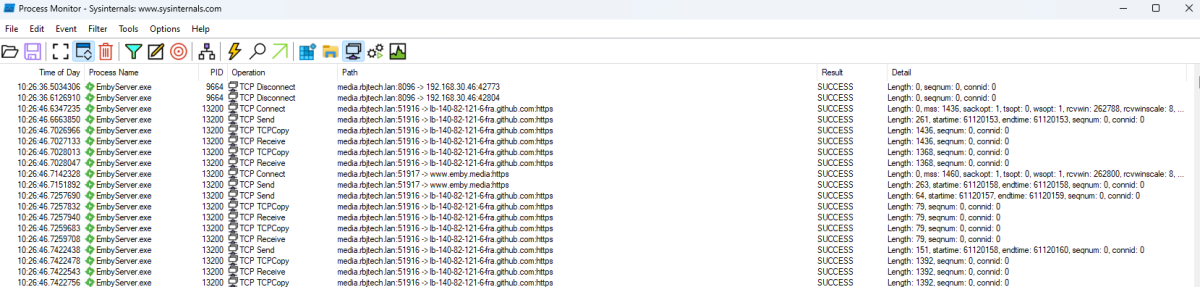
using something like sysinternals (if using Windows..) will probably be much easier to identify what's going on. On a simple emby reboot, I can see it querying all sorts of external sources ... but as you say, if it's timing out after x seconds, that's fine - but if it's not, then that is an issue .. (local hosts file sending it to loopback may help here for testing ..)
 1 point
 -
Hi, yes there's a lot coming in the 4.8 server release, so stay tuned.1 point
-
It is the number of devices using Premiere features on the same key (and they drop off te list after about a week) - you can enter same key as many times and in as many servers as you like, and device number is cumulative. https://emby.media/support/articles/Premiere-Limits.html1 point
-
Bearing in mind I almost definitely don't know what I'm talking about...I don't think you have to pay for the extended network bit. I think it might depend more on the exact app or device you're using to watch items on. Unless they happen to be identical, in which case, no idea.1 point
-
Obviously there isn't. Anyway, the naming you're currently using for multi-version is something we can look at supporting. But for today's purposes, it's not currently.1 point
-
I don't know how helpful it'll be but I wrote a script for linux shell to fix this, meant to be called periodically. I call it every 60 seconds with the watch command but you have to guard against duplicate instances. My transcoding directory is a RAM drive so I can't let it fill up. WARNING: Be extra cautious with scripts like this that pipe to xargs rm - different outputs on different systems could have terrible consequences. I'd advise running the commands individually by hand to make sure they work. EDIT 5/18/2023: Updated to work with later Emby versions. #!/bin/sh # User-specific TRANSCODE_DIR="/transcode/transcoding-temp" # Prune only if disk is more than <PERCENT_LIMIT> percent full PERCENT_LIMIT=50 # Prune <BATCH_SIZE> files at a time BATCH_SIZE=10 if [ -d "${TRANSCODE_DIR}" ]; then percent_full=$(df "${TRANSCODE_DIR}" | awk '{print $5}' | tail -1 | tr -dc '0-9') printf "Directory size: \t %3s%%\n" ${percent_full} printf "Directory limit:\t %3s%%\n" ${PERCENT_LIMIT} echo '' while [ $percent_full -gt $PERCENT_LIMIT ]; do if [ $(find ${TRANSCODE_DIR} -type f -name "*.ts" | wc -l) -gt 0 ]; then echo "(${percent_full}%) exceeds limit (${PERCENT_LIMIT}%), deleting oldest (${BATCH_SIZE}) files" # DEBUG: Uncomment to print list of deleted files #find ${TRANSCODE_DIR} -type f -name "*.ts" -exec ls -1t "{}" + | tail -${BATCH_SIZE} | ls -lh find ${TRANSCODE_DIR} -type f -name "*.ts" -exec ls -1t "{}" + | tail -${BATCH_SIZE} | xargs rm else echo "*WARNING* (${percent_full}%) exceeds limit (${PERCENT_LIMIT}%) but files are not transcoding fragments" exit 1 fi percent_full=$(df "${TRANSCODE_DIR}" | awk '{print $5}' | tail -1 | tr -dc '0-9') done else echo "${TRANSCODE_DIR} (TRANSCODE_DIR): directory doesn't exist" fi1 point
-
tbh, I think you need a "2-level-view" to match all those requirement. What I mean by this is: ON the initial view you show the most common information, which gives a good experience and nice view - and load the "extended view" hidden and offer the user the option to show the extended information by clicking on a sign or whatever. I think the media details could also be hidden in the compressed view, as it is a lot of technical info, that is normally not needed for most users. On the other hand you could then expose all this data in the extended view - including studios, country, etc. - and it would be nice if those can then be clicked too to get respective results.1 point