Leaderboard




Popular Content
Showing content with the highest reputation on 05/12/23 in all areas
-
So unless you restored both the original emby database (keeping the same ItemId's) and the associated Introskip Plugin database - then unfortunately you will need to re-detect all the Intro's anyway. Unless you explicitly need the Plugin version, then I'd suggest using the Core version and use the ChapterAPI Plugin for any editing needs.2 points
-
It has been withdrawn from Catalogue as Emby Core had gained Intro detection and plugin and core features are incompatible. Anyway, @Cheesegeezeror @rbjtechmight give you more info about current plugin status.2 points
-
https://github.com/Shurelol/EmbyCustomJS_Css Some fantastic feature can be added to your emby easily Such as photo carousel
 1 point
 -
I have a fairly large movie collection (5k+) starting with films from the 1920's and in the absence of "smart" playlists how about a filter by decade option? Filtering by year works, but if I want to watch something from say the 1950's I have to start navigating from the 1930's and work my up to the 1950's which is quite a few number of pages. Another option might be to have Years running vertically much like the alphabet when viewing by title.1 point
-
Hello, I may get roasted for this, but can someone explain to me why can't we have basic push notifications for the Emby apps? I don't want to install plugins and jump through hoops just to get a simple push notification when new media is added to my library. A simple Android notification for my phone and a chrome browser notification for my PC is all I'm asking for here. Does it really need to be this complicated?1 point
-
I use Emby everyday on my computer and TV, and this morning I noticed that the web app settings and folder sorting options have all been set back to default. I checked my Samsung TV app and all of my settings have been retained, so I'm not sure what happened with the web app. It would be great if a user could save their settings and folder sorting options so if there's an update, or if they want to login to another device, they can simply load their config file or something of the sort.1 point
-
You should add an adjustment for the are you still watching feature so I can adjust after how many episodes the prompt will appear.1 point
-
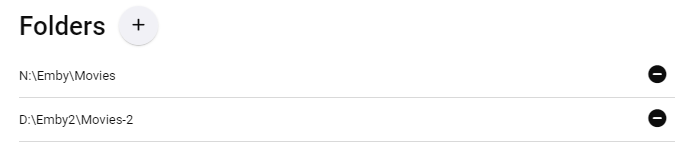
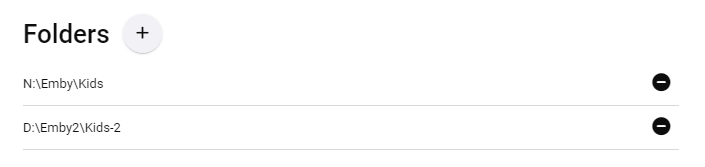
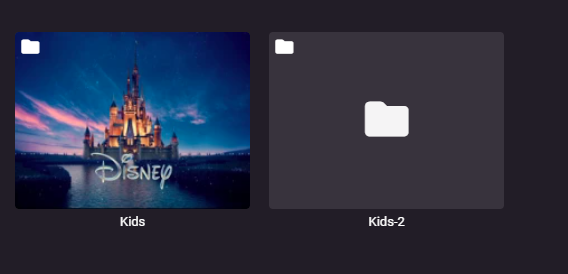
hi, i have two separate HDD drives that Emby is using, drive N and drive D. in each of those drives there are copy subfolder. eventfully in the Emby client platform, i would like to have one single folder, for example "movies" in the following screenshot i present the "Movies" collection folder which is working good and everything under the same folder: movies folder: however in other "kids movies" folder for some reason it's split into two separate folders. in the following screenshot you can see the configuration of the kids folder the split: what am i missing here? how to configure the "kids movies" folders to be under one single folder as the "movies" folder? thanks in advance

 1 point
 -
1 point
-
1 point
-
It's now in testing:1 point
-
Hey Quickmic, I guess this is really only an issue with Emby Server, apologies for posting here.1 point
-
New version available 8.1.4: Delta changelog 8.1.3 -> 8.1.4 several fixes for dynamic/hybrid nodes fix music playlist issue fix local trailers fix themes add relative seek position support (https://emby.media/community/index.php?/topic/118597-new-seekrelative-remote-control-command/) fix settings persistence (https://emby.media/community/index.php?/topic/118572-issue-to-memorize-kodi-video-settings-with-native-path-and-default/) change content queries for better Emby server >.19 support1 point
-
If you have single library media in two folders, the folders view will always show each folder separately. You can add a folder image by to the Kids-2 folder, if you like. You could also change the names and make one animation and the other adventure, or whatever. If you don't like that view, then change the default tab view to movies.. Both folders will be combined in the movies tab view.1 point
-
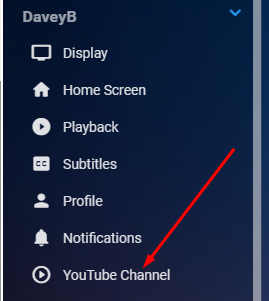
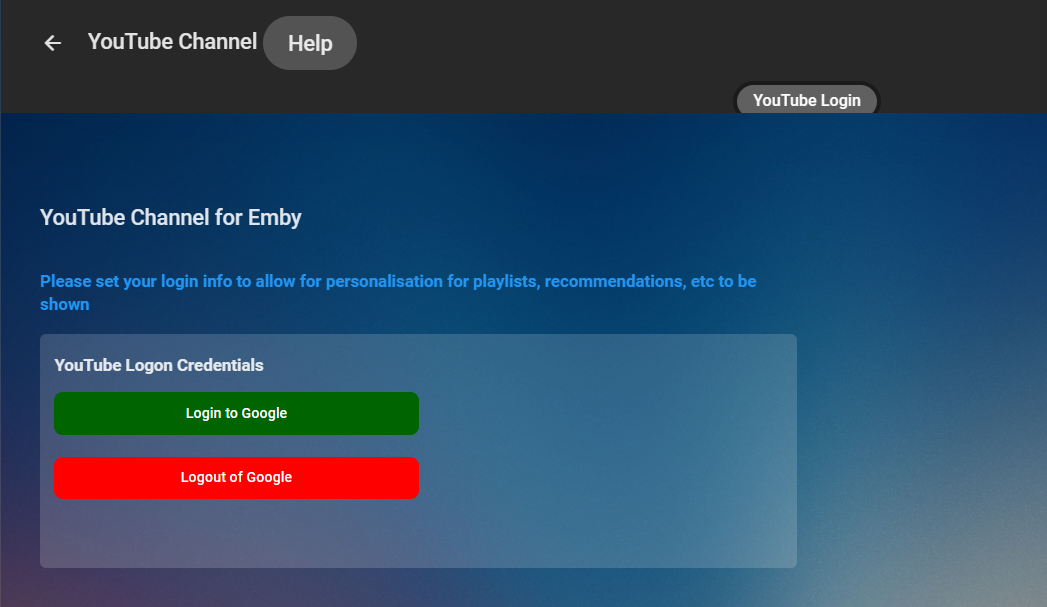
I kinda have it working a little in my YTPlugin. Need beta 28 or later i think. It's a lot more involved. Interface IConfigurationFactory (emby.media) Class ConfigurationStore (emby.media) using Emby.YouTube.Configuration.UserSettings; using MediaBrowser.Common.Configuration; using MediaBrowser.Controller.Configuration; using System.Collections.Generic; namespace Emby.YouTube.Configuration { public class ConfigurationFactory : IUserConfigurationFactory { public static string ConfigKey = "YTChannel"; public IEnumerable<ConfigurationStore> GetConfigurations() { PluginConfigStore[] array = new PluginConfigStore[1]; PluginConfigStore YTConfigStore = new PluginConfigStore(); YTConfigStore.ConfigurationType = typeof(YTPluginUser); YTConfigStore.Key = ConfigKey; array[0] = YTConfigStore; return array; } } } using Emby.YouTube.Configuration.UserSettings; using MediaBrowser.Model.Plugins; using System; namespace Emby.YouTube.Configuration { public class YTPluginConfiguration : BasePluginConfiguration { public YTPluginUser[] YTPluginUsers { get; set; } = Array.Empty<YTPluginUser>(); } } using System; namespace Emby.YouTube.Configuration.UserSettings { public class YTPluginUser { public string YouTubeUsername { get; set; } public string YouTubePasswordHash { get; set; } public string YouTubeAuthTokenHash { get; set; } } } Then register this in the PluginConfigStore using System; using Emby.YouTube.Configuration.UserSettings; using MediaBrowser.Common.Configuration; namespace Emby.YouTube.Configuration; public class PluginConfigStore : ConfigurationStore, IValidatingConfiguration { public void Validate(object oldConfig, object newConfig) { if (oldConfig is YTPluginUser oldYTUser) { YTPluginUser newYTUser = (YTPluginUser)newConfig; if (!string.Equals(newYTUser.YouTubeUsername, oldYTUser.YouTubeUsername, StringComparison.OrdinalIgnoreCase) || string.IsNullOrEmpty(newYTUser.YouTubeUsername)) { newYTUser.YouTubeUsername = string.Empty; newYTUser.YouTubePasswordHash = string.Empty; } } } } The JS side //EMBY FUNCTIONS async function getUser() { return await ApiClient.getCurrentUserId(); } function fetchExistingConfiguration(userId) { return ApiClient.getTypedUserSettings(userId, 'YTChannel'); } function loadUserConfiguration(userId, view) { fetchExistingConfiguration(userId).then(function (config) { config.LocationsExcluded = config.LocationsExcluded || []; }); } inside the view function return function(view) { view.addEventListener('viewshow', async() => { loading.show(); mainTabsManager.setTabs(this, 0, getTabs); userId = await getUser(); loadUserConfiguration(userId, view); loading.hide(); //other functions to be carried out on load } } That's as far as i've got so far... i've not implemented the c# side for getting configs etc, but that should be pretty straight forward. Anyone let me know if there are ways i can improve this. Cheers
 1 point
 -
Sorry guys. File this under "stupid Sony Stuff" I have a KX-55X85K and they set it up so that if you use Dolby Vision it won't display 720 in full screen.1 point
-
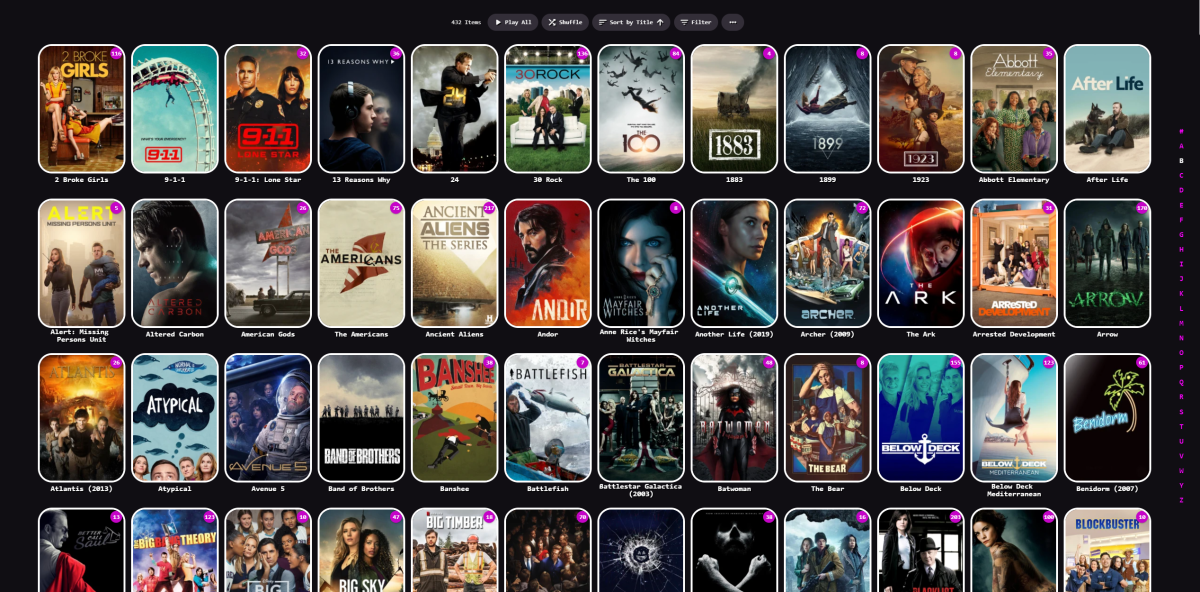
It only appears on home for me, the TV shows and movies have a blank background on mine
 1 point
 -
1 point
-
Great, thanks for following up and glad you got it sorted!1 point
-
Quick follow-up... I was able to find the file and revert the changes and access my server again! For others, I found it in /var/lib/emby/config/system.xml in the LXC. Thanks for the help!1 point
-
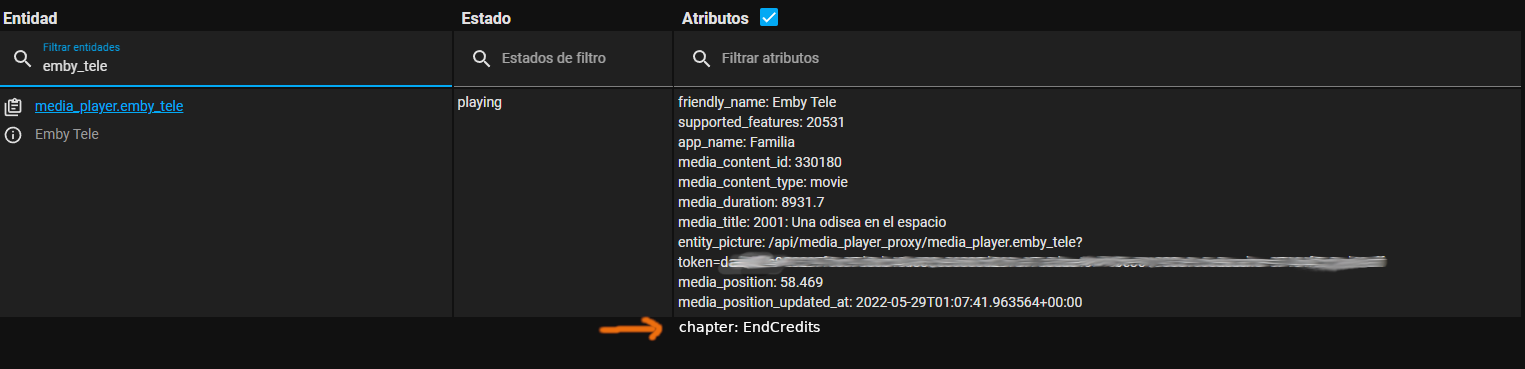
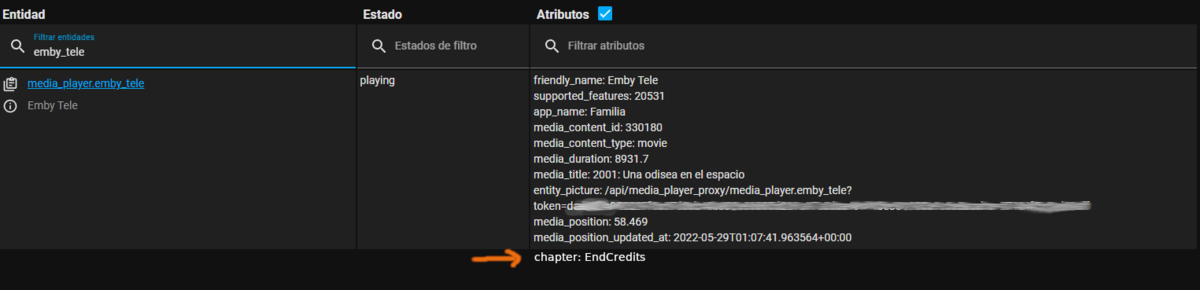
I have some automations in home assistant and one of them is one turns the lights off when we are watching a movie, turns on some dimm lights when pause and turns on all lights at stop. So this is the request: A way to recognize the end credits on the movies and to report what chapter is playing to homeassistant. That way an automation can be triggered when the end credits scene is playing, like turn on dimm lights. I'm aware that it appears to be 2 request in one, but really only chapter reporting is the one needed, end credit detection could be a nice to have thing. To do the first is needed to recognize the end credits for the movies, for this the new intro detect feature could be used (i already voted up the FR for end credits detection). But as i said before this feature is not that needed since most of the movies well ripped already have a chapter marker for the credits scene although most of the time they don't have the title "EndCredits" only the time marker for the chapter, but that's easy to fix editing the chapters. However the real feature request here is for emby to report what chapter is playing that could be via a new WebHook event or to make emby to report what chapter is currently playing as an attribute on Home Assistant. Currently there is so much attributes passed on to HomeAssisant so i hope that adding current chapter is not that difficult to add. (i added a little mockup to illustrate what i'm referring to)
 1 point
 -
Just a little bump. I know that this FR hasn't had a great traction but still want to know if this is on the radar for the future .1 point
-
Thanks a million Frostbyte!!!! amazing support - appreciated1 point
-
Here you go: https://emby.media/community/index.php?/topic/114297-plugin-config-pages-for-users-soon-to-be-supported/#comment-12195381 point
-
Perdón por tardar en contestar. No he podido hacerlo antes. Acabo de actualizar sin problema con el enlace. Muchas gracias.1 point
-
Do you have a screenshot of the error that pops up that you can show us?1 point
-
I suspect this is a duplicate of this issue, and many people are having the same problem:1 point
-
Stumbled across this while trying to test providers with Emby, figured out that the 2 xstream providers I tested support M3U and XMLTV out of the gate. I just needed to fill in the xtream URL as follows to get the various data: M3U: http://<server:port>/get.php?username=<username>&password=<password>&type=m3u_plus&output=ts XMLTV: http://<server:port>/xmltv.php?username=<username>&password=<password>1 point
-
Ditto, and I'd guess a number of users as well, as it's still the top-upvoted open Feature Request at present time, so it's likely bound to happen (rather) sooner than later - but hat "sooner" has really been stretched quite a lot.1 point
-
Hi. This just isn't implemented in this app yet.1 point
-
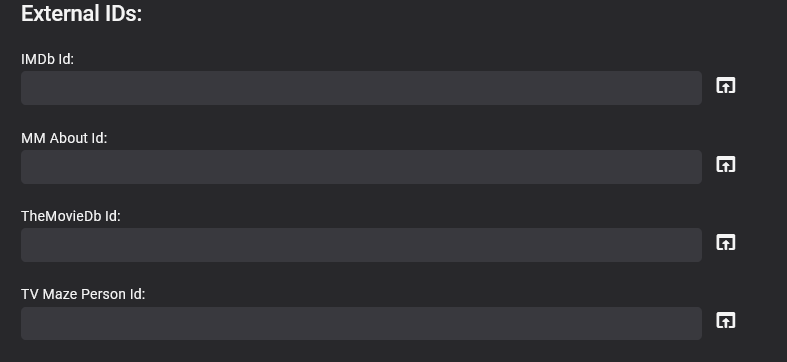
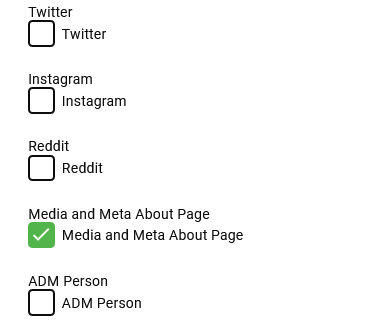
This is exactly what I needed, Big Thankyou to @softworkz I'll post here what I did in case it can help others.... I set them all to off in their classes, so they are all off by default. public static bool IsEnabled { get; set; } = false; Used My config page to turn them on as required. This is a sample image I have more than this. Set my IService to call a static void from within the Get rather than doing it all in the Get method, so its shared call so ServerEntryPoint can also access it too [Route("/APID/ToggleId", "GET", Summary = "ToggleId")] public class ToggleId : IReturn<string> { public string Text { get; set; } } public string Get(ToggleId result) { config = Plugin.Instance.Configuration; Current = this; UpdateProviderToggleSettings(); return _json.SerializeToString(new ToggleId() { Text = "Setting Toggled!" }); } public static void UpdateProviderToggleSettings() { config = Plugin.Instance.Configuration; if (config.MMAboutUrl) { ExternalAboutPage1.IsEnabled = true; } else { ExternalAboutPage1.IsEnabled = false; } // rest of code } Then to get around them not loading at emby start utilised the server entry point to load the config and toggle the true/false settings whether they are on or off public void Run() { var config = Plugin.Instance.Configuration; Plugin.Instance.UpdateConfiguration(Plugin.Instance.Configuration); My_Provider_Ids.UpdateProviderToggleSettings(); } It all works , I'm pleased about this as it was becoming a bit of a nightmare. The External Id works fine without the UI programatically, but it is also very handy to do some of the edits in the UI , this enables me to use it as and when i want
 1 point
 -
Device limit has been there for a long time, nothing new there, let alone in the last few weeks. Standard Premiere license carries a 25 devices limit, which covers vast majority of usage-cases. If that ain't sufficient, there are Extended Premiere options with 45 and 75 devices limit. https://emby.media/premiere-ext.html1 point
-
Hi everybody, is ist possible to implement native AirPlay (2) Support for the iOS Devices. I ´ve tested it and for now ist seems only work for Audio. Maybe it Wohle also be possible to implement the „Multipeer Connectivity Framework“ from Apple. So ist would be possible to stream synced Content from the iPhone to any AirPlay Reciever without an existing Network. >>>Multipeer Connectivity<<<1 point
-
Is it also planned to add some kind of „editable“ „non editable“ options? Iirc currently users can modify all playlists. So I‘d like to create playlists which other users can see, but not edit.1 point
-
I don't get many chances to show my gratitude to the Emby team, so I will use this one-in-a-thousand opportunity to thank everyone involved in the development of this particular feature.1 point
-
Yes improvements have already been added for the upcoming 4.8 release. Both subtitles and subs folders will be supported, case-insensitive.1 point
-
Quite a braindead comment as entire software companies have succeeded on saving people less than a minute per transaction. Emby itself saved me 1 min from hooking up my laptop to the TV. Thanks for adding no value or info to the thread other than your obtuseness.1 point
-
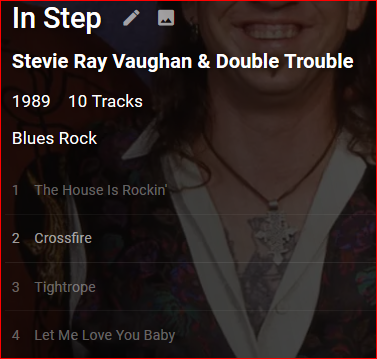
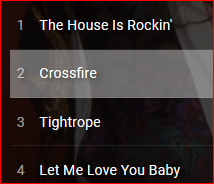
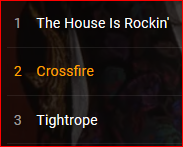
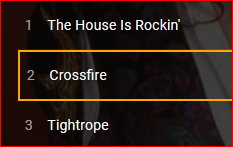
I think it would be useful to make the currently-playing song highlighted/marked in some way in the list. Looking down at the player small print is not intuitive and can be difficult. If it was emphasized in the list someway, I could quickly tell what song is playing and what was before and what is next. My context is the web player; I don't know if the presentation is any different with other Emby apps. You could change the non-playing songs' opacity (not my favorite): Transparent background color is nice: Different text color is subtle but effective: Border color change is okay, maybe combine with background color?:
 1 point