Leaderboard




Popular Content
Showing content with the highest reputation on 04/30/23 in all areas
-
Hi, Would be great the possibility to combine Latest Media Hubs per type of Media. for Example If I have 2 libraries for movies: Movies Movies 4K To be able to see both in the same "hub" as "Latest added Movies"2 points
-
It's ready for testing since Feb 22. Since fall 22 it has been included but hidden, then it was postponed for after the 4.8 release which was supposed to be imminent at that time, but it turned out otherwise. Development is complete, all these features are included in Emby Server already - just not enabled. I expect this to become available for testing shortly after 4.8.2 points
-
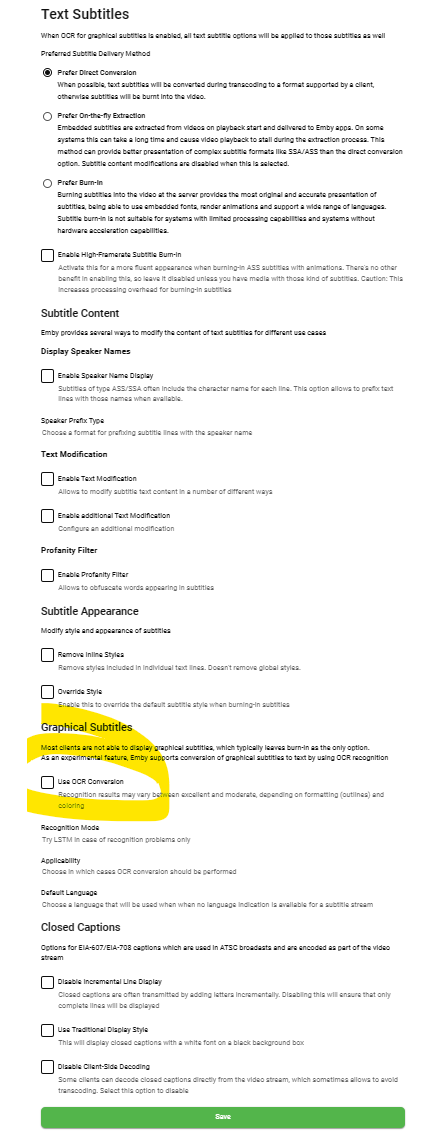
The upcoming subtitle OCR feature is working in real-time as part of the transcoding process. It provides significantly better results than SubtitleEdit. Watch The Emby Show - Episode 2 for details:2 points
-
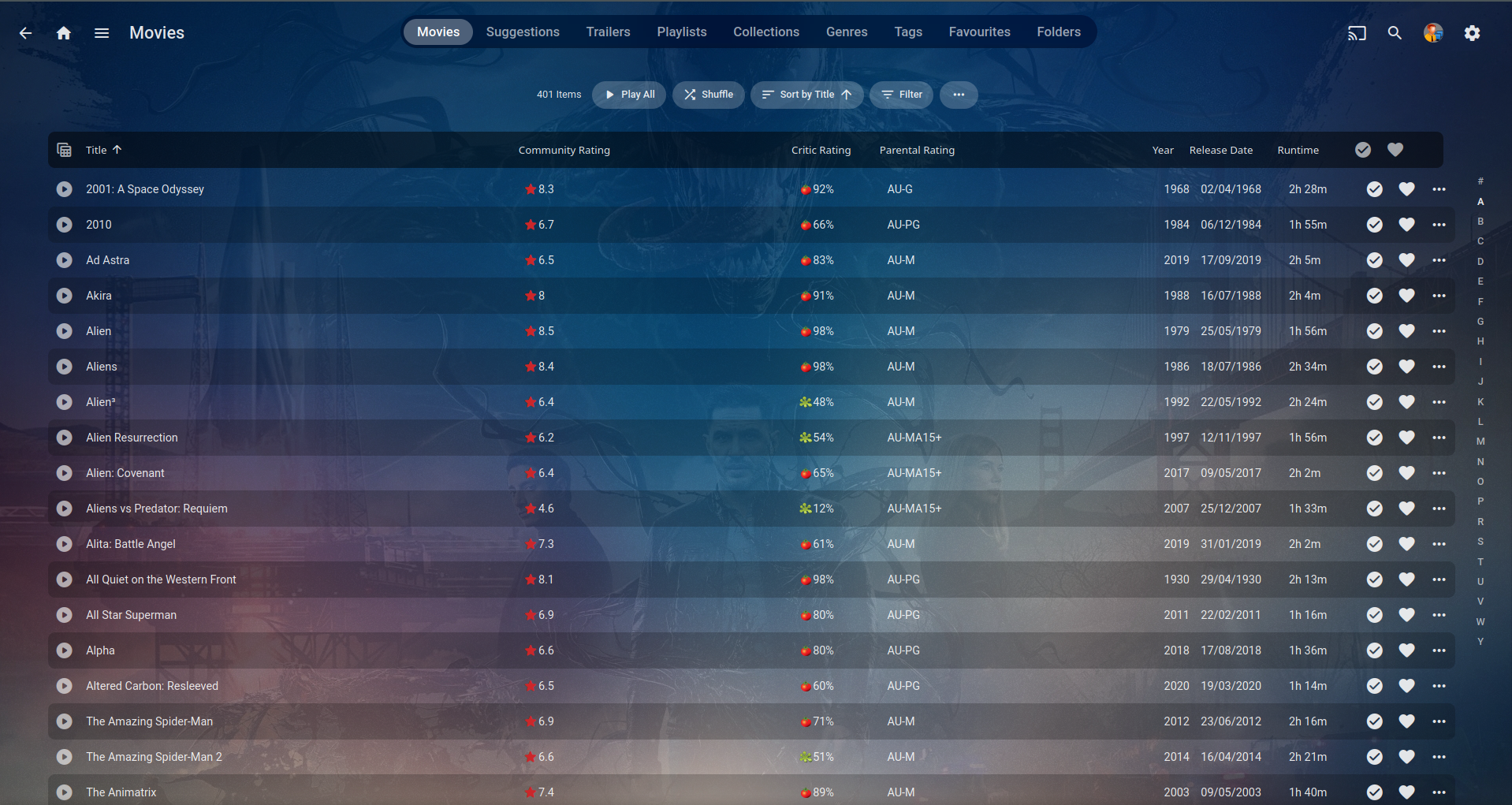
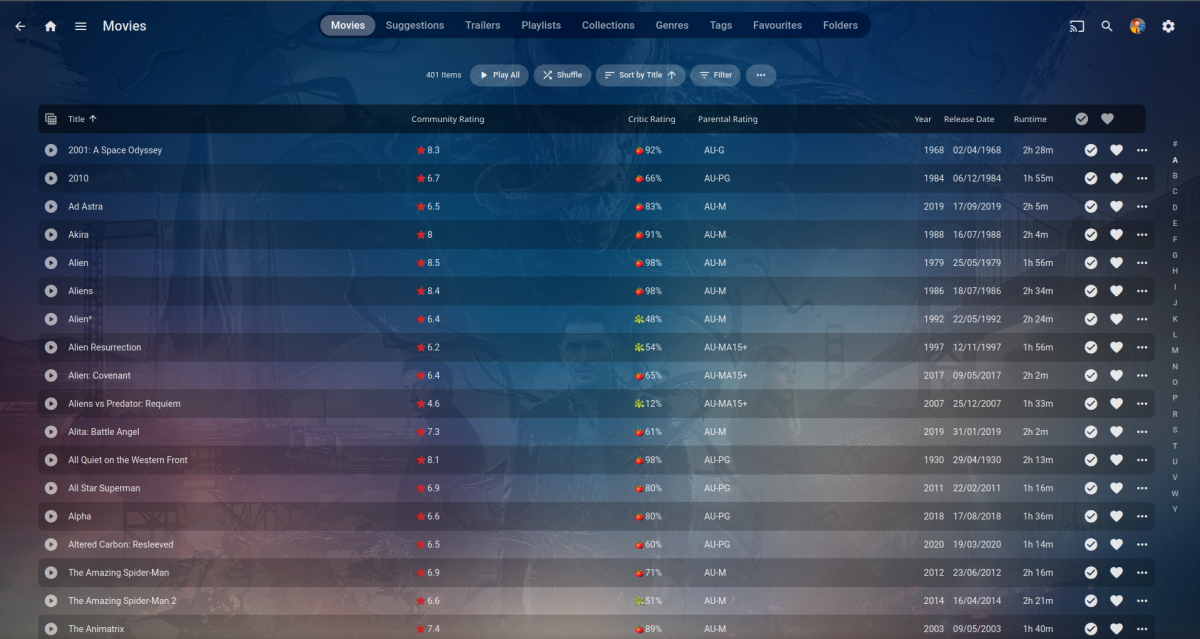
Hi Vic, Yep as @GrimReaperstated Community Rating is decimal and Critic Rating is integer ... EDIT: It can get confusing with them all having a rating in the description but @GrimReaperperfectly explained it here.. 4) Custom Rating will probably not be used by most, only if the parents disagree with the official certification (Parental Rating) and want to raise/lower it for access reasons for there kids.
 2 points
 -
Emby gets its IMDB (Community Rating) and RottenTomatoes (Critic Rating) ratings from OMDB api: Former is decimal, latter is integer.2 points
-
I moved from Plex to Emby and even though I think Emby is superior in its flexibility there are some things I like better with Plex, especially in terms of its looks. This theme is trying to fix that by making it a bit more similar to Plex but with some, in my opinion, improvements. The CSS is attached to this post for anyone interested and below are some screens to show it off Good to know I only use Chrome so I can't guarantee this CSS works as expected in other browsers. If you want the sidebar menu to look like in the screens, make sure to pin the sidebar. Watched badge/banderoll is inverted which means that the badge will not be shown if media have been watched, like in Plex. For desired look, please use the "Dark" theme for both Theme & Settings theme in the display settings. Emby-Stable-style-v3.6.txt





 1 point
 -
Having collections gets very confusing for some of my users because if they have their library set to sort by "date added" in order to show the newest movies first, they will not see some of the latest movies because they were added to an existing collection. Sorting by "date added" just sorts by the date the collection was created. Would it be possible to sort collections by "Date of last addition" or something similar? I like the collections feature, but when the newest movies "disappear" into a collection down the list somewhere it makes it confusing for many users.1 point
-
Hi, Thank you for the great product. It is a pleasure to use it. I have seen some posts but they are years ago regarding my request. Is there a plan to have notification (when adding movies, shows, live tv etc.) from the emby app ? This means to get a push message on my android phone, iphone, windows app, etc. With 3rd party software its not so cool. Thank you.1 point
-
Hi One thing that takes a while in Emby is actually trying goto the media folder of the currently playing media in Emby. I am not talking about using file explorer/manager type thing. This is within Emby. I propose that there should be a way to go to the folder of the currently playing media. For instance, I start playing a video from Latest Video. Now, I want to go to the media folder of that playing video. That is a bit cumbersome, like looking in the info for the path, go back to the home and start recursing into the subfolders. This can be a single click instead like an option like "browse folder" in one of those media's options places. thanks1 point
-
It would be useful if the server (or perhaps clients) could cache most (if not all) content images (posters, backdrops, logos, etc) for movies, TV series and seasons. This would mainly be of benefit when a portion of someone's content is offline but the users would still like to view the content to know what exists. I think caching on the server would be preferable, then all clients could make use of the same cached images. if you think this would be a useful feature, please click the "Like This" button on this post.1 point
-
OK my attempt using only the controls given by the server: Updated to 4.8 beta, with better meta-tags on login screen. Changed Accent colour Changed server name to somethiing likely to be semi-unique. Added a disclaimer text to the bottom of the login screen. Hopefully, this will be enough.1 point
-
You gotta be kidding me. Name your folder as your files or name your files as your folder. It ain't rocket science. Nor does it warrant so much whining. If you do not want to conform to naming guidelines, Multi-select>Group versions manually or use Auto-grouping plugin. Options galore. See no reason why Emby should be pampering to whoever comes with their own idea of how and under which conditions a feature should be functioning as it'll become a garbled mess and more likely than not break something else.1 point
-
In the first instance, just install the Emby server on your machine: https://support.emby.media/support/solutions/articles/44001159243-installation And once it is working locally, follow the procedures to make it accessible remotely: https://support.emby.media/support/solutions/articles/44002137137-remote-setup You can then point your chosen name in the DNS at your remotely-accessible server. If you want an https connection, you can also do this within Emby: https://support.emby.media/support/solutions/articles/44001160086-secure-your-server But there are advantages to doing this via a remote proxy - I recommend Caddy, which does all the business of getting and maintaining a certificate for you. There is information in this forum about using several reverse proxies. Once you have gained experience of getting the server to work in your domain this way, then you might be in a position to think about hosting it remotely as a separate project; but you need to decide where the video files themselves will live. Paul1 point
-
If you don't want to jump up to the 4.8 beta server, just locate index.html in the server install folder /dashboard-iu.... and then remove the meta tags and also change the tags with values of Emby to something of your own name. You'll need to restart the server and then connected browsers will need to clear their caches in order to verify the changes.1 point
-
I had a few free minutes so I fixed the problem and uploaded plugin 2.2 vic1 point
-
You'd need a hosted virtual machine to install and run Emby - hosting which is simply website hosting would not be able to include Emby. You'd install Emby in the same way as on any other machine. I presume you are not planning to upload hundreds of videos to a hosting provider... How would you expect Emby on a hosted site to reach the videos to be able to present and serve them? Paul1 point
-
Thanks @Junglejimfor the clarification. So what I need to change is the 'min critic rating' in the plugin Filter to have integer values between 1 and 100. Everything else is as it should be. I will make these changes tomorrow. Vic1 point
-
It seems like there might be something wrong with their api data for that series. The web page is showing posters for season 2, but they're not in the api data for the series.1 point
-
Found this yesterday: https://www.phoronix.com/news/Intel-RPS-Threshold-Linux-Tune Supposed to give 10-15% performance improvements for gaming. Will it be provide meaningful improvements for transcoding too?1 point
-
It's supposed to get added to GameMode (https://github.com/FeralInteractive/gamemode) eventually, so will keep an eye on the releases there and try the same changes once its available.1 point
-
So tested 1.0.5 as not updated for a while and to be honest not many duplicates any more as the work was all done, but i did notice something. I had created several 4k X265 version of a few of my blu rays films, when they were imported to the library they obviously showed separately as i was not using the plugin at the time. I added the latest version and it pretty much did what was expected. However on 2 films it found them and did not merge. In Fact i decided to group the versions manually, which worked as expected, but when the plugin runs again it unmerges them in to separate instances. To see if this was emby or the plugin, i decided to switch on do not make changes if metadata is locked. I then grouped the 2 films individual versions again via the emby menu and it has grouped them and so far has not not unmerged them. Not sure why it un-merged on these 2 films only but no biggie as i will disable the plugin for now until i need it again which won't be for a while.1 point
-
No, you’d do something like typeof movie. Name1 point
-
If any conversion is needed for playback the transcoding temp path is used to save the converted segments that are streamed to the client. Also if Live TV is streamed the transcoding temp path is used for both the conversion and the playback pause/skip segments. "Thrashing" is a bit of a strong term for a device designed and intended for high rate read/write ops but if you're worried about the NVME stick then you can add a cheap SSD dedicated for transcoding temp.1 point
-
I have 2 more fore the list Bremer/McCoy : d3fe0251-0d0d-4d3a-ad2e-53188d7065d5 Sko/Torp : 0dac0c49-c0b3-40bd-b27b-5012b6e4c1581 point
-
Thank you, I will try that one1 point
-
Hi, there's already an open request for this or something functionally equivalent. Please join in and contribute to the existing discussion at:1 point
-
From what I understand, there is no client that supports ASS that doesn't also support PGS, so converting to ASS is a waste of time. I retain all my original PGS subs, so the only thing I lose is the five minutes it takes to OCR them. Maximises compatibility with clients that are SRT-only, while retaining full PGS features for clients that support that.1 point
-
Hi, there's already an open request for this or something functionally equivalent. Please join in and contribute to the existing discussion at: Edit: LOL.1 point
-
Hi, there's already an open request for this or something functionally equivalent. Please join in and contribute to the existing discussion at:1 point
-
There are multiple versions of the Amazon FireStick; https://developer.amazon.com/docs/fire-tv/device-specifications-fire-tv-streaming-media-player.html1 point
-
Yes, SRT is a much more simple than ASS. If you watch the Emby Show - Episode 1, you can see a crazy ASS example with animations done with ASS. But back to subtitle extraction: The point is that you don't need to care about this anymore in the future because Emby can convert between all subtitle formats and also provides a number of manipulations of the subtitles text and style. When you pre-extract to SRT, you are losing information unnecessarily. Maybe later you play it on a client with ASS support or you want/must do burn-in, then it will be much better when you hadn't converted it to SRT before.1 point
-
That's fine, I trust you and as soon as it's available I'll test it to see how resource intensive it is because using OCR in a desktop app is rather a resource hog. I'll keep making my own SRT files until it's available though as I am dumping all my Blu-Ray onto the server now and want them available now. Thanks1 point
-
https://www.videohelp.com/software/SubExtractor1 point
-
We could do that, but that's not what Emby is about. It's not a conversion tool - it's a media server where you can throw in all your media and you can access it always and from everywhere and play that media on whatever device you have, so that it always works without you needing to care about it. SRT subs for example are very popular but many clients can't play them and the power of Emby is to make things play without that users need to care and plan in advance. The decision of how to deliver a certain media item is made by Emby (with assistance of its clients), is made right in the moment when it's needed, taking into account a range of factors about the media, the server, the client, the user etc. How Emby processes and provides a certain media item can be different each time and as such, pre-extracting often doesn't help much. If this feature would have been more like SubtitleEdit's OCR, where you need to go over all contents manually, work with dictionaries and make corrections, then it wouldn't have been suitable for Emby: Everything here needs to work reliably, on-demand and without needing user intervention. There's no benefit in doing so - it's rather a waste of resources. Emby can easily do this on demand when it's needed, and in the exact way how it needs to be. But if you really feel you need to do so, you can use the ffmpeg included in Emby to perform such conversions. Ah,..if you're curious for a demo, you can send me a file for conversion.1 point
-
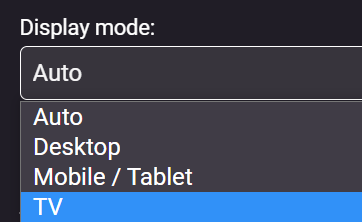
It is only an option when the app is displayed in "TV Mode" So while it does work on a mobile device if you force it to TV Mode, it is completely impractical for that form-factor, best used for large landscape screens.
 1 point
 -
My issue with the episode not being marked as watched in the "More from season X" row right after playing it is fixed. Thanks!1 point
-
My Hubitat died on me almost 2yrs ago now. It's sole purpose was to bring in play state and media info into hubitat so you could get the data into rule machine to make rules. Things like when playing a tv show dim lights to 80% or when playing a movie dim to 20%. This wasn't a 2-way app.1 point
-
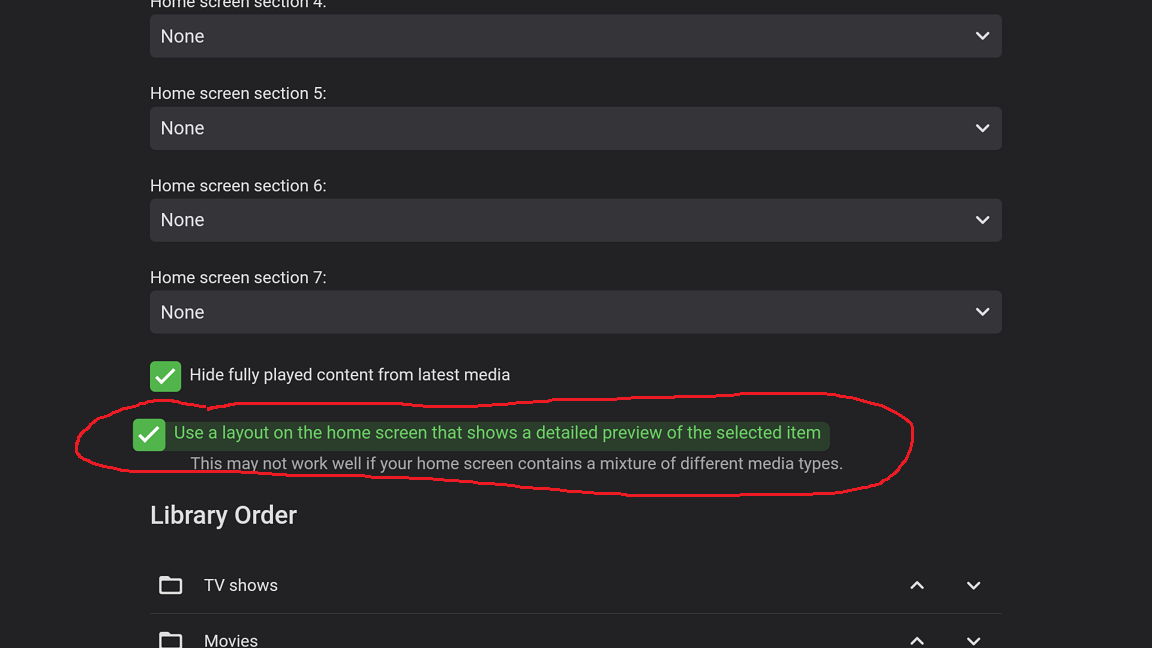
It's under the Home Screen settings as mentioned above. ET equivalent of ATV's Enhanced Home screen option.
 1 point
 -
These are collection types, not item types, therefore not valid. Try Movie,Series1 point
-
Sure - agree 100% - I use subtitle edit too if I need to - but just thought I'd mention it as maybe the real-time conversion is 'good enough' ..1 point
-
In the latest beta software - @softworkz has done a great deal of work with subtitles and PGS OCR recognition is now included. Maybe worth a trial and see how it compares to the above methods.
 1 point
 -
Nope. There are actually 4 rating types/2 groups (and Emby terminology might be a bit lacking in that respect): 1) Community Rating (as in IMDB) 2) Critic Rating (as in Rotten Tomatoes) ---------------------------------------------------------------- 3) Parental Rating 4) Custom Rating 1) and 2) are actual numerical ratings, i.e. how "good" something is, while 3) and 4) are Certifications, i.e. how suitable it is for a certain age group, with 4) overriding 3) for access control purposes when inserted. Hope this helps.1 point
-
Yep - Good catch - watch for the 'intelligent' features on TV's that may actually make things worse. If possible, try and have a 'Movie' profile on the TV and set to that when you are watching 'Film' (with all the features turned 'off' or on their lowest setting..)1 point
-
I just bought an Amazon Echo today and also paid for the Emby subscription.. obviously hoping to be able to use it, and now I just found out that this is not possible! (call me naive) I couldn't care less about German or Spanish or Swajilli or whatever exotic random language, I just want to install the Emby skill IN ENGLISH in an Echo that is linked to the Amazon Germany shop. Why do we need to wait years for this?1 point
-
I would try removing these plugins: 2023-04-04 04:00:20.122 Info App: Loading Emby.Plugins.AniList, Version=1.0.2.0, Culture=neutral, PublicKeyToken=null from /config/plugins/Emby.Plugins.AniList.dll 2023-04-04 04:00:20.122 Info App: Loading EpMetaRefresh, Version=1.0.0.1, Culture=neutral, PublicKeyToken=null from /config/plugins/EpMetaRefresh.dll 2023-04-04 04:00:20.122 Info App: Loading MediaBrowser.Plugins.Anime, Version=1.5.4.0, Culture=neutral, PublicKeyToken=null from /config/plugins/MediaBrowser.Plugins.Anime.dll Then restart the server and see how things compare. Thanks.1 point
-
Hi there, yes more improvements to channel management such as this are planned for future updates. Thanks !1 point
-
@ShadowKindjal Best practice if you have the RAM is to set the DB cache size to 1.5 to 2 times the database size.1 point
-
For Tizens, if sluggish. Hold the power button on the remote until the TV turns off....keep holding the power button until you see the "Samsung Tizen" Splash screen. This is a hard reboot, should clear up most issues. If not go through the TVs setting and go to Device care. Run the system cleanup and then hold the power button again until the splash screen comes up. This should fix almost all software/slow type issues with the Tizens. If Device care or system update is greyed out...do the hold power button trick to force reboot the TV. Those options should be available.1 point
-
It's something we'd like to add in the future. Thanks.1 point
-
Hi, yes it would be nice, but web apps don't have the ability to do that, so the best we could do is open the file browser on the server machine.1 point