Leaderboard




Popular Content
Showing content with the highest reputation on 04/24/23 in all areas
-
What devices are you having to transcode on? Most of my library is HEVC and 10bit color and I never have to transcode anything.....which was by design. Firesticks are the best at compatibility and play everything I throw at them. The main devices I use in home are Firesticks, Sony Google TVs, LG 4K TVs and Android phones. Outside of the house I have friends using Samsung TVs and Toshiba Fire TVs....all require no transcoding. If ROKU devices aren't consistent with HEVC playback I would avoid them unless you have one. I did EXTENSINVE testing a couple of years ago struggling with this. I still have a rather large library of H.264 content but I have replaced or will replace it with H.265 when I can and if I can't I'll convert the H.264 content to H.265. I'm very picky about quality and I prefer H.265. It took me over a year to fine tune my settings to get what I want so I stacked up a lot of hard drives with recorded TV movies because I wasn't going to use H.264 anymore. Depending upon the source quality (higher quality sources compress farther in the encoding process) H.265 is on average 40-50% smaller in size at the same quality. With my settings I think H.265 is the quality winner anyway so the smaller file size is a huge bonus. Most of my content is recorded movies from sources like TCM, Encore, Sony, MGM and sometimes TV movies and once encoded with H.265 I can get about 3K movies on a 4TB hard drive. People that view my content tell me it looks like it's paying off a disc and it's mostly recorded TV yet the file size for my average movie with copied source audio averages about 1.5Gb and my average playback bitrate is ~2Mb/s so the load on my system is non-existent since I never have to transcode anything except PGS subs that I usually replace with SRT anyway.3 points
-
I'll try to keep this feature request short and simple. When the Emby server needs to transcode audio to make it compatible for the Emby client, it will use a hardcoded value for the bitrate that cannot be changed. For example, if the audio gets transcoded to Dolby Digital AC-3, it will always use a bitrate of 384 kb/s. This value cannot be changed, even though Dolby Digital AC-3 allows a maximum bitrate of 640 kb/s. Although 384 kb/s is a decent compromise between quality and data, it is very compressed and the quality is far from being transparent. The same thing applies to every other audio codec the Emby server may transcode to, such as AAC. So the request is simple, allow users to specify the bitrate that should be used for transcoding audio. Thanks, Charlie2 points
-
@pejamas and @JunglejimI just uploaded the 0.0.2.0 plugin. It includes the ability to search for missing data with the custom filter. The operator pull down list now includes an "N" operator that checks for 'no input.' it checks to see if the item in the current object is blank. Vic2 points
-
So, usually this place is filled with the series/season thumb or an fanart pic. I guess that's okay, no spoilers and all, but it gets boring real quick and to me it would make much more sense to have the episode thumb/screenshot there (maybe with the series logo added somehow). The only way to get it that way, is by deleting thumbs and fanart completely, but the latter are used on different places too, so I want to keep them. How about an option to use ep-thumbs for "continue" and "next up"?1 point
-
I'm updating a bunch of my videos and I'm trying to figure out if I should use HEVC or x265. The HEVC files are 2-3x the size of the x265 so while that is something to keep in mind, it is not a critical factor in the decision. My biggest factors are what is easiest to play and to transcode (4k to 1080p) for other devices. Non 4k devices are some phones, and a bunch of Amazon Firesticks on 1080p Non-HDR TVs. Thanks!1 point
-
ATV app is superior in pretty much everything... WMV is this -1 point
-
Hi, Is it possible to download a video/photo to the actual phone? I've read some of the posts here and it's very confusing of what this feature should be doing. If I use a web browser and download a photo, it downloads a photo as expected, as it would download/save any type of media file. If I'm in the Android app, I expect the same behaviour, because it's named the same download. However, that's not what's happening. Can we have some clarity as to why the download feature doesn't actually download the media to the phone? I have the same question for iOS. Basically it's nearly impossible to share a photo with someone (say via whatsapp, texting app) the way the Emby app for mobile(s) "downloads" media. Can this feature be implemented to work the same as in a browser? Really before purchasing premium, I was super happy to be able to download the media, but it looks like this feature doesn't work as expected outside a browser. Would be wonderful it it worked the same, I assume most users have the same expectation. While I understand why one would want an "offline" media section (playback of movies), I am interested in being able to download my home videos/photos that I share out with family that is far away. Thank you1 point
-
I am running Emby Server 4.8.0.30 beta for QNAP. I added my music collection to Emby Library just a few days ago and I can confirm that the artist images (Primary/Logo/Backdrops) do not appear in the library when you refresh the whole music library. Just like reported earlier in this thread, I have to manually refresh the metadata of each individual artist one by one in order to make those images to appear. This is in deed a bit laborous when you got music from 2400+ artitsts in your collection. For artist metadata downloaders, i have set TheAudioDB as the first source and MusicBrainz as the secondary one.1 point
-
Yes, i see this also now in the latest beta. I've asked our master about the problem. Edit: It should be resolved with the next server update he said.1 point
-
It's resolved in the next build. Thanks.1 point
-
Thank you. That worked. Very much appreciated.1 point
-
Definitely better, thank you for listening.1 point
-
Hi, this is resolved in the upcoming 4.8 server release. Thanks.1 point
-
it's shocking how long this bug continues to stick around...1 point
-
This should be resolved in 3.2.97+. Thanks.1 point
-
I've noticed this as well. I've found that I've had to transcode a few movies encoded as 1080p HEVC over the last few days. It doesn't affect me, but I just thought it was interesting.1 point
-
Here is a script I created in PowerShell to automagically convert any video in a specified parent directory (and recursively through any subdirectories) from their original format to HEVC. You just need to point paths to input/output, log, and FFMPEG/FFPROBE exes. Lemme know if you have any questions. StreamShift_1.0.7.ps11 point
-
Luke - apologies. I didn't see your response or the update that occurred. I had to remove music from Emby, but now that I've seen this I will add again and report back.1 point
-
Not within Emby core, but you can use community-made tool built for that exact purpose: or use plugin version of the same:1 point
-
See - In summary, as you are using nginx - there are no known vulnerability issues relating to this topic. The 'fix' (I believe) was for users using emby as their public facing web server. @softworkzcould you kindly confirm ? Thanks.1 point
-
Video screens refresh (show a new image) on a set schedule (frequency). Usually (in the US) something close to 30 times per second or some multiple of that. Video is shot at pretty much this same frame rate so that works out well. However, film was typically shot at 24 frames per second. Now you have 24 images per second but your monitor is showing 30 which means that some frames show for more than one refresh cycle and many frames are going to be late displaying because the timing doesn't match up. Ever notice wide scenic pan shots in a movie seeming to skip every second or so? So many TVs can change their refresh rate to match the frame rate of film to make the display smoother. However, many TVs can apply various techniques to account for the mismatch as well such that you may or may not need to change the refresh rate. One technique is using a refresh rate that is evenly divisible by both 30 and 24 such as 120Hz.1 point
-
There is a new update, they had fix it. 4.7.11.0_1.0.20! Also there is no auto update, just after the fail update without changing anything it lis as the updated, but internally there was nothing changed.1 point
-
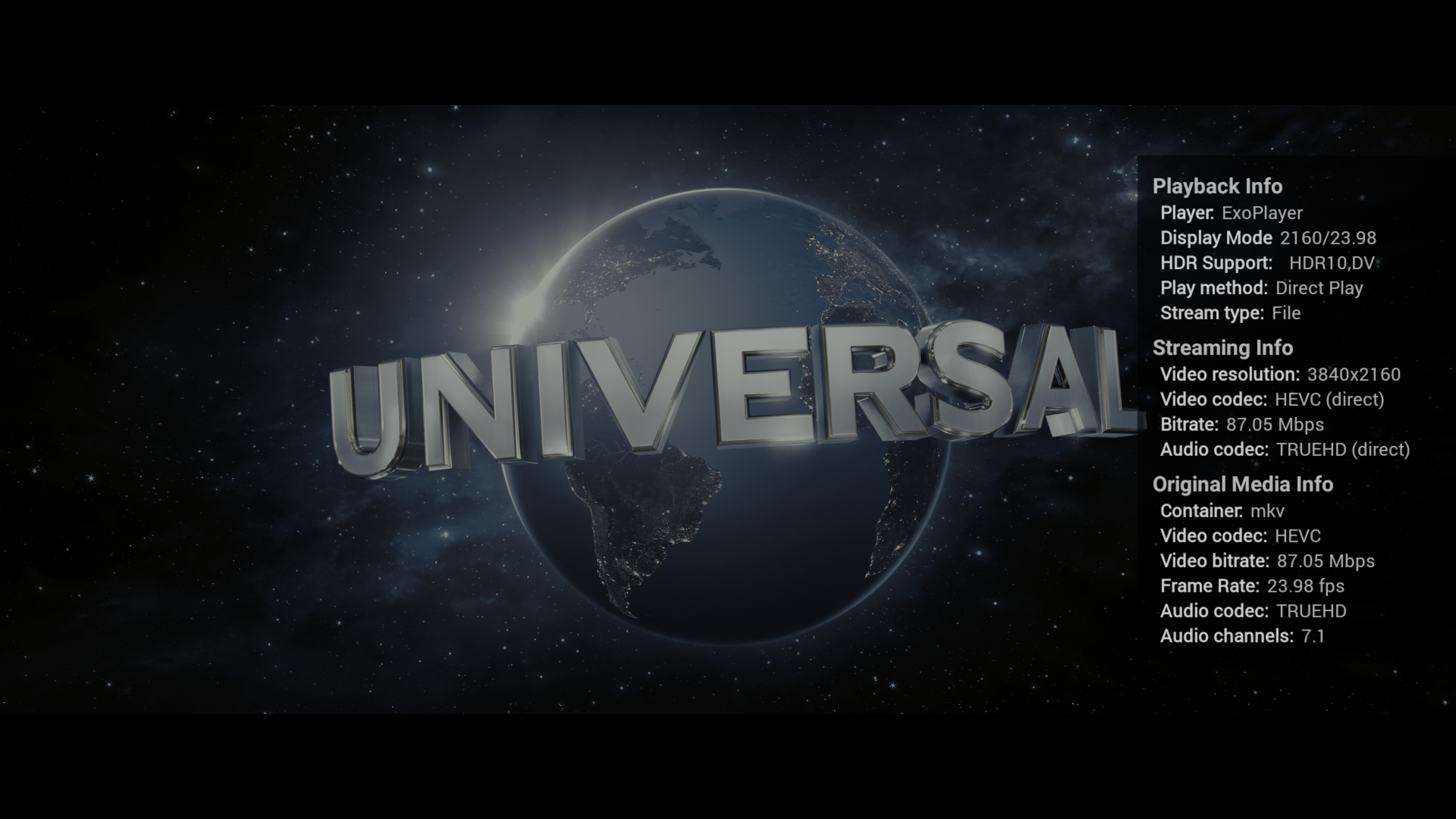
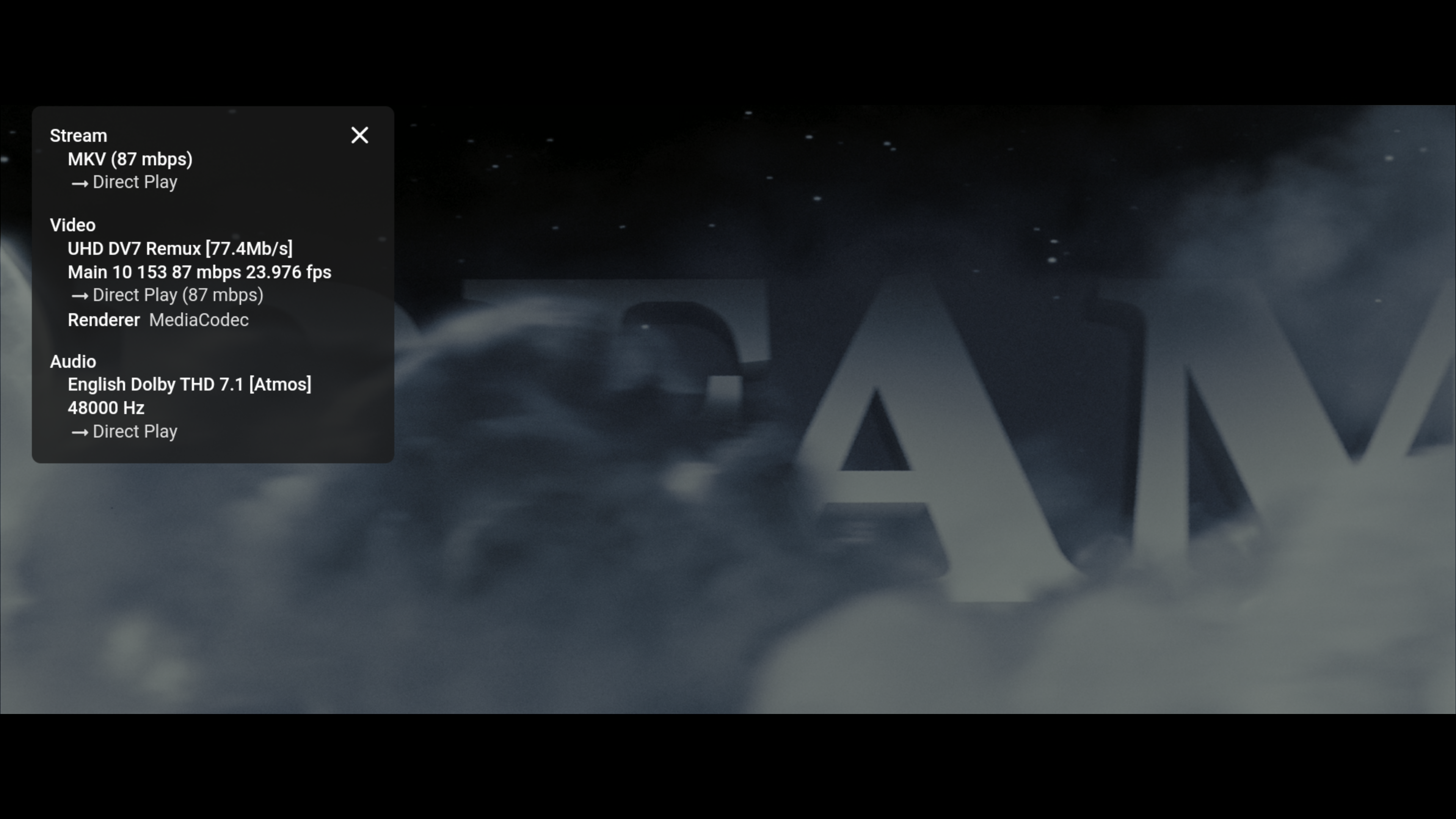
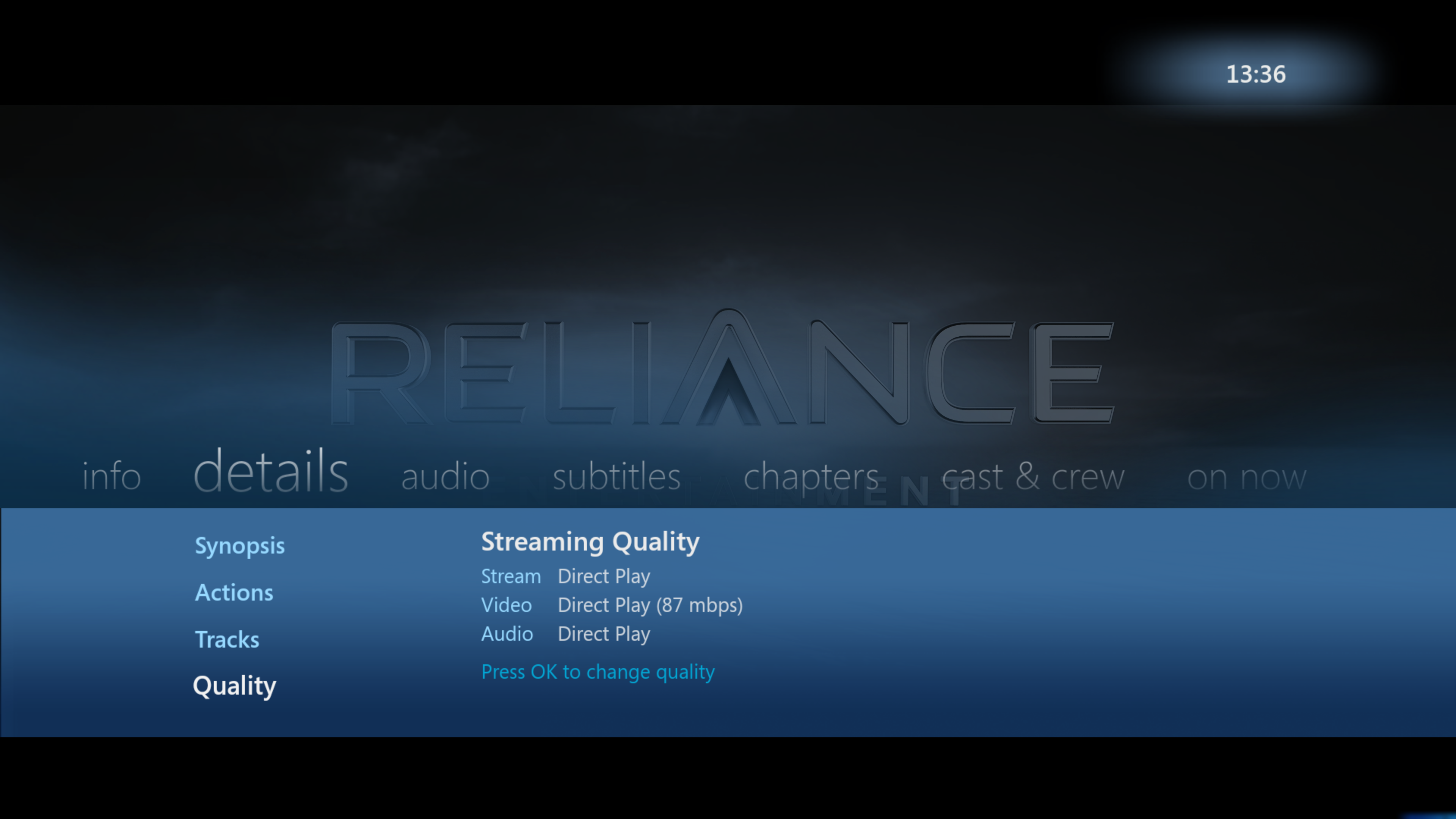
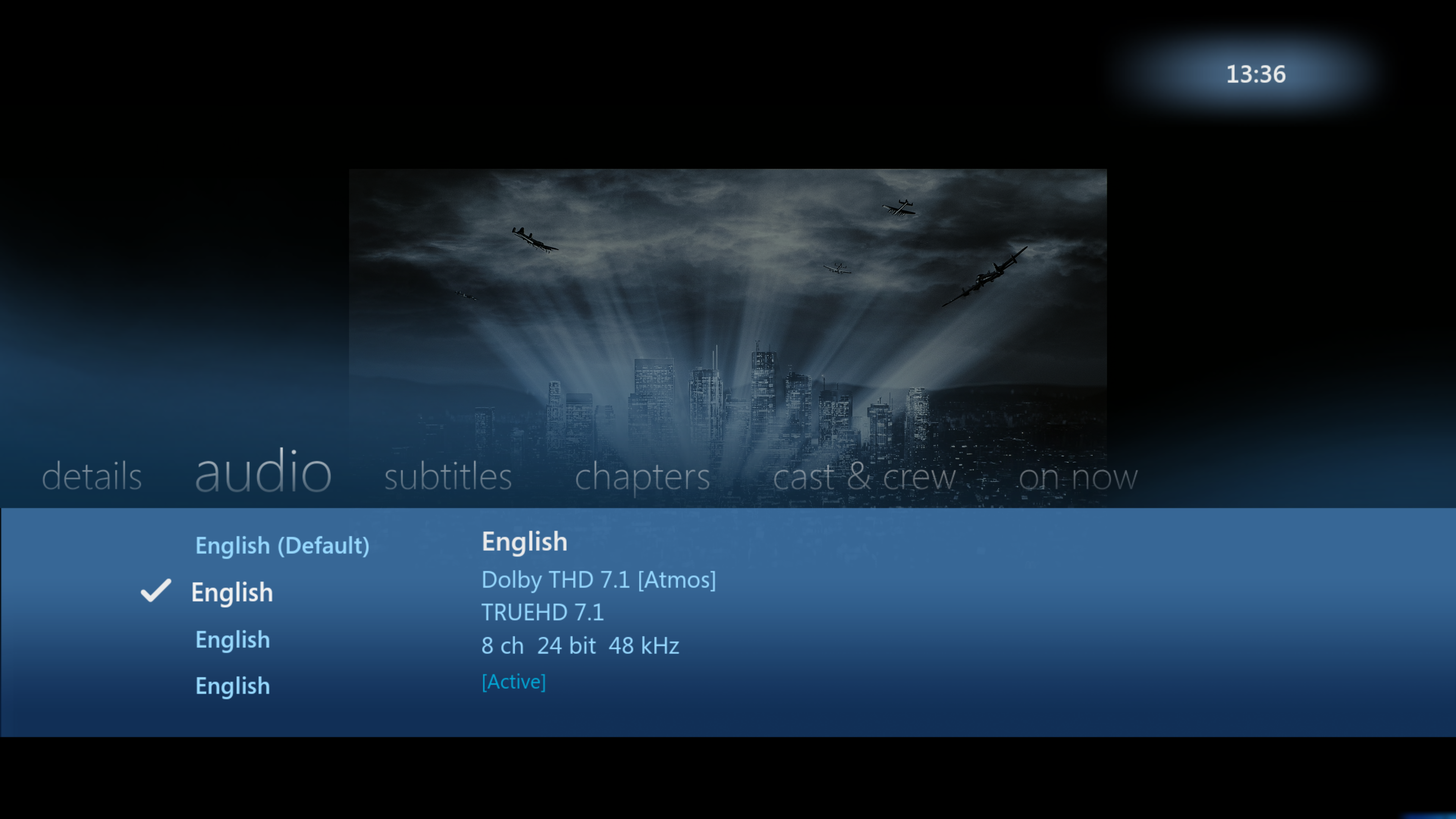
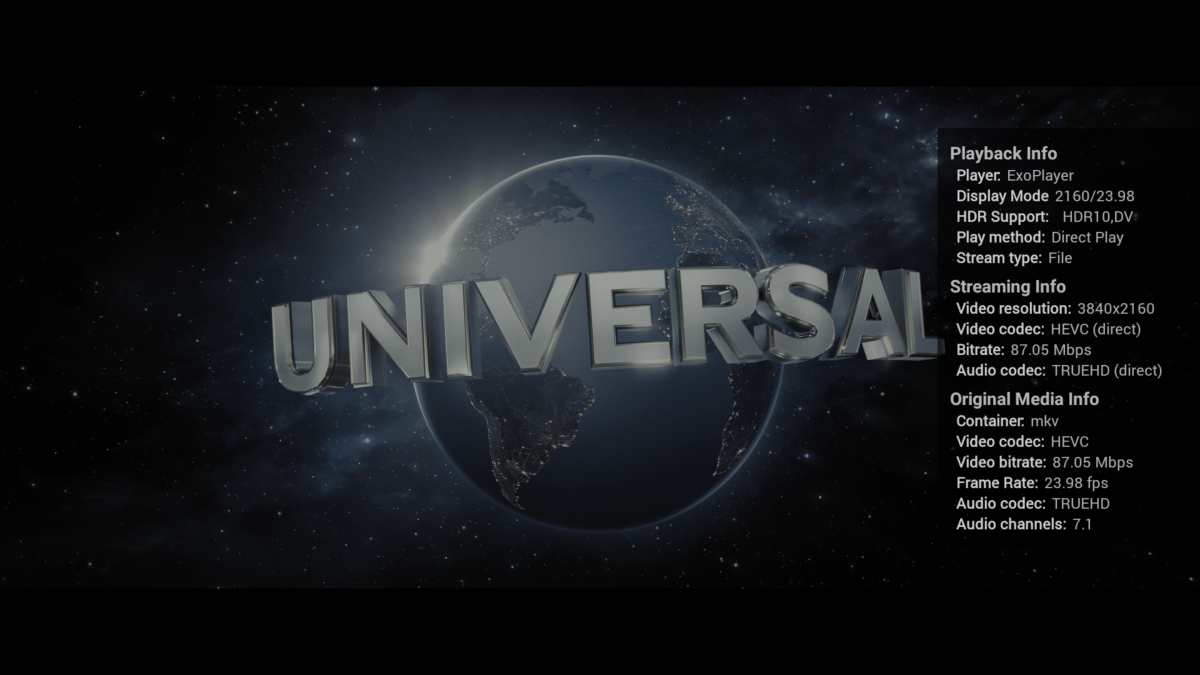
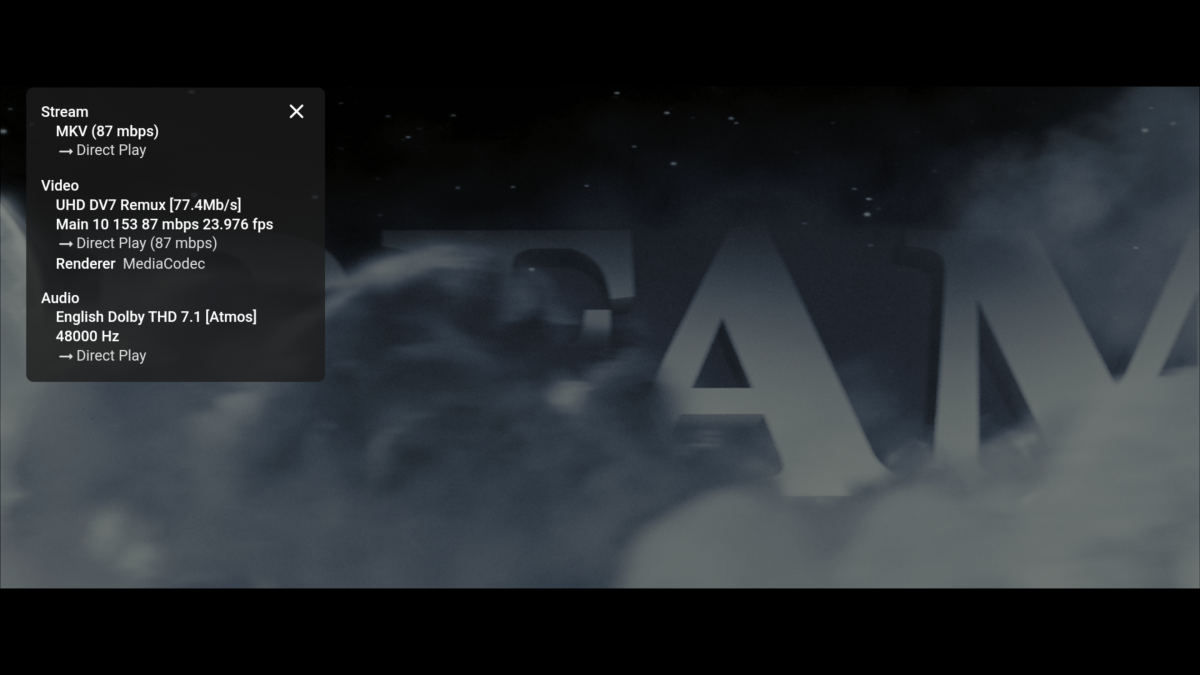
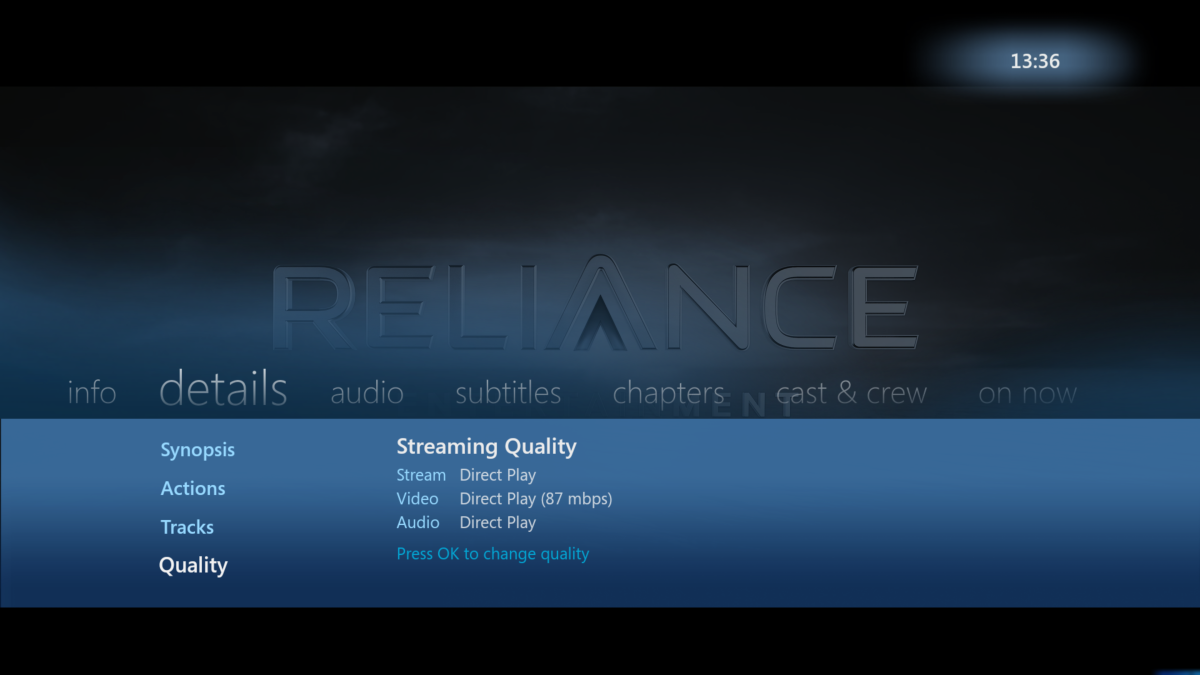
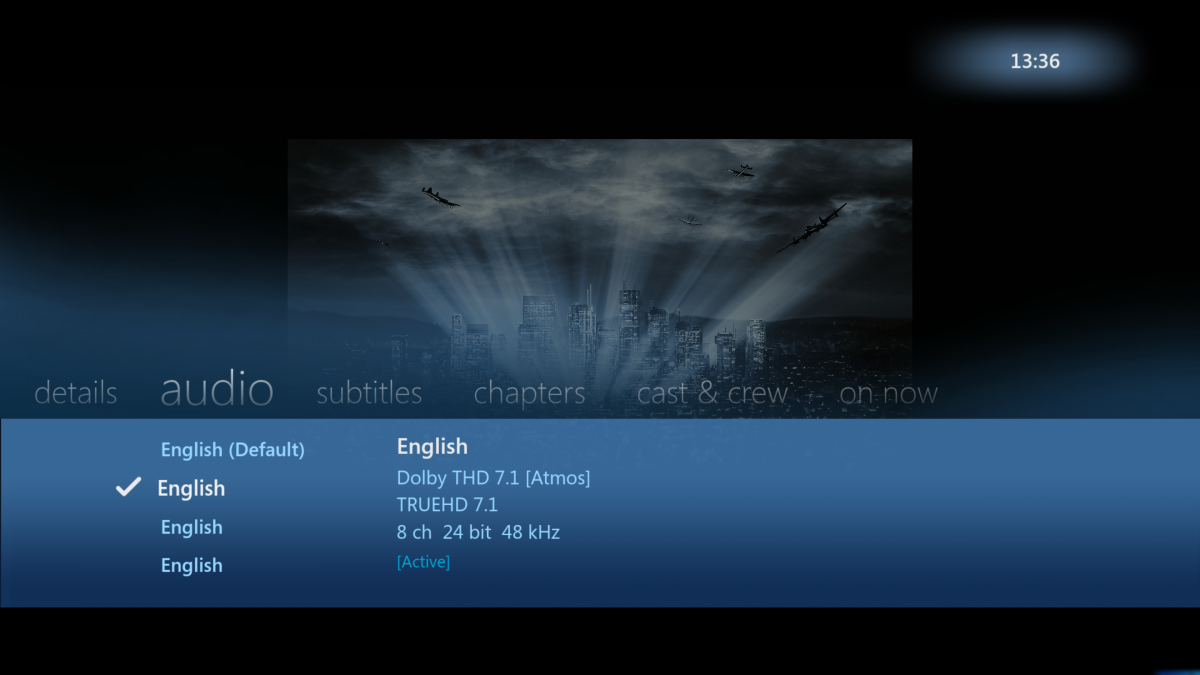
SFN in AndroidTV shows more useful info then SFN on the Standard Android App - especially for TV usage. The Original Media Info is shown (how it appears in MediaInfo), Streaming Info (showing what emby is doing to it - if anything) and importantly, it also shows the Playback Info - including the capabilities of the TV, Display mode incl Refresh Rate being used - and the Stream type. So if you have Refresh rate matching on for example - it should be showing the Display mode as 2160/23.98 for example. Stream Type is also important for me to show 'File' as opposed to 'http'. Everything should say 'Direct' in Streaming Info - if not, then for me there is an issue as the playback is being modified. I think some of this extra info has been requested to be added to the Standard App. Quick comparison below of the 3 Android Clients playing a 4K remux at maximum capability - a) - Android TV (single Press and Hold of the OK Button) b) Android c) WMV for Android imo - AndroidTV still reigns supreme but it is nice that Android shows the track Titles - that is useful if they are present, consistent and correct ..
 1 point
 -
@LukeDo you have any plans to support setting the bit rate officially?1 point
-
Hi, it shows what Emby is sending to the video player.1 point
-
Hi. Auto will attempt to direct play all audio by either passing it through (if supported) or decoding it locally in the app (if possible). The convert option will take multichannel formats that are not supported to pass through and convert them to DD 5.1 on the server. The downmix option will always downmix locally to stereo (this is best if you are just using TV speakers).1 point
-
It is to eliminate judder. You might benefit from enabling it depending on your TV and your sensitivity to it1 point
-
DD or Dolby Digital Dolby Surround is a matrix format which tries to compress several channels into two using subtle fiddling with phase changes. It can be decoded into the original multiple channels, but with lots of cross-talk, or the two channels can be played as stereo with some phasey artefacts. (Edit - see answer below for correction) Paul1 point
-
And how about support for episode landscapes, as discussed on the other thread, pretty please?1 point
-
Jellyfin is great - if you are a coder and you want to make it "yours" plus put up with the quirks that inevitably come from open source. Plex is great if you are a mindless drone or such a complete luddite you want to push an button and it all works AND you are willing to put up with totally useless new features and a design that is evolving into mobile use. Emby is for watching media. It lets you set it up based on what you want, its simple but complex where it needs to be. Plus even in the months since I became a premium member there has been positive evolution in the design. But that's not what I'm here for, I'm here so I can decide what meta matches my media - that's one of the biggest reasons. That and pick what you need and want. Plus meta for personal files where you can add Grandma, as a actor, add a picture, and video, and a bio, and click to find all the media with her in it, and add tags to sort by whatever, and make it easy to use, which beats the hell out of the other guys.1 point
-
I don't have an update yet, but an option is something that could certainly be added.1 point
-
Hi, the ffmpeg default of 0 is used to maximize performance. The default is essentially our recommendation. ffmpeg doesn't have an auto for this. If you omit it, it has an internal default, but it doesn't change depending on the media. It does not affect any of the above three topics.1 point
-
For example on Shield, what I use primary. Some functions are opposite. Like, when playing video, pressing Down button, in original app it show info about video. In Shield app showing controls. It's nothing wrong, just different way.1 point
-
@Cheesegeezer Is it possible to add automatic commercial skipping to the credit skip plugin for files that have chapter markers specifically identifying the video blocks that are commercials? PlayOn creates files and automatically creates and tags the chapters associated with commercials. It would be really nice to be able to automatically skip the commercials in those files. Here's an example: https://1drv.ms/v/s!AoeIRL90LCrSr5suxb4p9TsWvaJLeg?e=6tDhql1 point
-
If the source files have the chapter marks then tbh a quick script to read them and convert to edl is probably ypur best bet. The introskip plugin is limited by design to one 'skip' only.. thus it's not really suitable. The com skip plugin sounds ideal, but just needs the edl file. Can you post a mediainfo json or text of a typical file .. I just need to see how it identifies the com chapters. The key tjing here is consistency. If it always uses 'Advertisement' as the name, then it should be fairly easy to convert to edl ...1 point
-
Visual Studio Code also has restclient as a plugin. That's what I tend to use because it's lightweight and it can run on 1 monitor while I have the others for the VS debugger.1 point
-
To update - with nginx with XFF removed - @Q-Droidsaw normal behaviour forcing a local header (ie presented with a login page). I've put it back to how it was (ie XFF append) and lets see if that changes things .. edit So even with XFF enabled - it still does not appear to pass the 127.0.0.1 to emby - presenting the login page as above. So I'll be removing it again (as it passes the remote IP via X-Real-IP) - as it's not needed in my setup (I only have one RP) but it appears its not causing any issues by leaving it. Thanks @Q-Droidfor the testing.1 point
-
Just to add when @Cheesegeezerand I made the HDR>SDR BIF Generator plugin (tonemapping) - we did experiments on hw encoding as well and found very little difference. Could have been the speed of my cpu cloaked the advantages but frankly there were too many variables to warrant full testing. It was writing the temp images at a very fast rate anyway - so the bottleneck may have even been the disk I/O. Anyway - all in the past now, as the tonemapping is now done in the core for the BIF images.1 point
-
Yes, I could get MCEbuddy to write out an EDL file, but it's cleaner to have the commercial chapter marks embedded in the video file AND I have 1,000's of tv show episodes that already have the commercial chapter marks. Anyone who uses PlayOn will have these same commercial chapter marks included in their PlayOn recorded videos.1 point
-
I want to clarify something: If the Emby for Android app is going to provide DSD playback support as it should, then it must: - Implement the "Exclusive USB Audio Access Mode" option which is now in the Feature Requests section, this is necessary to output the DSD stream directly to a DAC with DSD playback support, otherwise, if the Android driver is used, then only PCM decoding is possible. - Implement the three audio options for DSD decoding: PCM, DoP (DSD over PCM) and DSD native, otherwise, if the Android driver is used, then only PCM decoding is possible. In my case with the FiiO KA1, PCM and DoP are supported by the DAC, but DoP is only possible with the "Exclusive USB Audio Access Mode" option.1 point
-
I have the same problem, on Android 13,latest Emby app.1 point
-
STOP this is destructive, back up your playback reporting data first. stop emby server and take a copy of the playback_reporting.db DB before you start. In the query tab run this to get a list of all the tables SELECT name FROM sqlite_master It should give you a list like this PlaybackActivity_20230420_134941 UserList deep_search deep_search_data deep_search_idx deep_search_content deep_search_docsize deep_search_config PlaybackActivity the two tables you are interested in are PlaybackActivity and any table with the date sting in the end like PlaybackActivity_20230420_134941 Edit the following query with the name you have in your above results (DONT USE MINE) INSERT INTO PlaybackActivity SELECT *, "" AS RemoteAddress FROM PlaybackActivity_<TABLE NAME HERE> WHERE DateCreated NOT IN (SELECT DateCreated FROM PlaybackActivity) This will import all the old data into the new table.1 point
-
hmmm food for thought. I will take a look, but it wont be for a while, because i'm busy with Client UI development for Audirium and Iridium and i've got a nice groove going on and don't really want to interrupt it. Cheers1 point
-
Hi, we are working on it and hope to have it included in the upcoming 4.8 server release.1 point
-
I don't have external storage, my phone has no SD card slot. I really don't understand, why would you not design the app to save the downloaded media either in the Download folder (a subfolder - Emby) or a subfolder of DCIM (photos)?? This is pretty standard for apps that allow media download, it's easily accessible this way....1 point
-
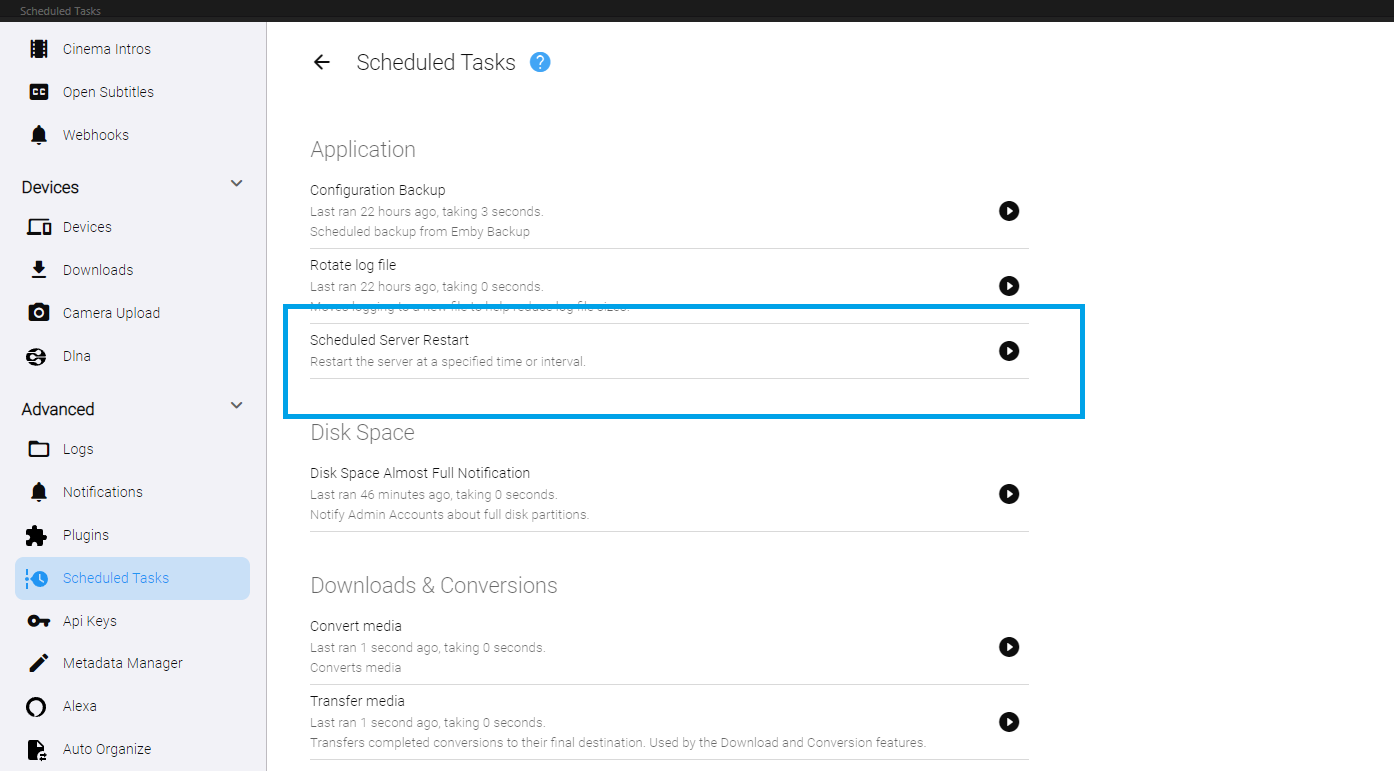
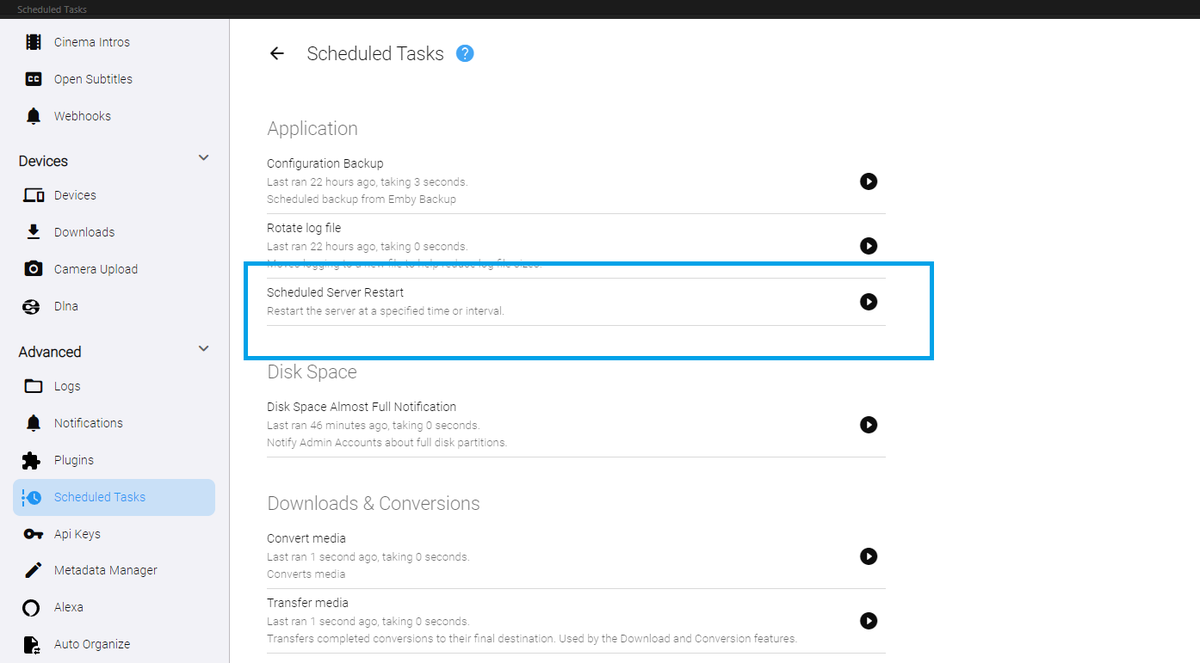
Yeah. I don't know what happened to the original version of this. EDIT: Actually... it might have been blocked. Should I have done this? I recreated it, and it works now. DOWNLOAD: Restart_v1.zip I realize the built in emby version will only restart when updates are available. But, this will restart the server no matter who is using it, every day at 3:45 am (default). Is that what you guys wanted. It could check for users being connected before restarting, and then wait for the next appropriate time to do it...
 1 point
 -
So there's an option to group a collection of movies into a single entry, so you can have just one entry for, say, Harry Potter, or Lord of the Rings, or Alien. Most of my collection is anime, and one of the things Japan likes to do is make each season it's own series. For instance there's Bakemonogatari, followed by Monogatari Second Season, followed by Tsukimonogatari, and then Owarimonogatari. As you can see, they're not even remotely close to each other alphabetically. Can we have a setting to group these together, possibly with some way to set them in order, and on a per library basis so as not to mess with other libraries (or even a per collection basis? dunno how hard that would be).1 point