Leaderboard




Popular Content
Showing content with the highest reputation on 04/14/23 in all areas
-
This is looking great, some of the views you have there remind me of the old days skinning XBMC/Kodi I don't run windows but I can wait for something this special, plus I know it's a long way off being ready. Just keep chipping away mate, this will be gold!3 points
-
No, I hadn't been able to find that. I've just looked through and found where to enable debugging. So do I need to wait until it happens again now and then send the log from that? Sorry, I thought you needed logs from the server2 points
-
I changed the port number of the new server as you suggested. Now, it works seamlessly. Thank you tremendously. As usual.2 points
-
Coming in Emby Server 4.8:2 points
-
As the title says, @softworkz teased all of us in another thread for me to post this. The number one improvement I check on this forum hoping there are updates to, sadly not so much.1 point
-
Glad to hear you're back on this mate, it is looking as sexy as I was hoping for1 point
-
Ah cool, thanks1 point
-
They are excellent for watching TV\Films, the image is large and very clear (Looks better than I thought it would be being 1080). The software is very basic though so the AR functionality is not great. It feels like a giant TV around 4 meters in front of you. Samsung Dex massively improves the experience when connected to a phone.1 point
-
Only single "content/item" is currently supported. EPG (Guide) menu -> context menu -> Emby Record1 point
-
Hi, @DarWun may have some tips.1 point
-
hence the 'as far as I'm concerned' .. I don't see how you can refer to something as DirectPlay if you are changing the data stream into HTTP lol Anyway - yes, you are of course correct - for the actual 'emby' and thus Playback Reporting references, the wiki link describes it well.1 point
-
That's not exactly how Emby interprets/considers it. I remember heated discussions about delivery methods and terminology that should be used. In any case, DFA or http is not taken into account with current terms. Above link is what's currently applicable.1 point
-
solved: In Kodi 20.x, there is a new addon called "IPTV Manager" which is NOT installed when you install the "IPTV Client". So, install "IPTV Manager" which will also pull in the client and dependencies, then in kodinextgen do the sync live tv, and it works now Thanks1 point
-
I will do that. But in the meantime, the DLNA server on my phone had no media, I added media to it's folders and then Bigscreen was able to connect. I will perform your suggestions above and repost logs.1 point
-
Think you're right. I didn't have "emby" before my domain name in the external domain section of Emby settings. Adding it then made the WAN address work but it still comes up with a "this isn't a secure connection" and HTTPS is crossed out. This is how I have my settings.
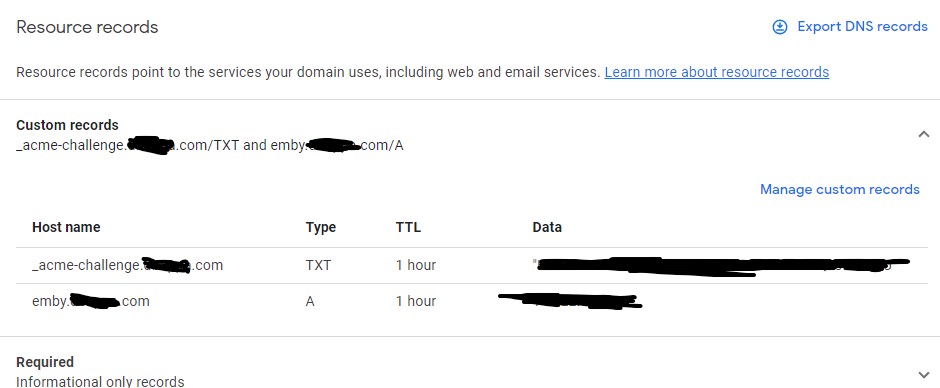
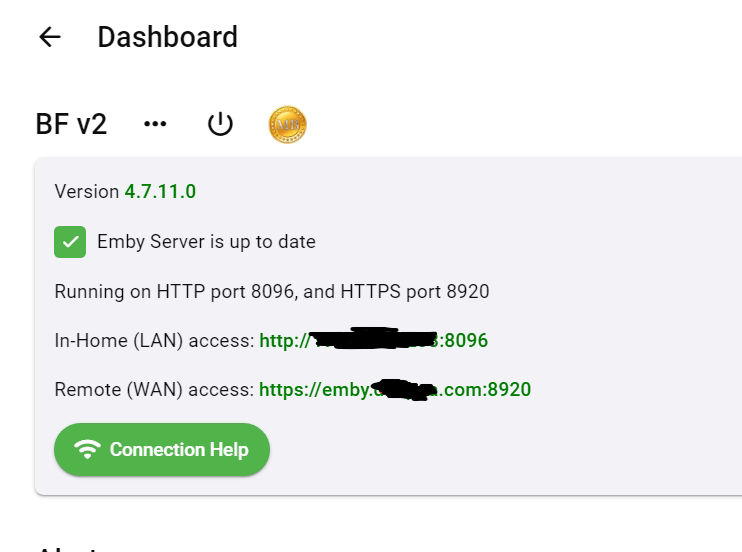 1 point
 -
ffmpeg log will also show you that, Stream mapping, as in: 14:18:30.570 Stream mapping: 14:18:30.570 Stream #0:0 (hevc) -> scale_vaapi:default (graph 0) 14:18:30.570 hwmap:default (graph 0) -> Stream #0:0 (h264_vaapi) 14:18:30.570 Stream #0:1 -> #0:1 (truehd (native) -> ac3 (native)) 14:18:30.570 Stream #0:3 -> #1:0 (subrip (srt) -> webvtt (native)) 14:18:30.570 Stream #0:0 -> #1:1 (copy)1 point
-
@FredrikT @Luke As i said it may be an hardware problem, or a specific software android 12 issue on google tv chromecast, as you said i really doubt it is an emby issue, my crappy lowend chinese phone has the last android emby apk and android 12 and can display the 1080p bluray rip a 35 mb/s like a charm . google tv chromecast codename sabrina can't play 35mb/s full 1080p hd H264 only files without micro hangs every 2 sec. google tv chromecast google sabrina can display h265 files at very high bitrates even with android 12 firmware latest updates. for testing your theory, we should find a person on the net who have a google tv chromecast with android 11 firmware. to sum up things. at this momment April the 14th 2023 h264 full hd vids with bitrate more than 24mb/s do not work well h265 4k vids with bitrate more than 100 mb/s works well1 point
-
You can see it in Under playback you can see what client and playback method.1 point
-
Yep. Bigscreen doesn't connect to the DLNA server on my phone either.1 point
-
Thanks Jim. I really want to get this to Linux, osTV, Android TV, LG TV and Samsung, unfortunately after reading a lot more into MAUI, it looks like they have decided not to support TV versions, although it was on their roadmap. so would be windows and Mac desktop and android and iOS phones and tablets. So still a large reach. LG will have to be a standalone app anyway which is JS based. Anyways, im on the standalone music app at the moment, and thats progressing nicely.1 point
-
New version available 8.1.2: Delta changelog 8.1.1 -> 8.1.2 fix playback progress issue async queries for dynamic nodes and Ids queries (performance) fix invalid people issue fix shutdown/restart issue fix livetv sync1 point
-
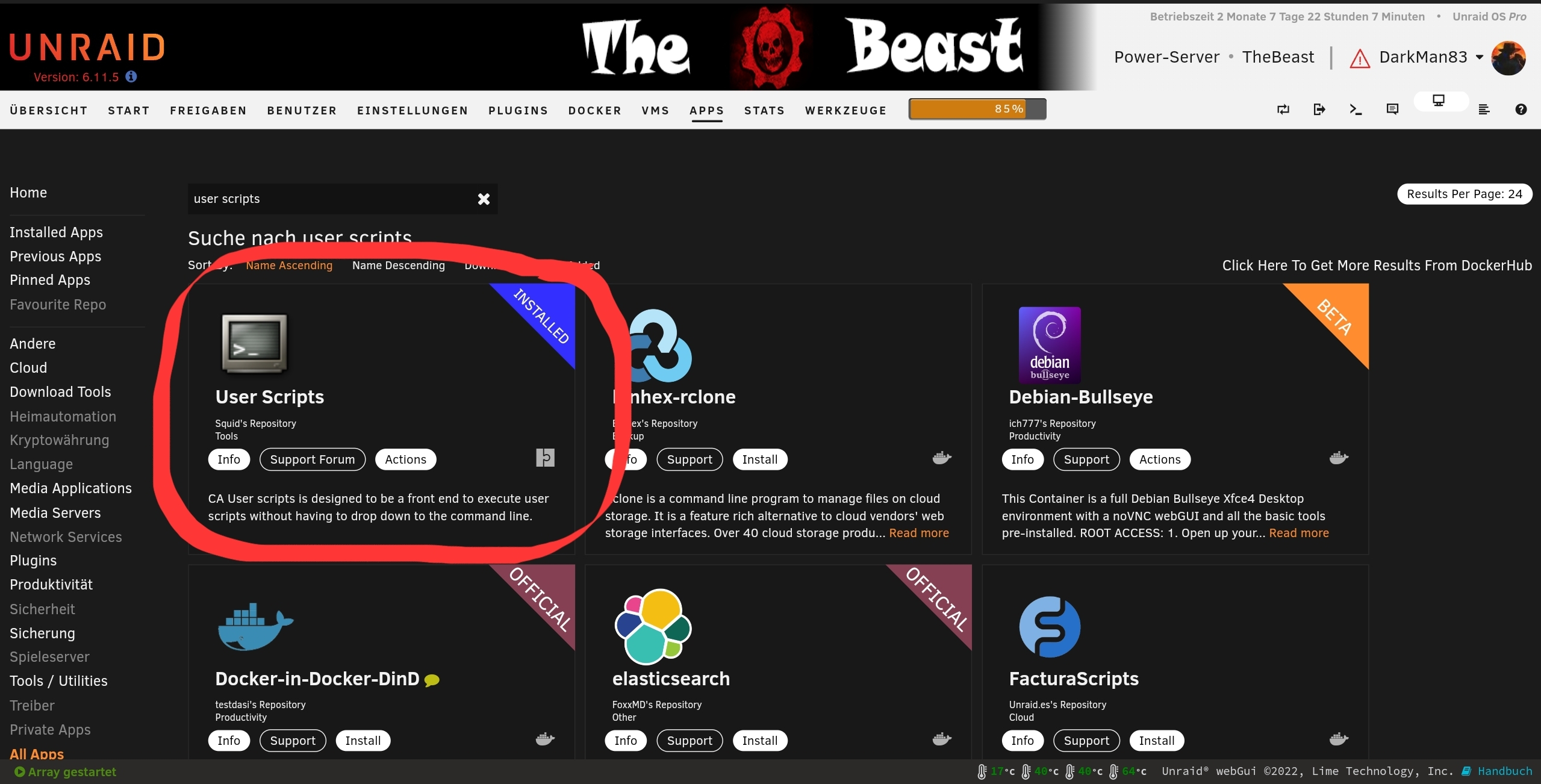
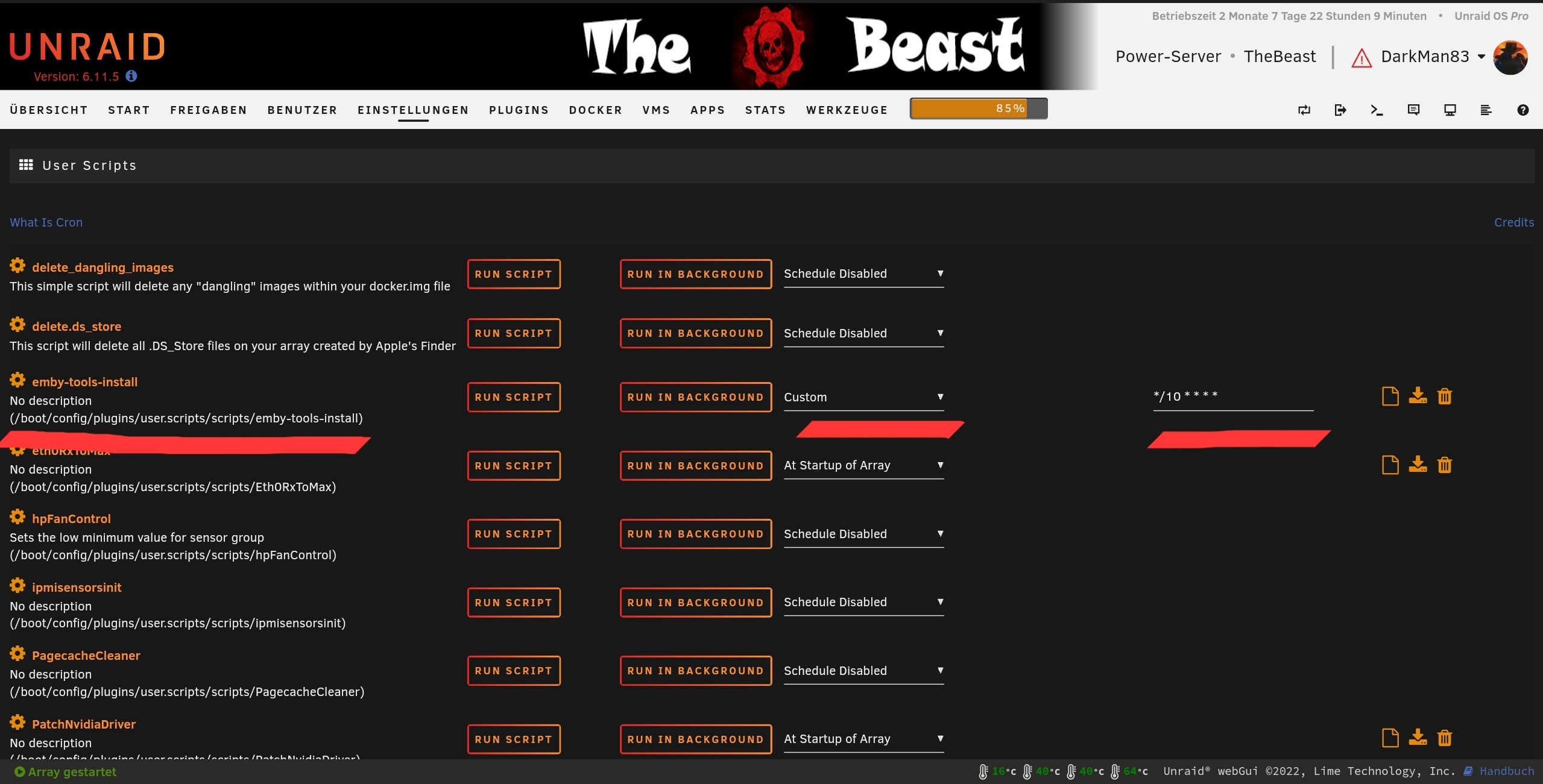
Yeah, for sure you can - that's the reason, I've added it here. If it's the Linuxserver.io docker, there should be no additional than these below. As i stated before, i recommend using the "User Scripts" plugin: 1. Install the plugin from the community appstore 2. Add a entry for the script to it (After creating a new entry, click the wheel icon and then "Edit Script", paste the script and save the changes) 3. Set your cronjob interval (the one in the screenshot is every 10 minutes) and click apply 4. Leave as is and wait or click the run button to test it now Greetings Dark
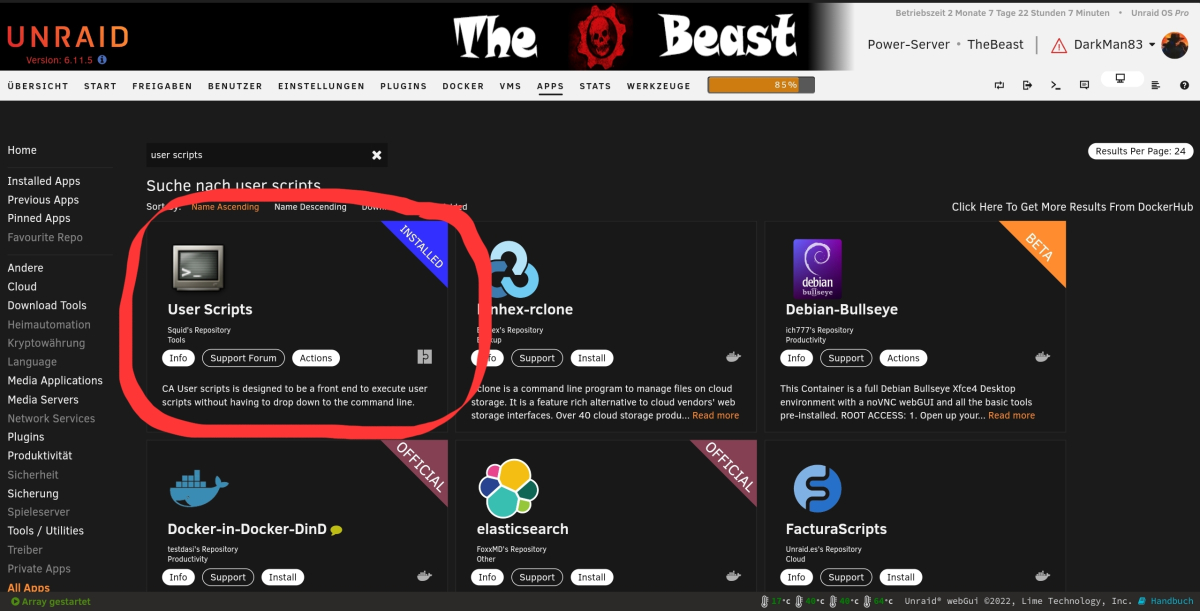
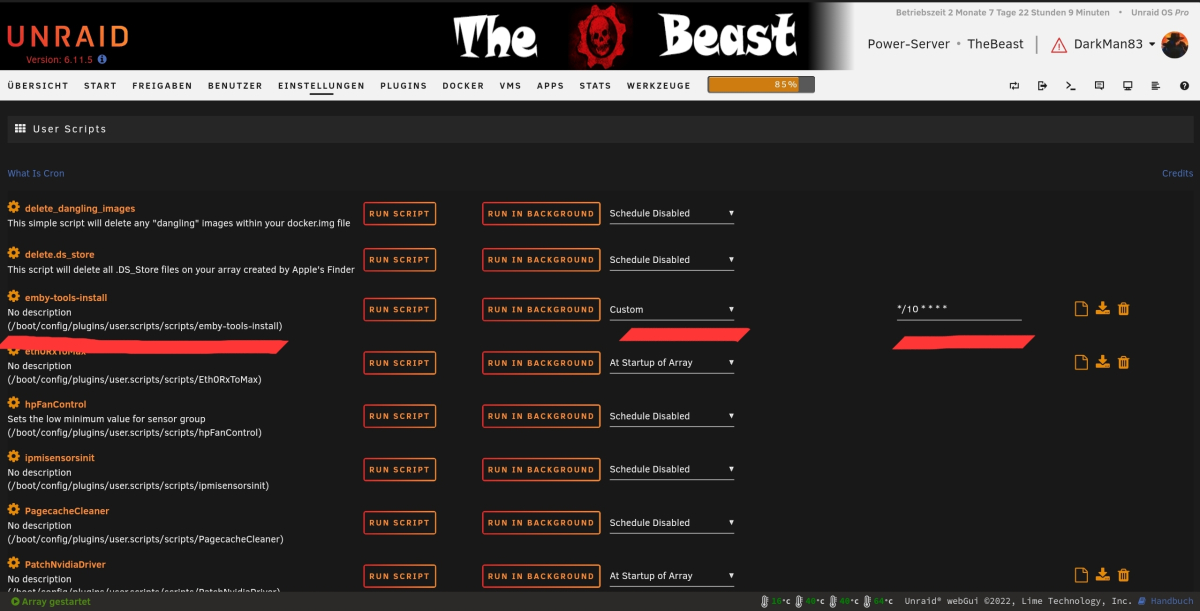 1 point
 -
I have tried both remotely and locally. But anyway, I have now reset the admin pw. thx for the help1 point
-
There are two ways for two servers to be accessible on your WAN address simultaneously: (1) Use different ports, and set up the port forwarding appropriately. This is perhaps best done manually in the router setup; if you are relying on uPNP port mapping, then at least you will have to change the ports in one of the Emby server's own network configurations as well so that the two mappings can be generated without confusion. (2) Define two different subdomain names in your DNS to use for the two Emby servers, and install a reverse proxy which can then use the request name to route each request to the required server. There are forum thread about these things, but I'm sure we can give you more guidance if this just sounds like gobbledegook to you. Paul1 point
-
It is ok, I managed to uninstall and re-install and manually added it and now it is all good. Thanks1 point
-
HI, yes stay tuned. Hopefully we'll have more news soon. Thanks.1 point
-
What are the chances of seeing this in the near future?1 point
-
Hi, yes it’s in the upcoming 4.8 server release.1 point
-
iptv simple plugin has changed in Kodi 20.X. I'll try to fix it in next 8.X version.1 point
-
Hi guys, i've put together a little bash script, which could be used together with a cronjob to check if the tools already installed in the docker container. If they were not, they will be installed. If you're on unraid, like me, you could add it in the "user-scripts" plugin and set an interval, if you use custom interval, you could put your own cron timing in there. There's still space for improvements for this little bash script (like silence apt-get output on installing -> apt-get install -qq -o=Dpkg::Use-Pty=0 <packages>) and I'm too lazy to translate my German text in there xD I don't know, if the Bif-Tool is still need, I've seen, that emby already uses the bif tool in a changelog or was it in a topic for a generator or something for windows?? Can't remember... Greetings Dark1 point
-
1 point
-
Disregard....working now. No idea what happened though1 point
-
Honest can't reproduce an issue in 4.7 or 4.8 with the parser not working on the naming provided "A.Good.Person.2023.1080p.WEBRip.x264". OP log 2023-04-11 21:33:07.204 Info App: MovieDbProvider: Finding id for item: A.Good.Person.2023.1080p.WEBRip.x264-RARBG 2023-04-11 21:33:07.204 Info HttpClient: GET https://api.themoviedb.org/3/search/movie?api_key=f6bd687ffa63cd282b6ff2c6877f2669&query=A.Good.Person.2023.1080p.WEBRip.x264-RARBG&language=en&year=2023 2023-04-11 21:33:07.515 Info HttpClient: GET https://api.themoviedb.org/3/search/movie?api_key=f6bd687ffa63cd282b6ff2c6877f2669&query=A Good Person 2023 1080p WEBRip x264 RARBG&language=en&year=2023 vs mine 2023-04-13 18:40:32.443 Debug App: Running MovieDbProvider for C:\Users\Media\Desktop\Videos\Movies - nfo\A.Good.Person.2023.1080p.WEBRip.x264\A.Good.Person.2023.1080p.WEBRip.x264.strm 2023-04-13 18:40:32.443 Info App: MovieDbProvider: Finding id for item: A.Good.Person 2023-04-13 18:40:32.443 Info HttpClient: GET https://api.themoviedb.org/3/search/movie?api_key=f6bd687ffa63cd282b6ff2c6877f2669&query=A.Good.Person&language=en&year=2023 2023-04-13 18:40:32.460 Debug App: Throttling Tmdb by 283 ms 2023-04-13 18:40:32.666 Debug SqliteItemRepository: Public GetItemLinks 2023-04-13 18:40:32.755 Info HttpClient: GET https://api.themoviedb.org/3/search/movie?api_key=f6bd687ffa63cd282b6ff2c6877f2669&query=A Good Person&language=en&year=2023 2023-04-13 18:40:32.772 Debug App: Throttling Tmdb by 283 ms 2023-04-13 18:40:33.070 Info HttpClient: GET https://api.themoviedb.org/3/movie/800787?api_key=f6bd687ffa63cd282b6ff2c6877f2669&append_to_response=alternative_titles,reviews,casts,releases,images,keywords,trailers&language=en&include_image_language=en,null @Lukemight be worth dropping the query with periods altogether. Only query with + or space. But have not really tested with this naming scheme.1 point
-
I actually forgot I had the VPN turned on. It does make me wonder why having a VPN enabled on the client would prevent connection to the server (no VPN running). Frustrating because I either need to give up local streaming or VPN protection for other things. thanks so much for the super quick replies. Appreciate your help.1 point
-
HI, yes it is.1 point
-
Just to follow up, I've had a few random slow downs/hangs after removing the plugin. So I don't believe the issues I noted above are related to the plugin. My apologies.1 point
-
The email address you need to reset, it not ping it or trace it the domain address, so this can be it, you using: sy*****co.ca Best to check with whom provide that and solve the issue.1 point
-
I'll have to recreate the scenario.1 point
-
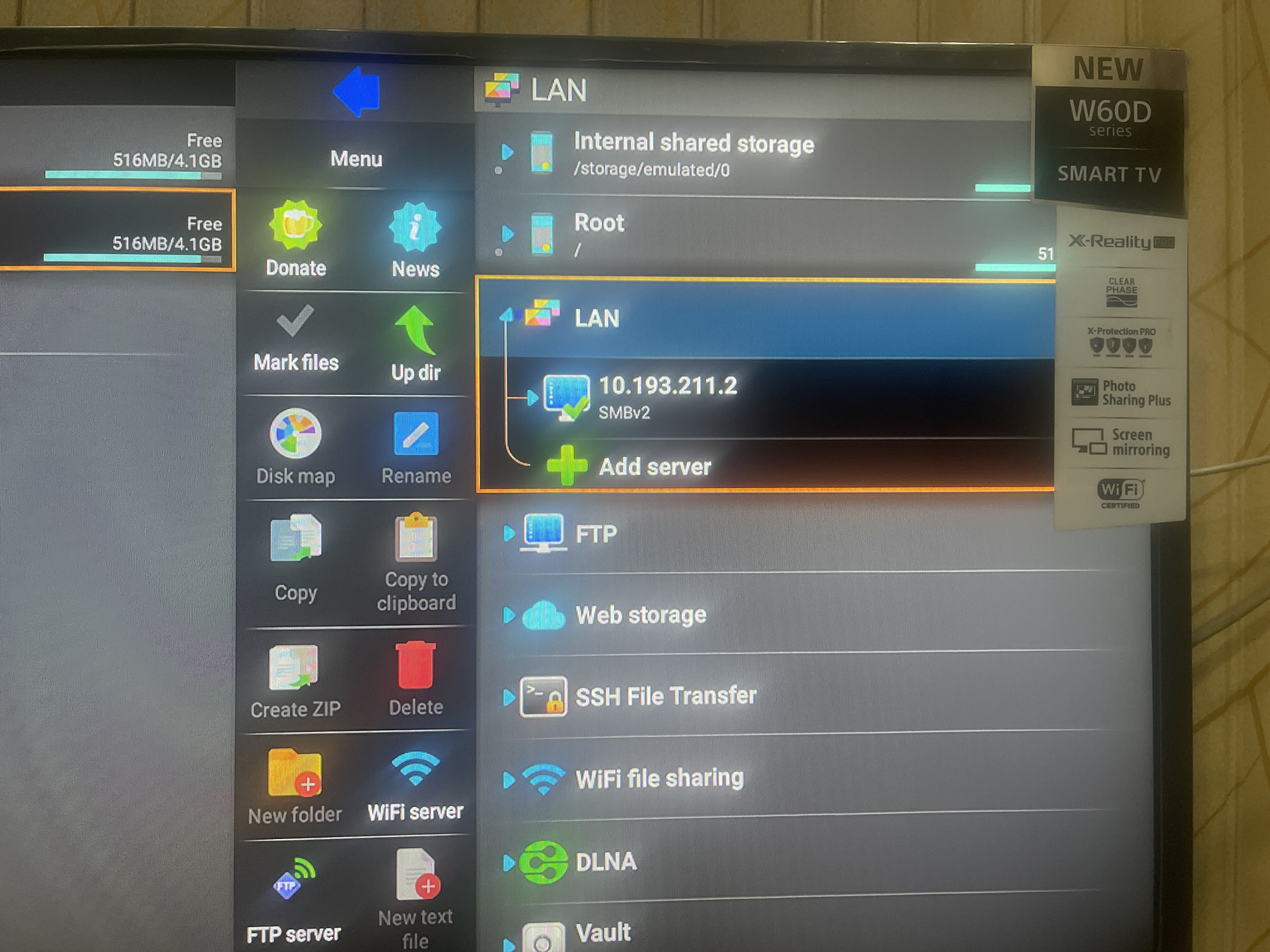
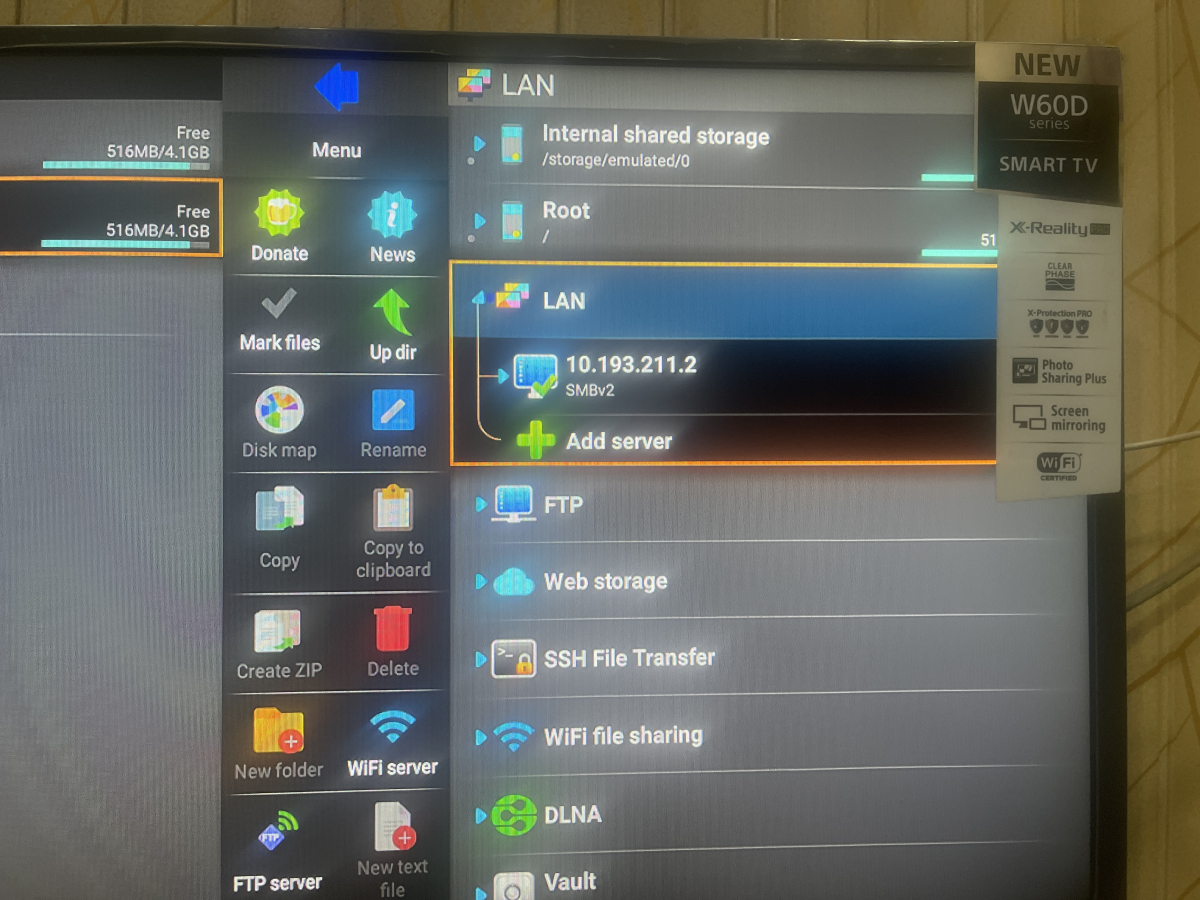
Bro first you change the unknown source enable and install the x-plore apk and share the file smb server and install any app on ur tablet i will show you in my lcd
 1 point
 -
1 point
-
downloaded, thanks for your help1 point
-
Any additional timeline on this? It looks like it will be amazing. Will this support TVEverywhere (TVE) as well? That would allow me to drop the use of ChannelsDVR finally.1 point
-
Will gladly take a photo later, my skip the dialogue from the addon Nextup analogue intro at the end of an episode.1 point
-
Good Day everyone been playing with the VideoPlayer today. Just fancied not creating UI's and just to implement it. Some work to do with the Video OSD now, but the basics are there. Heres a couple of videos for you. First one is just for seing it launch. Second Video is pretty cool with Audio Selection and Casting Video 1 - 1080p content iridium_video_Player01.mp4 Video 2 - 2160p DV8 HDR content iridium_video_Player02.mp41 point
-
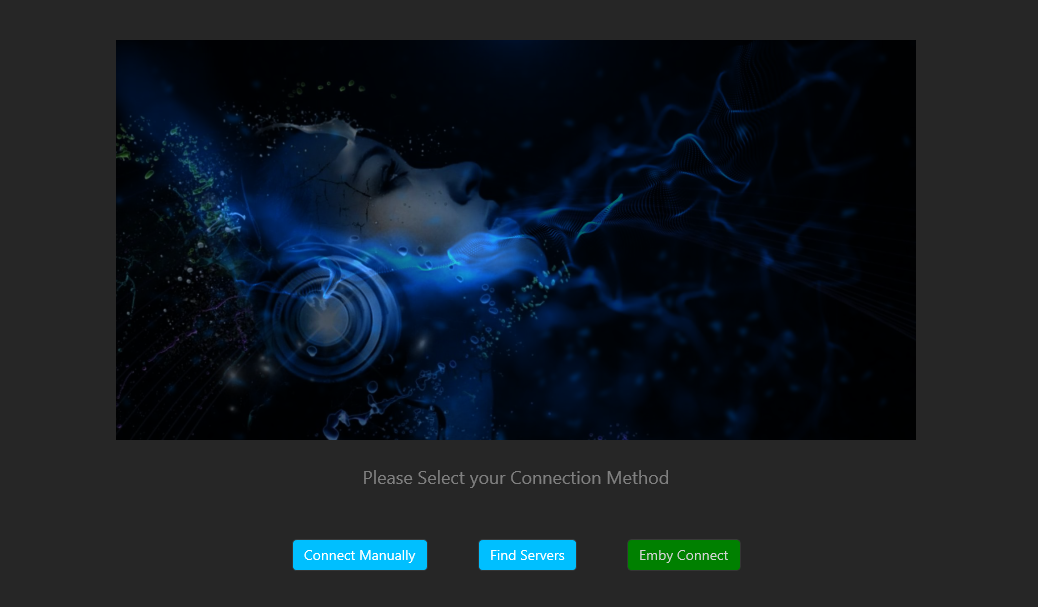
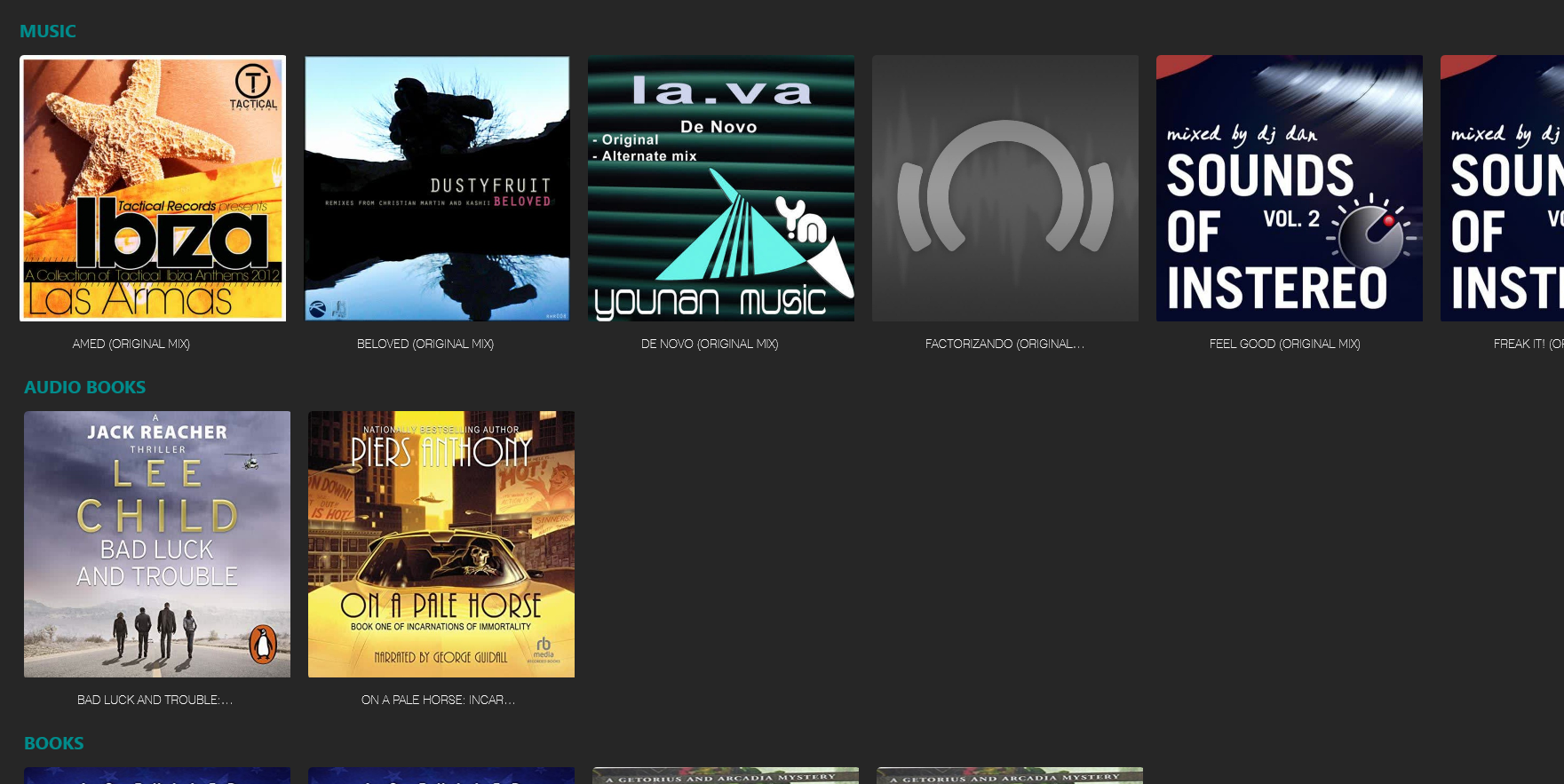
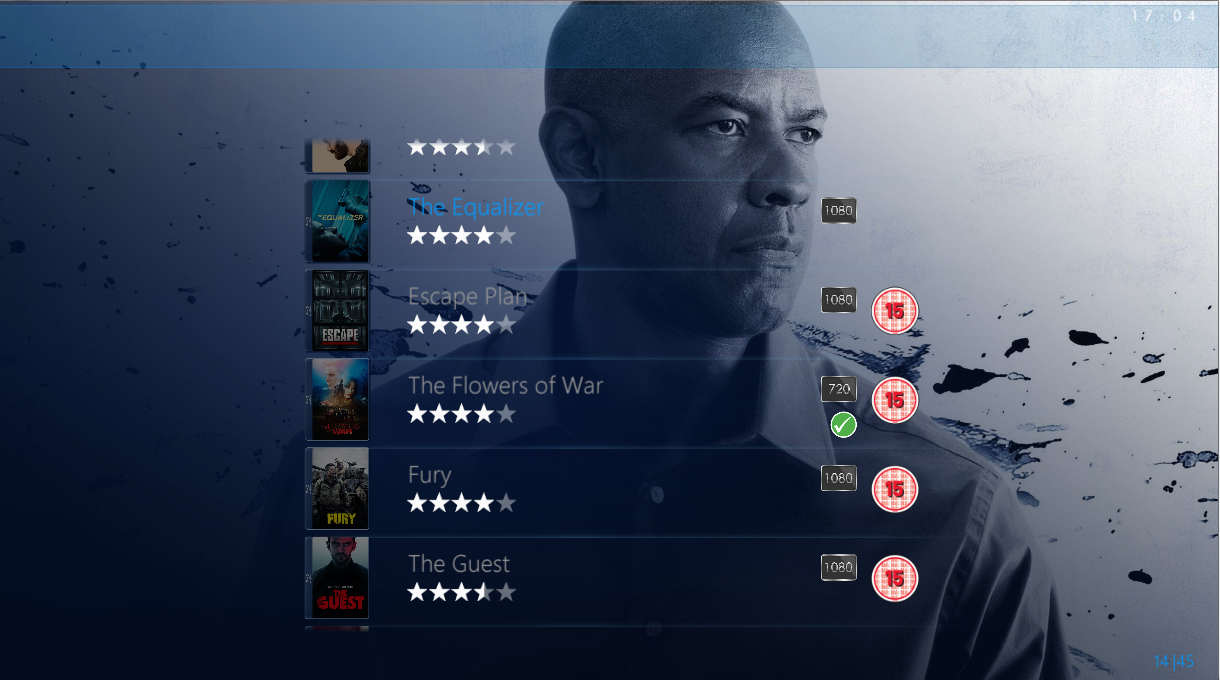
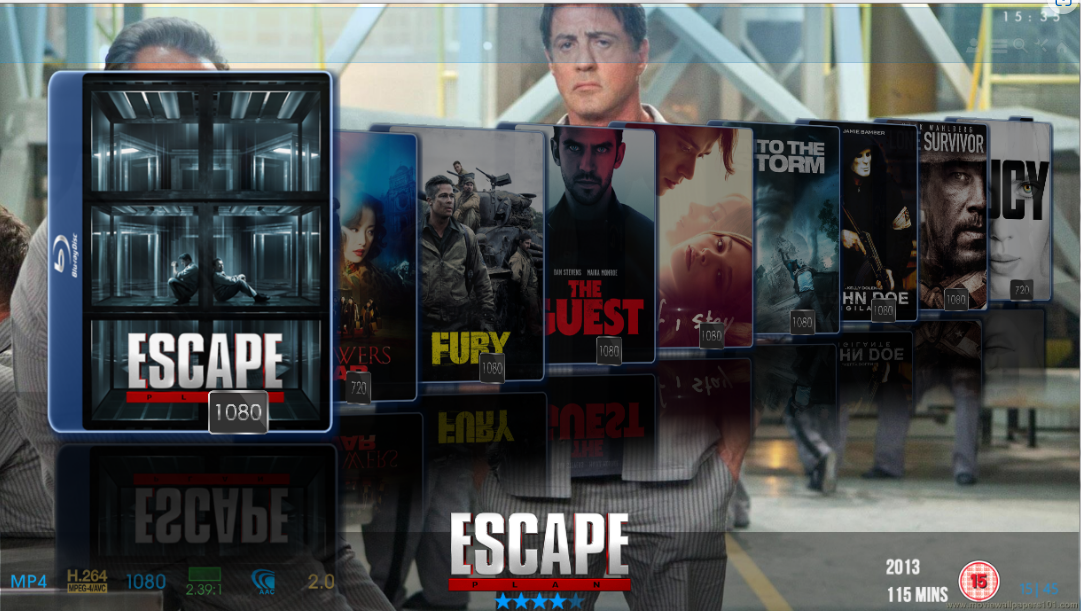
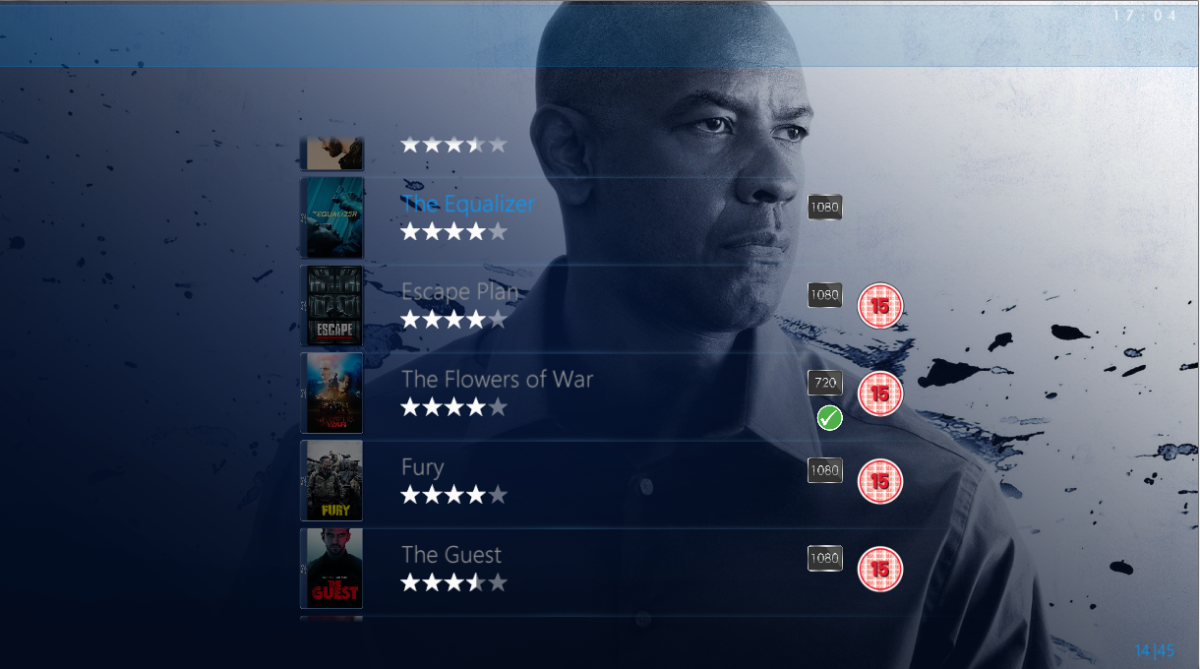
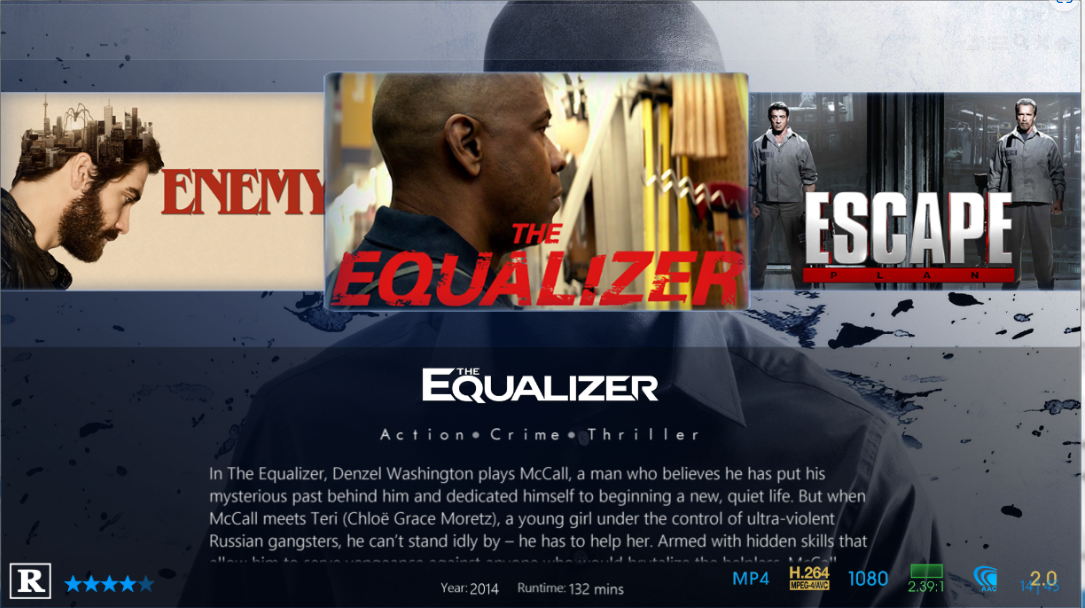
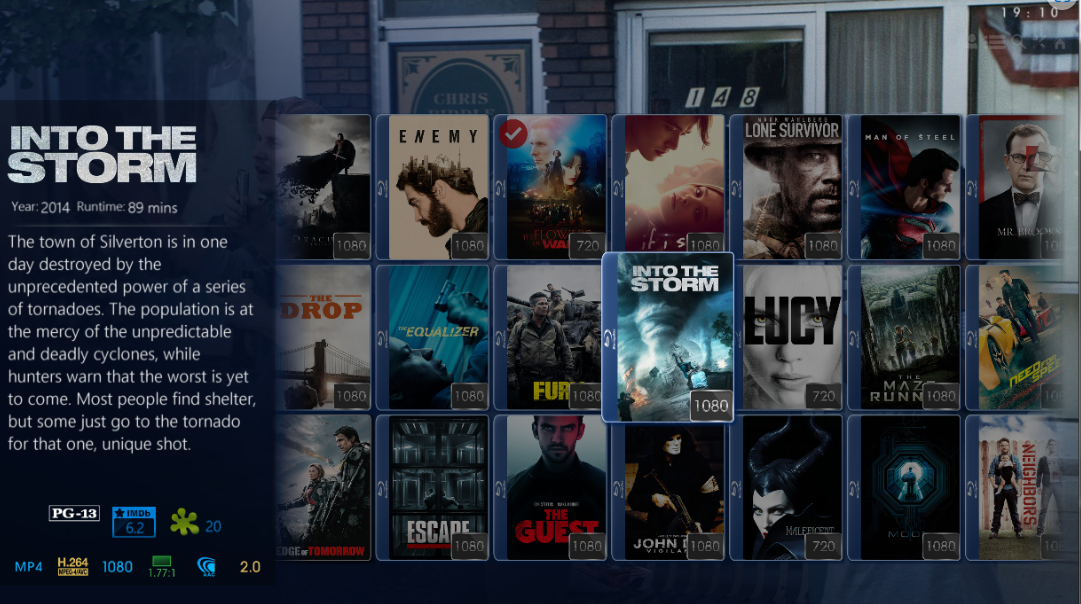
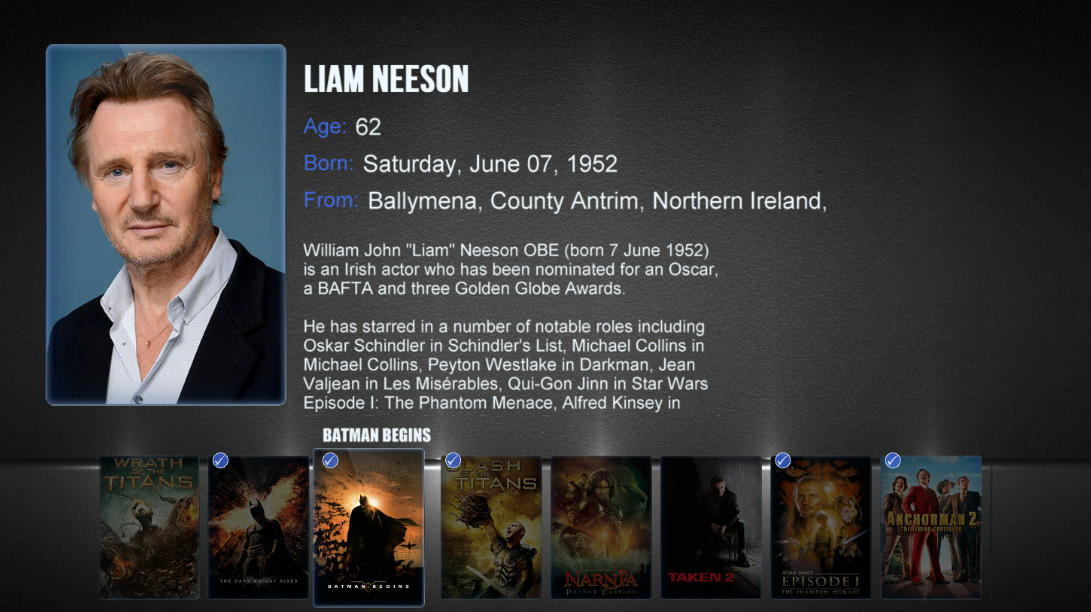
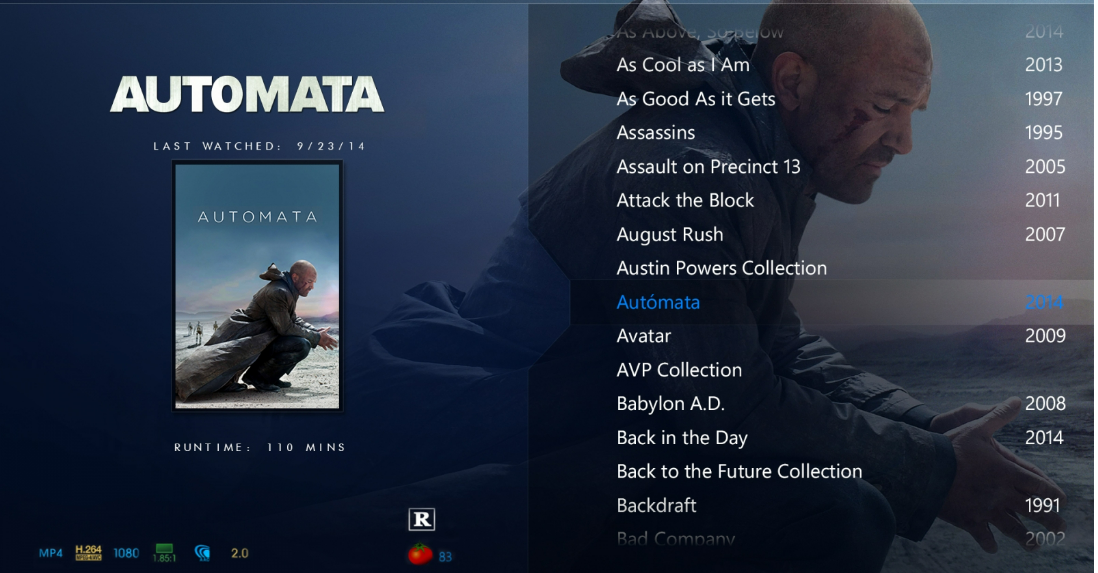
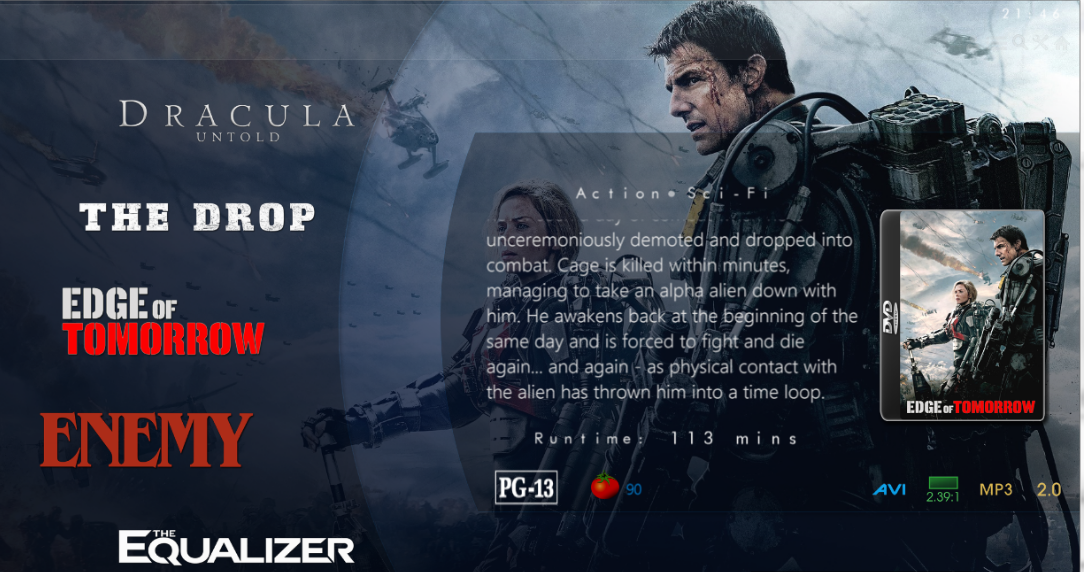
Thanks crazyFace lol It's a long way off any form of a release for testing just yet. If you want a roadmap then here it is. The first release will be Windows only. Finish off Details page and implement the top menu commands Create the Library views.. when entering Movies there will be 4 or 5 layouts to select from... Coverflow, List, Thumb, Poster and Minimal(Logo View) Mockup are completed so it's a case of translating them into XAML and MVVM. Implement Video Player Deal with Collections, Music, books, audiobooks and Channels Implement Audio Player Implement code for XPlatform Idioms. Here is some ideas on the Library Views List Views A variant of List View (Logo List) Coverflow - Flat Coverflow - Cascading QuickList Thumb View Poster View Actor Bio Page - Along these lines

 1 point
 -
No more tweaks on my side. been using the hosted web app but switch to .29 beta recently and the old issue is no more. but like you, I experienced out of sync audio when resuming media. Some playback do not start either (but my drives do go to sleep so maybe emby does not wait as long as before that the first bytes arrives before timing out) did not get the chance to warn @Luke about this since he has other more important bugs to tackle.1 point
-
Or put another way, it was (is ?) something that was started being worked on, far as I know, about May 2020 and according to @Luke 'We are looking at how best to integrate it' a mere two and half years later.1 point
-
Been looking for how long now....1 point
-
A lot of users are waiting for this to be available. From the little teasers I saw there and there, it is a great work from @softworkz. Looking forward to test it when @Luke will publish it.1 point
-
I tried to make this as easy to follow as possible and made it a bit flexible to handle 1 or 2 NVMe(s). You can choose a single disk or use RAID 0 or 1. You can also choose to use the ext4 file system or BTRFS. It's a lot of combinations to test but I did with the 7.1 DSM install afterward. I'd keep an eye on the size of /dev/md0 in the root directory using this command: df - h If your use column shows 75% or higher I would find out why and remove the files before doing the NVMe stuff. NVMe Synology Storage.pdf1 point