Leaderboard




Popular Content
Showing content with the highest reputation on 04/01/23 in all areas
-
Vic, you're gonna drive me crazy.2 points
-
It is a problem with certain Roku models. It will misinterpret the color flag. You have to manually alter the header of the MKV to remove that color information like mentioned in the thread above. Roku has still not corrected this on their end. https://community.roku.com/t5/Channels-viewing/Severe-color-contrast-distortion-while-Plex-streaming-HEVC-EAC3-videos/m-p/6344032 points
-
You will be used to using the excellent web based Tool created to Bulk Edit any of your media Items This is now being converted to be run directly from the plugins Section inside Emby Server. An extremely powerful tool that saves time Current Status: Development Testing This is currently under development and is consistently evolving. For this reason the dll files will be posted at the bottom of this thread. Bug Reporting & Issues: Please report bugs and Issues in this thread. corrected the problem with critic rating Feature Requests: While we welcome feature requests, please note that bugs and issues take priority and that feature requests will be subject to review and may or may not make it to the plugin. CURRENT VERSION: DEV 1.0.13.43 INSTALLATION - NOTE: Default Target for installation is Emby-Server/programdata/Plugins - Please download the "dll" file below copy and paste dll to the plugins folder. restart your emby server as this is in Development you will need to clear your browser Cache after each install, or the new changes will not appear Enjoy DOWNLOAD CHANGELOG: Filtering has now been added Bugs and Issues Reporting link - NOW WORKING Added "Image Not Found" image removed backgrounds added a spinner fixed several bugs with save IsFavorite and Played finally fixed saving UserData (IsFavorite and Played) fixed a bug in the custom editor - the edit buttons are now displayed for the results of a search fixed bug in bulk save added managing collections added managing playlists when you edit metata data for an item you can cast the video to a tv or monitor on your network. I added this just for fun added the ability to edit live tv channel meta data changed Shift click to work more in the traditional was - you can select segments you can now change primary images added the ability to remove specific tags simplified the code retained image aspect ratios added show folders button removed "cast to tv" from the edit menu, added it to the Movie and TV screens fixed the "Image Not Fpund" for none video items removed "Folder" button from screens where it didnt belong fixed button problem with custom filter added better file not found images added "emby data" and "channels" fixed bugs enhanced Channels rewrote Explorer Bulky is a collaboration between @Cheesegeezerand @VicMoore Bulky is an Emby plugin and it is in the Emby plugin library.
 1 point
 -
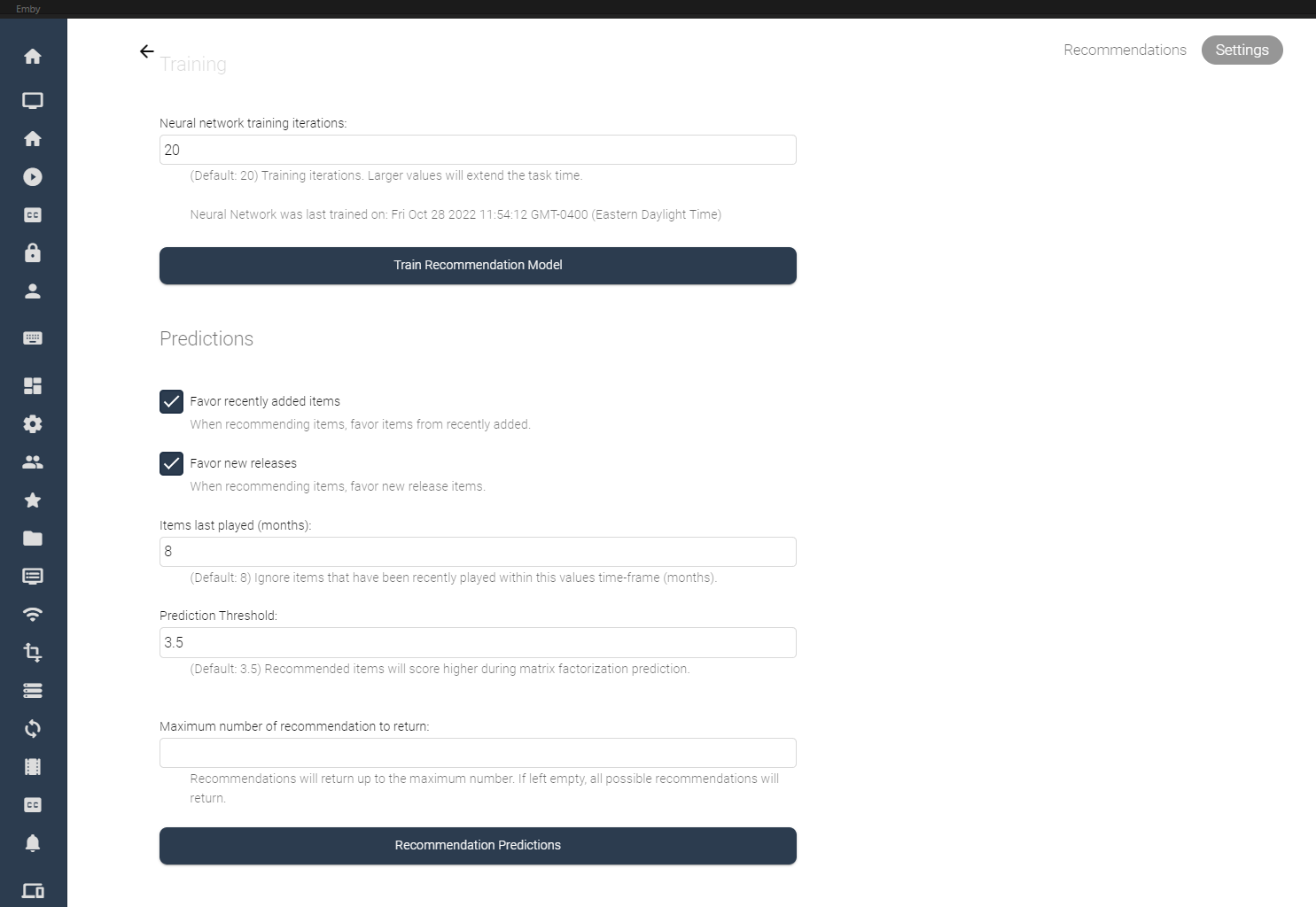
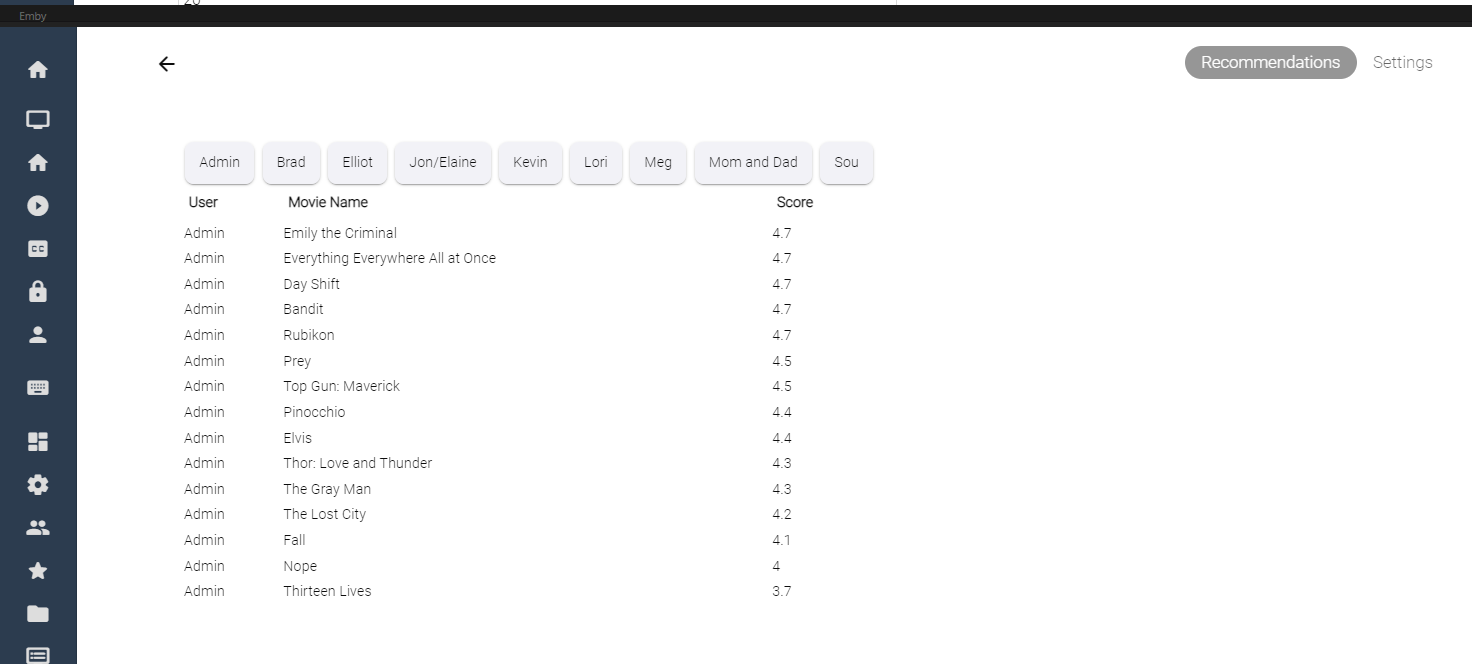
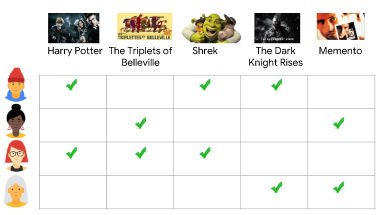
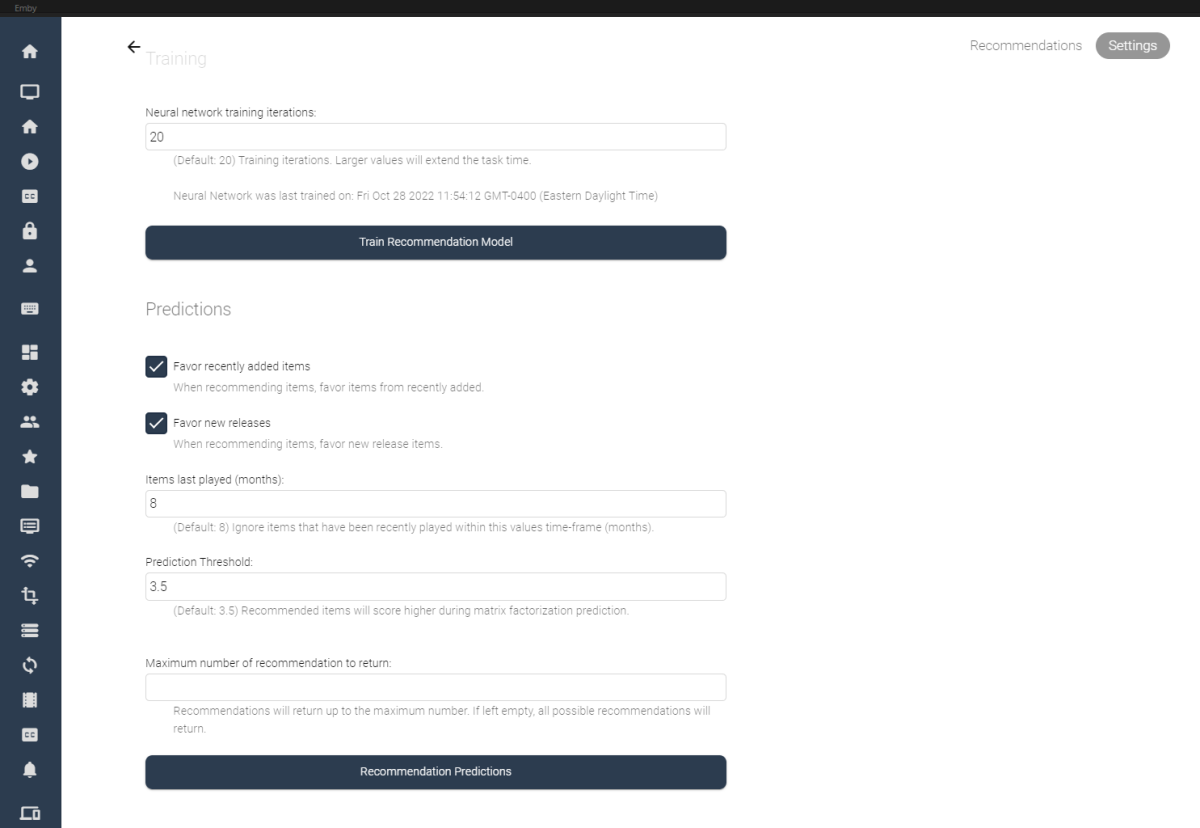
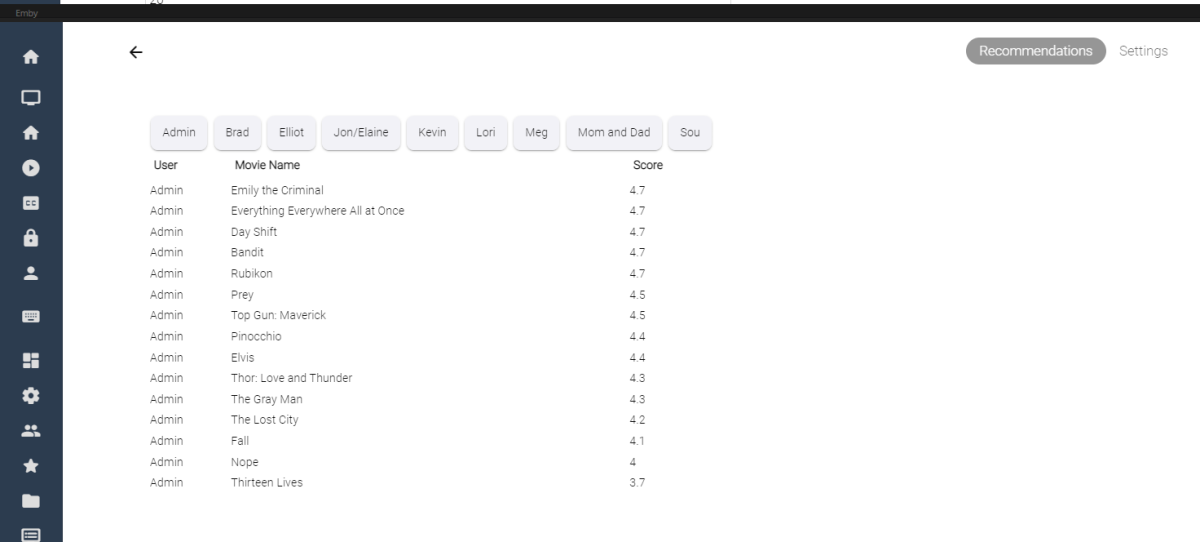
I've spent some of my spare time experimenting with machine learning, and applying what I've learned to some code for Emby. Using the massive dataset supplied by MovieLens (https://movielens.org/), I was able to create a machine learning plugin that loads a large set of data into a matrix factorization neural network, and can spit out recommendations for users in emby. Following this article by Microsoft: https://learn.microsoft.com/en-us/dotnet/machine-learning/tutorials/movie-recommendation and experimenting with their ML.Net libraries things started to get pretty interesting. The project itself is rather large, and I thought I'd share what I've come up with so far, maybe other people are interesting in how the neural network recommendation service is working when testing it against movies inside an Emby library. It's pretty cool. The idea could be to create an in-depth recommendation system for emby, or possibly utilize this as a way to create a new "Top Picks" style plugin that is user based. Which also might be really cool. I'll try and answer some questions up front if I can: What is Matrix Factorization, and How does it work in Machine Learning? In a nut shell, if you have similar tastes in movies as other people in the dataset, and they have rated a movie you haven't seen in a while, or have never seen, then that movie is recommended to you as a possible item to watch. The Neural Network will predict what you, or your users may rate the movie if it was watched. Is this plugin run locally on my machine? Yes, this plugin creates a matrix factorization neural network locally on your machine, which is trained in a scheduled task. Is any of my personal data shared during the training process of the neural network? No, your personal data is completely safe. no user data is shared with any data provider, and stays safely on your server. How does the neural network recommend items? The MovieLens dataset is an accumulation of almost 25 million data point on 27 thousand movies with almost 100 thousand users ratings. The ratings data is altered on your server to include your user data and then the neural network is trained on all the data points, allowing it to predict what movies in your library you and your users may want to watch. Once the "recommender" is trained it then saves a model and uses that to predict recommendations for users. The NN can be retrained when new users are added to your emby server, including them in the recommendation process. Asking your users to "like" or "Favorite" items in the library will certainly help factoring recommendations, however it is not entirely necessary. Does the Matrix Factorization Only look at "Liked/Favorite" Data? No, other columns are also feed into the neural network, like item genre. If one of your users do not "heart" the media on their account, their watched status and item play-states are factored into the recommendation predictions. If they watch more items that fit into a certain category, this is scanned in and calculated. It is best to have several movies marked as "liked/favorite" in the library form each user to get best results. Is it cross platform Yes, I believe it is. ML.Net is a cross-platform library using .netstandard 2.0. With regards to the runtimes associated with the plugin the following are available, and would be included in a dll: Linux64 Linux ARM Linux ARM64 OSX64 OSX ARM64 Win86 Win64 It is all fairly preliminary, definitely keep this in mind On the settings page it is possible to train the NN Model (top), and also run recommendation predictions (bottom). Once the network has created it's model, it is possible to run this model again and again against the library (due to it's 27 000 movie titles included). Selecting the "Recommendation Predictions" begins the second task of calculating what each user might like. Browsing back to the "Recommendations" tab, outlines each users predictions. It shows what the NN predicts your score would be out of 5. The results are definitely interesting. Sure, these are all new movies I should watch, and they are pretty much some of the most famous of the year so far. So the results seem to be pretty close to what I would expect. The training of the model also only use 20 iterations, to be honest I don't know if that is enough, or too much. It's all new. What I can say is that loading the ML.Net Assemblies work, and loading the MovieLens dataset into the NN also works. I have added toggles and inputs to try and test different training scenarios, but it's all kind of unexplored.

 1 point
 -
Yes, it is fine in the web app. It is also fine on the Emby Android app running on my Google Chromecast (2.0.83g) and also Emby for Android 3.9.92 running on my Samsung Tablet. The only client I have experienced this on is the Roku. I only recently started using the Roku on my main TV after I kicked Xfinity to the curb. I'm teaching the wife how to access Emby and other streaming services through the Roku, but haven't received "wife approval" as of yet. In my office I use a Google Chromecast, which seems to be a lot smoother than the Roku (with regards to Emby), but it's remote is limited. I need a remote that can operate the streaming device, TV on/off and my sound bar. I bought a third party Roku style remote from Amazon that has a "learning" function that accomplishes that, but I didn't see anything similar for the Chromecast, other than getting one of those more expensive universal learning remotes with a thousand buttons on it.1 point
-
Something like this div.backdropContainer {display: none;}1 point
-
And if you went to the library options "Automatically merge series that are spread across multiple folders" and disabled it and did a library scan do two shows appear? If so you should be able to delete the rogue one.1 point
-
I Promiss to do that from now on. Sorry @GrimReaper. Did I mention that I am a slow learner vic1 point
-
I apologize, but my OCD is acting up, forcing me to re-address this question, because I think it points to an extremely narrow point of view - that of someone who has been using Emby for many years and gotten used to the way things are. (You may not be considering the experience of the less experienced.) What I would like you to do is imagine yourself as someone who has never seen Emby, maybe even as someone who knows very little about streaming or computers in general, if you can do that. Now imagine that I give you an account on my server, and you go on my server, and you see posters - posters for movies and posters for TV shows. Logically, you assume if you click on a movie poster, then you will see that movie come up on the screen. (movie poster = access to that movie) You try it and that's exactly what happens. Hooray! Success! Everything makes sense. Now you look at the TV posters, and you assume when you click on one of those, then you will have access to that show. You click on it, and that's exactly what happens. Hooray! Success! Everything makes sense. Now imagine the TV poster you just clicked on with this detail in mind: There was no green ball - nothing at all on the poster to tell you how many episodes are available. Does that change anything? No, it does not, because at this point you've never seen a green ball. Now imagine after watching the first episode, the poster for that show now displays a green ball with a number on it. I believe you would intuitively understand that Emby is helpfully showing you how many episodes of that show you have left to watch. And in addition that green ball now serves as a super visible marker for that and any other show you start watching, making them MUCH easier to spot quickly on a wall of posters. Hooray! Success! Everything makes sense. I understand COMPLETELY why someone might want to stick with the status quo - because it's what they are used to. And that's why I and others are only asking for the option to change the way these balls behave. The status quo should obviously remain the default. Nobody is asking for anyone to have their balls taken away against their will. And that's the last point I really want to drive home: NOBODY IS COMING FOR ANYBODY'S BALLS. It seems some people read requests like this and conclude that other users are trying to fundamentally change the way Emby works, and so they respond with something like: "No, this is wrong because I myself would never do it that way." Great! Don't change. Nobody wants you to change, we just want the option to change.1 point
-
@GrimReaperI have been told that driving people crazy is one of my best skills. I am teachable, especially new tricks. I did update the first post as you recommended. I am not sure if I should stop posting the code in other posts. You were not clear on that point. vic1 point
-
We just spoke what should you do with plugin updates, didn't we? Which you did for 1.5 thereafter. Yet here's 1.6 again in the thread.1 point
-
Hi. This is also corrected in the current beta of the TV app. It is related to some of the items having no runtimes.1 point
-
Yes, scroll up to read more about the issue with Emby core.1 point
-
The A app does work correctly. I'd like to know the root cause with ATV. What do the logs tell you? Mr. T says "I pity the fool that messes with Season 3!"1 point
-
Hi. More answers can be found here: https://support.emby.media/support/solutions/articles/44001173135-is-there-a-limit-to-emby-premiere1 point
-
Can't tell as I dont see any aspect ratio, visual bug, samel like you1 point
-
@GrimReaperyou and @Cheesegeezerwill make a programmer out of me for sure. Thanks for the help. I will start doing it ASAP Vic1 point
-
Sorry that took so long @Danimontes Here is the release here https://github.com/chefbennyj1/Emby.MessageUsers/releases1 point
-
No. This is on a Motorola One 5G Ace. I'm in the process of setting up a different phone and will try it on that one soon.1 point
-
.28 did also not fix it, Toppicks is still crashing the server for the same reason. Can wait....nobody forced me to install the beta1 point
-
Can we have an option to flatten series if there are XX episodes or less. Just provides the ability to eliminate one frustrating click. I wouldn't want it on my 1,000+ episode Looney Tunes series. However, when you only have one or two seasons in a series, it helps drill down easier.1 point
-
Well yes, that's literally how the post starts, in bold letters and I quote: My guide was made for people trying to pass the gpu to the docker container, something that you said you wanted to do, never said it was the easier way, quite the contrary actually. I'm glad you have it working.1 point
-
I used to reencode things to save space but it was way, WAY too much effort to get decent results consistently. Drives are cheap so I switched to full rips. I did make some effort to reencode VC1 to H264 though, just to cut down on transcoding. If I keep the bit rate identical to the source the output is consistently fine.1 point
-
Hey, thanks I had no idea this app existed…lol, this one looks so much better overall compared to the one I got from the googlestore via the Shield, its amazing how you guys always have the answers for everything…lol,thanks again.1 point
-
Started running the latest build with the .4146 drivers linked with my A380. Emby seems to be stable running those drivers and the lag opening libraries from the previous build seems to be gone also.1 point
-
Enable Image Extractor under Song Image Fetchers, Refresh metadata.1 point
-
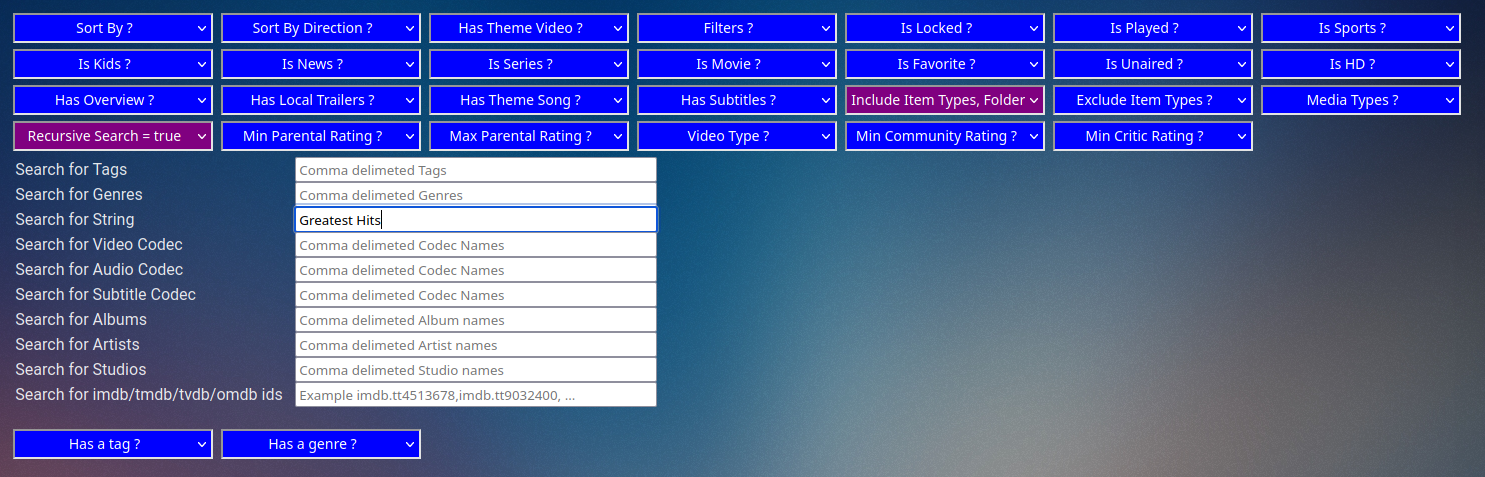
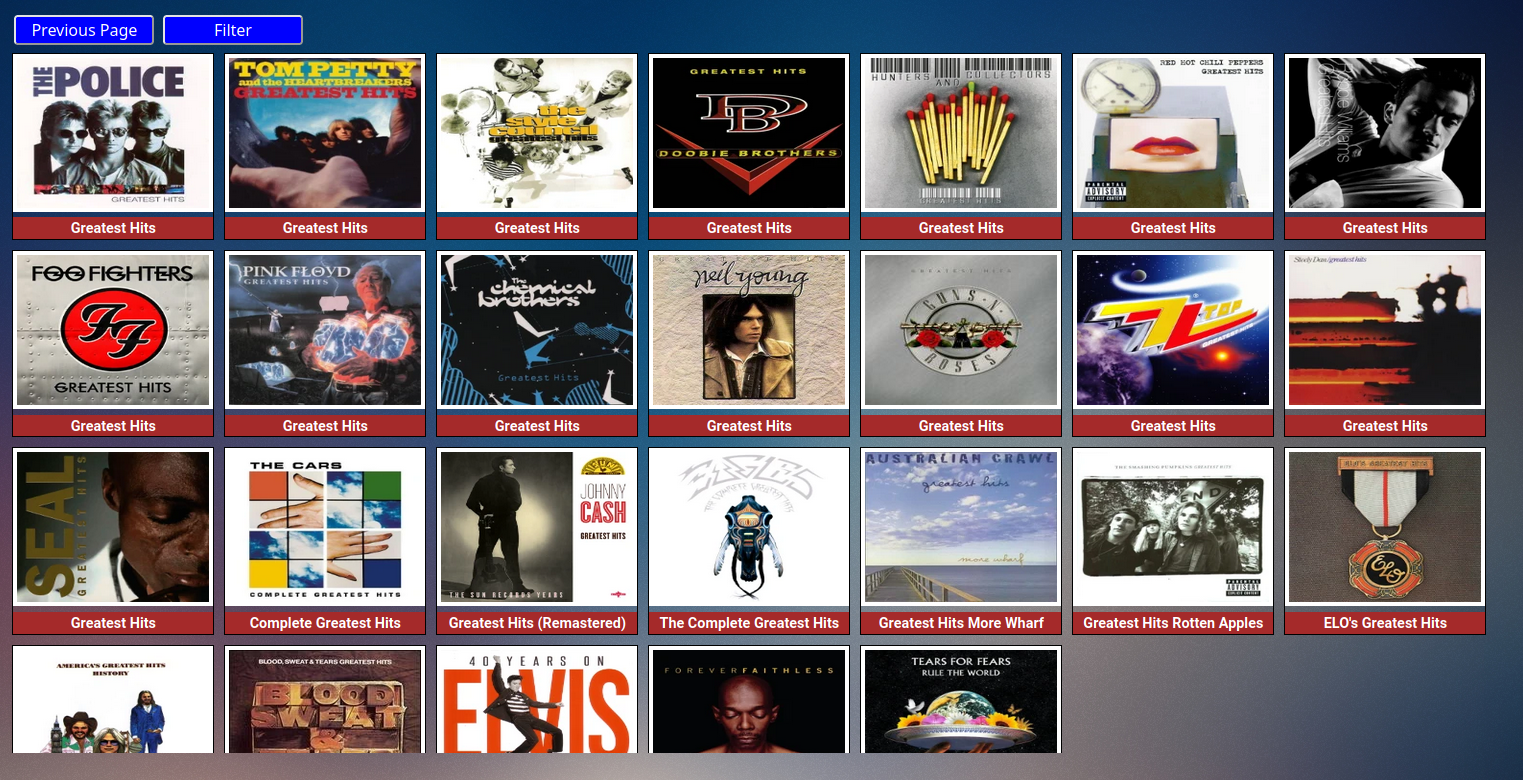
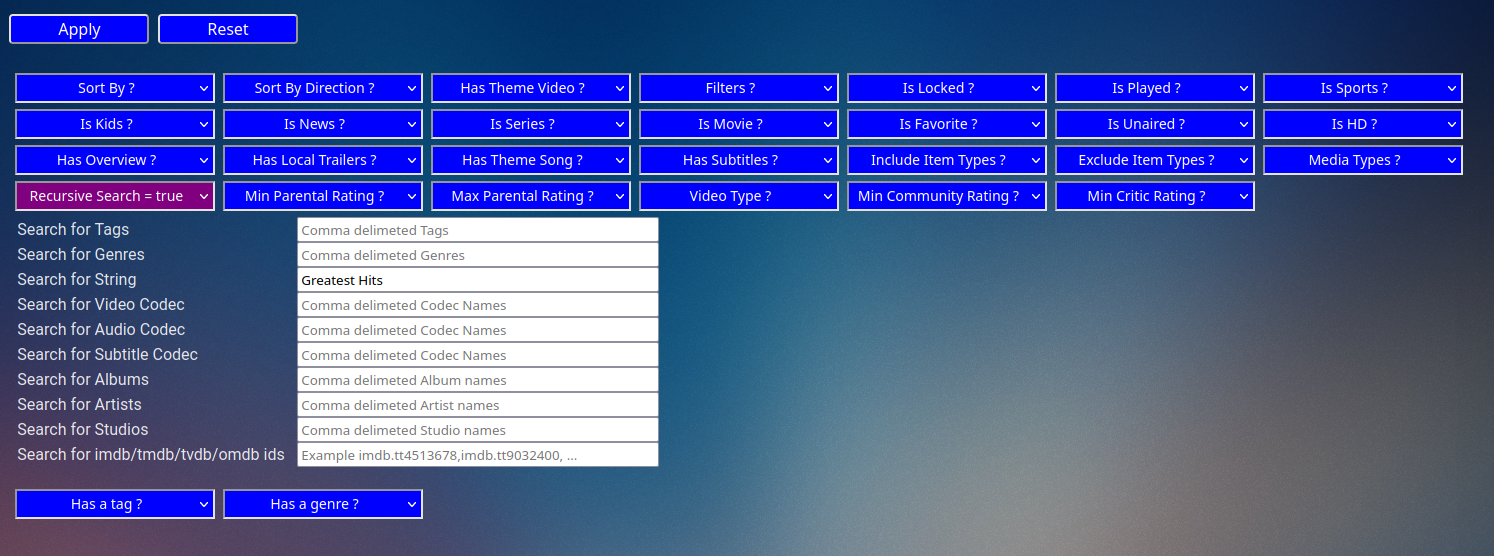
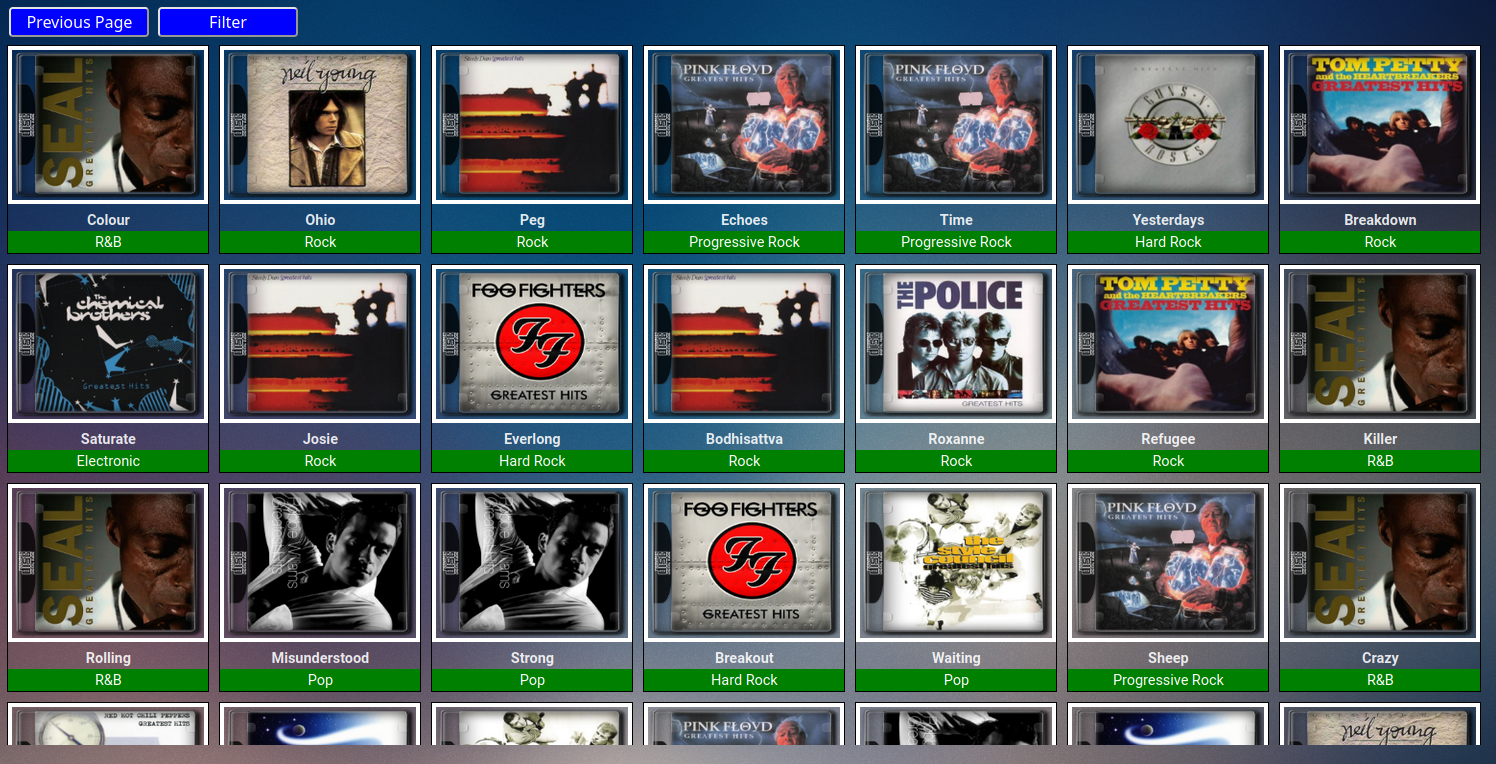
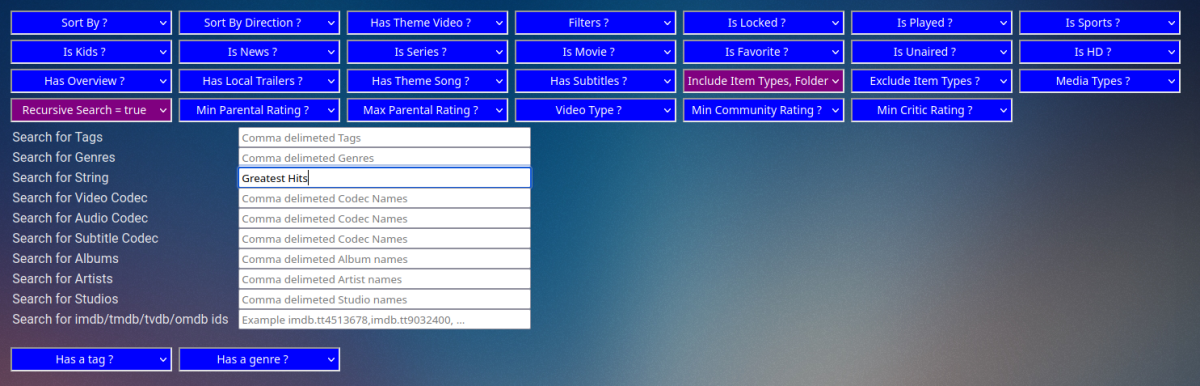
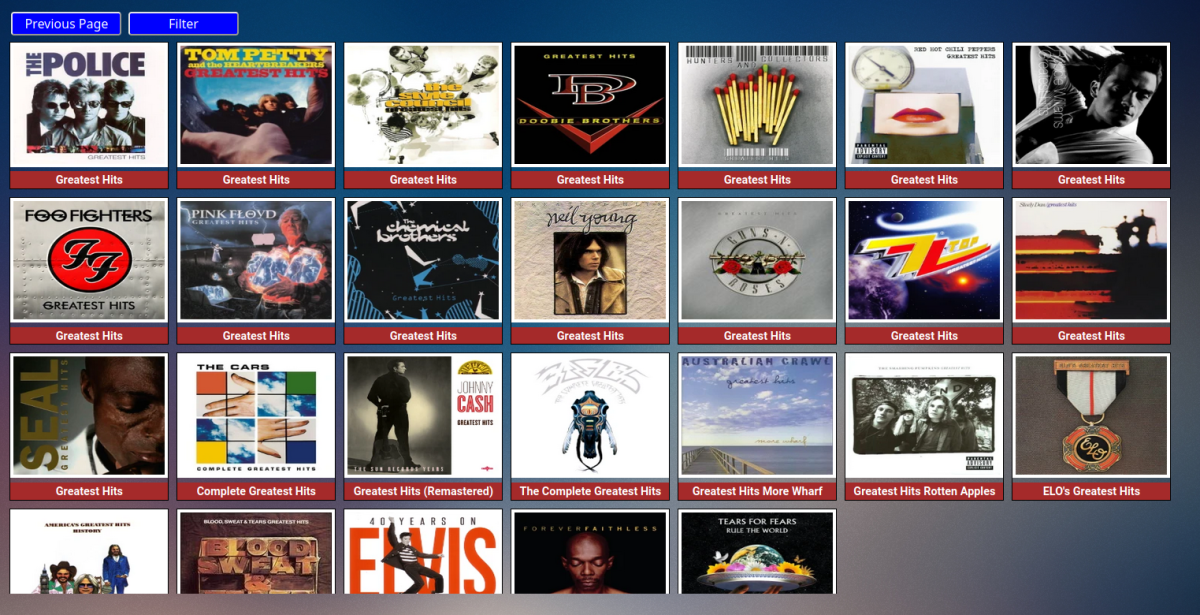
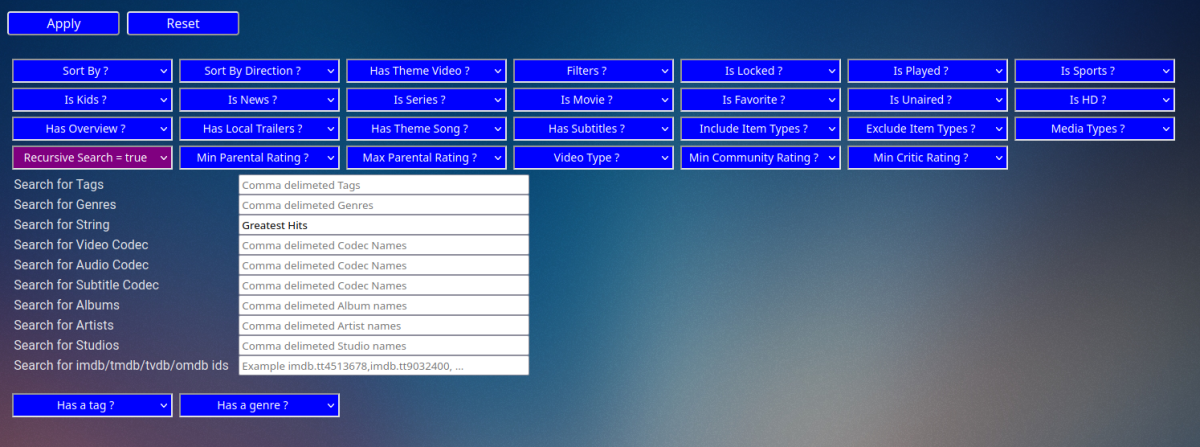
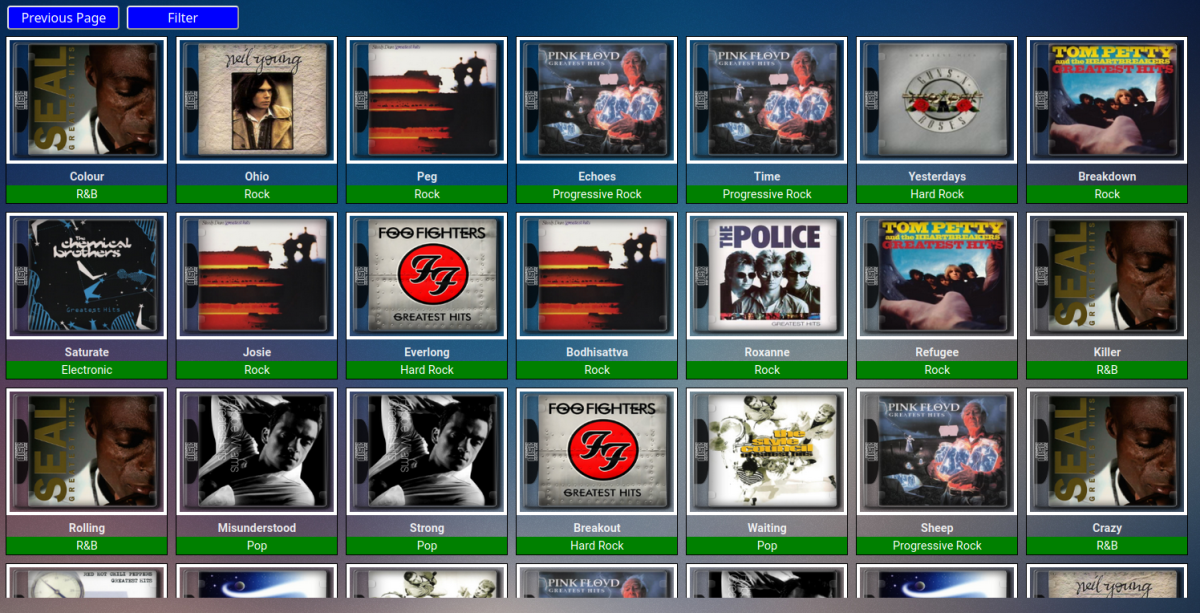
Yeah I agree with that the base music library folder would be a better starting point. If I do as you suggest and scroll down to the actual music folder and start there then the string filter "Greatest Hits" with "recursive search=true" works.. Albums... Songs... Hopefully Vic can organize the music library a little better.
 1 point
 -
Yep with everything shown I just scroll down to the actual library. But library folder starting point would be better.
 1 point
 -
@Abobader1 point
-
Hi @VicMoore, one thing I have noticed when I enter my music library from the plugin is that it's a bit of a jumbled mess. It contains both Artists and Album folders as well as a base Music folder that contains everything (artists/album/songs) that I can drill down through. Unlike TvShows that has some order to it. I can provide some images if you like but hopefully you understand what I'm saying.1 point
-
You need to leave emby standard port (8920) settings, not 443. im your reverse proxy you have to set a route for requests source: https://emby.duckdns.org/ target <your_local_emby_ip>:89201 point
-
BennyMac, Assuming you are on latest truenas which it sounds like you are, you will find next time you try and start emby it will not. You can't use a SMB share to a given directory and link an app to it as a host path at the same time. You either need to use a subfolder of the share (the "correct" way) for the Emby libraries, or, turn off host path validation. To disable that, go to apps -> settings, advanced. Turn off "Enable Host Path Safety Checks". If you want to understand what that is and why, it's not a trivial discussion so I suggest doing some reading.1 point
-
There's a post in the request forum asking about properly resuming audio files the way Emby already does with video files.1 point
-
Guys, let's keep this forum clear of politics. As said above, we are about you and your media. Everyone is treated equally irrespective of which side of the political spectrum they fall in or what their beliefs are, as that has absolutely no relation/impact on the things we deal with here. No violence of any kind is condoned nor supported. No harrasment either. Internet is choke-full of places where such discourses are actually actively encouraged - this ain't one of them. There is nothing more to be said in this topic, kindly move on.1 point
-
Thanks @ebr. I hope it will be teh second option : automatically switch to mix-down when you request a different speed. On a TV it is more confortable.1 point
-
Investing in AV1 is a gamble tbh - h266/vvc is challenging and as a product AV1 is not particularly impressive on the bitrate savings vs cpu overhead imo.1 point
-
It's going to take a bit of time because we currently don't have this user interface pattern anywhere, so being that this is first one, it's not something that's just going to be thrown in quickly. But it is on our to do list.1 point
-
All of my 4k movies are HEVC and none of them play. How exactly are you creating your 4k videos?1 point
-
I haven't been able to get it to work.1 point
-
So is there HDR or no? I just started using the Xbox. I mainly watch 1080 content. 4K content appears to crash.1 point
-
I know. Every time I try I get audio and a black screen.1 point
-
I need to come back to that. Would a plugin be powerful enough to add some kind of like / dislike prompt at the end of a movie, which results could be stored in an additional database? I am still very sure that the favorite button won't be used as assumed. Best regards1 point
-
It does look interesting, I only have 6 users but I think it could still be useful. If you add links to trailers if there not in the library then that would be a game changer (Top Picks + Trailers). Not sure if your still interested in this? But it was a cool concept anyway.1 point
-
Sorry, it's been a while since I looked at this plugin. Perhaps it needs some love.1 point
-
I was recommended Symfonium by a friend and it immediately interested me. However I thought it was worth feeding back my initial purchasing experience in the hopes that it will help. Because you have chosen to offer a free full trial (excellent) with a later in app purchase to fully activate Symfonium it is actually surprisingly hard to know how much it costs in advance. The price is not on the website, it is not in the Google Play cost section so you need to know to dig into app details and then scroll to the very end to see "In-app purchases". Not everyone will understand this is the one and only cost. The price is not visible in the app itself until you have committed to the free trial and got past the initial setup section. It is not stated anywhere obvious if the app purchase activates Symfonium for all devices on the purchasers account. The free trial length of one week is not listed anywhere and is only visible after you have completed the full install and configuration. I would strongly suggest that you consider adding google family support. For those of us that have children with restricted accounts the actual experience of purchasing an app for each child account is very painful (a fully restricted child account cannot even spend google credit). On the other end of the age range remotely supporting grandparents to do this is its own special world of pain. Even if it was costed for six full licenses that would be fine although offering a discount may inspire people who only need a few just to buy the six to save effort. These are needless barriers to entry and honestly if the price was fair I would have just pressed the simple google buy button already. As it stands I am having to think about all these things and it is a put off.1 point
-
@Luke Can you please look into this issue? I still can't play 4k videos on my Xbox Series X.1 point
-
@Luke Shouldn't you be looking into the cases where it does NOT work? I'm on the insider build and 4k videos still don't work. Can you please look into why they are NOT working?1 point
-
I know this not a solution or even particularly helpful, but I don’t think you’ll have any immediate luck with it. The Series X version of Theater is completely unusable, and has been for months now. Crashes every minute, refuses to play half the time, pixelation on all videos regardless of quality, video judder. Before about July or August, the app was a dream. Now it’s a mess, and there’s no end in sight despite months of waiting and paying our subscriptions. All I can say is that I wish you luck.1 point
-
The way big video services work to handle this is by having multiple versions of the same media. For example a Movie you stream from Netflix typically will have around 12 different versions of the same movie pre transcoded and ready to use. That's for one format like AVC. They may have another set of files for HEVC as well and use these when possible to save bandwidth which is a primary concern for them. They also take great care in the production of these files. For example you won't have graphics subs available to use or they would have been burned in and ready to use. You won't have multiple subs, multiple audio files as part of the media because each of those is it's own file. So as you can see the servers do no processing of the media but simply stream it! What happens during playback is the client selects the correct playback set based on language and other criteria as well as what it thinks should be the starting bandwidth. The server then sends back the proper HLS manifest (pre-prepared) with different streams in it. Each of those streams will have the different bandwidth versions available. The player will start by using the version it thinks is best and then according to how full it can keep the buffer along with dropped frames and other things it looks at during playback will/can fall back to a lower bitrate version or select a higher bitrate version and do this as it plays dynamically changing the bitrate as it goes. Technically it's just switching the stream used for playback. The above is actually very easy to do. Now compare that to what Emby has to do when there is one file available to use which can have 20 subtitles embedded and maybe 10 audio tracks using codecs that aren't playable by the client. The bitrate of the video or audio may also be a lot higher then what the client can handle. The subtitles available might not be usable by the client and Emby has to burn them in as it goes. Emby has to be a lot more sophisticated then the "dumb" servers used by Netflix. Not only does Emby has a ton more work to do at times then simply streaming a file it also has to deal with a world of different server environments to handle transcoding when needed. Is it software only or hardware transcode? What kind of CPU and what does it support? If hardware what brand and what does it support? It's possible in the future that Emby could use "fake" stream data in the manifest sent to clients and allow them to fluctuate the stream picked during playback just as what happens with Netflix and others but then Emby has to be able to react to the change request of streams the client made and change how the file is being transcoded on the fly. This is not easy to do and can result in pauses as Emby needs to start the transcode from scratch and build up a tiny buffer on the server before it can send it to the client. Not only that but Emby often has to "fix" or handle bad header information in the media on the fly when transcoding for things like bad timing info. If this information is not absolutely perfect you have little chance of switching transcoding parameters on the fly without a jump in scenes or other problems. Also keep in mind any type of "on-the-fly" adjustments would require all media be transcoded so it's under the transcoder's control. That means you would not be able to start with a direct stream and switch dynamically. While not a replacement for the above, it would likely be far easier to have Emby transcode to HEVC when possible (hardware encoders) which typically is far more bandwidth friendly. That alone would/could make playback easier and more reliable on mobile platforms with limited bandwidth. Switching to HEVC itself is no picnic either and has it's own set of issues for the team to address but would likely be far easier and help in many ways. So hopefully that gives you a little bit of info to understand how this work in general and all the obstacles that Emby would have to deal with in order to do this.1 point
-
Open a terminal type as follows: sudo service emby-server restart it will ask for root password emby will restart - mine crashes as well, not sure why yet.1 point