Leaderboard




Popular Content
Showing content with the highest reputation on 03/11/23 in all areas
-
I've just published a new version: Version 4.8.0.20 (March 11, 2023) Now also provides crew information (people) for series Provides guest-cast and guest-crew information (people) for episodes Requires Emby Server Beta 4.8.0.20 This is the final beta release - please test! If all goes well, then it will be released alongside the 4.8 server.3 points
-
Possibly easier if you just ran a reverse proxy in front of emby - and let it handle the TLS ? Renewal of the cert will definitely be easier, emby needs a restart to reload it for example.2 points
-
Really? Than why does Jellyfin still suck?2 points
-
2 points
-
@@Luke stated in a previous post (https://emby.media/community/index.php?/topic/49933-replaygain-music-support/) adding support for this could easily be done for at least the theater client seeing as the player used already supports replaygain. I'm making this feature request in hopes that this support is added, as I have no dev experience myself1 point
-
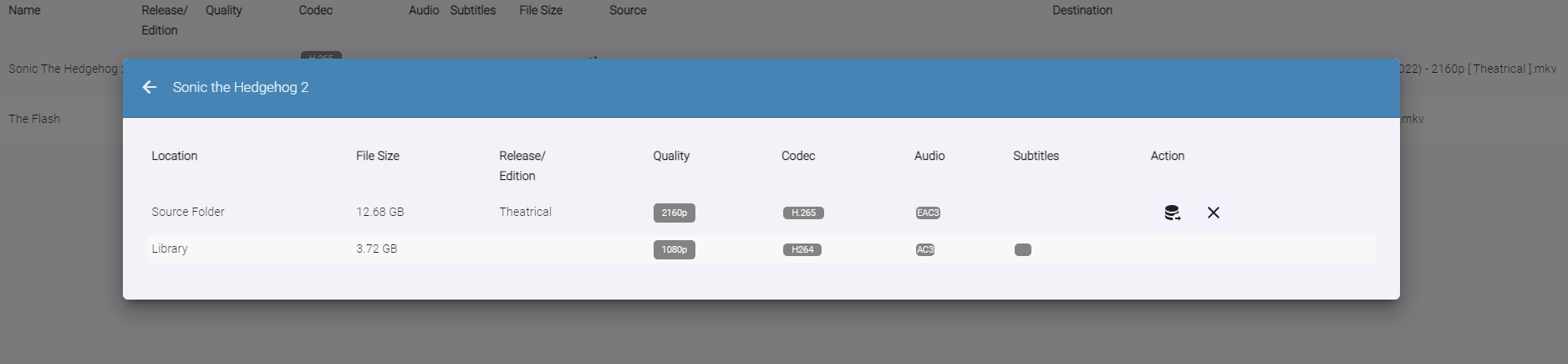
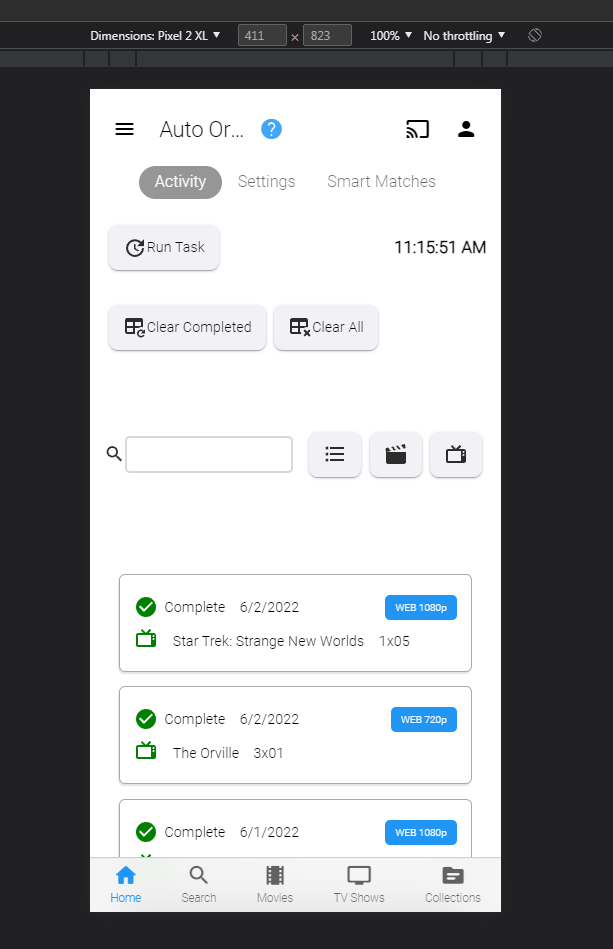
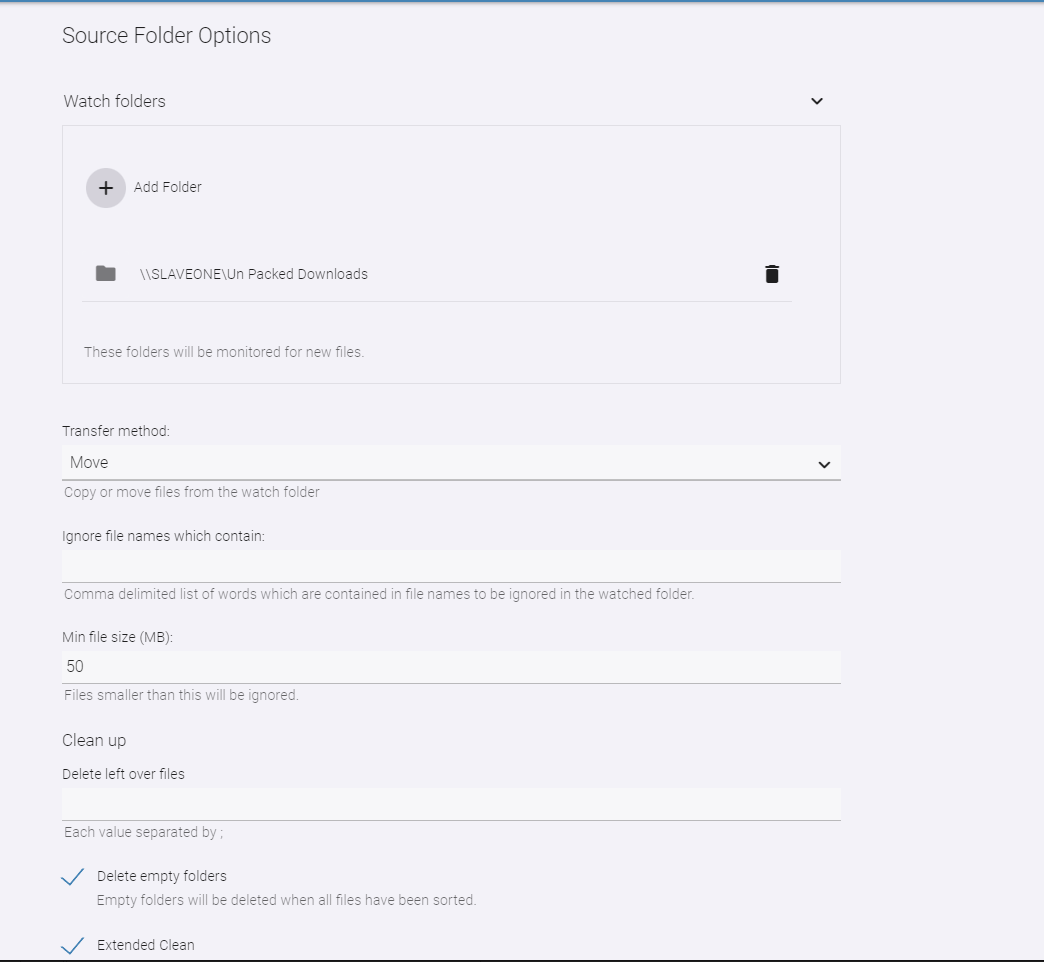
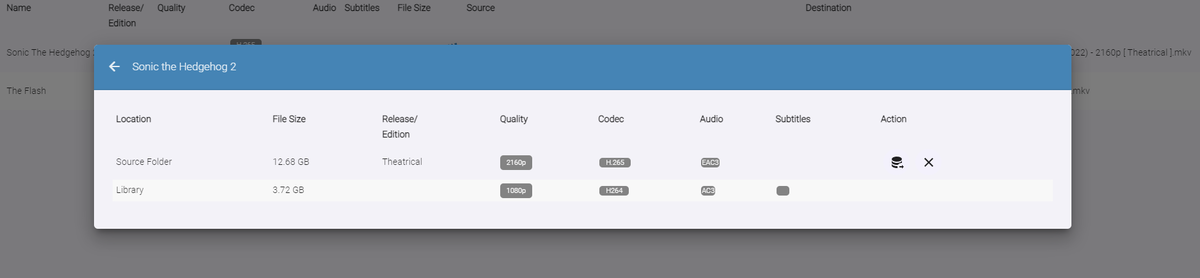
Auto-Organize PLUS - public beta Built upon the Original Auto Organize plugin, Auto-Organize PLUS is a new version which has some enhancements to help sort new media files into the Emby library. Mobile View: Enhanced Table Layout: with Media Info about the files in the watch folder. Multiple Watch Folder Settings: Existing Library Item/Watch Folder Item Media Info Comparisons: File Status/States: Files in the Watched folder can be in several states depending on user settings. Existing Item Existing Items are items that exist both in the watched folder, and also already exist in the Emby library. Users can click the existing item icon to compare the two items, and help decide if the file should copy over into the library folder, or not. New Resolution New resolutions are items that exist in the library, but may not have the same quality as the item in the watched folder. For example: 1080p, and 2160p. The "New Resolution" status will happen, when "Smart Auto Detection" is turned off for a certain media type. Processing The Processing status will happen when a file is being copied, or moved into the library folder. Success Success happens when a file has completely moved into the library folder with it's new name Failure Failure happens when a file name can not be fully parsed, and the media can not be understood by Auto Organize 2.0 User Input Required (Pending...) If a particular TV Show spans multiple folders within the Emby library, Auto Organize 2.0 will wait for user input to decide where to place the file. This state will may happen with "Smart Auto Detection" turned off, or on. Not Enough Disk Space If a file hasn't enough room to copy into the library folder, because it is full. In Use When a file is being copied into the monitored folder from another source, or is being used by another process. When the file becomes available the status will change. New Media When a file has been added to the monitored folder, and it doesn't exist in the Emby library, but "Smart Auto Detection" has been turned off. The file will enter the "New Item" state if all applicable metadata can be obtained to name it. This will allow the user to sort it when they are ready to. New Edition New Edition will happen if the media item in the watched folder has a different release parsed in it's name. For example: "Theatrical", and "UnCut". Table Sorting: Sort the files by stripping out certain types of media, and only showing others. Also, filter the current displayed items by "Name", "Date", and "Status" Current Issues, and on-going development Plugin configuration Page Headers are currently having issues in Emby. Options are not hidden behind the Header on scroll. This is a core issue that is currently being fixed Smart Matches are currently being enhanced, and the experience with smart matches is currently not what the end result will be. Installation notes: Please shut down the server Remove the "fileorganizer.db" file found in Emby's data folder. Place the plugin DLL in the plugins folder Re-start the server. Clear browsing data DOWNLOAD (stable server only): Emby.AutoOrganize_v1.6.41.43.zip Beta server: Emby.AutoOrganize_v1.6.41.23b.zip (Not updated recently)




 1 point
 -
It appears that any playlist that any user creates is public--all other users can see it. I can appreciate the benefit of a public playlist. I could create a playlist called "Harv's Favorite Horror Films" for example, in case other users are interested in checking out what I like. However, the way most of my users are using playlists is to keep track of things they want to watch in the future. They are typically things that the user has not watched yet, so it's not meant as a recommendation to others, just as a way of them personally keeping track of what they want to watch. Having that kind of playlist be public is of questionable benefit to other users. Additionally, it is not clear when you create a playlist that other users will be able to see it. That has the potential to cause some embarrassment. He hasn't created one yet, but I wouldn't want to see my nephew's "movies to fap to" playlist, for example. If I could make a suggestion, I would suggest associating each playlist with the user who created it, and giving that user the ability to make the playlist private or public. For example, the following two checkboxes could be shown when creating or editing a playlist: Allow other users to see this playlist Allow other users to edit this playlist Initially, both checkboxes would be unchecked. Since another user cannot edit a playlist they cannot see, the second would be allowed to be checked only if the first were also checked. (You could grey it out to make that clear.) Depending on your UI preference, it could also be a drop-down menu. Playlist visibility: (Only me | all users can view | all users can view and edit) Thanks for considering this.1 point
-
I cannot find the app on HU715QW Projector.1 point
-
I know the beta just came out but has anyone successfully updated and confirmed Emby works? I generally test the betas at home to confirm other packages work since I use them in my office as well but with the issues that arise with rolling back a Synology update I would love to hear if the plunge has been taken by anyone else yet before I update.1 point
-
It's not portable. Remote Desktop to a win machine would work...1 point
-
A Windows tablet would do it - it has a mode for touch UI1 point
-
Thanks for the detailed explanation, I'm also learning as we go, clear now. Hopefully OP's issue will get sorted with 4.8+ release. (I do sorely miss Support Vewer whilst on board, going through the logs on mobile is DOH! ).1 point
-
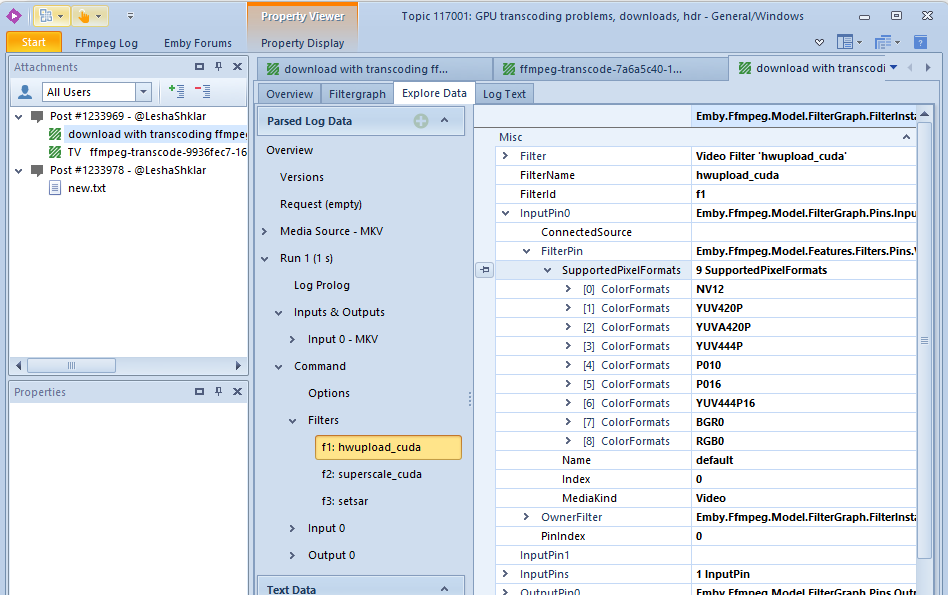
CUDA doesn't support yuv444p10, hence the hwupload_cuda filter doesn't either: ffmpeg uses filter negotiation, so it tried to insert a software conversion filter to yuv444p16 before hwupload_cuda. Next in the chain is superscale_cuda - which doesn't support yuv444p16. superscale_cuda is a custom filter which we added, because at the time of the last release, the regular scale_cuda filter in ffmpeg wasn't able to do color conversion - which superscale_cuda can do (but not for this format). Meanwhile, scale_cuda is able to do color conversions as well, so this issue is a great reminder to replace superscale_cuda with scale_cuda now - for the next beta and 4.8 release. For the current release, we'll have to live with the automatic fallback to sw transcoding, though.
 1 point
 -
For sorting by song, I would suggest only viewing/sorting by the track title metadata. For each selection of sorting the results, I sort of expected the behavior would filter the results based on the type of grouping that was selected and the type of metadata. I was looking to see if I had the song Easy by the Commodores or alternatively the cover by Faith No More. I know I can simply go into the artist folders and manually go through the albums to find individual tracks, which I ended up doing. I do understand this is a low priority request.1 point
-
Thanks. I ended up just deleting a couple of the extra rules and it's now working. Must have been there from a previous install or something because I definitely didn't add them. Still tinkering around but getting some audio dropouts and then audio sync issues happening with remux files so still a WIP.1 point
-
Happy to help, and be part of this. Cheers.1 point
-
There are no means to refresh ratings only, you'd have to refresh>Replace all metadata of an item - big shortcoming in Emby core IMHO. Of course, you could lock all other avaible fields for every item separately and then refresh, but it's illusory even discussing such workflow.1 point
-
Thank You for your help.1 point
-
I found the issue in the metadata, lots of them had been identified wrong e.g. NOW 112 identified by discogs as NOW 12 so the release dates and year were all wrong and it was sorting on these dates. I have set these all correctly now and they are showing in the right order1 point
-
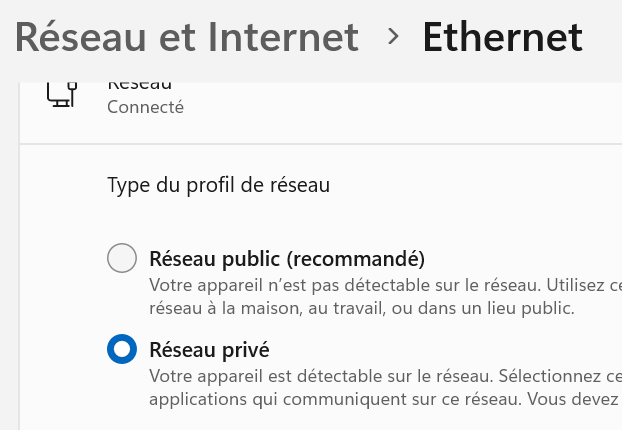
Bonjour, Je viens d'enfin comprendre le problème. Il s'agissait du paramétrage Ethernet dans Windows qui n'était pas à Réseau Privé. Maintenant ca fonctionne
 1 point
 -
Still the same syncing doesn‘t recognize iso files as videostream… Log by PM1 point
-
Indeed it was! Thanks, I re-built it and now it works1 point
-
Nevermind. Disabled the IPv6 and it started working again. The way I figured this out was pretty easy. SSH to NAS ping yahoo.com "Oh it wants IPv6" (Spectrum disabled my HE ipv6) Turned it off, back to the races.1 point
-
@softworkz and @Cheesegeezer thanks so much for the plugin examples. I will get started asap. Vic1 point
-
1 point
-
2023-03-10 22:57:33.556 T:25495 info <general>: EMBY.core.movies: Process item: The Book of Eli 2023-03-10 22:57:33.557 T:25495 info <general>: EMBY.core.movies: DELETE movie [283 / 283] 98746 2023-03-10 22:57:33.572 T:25495 info <general>: EMBY.core.movies: UPDATE movie [2 / 2957 / 2416] 98746: The Book of Eli 2023-03-10 22:57:33.573 T:25495 error <general>: EMBY.core.common: No mediastreams found for movie: 365428 2023-03-10 22:57:33.573 T:25495 error <general>: EMBY.core.common: No mediastreams found for movie: 478583 2023-03-10 22:57:33.573 T:25495 error <general>: EMBY.core.common: No mediastreams found for movie: 6820119 2023-03-10 22:57:33.574 T:25495 info <general>: EMBY.core.movies: Process item: Das Boot 2023-03-10 22:57:33.576 T:25495 info <general>: EMBY.core.movies: DELETE movie [284 / 284] 98006 2023-03-10 22:57:33.588 T:25495 info <general>: EMBY.core.movies: UPDATE movie [2 / 2958 / 2417] 98006: Das Boot So at all lines were bluray iso files would be synced I get this „No mediastream found for movie: xxxxxxx“ error On other KODI with 7.3.x all is synced, I would even say with 8.0.1 it was, but maybe I am wrong So tryed 8.0.1 but the same. I believe they were in the database from 7.13.6. So went back to 7.13.6 and it works again.1 point
-
Ok, I think I got all the logs for this. What I did: 1) Shut down and then restarted Emby Server 2) Enabled debug on both Rokus 3) Played about a minute of the recording I referenced in the original message on my Roku Express LT. No captions were displayed, but they were enabled on the Emby app on the Roku. 4) Played about a minute of the same recording using my Roku 3. Captions were visible while playing on the Roku 3. 5) Shut down the Emby server. Captured all logs produced, zipped them and attached them to this post. 6) At 14:05 EST on my Roku 3 I told Emby to send the debug log. 7) At 14:06 EST on my Roku Express LT I told Emby to send the 2nd debug log. Let me know if you need anything else. Chuck Edit: Forgot to mention the logged in Emby user was "Chuck" emby_logs.zip1 point
-
I finally ordered a shield pro, will test that next. Yes, the hardware is 4 years old (2019 version) and they are way overdue releasing a new model, but it's still considered the best by many, so time for me to see for myself. I do like Kodi on libreelec (on a mini-pc), but it's not what I'd call stable, crashes too easily from addons, even skins. That's not good. Some features work intermittently, requires a reboot to clear up. That's not good either. I installed and tested both emby addons, the channels dvr addon, and the emby skin (embuary) to make it look/function just like emby theater, which is really cool. I like that a lot. Kodi does support time shifting (able to watch the video while fast forwarding) whereas the roku does not (pauses video while fast forwarding), which is a really big issue for me.1 point
-
SubKiller is also public as is AdminBuddy in my repo on Github that uses the more classical way of plugin structure. https://github.com/Cheesegeezer/Emby.SubKiller https://github.com/Cheesegeezer/Emby.AdminBuddy I definitely have to understand the new plugin structure for emby... Vic i'm still waiting for you to add me to Teams, so i can help you further buddy. Cheers1 point
-
No, but I've been doing custom programming for them a few times a year for close to 10 years. Now you want to talk about an electric bill, think about how much Netflix or similar companies must be paying.1 point
-
Here are two public plugins, each with an html config page: https://github.com/MediaBrowser/Emby.Plugins.MyAnimeList https://github.com/MediaBrowser/Pushover Both have been updated recently. When adopting any of this code, please make sure to change the PluginId (create a new GUID), name, thumbnail image, etc..1 point
-
yes, you are right, people ask for it, but why didn't they do it? ))) because it's really not difficult, a couple of lines of code for choosing a "random" trailer from the collection now it looks very strange, i'm try start 10 times the movie and the trailer is ALWAYS the same, why? there are no more similar films in the collection? I have 1200+ of their films)))) I would suggest not only the "random" option but also "exclude current collection" Why? Well... why offer a person to watch the film Lord of the Rings (for example, the 2nd part) if he starts watching the 1st part? don't you think it's stupid? Isn't it more logical to offer a person a new movie? a new experience, perhaps a movie that he has never heard of (albeit a similar one without the "random" option), but now the plugin offering not just "similar" movies, but the same ones .. those films that person already know and it’s stupid that in 90%+ cases it’s a movie from the same collection Do you want to watch Lord of the Rings 1? Here's the trailer for Part 2, would you like to see it? )))) want to see spiderman 1? Here's the trailer for part 2... Well, this is complete nonsense))))1 point
-
THE LAST TEASER VIDEO This time, showing audio and video playback, OSD, Nowplaying and background video playback. Emby - Google Chrome 2023-03-06 17-42-30_cut.mp41 point
-
It will be included (eventually). For the testing period, there will be a separate "Emby Web" with the theme included.1 point
-
UHD 770 is an awesome iGPU - even Intel's current top-of-the-line CPU i9-13900KS has it - and with it you really don't need a discreet GPU. That said, both of those (UHD 770 and RTX2060 Super) can take way more than an average consumer could ever need, so you have a lot of headroom there, I reckon the only difference would be visible on your electricity bill. As said above, that 'faster' is completely illusory in this context. There should be no issues with that.1 point
-
Neither am I, but the look, feel, usability of the WMC interface IMO is leaps and bounds better than anything out there today (not only Emby). I often wondered why we didn't go down this path for most/all clients TBH. Happy it may now be an option - so I can use my Firestick elsewhere, since the Windows Emby Theather app themes aren't even remotely close to what a Windows HTPC WMC looked like in the past and now as per @softworkz You mention one of the biggest wins for me as well Hats off to @softworkz In addition, my old WMC Logitech remote is a pretty dumb remote for my Firestick enabled Emby. With this theme/skin, one can go back to Windows -> HDMI 1 -> launch App1 from the taskbar and enjoy much better hardware/flexibility than what a firestick provides. Imagine using the Channel up/down again while watching TV -- grab my popcorn I cannot wait. Or even using the remote now to truly swap HDMI inputs, audio inputs, Bluetooth etc. Love how this is shaping up!1 point
-
Plain Chrome1 point
-
No. Possibly later, but maybe not at all.1 point
-
Those remotes were really sweet!1 point
-
I think that someone has built a client that mimics the WMC (Window Media Center). Or is somehow built on the WMC architecture. Maybe even using MCML (media center markup language). It was where Emby (Media Browser) got it's beginning... A long time ago.1 point
-
The suspense...1 point
-
It's technically superior to the current implementation in every single detail. it fulfills almost all user requests in the area of Live TV that have been queued up over the years. It outperforms all competitors, it obsoletes 3rd party products and provides features that nobody has even been daring to ask for. So - yes. I'm living a dream!1 point
-
This sounds like a good way. What needs to be made sure IMO: 1. Remote users need to sign in first before "fast user change" is available. Two thoughts on this: Maybe some sort of PIN for "fast login" should be considered as there might be children in the house (e.g. your siblings + children) that shouldn't access to accounts that can watch unappropriate stuff (e.g. Scream for a little 6 years old) for them. Maybe expanding the PIN login to remote users as well could be a quick win for this. Prerequesite for the PIN login to work would be that the user must have logged in to the device with User + PW previously. 2. When a user actually logs out the credential should also be deleted from that device. PS: Like post #1 to support the request.1 point
-
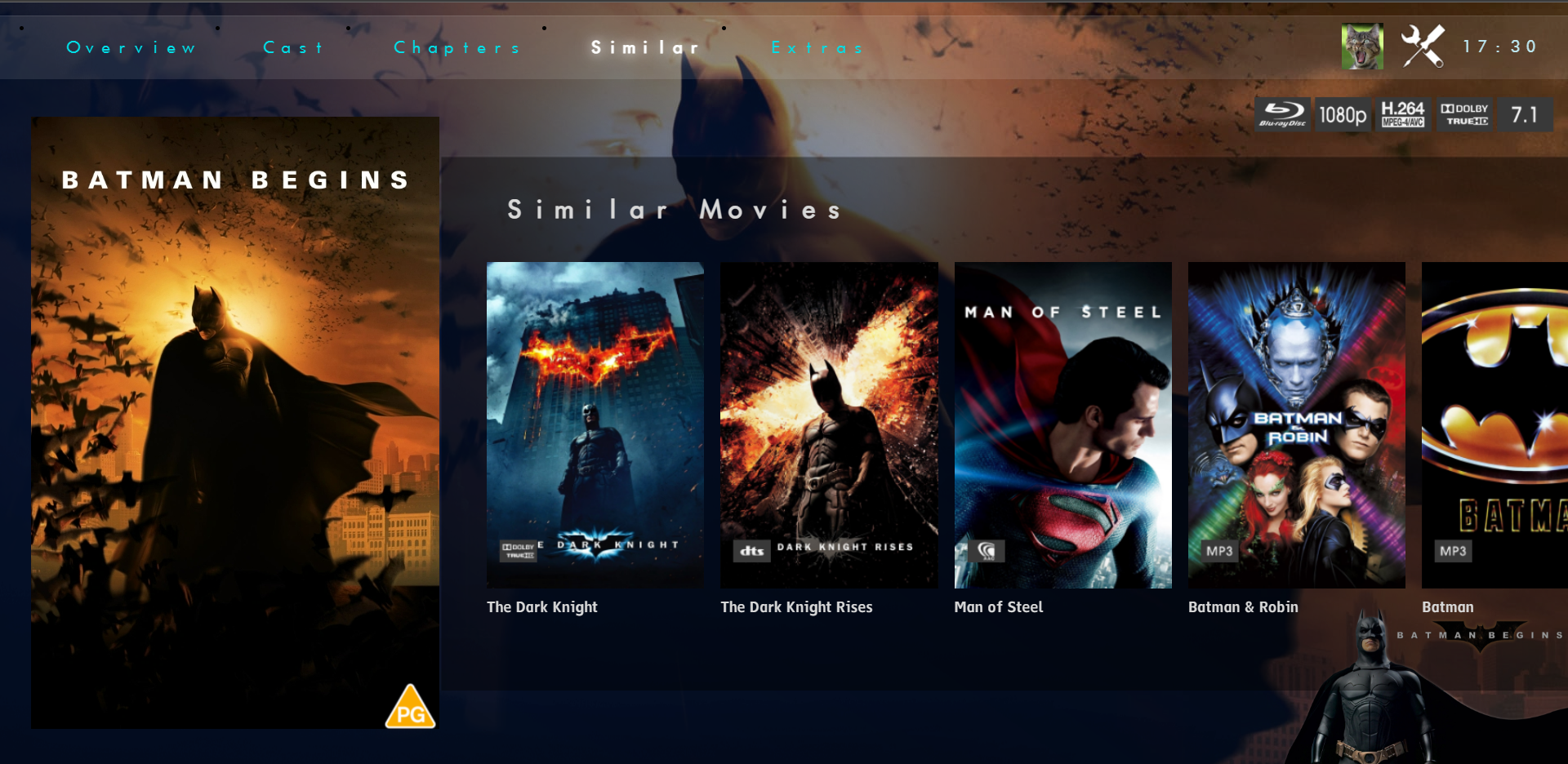
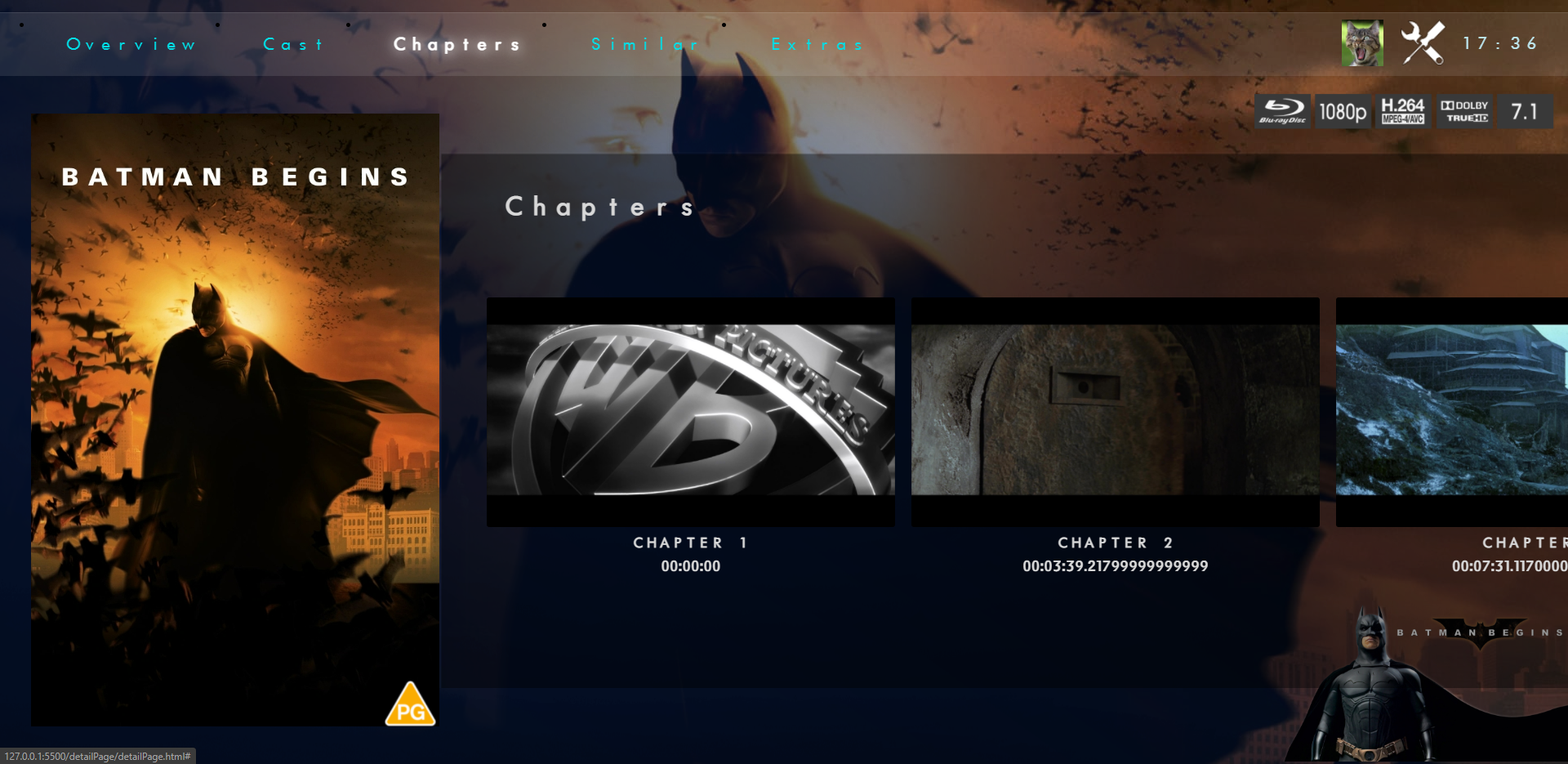
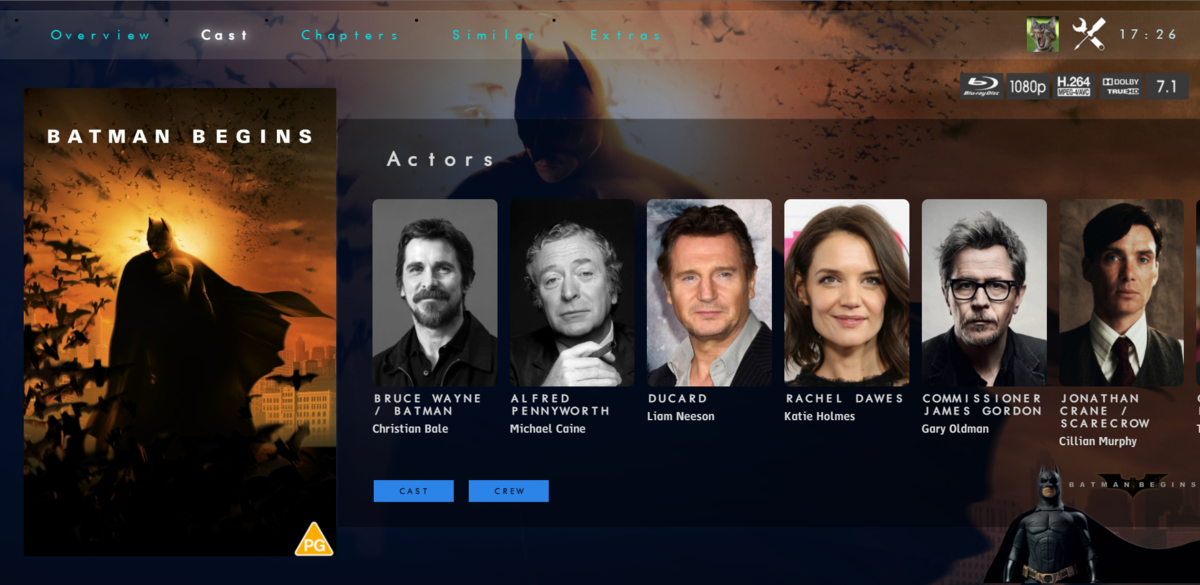
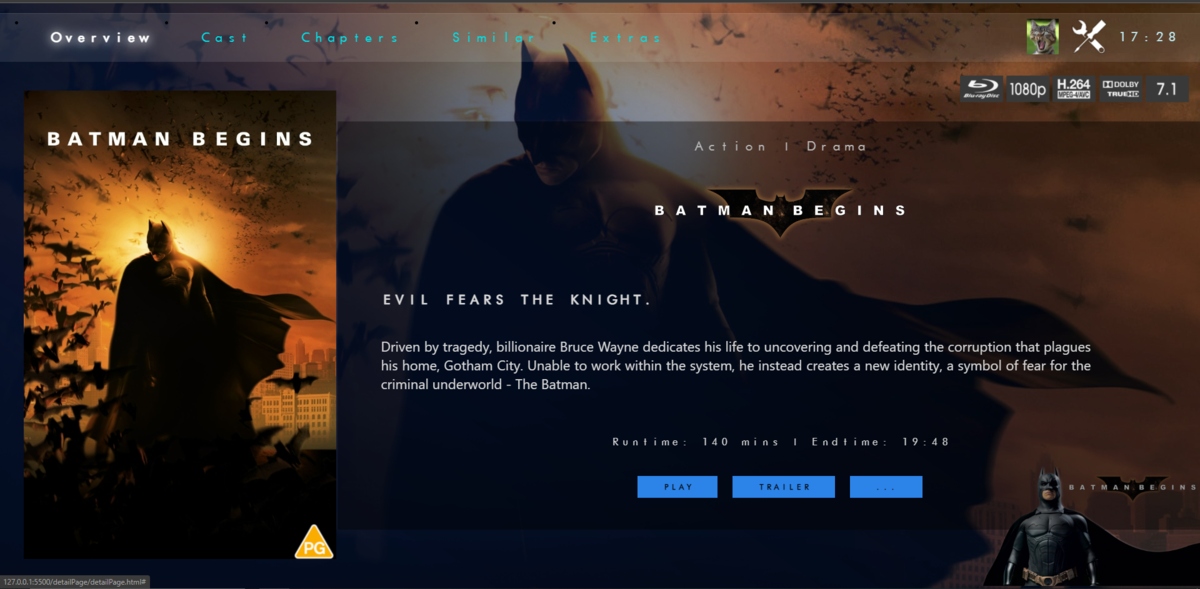
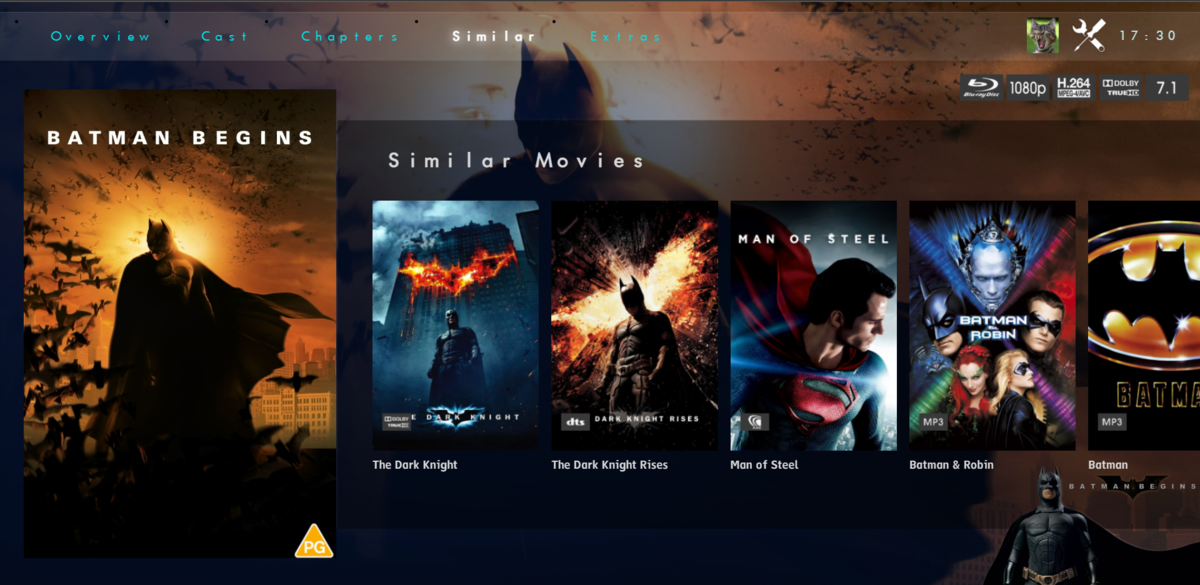
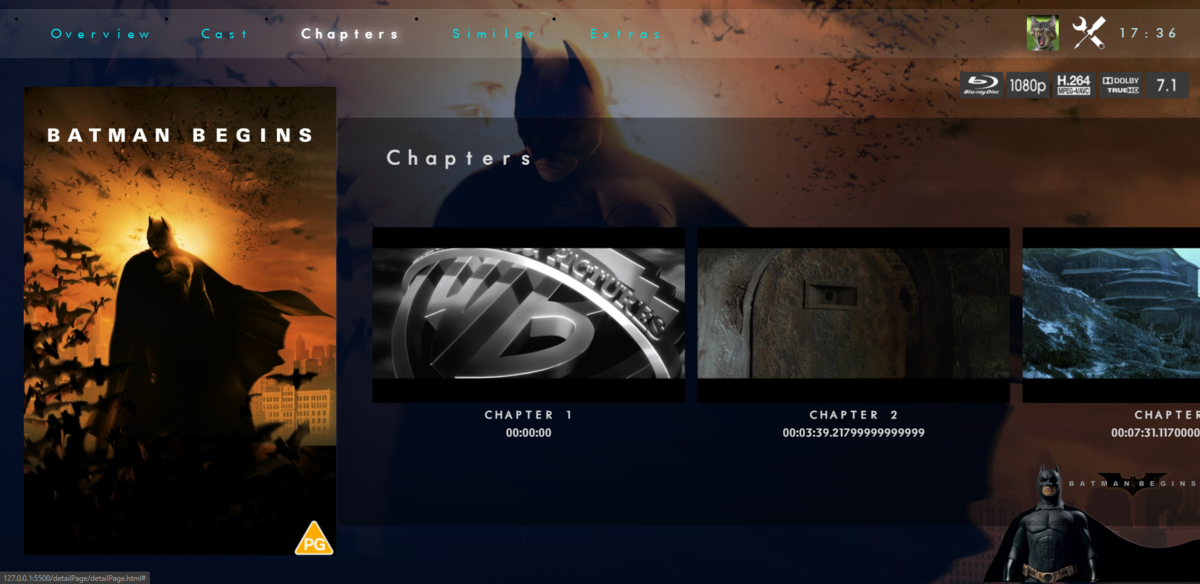
managed a bit more on the Details page. Pretty happy with it so far OVERVIEW CAST CHAPTERS - need to sort the times but nearly there SIMILAR MOVIES
 1 point
 -
A suggestion from having spent holidays at my Mums, doing more remote access on tvs around less tech savvy users. Clients already remember the last user logon in perpetuity (until the user signs out), could the Emby clients remember more than just one user logon? And provide a UI to switch between remembered accounts? So if i want to logon as myself for the holidays (or evening) on a device which is currently logged on as 'mum', i can easily revert the default user back to 'mum' when i have finished. From the 1st or subsequent users perspective, they are not giving any more away than what what they have already (they can always sign out). Less clicks to get to your watched history and back again would be nice. re-entering a complex password on a TV is a PIA. As an aside (not the core of this fr), i wonder if the 'sign out' function should be limited to users profile menu, and not be so prominent on the client exit screen (especially on tvs)...ie when clicking 'back/exit on remote. thanks for considering.1 point
-
It's a one of a kind system designed just for my system but it started as an early port of https://github.com/mdhiggins/sickbeard_mp4_automator I don't use any of the "hooks" in it and actually stripped them out but just use it for scripting the ffmpeg process and manipulating the video, audio and subs. I then added extra command to this to do the normalization of track 1 only for stereo. You could also build a 2nd track that's normalized from 6 channel while coping other audio tracks. Since I only care about English I strip other audio tracks and subs from the files as I don't need them. If you can get that running, I can dig through my stuff to find what to add to it to do the normalization. Hell, it could even be built in these days, I haven't looked. But the script is sort of a swiff army knife for batch processing files before adding to you library.1 point
-
0 points