Leaderboard




Popular Content
Showing content with the highest reputation on 02/26/23 in all areas
-
true - but radarr and sonarr can just be used as simple media managers. no need to use the full function3 points
-
I still can't bring myself to use the Android version. The white highlights are such a turn off that I don't go beyond a periodic check to see if that has been corrected. If that can be fixed, then I'll give it a fair chance - but as the AndroidTV currently plays everything I throw at it, is very fluid and fast and is 'finished' - I really have no need to use what is still, imo, a beta release version..3 points
-
Both DVD's and Bluray's have graphical subtitles - so if you want a 100% guaranteed match of the original subs, then you need to do the work to convert them using OCR to text based subtitles. It's likely somebody has already done this (hence the subtitle metadata providers) but of course the key thing is to match the subs to your version. If you have removed/renamed/remuxed the source files - then this match will now be inherently more difficult because you have removed anything linking it to the original source - be it the media type (bluray version) for example - and a hash match is now out the question. Subtitles have ALWAYS been a pain - forced subs especially, but tools like Bazarr do help a lot but they still depend on the quality of the metadata provided - if you have the source subs, then extracting them is normally my #1 option.2 points
-
Where can I get the latest version? The latest version of EmbyCon can be installed from the stable repository. https://faush01.github.io/embycon_kodi_repo/ Where can I get the source? https://github.com/faush01/plugin.video.embycon How do I interact with my media? EmbyCon does not use the built in Kodi DB so to interact with your media you have a few options: Open the EmbyCon add-on from the add-on area in Kodi, this will let you view and play back your Emby content directly using the add-on Use EmbyCon skin available in the repository, this skin adds home screen integration for EmbyCon widgets Install a skin that lets you customise the home screen to add widgets for Why does my playback keep stopping when paused? By default when the Kodi screen saver kicks in playback is stopped. You can turn this off in the Add-on settings. EmbyCon Settings -> Events -> Screensaver -> Stop media playback on screensaver activation Why do I keep getting prompted to select a user? By default when the screen saver is dismissed the select Emby user dialog will pop up. You can turn this off in the Add-on settings. EmbyCon Settings -> Events -> Screensaver -> Show change user dialog1 point
-
I like to sort my music by (custom) genre, but I greatly prefer music apps that organize music by Genre > Artist > Album instead of Genre > Album. It makes album selection easier to browse if each album is nested under its own artist, but I don't want Film Soundtracks on the same screen as Jars of Clay or Led Zeppelin; and if I want to browse just Christian music, Skillet and Plumb would only list one artist entry each, on a page of 50 items, instead of 5 or 6 albums each on a page of 110+.1 point
-
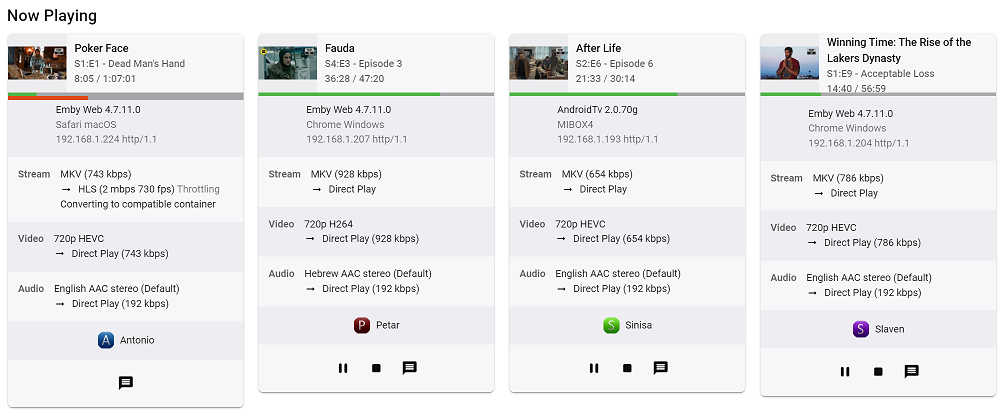
Guess I'm making it official FR: Could we please get parent TV show poster - or at least parent TV show thumb as it is done in Continue Watching Home Screen row - for TV episode playback session in Now Playing Dashboard section, as current implementation with episode thumb is neither informative nor visually appealing. Thanks
 1 point
 -
Would we be able to add onto the statuses in Emby? I would like to see the ability to have airing, returning, cancelled, and ended.1 point
-
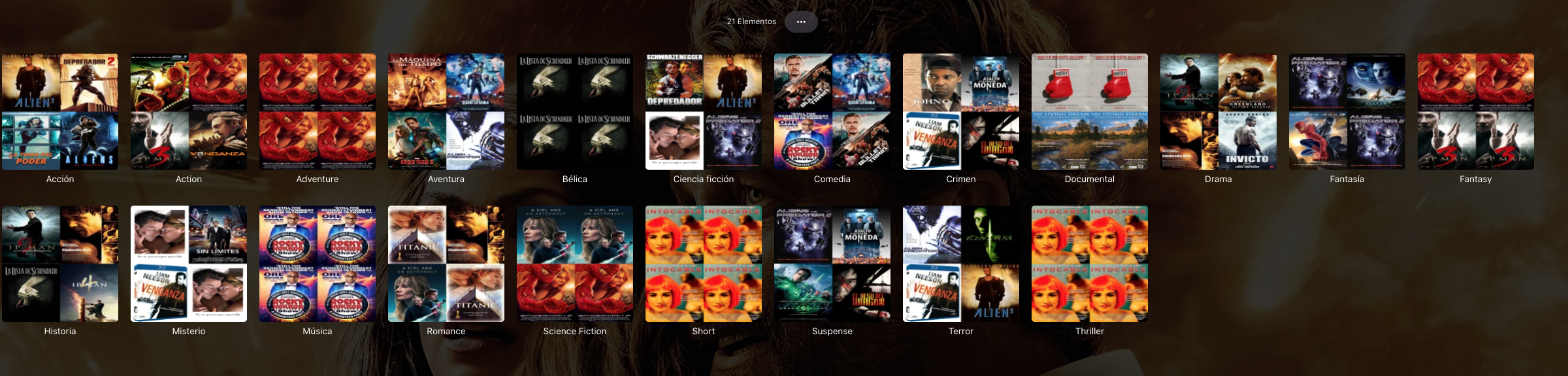
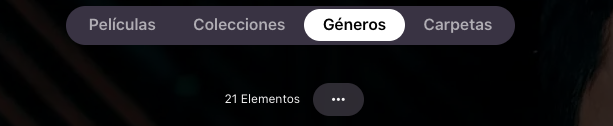
Hola, en la seccion de boton de Generos se crean automaticamente generos como: Accion, aventura, bélica, etc. y elige los archivos que se cree que son los correctos, pero queria crear los mios propios y anular como estan ahora, gracias
 1 point
 -
I have actually setup Bazarr today and I was amazed to find how easy it was. However I am seeing the adverts in the subs. This is at the beginning of all of the files; 1 00:00:06,000 --> 00:00:12,074 Someone needs to stop Clearway Law. Public shouldn't leave reviews for lawyers. And this is at the end; 30 00:43:13,305 --> 00:44:13,636 Watch Movies, TV Series and Live Sports Signup Here -> WWW.ADMITME.APP The provider is Opensubtitles. @Spaceboy Do you have a VIP account as that may be why you don't see Ads?1 point
-
I remember that when I use Kodi with some movie streaming plugin it have option to search subtitles. Thanks for considering that. Regards.1 point
-
Don't really follow as I had no issue with theme music with different folder/media names. Die Hart the Movie Anything.strm theme.mp3 But sounds like @MovieGoer2021is having database issues if removing, scanning, readding corrects the issue. Delete is not needed as Emby will automatically remove it via RTM or library scan (should be full scan to clear the database completely) when items are physically removed from library folder.1 point
-
Yup... roku has photo streams that will play a set of photos that you have uploaded to their server. It would be very cool to choose emby as screen saver and set up the picture library and local images such as all back drops, disc images, fan art, etc. all user selectable. btw, Emby is awesome. Everyone should be buying a subscription. I bought a lifetime and encourage everyone to do the same1 point
-
Same here, I'm in Los Angeles. The package came this morning, so now I'm waiting for the hdhomerun box I ordered from amazon, should be here today/tonight, usually late. I'll probably wait until monday morning, so the spectrum techs will be at work (I doubt if the best techs work on sundays).1 point
-
Not currently but hopefully in the near future we'll have something more to share.1 point
-
Same *arr apps can be used.1 point
-
LOL I'm dumb/blame the English language for being funny sometimes. I didn't realize that you present the version of Emby along with the version of AppleTV. Sounds like a pain that those end up having to be coupled together! Thanks!1 point
-
Just for reference, having no issues with DVDSUBs on 4.7.11.0/2.0.87g, tested on multiple items following your post.1 point
-
Hi. Scroll down and click the "Save" button after you make the change.1 point
-
I've just zoomed in on @Spaceboy picture and can see that the file has been renamed so it does seem to work. As long as you use Sonarr/Radarr as a "database manager" then Bazarr should work on DVD rips which I believe what @musicmafia currently has.1 point
-
Whilst I was looking at Bazarr I was wondering if it would work on an already existing library. It looks as though it searches for subs that match the original filename and all my files have been renamed by Sonarr/Radarr. Obviously they are all in the Sonarr/Radarr database but would Bazarr find any matches?1 point
-
Just one thing I need to add. Bazarr only works if you are using Radarr and / or Sonarr.1 point
-
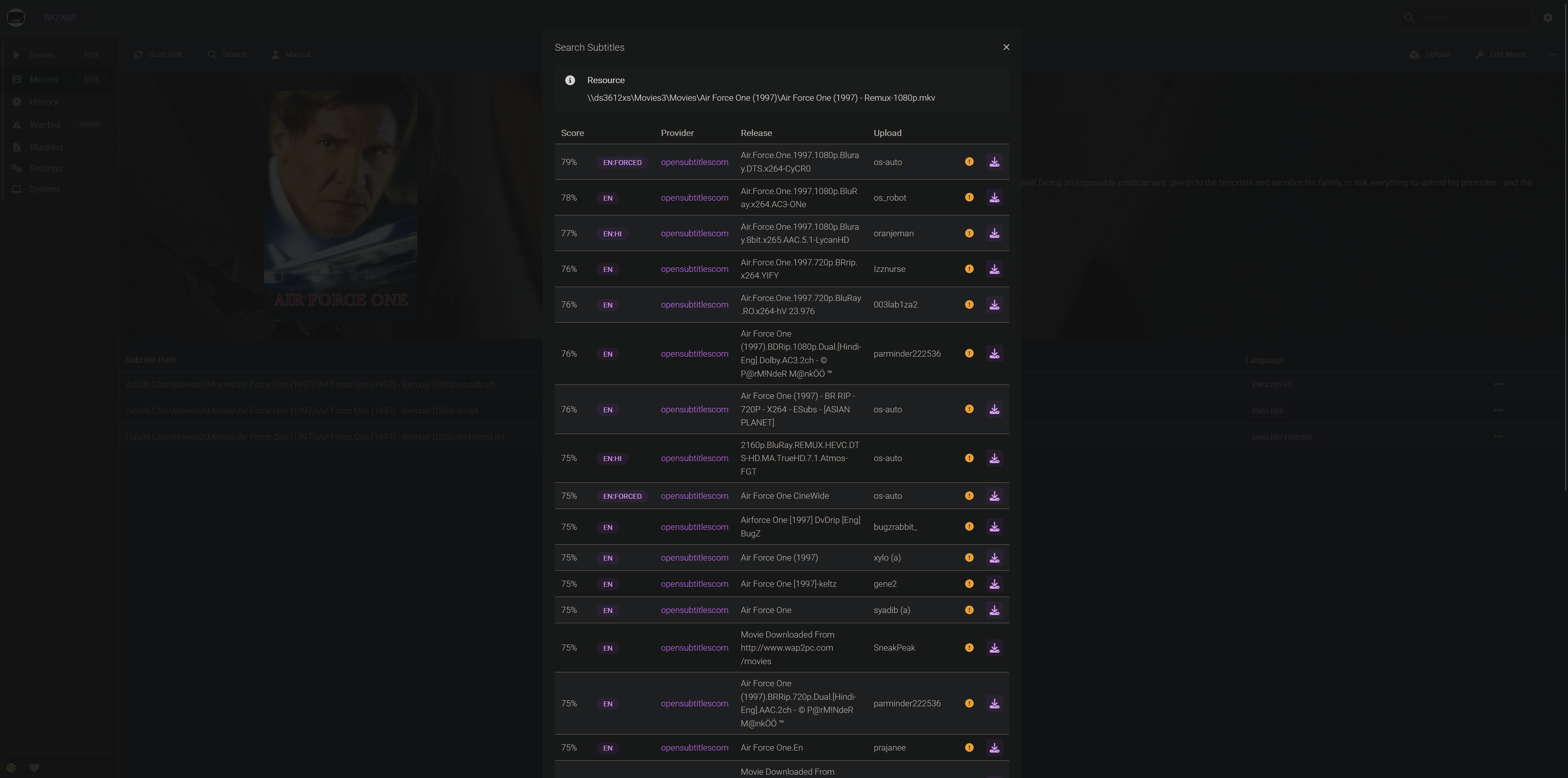
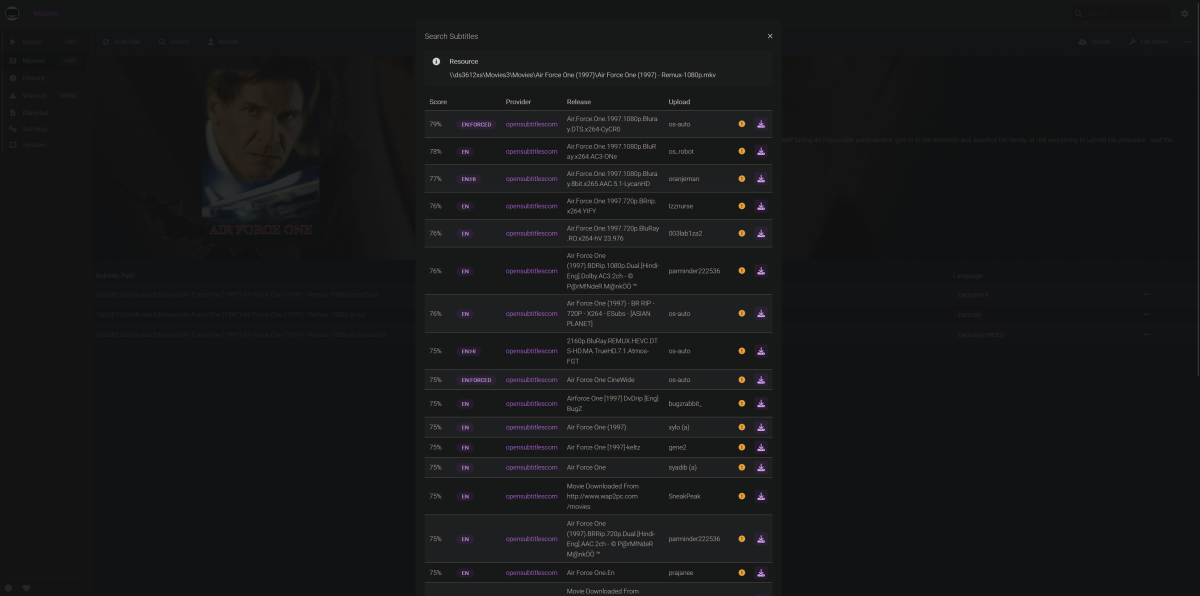
just one example of what you can get in bazarr as you can hopefully see behind, bazarr has fetched me english, english SDH and english forced for Air Force One. i don't know if it does some editing of the subs as it downloads them but i see no adverts - just the subs. once set up this is fully automated
 1 point
 -
This is great news!1 point
-
Another thing I noticed that is somewhat related is that if I go to Favorite Songs in Android Auto, it will list all the songs, but there is no play or shuffle option from this context. If I click on a song to play it, it will play the song and proceed to play everything else on that album, not everything else within my favorites. The phone app has a way to shuffle all favorite songs, but Android Auto does not. I'm not sure if this is in the realm of things fixable on Emby's end, as I know you said you have no control over the Android Auto interface itself.1 point
-
No need to apologise, I appreciate all the work you and anyone developing for Emby does. Thanks.1 point
-
Based on what you've been saying you probably only want to be downloading forced subtitles.1 point
-
Hi, we'll take a look at it. Thanks for reporting.1 point
-
Hi, not yet, sorry.1 point
-
Any update on this? It's been over 3 years and this is still an issue. I'm also experiencing the issues of downloads stuck in 'Ready for Transfer' and shuffling downloads playing a single song and quitting (two issues mentioned on other posts). Utilizing downloads was one of the main reasons I upgraded to premier, and now I'm wondering if doing so was a mistake.1 point
-
Is there any way we can keep up with the status of this new app? I'm also having a slight issue with how ET currently creates a 2nd icon, which causes a bit of a problem with some of my home automations. It's hard to make sure the Emby window is opened properly when it's location on the task bar changes depending on how many apps I currently have open.1 point
-
This was semi-solved in another thread. You submitted an update to the plugin and I got partial results for PT-pt subtitles. Still, regardless of your attention and me appreciating it (in written form), I've decided to move subtitles to Bazaar given higher control and troubleshooting capabilities. Cheers, anthonws.1 point
-
Thanks. I think I found the file you are talking about and so far it has not been very good news for me. Turns out a LOT of the files I have acquired (but had not yet watched on Emby), require forced subs that I do not have. I haven't even gotten out of the movies that start with "A". Ex: I just played back Air Force One after seeing it on the list. Has tons of parts in Russian and my only choices are no subs or full time. I was hoping it was just going to be a few movies, but looks like I've got my work cut out for me, trying to find forced sub files for a lot more movies than I thought.1 point
-
Long shot on an old post but did you have any clearance issues with the cpu cooler and the case side? I’ve got one of these cases on order but no idea what clearance it has for the cooler.1 point
-
Docker all the way, have the issue myself and Mac OS user remote users. Have this issue since 4.7 or so. Cannot do much than sending logs. no issue whatsoever with jellyfin by the way…1 point
-
I will ask my brother to try it this evening and let you know. Currently, I can only report on what happens using the Emby app on his Fire Stick 4k+1 point
-
Thanks, figured it out in the wee hours.....already fixed. I need to replace this SSD as this keeps happening every couple weeks....only thing I can think of that can be causing this since it just started happening and this system disk is an old small SATA SSD I used for a long time as a temp directory so it has had a lot written to it over the years.1 point
-
@ebr@GrimReaper @Luke Thanks for the help guys. Installation of AndroidTV beta 2.0.87g fixed the problem. Tested with 3 separate Philips devices.1 point
-
No, your providerid syntax is wrong: {Movie Title} ({Release Year}) [imdbid={ImdbId}] or {Movie Title} ({Release Year}) [tmdbid={TmdbId}] Edit: See you edited your post; Yes, correct.1 point
-
I don't doubt that everything you said was correct. Just, after I added that script to "flatten" certain tags, I haven't come across the m4a problem again.1 point
-
Advantages: The biggest advantage of ATSC 3.0 for me is rock solid reception as it seems to be much more resistant to weather, solar flares etc. Picture quality seems to be a little crisper and smoother for sports and action scenes. The pre-encoded HEVC file size is nice. Disadveantages: The current uncertainty of DRM implementation Cost of tuners ...It may be better to wait a while before ingesting in new equipment ?...1 point
-
I would absolutley not mind if it was in two completely different setting menues. I mean...what about the future ? edith: would also not mind paying another 3 bucks ( aka "not even one beer at a bar") for each individual TopPicks What about TopPicks for music, ebooks, games, photos ? IMHO the most importent thing is that the user engagment works and that we have some kind of preselection in the individual category. Every Library is quite personally organized, some people do not even rename the file and everyone knows where it comes from. In my series most of the episodes have even the correct airdate as creation date (Thanks RenameMyTVSeries!), but I do not like to have every season in their own folder. Bottom line....how many TopPicks does one want.... I would definately want one seperate for movies and series and would surely not mind if I had additional documentary movies and documentery series. For me anything above four Topicks would make it cluttered, but some might like to have them for each individual library. This might maybe even speed up things, because the individual settings do not need the uneeded library index. Just my thoughts And absoluteley no rush....plugin is evolving really well and a few hickups have to be expected . Edith: would not mind paying additional 3 bucks ( aka "not even a pint at a bar") per TopPicks.1 point
-
As some users would. Personally wouldn't like a plugin having open hands in that respect, deleting existing libraries, even ones of its own making, I have no issues doing it manually if needed, it's 10ish second process. Just my 2c.1 point
-
Hi, not in the 4.7 server, but you'll be able to do this in the upcoming 4.8 release.1 point
-
Emby Server and Emby Theater Now Available as Snap Packages We are proud to announce that Emby Server as well as our Premiere client Emby Theater, are now available as Snap Packages for Linux distributions. This makes installing Emby a snap. What are Snaps? Snaps are a type of secure containerized applications that work on any Linux distribution using systemd. Snaps are multi-platform, dependency-free applications that are easy to install. One of the biggest advantages of snap applications is that they update automatically! Snaps are self-contained applications that run in a sandbox with mediated access to the host system making them secure and quite easy to work with. Choose your Linux distribution to get detailed installation instructions. Arch CentOS Debian elementary OS Fedora KDE Neon Kubuntu Manjaro Pop!_OS openSUSE Red Hat Enterprise Linux Ubuntu Raspberry Pi If your distribution is not shown, get more details on installing snapd documentation. The picture below shows Canonical's snapcraft.io website that can be used to install Emby Server. https://snapcraft.io/emby-servern View the full article1 point
-
In the server dashboard, admins can see who played what, but you cannot interact with it. You cannot pause, play, skip songs, you can’t see or get to the queue or check what will be played next. On the admin dashboard, the admin can satisfy curiousness and look into the past. The “now playing” functionality, together with the start/stop/pause and skip buttons are at the core of every music player, they areTHE primary place of interaction by all users (not just admins). They should be available at any time, and at a pre-defined place. In fact, some iPods had only those buttons (plus volume control). Yes, Emby has the overlay at the bottom of the screen - that allows this interaction, but it has a lot of “but”s: It works only if you started playing/streaming to DLNA from the web interface: the moment you connect an app to the DLNA device, you’ll see the overlay of the queue started from the web interface. If you started streaming from an app to a DLNA device and then disconnect from the device - you can’t get the overlay back: It’s gone, together with your queue. Even if you reconnect to the same DLNA device it will not come back. If you started streaming from an app, a different interface (app on a different device, or web interface) will never show your “now playing” overlay and queue, even if the same user connects to the same DLNA device. Because of this behavior, once you have lost connection (or disconnected) the app, your queue is gone (together with the control buttons), but the music may keep playing, without any possibility to control the playback. Also, I have not found a way to resume playing of the same queue at a later point in time: If I stop playing something (other duties…) and want to resume three hours later: Since I have no way to access the queue without it actually playing, I cannot resume playing where I stopped. I’d have to search for my music again, create a new queue - and then start playing where I think I left off three hours earlier. What would I expect? A clear place where I always can get to my control buttons, even if nothing is playing. Something that is persistent, and not “there now” and “not there” in a few minutes It should be server-based - so that a user will see the same up-to-date view, regardless of mode of interaction (app or webpage): It must be the same everywhere. It could show multiple times if the same user is playing different streams to different devices (no, I myself am not doing that kind of multitasking, but you never know…) A clear way to always get to my queue, regardless of player state: Even if it has been a while that I listened, I should have a place where I can find what I was doing and resume playing. These could either be a section that one can place on the home page, or something under the “hamburger” menu of the home page. And while at it, if I am playing a queue (= album with multiple titles), I would love to see an indicator in the list of titles queued that tells me which one is the one currently playing - so that I don’t have to look at the tile on the left and search it in the list on the right… I hope this explains the problems I am having - and thank you for writing back!1 point
-
Thanks for the replies, Luke. Glad to know I was [mostly] correct in understanding what I observed. I'll keep watch for future updates that enhance the functionality dealing with downloads. Speaking only for myself, If I may suggest/request the additional ways to find/sort/organize music tracks be weighed as particularly important when prioritizing enhancements. Trying to find specific songs among thousands, when the only way they are organized among the downloads is by album, can be rather tedious (for example, many times I can remember the song's artist but not the name of the album). Playlists would be a close second for me.1 point
-
Edit: As suggested by @ebr I have split my original request to allow better monitoring of interest and progress. I have added the link to each topic next to each Feature Request. If you are interested please discuss in each topic instead of this one. Cheers Hi everyone, I know some of the comments here have already been put forward somewhere else in the forum, but I wanted to 1) centralise them and 2) give my vision on how the Photo Library could be improved. I have raised the point on Github as well, but I thought that it would be better the open a discussion here, so everyone could contribute. https://github.com/MediaBrowser/Emby/issues/3436 Just a bit of background before I start; I take a lot of photos with different cameras 1 small digital camera, 1 DSLR, 2 to 3 Smartphones (don’t ask :S ) especially when I travel and sometimes I even collect photos from friends that travel with me. All of this to say that I have a sh**tload of naming conventions for the files and I can’t just put them in a folder and expect these to be organised. This is where Emby takes place as I use it to organise and watch my photos. Everything is stored by Year\Month\Event\ (an event could be one single day or e few weeks trip if I am lucky). Unfortunately, I didn’t manage to display these in an organised manner: when I open the folder then I can’t have all the files sorted by date or anything else regardless of the filename… Hopefully there is a “simple” tool that has been helping photo enthusiasts which bring me to my first point: Make EMBY read and display the EXIF information from the files https://emby.media/community/index.php?/topic/63047-photo-library-make-emby-read-and-display-the-exif-information-from-the-photos/ This is the step one, I don’t know if this is already being used but it would be nice to be able to display the EXIF info on top of the photo being displayed. A bit like for the movies where we could display the data such as transcoding info, video size, framerate, etc. in a transparent box. This could contain Camera Make and model, Date photo taken, aperture, shutter speed, ISO, but also coordinates when available (which is often the case when using a smartphone), etc. Sort by EXIF https://emby.media/community/index.php?/topic/63048-photo-library-sort-photos-by-exif-information/ The next step would be to add the EXIF elements in the sorting options. This would allow us to sort our pictures by date taken (regardless of file name, camera, etc.) or by camera, aperture, etc. Timeline This would also make possible to create a timeline view that would display all the photos regardless of folders by only taking into consideration the date it was taken. This has become the norm for many photo app. In my comment in github I was referring to the standard W10 photo app, but this is also true for any smartphone app, and even Plex has done this now This has been already been suggested before: https://emby.media/community/index.php?/topic/54947-pictures-library-filter-date-taken-timeline/ https://emby.media/community/index.php?/topic/55561-feature-request-for-browsing-photos/ https://emby.media/community/index.php?/topic/55688-timelineview-for-pictures-and-homevideo/ Map https://emby.media/community/index.php?/topic/63049-photo-library-photo-map/ I always wanted to have this feature! This is something that was offered by Flickr. It would use the coordinates where the picture was taken stored in the EXIF and display the picture in the world map. I think that this was a bit specific in the past because we needed to have a GPS module tied to the camera but now every smartphone does this out of the box (without even asking your permission). Here is an example from Flickr where each point is a picture that you can display when clicking on the point: Better video integration https://emby.media/community/index.php?/topic/63050-photo-library-better-video-integration/ I have noted that when I open a video from my picture folder, Emby doesn’t understand that it is part of the photo album and open it as a single file in the video player instead of the slide show. I think this should be seamlessly integrated into the Photo slide show. Face/Place/Scene recognition https://emby.media/community/index.php?/topic/63051-photo-library-faceplacescene-recognition/ Let’s push it further, why not including a face recognition that would allow us to sort our collection by people or by scene (city, sea, mountain, etc.) or by place based on GPS coordinates this could automatically name the place and allow us to search or sort based on this item. Anyway, that’s what have in mind for the Photo library module. I understand that there is so much to do elsewhere but I have always considered the Photo library as a core function of Emby. Right now, it is not really usable, I think the read & display EXIF info and sort by EXIF would be a minimum, the timeline is a nice to have and the map+Face recognition is beyond that. I hope this will get some interest and that it will be considered for the future upgrades. Do not hesitate to like the post to make it more visible in the forum What do you think?1 point