Leaderboard




Popular Content
Showing content with the highest reputation on 02/21/23 in all areas
-
Fixed the large movie issue. Might look at the formatting later. Don't really want to put that much effort into something no one should really see.2 points
-
Here is the latest list of versions for Emby software across the server and clients. Emby Server Stable: v4.9.5.0 (2026/05/18) Release Notes Beta: v4.10.0.14 (2026/06/04) Release Notes For other platforms, please refer to the download page. Emby for Android TV Google Devices Stable: v2.1.23 (2025/12/27) Beta: v2.1.46 (2026/04/15) Amazon Devices Stable: v2.1.23 (2025/12/27) Beta: v2.1.46 (2026/04/15) Stable Release Notes Beta Release Notes Universal Android app Stable: v3.5.16 (2026/01/26) Beta: v3.5.36 (2026/05/10) Release Notes Download the latest Beta here. Emby for Kodi See here for the latest information. Emby for Roku Stable: v4.1.63 (2026/05/04) Release Notes Beta: v4.1.64 (2026/05/13) Release Notes Emby for Windows (Windows Store for PC & Xbox One) Stable Release Notes Beta release notes Emby for Linux Beta Release Notes Emby for Samsung Smart TV (Orsay) E-series to H-series TVs only Release Notes Emby Theatre for Samsung Smart TV (Tizen) Release Notes Emby Theatre for LG Smart TV Stable: 1.0.50 (2026/01/19) Emby for iOS Stable: v2.2.53 (2026/05/16) Stable Release Notes Beta: v2.2.52 (2025/04/11) Beta Release Notes Emby for Apple TV Stable: v2.0.3 (2025/12/26) Announcement Beta: v2.0.6 (2026/04/11) Release Notes Emby for tvOS (Apple TV) Stable: 2.1.6 (2022/12/23) Release Notes - TBA Beta: 1.5.1 (10) (2021/03/02) Beta Release Notes Emby For MacOS Stable: 2.1.6 (2022/05/09) Details here. I will keep this post up-to-date as much as possible, but please send me a PM about anything I haven't updated, or is missing. Special thanks to @Borskfor supplying a lot of the updated information. Thanks.1 point
-
It would be useful if the server (or perhaps clients) could cache most (if not all) content images (posters, backdrops, logos, etc) for movies, TV series and seasons. This would mainly be of benefit when a portion of someone's content is offline but the users would still like to view the content to know what exists. I think caching on the server would be preferable, then all clients could make use of the same cached images. if you think this would be a useful feature, please click the "Like This" button on this post.1 point
-
Guide Data Source: USA-OTA74730 Channel 12.6, which is Circles. This is a newish channel here so I guess the guide data just hasn't been added to this OTA guide. Can it be? It should be KTIIDT6. @cayars1 point
-
It was indeed unchecked and I'm not sure why. Either I did it for a reason now forgotten to me or I did it by mistake. I've re-enabled it.1 point
-
I just had a friend play a video until the issue occured. Logs attached. There is no remux log as it's was all Direct Play/Stream (though, as I said, the issue occurs with every type of video file). embyserver.txt hardware_detection-63812612947.txt
 1 point
 -
Thanks, I'll give it a try and post the result1 point
-
If you edit the embedded tags of your audio files, then yes, you will need to run a normal library scan in order for the server to pick up the changes.1 point
-
Hi @Luke, I just tested this again and can't reproduce the issue, even though the software versions haven't changed on the server or on my phone. This is all local network (wifi). I'll raise this issue agaim if I find that it occurs in the future.1 point
-
We did that before. This has happened with literally scores of other video files, and ONLY with CCHD, not with the old Chromecast dongle. Emby is not working correctly with the new dongle, which is running the latest Android software.1 point
-
The amount of times I have re added this guide thinking I broke the os or something... Turns out I had the Plex versions of the guide link, your a legend as always, thankyou1 point
-
OK, whether you see the thumbs or not depends on which version you're viewing when you enter the video detail screen. We'll improve it thought to make it dynamic so that as you change the version, the thumbs will update to reflect.1 point
-
Yes, absolutely and I thought I did that already. I checked and it's there for movies. I'll get this updated later today.1 point
-
Just send logs via PN. Can reproduce exception by manually starting task.1 point
-
Hi Luke Not yet, the rapsberry PI400 is sold out in the local market, I am waiting for it to become available. Although there are a huge number of options, I have not yet been able to decide which router or wireless AP to use in this application. The place where the equipment will be installed will be ventilated, protected against dust , I am concerned that the vibration or the movement of the bus may damage it , maybe I will have to use some material that minimizes vibration Routers designed for heavy duty, are out of my budget and would be oversized. In any case, the router must be compatible with both frequency bands, i.e. 2.4 GHz and 5.8 GHZ.1 point
-
Added support for (Smart)Playlists Emby.CycleImages v0.1.0.1.zip1 point
-
It turns out my provider has updated the EPG URL, so I'm giving that a try. It was just such an odd behavior, with some programming actually showing up, that I didn't even consider that at first. I'm still not certain, as sometimes they offer a few alternatives, but I'll know soon enough & will post back.1 point
-
Looks good Dave !1 point
-
Hi Luke, thanks for your help.. i appreciate this is probably very simple...but i dont know how to go from a BaseItem to a Playlist, please can you give an example of the c# code that would take you from a BaseItem to a Playlist which you could then call .GetItems on? edit oooh this worked... var children = (parentitem as Folder).GetItems(queryList); without an exception.1 point
-
Will send l8r @ work right now.1 point
-
Thanks for your support. I can wait until the stable release.1 point
-
Dont worry delete ET from windows (including any trace) reinstalled and everything working again1 point
-
So far, so good. I recreated the Playlist file and no errors in the logs.1 point
-
Big thanks for creating this! Have been looking for this feature for a while and just stumbled across this thread. Kudos!1 point
-
I still (currently) prefer the native one for the most part. There are some UI issues in the cross platform release. I currently switch between the two. ie. Native has issues with live TV. BBC1 SD just shows a grey screen, channels also stop completely when playing for no reason, but the android generic release does not exhibit these issues.1 point
-
latest version - 2.0.0.1 - fix url encoding on summary page - add user and min duration ignore to notification events1 point
-
But why? That makes everything worse? Can you explain the benefit of throwing every single form of extra into one folder? Especially one that would have separate files that grab metadata from other sites like tvdb? This seems like a very unorganized way to group it.1 point
-
OK yes, this is the latest.1 point
-
@MrPippali looks like you've added an xml guide provider with an invalid url. Try removing that and then refreshing the guide data and see how things compare. Thanks.1 point
-
Hi, we plan to add these sorts of channel grouping features in future updates. Thanks.1 point
-
I have a niche problem that I created a [not-perfect] solution for. I want to create stub files for my media that I don't have converted from physical media yet. When I do have those movies converted, there are already folders to put them in, but creating the folders and the files by hand is tedious. In response to this dilemma, I created a script (having never really using PowerShell and through about 3 hours of research, trial and error) that would help me make these properly formatted stub files faster. do { #Have user type in the Movie name and year using Emby Format; $proc = Read-Host -Prompt 'Input Movie Name and Year as `"NameOfFilm (YYYY)`". Otherwise, type `"done`"'; #If user types "done", the script will exit the loop and exit the terminal; If($proc -eq 'done') {break}; #Ask user for the movies' media type; $form = Read-Host -Prompt 'Input Movie Format (bluray, dvd, vhs)'; #Sets "$file" variable using user prompted variables "$proc" and "$form"; $file = "$proc\$proc.$form.disc"; #Creates movie folder first, and then creates the file; New-Item $proc -type Directory | Out-Null; New-Item $file -type File -Value $proc | Out-Null; #shows that script has recorded file in the terminal; Write-Host "Recorded $file"; #tests "$proc" variable: continues loop if not equal to "done"; }while ($proc -ne 'done') At the moment, it is a user prompted script, so there is still some tedium, but it isn't as bad as it used to be. I have the script stored in the library location for my Movies, and run it when I want to add a new stub. Once done, you can simply type "done" during the movie name prompt to close the script. With finessing, it could be reworked to use a spreadsheet as the source of the info, and I eventually want to do that (I'll need to learn more PowerShell scripting). Posting this for anyone else who might have this problem and need a solution, or for anyone who wants to contribute. V2: New-Item Output is silenced through Out-Null, to cleanup the terminal during use. stubMaker_v2.ps1 stubMaker_v1.ps11 point
-
Hi, yes we are looking into it. Thanks.1 point
-
Thanks guys! Everything else is basically automated so I will prob continue to look for a solution as this I assume will continue to pop up. I would have thought a show like The Last of US would have ether proper chapters or none at all so I apologize for quickly pointing the finger. I recently rebuilt my server and started emby configs from scratch as the install was quite a many years old and wanted the databases and files cleaned up. I have not really seen this before so was a bit taken back when that option was removed as I tried to set it recently when I did reconfigure Emby because in my quick judgment I assumed the change is what affected it. Long Live Emby, user from back in the MediaBrowser days with Windows Media Center, was the best, and all the continued improvements make it better and better.1 point
-
I also encountered the same problem. The Samsung s20+mobile phone could not control the brightness of the video player. The first time the brightness bar was adjusted, the brightness bar changed to 0. Can this problem be fixed? I am the one who encountered this problem. Thank you~ 1AD3AD987EE5409EFDB9A343F61770B3.mp41 point
-
Chapter API plugin can automatically insert 5-minute chapters between embedded ones - and also delete some of those embedded if inclined to do so, I often delete first one.1 point
-
Updated reran task, no more errors.1 point
-
Hi Luke I must apologize, looks like it was my fault all along. I have my systems locked down pretty hard with Windows Firewall (managed with an app called Windows Firewall Control... awesome, highly recommend it). My Firewall incoming rules were set to Public network, not Private. I change from public to private some months ago and that probably was pretty close to when I changed phones, so the assumption was the phone being the culprit, not my network. Disabled my firewall and photos started streaming in, then I checked my rules. Feel like a bit of a dickhead now1 point
-
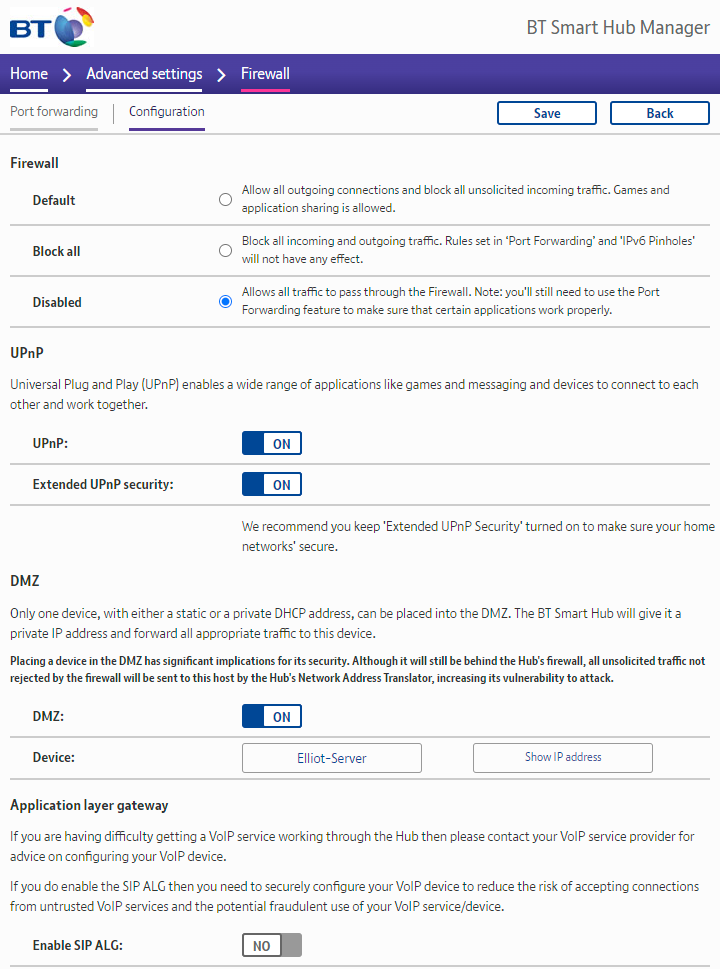
I started off by following the advice in the knowledge base (add a rule for these ports). After doing that (it had no effect) I looked at the other rules associated with "EmbyServer.dll". Enabling them solved the problem. I have no idea why they were disabled.1 point
-
This is the problem I have, I've tried everything and nothing works. I think the only solution is for the plugin to update.1 point
-
It's not as much as it burns the OLED (which it does, at least on my older LG OLED) but it burns my EYES. Need to be able to set less bright fonts and many more background colors and brightness levels. Inherently CC is high contrast, so with HDR needs to be toned down.1 point
-
Doing that would require us to NOT follow TV shows by default. I don't think that is going to happen because, for the vast majority of shows, the way we do this now would be preferred. The exception is the case to not follow progress on a show so it would need to be an opt-out option.1 point
-
Ok, I will wait. Thanks1 point
-
Just adding my latest findings in the hope it might help. In my case I had an expansion unit connected that was not supported by Synology (deliberate obsoleting of older hardware even though it worked just fine) and it stopped my update of DSM 6 and upgrade to DSM 7. The former hit a wall with an update of Emby that would not work with the DSM 6 version I was running. Hence an expensive unnecessary purchase and then upgrade to DSM 7..... Moving on to my issue with Synology Photos and shared folder access for the Emby 'System internal user'. I installed Plex to see if the same thing was happening (which it was) and some quick searching online revealed that performing the action of 'Convert to Windows ACL' on the 'photo' shared folder enabled an additional 'Custom' user permissions section (not visible before). Within these permissions, enabling all (including 'Administration - Change permissions & Take ownership') resulted in allowing both Plex and Emby to scrape the folder. Really hope this helps people in the same position, as it has taken nearly five months to get this resolved.1 point
-
Manually removed the server and added it by ip. This fixed it.1 point
-
Super! As I said, it doesn't really affect me much as it's only happening in the browser and that's not how I typically watch. I was just testing out the new NAS and wanted to make sure it was ok.1 point
-
Bon auto solution pour auto réponse : les accents, ne sont plus pris en compte par le serveur. J'ai plusieurs films avec des caractères accentué mais dernièrement, il le serveur ne les prends plus en compte. Cela n'est pas vraiment un problème donc plus d'accent1 point
-
Thanks for this!1 point
-
I have found a solution to my issue. As I am running two servers on the same LAN, I had to change port assignments on one server while leaving one the default settings. They were still at default settings with the router ports all being forwarded to the 1st Emby server. I just bumped all ports up by one in the 2nd Emby Dashboard and port forwarding them on my router to the 2nd Emby server. After that change, there have been no issues trying to login from any device whether local or remote. Maybe this will help others get past an error like mine. Thanks for making a solid program!1 point
-
I reencoded some of my hdr discs with different settings with fastflix and nvencc advanced options "--gop-len 48 --max-bitrate 36000" and setting B-Frames to 4. I'm not sure if setting "--gop-len 48" forces a key frame (IDR) as recommended from apple (see above). But the default gop-len of nvencc with 240 frames could be a little long. This reduced the peak bitrate of encoded file and had only minor influence on average. Being 54 years old and sitting 3m away of a 50" hdr tv i see no difference . The last 4 movies played without problems and i'm reencoding some other files which had problems.1 point
-
Still "Invalid file format. Please contact the package developer" with the NAS now running DSM 7.0.1-42218 Update 5. I suspect the only resolution to this would be a factory reset of the NAS, but that doesn't seem worth the risk as this is now just a media storage device and something else is the server.1 point