Leaderboard




Popular Content
Showing content with the highest reputation on 02/20/23 in all areas
-
this is also not a feature request but a help issue, either in server or in the app that’s trying to play it.2 points
-
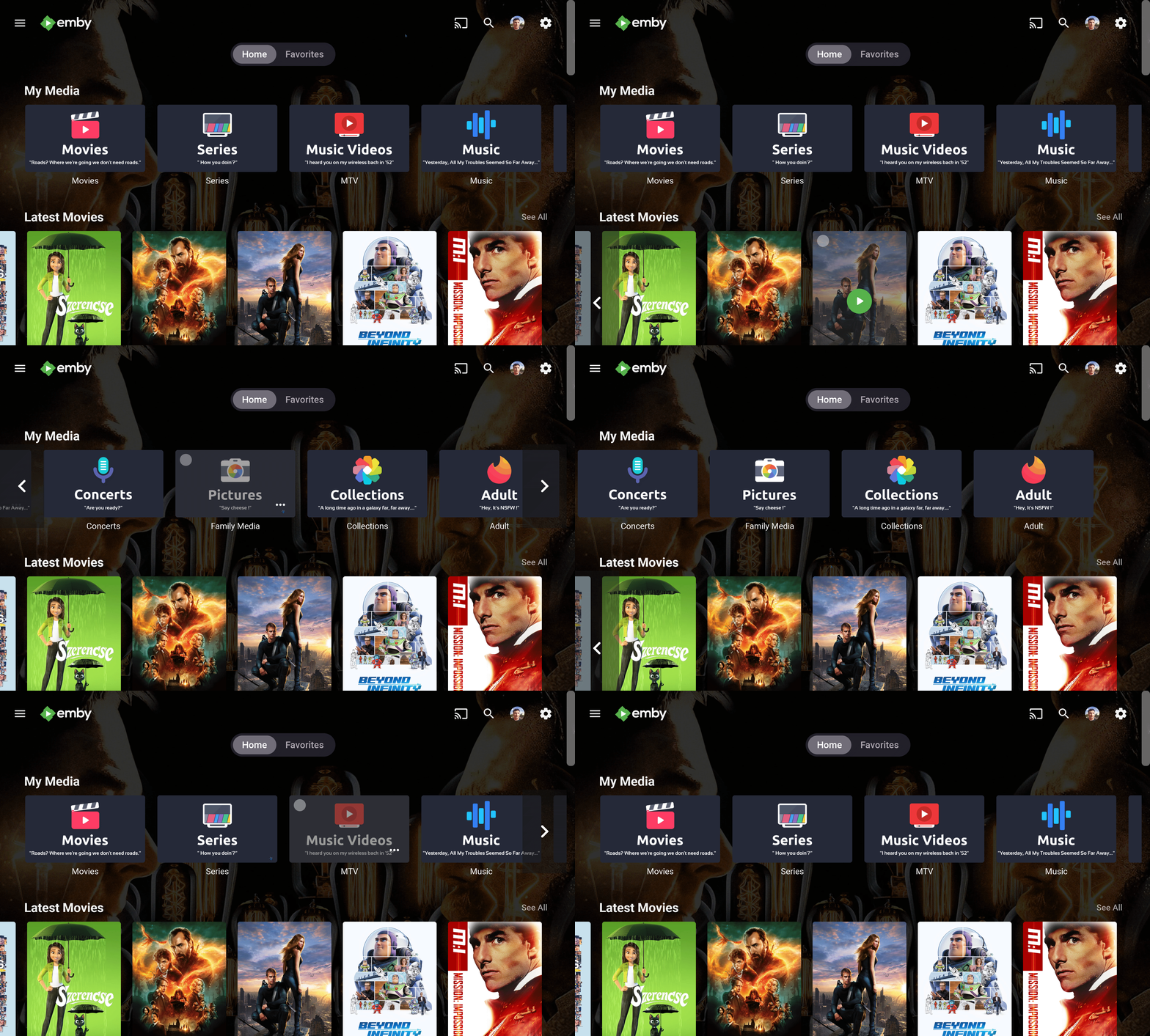
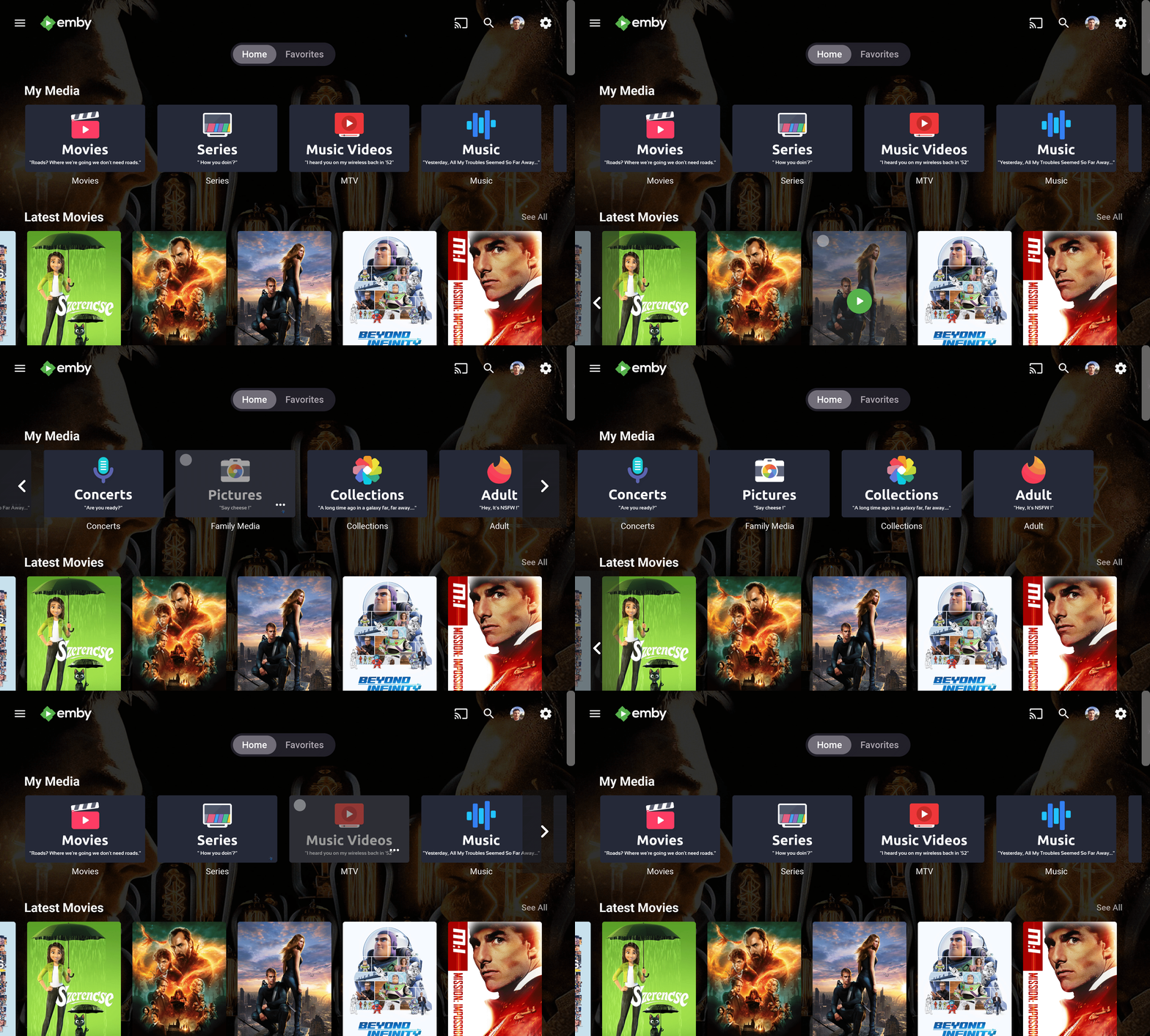
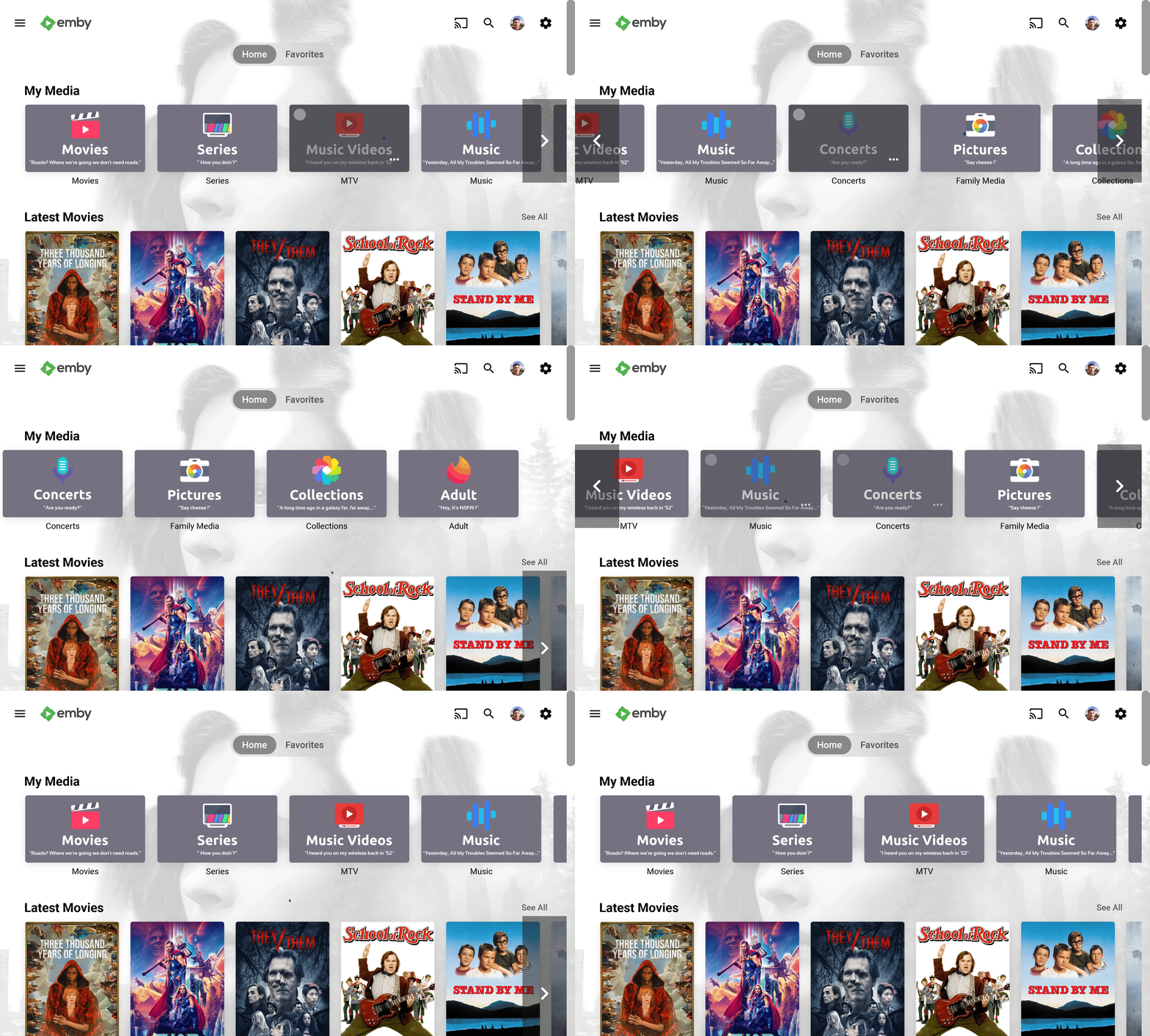
Hi people. First I wanted to say thanks for all these years your contributions make my day. Just I little contribution of mine, my current library icons, with a light version added before submitting for all those who like them light Enjoy Its using the Diligent Icon Pack from FlatEdge at playstore. Go check it out this fantastic and my current icon set at Diligent : Icon Pack - Apps on Google Play Screenshots: maxigmv_library_icons_2022_export.zip
 1 point
 -
One thing the streaming community hasn't done well is really create tools that allow us to simulate live TV well. I think the biggest reason that binging on Netflix (and Emby) is so popular is because you push a button and go. I'd like to see Emby create a "To Watch List" that basically allows you to sort shows into a specific order. When you watch that list, it will only play the most recent episode of each show in the list that premier inside that week. Lets pretend I made a DC TV Watch list, it would only play this weeks episode of Arrow, Flash, Legends, Supergirl and Gotham one after another. If an episode didn't premier that week, it gets skipped. Additionally, I'd like to see this system *ALSO* allow us to insert bumpers similar to Cartoon Network or Toonami. In the here and now, it would only insert bumpers between the series, but it would be nice if in the future, a system that allows some method for choosing the appropriate points between each act of an episode where bumpers could also be inserted. Bumpers would be a community thing to create, but inside the "to watch list", you'd choose what bumpers (if any) are used. Bumpers could even be surrounded by previews. Finally, another thought: while Emby already can pull Movie Trailers, it might be another cool future project if we could pull previews of related series not in the "To Watch List" and/or perhaps ones that aren't on your server that are similar to what you are watching. There's a lot of ideas in this post to digest and several should be their own project as part of this concept. Thoughts1 point
-
Maybe your topic title should read "remote server" instead of "local"?1 point
-
Thanks for reporting, I will look into it1 point
-
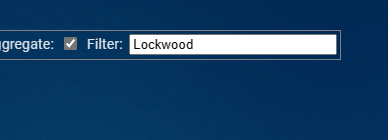
@TeamBMinor thing that I've been intending on reporting for a while now. From the Breakdown screen you can click on an item to take you to the "User Playback Summary" for that item. In most cases, an "*" will be appended to the search query so that only playback events for that item are shown. However, if there is a special character in the title name, such as an "&", the "*" won't get appended to the search query and no items show up. Clicking on Lockwood & Co. results in the following search query: And no items show up without manually adding "*".

 1 point
 -
Thank you! Side note: Just watched the movie to the quote of the 4K Movies icon, what a coincidence...1 point
-
I was much smoother than I would have thought. Thanks @Eigeplackter!1 point
-
Thank you D3stroy, installed and working.1 point
-
Yes could be, it's on my todo list.1 point
-
Hi, I have obtained the preview images of all the videos. On those files where I had problems, I deleted the media from the emby manager and then I copied the video files again. Then, emby scanned the media library and finally generated the preview images. Everything is now perfect Thank you very much1 point
-
Version 4.1.0 Notes: Remember that Symfonium is 100% user driven, do not forget to make feature requests on the forum if there’s something missing for you. (Do not use Play Store comments for that) Added: For the providers that expose the data, you can show codec, bitrate and/or quality as song additional information in lists. Add codec, bitrate, sample rate, bits per sample and channel count as possible smart filters fields. (Not all providers provide all the data during sync) Add new option for Subsonic servers to force transcoding to mp3. Add support for Forward 10/30, Replay 10/30 as possible compact now playing bar buttons. Add new option to use a round progress bar in the compact now playing (On by default). Add new different styles for the compact player. Add new options to control expanded player background and buttons colors, including solid color and blur on Android 12+. Local device custom tag parser now support CUE files in SAF mode (Requires clearing tag cache). You can now long press row headers in Artists / Genre view to collapse their content. Added Most played albums, Most played songs and Last played songs as possible home overview rows. Add menu entries to offline cache without transcoding, allowing to bypass the global setting when needed. Add option to control the minimal play percentage before marking a media played. Add option to control the minimal play duration before saving resume points (Including a way to disable them). Add new round widget. Changed: Lyrics view now allows empty line to better indicate pauses when present in the tags. Increased some timeouts and retries for local playback to better support very slow servers. Added some internal optimisations for Navidrome Subsonic server. Add a way to give Image permission on Android 13 to allow local device parser to scan for folder.jpg and similar files in media store mode. Make local provider album external image search configurable. Search also search into sort titles fields. Folder play now support 2 level of recursion. Fixed: Support more embedded artwork for local device custom tag parser. Fix Subsonic Fetch additional metadata option sometimes removing valid data. Fix some smart filters not working operators. Fix external thumbnail images not being used with custom tag parser for local device. Fix large playlist push to Emby/Jellyfin. Fix custom tag parser image handling for wav/aif files. Clicking notification or widgets properly open now playing when something is playing on all Android versions. Fix possible cast issue from offline cache with server offline. https://support.symfonium.app/t/version-4-1-0-released/1502 https://play.google.com/store/apps/details?id=app.symfonik.music.player1 point
-
Will be included in a couple of days1 point
-
I realized that I was running also an old version of EmbyCon. Then I saw your reply. I totally missed that setting earlier today when I was looking into Embycon settings. And I didn't see that pinned post either. Thank you, @GrimReaper it solved this issue.1 point
-
Cannot tell, if this happen again I'll keep an eye on the server as well! But my guess is yes also!1 point
-
Maybe it's a Kodi20 issue? I will test it with 19.1 point
-
Ah, working now, copied to var/lib/emby/plugins1 point
-
Save changing your region - currently there ain't.1 point
-
You can PM @ebr and myself with your registration details and he can correct everything. Thanks for registering.1 point
-
I have another fix. This should have been easy. sorry.1 point
-
You'll have to reinstall app every 30 days due to Samsung policies.1 point
-
Oh for goodness sakes! I think I finally experienced the missing thumb image issue. I think I traced back to pinning items to the list. @Darkseidd did you happen to have any pinned items on your top pick list?1 point
-
Hi Luke I must apologize, looks like it was my fault all along. I have my systems locked down pretty hard with Windows Firewall (managed with an app called Windows Firewall Control... awesome, highly recommend it). My Firewall incoming rules were set to Public network, not Private. I change from public to private some months ago and that probably was pretty close to when I changed phones, so the assumption was the phone being the culprit, not my network. Disabled my firewall and photos started streaming in, then I checked my rules. Feel like a bit of a dickhead now1 point
-
@Happy2Play, that did it, thanks very much! The problem was caused because of how I originally loaded the show into Emby. I had only downloaded the new Animaniacs 2020 seasons (seasons 1 to 3) and named them as such, calling it "Animaniacs 2020". When Emby couldn't find the show, I looked at the TVDB and found that they only had the new seasons as added to the original 1993 Animaniacs show (the new seasons being 6 to 8). So I downloaded the first 5 seasons, renamed the folder to just "Animaniacs", and renamed the new seasons as 6 to 8, to align with the TVDB. Unfortunately, Emby could not handle this. It continued to see the new seasons 6 to 8 as the originally named seasons 1 to 3. Nothing I could do would fix this. Even re-identifying the show didn't help. To fix it, I moved the entire Animaniacs folder to another disk - this removed the show from Emby, and I confirmed that Animaniacs was no longer in Emby. I then manually renamed all the video files to properly line up with the TVDB episodes (all the new video files contain multiple episodes, which is how I suppose it was shown on TV). When I was done with that, I moved the Animaniacs folder back to the library. I then told Emby to scan that library, and it properly added Animaniacs now. The only remaining issue was that Emby added an end date of 1998 to the show, which is when it originally ended. So I just edited the metadata and removed the end date. It's perfect now! Thanks again, @Happy2Play!1 point
-
Same thing here. I also didn't update the app manually, but I think it did, hence no longer working, stays hung.1 point
-
Maybe a little separation or flip the order. But technically should be self-explanatory if I actually read it completely.1 point
-
I'm back! There is definitely going to be a fix in here that will help with the thumb image renders for top picks items. The rendering will take a bit longer, but it should hit every item. I'm on to the object reference exception, but I haven't quite narrowed it down yet. I'm pretty sure it is one of two things: the mixed content items, or it is in fact the default thumb image that Skia is attempting render. I just need to create another custom library with minimal metadata to test my theory. I also figured out what I was doing wrong with the catalog. So I'll upload another fix first thing tomorrow morning. Here is .47 though, which should render thumb images correctly (unless they are from mixed content folders, which for some reason it won't). Emby.TopPicks_1.0.0.47.zip1 point
-
Try ParentIndexNumberNotEquals=01 point
-
@LukeI Disabled "Save user watch data to nfo's for" primary user. I watched a few episodes of a series. Intro reanalysis did not happen on the next library scan. Reenabled the setting for the primary user, watched an episode in the same series, and it did. embyserver.txt1 point
-
Devs will have to comment more but they are looking into the issue.1 point
-
Easily solvable by few lines of helper text during install process. And we've both seen our fair share of logs flooded with related and unrelated Port Mapper issues, with latter even being worse.1 point
-
Really no different having Remote access enabled by default and not in the installer. But user will say why does it not work out of the box. As not having portmapper enabled requires manually port forwarding. So user will say why does it not just work. But yes PortMapper is problematic on various setups.1 point
-
all dev and testing was on 4.8.0.21 beta with final release testing done on current stable.1 point
-
Also, when did your friend last update TV firmware, as Philips is fairly regular with pushing their updates? My main TV is Philips 77OLED806 and I have another 65OLED804, both running native AndroidTV app and the experience has always been practically flawless - and my household is somewhat heavy userbase. Considering PUS805 is relatively recent model, maybe an update would - or will - sort it out.1 point
-
Hi. Can you try sideloading our standard android app on the same device and see how that compares? https://emby.media/emby-for-android.html Thanks.1 point
-
Deleting the nfo files will not clear what is already imported into the db it will just rewrite existing metadata. You need to Identify the Show again or remove Show/Seasons, delete nfos, Full library scan, readd.1 point
-
39-a587-b58145af1606.txt 1.05 kB · 1 download Oh, I found it. we're erroring on mixed content. I have to remove the ability to have mixed content in the plugin, until I can figure out why that happens.1 point
-
May i just say something… the concept of the plugin is amazing. The feedback from the community is also pretty great.. but most of all.. Chef’s dedication is unbelievable to keeping the community happy. believe me.. this is a monumental task he’s undertaken. but this is certainly a first for all private community servers out there. For me it works great, i get a different set of movies every week to decide on and i love it… keeps the spice alive for entertainment. i hope everyone is following Chef on YouTube on his Alexa(fire) app… this is next gen groundbreaking stuff and a testament to our chief plugin dev!1 point
-
Holly cow! I don't think that's going to work for me!1 point
-
@Luke Here is some other information. On movies where this is an issue, the information bar does not go away while it is playing the audio with no video. Also, when it is like this the back button doesn't work - the one that exits back out to the menu. It is only when I pause the movie that the back button works. Another weird thing. Sometimes my pre-roll doesn't play correctly - it skips through it in about 1/10 of the normal time. When it does this then the movie plays with video and audio. This is all a little quirky. I store most of my stuff in 1080p h264 and I can't see any differences between the ones that play and the ones that don't - so far at least.1 point
-
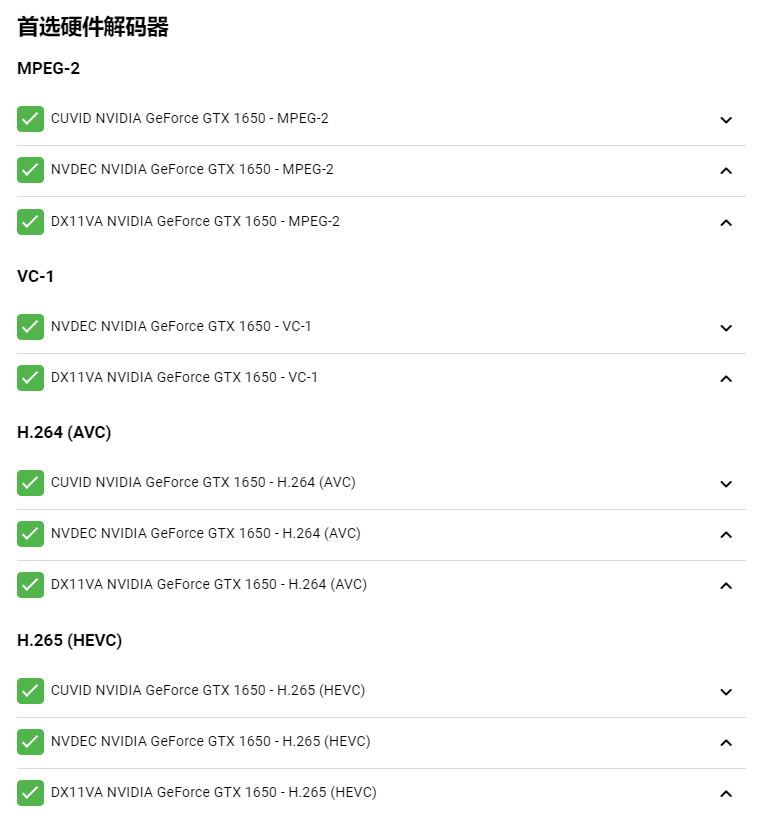
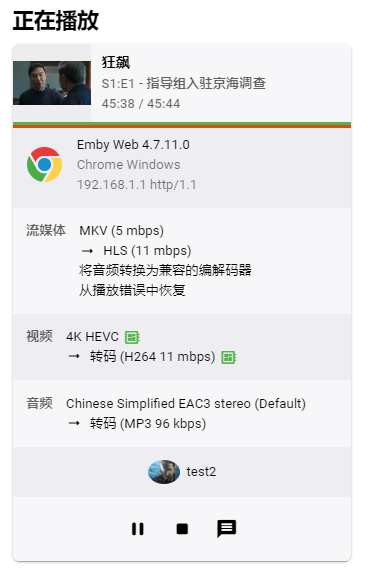
I used your suggestion and put "CUVID" in the preferred position, now I can play 4K-H265 video in google chrome, thank you so much
 1 point
 -
It would be great if these could be added. Needles//Pins - 32a27b36-487a-40c8-b320-2dad6f0e42e5 Cloak/Dagger - 60733b23-c3d3-4aaa-9322-3502b7d99640 ИO///sé - af8533da-d9dc-4bf5-96d2-89b7ddca0b6f Rank / Xerox - 056d71ac-f33e-4b61-8ef5-b2cc245fd95d Green/Blue - 01b83a98-8930-4199-a95b-917ffdaf32f9 ADD/C - no mb artist id Thanks!1 point
-
You must be kidding. Google are the #1 of evil in this regard. They are just selling it way better than any of the others.1 point
-
I've been using Emby on apple TV for a while now. It has been working fine remotely but as of last week it keeps pausing every few minutes and stops playing. The server is running great with fiber internet. All of my other apps are working fine, Netflix, Prime, etc... Any idea why this could be happening?1 point
-
For the life of me, I can't setup the notification for pushover in the shield tv. I'm running the beta version of emby server (4.8.0.21 beta). I have installed the pushover plugin. But when I go to add a notification in the "notifications" tab under "Admin" by selecting the pushover selection, nothing happens. No window pops up so I can input the pushover user key in there. I'm out of ideas. I don't know what to do. I have moved from plex to emby. And I always liked that Plex would show me notifications in my phone that new content was added. But I have no clue why emby doesn't have this feature built in. Maybe it does, but I don't know where to enable it?? Help would be appreciated. Thanks.1 point
-
I love these! Any way we could get 4 more? An Anime, 4k Movies/TV, and a Live TV? That'd complete the set for me.1 point
-
@cayars Thank you so much for this. If I can buy you a beer or coffee pm me and I will. I was all over the place until I found this thread1 point
-
Hi ya cracking images any chance of them without wording under pic thanks and keep up good work1 point
-
I found out that EMBY while it records it also makes a copy of the recording in the temp transcoding folder … so If you do not move the Temp folder a 16GB Shield will not be enough even with external storage.1 point
-
Great work fellas!1 point