Leaderboard




Popular Content
Showing content with the highest reputation on 02/19/23 in all areas
-
May i just say something… the concept of the plugin is amazing. The feedback from the community is also pretty great.. but most of all.. Chef’s dedication is unbelievable to keeping the community happy. believe me.. this is a monumental task he’s undertaken. but this is certainly a first for all private community servers out there. For me it works great, i get a different set of movies every week to decide on and i love it… keeps the spice alive for entertainment. i hope everyone is following Chef on YouTube on his Alexa(fire) app… this is next gen groundbreaking stuff and a testament to our chief plugin dev!5 points
-
This plugin reads the tvdb metadata that the supplied tvdb plugin saves in the cache, and generates absolute numbers for anime. This does *not* scrape or fetch any metadata from the internet, and relies on the user enabling the tvdb plugin. It keeps the season grouping and episode numbers in the season, and adds the absolute number to it. It is handy if you keep your anime as per tvdb season grouping but also wants to see the absolute number of the episode Feedback welcome TvdbAnimeAbsoluteNumbering.dll2 points
-
But that setting is not used and is the wrong setting for embedded track titles. The embedded track titles setting is in Library-Advanced tab per the image in the wiki in step 9.2 points
-
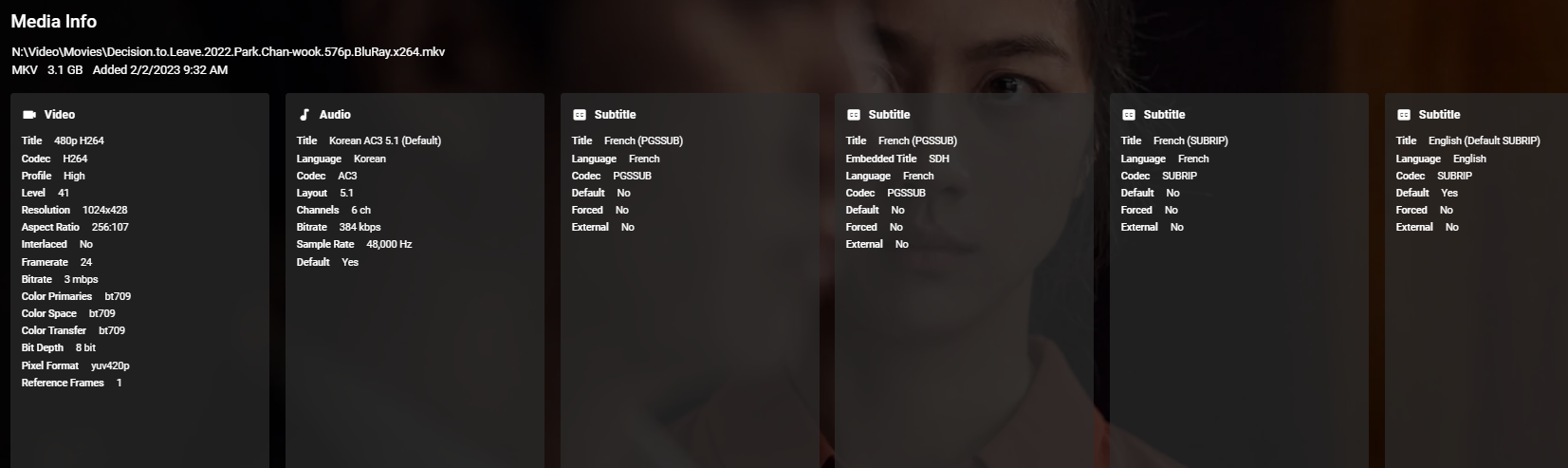
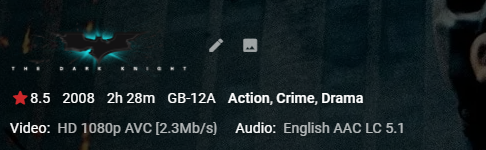
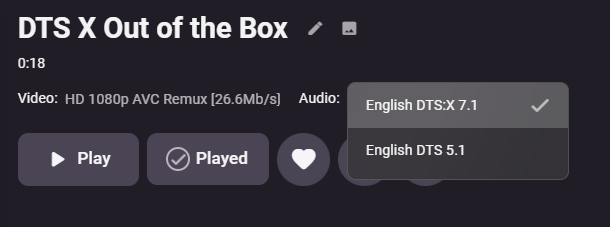
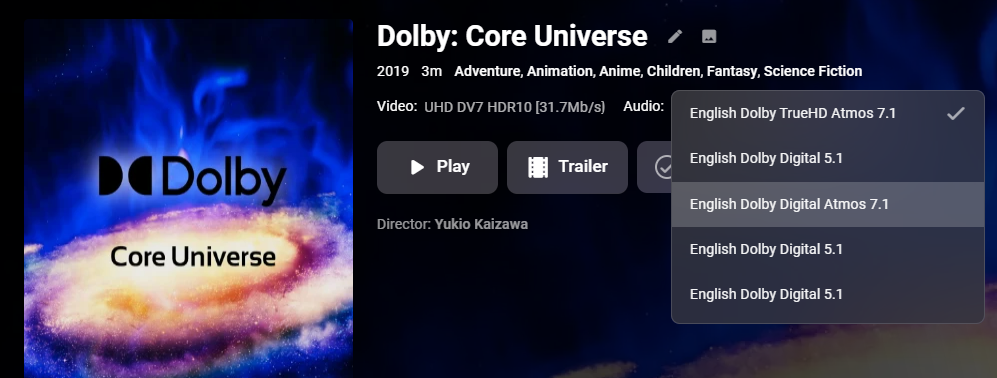
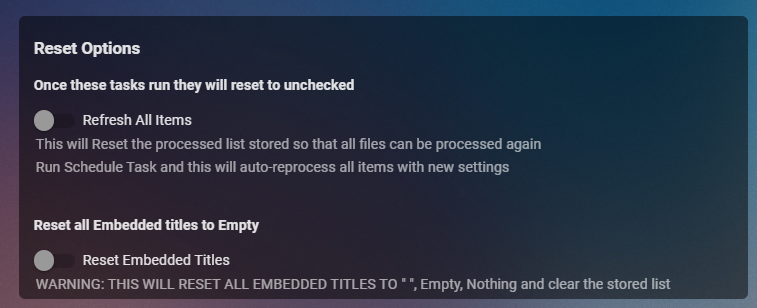
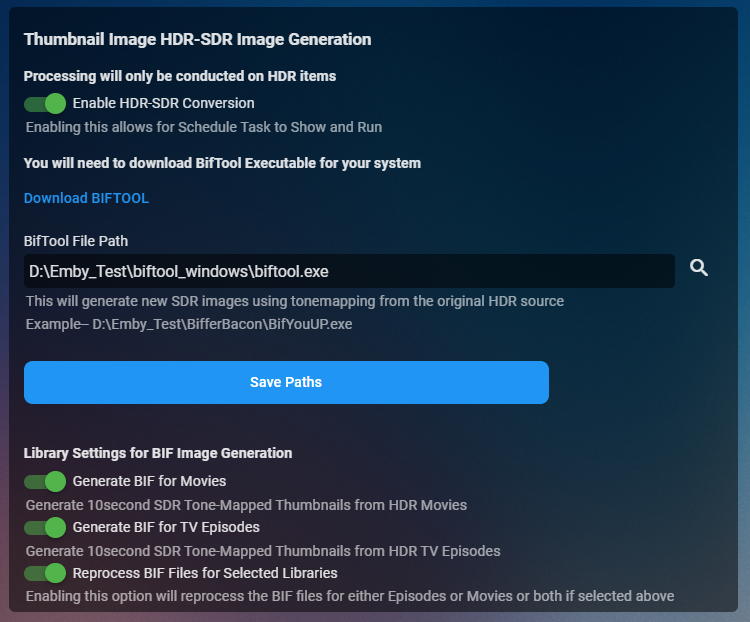
Cheesey Productions brings you MediaInfo for Emby Bringing your Media Info Formats up to Date (including HDR, Vision, Atmos, HLG, DTS:X, DVx, etc) And HDR-SDR Image Extraction using tone mapping for clearer seek images Available from the plugin store A huge shout out to @rbjtech for all his help with this. He was my knowledge base. Thanks Rich Please read the wiki page available that will help you get set up. MEDIAiNFO WIKI PAGE PLEASE NOTE THIS PLUGIN WILL MODIFY YOUR MKV EMBEDDED TRACK TITLES Some examples Also you can add tags to your items Enable the options in the settings and this will only add the tags for the unique formats the emby doesn't already take care of. There are plently of options for you to chose from to get your media looking how you want New Feature Added ---- HDR - SDR BIF File Creation using Mobius Algorithm for ToneMapping This generates larger and crisper images for Chapters and 10Sec ThumbnailSets WE URGE YOU TO READ THE WIKI PAGE 2 SO YOU UNDERSTAND FULLY WHAT'S INVOLVED HDR-SDR IMAGE GENERATOR WIKI Settings can be found at the bottom of the media info page. Feed back is always good. After replacing the dll always remember to clear your browser cache and restart it, to load new changes in the UI.
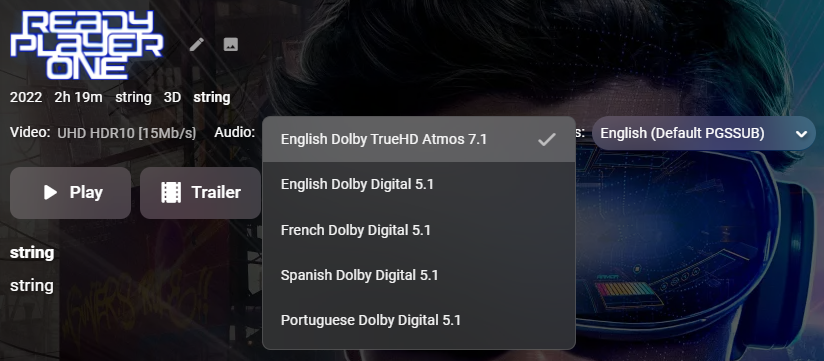
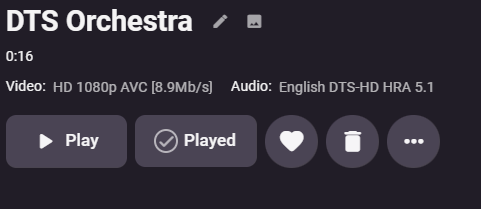

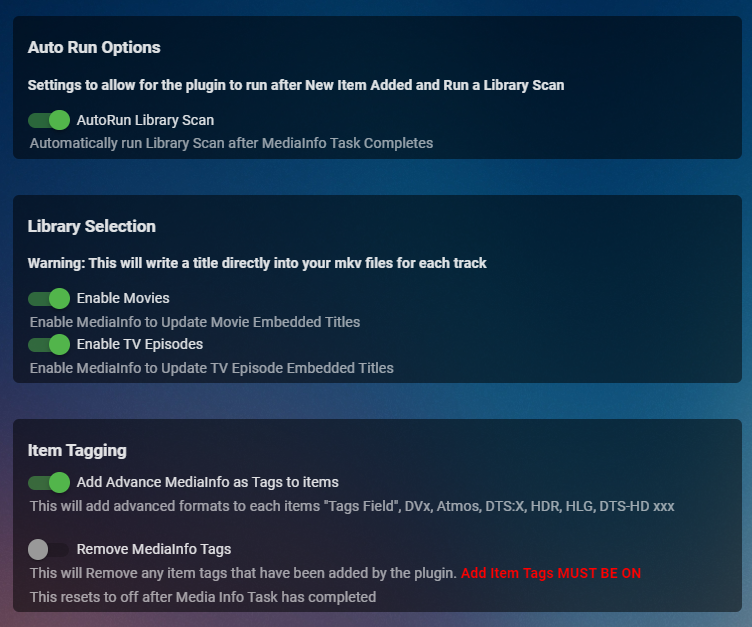
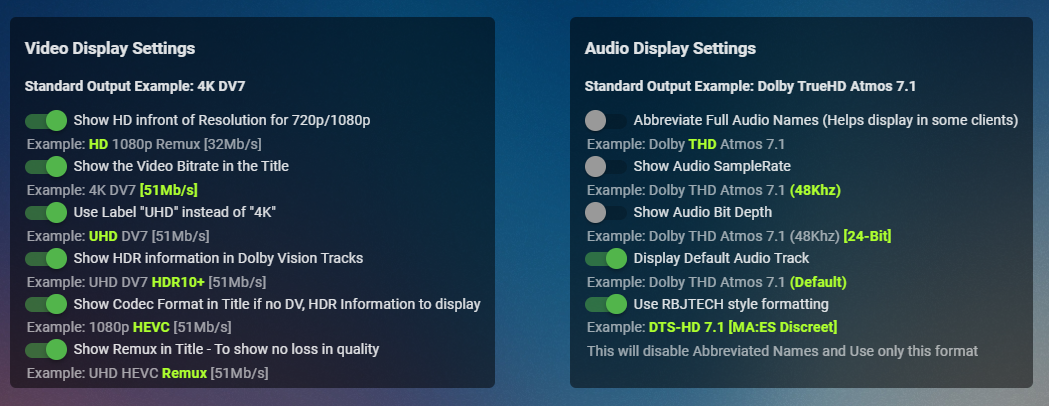
 1 point
 -
This plugin has been used by a couple people but should be considered beta. You can get more information on the plugin and it's companion utility, the source for each, and the executables at this Github page.1 point
-
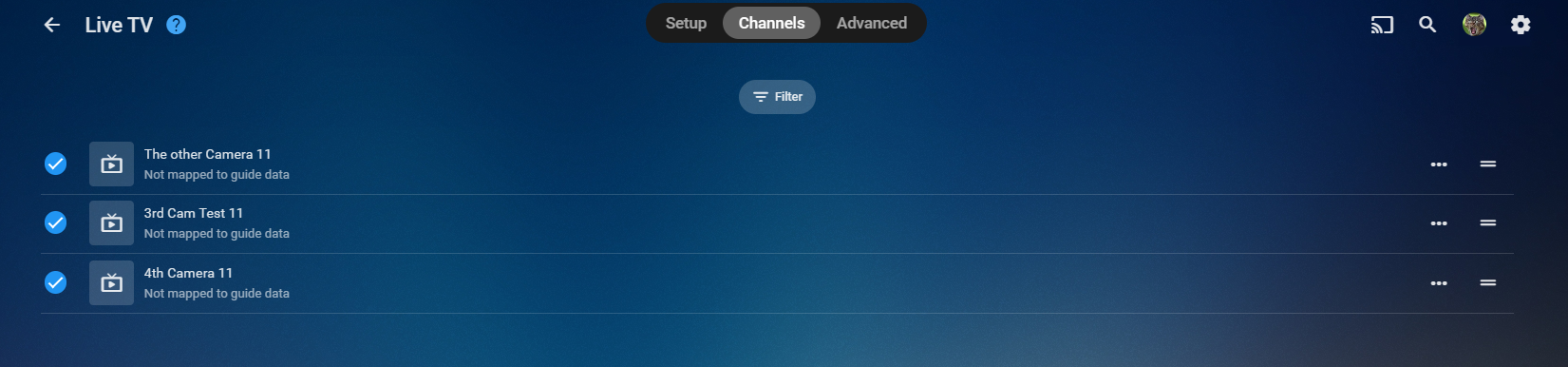
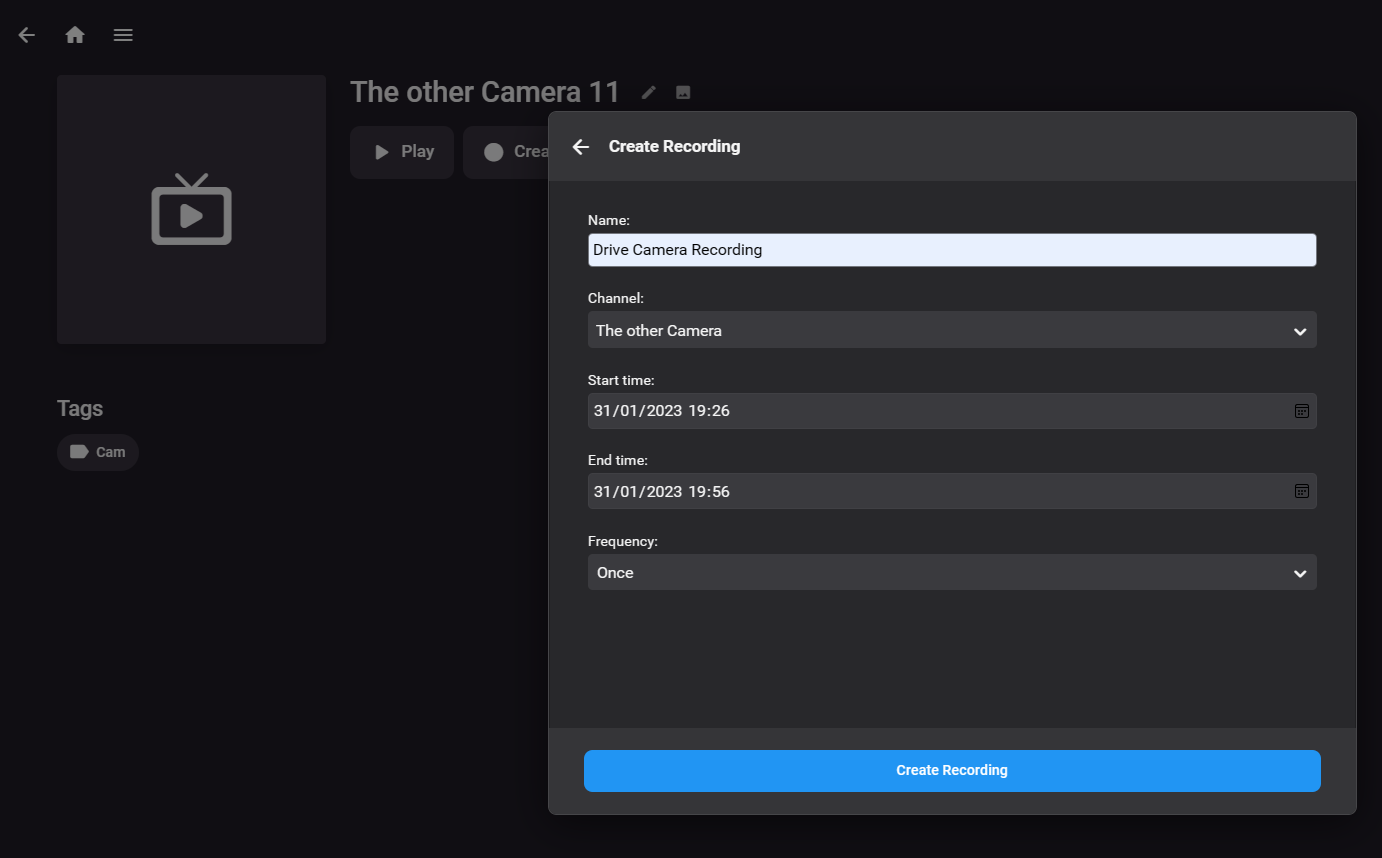
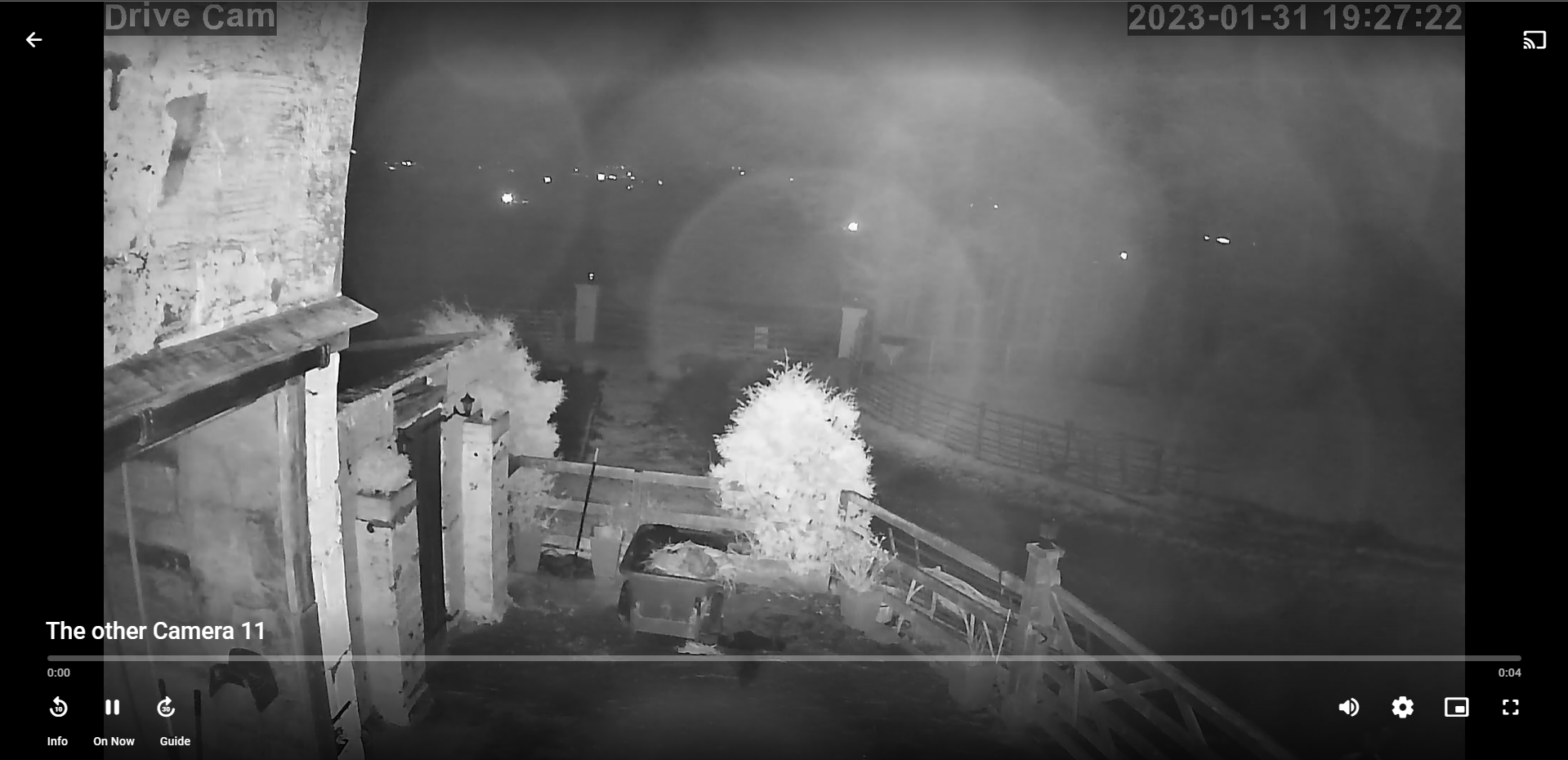
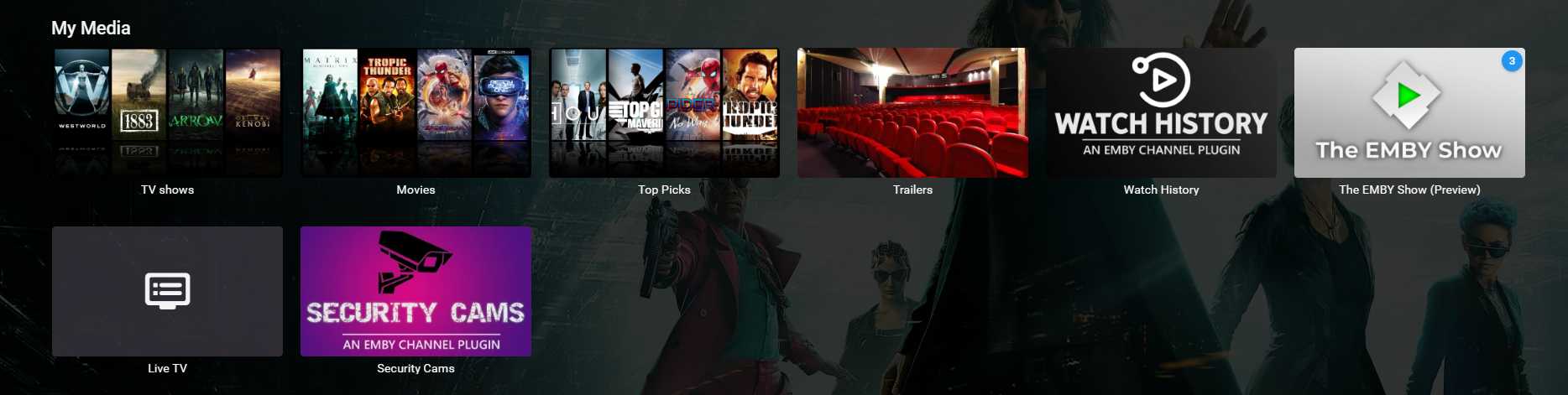
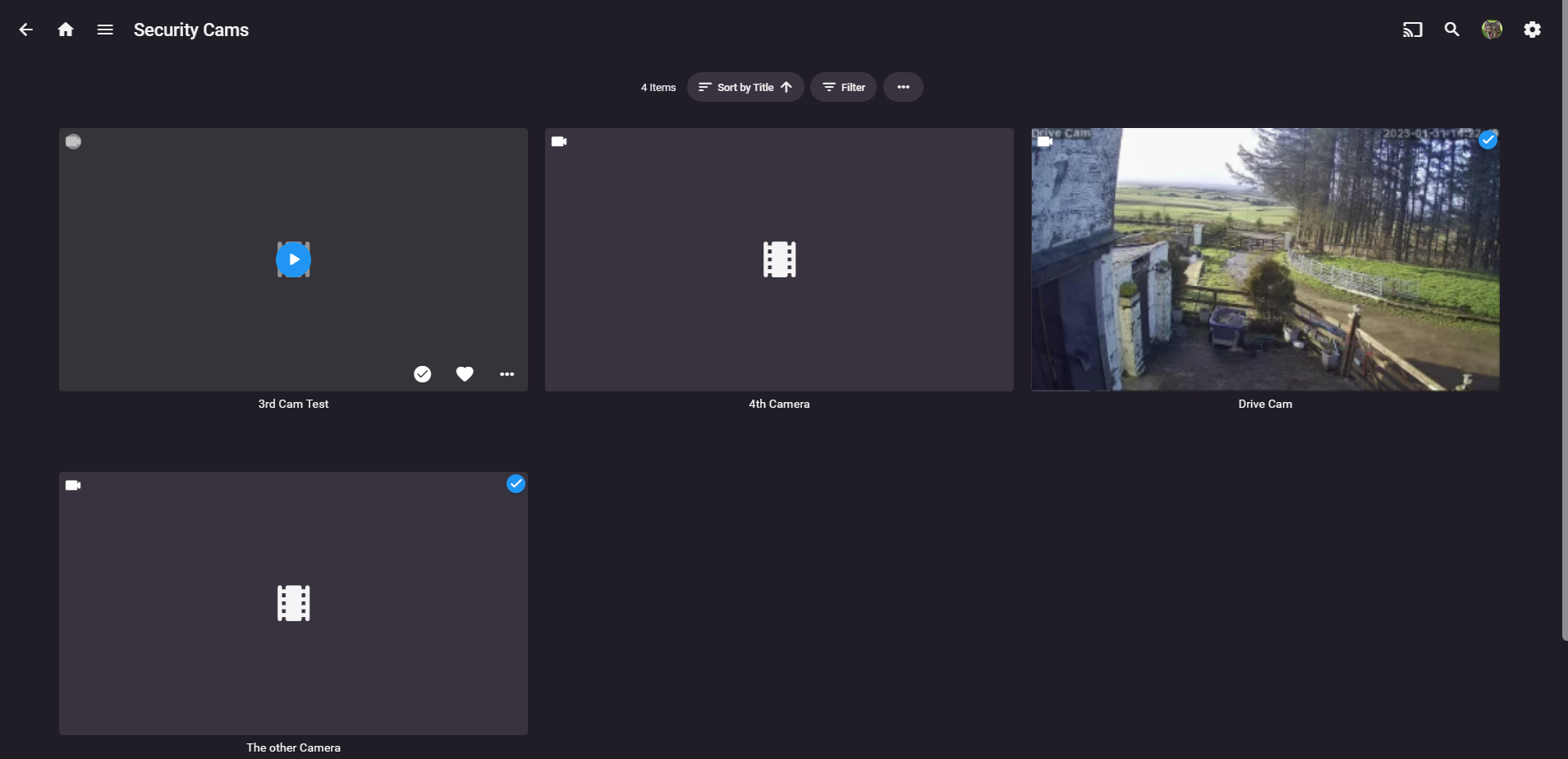
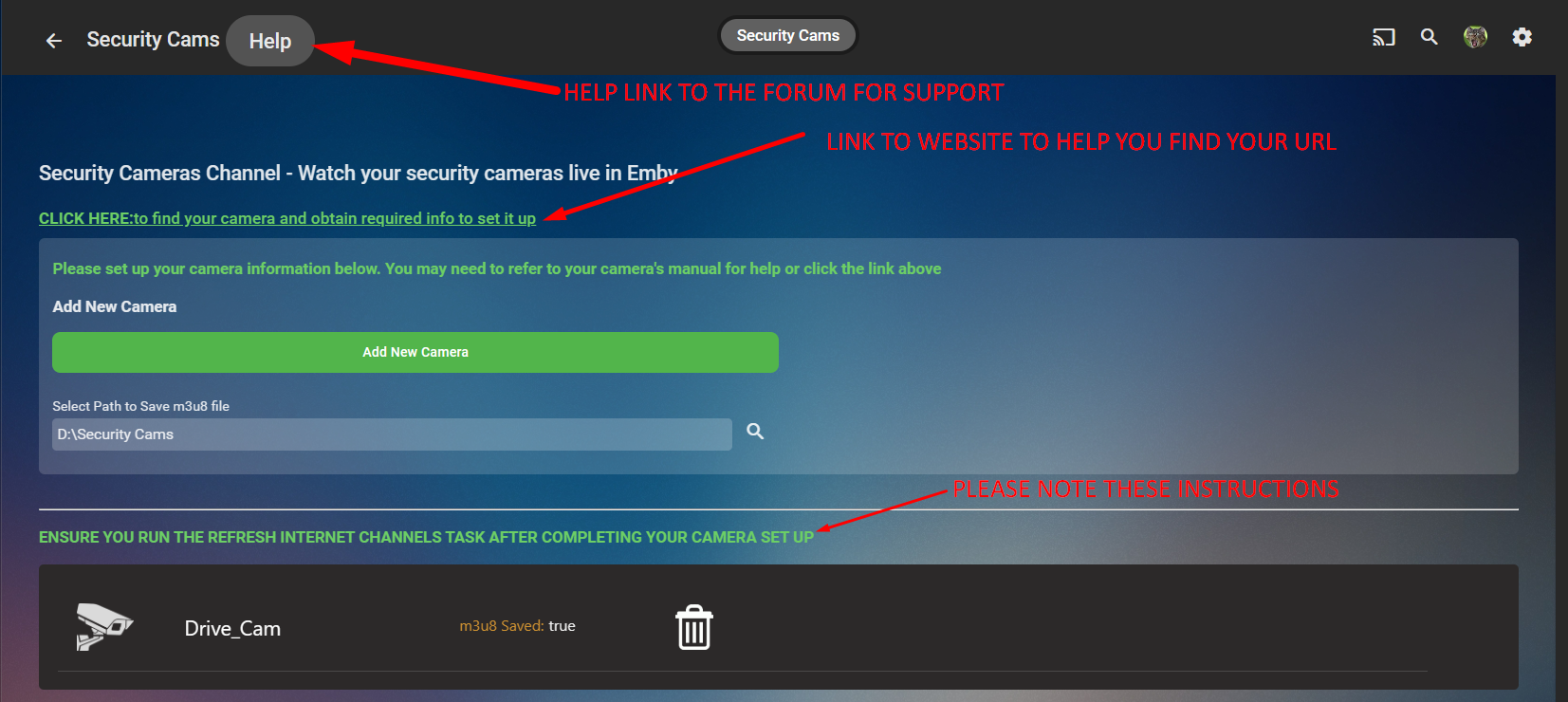
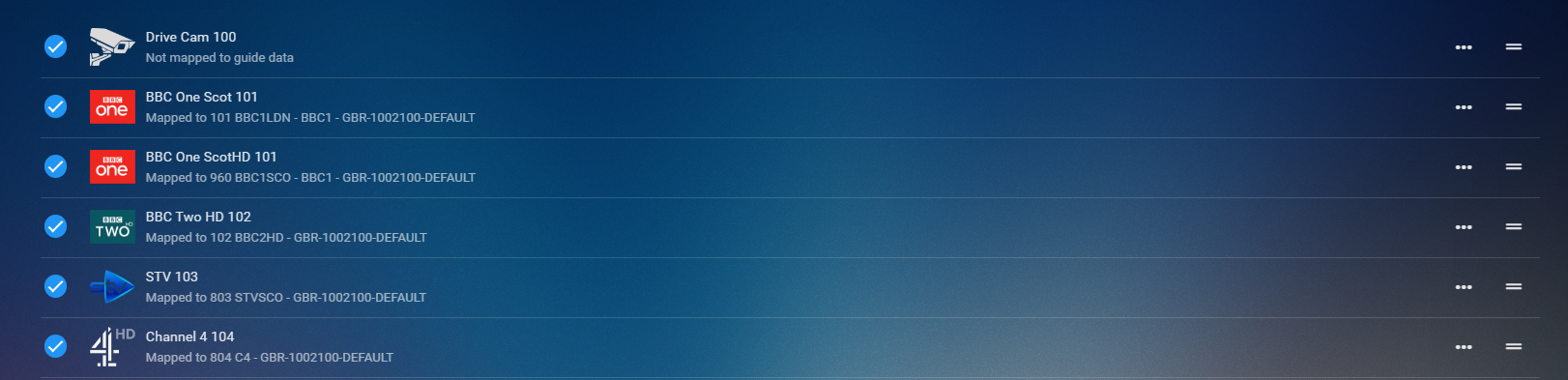
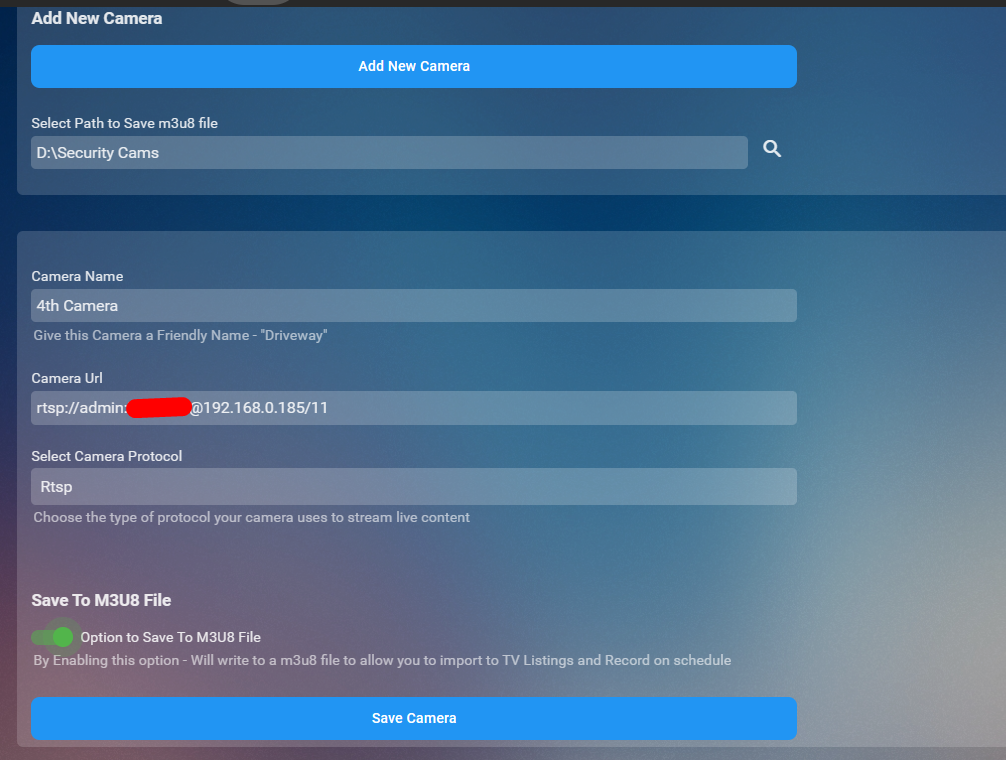
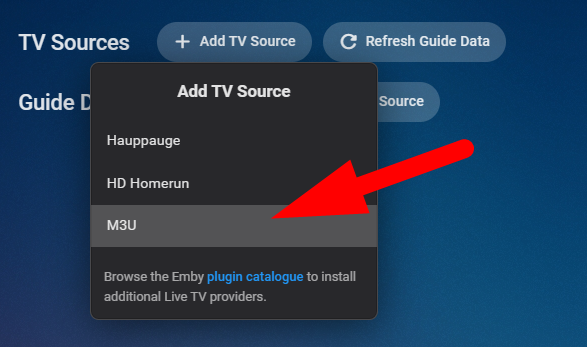
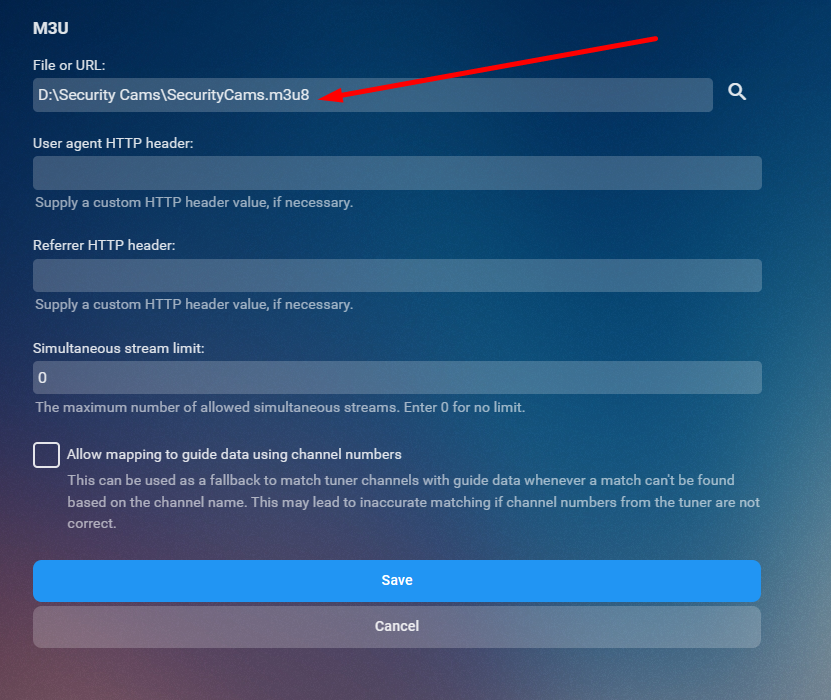
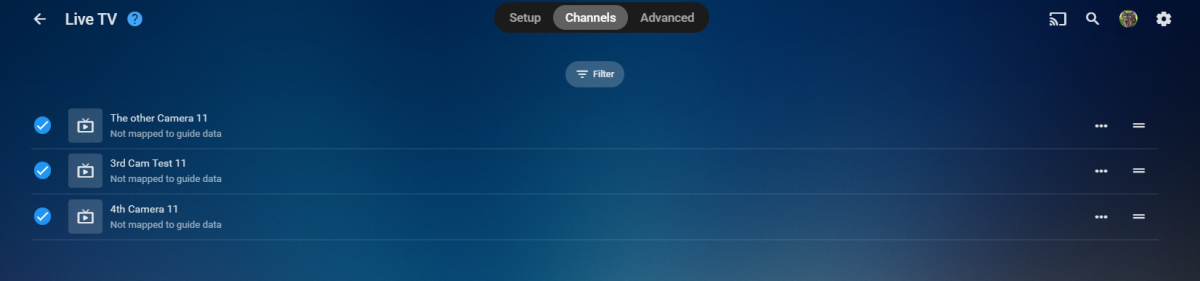
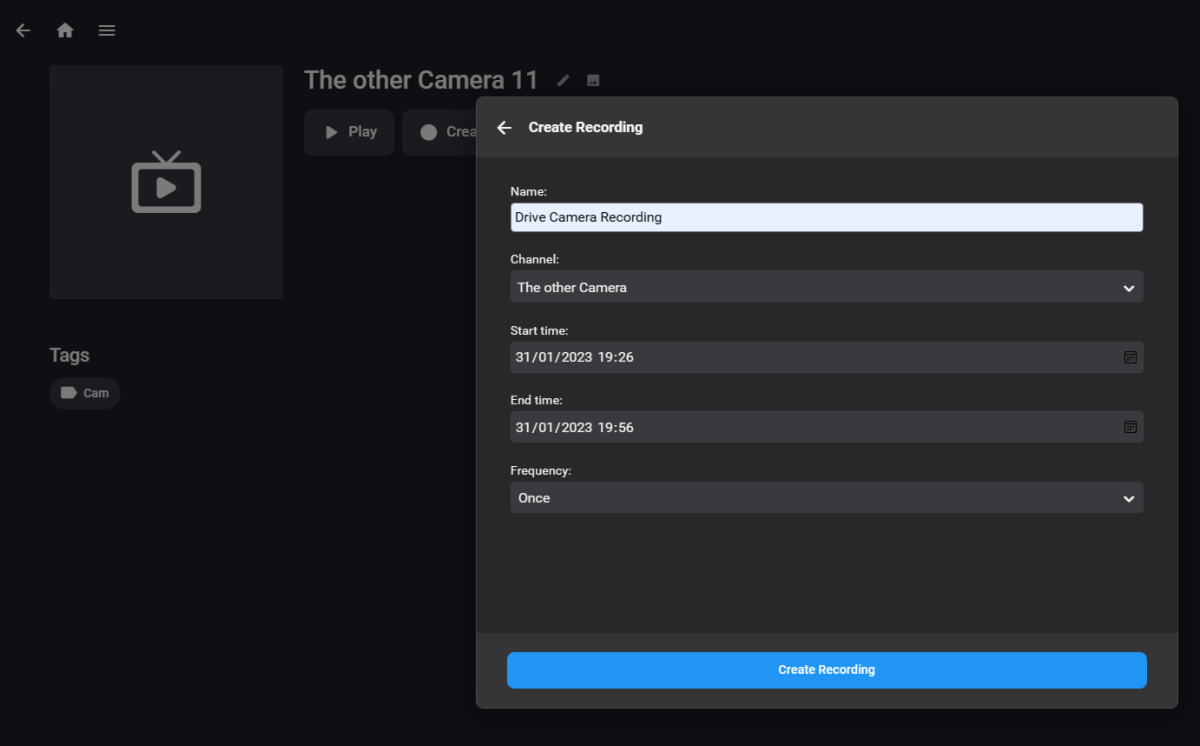
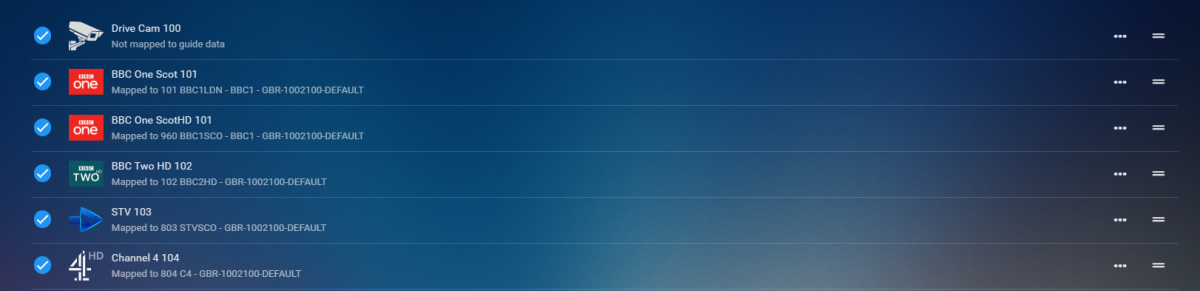
CONFIG UI How it works Click Add New Camera Button you set up an IP camera by giving it a friendly name, the URL to make it work (there is a link in the config UI that will take you to a website to help you) select the protocol and then decide if you want it to be saved to a m3u8 file. Click Save Repeat for number of cams you wish to add Run the Refresh Internet Channels Scheduled Task Advantages for saving to m3u8 file Now..... saving to m3u8 file has a massive advantage. you can now import this into the liveTV as a tuner and set up recording schedules for each of your cameras that are in the list. You will require to install the M3U TV Tuner Plugin in liveTV setup select m3u then just select the m3u8 file that the channel creates on the channel refresh and hit save After you hit save you'll see all your cameras Boom now you can create a recording or watch from you TV guide hehhehe PS it is a Channel so can be watched live and direct thru the channel created on your home page GOOD SOURCE TO FIND YOUR CAMERA AND MODEL TO GET THE PROTOCOL Connecting to IP Cameras (ispyconnect.com) RELEASE VERSION 1.0.0.0 - Initial Release to Catalogue TV Channel Logos Dark Light
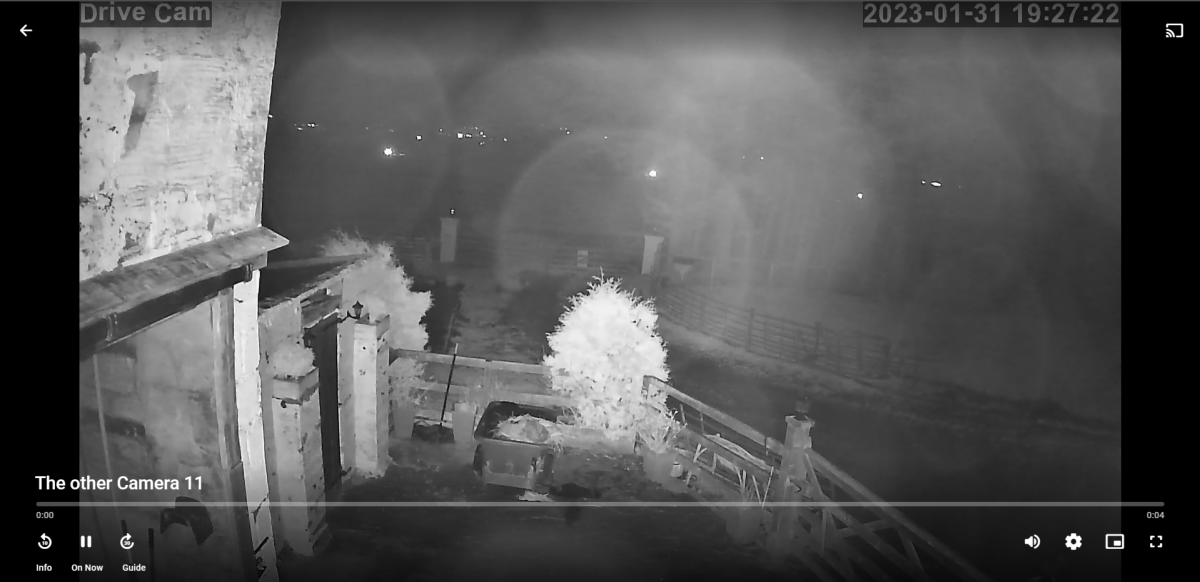
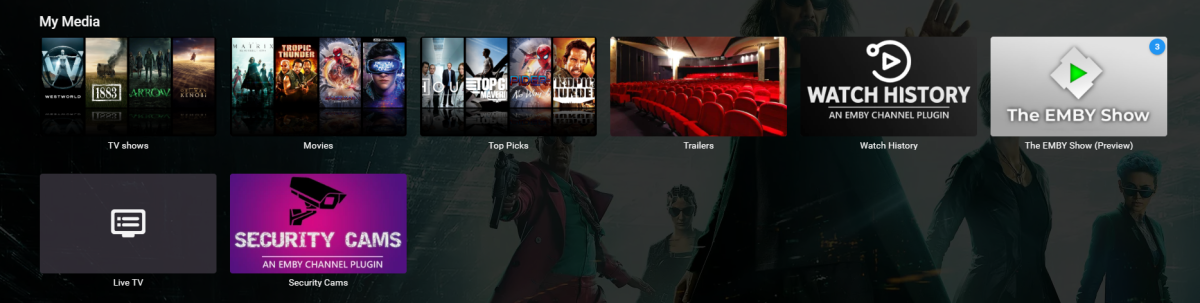
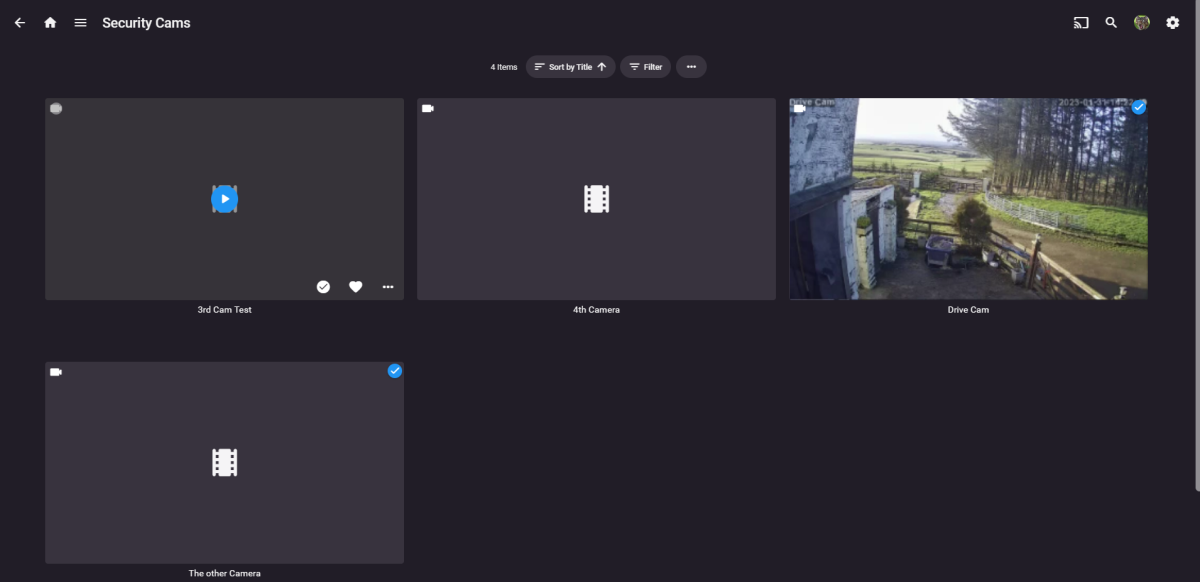

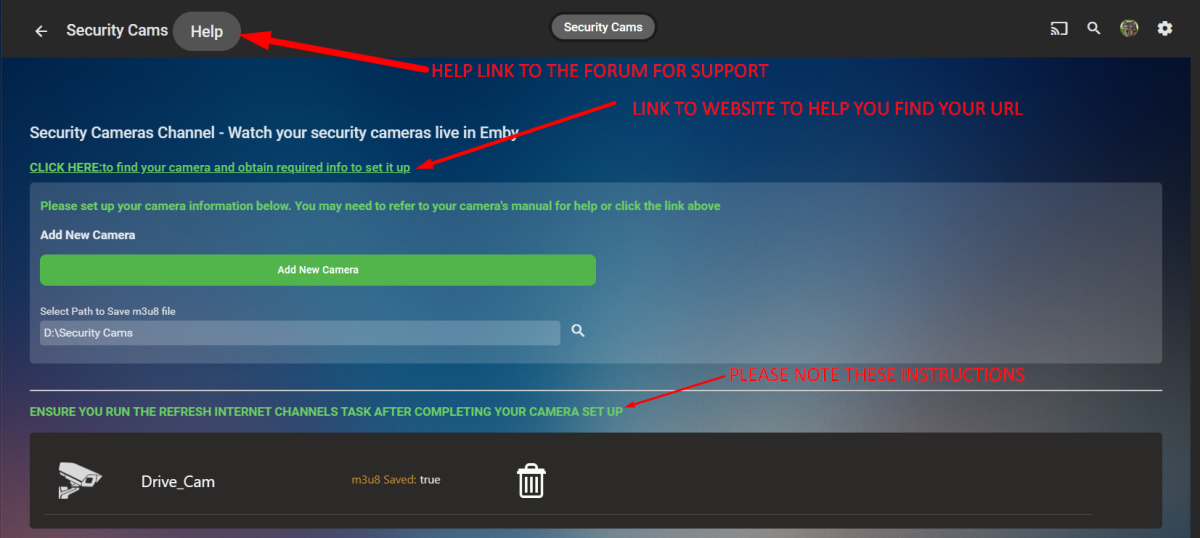


 1 point
 -
I'd imagine this one will probably be a little to tricky to implement any-time soon Heck I'm not even sure if there's a suitable codec available that's opensource/free to use But it would be a really awesome extension to sync if you could transcode into multiple bitrates and then use adaptive streaming between the emby client and the server to pick the highest quality possible at any given moment. I would think this would be especially useful for mobile clients where the network performance can be all over the shop. I thought i'd suggest it on the off chance it was feasible.1 point
-
Hello. I am suggesting the option to be able to filter out libraries from the "New content added" notification. Also the ability to be able to add a second one. Basically, I have 2 sets of libraries. One with my media files (Movies, TV, etc...), I also have an identical set of libraries that are all strm files. I use my locally hosted media at home, and share the libraries consisting of the strm files with others outside of my local network. I get double notifications for media added. One when I add the media, and another when drive_strm adds the strm file to the other library. I use discord for my notifications. If they worked like I am suggesting we could use different webhooks for different libraries.1 point
-
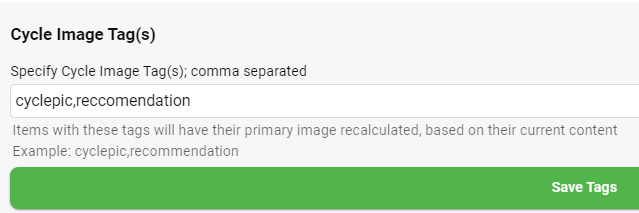
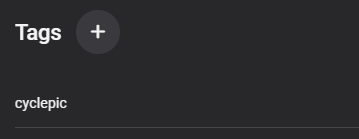
Purpose / Benefit / Intended Uses To refresh the auto generated image on containers like Collections, when the members change, so as to reflect the container's current content. I use it for "Smart Playlists" and "recommendation" collections eg "Recommended for Mum"...as recommendations are added and removed after being watched. Functionality Deletes the primary image of tagged items (default value "cyclepic") and performs a default metadata refresh on said item (get missing metadata) which has the effect of regenerating the primary image based on current contents. Stores a hash for the tagged item in configuration.xml to reflect the container's members, to prevent images getting changed when no items have been added / removed. Stops running if no tag has been defined (to minimise risk of unwanted outcomes). Feedback in the log. 2023-02-03 20:53:09.829 Info Cycle Images: Working on tag: cyclepic 2023-02-03 20:53:09.830 Info Cycle Images: Total No. of Objects with Tag : cyclepic : 2 2023-02-03 20:53:09.856 Info Cycle Images: Refreshed Image for ID:382 Name:_For Mum Type:BoxSet 2023-02-03 20:53:09.858 Info Cycle Images: Updated Item in Config.XML for ID:382 Name:_For Mum Type:BoxSet Date:03/02/2023 20:53:09 2023-02-03 20:53:09.859 Info Cycle Images: No Update Neccessary for ID:391 Name:newc Type:BoxSet 2023-02-03 20:53:09.859 Info Cycle Images: Working on tag: reccomendation 2023-02-03 20:53:09.859 Info Cycle Images: Total No. of Objects with Tag : reccomendation : 0 Instructions for use Set the tag name(s) you wish to designate for items to have their image cycled in the plugin configuration; Configure a schedule task Notes Working for collections and playlists, other types are ignored. Backup before use. Issues/Suggestions welcome Download Emby.CycleImages v0.1.0.1.zip


 1 point
 -
Im quite disappointed that i didn't receive any sort of help here on this forum. Just wanted to update on the situation. Returned from holiday and there was a beta version ready to install on my Terramaster server, I installed and so far all is working well.1 point
-
Yes, but 8.0.1, 8.0.2 are relatively close to 7.X. Hold on for next version, surly you have more success finding bugs there (just kidding)1 point
-
@quickmicUpdated to 8.0.1 earlier this week, fully expecting to have issues (the excitement of testing new stuff to stay on the cutting edge ). And I'm happy to report everything is working flawlessly! I'll post back if I notice any odd behaviour. But for now, smooth sailing.1 point
-
Why not just create a new user? Nowdays you can copy users, it is abt. 30 second process altogether. Anyway, you can make all items unplayed on Library multi-select three-dot menu.1 point
-
One other item to add is when I play Young and the Restless that comes before it, Y&R is English and then the first minute or two of Bold and the Beautiful is at the end of the video. That B&B segment plays on Emby as Spanish as well.1 point
-
It's fixed. There were a number of disabled inbound rules (I assume EMBY created them) which were set up to permit UDP and TCP on all ports for "C:\Users\[UserName]\AppData\Roaming\Emby-Server\system\EmbyServer.dll" I enabled them. Now my android DNS explorer app can see the media server and (more importantly) the android app and the TV app work fine. So it was a mysterious change to the the firewall. More windows bullshit. Gotta love those flaky operating systems. Somebody ought to take note of this problem. If it happened once it will happen again. An um, this is a setting that EMBY server could be checking for all by itself when the server reboots (and it could fix those entries on the fly when it reboots the server too).1 point
-
It sounds like a Firewall blocking the connection.1 point
-
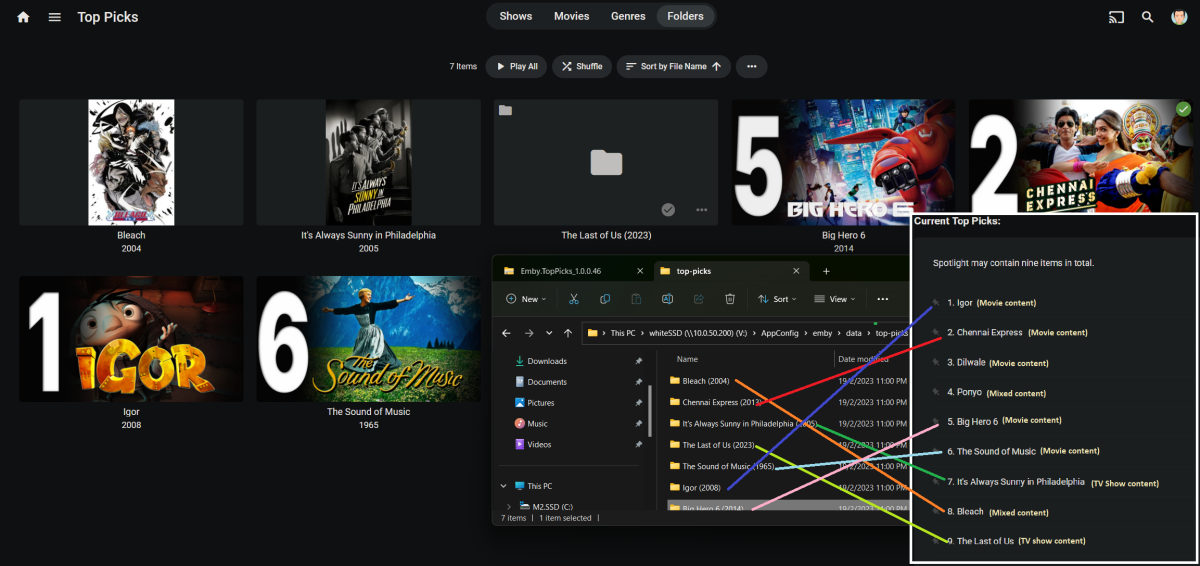
seems still (random) fail to generate thumbnail consistently, and also seems to generate only 7 our of 9 item in many retries EDIT: didn't realized unhandled error log previously. there seems to be alot of Unhandled error log on previous dates..apologies let me know if you want it all. unhandled_ec7bb2fd-b50d-4a39-a587-b58145af1606.txt
 1 point
 -
Hello I am searching for an linux command in the NAS TaskManager to delete the File "space-preserve" in the system Partition. I wont to delete by taske every day to get enough space for other programms. I have solved the Problem with not enough space. Put following code in the taskmanager from Synology and select user "root". Select daily on 0:00 sudo rm -r /usr/syno/synoinstall/space-preserve Now you have 500 MB more Space1 point
-
Make sure you understand that other things such as login screen, user access and authentication rely on the distinction between LAN and remote. - If you have local only users such as admin accounts they will be allowed to connect remotely. - If you have passwordless or PIN access users it will open those methods to them remotely. - If your login screen lists users locally those will be shown to remote connections. There are likely more undesirable effects that I can't think of right now. You should follow Happy's advice. Ask your users to set their playback bitrates to their own ISP service max and you set your server side limit to yours. Before playback the server will compare and use the lower value of the two and stream up to that rate without transcoding. There are many other reasons for which it might still transcode but your immediate problem is the Auto detection.1 point
-
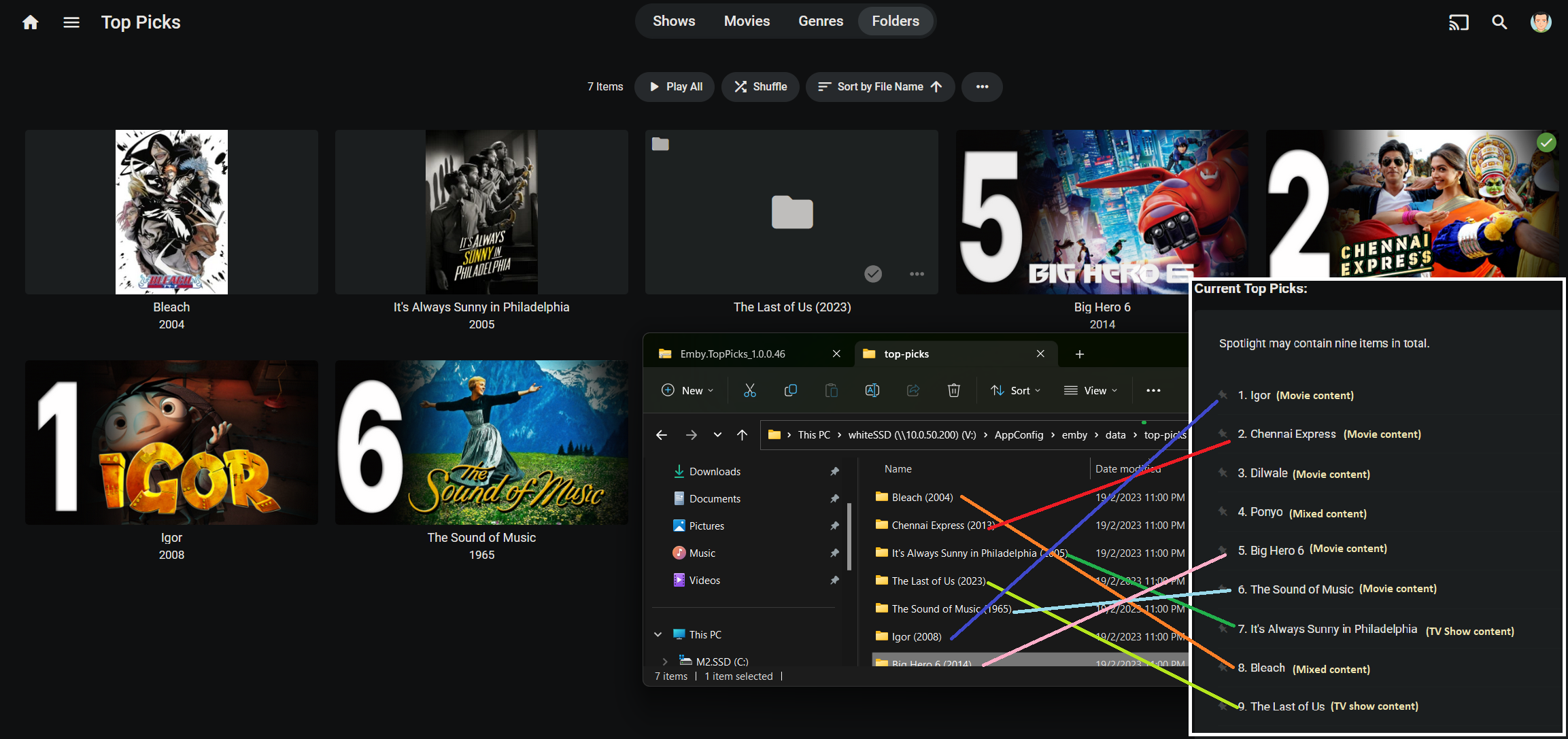
The catalog won't let me upload again. Emby.TopPicks_1.0.0.46.zip1 point
-
Working with the linux commands was some time ago, but I managed to use the file you send me and give it the same ownership and atrributes as the one present. I found the following: Using Emby on the browser, Primare is seen as an UPnP player. When I play someting, no sound, no message. When checking Remote control in emby the playlist is empty. Using BubbleUPnP with the DLNA from Emby and playing the Primare as UPnP there is an errormessage 501 Using BubbleUPnP with the DLNA from MinimServer, it plays the album. When I stop the album on BubbleUPnP and switching back to Emby to start another album with UPnP, it just starts the previous album. I attached the logfile. embyserver.txt1 point
-
Yup… it will be rectified when the current beta goes to release as i will update the nugets to the new release version when they become available.1 point
-
update that fixes errors showing up in the logs Code available at https://github.com/TheRealGangstaCoder/Emby.Plugins.TvDbAnimeAbsoluteNumbering/ if anyone interested.. TvdbAnimeAbsoluteNumbering.dll1 point
-
Sounds like a two way street as you have yet to provide an issue or any proof. But Emby will not change permissions on anything. If created by Emby it will be by the User your running Emby as. But hey you must be doing something different then the thousands of other users. How to Report a Problem1 point
-
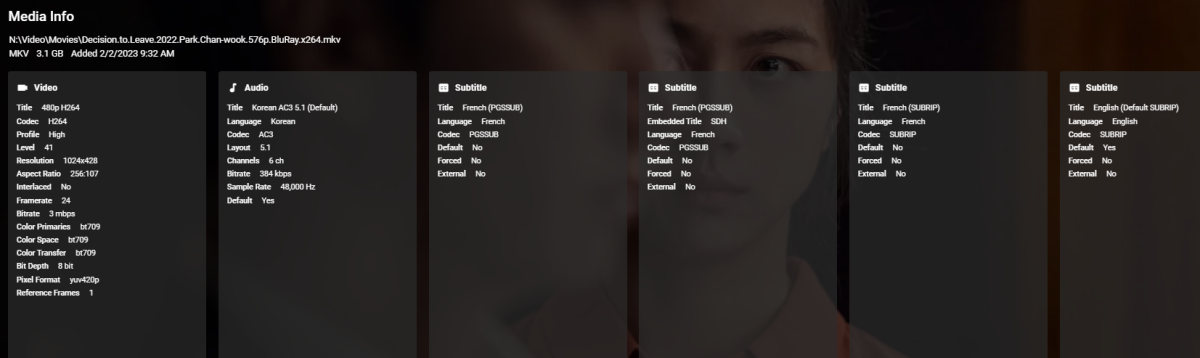
OK @Luke and @cayars, here is a full package of files demonstrating the continuing Emby-ChromecastHD problems, this time with direct comparisons to correct playback on the old Chromecast. I finally found a movie that plays on both devices and still breaks when trying to resume or change position when casting to the new CC. Situation: cast and played a movie to CCHD for 1:15:00 or so, then paused it. A few minutes later came back to resume playback, but CC connection had been lost by Emby, so I reconnected and tried to Resume. Nope. Same problems as reported above and above and above in this thread, by multiple users: couldn't resume, then after restarting from the beginning, I couldn't return to the 1:15 time, or any other time. On a whim I tried to playback on old CC, and this file worked. I was able to cast, play, jump to 1:15, and watch the movie. Now attached are server log of this entire process, all ffmpeg files, and the media info screen. This HAS to give you whatever you need to figure out why Emby isn't working properly with the modern Chromecast HD device and most updated software, yes? embyserver.txt ffmpeg-remux-2caf23b4-0be2-4424-b094-a76f25cd4ee0_1.txt ffmpeg-remux-8d607799-5ba0-4dc7-9085-37fdb5c81a25_1.txt ffmpeg-remux-20bf31d9-eef8-47d4-8007-ff66a42a2149_1.txt ffmpeg-remux-20e7fc1b-81a7-4538-8efa-63dc2a4970ed_1.txt ffmpeg-remux-27e11c81-2b34-4c45-8a83-e4c9ecafd83c_1.txt ffmpeg-remux-64ff8c41-4e5a-4244-a176-ce70cd9317c8_1.txt ffmpeg-remux-397c0cce-88f2-4e82-9cfa-eeac2722b3a1_1.txt ffmpeg-remux-702b0e51-b8f6-4da8-900c-a596941821a2_1.txt ffmpeg-remux-96530b00-9105-4477-82ee-4f5b8c4ef8b7_1.txt ffmpeg-remux-36136946-87e3-4c17-baae-8c8d8bb2a016_1.txt ffmpeg-remux-a1ce9e0d-a05f-452e-ad21-e454babf1393_1.txt ffmpeg-remux-a7e241d5-d3bb-45fa-9692-5e5197d541ed_1.txt ffmpeg-remux-cf207820-1010-4070-a691-054c74ce604f_1.txt ffmpeg-remux-de239720-a05b-41b8-a7db-abdef583051e_1.txt ffmpeg-remux-eee97717-1d8d-41e3-8908-1d445ef1f10c_1.txt
 1 point
 -
Have you verified the nfo information for the episodes?1 point
-
Latest version 2.0.0.0 - Added "Ignore short playback sessions" option - Updated UI, better layout, resized some components, better background colour (light/dark) compatibility - Lots of small bug fixes1 point
-
Online suggests Synology resets these values so a script is needed is my understanding. Resetting inotify limits (Syncthing) : synology (reddit.com) https://forum.syncthing.net/t/setting-inotify-limit-permanently-on-synology-diskstation/1 point
-
up and running... the main NAS (omv) with emby crashed, and can't access phisically the machine .... so, emby on synology is just to get by (only one tv has access)... i'll post results1 point
-
I strongly doubt that the conversation in that image is genuine. To me it appears to be written by a human rather than been achieved by a preceding conversation.1 point
-
It's all making sense now. Thanks again!1 point
-
I'll update the Wiki Dave. All working perfectly for me too since we(you..) wrote it - a fantastic plugin which I see the results of every time I play something1 point
-
Désolé, je pense avoir trouvé. Le NAS était encore paramétré avec un ancien DNS de mon précédent FAI. Emby semble avoir accès aux bases de données dorénavant.1 point
-
HI, have you gone through the cover art settings? I would think it already has a way to do this, although I could be wrong.1 point
-
I'm using the plugin and really like it. As I was browsing custom covers from my prefered source, I came about this cover created by user faufan and as he only made a handfil covers with those banners at the bottom (Bates Motel, Yellowstone,) I thought this would be aweomse If this could be implemented as an option in CoverArt.
 1 point
 -
Previous release put the EDL file in the wrong place. This corrects it.1 point
-
Emby for Apple TV 1.7.0 Released - OSD Info Tab, Next Episode Playback This is the latest release of Emby for Apple TV. It's a small maintenance release, containing new OSD features and improvements as well as a fix to existing identified issues. New Information tab in video OSD. Emby for Apple TV 1.7.0 adds the information tab to the OSD (On Screen Display) as shown in the pics below. Next Episode Button near the end of episode playback. New to the Emby for Apple TV apps is the ability to jump to the next episode when watching TV Shows. You can set or adjust Next Episode functionality such as manual vs automatic use as well as showing information about the next episode from the playback menu in each app. Fix error when returning from YouTube trailer playback. A fix has been implemented to seamlessly return back to the app when YouTube trailer playback has concluded. Emby for Apple TV is available in the tvOS app store. View the full article1 point
-
Change VPN provider? I've been running secure connection via domain through AirVPN for some time, so far rock-solid performance.1 point
-
1) have you ever heard of the Just World Falicy? You are jumping to conclusions that cater to your biases instead of thinking things through. 2) The server has a function for updating the metadata. It is not "Scan Library Files". To update the metadata you use "Refresh Metadata" not "Scan Library Files". There is no circumstance in which scanning for new media files ought to change the metadata for preexisting files already known to the server. Claiming otherwise is just illogical. 3) Suspecting user error in a solid application would make sense, but EMBY isn't a solid application. It's buggy as all hell. EMBY identifies 30 second clips of video as 90 minute porn movies. It makes no effort to compare a media file's length to the length of the item EMBY says it is. It has the necessary links to do this, and it doesn't. It grabs the length of the item is THINKS is has, and places that in the metadata (it's on display for each item). "Oh look a 30 second commercial, and EMBY identifies it as David Lynch's Dune (must be a new version that's only 30 seconds long). EMBY does regularly manages to find and point to the correct entries on imdb,com and thetvdb.com (set in the metadata correctly) and good for that. But then EMBY ignores those links. Having found the right movie by the name (which is clear in the name of the file) EMBY goes on to set the name (Title, Original Title, Sort Title) to text that does not match anything. It also uses images that have nothing to do with the IDs it has for IMDB or thetvdb or any of the other sites it uses. On windows EMBY server occasionally changes the access privileges on media files such that it can no longer see the media files at all. There is a steady stream of complaints on file privilege issues; and this from a piece of software that has no business changing the privileges on those files ever. When it does this it will often lose the ability to write srt, nfo and bif files to the directory containing the media, so (having made it impossible EMBY to write files in those locations) it them puts them into AppData where it can still write data. EMBY can even make it so that my windows user (the one I installed EMBY with) cannot delete files that I put into a library subdirectory. I have had to use EMBY to delete those media files. EMBY can manage to do this so well that only a couple of files (of many) can be seen in a directory - and all of them were viewable the day before. There is absolutely no reason for EMBY server to screw around with file permissions, and yet it does.0 points