Leaderboard




Popular Content
Showing content with the highest reputation on 02/01/23 in all areas
-
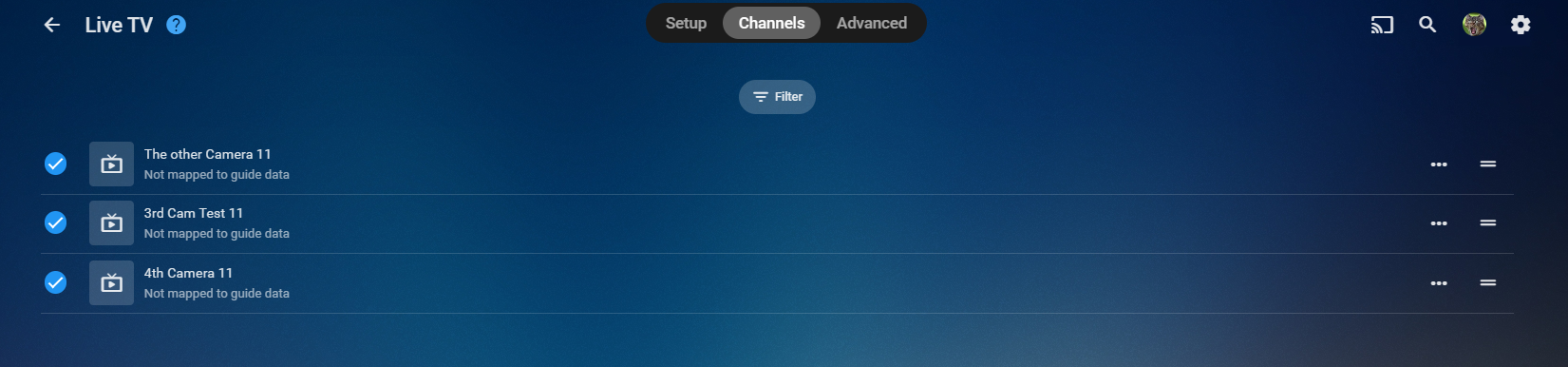
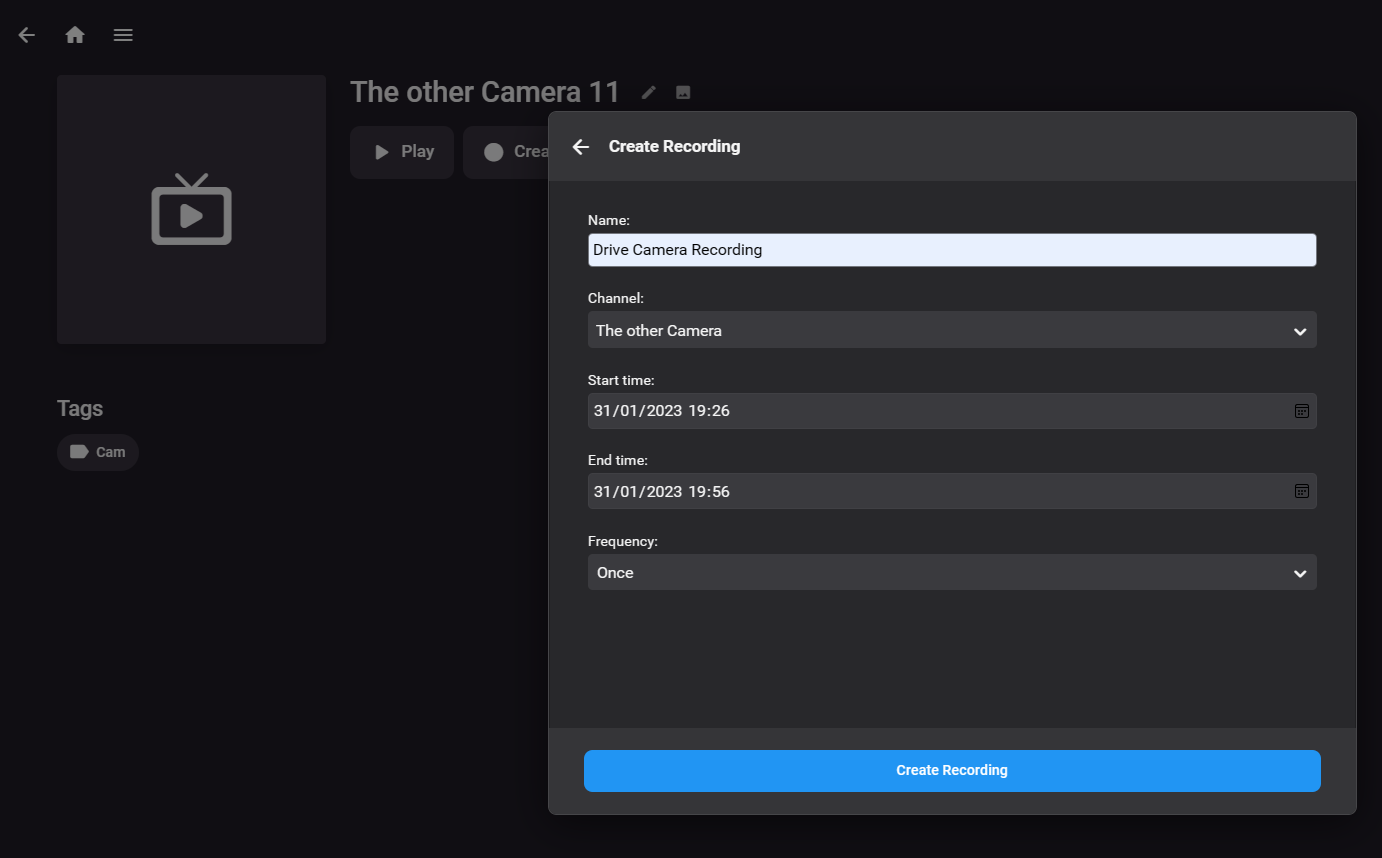
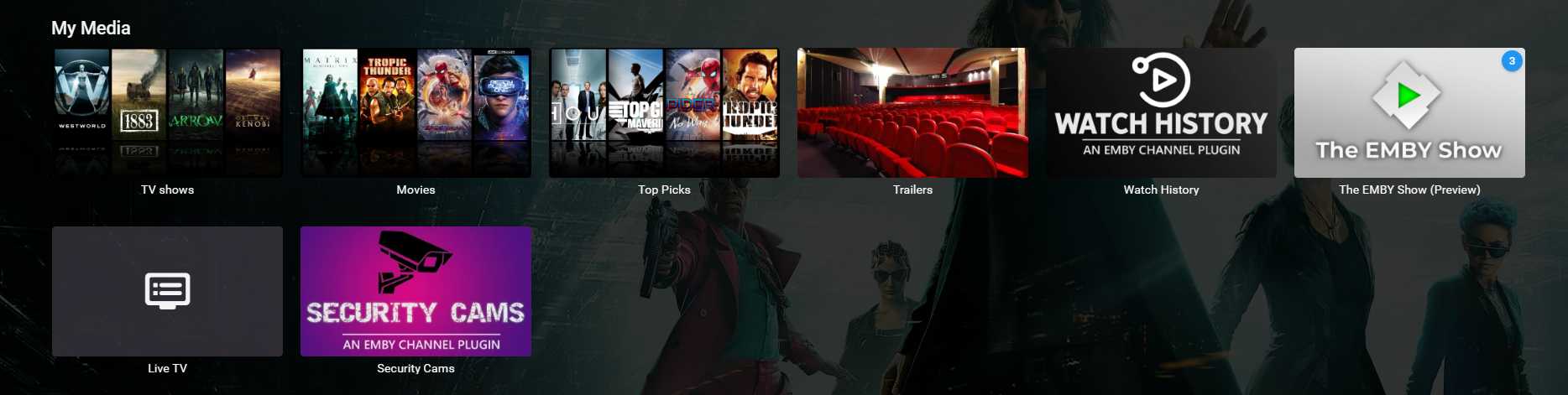
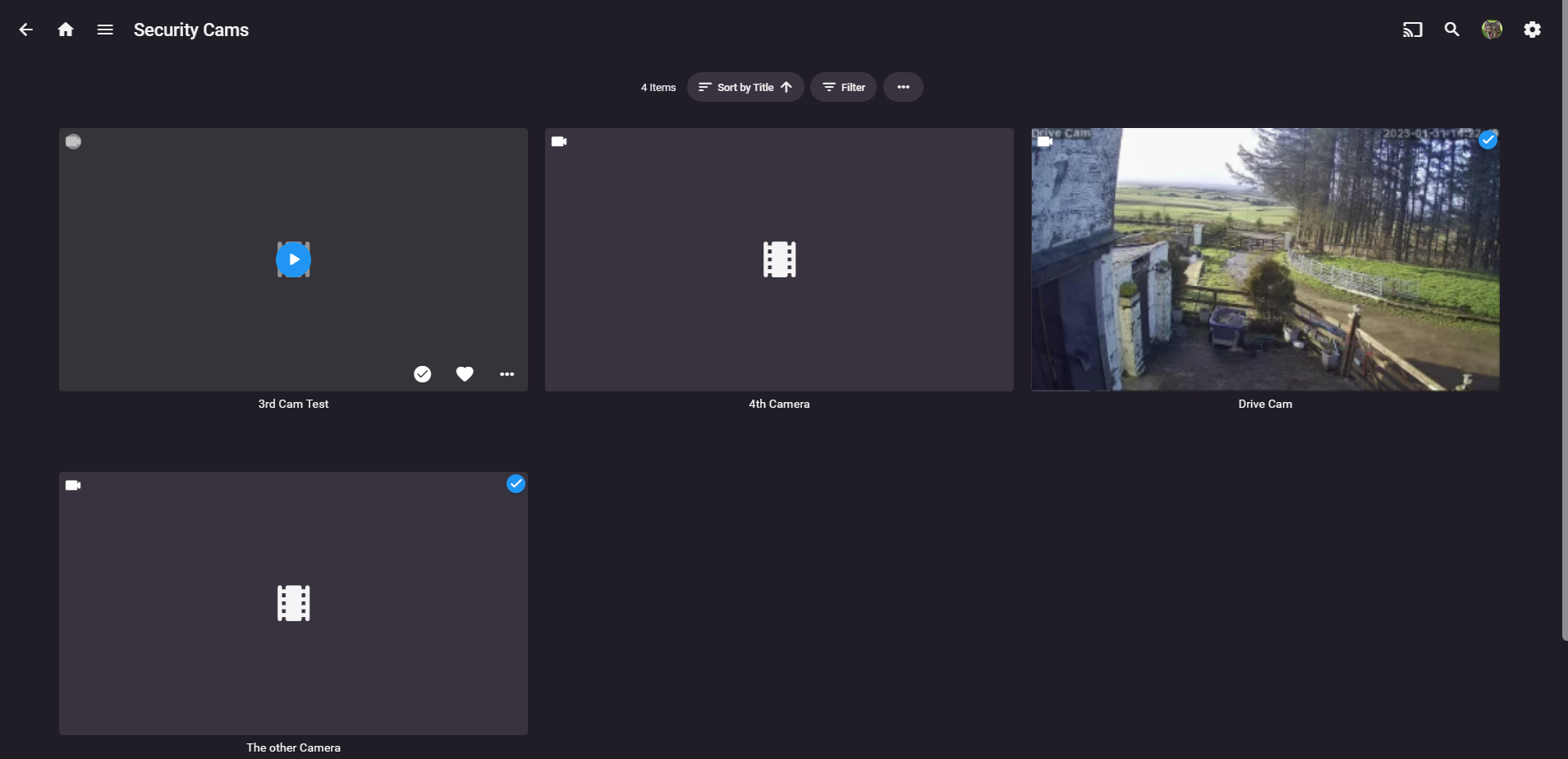
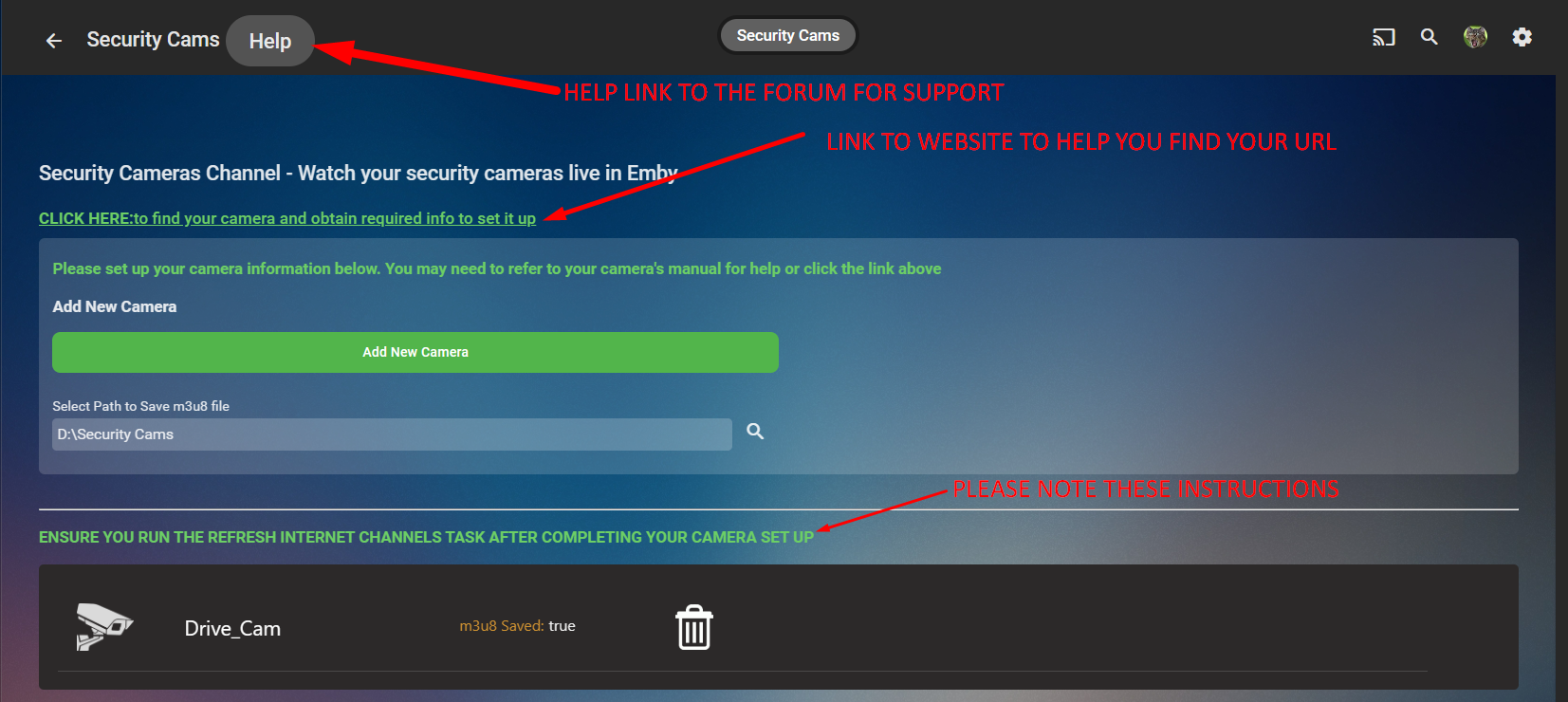
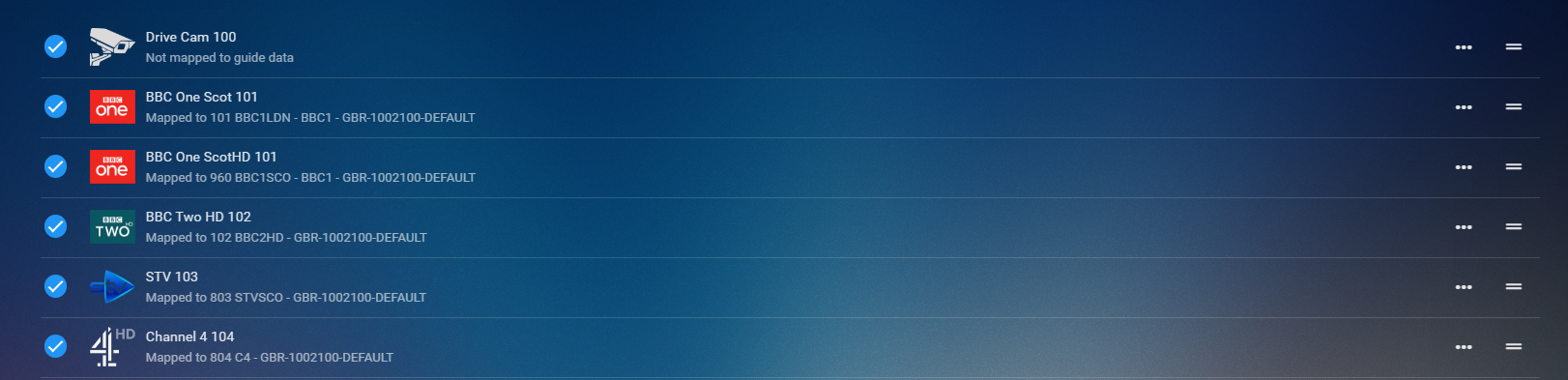
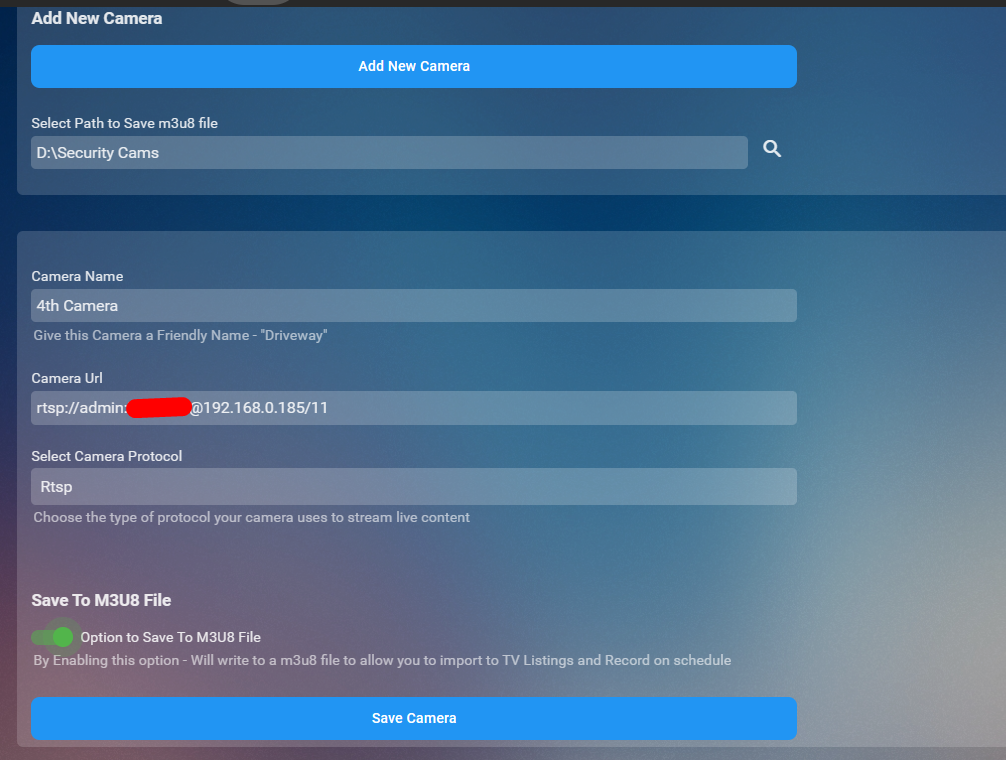
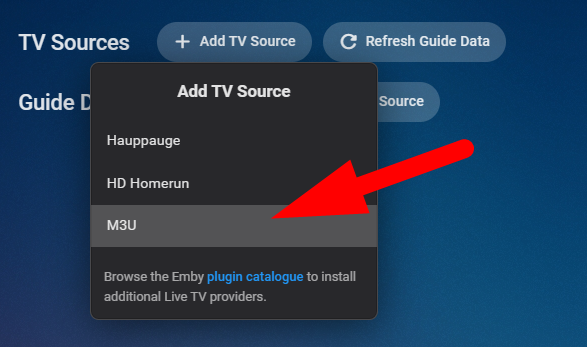
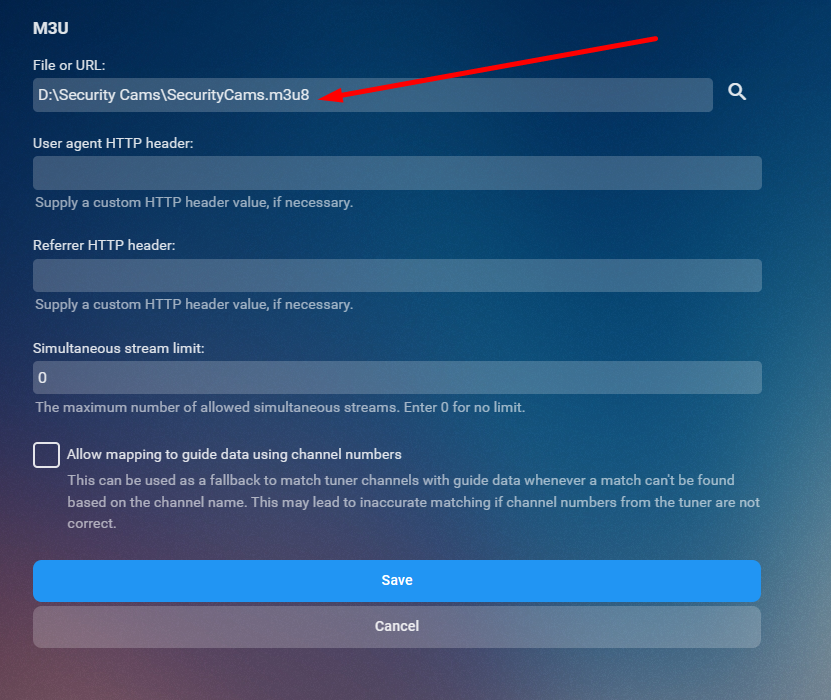
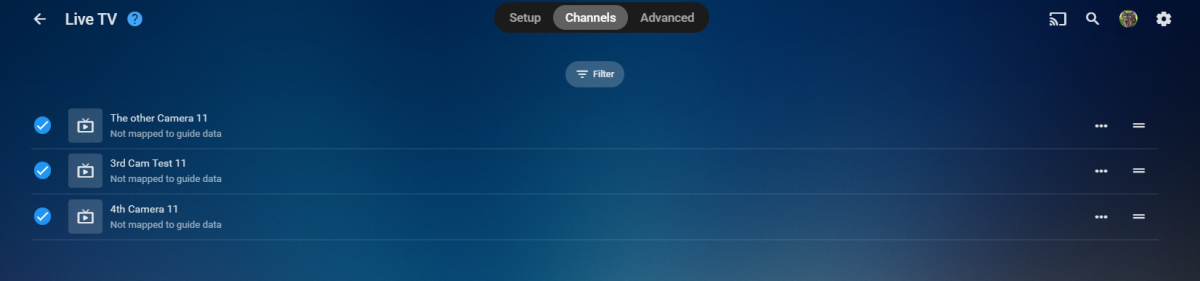
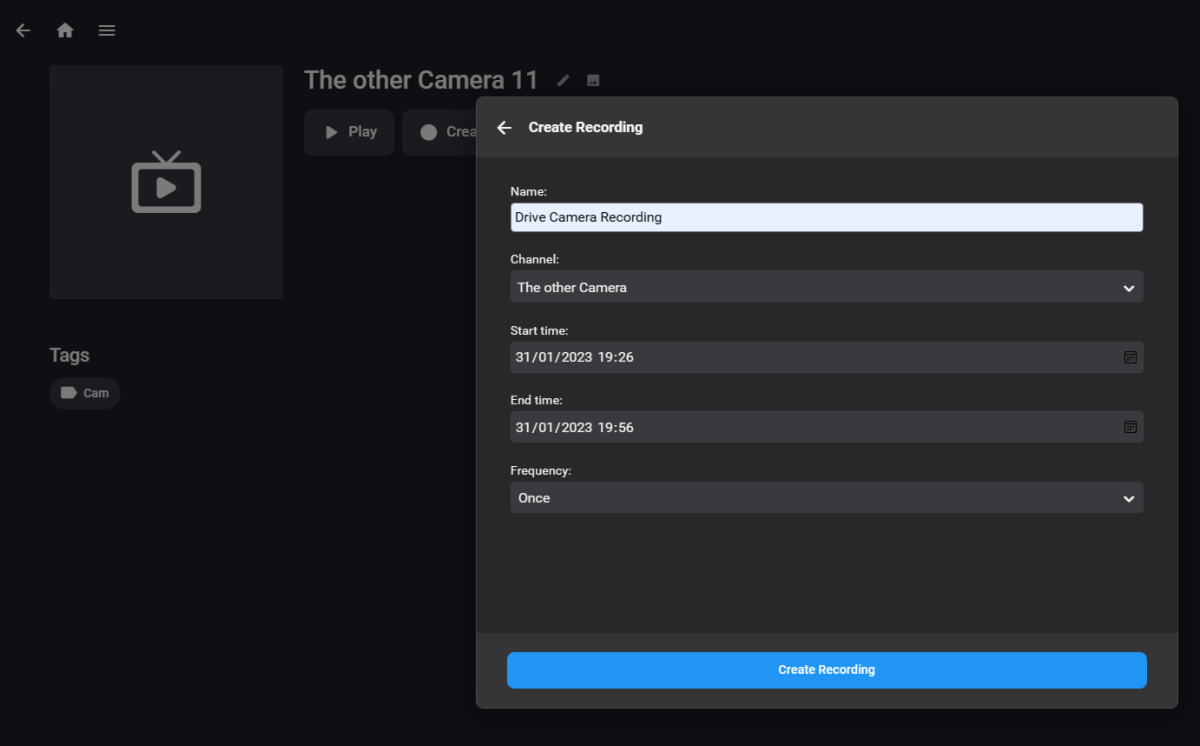
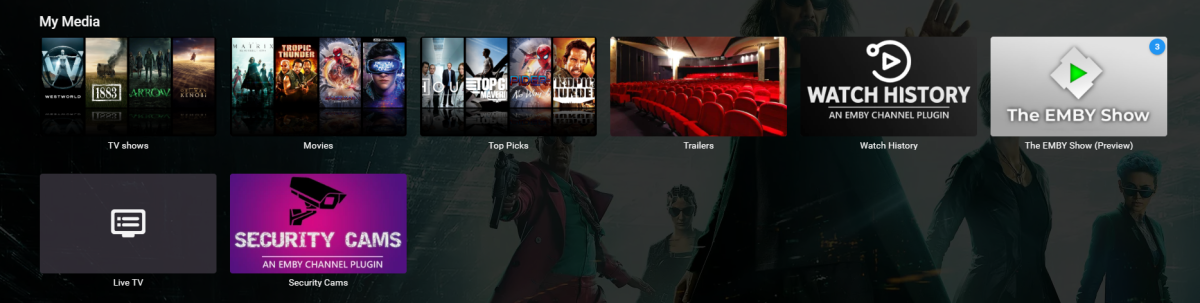
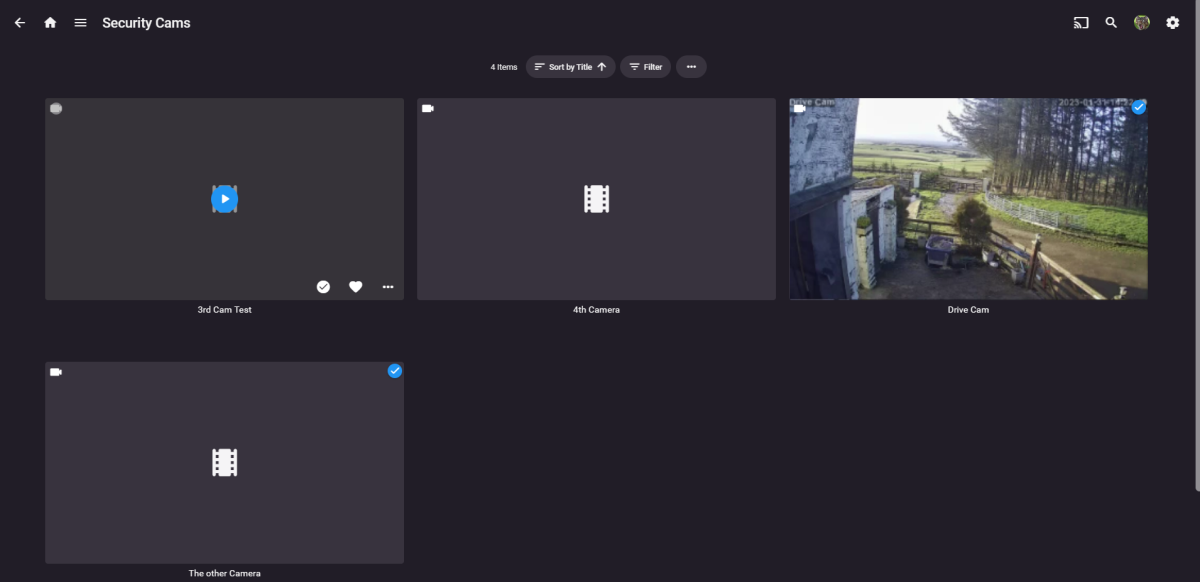
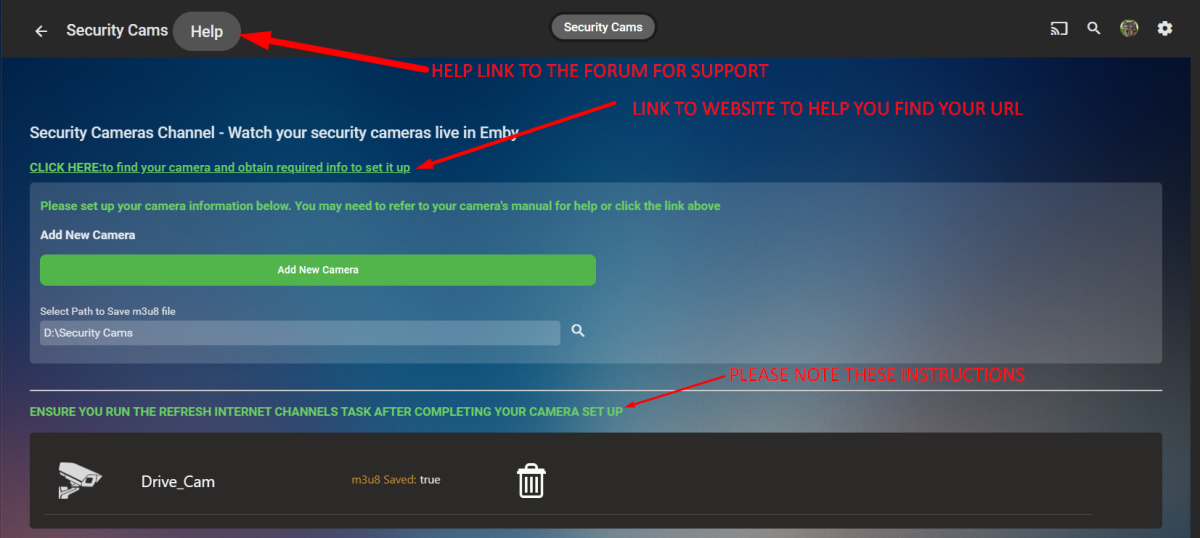
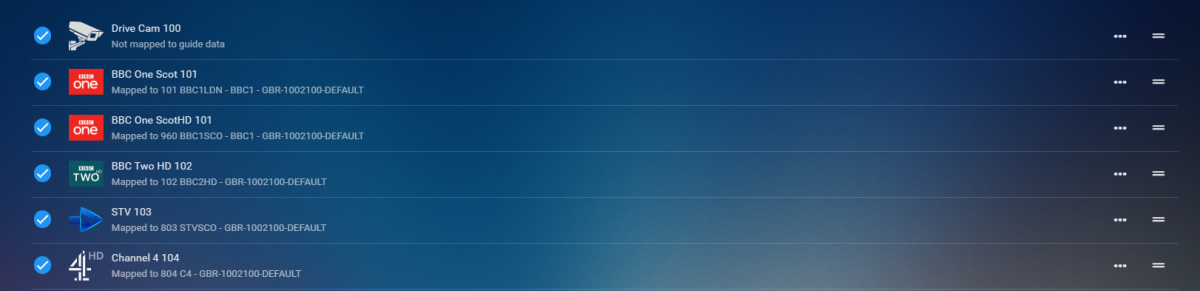
CONFIG UI How it works Click Add New Camera Button you set up an IP camera by giving it a friendly name, the URL to make it work (there is a link in the config UI that will take you to a website to help you) select the protocol and then decide if you want it to be saved to a m3u8 file. Click Save Repeat for number of cams you wish to add Run the Refresh Internet Channels Scheduled Task Advantages for saving to m3u8 file Now..... saving to m3u8 file has a massive advantage. you can now import this into the liveTV as a tuner and set up recording schedules for each of your cameras that are in the list. You will require to install the M3U TV Tuner Plugin in liveTV setup select m3u then just select the m3u8 file that the channel creates on the channel refresh and hit save After you hit save you'll see all your cameras Boom now you can create a recording or watch from you TV guide hehhehe PS it is a Channel so can be watched live and direct thru the channel created on your home page GOOD SOURCE TO FIND YOUR CAMERA AND MODEL TO GET THE PROTOCOL Connecting to IP Cameras (ispyconnect.com) RELEASE VERSION 1.0.0.0 - Initial Release to Catalogue TV Channel Logos Dark Light




 5 points
 -
Fast, Fluid and Precise - how much did I miss that... Turn on the sound! WMC_Theme_Fluent_Guide.mp45 points
-
This has gone much faster than expected. All of the above fixed: Emby-Guide-Improvements.mp43 points
-
Per user would be the way to go imho. It could easily leverage the option that already exists. IE. Turn off camera uploads as a library option. With it off. Uploads are disabled.2 points
-
Good day, When we apply "Force Rest Password" for the new personal group "Member", many thought all our groups, it all explain in this thread: For that the admin's team decision to rename the members groups "Member" and "Members", the new groups name are: - "Member" will rename to "Rookie". - "Members" will rename to "Regular" - We will have new group name "Top Contributor". I will explain about this group in another post. We will apply this on the first week of Feb, 2023. My best1 point
-
Well that makes it difficult (impossible) for me to find a provider, lol1 point
-
Yeah it should do. I will double check that it does create the file.1 point
-
You can’t set up a ring doorbell as their cameras require specific authentication which they keep changing. So you have to subscribe to their service1 point
-
So if I'm using a hand made M3U I should really have no use for either xteve or iptvboss? From what I can tell, all iptvboss does is output an m3u file that you can set up with the gui; since I'm happy with my own m3u does using iptvboss or xteve give me any benefit? I'm just trying to figure out the best way to have iptv running smoothly in Emby with publicly available free streams before I think about moving to any paid services.1 point
-
That is indeed, as they say, spooky...1 point
-
The first one (green) is a well-known patch which replaces all resources. This wouldn't be too difficult - but seriously...GREEN? The second of your images is a mock-up. It's not a patched WMC with a different background - it's just photoshopped. The fonts are wrong for instance.1 point
-
HI, yes you could put your media there and import it into Emby Server. Please let us know if this helps. Thanks.1 point
-
It works. Thank you!1 point
-
You had 11. That's the maximum with the preview disabled. (8 is max with preview).1 point
-
these are facts: there is support for m3u as a channel source. there is completely legitimate use for that. for instance i add an m3u to emby from my local tv server which has freesat channels. the iptv plugin is for adding individual "channels" from a url. tbh i don't really see the use for this. iptv m3us can also be purchased. there is no legal provider of streaming UK tv channels over the internet to software such as emby. interpret these facts together as you wish.1 point
-
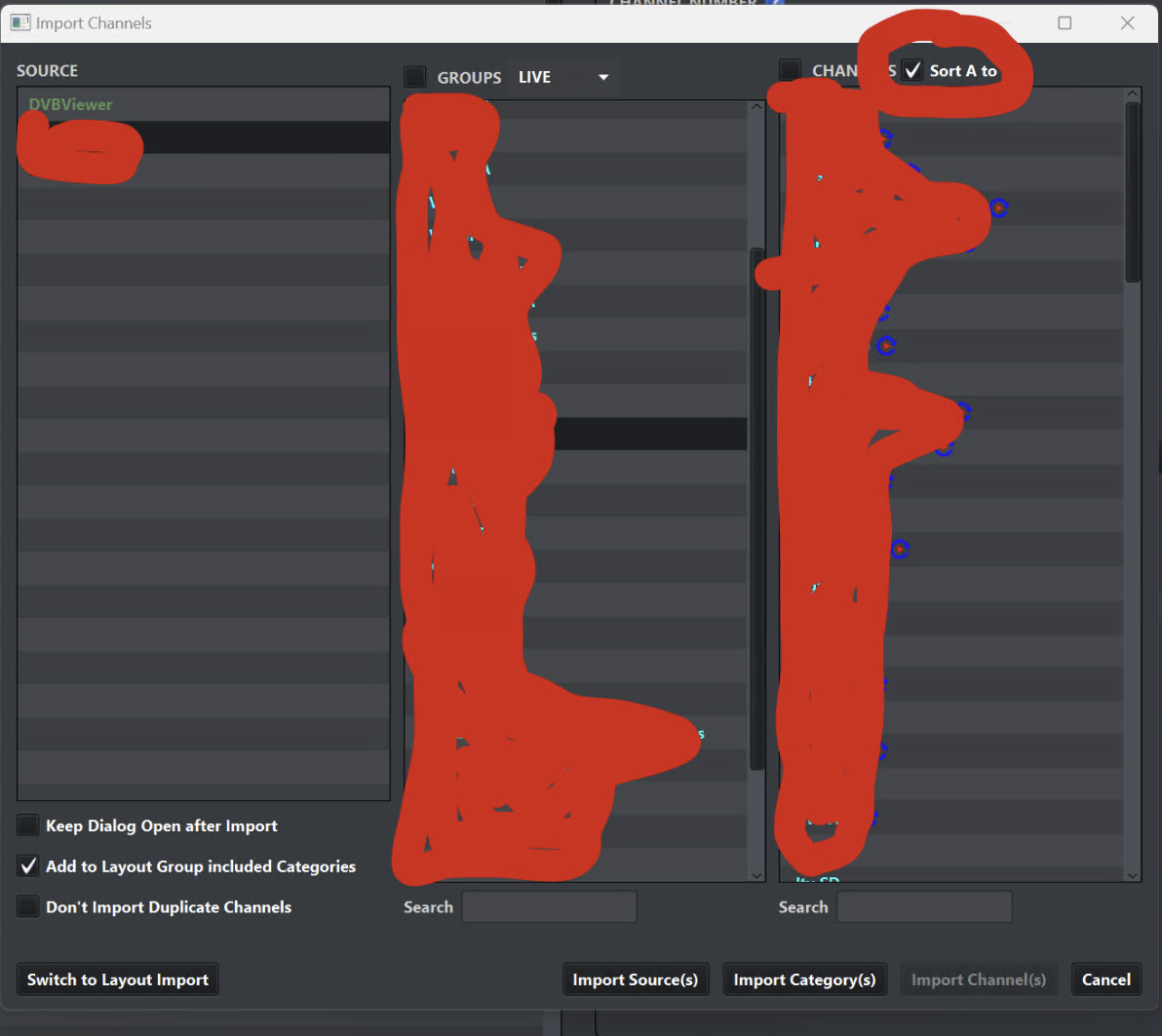
changes sort order between a-z and original channel number in source m3u. tbh i totally reordered my channels (drag and drop) and left them at the default assigned channel #. i don't make any use of the channel # in emby apart from sorting
 1 point
 -
yah, I tried variations... creating three playlists, taking the two and adding to the third. All this did was add all songs to the third play list i figure that much and np.. maybe this would be a great feature to implement? thank you tvos1 point
-
It works and thank you very much....Next time I have to manually enter only Moviedb and not imdb1 point
-
sorry dicky… that made no sense. So you are reporting bugs on a plugin you can’t use, because you have no camera? interesting one for me. Glad it’s of no use to you. you can set up a dummy cam no problem but all fields need to be filled in when setting up the camera1 point
-
lol. xteve should only be used over iptv boss for one purpose these days - its function as a proxy. it was essential, and good enough, for a while though1 point
-
Would need to see the server logs when you used those ids as I had no issue with either id as shown. But I have TMDB over TVDB as they have had wrongs ids in a lot of previous topics.1 point
-
Try using the Moviedb id with the Identify feature.1 point
-
I’m in the same boat. The main reason is that it’s much easier to manager channels in xTeVe than in Emby. When you’re sitting on 10,000 channels from a provider, narrowing down what Emby sees is much much easier. The built in Emby channel manager just doesn’t allow for mass editing and isn’t quite ready for something like that (at least IMO), hence the reason for using xTeVe.1 point
-
I'm using it for managing channels, since I use a custom M3U with a bunch of different IPTV sources. I found I was getting buffering issues with loading the M3U directly into Emby (as well as not being able to easily manage/edit channels), and was hoping that I might have better luck with another program handling the streams and serving them to Emby. It's my first attempt at using IPTV, so I'm still very much in the learning phase...1 point
-
What is the function of using xTeVe in your setup? My suggestion is to never use it, unless you need to emulate an HDHR for Plex. You'd get to keep your hair, too.1 point
-
Not quite the same issue, as I have it happen under all chromium based browsers I tested(Chrome, Edge, Brave), and we did track it down to being related to touch-based interfaces being activated with those.1 point
-
It would be nice to be able to favourite a video from the "video player" ui rather than having to leave the video to then favourite it. Tried searching but couldn't find this request hope its not a dupe, thanks!1 point
-
That's more likely yes, but still my main issue. If this happens, why does Emby let it keep happening? It will never ever drop down the bitrate.1 point
-
I can confirm the AndroidTV 'Skip Intro' button works perfectly on my Shield and FireTV clients. If it 'pops up' then it's already 'selected' and you simply have to press 'OK' on the remote. If it's already there (at say 0:00) then press 'OK' just the same. If you navigate away (by say pressing any other button) - then to get back to the 'Skip Intro' you need to press 'Up' - and then 'OK' to skip. There is no highlight, so agree, it not obvious its selected if you navigate away from it.1 point
-
This has resolved it for me. I was too quick jumping to conclusions.1 point
-
Hi - I can modify the script to just read the m3u file directly - as it contains the media path just the same as the original xml did. tbh - I was waiting for a couple of things which haven't really materialized in the way I thought they would :- a) Top Picks (from @chef) had it's roots from this original idea - and for 'Global' recommendations - it works well but for my intended purpose (user based recommendations) it doesn't achieve this. b) The playlist permissioning - this was 'in the works' when I first did this, and back then, any user had permission to add/modify/delete any playlist. @Luke advised here that this was being modified to allow user based permissioning - perfect I thought, we could add functionality to stop users adding recommendations for certain users (ie user x could not add Global recommendations) - but I don't see the promised context menu on how to add/remove permissions. c) There was also talk of having 'user interactivity' via a plugin or maybe even via context menu's - ie rather than having to add a recommendation to a user 'playlist' to get it added - the user could just add it directly from that items 'context' menu. This would be very tidy - and avoid the extra steps. But again, this hasn't really progressed - although to be fair to Luke/sowtworkz and team a LOT of effort has gone into dev.emby.media with new SDK's etc - so things are moving without doubt. @Cheesegeezer is also knocking out Channel plugins like there is no tomorrow - so we could possible create 'channels' per user - as opposed to libraries ... So .. in summary .. I'll take a look now at modifying the script to extract the file path from the .m3u instead - and then it should work again in it's current form.. but once all the pieces above are available, then I would hope it can become a proper plugin/feature.1 point
-
Thanks. I will wait for improvments. Regards1 point
-
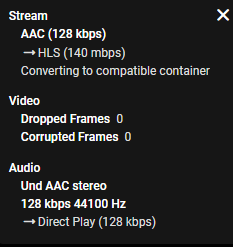
Dropping the link in first post in IPTV plugin plays. Pasting that url in my browsers just goes into infinite download. putting the url in a strm file in a movie library played without issue also. Edge/Chrome/Firefox
 1 point
 -
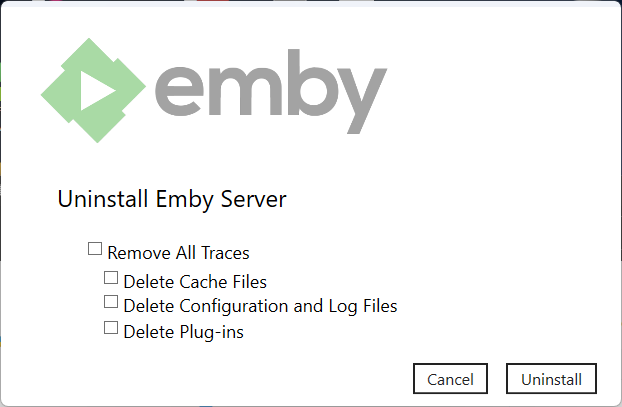
Devs will have to comment as to why Uninstall is not the same across all builds as you mentioned Emby programdata is not removed on this platform. But will guess these platforms have their own restrictions. So all systems that do not have "localhost" access will run into issues requiring SSH intervention.
 1 point
 -
Thanks for the reply. Is this the current warning message or a suggested one? The warning message above is misleading. It suggests if you encounter issues you can simply change the setting back to default in the EmbyServer and all will be good. This is not true at least on the Synology NAS. If you enter in a bad IP address like I did and press Save then you are completely locked out of the EMBYServer. The EmbyServer becomes completely inaccessible until you SSH into the device and remove the bad lan setting. In my case, in error, I entered the local IP address of my HD Homerun in the Lan Settings. Big mistake. The other thing I found a bit odd was that even when completely uninstalling the EmbyServer it must keep a copy of system.xml somewhere because every time I re-installed Emby on my NAS the bad lan settings persisted and I couldn't access EMBY. Maybe this isn't doable either but wonder if when uninstalling the EmbyServer package from the NAS their could be an option to 'remove all settings'?1 point
-
Collect created from item metadata from TMDB. Black Panther Collection — The Movie Database (TMDB) (themoviedb.org) Title is Alpha sorting just like any other library sorting.1 point
-
From a custom collection standpoint sure but provider Collections really only have one order and would never be alphabetical. But 4.8 will have a Title order.1 point
-
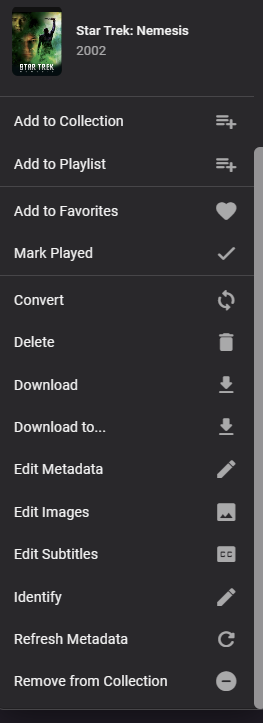
Context menu on items in a collection.1 point
-
A bit confused as Delete is Delete and Remove from Collection is Remove from Collection. But 4.8 does add some sorting options within Collections.
 1 point
 -
i've been using the recommendations script since i first found it on here, but the most recent beta changes the playlists emby build from xml to m3u files and this breaks script. i was wondering if there is a quick fix for this, or maybe if there is any progress on a proper spotlight structure1 point
-
Of course - but hopefully other bugs, such as TV recording, will be fixed.1 point
-
HI, yes it makes sense. Thanks for the feedback.1 point
-
@Luke Btw, there's no way to start an in-progress recording in the Xbox app. Can you add a method to get to the Play from beginning button at least?1 point
-
Hi. That's telling you the reason it is converting which is this: Most devices will not accept multi-channel AAC so the app is doing what you asked it to do. As for why it says it is delivering 7.1, I'm not sure, That information is coming from the transcoding information the app gets from the server so something must be off there.1 point
-
Hi, I would just use the original framerate.1 point
-
If you are running as a service - then yes, you cannot restart via the API, maybe try shutdown instead - and if your service is configured to restart, then it will do so - the same as if you shutdown the service in a browser (it will restart). ie curl -X POST "http://localhost:8096/emby/System/Shutdown?api_key={YOURAPIKEY}" -d ""1 point
-
so iptvboss is an IPTV emulator? I thought it was an editor but I'm not super familiar Edit- Xteve is a network tuner emulator. It has some guide editing ability but it's primary function is to be a network tuner. iptvboss appears to be just an editor, although I'm sure it has much more robust feature set for editing your EPG.1 point
-
Yes, I just figured it out. My hardware_detection logs showed that Emby Server was detecting my GPU but that CUDA wasn't initializing for FFMPEG. It turned out I needed to add the cgroups for CUDA into my container config file as specified at this link - https://medium.com/@MARatsimbazafy/journey-to-deep-learning-nvidia-gpu-passthrough-to-lxc-container-97d0bc474957 - which I found on another thread. So I was passing the GPU to the server but not the libraries needed to actually perform the transcoding. @nmbrg if you're still having issues, give that a shot!1 point
-
Guys - lets just take a moment to step back. Rome was not built in a day. @chef has worked his magic to build a channel from a set of defined ItemId's stored in an XML file. It then does some very wizzy stuff using Skia to create the image graphics so they are numbered and 'stand out'. It also brings this channel to the top of the order list. There are also some algorithms to identify the top played item - personally, I will never use this because I do not have enough users to warrant it working effectively. All great stuff for a 'Spotlight' feature. Now the Recommendations feature IS different, in as much as you manually specify individual USER ItemId's to display for particular users. So using the Spotlight framework - all that needs to be done is to modify the channel to read the 'user recommendations' playlists instead and display it for the appropriate user. This is an ongoing development and I still hope to have the 'Recommendations' Plugin doing exactly as I originally specified - as for me, that is much more useful that a generic 'Spotlight' type approach. If we can combine into one plugin - great - if not, then it will be a different plugin.1 point
-
Just to demonstrate how Intel compares to AMD in that matter. Here's the current list of Intel's pending contributions to ffmpeg: https://github.com/intel-media-ci/cartwheel-ffmpeg/tree/master/patches (hundreds of commits already made in the past, more than 10 developers working on contributing to ffmpeg) I'm not directly an Intel fan and had many AMD setups as well. But for hw video acceleration, AMD is not a good choice at this time and Intel's dedication to that area really deserves to be acknowledged!1 point