Leaderboard




Popular Content
Showing content with the highest reputation on 01/30/23 in all areas
-
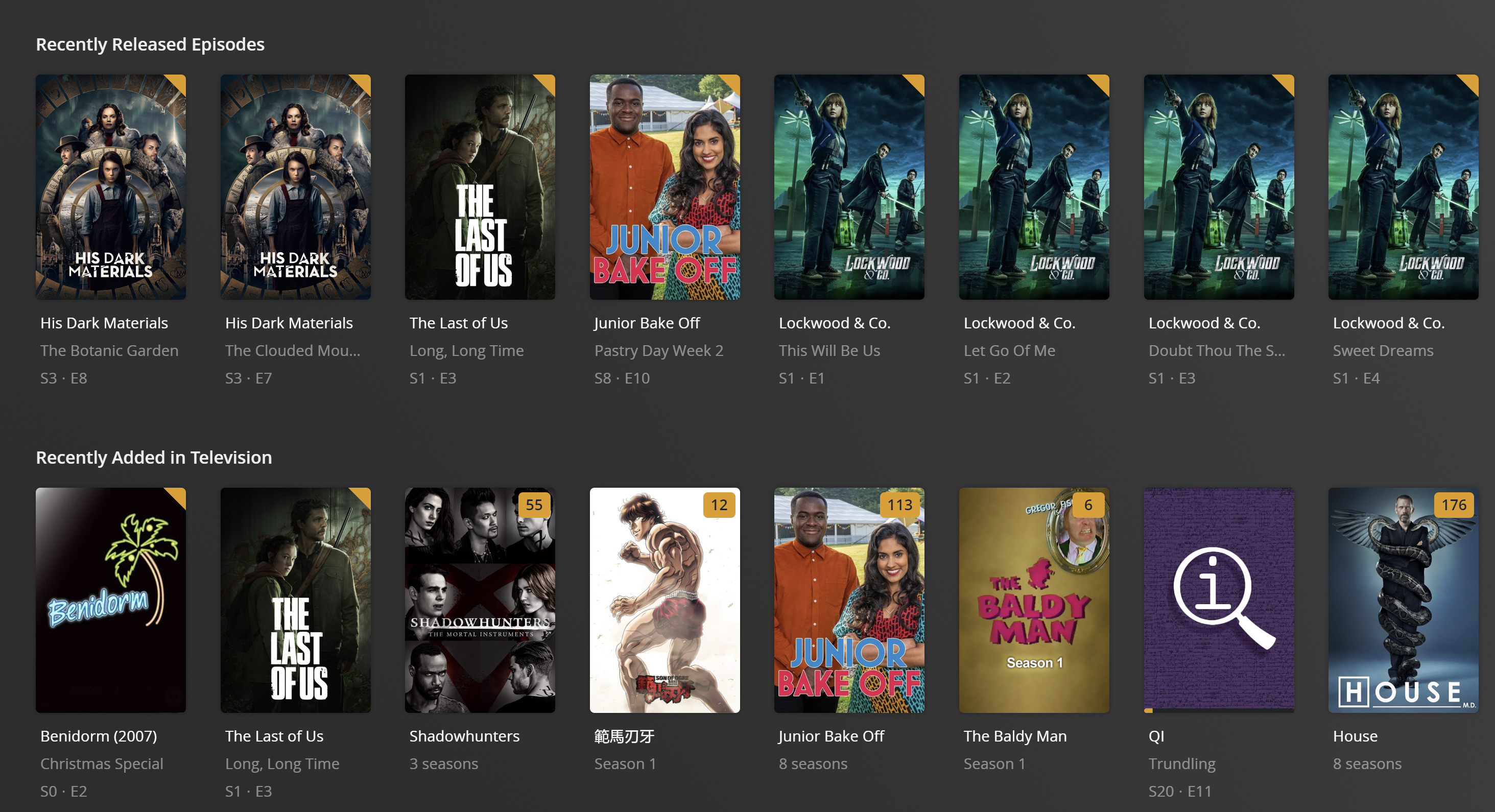
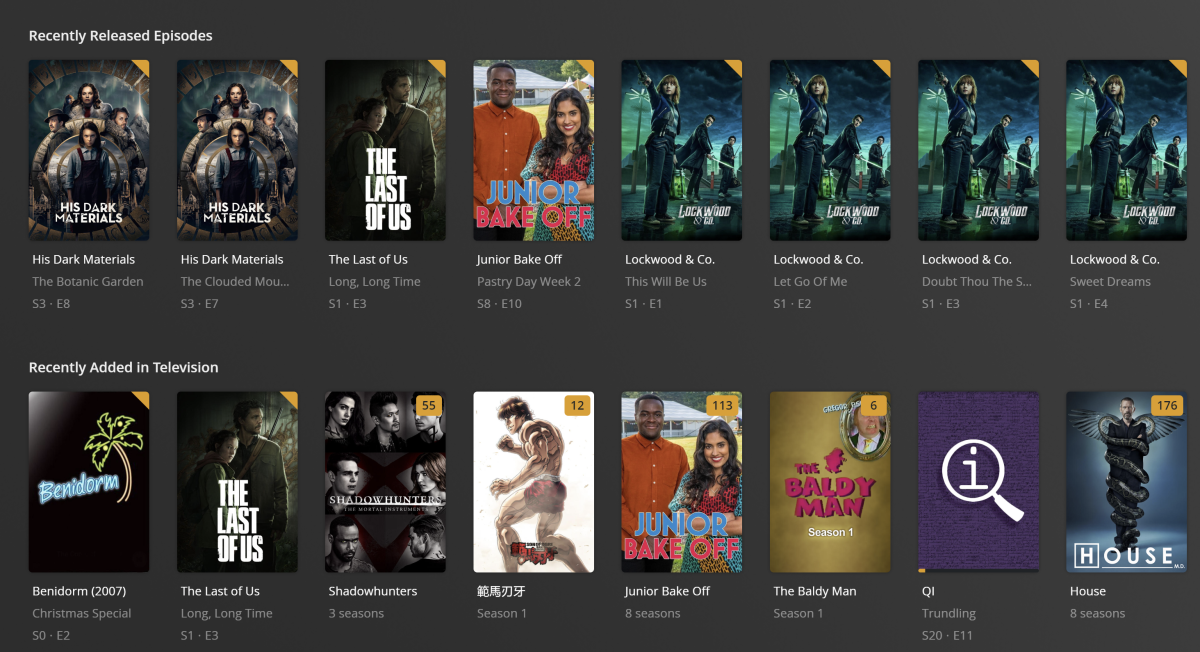
nowhere near. Yes, it will organise into release order, but... it will then mean that any newly added (though older dated) media will not appear in the recent list. This is why it needs 2 views, like (dare i say it) Plex does. as an example...
 3 points
 -
The first post has been completely updated Vic3 points
-
Good day, When we apply "Force Rest Password" for the new personal group "Member", many thought all our groups, it all explain in this thread: For that the admin's team decision to rename the members groups "Member" and "Members", the new groups name are: - "Member" will rename to "Rookie". - "Members" will rename to "Regular" - We will have new group name "Top Contributor". I will explain about this group in another post. We will apply this on the first week of Feb, 2023. My best2 points
-
Sorry to reply to my own issues, I have finally diagnosed and found out the culprit and wanted to write it down here in case someone has a similar issue in the future. As Emby is routed through a VPN on my server, my IPTV provider is blocking based on my VPN server IPs. As soon as a deactivate the VPN connection routing everything starts to work perfectly. Thank you all!2 points
-
Got it working in the app for some reason 8920 was not working any in the app just as a test I added 443 and poff now it work why the hell That happen Thank you guys and I will do the account re connect after work2 points
-
This is a great idea for a lot of people. I like to have separate libraries for older shows and newer ones. I find it makes the experience better for me. So while it may not be everyone's preference, I make mention of it only so that it might serve as an acceptable workaround for the time being.2 points
-
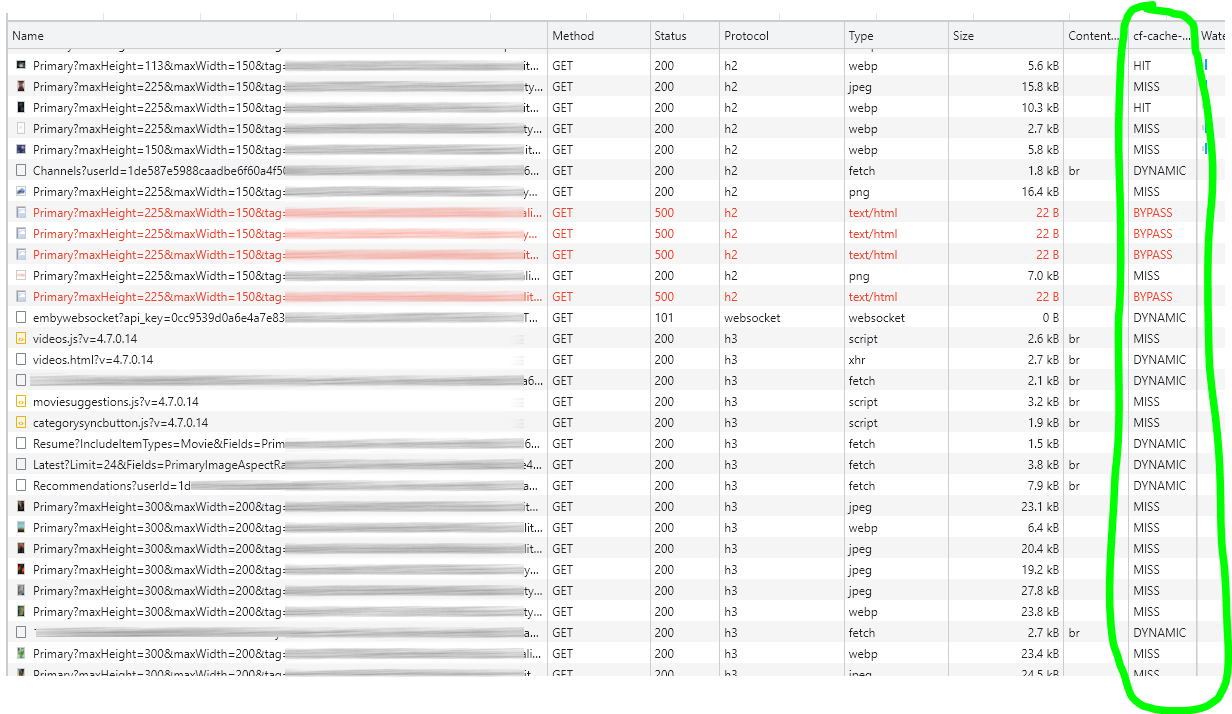
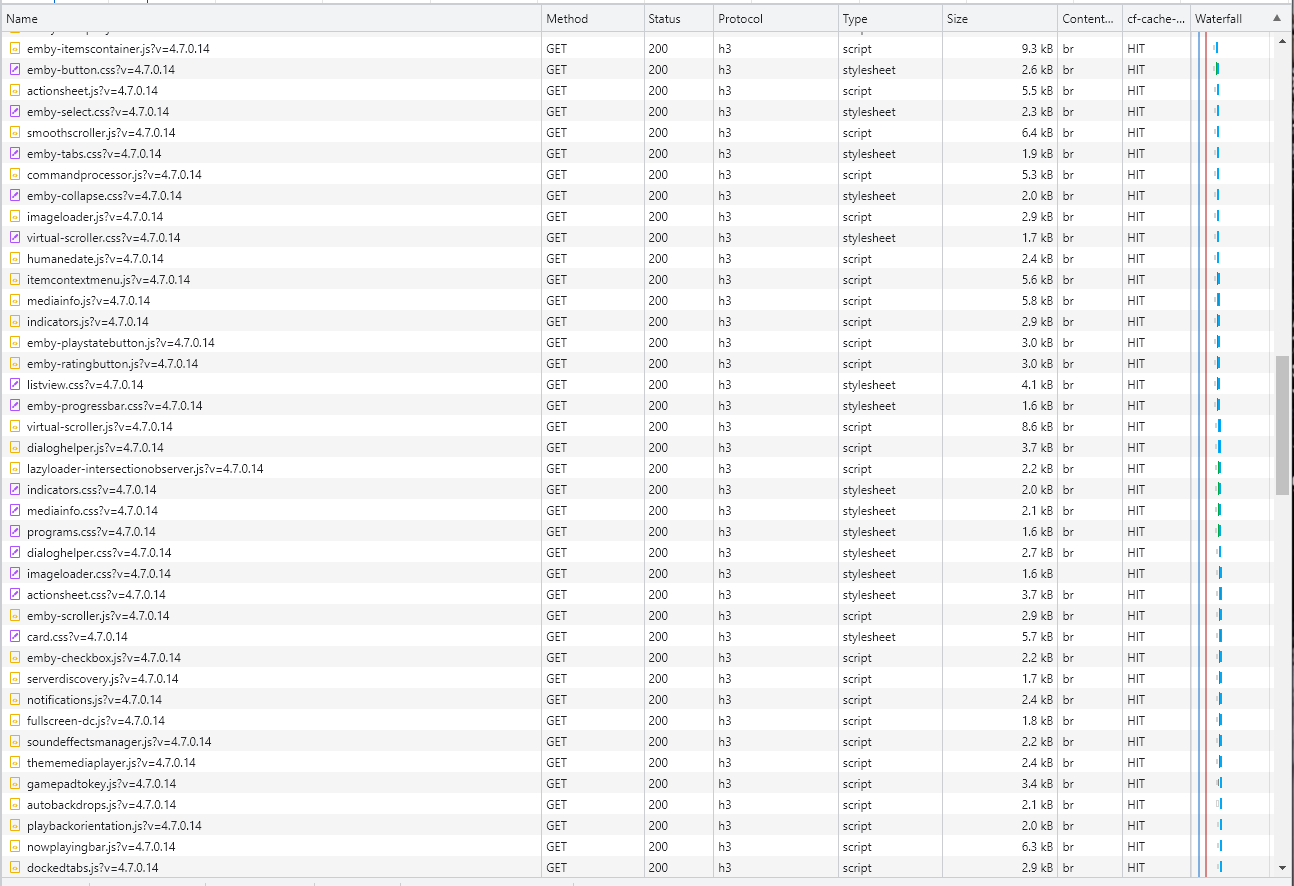
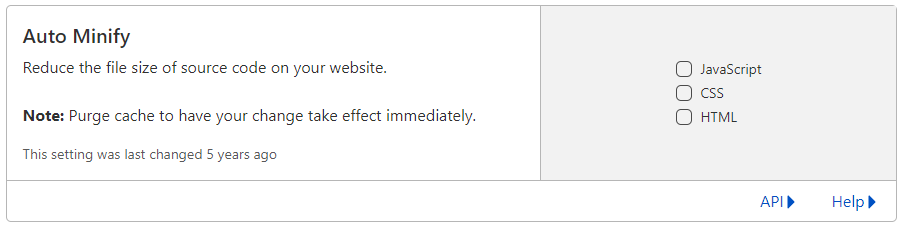
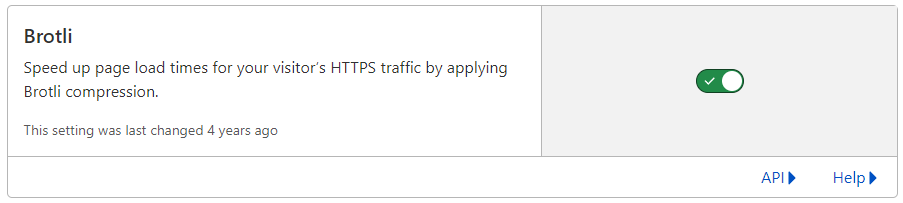
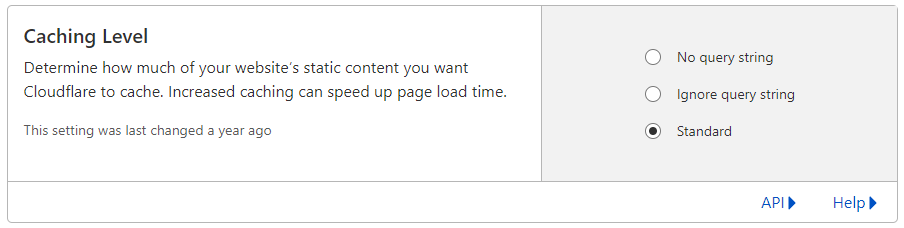
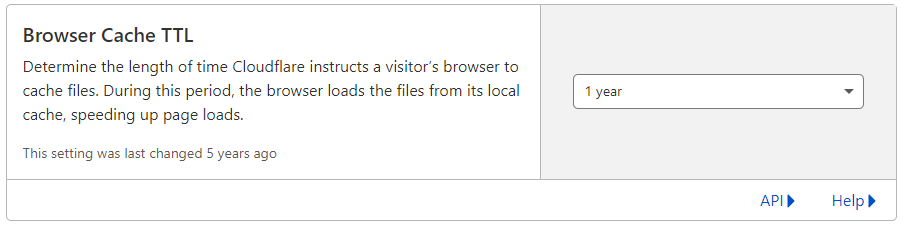
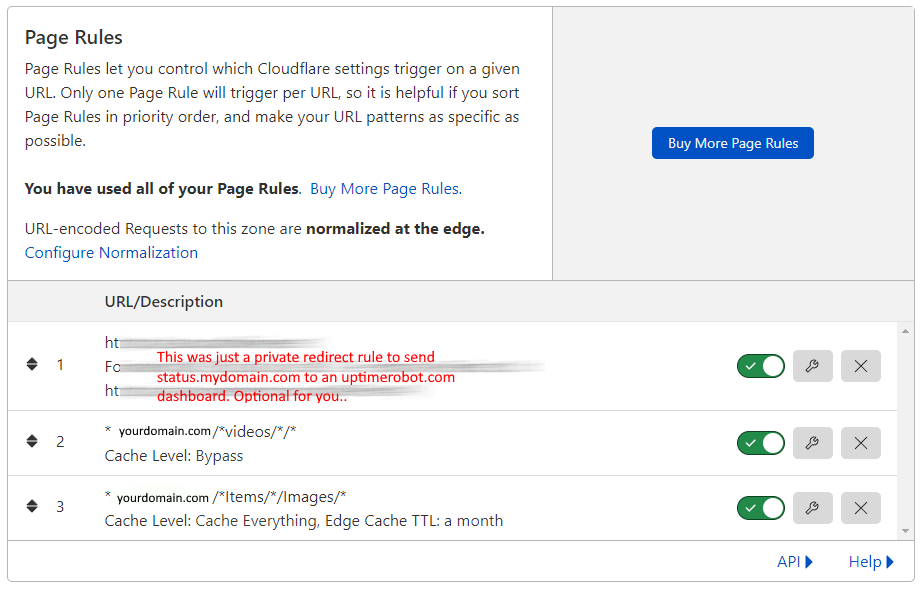
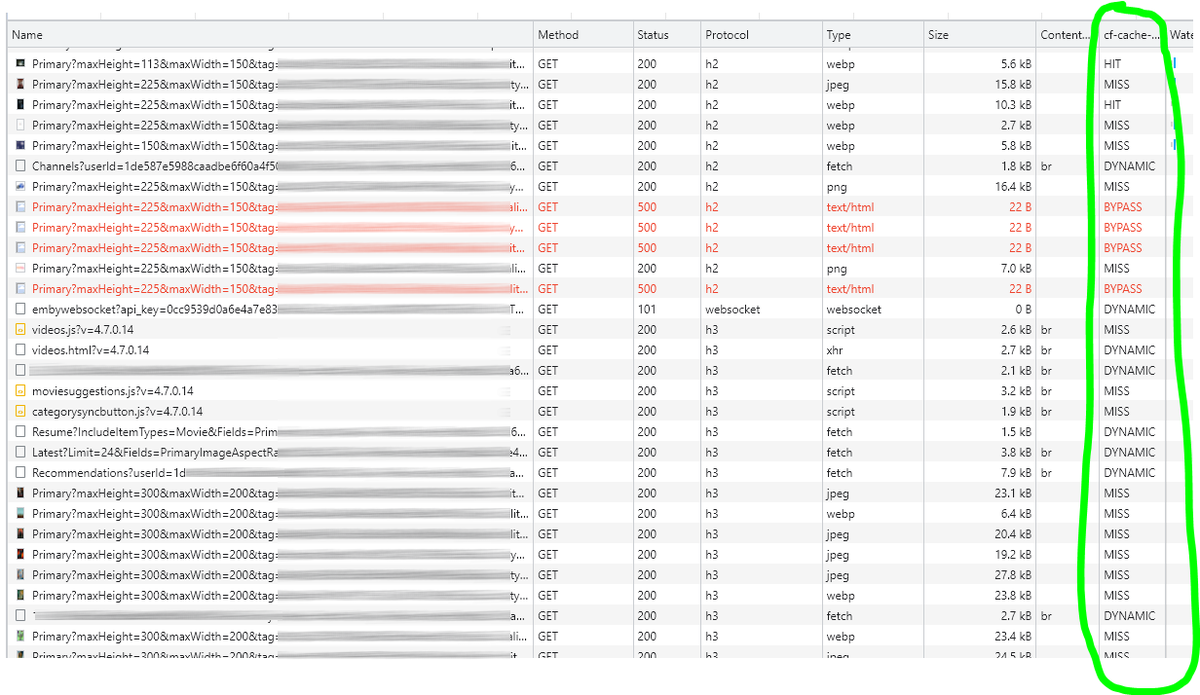
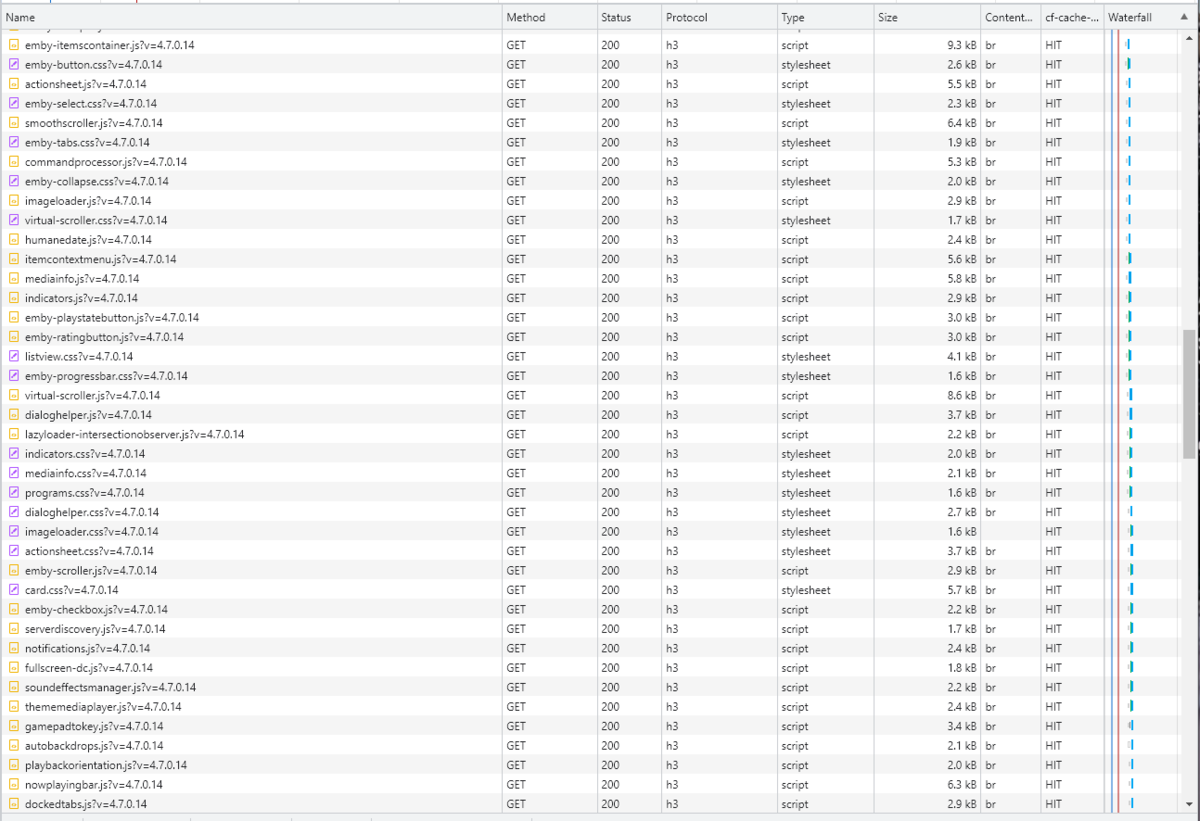
Cloudflare and emby Config Version 1.0.0 Last Update 02-25-2022 Update by Pir8Radio ** UPDATE: I AM HEARING OF EMBY USERS GETTING VIDEO FILES BLOCKED WHEN USING CLOUDFLARE (FREE TIER). IF THIS IS THE CASE, I NO LONGER RECOMMEND USING CLOUDFLARE. Even with the cache bypass rules, your video still passes through their system and is technically against their TOS. Use CloudFlare at your own risk if you choose to continue. I'll update if I get more info. Please post in this thread if you find you have video loading/playing/downloading issues while using cloudflare or have received an email from them about this. MESSAGE FROM CLOUDFLARE: Free, Pro, and Business Plans serving videos or a disproportionate amount of non-HTML content can be in violation of Section 2.8 of the Self-Serve Subscription Agreement (TOS). This will turn into a full Cloudflare how-to. Others are welcome to edit this or PM me with suggestions.. However right now I'm just going to post some recommended settings for people who already have Cloudflare setup. There are a few cloudflare settings that break emby, some break it in obvious ways, some only certain apps in certain situations.. These are the settings I found that work well as of today. I'll try to maintain this post and update the header info should new features come out, or the community discovers better settings than these. As of today, these are the settings available to us in Cloudflare FREE account: First disable the two main things that will break emby, go to the "Speed" tab then "Optimization" sub-tab. DISABLE Auto Minify and Rocket Loader! (screen shots are in the recommended state) Other options on this settings page are optional to enable, I suggest enabling Brotli compression. It's a good thing. Now head over to the "Caching" tab and select the "Configuration" sub-tab. Set your Caching settings as shown below. THIS IS OPTIONAL: Other settings in this settings tab are optional to whatever you like.. I have "Always Online" enabled, its kind of a neat feature that caches as much of your emby server as it can in case your server is down, users will at least see an emby splash screen, that's usually about it.. but its something... kind of useless otherwise.. Handy if you have other websites, it will totally cache normal html websites and users can continue to use your cached site when you have a web server outage. Next head over to the "Rules" tab. Create these two rules: Rule #2 here we will bypass caching 99% of all video. Caching the video will actually slow down the client experience. It screws with the chunks and often times has to fully cache 1 chunk before cloudflare sends it to the client, causing playback delays. Rule #3 here will cache all images on the edge servers for 30 days. We need this rule, because cloudflare only caches known file urls, like picture.jpg or poster.png emby serves up webp images with NO EXTENSION so cloudflare doesn't know to cache these items. But 99% of emby images come from the /items/XXXXXX/images directory so we will just force cache everything that comes from this URL, it should be only images. Keep in mind when you enable this it can take some time to build up cache.. emby serves up different sized images based on browser screen size, apps, etc.. so if you load a page that is minimized to a small window on your desktop emby will serve smaller sized images, if you make your browser full screen, now emby will serve up larger images and those images may load slow the first few times until they get cached too. Go below this screenshot and I'll show you how to check if caching is working. Check to see if Cloudflare Caching is working Well, how do you know Cloudflare is doing its thang'? Use a browser like chrome, or the new Microsoft edge (which is just a rebranded chrome). Open the browser, right click in the browser window and go down to "Inspect" (there is an F key for this too I forget what it is, I should add that here lol). Once the dev window pops up adjust it so you have a good view on the right, click the "Network" tab, hit the reload button on whatever page you are on so some info populates on the right dev screen. You should see something similar to this: Right click on the table header (Name, Method, Status, Protocol) anywhere, just right click the "Name" one. Go down to "Response Headers" then "Manage Header Columns". A little window will pop up hit "Add custom header..." and then add this header: cf-cache-status Now select the little sub tab that says "all" now surf your way to your emby server, and you should see something like the below screenshot. Hit is well..... a hit! this image came from cloudflare and was never requested from your emby server, saving you from sending this image to the client, saving time and bandwidth. MISS is also kind of obvious, it was a miss, either due to never being cached yet (first time Cloudflare has seen this image or document) if you hit refresh a few times, cloudflare will then cache it and it will turn to HIT. BYPASS I'm actually not sure why my server is returning server 500 errors below, this image is being called for by emby clients but the server has no image to serve, but usually you should only see BYPASS on playing video's if your rules above are correct. Or in my case, a server error will not be cached. DYNAMIC this is also a NO HIT response.. this is usually due to Cloudflare knowing this resource changes a lot and doesn't want to cache it so your clients don't get served stale data, or its a video, websocket, or some other format Cloudfare's great automated intelligence deems it should not be cached. That is the basics that will save you a lot of headache and blaming emby for things not working.. There are lots of cool options to enable outside of these basic settings above, ask questions here, send ideas that maybe I have missed that work great for you.. I just wanted to throw this up due to a lot more of you guys using Cloudflare. In the end you should start to see more "HIT" responses... and a noticeably faster loading time for the clients, less bandwidth usage for your emby server, and everyone is happy.. Well..... within reason....




 1 point
 -
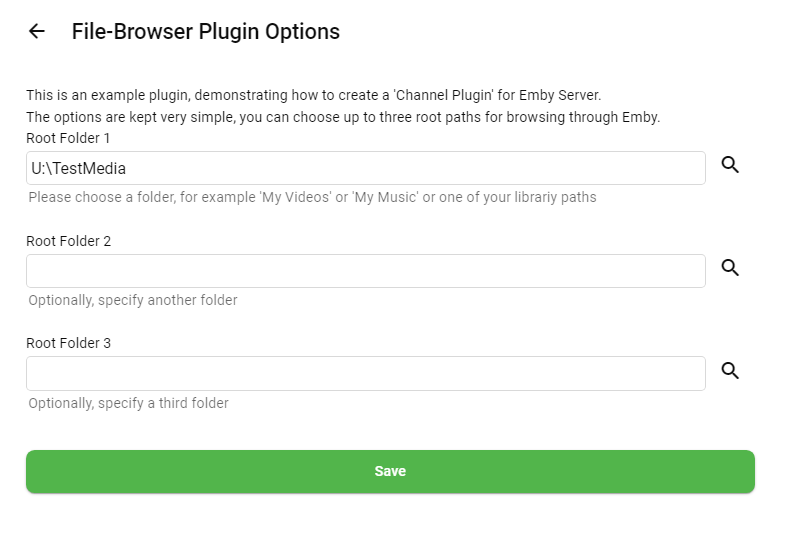
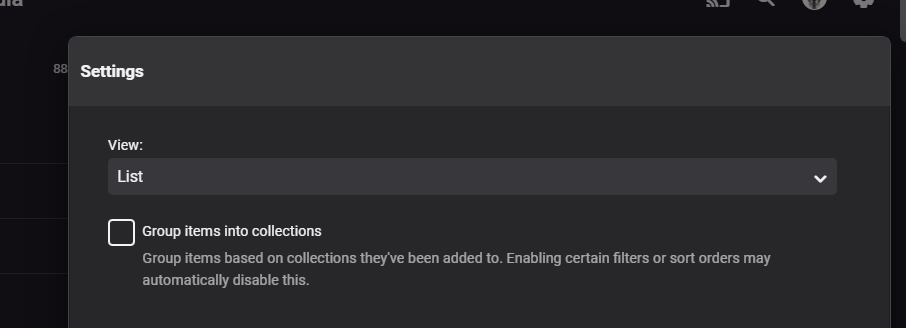
Hi, this is a preview for a new Channel Plugin Example - including source code of course: ChannelPluginFileBrowser.zip It will eventually be included in the Emby SDK (https://dev.emby.media/home/sdk/index.html) What does it do? Usually, channel plugins are used for integrating some remote content. To keep it minimal and focused, this sample does something different, though: It allows you to "browse" your local file system and also playback audio and video files. How does it work? After installing, go to plugins and click the "File Browser Plugin". You will see this: Next Step After saving, run the task "Refresh Internet Channels". Then you will see a "File Browser" in Emby and you can browse down all the hierarchy of the folders you have chosen. It makes sense to choose "List" as view type. I hope it might be helpful to some of you. Please let me know when you find any issues as this was done in 1.5h only.

 1 point
 -
I would like the ability to disable the camera upload feature, both per-user and globally. It seems odd to me that that isn't already there as far as I can find... Sure I could just not use it, but that depends on trust that your other users wont decide to enable it, as the only on/off is in each users personal preferences.1 point
-
Ok, though these have been mentioned (some requests go back to 2017), I wanted to put a selection of my personal desires into the mix. For these (and as a little incentive) I am happy to make a nice donation in the hope of them appearing This is a genuine offer. 1) Music In an artist view, separate Album/Single/Soundtrack/Etc in the same way as Disc 1/Disc 2 is shown in an albums view. 2) Music Build a list of "recommended" or "popular" tracks to show, making it easier for find the hits in artists with lots of albums. 3) Links & Media Info A per-user setting to hide these two elements from display. These are great for the admin looking to resolve issues, but clutter the nice UI for a regular viewer. Also, showing the media path is not nice. I know CSS can be leveraged to do this on the web player, but it would be far better to migrate to apps also. 4) Cast & Crew When searching for the matching artist/actor, purge the ()'s from the name. Many sources (IMDB etc) will often append the role in brackets, ie. "Jessica Tandy (Faye Riley)". This is nice to put a person to a role in the film/series, but breaks the match for the actors data. 5) Argh.... with all this typing, its gone from my head for now.... and i know it was the main one lol. oh well, when it pops back into this little brain of mine, i will add it. Please, don't get me wrong, Loving Emby. I was a lifetime Plex user and decided to dip my toe a few days ago into Emby's waters. I am very glad I did and on the first day, after only trying it for an hour or so, i purchased lifetime with you guys as well.1 point
-
Thanks Luke, You are helpful as usual. I am new to Linux, and also a gamer. I have so much "fun" getting those 2 things to work together So this docker thing was nothing compared to that1 point
-
I must say that VTV is a really awesome idea. Love it1 point
-
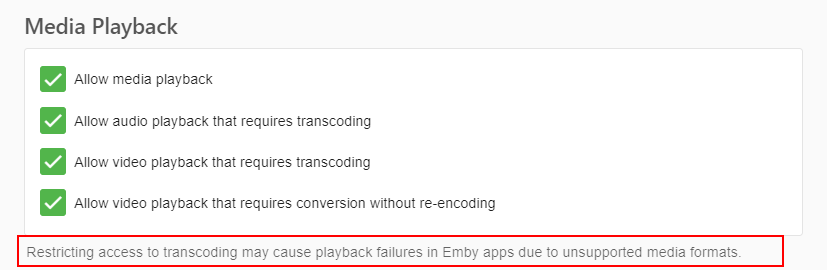
Hi, if you're new to Linux, why not start with our native Debian package? Anyway, I think your issue in Firefox is this:
 1 point
 -
Caddy is fine - no need to consider changing to nginx just because the first responders are nginx afficionados! (Equally, I have no reason to suggest they change just because I use Caddy either!) Paul1 point
-
Ok, I can confirm that DTS passthrough did work with that version I had one minute to verify since I dont have Premiere, but that was enough time to check that my AVR indicated DTS audio. Btw I didnt find any settings for DTS-passthrough, guess theyre not needed anymore? Hope you will be able to release a new version of the app for Android-TV soon!1 point
-
We can definitely soup it up a bit with the series logo, name of the next episode, etc.1 point
-
Wanted to echo this problem and share some additional information. I am running the most recent emby theater app on an xbox one x. I often get brutal stuttering when starting playback. However, it is far more likely when the resolution of the content is at least 1080p. 720p and below, no stuttering. Additionally, I have found I can resolve the stuttering by fast-forwarding 10s and then jumping back 10s, often doing that 2-4x over and over, and then when I return to the beginning, the stuttering has resolved. This suggested to me it was a buffering issue, however merely pausing instead of jumping back and forth does not have the same success rate in resolving the stuttering. Finally, I have noticed the Plex app often has a much much smaller, but still noticeable minor audio stutter at the beginning of playback, making me wonder if part of the issue is how the xbox handles buffering/streaming more generally.1 point
-
Well I have to admit after seeing your screenshot, that I would probably like this better. Thanks for the example and I'll be sure to +1 this.1 point
-
It doesn't - it just serves you pre-encoded media with lower bitrate than your connection can handle, they don't transcode in real time. Maybe this can shed some light how they do it:1 point
-
the UHD770 will have AV1 decode, h265 10bit etc - the 960 will have none or limited feature sets for this... and all at a fraction of the power .. It's not really a fair comparison - the 960 was release in 2015, the UHD was released in 2021/221 point
-
@Darkseidd Thanks for the log. I have reproduced something similar to what you have described there. I need to investigate a bit further.1 point
-
I also encountered the same problem, but I clicked forgot password, and after resetting the password and logging in again, my account came back.1 point
-
Thanks for the replies. I prefer having the thumbnail so I will hope for a control setting soon!1 point
-
Forcing the Native player fixed it so that it does play the next episode correctly, but I'd prefer it to auto back out to the list when I have 'play next' turned off.1 point
-
You'll have to re-link your Connect account due to recent issues which are applicable to the "Member" group/inactive accounts you're falling into: login with your local user, edit desired user, clear "(Optional) Emby Connect e-mail address" field, save, re-enter email address, save again.1 point
-
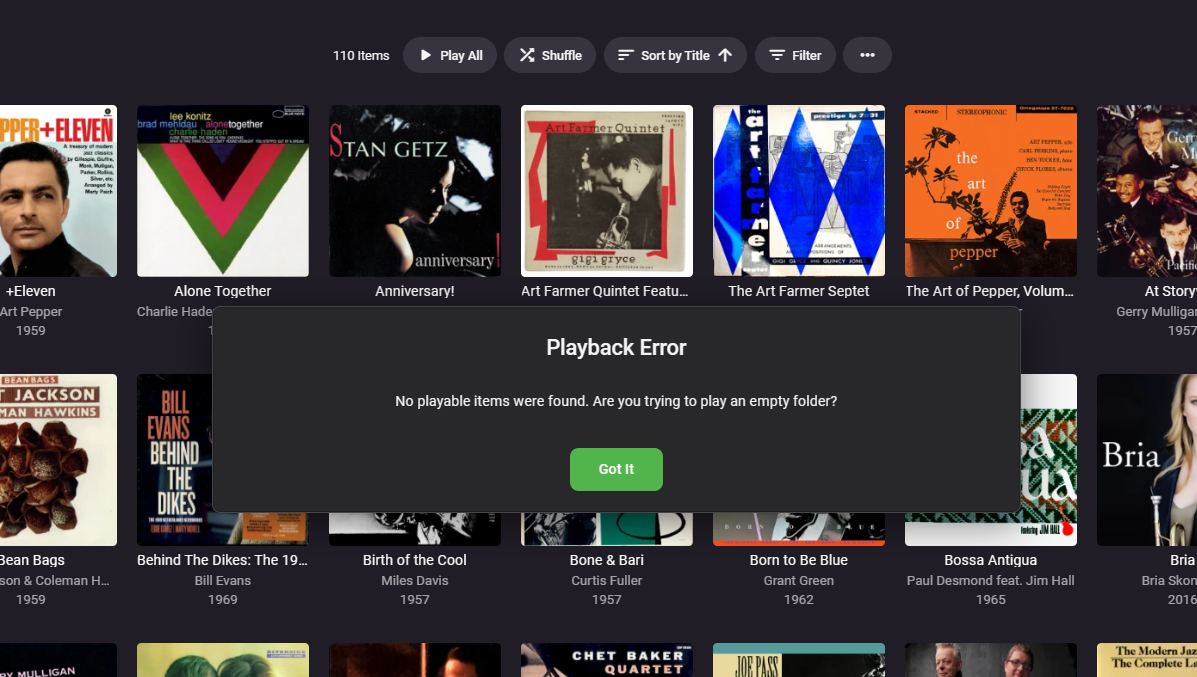
Hi, When I try to shuffle content under a tag I receive the following error. As you can see there is lots of content under this tag. Thanks -vicpa
 1 point
 -
They were unable to get the USB install to work (not sure of the details) and decided to use a gaming console version of the app instead. Thanks for response.1 point
-
hi. purchased top picks. user engagement seems weird but i can see @chefis on it now to my issue. since the trial until now, ive been having this issue that, i have no idea how to explain it. please look at video as below. 1. for tv shows, i can click it and will being me to the show 2. for movie, when i click..nothing happens. and if i let it long enough, gonna crash my portainer and omv6. https://imgur.com/a/btAhly2 please advise!1 point
-
Even when I had a device it won't work with the DVB signals I have available, but a VPN setup might help. I'll let you know when I get to it.1 point
-
Unplugged ethernet cable, restarted machine, started Emby server and launched ET Desktop without issue.1 point
-
Thanks for the update and hard work on a great product!1 point
-
When the video file has multiple audio tracks, there should be a music note icon next to (or in the same area as) the CC/subtitles icon.1 point
-
By far the easiest way to receive notifications is as @GrimReaper pointed out, using the notification system already in Emby, and no it doesn't mean you need to have Emby installed on every device - the notification is pushed to your app of choice Join, Pushover, Pushbullet, etc - these are universal apps designed to receive notifications from many systems and much much more. If you are really adamant on only receiving notifications via the Home Assistant app, then this is not native functionality and you will need to configure something custom. Your best bet would be to use Emby's Webhook functionality to target HA and run an automation from that. I haven't played with it, but I may be able to take a look when I get some time. I'll reply in the other HA related thread you posted in.1 point
-
It should be improved in the upcoming 4.8 server release. Thanks.1 point
-
@msauveDoes it only happen with subtitles? But appears to be with scaling and graphical subs. 00:51:58.354 subtitle input filter: decoding size 0x0 00:51:58.354 Auto-inserting subfeed filter 00:51:58.354 Auto-inserting graphicsub2video filter 00:51:58.357 [swscaler @ 0x808273180] 416x30 -> 0x0 is invalid scaling dimension 00:51:58.357 Cannot initialize the conversion context. dstW=0 dstH=0 00:51:58.357 Error while filtering: Invalid argument 00:51:58.357 Failed to inject frame into filter network: Invalid argument 00:51:58.357 Error while processing the decoded data for stream #0:2 00:51:58.358 Conversion failed! Devs will have to comment further on the scaling issue.1 point
-
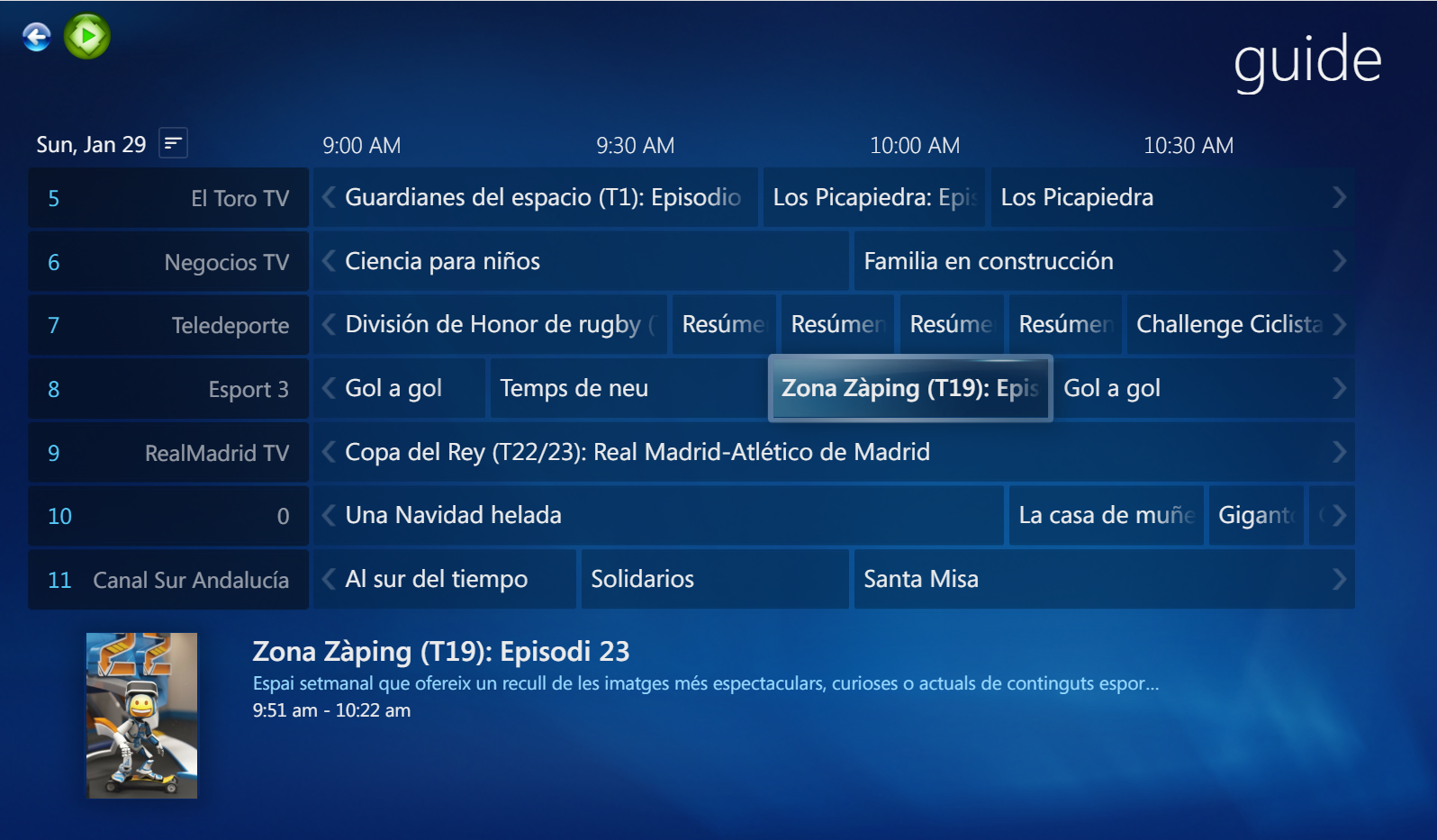
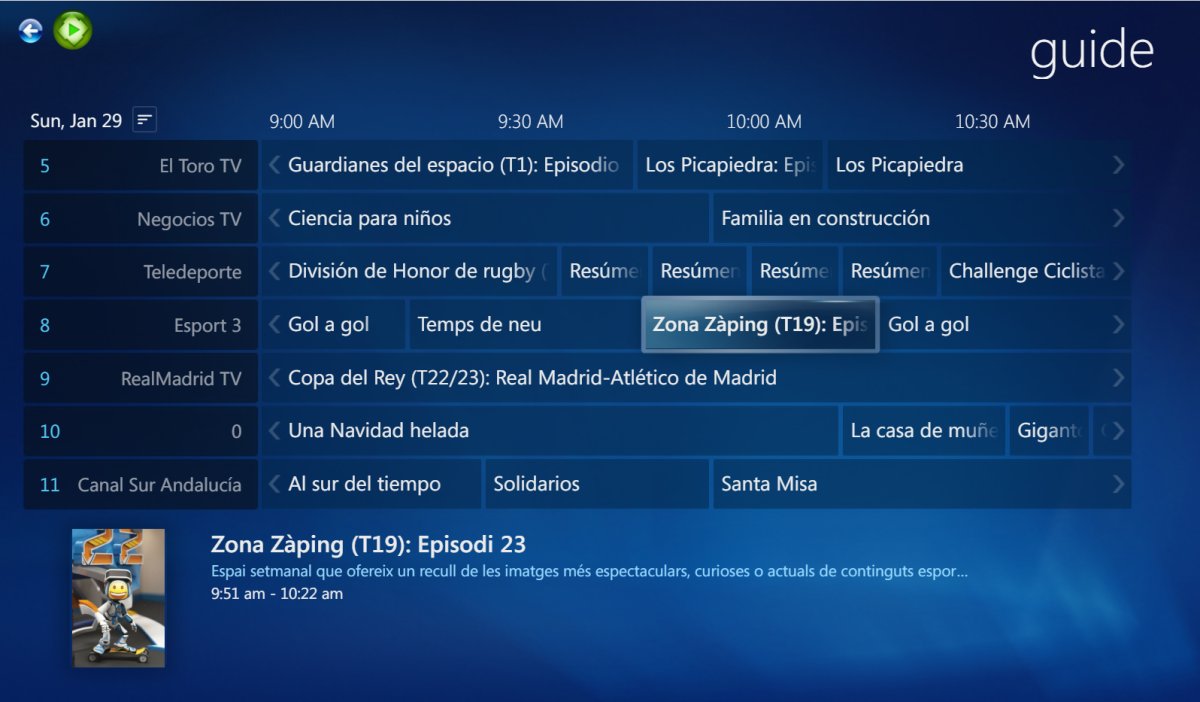
This time, I was able to finalize the guide/EPG view: I will post a video tomorrow.
 1 point
 -
Well, I managed to fix this! I was actually looking into why my computer was slow in shutting down, and at the point running a report found that the following services were not running (and giving an error when started): * Peer Name Resolution Protocol * Peer Networking Grouping The following solutions fixed this: https://www.majorgeeks.com/content/page/windows_could_not_the_start_peer_networking_grouping_service_on_local_computer.html https://answers.microsoft.com/en-us/windows/forum/all/windows-could-not-start-the-peer-name-resolution/c50b8931-7c59-e011-8dfc-68b599b31bf5 In summary: 1. In C:\ProgramData\Microsoft\Crypto\RSA, rename the folder MachineKeys to MachineKeys.old, then create a new folder MachineKeys, then right-click, Properties > Security, select Everyone, set to Full Control. 2. In C:\Windows\ServiceProfiles\LocalService\AppData\Roaming\PeerNetworking, rename idstore.sst to idstore.sst.OLD, then reboot. I figured this had something to do with my networking issues, so tried Emby after this, and now I can play music to my wifi speaker (Audio Pro C5A). Now I would just love it if I could play to multiple speakers simultaneously! P.1 point
-
Yes, I meant internet bitrate detection. Playback hangs can have other causes than internet bandwidth and dropped frames are always an indication for a local issue rather than a bandwidth problem. But besides that - yes: there's room for improvement by looking at the player's state (whether it's buffering/waiting for data). It's not that easy, though, because there could also be just a temporary congestion or short interruption. When the client would try to do something, it would need to stop playback and resume with a different bitrate. When it does that within that outage period, it might make things worse. But at least when it's a permanent condition, we should be able to improve the experience. Also - @Luke do we still have the assumption of double bitrate from HEVC to H264? That's way too steep and doesn't match reality. I would go with 1.5 at most.1 point
-
Didn't see an official feature request for this so adding it.1 point
-
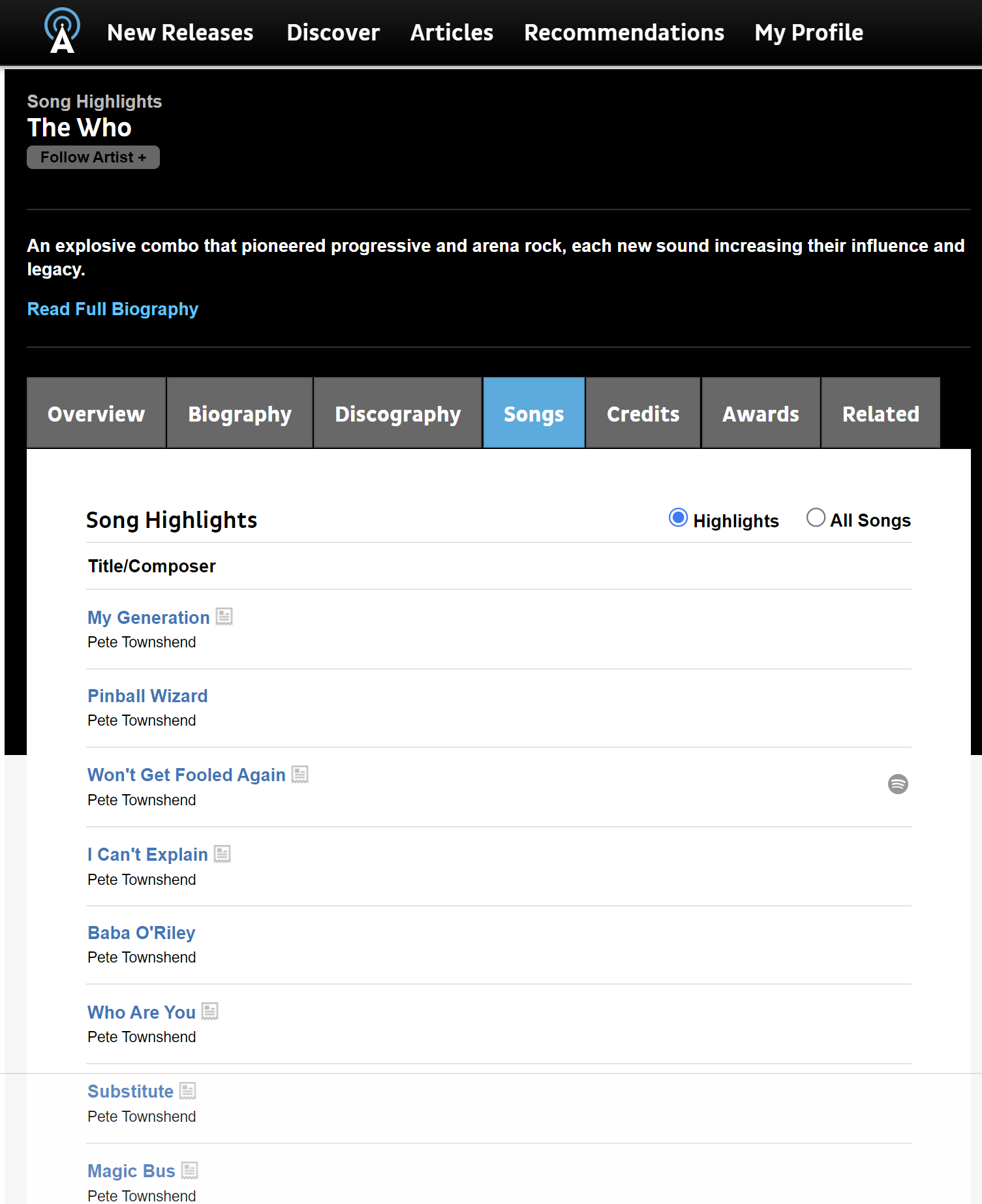
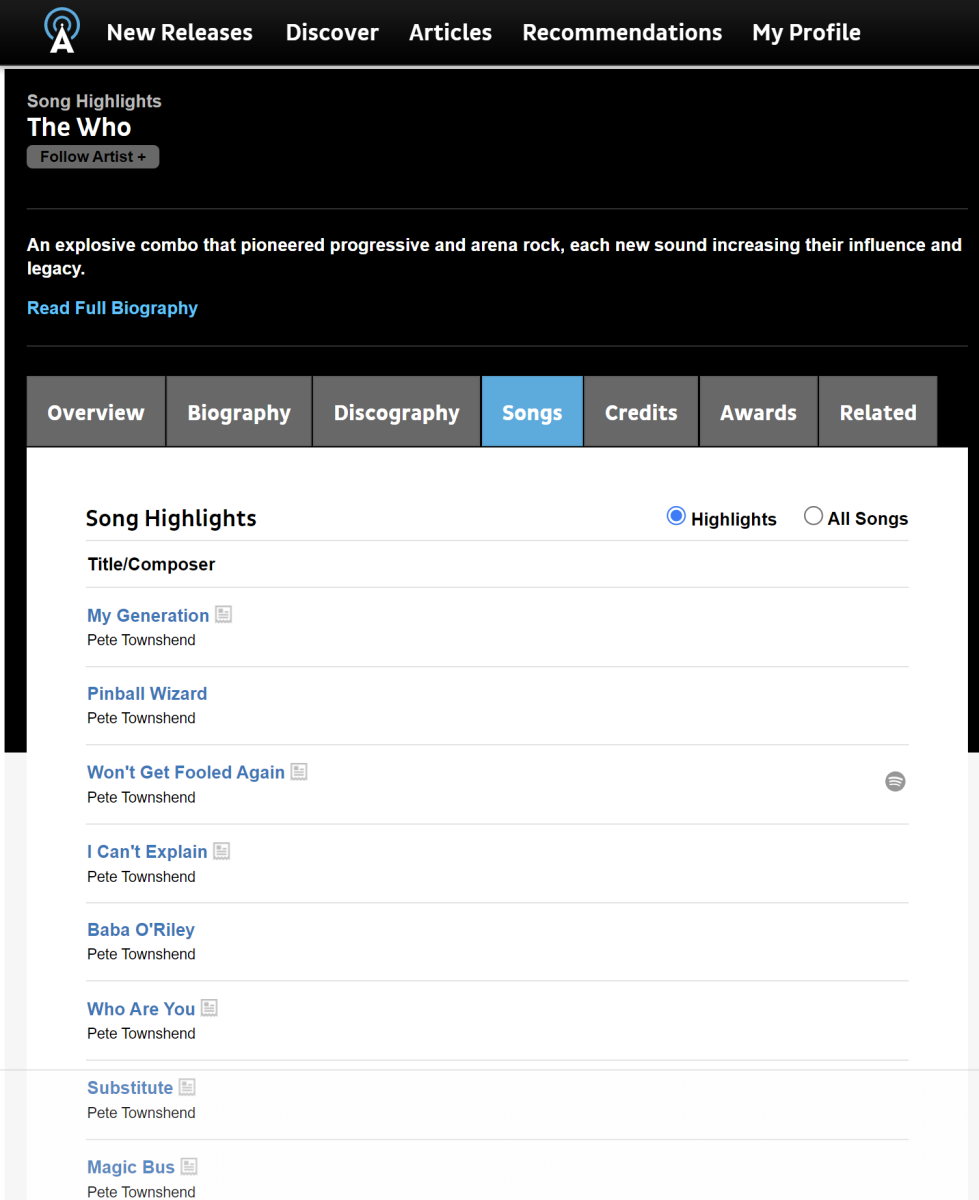
There are many online solutions. I am not sure what PLEX uses though, but, Allmusic.com generates lists with "Highlights" https://www.allmusic.com/artist/the-who-mn0000577627/songs
 1 point
 -
Hi. Development on this is currently in progress.1 point
-
They're asking for a new feature. They want to have intro skip turned on at the library level, but gain the ability to turn intro skip off for individual show(s) in that library. I would like this too.1 point
-
Issue: it's not downloading it in .srt I get.rt instead So, I have the same question1 point
-
There's a bunch of techniques I have worked out in the past which allow to enhance the experience and functionality of channel plugins. I cannot put all of this into the sample plugin as it wouldn't be a simple and useful example anymore, but when there's special interest in a certain topic I can add it to. So here's a list: How to update your channel without running the schedules task (which updates all channel plugins) How to update only a partial subtree of your channel items How to change the images of your root folders with a custom ImageProvider How to generate collage images for channel folders (like Emby does for libaries) with a custom CollageImageProvider How to work with Metadata for Channel Items How to achieve series/season/episode grouping with channel items How to provide ThemeVideos and ThemeSounds for channel items How to provide data for item fields which are not included in ChannelItemInfo How to provide MediaSource information for channel items with a custom MediaSourceProvider (currently, Emby just takes the 'Path' and ignores everything else you specify in the ChannelItemInfo) How to lock item properties from being overwritten by Emby (there's an unresolved bug in Emby Server which causes many the item fields to be overwritten on first playback)1 point
-
Klar - einfach als "Poster.jpg" abspeichern1 point
-
Hi dgrigo, Thanks for you info regarding that. It was different settings in my Bluefin setup that was wrong, that's why I couldn't access my existing Emby server (permissions, kubernetes, SMB, etc..). There is a lot of changes in the Bluefin version and it seems there is still issues to be solved, so even I'm running well at the moment, Emby is running very well, with all access, permissions and so on, I think it's still too early to post my Emby setup here and to say "this is how it have to be made". Already next month there will be a new Bluefin update, so let's see. Cheers1 point
-
How would this work with the auto-boxset collections? It wouldn't be able to put a multi-cut collection into the auto-collection, would it? Would we end up with multiple instances of the same movie listed in the auto collection? This would also create a requirement for 'group item into collections' to be active to present the cuts as one item in grid/list views. I prefer the single movie UI presentation for multi-cuts because it's a better metaphor for the reality of these cuts in most cases. It's also in line with the metadata providers. Different cuts of these movies are all the same movie. Personally, I don't need or want a completely separate item for my three versions of Kingdom of Heaven. They're all Kingdom of Heaven. I'm getting more and more tempted to move my alternate cuts into extras. I probably would have done that in the first place if I was aware that using the multi-version feature with multi-cuts as described in the docs was not fully supported and actually not recommended by the Emby team.1 point
-
I would strongly suggest that multiple editions of a movie not show up as separate items in the library, but rather a singular item from when the edition can be selected. Libraries with a large amount of multi edition movies could look very sloppy. At the very least, give the user the option to show multi-edition movies as separate or grouped items.1 point
-
Ok as I finished installing and was trying to find out what I am doing wrong, the Install on scale and reading contradicted info, I have to say this to help anyone who want to Install it and save some time. There is no emby user and don't try to make one, all is simple as Emby install on kubernetes use the internal user bin. So for the library , make a dataset and then for it change permissions and give them to bin user, and bin group. all your media files must go under that dataset. for the emby login choose whatever login you want, internally its using bin, that way you have full permissions on the dataset. I like to install programs into separate directories so under the root dataset make an emby directory before you install it. so its like this : main storage/emby directory not an emby dataset and main storage/library dataset. on the environment as you install it , you have to write application name emby, networking don't click host network , just the port 9096 on Storage , you have to point to the directory you made for emby program ,so click on Enable Host Path for Emby Server Config Volume and point to main storage emby. on the Configure Emby Server Extra Host Path Volumes and point to the dataset that you made for your library. that's main Storage/library or media or whatever you had choose. don't click read only for that. on update strategy select kill pods before creating new ones. on GPU Configuration choose how many you want, you can change anytime the config in kubernetes , So thats it, start install and enjoy hasle free instalation, from then on copy your media, and you are set. Enjoy1 point
-
Got to the bottom of it. Some of these shows had a conflicting "folder.jpg" image inside overriding the "poster.jpg" emby downloads. i simply deleted the folder.jpg files which must've been remnant files from older days. thanks! to all who tried to help. it was driving me insane.1 point