Leaderboard




Popular Content
Showing content with the highest reputation on 01/23/23 in all areas
-
Therein lies your issue: your movie library is J:\ - can't have library with folder that is subset of another library. Hence your Dexter items are being queried as movies: 2023-01-23 09:28:38.528 Info HttpClient: GET https://api4.thetvdb.com/v4/search?type=movie&q=Dexter, New Blood - s01e01 - Cold Snap Transfer all your movies to J:\Movies and put that as Movie library path. Leave TV shows library as J:\TV. Rescan and everything will sort itself out.2 points
-
Hi all, I'm the proud owner of a new LG OLED which looks asbolutely stunning. Since I do plan to keep using it for quite long I am quite concerned about burn-in. I have all the built-in protection enabled but when watching HDR content on emby the subtitles are always blinding me at full brightness. The OLED of my friend already had burn-in there after two years. Therefore it would be pretty cool if I could sett the subtiltes to be a bit dimmer when watching HDR content. Thanks for the awesome app!1 point
-
Please add a setting for subtitle opacity, as it looks so much better on HDR TVs. Otherwise it's much too bright and hurt your eyes.1 point
-
the same Exo updates have also been applied to the Android TV beta app1 point
-
Yup and i would hate to get involved with it. My brain would be a bowl of soup by the end. Haha anyways have a good evening and catch ya on the flip side1 point
-
It's a complex procedure where both parties have choices. Certain elements are subject to negotiation but each party also has a range of things that cannot be overruled or controlled by the other side.1 point
-
Sure, I had understood that. I'll leave this for @Luke to answer. I'm not here to argue but to understand the issue. TvMaze have extended our API for us to get more data and I'm about to update our provider. That's why wanted to find out whether something could be improved regarding person data and that's why I was asking for example names..1 point
-
Tested, no problem found. Disabled all providers on a movie library, the nfo provider was still used when refreshing metadata for a movie.1 point
-
There are 2 threads going here 1. An issue running metadata readers. (so cross talk about a metadata reader is now in this thread) 2. A small thing where tvmaze was not getting some id's. We'll agree to dissagree here. Im not going to argue about it. Answering point 2, As I posted in the top of the plugin information *A Caveat - it is possible that the wrong actor with the same name can be identified as correct* Technically you shouldn't need this but in Tests I have found it will *help* identify people that TvMaze is obviously not telling the Emby Dev's TvMaze plugin it has in its database. There was some at the time of testing although I cannot remmber which people at this time. I agree with your statement that you should have the information available, but I dont know why I retrieved several correct people where tvmaze plugin itself didn't. Probably something to do with search engine filtering as opposed to api filtering.. I don't know. I can remove this plugin if you feel its no better - just use it myself.1 point
-
Yep! It worked. Thanks man!!1 point
-
Sure. I'll work on those logs for you.1 point
-
I believe the next beta or sometime before 4.8 is released.1 point
-
@Luke: Still stable with those three plugins uninstalled.1 point
-
That was it! I forgot, that I still had the IPTV plugin installed. I first restored the original library name back to IPTV and then removing the IPTV plugin removed the library as well. Thank you!1 point
-
Nice. i see and it worked. thanks1 point
-
Guess we understood the query differently.1 point
-
Have you enabled the intro marker detection in your TV shows library and run the task to detect the intros?1 point
-
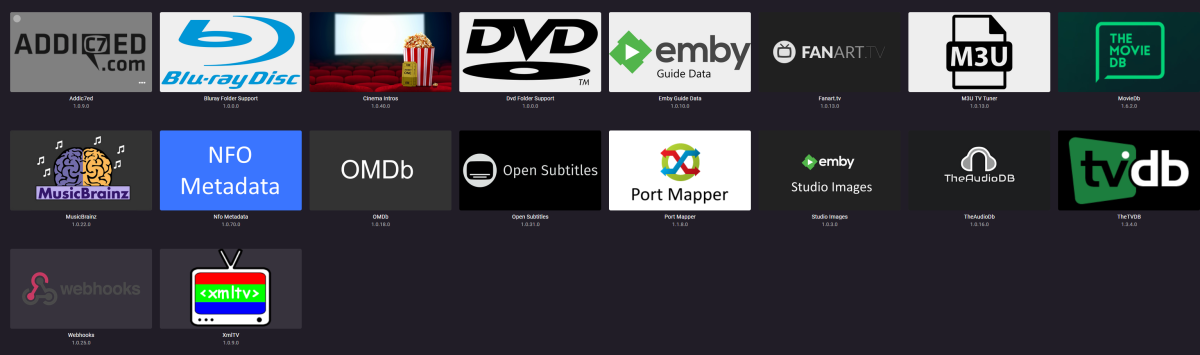
@Luke I had ran the database vacuum before with the same results, I just now increased the cache to 192MB but I am unable to test. Yesterday when I was installing another roku for my impending mother in laws visit downstairs I noticed the problem was not occurring on the new Emby user account I set up for her. I created a new account for myself and got rid of the problematic one. So whatever the issue was, it was tied in with the user data and can be considered resolved with a variant on the ole "turn it off and back on again" @speechles My Plugins are all stock except for addicted for when I was trying to improve the subtitles.
 1 point
 -
thanks! my media folder is quite large so it will take some time to fully scan ..I will post back when it completes thank you again for your help! Scott1 point
-
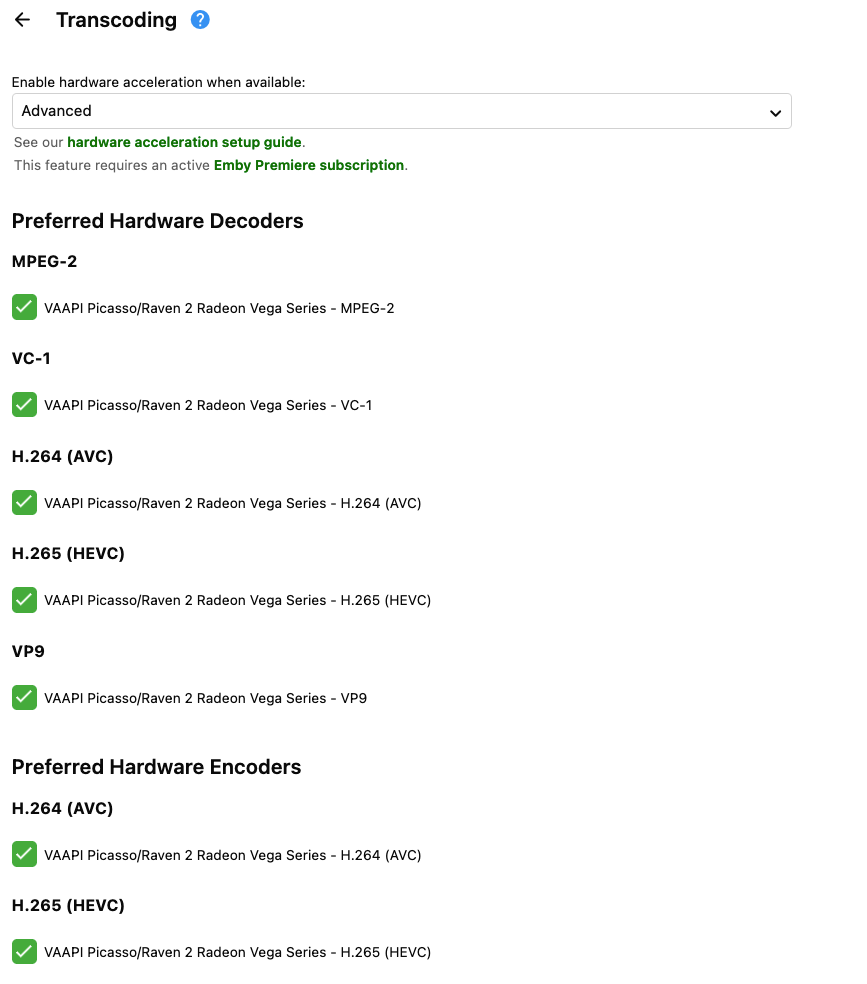
@alucryd We have a fix The encoder/decoder properly show up / # vainfo Trying display: drm libva info: VA-API version 1.17.0 libva info: Trying to open /lib/dri/radeonsi_drv_video.so libva info: Found init function __vaDriverInit_1_17 libva info: va_openDriver() returns 0 vainfo: VA-API version: 1.17 (libva 2.17.1) vainfo: Driver version: Mesa Gallium driver 22.3.3 for AMD Radeon Vega 3 Graphics (raven, LLVM 15.0.7, DRM 3.47, 5.19.17-Unraid) vainfo: Supported profile and entrypoints VAProfileMPEG2Simple : VAEntrypointVLD VAProfileMPEG2Main : VAEntrypointVLD VAProfileVC1Simple : VAEntrypointVLD VAProfileVC1Main : VAEntrypointVLD VAProfileVC1Advanced : VAEntrypointVLD VAProfileH264ConstrainedBaseline: VAEntrypointVLD VAProfileH264ConstrainedBaseline: VAEntrypointEncSlice VAProfileH264Main : VAEntrypointVLD VAProfileH264Main : VAEntrypointEncSlice VAProfileH264High : VAEntrypointVLD VAProfileH264High : VAEntrypointEncSlice VAProfileHEVCMain : VAEntrypointVLD VAProfileHEVCMain : VAEntrypointEncSlice VAProfileHEVCMain10 : VAEntrypointVLD VAProfileJPEGBaseline : VAEntrypointVLD VAProfileVP9Profile0 : VAEntrypointVLD VAProfileVP9Profile2 : VAEntrypointVLD VAProfileNone : VAEntrypointVideoProc
 1 point
 -
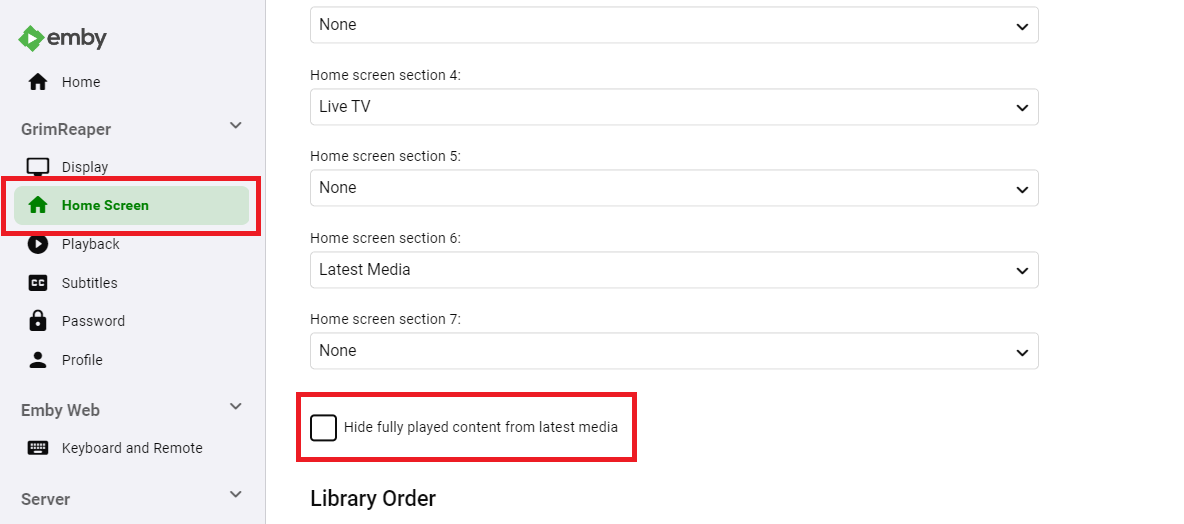
Untick Hide fully played content from latest media in your user Home Screen settings. P.S. Sharp eye there, @rbjtech.
 1 point
 -
Have you marked the entire show as watched ? The green top right icon indicating the number of episodes remaining is not there ...1 point
-
Good To know, at least i wont waste any time on it then!1 point
-
I created a quick batch file to copy and over write the folder.jpg with the poster.jpg1 point
-
No, that can't be changed. It's all hardcoded.1 point
-
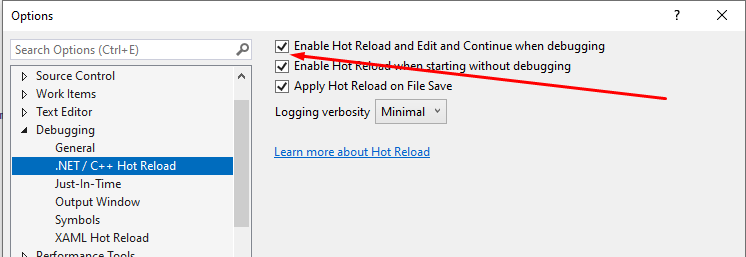
Hahaha, yeah i use that with netMaui a lot and it's such a good feature. For anyone needing to know how to enable this Click on Debug and Select Options Then ensure this is enabled... after you change any code, you can hit CTRL + S and it will hot reload your code for debugging
 1 point
 -
Yes, i believe they're resolved now. Thank you Luke.1 point
-
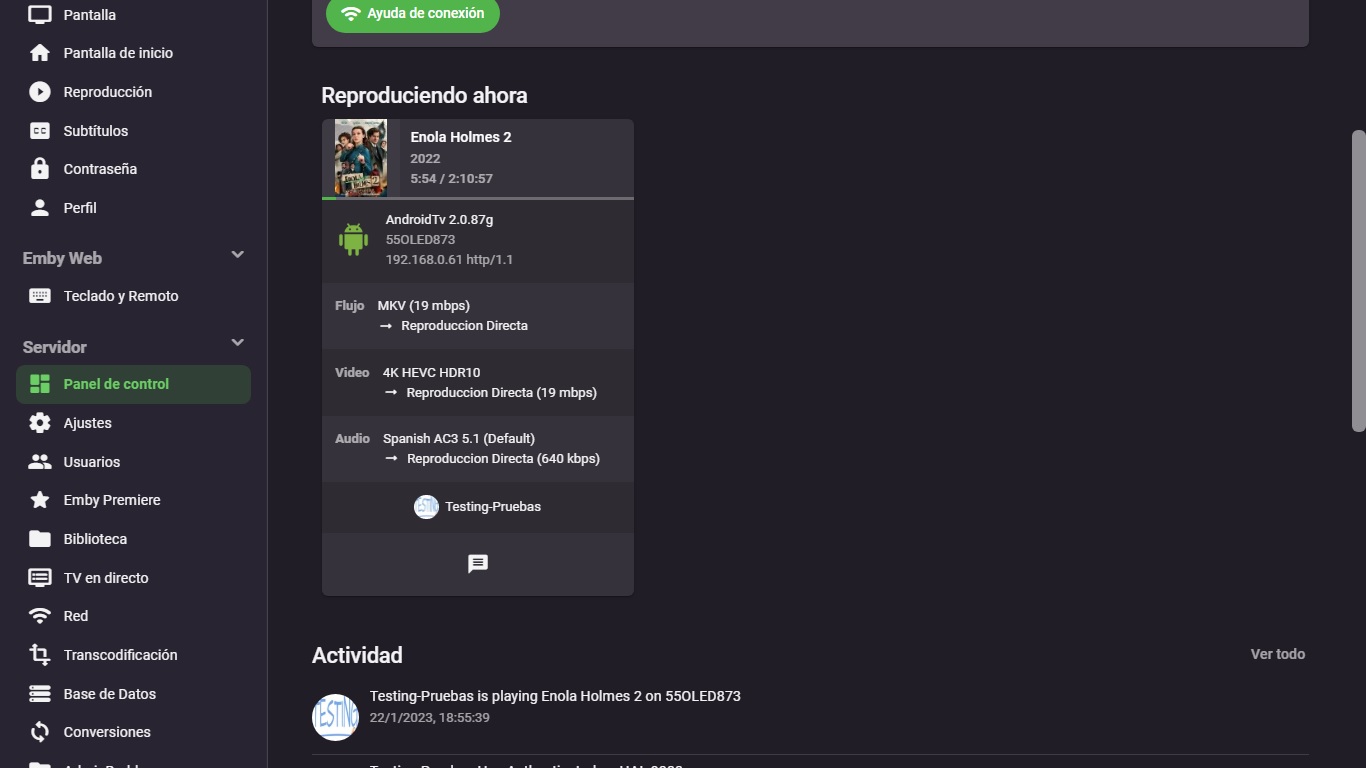
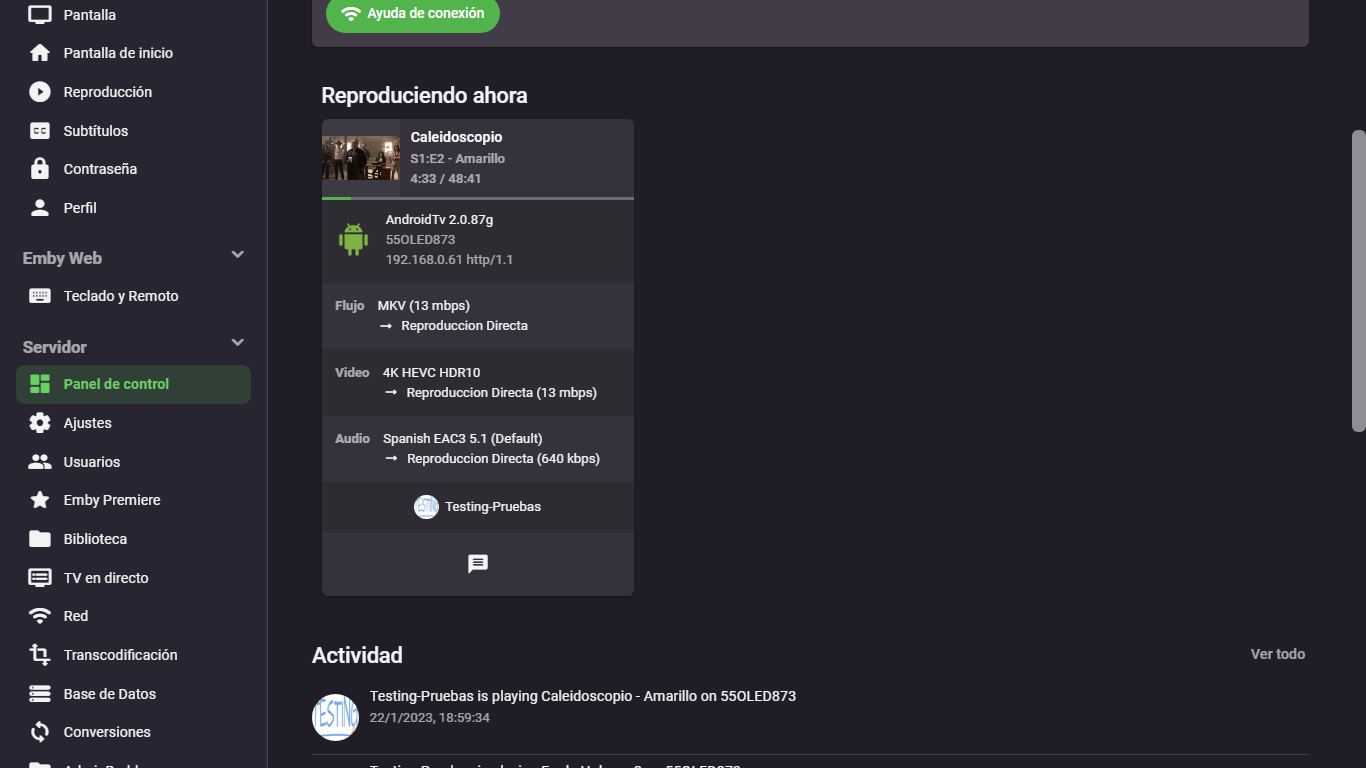
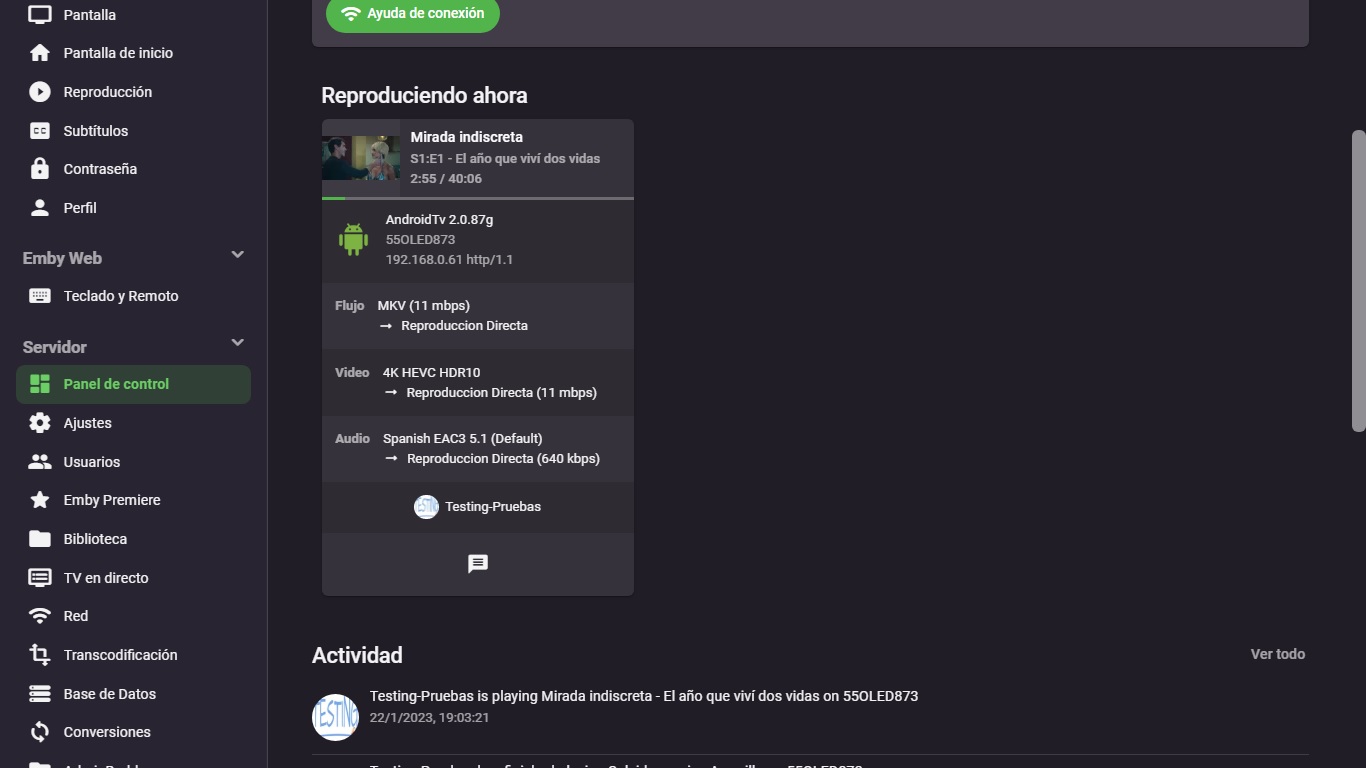
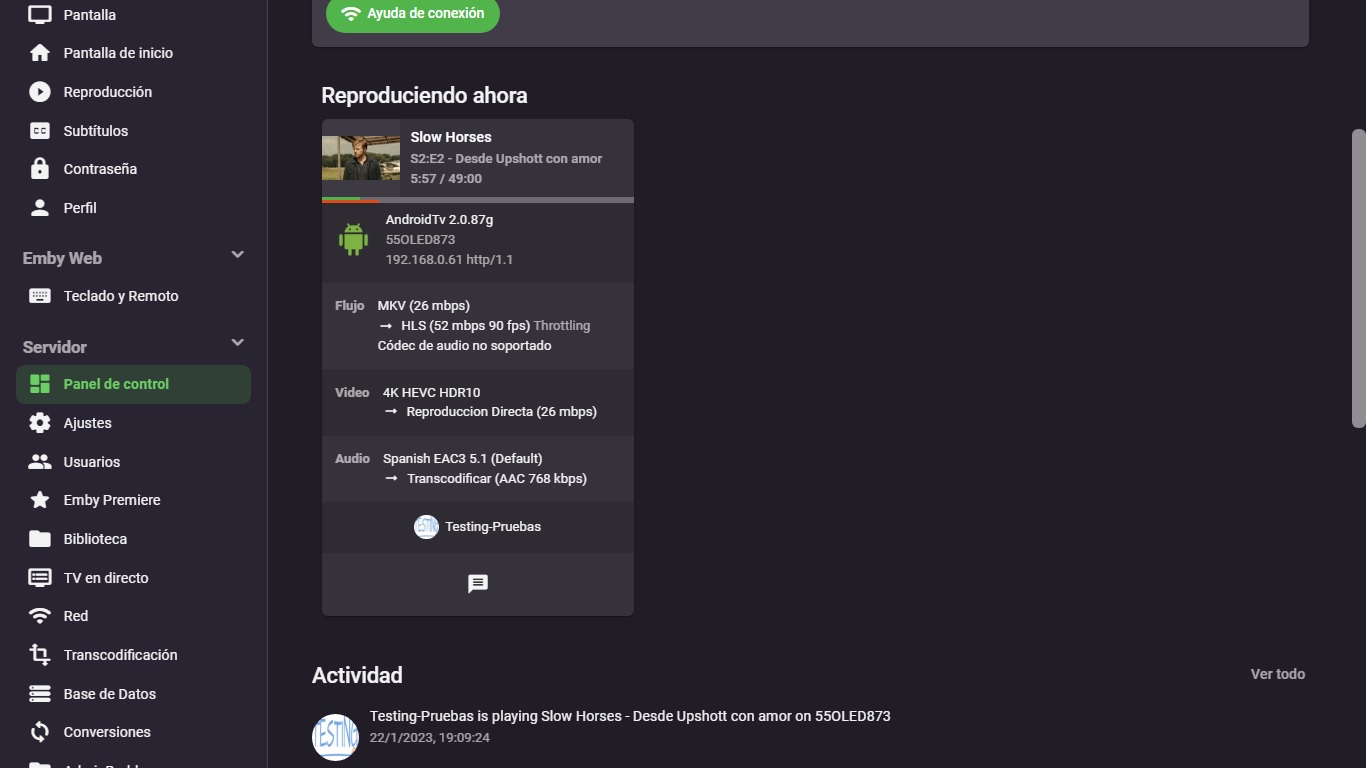
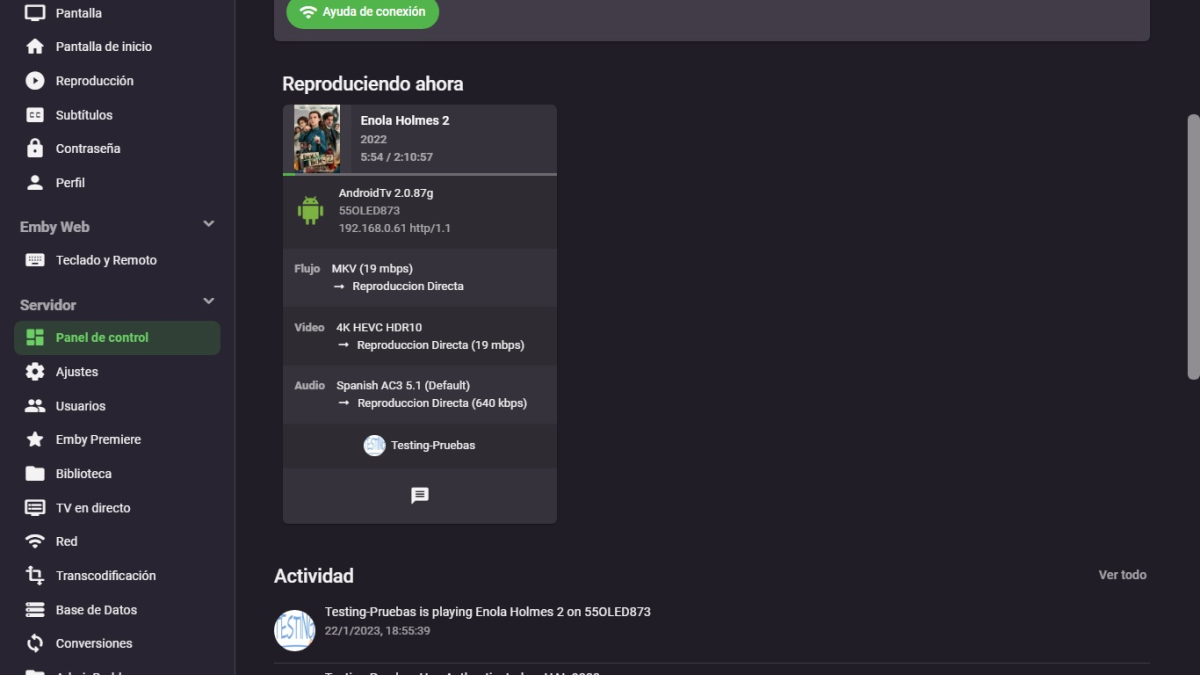
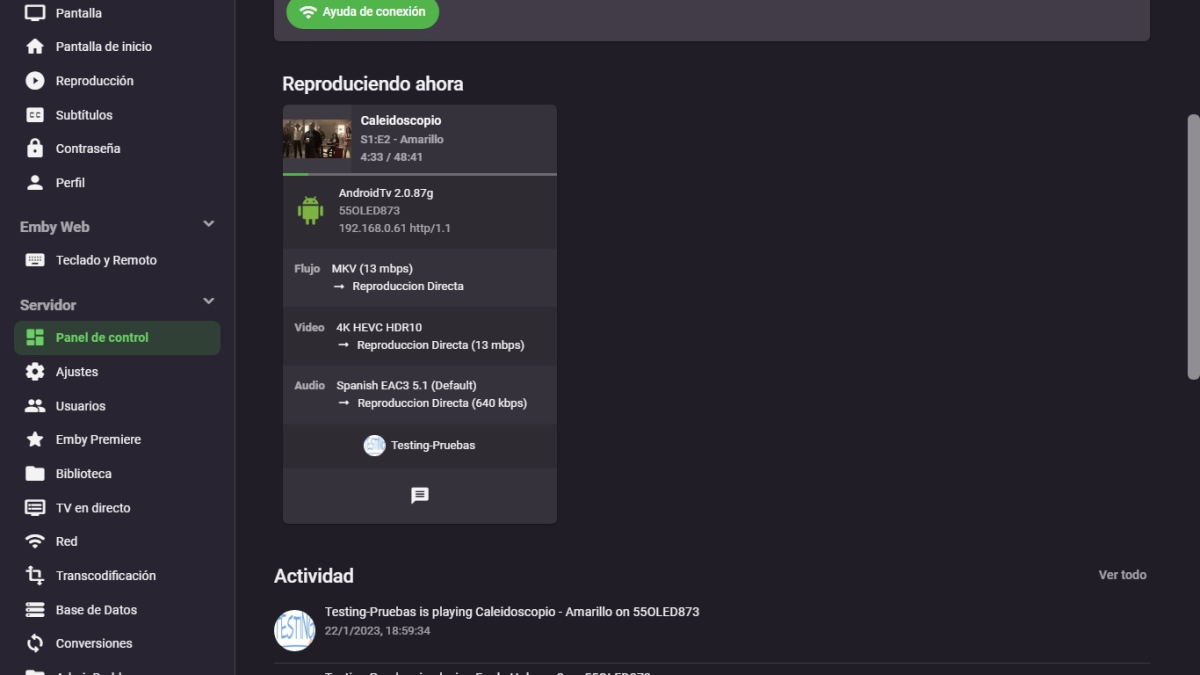
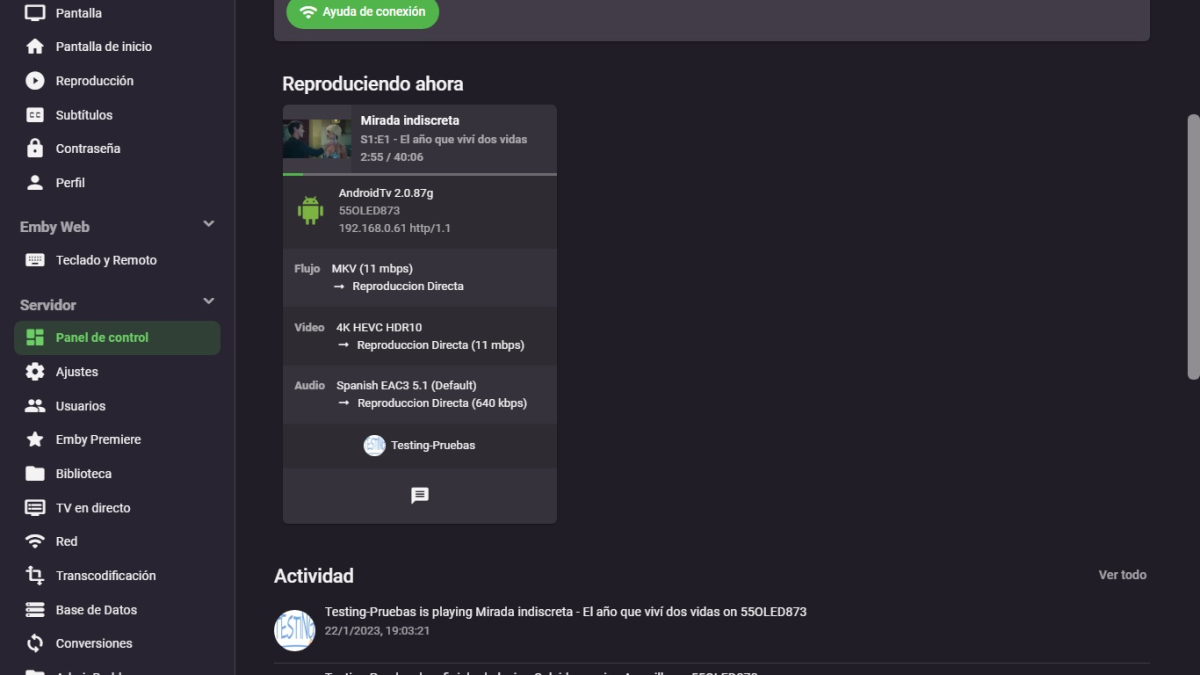
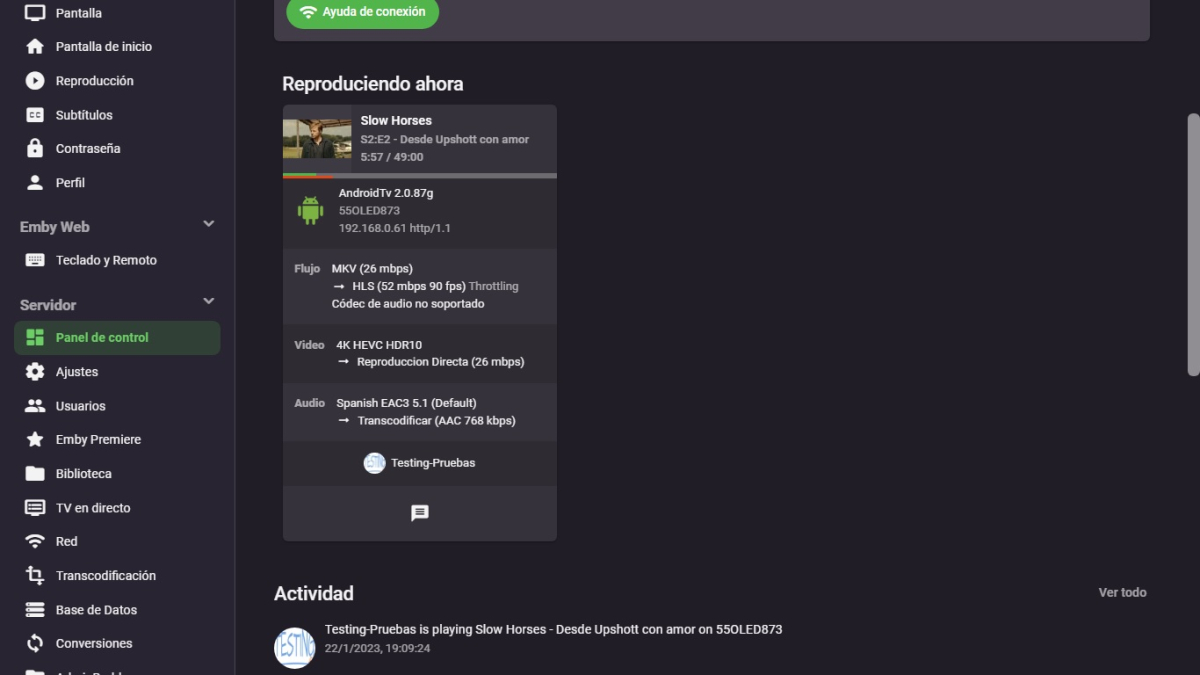
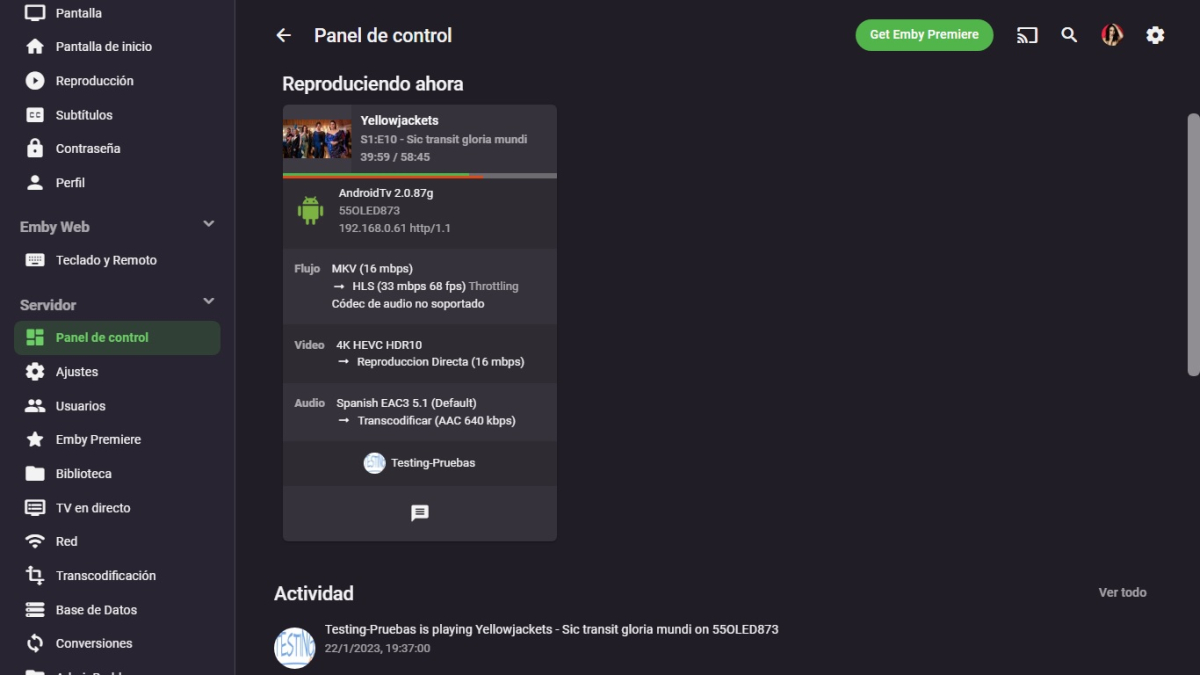
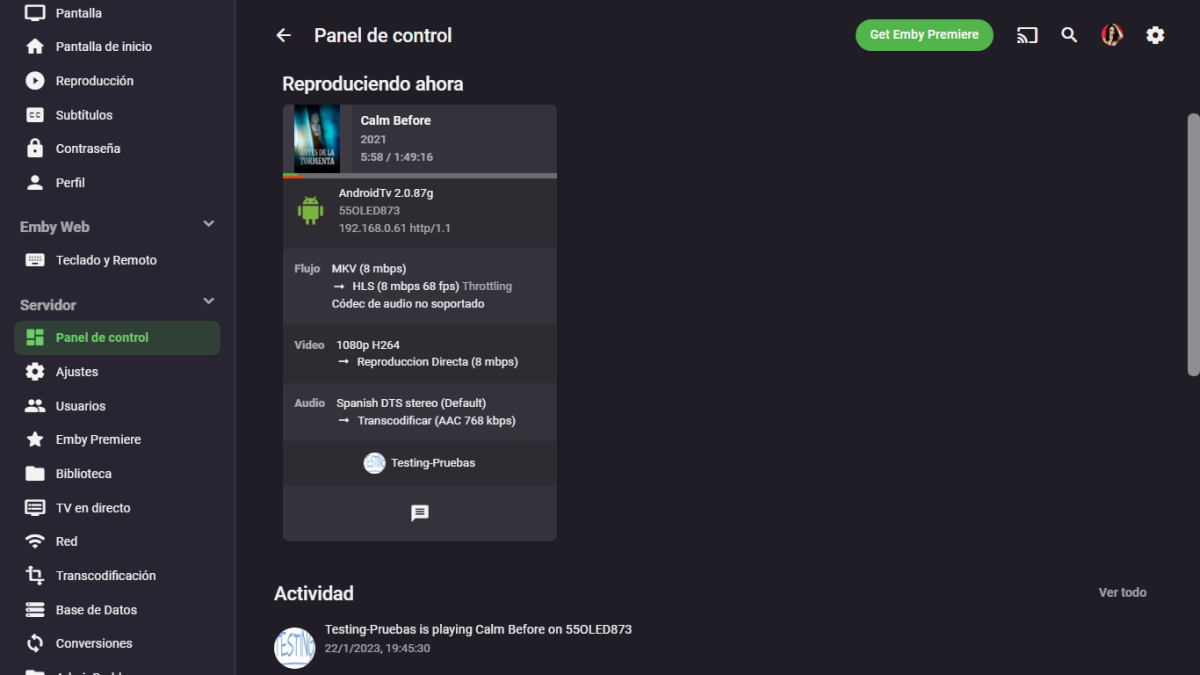
Hi, I want to notify you that the problem in playing files with DV and HDR10 from Netflix has been solved in the new Beta version 2.0.87g. Here below I am going to attach the screenshots where you can see the direct play without any transcoding and the HDR10 working without problem: But also luckily I am being able to force my Emby server to use HLS play, in the files and contents that cause constant jumps and jerks in the images, and thanks to the playback with HLS the jumps and jerks in the images are totally solved in my OLED television, in the movies and television series that come from the Apple TV + service there are always jumps and jerks but thanks to HLS they are 100% resolved. Here below I am going to attach the screenshots where you can see the HLS playback solving all the jerks and jumps in the images and so I can enjoy a totally smooth playback: I wonder how HLS playback solves the jumps and jerks in the images on my TV? Mystery... Thank you very much! Greetings
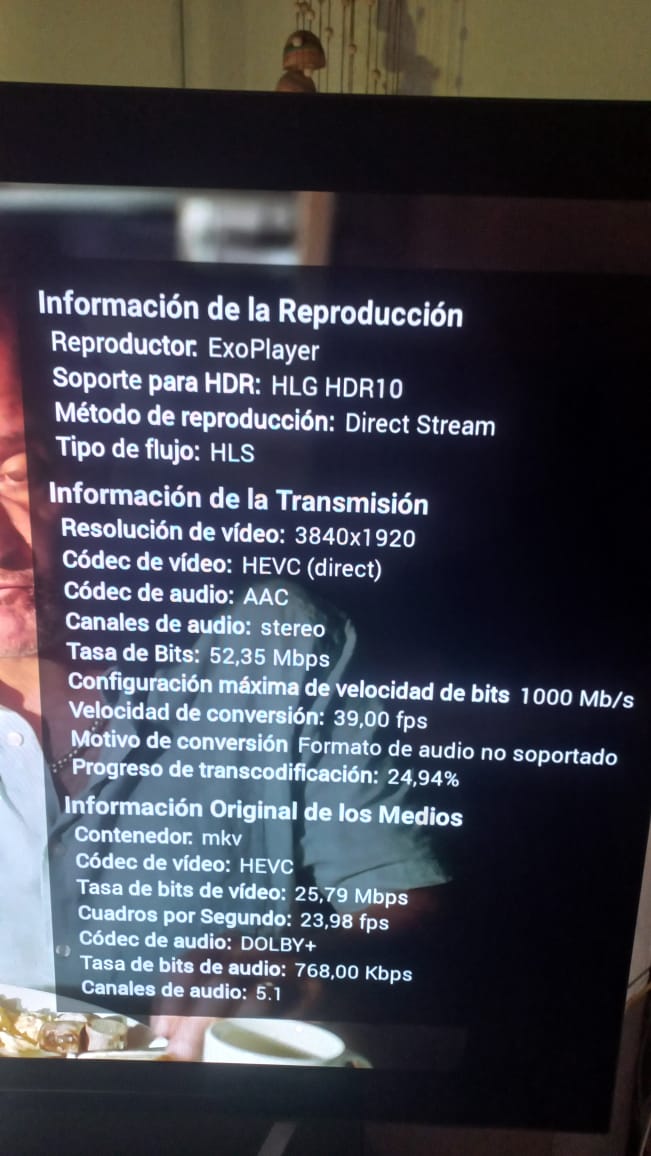
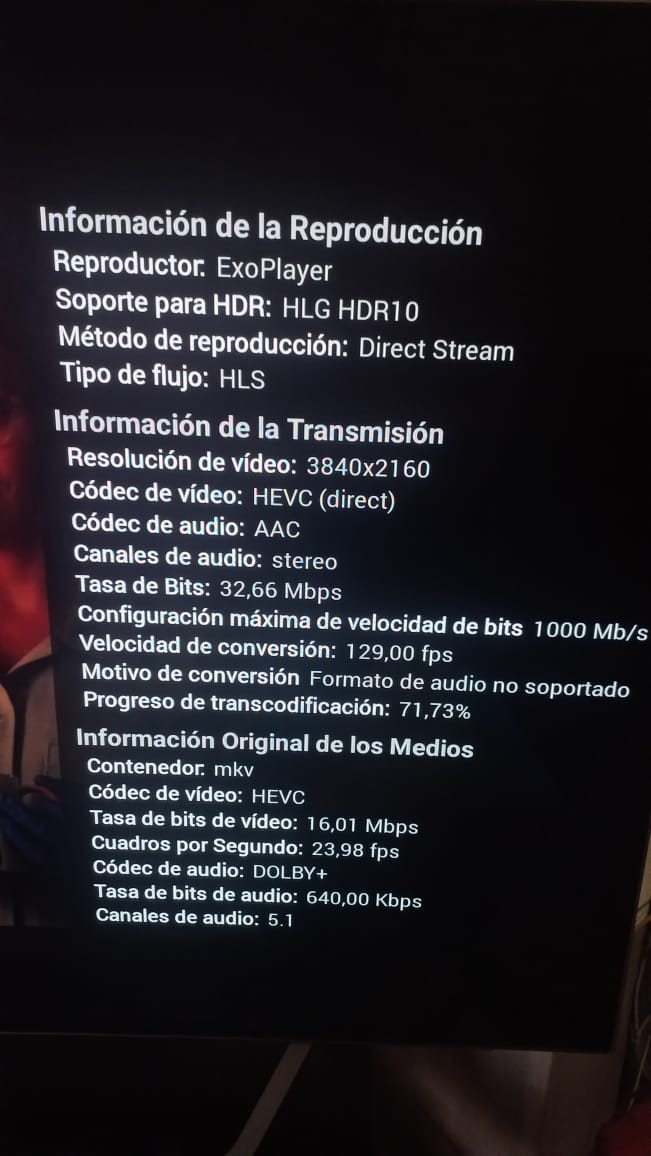
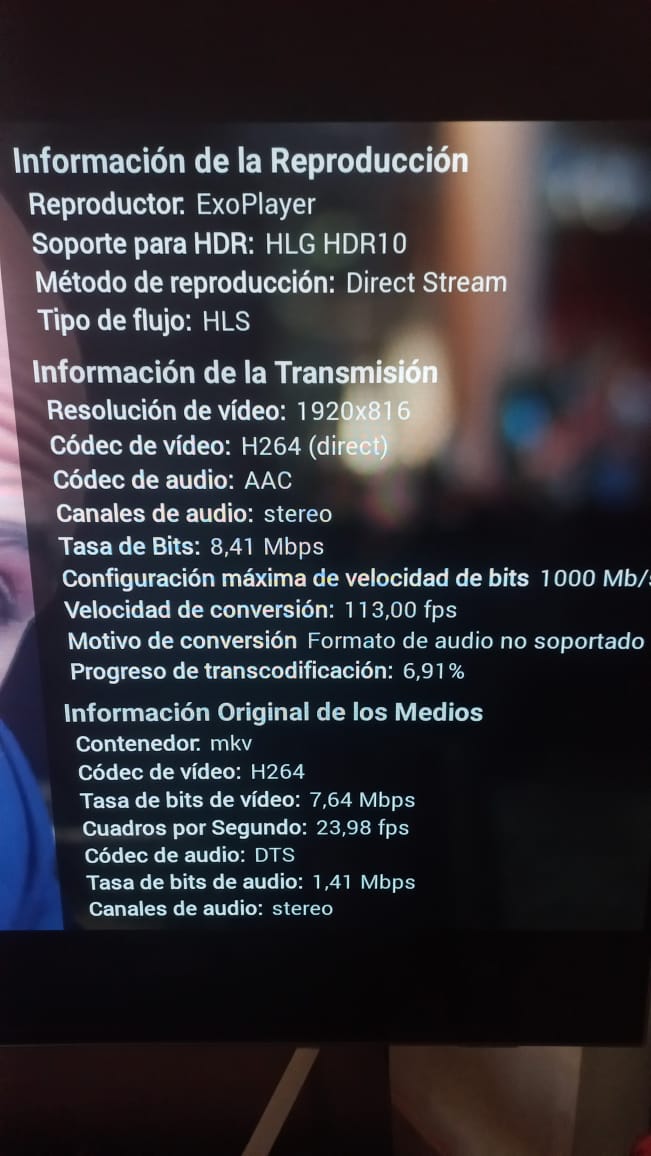 1 point
 -
Thanks for the feedback.1 point
-
I wasn't able to connect with my local credentials. I tried 3 local accounts at least 5 times each time. I was confronted with invalid username and/or password prompt. After rebooting the server I was able to authenticate through my local credentials as usual.1 point
-
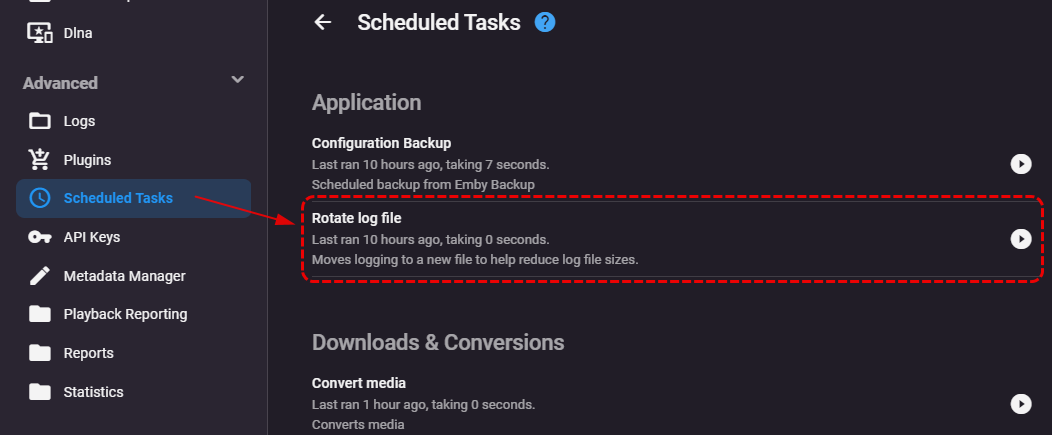
Press the icon on the right, run it manually.1 point
-
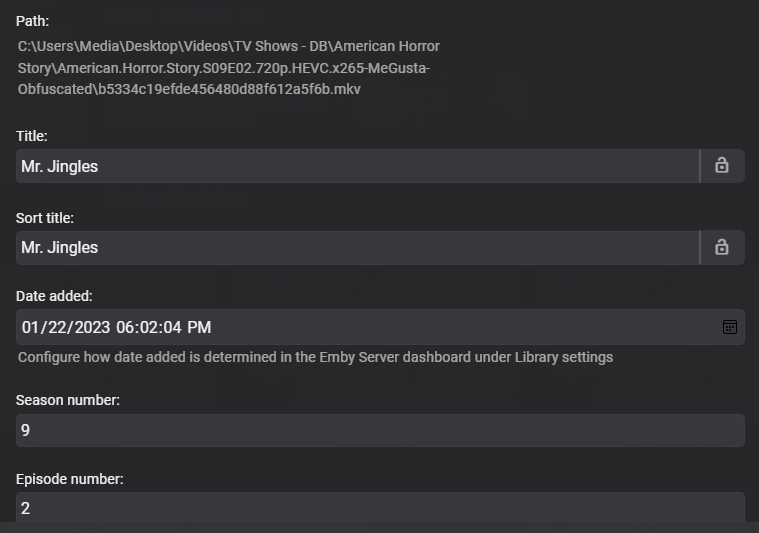
Actually, looks like you may be in luck with the next server release 4.8.x.x currently in beta. @cayarslooks like the KB may need an update for episode folders with episode obfuscated filenames starting in 4.8.
 1 point
 -
Thanks for your response. Just to document what finally resolved the no-sound problem. On the Roku stick – changed all audio settings to Auto – Except output – which is now set to Stereo out. That then gave sound on the TV – but no video – just a green screen with closed caption. Then changed Emby server to NO hardware acceleration. Changed User account to No-subtitle. Issue resolved.1 point
-
It will be, but only when your file naming is also https://support.emby.media/support/solutions/articles/44001159102-movie-naming ...but you already knew that1 point
-
There's a bunch of techniques I have worked out in the past which allow to enhance the experience and functionality of channel plugins. I cannot put all of this into the sample plugin as it wouldn't be a simple and useful example anymore, but when there's special interest in a certain topic I can add it to. So here's a list: How to update your channel without running the schedules task (which updates all channel plugins) How to update only a partial subtree of your channel items How to change the images of your root folders with a custom ImageProvider How to generate collage images for channel folders (like Emby does for libaries) with a custom CollageImageProvider How to work with Metadata for Channel Items How to achieve series/season/episode grouping with channel items How to provide ThemeVideos and ThemeSounds for channel items How to provide data for item fields which are not included in ChannelItemInfo How to provide MediaSource information for channel items with a custom MediaSourceProvider (currently, Emby just takes the 'Path' and ignores everything else you specify in the ChannelItemInfo) How to lock item properties from being overwritten by Emby (there's an unresolved bug in Emby Server which causes many the item fields to be overwritten on first playback)1 point
-
I tried search to no avail. I ran scan again and this time it ran only once as it should. But still the series did not show up. After that, I tried removing the year from the folder name. It was "After Life (2019)" and now is just "After Life". I ran the scan again. Now it is working, and I can see the series in emby and it included the right thumbnail image. And now the folder includes jpg's and and nfo files, which were not there before.1 point
-
1 point
-
Yes thanks1 point
-
Wow! That was the right move.....the new database is only 2/3 the size of the one that got corrupted and about 8% smaller than the vacuumed version so it was definitely full of junk1 point
-
Thanks @Luke, @softworks, and @Cheesegeezer for taking the trouble to give awesome support. I wish I could mark multiple posts as the solution.1 point
-
This worked. Thanks!1 point
-
Especially in 3D and I don't like 3D. I've seen it both 3D and not now.1 point
-
Hello Team, an option to disable burning in subtitles systemwide to avoid the high cpu usage of this process would be nice! Eventually do not even show such subs as option if disabled. Greetings!1 point
-
Please see how the images are show on the first image and how they are shown on the last image from the standard app the standard app dose not show the image of the tv show it shows a capture of the movie1 point
-
That right, but we actually used this option once, last night, as we explain in the forum thread at the announcement why we force to do it. As I explain above, the problem as most of the "member" group. 0 posts, and many are coming from our emby connect, they hardly consider the community forum only for browsing from time to time. To All: Again, it not Emby Community Accounts the issue, other sites been breached, and many users using same user/email/pass everywhere, as we notice lately spammers group been using these old account mostly 0 posts for spamming. I read some replies here and there we also whom here as well post here ending requesting account removal as they do not use their accounts anymore, that fine indeed. Again, we stand correct about our action, so please let move on, and thanks.1 point
-
For all: First our DNS is correct, if whatever reason any email from our domain flag as spam from your providers, you should report that to us so we can work with them to clear the matters. Second, the email contents about password reset it default email from our forum software, not a custom one, yes, we should make it a custom nice one, we notice this and thanks for the suggestion. Third and most important, your account security is very important to us. Thanks all.1 point
-
i think the issue is the link in the email. if the email just said the existing password had been disabled due to inactivity and a password reset via the site would restore access, that is better security and informing the user why the account was disabled. i thought someone got hold of my password or something.1 point
-
It is not. It is, as a preventive measure, for example if you haven't logged-in in certain time period.and have less than certain amount of posts. @Abobader, maybe an announcement?1 point
-
What is your setting for "Date added behaviour for new content" in Settings>Library>Advanced tab?1 point
-
Save Time With Emby's Intro Skip Requires: Emby Server 4.7 or later One of the new features in Emby Server 4.7 is the ability to skip TV Show Episode Introductions segments. This allows you to jump right to the start of the action saving you a great deal of time allowing you to quickly get to the good stuff! Combine Into Skip with Automatic Play Next Episode for a superior binge-watching experience!. This guide will cover the following: Configure a TV Library in Emby Server Configure Emby Client for Automatic or Manual Intro Skip How to use Configure a TV Library in Emby Server In order to use Intro Skip a TV Show library needs to be configured. Edit a TV Library on the Emby Server console. Scroll down to the Markers section in the library and change the option from NEVER to either "as a scheduled task" or "as a scheduled task and when media is added" depending on your particular needs. Once setup go to Scheduled Tasks and you'll see a new option has been added: By default this task is set to run every 24 hours. You can adjust it to run at specific time if you like. To add a new Task click the + sign above. This shows a new schedule that starts at 3 AM and is allowed to run for 4 hours. After clicking Add: We can now click the trashcan icon on the 24 hours schedule ending with: From our Scheduled Tasks menu we can manually run this job clicking the arrow icon. You will then see a status bar showing the percentage complete. There is nothing more needed on the server to use Intro Skip except to give it time to analyze all episodes and build the Intro Skip indexes. This process may take a while depending on the number of episodes you have. Configure Emby Client for Automatic or Manual Intro Skip Each client can be set to ignore TV Show Intros, automatically use Intros, or to prompt use showing a button. You can set this option in the client option's Playback Menu. Using Intro Skip With the Skip Intro button selected you can clearly see the button on the OSD immediately at the start of playback. The timeline is still at 0:00 before the show has started to play and we can already skip the introduction of the show. Clicking the Skip Intro button immediately jumps right to the start of the Episode. With the client option set to Automatically skip intros our TV show intros have been put on auto pilot. Right at the start of playback it jumps to the end of the intro right at the point of the fade in. View the full article1 point