Leaderboard




Popular Content
Showing content with the highest reputation on 01/22/23 in all areas
-
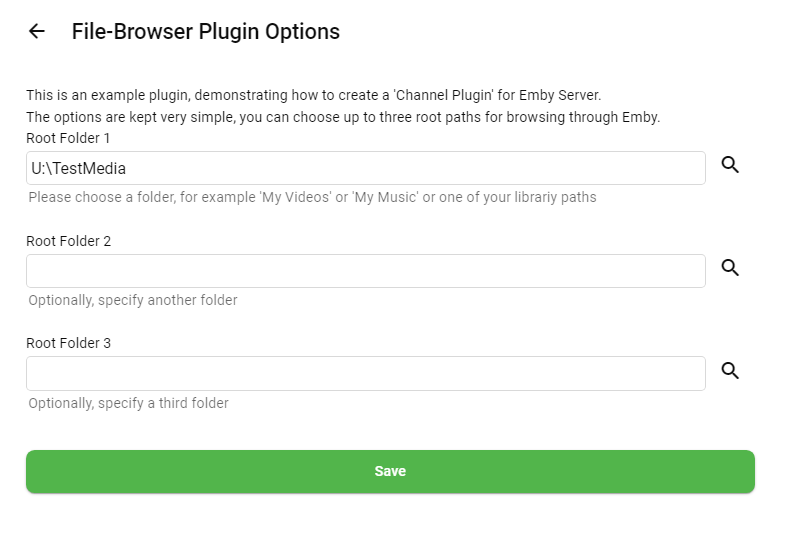
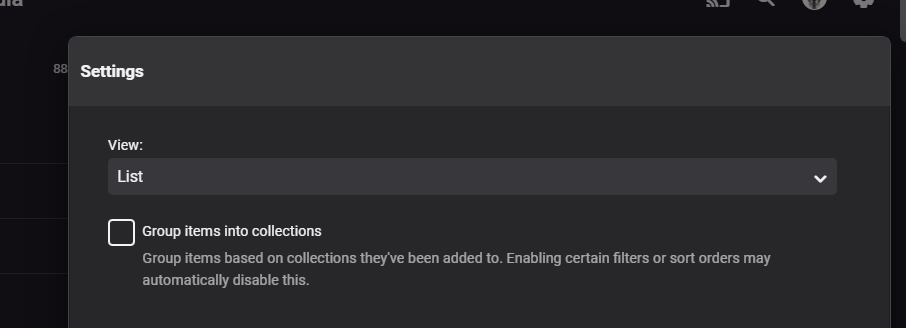
Hi, this is a preview for a new Channel Plugin Example - including source code of course: ChannelPluginFileBrowser.zip It will eventually be included in the Emby SDK (https://dev.emby.media/home/sdk/index.html) What does it do? Usually, channel plugins are used for integrating some remote content. To keep it minimal and focused, this sample does something different, though: It allows you to "browse" your local file system and also playback audio and video files. How does it work? After installing, go to plugins and click the "File Browser Plugin". You will see this: Next Step After saving, run the task "Refresh Internet Channels". Then you will see a "File Browser" in Emby and you can browse down all the hierarchy of the folders you have chosen. It makes sense to choose "List" as view type. I hope it might be helpful to some of you. Please let me know when you find any issues as this was done in 1.5h only.

 3 points
 -
Please also look here: https://dev.emby.media/doc/restapi/index.html and here: https://dev.emby.media/reference/RestAPI.html We also have client libraries for a variety of languages: https://dev.emby.media/home/sdk/apiclients/index.html2 points
-
What you need is this actually... just tested http://localhost:8096/emby/Users/{currUserId}/Items?Fields=MediaStreams&EnableImages=true&EnableUserData=true&Ids=475746&api_key={AuthToken} // RETURNS THIS { "Items": [ { "Name": "Space Chicken", "ServerId": "8da294d223d1427983f791b4cdb051e5", "Id": "475746", "Container": "mkv", "MediaSources": [ { "Protocol": "File", "Id": "ca99ab49539ac5672254441605cbbc68", "Path": "D:\\Emby_Test\\TV Shows\\House\\Season 02\\House - S02E01E02.mkv", "Type": "Default", "Container": "mkv", "Size": 297031408, "Name": "House - S02E01E02", "IsRemote": false, "RunTimeTicks": 25357350000, "SupportsTranscoding": true, "SupportsDirectStream": true, "SupportsDirectPlay": true, "IsInfiniteStream": false, "RequiresOpening": false, "RequiresClosing": false, "RequiresLooping": false, "SupportsProbing": false, "MediaStreams": [ { "Codec": "mpeg4", "CodecTag": "XVID", "TimeBase": "1/1000", "Title": "SD MPEG-4 Visual [0.7Mb/s]", "VideoRange": "SDR", "DisplayTitle": "SD MPEG-4 Visual [0.7Mb/s]", "IsInterlaced": false, "BitRate": 937105, "BitDepth": 8, "RefFrames": 1, "IsDefault": true, "IsForced": false, "Height": 480, "Width": 720, "AverageFrameRate": 29.97, "RealFrameRate": 29.97, "Profile": "Advanced Simple Profile", "Type": "Video", "AspectRatio": "1.5:1", "Index": 0, "IsExternal": false, "IsTextSubtitleStream": false, "SupportsExternalStream": false, "Protocol": "File", "PixelFormat": "yuv420p", "Level": 5, "IsAnamorphic": false, "AttachmentSize": 0 }, { "Codec": "mp3", "TimeBase": "1/1000", "Title": " 2.0 ", "DisplayTitle": "Und 2.0 ", "IsInterlaced": false, "ChannelLayout": "stereo", "BitRate": 192000, "Channels": 2, "SampleRate": 44100, "IsDefault": true, "IsForced": false, "Type": "Audio", "Index": 1, "IsExternal": false, "IsTextSubtitleStream": false, "SupportsExternalStream": false, "Protocol": "File", "AttachmentSize": 0 } ], "Formats": [], "Bitrate": 937105, "RequiredHttpHeaders": {}, "ReadAtNativeFramerate": false, "DefaultAudioStreamIndex": 1, "DefaultSubtitleStreamIndex": -1 } ], "RunTimeTicks": 25357350000, "Size": 297031408, "Bitrate": 937105, "IndexNumber": 1, "ParentIndexNumber": 2, "IsFolder": false, "Type": "Episode", "ParentLogoItemId": "287662", "ParentBackdropItemId": "287662", "ParentBackdropImageTags": [ "ecb087239f10dff90e64e11decc359cd", "787c843eb3f13a3420d418c7048f77ba", "53cebe1738af8a1bf740c1126f14fefe" ], "UserData": { "PlayedPercentage": 29.94507793203943, "PlaybackPositionTicks": 7593278219, "PlayCount": 1, "IsFavorite": false, "LastPlayedDate": "2022-11-21T17:05:58.0000000Z", "Played": false }, "SeriesName": "House", "SeriesId": "287662", "SeasonId": "475731", "SeriesPrimaryImageTag": "d3b1479be47a92fbc446447778bc3b82", "SeasonName": "Season 2", "MediaStreams": [ { "Codec": "mpeg4", "CodecTag": "XVID", "TimeBase": "1/1000", "Title": "SD MPEG-4 Visual [0.7Mb/s]", "VideoRange": "SDR", "DisplayTitle": "SD MPEG-4 Visual [0.7Mb/s]", "IsInterlaced": false, "BitRate": 937105, "BitDepth": 8, "RefFrames": 1, "IsDefault": true, "IsForced": false, "Height": 480, "Width": 720, "AverageFrameRate": 29.97, "RealFrameRate": 29.97, "Profile": "Advanced Simple Profile", "Type": "Video", "AspectRatio": "1.5:1", "Index": 0, "IsExternal": false, "IsTextSubtitleStream": false, "SupportsExternalStream": false, "Protocol": "File", "PixelFormat": "yuv420p", "Level": 5, "IsAnamorphic": false, "AttachmentSize": 0 }, { "Codec": "mp3", "TimeBase": "1/1000", "Title": " 2.0 ", "DisplayTitle": "Und 2.0 ", "IsInterlaced": false, "ChannelLayout": "stereo", "BitRate": 192000, "Channels": 2, "SampleRate": 44100, "IsDefault": true, "IsForced": false, "Type": "Audio", "Index": 1, "IsExternal": false, "IsTextSubtitleStream": false, "SupportsExternalStream": false, "Protocol": "File", "AttachmentSize": 0 } ], "ImageTags": { "Primary": "1d29a444931a106347a50213d74f1a42" }, "BackdropImageTags": [], "ParentLogoImageTag": "92308b003ebccdeb2bdff1ba87b9b99b", "ParentThumbItemId": "287662", "ParentThumbImageTag": "6684e1694566f8d80a109eaed4c3a929", "MediaType": "Video" } ], "TotalRecordCount": 1 }2 points
-
The issue was with my file manager. I used that X-plore. I tried a different one and installed the app without issues. Thanks.2 points
-
Ok so my request is to be able to search each library separate as it stands when you search it searches everything, and if like me you have 30k music tracks 10k books/comics 10k episodes and 10k+ movies, searching is slow so is it possible to have a search section for each library individually1 point
-
I love the additional subfolders for Movie Extras (eg, Shorts, Scenes, Interviews, etc.)! I would like to propose an additional folder: "Galleries". Within the Galleries folder the user would place subfolders (only one level of nesting) and each subfolder could contain any images the user chooses. Then, Emby would display the subfolder name as an Extra (in Emby Theater) and opening that extra would launch an image gallery of the containing images. For example: Movies\Disney\The Sword In The Stone (1963)\Galleries\Scrapbook Movies\Disney\The Sword In The Stone (1963)\Galleries\Film Facts "Scrapbook" is what would be listed among other Extras in Emby Theater, and the Scrapbook folder contains various images to be displayed in a slideshow that the user can navigate with their left/right arrows. This feature request is motivated by the following related post: https://emby.media/community/index.php?/topic/55912-video-ts-folder-no-longer-recognized-in-movie-extras-folder/ Basically, sometimes there are extras such as image galleries and text content which are only available via the DVD menu. I have found that I can use FFMPEG to extract all the frames from a video file, and so use that on the appropriate VOB file from the original DVD. Then I can use VisiPics to delete all the duplicates, resulting in content I can then sort into folders (eg, Concept Art, Storyboards, etc.). All I need is for there to be the above support for a Galleries extras folder, which could contain multiple subfolders (only one level deep), each containing images to be displayed as image galleries in Emby Theater, etc. Thanks for your consideration! PS - If this is something you might like to see implemented, be sure to "Like" this top/first post (as well as any subsequent posts in this thread that highlight particular aspects of what you are interested in) -- "Liking" the top/first post helps the Devs to know how much interest there is in a given Feature Request.1 point
-
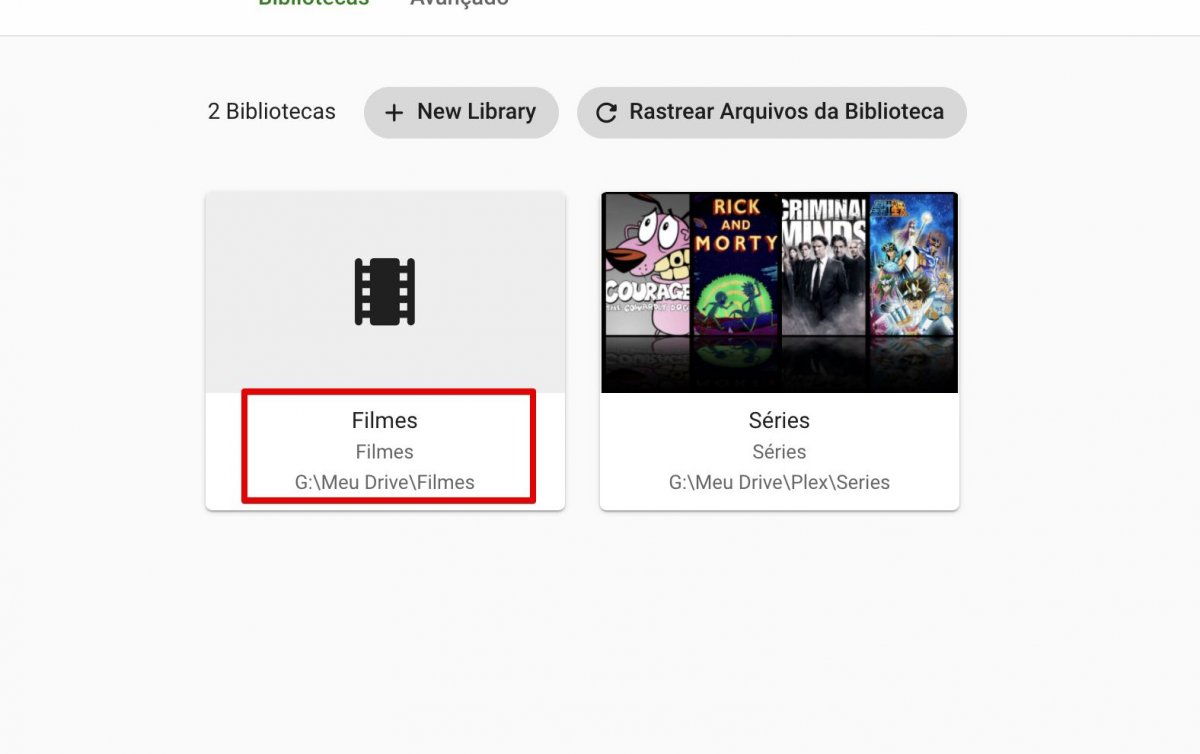
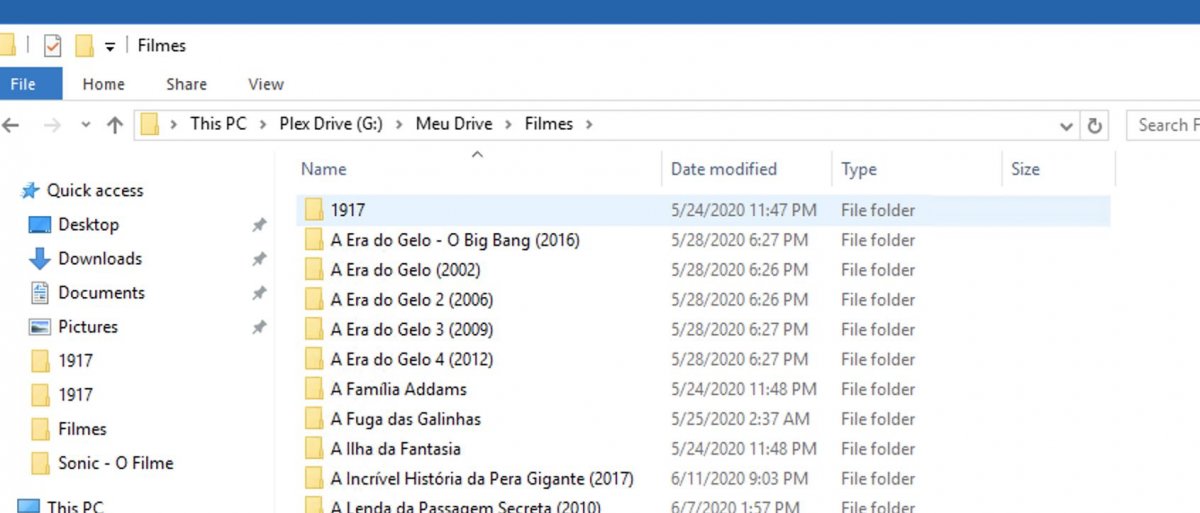
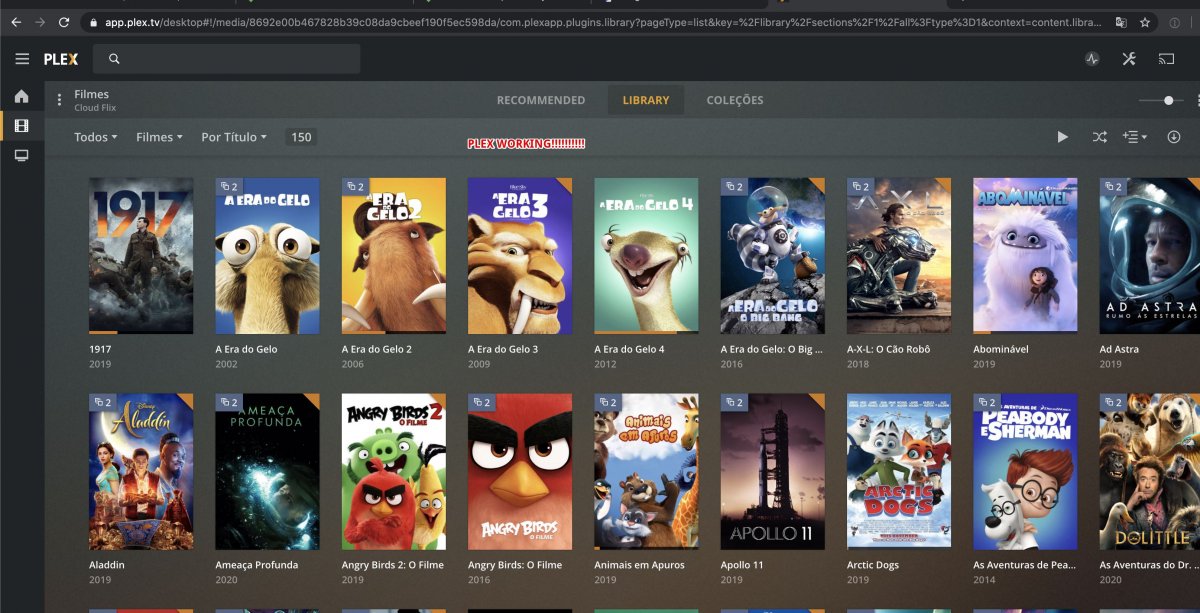
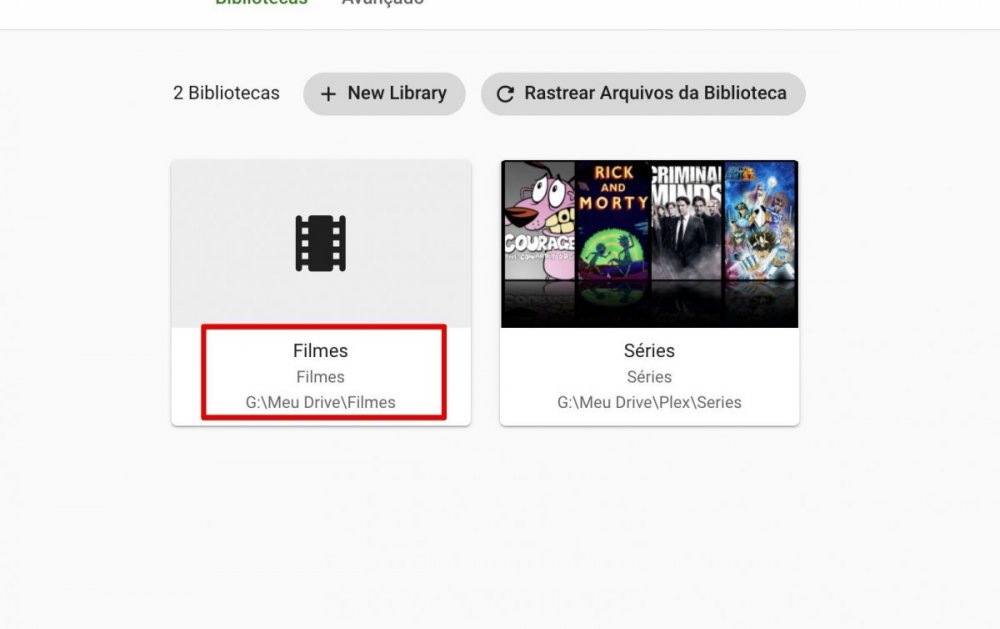
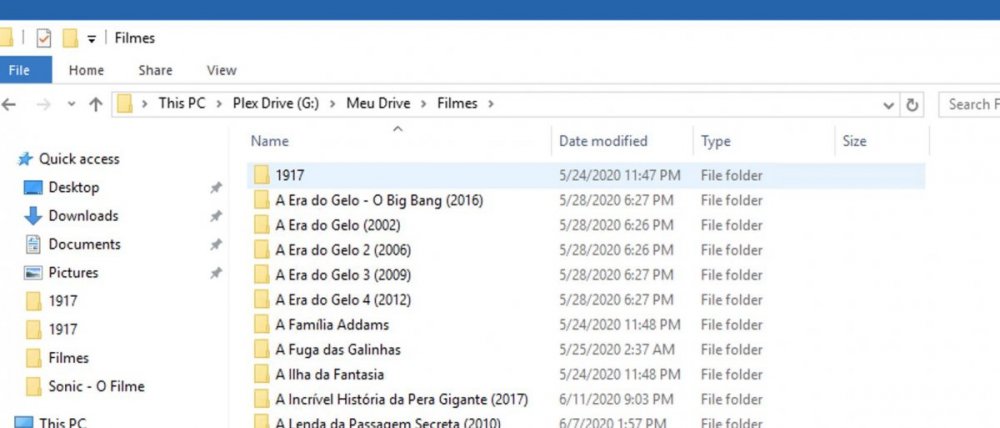
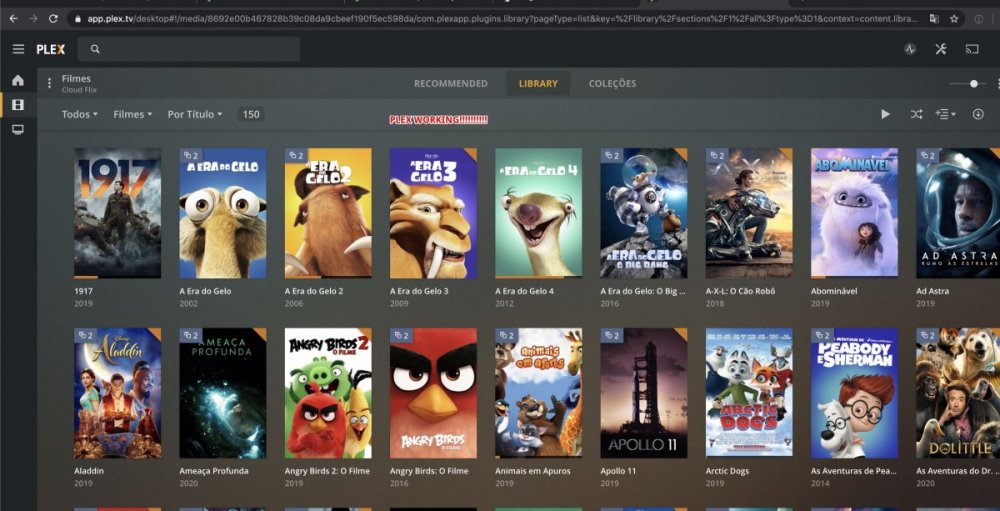
Hello friends, I have Emby installed on a Windows server, I have a problem where he is unable to find the movies in the folder. The series he can find normally. I ran Plex and I didn't have that problem, Plex was able to find everything. Can you help me? embyserver-63727648741.txt embyserver (1).txt
 1 point
 -
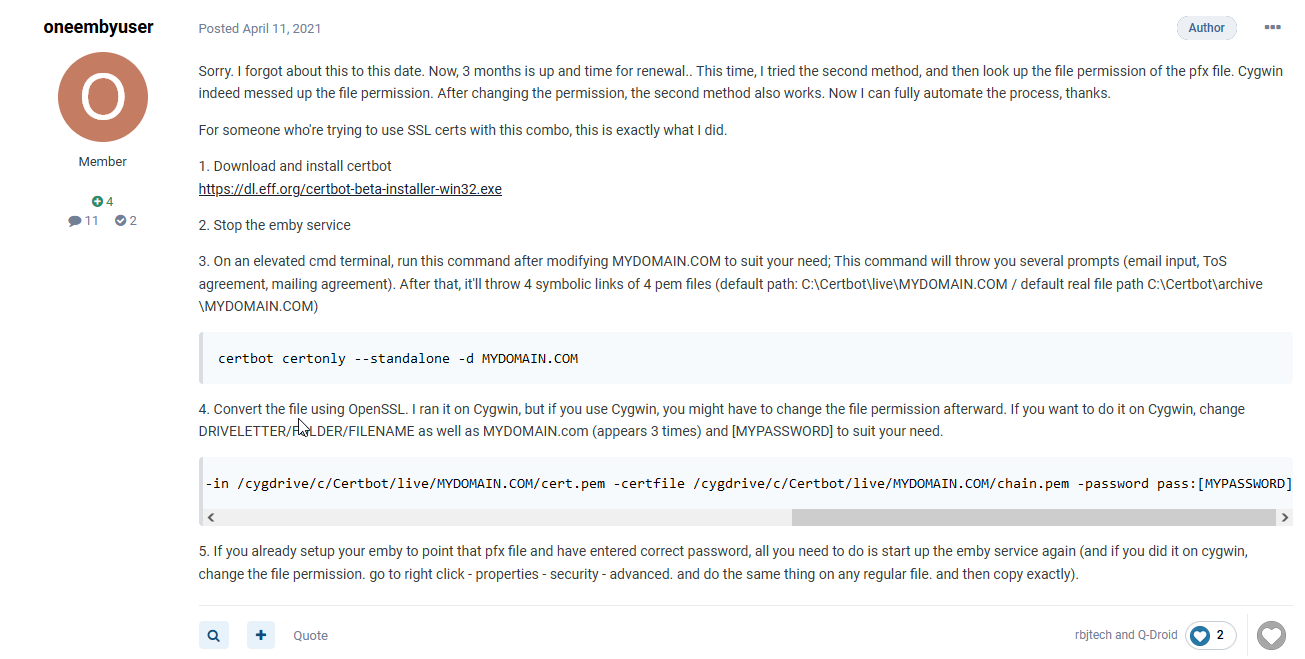
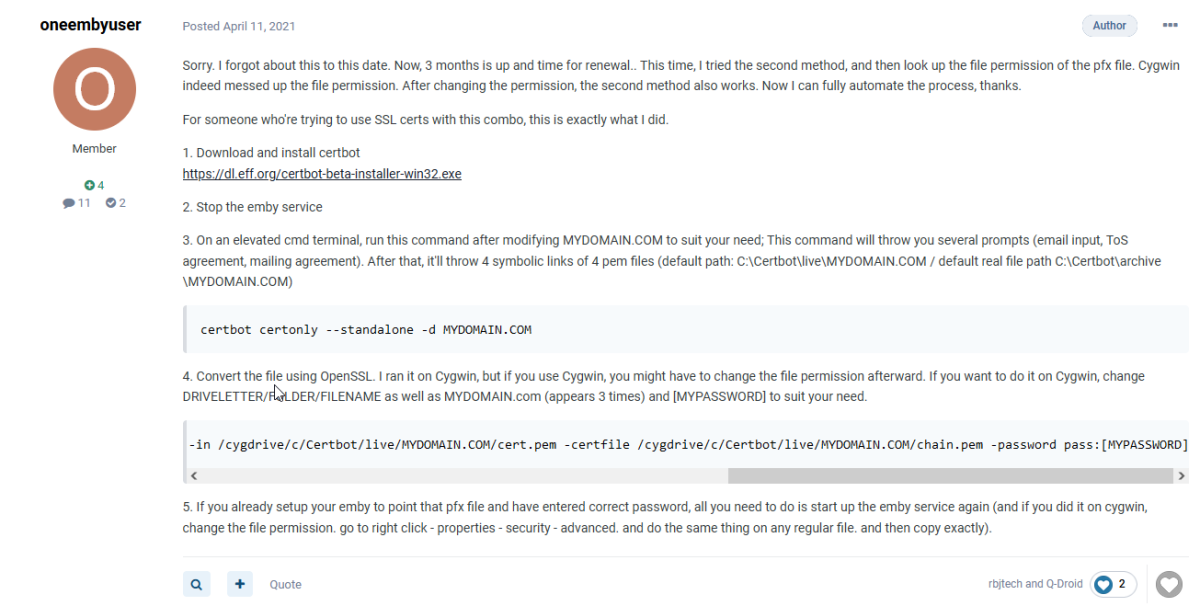
Oh my goodness. I got it!! I was browsing another post on the forum. I posted what I followed below. I did try what you are saying - creating the pfx file myself - but I couldn't figure out how to do it. The .pem is also something that le64 didn't generate or that I didn't find. Either way - I can use my 8920 port to login as well as my domain!! THANK YOU GUYS FOR THE HELP!!!!
 1 point
 -
1 point
-
Thanks Grim, that solved my problem.1 point
-
Only issues is the plug only tracks info from the time it is installed.1 point
-
Have you checked out the Playback Reporting plugin? Note that it will only display stats from the moment it is installed onwards. And yes it will show you things like this and more1 point
-
Thanks @Luke, @softworks, and @Cheesegeezer for taking the trouble to give awesome support. I wish I could mark multiple posts as the solution.1 point
-
Does your password have any special characters in it? If so, remove them, recreate cert and try again.1 point
-
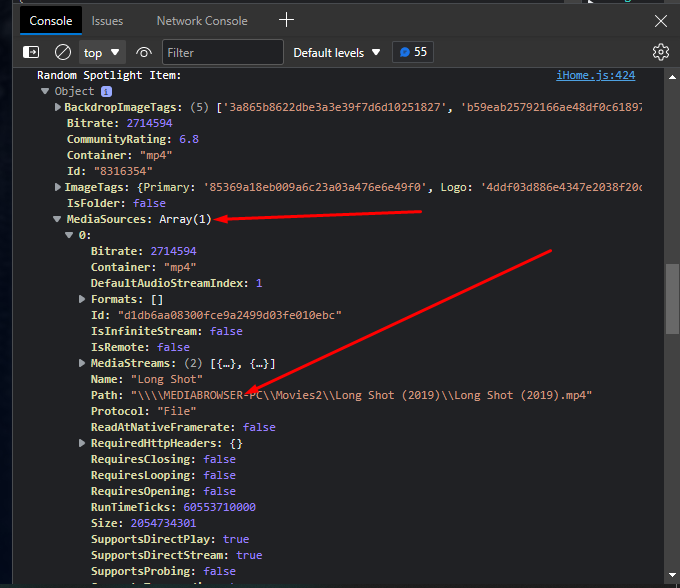
ok so here's what i used to get item path in the variable. This is what i used for what i needed you can remove what you need 192.168.0.117:8096/emby/Users/{userId}/Items/Latest?Limit={itemLimit}&ParentId={folderId}&Fields=Taglines%2CBudget%2CCommunityRating%2COverview%2CMediaStreams&api_key={AuthToken}; But essentially what you are looking for is the container that holds MediaSources in... this will give you your video path, etc
 1 point
 -
True, functionality is more important than eye candy, but at least with eye candy I can change it a bit myself with a bit of css (or more likely ask others for help with css...), and I don't get much excitement, so...1 point
-
HI, yes it is something we plan to support. Thanks for the feedback.1 point
-
That's too bad. It seems to be fully working now! Thanks for all the help1 point
-
Thanks. I don't know how I missed that. I must not have scrolled down to the beta downloads.1 point
-
HI, we're looking into it. Thanks.1 point
-
Screw it, I just vacuumed it which didn't help so I renamed it and let emby build it all from scratch.....probably time as it has been running like this for 3 years with all kinds of temporary libraries added, some deleted.....lots of bloat. This is my testing server anyway, I have a new machine with a clean server that I will soon migrate all the "complete and tested" content too so people who watch won't have any issues, just enjoyable content.1 point
-
@NormSwarmThe stdc++ issue only applies when you're running the linuxserver container and are trying to use anything outside of what we provide. On our image everything is compiled using the same version and should work out of the box, it doesn't matter whether it's an older version. I've updated our whole video stack, including the mesa drivers, and I pushed an image for the purpose of debugging, it includes a copy of vainfo, the tag is 4.8.0.21-debug. Could you give it a try?1 point
-
Have we mentioned lately how much we love options1 point
-
Just a quick update. I bought the Microsoft HEVC codec from their store and now it is direct playing. https://apps.microsoft.com/store/detail/hevc-video-extensions/9NMZLZ57R3T7?hl=en-gb&gl=gb1 point
-
Step by step, need to sort port forwards first.1 point
-
Wowzers, thanks fella, I’ll take a look tomorrow. Cheers1 point
-
Then you need to forward public port 8920 to internal 8920 and replace 443 with 8920 in Emby Network settings. That depends on the maker and model of your router. You need to admin into your router and find Port Forwarding Section, here are some typical locations:1 point
-
I have created an example channel plugin for you:1 point
-
@ShaneP are you been able to check it? do you still mantain the project? ty


 1 point
 -
Haha, I think I didn't say that... Before it updates what? You should be able to see the items even while Emby is still querying them from your plugin - if that's what you're asking. You need to properly set up IDs for the items. The IDs need to remain constant for the same item. The most important method of your channel if GetChannelItems(). You can't do what you want there - you need to obey to what the server is requesting, like here: public async Task<ChannelItemResult> GetChannelItems(InternalChannelItemQuery query, CancellationToken cancellationToken) { if (query.FolderId == null) { return await this.GetRootFolders(cancellationToken).ConfigureAwait(false); } return await this.GetStreamItems(query, cancellationToken).ConfigureAwait(false); } The first call by the server is asking for root items (not necessarily folders like above) - in that case, the FolderId is null. For all folders that you return, Emby will call back later and ask you for the children of that folder (specified in the query). Then you must only return direct children of that older, etc.1 point
-
Cheese create your channel items list, then run a refresh internet channels task. You should be good to go.1 point
-
Hi Luke, Thanks for taking time to reply and try to solve the problem. By the "Streamer" I mean the device that receives the files. I think the name should be the "renderer". It is a ShanlingEA5... and I think it does not support proper gapless. I have been in tocuh with the dev of an Android App that can be the interface between Emby server and the renderer. The app is called "Symfonium" and the dev is Tolriq. I've sent him log of the app and it seems the culprit is indeed the Shanling renderer that says it is paused and as such does not play the next file. It's in the queue ut queue does not start In case you're interested and would like to see what he replied, here's the link to the forum where I psoted : https://support.symfonium.app/t/playback-does-not-make-it-to-the-full-playlist/1282 Regards.1 point
-
With our default setting to only show logins for people who have logged in on that device before, we behave exactly that same way right now.1 point
-
Hi Luke, Thanks a lot for trying to help me out. But I think that the problem is not Emby (nor Server neither Emby Android App). I think the problem is the device that I would like to play back to. It's an "exotic" Shanling EA5 (which on paper should is of course superb). I've already talked to the developer of Symfonium and sent a log to him. He says taht the device goes into pause... and as such does not launch the new incoming file. But of course, should you have an idea about how to solve this, here is exactly what I would like to accomplish in my own words So I have a QNAP NAS on which I installed Emby. So the QNAP is used as a media server. It holds about 25 000 tracks... I can access the Emby server in several ways : - using my computer with IP Address and port 8096 - using the dedicated Emby App on Adroid - using BubbleUPnP or Symfonium. I want to stream the files from the Emby server to the "renderer". That is the Shanling EA5 all-in-one device (Renderer, DAC, headphone amp...). Whatever the way (Emby on computer, Emby Android App, Symfonium, BubbleUPnP) they ALL give same result : - each can detect the Shanling EA5 as a rendered ; - they all can send files from the Emby server on QNAP NAS to the renderer - but they ALL fail to jump to following track ; I have to manually enter "Next" to go to the next track - one exception : Symfonium can play 3/4 files in a row, sometimes the whole album... but that is random I am sure that Emby Server is not at fault : I tried to install Plex and playing files from Plex gives the EXACT same results... So I guess the "EA5 Renderer" is not fully DLNA compliant... and probably something with not supporting gapless playback. Regards.1 point
-
my server rebuild and your question prompted me to do some further testing. I realised a mistake in my understanding, product description and function. At the episode level there are persontypes "Actor" and "Guest Star" (as well as directors, writers etc), at the series level there are not "Guest Stars" only "Actors" (as far as i can tell) (as well as directors, writers etc) Anyways the original purpose of cleaning the bio page should have removed person type "Actor" from episodes duplicated with "Actor" at the series level not just person type "Guest Star". This has been corrected in v0.1.0.1 Because of the fundamental change test mode would be recommended again. Unfortunately @sydlexius i don't think this changes the situation re: your request above...there is no Actor/Guest star distinction at the series level (as far as i can tell) Emby.GuestStarCleaner v0.1.0.1.zip1 point
-
However, I have just managed to fix it by unchecking the box, fully closing the app (not the weird minimise thing they do on android TV where they still run in the background). Opening the app back up, checking the box again, then fully closing the app and re-opening it. Maybe it was a bug and wasn't registering that it was checked1 point
-
Mon souci est réglé depuis que je suis repassé en IPV4. C'etait bien l'IPV6 qui posait probleme... Merci pour votre aide !1 point
-
I'm sorry I just realized how easy it is to create a new library (and select home videos). It all works again now. I think it's very strange though that that would be the issue, ah well. Emby sure has some strange issues sometimes (like the too long file name = media error). They should probably fix that one error and make it more clear what the problem is..1 point
-
Hi, currently the android server does not support transcoding on Android 12 & 13 but we are working on it, so stay tuned. Thanks.1 point
-
Hi, yes we'll have to look at the way this plugin works. I'm not sure it was ever built to import favorite content, but that's not a bad idea.1 point
-
Had the same issue: In the end I decided to remove the plugin. I really like it, but without proper control over used ressources, I couldn't let it slide.1 point
-
Hi, we are looking into improving this. Thanks for the feedback.1 point
-
HI, looks like this model should be using the Intel 64-bit package: https://emby.media/qnap-server.html1 point
-
Would rather see if no 100% match put in a failed list for manual intervention if more logic is not going to be added for better matching from returned items instead of wrong first item. To me a failed fetch is better than wrong fetch but would need an interface to show these failed items.1 point
-
Any update on this? Would be pretty useful now in 2023 when HDR and DolbyVision are pretty widely used. It isn’t fringe content anymore. Thanks.1 point
-
Thanks @Luke. So, just to be clear, if I have artwork embedded into the file itself--i.e., not saved as a separate file in the same folder--it doesn't matter which structure I chose? I am still waiting for a library scan to complete (it's going very slow) but I can report that I have embedded artwork and, prior to the current scan that is processing, I did a full library scan, and metadata refresh and I was not seeing album art.1 point
-
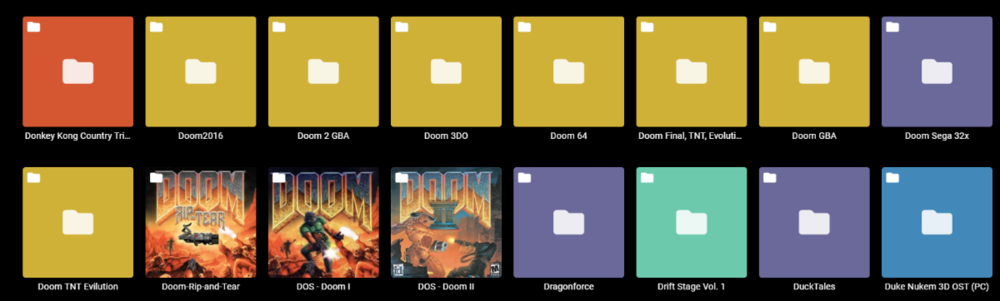
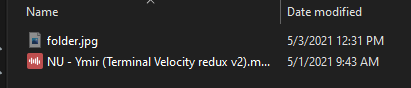
Well. Ran scan again.. and now even more have lost their images.
 1 point
 -
I have the exact same issue when displaying home videos and photos. See my previous post Here. I noticed that Emby was not able to identify files/videos when it drills down to more than 2 subfolders. eg. C:\Main Folder\Movies What I did to solve this issue is to place it in this way: C:\Movies C:\Tvshows1 point
-
@guluppi welcome to the club.1 point
-
No change. Did some more testing. This ONLY happens when using /emby/. If I'm using the root website, or /mediabrowser/, it is able to save the settings properly, without any issues. This includes via the direct website for it (localhost:8096/emby/) and via reverse proxy (drashna.net/emby/) So this seems to be due to something with how the emby folder requests are handled. server-63566350494.txt1 point